It may sound easy to create a site in 2026, yet one must be very careful with planning. The web development cost is a topic that can cause a real debate between business owners and project teams. People desire to make a good investment. Although a budget is significant, the ultimate outcomes must be considered first. The overall cost is dependent on the design, features, and future needs. Having experience in a tech-expert company, we observe that people tend to stop at this point and reconsider themselves. Such a break enables them to become wiser with digital decisions.
In fact, knowing the cost is not just a matter of money. It is a matter of aligning your idea with the appropriate solution. Companies nowadays require speedy websites that can develop without any problems and remain safe. The prices are being influenced by these demands gradually. However, the latter still goes on changing because of new tools and trends. This puts cost planning at a higher level than before. So, in this blog, we explain what shapes website development prices in 2026 and how to plan them clearly.
Want a website that works effectively for your business without exceeding your budget? Mindpath’s web development services create tailored solutions that are reliable, scalable, and affordable.
Why Cost Matters While Creating a Website?
Cost planning determines the degree of strength of your website, and it influences all decisions. Website development cost directly dictates the quality of design, functionality, security, and user experience, and ultimately your site’s conversion rate. An effective budget allows one to employ talented professionals and prevent poor growth. It also helps avoid hidden fees and expensive redesigns caused by poor performance or technical downtime. Webpage development cost also includes hosting, tools, and testing. A combination of these components forms a site that can support business objectives and generate long-term value.
The site also requires routine maintenance to continue to be useful after launching. Web development service costs involve updates, security checks, and performance improvements. These measures make the site stable and reliable. A preplanned budget also regulates the alterations in features and averts unnecessary costs. You can monitor the leads and sales with proper cost planning. This enables the site to be a powerful, quantifiable business resource.
Want to avoid unexpected website development costs? Check out the web development roadmap to understand project milestones and cost drivers.
Factors Influencing Website Development Costs in 2026
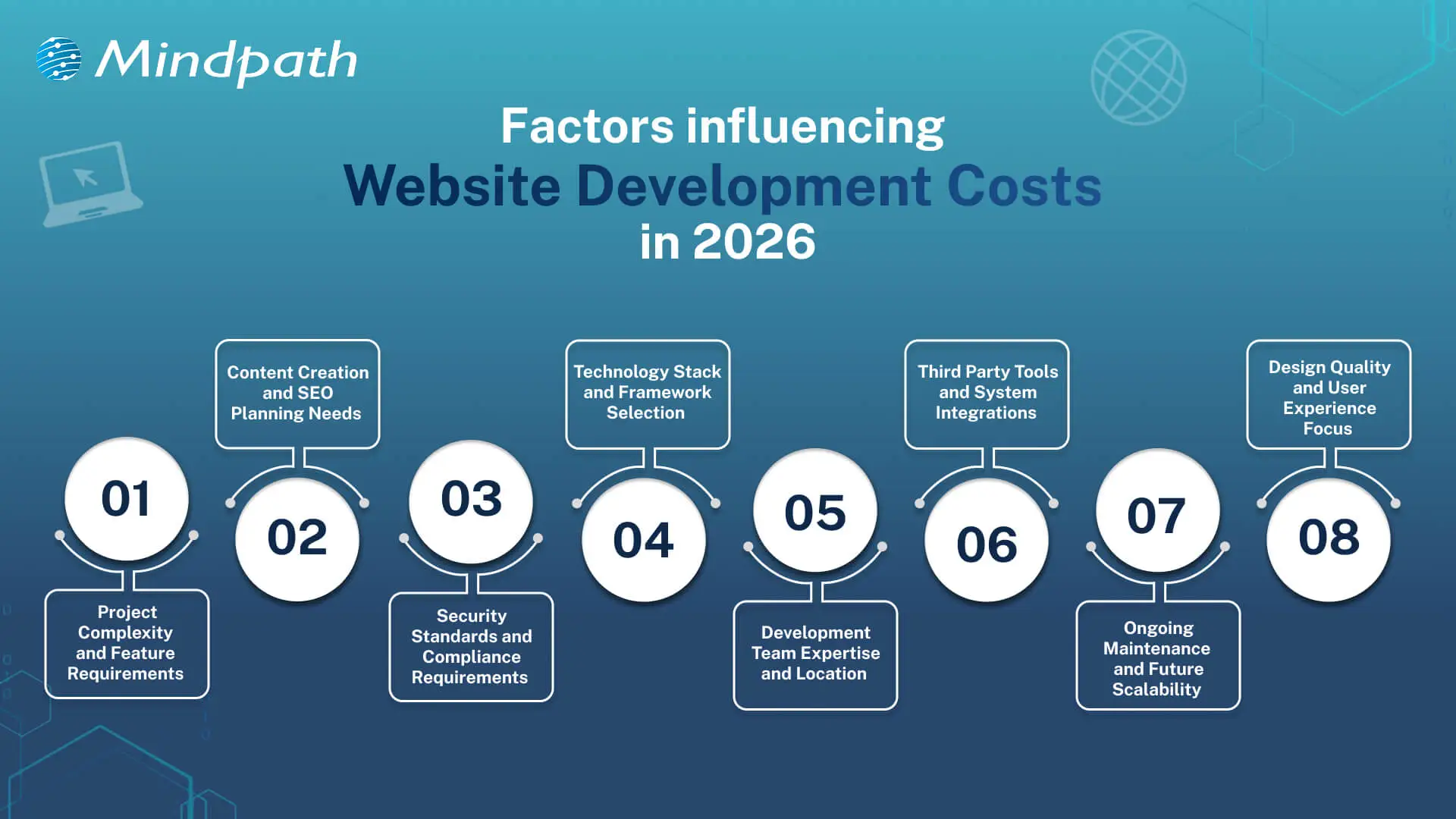
Website expenses in 2026 are based on a combination of various intertwined aspects that will inform the course of planning decisions. Webpage development and website design cost makes businesses understand how to establish a realistic budget early.
1. Project Complexity
Basic websites are inexpensive and will satisfy fundamental requirements. The inclusion of more specific features like e-commerce or user accounts complicates and adds more planning. All these additions increase the average website development costs.
2. Content and SEO Requirements
Excellent content is advantageous to the user and the search engines. Establishing the SEO takes serious planning and technical effort. This increases visibility but increases the budget.
3. Security and Compliance Needs
Secure websites save the data of users and maintain the reputations of the business. Compliance regulations impose additional development phases, which introduce relevant layers of costs.
4. Technology Stack Choices
The contemporary tools determine the strength of a web site. It is time-consuming to work with AI, AR, and sophisticated frameworks. This option has a powerful influence on the website development costs.
Curious why some web projects cost more than others? Discover web development tools and see how technology choices influence productivity and expenses.
5. Development Team and Location
Expert teams provide scalable and stable websites. Compared to freelancers, agencies are more expensive due to their wider knowledge. Location is also a factor that affects rates and total expenditure.
6. Third Party Integrations
Websites usually have a connection with payment or CRM tools. Additional setup and testing time is added in every connection. An increase in integrations implies increased development effort.
7. Maintenance and Scalability
Websites need updates after launch. Hosting, fixes, and growth planning require steady investment. These costs support long-term performance and ROI.
8. Design and User Experience
Good design improves trust and user flow. Custom layouts need research and testing across devices. This work increases value and raises the average website development cost.
Looking to understand how emerging trends affect website development costs? Check out the latest web development trends to see how new technologies and practices influence project scope.
Understanding Website Development Costs
Website development costs depend on planning, technology, and business goals working together. Understanding these costs helps businesses make smart decisions before starting development.
1. Enterprise Website
The cost usually starts from £50,000 and can exceed £150,000 based on scale. Pricing increases due to security, integrations, and multi-language requirements.
2. Single-Page Website
Costs typically range between £250 and £800 for a basic setup. The price stays low because development time and features remain minimal.
3. Custom Web Platform
These platforms cost between £15,000 and £75,000 or more depending on logic. Higher costs reflect custom development, testing, and long build cycles.
Curious how web development costs compare to full-scale software projects? Discover software development cost insights to understand long-term budgeting and investment planning.
4. Small Business Website
The average cost falls between £800 and £3,000 for 5 to 10 pages. Pricing depends on CMS use, design level, and basic SEO setup.
5. E-Commerce Website
Costs usually start around £2,500 and can exceed £20,000. The final price depends on products, payment systems, and inventory complexity.
6. Advanced Brochure Website
Pricing ranges from £3,000 to £8,000 for custom design builds. Costs rise due to animations, performance hosting, and lead-focused features.
Planning your web development budget more effectively? Explore web development technologies to see how choosing the right stack affects cost and performance.
Ready to Plan Your Website Budget with Confidence?
Planning a website in 2026 needs clarity and smart thinking. Costs connect with design, features, security, and growth plans. Website development costs change with every decision you make. Clear planning avoids confusion later. It also helps balance value and spending. When you understand web development pricing, you invest with purpose and confidence.
Mindpath web development services focus on clarity, quality, and growth. Our teams plan projects with clear goals and transparent charges for website development. We build secure, scalable websites that support real business needs. Every solution balances performance and cost. With Mindpath, planning stays simple and results stay strong.

Building a startup involves making important decisions about your product, technology, budget, and team. One of the most significant decisions is choosing the right developers to turn your idea into a working product. When you hire dedicated developers, you gain professionals who focus on your project, understand its goals, and contribute to its ongoing development.
However, finding developers who match your technical requirements, working style, and business objectives takes careful planning. A poor hiring decision can lead to delays, communication gaps, rework, and additional costs. A structured hiring process helps you assess candidates more effectively and build a development team that can support your startup as it grows.
This guide explains how to hire dedicated developers for your startup, from defining your requirements and evaluating candidates to selecting the right engagement model and onboarding your team.
Why Do Startups Need to Hire Dedicated Developers?
Startups often need to develop products while working with limited budgets, evolving requirements, and tight timelines. Hiring dedicated developers can provide access to specialized technical skills without requiring the startup to build every role into a permanent in-house team.
A dedicated developer or team can focus on defined product responsibilities, collaborate with internal stakeholders, and maintain continuity throughout the development process. This arrangement can also make it easier to adjust team size as project requirements change. The actual cost and delivery benefits depend on the engagement model, team experience, project scope, and management approach.
Key Responsibilities of Dedicated Developers
The responsibilities of dedicated developers depend on the product and the skills required. Common responsibilities include:
- Product development: Build and maintain application features across frontend, backend, or mobile platforms based on the project scope.
- MVP development: Help create a minimum viable product so startups can test core assumptions and gather early user feedback.
- Code quality and maintenance: Write, review, test, and maintain code to support product reliability and future improvements.
- Technical problem-solving: Identify development challenges, recommend suitable solutions, and address performance or integration issues.
- Product collaboration: Work with founders, product managers, designers, and other team members to align development with business priorities.
- Ongoing improvements: Support updates, bug fixes, feature enhancements, and technical maintenance after launch.
Key Steps to Hire Dedicated Developers for Your Startup
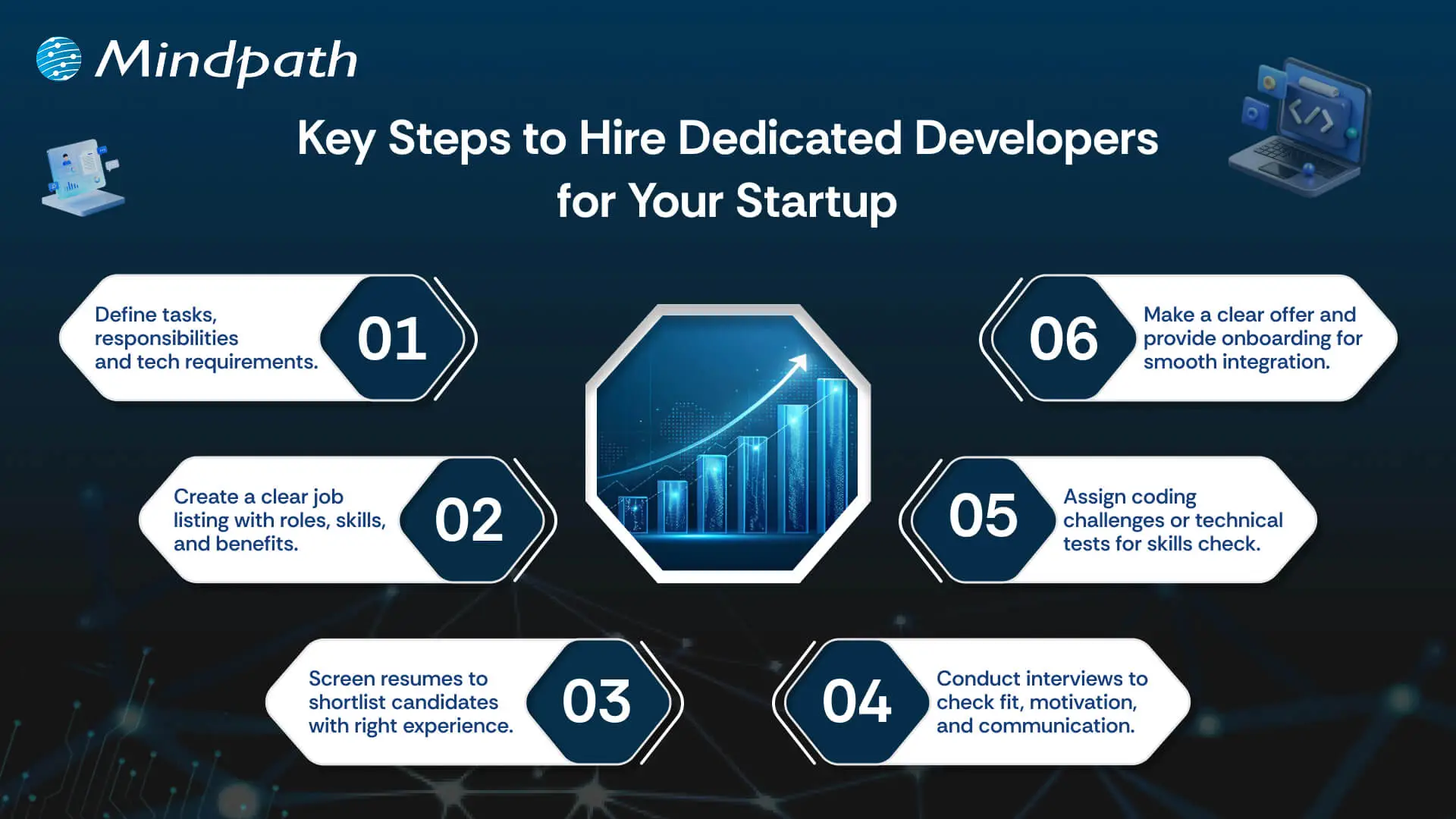
Hiring the right developers requires more than reviewing resumes and conducting interviews. You need a repeatable process that connects your product requirements with the technical capabilities and working style of potential candidates. Follow these steps to make a more informed hiring decision.
1. Define Your Development Requirements
Start by identifying what you want to build and the technical work required to deliver it. Define the product scope, essential features, expected outcomes, and development priorities before approaching candidates.
Then identify the roles and skills your project needs. For example, a web application may require frontend and backend developers, while a mobile product may need developers with experience in Android, iOS, or cross-platform frameworks. Also consider the experience level, preferred technology stack, communication requirements, and expected project duration.
A clear requirement document helps you compare candidates against consistent criteria and reduces the risk of hiring for skills your project does not actually need.
2. Choose the Right Hiring Model
Before sourcing candidates, decide how you want developers to work with your startup. The right model depends on your budget, project duration, internal management capacity, and need for ongoing technical support.
- In-house hiring: Suitable when you need permanent employees who work closely with your internal team and product strategy.
- Freelance developers: Useful for specific tasks, short-term assignments, or projects with clearly defined deliverables.
- Dedicated development team: Suitable when you need developers focused on your product over an extended period, with a consistent team structure.
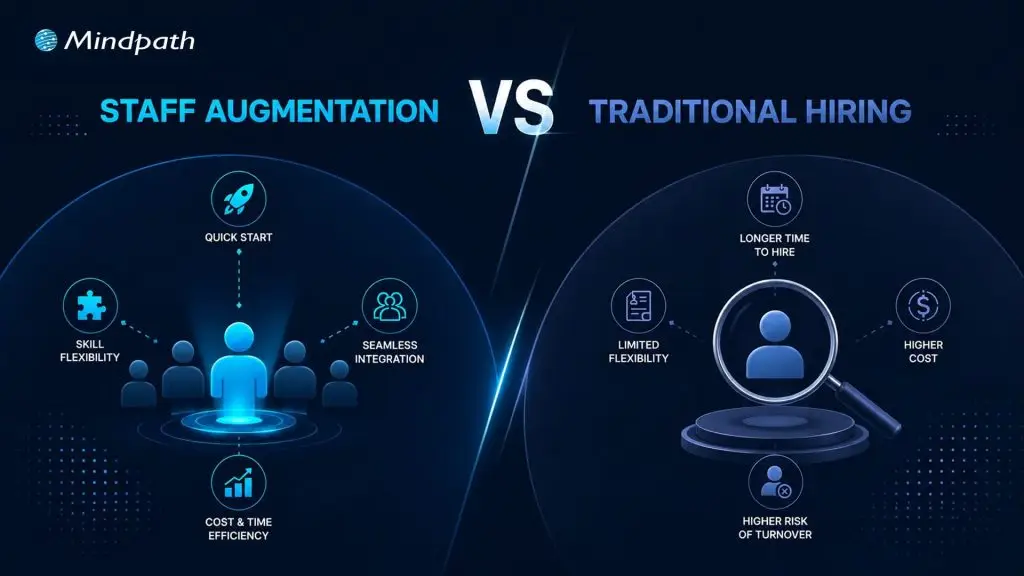
- Staff augmentation: Useful when you already have an internal team but need additional skills or development capacity.
Compare the level of control, availability, management responsibilities, pricing structure, and continuity offered by each model. This helps you choose an arrangement that fits your startup’s current needs.
3. Create a Clear Job Description
Prepare a job description that explains the role, responsibilities, required technical skills, and expected outcomes. Mention the technology stack, relevant experience, project context, collaboration expectations, and engagement duration where applicable.
Avoid listing technologies that are not necessary for the role. Instead, distinguish between essential requirements and skills that are simply preferred. Explain what your startup is building and the problems the developer will help solve. A clear and realistic job description attracts candidates whose experience is relevant to your product.
4. Find and Shortlist Qualified Candidates
Source candidates through professional networks, developer communities, referrals, hiring platforms, or software development partners. If you are considering remote talent, review candidates across locations while accounting for time-zone overlap, communication, and legal or contractual requirements.
Review each candidate’s experience against the requirements you defined earlier. Look for relevant projects, technical contributions, portfolio examples, and experience with similar application types. For team-based hiring, assess how the proposed team covers the required skills rather than evaluating each developer in isolation.
Shortlist candidates who demonstrate relevant experience and can explain their contribution to previous projects. A strong portfolio is useful, but it should be considered alongside technical discussions and practical evaluation.
5. Evaluate Technical Skills and Problem-Solving Ability
Technical evaluation helps you understand whether a candidate can handle the actual work involved in your project. Choose an assessment that reflects the role rather than relying only on general coding questions.
- Technical interview: Discuss programming languages, frameworks, databases, APIs, architecture, and tools relevant to the project.
- Practical assessment: Use a focused coding exercise, code review, or small technical task that reflects realistic responsibilities.
- Problem-solving discussion: Ask how the candidate would approach a development challenge, investigate a bug, or improve an existing feature.
- Code quality review: Assess readability, maintainability, testing practices, and the reasoning behind technical decisions.
- Project experience: Ask candidates to explain their specific contributions, challenges, and outcomes in previous projects.
Keep technical assessments relevant and proportionate to the role. Avoid lengthy unpaid assignments that require candidates to produce production-ready work. The objective is to evaluate practical capability, not to create unnecessary barriers in the hiring process.
6. Assess Communication and Team Compatibility
Technical skills are important, but developers also need to communicate clearly and collaborate with the people responsible for your product. This is particularly important when working with remote or distributed teams.
Discuss how candidates share progress, raise blockers, respond to feedback, document decisions, and handle changing requirements. You can also ask about their experience working with product managers, designers, and developers across different time zones.
Look for people who can explain technical decisions in understandable terms, ask relevant questions, and work constructively with your team. Shared expectations around communication and accountability can make day-to-day collaboration more effective.
7. Verify References and Agree on Contract Terms
Before finalizing your decision, verify relevant work experience and professional references where possible. Confirm the candidate’s role in previous projects and clarify any questions about their experience or availability.
Review the engagement terms carefully. The agreement should clearly define the scope of work, responsibilities, payment structure, working hours or availability, communication process, confidentiality requirements, intellectual property ownership, and termination conditions. For remote or international engagements, confirm applicable legal, tax, and data protection requirements with the appropriate professionals.
Clear contractual expectations help both parties understand their responsibilities and reduce the possibility of disagreements during the project.
8. Make the Offer and Onboard Your Developers
Once you select the right candidate or team, share an offer that clearly outlines the role, compensation, engagement model, start date, and other agreed terms. After acceptance, prepare an onboarding plan that gives developers the context and access they need to begin working effectively.
Share product documentation, project goals, design files, technical specifications, development environments, and communication guidelines. Introduce developers to key stakeholders and explain how tasks are planned, reviewed, tested, and released.
Set clear initial priorities and schedule regular progress discussions. A structured onboarding process helps developers understand the product, become familiar with the team, and contribute with fewer avoidable delays.
How to Manage Dedicated Developers After Hiring
Hiring the right developers is only the beginning. Your startup also needs a clear management process to keep development aligned with product goals and delivery expectations.
- Set measurable goals: Define milestones, sprint objectives, and acceptance criteria so everyone understands what needs to be delivered.
- Maintain regular communication: Use agreed channels for daily updates, discussions, feedback, and escalation of blockers.
- Track development progress: Use project management tools and shared task boards to monitor work, dependencies, and upcoming priorities.
- Review code consistently: Establish standards for code reviews, testing, documentation, and release approvals.
- Protect project access: Apply role-based permissions, secure credential management, and appropriate access controls for development systems.
- Review performance and priorities: Evaluate progress against agreed outcomes and adjust plans when product requirements change.
These practices create a shared understanding of responsibilities and help your development team remain aligned as the startup evolves.
Common Mistakes to Avoid When Hiring Dedicated Developers
Startups can face avoidable hiring problems when they rush the selection process or fail to define expectations. Keep these common mistakes in mind:
- Hiring without clear requirements: Unclear responsibilities can lead to mismatched skills and confusion about deliverables.
- Choosing only based on price: A low initial rate does not necessarily mean lower total project costs. Consider experience, quality, communication, and long-term maintenance.
- Ignoring communication skills: Poor communication can create delays and misunderstandings, especially in distributed teams.
- Skipping practical evaluation: Resumes and interviews alone may not show how candidates approach real development problems.
- Overlooking contracts and ownership: Unclear agreements about deliverables, confidentiality, and intellectual property can create disputes later.
- Neglecting onboarding: Developers need product context, documentation, and access to contribute effectively.
Conclusion
Hiring dedicated developers is an important step for startups that want to turn product ideas into reliable digital solutions. A structured process helps you define technical requirements, choose an appropriate hiring model, evaluate candidates, and establish clear expectations before development begins.
The right developers should bring relevant technical experience, practical problem-solving skills, and the ability to collaborate with your team. After hiring, clear communication, effective onboarding, and consistent project management help maintain alignment with your product goals.
If you are looking to hire dedicated developers for your startup, Mindpath’s web development services can help you access development expertise for building and improving web applications. Connect with the team to discuss your project requirements and identify an engagement approach that fits your goals.

Have you ever wondered how AI app development can take a basic idea and create something that is smart, user-friendly, and helpful? Imagine an app that learns, impacts your activities, and improves your life without cognitive load! By developing an appropriate strategy, businesses can build apps that make a difference. A well-thought-out strategy will position you to create something that adds real value to users every day.
That’s why an AI app development playbook is necessary. A good playbook maps out the process into actionable steps, so it doesn’t feel overwhelming. A playbook will guide you through the process of validating your idea, selecting the right tools, developing your app, testing it, and launching it. The playbook provides a roadmap to work from, which can save time, reduce risk, and set you apart from the competition. In this blog, you will learn more about how this playbook can help you succeed. So let’s dive in!
Looking for a way to adopt an AI-powered application? Our AI development services help businesses and teams to build intelligent apps that are secure, scalable, and relevant to the needs of the user.
What Does AI App Development Mean?
AI app development is the process of building software applications that integrate artificial intelligence to perform tasks that typically require human intelligence. Unlike traditional apps that follow fixed, pre-written rules, AI-powered applications use machine learning, data pipelines, and intelligent models to learn, adapt, and make decisions in real time. This includes understanding human language, recognizing images, making recommendations, or learning users’ preferences over time. By relying on sophisticated algorithms, machine learning models, and large data samples, developers can build applications that keep improving and deliver more relevant, valuable experiences the longer they’re used.
In contrast to traditional app development, which has fixed rules and stagnant workflows, AI app development allows apps to update, evolve, and respond in real time. AI development uses data processing, pattern recognition, and predictions to be presented in a flexible state and to solve more complex problems. With the right strategy, app development with AI can equip businesses with solutions that differentiate them from competitors and adapt to new user demands.
What is an AI App Development Playbook?
An AI app development playbook is a structured guide that helps teams and businesses create applications powered by artificial intelligence. It brings together proven methods, industry best practices, and practical tips to manage the unique challenges of building AI solutions.
Instead of approaching development without direction, a playbook provides clarity and keeps everyone aligned with the same vision and goals. It helps you make better decisions, avoid common mistakes, and use resources more effectively. Having an AI app development playbook means you have a clear plan to turn an innovative idea into an intelligent, successful application.
Looking to leverage artificial intelligence to make your mobile apps smarter and more user-friendly? Discover how AI in mobile apps can enhance functionality, personalization, and overall user experience.
Benefits of Building AI App Development Playbook
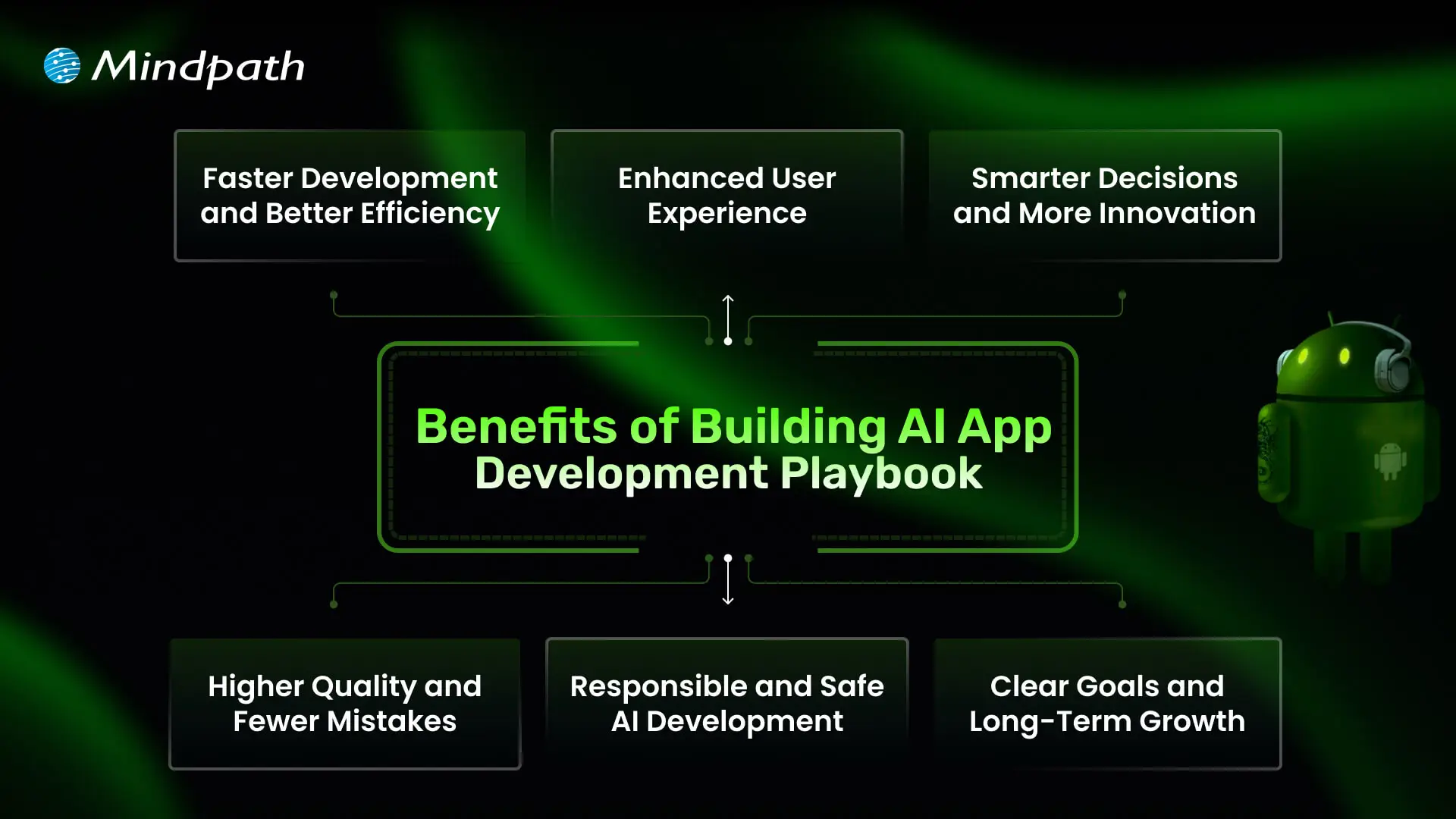
A well-crafted playbook does more than just outline steps; it brings clarity to every decision you make during AI app development. It helps you build with confidence and turn innovative ideas into real, valuable solutions. Let’s dive into some of its benefits:
1. Faster Development and Better Efficiency
A well-structured playbook helps teams work smarter and avoid wastage of time. By following proven steps and using the right AI development tools, you can speed up tasks like coding and testing. This leads to faster delivery and more efficient use of resources.
2. Enhanced User Experience
A clear plan helps you build apps that feel more personal and easier to use. Smart features like chatbots and recommendations keep users engaged and satisfied. With the right approach, your app becomes something people enjoy using every day.
3. Smarter Decisions and More Innovation
A playbook supports better choices by using data and clear workflows. Teams can experiment and improve quickly, turning ideas into working features faster. This creates an environment where new ideas thrive.
4. Higher Quality and Fewer Mistakes
When you follow a playbook, your team knows when and how to test and debug. This helps catch issues early and maintain a higher standard. In the end, users get a stable app that works as expected.
5. Responsible and Safe AI Development
A strong guide ensures your team builds solutions that are fair, secure, and trustworthy. It helps address risks like bias or privacy concerns early on. This makes your AI software development more reliable and compliant with industry rules.
6. Clear Goals and Long-Term Growth
A playbook aligns your team with clear objectives that support your business goals. It helps you plan where AI fits best, including when to add features like AI chatbot development services that bring real value. This approach keeps you competitive and ready for steady growth.
Want to enhance user engagement and automate interactions in your AI applications? Discover how lead generation chatbot strategies can streamline customer interactions and boost conversions.
Steps to Build an AI App Development Playbook
Creating an AI app development Playbook gives your team a clear roadmap to build smarter, more reliable applications. It helps you plan each stage carefully, avoid common mistakes, and deliver real value to users. Use these practical steps to shape a playbook that keeps your AI projects focused and successful.

1. Set a Clear Vision
Begin by defining exactly what your AI app should achieve and why it matters. Know the specific problem you’re solving and the audience it will help. Make sure your vision is realistic and tied to your broader business goals. A clear vision gives your team direction and purpose. It sets the tone for every decision you make during development.
2. Do Your Research
Spend time understanding your market, target users, and any competitors. Identify the data you’ll need and check if you can access it responsibly. Look into what AI features will add the most real value. Planning for data privacy and quality early helps you avoid problems later. Good research lays the groundwork for a stronger build.
3. Build a Strong Team
Bring together people with the right mix of skills in AI, design, development, and testing. Make sure everyone understands their role and how they’ll work together. Clear communication and teamwork keep the project on track. A well-prepared team can solve challenges faster. This creates a smoother workflow and better results.
4. Pick the Right Tools
Choose AI development tools, frameworks, and cloud platforms that fit your app’s goals and budget. Look for trusted solutions that make it easier to train, test, and update your AI models. Make sure your tech stack supports scaling as your app grows. Keep your tools flexible so you can adapt to new trends and needs. The right setup saves you time and keeps development efficient.
Want to stay ahead in the rapidly evolving world of artificial intelligence? Discover the latest AI trends that are shaping applications, development, and business strategies for the future.
5. Design for Real Users
Think about how people will actually use your app in daily life. Keep the design simple, clear, and focused on solving user problems. Test early designs with real users to spot areas that need improvement. A smooth experience builds trust in your AI features. The best AI apps feel helpful and natural, not confusing or intrusive.
6. Build, Train, and Test
Start with a minimum viable product that gets the basics right. Train your AI models using clean, reliable data to get accurate results. Test often to catch problems early, rather than fixing big issues later. Use real user feedback to improve your app’s performance. A strong cycle of training and testing keeps your app working well over time
7. Keep It Safe and Fair
Map out how you will securely and responsibly handle user data. You should address any possible biases in your AI models to ensure your app is fair to all users. Stay on top of current data protection practices and regulations. Establish guidelines for your team to follow for every engagement. Following these steps will help you establish trust and remain ethical with your AI solutions.
8. Launch and Improve
Prepare to launch by testing your app in a real-world environment. Observe the ways your app works and the way users will interact with it. Explore what aspects work well and what aspects need improvement. Record these notations for use very soon after launch. Consistent updates allow you to keep your AI app up to date and trustworthy.
9. Update Your Playbook Regularly
Treat your playbook as a living document that grows with every project. After each launch, review what went well and what you could do better. Add lessons learned, updated tools, and new best practices. This keeps your team ready for future AI projects. A well-maintained playbook is an investment in long-term success.
Looking to ensure that your AI applications are secure and reliable for users? Discover essential strategies for protecting your apps by exploring web application security guide.
Want to Turn Your Smart Ideas into a Powerful AI App?
Creating an AI app development playbook helps you move an idea forward with structure, focus, and confidence. It guides your team through clear steps that save time, reduce mistakes, and make the most of available resources. With a practical playbook, you can deliver apps that adapt, solve real problems, and keep users engaged. It’s the smartest way to stand out.
Mindpath is a renowned AI development company that helps businesses build solutions that work in the real world. Our AI development services cover everything you need to plan, develop, test, and grow your app responsibly. We bring trusted strategies and proven tools to your project. Let’s work together to turn your AI app vision into a successful story.
Frequently Asked Questions


In the fast-paced digital era, a secure web application is the foundation of a reliable online business. Web application security ensures sensitive data remains protected, prevents cyber threats, and supports uninterrupted operations. Without robust protection measures, even high-performing applications are vulnerable to breaches that can disrupt business continuity and compromise user trust.
The importance of web application security goes far beyond preventing attacks. It supports compliance with regulations, protects brand reputation, and ensures consistent user experiences. Without it, businesses risk downtime, financial losses, and reputational harm. By prioritizing robust security strategies, companies position themselves for long-term success in an environment where trust and reliability define competitiveness. Are you interested in knowing more? In this blog, we will walk you through how you can protect your web application while, at the same time, building stronger trust with your customers. Keep reading to explore!
What is Web Application Security?
When we talk about the definition of application security, we simply mean protecting your web applications, including websites, APIs, and online services, from unwanted threats, attacks, and misuse. More specifically, it focuses on the application layer, ensuring your software functions as intended and sensitive user data stays protected, even in the presence of flawed code or misconfigurations. It guarantees that your data is safe, hackers are kept out of reach, and your online platforms run smoothly without any difficulty or fear. These protections start during the design and development stages of your application and continue even after the application goes live, so that it is kept secure over time.
Interestingly, a report from Fortune Business Insights shows that the global application security market was valued at USD 8.86 billion in 2022 and is forecasted to reach USD 25.30 30 billion by 2030. The continued increase shows that the business community is increasingly coming to terms with security as a necessity to protect its operations, to protect sensitive information, and to protect the trust of customers in an online space.
Concerned about rising threats and how AI can help your security strategy? Explore our blog on AI in cybersecurity to discover AI‑driven approaches that boost threat detection and resilience.
Most Common Web Application Threats
Let us have a clear look at some of the most common web application security risks that each and every business should have an idea of, to keep their online platforms safe:
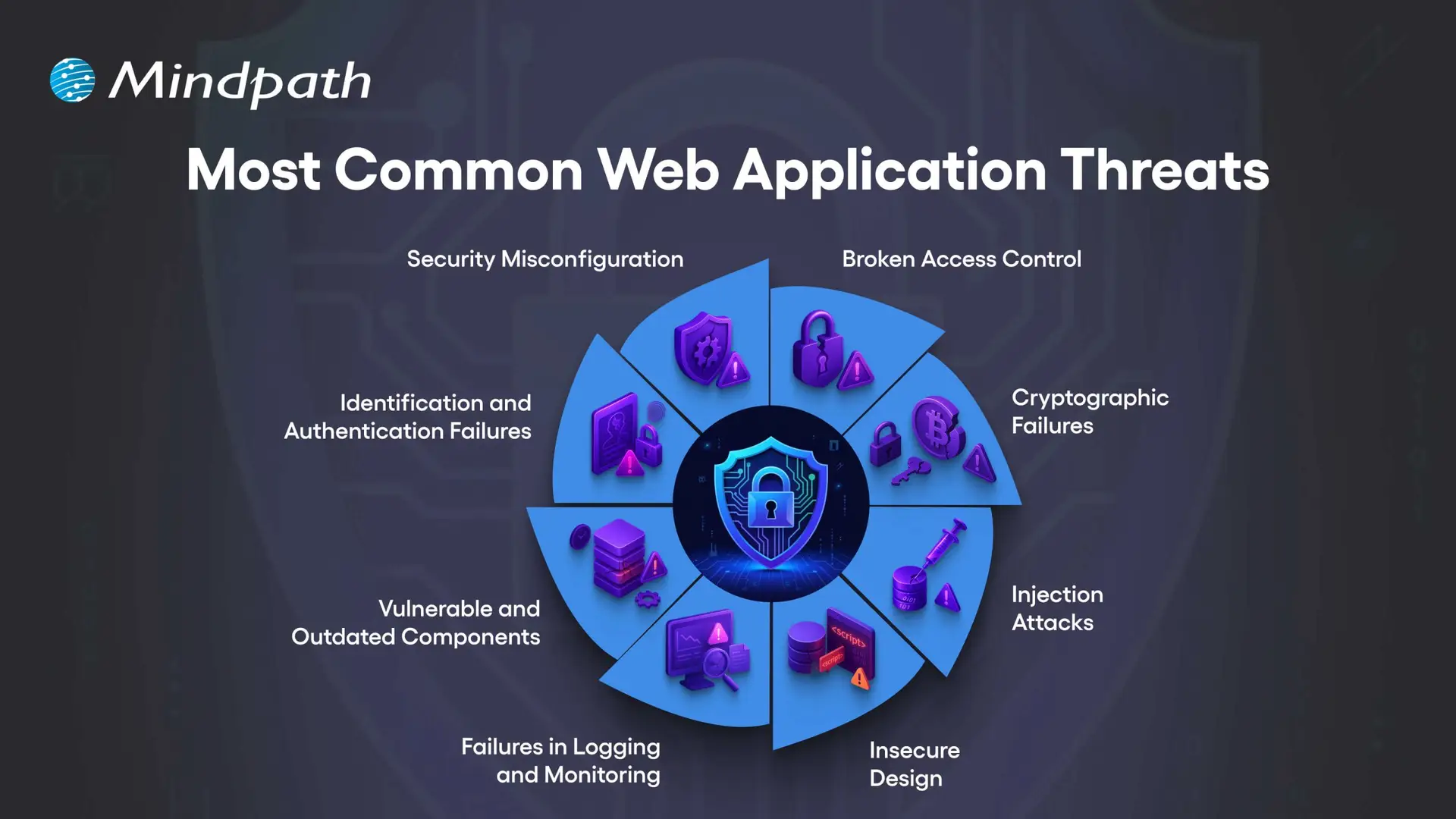
1. Security Misconfiguration
This usually occurs when your web application security settings are wrong or incomplete, leaving the app open to attacks.
2. Broken Access Control
This happens when users can access data or features they should not be allowed to see or use.
3. Cryptographic Failures
This occurs when sensitive data is not encrypted properly, making it easier for attackers to steal.
4. Injection Attacks
This occurs only when attackers insert malicious code into your application through the input fields or forms.
5. Insecure Design
This usually means that your app’s basic design has weak points that can be easily exploited by hackers.
6. Failures in Logging and Monitoring
When you have security issues that are not logged and monitored, your attacks will go unnoticed.
7. Vulnerable and Outdated Components
This is when your apps use old or unsafe software parts that hackers can target easily.
8. Identification and Authentication Failures
This happens when you have weak login systems, which make it much easier for an attacker to steal your user accounts.
Unsure how the technology you pick affects your application’s security posture? Read our guide on choosing the right tech stack to discover how secure, scalable technologies support safer web app development.
The Importance of Web Application Security
Robust web app protection is absolutely vital to protect your organization from online attacks and data loss. When you pay for your web app security, you are protecting sensitive information and building trust with your customers, while ensuring your operations are running smoothly.
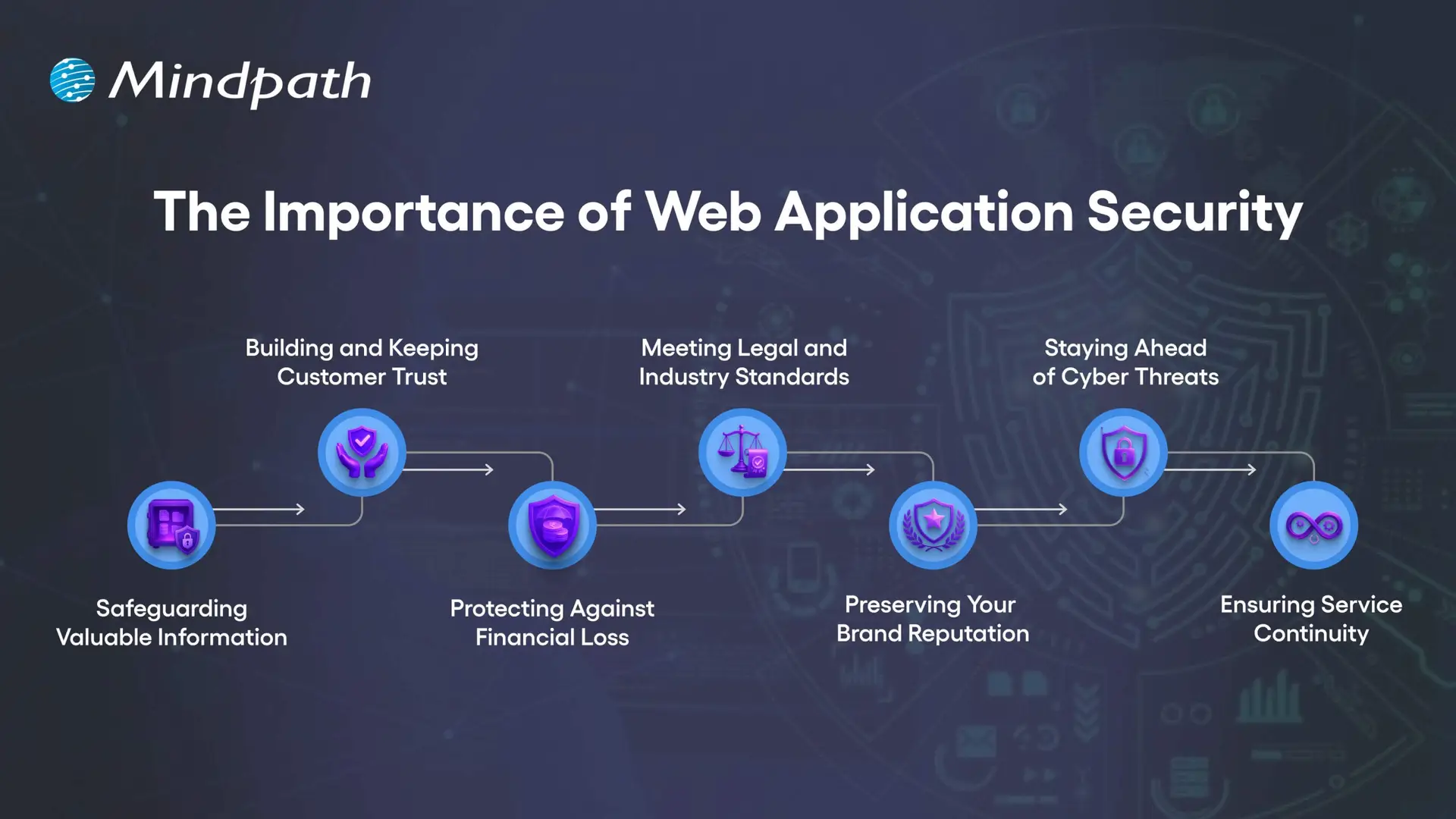
1. Safeguarding Valuable Information
Web applications collect sensitive information such as customer data, payment information, and company documentation. Any exposed information by attackers can be stolen and improperly used. Good web application security utilizes encryption, secure storage, and restricted access to protect the information.
2. Building and Keeping Customer Trust
When people use your online services, they trust you with their private information. A breach of security can cause that trust to break and hurt your business’s reputation. By focusing on web application security, you contribute to two goals: to show the customer that privacy and safety are important to you.
3. Protecting Against Financial Loss
Cyberattacks can cause massive damage to finances, from stolen funds to expensive recovery steps to legal fees, and also regulatory fines. A proper investment in web app security protects those risks and your profits.
4. Meeting Legal and Industry Standards
Numerous sectors must comply with strict data protection requirements. Failing to meet these requirements can result in costly fines and a loss of reputation. The web security basics and continual assurance will demonstrate that your web secure application meets these requirements..
5. Preserving Your Brand Reputation
A single security incident can tarnish your brand identity for years. Once lost, customers may not trust your company again, and negative word of mouth spreads quickly. By prioritizing web application security, you can avoid this type of loss and continue to preserve brand integrity.
6. Staying Ahead of Cyber Threats
Cybercriminals are always trying to exploit any weaknesses in an application. Regular web application scanning and updates may close off the weaknesses before an attacker finds them. Using a trusted web application vulnerability scanner allows you to improve your system.
7. Ensuring Service Continuity
Some ransomware and malware attacks are meant to stop or disrupt your online services. DDoS protection, load balancing, and secure configuration can keep your platform running. There are reliable web security applications to protect against these problems and keep your business producing.
Want to make sure security is built into every phase of your web development process? Explore our web app development roadmap for 2026 to discover how planning with security in mind improves reliability and trust.
Essential Best Practices for Strong Web Application Security
Securing your online properties requires more than basic protection. By implementing web application security best practices, organizations can reduce risks, better protect sensitive data, and provide a safer, trusted experience for each user.
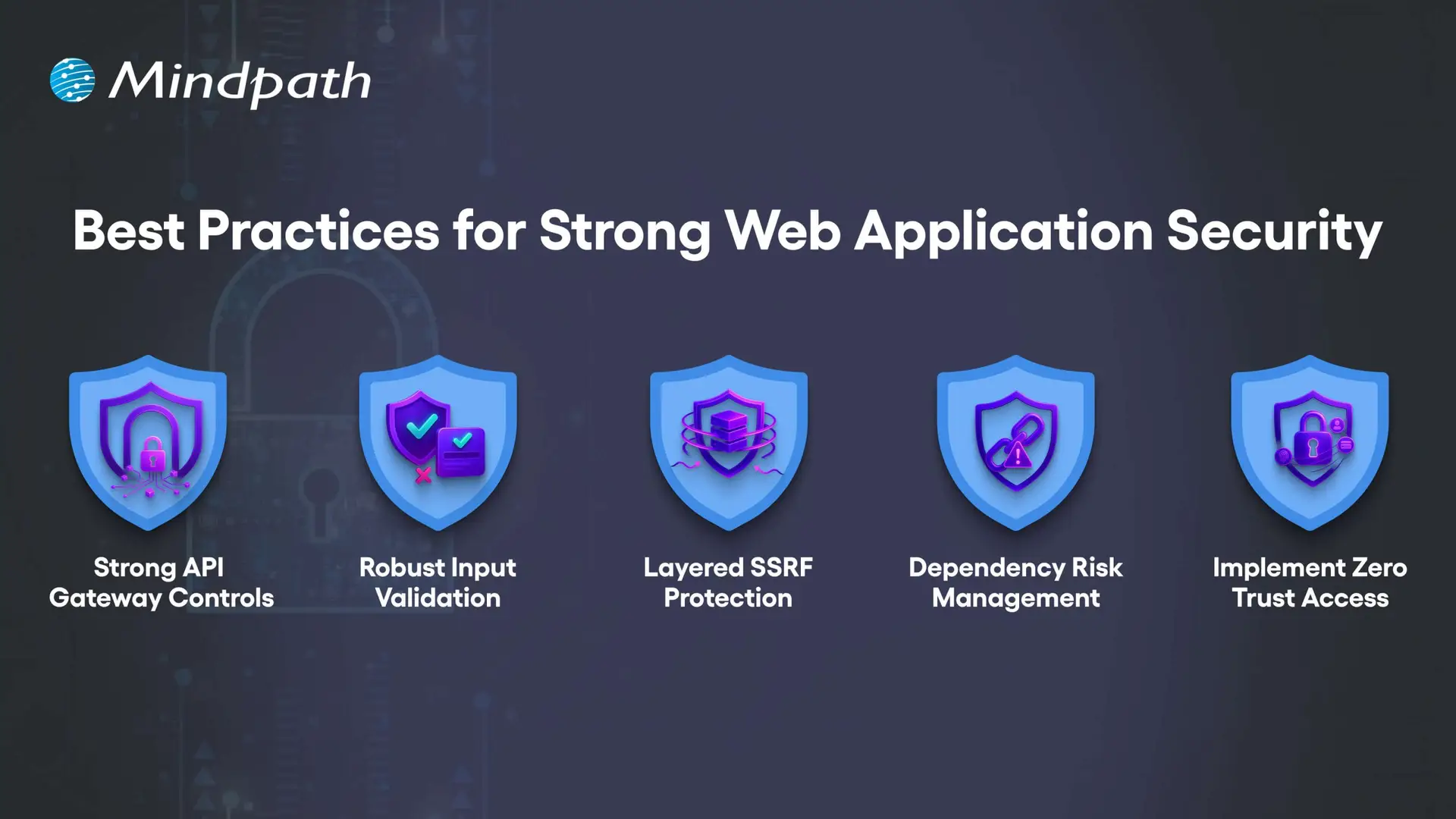
1. Strong API Gateway Controls
APIs should be protected with advanced rate limiting that adapts to user behavior, not just request counts. Tools like Kong or Envoy help apply different limits per endpoint while blocking abusive traffic patterns without slowing legitimate users.
2. Robust Input Validation
Validation must match the exact place where data is used, such as in SQL, HTML, or JavaScript. This means building rules for each context and scanning all inputs like headers, cookies, and hidden fields to block malicious payloads.
3. Layered SSRF Protection
SSRF attacks can trick servers into accessing internal systems or cloud metadata. Use strict allowlists, block private IP ranges, and inspect resolved IPs to prevent bypass tricks hidden in DNS lookups.
4. Dependency Risk Management
Not all vulnerabilities in dependencies are equally dangerous. Context-aware scanners like OSV or npm-audit help you find and fix the risks that truly matter to your application’s security.
5. Implement Zero Trust Access
Never assume a request inside your network is safe. Segment services, enforce mutual TLS, and verify identity for every request to reduce the risk of internal compromise.
Concerned about app vulnerabilities? Read application security best practices to learn proven ways to strengthen security across platforms.
Are You Ready to Strengthen Your Web Application Security?
In today’s digital world, investing in strong web application security is no longer optional. By understanding common threats and implementing proven best practices, you protect sensitive data, maintain customer trust, and keep your online services running without disruption. The earlier you act, the stronger your defense against costly cyberattacks will be.
At Mindpath, we create secure, high-performing web applications designed to withstand evolving cyber threats. Our web application development process integrates advanced web application security measures from planning to deployment, ensuring your platform is protected and reliable. With a tailored approach, we help your business deliver safe, seamless user experiences while meeting compliance and performance goals.

Have you thought about the impact that a lead generation chatbot could have on attracting and engaging customers for your business? The benefits of chatbots are clear: Because these chatbots start conversations immediately, they create a welcoming experience that encourages visitors to leave their details. They make conversation feel fluid and natural, keeping prospects looking, listening, and engaged, without breaks. They can help you seize opportunities as soon as they arrive, ensuring no lead gets away, and usually bring a steady stream of interested prospects to your business.
In addition to just collecting contact details, these chatbots can also qualify a lead, figuring out their needs and pairing those needs with the appropriate solution. They can answer questions quickly, suggest services, and schedule meetings in real time. This efficient method saves time for your sales team while keeping the customer journey uninterrupted. Chatbots are automating lead management and personalizing lead management like never before. In this blog, we will take a closer look at their use cases.
What is a Lead Generation Chatbot?
A lead generation chatbot is an automated software tool that engages visitors on your website, social media, or messaging apps in real time, captures their contact details, and qualifies them as potential sales prospects. Unlike static contact forms, it uses a conversational interface to guide users through the sales funnel interactively, asking thoughtful questions in a friendly tone so no sales opportunity goes unnoticed while your business collects the information it needs.
A chatbot does not wait for visitors to do something like the outdated contact form. Its proactive behavior opens up the conversation and allows visitors to interact. A chatbot speaks to visitors instantly, answers questions, leads visitors to book a demo, or suggests the next step. Your chatbot can take information collected and send it directly to your marketing tools, so lead follow-up is fast and organized.
Looking to see how AI chatbots can boost your sales? Check out real-life examples of AI chatbots that increased conversions to discover strategies that truly work.
Benefits of AI Chatbots for Lead Generation
Lead bots are impacting how companies are collecting and converting potential customers through real-time interaction. Utilizing AI chatbots for lead generation allows for the quick acquisition of information while taking potential customers smoothly into the next step.
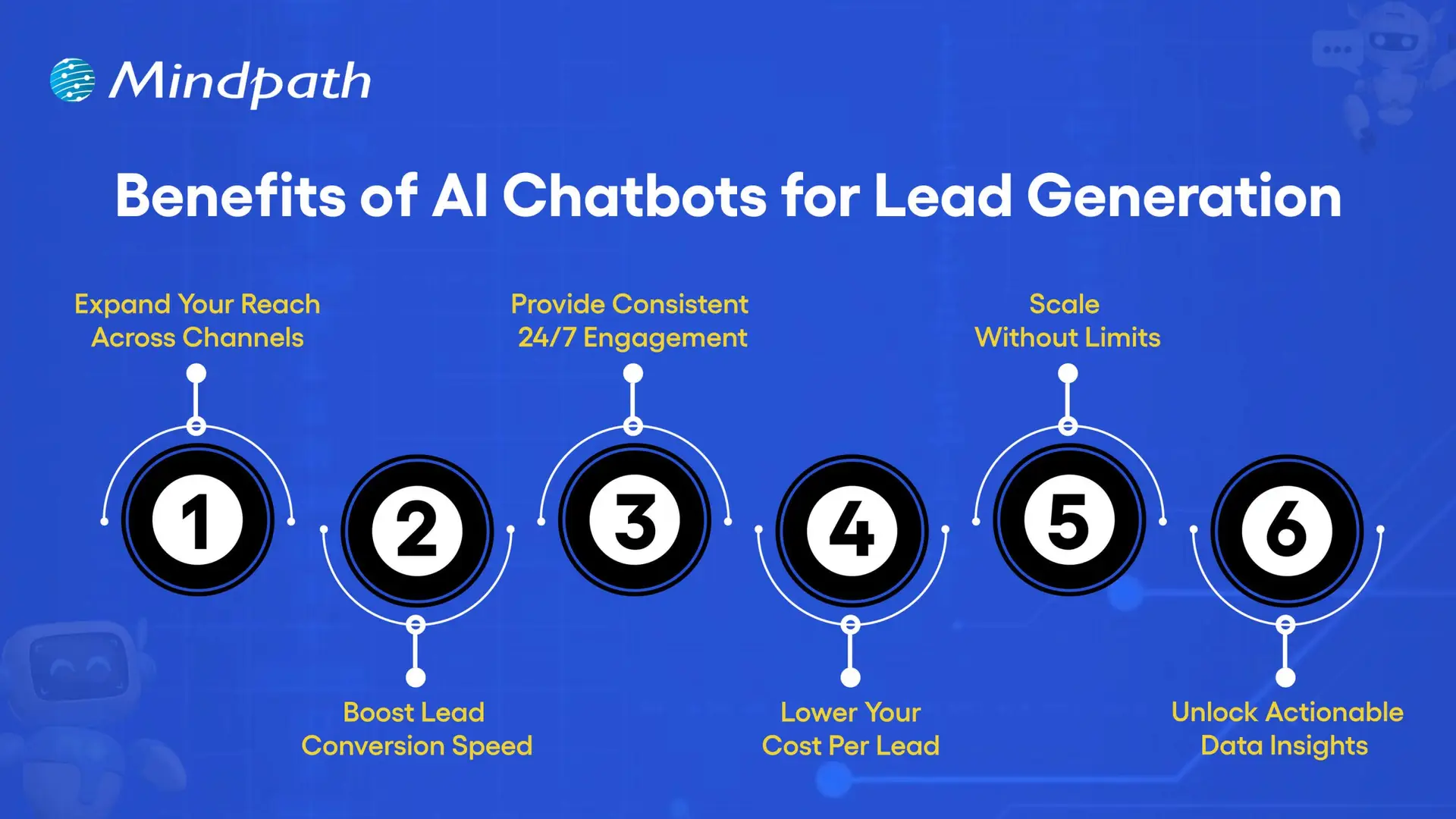
1. Expand Your Reach Across Channels
A lead generation chatbot can talk to prospects through your website, email, social media, and various messaging channels such as WhatsApp. You’re connected to customers on their most convenient platforms, and it makes it easy to have a conversation. The more dialogues you open across key communication points, the more customers will engage, putting you in a better position to convert a quality lead. When you utilize lead generation tools such as chatbots, your business remains prominent and accessible across all communications.
2. Boost Lead Conversion Speed
A sales chatbot AI can qualify prospects quickly and send them on to your sales team or follow-up system. With real-time engagement, you can respond to inquiries and gather needed information without delays. Which means that leads stay warm and are more likely to take action sooner rather than later. An AI chatbot for customer support can also help field questions that affect purchasing decisions, enhancing conversion rates even further.
3. Provide Consistent, 24/7 Engagement
A lead generation chatbot is available 24/7 and is able to engage with visitors when they show that they are serious about purchasing. Customers can get answers or help whenever they need them without waiting for store hours. This establishes trust with the customer and reduces the chances they will drop off during the purchasing process. This level of availability also strengthens connections with customers and the level of engagement overall.
4. Lower Your Cost Per Lead
Chatbot sales systems take away the manual and extra people that traditionally went into copy and qualifying leads, which will have a direct impact on chatbot pricing as more value is received for less money. Because of the efficiency of Conversational AI chatbot sales automation and how they scale, businesses won’t have to pay more to scale the amount of leads generated to scale resulting in every lead gained becoming progressively cheaper over time.
5. Scale Without Limits
By utilizing a chatbot for sales automation, businesses have the ability to manage hundreds of conversations simultaneously. This means you will never miss out on having a conversation with a potential customer, regardless of the demand, and your chatbot will operate seamlessly even during peak traffic and campaigns. Scalability like this means everything to growing businesses that want to take their reach to the next level.
6. Unlock Actionable Data Insights
A sales chatbot AI is able to collect in-depth insights around visitor behavior, intentions to buy, and preferences that can help improve your marketing campaigns and target customers more accurately. Captured custom chatbot analytics can inform more about which conversations converted into sales and why. Taking this data-driven approach, every single interaction, both now and in the future, improves through the method of practice.
Wondering how top businesses make smarter choices? Discover the importance of data-driven decision-making for businesses to drive growth and stay ahead.
How to Build Your Own AI Chatbot for Lead Generation?
Building a lead generation AI chatbot can help your business engage prospects, answer questions instantly, and collect valuable data automatically. With the right tools and strategy, you can create a chatbot that not only interacts with visitors but also converts them into potential customers.
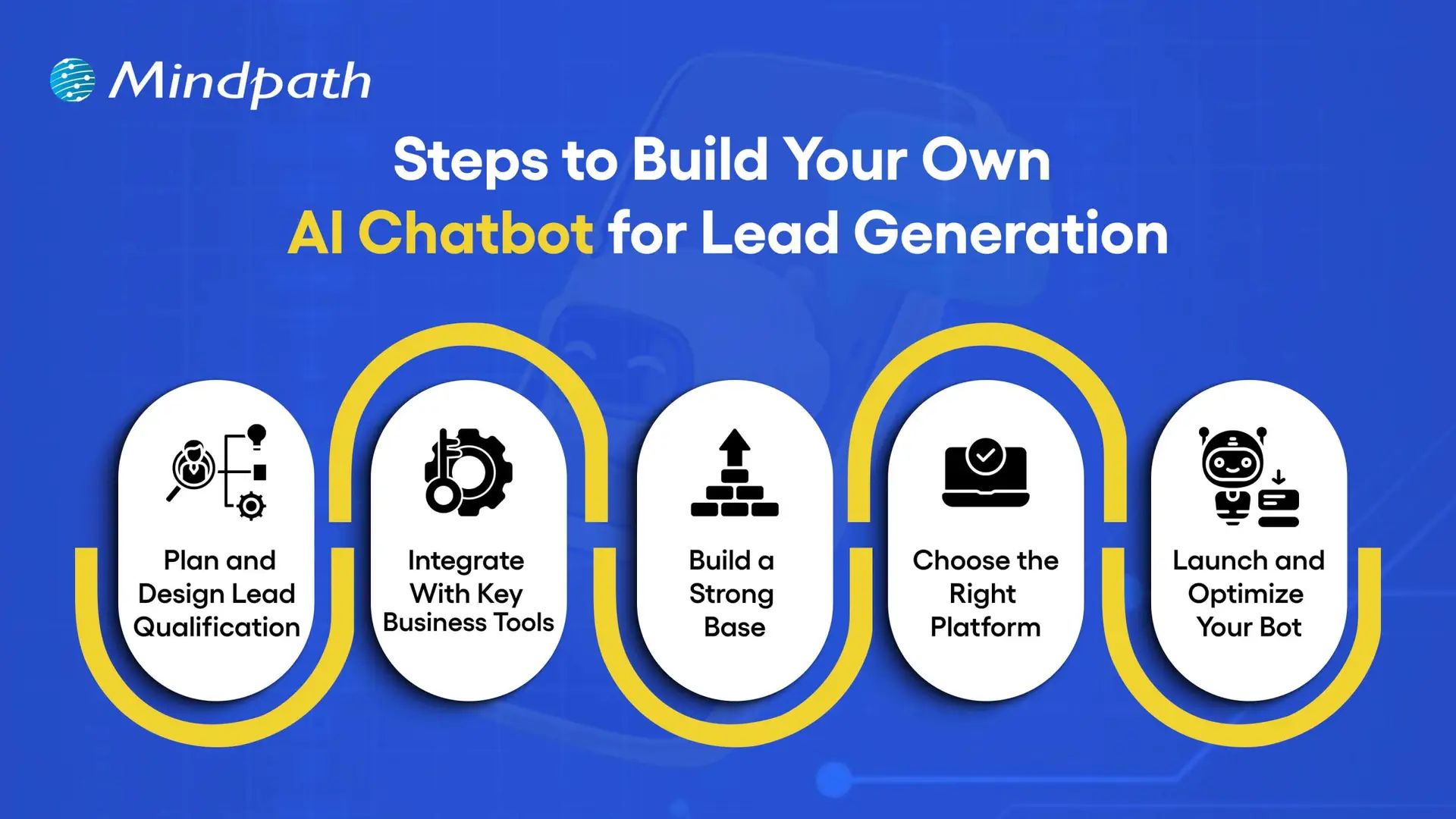
1. Plan and Design Lead Qualification
Define what a valuable lead means for your business before creating your lead generation chatbot. Plan key questions to qualify prospects and decide the follow-up steps, such as sending them to sales or booking meetings. Choose the platforms, like your website or WhatsApp, where the chatbot can engage the most visitors.
2. Integrate With Key Business Tools
Connect your chatbot to essential tools like CRM for tracking, email platforms for follow-ups, and scheduling tools for instant bookings. Use analytics to track performance and refine your strategy. Whether through custom or pre-built options, integrations make your chatbot a powerful automated sales AI bot.
3. Build a Strong Base
Plug-in solutions offer ready-made bot structures but limit customization. AI-powered platforms can set up your chatbot quickly with features that save time. A DIY build gives full control but requires more effort to create a flexible and high-performing bot.
4. Choose the Right Platform
Pick a platform with features like lead scoring, CRM integration, and multi-channel capabilities. Decide between coding, low-code, or no-code options based on your team’s skills. The right choice will help you create a reliable lead generation chatbot template that supports your goals.
5. Launch and Optimize Your Bot
Deploy your bot where it can have the most impact, such as your website or popular messaging apps. Start with a small audience to test and refine performance. Keep updating it to ensure your lead generation chatbot consistently delivers results.
Curious how chatbots understand and respond like humans? Learn what conversational AI is to see how it powers smarter lead generation and sales.
Looking to Build a Custom Chatbot for Your Business?
A lead generation chatbot improves the way businesses connect with potential customers. It engages prospects instantly, qualifies them effectively, and guides them toward the next step. With features like multi-channel reach, scalability, and data insights, it streamlines lead capture and boosts conversion rates while ensuring a smooth and professional customer experience at every stage of the interaction.
At Mindpath, our custom chatbot development services are designed to create solutions that match your business goals and enhance lead generation. We build chatbots that engage visitors, qualify leads faster, and integrate smoothly with your existing systems. With our expertise, you can deploy a chatbot that drives conversions, strengthens relationships, and supports your business growth effectively.
Frequently Asked Questions
A successful web application requires more than an attractive interface or fast loading times. The right web app features help users complete tasks efficiently, access services securely, and interact with a product across different devices. For businesses, these capabilities can support customer engagement, operational efficiency, and long-term product growth.
Key Takeaways
- 01
High-performing web applications need scalable architecture, reliable performance, and security controls to support changing business requirements. - 02
Progressive web app capabilities, real-time functionality, and third-party integrations can improve access and streamline user workflows. - 03
Simple navigation, responsive design, and accessibility help users interact with web applications across devices and abilities. - 04
AI-driven personalization and analytics can support relevant experiences and better-informed business decisions when implemented responsibly. - 05
Clear requirements, testing, deployment planning, and ongoing maintenance help businesses build reliable web applications.
In 2026, users expect web applications to be responsive, accessible, reliable, and easy to navigate. Depending on the use case, they may also need real-time updates, personalized experiences, secure integrations, and useful reporting tools. Businesses must prioritize these capabilities according to their users’ needs rather than adding features without a clear purpose.
This guide explains the 10 essential features of high-performing web applications, how to prioritize them, and the development practices that help maintain application quality over time.
What is a Web Application?
A web application is an interactive software application accessed through a web browser. Unlike traditional desktop software that generally requires local installation, a web application typically runs through a browser and communicates with server-side services to process information and deliver functionality.
Examples include online banking platforms, project management tools, e-commerce systems, customer portals, booking platforms, and business dashboards. Depending on the architecture, a web application may also support installation or selected offline capabilities through progressive web app technologies.
Businesses use web applications to manage information, automate workflows, support transactions, and deliver digital services. Their effectiveness depends on several factors, including usability, performance, security, reliability, and how well the application meets its intended business objectives.
10 Must-Have Features of High-Performing Web Apps
The right combination of features depends on the application’s purpose, audience, and technical requirements. The following capabilities provide a practical foundation for many modern web applications.
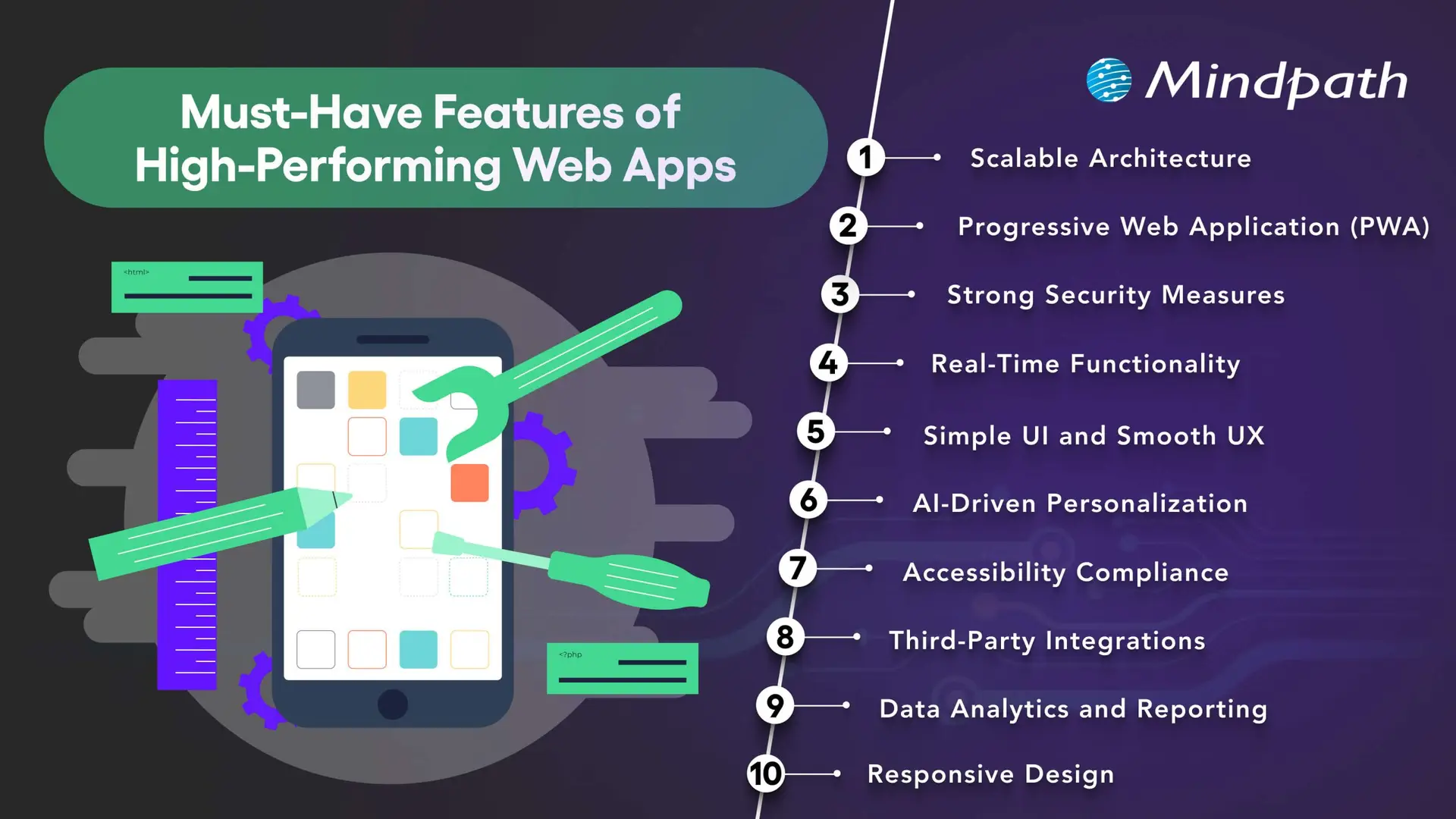
1. Scalable Architecture
A scalable architecture allows a web application to accommodate changing demand, new features, and increasing data volumes without requiring a complete redesign every time the business grows.
Depending on the application’s needs, scalability may involve cloud infrastructure, caching, database optimization, load balancing, and modular services. Microservices can be useful for systems with independently deployable components, but they also introduce additional operational complexity. A well-structured monolithic application may be more appropriate for a smaller product.
Businesses should plan for realistic usage patterns, monitor performance, and test how the application behaves under expected and peak workloads. The goal is to choose an architecture that supports growth without introducing unnecessary cost or complexity.
2. Progressive Web App Capabilities
Progressive web apps (PWAs) use web technologies to provide app-like experiences through supported browsers. Depending on the platform, they can offer installation, offline access to selected content, caching, and push notifications.
These capabilities can be useful when businesses want users to access services conveniently across devices without maintaining separate native applications for every platform. Service workers can support offline behavior, while responsive layouts help the interface adapt to different screen sizes.
PWA capabilities vary across browsers and operating systems. Before adopting this approach, businesses should confirm which features their target users’ devices support and test the experience under different connectivity conditions.
Related reading: Progressive web apps.
3. Strong Security Measures
Security is essential for applications that process personal information, business records, payments, or confidential data. Security controls should be built into the architecture and development process rather than added only after the application is complete.
Depending on the use case, important measures include HTTPS, secure authentication, multi-factor authentication where appropriate, role-based access controls, input validation, encryption, and protected API endpoints. Developers should also review third-party dependencies and conduct security testing before and after launch.
Applications that handle sensitive data may require additional privacy controls, retention policies, audit logs, and compliance reviews. No single security feature guarantees protection, so businesses need an ongoing process for identifying and addressing vulnerabilities.
Related reading: Web application security.
4. Real-Time Functionality
Real-time functionality allows an application to deliver updates with minimal delay when the use case requires it. Examples include collaborative editing, live dashboards, messaging, order status updates, and notifications about important events.
Technologies such as WebSockets, server-sent events, and event-driven systems support different types of real-time communication. The appropriate choice depends on whether the application needs two-way communication, server-to-client updates, or occasional notifications.
Not every application needs real-time processing. Businesses should consider the value of immediate updates alongside infrastructure costs, connection management, reliability, and the consequences of delayed information.
5. Simple UI and Smooth UX
A clear user interface and intuitive user experience help people understand an application and complete tasks with less friction. Consistent navigation, readable content, predictable layouts, helpful feedback, and clear error messages make it easier for users to interact with the product.
Businesses should design interfaces around real user journeys rather than simply displaying every available feature. Usability testing can reveal confusing steps, unnecessary fields, and navigation problems before they affect a larger audience.
Useful UX measures include task completion rates, form abandonment, user feedback, and the time required to complete key activities. These indicators help teams identify where improvements are needed.
6. AI-Driven Personalization
AI-driven personalization can help web applications adapt content, recommendations, search results, or assistance to users’ needs. For example, an e-commerce platform may recommend relevant products, while a business application may help users locate information in a large document collection.
The value of personalization depends on the quality of the data, the relevance of the recommendations, and how transparently information is used. Businesses should provide appropriate privacy controls, avoid unnecessary data collection, and evaluate whether personalization improves the intended user outcome.
AI features should also be tested for accuracy and reliability. Where a generated response or recommendation could affect an important decision, suitable verification and human oversight may be necessary.
Related reading: AI in web development.
7. Accessibility and Inclusive Design
Accessible web applications help people with different abilities use digital services. Accessibility considerations include keyboard navigation, visible focus indicators, sufficient color contrast, descriptive labels, meaningful headings, captions where needed, and compatibility with assistive technologies.
Developers should use semantic HTML and test important user journeys with keyboards, screen readers, and accessibility evaluation tools. Automated checks can identify some issues, but they do not replace manual testing or feedback from people with disabilities.
Businesses should assess applicable accessibility requirements and use the Web Content Accessibility Guidelines (WCAG) as a reference when planning and evaluating their applications.
Related reading: Web accessibility guidelines and improvements.
8. Third-Party Integrations
Integrations allow a web application to exchange information with other software and services. Depending on the business requirements, an application may connect to payment gateways, customer relationship management platforms, analytics tools, inventory systems, identity providers, or communication services.
Well-planned integrations can reduce duplicate data entry and connect workflows across business systems. APIs commonly support these connections, but their reliability depends on authentication, permissions, error handling, rate limits, and the availability of the external service.
Businesses should document integration dependencies, protect credentials, validate incoming data, and plan for service interruptions. Each integration should have a clear purpose and contribute to the application’s intended functionality.
9. Data Analytics and Reporting
Analytics and reporting help businesses understand how users interact with an application and whether key workflows are performing as expected. Depending on the product, useful measures may include feature adoption, completed transactions, search activity, error rates, task completion, and support requests.
Dashboards and reports can turn these measurements into information that teams use to prioritize improvements. Event tracking should be designed around specific questions, and the collected data should be accurate, relevant, and handled according to applicable privacy requirements.
Analytics alone does not explain why a behavior occurs. Teams should combine quantitative measurements with user feedback, usability testing, and operational context before deciding which changes to make.
10. Responsive Design
Responsive design allows a web application to adapt its layout and interactions to different screen sizes and input methods. Users should be able to complete essential tasks on smartphones, tablets, laptops, and desktop computers without unnecessary scrolling or broken layouts.
Responsive implementation typically uses flexible layouts, suitable breakpoints, scalable media, and touch-friendly controls. Developers should also test forms, navigation menus, tables, dialogs, and other interactive elements on smaller screens.
Responsive design supports usability across devices, but it should be combined with good content structure, accessibility, and performance optimization. Businesses should test the application using representative devices and realistic network conditions.
Web App Features: Priority Comparison
Not every application needs all 10 features at the same level. Use the following table as a starting point when prioritizing development work according to the product’s purpose.
| Feature | Primary business value | Priority guidance |
|---|---|---|
| Scalable architecture | Supports growth and changing workloads. | Plan early according to expected demand and complexity. |
| PWA capabilities | Can improve access and support selected offline experiences. | Prioritize when installation or offline access benefits users. |
| Security measures | Protects data, accounts, and application functionality. | Essential for every application, with controls based on risk. |
| Real-time functionality | Provides timely updates and supports collaboration. | Prioritize for workflows where delays affect the user experience. |
| Simple UI and UX | Helps users complete tasks efficiently. | Essential for every application. |
| AI personalization | Can improve recommendations and information discovery. | Add when there is a clear use case and suitable data. |
| Accessibility | Supports inclusive use across abilities and assistive technologies. | Include from the design and development stages. |
| Third-party integrations | Connects application workflows and existing systems. | Prioritize integrations required for core user tasks. |
| Analytics and reporting | Helps teams measure performance and identify improvements. | Define metrics around the application’s goals. |
| Responsive design | Supports usability across screen sizes and devices. | Essential for applications serving users across devices. |
How to Develop a High-Performing Web Application
Successful web application development requires a structured process that connects business objectives, user needs, technical decisions, and ongoing improvement.
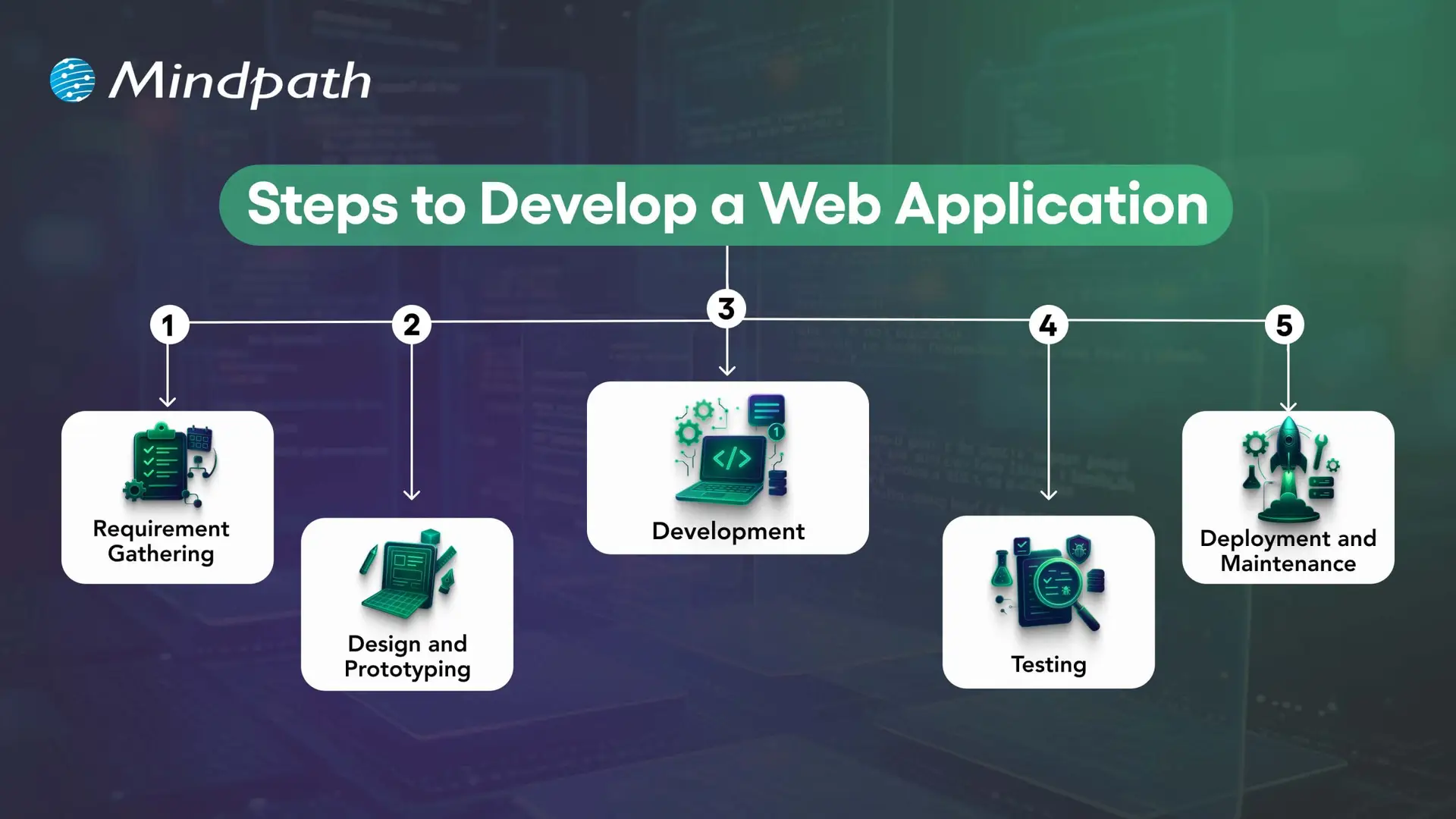
1. Define Requirements and Plan the Application
Identify the problem the application will solve, its target users, essential workflows, and business objectives. Document functional requirements, security needs, integrations, expected traffic, and success measures before finalizing the scope.
2. Design the User Experience and Architecture
Create wireframes and prototypes to validate navigation, layouts, and key user journeys. At the same time, plan the application architecture, data model, integrations, and hosting approach. Early validation helps teams identify usability and technical issues before full development.
3. Develop the Front End and Back End
Front-end development implements the interface and user interactions, while back-end development handles business logic, data access, authentication, and APIs. The technology stack should match the application’s requirements and the team’s ability to maintain it.
4. Test Functionality, Performance, and Security
Unit tests check individual components, integration tests verify interactions between systems, and end-to-end tests validate important user journeys. Accessibility, security, performance, and user acceptance testing should also be included according to the project’s risks and requirements.
5. Deploy, Monitor, and Maintain
Deploy the application using a controlled release process and monitor errors, performance, availability, and user feedback. Ongoing maintenance includes fixing defects, updating dependencies, reviewing security, and improving features as business requirements evolve.
How to Measure Web Application Performance?
Businesses should define measurable outcomes before launching a web application. The most useful metrics depend on the product, but the following indicators can help teams evaluate performance and identify areas for improvement.
| Measurement area | Example metrics | What to assess |
|---|---|---|
| Loading performance | Largest Contentful Paint (LCP), page load behavior | How quickly important content becomes visible. |
| Interactivity | Interaction to Next Paint (INP), task response times | How quickly the interface responds to user interactions. |
| Visual stability | Cumulative Layout Shift (CLS) | Whether page elements move unexpectedly during loading. |
| Reliability | Error rates, crash reports, service availability | Whether users can complete tasks consistently. |
| User engagement | Feature adoption, task completion, repeat usage | Whether the application meets users’ needs. |
| Business outcomes | Conversion rate, completed transactions, support volume | Whether the application contributes to its intended business goals. |
For web performance, Google’s Core Web Vitals provide useful reference thresholds: LCP of 2.5 seconds or less, INP of 200 milliseconds or less, and CLS of 0.1 or less. These are recommended targets, not guarantees of high rankings or business results. Evaluate performance using real-user data where available and test the pages and workflows that matter most.
Build a Future-Ready Web Application With Mindpath
High-performing web applications combine usability, responsive design, security, suitable architecture, and reliable functionality. Additional capabilities such as AI personalization, real-time updates, analytics, and third-party integrations can improve the experience when they address clear user and business needs.
The right development approach starts with well-defined requirements and continues through testing, deployment, performance monitoring, and maintenance. Businesses should prioritize features according to their users’ needs, technical constraints, and measurable objectives.
Mindpath provides web application development services tailored to business requirements. Our approach focuses on building secure, scalable, and maintainable solutions that support effective digital experiences and evolving operational needs.