A successful web application requires more than an attractive interface or fast loading times. The right web app features help users complete tasks efficiently, access services securely, and interact with a product across different devices. For businesses, these capabilities can support customer engagement, operational efficiency, and long-term product growth.
Key Takeaways
- 01
High-performing web applications need scalable architecture, reliable performance, and security controls to support changing business requirements. - 02
Progressive web app capabilities, real-time functionality, and third-party integrations can improve access and streamline user workflows. - 03
Simple navigation, responsive design, and accessibility help users interact with web applications across devices and abilities. - 04
AI-driven personalization and analytics can support relevant experiences and better-informed business decisions when implemented responsibly. - 05
Clear requirements, testing, deployment planning, and ongoing maintenance help businesses build reliable web applications.
In 2026, users expect web applications to be responsive, accessible, reliable, and easy to navigate. Depending on the use case, they may also need real-time updates, personalized experiences, secure integrations, and useful reporting tools. Businesses must prioritize these capabilities according to their users’ needs rather than adding features without a clear purpose.
This guide explains the 10 essential features of high-performing web applications, how to prioritize them, and the development practices that help maintain application quality over time.
What is a Web Application?
A web application is an interactive software application accessed through a web browser. Unlike traditional desktop software that generally requires local installation, a web application typically runs through a browser and communicates with server-side services to process information and deliver functionality.
Examples include online banking platforms, project management tools, e-commerce systems, customer portals, booking platforms, and business dashboards. Depending on the architecture, a web application may also support installation or selected offline capabilities through progressive web app technologies.
Businesses use web applications to manage information, automate workflows, support transactions, and deliver digital services. Their effectiveness depends on several factors, including usability, performance, security, reliability, and how well the application meets its intended business objectives.
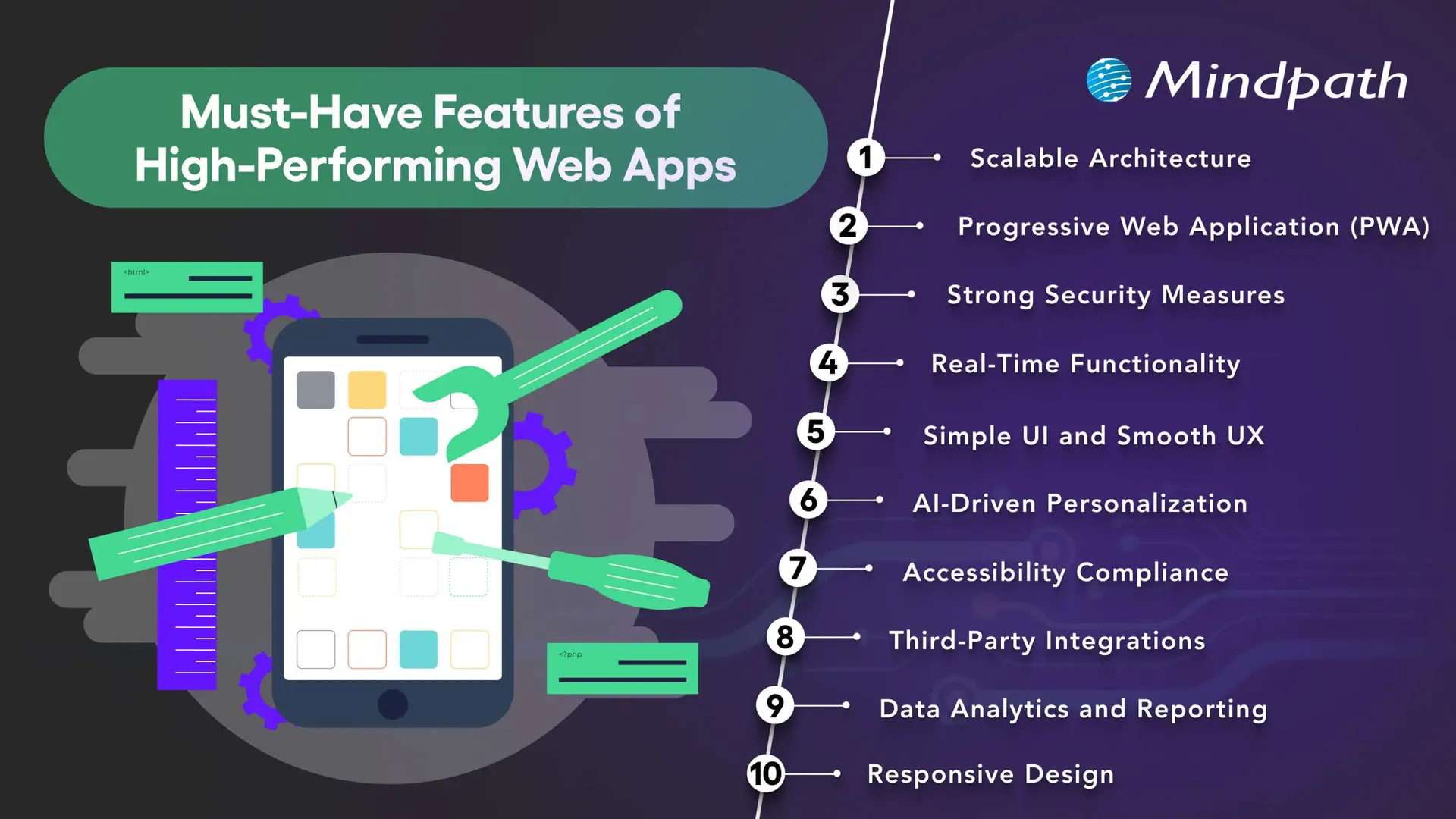
10 Must-Have Features of High-Performing Web Apps
The right combination of features depends on the application’s purpose, audience, and technical requirements. The following capabilities provide a practical foundation for many modern web applications.
1. Scalable Architecture
A scalable architecture allows a web application to accommodate changing demand, new features, and increasing data volumes without requiring a complete redesign every time the business grows.
Depending on the application’s needs, scalability may involve cloud infrastructure, caching, database optimization, load balancing, and modular services. Microservices can be useful for systems with independently deployable components, but they also introduce additional operational complexity. A well-structured monolithic application may be more appropriate for a smaller product.
Businesses should plan for realistic usage patterns, monitor performance, and test how the application behaves under expected and peak workloads. The goal is to choose an architecture that supports growth without introducing unnecessary cost or complexity.
2. Progressive Web App Capabilities
Progressive web apps (PWAs) use web technologies to provide app-like experiences through supported browsers. Depending on the platform, they can offer installation, offline access to selected content, caching, and push notifications.
These capabilities can be useful when businesses want users to access services conveniently across devices without maintaining separate native applications for every platform. Service workers can support offline behavior, while responsive layouts help the interface adapt to different screen sizes.
PWA capabilities vary across browsers and operating systems. Before adopting this approach, businesses should confirm which features their target users’ devices support and test the experience under different connectivity conditions.
Related reading: Progressive web apps.
3. Strong Security Measures
Security is essential for applications that process personal information, business records, payments, or confidential data. Security controls should be built into the architecture and development process rather than added only after the application is complete.
Depending on the use case, important measures include HTTPS, secure authentication, multi-factor authentication where appropriate, role-based access controls, input validation, encryption, and protected API endpoints. Developers should also review third-party dependencies and conduct security testing before and after launch.
Applications that handle sensitive data may require additional privacy controls, retention policies, audit logs, and compliance reviews. No single security feature guarantees protection, so businesses need an ongoing process for identifying and addressing vulnerabilities.
Related reading: Web application security.
4. Real-Time Functionality
Real-time functionality allows an application to deliver updates with minimal delay when the use case requires it. Examples include collaborative editing, live dashboards, messaging, order status updates, and notifications about important events.
Technologies such as WebSockets, server-sent events, and event-driven systems support different types of real-time communication. The appropriate choice depends on whether the application needs two-way communication, server-to-client updates, or occasional notifications.
Not every application needs real-time processing. Businesses should consider the value of immediate updates alongside infrastructure costs, connection management, reliability, and the consequences of delayed information.
5. Simple UI and Smooth UX
A clear user interface and intuitive user experience help people understand an application and complete tasks with less friction. Consistent navigation, readable content, predictable layouts, helpful feedback, and clear error messages make it easier for users to interact with the product.
Businesses should design interfaces around real user journeys rather than simply displaying every available feature. Usability testing can reveal confusing steps, unnecessary fields, and navigation problems before they affect a larger audience.
Useful UX measures include task completion rates, form abandonment, user feedback, and the time required to complete key activities. These indicators help teams identify where improvements are needed.
6. AI-Driven Personalization
AI-driven personalization can help web applications adapt content, recommendations, search results, or assistance to users’ needs. For example, an e-commerce platform may recommend relevant products, while a business application may help users locate information in a large document collection.
The value of personalization depends on the quality of the data, the relevance of the recommendations, and how transparently information is used. Businesses should provide appropriate privacy controls, avoid unnecessary data collection, and evaluate whether personalization improves the intended user outcome.
AI features should also be tested for accuracy and reliability. Where a generated response or recommendation could affect an important decision, suitable verification and human oversight may be necessary.
Related reading: AI in web development.
7. Accessibility and Inclusive Design
Accessible web applications help people with different abilities use digital services. Accessibility considerations include keyboard navigation, visible focus indicators, sufficient color contrast, descriptive labels, meaningful headings, captions where needed, and compatibility with assistive technologies.
Developers should use semantic HTML and test important user journeys with keyboards, screen readers, and accessibility evaluation tools. Automated checks can identify some issues, but they do not replace manual testing or feedback from people with disabilities.
Businesses should assess applicable accessibility requirements and use the Web Content Accessibility Guidelines (WCAG) as a reference when planning and evaluating their applications.
Related reading: Web accessibility guidelines and improvements.
8. Third-Party Integrations
Integrations allow a web application to exchange information with other software and services. Depending on the business requirements, an application may connect to payment gateways, customer relationship management platforms, analytics tools, inventory systems, identity providers, or communication services.
Well-planned integrations can reduce duplicate data entry and connect workflows across business systems. APIs commonly support these connections, but their reliability depends on authentication, permissions, error handling, rate limits, and the availability of the external service.
Businesses should document integration dependencies, protect credentials, validate incoming data, and plan for service interruptions. Each integration should have a clear purpose and contribute to the application’s intended functionality.
9. Data Analytics and Reporting
Analytics and reporting help businesses understand how users interact with an application and whether key workflows are performing as expected. Depending on the product, useful measures may include feature adoption, completed transactions, search activity, error rates, task completion, and support requests.
Dashboards and reports can turn these measurements into information that teams use to prioritize improvements. Event tracking should be designed around specific questions, and the collected data should be accurate, relevant, and handled according to applicable privacy requirements.
Analytics alone does not explain why a behavior occurs. Teams should combine quantitative measurements with user feedback, usability testing, and operational context before deciding which changes to make.
10. Responsive Design
Responsive design allows a web application to adapt its layout and interactions to different screen sizes and input methods. Users should be able to complete essential tasks on smartphones, tablets, laptops, and desktop computers without unnecessary scrolling or broken layouts.
Responsive implementation typically uses flexible layouts, suitable breakpoints, scalable media, and touch-friendly controls. Developers should also test forms, navigation menus, tables, dialogs, and other interactive elements on smaller screens.
Responsive design supports usability across devices, but it should be combined with good content structure, accessibility, and performance optimization. Businesses should test the application using representative devices and realistic network conditions.
Web App Features: Priority Comparison
Not every application needs all 10 features at the same level. Use the following table as a starting point when prioritizing development work according to the product’s purpose.
| Feature | Primary business value | Priority guidance |
|---|---|---|
| Scalable architecture | Supports growth and changing workloads. | Plan early according to expected demand and complexity. |
| PWA capabilities | Can improve access and support selected offline experiences. | Prioritize when installation or offline access benefits users. |
| Security measures | Protects data, accounts, and application functionality. | Essential for every application, with controls based on risk. |
| Real-time functionality | Provides timely updates and supports collaboration. | Prioritize for workflows where delays affect the user experience. |
| Simple UI and UX | Helps users complete tasks efficiently. | Essential for every application. |
| AI personalization | Can improve recommendations and information discovery. | Add when there is a clear use case and suitable data. |
| Accessibility | Supports inclusive use across abilities and assistive technologies. | Include from the design and development stages. |
| Third-party integrations | Connects application workflows and existing systems. | Prioritize integrations required for core user tasks. |
| Analytics and reporting | Helps teams measure performance and identify improvements. | Define metrics around the application’s goals. |
| Responsive design | Supports usability across screen sizes and devices. | Essential for applications serving users across devices. |
How to Develop a High-Performing Web Application
Successful web application development requires a structured process that connects business objectives, user needs, technical decisions, and ongoing improvement.
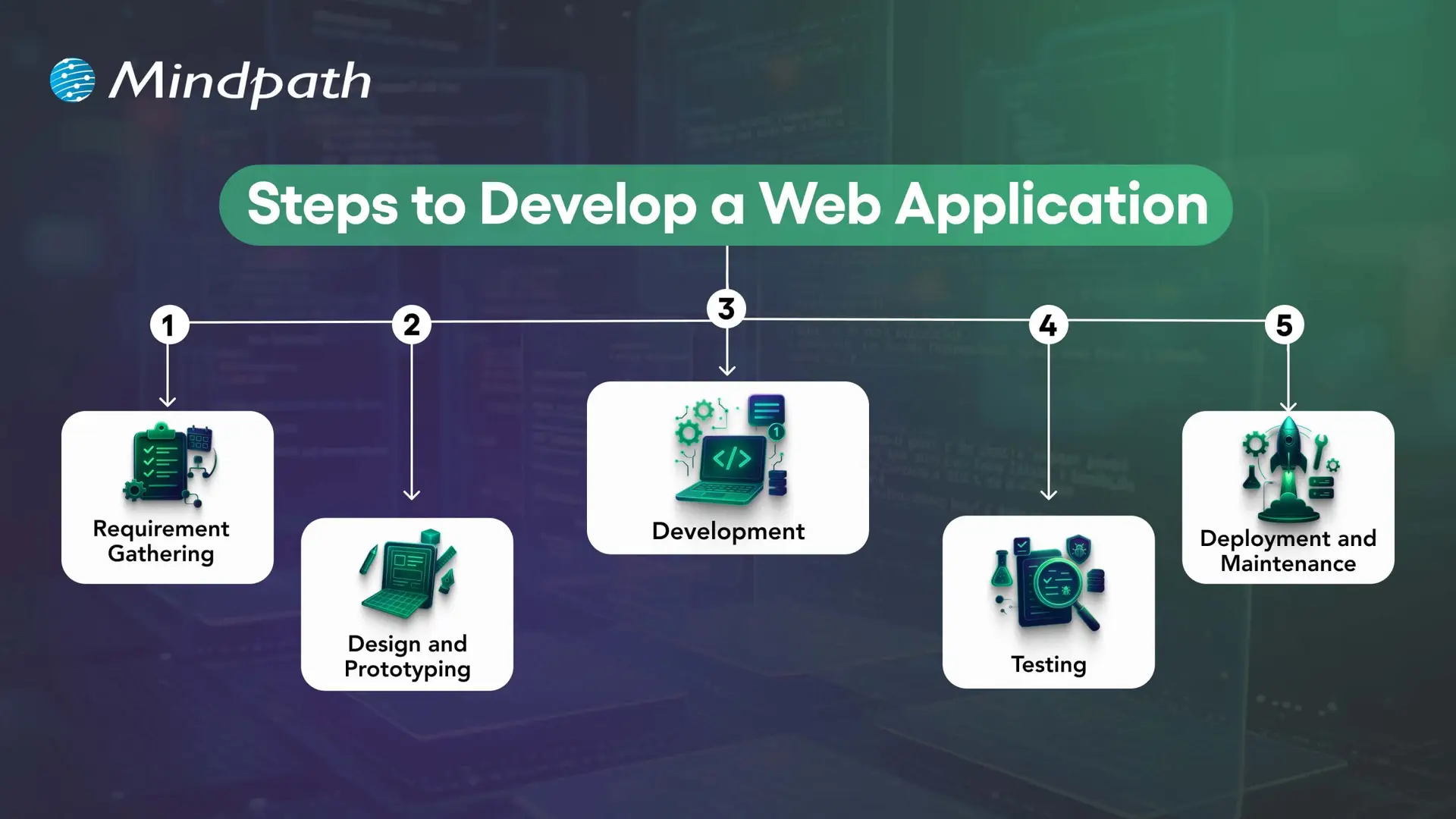
1. Define Requirements and Plan the Application
Identify the problem the application will solve, its target users, essential workflows, and business objectives. Document functional requirements, security needs, integrations, expected traffic, and success measures before finalizing the scope.
2. Design the User Experience and Architecture
Create wireframes and prototypes to validate navigation, layouts, and key user journeys. At the same time, plan the application architecture, data model, integrations, and hosting approach. Early validation helps teams identify usability and technical issues before full development.
3. Develop the Front End and Back End
Front-end development implements the interface and user interactions, while back-end development handles business logic, data access, authentication, and APIs. The technology stack should match the application’s requirements and the team’s ability to maintain it.
4. Test Functionality, Performance, and Security
Unit tests check individual components, integration tests verify interactions between systems, and end-to-end tests validate important user journeys. Accessibility, security, performance, and user acceptance testing should also be included according to the project’s risks and requirements.
5. Deploy, Monitor, and Maintain
Deploy the application using a controlled release process and monitor errors, performance, availability, and user feedback. Ongoing maintenance includes fixing defects, updating dependencies, reviewing security, and improving features as business requirements evolve.
How to Measure Web Application Performance?
Businesses should define measurable outcomes before launching a web application. The most useful metrics depend on the product, but the following indicators can help teams evaluate performance and identify areas for improvement.
| Measurement area | Example metrics | What to assess |
|---|---|---|
| Loading performance | Largest Contentful Paint (LCP), page load behavior | How quickly important content becomes visible. |
| Interactivity | Interaction to Next Paint (INP), task response times | How quickly the interface responds to user interactions. |
| Visual stability | Cumulative Layout Shift (CLS) | Whether page elements move unexpectedly during loading. |
| Reliability | Error rates, crash reports, service availability | Whether users can complete tasks consistently. |
| User engagement | Feature adoption, task completion, repeat usage | Whether the application meets users’ needs. |
| Business outcomes | Conversion rate, completed transactions, support volume | Whether the application contributes to its intended business goals. |
For web performance, Google’s Core Web Vitals provide useful reference thresholds: LCP of 2.5 seconds or less, INP of 200 milliseconds or less, and CLS of 0.1 or less. These are recommended targets, not guarantees of high rankings or business results. Evaluate performance using real-user data where available and test the pages and workflows that matter most.
Build a Future-Ready Web Application With Mindpath
High-performing web applications combine usability, responsive design, security, suitable architecture, and reliable functionality. Additional capabilities such as AI personalization, real-time updates, analytics, and third-party integrations can improve the experience when they address clear user and business needs.
The right development approach starts with well-defined requirements and continues through testing, deployment, performance monitoring, and maintenance. Businesses should prioritize features according to their users’ needs, technical constraints, and measurable objectives.
Mindpath provides web application development services tailored to business requirements. Our approach focuses on building secure, scalable, and maintainable solutions that support effective digital experiences and evolving operational needs.