Safeguarding Common WordPress Vulnerabilities: A Complete Guide

Join our Newsletter!

Featured Posts

Support Is One Click Away

Home

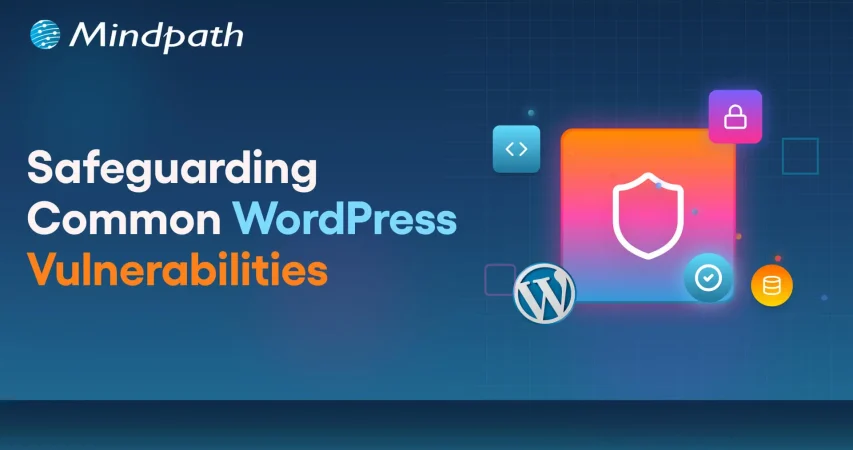
Safeguarding Common WordPress Vulnerabilities: A Complete Guide

WordPress Vulnerabilities

Safeguarding Common WordPress Vulnerabilities: A Complete Guide

WordPress powers more than 43.4 percent of the websites (Source: W3Techs), making it a top choice among businesses, developers, and bloggers. However, with immense popularity comes a higher risk. WordPress’s widespread use and open-source nature have made it a prime target for malicious exploits, cyberattacks, and data breaches. So, it is crucial for site owners to understand and mitigate WordPress vulnerabilities.

A compromised website can cause various devastating consequences, including damage to your business reputation and financial loss. Some major reasons behind security breaches are weak credentials, outdated software, insecure configuration, and third-party plugins. 

This detailed guide will help you learn more about the common WordPress security vulnerabilities. Besides, you will explore some actionable strategies to protect your website. 

If you want to safeguard your WordPress site against attacks, expert intervention can make all the difference. Mindpath offers WordPress development services where we focus on building secure websites according to your business needs.

How Secure is WordPress- Is it Really Vulnerable?

WordPress is popular for its vast ecosystem, ease of use, and flexibility. However, its security architecture is not that robust, leaving room for improvement. Well, that doesn’t mean you should stop using it. You just need to follow a more sophisticated approach to handle every WordPress vulnerability precisely.

Given WordPress’s dominance on the web, it is no surprise that it attracts malicious attacks frequently. A notable example is CVE-2024-10924. It allowed attackers to log into WordPress sites with administrative rights. With this, attackers can execute code across millions of sites remotely. 

There are other WordPress security issues that can expose your site to attackers, like exposed endpoints, arbitrary file uploads, and path traversal. These are regularly documented in the WordPress vulnerability database. While this CMS remains a robust platform, these threats have forced businesses to focus more on ongoing vigilance.

Must Read: Custom WordPress Development

Why Should Businesses Prioritize WordPress Security?

Before exploring the “how”, let’s understand the ”why”. Remember that a security breach can lead to disastrous consequences for businesses. Some impactful consequences of WordPress exploits are: 

1. Search Engine Blacklisting

If your website is compromised, search engines can flag it as malicious redirects, malware, or spammy backlinks. As a result, your site may get blacklisted, affecting your organic traffic and visibility. 

2. Dat Breaches

A vulnerable website makes it easier for hackers to access sensitive data, including users’ names, payment details, addresses, passwords, and more. This can erode customer trust and attract legal penalties. 

3. Downtime

Cyberattacks can lead to a complete shutdown or defacement of your website. Besides, it can take several days or weeks to recover your site, leaving your business inaccessible to customers. 

4. Financial Fallout

The cost of a data breach can go beyond just technical cleanup. Affected businesses face legal penalties, reputational damage, and more. For small businesses, it can be catastrophic.

5. Loss of Admit Control

Attackers can lock out users, escalate privileges, and change credentials, making it challenging to regain admin control without technical intervention. 

The only way to avoid such consequences is by securing your WordPress site with proper security measures. Besides, it is crucial to check website safety regularly. Read on to know more about WordPress Vulnerabilities and how to fix them. 

Do you want your website to be accessible to every visitor? Learn how to improve WordPress web accessibility can help you reach more users and create an inclusive online experience.

Major WordPress Security Vulnerabilities and Solutions

While WordPress itself is regularly maintained and updated, WordPress exploits generally arise from outdated components, insecure integration, etc. Understanding those security risks is the first step toward creating a resilient and secure website. Below, we have listed some common vulnerabilities along with effective mitigation tactics.

1. Outdated Components- The Biggest Threat

Most dangerous and frequent WordPress vulnerabilities arise from outdated components, such as plugins, themes, and the core. Outdated components can offer an easy entry point to hackers. WordPress core updates come with crucial security patches, and the same applies to plugins and themes. 

 Solutions:

  • Regularly check for updates to plugins, core, and themes. 
  • Enable automatic updates wherever possible.
  • Remove unsupported and unused extensions. 
  • Use a WordPress vulnerability scanner to check the website regularly. 

2. Brute Force Attacks

Attackers use trial-and-error methods to guess user login credentials, exploiting common and weak passwords. Once they gain access, hackers can take over the site and carry out various malicious actions.

Solutions:

  • Deploy robust password policies and create passwords combining special symbols and numbers. 
  • Enable 2FA or two-factor authentication to access the admin panel. 
  • Use security plugins such as Limit Login Attempts Reloaded to prevent unauthorized logins. 
  • Be careful while assigning user roles. 

3. Vulnerable Themes and Plugins

Not all plugins are the same. Poorly coded extensions can lead to serious security issues, including XSS or Cross-site Scripting, SQL injection, as well as remote code execution. 

Solutions:

  • Check update history, active installations, and reviews before installing a plugin.
  • Install plugins and themes only from WordPress.org and trusted developers, like the WordPress Cue theme. 
  • Use powerful security plugins such as Sucuri and Wordfence to effectively monitor WordPress plugins vulnerabilities
  • Stay away from pirated themes to prevent potential malware attacks.  

4. Malware Infections

Malicious software programs are designed to steal data, damage systems, and disrupt regular operations. Malware can take different forms, like trojans, ransomware, or spyware. These infections are challenging to detect. 

Solutions:

  • Keep the system updated and ensure you are using the latest version of WordPress. 
  • Limit admis access and follow secure login practices. 
  • Schedule regular malware and backups utilizing advanced tools. 

5. Cross-Site Scripting

This is a common type of injection attack where attackers inject malicious scripts into websites. Poor security configurations and outdated components let attackers inject JavaScript or client-side scripts into a website. Once injected, attackers can access credentials, session cookies, and can also redirect visitors to a malicious site. 

Solutions:

  • Validate and sanitize every user input. 
  • Prefer to encode output data to avoid script execution.
  • Carry out a detailed WPcheck and use response headers to control browser behavior.

Unsure whether your WordPress project is following the right development standards and best practices? Check out our WordPress developer checklist to make sure every essential step is covered for a smooth and successful build.

6. SQL Injections

This WordPress vulnerability happens when attackers inject SQL code through input fields such as contact forms, login, or signup to access the database. This vulnerability can expose sensitive information, compromise credentials, and alter your site content. 

Solutions:

  • Change the WordPress database prefix in the config.php file. 
  • Install a WAF or Web Application Firewall to prevent injection attempts. 
  • Properly sanitize as well as validate user inputs. 

7. DDoS Attacks

Distributed Denial-of-Service is a type of attack where attackers overwhelm servers with fake traffic, making your website inaccessible to visitors. This can cause SEO damage, and downtime. 

Solutions:

  • Carefully monitor your website traffic patterns for unusual spikes.
  • Use rate-limiting tools and extra server bandwidth.
  • Deploy a firewall service or CDN, such as Cloudflare or Bunny.net, to reduce the risk of DDoS.

8. Poor Hosting Platforms

Shared or insecure hosting platforms can expose your site to various WordPress vulnerabilities from other websites using the same hosting environment. A compromised server can damage multiple websites, causing widespread damage. 

Solutions:

  • Choose a trusted and managed WordPress hosting provider.
  • Ensure that the hosting has strong security protocols.
  • Opt for a dedicated IP address.
  • Ensure the hosting offers regular backups, malware scanning, and firewalls

9. Phishing Attacks

Deceptive messages and emails trick users into sharing personal data or clicking on malicious links. After clicking the links, attackers get access to credentials and can inject malware into websites. 

Solutions:

  • Don’t respond to unknown senders or URLs. 
  • Regularly inspect the website’s code to identify and remove phishing pages. 
  • Take backups of your website regularly and before changing code. 

10. CSRF or Cross-Site Request Forgery

Also known as session riding, it tricks visitors into carrying out unintended activities through deceptive forms or links. A CSRF attack can lead to admin-level exploits, data exposure, and unauthorized transactions. 

Solutions:

  • Deploy session validation and secure coding practices.
  • Educate admins and users about social engineering techniques and phishing tactics. 
  • Verify user requests using CSRF tokens. 

Now that you understand the common WordPress vulnerabilities and how to fix them, it’s time to explore some powerful tools that can help you in this. 

Want to make sure your WordPress website runs seamlessly with the latest technology? Discover how WordPress PHP compatibility can protect your site and enhance its performance.

Top WordPress Security Plugins to Consider

To effectively protect your site from a wp vulnerability, using the right security plugins is crucial. Security Plugins listed below offer proactive monitoring, protection, as well as recovery features, helping to reduce the risk. 

Plugin Key Features
Sucuri Security Remote malware and WordPress vulnerabilities scanning, website firewall, malware removal, CDN, and security activity auditing
Wordfence Security Malware scanner, country blocking, live traffic monitoring, and login security
MalCare One-click malware removal, regular malware scanning, offsite scanning, and brute force protection
SecuPress Anti-brute force, security scanner, 2FA, backup and malicious IPs blocking
Cloudflare Turnstile CAPTCHA, free SSL certificate, email routing, and DNSSEC- Domain Name System Security Extension 
SolidWP Magic Link, version management, regular backups, and continuous monitoring
Defender Pro Firewall rules, malware scanning, IP blocking, login protection, and vulnerability reports
Jetpack Security Real-time backups, brute-force protection, spam filtering, and downtime monitoring 

Selecting the right WordPress vulnerable plugins depends on your WordPress website’s requirements. However, installing any of these can boost your website’s security features. 

Planning to upgrade your website but unsure if switching from HTML to WordPress is the right move? Learn the benefits of converting HTML to WordPress and how it can boost your site’s performance, scalability, and user experience.

WordPress Post-Hack Protocol- Follow These Steps

Even with the best WordPress vulnerability scanner and necessary security strategies, no site is 100 percent safe. If your WordPress site has been hacked, a strategic and swift action is crucial. With a clear post-hack strategy, you can restore functionality and regain control. 

1. Immediately restrict public access to your site to prevent further damage. 

2. Change the database password and administrative passwords immediately. 

3. Restore your website using a backup created before the hack. 

4. Use reliable security plugins to detect infected files, entry points, and unauthorized changes. 

5. After restoring your site, patch all the components with the latest updates. 

6. Change default login URLs, implement strong firewalls, and disable the file editing function. 

7. Establish continuous security scans and monitor activity logs to identify potential threats early. 

8. If the hack has exposed user data, inform your users about the breach. 

9. In the wp-config.php file, change the security salts and keys. 

A proactive WordPress recovery plan ensures your site bounces back more secure and stronger from WordPress vulnerabilities.

Wondering how to hire the right WordPress developer to help your business grow online? Explore our detailed guide on Hiring a WordPress Developer to discover expert insights that guide you toward making the best hiring decision.

Build A Secure and Resilient Website with The Right Security Measures

Securing your WordPress website against these WordPress vulnerabilities is vital in this digital world, where cyberattacks are common and increasing. Understanding major flaws, applying the right security measures, and partnering with a trusted WordPress developer can reduce the chance of cyberattacks while keeping your site running smoothly.

Mindpath’s web development team has years of experience in creating secure, accessibility-compliant, and scalable WordPress websites. Our experts keep themselves updated with the latest WordPress security problems and vulnerabilities to offer you end-to-end WordPress development services. From plugin vetting and WordPress vulnerability audits to security configuration and continued support, we will help you stay ahead of every WordPress exploit while ensuring a seamless user experience. 

Related Post

Discover the ultimate guide to hiring Node.js developers in London. Learn about the skills, benefits, and cost factors involved in finding the right talent for your project.
Discover key DevOps challenges and effective solutions to streamline development and operations, and boost deployment efficiency.

Related Post

NodeJS Developers in London

When hiring Node.js developers in London you need to consider a variety of factors to ensure you get the best match for your project. The essential elements listed below will help you make an educated selection, ensuring that the developers you engage have the technical experience and abilities required to produce high-quality, scalable applications.

1. Strong JavaScript foundation

Node.js developers must be well-versed in JavaScript. Since Node.js is built on JavaScript, developers must understand its fundamental principles, such as closures, promises, and event loops. Their ability to integrate seamlessly with JavaScript on both the front and back ends results in more efficient code and shorter development cycles.

2. Experience with popular Node.js frameworks

Node.js developers should be familiar with frameworks such as Express.js and Koa.js, which assist speed the development process. These frameworks improve functionality while simplifying code, allowing developers to create scalable and efficient applications. Their familiarity with these tools will have a direct influence on your project’s performance and dependability.

3. Expertise in Database Management

A skilled Node.js developer should be capable of managing databases like MongoDB, MySQL, and PostgreSQL. They should understand how to construct, query, and manage databases efficiently. The ability to interact with NoSQL and SQL databases means that data can be stored, retrieved, and manipulated, resulting in improved app speed and security.

4. Problem-solving and Asynchronous Programming Skills

Node.js development sometimes involves handling complicated challenges, especially when working with asynchronous programming. Developers must be able to manage concurrent processes utilizing callbacks, promises, and async/await. This guarantees that apps stay responsive and can manage huge traffic loads effectively, which is critical for real-time web applications.

5. Collaboration and Adaptability

In any development environment, especially for large projects, collaboration is key. Node.js developers must be able to work well within teams, communicating effectively with other developers, designers, and stakeholders. Their ability to adapt to shifting project requirements and provide solutions quickly is essential for ensuring that projects stay on track and meet deadlines.

Looking for Top Node.js Developers in London?

At Mindpath. we provide highly skilled Node.js developers with a strong foundation in JavaScript, experience with popular frameworks, and expertise in database management. Our team ensures efficient, scalable, and high-performance solutions tailored to your business needs.

Get in touch with us!

Check out our blog on what skills to look for while hiring Node.js developers in London and make the best choice for your project.
Consider JavaScript expertise, Node.js framework knowledge, problem-solving abilities when hiring Node.js developers in London.
Hiring the proper ReactJS developer in New Jersey can significantly enhance the success of your project. Whether you’re creating a new web application or updating an existing one, you’ll need a developer with the perfect combination of technical knowledge, experience, and problem-solving abilities. A good ReactJS developer should be proficient in JavaScript, front-end programming, and state management, in addition to React. Their professional knowledge and communication skills are also important in ensuring that projects go well. The following are the most important aspects to consider while hiring skilled ReactJS developers in New Jersey.

1. Strong ReactJS and JavaScript Knowledge

When hiring a ReactJS developer in New Jersey, make sure they understand React principles including components, props, state management, lifecycle functions, and hooks. They should also be familiar with contemporary JavaScript (ES6+) capabilities such as arrow functions, promises, and async/await. A developer with strong JavaScript skills can build efficient, clean code and handle problems successfully. Check their familiarity with state management technologies like Redux or Context API, which are critical for managing data in large projects. A strong foundation in these technologies guarantees that your project runs smoothly and performs well.

2. Expertise in Front-End Development

A skilled ReactJS developer should be familiar with HTML, CSS, and responsive design. They should understand how to employ semantic HTML tags, CSS Flexbox, and Grid to build well-structured, mobile-friendly web pages. Understanding CSS frameworks such as Tailwind or Bootstrap is beneficial. Developers should be familiar with UI libraries like Material-UI or Ant Design, which help to speed up development. They must also be familiar with version control tools such as Git, which assist in managing code effectively. These front-end abilities enable the developer to create visually appealing and user-friendly applications.

3. Relevant Experience and Industry Knowledge

Check a developer’s previous projects to determine whether they’ve worked on apps comparable to yours. If your company is in healthcare, banking, or e-commerce, hiring a ReactJS developer with relevant industry experience can be useful. Their understanding of industry-specific difficulties and best practices helps boost development efficiency. Also, evaluate their degree of experience—junior developers are ideal for smaller projects, but mid-level or senior developers are better suited for more complicated applications. Hiring a developer with suitable expertise means that they can swiftly adapt to your project’s requirements and produce high-quality outcomes.

4. Communication and Problem-Solving Skills

Soft skills are crucial in addition to technical skills. A ReactJS developer should be able to accurately convey technical ideas to non-technical team members and collaborate well with designers and product managers. Strong problem-solving abilities are essential for diagnosing problems and improving performance. Choose someone who is versatile and willing to learn new technology. A strong cultural fit promotes efficient teamwork and increases overall productivity. Hiring a developer with strong communication, teamwork, and problem-solving abilities results in improved project execution and a more efficient development process.

Finding the right ReactJS developer doesn’t have to be difficult. At Mindpath we connect you with highly skilled developers who have expertise in React, JavaScript, front-end development, and industry-specific experience. Whether you need a junior, mid-level, or senior developer, we ensure you get the best talent to match your project needs. Let’s build a high-performance, user-friendly web application together!
Get in touch with Mindpath today and hire top ReactJS developers in New Jersey!

Discover the ultimate guide to hiring Node.js developers in London. Learn about the skills, benefits, and cost factors involved in finding the right talent for your project.
Ultimate Guide to Hiring Expert Node.js Developers for High-Performance Applications

As the demand for fast, scalable, and efficient web applications continues to grow, businesses are increasingly turning to Node.js. Known for its speed and ability to handle a large number of concurrent connections, Node.js has become a go-to technology for building everything from real-time chat applications to large-scale enterprise platforms.

But choosing the right NodeJS developer can be a challenge. With the vast pool of developers available, how can you ensure that the candidate you hire will help you achieve your project goals? In this guide, we’ll explore why hiring expert Node.js developers are crucial for your project, the factors to consider when hiring, the skills to look for, the cost of hiring, and much more. By the end of this guide, you will be well-equipped to make an informed decision and hire a developer who can take your application to the next level.

Why Hire Node.js Developers?

Before we dive into the hiring process, it’s important to understand why Node.js is an excellent choice for modern web applications. Node.js is a powerful, event-driven JavaScript runtime built on Chrome’s V8 JavaScript engine. It is ideal for building fast and scalable network applications and is used by major companies like Netflix, Uber, and LinkedIn. To leverage its full potential, businesses should hire expert Node.js developers for high-performance apps, ensuring efficient development, seamless scalability, and top-tier application performance.

Here’s why you should consider hiring a Node.js developer for your project:

1. Speed and Performance

Node.js is known for its remarkable speed. Unlike traditional web servers, which use a multi-threaded model to handle requests, Node.js uses a single-threaded, non-blocking event loop that can handle thousands of requests simultaneously. This makes it an ideal solution for applications that require real-time data processing, such as instant messaging systems, live updates, and collaborative applications. An experienced Node.js developer knows how to leverage the event-driven nature of Node.js to build applications that can handle significant amounts of traffic without compromising on performance. Whether you’re building a real-time chat application or a live-streaming platform, hiring the right developer ensures your application runs smoothly and efficiently.

2. Scalability

Node.js’s non-blocking I/O model allows applications to scale more easily. As your user base grows, your application needs to be able to handle more requests without slowing down. Node.js is particularly well-suited for building scalable applications due to its asynchronous nature, which allows it to process multiple requests in parallel, resulting in faster response times. Hiring an expert Node.js developer will ensure that your application is built with scalability in mind. Whether you’re building a small-scale application or an enterprise-level platform, scalability should be a priority from the start, and a skilled developer will know how to design your system to scale as your needs grow.

3. Real-Time Applications

Node.js is the go-to technology for real-time applications, such as chat systems, collaborative tools, and live content updates. Its event-driven architecture makes it perfect for applications that require low-latency communication between the client and the server. For instance, chat apps, live scoreboards, and real-time collaboration platforms all rely on Node.js’s ability to process large volumes of data quickly. By hiring a Node.js developer who understands the intricacies of real-time applications, you can ensure that your users will experience seamless, uninterrupted interaction, even under high traffic conditions.

4. Cross-Platform Development

Node.js is highly compatible across different operating systems, including Windows, macOS, and Linux. Its cross-platform capabilities make it easier for developers to create applications that work seamlessly across different devices and environments. If your application needs to be deployed on multiple platforms, hiring a Node.js developer with cross-platform expertise will save you time and money, as you won’t need to develop separate versions for each operating system. In addition, Node.js’s ability to integrate with various platforms and services gives it an edge over other technologies. Whether you’re integrating third-party APIs, working with cloud platforms, or connecting to databases, a skilled Node.js developer can ensure that your application is compatible with all of your chosen tools.

5. Faster Development with JavaScript

Node.js allows developers to write both server-side and client-side code in JavaScript, which streamlines the development process. This reduces the need for switching between multiple languages, making the overall development faster and more efficient. JavaScript is one of the most widely used programming languages, and most developers are already familiar with it, which makes finding a qualified Node.js developer easier. By hiring a Node.js developer who is proficient in both JavaScript and Node.js, you can accelerate your development timeline and reduce costs associated with language barriers and training.

Factors to Consider When Hiring a Node.js Developer

Now that you know why Node.js is such a powerful technology, it’s time to focus on how to hire the right developer. To ensure you find the best candidate for your project, it’s essential to evaluate key factors to consider while hiring Node.js developers. By assessing the following factors, you can hire a skilled developer who meets your project requirements and delivers high-performance results.

1. Experience with Node.js

A strong understanding of Node.js’s core features is essential for any developer. Look for candidates with experience working on real-time applications, RESTful APIs, and server-side rendering with Node.js. They should also be familiar with Node.js frameworks like Express.js, Koa.js, or Nest.js, as these tools can significantly speed up development.
When reviewing a developer’s experience, consider the types of projects they’ve worked on in the past. Have they built applications similar to yours? Do they have experience handling high traffic volumes or integrating third-party services? The more relevant experience they have, the better they will be at tackling the challenges your project presents.

2. Knowledge of Asynchronous Programming

Node.js is built on an event-driven architecture, meaning it uses asynchronous programming to handle multiple requests simultaneously. A skilled Node.js developer should have a deep understanding of callbacks, promises, and async/await syntax. When evaluating candidates, ask about their experience with asynchronous programming and how they’ve handled concurrency issues in the past. Their ability to manage asynchronous processes will directly impact the performance and reliability of your application.

3. Familiarity with Front-End Technologies

Although Node.js is primarily used for back-end development, many Node.js developers also have experience with front-end technologies like HTML, CSS, and JavaScript frameworks such as React, Angular, or Vue.js. Hiring a full-stack developer with expertise in both front-end and back-end technologies can simplify your project, as you won’t need to hire separate developers for each part of the application. In addition, developers who understand the client-side aspect of the application can ensure better integration between the front-end and back-end, resulting in a smoother user experience.

4. Understanding of Databases

Node.js is often used in conjunction with databases, and your developer should have experience with both relational and non-relational databases. Familiarity with SQL databases like PostgreSQL and MySQL, as well as NoSQL databases like MongoDB, is essential for building robust applications that require data storage. Moreover, knowledge of ORMs (Object Relational Mappers) like Sequelize or Mongoose will help the developer interact with databases more efficiently. A skilled Node.js developer should be comfortable writing efficient queries, handling data models, and optimizing database performance.

5. Problem-Solving and Debugging Skills

Node.js development often involves tackling complex issues, such as managing concurrency, optimizing performance, and debugging application errors. A good Node.js developer should be adept at identifying problems and finding efficient solutions. Ask candidates about their approach to debugging and performance optimization. Do they use tools like the Chrome Developer Tools, Node.js Debugger, or New Relic to troubleshoot issues? Can they identify performance bottlenecks and improve the application’s responsiveness?

6. Security Best Practices

Security is a critical consideration for any web application. Node.js developers should be aware of common security threats such as SQL injection, cross-site scripting (XSS), and cross-site request forgery (CSRF), and they should know how to protect the application from these risks. Look for developers who are familiar with security best practices and tools, such as HTTPS, data encryption, and input validation. A security-conscious developer will help safeguard your application and user data from malicious attacks.

7. Communication Skills

Effective communication is essential in a development team. A good Node.js developer should be able to clearly explain complex technical concepts to non-technical stakeholders, as well as collaborate effectively with other team members. Whether working with designers, product managers, or other developers, the ability to communicate well will help ensure the success of your project.

Node.js Developer Hiring Costs

The cost of hiring a Node.js developer can vary significantly depending on several factors, such as experience level, project complexity, and location. Let’s break down the cost considerations:

1. Experience Level

Junior Developers: Entry-level Node.js developers typically charge lower rates, but they may need more supervision and training. They are suitable for smaller projects or tasks that require minimal expertise.

Mid-Level Developers: Mid-level developers with a few years of experience can handle more complex tasks and can deliver faster results without much guidance. Their rates tend to be more affordable than senior developers while still providing a good level of expertise.

Senior Developers: Senior Node.js developers are highly skilled and have extensive experience in building scalable, high-performance applications. They are often required for large, complex projects, and their hourly rates can be significantly higher. However, their expertise is invaluable in ensuring that your project is executed flawlessly.

2. Project Complexity

The complexity of your project will also affect the cost of hiring a Node.js developer. Simple applications with minimal functionality will cost less to develop, while larger applications with advanced features (e.g., real-time chat, video streaming, or large-scale e-commerce platforms) will require more resources and time.

3. Location

The location of your Node.js developer can significantly impact the cost. Developers in countries with lower living costs may offer lower hourly rates, but they may also be less expensive overall. On the other hand, developers in countries like the US, UK, or Canada may charge higher rates due to higher living expenses, but they may also offer a higher level of service and expertise. You can decide whether you prefer a local developer or if you’re open to hiring remote talent. Remote developers can offer cost savings and access to a broader talent pool.

5 Major Skills to Look for in a Node.js Developer

When hiring a Node.js developer, it’s important to focus on the core skills that ensure the developer can effectively handle the complexities of modern applications. Here are the top 5 essential skills that every Node.js developer should have:

1. Proficiency in JavaScript (ES6+)

Node.js is built on JavaScript, making it essential for developers to have a strong command of the language. A solid understanding of JavaScript (including ES6+ features such as arrow functions, async/await, destructuring, and modules) is crucial for writing clean, efficient, and maintainable code. Node.js developers should be comfortable with both synchronous and asynchronous programming patterns, as Node.js is heavily reliant on non-blocking I/O. Understanding JavaScript allows developers to harness the full power of Node.js, building scalable applications that can handle large volumes of traffic efficiently.

2. Experience with Asynchronous Programming

Asynchronous programming is at the core of Node.js. Since Node.js uses a single-threaded event loop, it’s designed to handle many operations simultaneously without blocking the main thread. This is achieved through asynchronous programming using callbacks, promises, and async/await. A Node.js developer must be proficient in these asynchronous patterns to build applications that can handle multiple requests concurrently without running into performance issues. Mismanagement of asynchronous code can lead to performance bottlenecks, so a good understanding of this concept is essential.

3. Strong Knowledge of Express.js

Express.js is one of the most widely used frameworks for building web applications with Node.js. It simplifies routing, middleware handling, and HTTP request/response management, enabling developers to create APIs and web apps efficiently. A skilled Node.js developer should be proficient in Express.js, as it helps streamline application development. They should be able to set up routes, manage middleware, and handle HTTP requests effectively. Express.js is particularly useful for building RESTful APIs, a common requirement for many modern applications.

4. Experience with Databases (SQL and NoSQL)

Handling data is a critical aspect of Node.js development, and a good developer must know how to interact with both SQL (relational) and NoSQL (non-relational) databases.

SQL: Familiarity with relational databases like MySQL or PostgreSQL is essential for managing structured data with complex relationships.

NoSQL: Developers should also be familiar with NoSQL databases like MongoDB, which are ideal for handling unstructured or semi-structured data.

A well-rounded Node.js developer should be able to design efficient database schemas, write queries, and understand data modeling techniques for both types of databases.

5. Security Best Practices

Security is one of the most critical aspects of building robust applications, and Node.js developers should be well-versed in implementing security best practices.

Authentication: Knowledge of user authentication methods such as JWT (JSON Web Tokens), OAuth, or Passport.js is vital to ensure users can safely log in and interact with the application.

Data Protection: Developers should know how to protect sensitive data through encryption, both in transit (using HTTPS) and at rest.

Vulnerability Management: Awareness of common web security vulnerabilities like SQL injection, cross-site scripting (XSS), and cross-site request forgery (CSRF) is crucial.

Wrapping Note!

Hiring the right Node.js developer is crucial to the success of your web application. By considering factors like experience, skills, cost, and the complexity of your project, you can find a developer who will help you build a high-performance, scalable application that meets your business goals.

Node.js is an excellent choice for building real-time, scalable applications, and a skilled Node.js developer can leverage its strengths to create a solution that meets your specific needs. Whether you’re building a chat app, an e-commerce platform, or a collaborative tool, hiring an expert Node.js developer ensures that your application will be fast, scalable, and secure.

If you’re looking for experienced Node.js developers who can bring your vision to life, consider partnering with Mindpath. Our team of skilled developers has extensive experience in building high-performance applications using Node.js, and we’re ready to help you take your project to the next level.

Ready out today to discuss your project needs and get started on building your perfect Node.js application!

Learn how to hire expert NodeJS developers to build high-performance apps. Discover essential skills, factors, and costs with Mindpath’s guide.