Home

Progressive Web Apps (PWA): The Future of Mobile-First Development

Progressive Web Apps (PWA): The Future of Mobile-First Development

Join our Newsletter!

progressive web apps

Businesses are rethinking how they deliver digital experiences as more customers browse, shop, and interact with services on mobile devices. Progressive web apps (PWAs) offer one way to meet these expectations by combining the accessibility of a website with selected capabilities commonly associated with mobile applications.

A well-designed PWA can load quickly, adapt to different screen sizes, support installation on compatible devices, and provide access to selected content when a network connection is unavailable. These capabilities can help businesses reduce friction for users without automatically requiring separate native applications for every platform. The right approach depends on the product’s requirements, audience, and technical constraints.

Key Takeaways

  • 01
    Progressive web apps combine web accessibility with selected app-like capabilities, including installation on supported devices.
  • 02
    Responsive design, caching, and performance optimization can help PWAs deliver reliable experiences across devices and network conditions.
  • 03
    PWAs can simplify distribution and maintenance, but development costs and platform capabilities depend on the project’s requirements.
  • 04
    Brands such as Starbucks, Flipkart, Pinterest, and Uber are frequently discussed in connection with PWA strategies and mobile web experiences.
  • 05
    Businesses should evaluate offline needs, device support, security, integrations, and user expectations before choosing a PWA.
Planning a mobile-first digital product? Contact Mindpath to discuss your web application requirements and evaluate an approach suited to your business goals.

What Is a Progressive Web App?

A Progressive Web App (PWA) is a web application built with web technologies that can provide selected app-like features on compatible browsers and devices. Users access it through a URL, and depending on the browser and platform, they may be able to install it on their device for convenient access.

Unlike a traditional native application, a PWA can deliver its core experience through the web. Developers can use responsive layouts to support different screen sizes, service workers to manage selected background tasks and caching, and web app manifests to describe how an installable application should appear when launched.

Offline access is possible when developers deliberately cache the necessary resources or data. However, not every PWA works fully offline, and features such as installation, push notifications, and background processing vary across browsers and operating systems.

How Does a PWA Work?

A progressive web app combines several web technologies and development practices to provide a reliable experience. The exact implementation depends on the application, but common components include:

  • Responsive web design: Adapts the interface to different screen sizes, including mobile phones, tablets, and desktops.
  • Service workers: Run separately from the main page and can manage caching, network requests, and certain background capabilities where supported.
  • Web app manifest: Provides information such as the application’s name, icons, display preferences, and launch behavior for supported installation experiences.
  • HTTPS: Provides an encrypted connection and is required for service workers in normal production environments.
  • Caching and performance optimization: Help reduce repeat loading times and can make selected resources available during network interruptions.

Together, these components help developers build web applications that feel more integrated with a device while remaining accessible through a browser. The benefits depend on the quality of the implementation and the capabilities available on the user’s platform.

Related reading: ReactJS for Progressive Web App Development covers ReactJS in the context of PWA development.

Benefits of Progressive Web Apps

Progressive web apps can be a practical option for businesses that want to improve their mobile web experience without maintaining separate native applications for every use case. Their value depends on the target audience, required functionality, and how the application is designed.

Key benefits of progressive web apps, including accessibility, responsive design, and performance

1. Potentially Lower Development and Maintenance Costs

A PWA can allow a business to maintain one primary web application instead of building separate applications for every platform. This can reduce duplicated development and maintenance work when the required features can be delivered effectively through the web.

However, cost savings are not guaranteed. Complex integrations, device-specific functionality, performance requirements, and browser compatibility testing can still require substantial development effort. Businesses should compare the total cost of ownership against the requirements of their proposed solution.

2. Responsive Experiences Across Devices

Responsive design allows a PWA to adapt its layout and interactions to different screen sizes. Users can access the same service through compatible mobile browsers, tablets, laptops, and desktop computers without needing a separate interface for every device category.

For example, an online retailer can provide product listings, filters, account access, and checkout through a responsive web experience. The design should still be tested on real devices to ensure that navigation, forms, and other essential tasks work well on smaller screens.

3. Updates Through the Web

Businesses can update the web application without requiring users to download every release through an app store. When users access the updated application, they can receive the latest content and functionality according to the application’s caching and update strategy.

Developers must still manage cached resources, service worker updates, and release compatibility carefully. A poorly configured cache can cause users to see outdated assets or encounter inconsistent behavior during a deployment.

4. Convenient Access and Installation

Users can visit a PWA through a direct URL, making it easy to share through messages, email, or other digital channels. On supported browsers and devices, users may also be able to install the application or add it to their home screen.

Installation behavior is not identical across all platforms. Businesses should test how their target users access and install the application rather than assuming that every browser offers the same prompt or installation process.

5. Easier Sharing and Distribution

A PWA can be distributed through an ordinary web link. Customers do not necessarily need to search an app store before opening the service, which can simplify access from campaigns, social media posts, search results, and existing websites.

This distribution model can be especially useful for content platforms, retail experiences, booking systems, and other services where a direct link helps users reach a specific page or task.

6. Selected App-Like Capabilities

Depending on browser and operating system support, PWAs can offer features such as home-screen installation, caching for offline access, and push notifications. These capabilities can make a web application more convenient for repeat visitors.

The available features and permission requirements vary across platforms. Businesses should also use notifications responsibly, obtain permission where required, and provide a clear benefit to users instead of treating notifications as a guaranteed way to increase engagement.

Related reading: Application Security Best Practices outlines important considerations for protecting web and mobile applications.

Real-World Examples of Progressive Web Apps

Several well-known brands have been associated with progressive web app strategies or app-like mobile web experiences. These examples illustrate different product goals, from mobile shopping to content discovery and customer ordering. The precise capabilities of each service can change over time, so historical case studies should not automatically be treated as descriptions of its current implementation.

Examples of brands associated with progressive web apps and mobile web experiences

1. Starbucks

Starbucks has been widely cited as an example of PWA-based ordering experiences. A mobile web ordering interface can help customers browse products, customize orders, and access relevant store information without first installing a separate application.

For businesses considering a similar approach, the key lesson is to make the main customer journey straightforward. Product selection, customization, location details, and checkout should work smoothly on mobile devices and under realistic network conditions.

2. Flipkart

Flipkart’s Progressive Web App, commonly discussed as Flipkart Lite, became a notable example of using mobile web technology to reach shoppers. An app-like web experience can help customers browse products and access shopping features through a browser, including in situations where users prefer not to install a full native application.

For e-commerce businesses, this approach highlights the importance of keeping product discovery, category navigation, and shopping flows usable on mobile devices. Performance and low-bandwidth behavior should be measured rather than assumed.

3. Walmart

Walmart operates digital shopping experiences across web and mobile platforms. Retailers such as Walmart illustrate why a consistent shopping journey matters: customers need to search products, review availability, manage their carts, and complete transactions across different devices.

Before describing a specific current Walmart feature as PWA-powered, verify the implementation against a current technical or company source. The broader lesson for retailers is to prioritize performance, accessibility, and a reliable checkout process.

4. Pinterest

Pinterest has been cited as an example of an app-like mobile web experience designed to make visual content accessible through the browser. For a discovery platform, an effective mobile web interface needs to support image loading, scrolling, navigation, and sharing without making the experience unnecessarily heavy.

Businesses building content-heavy websites can apply the same principle by optimizing image sizes, limiting unnecessary scripts, and testing how the page performs on mobile networks.

5. Twitter Lite

Twitter Lite was a widely discussed example of a lightweight, mobile-focused web experience. Its historical use case demonstrated the value of reducing data usage and simplifying access for people using mobile devices or slower network connections.

The service and its branding have changed since that period, so historical performance claims should be verified before being used as current statistics. The practical takeaway remains relevant: lighter pages and efficient resource loading can improve usability on constrained connections.

6. Uber

Uber has also been associated with lightweight web experiences that help users access key ride-booking functions through a browser. This type of interface can be useful when a user needs a service quickly or is using a device where installing an application is inconvenient.

For booking and on-demand services, a PWA project should focus on a clear user journey, reliable form handling, secure account access, and dependable connections to location and payment services where required. Whether a PWA can meet those requirements depends on the specific device capabilities and integrations involved.

Planning your application architecture? Read How to Choose the Right Tech Stack for a Web App to understand the factors that influence technology selection.

Progressive Web Apps vs. Native Mobile Apps

A PWA and a native mobile app can both provide useful digital experiences, but they differ in distribution, implementation, and access to device features. The right choice depends on the functionality the business needs and the expectations of its users.

Factor Progressive Web App Native Mobile App
Access Typically accessed through a web URL and may be installable on supported devices. Usually installed through a platform’s app distribution system or another supported installation method.
Development approach Can share a web codebase across multiple device categories. May require platform-specific development or a cross-platform framework.
Updates Web content and application resources can be updated through a managed web deployment process. Updates generally follow the app’s release and distribution process, although details vary.
Offline support Possible for resources and data deliberately cached or stored by the application. Can be designed for offline use, depending on the application.
Device integration Depends on browser and operating system support for the required web APIs. Can offer broader or more direct access to platform capabilities, subject to permissions and platform rules.
Best fit Experiences where web reach, shareable URLs, and cross-device access are priorities. Products that depend on specific native capabilities or platform-level integration.

A PWA is not automatically cheaper or better than a native app. Teams should compare performance requirements, device integrations, security, accessibility, distribution, and ongoing maintenance before deciding which approach best fits the product.

When Should a Business Consider a PWA?

A progressive web app can be a strong candidate when a business wants to improve its mobile web experience, make services accessible through a URL, or support selected app-like features without building separate native applications for every platform.

  • E-commerce: Product discovery, category browsing, account access, and checkout.
  • Content platforms: Articles, media libraries, and other experiences where direct linking and responsive layouts matter.
  • Booking services: Appointment scheduling, reservations, and other browser-based workflows.
  • Customer portals: Account dashboards and self-service functions that work across device categories.
  • Field and operational tools: Selected workflows that may need access to cached resources during network interruptions.

A native application or hybrid approach may be more appropriate when a product relies heavily on platform-specific functionality, extensive background processing, specialized hardware access, or integrations that are not adequately supported by browsers on the target devices.

Important Considerations Before Building a PWA

1. Browser and Device Compatibility

PWA capabilities differ across browsers and operating systems. Before development, identify the target devices and verify support for installation, notifications, background behavior, and any required web APIs.

2. Offline Data and Caching Strategy

Offline functionality requires deliberate planning. Teams should decide which resources and data can be stored locally, how cached content is refreshed, and what users should see when a request cannot be completed without a network connection.

3. Security and Privacy

PWAs should use secure connections, appropriate authentication, safe storage practices, and carefully controlled permissions. Sensitive information should not be placed in client-side storage without evaluating the risks, and service workers should be managed as part of the application’s security and deployment process.

4. Performance and Accessibility

A PWA should be tested on lower-powered devices and slower networks, not just modern desktop hardware. Optimize images, scripts, and other resources; provide accessible controls; and measure real user performance to identify issues that affect the customer journey.

5. Integrations and Maintenance

Applications may depend on payment services, analytics, customer relationship management systems, APIs, or other business tools. Validate the required integrations early, and plan for browser updates, dependency maintenance, monitoring, and compatibility testing after launch.

Conclusion: Are Progressive Web Apps Right for Your Business?

Progressive web apps offer a practical way to combine the reach of the web with selected app-like capabilities. Responsive layouts, installation on supported devices, carefully implemented caching, and efficient loading can help businesses provide convenient mobile experiences while maintaining a web-based delivery model.

However, a PWA is not the right solution for every product. Businesses should assess device support, offline requirements, security, performance, integrations, and user expectations before choosing between a PWA, native application, or another architecture.

At Mindpath, we help businesses evaluate and build digital solutions around their product requirements. Our web development team can discuss your application goals, technical constraints, and options for delivering a responsive digital experience.


Need App Reach Without App Stores?

A progressive web app works offline and installs from the browser.

Frequently Asked Questions

PWAs improve engagement by offering fast load times, smooth navigation, and app-like interactions. Features like offline access and push notifications help users stay connected without interruptions, creating a more reliable experience that encourages repeated usage and strengthens long-term user relationships.
PWAs work well for many use cases, especially where speed, accessibility, and cross-device compatibility are important. However, highly complex applications that require deep hardware integration may still benefit from native development, depending on specific technical requirements and performance expectations.
PWAs are easy to access through a simple URL, removing barriers like app store downloads. This makes it easier for new users to try the application instantly. Faster access and lower data usage also help reach users in areas with limited connectivity.
PWAs are designed to perform well on mobile devices with responsive layouts and optimized performance. They adapt to different screen sizes and network conditions, ensuring consistent experiences. This makes them highly effective for businesses focusing on mobile-first user behavior.
PWAs update automatically when users access them online, eliminating the need for manual downloads or approvals. This allows businesses to roll out new features, fix issues, and improve performance quickly, ensuring users always interact with the latest version of the application.

Support Is One Click Away

Featured Posts

Related Post

Hiring NodeJS Developers
When hiring a NodeJS developer it’s essential to ensure they possess key technical skills that are fundamental to the role. Here are the core skills to look for:

1. Proficiency in JavaScript

A strong grasp of JavaScript fundamentals is crucial. This includes understanding core concepts like syntax, functions, and event handling, along with modern JavaScript features such as ES6+ (e.g., arrow functions, promises) that improve code readability and efficiency.

2. Asynchronous Programming Knowledge

NodeJS excels in handling multiple tasks concurrently, so developers need to be skilled in asynchronous programming. They should be comfortable using techniques like callbacks, promises, and async/await to perform non-blocking tasks, improving app performance.

3. Understanding of RESTful APIs

NodeJS excels in handling multiple tasks concurrently, so developers need to be skilled in asynchronous programming. They should be comfortable using techniques like callbacks, promises, and async/await to perform non-blocking tasks, improving app performance.

4. Database Handling Expertise

NodeJS developers must be familiar with various database technologies such as MongoDB, PostgreSQL, and MySQL. They should be capable of designing efficient data structures and querying the database effectively to meet the project’s data requirements.

5. Experience with Node.js Frameworks

Experience with NodeJS frameworks, like Express.js, NestJS, or Koa, is valuable. These frameworks streamline development by offering built-in solutions for routing, middleware, and handling HTTP requests, making it easier to build scalable applications.

6. Knowledge of NPM (Node Package Manager)

NPM is essential for managing third-party packages in NodeJS projects. A proficient developer should be familiar with using NPM to install and manage dependencies, ensuring the project remains organized and up-to-date with necessary tools.

7. Effective Error Handling

Proper error handling is essential for maintaining app stability. Developers should know how to catch and manage errors effectively, using techniques like try/catch blocks and logging, ensuring that the application remains reliable and easy to troubleshoot.
At Mindpath we offer a team of expert Node.js developers ready to take on your most challenging projects. With years of experience in building fast, scalable, and efficient applications, our developers specialize in leveraging Node.js to deliver top-tier web solutions. Whether it’s creating real-time applications, managing APIs, or integrating with various databases, we ensure your project is completed on time and within budget. Looking for skilled Node.js developers who can bring your ideas to life? Mindpath offers top-tier Node.js development services, ensuring high-performance, scalable, and reliable applications. Ready out now  to discuss your project needs and see how we can help you succeed!
How much does hiring a ReactJS developer cost? Learn about factors affecting rates, and how to find the best talent within your budget.
retail IT sourcing

The retail industry has undergone a great transformation due to its widespread adoption of IT outsourcing services. Recently, the global IT sourcing service market size is expected to reach USD 752.08 billion by 2031. So, by outsourcing the major IT functions like technical support, infrastructure management, and site development, your retail business can prioritize its core approaches. Further, you can strategize better features for satisfying your customers in the long run.

The following approach has made many retail businesses stick to better process agility. So, you can easily adapt to changing market demands without worrying about handling IT operations internally. Let us further analyze how retail IT sourcing can smartly empower your business.

Why Retailers are Facing Growing Technology Pressure?

As per the trends of McKinsey, around 40% of consumers claimed to switch their retailers or brands. So, such a pattern is putting retailers under constant pressure to innovate something unique while maintaining streamlined daily operations. Moreover, customers are more into fast proceedings and personalized approaches while being mindful about data security. Most importantly, they demand consistent experience throughout offline and online platforms.

To meet such valuable preferences, you need to rely on modern retail IT solutions.

But assigning the whole task to your in-house team can be a bit challenging. Rising IT operational charges might hamper you, along with inefficient skills. Further, an unresponsive system might impact your sales. This is why outsourcing experts can be your ultimate option.

What is Retail IT Outsourcing?

In retail IT outsourcing, you need to partner with an external technology provider to manage your IT functions. Such skilled professionals can help you with innovative retail IT services that can upgrade your business operations while encouraging customer experience.

So, instead of depending upon huge internal teams, your business can leverage the authenticity of experienced professionals. Further, outsourced teams come with better experience and industry knowledge. Such adoption can also allow your retail business to follow its core responsibilities.

Wondering how evolving digital solutions are influencing modern retail operations? Read our Digital Transformation Trends blog to uncover the strategies defining the future of retail.

Why Retail IT Sourcing Makes Sense for Modern Retailers?

Here you can discover why outsourcing retail industry IT services can be beneficial and how it can help your business gain a competitive edge. Further, it allows you to discover many influential opportunities that you might have missed to date.

1. Cost-Efficiency Without Compromising on Quality

Retail IT outsourcing services can be financially helpful while saving on expenses. When you outsource the IT team, it can minimize the operational charges that include labor expenses. For example, your company can save up to 70% on its labor costs by discovering the talent pool in countries with minimal wage standards.

Such financial flexibility allows businesses to channelize the resources more effectively.

2. Better Customer Experience

Outsourcing can essentially make your customer experience better by offering them 24/7 support along with multilingual service. This can help your customers get efficient and timely assistance, no matter what time zone they follow. Moreover, this approach is beneficial for retail businesses that have a global customer base.

Moreover, through IT outsourcing, businesses and modern retailers can integrate modern service solutions like social media support and live chat.

3. Flexibility and Scalability

One of the most detailed advantages of retail outsourcing services is its scalable features. You can easily broaden your operations or make them minimal as per the market requirements and seasonal peaks. Further, this flexibility is essential in fast-paced e-commerce businesses, where your customers need frequent changes as per the trends.

Must Read: AI in E-commerce

4. Prioritize Core Competencies

If you prefer retail IT sourcing for your non-core functions, you can easily focus on the core competencies of your business. Some of the major elements include brand strategy, product development, and market expansion. Such focus can allow your business to innovate and prove its uniqueness in the crowded market.

5. Technological Advancements

Outsourcing allows retail businesses access to the trendiest technological advancements without any in-house investments. Additionally, outsourced partners also bring specialized expertise in modern tech like big data analytics, machine learning, and AI.

6. Improved System Reliability

Downtime in your retail business can directly influence your customer trust and sales. So, outsourced retail IT services proactively monitor the systems while managing the updates.

Ready to enhance retail efficiency with intelligent solutions? Explore AI and business strategies that drive innovation and accelerate sustainable growth.

What are Some Eminent Retail Industry IT Services That Can Be Outsourced?

Understanding the massive scope of retail IT sourcing can help you acknowledge the best functions that need to be outsourced.

1. Inventory Handling

This type of outsourcing mainly involves tracking stock levels and managing reorders. It can also align your warehouse functions. A professional team will always use modern tools to verify the inventory quickly while lessening the chances of overstocking or running out of products.

2. Managed IT Support

This approach includes maintaining hardware and software, monitoring systems, handling updates, and backups. Further, managed services can encourage your operations while lessening the efforts of your internal teams.

3. Managing Cloud Infrastructure

Cloud-related retail IT services can encourage scalability while adopting real-time visibility. Further, outsourcing cloud management can assure you of great performance and cost efficiency without any internal defects.

4. Technical Support

Professional outsourced teams can help your retail company resolve the technical issues quickly while ensuring your system performs well. Further, it accesses your in-house team to leverage the best features for its customers.

This approach can give rise to quick resolutions while keeping your online operations intact.

5. Custom Development

Retailers generally require applications that remain streamlined. Starting from inventory tracking tools to engagement patterns, everything has to be in shape. So, outsourced retail IT solutions can build and integrate such functions precisely while prioritizing your core requirements.

Challenges You Might Face Without IT Outsourcing

As retail operations have become more technology-driven, managing IT internally can give rise to a series of risks. Some of the eminent ones have been given below.

  • Frequent system crashes.
  • Limited access to professional IT knowledge.
  • Difficulty in following the trendiest retail technologies.

Struggling to scale your retail systems efficiently? Read how custom software development can help you deliver personalized retail journeys.

Conclusion

Outsourcing retail IT services has become extremely important for businesses that want growth while keeping their operations intact. So, partnering with outsourcing providers can help your company have access to expertise in order fulfillment, technical support, and much more. Further, you can think of innovations while being customer-focused in this rapidly evolving retail environment.

If you also want to seek quality-oriented and dependable outsourced IT services, Mindpath stands as your top choice. We offer tailored retail IT outsourcing services that are designed to support your modern retail operations while helping you adopt long-term digital success.

Frequently Asked Questions

Discover how Retail IT Outsourcing helps retailers save costs, enhance customer service, and stay competitive in today’s fast-paced market.
 build vs buy ai

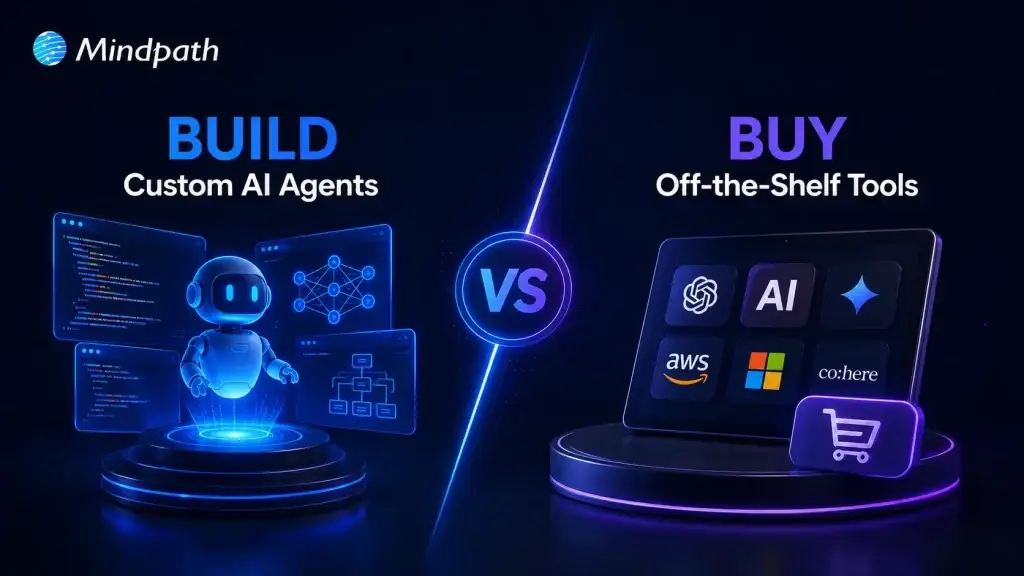
Businesses often begin with AI tools that save time and simplify everyday tasks. But what happens when those tools cannot understand your workflows, access the right data, or support bigger goals? The build vs buy AI decision becomes important when basic AI support no longer drives meaningful business progress.

Key Takeaways

  • 01
    Choose off-the-shelf AI when standard tools meet immediate business needs. 
  • 02
    Build custom AI agents when workflows require deeper automation and control. 
  • 03
    Evaluate data security before sharing sensitive information with external AI platforms. 
  • 04
    Consider integrations when AI must work across core business systems. 
  • 05
    Focus on long-term value, not only initial cost and deployment speed. 

The custom AI agent vs off-the-shelf choice can shape how effectively your business uses AI. One option delivers quick results, while the other can automate complex work across your systems. Seems interesting, doesn’t it? In this blog, we explore which option can unlock greater value for your business. So, let’s keep reading further in detail!

Looking for an AI agent that does more than off-the-shelf tools can offer? At MindPath, we offer AI Agent Development Services to build intelligent solutions tailored to your goals.

What Does Build vs Buy AI Mean? Core Fundamentals

Build vs buy AI describes how a business chooses to access artificial intelligence capabilities.

Building AI means creating a custom AI agent designed around a company’s specific workflows, data, systems, and business goals. The business controls how the solution works, connects it with internal tools, and shapes it to manage unique tasks that ready-made platforms may not support.

Buying AI means choosing ready-to-use AI software or off-the-shelf AI tools from an external provider. These tools offer prebuilt features for common tasks, such as content creation, customer support, transcription, and analysis. Businesses can start using them quickly without building or maintaining the technology themselves.

What Are Off-the-Shelf AI Tools?

Off-the-shelf AI tools are ready-made platforms that businesses can start using without developing AI from scratch. They support common needs through AI chatbots, writing tools, customer support platforms, meeting assistants, and workflow automation tools. While comparing custom AI agent vs off the shelf options, businesses can assess whether standard features meet their operational needs.

Advantages of Businesses Using Off-the-Shelf AI Tools

1. Lower Upfront Costs: Subscription pricing helps businesses adopt AI without major development spending.

2. Faster Deployment: Teams can launch useful AI capabilities quickly and reduce implementation delays.

3. Vendor-Managed Maintenance: Providers handle updates and fixes, reducing pressure on internal IT teams.

4. Easy Team Adoption: Simple interfaces help employees use AI with minimal technical training.

5. Quick Results for Common Tasks: Businesses improve support, content, analytics, and routine workflow efficiency.

Limitations at a Glance

1. Limited Customization: Generic tools may not match unique workflows or business requirements.

2. Data Privacy Risks: External platforms can create security and compliance concerns.

3. Inaccurate Responses: Teams must review outputs for incorrect or fabricated information.

4. IP Concerns: Generated content can raise ownership and copyright issues.

5. Less Differentiation: Common tools can produce similar outputs for competing businesses.

What Is a Custom AI Agent?

A custom AI agent is a goal-focused system built for specific business tasks, workflows, and roles. It can use company data, remember relevant context, connect with business tools, and complete multi-step actions. While comparing build vs buy AI agent options, businesses can assess whether they need basic assistance or tailored automation.

Advantages of Businesses Using Custom AI Agent

1. End-to-End Automation: Agents complete repetitive tasks, reducing manual effort across everyday business workflows.

2. Scalable Operations: Teams handle growing workloads without increasing staff at the same pace.

3. Round-the-Clock Support: Agents respond, monitor, and assist customers beyond standard working hours.

4. Faster Data Insights: Agents analyze information quickly to support smarter, timely business decisions.

5. Personalized Customer Experiences: Context-aware interactions help businesses deliver relevant support and recommendations.

Custom AI Agent vs Off-the-Shelf AI Tools

Choosing between these options depends on how closely AI must support your business operations. The custom AI vs prebuilt AI comparison below highlights the differences in control, cost, integrations, and long-term value.

Comparison Area Custom AI Agent Off-the-Shelf AI Tools
Business Fit Built around your workflows, rules, and industry needs. Designed for common tasks across many businesses.
Deployment Speed Takes longer because teams design and test it. Launches quickly with ready-made features and setup.
Customization Adapts to unique processes, roles, and customer journeys. Offers limited configuration within vendor-defined options.
System Integration Connects deeply with CRMs, databases, and internal platforms. Provides standard connectors for widely used business tools.
Data Control Gives stronger control over data access and governance. Vendor policies determine how data is processed and stored.
Long-Term Value Supports scalable automation and creates business-specific operational advantages. Delivers quick value but may limit growth beyond standard use cases.

When Should You Buy an Off-the-Shelf AI Tool?

  • Your business needs AI for common tasks with clear, standard requirements.
  • Your team needs useful AI capabilities quickly for immediate business priorities.
  • You want to test AI value before making a larger investment.
  • Your workflows do not require deep connections with internal business systems.
  • Standard features can support your processes without extensive customization or development.
  • Your business lacks the technical resources to build and maintain AI internally.

When Should You Build a Custom AI Agent?

  • Your team handles the same complex, time-consuming tasks every day.
  • Generic tools cannot understand your specific processes, rules, or terminology.
  • You need stronger control over customer data and internal information.
  • Your workflows involve decisions, approvals, and several connected actions.
  • You want AI to reduce manual effort and improve operational outcomes.

Key Factors to Consider Before Choosing Build vs Buy AI

The question, should I build or buy AI, depends on more than cost or speed. Businesses should assess their goals, workflows, data requirements, and future plans before choosing an approach that delivers practical value today and supports growth over time.

1. Your Business Goals

Explain that companies should first identify whether they need quick productivity support or long-term process automation.

2. Workflow Complexity

Simple tasks may work well with prebuilt AI. Complex workflows may require a custom AI agent.

3. Data Security Needs

Businesses handling customer data, financial data, healthcare records, or confidential internal information may need greater control.

4. Integration Requirements

If AI needs to connect with CRMs, project tools, databases, or support platforms, custom development may be more suitable.

5. Budget and Long-Term Value

Buying may cost less at the beginning, while building can deliver stronger returns when AI supports core operations.

How Do Custom AI Agents Create Long-Term Business Value?

A custom AI agent can deliver greater value when it supports the daily work that drives business growth. Unlike off-the-shelf AI tools, it can connect with internal systems, follow company rules, and automate complex workflows. This makes AI agent development a practical investment for businesses seeking scalable, measurable improvements.

1. Automate repetitive tasks across customer support, sales, operations, and internal teams.

2. Connect CRMs, databases, and platforms to reduce disconnected business processes.

3. Use business data to provide faster insights and support better decisions.

4. Scale automation as customer demand, workloads, and operational complexity grow.

5. Deliver consistent customer experiences using company knowledge and brand guidelines.

6. Reduce manual errors through structured workflows, permissions, and human oversight.

7. Measure value through time savings, faster responses, and improved operational outcomes.

Ready to Choose an AI Solution That Moves Your Business Forward?

Off-the-shelf AI tools can help teams get started quickly, while custom solutions support businesses with complex workflows, connected systems, and growing automation needs. The right choice depends on the value AI can create for your operations today and as your business expands.

At Mindpath, we build intelligent AI solutions that align with your workflows, data, and business goals. Our team helps you move beyond generic tools with scalable AI agent development designed to automate work, connect systems, and deliver measurable business value. Contact us to discuss your requirements and find the right AI approach for your business.