Home

Types of Software Development: What Every Business Should Know

Types of Software Development: What Every Business Should Know

Join our Newsletter!

types of software development

Picture a scenario in which you are running a growing business, and things are moving at a fast pace. At this point, your customers will expect more; teams will need better tools, and competition will just be a click away. You must keep in mind that the real game changer isn’t just having software but rather, its choosing the right kind of software. For this, understanding the types of software development can make a huge difference.  

Behind every great digital solution, there lies a specific type of development which is tailored to a specific need. Understanding the key categories of software development enables businesses to make smarter, confident investments while choosing the right technology teams to partner with for the future. So, if you are interested in knowing about the software development types, then this blog will guide you perfectly. We will explore the major kinds of software development, which every business should know to make smarter investments and drive meaningful growth. 

To begin with, let us first have a basic understanding of software development. 

PaAre manual operations draining time and resources from your business growth? At Mindpath, we offer end-to-end software development services to automate processes and enhance efficiency.

What is Software Development?

Software development refers to the act of creating, designing, testing, and maintaining applications or systems that run on devices or computers. It combines the imaginative and creative process with the technical process of building software that can help your business work smarter and serve your clients better. Developers take your ideas and combine programming languages, libraries and frameworks to develop working software that solves real problems. 

There are many benefits of custom software development for businesses. It can increase productivity via automation and lower costs by streamlining processes. It also increases customer satisfaction through user-friendly overall features and allows companies to stay ahead of competitors by providing innovative solutions. Software can also be customized to provide better management of growth within the business and can enhance data cybersecurity protocols and processes while supporting better collaboration across teams.  

What are the 5 Principles of Software Development?

Strong software development relies on key principles that guide the process and ensure reliable, high-quality results. These principles help teams build software that is efficient, adaptable, and easy to maintain over time. 

1. Working in Iterations

Working in short cycles allows teams to test, adjust, and improve regularly. This keeps the software flexible and ready for change. 

2. Reuse Components

Building with ready-to-use parts speeds up development and keeps the software consistent. It also makes updates and maintenance much easier. 

3. Set Quality Standards

Setting clear quality standards from the start helps catch problems early. It ensures the final product meets expectations and works reliably. 

4. Plan Architecture First

A strong foundation starts with early architectural planning. It helps avoid confusion, improves decisions, and sets the direction for smooth development. 

5. Control Changes Effectively

A clear system for handling changes keeps the project stable. It helps teams adapt without causing confusion or risk to the software. 

Curious why software development prices can vary so much? Explore the factors behind software development costs before your next project and avoid common budgeting mistakes.

What are the Different Types of Software Development?

Software development comes in many forms, each designed to meet specific business or user needs. Understanding these different types helps businesses choose the right solutions for their goals and growth. 

1. Frontend Development

Frontend development is a software development type that focuses on the part of an application users see and interact with. It involves creating user interfaces that are smooth, responsive, and visually clear. Frontend developers work with tools and technologies like React, CSS, JavaScript, and Flutter. Their goal is to ensure a great user experience on both web and mobile platforms. 

2. Backend Development

Backend development focuses on the parts of an application that users don’t see. It includes building servers, databases, and the internal logic that powers the software. Backend developers use technologies like Java, Python, and Django to make sure everything runs smoothly. They connect the front end with data and functions to keep the application working behind the scenes. 

3. API Development

API development is about creating connections that let different software systems talk to each other. Developers build APIs to help applications share data and work together more easily. This is useful for adding features like payment systems, login tools, or maps from other services. API development makes software more flexible and able to work with a wide range of platforms. 

4. Cloud Computing Development

Cloud computing development is the software development process of building applications that run on platforms like AWS, Microsoft Azure, or Google Cloud. It helps businesses store data, manage services, and scale their systems more easily. Cloud developers set up secure and flexible environments tailored to company needs. This process supports smooth operations and better performance without relying on local servers. 

5. Database Development

Database development focuses on building systems to store, manage, and organize data. Developers work with different types like SQL for structured data and NoSQL for more flexible, unstructured data. Some databases are made to handle huge amounts of information, often used for big data and real-time analytics. The goal is to keep data accurate, secure, and easy to access when needed. 

6. DevOps

DevOps engineering combines development and operations to build and deliver software more efficiently. It focuses on teamwork, automation, and continuous improvement throughout the project. DevOps engineers use skills like coding, testing, and scripting with languages such as Python, Java, and PHP. One big advantage is that quality checks continue even after the software is launched. 

7. Full-Stack Development

Full-stack development covers both front-end and back-end work to create complete, user-friendly software. A full-stack developer understands how to build smooth interfaces and also manage server-side systems that power the application. They often use a wide range of software development tools to deliver reliable and efficient results. Teams can also achieve this by having front-end and back-end developers work closely together. 

8. Mobile Development

Mobile development focuses on creating apps for smartphones and tablets. Developers may specialize in building for Android using Kotlin or Java, or for Apple devices using Swift or Objective C. Some also work on hybrid apps that run on multiple platforms, which need special skills. Mobile developers handle coding, design, and maintenance to make sure apps work well on different screen sizes and devices. 

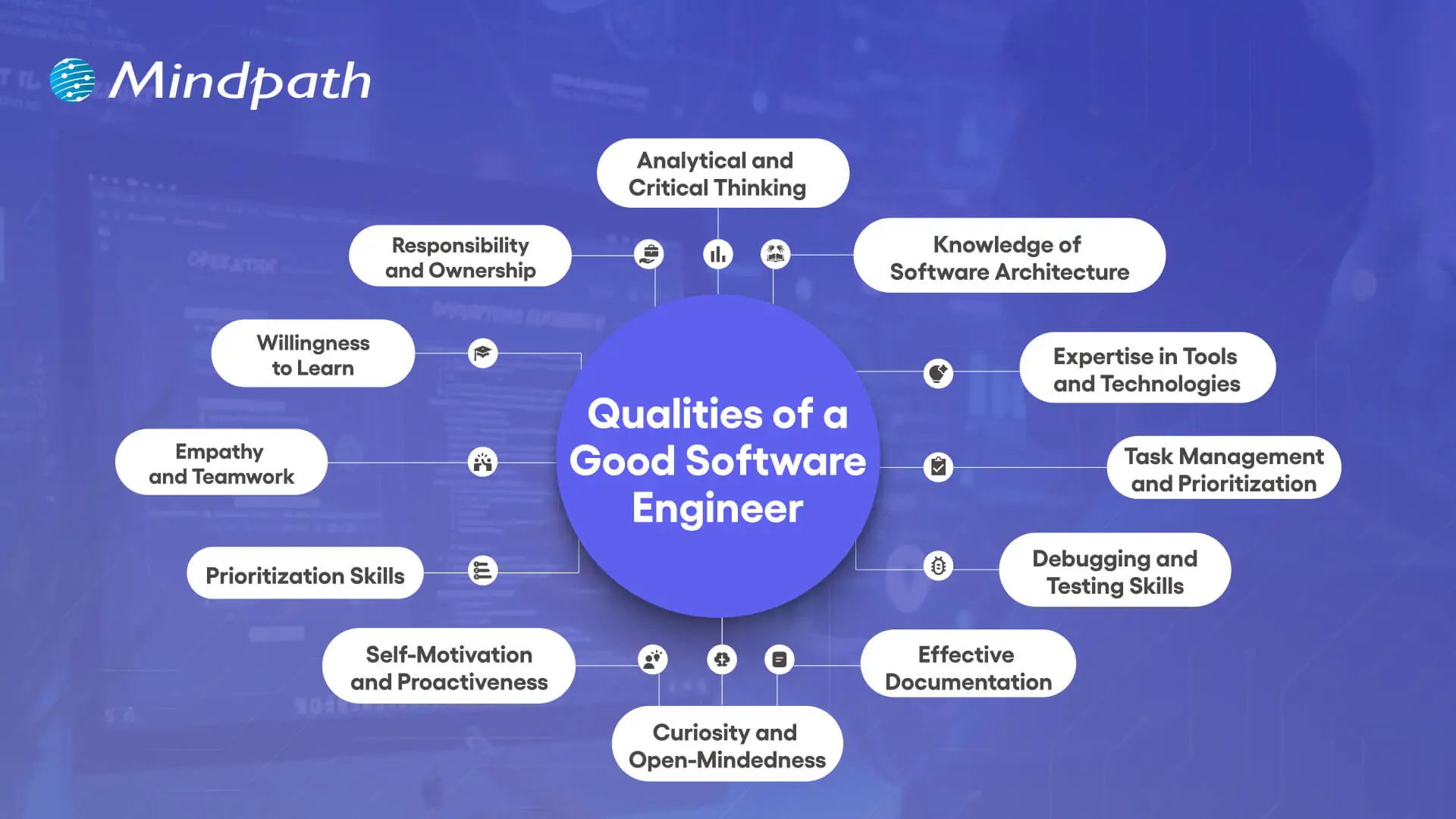
Wondering what makes a software engineer truly effective in driving business success? Discover and understand the top qualities of a good software engineer that set top developers apart.

Which Type of Software Development Fits Best for Your Business Needs?

Understanding the various types of software development helps businesses choose the right solutions to grow and succeed. Each type plays a unique role in creating software that meets specific goals, improves efficiency, and enhances user experience. Knowing these types allows smarter decisions and better investments in technology. 

At Mindpath, we provide expert software development services tailored to your business goals. Our skilled team works with you to build reliable, efficient, and user-friendly software solutions. Partner with us to get the right development support and technology expertise for your next project. 

Frequently Asked Questions

1. How can a business decide which type of software development it actually needs?

The right choice depends on business goals, user needs, and the type of problem being solved. For example, customer-facing platforms may require strong frontend development, while data-heavy systems need robust backend and database support. A clear understanding of priorities helps in making the right decision.

2. Is it necessary to invest in multiple types of software development for one project?

In most real-world projects, multiple types of development work together. For example, a mobile app may need frontend, backend, API, and database development. Combining these ensures the software functions smoothly, delivers a good user experience, and supports long-term scalability and performance.

3. How does choosing the wrong type of development impact a business?

Selecting the wrong approach can lead to performance issues, higher costs, and delays in delivery. It may also limit scalability or create integration challenges later. Making an informed choice early helps avoid rework and ensures the software aligns with long-term business goals.

4. Can a business switch to a different type of software development later?

Yes, but it often requires time, effort, and additional cost. Migrating systems or restructuring architecture can be complex depending on the existing setup. Planning the right development approach from the beginning reduces the need for major changes later and ensures smoother growth.

5. How important is scalability when choosing a type of software development?

Scalability is critical, especially for growing businesses. The chosen development approach should support increasing users, data, and features without affecting performance. Considering scalability early ensures the software remains reliable and efficient as business demands evolve over time.

Support Is One Click Away

Featured Posts

Related Post

augmented staff onboarding

Businesses are in constant need of scaling their IT workforce in the current scenario. This is why many organizations have turned to staff augmentation. It is a viable approach to bring in the external IT experts to work along with your internal teams. As per recent ISACA studies, around 75% of employees are prioritizing hybrid work environments. This has made IT staff augmentation even more powerful.

However, simply hiring augmented professionals is not enough. Without a structured approach, even the most talented developers might struggle to integrate properly with your workflow. In this guide, we will go through some practical steps for staff augmentation onboarding. This can help you successfully adopt remote or hybrid teams while maintaining precise collaboration.

Need a cost-effective way to scale your team with qualified IT talent on demand? At Mindpath, we offer flexible staff augmentation services to help businesses hire top-tier developers and specialists without long-term commitments.

What is Augmented Staff Onboarding and How It Can Upgrade Your Operations?

IT staff augmentation is all about hiring experts temporarily from a third-party organization. Further, the extended team will help your business grow while accelerating the project workflow. They will work under your management while filling the skill gaps.

With proper augmented staff onboarding, you can easily tackle the risks and expenses related to traditional hiring models. A company leveraging these services will match you with all the resources you require for a limited timeframe. Here are the benefits that make staff augmentation an attractive prospect.

1. Minimal Cost

If we compare it to full-scale hiring, augmented staff is a much more budget-friendly solution. Your vendor will cover their recruitment charges and benefits. However, the pricing structure completely depends on the region or the offshore companies you are selecting.

2. Outstanding Productivity

Unlike freelancers or outsourced teams, integrating augmented teams can be managed in real time. You can collaborate with them and encourage your productivity.

3. Global Pool of Talent

With IT staff augmentation, you are breaking the limits of the local talent pool. Further, casting a wider net offers you a better chance of finding skills that exactly match your business objectives.

For your knowledge, an effective onboarding process can upgrade your business productivity by 70%. Organizations with a streamlined onboarding process can boost new hire retention by 82%.

Want to stay ahead of evolving workforce strategies and technology demands? Discover the latest staff augmentation trends that are transforming how businesses scale teams and adopt hybrid work models.

A Detailed Step-by-Step IT Staff Onboarding Process

Integrating augmented professionals into your team needs more than an orientation meeting. So, here is a structured approach to ensure seamless integration of augmented teams into your existing workforce.

1. Define the Roles and Project Expectations

Before the augmented team starts working on your project, you should clearly define your expectations. Moreover, you need to be precise about your project goals and milestones. Make the experts know their individual responsibilities and reporting structure.

Clear expectations can eliminate any type of confusion while allowing your team members to start contributing faster. In the recent scenario, average tech skills are becoming outdated. So, identify their gaps and bring in experts who can make an immediate impact.

2. Prepare the Technical Environment

One of the biggest onboarding delays happens when new employees wait to access new tools and systems. So, before your staff augmentation onboarding, make sure they have access to development environments and other collaboration tools. They should also be aware of your security credentials and permissions.

Offering access to project management tools and collaboration platforms ensures everyone can trace the task and can update the feedback in real time. The new team should be responsible enough to immediately begin exploring the system architecture and your project structure.

3. Conduct a Structured Orientation Session

Orientation can be tagged as the first official step in the remote team onboarding. So, this session should introduce augmented staff to the company’s mission and culture.

You should be vocal about your company’s goals and values. Further, you can discuss the overview of your products or services. Give an introduction to key stakeholders and be sure about the project timelines.

You can also schedule a one-on-one session with the managers or team leads to explain the expectations. This approach will ensure augmented professionals completely understand the bigger picture.

Planning to streamline your recruitment process and onboard experts faster? Check out how staff augmentation hiring enables businesses to quickly integrate skilled professionals into their teams.

4. Introduce Augmented Staff to Your Internal Team

A major challenge in staff augmentation is generating a sense of belonging. So, if your external professionals are not feeling connected enough, the overall collaboration can suffer.

You can introduce your team members through virtual team meetings. Further, you can make informal introductions with your major stakeholders. This is one of the major steps in staff augmentation onboarding as it encourages collaboration.

5. Assign a Mentor or Guide

Assigning a mentor can speed up the learning process. The mentor can help the new members understand the internal workflows. Further, they can answer queries regarding the tools or other internal systems.

A dedicated point of contact can minimize communication gaps, and the augmented staff will also understand who to approach when they find something challenging. This approach can encourage productivity while strengthening collaboration between the internal and external teams.

A professional point of contact can easily fill in the communication gaps, and the external staff will also understand who to contact when they face any issues. This step can upgrade your productivity while strengthening the collaboration efforts.

6. Regarding a Clear Communication Channel

Communication is the backbone of successful staff augmentation onboarding. So, when your team works across multiple regions or time zones, clear communication becomes essential.

To ensure clear communication, define your communication protocols and response expectations. Conduct a meeting and use an individual collaboration platform to assess the doubts of your team. Your organization should also welcome queries and concerns of the augmented staff. In this way, professionals will feel comfortable sharing their innovations or ideas.

Want to optimize your team collaboration while keeping operational costs under control? Discover how cost effective IT staff augmentation helps businesses maintain efficiency and productivity without increasing hiring expenses.

7. Provide Training and Resources

Even experienced professionals or IT specialists need time to understand a company’s internal systems. So, your stretched team should have proper access to your documentation process.

Continuous training and workshops can upgrade the knowledge while making your team understand the overall project environment.

8. Verify Performance and Progress

Your onboarding process shouldn’t be for the first weeks. You should acknowledge continuous feedback to make your external staff know your project needs. Your managers should also check the performance of your team every week. Assess their work and give them reviews for better work processing.

These sessions can help you identify early opportunities to improve collaboration and overall productivity.

9. Follow up on the Onboarding Process

Your business should assess the importance of the onboarding process. Most importantly, consider the concerns and feedback of your internal team. Companies that refine their onboarding strategies over time can scale their augmented teams more effectively while increasing productivity.

Wondering which workforce model best fits your business needs and long-term goals? Learn the key differences between staff augmentation vs managed services to make a more informed decision.

Conclusion

If your business needs quick and scalable IT talent, staff augmentation can be an ideal solution. However, your IT staff onboarding process should be streamlined enough. It can simplify the process while making your augmented teams match the existing workflows.

Companies like Mindpath can help your business upgrade its IT capabilities. Our expert team leverages efficient strategies and streamlined staff augmentation. Our approaches have already been beneficial for many industry leaders. We can be your perfect match for fulfilling the digital transformation your company demands.

Discover best practices for onboarding augmented IT staff, from identifying team needs to seamless integration, ensuring success.
in-house vs outsourcing AI development

Businesses increasingly adopt AI to improve operations, customer experiences, and decision-making across industries. Many leaders now hire AI development company partners to access specialized expertise, reduce implementation risks, and accelerate AI projects without lengthy recruitment or infrastructure investments.

Key Takeaways

  • 01
    Evaluate business goals before choosing in-house or outsourced AI development approaches.
  • 02
    AI development companies accelerate delivery while reducing hiring and infrastructure challenges.
  • 03
    In-house AI teams offer stronger control, ownership, and long-term organizational expertise.
  • 04
    Compare total ownership costs instead of focusing only on initial development expenses.
  • 05
    Select the approach that best supports scalability, innovation, and measurable business outcomes.

Choosing between in-house vs outsourcing AI development depends on your budget, technical expertise, project complexity, and long-term goals. Each approach offers distinct advantages for different business needs. In this blog, we compare both options, explain their key differences, and help you choose the right approach for your business. So, let’s keep reading further!

Need a reliable partner to accelerate your AI initiatives? At Mindpath, we offer AI Development Services to design, develop, and deploy scalable AI solutions.

What Does an In-House AI Team Mean?

An in-house AI team consists of full-time professionals who design, develop, and maintain AI solutions within your organization. Companies that build in-house AI team capabilities gain direct control over development, workflows, and long-term technology planning.

These teams typically include machine learning engineers, data scientists, AI developers, and product managers with specialized expertise. They collaborate closely with internal departments, understand business objectives, and continuously improve AI systems as organizational needs evolve.

Here are the core benefits of in-house AI team:

1. Strategic Alignment

Internal teams understand business goals and operational priorities. AI initiatives support long-term company growth strategies.

2. Ownership of Intellectual Property

Your organization retains complete control over AI assets. Proprietary models remain protected from external competitors.

3. High Customization and Control

Teams adjust solutions for unique business workflows. You control timelines, priorities, and implementation decisions.

4. Stronger Data Security

Sensitive information stays within company infrastructure securely. Compliance requirements become easier to manage internally.

5. Long-Term Capability Building

Internal expertise grows stronger with every AI project. Knowledge remains within the organization for future innovation.

Challenges at a Glance

1. Talent Shortages

Finding experienced AI professionals remains difficult in a highly competitive market.

2. High Operational Costs

Infrastructure, hiring, and retention significantly increase long-term AI expenses.

3. Data Readiness Issues

Poor data quality delays development and reduces AI model accuracy.

4. Legacy System Integration

Older systems complicate AI deployment and slow implementation timelines.

5. Security and Compliance

Managing privacy, governance, and regulations requires continuous internal oversight.

What Does It Mean to Hire an AI Development Company?

Businesses hire AI development company experts to design, develop, and deploy custom AI solutions for specific operational needs. These companies provide specialized technical expertise, proven development processes, and experienced professionals without requiring businesses to build large internal AI teams.

AI development companies create tailored solutions such as intelligent automation, predictive analytics, machine learning models, and computer vision applications. They align every solution with business goals, accelerate project delivery, and provide ongoing support to ensure long-term performance and scalability.

Here are the core benefits of hiring an AI development company:

1. Specialized Expertise

Access experienced AI professionals with specialized technical knowledge. Solve complex challenges using proven development expertise.

2. Cost Efficiency

Avoid expensive hiring and infrastructure investments. Reduce overall AI development costs significantly.

3. Accelerated Time to Market

Launch AI solutions faster with experienced teams. Streamlined processes shorten overall development timelines.

4. Process Automation

Automate repetitive tasks using intelligent AI solutions. Improve productivity while reducing operational effort.

5. Enhanced Customer Experience

Deliver personalized interactions across customer touchpoints. Increase engagement through AI-powered experiences.

Challenges at a Glance

1. Data Quality Challenges

Poor-quality data reduces AI accuracy and overall project performance.

2. Limited AI Expertise

Inexperienced teams may struggle with complex AI development requirements.

3. Legacy System Integration

Older systems delay seamless AI deployment and business scalability.

4. Cost Overruns

Unexpected infrastructure and maintenance expenses increase total project costs.

5. Business Alignment Issues

Unclear objectives reduce AI effectiveness and expected business value.

In-House vs Outsourcing AI Development: Key Differences

Every AI development approach offers different advantages depending on your business requirements and available resources. The comparison below highlights the key differences across cost, expertise, scalability, security, and long-term management.

1. Cost and Initial Investment

In-House AI Team: Building an internal AI team requires significant hiring and infrastructure investments. Ongoing salaries, training, and technology expenses increase long-term costs.

Hiring an AI Development Company: AI development outsourcing reduces upfront hiring and infrastructure expenses. Businesses pay for specialized expertise without maintaining a permanent AI workforce.

2. AI Expertise and Talent

In-House AI Team: Internal teams develop deep knowledge of company processes and goals. However, hiring experienced AI professionals can take considerable time.

Hiring an AI Development Company: Development companies provide immediate access to experienced AI specialists. Their teams bring expertise from delivering diverse AI projects.

3. Development Speed

In-House AI Team: Building the team and setting up infrastructure extends project timelines. Initial development often progresses slower during the hiring phase.

Hiring an AI Development Company: Experienced teams begin development quickly using established workflows. Faster execution helps businesses launch AI solutions sooner.

4. Scalability and Flexibility

In-House AI Team: Expanding internal teams requires additional recruitment and training efforts. Scaling projects often increases operational complexity and costs.

Hiring an AI Development Company: External teams scale resources according to changing project requirements. Businesses can quickly increase or reduce development capacity.

5. Data Security and Control

In-House AI Team: Organizations maintain direct control over sensitive business information. Internal governance simplifies compliance with company security policies.

Hiring an AI Development Company: Trusted partners implement secure development practices and compliance measures. Clear agreements help protect business data throughout development.

6. Long-Term Maintenance and Support

In-House AI Team: Internal teams continuously monitor, improve, and maintain AI systems. Long-term ownership supports ongoing innovation and optimization.

Hiring an AI Development Company: Development companies provide continuous maintenance and technical support services. Regular updates help keep AI solutions reliable and scalable.

In-House AI Team vs Hiring an AI Development Company: Quick Comparison

Here’s a quick comparison of an in-house AI team and hiring an AI development company. This table highlights the major differences to help you compare both approaches at a glance.

Factor In-House AI Team Hiring an AI Development Company
Initial Cost High upfront investment required. Lower initial project costs.
Time to Start Longer hiring and setup. Faster project onboarding.
AI Expertise Depends on hired talent. Access to experienced AI specialists.
Development Speed Slower initial development cycle. Faster delivery with proven processes.
Scalability Hiring required for scaling. Easily scale development resources.
Technology Access Requires separate infrastructure investments. Ready access to modern AI tools.
Flexibility Limited by internal capacity. Adapts quickly to project needs.
Maintenance Managed by internal teams. Continuous expert support available.
Business Control Complete internal project control. Shared oversight with expert execution.
Data Security Full internal data control. Strong security with compliance standards.
Best For Long-term internal AI initiatives. Faster, cost-effective AI implementation.

When Should You Build an In-House AI Team?

  • Your business has long-term AI goals.
  • AI supports core business operations.
  • You require complete project control.
  • Sensitive data must remain internal.
  • You have budget for AI hiring.
  • Continuous AI innovation is a priority.

When Should You Hire an AI Development Company?

  • You need faster AI implementation.
  • Specialized AI expertise is unavailable internally.
  • Project budgets require greater flexibility.
  • You want lower upfront investments.
  • Your team needs external AI support.
  • Rapid project scaling is essential.

How to Choose Between In-House and AI Development Outsourcing?

Every business has different AI goals, budgets, and technical capabilities. Use this checklist to identify which approach aligns better with your project requirements and long-term strategy.

Business Requirement Recommended Approach Reason
Need an AI solution within weeks Hire an AI development company Faster project delivery.
Building AI as a long-term capability Build an in-house AI team Greater long-term ownership.
Limited AI expertise internally Hire an AI development company Access specialized AI professionals.
Large budget for hiring and infrastructure Build an in-house AI team Supports permanent AI operations.
Want lower upfront investment Hire an AI development company Avoid hiring and infrastructure costs.
AI workload changes frequently Hire an AI development company Scale teams as needed.
AI is central to daily operations Build an in-house AI team Better internal collaboration.
Need niche AI skills temporarily Hire an AI development company Experts available immediately.
Strict internal governance requirements Build an in-house AI team Maintain direct operational control.
Launching your first AI initiative Hire an AI development company Reduce risks with experienced guidance.

Ready to Choose Between In-House vs Outsourcing AI Development?

Selecting the right approach for in-house vs outsourcing AI development depends on your business objectives, available resources, budget, and implementation timeline. A well-informed decision helps reduce risks, improve efficiency, and create a stronger foundation for long-term AI success.

Mindpath supports businesses with expert AI consulting services and flexible staff augmentation solutions for every stage of AI adoption. Our specialists help you plan, develop, and scale AI initiatives with confidence. Contact us to discuss your business requirements and find the right AI solution.

Frequently Asked Questions

Mobile app development tools

In today’s rapid technological environment, businesses and developers are always trying to find new ways to create apps that engage users and run efficiently. This is why understanding what is mobile application development is essential. In short, mobile application development is the creation of software applications that run on mobile devices, such as smartphones and tablets, involving both creativity and technical skill. Selecting the best mobile app development tools can greatly enhance speed, quality, and innovation. The right tools will make coding, design, testing, and deployment easier for teams of people. It fosters the idea developed into a real app more quickly and effectively.

Investigation into the mobile app development ecosystem demonstrates a rapid and reliable delivery of apps to users. Tools shape the entire process, from user interface design to backend integration. This indicates that choices of tools are critical to success. The right set of tools maximizes people’s efficiency while conserving time, minimizing mistakes, and encouraging collaboration on projects. This provides support for more modern amenities. In this blog, we will highlight some of the best mobile development tools that are leading the industry today. So, keep reading further!

With advanced knowledge and expertise, Mindpath offers mobile app development services that are designed to deliver high-performing and user-centric apps, also ensure that your mobile product stands out in performance and design.

What is a Mobile App Development Tool?

A mobile app development tool is a software program, framework, or environment used to design, build, test, and deploy applications for mobile devices like smartphones and tablets. It offers developers resources such as integrated development environments, visual design interfaces, pre-built components, and code-free solutions to make the app-building process faster and easier. These tools also enable API integration, automated testing, data syncing, and analytics, all while helping teams build robust, user-friendly apps.

By employing mobile app development tools, developers can operate in a visual environment with hardware reliability and flow design. They also simplify the backend of features such as push notifications and cloud services. App development becomes equitable, faster, organized, and with fewer errors leading developers to be able to innovate and enhance quality.

Want to build a mobile app but don’t know which technology to use for better execution? Learn from the mobile app development technologies blog to understand what suits best for your business.

Top 10 Mobile App Development Tools

Selecting the appropriate mobile app development tools is essential for developing performant and conveniently accessible applications. The right development tool simplifies coding and design, enhances collaboration, and increases testing and deployment features. It helps developers bring their ideas to reality more effectively. Here is a list of some of the best mobile app development tools:

1. React Native

React Native is one of the best mobile application development frameworks for producing high-quality applications across platforms. It lets developers apply their existing expertise in JavaScript and React framework to develop native-like interactions for iOS, Android, and other platforms. The cross-platform features of React Native let developers build applications with a higher degree of speed, efficiency, and consistency while maintaining performance.

2. Ionic

Ionic is another notable cross-platform mobile app development tool that allows developers to create applications for iOS, Android, and the web, all using standard web technologies, such as HTML, CSS, and JavaScript. It offers a vast set of UI components that have been pre-designed to help you build engaging and visually enhancing applications. It allows developers to enhance their engagement in the applications while maintaining a consistent level of speed and efficiency for multi-platform development.

3. Xamarin

Xamarin is a powerful mobile app development software that provides developers the ability to build Android, iOS, and Windows apps using a single C# codebase. It integrates nicely with Microsoft Visual Studio, allowing developers to build apps more quickly and efficiently. Xamarin allows the development of high-performance apps that will feel and appear native-like while multiplexing and simplifying maintenance.

4. Flutter

Flutter is a widely used development framework by Google that enables developers to build native applications for iOS, Android, the web, and even desktop, all from a single codebase. Thanks to its large offering of fully customizable widgets, developing visually attractive, highly responsive applications is easy. Its cross-platform capability allows teams to develop applications rapidly while continuing to provide a level of consistency across devices.

5. Xcode

Xcode is a full-fledged development environment focused on developing applications on Apple devices (iOS, macOS, iPadOS, watchOS, tvOS). It is an integrated development environment (IDE) that has a structured interface, designed to create, debug, and manage a significant project effectively. Additionally, it provides support for a number of languages, enabling developers to produce the high quality of Apple’s native applications.

6. Swift

Swift is regarded as one of the top tools for mobile application development, specifically for creating apps on iOS, macOS, and watchOS. Its speed, security, and user-friendliness enable developers to build high-performance native applications easily and swiftly. Modern syntax and capabilities make Swift the preferred programming language for application development work on Apple.

7. Kotlin Multiplatform

Kotlin Multiplatform is considered one of the best tools in mobile app development because it allows developers to share code across platforms but still maintain native performance. That is, it allows you to build apps for Android, iOS, and more using a single codebase and reusing your business logic, while still using the native user interface libraries. With support from Google and a growing community, Kotlin Multiplatform is an excellent option for cross-platform mobile app development.

8. Firebase

Firebase is one of the top mobile application development tools. It supplies developers with a complete backend platform for constructing mobile applications and continually enhancing, updating, or developing for future use. It also provides high-level services such as, real-time databases, authentication, analytics, and cloud messaging to make managing a mobile app much easier. Firebase allows developers to solely focus on the front end of the mobile app. Developers use Firebase when they want a fully functioning backend infrastructure that allows for the mobile app to run smoothly.

9. Apache Cordova

Apache Cordova is a mobile app development tool that is popular among developers because it provides the framework to create cross-platform applications using standard web technologies (HTML, CSS, and JavaScript). It makes it easy to develop applications for an entire app by interfacing with native device features through a variety of plugins. Cordova supports faster development and an easy maintenance process while delivering applications that run effectively and efficiently across multiple platforms.

10. Titanium SDK

Titanium SDK is a widely used mobile application development tool framework that affords developers the ability to create native applications for iOS and Android using a single codebase in JavaScript. It also provides access to native device features and enables teams to test simultaneously across platforms. Titanium SDK helps teams iterate faster at development without sacrificing performance or consistency of mobile applications.

Curious how mobile apps can leverage AI to transform your business and stay ahead in 2025? Explore our blog on Mobile App Development Trends to discover how these innovations can enhance user experiences.

Ready to Choose the Right Mobile App Development Tool?

Selecting the right mobile app development tools can make a significant difference in creating high-quality, efficient, and engaging applications. The tools highlighted in this blog help streamline coding, design, testing, and deployment, enabling developers to deliver reliable and innovative apps faster. Choosing the right framework ensures better performance, consistency, and a smoother development process.

At Mindpath, we offer professional mobile app development services that help businesses turn their ideas into fully functional applications. Their team uses modern tools and frameworks to deliver scalable, secure, and high-performing apps for iOS, Android, and cross-platform projects. Mindpath focuses on quality, efficiency, and user experience, ensuring that your app stands out in today’s competitive market.