Home

Top Benefits of Mobile App Development for Your Business 

Top Benefits of Mobile App Development for Your Business 

Join our Newsletter!

Mobile app development 

In this fast-paced digital world, mobile app development has become a key channel for businesses to help grow and support their customers. Every tap, click and swipe is part of the user’s experience and lasting commitment to the brand. As customers rely more on their smartphones for shopping, entertainment, and other services, those companies that develop an intuitive e-commerce mobile app will have a better competitive advantage and will have their customers engaged with them.

As technology progresses every day, businesses can no longer rely solely on traditional platforms. Mobile apps now offer convenience, personalization, and live interaction that websites often cannot provide. Mobile apps help brands deliver seamless experiences and help build awareness and growth. This blog post will provide key advantages of mobile app development and help take your business to new heights.

Want to fully experience the benefits of mobile app development in your business? Mindpath offers mobile app development services, which help your business unlock new opportunities through innovative design and seamless functionality.

What is Mobile App Development?

Mobile app development refers to building software applications that are operated on mobile devices such as smartphones and tablets. Mobile app development is simply the process of designing the app’s interface and coding the app itself. These apps are designed to serve particular functions, which means they will facilitate the ability for a user to use services, shop online, or stay connected to others.

Mobile applications are capable of making use of the integrated functionality offered by a device, such as GPS, camera, bluetooth, and microphone, which sets them apart from traditional software. Developers today create the majority of applications for the Android or iOS platforms because these two dominate the worldwide market. Developers may use various frameworks & tools to construct applications that function smoothly, are visually attractive, and work seamlessly across devices.

What is the Process of Mobile App Development?

Developing a mobile application involves several necessary steps to take your idea to a working app. Each step plays a role in enabling usability, reliability, and scalability of the mobile app that is aligned with the business goals.
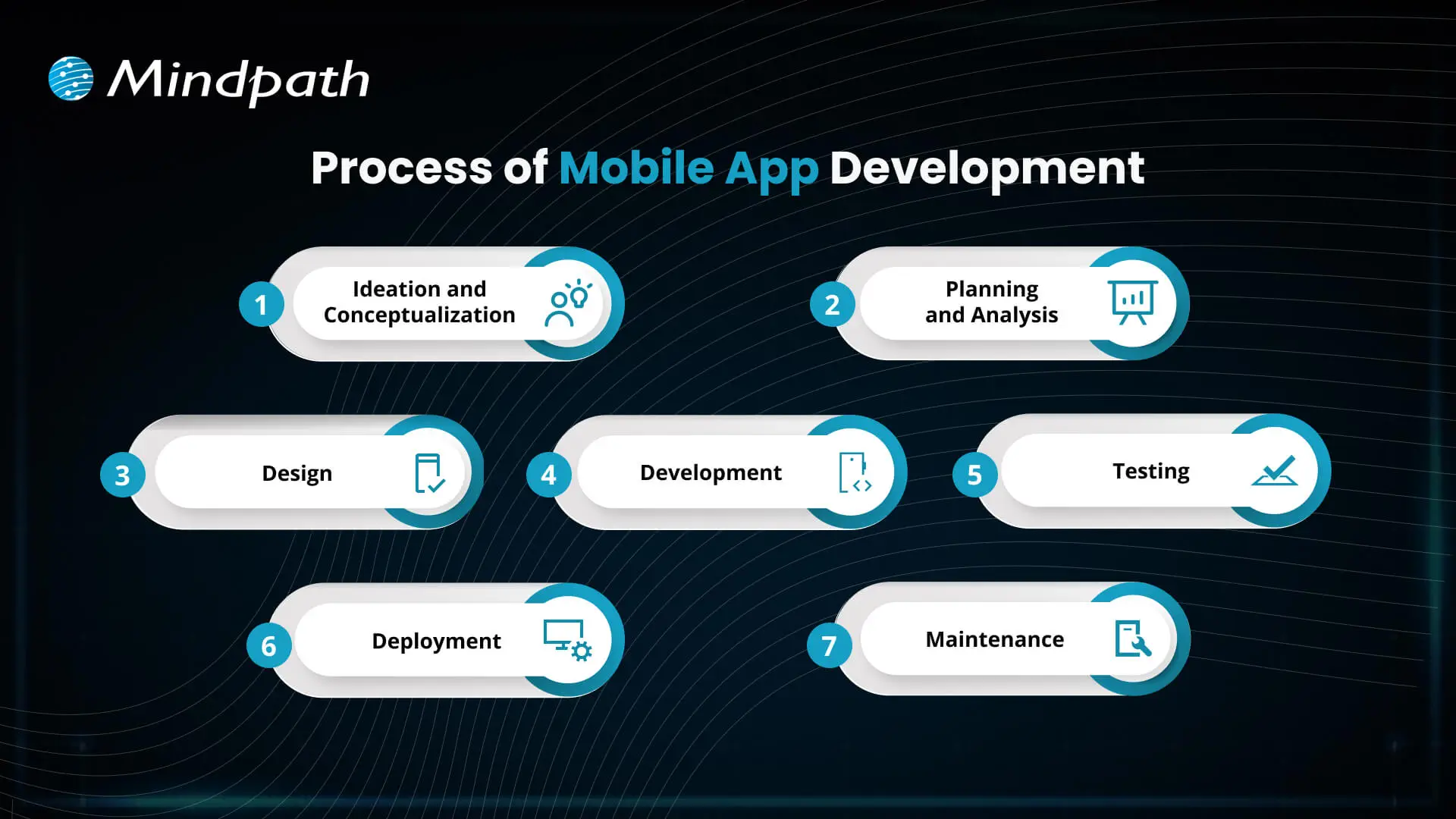
Process of Mobile App Development

1. Ideation and Conceptualization

The first step in the mobile app development process is coming up with a concept for your app. The teams think of an exciting mobile app development idea, find a way to solve problems for users, depict their target audiences, and identify key features.

2. Planning and Analysis

During this step, the teams conduct market research, determine app features, and establish goals. A proper framework documents timelines, budgets, and resources that will enable mobile app development startups and teams to stay on track.

3. Design

Designers create the aesthetic design and layout of the app to ensure it looks pleasing and is easy to use. Designing with simplicity and enjoyment in mind will allow users to navigate the app easily and have a positive experience while working.

4. Development

This is where developers start coding and building both the front and back ends of the app. The mobile app development process at this stage focuses on creating functional features that bring the design to life.

5. Testing

Before an app is launched, several tests are conducted to identify any malfunctions, like bugs or performance problems. This is a necessary step in order to ensure that the app is performing normally and responding correctly for the users.

6. Deployment

After the application has successfully gone through the testing stage, the app is published on the app stores, i.e., Google Play or Apple App Store. Companies that provide mobile app development will also develop a listing and promotional materials to be prepared for the launch.

7. Maintenance

Once the app has launched, it should be updated on a regular basis to fix bugs and continue to work with new devices or software versions. Maintaining the app will give users satisfaction, and enjoying the app for an extended period of time will keep users active.

Is your business app prepared to handle today’s security challenges? Discover how application security best practices for web and mobile apps keep user data safe while supporting sustainable growth.

Benefits of Mobile App Development

The advantages of mobile app development support businesses in more easily reaching customers and accelerating growth. By utilizing a mobile app development service, businesses can build simple and effective mobile apps that enhance user experience and increase engagement.

1. Enhance Customer Engagement

Mobile apps enable users to engage with your brand more often, keeping your business top of mind and relevant. Mobile app development allows businesses to develop features such as favorites, shopping lists, and review capabilities, all of which act as tools to enhance engagement.

2. Build Strong Brand Identity

An app that is well-designed becomes a permanent ambassador for your brand. Mobile app developers can collect relevant user data through the app, which can help improve your brand and continue to deliver value to your audience.

3. Increase Customer Loyalty

Mobile applications can host loyalty programs that encourage customers to revisit and repeat purchases. By giving discounts or rewards instantly, the app creates a sense of engagement with the app and helps build longer-term positive relationships.

4. Improve Customer Interaction

Mobile applications provide a convenient way for customers to purchase products because the app saves payment details and even previously favorite products. This all allows for an easier customer experience, which leads to convenience, improves customer satisfaction, and increases future conversions.

5. Personalize Marketing Efforts

Businesses can provide targeted offers and recommendations based on how users interact with their app. Personalized communication helps make users feel appreciated and encourages engagement.

Looking to build apps faster and smarter? Explore how mobile app development tools streamline development and boost productivity.

6. Boost Profits

Mobile apps typically drive sales and reduce marketing expenses by improving engagement, loyalty, and the overall user experience. Investing in the app is worthwhile because it is an efficient means of maximizing return.

7. Leverage Social Media Integration

Mobile applications can seamlessly connect to their social media channels, allowing individuals to easily share products or submit reviews. This advertising practice provides brands with exposure and social proof.

8. Provide Unique Value to Customers

Apps can offer features that are not available anywhere else, such as augmented reality try-ons, AI in mobile app development for intelligent chat support, and app-exclusive discounts. This adds convenience and encourages individuals to visit again.

9. Target Your Niche Market

Mobile apps provide a competitive advantage over other markets with specialized features and experiences. Businesses can effectively target and engage a broader segment of their target market.

10. Strengthen Communication

Push notifications ability and geotargeting gives businesses the ability to communicate with users in real time. Apps allow businesses to send relevant and time-sensitive messages without interruption from other communication channels.

Want to stay ahead in app innovation? Discover how mobile app development technologies power scalable, future-ready applications

Ready to Elevate Your Business with Mobile Apps?

Mobile app development offers businesses a powerful way to engage customers, build loyalty, and boost growth. By leveraging AI in mobile apps, companies can deliver smarter personalization, real-time support, and data-driven user experiences that stand out in competitive markets.. Leveraging the benefits of mobile apps helps businesses strengthen their brand, improve customer experience, and maximize sales in today’s digital world.

Mindpath provides professional mobile app development services to help businesses turn ideas into functional, user-friendly apps. Our team of experts focuses on designing apps that engage users, integrate key features, and deliver measurable results. With Mindpath, companies can launch high-quality apps that drive growth, enhance customer experience, and ensure long-term success.


Have a Mobile App to Build?

We design and ship apps for iOS and Android from one codebase.

Frequently Asked Questions

Mobile app development generally involves planning, UI/UX design, development, testing, deployment, and ongoing maintenance to keep the application secure and functional.
Development time varies based on features, platform, design complexity, integrations, and testing requirements, so simple apps typically take less time than complex applications.
The choice depends on your target audience, business goals, budget, and market demand. Some businesses may benefit from launching on both platforms.
A successful app usually combines useful functionality, intuitive design, reliable performance, strong security, fast loading, and an experience that meets user expectations.
Testing helps identify functional, performance, security, compatibility, and usability issues before launch, creating a more reliable experience for users across different devices.

Support Is One Click Away

Featured Posts

Related Post

Cursor vs GitHub Copilot

Choosing between Cursor vs GitHub Copilot is becoming less straightforward as AI coding tools take on larger parts of the development workflow. Developers are no longer comparing simple autocomplete features. They are evaluating how effectively an AI tool can understand a codebase, modify multiple files, reason through problems, and support day-to-day engineering work.

Key Takeaways

  • 01
    Cursor focuses on an AI-first coding environment, while Copilot integrates AI into existing development environments.
  • 02
    Both tools now support code generation, editing, chat, debugging, and agentic development workflows.
  • 03
    Cursor suits developers seeking deeper codebase interaction and multi-file AI-assisted development.
  • 04
    GitHub Copilot fits teams wanting AI assistance within familiar IDEs and GitHub workflows.
  • 05
    Security, usage, project complexity, and team adoption matter when selecting an AI coding tool.

The real distinction now lies in how AI fits into the development environment. Cursor takes an AI-first approach, while GitHub Copilot brings AI capabilities into familiar editors and the broader GitHub ecosystem. Both support code generation, chat, editing, and agentic workflows, but they shape the developer experience differently. In this blog, we compare their capabilities, workflows, pricing, limitations, and practical use cases to help you understand which approach fits your development environment.

Looking for the right AI coding workflow?

We help teams evaluate AI development tools and build practical workflows around their engineering needs.

Talk to Our AI Experts →

How Cursor and GitHub Copilot Approach AI-Assisted Development?

The biggest difference between these two AI coding tools is how deeply AI is embedded into the development environment. Both can generate code, explain functions, suggest fixes, and work across larger development tasks, but the surrounding workflow is different.

1. Cursor: An AI-First Development Environment

Cursor is built around the idea that AI should be a core part of the coding environment rather than an additional assistant. Developers can use its agent capabilities to understand a repository, plan changes, edit multiple files, run commands, and iterate on the result.

This approach becomes particularly useful when a task involves several connected parts of a codebase. Instead of asking for individual code snippets, developers can give the agent a broader objective and let it work across relevant files while maintaining repository context. Developers still need to review the generated changes, especially when the task involves business logic, dependencies, or production-critical code.

2. GitHub Copilot: AI Within Existing Development Environments

GitHub Copilot takes a more integrated approach. It brings AI assistance into established development environments, including VS Code, Visual Studio, JetBrains IDEs, and other supported editors.

Its capabilities extend well beyond inline suggestions. Developers can use Copilot for coding assistance, chat, code edits, debugging, code review, and agentic tasks. Its connection with GitHub also makes it a natural fit for teams already managing repositories, pull requests, issues, and development workflows within the GitHub ecosystem.

The distinction, therefore, is less about which tool has AI capabilities and more about where AI sits in the developer’s workflow. Cursor makes AI the center of the coding environment, while Copilot embeds AI into an environment many teams already use.

Cursor vs GitHub Copilot: Key Differences at a Glance

The differences become clearer when the tools are compared across the tasks developers handle every day. Cursor AI and GitHub Copilot overlap in code generation, chat, editing, and agentic development, but their approach to context, IDE integration, repository work, and developer interaction varies.

Feature Cursor GitHub Copilot
Development environment AI-first code editor AI assistant integrated into existing IDEs
Codebase context Designed for deep repository-level context Provides workspace and repository context across supported environments
Agentic workflows Agents can plan, edit files, run commands, and iterate Agent mode can analyze tasks, make changes, run commands, and iterate
Multi-file editing Strong focus on coordinated changes across files Supported through editing and agent workflows
Model selection Offers access to multiple AI models Provides model options depending on plan and feature
GitHub integration Supports GitHub alongside other development tools Deep integration with GitHub repositories and workflows
Code review Supports AI-powered code review through its development tools Provides Copilot code review capabilities
IDE flexibility Primarily centered around the Cursor editor Available across several established IDEs
Team management Team and enterprise administration features Business and Enterprise administration features
Workflow approach AI is deeply embedded into the coding experience AI is layered into an existing development workflow

Where Cursor and GitHub Copilot Fit in the Development Workflow?

Feature lists rarely show how an AI coding tool performs during actual development. The better comparison is how each fits into common engineering tasks, especially when the work moves beyond generating individual code snippets.

1. Code Completion and Routine Coding

GitHub Copilot can provide inline suggestions while developers work in their existing IDE. Cursor offers similar assistance, with AI deeply integrated into its editor and surrounding workflow.

2. Refactoring and Multi-File Changes

Cursor is designed for tasks that require broader codebase interaction, including coordinated changes across multiple files. Copilot’s agent mode can also handle multi-step coding tasks within supported environments.

3. Debugging and Testing

Both tools can explain errors, suggest fixes, generate tests, and assist with debugging. Developers still need to validate changes because AI-generated fixes can introduce incorrect assumptions or unexpected behavior.

4. Greenfield Development

Cursor can support building a new application through agent-driven planning, file creation, and implementation. Copilot can assist throughout the same process while keeping developers within their preferred IDE and GitHub workflow.

5. Working With Existing Codebases

For unfamiliar or complex repositories, context becomes critical. Cursor emphasizes repository-level understanding, while Copilot can use workspace and repository context to assist with existing projects.

Pricing, Security, and Team Adoption

When evaluating Cursor vs GitHub Copilot, teams should look beyond subscription costs. Usage, security, existing workflows, and adoption effort can all affect the decision.

1. Pricing

Both offer individual, team, and enterprise plans, with costs varying based on usage and available AI features.

Factor Cursor GitHub Copilot
Starting approach AI-first editor AI inside existing IDEs
Individual use Free and paid plans Free and paid plans
Team use Team and Enterprise plans Business and Enterprise plans
AI usage Varies by plan and model usage Varies by plan and AI credits
Security controls Team and Enterprise controls Business and Enterprise controls
Workflow adoption May require switching editors Works with supported existing IDEs

2. Security

Teams should review data handling, retention, access controls, and governance before using either tool with proprietary code. These considerations are also relevant when applying AI safety and alignment principles to development workflows.

3. Team Adoption

Copilot can fit naturally into existing IDE and GitHub workflows. Cursor may require a shift toward an AI-first coding environment.

Strengths and Limitations of Cursor and GitHub Copilot

Both tools can accelerate development, but AI-generated code still needs developer review. Their strengths become clearer when looking at control, context, reliability, and everyday usability.

1. Cursor AI Strengths

  • Strong codebase context
  • Multi-file editing
  • Agent-driven workflows
  • Flexible model selection
  • AI-first developer experience

2. Cursor AI Limitations

  • Requires adopting its editor
  • Higher usage can increase costs
  • Complex changes still need careful review

3. GitHub Copilot Strengths

  • Works across popular IDEs
  • Strong GitHub integration
  • Easy workflow adoption
  • Code completion and chat
  • Agentic development support

4. GitHub Copilot Limitations

  • Capabilities vary across IDEs
  • Usage limits depend on the plan
  • Generated code still requires validation

For both tools, productivity gains depend heavily on task complexity, codebase quality, and how effectively developers review AI-generated changes. This broader role of AI in engineering is also reflected in AI in software engineering.

Which AI Coding Tool Is Better?

The right choice depends on how your team already builds, reviews, and maintains software. Key factors include the development environment, project complexity, team workflow, and level of AI involvement.

1. Cursor May Fit Teams That:

  • Prefer an AI-first coding environment
  • Work frequently across multiple files
  • Need deeper codebase interaction
  • Want flexible model choices
  • Use agentic workflows extensively

2. GitHub Copilot May Fit Teams That:

  • Prefer their existing IDE
  • Already rely heavily on GitHub
  • Need broad IDE support
  • Want minimal workflow disruption
  • Need AI assistance across established development processes

Need the Right AI Coding Workflow for Your Team?

Cursor vs GitHub Copilot comes down to how developers want AI integrated into their daily work. Cursor centers the experience around an AI-first editor, while Copilot brings AI into established development environments. Project complexity, existing tools, security needs, and team preferences should guide the final decision.

Mindpath helps businesses evaluate and implement AI-driven development workflows aligned with their engineering goals. Our AI development services cover AI strategy, development, model integration, fine-tuning, and AI agent development to help teams build practical, scalable solutions.

Multimodal Generative AI

Have you ever wondered how AI can generate text, images, and even music? What if a single AI model could understand and create across multiple formats? This is where Multimodal Generative AI steps in. In this blog, we’ll dive into the fascinating world of Multimodal Generative AI and explore how it’s shaping the future of AI. 

What is Multimodal Generative AI?

Multimodal generative AI is an advanced form of AI that can comprehend and generate several types of data, including text, images, audio, and video. These systems can combine and analyze several types of input to process data from multiple sources and produce new content. Multimodal AI combines various sources of data to accomplish more complicated tasks and call for a greater understanding of the data. Although there is a lot of potential for this technology in fields like accessibility, education, and content creation, there are also issues to be resolved, like preserving accuracy and relevance and handling ethical concerns about privacy and authenticity. 

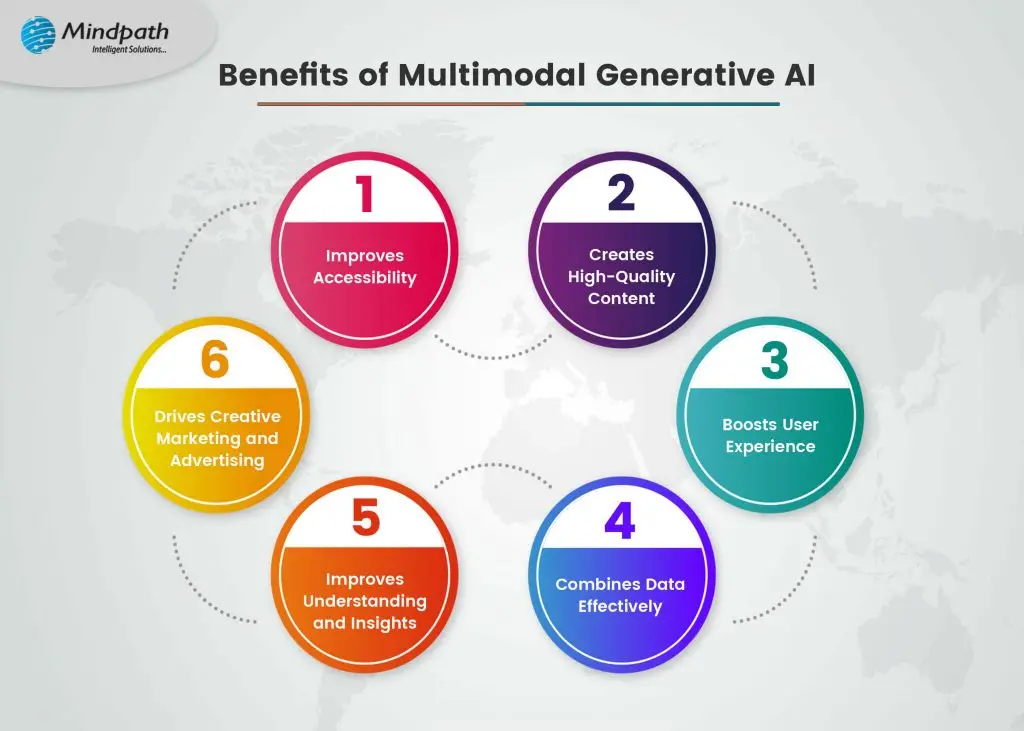
Benefits of Multimodal Generative AI

1. Improves Accessibility

Through the creation of various kinds of content, these systems improve accessibility and facilitate information access for all. By ensuring that people with different abilities can interact with content in ways that best meet their requirements, they contribute to promoting inclusion and understanding on various platforms. By offering substitute formats, these systems seek to remove obstacles and make the user experience more inclusive for all users.  

2. Creates High-Quality Content

Multimodal generative AI can lead to more complex and intelligent content by mixing several forms of data. It can include text, graphics, audio, and other components to provide interesting content. This skill enables the creation of a wide range of instructional materials or media that deepen comprehension and spark users’ interests. For everyone, it makes for a more engaging and educational experience by combining different forms. This method not only grabs the interest of individuals but also accommodates various learning styles, which makes it simpler for people to understand difficult ideas and concepts. This results in more effective and richer content that appeals to a larger audience.  

3. Boosts User Experience

Multimodal generative AI can adapt content in user interfaces to the context and the demands of the user. When voice isn’t possible, it can provide visual explanations to make sure customers receive information most conveniently. It also improves interactive experiences, like video games, by producing lifelike people and language that react differently to human input. 

Because of its versatility, technology becomes more user-friendly and accessible and creates a more engaging experience. Multimodal generative AI can offer tailored suggestions by comprehending the context, which raises customer satisfaction and facilitates more seamless, pleasurable interactions with digital material. 

4. Combines Data Effectively

These systems are capable of smoothly fusing data from many sources to deliver a more thorough and coherent knowledge of intricate circumstances. Their ability to integrate text, audio, and visual data improves analysis and decision-making. This capacity is especially useful for security, since it can improve threat identification and monitoring by combining textual, auditory, and visual analysis. 

These algorithms can find patterns and relationships by combining several kinds of data that would not be apparent when looking at a single source. By using a holistic strategy, organizations can improve their ability to respond to possible hazards and improve operational safety and efficiency.  

5. Improves Understanding and Insights

These models can get a better knowledge of both content and context than single-mode AI systems by combining many sources of data, such as text, pictures, and sound. With the capacity to understand both verbal and non-verbal aspects of a user’s question, this feature makes replies in applications such as virtual assistants more accurate and relevant. 

These systems improve communication and engagement by considering several factors, giving users a more efficient and natural experience. This enhanced comprehension leads to deeper interaction and more significant conversations, which eventually boosts the efficiency of AI applications as a whole. 

6. Drives Creative Marketing and Advertising

By combining consumer data from several sources to create personalized advertising material, multimodal generative AI can enhance marketing initiatives. These technologies can offer customized advertising materials that engage consumers on several sensory levels by analyzing interactions across various forms. Using this strategy, companies can generate ads that are more relevant and engaging for their target demographic, which improves consumer engagement and boosts the efficiency of marketing efforts.  

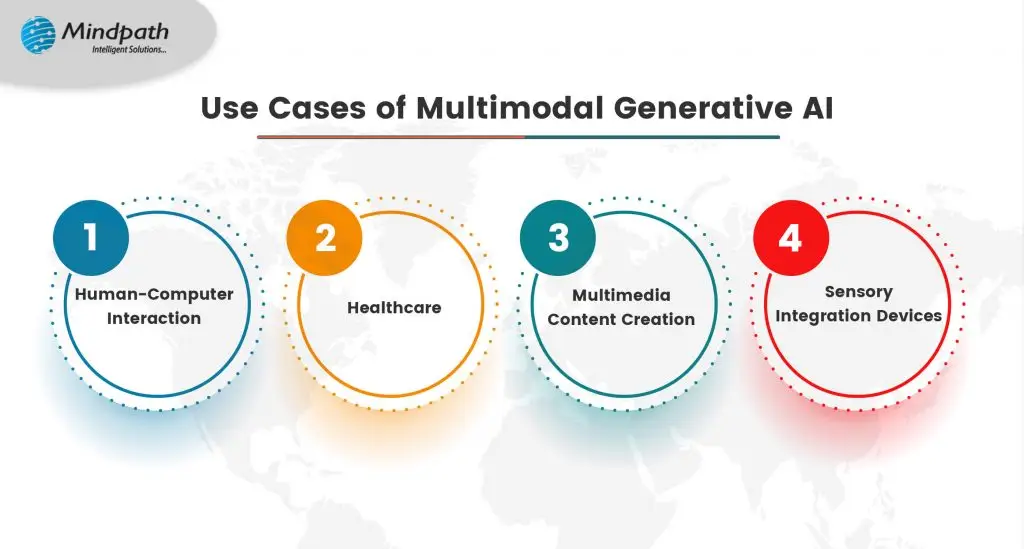
Use - Cases of Multimodal Generative AI

1. Human-Computer Interaction

Multimodal AI enables more natural and intuitive human-computer interactions by processing inputs from several sources, including voice, gestures, and facial expressions. This feature facilitates more seamless communication and allows customers to interact with technology in a more comfortable and familiar way. Multimodal AI improves user experiences and opens technology to a larger audience by comprehending various input formats. 

2. Healthcare

Multimodal models are essential for medical image analysis in the healthcare sector because they integrate data from several sources, including written reports, medical scans, and patient records. The capacity of medical professionals to diagnose patients accurately and create efficient treatment programs is improved by this integration. These technologies eventually enhance patient care and results by offering a greater understanding of a patient’s state. 

3. Multimedia Content Creation

Multimodal AI can generate multimedia material by mixing data from a variety of sources, such as text descriptions, audio recordings, and visual references. This feature makes the process of creating content more efficient and enables the automatic production of interesting and rich content. These systems improve efficiency and creativity by combining several modalities, which makes it simpler to create varied content that meets the tastes of various audiences.  

4. Sensory Integration Devices

Multimodal artificial intelligence (AI) improves augmented reality, virtual reality, and assistive technology user experiences by combining touch, visual, and audio inputs into one device. These gadgets build settings that are more interactive and immersive by merging many sensory inputs. This integration allows for a more thorough and pleasurable experience across a variety of apps while also improving user engagement and accessibility to technology. 

Multimodal artificial intelligence (AI) Services at Mindpath

Our AI development services help organizations better understand their requirements and make decisions by utilizing text, photos, audio, and other inputs. Our ability to integrate data from several sources gives us a full understanding of your initiatives and objectives. Our AI models make interactions more relevant and engaging by producing personalized information and responses based on your unique needs. By utilizing a variety of input methods, technology is made easier to use and more pleasurable for the user overall.  

Our services also provide valuable insights that assist businesses in making better decisions, leading to more effective strategies. At Mindpath, our aim is to harness the power of multimodal AI to empower your business and improve outcomes through innovative solutions. 

Final Thoughts

Multimodal generative AI is transforming the way humans engage with technology and consume content. It improves user experiences across a range of industries, increases accessibility, and fosters creativity by mixing diverse sources of data effortlessly. This technology has enormous potential to change industries and improve our daily lives as it develops further. At Mindpath, we’re thrilled to take the lead in applying multimodal AI to develop cutting-edge solutions that enable companies and improve user engagement. Unlock countless opportunities for development and innovation by embracing the AI of the future with us. 

Ready to unlock the potential of your projects?

At Mindpath, we harness the power of advanced AI solutions to elevate your business.

Discover how Multimodal Generative AI enhance creativity, accessibility, and user experiences across industries.
Ultimate Guide to Hiring Expert Node.js Developers for High-Performance Applications

As the demand for fast, scalable, and efficient web applications continues to grow, businesses are increasingly turning to Node.js. Known for its speed and ability to handle a large number of concurrent connections, Node.js has become a go-to technology for building everything from real-time chat applications to large-scale enterprise platforms.

But choosing the right NodeJS developer can be a challenge. With the vast pool of developers available, how can you ensure that the candidate you hire will help you achieve your project goals? In this guide, we’ll explore why hiring expert Node.js developers are crucial for your project, the factors to consider when hiring, the skills to look for, the cost of hiring, and much more. By the end of this guide, you will be well-equipped to make an informed decision and hire a developer who can take your application to the next level.

Why Hire Node.js Developers?

Before we dive into the hiring process, it’s important to understand why Node.js is an excellent choice for modern web applications. Node.js is a powerful, event-driven JavaScript runtime built on Chrome’s V8 JavaScript engine. It is ideal for building fast and scalable network applications and is used by major companies like Netflix, Uber, and LinkedIn. To leverage its full potential, businesses should hire expert Node.js developers for high-performance apps, ensuring efficient development, seamless scalability, and top-tier application performance.

Here’s why you should consider hiring a Node.js developer for your project:

1. Speed and Performance

Node.js is known for its remarkable speed. Unlike traditional web servers, which use a multi-threaded model to handle requests, Node.js uses a single-threaded, non-blocking event loop that can handle thousands of requests simultaneously. This makes it an ideal solution for applications that require real-time data processing, such as instant messaging systems, live updates, and collaborative applications. An experienced Node.js developer knows how to leverage the event-driven nature of Node.js to build applications that can handle significant amounts of traffic without compromising on performance. Whether you’re building a real-time chat application or a live-streaming platform, hiring the right developer ensures your application runs smoothly and efficiently.

2. Scalability

Node.js’s non-blocking I/O model allows applications to scale more easily. As your user base grows, your application needs to be able to handle more requests without slowing down. Node.js is particularly well-suited for building scalable applications due to its asynchronous nature, which allows it to process multiple requests in parallel, resulting in faster response times. Hiring an expert Node.js developer will ensure that your application is built with scalability in mind. Whether you’re building a small-scale application or an enterprise-level platform, scalability should be a priority from the start, and a skilled developer will know how to design your system to scale as your needs grow.

3. Real-Time Applications

Node.js is the go-to technology for real-time applications, such as chat systems, collaborative tools, and live content updates. Its event-driven architecture makes it perfect for applications that require low-latency communication between the client and the server. For instance, chat apps, live scoreboards, and real-time collaboration platforms all rely on Node.js’s ability to process large volumes of data quickly. By hiring a Node.js developer who understands the intricacies of real-time applications, you can ensure that your users will experience seamless, uninterrupted interaction, even under high traffic conditions.

4. Cross-Platform Development

Node.js is highly compatible across different operating systems, including Windows, macOS, and Linux. Its cross-platform capabilities make it easier for developers to create applications that work seamlessly across different devices and environments. If your application needs to be deployed on multiple platforms, hiring a Node.js developer with cross-platform expertise will save you time and money, as you won’t need to develop separate versions for each operating system. In addition, Node.js’s ability to integrate with various platforms and services gives it an edge over other technologies. Whether you’re integrating third-party APIs, working with cloud platforms, or connecting to databases, a skilled Node.js developer can ensure that your application is compatible with all of your chosen tools.

5. Faster Development with JavaScript

Node.js allows developers to write both server-side and client-side code in JavaScript, which streamlines the development process. This reduces the need for switching between multiple languages, making the overall development faster and more efficient. JavaScript is one of the most widely used programming languages, and most developers are already familiar with it, which makes finding a qualified Node.js developer easier. By hiring a Node.js developer who is proficient in both JavaScript and Node.js, you can accelerate your development timeline and reduce costs associated with language barriers and training.

Factors to Consider When Hiring a Node.js Developer

Now that you know why Node.js is such a powerful technology, it’s time to focus on how to hire the right developer. To ensure you find the best candidate for your project, it’s essential to evaluate key factors to consider while hiring Node.js developers. By assessing the following factors, you can hire a skilled developer who meets your project requirements and delivers high-performance results.

1. Experience with Node.js

A strong understanding of Node.js’s core features is essential for any developer. Look for candidates with experience working on real-time applications, RESTful APIs, and server-side rendering with Node.js. They should also be familiar with Node.js frameworks like Express.js, Koa.js, or Nest.js, as these tools can significantly speed up development.
When reviewing a developer’s experience, consider the types of projects they’ve worked on in the past. Have they built applications similar to yours? Do they have experience handling high traffic volumes or integrating third-party services? The more relevant experience they have, the better they will be at tackling the challenges your project presents.

2. Knowledge of Asynchronous Programming

Node.js is built on an event-driven architecture, meaning it uses asynchronous programming to handle multiple requests simultaneously. A skilled Node.js developer should have a deep understanding of callbacks, promises, and async/await syntax. When evaluating candidates, ask about their experience with asynchronous programming and how they’ve handled concurrency issues in the past. Their ability to manage asynchronous processes will directly impact the performance and reliability of your application.

3. Familiarity with Front-End Technologies

Although Node.js is primarily used for back-end development, many Node.js developers also have experience with front-end technologies like HTML, CSS, and JavaScript frameworks such as React, Angular, or Vue.js. Hiring a full-stack developer with expertise in both front-end and back-end technologies can simplify your project, as you won’t need to hire separate developers for each part of the application. In addition, developers who understand the client-side aspect of the application can ensure better integration between the front-end and back-end, resulting in a smoother user experience.

4. Understanding of Databases

Node.js is often used in conjunction with databases, and your developer should have experience with both relational and non-relational databases. Familiarity with SQL databases like PostgreSQL and MySQL, as well as NoSQL databases like MongoDB, is essential for building robust applications that require data storage. Moreover, knowledge of ORMs (Object Relational Mappers) like Sequelize or Mongoose will help the developer interact with databases more efficiently. A skilled Node.js developer should be comfortable writing efficient queries, handling data models, and optimizing database performance.

5. Problem-Solving and Debugging Skills

Node.js development often involves tackling complex issues, such as managing concurrency, optimizing performance, and debugging application errors. A good Node.js developer should be adept at identifying problems and finding efficient solutions. Ask candidates about their approach to debugging and performance optimization. Do they use tools like the Chrome Developer Tools, Node.js Debugger, or New Relic to troubleshoot issues? Can they identify performance bottlenecks and improve the application’s responsiveness?

6. Security Best Practices

Security is a critical consideration for any web application. Node.js developers should be aware of common security threats such as SQL injection, cross-site scripting (XSS), and cross-site request forgery (CSRF), and they should know how to protect the application from these risks. Look for developers who are familiar with security best practices and tools, such as HTTPS, data encryption, and input validation. A security-conscious developer will help safeguard your application and user data from malicious attacks.

7. Communication Skills

Effective communication is essential in a development team. A good Node.js developer should be able to clearly explain complex technical concepts to non-technical stakeholders, as well as collaborate effectively with other team members. Whether working with designers, product managers, or other developers, the ability to communicate well will help ensure the success of your project.

Node.js Developer Hiring Costs

The cost of hiring a Node.js developer can vary significantly depending on several factors, such as experience level, project complexity, and location. Let’s break down the cost considerations:

1. Experience Level

Junior Developers: Entry-level Node.js developers typically charge lower rates, but they may need more supervision and training. They are suitable for smaller projects or tasks that require minimal expertise.

Mid-Level Developers: Mid-level developers with a few years of experience can handle more complex tasks and can deliver faster results without much guidance. Their rates tend to be more affordable than senior developers while still providing a good level of expertise.

Senior Developers: Senior Node.js developers are highly skilled and have extensive experience in building scalable, high-performance applications. They are often required for large, complex projects, and their hourly rates can be significantly higher. However, their expertise is invaluable in ensuring that your project is executed flawlessly.

2. Project Complexity

The complexity of your project will also affect the cost of hiring a Node.js developer. Simple applications with minimal functionality will cost less to develop, while larger applications with advanced features (e.g., real-time chat, video streaming, or large-scale e-commerce platforms) will require more resources and time.

3. Location

The location of your Node.js developer can significantly impact the cost. Developers in countries with lower living costs may offer lower hourly rates, but they may also be less expensive overall. On the other hand, developers in countries like the US, UK, or Canada may charge higher rates due to higher living expenses, but they may also offer a higher level of service and expertise. You can decide whether you prefer a local developer or if you’re open to hiring remote talent. Remote developers can offer cost savings and access to a broader talent pool.

5 Major Skills to Look for in a Node.js Developer

When hiring a Node.js developer, it’s important to focus on the core skills that ensure the developer can effectively handle the complexities of modern applications. Here are the top 5 essential skills that every Node.js developer should have:

1. Proficiency in JavaScript (ES6+)

Node.js is built on JavaScript, making it essential for developers to have a strong command of the language. A solid understanding of JavaScript (including ES6+ features such as arrow functions, async/await, destructuring, and modules) is crucial for writing clean, efficient, and maintainable code. Node.js developers should be comfortable with both synchronous and asynchronous programming patterns, as Node.js is heavily reliant on non-blocking I/O. Understanding JavaScript allows developers to harness the full power of Node.js, building scalable applications that can handle large volumes of traffic efficiently.

2. Experience with Asynchronous Programming

Asynchronous programming is at the core of Node.js. Since Node.js uses a single-threaded event loop, it’s designed to handle many operations simultaneously without blocking the main thread. This is achieved through asynchronous programming using callbacks, promises, and async/await. A Node.js developer must be proficient in these asynchronous patterns to build applications that can handle multiple requests concurrently without running into performance issues. Mismanagement of asynchronous code can lead to performance bottlenecks, so a good understanding of this concept is essential.

3. Strong Knowledge of Express.js

Express.js is one of the most widely used frameworks for building web applications with Node.js. It simplifies routing, middleware handling, and HTTP request/response management, enabling developers to create APIs and web apps efficiently. A skilled Node.js developer should be proficient in Express.js, as it helps streamline application development. They should be able to set up routes, manage middleware, and handle HTTP requests effectively. Express.js is particularly useful for building RESTful APIs, a common requirement for many modern applications.

4. Experience with Databases (SQL and NoSQL)

Handling data is a critical aspect of Node.js development, and a good developer must know how to interact with both SQL (relational) and NoSQL (non-relational) databases.

SQL: Familiarity with relational databases like MySQL or PostgreSQL is essential for managing structured data with complex relationships.

NoSQL: Developers should also be familiar with NoSQL databases like MongoDB, which are ideal for handling unstructured or semi-structured data.

A well-rounded Node.js developer should be able to design efficient database schemas, write queries, and understand data modeling techniques for both types of databases.

5. Security Best Practices

Security is one of the most critical aspects of building robust applications, and Node.js developers should be well-versed in implementing security best practices.

Authentication: Knowledge of user authentication methods such as JWT (JSON Web Tokens), OAuth, or Passport.js is vital to ensure users can safely log in and interact with the application.

Data Protection: Developers should know how to protect sensitive data through encryption, both in transit (using HTTPS) and at rest.

Vulnerability Management: Awareness of common web security vulnerabilities like SQL injection, cross-site scripting (XSS), and cross-site request forgery (CSRF) is crucial.

Wrapping Note!

Hiring the right Node.js developer is crucial to the success of your web application. By considering factors like experience, skills, cost, and the complexity of your project, you can find a developer who will help you build a high-performance, scalable application that meets your business goals.

Node.js is an excellent choice for building real-time, scalable applications, and a skilled Node.js developer can leverage its strengths to create a solution that meets your specific needs. Whether you’re building a chat app, an e-commerce platform, or a collaborative tool, hiring an expert Node.js developer ensures that your application will be fast, scalable, and secure.

If you’re looking for experienced Node.js developers who can bring your vision to life, consider partnering with Mindpath. Our team of skilled developers has extensive experience in building high-performance applications using Node.js, and we’re ready to help you take your project to the next level.

Ready out today to discuss your project needs and get started on building your perfect Node.js application!

Learn how to hire expert NodeJS developers to build high-performance apps. Discover essential skills, factors, and costs with Mindpath’s guide.