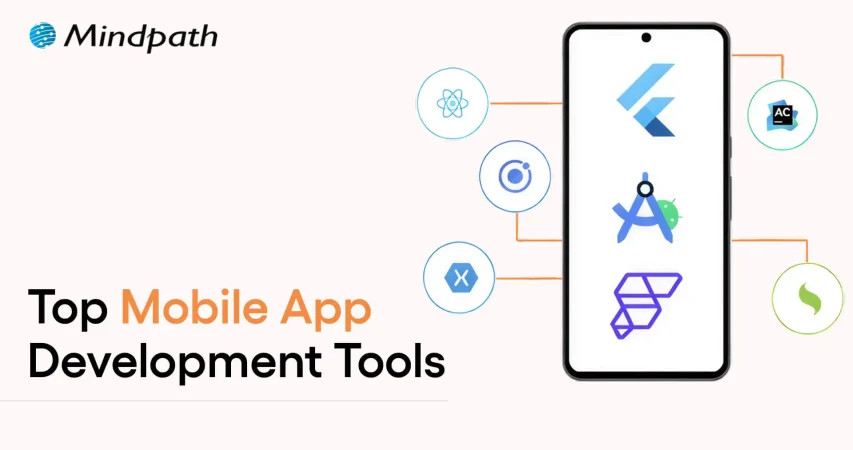
Top Mobile App Development Tools 

Join our Newsletter!

Featured Posts

Support Is One Click Away

Home

Top Mobile App Development Tools 

Mobile app development tools

Top Mobile App Development Tools 

In today’s rapid technological environment, businesses and developers are always trying to find new ways to create apps that engage users and run efficiently. This is why understanding what is mobile application development is essential. In short, mobile application development is the creation of software applications that run on mobile devices, such as smartphones and tablets, involving both creativity and technical skill. Selecting the best mobile app development tools can greatly enhance speed, quality, and innovation. The right tools will make coding, design, testing, and deployment easier for teams of people. It fosters the idea developed into a real app more quickly and effectively.

Investigation into the mobile app development ecosystem demonstrates a rapid and reliable delivery of apps to users. Tools shape the entire process, from user interface design to backend integration. This indicates that choices of tools are critical to success. The right set of tools maximizes people’s efficiency while conserving time, minimizing mistakes, and encouraging collaboration on projects. This provides support for more modern amenities. In this blog, we will highlight some of the best mobile development tools that are leading the industry today. So, keep reading further!

With advanced knowledge and expertise, Mindpath offers mobile app development services that are designed to deliver high-performing and user-centric apps, also ensure that your mobile product stands out in performance and design.

What is a Mobile App Development Tool?

A mobile app development tool is designed to simplify the process of creating mobile applications. It offers developers tools such as integrated development environments, templates, and code-free solutions to make the app-building process faster and easier. These also enable API integration, data syncing, and analytics in the app creation process, while still aiming to build robust and user-friendly apps.

By employing mobile app development tools, developers can operate in a visual environment with hardware reliability and flow design. They also simplify the backend of features such as push notifications and cloud services. App development becomes equitable, faster, organized, and with fewer errors leading developers to be able to innovate and enhance quality.

Want to build a mobile app but don’t know which technology to use for better execution? Learn from the mobile app development technologies blog to understand what suits best for your business.

Top 10 Mobile App Development Tools

Selecting the appropriate mobile app development tools is essential for developing performant and conveniently accessible applications. The right development tool simplifies coding and design, enhances collaboration, and increases testing and deployment features. It helps developers bring their ideas to reality more effectively. Here is a list of some of the best mobile app development tools:

1. React Native

React Native is one of the best mobile application development frameworks for producing high-quality applications across platforms. It lets developers apply their existing expertise in JavaScript and React framework to develop native-like interactions for iOS, Android, and other platforms. The cross-platform features of React Native let developers build applications with a higher degree of speed, efficiency, and consistency while maintaining performance.

2. Ionic

Ionic is another notable cross-platform mobile app development tool that allows developers to create applications for iOS, Android, and the web, all using standard web technologies, such as HTML, CSS, and JavaScript. It offers a vast set of UI components that have been pre-designed to help you build engaging and visually enhancing applications. It allows developers to enhance their engagement in the applications while maintaining a consistent level of speed and efficiency for multi-platform development.

3. Xamarin

Xamarin is a powerful mobile app development software that provides developers the ability to build Android, iOS, and Windows apps using a single C# codebase. It integrates nicely with Microsoft Visual Studio, allowing developers to build apps more quickly and efficiently. Xamarin allows the development of high-performance apps that will feel and appear native-like while multiplexing and simplifying maintenance.

4. Flutter

Flutter is a widely used development framework by Google that enables developers to build native applications for iOS, Android, the web, and even desktop, all from a single codebase. Thanks to its large offering of fully customizable widgets, developing visually attractive, highly responsive applications is easy. Its cross-platform capability allows teams to develop applications rapidly while continuing to provide a level of consistency across devices.

5. Xcode

Xcode is a full-fledged development environment focused on developing applications on Apple devices (iOS, macOS, iPadOS, watchOS, tvOS). It is an integrated development environment (IDE) that has a structured interface, designed to create, debug, and manage a significant project effectively. Additionally, it provides support for a number of languages, enabling developers to produce the high quality of Apple’s native applications.

Also Read: Application Security Best Practices 

6. Swift

Swift is regarded as one of the top tools for mobile application development, specifically for creating apps on iOS, macOS, and watchOS. Its speed, security, and user-friendliness enable developers to build high-performance native applications easily and swiftly. Modern syntax and capabilities make Swift the preferred programming language for application development work on Apple.

7. Kotlin Multiplatform

Kotlin Multiplatform is considered one of the best tools in mobile app development because it allows developers to share code across platforms but still maintain native performance. That is, it allows you to build apps for Android, iOS, and more using a single codebase and reusing your business logic, while still using the native user interface libraries. With support from Google and a growing community, Kotlin Multiplatform is an excellent option for cross-platform mobile app development.

8. Firebase

Firebase is one of the top mobile application development tools. It supplies developers with a complete backend platform for constructing mobile applications and continually enhancing, updating, or developing for future use. It also provides high-level services such as, real-time databases, authentication, analytics, and cloud messaging to make managing a mobile app much easier. Firebase allows developers to solely focus on the front end of the mobile app. Developers use Firebase when they want a fully functioning backend infrastructure that allows for the mobile app to run smoothly.

9. Apache Cordova

Apache Cordova is a mobile app development tool that is popular among developers because it provides the framework to create cross-platform applications using standard web technologies (HTML, CSS, and JavaScript). It makes it easy to develop applications for an entire app by interfacing with native device features through a variety of plugins. Cordova supports faster development and an easy maintenance process while delivering applications that run effectively and efficiently across multiple platforms.

10. Titanium SDK

Titanium SDK is a widely used mobile application development tool framework that affords developers the ability to create native applications for iOS and Android using a single codebase in JavaScript. It also provides access to native device features and enables teams to test simultaneously across platforms. Titanium SDK helps teams iterate faster at development without sacrificing performance or consistency of mobile applications.

Curious how mobile apps can leverage AI to transform your business and stay ahead in 2025? Explore our blog on Mobile App Development Trends to discover how these innovations can enhance user experiences.

Ready to Choose the Right Mobile App Development Tool?

Selecting the right mobile app development tools can make a significant difference in creating high-quality, efficient, and engaging applications. The tools highlighted in this blog help streamline coding, design, testing, and deployment, enabling developers to deliver reliable and innovative apps faster. Choosing the right framework ensures better performance, consistency, and a smoother development process.

At Mindpath, we offer professional mobile app development services that help businesses turn their ideas into fully functional applications. Their team uses modern tools and frameworks to deliver scalable, secure, and high-performing apps for iOS, Android, and cross-platform projects. Mindpath focuses on quality, efficiency, and user experience, ensuring that your app stands out in today’s competitive market.


Related Post

Related Post

web scraping with node js

Web scraping with Node.js allows developers to collect and use website data quickly and efficiently. It is useful to make smarter decisions, automate tasks, and enhance digital projects. The process is easy and feasible as Node.js is speedy and is compatible with JavaScript. Mastering this skill will create new prospects of dealing with real-time information and putting it into practical use in the contemporary web development projects.

This blog describes the concept of web scraping and how web scraping works in a step-by-step manner. You will get to know what web scraping is, why you should use Node.js, and how to begin using it in your projects. All ideas are simple to comprehend and straightforward. At the end, you will have a clear background on how to effectively gather, store and utilize web data for real-life applications.

Planning to gather web data efficiently for your business? Mindpath offers expert Node.js development services to create fast, scalable scraping solutions.

What is Node.js Web Scraping?

Web scraping with Node.js lets developers collect website data automatically and use it for real projects. Node web scraping refers to the creation of scripts that will retrieve web documents. These scripts read their contents and retrieve information such as prices, contacts, or news. It is easy to process static sites with such tools as Axios or Cheerio. The interactive websites can be managed with the aid of Puppeteer. The speed and efficiency of Node.js ensure a more scalable and faster scraping.

The Node web scraping operates by making requests, retrieving HTML, and extracting data on the page. JavaScript is used to handle both the static and dynamic sites. Using Node.js, developers have the ability to automate the process of logging in to a website. They can click buttons and gather information on numerous websites simultaneously. This strategy makes the process effective, valid, and prepared to apply it in the real world.

Curious why developers choose Node.js for large-scale web scraping? Explore the advantages of Node.js to see how its performance and event-driven model simplify data extraction.

Key Benefits of Web Scraping with Node.js

High-speed and efficient web scraping with Node.js provides developers with a quick and efficient tool to deal with web data. It assists teams to process vast information without any additional effort. These are the best advantages that make Node.js a robust option in the collection and use of data in real projects.

1. Fast and Efficient Processing

A Node.js scraper does not have to wait to make a number of web requests. Node.js web scraping will allow you to gather massive data within a short time.

2. Handles Modern Websites

It is common to use dynamic JavaScript loading content on websites today. Such tools as Puppeteer or Playwright allow developers to see a complete page and obtain data correctly.

3. Single Language Development

JavaScript can be utilized by developers to perform front-end and backend scraping. This makes coding easier and allows the workflow to be similar.

4. Wide Range of Tools

Node.js scraper may utilize such libraries as Axios to make requests, Cheerio to process them, and Puppeteer to automate. These are the tools that can make web scraping using Node.js flexible to any project.

Must Read: NodeJS Libraries for AI 

5. Scalable for Growth

The ability to work with large number of data streams simultaneously makes Node.js relevant to the large-scale web scraping project. It is capable of expanding along with your data requirements.

6. Easy Integration

Scraped information is often included in the form of JSON, which is automatically processed by the Node.js. This information may be inputted directly into web applications, databases, or analytics pipelines.

7. Automates Repetitive Tasks

Web scraping with Node.js provides an ability to log in, click on buttons, and scroll the pages automatically. A scraper made with Node.js saves time and makes the data collection regular.

8. Real-Time Data Monitoring

Using a Node.js scraper, it is possible to make continuous updates on the sites. This assists in the collection of new information within a short time to analyze or report.

Looking to ensure your Node.js scraping applications run fast and efficiently? Check out web performance with Node.js to learn how optimization techniques improve speed, scalability, and reliability.

Steps to Build a Node.js Web Scraper

Web scraping with Node.js lets developers collect data efficiently and apply it to real projects. A scraper to build needs the right planning and procedures. The key actions to develop a Node.js web scraper and begin the data extraction process successfully include the following.

Steps to Build a Node JS Scraper

1. Set Up Your Project

Make a new project folder and get it started using npm. This prepares your Node.js environment for web scraping with Node.js. The project will manage all dependencies through a package.json file.

2. Install Necessary Libraries

Install such tools as Axios to make the HTTP requests and Cheerio as the HTML parsing tool. The libraries simplify the creation of a Node.js scraper. They give you the core tools for web scraping with Node.js.

3. Choose Target Websites

Choose the sites that you would like to scrape. Ensure that you are obeying their rules and law. Target selection helps to make sure your web scraping of Node.js is safe and effective.

Must Read: Full-Stack Development with Node.js

4. Fetch and Parse Pages

Get the HTML of the page using Axios or any other HTTP library. Load it into Cheerio or other similar to navigate and choose elements. The next thing that needs to be done is to prepare your data that your Node.js scraper will extract.

5. Extract and Organize Data

Even define the information you require, such as prices, titles, or links. It should be collected using CSS selectors. Export the data that has been extracted in a simple, easy-to-use format: JSON, CSV, or database.

6. Execute and Improve

Install and run your Node.js scraper and verify the output. Include error management and rate limiting to prevent problems. Refining your process ensures web scraping with Node.js runs smoothly and efficiently.

Looking to simplify web scraping with Node.js? Explore essential Node.js libraries to make data extraction faster and more reliable.

Ready to Unlock the Power of Web Scraping with Node.js?

Web scraping with Node.js allows developers to collect and use data efficiently, making it easier to support smarter decisions, automation, and digital innovation. By understanding the right tools, techniques, and workflows, businesses that hire Node.js developer can work seamlessly with both static and dynamic websites, manage large datasets, integrate data into applications, and gain real-time insights to enhance project prosperity

Mindpath is a trusted Node.js development company offering expert web and Node.js development services to build fast, scalable, and secure applications. Their team creates custom solutions for web scraping, data integration, and automation. With experience in modern technologies, they deliver efficient and reliable results. Choosing Mindpath ensures your Node.js projects run smoothly, save time, and meet your business goals with high-quality support.

Business Benefits of Chatbots

Suppose a customer is browsing your website during the weekend, and then asks a question related to your product, and your chatbot answers that without any delay. Won’t that benefit your business and satisfy your customers? Well, that is precisely one of the key benefits of chatbots. Yes, you heard that right. Chatbots can help businesses respond faster, guide customers smoothly, and improve the overall customer experience. Now-a-days business leaders are starting to see how chatbots can make everyday tasks easier and more efficient.

An interesting report from Tidio reveals that around 60% of B2B companies and 42% of B2C companies already use chatbot software. By 2025, this number is expected to grow by 34%. With better tools, smarter features, and clear business value, AI chatbots are turning into a must-have. If you are curious to know what are the typical benefits of AI chatbot for business, then this blog can guide you perfectly. So, what are you waiting for? Let’s dive in!

At Mindpath Tech, we specialize in custom chatbot development tailored to your unique business needs. Our GenAI-powered chatbot solutions help automate engagement, enhance customer experience, and drive efficiency across industries.

What is a Chatbot?

A chatbot is a software application that enables a user to engage in a conversation that imitates a human. In many cases, a chatbot can engage either through text or vocal conversation. By doing this, chatbots enable customers to answer questions, resolve problems, or complete tasks much quicker. Some chatbots adhere to a pre-set script. However, many modern chatbots rely heavily on artificial intelligence (AI) and natural language processing (NLP), to understand what the user is asking, and provide a thoughtful and natural response.

To put this in perspective, let’s assume you arrive at a bank’s website and begin typing your question (example: “How can I open a savings account?”). The chatbot will not only understand that you are asking about a savings account, but also guide you through the steps to take, without the help of any human agent.

The chatbot market is growing fast. According to a study by Grand View Research, the global chatbot market size was valued at USD 7.76 billion in 2024 and is projected to reach USD 27.29 billion by 2030, growing at a CAGR of 23.3% from 2025 to 2030. This rapid growth is driven by advancements in artificial intelligence and machine learning, making chatbots smarter, faster, and more valuable for businesses across industries.

What exactly is a chatbot, and why is everyone talking about them? Explore our in-depth guide: What is a Chatbot – Everything You Need to Know.

What are the Benefits of Chatbots?

If you are wondering what are the benefits of using AI chatbot, here is the answer. AI chatbots are becoming an essential part of modern business operations. Designed to assist in day-to-day tasks, they offer practical support across various business functions.

Here are some benefits of chatbots for businesses:

1. Smart Routing for Better Support

AI chatbots can handle simple questions and tasks on their own. When the issue needs a human touch, the chatbot collects key details from the customer at the beginning. It then sends the conversation to the right agent based on who is available and best suited to help. This smooth handover saves time and makes the support experience faster and more efficient.

2. Improves with Every Interaction

AI chatbots learn from each interaction to improve their responses over time. They collect data, understand patterns, and offer more accurate and personalized replies. They also recognize when to involve a human agent. By picking up on customer emotions, they provide better and more thoughtful support.

3. Enhance Sales

One of major benefits of chatbots is its ability to support sales teams by handling routine tasks. Chatbots can collect lead details, schedule demos, and guide visitors through your website. They also help move potential customers through the sales funnel by answering questions and sharing product information. This leads to higher conversions, fewer drop-offs, and better cross-sell and upsell opportunities.

4. Cost Effective Solution

Managing costs is important for any growing business. While chatbots need some setup at first, they help save money in the long run by handling common tasks and reducing the need for extra staff. They can quickly direct conversations to the right place, making support more efficient. With easy-to-use tools like no-code builders, businesses can launch chatbots faster and start seeing results sooner.

5. Generate Leads

AI chatbots can start natural conversations that feel more personal than standard forms. Instead of sending users to fill out long details, bots gather useful customer data while answering questions in real time. They use conversational AI to understand voice or text and guide the chat smoothly. This helps capture valuable information like visited pages, cart activity, location, and user preferences, making lead generation more effective.

Benefits of Chatbot For Customers

Let us also learn about the benefits of chatbots for customers:

1. Offers Omnichannel Support

Today’s customers use many platforms to reach out; like email, social media, websites, and messaging apps. They expect smooth conversations no matter which channel they choose. AI chatbots can help by answering common questions across all platforms and keeping the conversation connected. This creates a faster, more consistent experience that meets customers where they are.

2. Provides Multilingual Support

As businesses reach global audiences, language should not be a barrier to great service. AI chatbots can offer multilingual support by asking for the customer’s language or detecting it through the conversation. They can chat naturally in multiple languages through text, voice, or messaging. This helps provide clear and friendly support to every customer, no matter where they are.

3. Delivers 24/7 Customer Service

Customers expect fast and reliable service at any time of the day. AI chatbots make this possible by offering 24/7 support without delays, even during peak hours. They handle the first interaction instantly, reducing wait times and helping customers find answers quickly. This ensures a smooth and responsive experience, no matter when the customer reaches out.

4. Create More Personalized Customer Experiences

AI chatbots can offer tailored support by using customer data from tools like CRM or marketing software. They adjust messages based on where a customer is in their journey and suggest products that match their interests. Bots can also answer questions about orders or shopping carts without asking for extra details. When used thoughtfully, this creates a smooth, human-like experience that feels personal and helpful.

5. Ensure Proactive Customer Support

AI chatbots can take the first step by reaching out to customers based on their activity on your website. They can answer common questions, guide users through tricky pages, or remind them about unfinished tasks like a full cart or pending form. This kind of timely support helps reduce drop-offs and improves customer experience. When needed, chatbots can also suggest connecting with a human agent to move things forward smoothly.

Curious about the role of conversational AI in modern business strategy? Dive into Conversational AI Chatbots for Business Growth to see how companies are using them to gain a competitive edge.

Disadvantages of AI Chatbots

While AI chatbots offer many benefits, they also come with a few limitations that businesses should be aware of. Understanding these challenges can help you use chatbots more effectively and plan for the right balance between automation and human support.

1. Struggles with Complex Questions: AI chatbots may not understand sarcasm, unclear grammar, or complicated queries, leading to wrong answers.

2. Lacks Human Emotion: Chatbots can’t show empathy or handle emotional conversations the way a human can.

3. Takes Time to Set Up: Building a chatbot with the right questions, answers, and flow can take time and effort.

4. Can Risk Data Security: If not properly protected, chatbots may expose sensitive customer information to security threats.

5. Bias Responses: If trained on biased data, chatbots can unknowingly give unfair or inappropriate responses.

6. Hallucination: Chatbots can make up answers or provide incorrect details, which can confuse or mislead users.

Ready to Experience the Real Benefits of Chatbots?

Chatbots are helping businesses respond faster, cut costs, and improve customer service. From lead generation to 24/7 support, they make things easier and quicker. While they can’t replace humans fully, they’re a smart way to enhance service and give customers a better overall experience.

At Mindpath, we offer chatbot development services built to match your needs. We create smart, easy-to-use AI bots that improve support, boost engagement, and connect smoothly across platforms. Let us help you deliver faster, better service with a solution designed just for you.

Frequently Asked Questions

1. How do businesses measure the success of chatbot implementation?

Businesses usually track metrics like response time, customer satisfaction, resolution rate, and lead conversions. These insights help understand how well the chatbot is performing. Regular monitoring and improvements ensure the chatbot continues to deliver value and supports overall business goals effectively.

2. What are the benefits of chatbots for businesses beyond customer support?

The benefits of chatbots go beyond answering queries. They help automate repetitive tasks, qualify leads, assist in marketing campaigns, and improve internal workflows. By handling multiple roles, chatbots increase efficiency and allow teams to focus on more strategic and high-value activities.

3. Can chatbots be customized based on different business needs?

Yes, chatbots can be fully customized to match specific business requirements. From conversation style to features and integrations, they can be tailored to suit different goals. This flexibility ensures that businesses can create a chatbot experience aligned with their brand and customer expectations.

4. How secure are chatbots when handling customer information?

Chatbots can be secure if built with proper data protection measures. Encryption, secure APIs, and compliance with data privacy standards help safeguard user information. Regular updates and monitoring also play an important role in ensuring that customer data remains protected during interactions.

5. What are the benefits of chatbots for improving customer engagement?

The benefits of chatbots include keeping customers engaged through quick replies, proactive messages, and personalized interactions. They help maintain continuous communication, reduce waiting time, and guide users smoothly, creating a more interactive and satisfying experience that encourages users to stay connected longer.

Generative AI Use Cases
Have you ever wondered how generative AI is reshaping various industries right before our eyes? How is it enhancing creativity in art and design? What role does it play in streamlining business operations? In this blog, we’ll explore fascinating use cases of generative AI across different sectors.   Generative AI is a sort of artificial intelligence that is intended to generate fresh and unique content, such as images, writing, or music, without being constrained by precise rules. Instead of just obeying predefined instructions, generative AI learns from enormous volumes of data and applies this knowledge to develop solutions that are both creative and humanlike. It can develop material based on patterns that it recognizes, making it more adaptable and inventive than standard AI.  The significance of generative AI is enormous since it is altering several sectors. From automating content production to accelerating software development, these technologies make tasks quicker and more creative.   So, let’s dive in to explore the generative AI use cases in diverse industries! 

Generative AI Use Cases Across Different Industries

1. Finance And Trading

Generative AI is revolutionizing the financial and manufacturing industries by increasing efficiency and optimizing operations. In finance, it creates algorithmic trading strategies by analyzing past market data and executing exact trades.

It also offers predictive market analysis, which assists specialists in forecasting trends, as well as high-frequency trading by developing rapid algorithms for swift order execution. It also enhances risk management and fraud detection by monitoring transactions for unusual trends, therefore safeguarding customers from identity theft. In manufacturing, generative AI improves efficiency by finding bottlenecks and lowering costs. It provides predictive maintenance by anticipating equipment breakdowns and reducing downtime.

AI also improves supply chain management by analyzing logistics and inventory data to ensure timely delivery and optimal resource utilization 

2. Healthcare

Generative AI is transforming the healthcare industry by improving diagnostics, medication development, and personalized treatment strategies. In medical imaging, AI aids in the creation of synthetic MRI, CT, and X-ray pictures, allowing for more precise diagnosis and treatment planning. It improves image quality and detail, allowing medical experts to more accurately spot abnormalities. 

Generative AI speeds up drug discovery by optimizing chemical structures and anticipating medication interactions, allowing researchers to better understand potential adverse effects. It also creates customized drug delivery systems to guarantee that drugs reach their intended targets with minimal adverse effects. 

Furthermore, generative AI promotes personalized medicine by analyzing genetic data to find genetic markers, allowing healthcare practitioners to customize treatment programs for patients. By anticipating therapy responses based on previous patient data, AI enables clinicians to optimize methods for better results and recommend patient-specific medicine compositions. 

3. Gaming and Virtual Reality

Generative AI is transforming the gaming and virtual reality landscape by making games more interesting and immersive. In gaming, AI contributes to the creation of engaging game material by analyzing how people play and what they enjoy, ensuring that each player’s experience is unique and suited to their tastes. AI also aids in the creation of enormous gaming worlds that change with each play session, providing players with fresh experiences.

Non-player characters (NPCs) in video games are becoming smarter, acting more like real people and responding to how players interact with them. This enhances the game experience and makes it seem more realistic. 

Furthermore, Artificial Intelligence may adapt game stories based on player decisions, resulting in a personalized storytelling experience that keeps players engaged. AI is used in virtual reality (VR) to build realistic and engaging worlds, making VR experiences more pleasurable, whether for gaming or teaching. AI even creates virtual landscapes and interactive features, resulting in spectacular and responsive VR content.

4. Cybersecurity

Generative AI is helping to strengthen cybersecurity by enhancing how we detect and avoid threats. It analyses large amounts of data, such as network traffic and user behavior, to swiftly identify potential security concerns. This implies that risks can be addressed before causing harm. 

Intrusion Detection Systems (IDS) driven by artificial intelligence (AI) monitor networks and systems for suspicious activity. They notify security professionals in real time if they discover something strange, therefore keeping systems safe.

Another key use of AI is behavioral analysis, which involves learning what normal behavior looks like. If it notices anything unexpected, such as abnormal patterns from a person or system, it might alert you to a potential problem.

Generative AI is also beneficial for detecting advanced dangers that are difficult to spot. It searches through previous data and network behavior to detect these clever attacks. AI can detect irregularities in network traffic, allowing organizations to respond to possible breaches before they get worse. AI can also assist identify insider threats, which are security dangers posed by persons within an organization. By analyzing how people interact and access information, it can detect odd behavior that may suggest a problem. 

5. Autonomous Vehicles

Generative AI is transforming autonomous vehicles by improving their safety and efficiency. AI uses real-time data from sensors and traffic to assist autonomous vehicles make speedy choices. It recognizes items such as pedestrians and other cars, assuring appropriate reactions. Adaptive cruise control systems adjust speed in response to traffic, whereas collision avoidance systems forecast and prevent accidents. 

AI also generates virtual surroundings for testing, allowing engineers to replicate various driving situations, including bad weather. This guarantees that vehicles perform reliably in real-world circumstances. Additionally, AI simulates interactions with pedestrians and bicycles, assisting vehicles in securely engaging with road users.  

6. Robotics

Generative AI is improving robotics by making them smarter and more adaptive. It lets robots learn from their environment and adapt to changes, allowing them to deal with unforeseen events. AI enables robots to interpret human motions and expressions, resulting in improved communication and collaboration. This means they can operate comfortably among others in common settings like factories or houses. 

In manufacturing, for example, generative AI optimizes how machines and people collaborate, increasing productivity by coordinating jobs and motions. This collaboration increases efficiency while also making it easier for robots to assist human workers.

7. Fashion Industry

Generative AI is transforming the fashion industry by enhancing the way designers and businesses produce, promote, and sell garments. AI helps designers produce original fashion ideas by analyzing trends and styles, making it easier for them to experiment with new looks. For marketing purposes, AI can generate blog entries and social media material that engage customers, keeping companies new and relevant. It also helps you write appealing advertisements for certain audiences. 

Additionally, generative AI assists companies in understanding what customers think of their products through sentiment analysis, predicting which things will be popular, and forecasting future trends. It can also power virtual fashion advisers who suggest clothing based on a person’s style and preferences, making shopping more personal.  

Generative AI Services at Mindpath

Mindpath uses the potential of generative AI to accelerate innovation and improve business operations. We create unique AI models that optimize workflows, enhance decision-making, and increase productivity in a variety of sectors.

Our artificial intelligence solutions automate content production for blogs, social media, and marketing materials, ensuring that your outputs are both engaging and relevant. We also use generative AI for intelligent data analysis, which allows organizations to foresee trends, comprehend attitudes among customers, and make intelligent choices.

Furthermore, our AI-powered virtual assistants improve client interactions by offering personalized advice and help, resulting in a better overall user experience. We also provide generative AI in design, which creates unique concepts for goods, marketing campaigns, and branding that stand out in a competitive market. 

Wrapping Notes

Generative AI is changing the way businesses function, increasing innovation and efficiency across several industries. Its potential ranges from increasing innovation in fashion to revolutionizing safety in autonomous vehicles. Businesses that adopt cutting-edge technology find new ways to improve operations, enhance consumer experiences, and stay ahead of market trends. Mindpath is devoted to using the potential of generative AI to provide organizations with bespoke solutions that drive growth, optimize operations, and generate creativity. The future has arrived, and with generative AI, the possibilities are endless. 

Wondering how generative AI can reshape your industry?

Mindpath specializes in AI-driven solutions that unlock new possibilities.

Explore top generative AI use cases transforming industries like finance, healthcare, fashion, and more, driving innovation, efficiency, and creativity across sectors.