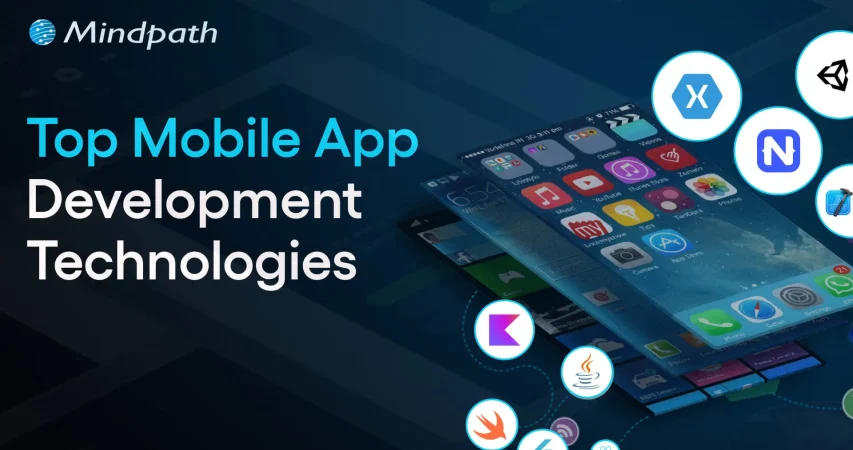
Top Mobile App Development Technologies 

Join our Newsletter!

Featured Posts

Support Is One Click Away

Home

Top Mobile App Development Technologies 

Mobile app development technologies

Top Mobile App Development Technologies 

Mobile app development technologies are important in the fast-paced environment of technology because they define how companies engage with users and keep them engaged. Each swipe, tap, and click is based on technology that is getting faster, smarter, and more interactive. If you’ve ever noticed, some apps feel effortlessly smooth, and others do not. The difference is usually related to the frameworks and platforms chosen for the business objectives and user expectations, and understanding these technologies provides a big advantage over others.

Delving into the newest trends in mobile application development often presents a plethora of choices that can seem confusing. However, choosing the appropriate technology can improve app performance, security, and the overall user experience. Developers routinely test technologies, frameworks, languages, and software solutions to create apps that can more easily rise above the fray. In this blog, we will explore the latest trends and the specific technologies that power the successful mobile app today.

Want to use top mobile app development technologies into a functional app? Mindpath offers mobile app development services, which will turn your imagination into a fully working, high-quality app.

What are Mobile App Development Technologies?

Mobile app development technologies refer to the programming languages, frameworks, and tools used to develop applications for mobile devices. These technologies provide developers with the means to develop compatible applications that would run across devices on platforms such as Android and iOS.

The landscape of mobile development technologies consists of native development tools, cross-platform frameworks, and backend services. The combination of these tools enables the development of applications that provide rich user experiences, work with cloud services, and utilize the native features provided by the device. Choosing the appropriate technology allows developers to build all of these easily, efficiently, and in a scalable way.

Also Read: AI in Mobile Apps

Top Mobile App Development Technologies in 2025

In order to remain competitive as an app developer, it is important to stay informed about the best technology for mobile app development in 2025. The choice of development tools can positively affect the performance, usability, and scalability of modern applications.

1. Flutter 3.22

Flutter 3.22 is a highly favored mobile app development platform to help developers develop applications for mobile devices, the web, desktop, and embedded devices. It provides high-performance and smooth animations that allow applications to run quickly and feel responsive. Developers also appreciate its professionally designed UI components, making it easy for developers to create stunning and consistent user interfaces.

2. Kotlin Multiplatform Mobile (KMM)

Kotlin Multiplatform Mobile (KMM) is a mobile app development framework that allows developers to share code for Android and iOS apps. It utilizes the modern, efficient programming language Kotlin to simplify the process of creating a mobile app for two platforms at once. This translates into a significant time saving, might help to reduce errors, and assure consistent behavior across your Android and iOS devices.

3. C++

C++ is among the most robust mobile app development technologies currently available for building high-performance applications. It enables developers to take direct control of system resources, which is often favored for complex applications or graphics-intensive applications. Also, by using C++, you can rest assured your apps are running as efficiently as possible, even as they traverse between different platforms.

4. Swift

Swift, a mobile application technology developed by Apple, is for building native iOS applications. It is fast, safe, and reliable, while also allowing seamless integration into AI and machine learning. With Swift, developers can build iPhone and iPad apps that are fast, safe, and modern.

5. AR/VR Integration Tools

AR/VR integration tools are tools for mobile app development that help developers add augmented reality and virtual reality features to an app. Integrating augmented and virtual reality features into apps is a valuable way to engage users while making an experience much more entertaining or immersive. These integrations are extremely popular in gaming and even found in some education and retail apps to enhance user experiences.

Ready to build smart mobile apps, but still wondering how AI can transform your development approach? Discover our blog on the benefits of AI in mobile app development to understand how AI can reshape modern app development.

6. AI-Assisted Development Tools

AI-Assisted Development Tools refer to tools such as GitHub Copilot and Amazon CodeWhisperer that support the automation of coding tasks. They streamline developers’ efforts in application development through code suggestions, error detection, and execution of tests. The upshot is that developers can create apps faster and also more efficiently.

7. React Native

React Native is another top mobile app development technology that enables developers to create apps for both iOS and Android using JavaScript. It provides a native look and feels with one complete codebase, reducing development time and duplication of effort. Companies are drawn to React Native because of its quick development period and strong support from the community.

8. Ionic

Ionic is a hybrid app framework and is a popular option among mobile app development technologies, allowing developers to write cross-platform apps using HTML, CSS, and JavaScript. It allows developers to write one codebase to operate on multiple devices. Ionic is very much favored by developers to create efficient and visually striking apps.

9. NativeScript

NativeScript is a flexible framework that matches the up-to-date trends in mobile application development with the ability to create fully native apps using JavaScript, TypeScript, Angular, or Vue.js. With NativeScript, you have full access to the native APIs offered by the OS, meaning that your application will work and perform like a truly native solution. NativeScript enables developers to build highly efficient and rich-featured mobile applications.

10. Xamarin (.NET MAUI)

Xamarin (.NET MAUI) is a framework aligned with mobile app development trends through the creation of native apps for Android, iOS, Windows, and macOS. While using C# and the .NET ecosystem, developers can share code and have a consistent experience across all platforms. Overall, this reduces development time, and provides high-quality apps.

Want to understand where custom mobile applications are creating real competitive advantages across the market? Discover our blog on the Custom Mobile Application Development Services to uncover high-impact opportunities and emerging trends.

Ready to Build the Next Successful Mobile App?

Mobile app development technologies continue to evolve, offering smarter tools and faster frameworks to help developers create better apps. Choosing the appropriate technology guarantees improved performance, security, and scalability. With the growth of innovation, staying up to date with current tools is critical for a company to provide seamless and engaging mobile experiences.

At Mindpath, we provide expert mobile app development services intended to turn your ideas into strong digital solutions.  Our experienced developers create secure, high-performing, and easy-to-use applications by applying modern tools and proven approaches. Partner with us to build an app that empowers your brand and creates long-lasting value for your users.


Related Post

Discover the key factors influencing software development costs and how to optimize your budget. Learn how Mindpath can help.

Related Post

scalable software architecture

Business and technology leaders have to deal with one of the biggest challenges that come with rapid growth, which is scalability. You have to think how to expand technical teams, accelerate product development and obtain new funding as your business grows. This is where CTOs are under pressure to rely on scalable software architecture to accommodate the new demands emerging as the business grows bigger. Do you think that scalability in 2026 is all about managing a holiday season spike in demand for your products and services?

Technology leaders have to think beyond adopting specific solutions and build architectures that can survive amidst the chaos of emerging technologies. Gartner predicted that almost 90% of organizations worldwide will have adopted hybrid cloud architectures by 2027 (Source). Do you notice that buying more servers or adopting cloud architecture will only pile up costs on a business? CTOs should think of ideal solutions that help them in scaling technology without increasing the cost burden.

Ready to scale your technology without increasing operational costs or complexity? Mindpath offers managed IT services to help you optimize infrastructure, reduce expenses, and support sustainable business growth.

Unraveling the Need to Choose an Ideal Approach for Scaling Technology

Many business leaders are worried about the ‘how’ of scaling technology and miss the ‘what’ of scaling. It is important to understand that cost-efficient tech scaling is possible only when CTOs know scaling as something more than handling an increasing amount of work. You have to focus on the difference between horizontal and vertical scaling to figure out how to achieve scaling at lower costs.

Vertical scaling is similar to buying a bigger and faster grill for your burger shop when you get more customers. Even though the new grill will work for some time, you will eventually have to need another grill to meet growing demand. On the other hand, horizontal scaling is like building ten more shops with a small machine, which offers limitless capability to deal with increasing demand.

You can consider vertical scaling as something like trying to make cars drive faster on a highway. Horizontal scaling is like adding more lanes to the highway, thereby making driving safer while reducing traffic on the highway. It definitely sounds like a recipe for long-term growth in the context of software architecture.

Must Read: Multi Cloud vs. Hybrid Cloud

Defining the Mental Approach to Scaling Technology

CTOs should also think about the type of approach they want to follow for scaling technology. Most of the companies choose cloud optimization or other scalability techniques as a reactive measure. It means that organizations respond to increasing traffic or system downtime by pressurizing CTOs to bring more power. However, the reactive approach does not rely on planning and ultimately leads to a pile of unorganized resources, which increase costs.

How would a CTO think of an innovative solution to this problem? The ideal answer will come with a predictive approach to scaling technology. CTOs should assume that their software architecture will grow in future and they will focus on building architectures that can accommodate the growth naturally. It is just like building a Lego set with the help of clear instructions rather than throwing them in a pile.

The high level of planning and organization of resources in the predictive approach to scaling ensures easier management alongside reducing costs.

Planning to scale your technology infrastructure without inflating your cloud expenses? Explore our guide on cloud cost optimization to discover strategies for reducing costs while maintaining performance and scalability.

Solving the Technology Scaling Problem with Architecture

Every CTO must know that the decisions made for designing the architecture of software will have the largest impact on costs of scaling in future. Fixing the problems in a faulty architecture will be more expensive than building the right one in the first place. Which software architectures do you think will improve engineering efficiency and provide room for scaling technology at lower costs?

1. Explore the Potential of Serverless Computing

The traditional approaches to software architecture revolved primarily around renting a server and keeping it operational even when no one is using the app. Serverless computing offers a promising solution to build your software architecture in a way that delivers specific functions as services.

With serverless architecture in cloud computing, you will only have to pay when someone actually uses your app or clicks a button. If your app does not have any users, then you don’t have to pay anything, thereby saving your from costs you pay for idle time.

2. Building Smaller Components with Microservices

One of the biggest trends in software architecture that has gained traction in recent times is the use of microservices. You don’t have to build a huge and resource-intensive application with microservices. On the contrary, you build small and independent pieces for your app, which will work in unison with each other.

If one of your components is busy and experiencing more traffic, then you can focus on scaling that component alone. As a result, you will save a lot of money by avoiding the need to scale the whole application.

Looking to break down your monolithic applications for greater flexibility and scalability? Discover our guide on transitioning from monolith to microservices to explore how this approach reduces complexity and optimizes costs.

How Will Data Management Help in Scalable Software Architecture?

Databases form a huge portion of the tech stack in your software architecture. The ideal solution to achieve efficient architecture scaling with reduced costs will obviously involve choosing smarter approaches for database management. You can end up with a huge budget to achieve scalable systems design when you fail in database management. CTOs should opt for innovative approaches to manage databases to design software architecture for enhanced scalability.

1. Caching

Your app adds more to your budget every time it requests the database for information. Caching involves maintaining a ‘cheat sheet’ of the most frequently provided answers. It ensures that your app will not recalculate a complex request and ask the database for information. On the contrary, your app will look towards the cache and help you manage most of the traffic to your app.

2. Storage Tiers

Data storage takes up a lot of your budget and choosing one monolithic approach to data storage is not cost-efficient during scaling. Therefore, you should choose a mix of hot and cold storage for your data to reduce data storage fees. Hot storage is the ideal option for data required in everyday uses of your app while cold storage stores data that is required only for audits or history. You can move old data to cold storage and reduce your monthly storage fees during scaling initiatives.

Looking to build scalable and resilient applications that fully leverage the cloud? Discover our guide on cloud-native development to explore how this approach enhances performance, flexibility, and cost-efficiency.

Scaling Technology without Bankruptcy with Spot Instances

The CTO will also have to think about the financial aspects of scaling solely for performance. You can build scalable software architecture with AI resources that eat up a huge share of your scaling budget. Will it prove feasible in the long run? No. It is important to look for modern orchestration tools that consider budget as a huge constraint. For instance, configuration of Kubernetes clusters to scale up with spot instances for non-critical workloads will offer cheaper cloud capacity.

Final Thoughts

The burden of the responsibility of scaling technology has a huge impact on the decisions taken by CTOs. It is important to know that building scalable architectures from scratch is the ideal approach to scale with high costs. You can choose microservices and serverless computing to facilitate easier scalability with lower costs. Most important of all, CTOs have to choose resources that are cost-aware and provide the benefits of scaling.

Mindpath is a leading IT service provider, specializing in technology scaling solutions. We have built software architectures for diverse use cases for different organizations across industries. Our primary focus on quality alongside helping clients achieve resource efficiency makes us a reliable choice for technology scaling initiatives. Reach out to our experts and discover the ideal approach to scale technology without excessive scaling costs now.

FAQs

1. What are the key strategies to achieve secure scalability?

You can achieve secure scalability by focusing zero trust architecture, continuous code reviews and privileged access management. Zero trust architecture indicates that you don’t assume trust in any element of the software architecture. Continuous code reviews help in avoiding amplification of vulnerabilities as you scale up technology stacks. Privileged access management helps in implementing strict access controls for security.

2. What are the notable techniques to maintain performance while scaling?

The ideal approach to scaling technology involves maintaining performance as the demand grows. You can rely on microservices architecture and caching as the most reliable techniques to maintain performance while scaling. Microservices facilitate independent scaling of certain components of the application while ensuring resource optimization. Caching helps in reducing load times without burdening you with database costs.

3. Does serverless computing means that there will be no servers?

Serverless computing is a new paradigm in computing in which the management of the server remains completely invisible to the user. Traditional computing requires attention to the OS, memory and health of the server. On the other hand, serverless computing ensures that the provider takes care of all these aspects of server management. It ensures that you incur costs only for the time your code was running.

4. What are the key parameters you need to focus on in technology scaling?

The key parameters that you should focus on in technology scaling include performance, security, data protection and control. It is important to decide the type of approach you want to follow between predictive and reactive scaling. At the same time, you should also choose architectural decisions like serverless computing and microservices architecture for reducing costs.

Wordpress vs workflow

In the year 2025, the debate of WordPress vs Webflow is hotter than ever. This is because business entities and content creators are looking for the best platform to build secure as well as SEO-friendly websites. It is true that WordPress has been dominating the CMS market thanks to its vast plugin ecosystem coupled with high flexibility. But it is essential to bear in mind that Webflow has been gaining momentum with designers as well as startups, thanks to its no-code visual editor along with built-in hosting. 

In case you are wondering, is Webflow better than WordPress? You need to look at the main difference between these tools. You need to know which one is better so that you can choose the tool that perfectly aligns with your needs. The guide breaks down everything you need to know while choosing Webflow or WordPress.

Choosing the right platform makes all the difference when it comes to performance and growth for your online presence. Explore Mindpath’s WordPress development services for expert guidance on what your business needs.

A Deep Dive into WordPress

WordPress is undoubtedly the most popular content management system in the world. It powers a large number of websites that exist in the online realm. WordPress has gained massive popularity thanks to its ease of use coupled with flexibility. It serves as an ideal tool for beginners, professionals, and businesses in the digitalized setting.  

At the core of WordPress is open-source software. It means that WordPress is free to use. Moreover, it is supported by a global community of developers. One of the biggest strengths of WordPress is its SEO-friendly structure. The novel platform generates clean and crawlable code that adds value to search engines’ index content efficiently. Users can even leverage useful plugins such as Yoast SEO and Rank Math for optimizing titles and meta descriptions that can improve the visibility in search results.

An Insight into Webflow

Webflow serves as a robust no-code website builder. It is capable of bridging the gap between design and development. Unlike conventional drag-and-drop platforms, Webflow provides a visual interface that allows users to write clean and production-ready code. This feature of Webflow certainly makes it a favorite among designers who want to have creative freedom without relying on developers.

A standout feature of Webflow that you need to be aware of is related to its design flexibility. Users have the option to create fully custom layouts as well as animations without having to write a single line of code. Webflow basically combines the best of graphic design tools along with the functionality of a content management system. For businesses that need more tailored solutions, custom WordPress development offers similar flexibility with the added power of plugins, themes, and scalability, allowing organizations to build websites that precisely meet their unique requirements. It serves as a valuable tool for businesses and startups that wish to leverage its ability to deliver professional and responsive websites effectively and efficiently.

Must Read: WordPress Developer Checklist

Comparison Between WordPress and Webflow

Now that you have an insight into Webflow WordPress, it is time to look at the difference between these novel tools. Developers as well as businesses need to understand the difference between WordPress and Webflow so that they can make a wise selection. The core differences have been presented by focusing on specific areas such as ease of use, design, customisation, and many other features. 

1. Ease of Use

Webflow offers a visual no-code editor. It is highly appealing to designers as well as marketers. In fact, it is great for rapid prototyping along with pixel-perfect layouts. On the other hand, WordPress requires setup with a theme or page builder. So beginners may take some time to learn how to use the tool. However, developers with proper knowledge and experience can get full control over the tool. Thus, while discussing Webflow vs WordPress, a major difference between them revolves around the ease of use.  

2. Design and Customization

Webflow serves as an ideal tool for making custom designs without requiring any coding. The responsive control built in can ensure that users can derive optimum value from the tool even if they have limited coding-related skills. On the other hand, WordPress has a large ecosystem of themes as well as plugins. These elements make it highly customizable in nature. But this maturity also makes it plugin-dependent at times.

3. SEO Features

Webflow provides built-in SEO tools such as meta tags and schema options. It even delivers strong performance when it comes to integrated hosting. However, WordPress relies on plugins such as Yoast SEO for advanced SEO control. Thus, this feature makes WordPress extremely powerful, which is capable of precise optimization. You need to bear in mind that, starting from Webflow to WordPress, the role of top SEO features is a must for users.

Stuck deciding whether WordPress or Drupal is a better match for your business? Our WordPress vs Drupal guide breaks down key differences to help you pick the perfect solution.

4. Security

While talking about WordPress vs Webflow, it is a must to take into account the security aspects. Webflow is certainly more secure by default in comparison to WordPress. This is mainly because it offers built-in security features such as DDoS and SSL protection. The top-notch security feature of Webflow acts as its major strength. When it comes to WordPress, the security mainly depends on users. You need to manage separate security plugins and carry out frequent maintenance in order to prevent vulnerabilities. In order to boost the level of security, you need to make sure that you, as a user, maintain cybersecurity resilience while developing your website. 

5. Performance

Webflow is capable of offering better out-of-the-box performance. This is mainly because of integrated hosting coupled with a global Content Delivery Network and clean code. On the other hand, when it comes to WordPress, its performance mainly depends on the chosen hosting and plugins. The selected theme can also impact the performance that is delivered by the tool. If you use Webflow, your website can load faster by default. But if you choose WordPress, you can rest assured about the site performance if you choose appropriate hosting. 

6. Pricing

If you are wondering – is Webflow similar to WordPress in terms of pricing, the answer is no. The pricing of WordPress is variable in nature. You may have to incur separate costs for different things, such as hosting and a domain. Similarly, the price also depends on the chosen plugins and themes. So it may seem cheaper initially, but its price may increase with additional functionality. When it comes to Webflow, the pricing is based on the all-inclusive subscription model. It can become expensive for you if you opt for higher-tier plans.  

Want to make sure your WordPress site is accessible to everyone? Check out our post on improve WordPress web accessibility to learn practical steps for making your site more inclusive and user-friendly.

WordPress vs Webflow – Comparison Table

The difference between WordPress and Webflow has been presented in the table below. You need to understand how Webflow and WordPress are different from each other so that you can choose the ideal tool wisely. The insight can surely guide you to decide which platform you intend to use to fulfil your specific needs. 

Features Webflow WordPress
Ease of Use  No Coding Knowledge needed  Coding knowledge is not strictly needed but can help for advanced customization
Design and Customization Highly flexible in nature  Availability of extensive themes for customization
SEO Features Built-in SEO tools Availability of SEO friendly structure 
Security  High security  Low security 
Performance High optimization for speed Performance depends on hosting 
Pricing Subscription-based pricing model Variable pricing model

Final Winner Between WordPress and Webflow

You must choose Webflow if you prioritize visual design control along with built-in hosting. Webflow is the better choice if you need to manage your website in a simple way. It is well-suited for small business entities as well as startups that want to launch their site quickly with a clean and modern design.

WordPress is an ideal choice for you if you are looking for scalability and advanced SEO capabilities, along with flexibility through plugins. In such cases, WordPress can certainly act as a stronger platform that can meet your needs perfectly. The platform is best-suited for enterprises and e-commerce stores that wish to have full control over SEO as well as integrations. 

Therefore, both Webflow and WordPress serve as useful tools. You need to choose between WordPress and Webflow by considering your needs. In case you are wondering – Does Webflow work with WordPress? The good news is, yes! Webflow can definitely work along with WordPress if you utilize the official Webflow Pages plugin. It will certainly allow you to build pages in Webflow while serving them on your WordPress site.

Worried about security risks and vulnerabilities on your WordPress site? Read our guide on safeguarding WordPress vulnerabilities to learn how to protect your site and keep it secure against threats.

Final Words

The emergence of WordPress and Webflow has been transformational in the prevailing business world. Both these platforms have their unique strengths and advantages. The ultimate choice between WordPress and Webflow in the year 2025 mainly depends on the goals of your website and your budget. You also need to take into consideration the long-term growth plan before making the choice between WordPress and Webflow.

If you wish to derive optimum value from WordPress, you need to partner with a reliable partner. Mindpath’s top-grade WordPress development services can certainly help you develop a world-class website. It can offer the ultimate go-to solution in terms of scalability as well as limitless customization. You can also take advantage of the advanced SEO-friendly structure in order to boost the online visibility of your website. It can certainly give an edge to businesses in the competitive business world.

Benefits of containerization

In the technology-driven world, containerization technology has emerged as a highly promising innovation. In a short period, it has been recognized as a reliable tool that can be used for streamlining DevOps workflows.

According to IBM’s recent report, the global container market is likely to reach USD 3123.42 million in the year 2031. It shows that more organizations are shifting towards containerization to leverage its benefits for modern development. Let’s explore the containerization meaning in detail and look at its key benefits!

Are you ready to take full advantage of containerization for your projects? Contact us, and our experts will guide you on how to implement it effectively in your business, which will boost the overall performance.

What is Containerization?

Containerization refers to a novel software deployment process. It bundles the code of an application with all the libraries and files that are needed to run in any environment. Conventionally, developers could run applications by installing the versions that matched the operating system of their machine.

However, by utilizing containerization tools, developers can create a container or just one software package that is capable of running on diverse kinds of operating systems and devices. A common containerization example involves Netflix since it relies on containers for scaling thousands of microservers for powering its platform.

Curious how containerization impacts your development budget? Check out software development costs to see how to save while going modern.

Why is Containerization Needed?

In the present times, many believe that containerization holds the promise to modernize legacy systems. This is possible since it can help create new and scalable cloud-native software applications. Containerization functions by acting as a kind of OS virtualization, where you can easily run apps in isolated user spaces.

In the modern software development context, containers serve as executable software packages. They bundle the application code with all the necessary configuration files, libraries, and other dependencies that are required for it to run. Containerization is needed since it fragments operating systems into smaller sections that can be used by developers in an efficient way. It is believed to be one of the most revolutionary developments in the software development space.

Also Read: Types of Software Development

Top Benefits of Containerization

The benefits of containers are of high value for software developers. If you are into software development, it is a must for you to not only familiarise yourself with containerization but also learn about its benefits. Some of the chief containerization advantages are:

1. High Portability

One of the main benefits of containerization is related to high portability. A container is capable of bundling dependencies. Thus, by leveraging the innovative technology, software developers can take their software application almost anywhere without having to rebuild it to suit a new environment. The abstraction that is offered by containerization makes sure that the container works in a similar manner, no matter where it is deployed.

2. High Efficiency

One of the key advantages of containerization you need to be aware of revolves around its efficiency. In fact, it is considered to be one of the most efficient forms of virtualisation that exists in the modern development context. Containers are able to boost the efficiency level in two ways. These ways are the use of all the resources and the minimization of the workload. Isolated containers are able to perform their specific operations without any kind of interference or disruption from other containers.

3. Better Agility

At present, containerization serves as a valuable tool that can be used for streamlining DevOps workflows. Software developers can gain value from the advantages of containers and solve a plethora of DevOps challenges. For instance, when developers need to carry out a task, they can create a container to handle it in a prompt and efficient way. It thus empowers software developers to promptly respond to diverse problems that arise in their path.

4. Improved Scalability

One of the top containerization benefits is related to the scalability dimension. Containers act as extremely lightweight software components that can run in an efficient manner. As a result, software developers are able to effortlessly add multiple containers for diverse apps on one machine. The container cluster is able to utilize computing resources from one shared operating system.

Worried about security slowing down your development process? Learn about DevSecOps and discover how integrating security into DevOps ensures faster, safer software delivery.

5. Greater security

Containerization supports a greater level of security in the software development context. The isolated nature of containers automatically minimizes the level of security risks. Thus, the ability of malicious actors to compromise the security aspects is reduced to a significant extent. Moreover, software developers also have the option to leverage security scanning tools for the purpose of scanning container images and locating known vulnerabilities.

6. Faster delivery of software solutions

Typically, software development teams take a fairly long time to move from the conceptualization stage to implementation. By capitalizing on containerization, it is possible to shorten the gap between these phases. This is because Continuous Integration (CI) acts as a natural extension of containerization. It shortens the software development process and makes it more efficient by automating diverse processes relating to testing as well as creating new code.

7. High degree of flexibility

One of the main advantages of containerization is that it allows software developers to develop apps in a versatile manner. This is because they can flexibly operate their code in diverse environments. Irrespective of the demands of the deployment process, containerization can make sure that all your needs are effectively met in the modern development context.

8. Improved fault tolerance

Many modern software development teams leverage the containerization approach so that they can utilize containers for creating fault-tolerant apps. In fact, developers have the option to utilize a diverse range of containers for running microservers on the cloud. As containerized microservers are capable of operating in an isolated manner, a single faulty container does not have an adverse impact on other containers. As a result, the overall resilience improved in the modern app development space.

Worried about keeping your applications reliable under pressure? Explore the top DevOps trends for 2026 to learn how modern practices improve resilience and fault tolerance.

Things to Know Before Using Containerization

It is true that containerization gives rise to a host of benefits for modern software development. However, the technology has certain points that you need to be aware of so that you can optimally leverage the novel technology. Some of the main cons of containerization include:

1. Orchestration

When it comes to virtualization, developers have the option to utilize just one orchestrator. However, if you choose the containerization approach, you have to select from diverse orchestration tools. Some of the common tools that you may consider include Mesos, Swarm, or Kubernetes.

2. Monitoring

When it comes to containerization, it is a must to continuously monitor containers for performance as well as security. Without proper monitoring, concerns relating to security and performance may arise. However, the good news is that several monitoring tools are available that you can utilize for monitoring purposes.

3. Data Storage

In the case of virtualization, the data storage aspect is pretty simple and straightforward. However, that is not the case when it comes to containerization since it involves a high degree of complexity. In the case of persistent container data, developers need to move it to the host system or a location with a persistent file system from the application container. Moreover, the design of containers may lead to data loss since the data present inside may disappear after the container shuts down, if you have not stored the data elsewhere.

Want to ensure your team has the right skills to make the most of containerization? Discover the key qualities of a good software engineer who can implement modern development practices effectively.

Final Words

In the modern software application development realm. The role of containerization is indispensable. The novel approach has been acting as a transformative force and empowering software developers. Some of the main benefits of containerization include high portability, better efficiency, improved agility, better scalability, and greater security.

Businesses can capitalize on the containerization process by partnering with Mindpath. The experts will ensure that your app development process can become efficient, scalable, and secure by leveraging the containerization approach optimally.

Discover how containerization benefits modern development with easy management, scalability, efficiency, and security. Boost your apps today!