AI in Web Development: The Next Big Thing for Businesses

Join our Newsletter!

Featured Posts

Support Is One Click Away

Home

AI in Web Development: The Next Big Thing for Businesses

AI in Web Development

AI in Web Development: The Next Big Thing for Businesses

Imagine a world where websites not only look great but also adapt to user needs in real time, offer personalized content, and even predict future trends. Sounds futuristic, right? Well, with AI now playing a pivotal role in web development, this is becoming a reality. But how exactly can artificial intelligence transform the way we design, build, and maintain websites? And what advantages does it offer for businesses and developers alike? In this blog, we will explore how AI can be leveraged in web development. 

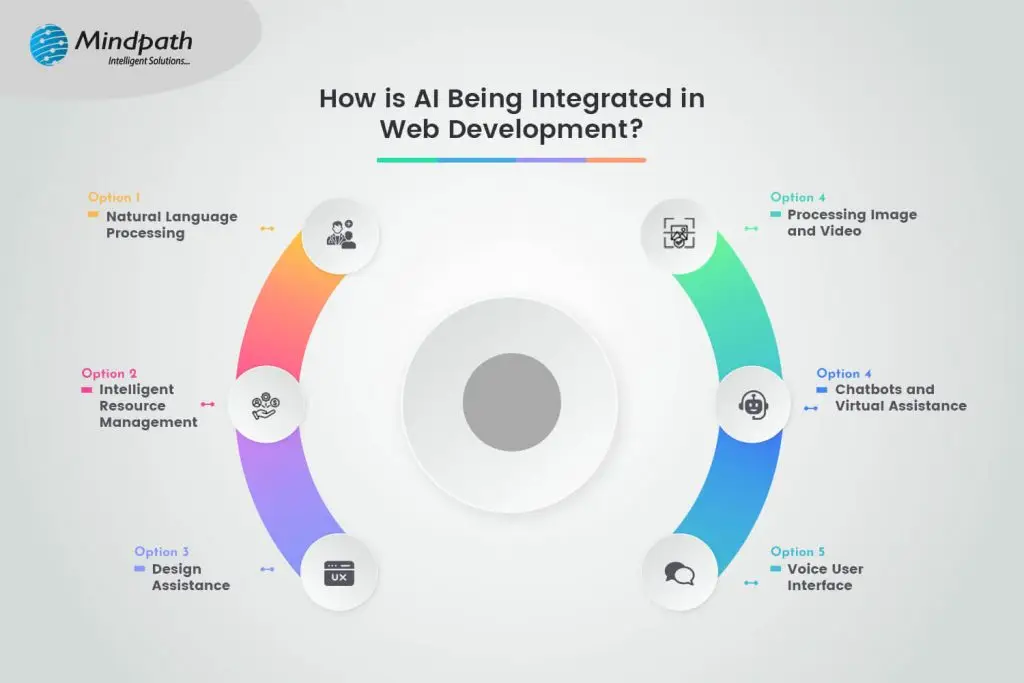
Artificial intelligence (AI) is the development of computer programs that are capable of doing activities that would typically require human intelligence, such as pattern recognition, decision-making, and voice understanding. It encompasses technologies such as natural language processing, deep learning, and machine learning. AI is playing an increasing part in web development since it makes websites smarter and more effective. Websites can utilize AI to provide personalized content, learn from user behavior, and even automate processes like chat assistance and recommendation systems. By streamlining repeated tasks, it saves developers time and enhances the user experience overall, making websites more approachable. AI can help in improving security, speeding up performance, and creating more intelligent search functions, which will make websites easier to create and more beneficial for customers. 

Want to know more? Let’s explore how leveraging Ai in web development can be beneficial! 

Benefits of AI in Web Development

1. Minimized Human Errors

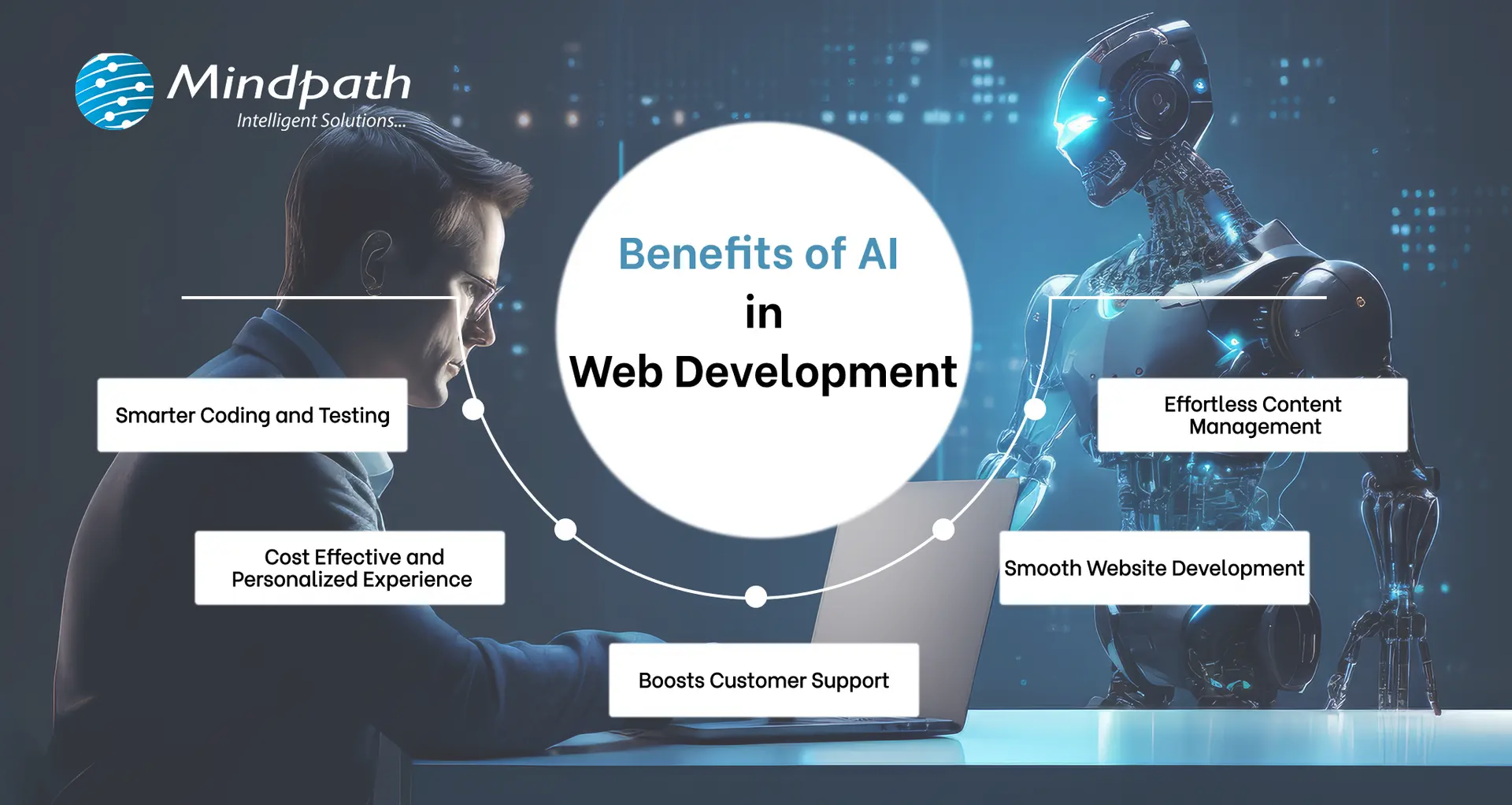
AI reduces the possibility of human errors during web development, such as errors or bugs. It can automate testing, which enables AI to swiftly identify and address coding errors. This not only speeds up the entire development process but also improves the stability and dependability of the product. Developers can guarantee fewer mistakes and produce websites of a higher quality by outsourcing these responsibilities to AI. In the long term, it improves efficiency and saves time by enabling engineers to concentrate on more difficult jobs. In order to ensure seamless operation and reduce the need for ongoing manual monitoring, AI can also continually monitor the website, identifying any problems even after launch. This leads to improved site stability and user experience.  

2. Personalized Solutions

AI is rapidly being used by web developers to provide personalized user experiences on websites. AI enables websites to personalize content based on each user’s choices, behavior, and past interactions. AI-powered systems can provide personalized content, product recommendations, and targeted marketing messages by analyzing user data. This personalization increases user engagement and conversion rates, making users more inclined to act on the site. A customized experience also helps to promote client loyalty by making people feel valued and appreciated. 

Furthermore, AI can forecast future user behavior by identifying patterns and trends, allowing businesses to stay one step ahead in satisfying client wants. This proactive strategy can improve client satisfaction and sales.  

3. Optimized Communication

There are many different types of websites, and some can be difficult to use. Artificial intelligence-powered virtual assistants and chatbots offer real-time customer care, answering queries and supporting customers around the clock. They can manage a wide range of interactions, from simple enquiries to more complicated activities, increasing customer satisfaction while reducing the effort for support workers. 

These AI technologies help develop user trust by providing quick assistance, making them feel supported and appreciated. This short response time can substantially enhance the entire user experience, increasing the likelihood that visitors will return to the website. Furthermore, since AI learns from interactions, these chatbots can enhance their replies over time, delivering even greater service and awareness of customer needs.  

4. Elevated User Experience

Businesses can now provide personalized experiences to each visitor thanks to AI-powered websites, which greatly increases engagement levels. AI can adapt to users’ choices and tailor material to their interests and behaviors. Web designers use this feature to provide a more personalized experience for each user, ensuring that the material is relevant to their interests. AI improves the entire user experience by offering relevant information, recommendations, and features that are both pleasurable and engaging. This level of personalization not only keeps customers on the site longer, but also motivates them to explore further, resulting in higher satisfaction and loyalty. As a consequence, organizations can develop stronger relationships with their target audience and achieve greater conversion rates. 

5. Responsive Design Enhancement

AI plays an important role in optimizing websites for responsive design, guaranteeing a consistent user experience across devices and screen sizes. It enables developers to construct flexible layouts that can dynamically modify information in response to user preferences and device capabilities. 

AI allows websites to analyze how visitors engage on various mobile, tablet, or desktop platforms and adapt appropriately. This implies that users will get a consistent and user-friendly experience no matter how they visit the site. Businesses that offer responsive design can improve customer happiness, lower bounce rates, and ultimately generate more engagement and conversions. This versatility not only improves the overall aesthetic appeal of the site, but also guarantees that customers discover what they need fast and simply, regardless of the device they are using. 

6. Enhanced SEO and Ranking Improvement

AI improves SEO strategy by analyzing search engine algorithms, detecting relevant keywords, and offering optimizations to boost search ranks. AI systems can analyze website performance in real time, watch rivals’ activity, and recommend SEO modifications to increase organic traffic. 

AI’s capacity to digest large volumes of data quickly allows it to discover insights that human marketers might not recognize right away. This enables organizations to keep on top of trends and adjust their plans accordingly. Websites that use AI-driven suggestions can boost their exposure in search engines, attract more visitors, and eventually increase conversions. This emphasis on continual optimization guarantees that organizations can effectively compete in the digital world while maintaining a strong online presence. 

Leverage AI in Web Development at Mindpath

Mindpath leverages artificial intelligence to improve web development and boost innovation. Our AI development services use modern algorithms and machine learning. Our Predictive Analytics solution helps you forecast trends, while Machine Learning Applications improve operational efficiency. Automation Solutions frees your team from everyday activities, allowing them to focus on strategic goals. With our Business Intelligence solution, we turn raw data into usable insights, providing visualizations and reports to help you make educated decisions. Our Conversational AI services create chatbots and virtual assistants that increase user engagement and offer immediate assistance. 

Final Note!

Implementing AI in web development enables firms to improve user experiences and optimize processes. AI builds websites that surpass user expectations by eliminating human error, personalizing information, optimizing communication, and enhancing responsive design. Additionally, AI-driven SEO tactics assist organizations in remaining competitive in a rapidly changing digital market. 

Mindpath leverages AI’s potential to generate innovation and success. Our services, ranging from predictive analytics to conversational AI, are meant to keep you ahead of the curve, allowing you to make informed decisions and provide amazing user experiences. With Mindpath, you can embrace the future of web development and open up new chances for growth. 

Ready to elevate your web development with AI?

Partner with Mindpath today to unlock innovative solutions tailored to your business needs.

Related Post

Transform your web development with Node.js: integrate frontend & backend effortlessly, leverage event-driven power, and join a thriving developer community.
Discover essential factors for hiring legal software developers and see how Mindpath’s custom solutions like websites and chatbots can transform your practice.
Discover key considerations for hiring React developers. Learn how Mindpath can provide the right talent for your project.

Related Post

AI in E-commerce

Have you ever wondered how some online stores seem to know exactly what you want? What if your shopping experience could be personalized just for you, making it faster and easier than ever? As AI continues to evolve, it’s transforming e-commerce in ways we never thought possible. How is this technology changing the way we shop, interact with brands, and make purchases? In this blog, we will explore how AI is reshaping e-commerce and what it means for the future of online shopping. 

The term artificial intelligence, or AI, describes computer programs created to carry out operations that normally call for human intellect. This includes understanding speech, decision-making, and pattern recognition. Artificial Intelligence (AI) comprises several technologies, including natural language processing (NLP), deep learning, and machine learning. 

Artificial intelligence (AI) plays a key role in e-commerce today, revolutionizing how firms run and connect with customers. E-commerce companies can employ AI to better make decisions and improve the entire buying experience by using user data. AI is a vital tool in the rapidly changing world of e-commerce since it helps online companies remain competitive and adapt to shifting customer requirements. 

Want to know more? Let’s dig in! 

How is AI Transforming E-commerce?

1. Automating Customer Help

Chatbots and virtual assistants are fantastic for offering customer care online. They make use of artificial intelligence (AI) to determine the needs of customers. Natural language processing (NLP) is the ability for chatbots to understand queries and requests. They learn and become more skilled at serving clients as they engage with them more. 

Chatbots are a great resource for customers and online retailers alike. They never require a break and are constantly accessible, even late at night. They are polite, calm, and typically know the answers to a lot of queries. They take care of basic questions so that human agents can concentrate on more complex problems. Recent advancements in AI have made chatbots even more intelligent, which gives customers greater confidence when interacting with them. Many customers are willing to purchase goods from chatbots, particularly since some of those can offer exclusive offers just for them. 

2. Reducing Manual Work

Artificial intelligence (AI) is revolutionizing e-commerce by replacing routine everyday operations that usually call for human labor. This change lessens the need for a big workforce while enabling organizations to run more effectively. 

While it is unfortunate that automation can result in the loss of certain retail associates, many businesses believe artificial intelligence (AI) offers more opportunities for cost savings and productivity gains. Businesses can optimize their processes and lower human error by entrusting AI with routine jobs. Over time, this can result in clients receiving faster service and having a more responsive purchasing experience. So, adopting AI will ensure that employees can participate in more meaningful ways and help e-commerce businesses prosper in a competitive marketplace. 

3. Preventing Online Fraud

E-commerce businesses face a serious threat from online fraud, which costs them billions of dollars annually. Thankfully, AI offers sophisticated methods to address this issue. Machine learning algorithms have made the task of manually reviewing transactions for unusual patterns, which once required a large number of personnel, faster and simpler. 

To identify suspicious activity, these algorithms can instantly evaluate millions of data points. An AI system can detect abnormalities rapidly, such as when someone tries to commit fraud by inputting the wrong delivery address and flags the entry for evaluation.  E-commerce companies can drastically lower financial losses and safeguard both themselves and their clients from fraud by utilizing AI for fraud detection. This makes everyone’s online buying experience safer. 

4. Smart Recommendations

AI-driven recommendations raise the bar for personalization in online shopping. AI is able to examine a customer’s browsing history, previous purchases, and even their interactions with items, unlike traditional businesses. This makes it possible for AI to make tailored product recommendations and anticipate what a buyer might be interested in. 

Customers will find shopping easier and more fun thanks to these very accurate recommendations that are customized to everyone’s tastes. AI helps buyers find the proper items by making relevant suggestions; this increases the likelihood of a purchase and improves the entire shopping experience. Brick and mortar establishments are just unable to match this level of customization. 

5. Easy Cross-Selling

AI enables e-commerce companies to provide customers with product recommendations while they buy. AI can employ their past purchases and preferences to suggest relevant products that customers might like to add to their basket while they are checking out. Businesses can more easily provide appropriate ideas by deploying AI-powered recommendation engines, which leverage data on frequently purchased goods. Customers are encouraged to purchase more as a result, increasing revenues through upselling and cross-selling without being intrusive.

6. Personalized Shopping

Personalization is essential in e-commerce to provide a customized purchasing experience for each unique client. Customization strengthens the bond with clients, encouraging loyalty and improving the pleasure of buying. Personalized experiences are increasingly expected by many customers, but not all merchants have completely integrated them into their platforms. 

AI has greatly enhanced the personalization of e-commerce by analyzing vast volumes of user data and providing real-time insights. This enables websites to function as personal shopping advisors by making product recommendations and presenting customized discounts. Through customization of the purchasing experience, businesses can raise revenue and establish enduring bonds with their customers. 

AI Development Services at Mindpath

At Mindpath, we offer AI development services that help businesses use the power of artificial intelligence to improve their operations. Our team creates AI solutions tailored to your needs, whether it’s automating tasks, analyzing large amounts of data, or improving customer experiences.  We use advanced AI technologies like machine learning and natural language processing to build smart systems that can make decisions, learn from data, and solve complex problems. With Mindpath’s AI development services, your business can become more efficient, make better decisions, and stay ahead of the competition in the fast-changing digital world. 

Wrapping Up!

Artificial Intelligence is rapidly transforming the e-commerce landscape, making shopping experiences more personalized, efficient, and secure. From automating customer support to offering personalized recommendations, AI has become an essential tool for businesses looking to stay competitive and meet evolving customer expectations. As AI technology continues to advance, its impact on e-commerce will only grow, offering endless possibilities for innovation and enhanced customer satisfaction. Partner with Mindpath today to leverage AI’s power and drive your e-commerce success into the future. 

Ready to transform your e-commerce business with the power of AI?

At Mindpath, we specialize in creating intelligent solutions tailored to your needs.

Transform your e-commerce business with AI solutions from Mindpath. Enhance customer experience, boost efficiency, and drive growth with smart technology.
custom software development process

Whenever you are creating a tailored solution for your business, it is very important to clearly understand how the development process will be structured. The custom software development process clearly guides you in turning your ideas into a usable working solution. Every step matters – from understanding the requirements, conceptualizing the software, determining the specifications, and creating software that supports your goals. You will get to know what is to come, how teams will work together, and what to expect at every step as your project moves forward in purpose and clarity.

A thorough comprehension of how this process works gives you a better sense of clarity and confidence as you engage with the project. You will be able to understand each phase clearly and watch your vision come together step by step. Upon having this understanding, it is very easy and clear to collaborate with your development team. In this blog, you’ll go through the whole process and will understand how the custom software will come to life, step by step.

At Mindpath, we offer custom software development services to turn your vision into reality by guiding you through every step. Contact us today for a solution that turns your ideas into real-world project.

Importance of Custom Software Development for Businesses

Custom software development is valuable because it provides businesses with tools made solely for them. Unlike off-the-shelf software, custom software solutions fit unique business requirements and methods. This leads to improved performance, increased efficiencies, and better results. It also minimizes unnecessary rework, saving time and money, and allowing companies to be more efficient overall.

Custom software is scalable with your business. You will be able to add features or alter functionality based on your requirements. This adjustable system uniquely supports a company’s long-term goals and puts you ahead of your competitors. Custom software solutions offer a better experience for both the user and employees, which supports increased productivity and satisfaction.

Understanding the Custom Software Development Process

It is essential to know about the process to be followed prior to starting a software project. By getting familiar with the software development process steps, you can be an active participant and an advantageous decision-maker throughout the project. By understanding the process, you will also ensure value delivery by building software with clear goals, planning, and execution.

Custom Software Development Process

1. Define Clear Objectives and Project Scope

The custom software development process begins by defining your goals and understanding what the software must achieve. This includes identifying the target users, the problem it solves, and how it should perform differently from existing tools. A detailed list of features and expected outcomes is prepared. Both functional and non-functional requirements are clearly documented. This step sets the direction and purpose for everything that follows.

2. Planning Resources and Software Design

Planning involves creating a detailed timeline, setting milestones, and organizing resources for development. Budgets, risks, and deliverables are clearly outlined to avoid delays or extra costs. During software development design, wireframes and prototypes are created to visualize the interface and user flow. The architecture is also planned, including system components and how they will interact. Technologies such as programming languages, frameworks, and databases are chosen here.

3. Development and Code Execution

At this point in the custom software development process, the programmers will begin the actual coding based on the approved designs. The developers will prepare technical infrastructure with tools, servers, and version control. The front-end, back-end, and database modules are built and integrated together. Each piece of software functionality is developed based on the description created in the design documents. The functionality is translated into active, live software with working features to start testing.

3. Software Testing and Quality Assurance

After the software is developed, it will go through a series of testing strategies to check for quality and reliability. The first step, or unit testing, will cover each feature and try to eliminate some early problems. Then the following step, called integration testing, will check the work of modules and ensure they work as a system. Once that’s complete, the next phase is system testing, which ensures all performance, security, usability, and reliability aspects are achieved and validated prior to the release of the product.

4. Deployment, Maintenance, and Support

In the final step of the custom software development process, the solution moves to a live environment for end users. The deployment may include installing the software on servers, setting up databases, and giving users access. After launch, the software is continuously monitored for issues. Maintenance includes fixing bugs, adding new features, and updating it for better performance. Ongoing support keeps the software running smoothly over time.

Real-World Examples of Customized Software

Below are six real-world customized software examples that demonstrate how businesses are navigating unique challenges by investing in custom software to create a digital solution. These tools have been developed to improve usability, performance, and long-term sustainability.

Real-World Examples of Customized Software

1. Uber

Uber constructed a custom ride-booking system complete with GPS tracking, so you know where your ride is located, secure payment options, and updates on the driver’s progression. The app shifted transportation in cities globally.

2. Netflix

Netflix utilizes AI-based recommendation engines and adaptive streaming systems to provide an overall personalized viewing experience through a fully custom platform.

3. Amazon

Amazon uses custom software to manage inventory, predict customer preferences, and allow one-click ordering for a fast and reliable purchasing experience.

4. Airbnb

Airbnb built a custom platform for travelers to pay securely, check real-time availability, and search by location for hosted accommodations around the globe.

5. Tesla

Tesla uses customized software for its smart vehicles to drive the autopilot capabilities, over-the-air updates, and real-time diagnostics to enable sophisticated performance.

6. Starbucks

Starbucks utilizes a custom application to allow customers to mobile order, encrypt reward tracking, and offer options for contactless payments, making the product experience more convenient and helping to cultivate loyalty.

Ready to Create Software That Aligns with Your Business?

Custom software development is the process of creating digital solutions that fulfill your specific business goals. From clarifying your vision to deploying the software and providing ongoing support, every step of the official custom software development process undergoes proper plan and execution. The final outcome of custom software typically entails better efficiency, enhanced experiences for users, and long-term growth through technology that suits your needs.

As a premier custom software development company, we at Mindpath specialize in providing full-spectrum custom software development services that suit your specific business. Our team expertly develops scalable, secure, and simple solutions that integrate well into your workflows and future goals. Partner with us to turn your ideas into powerful, high-performance software built for results.

ecommerce with React
Are you wondering how to make your ecommerce website stand out in today’s competitive market? What if you could build a site that’s fast, interactive, and dynamic delivering a seamless shopping experience every time? With React, you can do just that! This powerful JavaScript library is the secret behind many successful ecommerce platforms, helping businesses create user-friendly and feature-rich online stores.   React is a strong tool for creating modern, user-friendly websites, making it ideal for ecommerce applications. It facilitates the creation of quick, engaging, and highly responsive websites that improve the online purchasing experience. Many leading ecommerce organizations rely on React for features like rapid page loading, fluid navigation, and personalized interfaces. Its adaptability and effectiveness also enable developers to create scalable websites that evolve with your company’s demands.   Let’s dive in to explore why React is useful for ecommerce! 

Benefits of React for Dynamic Ecommerce

1. Server-Side Rendering

React’s Server-Side Rendering (SSR) capability speeds up ecommerce websites. Rather than waiting for the browser to load everything, SSR processes website material on the server before sending it to the user’s device. This ensures that websites load rapidly, even for those with poor Internet connections. For ecommerce, speed is crucial. Shoppers will not wait long for pages to load before leaving and shopping elsewhere. With React’s SSR, your online store loads almost instantaneously, keeping customers interested and improving their buying experience. Fast page loading will also help your website rank better in search engines like Google, which loves sites that provide speedy results. This can increase traffic to your ecommerce site, providing you with a competitive advantage. 

2. State Efficiency

React makes it simple to manage dynamic data on e-commerce websites. React guarantees that everything, including product inventories, shopping cart changes, and user login credentials, is updated in real time. This keeps your website fresh, accurate, and responsive to customers. In ecommerce, customers demand seamless interactions, such as viewing an updated cart instantly after adding an item or verifying product availability without refreshing the page. Whatever the size or complexity of your site, React’s state management manages these modifications effectively. React delivers a smooth shopping experience by keeping everything in sync, which helps you retain customers and increase revenue. It guarantees that your ecommerce platform remains current and user-friendly even as your business expands. 

3. Strong React Support

React is maintained by a large and active community, making it dependable and simple to maintain for ecommerce sites. If you run into any problems, you can easily discover answers using tutorials, forums, and professional help from developers all around the world. This ensures that your ecommerce site remains operational and effective without interruptions. React is open source, so you can customize and expand it to meet your own business needs. Whether you’re adding complex features, integrating new technologies, or extending your platform as your business expands, React makes it easy to adapt. React’s continual updates and contributor support ensure that your ecommerce website is always up to date, safe, and capable of providing the greatest shopping experience for your clients. 

4. Optimized Performance

React’s virtual Document Object Model (DOM) is a key feature that enhances website performance by reducing unnecessary re-renders. Instead of updating the entire page every time something changes, React only updates the parts of the page that are affected. This leads to faster rendering times and a more efficient site overall. For ecommerce websites, this translates to quicker load times and smoother user interactions. Whether customers are browsing products, adding items to their cart, or checking out, the site responds instantly without delays. The result is a seamless and enjoyable shopping experience that keeps visitors engaged and encourages them to complete purchases. React’s optimization features also help with scaling your ecommerce platform. As your product catalog or user base grows, React ensures your site continues to perform efficiently, providing a fast, consistent experience even during peak traffic times. 

5. Reusable Components

React makes website administration easier by separating it into smaller, reusable components. Each component can be changed individually, so if you alter something, such as a product detail or a promotion banner, it will update across all pages that use it. This is really useful for e-commerce websites. Instead of individually changing each product or promotion across many pages, you can make a single update, and it will be reflected everywhere. Whether you’re changing pricing, adding new goods, or upgrading sales banners, React keeps your business consistent and up to date with minimal effort. This reusable solution also saves time and eliminates mistakes, especially as your site expands and new components are introduced. It enables you to effortlessly grow your e-commerce platform, making it easier and more efficient experience for both developers and customers. 

Also Read: The Complete Guide to Hiring React Developers – MindPathTech

React Services at Mindpath

Our skilled React.js developers at Mindpath have the necessary abilities and expertise to construct contemporary, engaging user interfaces that increase user engagement and satisfaction. Whether you want to create a web application from scratch, upgrade an existing one, or quickly get your product to market, Mindpath is here to help with cost-effective solutions, quick development timeframes, and dependable support.  

Wrapping Note!

React is a powerful tool that can transform your ecommerce platform, making it faster, more interactive, and user-friendly. With benefits like server-side rendering, efficient state management, and reusable components, React helps you deliver a seamless shopping experience that keeps customers engaged. Its strong community support and optimized performance ensure your ecommerce site stays reliable and scalable as your business grows. At Mindpath, our experienced React developers are ready to help you build or enhance your ecommerce site, delivering custom solutions that meet your unique needs. 

Ready to elevate your ecommerce platform with React?

Partner with Mindpath today for expert development services and create a dynamic, high-performance online store!

Discover how React can enhance your ecommerce site with faster loading, seamless interactions, and more for better shopping experience.