Home

The Real Benefits of Chatbots: Every Business Leaders Should Know

The Real Benefits of Chatbots: Every Business Leaders Should Know

Join our Newsletter!

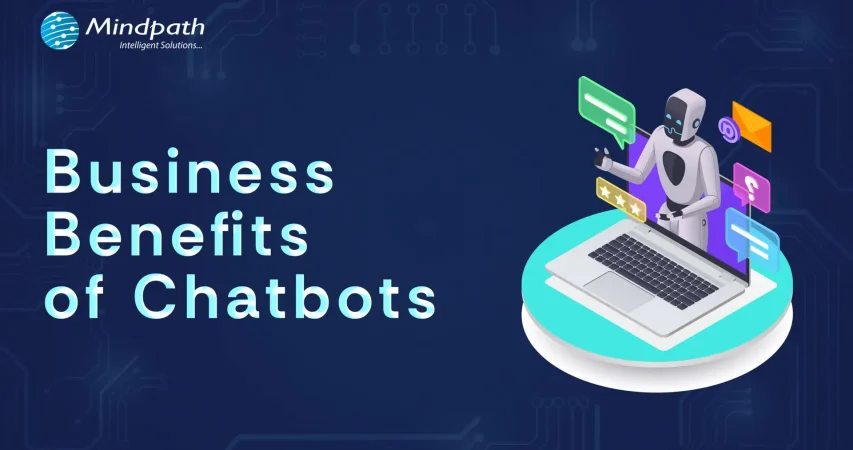
Business Benefits of Chatbots

Imagine a customer browsing your website over the weekend. An AI chatbot can answer their questions instantly, improving customer satisfaction and experience. Chatbots help businesses respond faster, guide customers, and simplify everyday tasks, making operations more efficient.

An interesting report from Tidio reveals that around 60% of B2B companies and 42% of B2C companies already use chatbot software. By 2025, this number is expected to grow by 34%. With better tools, smarter features, and clear business value, AI chatbots are turning into a must-have.

If you are curious to know what are the typical benefits of AI chatbot for business, then this blog can guide you perfectly. So, what are you waiting for? Let’s dive in!

What is a Chatbot?

A chatbot is a software application that enables a user to engage in a conversation that imitates a human. In many cases, a chatbot can engage either through text or vocal conversation. By doing this, chatbots enable customers to answer questions, resolve problems, or complete tasks much quicker. Some chatbots adhere to a pre-set script. However, many modern chatbots rely heavily on artificial intelligence (AI) and natural language processing (NLP), to understand what the user is asking, and provide a thoughtful and natural response.

To put this in perspective, let’s assume you arrive at a bank’s website and begin typing your question (example: “How can I open a savings account?”). The chatbot will not only understand that you are asking about a savings account, but also guide you through the steps to take, without the help of any human agent.

The chatbot market is growing fast. According to a study by Grand View Research, the global chatbot market size was valued at USD 7.76 billion in 2024 and is projected to reach USD 27.29 billion by 2030, growing at a CAGR of 23.3% from 2025 to 2030. This rapid growth is driven by advancements in artificial intelligence and machine learning, making chatbots smarter, faster, and more valuable for businesses across industries.

What exactly is a chatbot, and why is everyone talking about them? Explore our in-depth guide: What is a Chatbot – Everything You Need to Know.

What are the Benefits of Chatbots?

If you are wondering what are the benefits of using AI chatbot, here is the answer. AI chatbots are becoming an essential part of modern business operations. Designed to assist in day-to-day tasks, they offer practical support across various business functions.

Here are some benefits of chatbots for businesses:

1. Smart Routing for Better Support

AI chatbots can handle simple questions and tasks on their own. When the issue needs a human touch, the chatbot collects key details from the customer at the beginning. It then sends the conversation to the right agent based on who is available and best suited to help. This smooth handover saves time and makes the support experience faster and more efficient.

2. Improves with Every Interaction

AI chatbots learn from each interaction to improve their responses over time. They collect data, understand patterns, and offer more accurate and personalized replies. They also recognize when to involve a human agent. By picking up on customer emotions, they provide better and more thoughtful support.

3. Enhance Sales

One of major benefits of chatbots is its ability to support sales teams by handling routine tasks. Chatbots can collect lead details, schedule demos, and guide visitors through your website. They also help move potential customers through the sales funnel by answering questions and sharing product information. This leads to higher conversions, fewer drop-offs, and better cross-sell and upsell opportunities.

4. Cost Effective Solution

Managing costs is important for any growing business. While chatbots need some setup at first, they help save money in the long run by handling common tasks and reducing the need for extra staff. They can quickly direct conversations to the right place, making support more efficient. With easy-to-use tools like no-code builders, businesses can launch chatbots faster and start seeing results sooner.

5. Generate Leads

AI chatbots can start natural conversations that feel more personal than standard forms. Instead of sending users to fill out long details, bots gather useful customer data while answering questions in real time. They use conversational AI to understand voice or text and guide the chat smoothly. This helps capture valuable information like visited pages, cart activity, location, and user preferences, making lead generation more effective.

Benefits of Chatbot For Customers

Let us also learn about the benefits of chatbots for customers:

1. Offers Omnichannel Support

Today’s customers use many platforms to reach out; like email, social media, websites, and messaging apps. They expect smooth conversations no matter which channel they choose. AI chatbots can help by answering common questions across all platforms and keeping the conversation connected. This creates a faster, more consistent experience that meets customers where they are.

2. Provides Multilingual Support

As businesses reach global audiences, language should not be a barrier to great service. AI chatbots can offer multilingual support by asking for the customer’s language or detecting it through the conversation. They can chat naturally in multiple languages through text, voice, or messaging. This helps provide clear and friendly support to every customer, no matter where they are.

3. Delivers 24/7 Customer Service

Customers expect fast and reliable service at any time of the day. AI chatbots make this possible by offering 24/7 support without delays, even during peak hours. They handle the first interaction instantly, reducing wait times and helping customers find answers quickly. This ensures a smooth and responsive experience, no matter when the customer reaches out.

4. Create More Personalized Customer Experiences

AI chatbots can offer tailored support by using customer data from tools like CRM or marketing software. They adjust messages based on where a customer is in their journey and suggest products that match their interests. Bots can also answer questions about orders or shopping carts without asking for extra details. When used thoughtfully, this creates a smooth, human-like experience that feels personal and helpful.

5. Ensure Proactive Customer Support

AI chatbots can take the first step by reaching out to customers based on their activity on your website. They can answer common questions, guide users through tricky pages, or remind them about unfinished tasks like a full cart or pending form. This kind of timely support helps reduce drop-offs and improves customer experience. When needed, chatbots can also suggest connecting with a human agent to move things forward smoothly.

Curious about the role of conversational AI in modern business strategy? Dive into Conversational AI Chatbots for Business Growth to see how companies are using them to gain a competitive edge.

Disadvantages of AI Chatbots

While AI chatbots offer many benefits, they also come with a few limitations that businesses should be aware of. Understanding these challenges can help you use chatbots more effectively and plan for the right balance between automation and human support.

1. Struggles with Complex Questions: AI chatbots may not understand sarcasm, unclear grammar, or complicated queries, leading to wrong answers.

2. Lacks Human Emotion: Chatbots can’t show empathy or handle emotional conversations the way a human can.

3. Takes Time to Set Up: Building a chatbot with the right questions, answers, and flow can take time and effort.

4. Can Risk Data Security: If not properly protected, chatbots may expose sensitive customer information to security threats.

5. Bias Responses: If trained on biased data, chatbots can unknowingly give unfair or inappropriate responses.

6. Hallucination: Chatbots can make up answers or provide incorrect details, which can confuse or mislead users.

Ready to Experience the Real Benefits of Chatbots?

Chatbots are helping businesses respond faster, cut costs, and improve customer service. From lead generation to 24/7 support, they make things easier and quicker. While they can’t replace humans fully, they’re a smart way to enhance service and give customers a better overall experience.

At Mindpath, we offer chatbot development services built to match your needs. We create smart, easy-to-use AI bots that improve support, boost engagement, and connect smoothly across platforms. Let us help you deliver faster, better service with a solution designed just for you.


Want to Automate Customer Conversations?

Use AI-powered chatbots to improve customer support, automate routine tasks, and capture more leads.

Frequently Asked Questions

Businesses usually track metrics like response time, customer satisfaction, resolution rate, and lead conversions. These insights help understand how well the chatbot is performing. Regular monitoring and improvements ensure the chatbot continues to deliver value and supports overall business goals effectively.
The benefits of chatbots go beyond answering queries. They help automate repetitive tasks, qualify leads, assist in marketing campaigns, and improve internal workflows. By handling multiple roles, chatbots increase efficiency and allow teams to focus on more strategic and high-value activities.
Yes, chatbots can be fully customized to match specific business requirements. From conversation style to features and integrations, they can be tailored to suit different goals. This flexibility ensures that businesses can create a chatbot experience aligned with their brand and customer expectations.
Chatbots can be secure if built with proper data protection measures. Encryption, secure APIs, and compliance with data privacy standards help safeguard user information. Regular updates and monitoring also play an important role in ensuring that customer data remains protected during interactions.
The benefits of chatbots include keeping customers engaged through quick replies, proactive messages, and personalized interactions. They help maintain continuous communication, reduce waiting time, and guide users smoothly, creating a more interactive and satisfying experience that encourages users to stay connected longer.

Support Is One Click Away

Featured Posts

Related Post

Stability AI guide

In this generative AI revolution, one name that stands out as a leader of open-source AI models is Stability AI. The company has introduced many powerful AI models that have completely changed the way of generating digital content. This Stability AI guide explains what the platform is, how its models work, and how they can be used for digital content creation.

Key Takeaways

  • 01
    Stability AI provides open-source AI models for generating images, audio, text, video, and 3D content.
  • 02
    Stable Diffusion is one of Stability AI’s best-known models for creating images from text prompts.
  • 03
    Stability AI models can be accessed through hosted platforms, browser-based interfaces, or local installations.
  • 04
    Different Stability AI models support use cases ranging from image generation and language tasks to 3D and audio creation.
  • 05
    Businesses and creators can use Stability AI to produce digital content, automate creative workflows, and explore new AI-powered possibilities.

If you are looking to explore the most powerful, flexible, and accessible toolkit to create audio, videos, images, and more, this Stability AI guide is for you. Read on to find out what it is and the various models offered by Stability AI. Besides, here you will find the answer to an important question: “How can I use Stability AI?”

Want to explore Stability AI but need guidance on turning its capabilities into real business value? Mindpath provides end-to-end AI development services that bring your AI ideas to life with reliable, future-ready solutions.

What is Stability AI?

Let’s start this Stability AI guide by understanding the basics – what Stability AI is. Stability AI is a renowned company that was established in 2019. It strives to provide powerful and open-source AI models to perform different tasks. The brand is known for its Stable Diffusion model, a powerful image generation model.

Different from other platforms, Stability AI releases the source code and the weights of their models, as it emphasizes openness. This has made it a top choice among startups, hobbyists, and artists. Developers can easily fine-tune and build upon various models offered by Stability AI. The product portfolio of Stability AI expands beyond just image creation. The ecosystem includes multiple models for all types of digital content.

So, how does Stability AI work? Its models learn patterns from datasets and use those learned patterns to generate content based on user inputs.

How Does Stability AI Work?

In general, Stability AI creates as well as trains various foundational models, or we can say large neural networks. These models can generate content based on the patterns they have learned from different datasets. All these models are trained utilizing diffusion techniques, and the most popular of these is Stable Diffusion.

It basically starts with random noise. Next, by reversing the diffusion process, it eliminates the noise for generating realistic images that are based on the prompts of the user. For language-related tasks, Stability AI has advanced models such as StableVicuna and Stable LM. Stability AI wants to make modern AI technologies easier to access by making AI models open-source and offering comprehensive documentation.

Want to know what makes generative AI models so powerful? Discover the attention mechanism to learn how neural networks focus on important information during generation.

Understanding Various Stability AI Models

In order to maximize the use of Stability AI, it is essential to learn about its fundamental models. After all, these models are the basis of the incredible functionality of this platform. Continue reading this Stability AI guide and explore the key models. This will assist you in choosing the right one for your needs.

1. Stable Diffusion 3.5

This represents the ability of Stability AI to create an image based on text. This model produces high-quality and detailed images based on the user’s prompt. It is available in different sizes, like Medium, Turbo, and Large. It demonstrates a perfect combination of speed and quality. Whether you need an AI model for concept design, artwork, social media posts and product mockups, you can count on it.

2. Stable Diffusion XL

Even though it is an old model, it can still produce high-resolution and large images without compromising detail. It balances between quality and performance. This is the reason why this model is still being used by many workflows and community UIs.

3. Stable LM 2 12B

It is one of the popular Stability AI models, well-known for various types of natural language processing tasks. It supports 12 billion parameters and performs efficiently for tasks like question answering and text generation, as well as summarization.

4. Stable Point Aware 3D

We can say that it is a groundbreaking AI model for quick yet efficient 3D content generation. It can convert 2D images into detailed 3D models. It has made 3D modelling more accessible and easier than before. This model is valuable for industrial design, VR/ AR and gaming industries.

5. Stable Audio Open 1.0

This particular model lets users to create sound effects, instrumental tracks and music using text prompts. Using this, you can produce original audio content without worrying about royalty constraints. As the model is open-source, you can also fine-tune it for different projects.

You don’t need to learn about all these models at once. Just begin with Stable Diffusion as it is simple to learn.

Curious how generative AI models like Stability AI actually work? Read the Large Language Model (LLM) guide to gain clear insights into how these models process data and generate intelligent outputs.

How Can I Use Stability AI?

Stability AI can be used through hosted platforms, browser-based interfaces, or local installations. The right approach depends on your technical skills, desired level of control, and available computing resources.

1. Utilizing a Hosted Platform

This is the most convenient and quickest method of using Stability AI. You don’t have to deal with configuring the tools or downloads. All you have to do is use platforms such as DreamStudio or others using Stability AI models.

You can sign up for an account with platforms like Sinkin AI, Playground AI, DreamStudio, Childdrop or Invoke AI. Then, type your text prompt and click on the Generate button to view the result.

It is an ideal method if you want to learn the potential of Stability AI without developing any technical skills.

2. Online UI Built on Stable Diffusion

Do you want to have better control without dealing with code? There are many third-party websites offering easy-to-use interfaces developed on Stable Diffusion. These sites provide you with advanced features such as upscaling, guidance scale, negative prompts and more.

The best part is that you still don’t have to worry about local installation and spending money on high-end GPUs.

3. Run Stability AI Models Locally

This approach should be used when a user has a strong GPU and decent technical abilities. With this method, you can run AI models on your own system. It gives you maximum control, and you can switch between various models as per your needs.

Furthermore, you can even find-tune models and add LoRA. What’s more? Once configured, you can use features like outpainting, inpainting and more.

Local installation can be challenging and has a steeper learning curve. But in the long run, you will find it more secure, fast as well as highly customizable.

In short, as a beginner, you can prefer to follow the first two methods. After developing the required skills and knowledge, you can install the models locally and enjoy more creative possibilities.

Looking to customize AI models for your projects? Read OpenAI’s Fine-Tuning API tutorial to discover techniques for fine-tuning AI models and improving performance.

Real-World Stability AI Examples

Let’s end this Stability AI guide with some Stability AI examples that show the ways businesses and individuals are utilizing Stability AI.

1. For Creators

Using Stability AI image generator, creators can generate album covers, concept arts, book illustrations and more. The media tools make it easy to create unique visuals for digital campaigns and branding.

2. For Businesses

Organizations can use Stability AI to automate various tasks and save resources as well as time. Stability AI enables the creation of quality digital content, whether it is a video or a prototype design of a new product. These examples clearly show that you don’t need to be a technically skilled individual to leverage the power of Stability AI. It is one of the most effective AI solutions for small businesses, helping them streamline operations and create professional content without heavy technical expertise.

Want to understand how AI agents improve the performance of Stability AI? Explore the role of AI Agents to see how they guide generative processes and expand what Stability AI can achieve.

Ready to Explore the Full Potential of Stability AI?

Stability AI makes generative technology more accessible with powerful open-source models for images, audio, text, and 3D content. From beginners to businesses, anyone can create, experiment, and innovate by choosing the right tools, platforms, and workflows.

At Mindpath, we provide expert AI development services to help you turn Stability AI capabilities into real business outcomes. From model integration to deployment and optimization, our team ensures scalable, efficient, and future-ready solutions. Partner with us to build smarter AI-driven solutions.

Web 4 

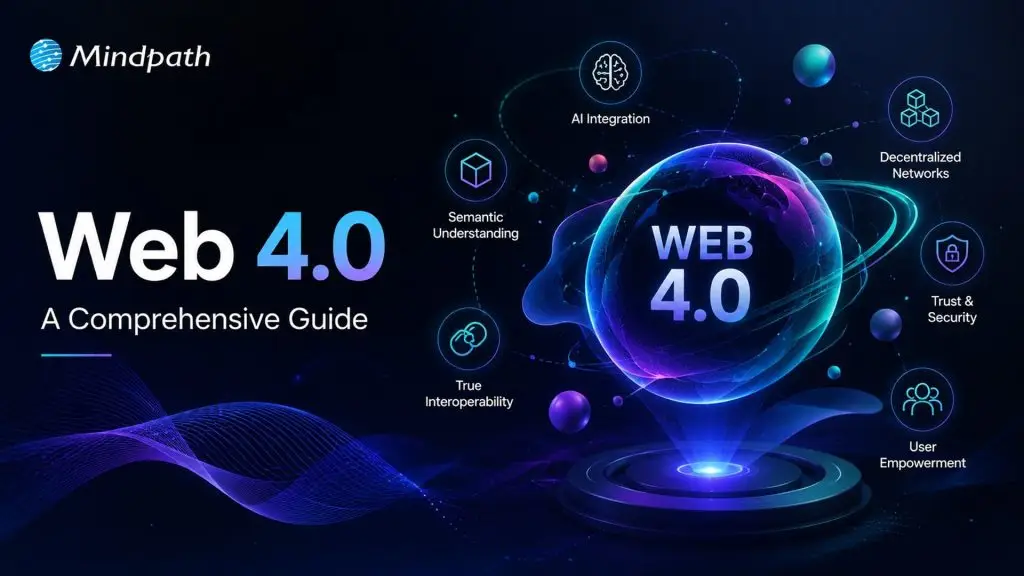
The emergence of Web 4.0 is revolutionizing how we communicate, share, and engage with the digital world. It is no longer just a platform to find information. The internet is evolving into an intelligent, highly personalized, and interactive medium with which humans can have meaningful conversations. Businesspeople, programmers, and users are at the crossroads. But, what if the web thinks in a more intelligent way, reacts very quickly, and adapts to human needs? We are already witnessing the start of a change that is affecting innovation, and its influence is extending over various sectors.

Along with the changing of technology, people’s desires go beyond only fastness and accessibility. Now, users are looking for connected systems that understand their actions, assist them in decision-making and give them smooth experiences. As a result, Web 4.0 promises a future when digital environments will be more natural and relevant to human life. It provokes organizations to change their strategy and at the same time, it inspires customers to think about bigger opportunities. In this blog, let us discover how the upcoming internet era currently influences technology, business, and people’s experiences online. So, keep reading further!

Looking to stay competitive in the Web 4.0 era with smarter digital solutions? Mindpath offers AI development services to help you build smart applications that grow with your business. 

What is Web 4.0?

Web 4.0, commonly known as the symbiotic web, is less about information sharing and more about creating digital experiences that comprehend user needs. This phase of the Internet involves technology that can think and be connected on a deeper level. This web will be a network that connects people, devices, and systems in a smooth way. Through advanced web methods, organizations will be able to make decisions more rapidly. It will offer personalized communication, and collaborate effectively across digital environments.

Web 4.0 differs from the previous web versions in that it emphasizes intelligence, automation, and greater control of the user. It incorporates technologies, such as AI, machine learning, and decentralization to enhance the daily digital encounters of users. The individuals will enjoy improved privacy, robust security, and increased control over their personal data. In a deeply interconnected digital-physical environment, Web 4 is truly a game changer for businesses.

How Does Web 4 Differ from the Earlier Versions?

The internet has changed a lot over time. In this ongoing digital transformation, Web 4.0 is quite different from Web 1.0, 2.0, and 3.0 in that it provides more thorough personalization and a smooth digital interaction.

Let us have a glance at how this Internet 4.0 differs from the earlier versions through this table:

Category  Web 1.0  Web 2.0  Web 3.0  Web 4.0 
Internet Function Static information browsing Social content sharing Decentralized digital ownership Intelligent connected ecosystem
User Interaction Read-only access Read-write participation User-controlled engagement Predictive personalized interaction
Main Technology Basic web pages Social media platforms Blockchain smart systems AI-powered automation
Data Ownership Company-controlled data Platform-managed data User-owned assets Secure adaptive control
Experience Quality Limited digital presence Interactive online communities Transparent secure networks Seamless human-machine integration

What are the Key Benefits of the 4.0 Web?

Through the intelligent web, digital experiences are being transformed into smarter, faster, and more responsive. Web 4.0 not only focuses on connectivity but also fosters meaningful interactions that change according to user requirements. Its sophisticated features are allowing new opportunities to be unveiled by both companies and ordinary users.

1. Smart Personalization

Web 4.0 comprehends user behavior and provides the most pertinent digital experience to the users. It facilitates user to get quick recommendations, anticipatory assistance, and tailor-made services. This smart way enhances ease of living as well as business operations.

2. Stronger Data Security

Web 4.0 is built around decentralized systems which allow users to have greater control over their personal data. By minimizing the risks associated with central platforms and enhancing transparency, it leads to much safer and secure online experiences.

3. Better Human-Tech Connection

The future of  web is all about more interactive ways for humans to interact with digital systems. With the use of Web 4.0, communication will get better by using technology that is more human-like in responding to our needs. So, the result will be a highly intuitive experience through digital interfaces.

4. Advanced Automation

Artificial Intelligence (AI) has become one of the key components of Web 4.0. It is capable of automating repetitive tasks thus increasing the efficiency level of the work. This also leads to faster workflows, smarter virtual assistants, and less manual work. Businesses, in this way, could enhance their productivity without spending more time.

Must Read: AI vs Automation

5. Seamless Device Connectivity

Web 4.0 facilitates creating seamless experiences through multiple devices and platforms. Users can effortlessly switch from one platform to another without any loss in functionalities. Hence, this leads to highly connected and continuously consistent digital engagements.

6. Smarter Business Insights

Web 4.0 will enable companies to leverage real-time data for making superior decisions. It also enhances the capacity to analyze customer behavior and identify market trends, which subsequently results in quick and better business development strategies.

Key Challenges and Limitations of Web 4.0

Web 4.0 definitely opens a door to a fantastic innovation landscape, but along with it, several complex challenges arise that neither businesses nor users should overlook. Let’s explore the issues and major shortcomings of Web 4.0.

1. Privacy and Data Protection

A lot of personal information will be needed in Web 4.0 to provide smart experiences. This results in heightened worries about improper use of data, cyber risks, and identity theft. Keeping the users’ privacy safe is still a big issue.

2. Ethical AI Concerns

Autonomous systems may raise problems concerning bias, fairness, and accountability. AI’s decision-making might even become non-transparent or unethical at times. Developing responsible systems entails continuous oversight and control.

3. High Infrastructure Demand

Web 4.0 requires powerful computing systems, more advanced networks, and a massive scale of connectivity. Many areas still don’t have this technological basis. Today, it is costly and challenging to implement globally because of this.

4. Complex Development Process

Constructing Web 4.0 systems relies on the integration of AI, IoT, machine learning, and decentralized technologies. Overseeing such sophisticated systems calls for highly skilled professionals and substantial resources. This level of intricacy may hinder the pace of adoption.

5. Growing Digital Divide

High-tech solutions might be equally accessible to everyone for only a limited period. A shortage of gadgets and internet infrastructure may expand the gap of inequality. Such a scenario poses difficulties for achieving a sustainable and inclusive digital development.

6. Technology Dependence Risks

More automation might mean less human engagement in everyday decision-making. Relying too much on digital systems might disable our problem-solving skills. It is really necessary to find a balance in the use of technology and human control.

7. Expanded Cybersecurity Threats

The more connected devices there are, the more potential access points for hackers. One single flaw may give rise to the compromise of several systems. Hence, ensuring the safety of interlinked networks is of utmost importance.

Real-World Applications of Web 4.0

Web 4.0 is more than a mere futuristic idea as it is already radically changing various sectors via technologically advanced and interconnected devices. Its tangible effects are revolutionizing business operations as well as digital human interactions. The following are some significant examples of Web 4.0 being used in practice.

1. Smart Healthcare Solutions

Web 4.0 is an enabler for healthcare in being more proactive and personalized. Devices being worn on the body and AI systems can keep track of one’s health, assess potential risks, and aid in quicker medical interventions. Patient care and daily wellness management could be significantly enhanced by such developments.

2. Connected Smart Cities

Cities are making use of Web 4.0 to enhance traffic flow, reduce energy consumption, and improve the delivery of public services. Real-time sensors and smart systems are the backbone of better urban management. This results in urban areas that are more efficient and responsive to the needs of their inhabitants.

3. Autonomous Transportation

One of the ways Web 4.0 is backing up intelligent transportation is through the interaction of vehicles and infrastructures. Various applications can be used for better route planning, accident reduction, and improving travel time. In fact, this is the technology behind the development of safer commuting options.

4. Personalized Digital Learning

Cutting-edge AI and virtual reality technologies tailor individual learning experiences; with the help of these adaptive learning tools, students can be catered to their pace and needs. As a result, educational methods become markedly enjoyable and effective.

5. Secure Financial Systems

By leveraging decentralized technologies and safe transactions, Web 4.0 further solidifies digital finance. It also increases transparency in logistics and supply chains. Such innovations contribute to building trust and enhancing operational efficiency.

6. Predictive Smart Living

Smart homes and retail platforms, through connected systems, can predict what users need. Personalized actions and recommendations are ways through which devices and services respond faster. This convenience is a portrayal of the future of the internet.

7. Intelligent Task Automation

Web 4.0 opens up the possibility of AI handling almost all kinds of tasks without humans. It can schedule your meetings and do a lot of digital operations on the go. This helps users save time and streamline daily activities.

The Future of Web 4.0 and What Lies Ahead

Web 4.0 continues to evolve as emerging technologies reshape how people, businesses, and systems connect. Its future promises deeper intelligence, stronger automation, and more immersive digital experiences. Here are some key developments expected in the future of Web 4.0.

1. Autonomous AI Partners

Web 4.0 will move beyond basic digital assistants into smarter autonomous systems. These AI agents will manage complex tasks, make decisions, and operate across platforms. This shift will improve productivity and digital convenience.

2. Advanced Human-Machine Interaction

Future Web 4.0 experiences will feel more natural and seamless. Voice commands, gesture controls, and smarter interfaces will reduce dependence on traditional screens. Human and digital interaction will become more intuitive.

3. Predictive Personalization

Web 4.0 will better understand user behavior, habits, and preferences. Systems will anticipate needs and offer proactive solutions before users search. This will create faster and more personalized experiences.

4. Connected Digital Ecosystem

Connected devices will communicate continuously across homes, workplaces, and cities. This deeper IoT integration will support smarter environments and automated living. Daily experiences will become more responsive.

5. Trusted Digital Infrastructure

Blockchain will strengthen trust, security, and transparency behind Web 4.0 systems. It will support secure automated transactions between users, businesses, and AI systems. This foundation will improve reliability.

6. Immersive Digital Experiences

Web 4.0 will expand beyond traditional browsing into interactive 3D environments. AR, VR, and spatial computing will transform work, shopping, and communication. Digital experiences will feel more engaging and realistic.

Ready to Embrace the Next Digital Evolution?

Understanding the web 4.0 definition helps businesses and individuals prepare for a smarter digital future. As technology evolves rapidly, adopting intelligent systems early can unlock innovation, stronger connections, and sustainable growth in an increasingly connected world.

At Mindpath, we provide AI development services that help businesses adapt to Web 4 advancements with confidence. Our innovative solutions support smarter automation, digital transformation, and future-ready growth through advanced technology.

Cursor vs GitHub Copilot

Choosing between Cursor vs GitHub Copilot is becoming less straightforward as AI coding tools take on larger parts of the development workflow. Developers are no longer comparing simple autocomplete features. They are evaluating how effectively an AI tool can understand a codebase, modify multiple files, reason through problems, and support day-to-day engineering work.

Key Takeaways

  • 01
    Cursor focuses on an AI-first coding environment, while Copilot integrates AI into existing development environments.
  • 02
    Both tools now support code generation, editing, chat, debugging, and agentic development workflows.
  • 03
    Cursor suits developers seeking deeper codebase interaction and multi-file AI-assisted development.
  • 04
    GitHub Copilot fits teams wanting AI assistance within familiar IDEs and GitHub workflows.
  • 05
    Security, usage, project complexity, and team adoption matter when selecting an AI coding tool.

The real distinction now lies in how AI fits into the development environment. Cursor takes an AI-first approach, while GitHub Copilot brings AI capabilities into familiar editors and the broader GitHub ecosystem. Both support code generation, chat, editing, and agentic workflows, but they shape the developer experience differently. In this blog, we compare their capabilities, workflows, pricing, limitations, and practical use cases to help you understand which approach fits your development environment.

Looking for the right AI coding workflow?

We help teams evaluate AI development tools and build practical workflows around their engineering needs.

Talk to Our AI Experts →

How Cursor and GitHub Copilot Approach AI-Assisted Development?

The biggest difference between these two AI coding tools is how deeply AI is embedded into the development environment. Both can generate code, explain functions, suggest fixes, and work across larger development tasks, but the surrounding workflow is different.

1. Cursor: An AI-First Development Environment

Cursor is built around the idea that AI should be a core part of the coding environment rather than an additional assistant. Developers can use its agent capabilities to understand a repository, plan changes, edit multiple files, run commands, and iterate on the result.

This approach becomes particularly useful when a task involves several connected parts of a codebase. Instead of asking for individual code snippets, developers can give the agent a broader objective and let it work across relevant files while maintaining repository context. Developers still need to review the generated changes, especially when the task involves business logic, dependencies, or production-critical code.

2. GitHub Copilot: AI Within Existing Development Environments

GitHub Copilot takes a more integrated approach. It brings AI assistance into established development environments, including VS Code, Visual Studio, JetBrains IDEs, and other supported editors.

Its capabilities extend well beyond inline suggestions. Developers can use Copilot for coding assistance, chat, code edits, debugging, code review, and agentic tasks. Its connection with GitHub also makes it a natural fit for teams already managing repositories, pull requests, issues, and development workflows within the GitHub ecosystem.

The distinction, therefore, is less about which tool has AI capabilities and more about where AI sits in the developer’s workflow. Cursor makes AI the center of the coding environment, while Copilot embeds AI into an environment many teams already use.

Cursor vs GitHub Copilot: Key Differences at a Glance

The differences become clearer when the tools are compared across the tasks developers handle every day. Cursor AI and GitHub Copilot overlap in code generation, chat, editing, and agentic development, but their approach to context, IDE integration, repository work, and developer interaction varies.

Feature Cursor GitHub Copilot
Development environment AI-first code editor AI assistant integrated into existing IDEs
Codebase context Designed for deep repository-level context Provides workspace and repository context across supported environments
Agentic workflows Agents can plan, edit files, run commands, and iterate Agent mode can analyze tasks, make changes, run commands, and iterate
Multi-file editing Strong focus on coordinated changes across files Supported through editing and agent workflows
Model selection Offers access to multiple AI models Provides model options depending on plan and feature
GitHub integration Supports GitHub alongside other development tools Deep integration with GitHub repositories and workflows
Code review Supports AI-powered code review through its development tools Provides Copilot code review capabilities
IDE flexibility Primarily centered around the Cursor editor Available across several established IDEs
Team management Team and enterprise administration features Business and Enterprise administration features
Workflow approach AI is deeply embedded into the coding experience AI is layered into an existing development workflow

Where Cursor and GitHub Copilot Fit in the Development Workflow?

Feature lists rarely show how an AI coding tool performs during actual development. The better comparison is how each fits into common engineering tasks, especially when the work moves beyond generating individual code snippets.

1. Code Completion and Routine Coding

GitHub Copilot can provide inline suggestions while developers work in their existing IDE. Cursor offers similar assistance, with AI deeply integrated into its editor and surrounding workflow.

2. Refactoring and Multi-File Changes

Cursor is designed for tasks that require broader codebase interaction, including coordinated changes across multiple files. Copilot’s agent mode can also handle multi-step coding tasks within supported environments.

3. Debugging and Testing

Both tools can explain errors, suggest fixes, generate tests, and assist with debugging. Developers still need to validate changes because AI-generated fixes can introduce incorrect assumptions or unexpected behavior.

4. Greenfield Development

Cursor can support building a new application through agent-driven planning, file creation, and implementation. Copilot can assist throughout the same process while keeping developers within their preferred IDE and GitHub workflow.

5. Working With Existing Codebases

For unfamiliar or complex repositories, context becomes critical. Cursor emphasizes repository-level understanding, while Copilot can use workspace and repository context to assist with existing projects.

Pricing, Security, and Team Adoption

When evaluating Cursor vs GitHub Copilot, teams should look beyond subscription costs. Usage, security, existing workflows, and adoption effort can all affect the decision.

1. Pricing

Both offer individual, team, and enterprise plans, with costs varying based on usage and available AI features.

Factor Cursor GitHub Copilot
Starting approach AI-first editor AI inside existing IDEs
Individual use Free and paid plans Free and paid plans
Team use Team and Enterprise plans Business and Enterprise plans
AI usage Varies by plan and model usage Varies by plan and AI credits
Security controls Team and Enterprise controls Business and Enterprise controls
Workflow adoption May require switching editors Works with supported existing IDEs

2. Security

Teams should review data handling, retention, access controls, and governance before using either tool with proprietary code. These considerations are also relevant when applying AI safety and alignment principles to development workflows.

3. Team Adoption

Copilot can fit naturally into existing IDE and GitHub workflows. Cursor may require a shift toward an AI-first coding environment.

Strengths and Limitations of Cursor and GitHub Copilot

Both tools can accelerate development, but AI-generated code still needs developer review. Their strengths become clearer when looking at control, context, reliability, and everyday usability.

1. Cursor AI Strengths

  • Strong codebase context
  • Multi-file editing
  • Agent-driven workflows
  • Flexible model selection
  • AI-first developer experience

2. Cursor AI Limitations

  • Requires adopting its editor
  • Higher usage can increase costs
  • Complex changes still need careful review

3. GitHub Copilot Strengths

  • Works across popular IDEs
  • Strong GitHub integration
  • Easy workflow adoption
  • Code completion and chat
  • Agentic development support

4. GitHub Copilot Limitations

  • Capabilities vary across IDEs
  • Usage limits depend on the plan
  • Generated code still requires validation

For both tools, productivity gains depend heavily on task complexity, codebase quality, and how effectively developers review AI-generated changes. This broader role of AI in engineering is also reflected in AI in software engineering.

Which AI Coding Tool Is Better?

The right choice depends on how your team already builds, reviews, and maintains software. Key factors include the development environment, project complexity, team workflow, and level of AI involvement.

1. Cursor May Fit Teams That:

  • Prefer an AI-first coding environment
  • Work frequently across multiple files
  • Need deeper codebase interaction
  • Want flexible model choices
  • Use agentic workflows extensively

2. GitHub Copilot May Fit Teams That:

  • Prefer their existing IDE
  • Already rely heavily on GitHub
  • Need broad IDE support
  • Want minimal workflow disruption
  • Need AI assistance across established development processes

Need the Right AI Coding Workflow for Your Team?

Cursor vs GitHub Copilot comes down to how developers want AI integrated into their daily work. Cursor centers the experience around an AI-first editor, while Copilot brings AI into established development environments. Project complexity, existing tools, security needs, and team preferences should guide the final decision.

Mindpath helps businesses evaluate and implement AI-driven development workflows aligned with their engineering goals. Our AI development services cover AI strategy, development, model integration, fine-tuning, and AI agent development to help teams build practical, scalable solutions.