Home

When Should You Build a Custom LLM Instead of Using an Off-the-Shelf API?

When Should You Build a Custom LLM Instead of Using an Off-the-Shelf API?

Join our Newsletter!

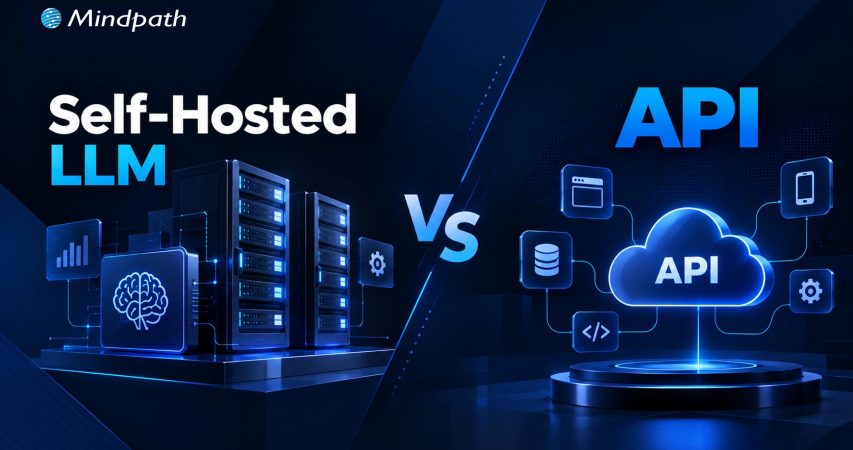
Self hosted LLM Vs API

At some point, every growing AI initiative runs into the same question: should we keep using an API or build something of our own? The LLM vs API decision is rarely as simple as comparing model capabilities. Cost, data control, latency, customization, and the demands of the application can all change the answer.

Key Takeaways

  • 01
    Choose between an LLM and API based on business requirements, cost, control, and performance.
  • 02
    Custom LLMs make sense when standard APIs cannot meet critical business requirements.
  • 03
    Self-hosted models offer greater control over data, infrastructure, latency, and model behavior.
  • 04
    Custom LLM development requires investment in data, compute, engineering, deployment, and ongoing maintenance.
  • 05
    Evaluate total ownership costs before replacing an API with a custom or self-hosted LLM.

Building a custom LLM can sound like the logical next step when an API starts falling short, but it can also introduce significant engineering and operational overhead. In many cases, RAG, fine-tuning, or a self-hosted model can address the real limitation without training a model from scratch. In this blog, we’ll look at when each approach makes sense, what it really costs, and how to choose based on business value.

Need a Custom LLM Built Around Your Business Needs?
Mindpath’s custom LLM development services help businesses design, customize, deploy, and optimize models around their specific data, workflows, performance goals, and infrastructure requirements.

What is a Custom LLM?

A custom LLM is a language model adapted or developed for a specific business requirement instead of relying entirely on a general-purpose model. Customization can involve fine-tuning an existing open-weight model, training it on specialized datasets, or building a model architecture for highly specific workloads. The goal is to make the model more effective for particular tasks, terminology, workflows, or operational constraints.

The key point is that custom LLM development does not always mean training a foundation model from scratch. A company may customize an existing model when that delivers the required performance with less investment.

Common benefits of custom LLM and considerations include:

1. Domain specialization

Handles industry-specific language, terminology, and workflows more consistently.

2. Greater control

Organizations can have greater control over model behavior, deployment, and infrastructure.

3. Data governance

Self-hosted deployments can provide stronger control over sensitive data and processing environments.

4. Predictable performance

A specialized model can be optimized for defined business tasks and response patterns.

5. Infrastructure demands

Self-hosting requires suitable compute, deployment architecture, monitoring, and MLOps capabilities.

6. Ongoing maintenance

Model evaluation, updates, security, and performance monitoring remain the organization’s responsibility.

What is an Off-the-Shelf API?

An off-the-shelf API provides businesses with access to a pre-trained LLM through a provider-managed interface. Instead of developing, training, and operating the underlying model, the application sends prompts or structured requests to the provider and receives generated responses. This makes it possible to add language capabilities to an application without taking responsibility for the model’s underlying infrastructure, training pipeline, or serving environment.

Key benefits and considerations include:

1. Faster deployment

Teams can integrate established models without building model infrastructure.

2. Lower initial investment

Training and infrastructure requirements are largely handled by the provider.

3. Managed scalability

Providers manage the computing resources needed to serve changing demand.

4. Model access

Businesses can use increasingly capable models without developing them internally.

5. Usage-based costs

Expenses generally increase with model usage, context size, and request volume.

6. Limited control

Businesses have less control over the underlying model, infrastructure, updates, and provider policies.

Need a Custom LLM Built Around Your Business Needs?
Mindpath’s custom LLM development services help businesses design, customize, deploy, and optimize models around their specific data, workflows, performance goals, and infrastructure requirements.
Explore Custom AI Development →

LLM vs API: How Do the Tradeoffs Compare?

The custom LLM vs API decision becomes clearer when you look beyond model quality. An API gives a team quick access to a capable model without requiring it to manage GPUs, deployment, scaling, or model operations. A self-hosted approach offers greater control, but that control comes with infrastructure, engineering, security, and maintenance responsibilities.

The right choice therefore depends on what the business is trying to optimize. A hosted API may be the practical option when speed and simplicity matter, while a self-hosted model can become attractive when data control, predictable workloads, latency, or specialized performance are more important.

Decision Factor Off-the-Shelf LLM API Self-Hosted / Custom LLM
Time to Market Fast integration using existing models Longer setup, testing, and deployment
Upfront Investment Lower initial investment Higher engineering and infrastructure costs
Model Control Limited control over underlying model Greater control over model and deployment
Customization Prompting, RAG, tools, and provider options Fine-tuning, model selection, and deeper customization
Data Control Governed by provider architecture and policies Greater control over data location and processing
Infrastructure Provider manages compute and serving Organization manages compute and serving
Scalability Provider handles infrastructure scaling Team must plan and manage capacity
Latency Depends on provider, network, and model Greater ability to optimize serving and placement
Cost at Scale Usage costs can rise with volume Higher fixed costs, with potential advantages at predictable scale
Maintenance Lower operational responsibility Requires ongoing MLOps, monitoring, updates, and security
Vendor Dependency Higher dependency on provider pricing and availability Greater architectural independence
Best Fit Fast-moving, general-purpose AI applications Specialized, sensitive, high-volume, or highly controlled workloads

For organizations comparing self-hosted LLM vs API options, the biggest consideration is often not which model produces better response in isolation. It is which architecture delivers the required performance while keeping the total cost and operational complexity under control.

When Should a Company Build a Custom LLM?

The right time to consider custom LLM development is when an API creates a measurable limitation that simpler approaches cannot solve. The local LLM vs API decision should be driven by business requirements, data control, performance, and long-term economics.

1. Specialized Domain Performance

General models consistently struggle with highly specialized terminology, workflows, or task-specific requirements.

2. Strict Data Control

Sensitive information must remain within a controlled infrastructure rather than being processed through an external provider.

3. Predictable High Volume

Large, consistent workloads make API usage costs difficult to justify over the long term.

4. Latency Requirements

Applications require faster and more predictable inference than a third-party API can reliably provide.

5. Deep Customization

Prompting, RAG, or standard fine-tuning cannot deliver the required level of model behavior or task performance.

6. Infrastructure Ownership

The business needs greater control over deployment, model versions, inference infrastructure, and operational policies.

7. Provider Dependency

Long-term reliance on external pricing, model changes, rate limits, or availability creates unacceptable business risk.

8. Strategic Model Ownership

AI is becoming a core product capability where controlling the underlying model can create meaningful technical or commercial advantage.

How Much Does Custom LLM Development Cost?

The cost of custom LLM development depends heavily on the model approach, data requirements, infrastructure, and level of customization involved. In LLM vs API comparison, businesses should evaluate total cost of ownership rather than comparing API fees with development costs alone.

Key cost factors include:

1. Model Development

Fine-tuning or deeper model customization requires specialized ML engineering and evaluation.

2. Data Preparation

Cleaning, structuring, labeling, and validating domain-specific datasets can become a significant part of the investment.

3. Compute Infrastructure

Training and inference require GPUs, storage, networking, and supporting infrastructure.

4. Engineering Expertise

ML engineers, data engineers, MLOps specialists, and application developers may all contribute to the project.

5. Deployment Model

Self-hosted environments require ongoing infrastructure, monitoring, security, and optimization.

Development Approach Typical Cost Range What Drives the Cost Best Fit
API Integration $15K–$80K Integration, prompts, testing, application development Fast AI launches and general-purpose applications
RAG Development $50K–$150K Data pipelines, retrieval, evaluation, security Business knowledge and document-heavy applications
Fine-Tuned LLM $100K–$300K+ Data preparation, training, evaluation, engineering Specialized tasks and domain-specific behavior
Self-Hosted Open Model $150K–$750K+ Model customization, GPUs, deployment, MLOps High-volume or data-sensitive workloads
Custom-Trained LLM $500K–$1.5M+ Training data, compute, ML engineering, infrastructure Strategic use cases requiring deep model ownership

When Should You Hire Custom LLM Developers?

Building a custom LLM requires expertise across model engineering, data pipelines, infrastructure, evaluation, and deployment. Businesses should consider it when the technical complexity and operational responsibility go beyond what their existing AI team can efficiently manage.

1. Specialized Model Expertise

Bring in experienced developers when model selection, fine-tuning, evaluation, or optimization requires deeper ML expertise.

2. Complex Data Pipelines

External expertise can help when large, fragmented, or sensitive datasets need to be prepared for training or fine-tuning.

3. Production Deployment

Custom models need reliable serving, monitoring, scaling, security, and MLOps practices beyond initial development.

4. Performance Optimization

Experienced teams can optimize inference speed, memory usage, model quality, and infrastructure costs for production workloads.

5. Limited Internal Expertise

Hiring specialists can accelerate development when building an in-house AI team would take significantly longer or require substantial recruitment costs.

Is a Custom LLM the Right Investment for Your Business?

The LLM vs API decision should come down to business value, not the appeal of owning a model. APIs, RAG, fine-tuning, self-hosting, and custom models each have a place. The right approach is the one that solves your performance, cost, security, and scalability requirements without adding unnecessary complexity.

At Mindpath, we provide custom LLM development services covering model customization, data engineering, deployment, evaluation, and optimization. As a custom LLM development company, we help businesses build practical AI systems aligned with their technical requirements, workflows, and long-term goals.


Do You Need a Custom LLM?

Build AI models tailored to your business needs.

Frequently Asked Questions

When model control, specialized performance, data governance, or predictable long-term economics justify the additional development and operational investment.
High usage volumes, specialized requirements, infrastructure control, and reduced dependence on external providers can make the investment more viable.
Yes, when the model directly supports a critical product capability and its long-term value outweighs development, infrastructure, and maintenance costs.
High infrastructure costs limited internal expertise, ongoing maintenance, model performance issues, and underestimating the resources required for production deployment.
Compare expected performance, total ownership costs, data requirements, scalability, deployment control, and operational responsibility against the business value each approach provides.

Support Is One Click Away

Featured Posts

Related Post

CI/CD Pipelines

Continuous Integration and Continuous Deployment (CI/CD) pipelines have revolutionized modern DevOps best practices. In fact, they are the backbone of DevOps in recent years. CI/CD pipelines allow teams to release high-quality software faster and more reliably. This is possible because a CI/CD pipeline can automate the key stages of the software development lifecycle.

CI/CD Pipelines have empowered software teams and developers like never before. You need to have an in-depth understanding of what is CI/CD in DevOps, as it has been acting as a game-changer. In the business context, a CI/CD Pipeline allows faster product releases and creates value by reducing costs and streamlining the overall development process. It is time to explore what is CI/CD pipeline at a deeper level.

Want to reduce deployment delays and boost business efficiency? Mindpath’s DevOps Consultation and Implementation services streamline DevOps processes to deliver smooth and scalable software delivery.

CI/CD Pipeline Meaning: Continuous Integration and Continuous Deployment

CI/CD, short for Continuous Integration and Continuous Deployment, is an automated workflow that enables software teams to build, test, and release code changes rapidly and reliably. A CI/CD pipeline refers to the series of steps that automate this process, helping teams deliver new software versions while minimizing manual errors and ensuring every code change is validated before it reaches users. CI/CD pipelines are also defined as the practice that improves software delivery throughout the development lifecycle, and they have been transforming the software development process through automation.

CI/CD pipeline introduces automation throughout diverse stages such as development, testing, production, and monitoring.  Teams are in a position to develop top-quality software in a fast and secure manner. The automated testing process allows the identification of dependencies and other issues at an early stage, thereby saving valuable time later. 

Ready to maximize the impact of your CI/CD workflows? Explore the benefits of DevOps to understand how it boosts performance, reduces errors, and accelerates releases.

Mechanism of CI/CD Pipeline

Now that you know CI,CD pipeline full form, and its meaning, it is time to explore its underlying mechanism. The insight can definitely help you understand how a CI/CD pipeline works. To understand how it works, you need to bear in mind that there exist three interrelated methods, including Continuous Integration, Continuous Delivery, and Continuous Deployment.

1. Continuous Integration

Continuous Integration refers to the process of fusing changes to code into a shared repository several times a day. An automated system is responsible for building the app and running tests every time the developer works on the code. CI fundamentally encompasses automated unit tests and static code analysis.

The fundamental goal at this stage is to discover issues relating to integration. In the absence of continuous integration, bugs may surface after multiple changes have been made at the time of a major release. This makes it challenging to find as well as fix them. Continuous Integration minimizes the specific threat by performing tests of every minute change in an isolated manner. 

2. Continuous Delivery

Continuous delivery lays emphasis on the automation of the process that takes place after the code passes the CI stage. CD prepares each change for release so that the deployment can be done smoothly to production at a given time. In the case of a CD pipeline, after the verification of the build, it is moved through the staging environment as well as the pre-production environment in an automatic manner.

It is essential to bear in mind that continuous delivery does not involve the deployment of code to production in an automatic way. The codebase is kept in a deployment-ready state so that software development teams will be able to release as per their need or convenience. CD enables organizations to release software more regularly. 

3. Continuous Deployment

Continuous deployment is responsible for automatically releasing code changes to end-users after passing a series of predefined tests. These predefined tests could be integration tests that test code in a copycat environment and help to ensure code integrity.

This automated process of releasing software code changes directly to the production environment after they have passed all the necessary automated tests eliminates the need for manual intervention. It enables teams to deliver updates and new features to users quickly. It also helps to fix bugs fast. Basically, it accelerates the feedback loop with customers and minimizes the risk relating to large and infrequent releases.   

Looking to understand how CI/CD pipelines are becoming smarter and more efficient? Check out the role of AI in DevOps to learn how automation and intelligence are transforming pipeline performance and reliability.

Key Benefits of CI/CD Pipeline

Now that you know what is CI/CD pipeline it is time to look at some of its key benefits. CI/CD pipeline benefits allow software teams to develop software in an agile manner while ensuring quality. Some of the top benefits include:

1. Faster Time to Market

One of the main benefits of CI/CD pipelines is that teams are able to deliver new features and fix bugs for users faster as well as more often. In fact, this is how major tech giants have been making incremental improvements in their products and creating value for their target market audience. 

With the help of CI/CD tools in DevOps businesses are able to quickly respond to user feedback and develop quality software apps. A typical CI/CD pipeline example automates the build, test, and deployment of a web application, thereby ensuring that the software is introduced in the market in a timely manner. 

2. High-Quality Codes

While releasing software, the role of proper testing is of paramount importance. Now that you know what is CI/CD in DevOps, you can say that high priority is given to testing. A central part of any CI/CD pipeline involves a series of automated tests that are run on every build. 

Automated tests ensure that teams can perform tests in a continuous manner, and the quality of software solutions can be maintained. The automated nature of tests plays a key role in enhancing the quality of code that is generated. 

3. Shorter Feedback Loops

While talking about the CI/CD pipeline example, a thing that is non-negotiable is rapid feedback. Getting feedback early ensures that teams can save sufficient time as well as effort while developing software applications. Teams are able to give frequent updates, which helps in receiving immediate feedback from the users. It thus helps to bring about appropriate changes and increase user satisfaction. 

4. Less Downtime

Even with automated testing, there is a possibility that bugs may sometimes sneak their way through production. A key benefit of using CI/CD tools in DevOps and making regular updates is that it makes it easier to locate the cause of an issue. As the commits are smaller, teams and developers can roll back the change without having to remove necessary elements. This certainly simplifies how issues are fixed and reduces the overall downtime. 

5. Better Communication and Collaboration

One of the main benefits of CI/CD pipelines revolves around improved communication and collaboration among team members. This practice enables members to function in a cohesive manner and make changes to the code. They can also respond to the queries and comments of one another in a transparent manner. The ongoing feedback loop makes sure that there is no communication gap among the team members. The rise in effectiveness in team collaboration is reflected in the ultimate software solution. 

Wondering how CI/CD pipelines are evolving in modern DevOps practices? Discover the latest DevOps trends to learn which tools, methodologies, and innovations are driving smarter and more reliable pipelines.

Final Words

In the prevailing software development arena, the concept of CI/CD pipeline has emerged as a breath of fresh air. It has shown the power that automation can bring while developing software solutions. Some of the key benefits of CI/CD pipelines that you should be aware of include high-quality code, faster time to market, and many more. The explanation of the underlying mechanism of the CI/CD pipeline is there so that you can understand how the process works. 

Mindpath’s top-grade DevOps solutions can certainly assist modern business organizations to leverage CI/CD pipelines to the fullest. Our experts will ensure that, through continuous integration and continuous delivery, your business can develop excellent software applications that can improve user satisfaction. 

Machine Learning Applications

Machine learning technologies are majorly changing the traditional functionalities of businesses. With the significant improvement in AI and ML algorithms, your computers can now assess huge datasets with ease and efficiency. As per a report by McKinsey, around 60% of global companies have already channelised ML in their operations. Many of them claimed a 15 to 25% boost in their operational principles. 

Machine learning applications have been growing drastically. Starting from finance, healthcare, and retail, every other industry uses ML to gather better insights while boosting their operational effectiveness. With so much incredible potential in ML, let us explore some of its most winning applications across multiple businesses. 

Ready to leverage machine learning to transform your business operations and drive smarter decisions? Contact us today to explore how our experts can help you implement the right ML solutions for your needs.

What are some of the Efficient Capabilities of Machine Learning for Business?

As per the current statistics, around 49% of businesses have been using ML and AI to verify their sales prospects. So, machine learning has turned out to be one of the most effective technologies that has been shaping the functionalities of modern businesses. It can help your organisation turn raw data into actionable data. Further, it can automate your complicated operations and assist you in making data-rich decisions. 

Starting from startup businesses to global enterprises, everyone is willing to apply machine learning to encourage their efficiency and reduce costs. Most importantly, it is helping them to satisfy their customers with better results. 

1. Automation

ML is capable of automating your repetitive tasks like report generation, data entry, and email responses while saving your resources and time.

2. Data-driven Decisions

ML applications can easily assess huge datasets to reveal integral patterns. This approach can help your business make precise predictions while sticking to strategic decision-making.

3. Better customer experience

MI applications can customise product recommendations and marketing messages. This can satisfy your customer requirements. 

Want to make smarter business decisions backed by accurate insights and real-time analytics? Learn how data-driven decision making can transform your strategy and explore our in-depth guide to get started.

Top Machine Learning Use Cases that are Boosting Business Performance

There are plenty of machine learning use cases that are viable for various industries. Here, we will learn about some of the most eminent machine learning applications. 

1. Healthcare

Healthcare businesses are using ML to diagnose specific diseases, predict patient details, and discover drugs. Further, by assessing lab results, medical images, and patient histories, ML systems can assist doctors in leveraging early diagnosis while customising treatments. 

One such real-life example of machine learning is DeepMind Health, which once collaborated with Moorfields Eye Hospital to give rise to an AI system that precisely predicts over 50 eye conditions. 

2. Finance

Machine learning is exceptionally good in fraud detection, portfolio optimisation, and risk modelling. Moreover, financial organisations majorly depend on predictive algorithms. This helps in verifying irregular transactions. Most importantly, it reduces the chances of human error while improving your decision-making abilities. 

3. Manufacturing

Most of the leading manufacturers use ML to predict the chances of equipment failures. Further, you can detect any defects in your products while optimising your supply chains. As a result, you can be assured of predictive maintenance while reducing unnecessary downtime. 

One such major machine learning application example in this category is General Electric, which implements ML in its Digital Twins platform. This approach highlights real-world equipment to encourage performance. 

4. Ecommerce

In the retail industry, ML is capable of offering personalisation, demand forecasting, and pricing optimisation. Further, it can assess your consumers’ preferences and their shopping habits. You can leverage tailored recommendations while improving your stock management. For example, brands like H&M use ML-enabled demand forecasting tools to verify their store data. 

5. Marketing

As a marketer, you can use ML to read your audience’s behaviour. Additionally, you can improve your ad targeting and measure the performance of your campaigns. It also assists brands in predicting what content will match with your users’ interests and when you should deliver it.

6. Logistics

Machine learning assists logistics providers in optimising their routes while forecasting their delivery times. It can also enhance their warehouse operations. 

Wondering how machine learning is transforming patient care and driving smarter healthcare solutions? Explore our detailed guide on AI in healthcare to discover how ML-powered innovations are improving outcomes and efficiency.

What are some real-world examples of Machine Learning Applications?

Let us discover some leading brands and real-world examples of machine learning applications. This can help you unwind the real potential of ML in the recent scenario. 

1. Self-Driving Car

A very specific form of ML, that is reinforcement learning, is used primarily and is employed to drive autonomous car tech. For example, the autonomous vehicle brand Waymo uses ML sensors to record the surrounding environment of the car in real-time. This can help you understand the reaction of the car in multiple driving scenarios. 

2. Traffic Predictions

When you use Google Maps to plan your trips, it generally estimates how long it will take to arrive at that specific location. So, it generates an estimated time based on the historical traffic data. Further, Uber uses ML to leverage demand forecasting, ride-handling optimisation, and route planning. 

3. Virtual Assistants

This is one of the best real-life examples of machine learning you might have experienced. You must be acquainted with devices like Amazon Alexa, iPhone’s Siri, and Google Home. So, these devices integrate speech and emotional recognition technology along with ML to assess data. They understand when you start talking and what you are saying. 

4. Language Translation

To overcome all the language challenges and to facilitate easy international trips, Google Translate uses Google Neural Machine Translation. This is based on NLP for translating words in over 1000+ languages. 

Curious about how artificial intelligence is transforming business operations and unlocking new growth opportunities? Discover our detailed guide on types of AI to explore the different approaches powering modern machine learning applications.

What are Some Challenges of Adopting Machine Learning Applications?

No doubt, machine learning in business has a lot of advantages. However, there are some companies that face challenges in implementing the technology effectively. Such risks mainly include technical expertise and data quality. 

1. Shortage of Talent

ML engineers, data scientists, and AI specialists are heavily adopted for their expertise. Therefore, many businesses find it difficult to get qualified professionals who can precisely train, design, or manage ML systems. 

2. Lack of Efficient Data

ML models generally depend on clear and well-maintained data. Moreover, inconsistent and ineffective data can minimise your model’s reliability while giving rise to poor decision-making. 

3. High Integration Cost

Setting up the infrastructure of ML, like data pipelines and cloud computing, requires heavy charges. So, this can be a burden for small or mid-sized businesses. 

Planning to scale your machine learning initiatives with more flexible and efficient infrastructure? Discover the latest cloud computing trends to explore how they support faster deployment and better performance for ML-driven solutions.

Conclusion

As of now, you are well aware of what machine learning is. It has been serving as an essential tool across multiple industries. Further, it enables businesses to process data effectively while automating the processes. It can also enhance your customer experience and push you towards better decision-making. 

Mindpath is here to assist you in leveraging the best of machine learning for business. We can develop custom ML solutions that can fulfil your company’s requirements while channelising effective results. With our machine learning consulting, you can leverage all the benefits while implementing ML in a better way. 

Discover top machine learning applications in 2025 and how businesses can leverage them to innovate and stay ahead in a data-driven world.
AI API Integration

Businesses are under pressure to do more with the systems they already have. Replacing a CRM, ERP, or support platform just to add AI is rarely practical. AI API integration offers another path: connect AI directly to existing workflows to automate tasks, accelerate decisions, and create more value from technology investments already in place.

Key Takeaways

  • 01
    AI APIs connect intelligent capabilities with existing business applications and workflows.
  • 02
    Businesses can add AI without replacing established technology systems.
  • 03
    Choosing the right AI capability depends on specific business goals and data.
  • 04
    Secure architecture helps manage data, performance, costs, and scalability.
  • 05
    Phased implementation makes AI integration easier to test, measure, and expand.

But adding an AI API is not as simple as connecting two systems. Businesses must consider data, security, compatibility, performance, and scalability before AI can work reliably in day-to-day operations. In this blog, we will explore how businesses can integrate AI APIs with existing systems effectively. Let’s begin!

Ready to connect AI with your existing business systems? Mindpath offers AI Integration Services to help businesses connect AI capabilities with existing applications and workflows.

Understanding AI APIs and System Integration

Businesses often have valuable data, established workflows, and critical applications they cannot afford to replace. AI APIs provide a practical way to add intelligence to this existing infrastructure. They act as a bridge between business applications and AI services, allowing systems such as CRMs, ERPs, and support platforms to send data to AI models and use the results within existing workflows.

Most AI services use endpoints through a REST API for AI models, with requests and responses commonly exchanged in JSON. This lets development teams integrate capabilities such as summarization, classification, content generation, and information extraction without building models from scratch. The business can focus its resources on connecting AI to the right processes while keeping its existing technology foundation intact.

Choosing the Right AI Capabilities for Your Business

AI integration creates value when the capability solves a specific business problem, rather than when AI is added simply because it is available. Before choosing an API, businesses should identify the task, the people using it, the data involved, and the outcome they want to improve.

Some practical capabilities include:

1. Text generation

Create product descriptions, emails, reports, or internal content faster.

2. Summarization

Turn lengthy documents, meetings, or customer conversations into concise insights.

3. Classification

Categorize support tickets, customer feedback, documents, or incoming requests automatically.

4. Image recognition

Extract information from images, forms, invoices, or visual content.

5. Recommendations

Personalize products, content, or actions based on customer and business data.

6. Forecasting

Analyze historical information to support demand, sales, or operational planning.

The right AI API for business should fit the existing workflow, data environment, and technical requirements. Starting with one clearly defined use case also makes it easier to measure results before expanding the integration.

How Does AI API Integration Fits into Existing Systems?

Choosing the right AI capability is only the first step. The next question is how that capability will fit into the systems and workflows already running across the business. AI API integration works best when businesses map where AI can add value without creating unnecessary changes to existing applications or processes.

A practical integration should consider:

1. Existing systems

Identify the CRM, ERP, support tools, databases, and applications AI needs to connect with.

2. Data flow

Define what information AI receives, how it is processed, and where the output goes.

3. Integration layer

Use middleware, adapters, or API gateways when direct connections are difficult, especially with legacy systems.

4. Security

Protect API credentials and control which systems and users can access AI services.

5. Performance

Account for response times, API limits, traffic volumes, and expected workloads.

6. Scalability

Design the integration so new AI capabilities and business systems can be added without major rework.

This approach helps businesses introduce AI without disrupting established operations while creating a reliable foundation for future use cases.

How to Integrate AI APIs Into Business Systems?

Once the right AI capability and integration architecture are identified, businesses can move toward implementation. A structured approach helps development teams connect AI without disrupting existing workflows. This becomes particularly important when businesses need to connect AI to legacy systems, where older applications may lack modern API support.

Here are eight practical steps for integrating an AI API:

1. Define the Business Use Case

Start with one specific workflow and identify the task AI will improve. Define the expected outcome, users, data requirements, and measurable success criteria before development begins.

2. Select the Right AI API

Compare available APIs based on capability, output quality, pricing, latency, documentation, security requirements, and usage limits. The selected API should fit both the business objective and technical environment.

3. Map Existing Systems

Identify the applications, databases, workflows, and integration points involved in the process. For legacy applications, determine if middleware, adapters, or an API gateway is needed to establish communication.

4. Configure API Authentication

Set up secure authentication using API keys, tokens, or other supported methods. Credentials should be stored securely and access should follow the principle of least privilege.

5. Build and Validate Data Flows

Define how data will move between the business system and the AI API. Validate request payloads, data formats, permissions, and sensitive information before sending data to the model.

6. Add Error and Rate-Limit Handling

AI APIs can experience timeouts, service errors, or usage limits. Build retries, timeout controls, rate-limit handling, logging, and fallback workflows so temporary failures do not disrupt business operations.

7. Test With Realistic Workloads

Test the integration using representative data and expected traffic levels. Evaluate response accuracy, latency, security, system stability, and how AI outputs affect the downstream workflow.

8. Roll Out and Monitor Gradually

Begin with a controlled deployment instead of connecting AI across every workflow at once. Monitor API usage, costs, performance, output quality, and user adoption before expanding to additional systems and use cases.

Securing and Managing AI API Integrations

Connecting an AI API to a business system also means giving AI access to business data. That makes security and governance a core part of the integration, not an afterthought. Businesses need controls that protect sensitive information while keeping AI services reliable, cost-efficient, and aligned with internal policies.

Key areas to manage include:

1. Secure authentication

Protect API keys, tokens, and service credentials through secure storage and controlled access.

2. Data privacy

Limit the information sent to AI services and apply appropriate controls to sensitive or personally identifiable information.

3. Access controls

Define which applications, teams, and users can access specific AI capabilities and data.

4. Audit logging

Track API requests, system activity, errors, and AI outputs to support monitoring and accountability.

5. Output controls

Validate AI-generated results before they trigger important business actions or enter downstream systems.

6. Performance monitoring

Track response times, failure rates, API usage, and output quality to identify issues early.

7. Cost management

Monitor request volumes, token usage, and model selection to prevent unexpected API expenses.

8. Fallback mechanisms

Maintain alternative workflows when an AI service becomes unavailable or produces an unusable response.

Measuring the Value of Artificial Intelligence API Integration

AI integration should deliver measurable business value, not simply add another technology layer. After deployment, teams should track how the integration affects workflows, users, costs, and outcomes.

Useful metrics include:

1. Time saved

Measure reductions in manual work and processing time.

2. Accuracy

Track the quality and consistency of AI outputs.

3. Adoption

Monitor how frequently employees or customers use the integrated capability.

4. Cost efficiency

Compare API and implementation costs with operational savings.

5. Business impact

Measure improvements in customer satisfaction, productivity, or process efficiency.

Once results are clear, businesses can expand the integration to additional workflows and systems while using the initial learnings to guide future AI initiatives.

AI API Integration Challenges and How to Avoid Them

Artificial intelligence API integration can deliver strong business value, but common technical and operational challenges can slow adoption. Planning for these issues early helps teams build integrations that remain reliable as usage grows.

1. Poor data quality

Clean and validate data before sending it to AI APIs.

2. Legacy compatibility

Use middleware or adapters to connect older systems.

3. Security gaps

Apply strong authentication, access controls, and data protection.

4. API dependency

Design flexible integrations to reduce vendor lock-in.

5. High latency

Choose suitable models and optimize request and response flows.

6. Unexpected costs

Monitor API usage, token consumption, and request volumes.

7. Unreliable outputs

Add validation and human review for critical workflows.

8. Scaling issues

Test higher workloads before expanding across business systems.

Comparing AI API Options for Business Integration

Businesses can choose different approaches based on their requirements for control, cost, scalability, and maintenance.

AI API Provider Core Strength Ideal Business Use Case Key Technical Highlight
OpenAI API Advanced language and reasoning models AI agents, automation, content workflows Strong tools, structured outputs, long context
Anthropic Claude API Long-context reasoning and analysis Document analysis, coding, research workflows Large context windows, strong reasoning capabilities
Google Gemini API Multimodal AI and data processing Video, audio, document-heavy applications Large context, multimodal model capabilities
Groq Fast, low-latency inference Real-time chat and voice applications High-speed inference across supported models
SiliconFlow Flexible multi-model AI infrastructure Multi-model applications and AI platforms Unified access to multiple AI models
AWS Bedrock Managed enterprise AI infrastructure Regulated workloads and AWS environments Multiple models with AWS governance controls
Azure OpenAI Enterprise AI within Azure Microsoft-based business applications Azure security, compliance, and integration capabilities

Ready to Connect AI With Your Existing Systems?

AI API integration gives businesses a practical way to add intelligence without replacing established systems. With the right use case, architecture, security controls, and implementation approach, organizations can build reliable AI-powered workflows that improve efficiency, decision-making, and business performance.

Mindpath AI development services help businesses connect AI capabilities with existing applications and workflows. From integration planning and API development to AI implementation, we help businesses build scalable integrations aligned with their technical and business requirements.