Home

MCP Server vs API: What’s the Difference?

MCP Server vs API: What’s the Difference?

Join our Newsletter!

MCP Server vs API

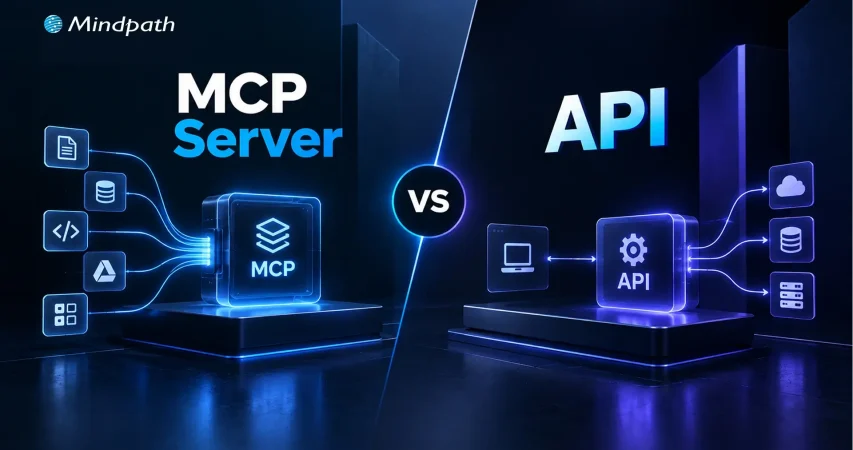
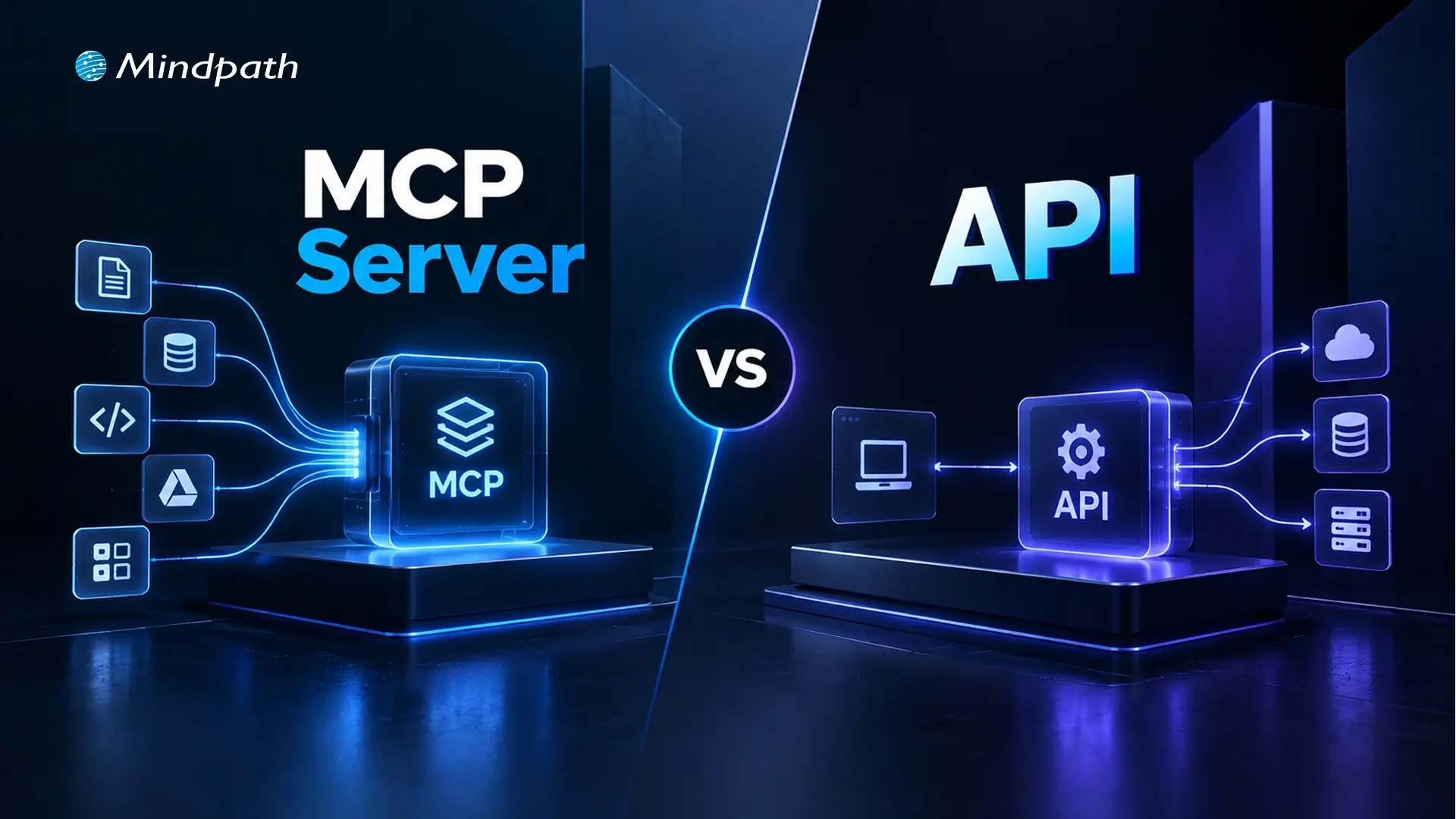
As AI agents move beyond answering questions to using tools, accessing data, and triggering actions, MCP vs API has become an important architecture discussion. An MCP server and traditional APIs can both connect AI systems with external capabilities, but they approach AI integrations from different layers and serve different interaction models.

Key Takeaways

  • 01
    APIs provide structured access to specific services, data, and application functions.
  • 02
    MCP gives AI applications a standardized way to discover and use tools.
  • 03
    MCP and APIs serve different roles and can work together within the same architecture.
  • 04
    APIs suit predictable workflows, while MCP supports more dynamic agent-driven interactions.
  • 05
    Choosing between MCP and API depends on system requirements, workflows, and existing architecture.

The distinction matters when designing systems that need reliable access to business applications, databases, and third-party services. Understanding where APIs fit, where MCP adds value, and how the two can work together helps teams build cleaner and more adaptable agent architectures. In this blog, we will compare MCP and APIs and explain where each approach fits best.

Ready to build AI systems that connect smoothly with your existing tools and services? Mindpath offers AI Integration Services to help businesses connect AI with their existing technology stack.

What is an API?

An API, or Application Programming Interface, is a defined way for one software system to communicate with another. It exposes specific operations or data through endpoints that an application can call using structured requests. The API handles the underlying business logic and returns a predictable response, allowing developers to connect services without accessing their internal implementation.

APIs are widely used across modern software architectures, including AI applications. An AI system can use an API to retrieve customer records, query a database, process payments, or trigger an action in another application. The developer typically determines which endpoint to call, what parameters to send, and how the returned data should be handled.

Key features of APIs: 

1. Defined Endpoints

Expose specific operations or resources through structured interfaces.

2. Request-response Model

Process an application request and return a structured result.

3. Authentication

Control access using methods such as API keys, OAuth, or tokens.

4. Predictable Interactions

Follow documented rules for parameters, methods, and responses.

5. System Integration

Connect applications, services, databases, and third-party platforms.

6. Developer-controlled Workflows

Let developers determine when and how each API operation is used.

What Is an MCP Server?

An MCP server is a system that exposes tools, resources, and other capabilities to an AI application through the Model Context Protocol. Instead of requiring an AI application to handle every integration through separate, custom logic, an MCP server provides a standardized way to make external capabilities available to an MCP client.

In the MCP vs API discussion, the key difference is the interaction model. An API typically gives a developer a defined endpoint to call, while an MCP server presents capabilities in a format designed for AI applications to discover and use within an agent workflow. This can help AI agents work with business systems, files, databases, and external services through a consistent interface.

Key features of MCP servers: 

1. Tool Access

Expose specific actions that an AI application can invoke when needed.

2. Resource Access

Provide structured access to relevant data and external information.

3. Capability Discovery

Allow the client to understand which tools and resources are available.

4. Standardized Communication

Use a common protocol for communication between MCP clients and servers.

5. Controlled Access

Define which capabilities and data an AI application can access.

6. Agent-oriented Integration

Support AI workflows where the model needs to interact with external tools and information.

MCP vs API: What Is the Difference?

MCP and APIs can both connect software with external capabilities, but they are designed around different interaction patterns. An API gives an application a defined interface for requesting data or triggering specific operations. MCP provides a standardized way for AI applications to discover and interact with tools and resources.

The difference becomes clearer when an AI system needs to move beyond a fixed set of developer-defined calls. An AI API can efficiently support predictable operations, while MCP can help an AI application identify available capabilities and use them as part of an agent-driven workflow.

1. Purpose

APIs expose application functionality, while MCP structures access to tools and resources for AI applications.

2. Primary Consumer

APIs are commonly consumed by applications and developers, while MCP is designed around AI clients and agents.

3. Discovery

APIs generally depend on documentation and predefined integration logic; MCP supports standardized capability discovery.

4. Interaction

APIs typically follow explicit requests and responses, while MCP supports AI-driven tool and resource interactions.

5. Workflow Control

API workflows are usually defined by application logic, while MCP can support dynamic tool selection within agent workflows.

6. Integration Approach

APIs can connect systems directly, while MCP can provide an agent-facing layer over existing services.

Comparison Area API MCP
Primary Role Connects applications with specific services or functions Connects AI applications with tools, resources, and capabilities
Core Interface Endpoints, methods, parameters, and responses Tools, resources, prompts, and protocol-defined interactions
Typical Consumer Developers and software applications AI applications, assistants, and agents
Capability Discovery Usually handled through API documentation or application logic Capabilities can be exposed and discovered through the protocol
Interaction Pattern Application sends a predefined request AI application can select and invoke an available capability
Workflow Control Primarily defined by application code Can support dynamic, agent-driven workflows
Data & Actions Exposes specific data or operations Makes selected data and actions available to AI applications
Integration Layer Often serves as the direct service integration layer Can act as an AI-facing layer over existing services and APIs
Best Fit Predictable application workflows and system integrations Agentic workflows requiring access to multiple tools or resources
Relationship Can function independently or underneath other systems Can work alongside APIs rather than replacing them

How Do MCP and APIs Work Differently in AI Integrations?

The difference between MCP vs APIs becomes clearer when looking at how an AI system actually interacts with external capabilities. With a traditional API, the application usually knows the endpoint, required parameters, authentication method, and expected response before the workflow begins. The developer defines this logic and controls when the API is called.

With MCP, the interaction can be structured around capabilities available to the AI application. An MCP client connects to an MCP server, which exposes relevant tools and resources. The AI application can then use those capabilities as part of an agent workflow, while the underlying implementation remains behind the server interface.

A Typical API Workflow 

1. Identify the Service

The developer selects the required API and reviews its documentation.

2. Define the Request

Application logic specifies the endpoint, parameters, and authentication.

3. Send the Request

The application calls the API when the workflow reaches the relevant step.

4. Process the Response

The returned data is handled according to predefined application logic.

5. Continue the Workflow

The application determines the next operation based on the response.

A Typical MCP Workflow 

1. Connect the Client

The AI application establishes a connection with the MCP server.

2. Expose Capabilities

The server makes relevant tools and resources available to the client.

3. Understand Available Tools

The AI application can identify capabilities exposed through the server.

4. Invoke a Capability

The agent can use an appropriate tool as part of its task.

5. Use the Result

The returned information can inform subsequent steps in the AI workflow.

Which Approach Fits Your System Best?

APIs provide structured access to specific services, data, and operations, while MCP provides a standardized way for AI applications to discover and use tools and resources. Understanding this difference helps teams choose an approach that matches their architecture, workflow requirements, and intended system behavior.

Choosing between MCP and API can shape how effectively your AI system interacts with existing capabilities. Mindpath AI development services help businesses evaluate these architectures and build practical AI solutions around their technical requirements, existing systems, and long-term development goals.
Connect AI With Your Existing Systems

Build smarter AI integrations.

Frequently Asked Questions

Yes. An MCP server can connect with existing APIs and expose selected operations as tools for AI applications without replacing the underlying services.
Instead of relying entirely on predefined integration logic, AI applications can work with capabilities exposed through an MCP server and select relevant tools during a workflow.
If the application already knows the required operation and endpoint, direct API calls can provide a simpler and more controlled implementation.
The existing API layer can remain intact, while MCP adds an AI-facing layer that exposes selected services, data, or actions to agents.
The decision should consider how capabilities will evolve, how agents will access them, required permissions, existing APIs, maintenance effort, and future workflow complexity.

Support Is One Click Away

Featured Posts

Related Post

ai agents

Just think if there was a digital assistant that not only obeyed commands, but was able to understand goals, make decisions and learn from experience? Sounds exciting, right? What if we told you this already exists? Yes, you heard correctly. This is where AI Agent comes in, which is a smart system that is intelligent enough to work independently and get the job done without having to check in with a human often, truly showcasing how AI is transforming future possibilities.

These days, companies are turning to automation and intelligence-based tools, which would make artificial intelligence agents important, no matter where you are in business. They can assist organizations in their own endeavors. They can make a company’s operations more efficient, provide real-time personalization for customers, and provide companies with less effort or worry, especially when dealing with complex operations. Do you want to know more? Well, we have you covered. This blog will guide you through everything you need to know about AI agents. 

To start with, let’s understand the meaning of AI agent!

Want to turn AI agent concepts into real, high-performing applications? Mindpath offers Agentic AI development services, where we design and deliver intelligent systems tailored for future-ready organizations.

What is an AI Agent?

AI agents are smart computer programs that can think and act on their own. They look at everything around them and understand what is going on and then decide what they should do next in order to accomplish a specific objective. These agents gather input from their environment through sensors or data feeds and respond by carrying out actions through digital systems or physical devices. They are like good digital employees that don’t require someone to keep an eye on them at all times.

What is unique about artificial intelligence agents is that they can learn and make decisions on their own. They act according to rules, operate on data, and in some cases, learn from experience so that they become more efficient in what they do. You will encounter them in numerous fields such as business, science, and technology where they assist in accomplishing things quicker and more efficiently. These agents are increasingly becoming a significant aspect of how we utilize technology today. 

Types of AI Agents 

AI agents come in different types, each designed to handle tasks in unique ways depending on their abilities. Understanding these types helps us see how they solve problems and make decisions in various situations. Below are some common kinds of AI agents and examples of how they work in real life:

1. Model-Based Agents

These use an internal idea, or model, of their environment to make smarter choices. They can remember what happened and plan ahead based on how things are connected. A GPS navigation system is a good example as it uses traffic and map data to suggest the best route in real time, showing how AI agent architecture works with memory and planning.

2. Goal-Based Agents

This type of agents are mainly focused on reaching a goal and making decisions by thinking about what might happen next. They pick actions that move them closer to what they want to achieve. For example, a self-driving car makes choices like stopping or changing lanes based on the goal of getting passengers to their destination safely.

3. Reactive Agents

These are the simplest kind that respond only to what’s happening right now. They don’t remember anything from the past and follow basic “if this happens, then do that” rules. A common AI agent example for this is a thermostat that turns heating or cooling on based on the current room temperature.

4. Utility-Based Agents

These take it a step further by not only pursuing goals but considering what choice provides the best outcome. They opt for actions based on what is most useful or gratifying. For example, a delivery drone can take a longer route to escape adverse weather while ensuring it reaches its destination on time and securely.

5. Learning Agents

These get better over time by learning from what they do and how well it worked. They have different parts that help them act, learn, and explore new options. A Netflix-style recommendation system is one such AI agent platform, improving suggestions as it learns what users like.

Curious about how AI agents deliver faster, smarter real-time responses? Our in-depth blog on Conversational AI explains how these systems understand users, learn from interactions, and continuously improve.

As we now have a basic idea about artificial intelligence agents, here are some benefits it can offer. 

Understanding the Benefits of AI Agents

According to Grand View Research, the global AI agents market size was estimated at USD 5.40 billion in 2024 and is expected to grow at a CAGR of 45.8% from 2026 to 2030. This rapid growth is driven by the increasing adoption of open-source AI agents that offer flexibility and innovation across industries. These intelligent systems bring numerous benefits such as: 

AI Agents Market Size & Trends

1. Ensure Accuracy

These tools can check their own work, find missing details, and fix mistakes. This helps keep results more accurate, even when things move quickly. It’s a smart way to keep quality high without slowing down. 

2. Cut Operational Costs

Automation helps cut down the cost of manual work and mistakes. It also reduces the need for constant back-and-forth between teams. That means more money saved on everyday business tasks. making AI in business strategy a valuable investment for long-term growth.

3. Build Custom Applications

Companies can develop tailored tools trained on their specific data and requirements. These solutions are designed to perform tasks according to the organization’s unique workflows and preferences. This makes AI for developers more effective and aligned with individual business goals. 

4. 24/7 Availability

AI tools can keep working in the background, even after work hours. They help with projects or answer customer questions at any time. This makes support and progress continue non-stop. 

5. Free Up Team Responsibilities

By handling repetitive tasks, these tools give team members more time to focus on creative ideas and big projects. It eases the load of daily tasks. This opens space for planning, strategy, and innovation. 

6. Boost Efficiency

Agentic AI tools help teams save time by handling many small decisions in complex tasks. This means people don’t need to step in every time, which makes work faster. With the right AI agent frameworks, teams can finish more in less time. 

Curious about which technologies are truly driving the next era of AI innovation? Explore our blog on GenAI tools to discover the most powerful solutions shaping the future of AI development.

Let us next learn how to create an AI agent:

Steps to Build an Artificial Intelligence Agent

Building an artificial intelligence agent involves a clear and structured process to ensure it performs effectively. Here’s a simple overview of the essential steps involved in creating a reliable and intelligent AI agent: 

1. Set Clear Goals and Purpose

Begin by clearly defining the specific tasks and functions the artificial intelligence agent will perform. Identify the problems it should solve and the target users it will serve, ensuring its goals match your business needs. Consider real-world use cases to determine the features and capabilities required. 

2. Gather and Prepare the Right Data

Gather data that reflects the type of interactions the artificial intelligence agent will handle, such as chat transcripts, voice recordings, or past user activity logs. Clean the data by removing errors and inconsistencies, then label it to help the agent understand user intent and context. Proper preparation of high-quality data is essential for accurate learning. 

3. Pick the Right Machine – Learning Model

Select a machine learning model suitable for your AI agent’s task, like neural networks for understanding language or reinforcement learning for decision-making. With your data in mind, determine if you can use a pre-trained model, or if you need to train a model from scratch instead. Fine-tuning pre-trained models can help calibrate them to your needs. and this is an area where the role of AI consultant becomes crucial in guiding the right model selection.

4. Train Your AI Agent to Learn

You will now configure your training environment and load the cleaned/labeled data you have. In the same way as traditional essential machine learning, the data has to be separated into training and testing data. The parameters need to be set like learning rate, epochs, and start training. Be aware of the performance metrics, the training metrics to make sure the model is learning as expected and when adjustments are needed. 

5. Test It to Make Sure It Works Well

Evaluate the artificial intelligence agent by running the AI agent through designated tasks, measuring accuracy, response time, and quality interaction with the user. You will use different testing methods like unit testing, user testing, and A/B testing to figure out its relative strengths and weaknesses. Lastly, you will also informally call out any open issues about the experience such as overfitting and refining the training or changing data as required. 

6. Launch and Keep Monitoring

Launch the AI agent on a dedicated platform, website, app, or voice interface and make sure that the integration is seamless. Monitor its usability using real-time analytics and user feedback to have a clear understanding of its performance and any analytics issues as soon as they arrive. To sustain systems and achieve the original intended purpose of engagement, systems should be routinely maintained, updated and improved. 

Wondering if your business is prepared to adopt AI and harness its full potential? Check out is your business ready for AI to assess readiness and start building a smart, future-proof strategy.

Are You Looking to Experience the Power of AI Agents?

AI agents have changed the way we interact with machines by letting systems do things on their own, learn on their own, and achieve more results in a shorter time. They provide freedom from manual effort, support better decisions, and improve efficiency in most industries and business functions. 

At Mindpath, we offer AI development services that fit your business needs. Our AI agents automate the routine tasks, improve the customer engagement experience, and support smarter ways of working, so that you can do things better in an increasingly competitive and tech-driven landscape. 

ai and business

Have you ever considered how AI and business actually fit together? You may have heard a lot about AI being faster and smarter, but is your business actually prepared for it? Many people are excited about new technology, but they often overlook whether they have a solid foundation. Take a second to think about it- is your business possibly ignoring some signs that say you are not prepared for AI yet?

AI can help any business develop, but starting without preparation can create issues. There are companies that jump into AI without having the right tools or people, or even ideas. This could waste valuable time and resources and lead to frustration. Integrating AI in business strategy from the start ensures you’re prepared and can identify potential challenges early. In this blog post, you’ll learn five easy indicators that show your business may not be ready for AI yet.

Want to future-proof your business with AI? We at Mindpath offers exceptional AI development services that help your business get AI-ready and unlock next level of growth! 

What Being ‘AI Ready’ Really Looks Like?

Being ready for AI means your business has the right people, tools, and plan to make it work well. When you think about AI and business together, it’s more than just buying new software. You need good data that’s easy to use, a team that knows how to work with AI, and clear goals that AI can help you reach. A business ready for AI knows how to bring people and smart technology together.

Look at Amazon. They show how AI in e-commerce can work side by side with business to help customers and save money at the same time. This happens because they plan ahead and know exactly how AI will help. If you want your business to be ready to use AI, start by checking your data, training your team, and making a simple plan that fits your real needs. When you get this right, AI in business can really help you grow.

What is an AI Readiness Checklist?

An AI Readiness Checklist is a simple tool that helps you see if your business is really ready to use AI in the right way. It covers important things like your data, your technical tools, and how well your team understands AI. When you think about AI helping your business grow, this checklist shows you what’s strong and what needs more work.

A good AI checklist looks at your technical setup, the quality of your data, your team’s skills, and whether your company is open to new ways of working. This way, you can fix any gaps before you bring AI into your business. By using an AI checklist, you can make sure you’re set up for success and get real value from AI in business.

How is AI reshaping the way websites are built and optimized? Explore our detailed article on AI in Web Development to see how it’s driving smarter design, faster deployment, and better user experiences.

AI Readiness Checklist for Businesses

Before you bring AI into your daily operations, it’s important to know where you stand. A good AI readiness checklist will help you see if your business is truly prepared for this step. Here are the key areas to focus on as you plan your AI and business journey.

AI Readiness checklist for businesses

1. Robust Data Foundations

Good data is the backbone of any artificial intelligence business idea. Check that your data is clean, organized, and ready for AI tools to use well. Strong data governance keeps your insights trusted and prepares your business for AI integration.

2. Leadership and Team Alignment

A strong AI and business plan starts with people who believe in it. Make sure leaders fully support your strategy and teams understand the goals. A clear roadmap and open communication help everyone move toward strategic AI adoption together.

3. Technology and Process Readiness

Your tools and workflows must support AI smoothly. Research the best AI solutions for your existing systems and test them with pilot projects. Use simple frameworks to track results and find the best areas for automation.

4. Governance, Ethics, and Security

Responsible AI needs strong rules and security in place. Create clear ethical guidelines and monitor how AI works in your company. A good AI checklist helps protect your artificial intelligence business ideas and builds trust for the long term.

5. Financial Planning and ROI

Every digital transformation roadmap needs clear budget planning. Create realistic budgets, show expected returns, and track savings as you go. This makes it easier to get leadership buy-in and keeps AI and business costs under control.

Looking to streamline your business operations and enhance customer experiences? Discover how conversational AI chatbots can help your business transform its workflows and boost efficiency in our blog.

5 Signs Your Business is Not Ready for AI

Many companies jump into AI without checking if they’re really prepared. Missing a few basics can lead to wasted time and money. Here are five signs that show your business is not ready for AI yet.

5 Signs Your Business is Not Ready for AI

1. Stuck in Paper-Heavy Processes

Paper forms, files, and manual approvals slow down daily work and limit growth. AI needs clean, digital data that is easy to find and process. If you’re still tied to paper, you’ll struggle to get real results from AI. Going digital is the first step to connect AI and business ideas that really work.

2. Running on Outdated Technology

Old systems can hold you back from adding smart AI tools. If your technology can’t talk to modern platforms, your AI plans won’t go far. Keeping rigid, legacy software in place only adds roadblocks. Updating your systems is essential for future-proofing your business with AI.

3. Poor Data Quality and Structure

Messy or incomplete data will confuse even the best AI tools. AI needs clear, well-organized data to find patterns and deliver insights. If your data is spread everywhere and filled with errors, you’re not ready yet. A strong data foundation helps your AI and business strategy succeed.

4. No Clear Data Strategy in Place

Without a clear plan, your data might be scattered, outdated, or not useful at all. AI can’t do much if it doesn’t have good data to work with every day. A strong data strategy shows what to collect, how to store it, and who can use it. This is key for turning business ideas AI into real results and leveraging AI in decision-making.

5. Lack of Real-Time Data Insights

AI works best when it has fresh, up-to-date information at its fingertips. If you only rely on old monthly reports, you will miss the full power of AI. Real-time data helps AI spot changes and take action fast. It’s a big step for future-proofing businesses with AI in any industry.

Want to future-proof your AI strategy? Don’t miss our insights on the Top AI Trends in 2025 every business should be ready for.

Ready to Make AI and Business Work Together?

Preparing your business for AI means more than just buying new tools. It’s about building strong data foundations, modern systems, and a clear strategy that connects people and technology. Knowing the signs that you’re not ready yet can save time, money, and stress. With the right plan, AI can help your business grow stronger together and bring real results.

Mindpath’s expert AI development services help you create practical, future-ready solutions. Our team works closely with you to plan, build, and integrate AI into your daily operations. We focus on clean data, secure systems, and smart strategies that fit your business needs. Let us help you connect AI and business in ways that truly work.

Frequently Asked Questions

1. How do you realistically assess AI readiness before committing significant budget to implementation?

Begin with an honest internal audit covering data quality, technology infrastructure, team capabilities, and leadership alignment. Businesses that skip this assessment almost always encounter expensive surprises mid-implementation. An AI readiness checklist provides a structured starting point that identifies genuine gaps before they become costly, time-consuming problems during actual deployment.

2. Can a small business with limited resources realistically prepare for AI adoption?

Absolutely. AI readiness is not about budget size but about foundational preparedness. Cleaning data, digitizing paper processes, and establishing clear goals cost relatively little compared to the waste caused by premature AI implementation. Small businesses that build strong foundations first consistently achieve better outcomes than larger organizations that rush in underprepared.

3. How long does it typically take a business to become genuinely AI ready?

It varies considerably depending on current data infrastructure, team expertise, and technology maturity. Businesses with organized data and modern systems can prepare within months. Those still relying on paper processes or legacy technology may need a year or longer. Rushing readiness to meet competitive pressure almost always produces disappointing results and wasted investment.

4. Why does poor data quality cause AI projects to fail even with the right technology in place?

Because AI models learn entirely from the data provided. Disorganized, incomplete, or error-filled data produces unreliable outputs regardless of how sophisticated the AI tool is. Technology cannot compensate for a weak data foundation. Establishing proper data governance and cleaning existing datasets before implementation is the single most impactful preparation step any business can take.

5. What role does leadership alignment play in successful AI and business integration?

A critical one. AI initiatives without genuine leadership support consistently stall due to budget conflicts, unclear priorities, and team resistance. When leadership understands the strategy, communicates goals clearly, and actively champions adoption, teams follow with significantly less friction. Cultural readiness driven from the top determines whether AI integration delivers sustainable value or simply creates organizational disruption.

AI use cases 

Currently, cloud computing, data analytics, and machine learning are influencing the way companies are innovating. Do companies have the capability to leverage AI use cases to remain competitive in the market? All industries are under pressure to become efficient and customer-focused and make better decisions. Investigating these technologies stimulates novelties and challenges leaders with the need to reconsider the old methods.

With smarter systems embraced in organizations, the actual question is what AI applications are the most valuable. Is it possible to have teams that open up and simultaneously cut down on mistakes and costs? Numerous leaders are creating, trying and revising solutions every day. In this blog, we are going to examine the most successful AI business use cases that are going to transform business in 2026. So, keep reading further!

Key Takeaways

  • 01
    AI use cases help businesses automate routine work, improve decision-making, and create more efficient operations.
  • 02
    Common business applications include personalized customer journeys, predictive equipment monitoring, intelligent support, workforce planning, and content creation.
  • 03
    AI can also support security, software testing, operational intelligence, safety monitoring, and conversational product assistance.
  • 04
    Companies across retail, entertainment, automotive, technology, logistics, and other industries are applying AI to solve practical business challenges.
  • 05
    The right AI use case should connect to a clear business goal and deliver measurable improvements in efficiency, customer experience, or innovation.
Planning to adopt AI but unsure how to turn emerging use cases into measurable business outcomes? Mindpath offers end-to-end AI development services that guide you from strategy to implementation.

Why are Businesses Turning to Artificial Intelligence?

Businesses embrace the use of artificial intelligence to operate more quickly, cheaply, and make better decisions. Numerous businesses using AI automate routine work and enhance day-to-day operations. Data insights help the leaders to influence strategy and planning. McKinsey reports that about two thirds of organizations continue to test or pilot AI with careful adoption across industries.

Careful consideration of real value AI use cases has become a priority among companies. Teams make the experiences of customers personal and their supply chains efficient through intelligent systems. According to McKinsey, 64 percent of the respondents claim that AI helps support innovation goals. Companies that pair AI with their expansion policies tend to achieve greater productivity and quicker innovations and improved competitive placements.

Not sure how to move from AI ideas to real business impact? Discover the AI roadmap to check out how structured planning turns AI use cases into scalable results.

Practical AI Use Cases Driving Business Transformation

Businesses do not consider AI as an experiment anymore; they use it to solve daily problems. The current trends of many businesses utilizing artificial intelligence are based on measurable results and quicker outcomes. AI helps make smarter decisions, smoother operations and makes industry growth scalable. Below are the use cases that demonstrate how companies can transform AI strategies into real business impact.

Some of the most practical AI use cases for businesses include customer personalization, predictive maintenance, intelligent support, workforce planning, content creation, security, software testing, operational monitoring, safety management, and conversational product assistance.

1. Personalized Customer Journeys

AI assists brands to know customer preferences and behavior patterns in real time. The AI use cases in teams are used to customize recommendations and interactions. This will enhance interactivity and customer retention. The experiences offered by many companies using AI make them appear relevant and timely.

2. Predictive Equipment Monitoring

AI monitors the machine information by sensors and performance history. Such AI applications detect problems prior to failure. There is a decrease in downtime and maintenance costs incurred in business. Repairs are scheduled ahead of time and unexpected breakdowns prevented.

3. Intelligent Customer Support

AI chatbots respond to queries in real-time in digital mediums. These applications of AI decrease response time and workload. Customers are provided with regular assistance all the time. Support teams are responsive to complicated customer demands.

Looking for practical inspiration beyond theoretical AI use cases? Discover AI chatbot examples to check out how businesses are automating support, sales, and workflows.

4. Smart Workforce Planning

AI forecasts the staffing requirement based on the previous demand. AI use cases provide managers with the ability to manage workloads. Staffs are given timetables that are based on availability and capabilities. Teams do not experience staffing problems during peak times.

5. Content and Campaign Creation

AI examines trends with the purpose of recommending topical content. GenAI use cases assist teams to write articles and social posts more quickly. Marketers minimize tasks used up in repetitive work. Creative teams dwell on message and strategy.

6. Advanced User Security

AI makes authentication based on biometrics and behavioral monitoring. These AI use cases minimize fraud and unauthorized entry. Real-time systems identify the abnormal activity. The users enjoy secure and easier logins.

7. Quality Testing Automation

During development cycles, AI tests applications continuously. Enterprise AI use cases enable teams to identify defects in the beginning. Products are developed to fix bugs prior to release. Enterprises provide quality software with a reduced amount of errors.

Want to know what makes AI applications smarter behind the scenes? Check out the role of vector databases in AI applications and discover how they improve relevance and decision-making.

8. Operational Intelligence Management

AI is used to keep track of systems in order to detect problems in performance. AI use cases help teams to avoid service outages. Issues are resolved faster with the use of automated alerts. Operations continue to be stable and efficient.

9. Safety and Risk Monitoring

AI examines the surroundings based on camera and live data. There are the AI use cases that detect risks in advance of events. Companies enhance the safety conformity in operations. Simultaneously, the teams react quicker to threats.

10. Conversational Product Assistance

Artificial intelligence assistants help customers in choosing products. AI agents use cases provide real-time questions and recommendations. Customers get the correct answers immediately. Brands enhance interactivity and buying assurance.

Ready to understand what powers self-learning and action-oriented AI applications? Discover the role of AI agents to learn how they manage tasks, decisions, and execution end to end.

Real-World AI Use Cases Examples

Companies have outgrown strategy and are concerned with real achievement in their daily activities. These AI use cases demonstrate how companies use intelligence to address real-world problems in various sectors. The following are illustrative of the ways AI is providing quantifiable value to real businesses.

Real-world examples include AI-powered recommendations, autonomous driving assistance, biometric authentication, employee training, supply chain optimization, robotic process automation, and conversational customer experiences.

1. Amazon suggests products about browsing and buying history, enhancing cross-selling and upselling using the AI use cases in action.

2. Netflix applies AI to recommend films and movies according to viewing history to keep the users active and decrease churn.

3. Tesla enhances car security through the Autopilot that helps them monitor the road and drivers to avoid collisions.

3. Apple makes iPhones secure using Face ID which offers quick and smooth authentication but ensures sensitive user data remains intact.

4. Walmart trains new workers with AI, which guarantees consistency in training and leaves managers to do valuable work.

5. Coca-Cola manages logistics and inventory through AI to enhance the efficiency of the supply chain and minimize operational expenses.

6. IBM uses Robotic Process Automation on routine work, enhancing precision and allowing workers to undertake high-value tasks.

7. L’Oréal applies conversational AI to provide individual beauty tips and recommendations, which enhances engagement and purchases.

Wondering what separates traditional automation from true AI-driven transformation? Learn about AI models to check out how they power modern enterprise use cases.

Ready to Transform Your Business with AI?

AI is reshaping how companies operate, improve efficiency, and engage customers. Practical AI use cases help businesses automate tasks, enhance decision-making, and boost innovation. From personalized experiences to predictive maintenance, AI is driving measurable value. Companies adopting these technologies can grow faster, reduce costs, and stay ahead in competitive markets while building smarter and scalable operations.

At Mindpath, we offer expert AI development services to help businesses implement these solutions. Our team builds custom AI systems, chatbots, and predictive tools that fit your operations. With Mindpath, companies using artificial intelligence can automate workflows, personalize customer experiences, and improve efficiency. We guide businesses to apply AI effectively and achieve real growth through smart technology.