Home

Low-Code vs. No-Code Development: Which is Better in 2026?

Low-Code vs. No-Code Development: Which is Better in 2026?

Join our Newsletter!

low code vs. no code

The rapidly growing demand for digital transformation has had many businesses thinking about effective ways to align with new trends. You must have heard about the low-code vs. no-code debate in discussions about software development in 2026. As a matter of fact, Gartner has pointed out that 70% of new applications will use low-code or no-code technologies by 2026.

Do you feel that the modern technology landscape is evolving at a speed that you find difficult to match? Your business must also be struggling to find the ideal developer talent for your new IT projects. No-code and low-code solutions can address these concerns by offering convenient alternatives to the conventional software development process. 

The right development choice makes a huge difference. Contact us, and we will guide you on whether low-code or no-code development best suits your business.

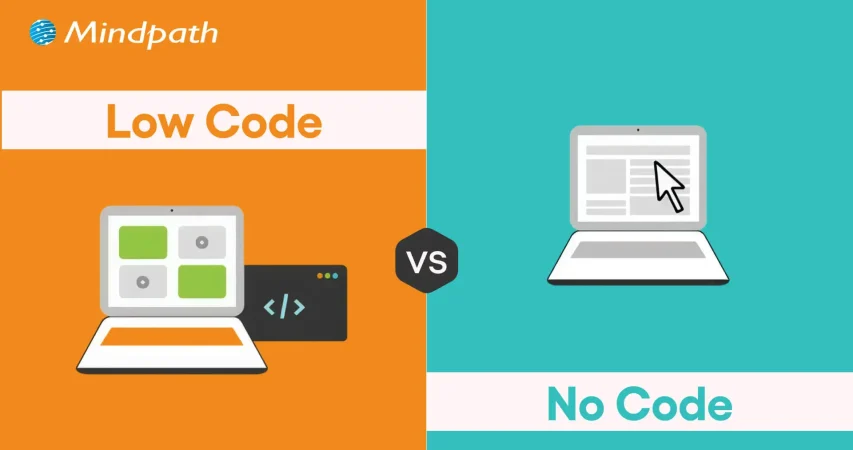
What Is Low Code vs. No Code?

Low code and no code are modern software development approaches designed to accelerate application development. Low-code platforms provide visual development tools with the flexibility to add custom code when needed.

No-code platforms eliminate coding altogether, enabling business users and non-technical teams to build applications through intuitive visual interfaces. Choosing between low code vs. no code depends on your project’s complexity, customization needs, and available technical resources.

What Is Low Code?

You can know a lot about low-code from the name itself, which implies the use of less code. Low-code is a new approach to software development that involves automated code generation with visual building blocks. The functionality of low-code platforms revolves around automation that offers a middle ground between manual coding and no-code development. It allows developers to add code in auto-generated code, thereby retaining the human element.    

Common applications of low-code development in business process management platforms and cross-department tools have been gaining traction. Low code serves as the most useful solution for web and mobile app development and achieving integration with external plugins. Many businesses have successfully leveraged the low-code approach for the modernization of legacy apps. 

What Is No Code?

The curiosity about no-code development is also gaining momentum in 2026 as businesses seek new avenues for innovation. You can describe the answers to “what is no-code development” as a prominent subset of the low-code development approach. The no-code development approach is completely free of human intervention and depends completely on visual tools.

You can find the most applications of no-code development in self-service apps for business users and dashboards. Businesses can rely on the no-code development approach to build standalone apps with simple UIs and automation. One of the notable examples of no-code development is evident in tools for online order management and automated customer service in e-commerce. 

Are your low-code and no-code apps delivering the best possible user experience for your audience? Explore the latest UX/UI design trends to discover how modern interfaces and interactions can make your apps more engaging and effective.

Low Code vs. No Code: Key Differences

Many people generally assume that low-code and no-code approaches are essentially the same thing, with different terminology. However, the answers to ‘what is low code development’ and the definition of no-code development showcase a completely different picture. You must know the differences between low-code and no-code development to pick the ideal development approach for your next project.

1. Coding Skill Requirement

The first thing you must check while choosing between low-code and no-code development is the requirement of professionals with coding skills. In the case of low-code development, you will need professionals who have a basic understanding of coding. You must know at least one programming language fluently to use the low-code development approach. Therefore, low code is a difficult approach in cases where non-technical employees don’t know about coding or any programming language.

On the other hand, answers to ‘what is no-code development’ clearly reveal that anyone can use the no-code approach without coding skills. It helps you build applications by replacing the coding portion with blocks of code. You can just drag and drop the blocks of code to build the application you want.

2. Best Use Cases

The next point of comparison between low-code and no-code draws the limelight towards scenarios where they serve the right fit. You can rely on low-code application development platforms to develop applications with many complex features. Low-code development approach involves the use of an exhaustive component library that can be used for applications with heavy logic. In addition, the low-code approach also supports scalability and integration with other apps and external APIs. 

You can leverage no-code platforms for creating apps that deal with analytics, workflow management, project tracking, and progress reporting. It is also important to know that no-code application development platforms also have features that can help you build complex apps without writing code. No-code is a trusted development approach for front-end apps that pull data from different sources. It can serve as a useful solution to repetitive administrative tasks like reporting in business teams.  

3. Development Speed

Another notable aspect in the comparison between low-code and no-code development approaches is the speed of development. The low-code development approach is a rapid application development methodology tailored to develop applications at a faster pace. However, the low-code approach requires coding for certain parts of an application, which leads to longer development time. 

On the other hand, the no-code development approach does not require any coding. You can refer to the difference between low code and no code to understand that the no-code approach does not rely on coding skills. Business owners and entrepreneurs can build applications or create working prototypes in no time. As a matter of fact, some businesses have reported that they created apps with no-code development within a year.

Looking to deliver apps quickly but unsure if your business needs custom solutions? Discover the signs that indicate it’s time for a custom web application to accelerate growth and efficiency.

4. Target Users

The discussions around differences between the low-code and no-code development approaches will also focus on who should use them. Low-code development approach is the ideal pick for professional developers who want to avoid the burden of replicating basic code. It offers more space for developers to focus on complex aspects of development and encourages innovation. The low-code approach ensures automation of the standard parts of coding without depending on the syntax. You should know that low code benefits professional developers by offering opportunities for reskilling.      

The no-code development approach is more suitable for business users who have extensive domain knowledge. It complements their lack of ability to write code and allows them to use their domain expertise efficiently. Hybrid teams with software developers and business owners are also the most prominent target users of no-code development. Small business owners as well as HR, legal and finance teams in an organization, can also choose no-code over low-code development approach.  

5. Expansion of Architecture

The search for differences between low-code and no-code development approaches will also lead you to think about their architectural range. How will the two approaches support your applications as they grow in future? The no code vs. low code comparison suggests that the low-code development approach offers more support for scalability. In addition, it also offers space for cross-platform compatibility, thereby making it an ideal choice for modern business apps. The low-code approach also offers flexibility for using custom code and custom plugins to achieve a broad range of implementations.

On the other side of the debate, no-code approach has limited potential when it comes to flexibility. You cannot extend no-code apps and they showcase limitations in achieving integration with other platforms or legacy systems. It is important to remember that no-code development is useful only for a narrow collection of use cases. Furthermore, the no-code approach also implies limited scope for scalability.

6. Open or Closed System

The low-code development approach follows an open system as it allows users to extend the functionality of apps through code. It offers the advantages of enhanced flexibility and reusability. Users can develop custom plugins or data oracles according to their use cases and add them later in the apps. However, you will have to test the new upgrades and patches with manually introduced code.

The review of no-code benefits in software development reveals that it works best as a closed system. You have to rely on templates of feature sets to extend the functionalities of no-code apps. As a result, you will find limited use cases with no-code apps and restrictions on access to boilerplate integrations and plugins. However, the no-code approach offers support for backward compatibility as it does not involve manually written code.

PTrying to build mobile applications quickly without compromising quality? Check out the top mobile app development tools to learn which frameworks and technologies help teams deliver robust, scalable apps faster.

The following table provides an overview of the differences between low-code and no-code development approaches.

Criteria Low-Code No-Code
Coding Skill Requirement Low-code development requires prior coding knowledge and fluency in one programming language. No-code development does not need coding expertise or awareness of coding languages.
Best Use Cases Low-code development is suitable for complex apps that require heavy business logic. No-code development is ideal for front-end apps, UI apps and internal apps that don’t require extensive functionalities.
Development Speed Low-code is faster than traditional development albeit with need for manual coding. No-code is faster than the low-code approach as it follows a plug-and-play approach.
Target Users Low-code is more suitable for professional developers. No-code is the ideal choice for business users, non-IT teams and hybrid development teams.
Expansion of Architecture Low-code supports scalability and cross-platform compatibility. No-code has limitations in integration with legacy systems and reduced scalability.
Open or Closed System Low-code approach works as open system that supports extension of functionalities through code. No-code approach is similar to a closed system as you can add features only through pre-defined template sets.


Final Thoughts

The decision to choose between low-code and no-code development in 2026 may be a difficult one. Each development approach is meant to help you build and deploy applications quickly without compromising functionality. However, you can pick one from low-code or no-code development according to your project requirements and technical expertise.

Mindpath is one of the leading software development agencies with specialization in low-code and no-code development methodologies. We have achieved fluency in the modern software development approaches with experience in different types of projects. Our experts have delivered high-performance solutions tailored to the needs of clients with unparalleled perfection. Reach out to us and find the ideal development solutions for your business right now.


Low-Code or No-Code for Your Team?

We help you pick the option that won’t limit you later.

Frequently Asked Questions

Low-code platforms require minimal coding for customization, while no-code platforms allow users to build applications entirely through visual interfaces without programming knowledge.
No-code platforms are ideal for business users and citizen developers, while low-code platforms are better for developers needing greater flexibility and customization.
Yes. Low-code platforms allow developers to extend applications with custom code, APIs, and integrations to meet complex business requirements.
Low-code is generally better for enterprise applications because it offers stronger customization, scalability, and integration capabilities than most no-code platforms.
The right choice depends on technical expertise, project complexity, customization needs, scalability requirements, and long-term business objectives.

Support Is One Click Away

Featured Posts

Related Post

Node.js libraries 

Node.js libraries give developers reusable building blocks for common development tasks. Instead of writing every function from scratch, developers can use established packages for HTTP requests, database operations, authentication, testing, file handling, logging, automation, and other application requirements.

The Node.js ecosystem offers thousands of packages, but developers must choose the right ones for each project. A useful library should solve a real development problem while also fitting the application’s architecture, performance requirements, security expectations, and maintenance strategy.

In this guide, we have selected 25 Node.js libraries and commonly used Node.js development tools to help developers evaluate options for modern applications. Each entry explains what the tool does and where it can be useful, so you can make a more informed choice for your project.

Key Takeaways

  • 01
    Node.js libraries provide reusable functionality that can reduce development time and avoid unnecessary boilerplate code.
  • 02
    The right library depends on the task, such as API development, database access, authentication, testing, automation, logging, or file handling.
  • 03
    Developers should check maintenance activity, documentation, community adoption, security, compatibility, and licensing before adding a dependency.
  • 04
    Using too many dependencies can increase project complexity, so every library should have a clear purpose within the application.
  • 05
    Modern Node.js development relies on well-maintained libraries and tools for scalable, secure, testable, and production-ready applications.

Choosing the right Node.js libraries is only one part of building a successful application. Mindpath’s Node.js development services help businesses build scalable and reliable applications using modern development practices.

What is a Node.js Library?

A Node.js library is a reusable package of code that developers can add to a Node.js project to perform a particular task. Libraries can handle common requirements such as database interaction, authentication, HTTP communication, file processing, testing, logging, and data manipulation.

It is also important to understand that Node.js itself is not a library. Node.js is a JavaScript runtime environment that allows JavaScript code to run outside a web browser. Libraries and frameworks can then be used within that environment to build applications.

Libraries generally provide specific functionality without forcing developers to follow an entire application architecture. This gives development teams the flexibility to choose only the components they need.

Node.js Library vs Framework vs Development Tool

Type Purpose Example
Library Provides functionality for a specific development task Lodash, Axios, Mongoose
Framework Provides structure and patterns for building applications Express
Middleware Adds specific functionality to an application’s request and response flow Multer, Morgan, CORS
Development Tool Supports testing, automation, process management, or other development activities Jest, PM2, Gulp

The terms are sometimes used interchangeably in general discussions, but the distinction matters when evaluating a Node.js technology stack. A library usually solves a focused problem, while a framework provides a broader structure for application development.

Must Read: Learn more about the advantages of Node.js and why businesses use it for modern application development.

How We Selected These Node.js Libraries?

There are thousands of Node.js packages available, so popularity alone is not enough to determine whether a library belongs in a useful development stack.

For this list, we focused on tools that address common development requirements such as web applications, APIs, databases, testing, authentication, file handling, automation, logging, and application monitoring. Developers should still evaluate the current maintenance status, compatibility, security history, documentation, licensing, and project requirements before adding any dependency.

Top 25 Node.js Libraries and Development Tools

The following list covers libraries, middleware, frameworks, and development tools commonly associated with Node.js development. The best option depends on what your application needs rather than simply how popular a package is.

Quick Comparison of Node.js Libraries

No. Library / Tool Primary Use Best For
1 Async.js Asynchronous operations Managing complex asynchronous workflows
2 Request HTTP requests Legacy Node.js applications
3 Express Web application and API development Backend and API development
4 Socket.io Real-time communication Chat and live applications
5 Jest Testing Automated JavaScript testing
6 CORS Cross-origin requests API and web application configuration
7 UglifyJS2 JavaScript minification Code optimization and legacy workflows
8 Ethers.js Ethereum development Blockchain applications
9 Mongoose MongoDB data modeling MongoDB applications
10 Multer File uploads Multipart form and file handling
11 Gulp Task automation Automating development workflows
12 PM2 Process management Running Node.js applications in production
13 Passport Authentication Authentication workflows
14 Browserify Module bundling Legacy browser-based workflows
15 Parser Middleware Request body parsing Processing incoming request data
16 Nodemailer Email delivery Transactional emails and notifications
17 Sequelize SQL database interaction Relational database applications
18 JSHint JavaScript linting Code quality checks
19 Axios HTTP requests API communication
20 Morgan HTTP request logging Application monitoring and debugging
21 Dotenv Environment configuration Managing environment variables
22 Faker Test data generation Development and testing
23 Puppeteer Browser automation Testing and browser automation
24 Lodash Utility functions Common JavaScript operations
25 Winston Application logging Structured logging and monitoring

1. Async.js

Best for: Managing asynchronous workflows.

Async.js provides utilities for working with asynchronous JavaScript operations. It can simplify situations where an application needs to coordinate multiple asynchronous tasks, control execution order, or manage callbacks. While modern JavaScript provides Promises and async/await, Async.js can still be relevant in existing applications that rely on its workflow patterns.

2. Request

Best for: Understanding or maintaining legacy Node.js applications.

Request was widely used for making HTTP requests from Node.js applications and became a familiar package in the Node.js ecosystem. However, developers working on new applications should carefully evaluate maintained alternatives rather than automatically selecting Request for a new project.

3. Express

Best for: Building web applications and APIs.

Express is a lightweight Node.js web framework used to create server-side applications and APIs. Its middleware-based architecture gives developers control over routing, request handling, authentication, validation, and other backend requirements. It remains a widely recognized part of the Node.js ecosystem.

4. Socket.io

Best for: Real-time applications.

Socket.io helps developers implement real-time, bidirectional communication between clients and servers. It is useful for applications such as chat platforms, live dashboards, collaborative interfaces, notifications, and other experiences where users need updates without repeatedly refreshing the page.

5. Jest

Best for: Automated JavaScript testing.

Jest is a JavaScript testing framework that provides test execution, assertions, mocking, and related testing capabilities. Development teams can use it to verify application behavior and identify regressions before changes reach production.

Application quality matters as much as development speed. Learn how a reliable Node.js development company can support testing, scalability, and long-term application stability.

6. CORS

Best for: Configuring cross-origin resource sharing.

CORS is middleware commonly used with Node.js web applications to configure how servers respond to requests originating from different domains. Proper CORS configuration is important when a frontend and backend are hosted separately or when an API needs to control which origins can access its resources.

7. UglifyJS2

Best for: JavaScript minification in compatible workflows.

UglifyJS2 is a JavaScript parser, compressor, and beautifier that can reduce the size of JavaScript code. Smaller files can help reduce the amount of data transferred to users, although modern projects should evaluate whether their current build tooling already provides equivalent optimization.

8. Ethers.js

Best for: Ethereum and blockchain application development.

Ethers.js provides functionality for interacting with Ethereum networks, wallets, smart contracts, transactions, and blockchain data. Developers building blockchain-enabled applications can use it to connect application logic with Ethereum-compatible networks.

9. Mongoose

Best for: MongoDB applications.

Mongoose provides an object modeling layer for MongoDB applications built with Node.js. It supports schemas, validation, middleware, and other features that can make application data models easier to organize and maintain.

10. Multer

Best for: Handling file uploads.

Multer is middleware designed to handle multipart form data, which is commonly used when applications receive uploaded files. It can be integrated into Node.js and Express applications that need to process images, documents, or other user-uploaded files.

Large file uploads can affect application performance when they are not handled properly. Learn how hiring skilled Node.js developers can help optimize application performance and scalability.

11. Gulp

Best for: Automating repetitive development tasks.

Gulp is a task runner that can automate development activities such as file processing, asset optimization, and other repetitive workflow steps. It can help reduce manual work in projects where these tasks need to be executed regularly.

12. PM2

Best for: Managing Node.js applications in production.

PM2 is a process manager designed to help developers run and manage Node.js applications. It provides capabilities such as process monitoring, automatic restarts, logging, and application management, making it useful when operating Node.js services in production environments.

13. Passport

Best for: Authentication workflows.

Passport is authentication middleware for Node.js. It supports a range of authentication strategies and can be integrated into applications that need login and identity-management functionality. Its modular approach allows teams to select an authentication strategy that fits their application.

14. Browserify

Best for: Bundling Node-style modules for browser applications.

Browserify allows developers to use CommonJS-style modules in browser applications by bundling dependencies into client-side JavaScript. It is more relevant to existing or legacy build workflows than to many modern applications that use newer bundling and build tools.

15. Parser Middleware

Best for: Processing incoming request data.

Request parsing middleware allows Node.js applications to read data sent by clients, including JSON payloads and form submissions. Proper request parsing is a basic requirement for APIs and server-side applications that need to process user or application input.

Node.js is also widely used for AI-powered applications. Explore the Node.js libraries for AI integrations that can support modern AI application development.

16. Nodemailer

Best for: Sending emails from Node.js applications.

Nodemailer provides an API for sending email from Node.js applications. It can be used for transactional messages, account notifications, alerts, verification emails, and other automated communication workflows.

17. Sequelize

Best for: Working with relational databases.

Sequelize is an Object-Relational Mapping library for Node.js that supports relational databases such as MySQL, PostgreSQL, SQLite, and others. It provides models, relationships, queries, and other abstractions that can simplify database interaction.

18. JSHint

Best for: Identifying JavaScript code quality issues.

JSHint analyzes JavaScript code and can identify potential errors, syntax problems, and patterns that may lead to bugs. Static analysis tools such as linters can help development teams identify issues earlier in the development process.

19. Axios

Best for: HTTP and API communication.

Axios is a promise-based HTTP client that can be used in Node.js and browser environments. Developers commonly use it to send HTTP requests, communicate with APIs, process responses, and handle request-related errors.

20. Morgan

Best for: HTTP request logging.

Morgan is middleware for logging HTTP requests in Node.js applications, particularly those built with Express. It can record useful request information during development and production troubleshooting, making it easier to understand how an application is being accessed.

Reliable logging can make application problems easier to identify. Learn about the key factors to consider when hiring Node.js developers for scalable and maintainable applications.

21. Dotenv

Best for: Managing environment variables.

Dotenv loads environment variables from a configuration file into the application’s environment. It can be useful for keeping configuration values such as development settings and credentials outside the application’s source code. Sensitive values should still be handled according to the project’s security practices.

22. Faker

Best for: Generating test and mock data.

Faker can generate realistic-looking sample data such as names, addresses, email addresses, and other values. Development teams can use generated data when testing application behavior without relying on real customer information.

23. Puppeteer

Best for: Browser automation and testing.

Puppeteer provides programmatic control over compatible browsers. It can be used for automated browser testing, page interaction, screenshots, PDF generation, performance checks, and other browser-based workflows.

24. Lodash

Best for: Common JavaScript utility operations.

Lodash provides utility functions for working with arrays, objects, strings, collections, and other common JavaScript data structures. It can reduce repetitive utility code, although developers should consider whether native JavaScript functionality already meets their requirements before adding another dependency.

25. Winston

Best for: Structured application logging.

Winston is a logging library that allows applications to record and manage log messages through configurable transports and formats. It can help development and operations teams organize application events, errors, and diagnostic information.

How to Choose the Right Node.js Library?

The most popular Node.js library is not necessarily the right choice for your application. Before adding a dependency, consider what the project actually needs.

1. Define the Problem First

Start by identifying the development problem you are trying to solve. If you need database modeling, look at database libraries. If you need API communication, evaluate HTTP clients. This prevents unnecessary dependencies from entering the project.

2. Check Maintenance Activity

Look at how actively a package is maintained. Recent releases, issue activity, documentation updates, and compatibility with current Node.js versions can provide useful signals about its ongoing health.

3. Review Dependencies

A small package can still introduce a large dependency tree. Review the package dependencies and understand whether they create additional security, compatibility, or maintenance concerns.

4. Consider Performance

Do not assume that every library will improve application performance. Evaluate its runtime overhead, bundle impact where relevant, memory requirements, and behavior under realistic workloads.

5. Check Security

Security should be part of dependency selection. Review known vulnerabilities, update practices, permissions, package ownership, and how the library handles sensitive information.

6. Review Licensing

Open-source software can have different licenses and obligations. Before using a package in a commercial product, make sure its license is compatible with your project’s requirements.

7. Check Compatibility

A library should work reliably with your Node.js version, framework, database, build tools, and other dependencies. Compatibility problems can create unnecessary development and maintenance work.

How to Manage Node.js Dependencies

Adding a library is only the beginning. Dependencies need to be monitored throughout the application’s lifecycle.

  • Keep packages updated according to your project’s release and testing strategy.
  • Remove dependencies that are no longer required.
  • Monitor packages for known security vulnerabilities.
  • Test dependency updates before deploying them to production.
  • Avoid adding multiple packages that solve essentially the same problem.
  • Document important dependencies and why they are used.

Can Too Many Node.js Libraries Hurt a Project?

Yes. Adding a package can save development time, but every dependency also introduces maintenance considerations. A large dependency tree can increase the risk of compatibility issues, security vulnerabilities, outdated packages, and unexpected behavior.

The goal should therefore be a purposeful technology stack. If a dependency solves a meaningful problem and is maintained appropriately, it can be valuable. If it only saves a few lines of code while introducing another package to maintain, native JavaScript or existing project functionality may be the better option.

Node.js Libraries for Different Development Needs

Development Requirement Relevant Options
API and backend development Express, Axios
Real-time communication Socket.io
MongoDB applications Mongoose
Relational databases Sequelize
Authentication Passport
File uploads Multer
Email communication Nodemailer
Automated testing Jest
Browser automation Puppeteer
Process management PM2
Application logging Winston, Morgan
Environment configuration Dotenv
JavaScript utilities Lodash
Test data generation Faker

Want to build an AI-enabled Node.js application? Explore our guide to Node.js libraries for AI integrations.

Ready to Choose the Right Node.js Libraries?

The Node.js ecosystem gives developers a wide range of reusable libraries and development tools. From API development and database management to testing, authentication, logging, automation, and browser testing, the right package can remove repetitive work and help teams focus on application-specific functionality.

However, popularity should not be the only factor behind a dependency decision. Maintenance, security, compatibility, licensing, performance, and the actual requirements of the application should all be considered before a library becomes part of a production stack.

If you need help building a scalable Node.js application, Mindpath provides Node.js development services for businesses looking to develop secure, reliable, and high-performance applications. Our development team can help with architecture, API development, integrations, performance optimization, and long-term application maintenance.

ReactJS Can Benefit

Do you ever wonder what’s the secret sauce of creating a perfect website or web application? It is the right framework! The success of your project depends on the framework you choose in the ever-changing world of web development. ReactJS is a framework that has been more popular among developers because of its comprehensive features, adaptability, and efficiency.

ReactJS is a part of the wide JavaScript library and is quite popular amongst the developer community for its versatility. With large numbers of frameworks available and new ones coming every single year, it could be a tricky decision to choose the right one for your web project.

In this blog, we will take a deep dive into the origins of ReactJS, its key features, and ten compelling reasons to consider ReactJS for your web development needs.

Origin of ReactJS Framework

Facebook invented ReactJS, also referred to as React, in 2011 and made it available to the public in 2013. The framework was created to help developers overcome the difficulties they encountered when creating intricate, high-performing user interfaces.

The component-based design that React introduces makes development easier by enabling developers to create modular and reusable components. ReactJS is one of the most widely used web development frameworks nowadays, maintained by Facebook in collaboration with a sizable developer community.

Features of ReactJS

ReactJS is a great option for web development because of its many capabilities. Important characteristics consist of:

  1. Component-Based Architecture: React makes it possible to create independent components that are capable of independently managing their state, which makes it easier to create intricate user interfaces.
  2. Virtual DOM: React reduces rendering overhead by simply updating the UI elements that have changed, as opposed to re-rendering the entire page, thanks to the use of a virtual DOM.
  3. JSX Syntax: This JavaScript syntax extension makes it possible for programmers to write HTML-like code inside JavaScript, improving the debugging and readability of the code.
  4. Unidirectional Data Flow: Applications are simpler to debug and maintain because to React’s one-way data binding, which guarantees a consistent data flow.
  5. Rich Ecosystem: React boasts a vast ecosystem of libraries and tools that extend its functionality and streamline the development process.

10 Benefits of Using ReactJS

1. Enhanced Performance

The virtual DOM in ReactJS ensures fast and efficient updates, enabling your web application to handle high-user interactions smoothly.

2. Reusable Components

Because of React’s component-based architecture, developers may quickly and consistently create new areas of an application by reusing components across them.

3. Ease of Learning

Learning ReactJS is not too difficult, especially for people who have experience with JavaScript. It is accessible to novice and seasoned developers because of its straightforward syntax and wealth of internet resources.

4. SEO Friendly

React’s server-side rendering features make it possible to greatly improve your web applications’ SEO, which will raise their visibility and search engine ranks.

5. Strong Community Support

With a large and active community, ReactJS developers can easily find solutions, share knowledge, and stay updated with the latest developments, providing valuable support for troubleshooting and skill enhancement.

6. Rich Ecosystem

The extensive ecosystem of tools, libraries, and extensions available for React makes it highly versatile, with solutions available for state management, routing, and testing.

7. Mobile App Development

React Native, derived from ReactJS, allows developers to build mobile applications using the same principles and components, facilitating seamless extension of web projects to mobile platforms.

8. Scalability

React’s modular structure makes it highly scalable, enabling the addition of new features and components without rewriting existing code, ensuring long-term maintainability.

9. Developer Tools

React offers powerful developer tools, such as React Developer Tools for Chrome and Firefox, which help developers inspect component hierarchies, debug applications, and enhance productivity.

10. Backed by Industry Leaders

Supported by Facebook and used by major companies like Instagram and Airbnb, ReactJS is a reliable and future-proof choice, continuously evolving with strong backing from industry leaders.

Hire ReactJS Developers with Mindpath

Now that we have established that ReactJS can benefit your web project in numerous ways, the next question is where you can hire qualified ReactJS developers. Well, look no further as Mindpath can help you hire the best ReactJS developers!

At Mindpath, we understand the importance of skilled developers for the success of your web project. Our team of experienced ReactJS developers is adept at leveraging the full potential of the React framework to create dynamic, responsive, and user-friendly web applications.

Whether you’re starting a new project or enhancing an existing one, our developers can help you achieve your goals efficiently and effectively.

We are committed to delivering high-quality solutions tailored to your unique needs. Contact us today to learn more about how our ReactJS developers can contribute to the success of your web project.

So you can end your search for React developers today with Mindpath. To know more.

Looking for a ReactJS Developer for your next project?


Get In Touch

Discover 10 ways ReactJS can elevate your web project. Learn about its origins, key features, and why developers choose it. Boost your web development today!
Benefits of ReactJS for web development

The extreme levels of competition in the digital landscape call for robust online presence that aligns with user expectations. Every business wants to serve the best user experience, thereby calling for special attention to their technology stack. Therefore, discussions about the benefits of React JS have gained more traction among businesses that aspire to create high-performance web projects, packed with features that make them business-ready. React JS is an open-source JavaScript library that was created by Meta as a front-end development tool.

The special features of React JS, such as virtual DOM and component-based architecture, make it a trusted choice to build business-ready web projects. With more companies striving for a competitive edge in the digital market, tools like React JS can be your trump card. Let us learn more about the ways in which React JS revolutionizes web project development for businesses.

Want to adopt ReactJS in your next project? Mindpath’s ReactJS development services will provide expertise that will help you in building interactive web applications according to your business requirements.

Exploring the Utility of React JS in Business-Ready Web Projects

The answers to “What is React JS?” explain that it is a front-end development tool. You can build dynamic and intuitive user interfaces with React JS to enhance user experience. At the same time, businesses must also know the following advantages of choosing React for customer-facing solutions and enterprise-level applications.

1. Assurance of Speed and Performance

Websites can stand out from the competition only with better performance. Complicated interfaces and slow loading times can lead to frustration among users, thereby causing revenue loss and high bounce rates. You can find the ideal solution to questions like “Why use React JS for web development?” in the innovative features of the JavaScript library.

The most unique feature of ReactJS is the Virtual Document Object Model or DOM. Traditional web development involved direct manipulation of the real DOM of the browser, which was a slow process that consumed a lot of resources, especially for complex applications.

The list of React advantages showcases that React develops a lightweight representation of the DOM as the virtual DOM. During data changes, React updates the virtual DOM and compares it with its previous state, recognizing only the essential changes. Subsequently, it combines all the minimal updates and applies them to the actual DOM of the browser.

The primary benefit of the virtual DOM is the reduction of rendering overhead, which ensures faster updates and highly responsive user experience. For example, ecommerce websites showcase thousands of products and have to introduce real-time stock updates. Virtual DOM ensures instantaneous visual response when users add items to their cart or filters for the products.

2. Adaptability to SEO

Businesses that want a strong online presence cannot undermine the importance of search engine optimization or SEO. Among the many benefits of React JS for web development, SEO compatibility will be the most valuable. Conventional client-side rendered applications based on JavaScript presented challenges for search engine crawlers. The crawlers might experience problems in fully indexing dynamically loaded content.

Businesses should know the answers to “What is React used for?” in the modern practices of web development to understand its impact on SEO. React offers the benefit of server-side rendering, in which the initial HTML content of the application is rendered on the server before sending to the client. As a result, the crawler can receive a completed rendered HTML page that ensures easier crawling, indexing and comprehension of the content.

The ease of crawling offers a significant boost to search engine rankings of web projects, thereby attracting more organic traffic. For instance, a news website powered by React JS with server-side rendering will be more visible on the first page of search results as compared to a client-side rendered version.

Looking to future-proof your web applications with a technology that scales as your business grows? Discover the strategic top reasons to choose ReactJS for Progressive Web App development for business owners.

3. Component-Based Architecture and Scalability

The biggest reason for any business to choose React web development services is the component-based architecture of React. It is a distinctive feature that helps developers in breaking the user interface into smaller, reusable and independent components. Every component has its own user interface, logic and state, thereby introducing a modular and organized approach to web development.

The advantages of React JS for web projects due to the component-based architecture include faster development, better scalability and consistent user experience. Reusable components ensure that common UI elements can be created one time and reused for different parts of the project. The modular architecture of React also helps in adding new functionalities without changing the complete codebase.

With the help of isolated components in the modular architecture, React ensures that changes in one component do not affect other components. As a result, React reduces the risks of introducing new bugs during maintenance alongside simplifying the debugging process.

On top of it, React development also offers a consistent feel and visual appeal in web projects due to the component-based architecture. Since React allows you to use the same components across the entire project, it offers the ideal ground to offer an intuitive user experience alongside strengthening brand identity.

Want to ensure your React apps run smoothly even under heavy traffic and complex operations? Learn the best techniques to optimize ReactJS performance for scalable and efficient development.

4. Benefits of ReactJS for Cross-Platform Development

The prevalent use of React for web development also draws attention towards the use of React Native. Did you know that you can capitalize on the advantages of React for developing mobile applications with React Native? React Native allows you to reuse code across different platforms with the same skills you use to implement React JS in frontend development.

React Native also offers a consistent user experience, as you can use the same development paradigm as React JS. Airbnb is one of the biggest examples of businesses using React Native to develop mobile applications. The globally recognized startup showcases resourceful React use by capitalizing on its existing expertise in React frontend web development. Cross-platform development opens new doors for taking web projects of a business to a wider audience.

5. Cost-Effectiveness

The decision to invest in React JS development services can offer promising returns in the long run for every business. You may feel that the initial investment in a company for React development might cause losses. On the other hand, the benefits of React can help you understand why it is an attractive option for businesses. For instance, the assurance of reduced development time with component reusability can ensure lower resource costs.

The overview of React JS advantages also sheds light on how lower maintenance costs and cross-platform development can enhance the cost-effectiveness of web projects. The continuous evolution and community support of React also ensure that your web projects can adapt to future trends and technological advancements without an overhaul of your codebase.

Want to understand how much your business should invest in skilled ReactJS talent? Learn the real cost of hiring ReactJS developers to make informed financial decisions.

Reasons to Pick Professional React JS Development Services

The advantages of using React JS for web projects showcase that you should not look any further for frontend development. While front-end development with React has become an industry standard, it is important to understand how outsourcing can save you from a lot of trouble. The services of a trusted development company to create React web projects help you obtain access to expert services, diverse talent pool and cost-efficiency.

The services of a React JS development company can help you have some peace of mind. Professionals working on web projects for your business with React will allow you to focus on core business activities. However, it is important to learn how to pick the right company that will deliver the best results in web development with ReactJS.

Ready to Build High-Performance Web Projects with ReactJS?

React JS is a powerful open-source library for frontend development in web applications. The value of React JS for businesses extends beyond creating intuitive and dynamic user interfaces. You can find distinctive features in React JS, such as virtual DOM and component-based architecture, redefining the web development experience. Professional ReactJS development service providers can help you capitalize on diverse React JS benefits for creating business-ready web projects. Discover the best guides on how to pick a company for React JS web development now.

At Mindpath, our expert ReactJS development services are designed to help businesses build feature-rich and future-ready web applications. We focus on delivering scalable solutions, smooth user experiences, and flexible architectures tailored to your business goals. Partner with Mindpath to transform your ideas into powerful digital products that drive real business value.

Frequently Asked Questions

1. Is ReactJS suitable for small business websites or only large applications?

ReactJS works well for both small and large projects. Small businesses can use it to create fast and interactive websites, while larger companies benefit from its scalability and flexibility. It adapts easily as business needs grow over time.

2. How easy is it to update or expand a ReactJS application later?

ReactJS makes updates easier because of its component-based structure. Developers can modify specific parts of the application without rebuilding the entire project. This helps businesses add new features faster while keeping the application stable and consistent.

3. Does ReactJS support integration with other business tools and APIs?

Yes, ReactJS integrates smoothly with third-party APIs, payment gateways, CRM platforms, and business software. This flexibility helps businesses connect different systems and create a more connected digital experience for users and internal teams.

4. What industries commonly use ReactJS for web development?

Many industries use ReactJS, including ecommerce, healthcare, finance, education, and entertainment. Businesses choose it because it supports fast performance, interactive interfaces, and scalable applications that handle growing customer and operational demands effectively.

5. How do businesses maintain security in ReactJS applications?

Security depends on proper development practices and regular updates. Developers use secure coding methods, data validation, and authentication systems to protect applications. Keeping libraries updated and following security standards helps reduce risks and improve application reliability.

Explore the 5 benefits of React JS for web development, including performance, SEO, and scalability, with insights, case studies, and best practices for your projects.