Home

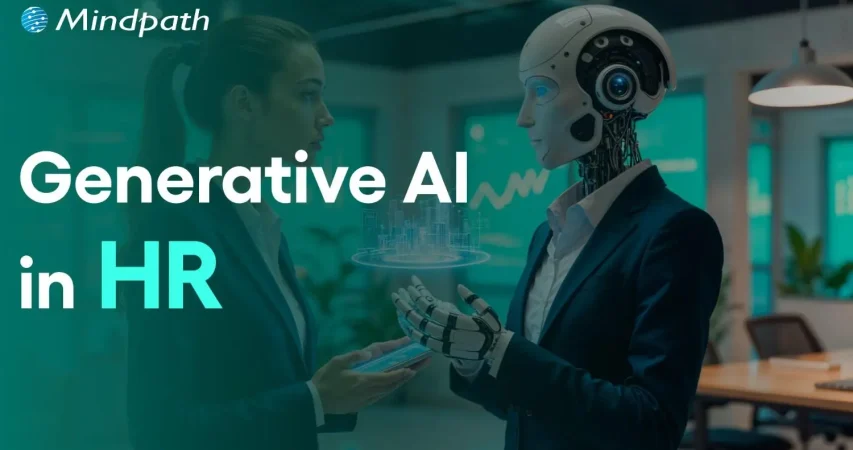
Generative AI in Human Resources: Transforming Hiring Practices for the Future

Generative AI in Human Resources: Transforming Hiring Practices for the Future

Explore how Generative AI in Human Resources is revolutionizing recruitment, making HR processes smarter and more efficient.

Join our Newsletter!

generative ai in hr

Businesses want to prepare for the future by embracing new technologies like AI in different business functions. You can notice the growing influence of generative AI in HR operations as organizations transition from traditional processes to smarter and more adaptive models. Generative AI not only provides automation but also the ability to extract actionable insights from large datasets and transform hiring practices.

According to Gartner, the number of HR leaders planning or actively deploying generative AI increased from 19% in June 2023 to 61% in January 2025 (Source). The meteoric growth in generative AI adoption showcases that more HR professionals have been recognizing the power of generative AI to redefine HR processes. You can learn more about the significance of gen AI in HR by unraveling its use cases and benefits.

Looking to leverage Generative AI to boost efficiency and innovation in your business? At Mindpath, we provide custom Generative AI solutions to help your business grow.

Understanding the Impact of Generative AI in HR Processes

Generative AI is gradually becoming an inseparable component of modern HR operations. It has introduced the benefits of automation, scalability and intelligence that bring huge transformation in traditional HR processes. You must discover the utility of generative AI for HR by identifying how it helps in defining hiring practices for the future. Strategic implementation of generative AI can help HR professionals design future-proof hiring practices.

1. Faster Resume Screening

The thought of going through hundreds and even thousands of resumes manually gave sleepless nights to recruiters. With generative AI, screening resumes has become a lot easier as generative AI tools can help with automation.

HR professionals can leverage generative AI for automatic analysis of resumes and identifying suitable candidates on the basis of skills, cultural fit and experience. As a result, the shortlisting process will take lesser time than the traditional process while also reducing human error.

2. Creating Perfect Job Descriptions

Developing good job descriptions is also a critical part of the recruitment process. HR leaders have to go through various struggles to create perfect job descriptions. The significance of generative AI in human resources becomes clearly evident in how generative AI tools can create role-specific and accurate job descriptions.

Generative AI tools can evaluate existing data and labor market trends to craft descriptions that will attract the right applicants. HR managers can also rely on generative AI for reducing bias in the creation of job descriptions. The ability to reduce bias can help organizations craft inclusive job descriptions that will attract the right candidates.

Want to use AI more effectively across your business? Learn how generative AI tools can streamline content creation and boost efficiency.

3. Delivering Real-Time Employee Guidance

Employee onboarding is probably one of the prominent stages in the hiring process and also presents the biggest concerns for HR leaders. The use cases of generative AI in hiring can help in moving over the limitations that come with traditional onboarding documents. Generative AI can help in creating personalized onboarding journeys for new recruits, which help with faster onboarding.

HR teams can provide interactive walkthroughs and orientation programs to new employees with generative AI. The personalized guidance provided by generative AI tools streamlines the onboarding journey. AI chatbots can serve as helpdesks in HR portals and offer instant answers to queries about leave policies, appraisals, and compliance and remuneration details.

4. Streamlining Performance Reviews

The ability of generative AI to transform hiring practices for the future is also evident in how it transforms performance reviews. You can witness the future of hiring taking shape right now in the use of generative AI tools for performance assessment. The biggest reason to trust generative AI for employee performance reviews is the assurance of freedom from unconscious bias in the review process.

HR departments can also use generative AI for comprehensive evaluation of employee performance on different relevant metrics. Generative AI tools offer an accurate evaluation of how employees perform in different business functions. HR leaders can leverage generative AI to create new performance management frameworks with a focus on consistency.

Are you prepared for the next wave of AI-driven transformation? Discover key generative AI predictions shaping the future of technology and work.

Unraveling the Top Benefits of Generative AI in HR Management

The biggest benefit of adopting generative AI in the domain of HR comes from replacing manual and repetitive workloads. Generative AI can help HR professionals focus on more strategic functions, such as employee well-being, talent development and succession planning. As a matter of fact, embracing generative AI can not only help employees but also the organization with multiple advantages.

  • Smarter Decisions Powered by Data

The combination of generative AI and human resources empowers HR professionals with the power of data. Generative AI offers the capabilities required to analyze large datasets and find actionable insights that help in measuring employee satisfaction and attrition rates. HR professionals can make decisions supported by evidence rather than relying on intuition alone in workforce planning.

  • Reduced Costs and Efficient Operations

HR departments can discover new ways to reduce costs by adopting generative AI. You can notice how generative AI tools help with automation of repetitive tasks that require human resources. With generative AI, you won’t have to allocate personnel for scheduling interviews, data entry and processing leave requests. The reduced human intervention in different HR processes plays a vital role in enhancing efficiency. In addition, automation also helps in achieving significant reduction in administrative costs.

Wondering how generative AI innovations outside HR could impact your organization? Explore more insights in Generative AI Revolution to see how these innovations are transforming the business landscape.

  • Enhanced and Consistent Employee Experiences

The best thing about transforming HR operations with generative AI is the ability to deliver personalized support to employees. You can figure out how the role of AI in HR is not limited only to benefits for the organization in the different ways in which generative AI helps employees. Generative AI systems can provide instant answers to HR queries of employees and provide custom training plans, thereby enhancing engagement. On top of it, HR teams don’t have to worry about consistency of communication and service delivery with generative AI tools.

  • Creating More Diverse and Inclusive Workplaces

HR leaders all over the world have been wondering about the ideal approaches to promote diversity and inclusivity in the workplace. Generative AI can provide the ideal solution to eliminate gender-biased language in job descriptions. It also helps in reducing bias in candidate screening procedures and performance assessments. The utility of generative AI also empowers employees with equitable access to professional development opportunities.

How Do You Think Generative AI Future-Proofs HR Practices?

The most pressing concern for HR leaders in every industry now is about adapting to emerging trends and new technologies. You wouldn’t want to take the risk of missing out on the benefits of generative AI in HR operations when your competitors are actively deploying AI in their HR departments. The best way to understand how generative AI transforms hiring practices for the future will require examples of gen AI applications in HR.

  • Smart Resume Parsing

Generative AI can make resume screening a lot faster and more efficient. HR departments will not struggle to assign workers for sifting through resumes and identifying the right candidates. Generative AI tools can do the heavy lifting and extract relevant details from applicant resumes to choose candidates with relevant skills. As a result, HR professionals can eliminate unqualified candidates in early stages of the hiring process.

  • AI Taking Over as the Interviewer

Interviews are also one of the notable areas where generative AI can showcase transformative impact on hiring practices of an organization. As a matter of fact, generative AI tools can take over the role of interviewers in the preliminary interviews. HR managers can rely on generative AI tools to ask role-specific questions, create candidate reports and evaluate sentiment. The efficient use of generative AI can not only save time for recruiters but also drives decisions supported by data.

  • Enhancing the Experience of Candidates

The growing use of generative AI for the transformation of hiring practices will also bring positive outcomes for candidates. Generative AI models focus on skill-based valuations while removing unconscious human bias. In addition, candidates can find complete transparency in the hiring process with access to information about interview schedules, assessment criteria and feedback.

Curious about the broader applications of generative AI in the corporate world? Learn from Generative AI for Business how AI is transforming workflows, strategy, and overall business performance.

Final Thoughts

The use cases of generative AI in human resources operations will play a major role in creating new hiring practices for the future. Generative AI can streamline the hiring process by facilitating automated resume screening, easier employee onboarding and enhancing inclusivity. HR managers must acknowledge the benefits of generative AI in hiring processes and discover the ideal ways to incorporate generative AI in their workflows.

Mindpath is a trusted provider of generative AI solutions for different business functions. We have been catering to the needs of businesses seeking new avenues for digital transformation with generative AI. Our bespoke solutions have helped clients achieve desired results with optimal use of resources. Consult with our expert and build your generative AI solution for HR workflows now.


FAQs

1. How does generative AI transform HR?

Generative AI helps in creating materials that would have taken days or weeks with traditional methods. HR departments can create relevant job descriptions or interview questions for specific roles within seconds. Generative AI can also help in creating personalized training materials for new employees during the onboarding process.

2. What are the benefits of generative AI in HR?

Generative AI transforms the HR operations with benefits of data-driven decision making and automation. HR teams can use generative AI to take decisions based on data rather than intuitions. Automation of repetitive tasks in HR departments will help in reducing costs and improving efficiency and productivity.

3. What will employees gain from use of generative AI in HR?

Employees will find a significant improvement in their experiences with the adoption of generative AI in HR. The applications of generative AI tools in different HR functions will introduce the advantage of personalization. Employees can find instant responses to their queries while also leveraging the benefits of reduced administrative burden and employee friction.

4. How does generative AI transform performance management in HR?

Generative AI systems can serve as ideal tools for delivering continuous feedback in performance management plans. HR teams can use these systems to conduct regular performance conversations and tracking feedback patterns. Businesses can leverage generative AI to develop more consistent and dynamic performance management approaches driven by data-backed decisions.

5. Does generative AI present any risks for the future of HR?

While generative AI brings a lot of benefits to the table for HR departments, it also presents some critical risks. The notable risks of adopting generative AI in human resources include bias and limitations in data privacy. On top of it, the resistance to change is also one of the biggest risks that come with initiatives for adopting generative AI.

Support Is One Click Away

Featured Posts

Related Post

scalable software architecture

Business and technology leaders have to deal with one of the biggest challenges that come with rapid growth, which is scalability. You have to think how to expand technical teams, accelerate product development and obtain new funding as your business grows. This is where CTOs are under pressure to rely on scalable software architecture to accommodate the new demands emerging as the business grows bigger. Do you think that scalability in 2026 is all about managing a holiday season spike in demand for your products and services?

Technology leaders have to think beyond adopting specific solutions and build architectures that can survive amidst the chaos of emerging technologies. Gartner predicted that almost 90% of organizations worldwide will have adopted hybrid cloud architectures by 2027 (Source). Do you notice that buying more servers or adopting cloud architecture will only pile up costs on a business? CTOs should think of ideal solutions that help them in scaling technology without increasing the cost burden.

Ready to scale your technology without increasing operational costs or complexity? Mindpath offers managed IT services to help you optimize infrastructure, reduce expenses, and support sustainable business growth.

Unraveling the Need to Choose an Ideal Approach for Scaling Technology

Many business leaders are worried about the ‘how’ of scaling technology and miss the ‘what’ of scaling. It is important to understand that cost-efficient tech scaling is possible only when CTOs know scaling as something more than handling an increasing amount of work. You have to focus on the difference between horizontal and vertical scaling to figure out how to achieve scaling at lower costs.

Vertical scaling is similar to buying a bigger and faster grill for your burger shop when you get more customers. Even though the new grill will work for some time, you will eventually have to need another grill to meet growing demand. On the other hand, horizontal scaling is like building ten more shops with a small machine, which offers limitless capability to deal with increasing demand.

You can consider vertical scaling as something like trying to make cars drive faster on a highway. Horizontal scaling is like adding more lanes to the highway, thereby making driving safer while reducing traffic on the highway. It definitely sounds like a recipe for long-term growth in the context of software architecture.

Defining the Mental Approach to Scaling Technology

CTOs should also think about the type of approach they want to follow for scaling technology. Most of the companies choose cloud optimization or other scalability techniques as a reactive measure. It means that organizations respond to increasing traffic or system downtime by pressurizing CTOs to bring more power. However, the reactive approach does not rely on planning and ultimately leads to a pile of unorganized resources, which increase costs.

How would a CTO think of an innovative solution to this problem? The ideal answer will come with a predictive approach to scaling technology. CTOs should assume that their software architecture will grow in future and they will focus on building architectures that can accommodate the growth naturally. It is just like building a Lego set with the help of clear instructions rather than throwing them in a pile.

The high level of planning and organization of resources in the predictive approach to scaling ensures easier management alongside reducing costs.

Planning to scale your technology infrastructure without inflating your cloud expenses? Explore our guide on cloud cost optimization to discover strategies for reducing costs while maintaining performance and scalability.

Solving the Technology Scaling Problem with Architecture

Every CTO must know that the decisions made for designing the architecture of software will have the largest impact on costs of scaling in future. Fixing the problems in a faulty architecture will be more expensive than building the right one in the first place. Which software architectures do you think will improve engineering efficiency and provide room for scaling technology at lower costs?

1. Explore the Potential of Serverless Computing

The traditional approaches to software architecture revolved primarily around renting a server and keeping it operational even when no one is using the app. Serverless computing offers a promising solution to build your software architecture in a way that delivers specific functions as services.

With serverless architecture in cloud computing, you will only have to pay when someone actually uses your app or clicks a button. If your app does not have any users, then you don’t have to pay anything, thereby saving your from costs you pay for idle time.

2. Building Smaller Components with Microservices

One of the biggest trends in software architecture that has gained traction in recent times is the use of microservices. You don’t have to build a huge and resource-intensive application with microservices. On the contrary, you build small and independent pieces for your app, which will work in unison with each other.

If one of your components is busy and experiencing more traffic, then you can focus on scaling that component alone. As a result, you will save a lot of money by avoiding the need to scale the whole application.

Looking to break down your monolithic applications for greater flexibility and scalability? Discover our guide on transitioning from monolith to microservices to explore how this approach reduces complexity and optimizes costs.

How Will Data Management Help in Scalable Software Architecture?

Databases form a huge portion of the tech stack in your software architecture. The ideal solution to achieve efficient architecture scaling with reduced costs will obviously involve choosing smarter approaches for database management. You can end up with a huge budget to achieve scalable systems design when you fail in database management. CTOs should opt for innovative approaches to manage databases to design software architecture for enhanced scalability.

1. Caching

Your app adds more to your budget every time it requests the database for information. Caching involves maintaining a ‘cheat sheet’ of the most frequently provided answers. It ensures that your app will not recalculate a complex request and ask the database for information. On the contrary, your app will look towards the cache and help you manage most of the traffic to your app.

2. Storage Tiers

Data storage takes up a lot of your budget and choosing one monolithic approach to data storage is not cost-efficient during scaling. Therefore, you should choose a mix of hot and cold storage for your data to reduce data storage fees. Hot storage is the ideal option for data required in everyday uses of your app while cold storage stores data that is required only for audits or history. You can move old data to cold storage and reduce your monthly storage fees during scaling initiatives.

Looking to build scalable and resilient applications that fully leverage the cloud? Discover our guide on cloud-native development to explore how this approach enhances performance, flexibility, and cost-efficiency.

Scaling Technology without Bankruptcy with Spot Instances

The CTO will also have to think about the financial aspects of scaling solely for performance. You can build scalable software architecture with AI resources that eat up a huge share of your scaling budget. Will it prove feasible in the long run? No. It is important to look for modern orchestration tools that consider budget as a huge constraint. For instance, configuration of Kubernetes clusters to scale up with spot instances for non-critical workloads will offer cheaper cloud capacity.

Final Thoughts

The burden of the responsibility of scaling technology has a huge impact on the decisions taken by CTOs. It is important to know that building scalable architectures from scratch is the ideal approach to scale with high costs. You can choose microservices and serverless computing to facilitate easier scalability with lower costs. Most important of all, CTOs have to choose resources that are cost-aware and provide the benefits of scaling.

Mindpath is a leading IT service provider, specializing in technology scaling solutions. We have built software architectures for diverse use cases for different organizations across industries. Our primary focus on quality alongside helping clients achieve resource efficiency makes us a reliable choice for technology scaling initiatives. Reach out to our experts and discover the ideal approach to scale technology without excessive scaling costs now.

Frequently Asked Questions

legacy system modernization

The term legacy system modernization may seem complicated, but it is what every expanding business has to deal with. You invest in those tools that have propelled success in the past, but now they are dragging down and narrowing the scope of visibility. Teams face the challenge of manual procedures, lack of connectivity in data and increased maintenance expenses. Then what occurs when the leadership chooses to take an action and reconsider the core system?

In this case study, we examine how a strategic technology change resulted in better speed, accuracy and teamwork. Firstly, we evaluated the gaps and aligned them to business objectives. Then, we developed an effective roadmap with quantifiable outcomes. As you continue to read, you will understand how the right approach managed to turn things around and bring 40 percent efficiency gains in this blog.

Looking to turn your old systems into a real advantage? Mindpath’s legacy modernization services make it possible to upgrade and optimize your applications without losing what already works.

Understanding the Existing Legacy Environment and Core Bottlenecks

The legacy system modernization is laid on a clear understanding of the current environment. Before planning change, teams need to examine architecture, integrations, and data structure. They inspect the quality of the code, system behavior, and dependency. This action minimizes risk, safeguards business continuity, as well as informed technical decisions.

Legacy software upgrade projects start with technological mapping and discovery. Leaders evaluate work processes, ownership, and departmental impact. They also review the quality of documentation and criticality of the systems.

These are the fundamental bottlenecks of legacy environments that normally reappear in the course of this evaluation:

  • High maintenance expenses that absorb the bulk of IT budgets and require infrequent and specialized skills.
  • Lack of scalability, which inhibits performance with increased business workloads.
  • Data silos which isolate the information and introduce redundancy or inconsistency.
  • Poor security as a result of old patches and incompatible systems.
  • Integration obstacles that do not allow to connect easily with modern APIs and cloud services.
  • Key person dependency that leads to operational risk when a limited group of people has the knowledge.

Want to understand how legacy modernization can directly improve your operational efficiency? Explore the benefits of modernizing legacy systems to see how it drives real business impact.

Mindpath’s Project Brief for Legacy System Modernization

This Legacy Modernization case study centers on an education platform based in Johannesburg, South Africa. The client has been supporting pre nursery institutions and he had to modernize the current system to enhance efficiency and scale. Their previous solution was based on manual tracking and separate tools that hindered visibility and slowed administrative procedures.

The project brief was based on the creation of a SaaS platform with the help of React JS and Node JS. The aim was to digitalize the system of attendance management and monitoring of daily activities and providing the teachers and principals with a centralized dashboard. The platform had to produce weekly and monthly reports and enable long-term growth.

Key Challenges in the Existing System

As the platform continued to grow, the areas of operation became more exposed. The current system was unable to accommodate the emerging administrative requirements and reporting demands. These problems generated evident pressure towards institutional modernization.

  • The physical method of attendance tracking was time consuming and it had more human error. These inefficiencies clearly signaled the need for legacy system modernization.
  • The data of student activity were still distributed across various records. This slowed down and irregular weekly and monthly reporting.
  • Real time monitoring was lacking a centralized dashboard. Principals in schools could not have immediate access to classroom performance.
  • The current architecture was not capable of scaling as the number of students increased. There was a greater danger of system performance issues following increasing usage.
  • Obsolete work processes were a bottleneck to automation and flexibility. This slowed progress toward effective IT system modernization.

Wondering how AI can make your legacy modernization strategy more effective? Discover AI-driven legacy system modernization to achieve higher efficiency and innovation.

How Mindpath’s Legacy System Modernization Transformed Operations?

Mindpath used a methodical strategy of scalability and operational visibility in the long term. The goal was to convert existing limitations into measurable legacy modernization benefits while strengthening the platform foundation.

1. Automated Attendance Management

Mindpath has eliminated the manual attendance procedures using a digital system designed with accuracy and speed. The teachers were able to record the attendance real-time in the platform. This minimized the mistakes and enhanced the efficiency of day-to-day classrooms.

2. Centralized Activity Dashboard

An integrated dashboard offered real time access to the activities of the students. Principals and teachers got a weekly and monthly report in a single form. This enhanced openness and quicker decision making.

3. Scalable SaaS Architecture

The team rebuilt the system using a strong Application modernization strategy aligned with future growth goals. The new architecture was able to support more users without degradation in performance. This guaranteed a stable operation when the institutions were growing.

4. Data Consolidation and Reporting Accuracy

Mindpath also eradicated the issue of fragmented records of data by centralising information in a system. Reporting became systematic and simple to produce. This delivered clear legacy modernization benefits through improved data reliability.

5. Improved Administrative Control

Organized work processes optimized the exchange of information between teachers and management. The platform minimized reliance on the manual coordination. As a result, legacy system modernization directly enhanced operational control and productivity.

Wondering how businesses turn legacy challenges into measurable success? Explore the legacy modernization strategy to build a roadmap for efficiency and growth.

Measurable Outcomes and Business Impact

Mindpath’s structured legacy system modernization approach delivered clear and measurable improvements. The system was changed to automated intelligence rather than manual reliance, generating instant operational profits.

1. 40% Increase in Operational Efficiency

Computerized attendance and work processes minimized administrative workload. The teachers were able to save time each day, which was spent on engaging with the students and enhancing classroom standards.

2. Faster Report Generation

The centralized dashboard made weekly and monthly reports immediately available. School principals were able to gain real time information without time-delays in manual compiling.

3. Improved Data Accuracy

Online tracing eradicated discrepancies that occurred during manual records. Stabilized information enhanced the credibility and fortified the decision making of the institutions.

4. Scalable SaaS Growth Foundation

The new architecture provided the ability to add more users, without any performance problems. The platform is now able to take care of growth with confidence and safe and secure operations.

Planning to improve your systems with a structured approach like this case study? Discover the legacy modernization roadmap to streamline your modernization journey.

Ready to Strengthen Your Operations with Legacy System Modernization?

The case study shows the potential use of a targeted approach to change aging systems into effective digital platforms. Planning and scalable architecture result in quantifiable improvement. Legacy system modernization strengthens performance, improves visibility, and supports growth. Modernizing organizations creates a deeper operational base and helps them remain competitive in the changing markets.

Mindpath is a structured legacy modernization service provider that is based on business priorities and system complexity. The team analyses current environments, establishes effective road maps and introduces scalable solutions with the current technologies. Each interaction aims at quantifiable action, business effectiveness, and sustainability, as measured by the practical implementation and established competencies.

FAQs

1. How does legacy system modernization support long-term digital growth? 

Legacy system modernization builds a technology foundation that supports continuous innovation. It prepares businesses for automation, analytics, and cloud adoption. Instead of reacting to system failures, organizations gain control over performance and scalability. This proactive approach strengthens resilience and enables confident expansion into new services.

2. What risks should leadership consider before starting modernization?

Leaders should evaluate data migration risks, system downtime impact, and stakeholder readiness. Poor planning can disrupt daily operations. Clear communication, phased execution, and expert technical oversight reduce uncertainty. Strategic governance ensures modernization aligns with financial goals and long-term operational priorities.

3. How did Mindpath ensure alignment between business goals and technology decisions?

Mindpath began with structured discovery sessions and operational analysis. The team mapped business objectives against technical capabilities before defining the modernization roadmap. This alignment ensured each upgrade supported measurable outcomes. Clear milestones and validation checkpoints-maintained transparency throughout execution.

4. What technical advantages do React JS and Node JS provide in modernization projects?

React JS enables responsive user interfaces with efficient component reuse. Node JS supports scalable backend performance with lightweight architecture. Together, they create fast, modular SaaS platforms. This combination improves speed, flexibility, and integration readiness for modern digital ecosystems.

5. How can SaaS platforms maintain stability during phased modernization?

Phased execution reduces disruption by upgrading modules in controlled stages. Teams isolate critical services, test integrations carefully, and monitor performance continuously. This method protects user experience while improvements roll out. Strong DevOps practices and version control ensure system reliability throughout transformation.

convert html to Wordpress

The transition from purely text-based web experiences to interactive websites has been possible due to WordPress. It is the most powerful content management system that has made it easier for anyone to create and manage websites. Therefore, businesses want to convert HTML to WordPress websites and capitalize on its benefits. Does that mean an end to the dominance of HTML in website development?

HTML is still here, with HTML5 offering a promising tool to build high-quality websites without a content management system. However, the rising adoption of WordPress indicates that more people are switching to the CMS platform for its diverse advantages. You have arrived at the right place if you want to switch your HTML website to WordPress. 

Want to convert your HTML site to WordPress but don’t know where to start? Hire expert WordPress developers from Mindpath who assist every step of the way to ensure a smooth HTML to WordPress conversion.

Is it Right to Convert Your Website to WordPress?

The thought of converting your HTML website into WordPress might have given you sleepless nights. You can overcome all doubts regarding the utility of WordPress for your website by learning about its benefits. With a HTML to WordPress converter service, you can transition to a dynamic web presence. WordPress offers more flexibility for modifying the content and design of your website without coding skills. You have the final say in deciding the appearance and functionalities of your website with complete control over design and features.

The biggest strength of WordPress is dynamic content management which removes the burden of writing markups for each page. On top of it, you will find an extensive library of themes and plugins that allow you to change designs and introduce new features in your website. Another prominent reason to embrace WordPress over HTML is the support for search engine optimization with different SEO plugins. As a result, you can not only create and manage websites with WordPress but also ensure that they rank well on search engines.    

Still wondering why businesses prefer converting static HTML websites into WordPress?
Explore the key benefits of converting HTML to WordPress and discover how it improves scalability, performance, and content management.

How Can You Switch to WordPress from HTML?

Once you have decided to convert your HTML website to WordPress, you have three options. The primary objective in each process revolves around changing your HTML design to WordPress theme, which will give it the look and experience of a WordPress website. You can choose any process depending on the time you have, personal preferences, coding skills and amount of money you want to invest. 

1. Manually convert HTML websites to WordPress themes.

2. Use the WordPress Child Theme to convert HTML to WordPress.

3. Import content to WordPress from HTML sites with plugins.

Before finding the best HTML website to WordPress converter tool, you must keep some prerequisites in mind. The foremost things you need to take into account are the time and budget you have for the conversion process. If you want quick results, then hiring professional developers will help albeit with a burden on your budget. 

The other important requirements for the transition from HTML to WordPress include a code editor and hosting service. You must choose a suitable code editor that can help in modifying HTML code of your website according to WordPress guidelines. Similarly, you should pick a hosting service that fits your requirements and delivers credible services. 

Converting Your HTML Website to WordPress Manually

You are a traditionalist if you want to create a WordPress site for your HTML website from scratch. The traditional approach to converting HTML to WordPress may seem intimidating to many people. However, it is not that difficult once you know each step of the process, and you can get things done without advanced technical knowledge.

Steps to Convert Your HTML Website to WordPress Manually

Step 1: Creating the Theme Folder and Essential Files

You can begin the conversion process by creating a new theme folder on your desktop. You can follow the same process as you would for creating another directory on your system. Once you have created the theme folder, you can give it a specific name as per your requirements. 

After creating the theme folder, you must open the code editor and create different text files. You can name them as ‘style.css’, ‘index.php’, ‘sidebar.php’, ‘footer.php’, and ‘header.php’. 

The number of files you have to create in this step will depend on the features and design you want in the WordPress theme. You don’t have to do anything else with the files in the code editor now and keep the code editor open as we will need the files in the next step.

Step 2: Preparing the WordPress Style Sheet

You can start the actual preparations for converting your HTML website to WordPress with the WordPress style sheet. Do you remember the ‘style.css’ file you left open in the code editor in the first step? Open it and paste the important details in the style sheet header enclosed within “/*” and “*/”. 

Any guide on HTML to WordPress converter online will focus on the details provided in the style sheet header. The important information included in the style sheet header includes the theme name, theme URI, author name, author URI, description and version. In addition, the style sheet header must also specify license details and tags, which are crucial requirements to add your theme to the WordPress theme directory. 

After providing the essential details in the header, you have to copy and paste the CSS of your HTML website. Make sure that you save the ‘style.css’ file in the theme folder you have created and then close it. 

Is a basic WordPress setup enough to support your growing business needs?
Read more about custom WordPress development and discover how tailored solutions can enhance functionality and user experience.

Step 3: Breaking Down Your HTML Code

One of the most important things you must know about WordPress is that it leverages PHP to extract information from its database. Therefore, you have to break down the existing HTML of your website into different pieces. It will help WordPress put them together in the right way. 

This part of the process of converting HTML to WordPress may seem challenging to beginners. However, it is extremely simple as you have to copy different parts of the HTML document and paste them into different PHP files. Do you remember the PHP files created in the code editor in the first step? They will play a crucial role in this step of the HTML to WordPress conversion process.

You have to open the main file of your HTML website, or ‘index.html’, and copy its content into different PHP files. After copying, you must save the ‘index.php’ file and close it to add the theme to your WordPress website.

Step 4: Take a Screenshot and Upload the Theme

The theme screenshot is a valuable resource that offers a preview of the backend of your WordPress website. It is also important to note that the theme screenshot will also include information from the style sheet header. You cannot convert HTML site to WordPress without knowing how your website works in the WordPress backend. 

Contrary to your assumptions, you don’t have to follow a complex process to take the theme screenshot. You can open the existing HTML site in a browser and take a screenshot with any method you want. After taking the screenshot, you can use an image editing software to crop the screenshot image to 880×660 pixels. Once you save the screenshot as a ‘screenshot.png’ file in the theme folder, you can upload the theme. 

The process to upload your WordPress theme starts with the WordPress Admin Dashboard. You should access the “Appearances” section, where you will find the “Themes” option. Now, you must click on “Add New” and then choose the “Upload Themes” option. Find the theme folder and click on “Install Now,” followed by activating the theme. 

Are you unsure if your website development project is on the right track? Discover our WordPress developer checklist to ensure every critical step is covered for a smooth and successful website launch.

How Will Your WordPress Theme Become More Responsive?

Switching your HTML website to a WordPress theme alone is not enough to get the best results. Anyone who knows how to download WordPress can follow the manual process and get their website on the CMS platform. However, you must also ensure that your website will look good and function seamlessly across all devices. The solution to such problems lies in creating a responsive design, and you can make it happen with a few crucial steps.

First of all, you should choose a responsive framework like CSS or Bootstrap. These frameworks not only save your time but also ensure an effective design that aligns with tested principles. You should also use flexible images to ensure that they don’t pop out of the boxes on mobile devices. In addition, CSS media queries can help you detect small screen sizes, and you should use a mobile menu that offers clean navigation on mobile screens. 

Past the content here

Want to make sure your WordPress website runs seamlessly with the latest technology? Discover how WordPress PHP compatibility can protect your site and enhance its performance.

Final Thoughts

You have decided to convert an HTML website to WordPress to capitalize on the benefits of the most popular CMS platform. With big brands choosing WordPress for their websites, it is reasonable to pick the platform for revamping your website. The manual process of converting HTML-based websites to the WordPress theme is extremely simple and easy to follow. At the same time, you must also ensure that your new WordPress website features a responsive design and works effectively on all devices.

Mindpath has been a pioneer in helping businesses transition to WordPress from outdated formats. We are the trusted specialists in WordPress development with a successful record in empowering websites for the modern business landscape. Our expert WordPress developers conduct comprehensive site analysis and develop custom themes that align with your design needs. With Mindpath at your service, you don’t have to worry about content integration or CMS integration. Consult with our experts and switch to WordPress right now.