Home

What is Cloud Security? – A Comprehensive Guide

What is Cloud Security? – A Comprehensive Guide

Join our Newsletter!

what is cloud security

In the digital world, cloud computing technology has transformed how business entities store, manage, and process data. The cloud has certainly become the backbone of the modern infrastructure of startups and large enterprises. It not only offers flexibility to business undertakings, but it also offers scalability along with cost efficiency. The rising popularity of cloud has undoubtedly increased the significance of cloud security.

Cloud security involves a series of practices and technologies that can address internal and external threats relating to business security. Businesses operating today must realize the importance of cloud security and be aware of cloud security risks so that they can effectively leverage cloud-based tools. It is time to address the question of ‘what is cloud security’ at a holistic level.

Want to strengthen cloud security without increasing operational overhead? At Mindpath, Cloud Infrastructure Services handle security, monitoring, and optimization so your team can focus on growth.

An Insight into Cloud Computing

Cloud computing is the on-demand delivery of computing resources, including storage, servers, databases, networking, and software, over the internet. Rather than owning and maintaining physical data centers, businesses access these services on an as-needed basis, typically through a pay-as-you-go pricing model. Through the proper leveraging of cloud solutions, businesses have the opportunity to scale quickly while reducing their IT costs.

Several business entities across diverse industries have been adopting cloud technology lately. However, this also means that organisations need to understand cloud security and the potential cloud computing attacks that could compromise their systems. Addressing this key question allows businesses to safely and successfully leverage cloud technology while mitigating risks.

What is Cloud Security?

Cloud security is a collection of cybersecurity policies, controls, technologies, and best practices designed to protect cloud-based applications, data, and infrastructure against unauthorised access, cyberattacks, and data loss. It incorporates key mechanisms such as encryption, identity management, and proactive threat monitoring to prevent and mitigate threats, while also ensuring regulatory compliance for organisations. Some of the key goals of cloud computing security include:

1. Ensure that the security of sensitive and confidential data of organizations is maintained. Moreover, the security of the data has to be maintained when the data is at rest and in transit.

2. Effectively manage multi-cloud challenges that arise when the services of multiple cloud service providers are used by business enterprises.

3. Make sure that only authorized users and devices are able to gain access to the cloud environment.

Wondering how emerging trends are shaping cloud security? Check out the latest cloud computing trends to learn what’s driving secure cloud adoption.

Risks and Challenges Relating to Cloud Security

Poor cloud computing security has the potential to give rise to a broad range of risks as well as challenges. Now that you know what is cloud computing security it is time to look at some of the associated challenges and risks, such as:

1. Data Breach and the Possibility of Fines

Poor quality of cloud cybersecurity has the potential to lead to data breach incidents. When organizations operate in the cloud and security is neglected, it may lead to serious consequences as their sensitive data may be exposed to malicious actors. It means that organizations may fail to comply with the relevant laws and policies. Thus, they may have to pay huge fines.

2. Compliance-Related Violations

In the absence of a cloud security strategy, organizations may end up violating the applicable regulations. With the passage of time, it may affect the credibility of businesses in the operational industry. Violation in this area may give rise to financial and non-financial effects for businesses.

3. Poor Visibility and Monitoring

The lack of security in cloud computing may lead to a lack of centralized visibility. Organizations may also fail to get real-time insight relating to the threat that they may be facing in the cloud environment. With the absence of robust cloud security solutions, organizations may feel crippled and they may not be Able to leverage cloud computing technology to the fullest.

4. Data Losses

Poor practices relating to cloud computing and cybersecurity involve not frequently maintaining backups of your data. Organizations that adopt such practices face the risk of data loss. It may ultimately have an adverse impact on their information integrity. Moreover, systems of the organization may fail because of poor data security practices. As a result, business continuity may be at the receiving end in the long run.

Looking to improve cloud security as environments become more complex? Learn more about cloud-native development and how it supports secure, scalable apps.

Key Benefits of Cloud Security

Organizations need to prioritize both cloud and cybersecurity. Robust cloud security can give rise to a broad range of benefits for businesses operating in diverse industries. Some of the key benefits of cloud security include:

1. Solid Data Protection

Cloud security can play a catalytic role and help safeguard your sensitive business data. It can even employ advanced encryption practices to make sure that unauthorized parties cannot gain access to your data. Along with robust data protection, it can minimize the downtime of businesses and give rise to other advantages, such as the automation of backups and faster disaster recovery.

2. Regulatory Compliance

Proper cloud security can enable organizations to meet different types of compliance standards. They can even help organizations adhere to relevant frameworks such as CIS Benchmark, NIST, and many more. By prioritizing regulatory compliance, the chances of fines and penalties can be reduced considerably.

3. Real-Time Threat Detection

Cloud server security solutions can help in the detection of threats on a real-time basis. The insight can certainly empower organizations to respond to such threats in a timely manner. In current times, when the risks from malicious actors in the cyber setting are immense, real-time threat detection has become non-negotiable for businesses.

4. Scalability and Cost-Efficiency

Cloud security is the ultimate answer to scalability and cost-efficiency for businesses that wish to leverage the cloud to the fullest. Moreover, robust cloud security can certainly help business entities to become more agile, and they do not have to worry about their scalability concerns. Since cloud security is scalable in nature, it can easily adapt to the changing needs of businesses. Thus, organizations can modify their cloud security posture in order to accommodate new users, data, or applications.

Planning to upgrade your cloud security strategy for the future? Check out cloud security tools in 2026 to discover the technologies shaping next-generation protection.

Importance of Cloud Computing Security

In the prevailing times, a greater number of businesses are migrating to the cloud. In order to make the most of cloud technology, it is essential for businesses to understand the importance of cloud security. The role of cloud security is indispensable to ensure that the data and applications of businesses remain safe and secure in the cloud setting.

It is true that third-party cloud computing service providers are responsible for managing the infrastructure. However, businesses have the responsibility to take care of data asset security. Although cloud service providers may adopt best practices, organizations must be vigilant about potential cloud computing vulnerabilities on their side.

As security threats have become more advanced and sophisticated in nature, the importance of cloud computing security has automatically grown significantly. Organizations operating in diverse industries need to take active steps to strengthen their cloud security so that they can function in the cloud setting while maintaining a solid security posture that minimizes the threats from malicious third parties.

Common Types of Cloud Security Solutions

In the prevailing times, there exists a diverse range of cloud security solutions. You need to familiarize yourself with some of the most popular solutions so that you can deploy them in a real-life setting. Some of the key cloud security solutions that exist today are:

1. Identity and Access Management

Identity and Access Management (IAM) services and tools assist enterprises in the deployment of policy-driven enforcement protocols. They are for the users who attempt to access on-premise as well as cloud-based services. The chief functionality of Identity and Access Management is to develop digital identities for every user so that they can be actively monitored.

2. Data Loss Prevention

Data Loss Prevention (DLP) can help organizations gain visibility into the data that they store and process. This is possible by providing them with the capabilities for automatically discovering, classifying, and de-identifying regulated cloud data.

3. Security Information and Event Management

Security Information and Event Management (SIEM) combines security information along with security event management in order to offer automated monitoring, detection, and incident response to threats that arise in the cloud environment. SIEM leverages AI and ML technologies for examining and analyzing log data generated across applications and network devices.

4. Public Key Infrastructure

Public Key Infrastructure (PKI) refers to a framework that is used for managing secure and encrypted information by using digital certificates. These solutions provide authentication services for apps and verify that the data is not compromised and remains confidential throughout transportation.

Planning to build scalable applications without managing servers? Check out our blog on serverless architecture in cloud computing to learn how it simplifies deployment while supporting secure and efficient workloads.

Final Words

The significance of cloud security has been gaining momentum in the past few years. As more organizations across diverse industries and sectors are moving to the cloud, the need for robust cloud security is growing like never before. Some of the main benefits of cloud security include solid data protection, regulatory compliance, and many more.

Mindpath’s top-grade cloud managed services can ensure that your business can effectively leverage cloud computing technology. With our solutions, you can optimally manage, migrate, and optimize your workload with our excellent cloud infrastructure solutions. Moreover, you can rest assured about cloud security aspects, as our experts will take care of everything.


Is Your Cloud Environment Secure?

Protect your systems with stronger cloud security.

Frequently Asked Questions

Cloud security protects cloud-based applications, data, and infrastructure through security controls, encryption, and monitoring, helping businesses prevent cyber threats and maintain regulatory compliance.
Cloud security includes identity and access management, data encryption, network security, threat detection, backup, disaster recovery, and continuous monitoring to safeguard cloud environments.
No. Cloud providers secure the infrastructure, while businesses remain responsible for protecting their data, user access, applications, and cloud configurations under the shared responsibility model.
Common risks include data breaches, misconfigured cloud resources, weak access controls, insider threats, insecure APIs, and compliance failures that can expose sensitive business information.
Businesses should implement multi-factor authentication, encrypt sensitive data, conduct regular security audits, monitor cloud activity, and follow least-privilege access principles.

Support Is One Click Away

Featured Posts

Related Post

AI vs automation

The significant impact of artificial intelligence on every industry has made every business leader think about embracing it in their enterprise strategy. CEOs want to stay updated with new trends and reduce costs by reducing dependence on manual processes. However, the AI vs automation debate has emerged as a crucial concern for business leaders. It is important to find out whether AI will deliver the benefits you want as a standalone technology or it needs seamless automation.

Is AI delivering the value that business leaders want from it? According to IDC, global spending on AI will increase by 1.7 times in the next three years. At the same time, the 2026 AI Report by Deloitte revealed that only 42% of companies believed that they have the right strategy for AI adoption (Source). Even with the growing inclination towards adopting AI technologies, only a few companies can scale beyond pilot stages. Business leaders should understand the difference between automation and AI to make the ideal decision for digital transformation.

Struggling to keep up with rapidly evolving technology and data-driven demands? At Mindpath, we offer scalable artificial intelligence development services that streamline operations and unlock new business opportunities.

Understanding Automation and Why Businesses Need It

Automation has been around for quite some time, probably before the AI revolution gained momentum. Business leaders have been investing in automation for many years and with everyone talking about AI, they want to know whether they picked the wrong technology. The fact is that a well-planned business automation strategy will trump random AI adoption any day. Automation is all about executing predefined rules with accuracy, consistency and most important of all, without fatigue.

When you implement automation in the right way, it brings discipline to all business processes at scale. All you have to do is define the workflow and automation sees that the workflow runs exactly in the same way every time. It does not falter in the event of changing volumes, operational pressure or time of the day. Business leaders embrace automation to achieve benefits like,

  • Reduction in operational costs
  • Significantly fewer human errors
  • Predictability of outcomes
  • Faster cycle times

Defining the Right Time for Business Process Automation

Automation delivers promising benefits but only when you have clear understanding of the process that you want to automate. The term ‘intelligent automation’ fits perfectly in scenarios where,

  • You have a repetitive and stable process.
  • The inputs for the process align with a specific format.
  • The decision logic of the process is always consistent.
  • You have possibility of predictable errors in the post.

If your business has to spend a lot of time in doing the same tasks repetitively, then you need automation.

Planning to implement AI in your organization but unsure how to structure a clear and effective path forward? Discover our guide on AI roadmap to explore the key steps for successful planning and execution.

Where Can You Apply Automation in Real Business Use Cases?

Business leaders wondering about the ideal use cases of automation should look for applications that deliver maximum ROI. You can leverage automation in use cases like,

1. Data Entry and Synchronization

Automation can play a vital role in enhancing tasks that require entering data and transferring data between internal systems without manual efforts.

2. File Handling and Document Management

Automation can help in reducing time required for renaming files, organizing documents and sending them to the relevant teams or systems.

3. Invoice Processing and Reconciliation

Business leaders can rely on automation for automatic extraction of standard fields, reporting mismatches and matching invoices with purchase orders.

4. Rule-based Approval Workflows

The power of automation can introduce new efficiencies that require approval for requests on the basis of value, policy rules and roles.

All the use cases of automation in business revolve around operational improvements with little to no innovation. The primary outcomes of embracing automation in business focus on reducing costs, enhancing efficiency and saving the time of teams.

Planning to implement AI in your business but unsure about the potential hurdles you might face? Discover the challenges of AI adoption to explore how to overcome barriers and ensure a successful implementation.

Artificial Intelligence and Moving Away from Rules

The role of artificial intelligence begins where you need to move beyond the ‘if-this-then-that’ logic in real business scenarios. When you have many variables, exceptions and ambiguity in the equation, it is inevitable to think how AI can add value. Businesses should integrate AI in their digital transformation roadmap to transition from following rules to thinking of possible solutions.

Automation works by following fixed instructions while AI learns from data and identifies patterns before making decisions. On top of it, AI uses the data it learns from to improve its capabilities with new interactions.

Choosing the Right Time for AI Adoption

Artificial intelligence might seem like just another trend that businesses have been pursuing for digital transformation. On the contrary, it is important to know that AI is a valuable resource to resolve bottlenecks in decision making. AI adoption is a reasonable decision in situations where,

  • The decision making process depends on multiple variables.
  • You don’t have static or predictable patterns in decision making.
  • The system can provide more accurate outcomes as it learns and processes more data.
  • The business has to make decisions at scale and in real time.

You have to understand that AI is the ideal technology to complement decision-making in scenarios where humans struggle.

Looking to reduce guesswork and make more confident business decisions? Discover our guide on AI in decision making to explore how it enables data-driven success.

Where is AI Useful in Real Business Use Cases?

Artificial intelligence has become one of the priorities of almost every business in 2026, with global spending expected to increase by huge margins. At the same time, it is reasonable to think how the AI vs automation debate turns in favor of AI in certain use cases. You will find the best business use cases of AI in the following areas,

1. Demand Forecasting

Businesses can leverage AI to predict future demand with the help of historical data, external signals and seasonality. As a result, businesses can ensure efficient inventory management and expand revenue opportunities.

2. Fraud Detection and Risk Management

AI tools can analyze transaction patterns of customers at different locations and time while evaluating behavior. It can serve as a valuable resource for flagging and prioritizing risks for the business.

3. Customer Sentiment Analysis

One of the biggest and most prolific use cases of AI in business right now is the ability to evaluate customer sentiment. Businesses can find out what their customers think about them by analyzing unstructured data from chats, emails and reviews.

4. Personalizing Customer Experiences

You will also find the ideal example of benefits of AI decision making in use cases for personalizing customer experiences. Businesses can use AI to suggest relevant products and content to their customers on the basis of use behavior insights.

5. Predictive Maintenance

Businesses should rely on AI for predictive maintenance to anticipate failures before they happen. AI tools can analyze usage and performance patterns through real-time data sourced from equipment to predict failures in advance.

The use cases of AI in business clearly show that it is the ideal option when predefined rules will fail to achieve the desired results. Business leaders can adopt AI in use cases where decision-making at scale in real-time is the biggest challenge.

Wondering how startups can benefit from AI-driven tools and automation? Explore our guide on AI solutions for small businesses and startups to discover growth-focused use cases.

Final Thoughts

Many business leaders want to find the ideal choice between AI and automation in the race for digital transformation for businesses. However, it is important to understand the differences in an AI vs automation debate to figure out that both of them complement each other. You cannot create a strong foundation for AI adoption without automation as it helps in cleaning and standardizing data and creating predictable pipelines for AI inputs.

Mindpath is a trusted AI development service provider, known for delivering solutions tailored to the vision and business goals of clients. We have created automation workflows for businesses in multiple industries and continue to grow our specialization in AI development. Consult with our experts to discover the ideal choice between AI and automation for your business now.

wordpress maintenance

A WordPress website needs regular care to remain secure, fast, and reliable. Without proper maintenance, outdated plugins, broken links, security vulnerabilities, and performance issues can affect user experience and search engine visibility.

Key Takeaways

  • 01
    WordPress maintenance helps protect your website and maintain reliable performance.
  • 02
    Keep WordPress core, themes, and plugins updated.
  • 03
    Include technical SEO checks to identify indexing and crawling problems.
  • 04
    Test forms, navigation, and conversion tracking after updates.
  • 05
    Follow a consistent maintenance schedule to prevent avoidable issues.

WordPress maintenance involves regularly updating website software, checking security, creating backups, improving performance, and fixing technical issues. Whether you manage a business website, blog, or e-commerce store, following a structured maintenance checklist helps keep your website running smoothly.

In this guide, we explain the essential WordPress maintenance tasks every website owner should follow.

What Is WordPress Maintenance?

WordPress maintenance is the ongoing process of monitoring, updating, securing, and optimizing a WordPress website. It helps prevent technical problems, protect website data, and maintain a positive user experience.

Regular maintenance also supports SEO by helping search engines access important pages and ensuring visitors can use your website without unnecessary errors.

Why Is WordPress Website Maintenance Important?

Website maintenance is important for several reasons:

  • Improved security: Updates and security checks help reduce vulnerabilities.
  • Better performance: Optimizing images, caching, and database operations can improve loading speed.
  • SEO health: Fixing broken links, crawl errors, and indexing issues helps search engines access your content.
  • Data protection: Regular backups make recovery easier after accidental changes or technical failures.
  • Better user experience: Functional navigation, contact forms, and responsive pages help visitors find information and convert.

Essential WordPress Maintenance Checklist

1. Update WordPress Core, Themes, and Plugins

Outdated software can create compatibility problems and security risks. Regularly review available updates for WordPress core, installed themes, and plugins.

Before applying major updates, create a backup and test changes on a staging website when possible. After updating, check important pages and website functionality.

2. Back Up Your Website Regularly

Backups protect your website files, database, media, and content from data loss.

Schedule backups according to how frequently your website changes. For example, an active e-commerce store may need daily backups, while a smaller business website may require less frequent backups.

Store copies in a separate, secure location and periodically test whether your website can be restored successfully.

3. Check Website Security

Security monitoring helps identify suspicious activity before it causes significant damage.

Follow these practices:

  • Use strong passwords and enable two-factor authentication.
  • Remove unused plugins and themes.
  • Review administrator accounts and user permissions.
  • Install a reputable security solution.
  • Use HTTPS and monitor suspicious login attempts.

Choose plugins from trusted sources and keep them updated.

4. Improve Website Speed and Performance

A slow website can frustrate visitors and affect conversions. Review your website’s performance regularly using tools such as Google PageSpeed Insights.

Optimize large images, enable appropriate caching, reduce unnecessary scripts, and review hosting performance. Monitor Core Web Vitals, including Largest Contentful Paint (LCP), Interaction to Next Paint (INP), and Cumulative Layout Shift (CLS).

Make improvements based on measured issues rather than installing multiple optimization plugins without testing.

5. Perform Regular WordPress SEO Checks

Technical SEO should be part of your maintenance routine. Use Google Search Console and website crawling tools to identify problems that could affect organic visibility.

Check for:

  • Broken internal and external links.
  • Unexpected 404 errors and redirect chains.
  • Incorrect canonical tags or accidental noindex directives.
  • XML sitemap errors and indexing problems.
  • Missing or duplicate title tags and meta descriptions.
  • Mobile usability and page experience issues.

Review important landing pages after website updates to ensure they remain accessible and indexable.

6. Clean Up the WordPress Database

Over time, your database may accumulate old revisions, expired transients, spam comments, and unnecessary records. Carefully clean up redundant data to support efficient database operations.

Always back up your database before cleanup and avoid deleting records unless you understand their purpose. Database optimization should be based on actual needs, not performed blindly.

7. Test Website Functionality

A website may look normal while important features are broken. Test contact forms, navigation menus, login pages, search functionality, and checkout processes where applicable.

Check your website on mobile and desktop devices. Review analytics and conversion tracking to ensure important actions, such as form submissions and purchases, are recorded correctly.

8. Monitor Uptime and Website Errors

Uptime monitoring helps you identify when your website becomes unavailable. Review server errors, PHP warnings, SSL certificate status, and hosting resource usage.

Set up alerts for downtime and investigate recurring errors promptly. If a problem follows a plugin or theme update, restore a known-good backup or roll back the change using a safe recovery process.

WordPress Maintenance Schedule

A simple schedule makes website maintenance easier to manage.

  • Weekly: Review updates, check backups, monitor security alerts, and test critical forms.
  • Monthly: Review website speed, broken links, Search Console issues, and analytics data.
  • Quarterly: Audit plugins and themes, review user permissions, and assess hosting and technical SEO health.
  • Before major changes: Create a backup, test changes on staging, and verify important functionality after deployment.

Adjust the frequency according to website traffic, update activity, and business risk.

Keep Your WordPress Website Performing at Its Best

Consistent maintenance helps your website remain secure, functional, and ready to support your business goals. By following this checklist, you can reduce avoidable issues, improve user experience, and identify technical SEO problems before they affect performance.

Need expert help maintaining your website? Mindpath can help you explore website development, performance optimization, and technical improvements tailored to your business needs.

Ensure your WordPress site runs smoothly with essential maintenance tasks like updates, backups, security scans, and performance optimization.
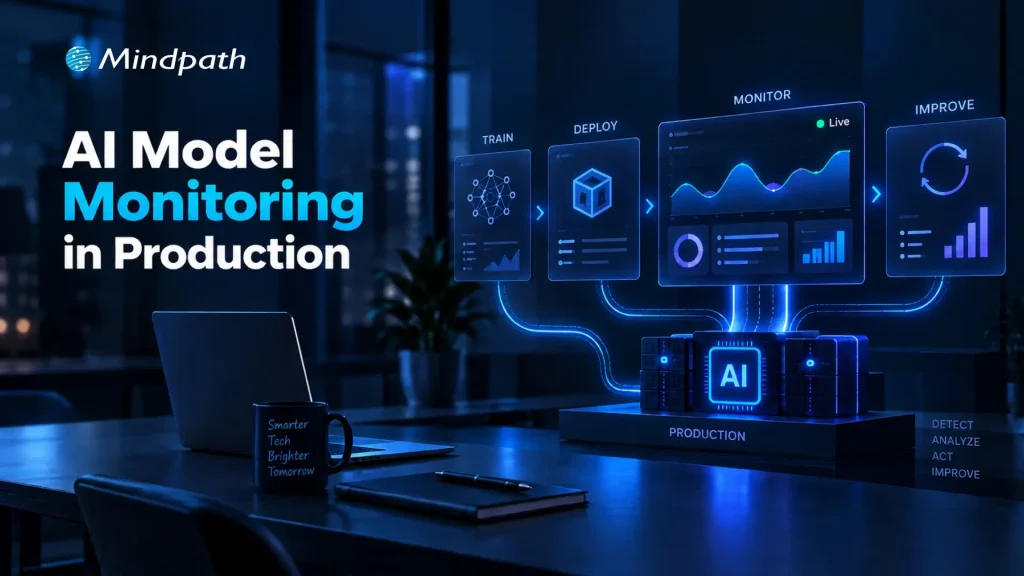
AI Model Monitoring in Production

What happens when a production model starts making weaker predictions despite passing every pre-deployment test? Changing data patterns, evolving user behavior, feature inconsistencies, and shifting business conditions can gradually affect performance. AI model monitoring gives engineering teams continuous visibility into these changes before they become costly production issues.

Key Takeaways

  • 01
    Continuous monitoring helps identify production issues before they affect business operations.
  • 02
    Clear baselines make meaningful changes in model behavior easier to detect.
  • 03
    Monitoring data quality and drift helps maintain consistent model performance.
  • 04
    Effective alerts connect detected issues with clear ownership and timely action.
  • 05
    AI monitoring should support retraining, rollback, validation, and long-term lifecycle decisions.

That visibility helps teams understand what changed, where performance is slipping, and when intervention is needed. By tracking model behavior alongside data quality, drift, operational signals, and real-world outcomes, teams can respond before small deviations become production failures. In this blog, we explore the best practices for building reliable monitoring into production AI systems.

Ready to build and operate reliable production AI systems? Mindpath offers AI Development Services to help businesses build scalable and production-ready AI solutions.

What is AI Model Monitoring?

AI model monitoring is the continuous process of observing a deployed model to understand how it performs in real-world conditions. It tracks changes in predictions, input data, output patterns, accuracy, latency, and other signals that can indicate emerging problems after deployment.

Unlike offline evaluation, which measures a model against a fixed test dataset, production monitoring observes how the model behaves as real data and usage patterns change. This ongoing visibility helps engineering teams identify performance issues, investigate their causes, and maintain dependable AI systems over time.

Why Does AI Model Monitoring Matter?

Effective monitoring gives teams the visibility needed to maintain model reliability while production conditions continue to evolve.

1. Detects Performance Changes

Identifies declining accuracy or unexpected prediction patterns early.

2. Reveals Data Issues

Highlights missing values, anomalies, schema changes, and unusual input distributions.

3. Identifies Model Drift

Shows when production data or model behavior moves away from established baselines.

4. Improves Operational Visibility

Tracks latency, failures, throughput, and resource usage alongside model metrics.

5. Supports Faster Response

Gives teams evidence needed to investigate, retrain, roll back, or review a model.

6. Connects AI to Outcomes

Helps teams understand how model behavior affects customer experiences and business processes.

Best Practices for AI Model Monitoring in Production

Reliable monitoring starts with the right signals, clear baselines, and defined actions. A practical approach to model performance monitoring helps teams spot changes early and maintain consistent production behavior.

1. Define the Right Production Metrics and Baselines

Effective monitoring starts with clear metrics and reliable baselines. Teams should track signals that reflect model quality, data health, operational performance, and business impact.

  • Model quality

Accuracy, precision, recall, F1 score, or task-specific metrics.

  • Data quality

Missing values, anomalies, schema changes, and distribution shifts.

  • Prediction behavior

Confidence scores, output patterns, and prediction frequency.

  • Operational health

Latency, throughput, errors, and resource usage.

  • Business impact

Conversion rates, customer outcomes, or process-specific KPIs.

Baselines provide a reference point for identifying meaningful changes without creating unnecessary alerts.

2. Monitor Data Quality and Model Drift

Production data can change quietly and affect model behavior over time. Monitoring input distributions, missing values, feature patterns, and prediction changes helps teams identify model drift before it affects critical workflows.

AI monitoring tools can automate these checks and flag unusual patterns against established baselines. Teams can then investigate the underlying data or model changes before deciding on actions such as retraining or rollback.

  • Data drift

Detects changes in production input distributions.

  • Concept drift

Identifies changes in the relationship between inputs and outcomes.

  • Performance decay

Flags declining model quality over time.

  • Feature anomalies

Highlights unexpected values or sudden distribution changes.

  • Drift alerts

Notifies teams when defined thresholds are exceeded.

3. Build Reliable Alerts and Response Workflows

AI model monitoring becomes useful when detected issues lead to clear action. Teams should define alert thresholds, severity levels, and ownership so production changes can be investigated without unnecessary delays.

A simple response workflow can include:

  • Detect

Identify unusual model or data behavior.

  • Alert

Route the issue to the responsible team.

  • Investigate

Check data, features, model versions, and recent changes.

  • Act

Retrain, roll back, adjust, or send cases for manual review.

  • Document

Record the issue, response, and outcome for future analysis.

Clear runbooks and ownership also reduce alert fatigue and keep production incidents manageable.

4. Extend Monitoring to AI Agents and LLM-Based Systems

AI agents and LLM applications require broader monitoring because their behavior depends on prompts, context, tools, and multi-step interactions. Teams need visibility across the entire execution flow, not only the underlying model.

Key signals include:

  • Response quality

Relevance, accuracy, and task completion.

  • Tool usage

Successful calls, failures, and unexpected actions.

  • Runtime behavior

Latency, token usage, and execution patterns.

  • Safety controls

Guardrail failures, policy violations, and risky outputs.

  • User feedback

Ratings, corrections, and recurring failure patterns.

Teams evaluating AI agent behavior can also consider dedicated AI agent testing practices to identify issues before they affect production users.

5. Connect Monitoring to the Model Lifecycle

Monitoring should feed directly into model lifecycle decisions. Production signals can show when a model needs investigation, validation, retraining, rollback, or eventual retirement.

A practical lifecycle looks like:

Monitor → Investigate → Validate → Retrain → Test → Deploy → Monitor

  • Retraining

Consider when performance declines consistently.

  • Validation

Test updated models against current production conditions.

  • Rollback

Restore a previous version when serious issues emerge.

  • Version tracking

Maintain visibility across deployed model versions.

  • Retirement

Remove models that no longer meet operational or business requirements.

A structured MLOps approach can help connect model deployment, monitoring, and lifecycle management.

6. Avoid Common AI Monitoring Mistakes

Even well-designed monitoring can become ineffective when teams track the wrong signals or lack clear response processes. Avoiding these common gaps keeps AI model monitoring focused and actionable.

  • Tracking too many metrics

Creates noise and alert fatigue.

  • Ignoring baselines

Makes meaningful changes harder to identify.

  • Overlooking model drift

Allows changing data patterns to affect predictions unnoticed.

  • Weak alerting

Delays investigation when critical thresholds are crossed.

  • Poor data lineage

Makes it difficult to trace the source of production issues.

  • Monitoring too late

Leaves gaps between deployment and reliable production oversight.

7. Choose AI Monitoring Tools That Fit Your Production Stack

The right tools should fit the model architecture, data environment, and operational workflow. Teams should prioritize capabilities that make monitoring easier to manage as deployments grow.

Look for:

  • Drift detection

Identify changes in data and model behavior.

  • Real-time monitoring

Track production signals as they occur.

  • Pipeline integration

Connect monitoring with existing ML workflows.

  • Alert management

Route critical issues to the right teams.

  • Model tracking

Maintain visibility across versions and deployments.

  • Scalability

Support cloud, on-premises, and hybrid environments.

How Can You Keep AI Models Reliable in Production?

AI model monitoring helps teams maintain reliable production systems as data, user behavior, and operating conditions change. By establishing meaningful metrics, detecting drift, creating clear response workflows, and connecting monitoring with the model lifecycle, teams can identify issues early and keep AI performance aligned with real-world requirements.

Mindpath AI development services help businesses build and operate production-ready AI systems with the right monitoring, data engineering, model lifecycle, and cloud capabilities. Our team can help establish practical monitoring frameworks that improve visibility, support faster response, and keep AI systems dependable as they scale.