Top GenAI Tools Driving the Future of AI Development

Join our Newsletter!

Featured Posts

Support Is One Click Away

Home

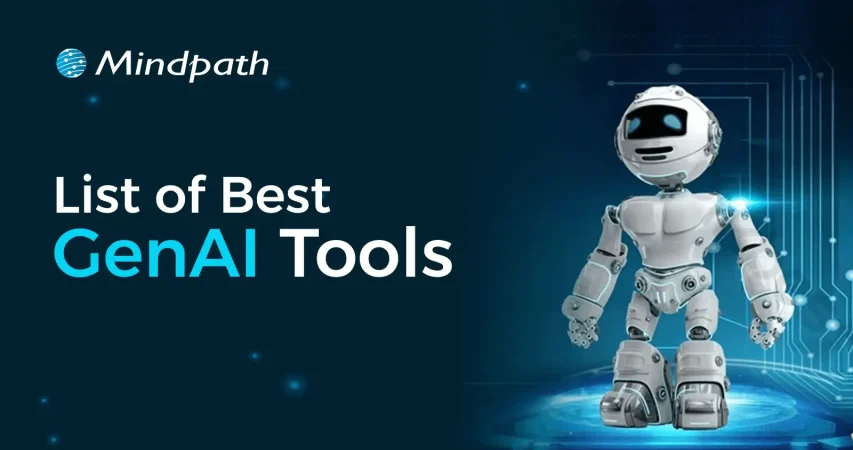
Top GenAI Tools Driving the Future of AI Development

top genAI tools

Top GenAI Tools Driving the Future of AI Development

If you’ve been paying attention to the tech world lately, you must have seen how the best GenAI tools are revolutionizing the way we can accomplish our jobs. Whether it is writing content in seconds or smartly developing sophisticated apps without heavy layers of coding, innumerable examples exist of how these tools are helping people do more with less effort. These AI tools are quickly becoming the new solution for developers, creators, and organizations who want to increase their speed and get better results.

The evolution of GenAI is transforming how industries approach work and innovation. Work that could take hours, and manual efforts are now being dramatically reduced to minutes through intelligent tools. Developers and organizations are employing GenAI tools in many everyday tasks. They provide efficiency, less effort, and improved outcomes. In this blog, we will showcase the most powerful GenAI tools carving the future of AI development. You’ll get a quick look at what they do and why they matter.

Looking to transform your ideas into intelligent, future-ready solutions with Generative AI? Our expert AI development services help you build scalable, smart systems that drive real business impact.

What is Generative AI?

Generative AI is an intelligent technology that creates new things using AI, like text, images, video, and even code. Generative AI can move beyond simply answering questions or completing simple tasks; it is able to generate something new. This allows businesses to operate more quickly and continually come up with new ideas.

Countless organizations are now taking advantage of generative AI to save time and operational efficiencies. Businesses apply it to write emails, design graphics, make advertisements as well as create chatbots. By leveraging generative AI, businesses can reduce manual labor, have fewer errors, and provide customers with their services in a more personalized and timely manner.

Here are some advantages of generative AI for businesses:

  • Creativity and Innovation – Generative AI allows businesses to develop more ideas and make new content.
  • Productivity – It saves time by taking responsibility for boring, menial tasks.
  • Efficiency – It allows work to be completed more quickly and with fewer errors.
  • Personalized Customer Experience – Business can create more personalized and relevant content for the customer.
  • Product Development – It can develop new products faster through automated coding, idea generation, and design enhancements.
  • Support Service/AI chatbots – It supports customer service chatbots that are capable of answering customer questions.
  • Better Decision-making – It provides some basic recommendations to businesses using data so they can make better decisions.
  • Reduction in Costs – It results in cost savings through automation of tasks and improved operations.

Curious about where Generative AI is headed next? Explore the top Generative AI Trends for 2025 and stay ahead of the innovation curve.

Best Generative AI Tools Driving the Future

Generative AI tools are making a big impact by helping businesses create content, improve services, and speed up their workflows. These tools are easy to use and offer smart solutions for many daily tasks. Below is a generative AI tools list that showcases the top tools shaping the future of work and technology.

1. Gemini 

Gemini is one of the best AI tools for students who need help with research, writing, and learning new topics. It works like a smart assistant that gives clear answers, supports multiple languages, and connects well with Google’s tools. It’s great for organizing ideas and understanding complex information more easily.

2. ChatGPT

ChatGPT is a helpful AI tool for writing, support, and idea generation. It can answer questions, create content, and help you think through new ideas. Whether you’re stuck on a project or need help with writing, it’s like having a smart assistant that’s ready to guide you anytime.

3. Cohere

Cohere is one of the useful generative AI tools for developers who want to build smart apps with language features. It helps create text for chatbots, search tools, and marketing content. Developers can use its API to train custom models and add natural language understanding to different types of projects.

4. GitHub Copilot

This tool is a great example of generative AI for coding, helping developers write code faster with real-time suggestions. It works smoothly with popular editors like Visual Studio Code and supports many languages. It also learns your coding style to give more personalized tips, making your development process easier and quicker.

5. AlphaCode

AlphaCode is a helpful generative AI coding tool that supports developers with tasks like writing code, fixing bugs, and learning new programming languages. It can save time by handling repetitive work and giving smart suggestions. It also helps improve code quality and makes team coding easier with shared ideas and solutions.

6. Microsoft Copilot

Microsoft Copilot is a smart assistant that helps with both coding and office work. It gives helpful code suggestions, writes documentation, and works well with tools like Visual Studio and Microsoft 365. It’s a great support tool for developers and teams who want to work faster and more efficiently.

7. Canva AI

Canva AI makes graphic design simple and fast, even if you’re not a designer. With its easy drag-and-drop setup and ready-made templates, you can create eye-catching visuals in minutes. It also gives smart design suggestions and helps keep your brand style consistent across all your projects.

8. DALL-E 2

This is one of the most creative generative AI applications, turning simple text into detailed images. You just describe what you want, and it creates visuals in different styles. It’s great for bringing ideas to life, whether you’re designing something new or showing a concept in a fun, visual way.

9. Microsoft Power Apps

This tool makes building apps easier by letting you use simple chat-like prompts instead of writing a lot of code. It helps create database layouts and app designs quickly. It’s great for teams working together and speeds up the whole process, though it works best within the Microsoft environment.

10. Turing’s CodeGen Copilot

This tool is one of the useful generative AI tools for programmers who want to save time and avoid repeating the same coding tasks. It fits well with tools like GitHub and Jira, making the workflow smoother. It helps boost productivity and lets developers focus more on creative and important work.

To explore how Generative AI is reshaping mobile and web experiences, check out our in-depth article on the Role of Generative AI in App Development. It dives into real-world applications and how this technology accelerates innovation in app design and functionality.

Want to Boost Your Workflows with the Best GenAI Tools?

GenAI tools are changing how we work, learn, and innovate. From faster coding to better customer service and content creation, these tools help users do more in less time. They are now essential for staying efficient, creative, and competitive in today’s fast-moving digital world.

Mindpath offers GenAI powered solutions to help businesses automate tasks, build smarter apps, and improve customer experience. Our expert team delivers AI tools that fit your goals, helping you reduce time, cut costs, and grow faster. Let us help you transform your business with our world-class, customised AI development services.


Frequently Asked Questions

1. How can businesses choose the right generative AI tools for their needs?

Choosing the right generative AI tools depends on business goals, tasks, and team requirements. Some tools focus on content creation, while others support coding or design. Evaluating ease of use, integration options, and scalability helps businesses select tools that deliver the best value.

2. Are generative AI tools easy to use for non-technical users?

Many generative AI tools are designed with simple interfaces that allow non-technical users to get started easily. Features like drag-and-drop design, natural language prompts, and guided workflows make it possible to use these tools without deep technical knowledge.

3. Can generative AI tools replace traditional software completely?

Generative AI tools are powerful, but they do not fully replace traditional software. Instead, they enhance existing tools by adding automation and intelligence. Businesses still rely on standard systems, while AI tools help improve speed, creativity, and overall efficiency.

4. How do generative AI tools improve productivity in daily tasks?

Generative AI tools help automate repetitive work like writing, designing, and coding. This reduces manual effort and allows teams to complete tasks faster. By handling routine activities, these tools free up time for more strategic and creative work.

5. What are the key challenges when using generative AI tools in business?

While generative AI tools offer many benefits, challenges include data privacy concerns, accuracy issues, and dependency on quality input. Businesses need proper guidelines and monitoring to ensure reliable outputs and responsible use while getting the most out of these tools.

Related Post

How much does hiring a ReactJS developer cost? Learn about factors affecting rates, and how to find the best talent within your budget.
Discover the ultimate guide to hiring Node.js developers in London. Learn about the skills, benefits, and cost factors involved in finding the right talent for your project.

Related Post

Node.js Developers in Canada

Are you looking for a skilled Node.js developer in Canada to bring your project to life? Do you need a reliable expert who can build fast, scalable, and high-performing applications? Finding the right developer can be challenging, but with the right approach, you can hire a top Node.js professional who fits your needs perfectly.  

Hiring a skilled Node.js developer in Canada is essential for businesses looking to build fast, scalable, and efficient applications. With its non-blocking architecture and real-time capabilities, Node.js is a powerful choice for web and software development. Whether you’re developing a dynamic website, an API-driven platform, or a complex enterprise solution, finding the right developer ensures seamless performance and long-term success. Understanding the key factors in hiring a Node.js expert will help you make an informed decision and achieve the best results for your project. 

Let’s explore how you can make the best choice! 

Steps to Hire Node.js Developers in Canada

1. Define Your Project Requirements

To hire the right Node.js developer, you must first define your project’s technical and business needs. Outline the core functionalities, expected performance, and scalability requirements of your application. Identify the frameworks and tools you want to use, such as Express.js, Nest.js, or MongoDB, and specify whether the role requires front-end expertise alongside back-end development. Additionally, determine the level of experience required—junior developers handle basic tasks, mid-level developers work on feature-rich applications, while senior developers manage architecture and complex integrations. Having a well-documented project scope ensures that candidates understand your expectations from the start. A detailed job description outlining skills, responsibilities, and project goals will help attract the right talent. Without clarity, the hiring process can become inefficient, leading to mismatches in skills and expectations. A structured approach helps filter candidates early and ensures that only those with relevant expertise apply.

2. Source Qualified Candidates

Finding skilled Node.js developers in Canada requires using multiple recruitment channels. Start by posting job listings on platforms like LinkedIn, Indeed, and Glassdoor, which are popular among Canadian job seekers. Consider using tech-specific job boards such as Stack Overflow Jobs or GitHub Jobs to target professionals with strong development experience. Additionally, networking within Canada’s growing tech community can help you connect with skilled developers—attend industry conferences, local meetups, and online forums to discover potential candidates. If you prefer a more streamlined approach, working with tech recruitment agencies can save time by providing pre-screened candidates. Another option is hiring freelancers through platforms like Toptal or Upwork but ensure that remote hiring aligns with your business needs and legal considerations. A strong sourcing strategy increases the likelihood of finding a developer who meets both your technical and cultural requirements, ensuring a smoother hiring process. 

3. Conduct Technical Screening

After gathering applications, the next step is to assess candidates based on their technical skills and experience. Start with a resume review, focusing on past projects, relevant experience, and familiarity with the required Node.js frameworks. Candidates should demonstrate hands-on experience in building scalable applications, working with APIs, and optimizing back-end performance. To ensure technical proficiency, conduct coding assessments through platforms like HackerRank or Codility. These tests evaluate problem-solving abilities, efficiency in writing clean code, and understanding of Node.js fundamentals. Additionally, assess candidates’ experience with database management, security best practices, and cloud-based deployments. An effective screening process filters out underqualified applicants early, allowing only the most capable developers to move forward. By implementing structured assessments, you can streamline hiring and ensure that your chosen developer has the technical expertise necessary to contribute effectively to your project. 

4. Assess Technical and Problem-Solving Skills

Once candidates pass the initial screening, conduct in-depth technical interviews to evaluate their problem-solving abilities. Ask questions about key Node.js concepts such as asynchronous programming, event-driven architecture, API development, and database management. Provide real-world scenarios related to your project and assess how they would approach challenges. A practical coding exercise or take-home assignment can help evaluate their thought process and coding efficiency. In addition to technical expertise, consider their ability to design scalable solutions and optimize application performance. Discuss their experience with DevOps practices, cloud computing, and microservices architecture if relevant to your project. Soft skills are equally important—effective communication, adaptability, and teamwork play a significant role in long-term success. The goal is to hire a developer who not only writes efficient code but also collaborates well with your team and adapts to evolving project needs. 

5. Make the Right Hiring Decision

After evaluating technical skills, problem-solving abilities, and soft skills, the final step is making an informed hiring decision. Compare candidates based on performance in technical interviews, problem-solving assessments, and cultural fit. Strong communication and teamwork are crucial, as developers often collaborate with designers, project managers, and other team members. Additionally, check references to validate past work experience and reliability. When making an offer, consider industry-standard salaries in Canada and ensure compliance with local labor laws. Offering a competitive package, including professional development opportunities and flexible work arrangements, can help attract top talent. If hiring full-time isn’t feasible, explore freelance or contract-based options. A well-structured hiring process ensures you bring in a skilled Node.js developer who aligns with your technical needs and business goals, setting your project up for long-term success. 

Looking to hire top Node.js developers in Canada? At Mindpath, we provide skilled developers who specialize in building high-performance, scalable applications tailored to your business needs. Whether you need full-time developers or project-based support, our experts ensure seamless development with industry-leading technologies. 

Let’s bring your vision to life! Contact Mindpath today to hire the best Node.js talent for your next project. 

Read our next blog: Factors to Consider While Hiring NodeJS Developers in Canada 


Hire skilled Node.js developers in Canada with our step-by-step guide. Learn how to source, screen, and hire top talent for your project.
AGI vs ASI 

AI is advancing quickly, and the installation of the debate around AGI vs. ASI is picking up steam in tech circles. These phrases might seem similar but have very different meanings for the technology and the future. While we discuss this landscape, it is good to think about how this evolution will affect industries, decision-making, and everyday life. The difference between intelligent systems and possibly superintelligent systems is interesting, as there are many factors and questions that will stimulate conversation among the expert community.

To comprehend the differences between AGI and ASI, it is necessary to examine their features and possible influence. AGI will try and mimic human-like building understanding across tasks, and ASI expands into areas beyond ourselves, with conjectures that we may not be able to comprehend. By tracking the advancement of these systems, we may be able to better prepare ourselves for potential opportunities and challenges. In this blog, we will explore AGI vs. ASI in greater detail and what separates them.

Want to implement this rise of AGI and ASI into your business operations? At Mindpath, our AI Development Services empower you to integrate this next-generation intelligence into real-world applications today.

What is AGI AI?

AGI stands for artificial general intelligence. The goal of AGI artificial intelligence is to develop systems that are able to think and learn like a human being. As it stands, current artificial intelligence only operates within a defined boundary, while AGI will have the ability to undertake new tasks or challenges that have not been specifically programmed. AGI research needs to increase intelligence beyond narrow application and focus on understanding, reasoning, and problem solving over a wide variety of situations.

Regarding AGI vs. ASI, AGI describes the point in time at which a machine has human-like cognitive properties. It can learn on its own, improve its own skills, and perform tasks that were never taught to perform specifically. This level of advanced intelligence is the step researchers see as important toward more advanced systems. AGI also helps understand what the future of intelligence will look like within the technical framework.

Want to know which AI breakthroughs are driving the gap between AGI and ASI? Explore the most recent developments in generative AI trends and their impact on advanced intelligence.

Key Benefits of AGI Artificial Intelligence in Business

Artificial general intelligence is changing the way enterprises deal with problems and prospect the future. Its ability to learn and adjust like a human being is paving the way for the options that change the companies’ concept of getting bigger and ‍‌innovating.

1. Better Decisions

AGI studies large amounts of data to identify patterns and trends that generate wiser decisions. It also offers predictive analytics, which enables businesses to plan in terms of strategy, demonstrating one of the differences between AGI vs. ASI capabilities.

2. Boosted Innovation

AGI also allows for new products, services, and business models that never existed before. It can also spark the creative process for businesses to remain competitive.

3. Enhanced Customer Care

AGI tailors their interaction based on anticipated customers’ behavior and preferences. AGI is also able to offer customer care in real time, which leads to improved retention and satisfaction.

4. Increased Efficiency

AGI is capable of taking over monotonous tasks, granting employees more time for strategic activities. It facilitates workflows and improves productivity overall.

5. Reduced Costs

AGI streamlines processes and lowers required labor, minimizing operational costs. It performs tasks correctly, thus decreasing errors that lead to wasteful expenditures.

Struggling to implement AI effectively despite understanding the differences between AGI and ASI? Discover practical insights on overcoming these challenges of AI adoption.

What is ASI AI?

ASI stands for artificial superintelligence. ASI artificial intelligence signifies a phase in which machines excel human intellect in all areas. ASI doesn’t simply copy human-like thinking, as is the case with AGI, but ASI can process complex abstractions and resolve problems beyond a human level of operations. The ability to reason, learn, and adapt will happen much faster than any human could.

In the conversation of AGI vs. ASI, ASI is unique and purely hypothetical in that people are generally not aware of it yet, but it could very well usher in a mega-change. It proposes an ideal of self-aware systems that understand and interpret behavior in ways that humans cannot. Researchers are working on ASI to prepare for what technology, society, and decision-making look like in the future when intelligence is not limited to humans.

Key Benefits of ASI Artificial Intelligence in Business

ASI AI stands for a new tier of intelligence, one that reveals the outer limits of what machines might be able to accomplish. Its capability is changing how enterprises reflect on technology, strategy, and the future.

1. Advanced Problem-Solving

ASI has the ability to analyze a massive quantity of data at extraordinary levels of speed to solve problems that are impossible for humans. Companies interested in AGI vs. ASI can leverage this ability to develop new opportunities and discover new markets.

2. Hyper-Personalized Service

ASI can analyze customer data in order to gain insights into their individual preferences and behaviors and offer highly personalized experiences. ASI can offer personalized marketing, recommendations, and customer service that predict customer needs before they express them.

Must Read: Generative AI for Business

3. Predictive Insights

ASI is capable of making market predictions, predictions about consumer behavior, and disruptions with a high degree of accuracy. By having this ability, organizations can make better decisions and reduce risk.

4. Operational Efficiency

ASI can oversee complex processes and streamline industries with almost no human supervision. It can improve workflows, minimize inefficiencies, and reduce operating costs significantly.

5. Enhanced Cybersecurity

ASI can identify and mitigate cyber threats in real-time, keeping ahead of possible attacks. It enhances security for critical infrastructures and proprietary business information.

Wondering how AGI and ASI compare to other stages in the AI evolution journey? Discover the various types of Artificial Intelligence and how they shape modern innovation.

ASI vs. AGI: A Comparison Table

The table below highlights the key differences between ASI and AGI, showing how their capabilities and potential impacts vary.

Feature AGI ASI
Intelligence Level Human-level cognitive abilities across tasks. Surpasses human intelligence in all domains.
Learning Ability Learns and adapts like humans across multiple areas. Learns exponentially and self-improves beyond human understanding.
Problem-Solving Can handle complex tasks humans can manage. Solves problems beyond human capacity, including abstract and novel challenges.
Existence Currently under research, possible in the future. Hypothetical, not yet achieved.
Decision-Making Makes informed, human-like decisions. Makes near-perfect predictions and strategic choices using vast data.
Impact Supports humans, automates tasks, and improves productivity. Can transform industries, create technologies, and potentially surpass human control.
Examples Personal assistants, research AI. Hypothetical global optimization or fully autonomous research systems.

Are You Ready to Unlock the Future of AI?

Artificial intelligence is evolving rapidly, and understanding AGI vs ASI helps businesses prepare for future opportunities and challenges. Both systems offer unique capabilities, from human-like decision-making to superintelligent problem-solving. Staying informed allows organizations to leverage these technologies responsibly and strategically, ensuring they remain competitive and innovative as AI continues to reshape industries and daily operations.

At Mindpath, we offer expert AI development services to help businesses implement advanced AGI and ASI solutions. Our team builds scalable, intelligent systems tailored to your goals, from automating workflows to creating predictive and personalized experiences. Partnering with Mindpath ensures your organization can stay ahead in innovation, efficiency, and growth while navigating the evolving AI landscape with confidence.

website design company

Your website is the foundation of your online growth strategy, brand identity, and user experience. Whether you want to launch a new website, upgrade, or rebrand your digital presence, hiring the best website design company is a vital decision. A small mistake in this, and you would end up with a site that is unappealing, slow, and poorly optimized. 

However, with hundreds of web development agencies promising fast turnarounds and impressive designs, how do you pick the right web design company? Well, it lies in asking the right questions when hiring. 

This detailed guide breaks down the top 10 questions that you need to ask a website development company before making your final decision. Let’s get started with this. 

Want to build a high-performing website that defines uniqueness and provides you competitive advantage? Mindpath’s web development services will bring your ideas to life.

Why Choosing the Right Web Designer Partner Matters?

Selecting a professional website designer is an important decision that directly influences your business’s digital success. The right agency will be your strategic partner, helping you create a platform that can effectively drive conversions, growth, and engagement. Looking for more reasons to partner with a reliable website development company? Check the points below. 

1. SEO Optimization

Professional agencies deploy the best SEO practices into design and development, making your site attract more organic traffic and rank higher. 

2. User Experience

A certified website design company crafts intuitive navigation, responsive layouts, and fast-loading web pages to keep visitors engaged. 

3. Flexibility and Scalability

The right digital partner will offer solutions by keeping the future growth in mind. For this, they will ensure smooth integration, timely performance enhancement, and easy updates. 

4. Accessible Web Design

These experts create inclusive design and follow the POUR or Perceivable, Operable, Understandable, and Robust guidelines. That means your site will remain accessible to all audiences, including users with disabilities. 

5. Performance and Security

Professional web designers use secure coding practices. Besides, they optimize the code for speed, lowering bounce rates. It would not be wrong to say that investing in the top website design company can help you set a robust foundation for your current and future digital success. 

Want to see how AI can change the game for building and maintaining websites? Check out our post on AI in web development to learn how AI can make your site smarter, faster, and more efficient.

10 Questions to Ask a Website Design Company

Hiring a web design company is a process of choosing a strategic partner who can understand your business, long-term goals, and audience. Here are 10 questions you should ask before hiring these experts to avoid any costly mistakes in the future.

1. Do You Have Experience with My Business Type or Industry?

Remember that not all web design agencies are the same. While some specialize in service-based businesses, others are in e-commerce. By understanding an agency’s industry experience, you can decide whether they can create a site for your audience. 

Why It Matters:

  • You don’t have to spend hours explaining your business model.
  • Familiarity with necessary compliance is important.
  • Industry-specific expertise can result in a better understanding of UI/UX design trends and decisions. 

2. Do You Use Templates or Create Custom Designs? 

This question helps you analyze the agency’s design capabilities. Templates are cost-effective, but custom designs are great for uniqueness, scalability, and flexibility. Other benefits you will enjoy are: 

  • Accurate reflection of your brand identity 
  • smooth integrations and long-term growth
  •  Robust security features

3. What Are Your Strategies to Make a Site Mobile Responsive? 

Your website should look and function perfectly across desktops, tablets, smartphones, and web browsers. Ensure that their strategies include the following points: 

  • Creation of clear menus
  • Testing across various screen sizes and devices 
  • Checking compatibility with Edge, Chrome, Safari, etc.
  • Use of plugins for image optimization

4. What CMS Do You Always Recommend and Why?

The CMS, or Content Management System, decides how smoothly you can manage content, update the site, and scale. Some widely used platforms are Drupal, WordPress, Shopify, Webflow, and Joomla. With a robust CMS, you will enjoy benefits like: 

  • Solid security
  • Plugin compatibility
  • Ease of use 
  • Better SEO
  • Hassle-free integration with third-party systems

5. What is Your SEO Implementation Strategy in the Design Process?

Even though you have a great site, it will be useful if it is not ranking. An expert should implement the right SEO techniques during the design process. This may include site architecture, on-page optimization, and technical SEO. Things that you need to consider are: 

  • Core Web Vitals and mobile optimization
  • Faster loading and clearer code
  • Keyword-friendly metadata and URLs
  • Schema markup  

Ask them whether they provide a detailed SEO audit after the launch.

Must Read: WordPress vs Drupal

6. What type of Quality Assurance and Testing Method Do You Use?

Before the final launch, it is crucial to carry out rigorous testing of your site to detect bugs, layout issues, bottlenecks, and broken links. Only a trustworthy website design company will follow a structured QA process. Look at their checklist and ensure that it covers: 

  • Performance and load testing 
  • Functional testing of elements like navigation, forms, buttons, etc. 
  • Security audits 
  • Accessibility check following WCAG guidelines 

To know more, you can ask for a sample report of their previous projects.

7. Why Should I Select You Over Other Agencies?

This is a crucial question that can help you understand what sets a website design company apart. A transparent and confident agency will never fail to explain the reasons clearly. A reliable agency will highlight factors like: 

  • Their past results and expertise
  • Commitment to customer satisfaction and quality
  • Their approach aligns with your unique business goals
  • Process transparency

If they are not clear and confident while answering this question, you should look for another web design and development service provider agency.

8. What Ongoing and Website Maintenance Solutions Do You Offer?

Your website is a living asset. To keep running smoothly, they need backups, bug fixes, performance monitoring, and regular updates. So, while hiring an expert, clarify what type of support they offer and what will be billed separately. Some common support options to consider are: 

  • Plugin management
  • CMS update
  • Uptime monitoring and security patches
  • Monthly maintenance packages 
  • Performance reports 

Ask the agency about Service Level Agreements and evaluate their response times for support queries.

9. How Will You Communicate About the Project Progress?

We all know that clear communication is key to successful collaboration. So, while hiring web developers and designers, ask about the tools they use to communicate, their project management style, and the frequency of updates. Some important things to clarify are: 

  • Communication channels they use, i.e., Slack, Asana, Trello, email, etc. 
  • Point of contact (developer, designer, or project manager) 
  • Feedback and optimization protocols
  • Milestone reviews or weekly updates 

Apart from this, you should also understand how they handle unexpected delays and scope changes.

10. What Is Your Pricing Method, and What Is Covered?

Transparency in pricing can help prevent surprises in the future. So, clearly understand what is included in the service quote and what may lead to extra charges. In general, pricing models can include: 

  • Hourly billing
  • Fixed project charge
  • Monthly packages 
  • Cost of logo design, content creation, custom fonts, and custom graphics 
  • Hosting fees and domain registration

Always ask for a comprehensive quote and proposal with clear timelines, payment terms, and deliverables. 

Looking for a website that truly reflects your brand and scales with your growth? Check out our blog on the benefits of custom website development services to discover why custom development pays off in the long run.

Common Red Flags to Consider

As mentioned above, selecting the web design and development agency is a strategic decision. While asking questions, it is also crucial to understand the warning signs that may lead to issues. So, watch out for these five red flags while hiring an agency. 

1. Evasive or Vague Response

If a firm struggles to explain their web design process, gives generic answers, and doesn’t share their past work, stay away from the firm. It clearly shows a lack of transparency and experience. 

2. Overpromising

Be careful with the agencies that guarantee higher rankings, unrealistic timelines, and instant conversions without any analytics and case studies to support their claims. 

3. No Clear Timeline

A reliable website design company should clearly outline deliverables, milestones, as well as review cycles. A lack of a structured plan can lead to scope creep and delays. 

4. Not Focusing on Mobile Optimization and Accessibility

Well, these are non-negotiables when it comes to making your digital asset successful. If these are not present on your site, it may fall short on compliance reach and performance. 

5. Selection of Wrong CMC Platform

A bad agency may use a low-quality CMS, as it will be easier for them to create a beautiful website. But it would lack the features your business needs. 

Always opt for a web development company that is transparent, listens to your needs, and is committed to your long-term success. 

Want to build a complete website without coordinating with multiple developers? Explore our post on full-stack development for web projects to discover how a full-stack approach simplifies your workflow and accelerates delivery.

Make the Right Choice for a Successful Digital Future

Partnering with the right website design company sets the foundation your business needs to achieve the desired online success. By asking these questions and understanding red flags, you can make an informed decision. Remember that only the right agency can align with your business goals and develop a website that will not only look great, but also scale, perform, and convert. 

Choosing Mindpath as your website design and development partner can help you stay ahead in this competitive market. We always go beyond surface-level web design. Our experienced team combines the latest SEO strategies, an accessibility-first approach, as well as platform-specific optimization to offer websites that are high-performing and inclusive. Let Mindpath assist you with your next web development project and witness remarkable results.