Home

Essential ReactJS Developer Skills for Successful Web Projects

Essential ReactJS Developer Skills for Successful Web Projects

Join our Newsletter!

reactjs developer skills

The advantages of ReactJS have made every business owner think about its utility in developing web projects. It is the most powerful and commonly used JavaScript library for creating intuitive interfaces. If you want React developers in your team, then you must know the ReactJS developer skills that you should look for in candidates.

The declarative approach and component-based architecture of ReactJS have revolutionized front-end development completely. Knowing what skills to look for saves time and hiring costs. The right developer brings structure, speed, and scalability to your project. In this article, we break down the core ReactJS developer skills every successful web project depends on.

Want to hire ReactJS developers for your next web project? Explore more on Mindpath’s React JS development services to get expertise in developing a web application aligned with your business goals.

Discovering the Skillset of Expert ReactJS Developers

The general assumption about the skillset of ReactJS developers is that they know how to work with React. However, fluency in React itself is not the only addition in the React skill set for any developer. React developers must have a broader skillset beyond the library to craft impactful web projects. The following skills can help business owners identify the best React developers for their next web project.

1. HTML and CSS

The foremost addition in a list of ReactJS skills is the combination of HTML and CSS, which play a crucial role in organizing the styling of the web experience. React developers must know the concepts of semantic HTML and how to use the right HTML tags for better SEO and accessibility. ReactJS developers should have an in-depth understanding of the fundamentals of CSS, such as selectors, CSS Grid, responsive design principles, and the box model.

Apart from CSS fundamentals, the essential React skills for developers also include knowledge of CSS preprocessors and frameworks. Developers can use the pre-processors to streamline styling workflows and improve ease of maintenance in larger projects.

2. JavaScript ES6

JavaScript ES6 or ECMAScript 2015 brought many interesting features to the domain of modern web development. When you hire React developer for the next web project, you should check their level of fluency in JavaScript ES6. The distinctive features of JavaScript ES6, such as arrow functions, template literals, and ES6 classes, make React web development more efficient. For instance, arrow functions can ensure simpler syntax for functions and intuitive management of the context.

ReactJS developers must know how to leverage ES6 classes for a more structured use of JavaScript along the lines of component-based architecture. Developers can also use features like template literals to embed expressions in strings, thereby creating cleaner code.

3. Event Handling and DOM Manipulation

The virtual DOM in React is one of its distinctive features. All the listings for React JS developer jobs showcase the necessity of learning about DOM manipulation. At the same time, you must know that direct DOM manipulation is not required in React. On the other hand, developers must know the process through which the browser renders and interacts with the Document Object Model. DOM manipulation is required in scenarios where you want to build interactive and dynamic user interfaces.

Another crucial addition among skills required for ReactJS developer is event handling. It focuses on responding to different user events through event listeners and callback functions. Therefore, React developers must know the fundamentals of event delegation, capturing, and bubbling.

4. Git

You cannot think about hiring React developers who don’t know how to work with Git, the most popular version control system. Git helps in promoting team collaboration and source code revision management to ensure efficiency in the development lifecycle. ReactJS developers must know the fundamental concepts, such as commits, repositories, branches and merges. On top of it, developers must also know how to work with branching strategies, hosting platforms of Git and conflict management.

Git is a promising tool for frontend development with React as it provides the ideal foundation for collaborative development. Developers who know how to work with platforms like GitLab and GitHub can ensure better efficiency in team collaboration, project management and code reviews.

5. Redux

The list of technical skills you should search in the profiles of ReactJS developers also includes Redux. It is a specialized library used for state management in larger and more complex React applications. The cost of hiring ReactJS developers is justified when you notice how fluency in Redux can offer credible benefits to your web projects. The most promising features of Redux include centralized state management, application scalability and predictable state updates.

Redux works with a single storage for all states of an application, thereby ensuring consistency in management of state transition. Efficient state management also serves as a catalyst for easier scalability and managing increasing complexity without vulnerability to bugs. Centralized state management with Redux also ensures predictability in the behavior of your web applications, thereby facilitating easier maintenance and debugging.

6. JavaScript XML or JSX

Every ReactJS developer must know how to work with JavaScript XML or JSX. It is also one of the notable additions among react developer must-have skills as it serves a critical role in ensuring simpler development and management of UI components. JSX helps developers write HTML-like structures in JavaScript, offering a seamless blend of markup and JavaScript logic. JSX also provides an easier solution for creating and managing the user interface components of their web applications.

The other notable applications of JSX include data and logic integration. JSX can help in injecting data and logic directly into the UI, thereby ensuring dynamic content rendering, required for modern web applications. On top of it, the declarative nature of JSX ensures that the code is easily readable and accessible for debugging.

7. React Hooks

Professional ReactJS developers must also have strong command on React Hooks, a revolutionary feature for state management. Hooks have introduced new perspectives on managing React features in functional components. It is one of the essential ReactJS developer job skills and aspiring developers must know about the important hooks they must learn to create web applications.

The notable React Hooks that a developer must know include ‘useState’, ‘useEffect’, ‘useRef’ and ‘useContext’. Each hook serves a distinct function such as providing direct access to DOM elements or managing component-specific state. On top of it, ReactJS developers must know how to create reusable logic through custom hooks.

8. Testing, Debugging and Performance Optimization

The most important skill that you can find in expert React developers is testing and debugging skills. You can find answers to “why hire React developers?” in their skillsets that focus on comprehensive testing to create robust apps. The notable testing methods include unit testing, that involves testing the individual components independently or integration testing. React developers must also know how to work with debugging tools and browser developer tools to inspect the code.

Apart from testing and debugging, React developers must also know the best practices for performance optimization. Skilled ReactJS developers can use different techniques such as virtualization, code splitting and bundle size optimization to craft responsive applications.

Want to improve your application’s speed without increasing development time or infrastructure costs? Discover how optimizing React performance benefits business owners looking for efficiency and ROI.

Mandatory Soft Skills

Most of the discussions about skills of ReactJS developers focus only on the technical skills. Choosing a React JS development service for capitalizing on the expertise of skilled developers also requires attention to soft skills. You need developers who have the capabilities for critical thinking and problem-solving with efficient solutions. React developers must have skills for clear and concise communication that empowers them to work in collaboration with other teams.

React developers should also have attention to detail for crafting intuitive user experiences and writing code without bugs. Most important of all, ReactJS developers should strive to learn continuously and improve their skills to stay updated with emerging technologies and recent ReactJS trends.

Are You Hiring the Right ReactJS Developer for Your Project?

Choosing the wrong developer costs more than just time. The right ReactJS skills decide whether your web project scales or struggles long term. Businesses that hire with clarity build faster, iterate smarter, and deliver better user experiences consistently. Knowing exactly what to look for puts you ahead from day one.

The thought of hiring a developer from a reputed ReactJS development company might seem like a challenge. Interestingly, you can find the best ReactJS developers at Mindpath for your next web project; they help you build modern web solutions. The notable technical skills of React developers include knowledge of HTML and CSS, JSX, JavaScript ES6, React Hooks and direct DOM manipulation. On top of it, ReactJS developers must also have soft skills such as communication, adaptability, critical thinking and problem-solving. Learn how to pick the best ReactJS developers for your web projects now.

Frequently Asked Questions

1. How many years of experience should a ReactJS developer have before hiring?

Experience years alone do not define a good ReactJS developer. A developer with two years of focused React JS developer skills and strong project exposure often outperforms someone with five years of scattered experience. Always prioritize skill depth over tenure.

2. What is the difference between a ReactJS developer and a full-stack developer?

A ReactJS developer specializes in building front-end interfaces using the React library. A full-stack developer handles both front-end and back-end development. For projects that demand high-quality UI performance and speed, hiring a dedicated React specialist usually delivers better and more focused results.

3. How do ReactJS developer skills impact the overall cost of a web project?

Developers with stronger ReactJS developer skills write cleaner, more efficient code from the start. This reduces bug fixes, rework, and long-term maintenance costs significantly. Investing in skilled developers upfront is always cheaper than correcting poor development decisions midway through a project.

4. Is ReactJS still relevant for web development in 2026?

ReactJS remains one of the most widely used and actively maintained JavaScript libraries in 2026. Its component-based architecture, strong community support, and compatibility with modern tools keep it highly relevant. Businesses building scalable, fast, and interactive web applications still rely on React heavily.

5. Can a ReactJS developer work on mobile app projects as well?

Yes, ReactJS developers can transition into mobile development using React Native, which shares similar principles. However, mobile and web development require different performance considerations and design approaches. Businesses should clarify project scope upfront to ensure the developer has the right experience for both platforms.


Looking for Skilled ReactJS Developers?

Find the right technical expertise to build reliable, high-performing applications.

Frequently Asked Questions

Support Is One Click Away

Featured Posts

Related Post

custom software development process

Whenever you are creating a tailored solution for your business, it is very important to clearly understand how the development process will be structured. The custom software development process clearly guides you in turning your ideas into a usable working solution. Every step matters – from understanding the requirements, conceptualizing the software, determining the specifications, and creating software that supports your goals. You will get to know what is to come, how teams will work together, and what to expect at every step as your project moves forward in purpose and clarity.

A thorough comprehension of how this process works gives you a better sense of clarity and confidence as you engage with the project. You will be able to understand each phase clearly and watch your vision come together step by step. Upon having this understanding, it is very easy and clear to collaborate with your development team. In this blog, you’ll go through the whole process and will understand how the custom software will come to life, step by step.

At Mindpath, we offer custom software development services to turn your vision into reality by guiding you through every step. Contact us today for a solution that turns your ideas into real-world project.

Importance of Custom Software Development for Businesses

Custom software development is valuable because it provides businesses with tools made solely for them. Unlike off-the-shelf software, custom software solutions fit unique business requirements and methods. This leads to improved performance, increased efficiencies, and better results. It also minimizes unnecessary rework, saving time and money, and allowing companies to be more efficient overall.

Custom software is scalable with your business. You will be able to add features or alter functionality based on your requirements. This adjustable system uniquely supports a company’s long-term goals and puts you ahead of your competitors. Custom software solutions offer a better experience for both the user and employees, which supports increased productivity and satisfaction.

Understanding the Custom Software Development Process

It is essential to know about the process to be followed prior to starting a software project. By getting familiar with the software development process steps, you can be an active participant and an advantageous decision-maker throughout the project. By understanding the process, you will also ensure value delivery by building software with clear goals, planning, and execution.

Custom Software Development Process

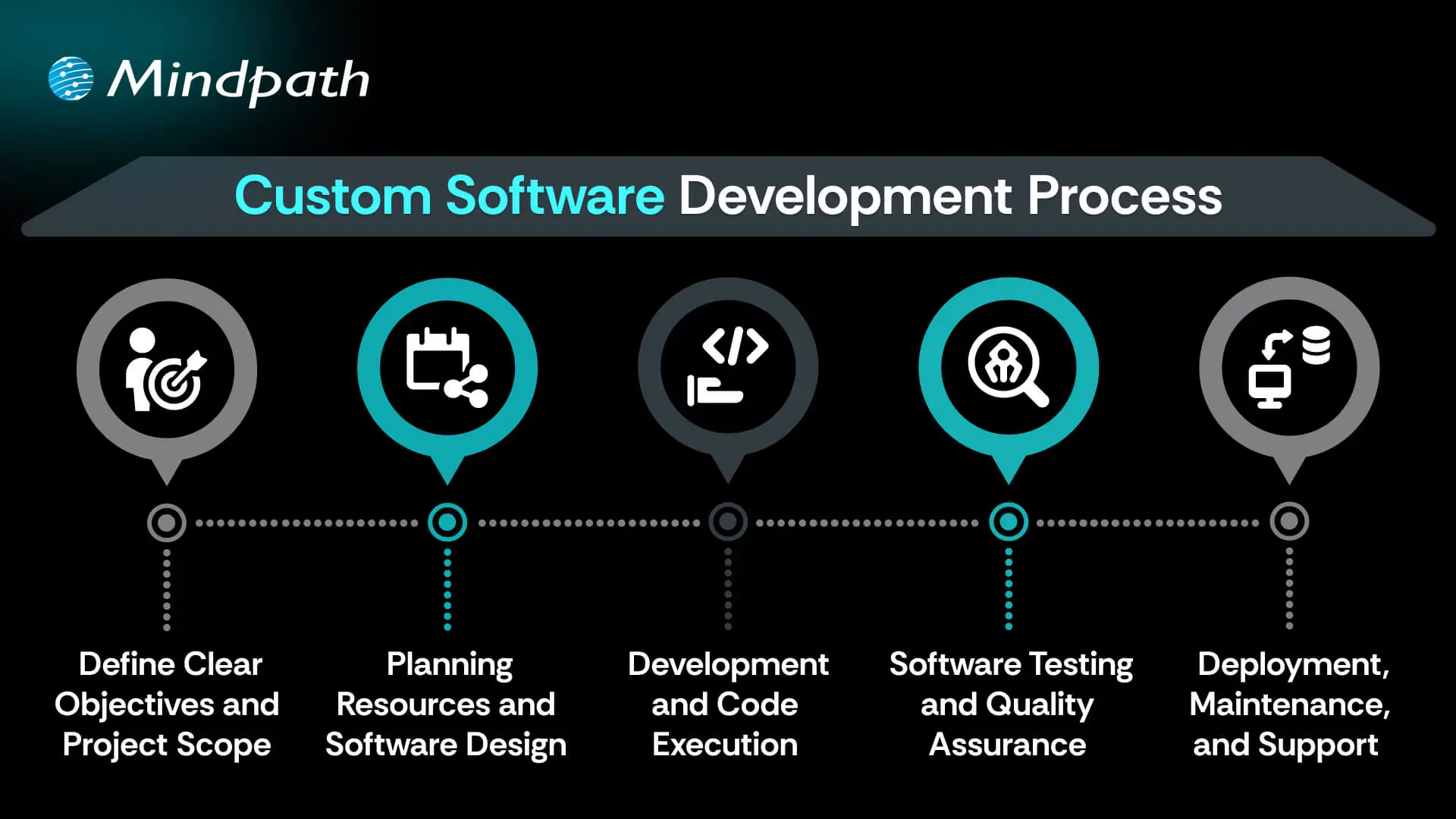
1. Define Clear Objectives and Project Scope

The custom software development process begins by defining your goals and understanding what the software must achieve. This includes identifying the target users, the problem it solves, and how it should perform differently from existing tools. A detailed list of features and expected outcomes is prepared. Both functional and non-functional requirements are clearly documented. This step sets the direction and purpose for everything that follows.

2. Planning Resources and Software Design

Planning involves creating a detailed timeline, setting milestones, and organizing resources for development. Budgets, risks, and deliverables are clearly outlined to avoid delays or extra costs. During software development design, wireframes and prototypes are created to visualize the interface and user flow. The architecture is also planned, including system components and how they will interact. Technologies such as programming languages, frameworks, and databases are chosen here.

3. Development and Code Execution

At this point in the custom software development process, the programmers will begin the actual coding based on the approved designs. The developers will prepare technical infrastructure with tools, servers, and version control. The front-end, back-end, and database modules are built and integrated together. Each piece of software functionality is developed based on the description created in the design documents. The functionality is translated into active, live software with working features to start testing.

Curious how software functions seamlessly from the user interface to the server? Explore the role of frontend and backend to understand how both sides work together to deliver smooth, secure, and engaging digital experiences.

4. Software Testing and Quality Assurance

After the software is developed, it will go through a series of testing strategies to check for quality and reliability. The first step, or unit testing, will cover each feature and try to eliminate some early problems. Then the following step, called integration testing, will check the work of modules and ensure they work as a system. Once that’s complete, the next phase is system testing, which ensures all performance, security, usability, and reliability aspects are achieved and validated prior to the release of the product.

5. Deployment, Maintenance, and Support

In the final step of the custom software development process, the solution moves to a live environment for end users. The deployment may include installing the software on servers, setting up databases, and giving users access. After launch, the software is continuously monitored for issues. Maintenance includes fixing bugs, adding new features, and updating it for better performance. Ongoing support keeps the software running smoothly over time.

Concerned about risks that could slow down your custom software build? Explore the major custom software development mistakes that can disrupt progress and find out how to avoid them.

Real-World Examples of Customized Software

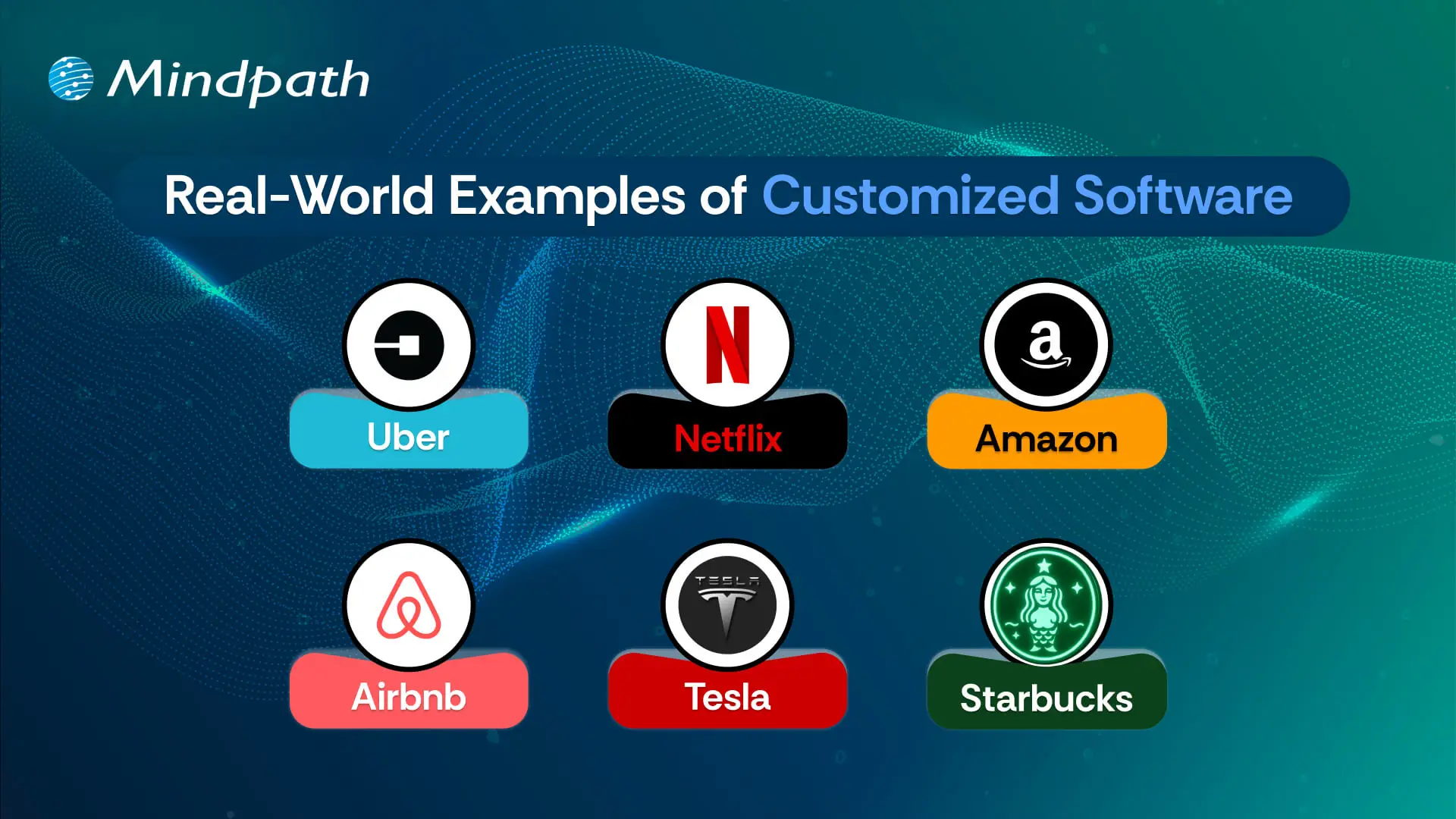
Below are six real-world customized software examples that demonstrate how businesses are navigating unique challenges by investing in custom software to create a digital solution. These tools have been developed to improve usability, performance, and long-term sustainability.

Real-World Examples of Customized Software

1. Uber

Uber constructed a custom ride-booking system complete with GPS tracking, so you know where your ride is located, secure payment options, and updates on the driver’s progression. The app shifted transportation in cities globally.

2. Netflix

Netflix utilizes AI-based recommendation engines and adaptive streaming systems to provide an overall personalized viewing experience through a fully custom platform.

3. Amazon

Amazon uses custom software to manage inventory, predict customer preferences, and allow one-click ordering for a fast and reliable purchasing experience.

4. Airbnb

Airbnb built a custom platform for travelers to pay securely, check real-time availability, and search by location for hosted accommodations around the globe.

5. Tesla

Tesla uses customized software for its smart vehicles to drive the autopilot capabilities, over-the-air updates, and real-time diagnostics to enable sophisticated performance.

6. Starbucks

Starbucks utilizes a custom application to allow customers to mobile order, encrypt reward tracking, and offer options for contactless payments, making the product experience more convenient and helping to cultivate loyalty.

Curious how different kinds of software are built to serve unique business and user needs? Discover the various types of software development to understand how each one contributes to creating powerful digital solutions.

Ready to Create Software That Aligns with Your Business?

Custom software development is the process of creating digital solutions that fulfill your specific business goals. From clarifying your vision to deploying the software and providing ongoing support, every step of the official custom software development process undergoes proper plan and execution. The final outcome of custom software typically entails better efficiency, enhanced experiences for users, and long-term growth through technology that suits your needs.

As a premier custom software development company, we at Mindpath specialize in providing full-spectrum custom software development services that suit your specific business. Our team expertly develops scalable, secure, and simple solutions that integrate well into your workflows and future goals. Partner with us to turn your ideas into powerful, high-performance software built for results.

generative ai tools for content creation

Did you ever wish you could brainstorm new concepts, create beautiful visuals, or write codes without any creative personnel or technical expertise? Now that there are well-developed generative AI tools for content creation and code generation, this is not a dream anymore. These smart tools are enabling users to develop quality content and working code in a matter of minutes. Whether it is writing blogs or coming up with generative code snippets, these tools are aiding productivity and creativity in industries.

All you need is the right tool to witness the magic. Here, in this blog, you will learn about generative AI for code generation and content development. In addition to that, we will discuss some of the most essential aspects that will allow you to select a generative AI tool without any confusion.

Want to improve your business content creation and coding capabilities without increasing the workforce? Mindpath’s Generative AI development services build custom GenAI solutions that deliver consistency and measurable results.

What are Generative AI Tools?

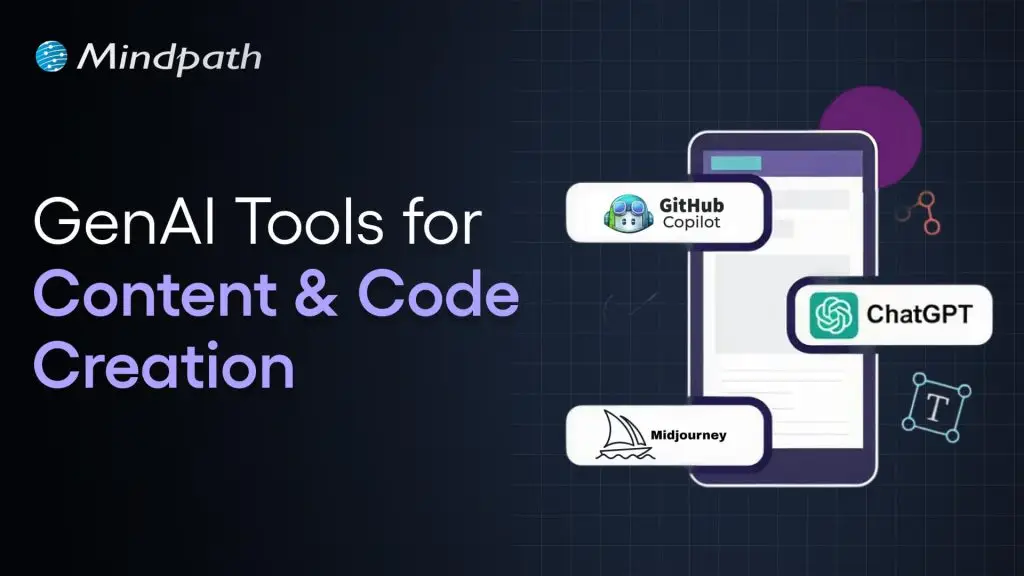
Generative AI tools are software applications powered by machine learning models that create new content, such as text, images, audio, video, and code, in response to user prompts. Popular examples include ChatGPT, Midjourney, and Claude. Gen AI is changing creative work by automating repetitive processes, and since these tools are trained on huge amounts of data, they can generate context-aware content that benefits teachers, marketers, developers, and designers alike.

Here is how generative AI can help in code and content creation.

1. Produce beautiful marketing images.

2. Write social posts, emails and articles.

3. Computerize routine development processes.

4. Write code using various languages.

Whether you are a marketer who wants to optimize the content or a developer who needs to quickly get the code finished, generative AI can serve as your creative partner.

Wondering where generative AI is making the biggest impact? Discover generative AI use cases to explore real-world applications across industries.

Let’s now learn about the most popular generative AI tools for content creation and code generation and know how to select the appropriate one for your business. 

Generative AI Tools for Content Creation

Generative AI has enabled more scalable, faster, and smarter content creation processes across industries. Here are some popular tools assisting with ideation, editing, and drafting. 

1. Copy.ai

It generally focuses on generating short-form content. Businesses can use it to generate taglines, headlines, and relevant email subject lines. Copy.ai is an ideal option for quick ideation and A/B testing across multiple campaigns. 

2. Jasper

This AI-based tool is an advanced writing assistant that is developed for sales teams, marketers, and brands in need of conversion-driven and persuasive content. It comes with built-in templates as well as SEO integration. Jasper can assist you with the social media posts, landing pages, and advertising.

3. Hypotenuse AI

This tool specializes in generating e-commerce-focused content and product descriptions. It is also able to develop SEO-friendly blogs depending on the nature of your brand so that you can gain organic traffic. Using this, you can maintain a consistent brand tone for your marketing content.

4. ChatGPT

This versatile tool is an excellent option for long-form writing, conversational content, and brainstorming. It is flexible in style and tone, and is therefore excellent for emails, product description, and blogging.

Wondering how tools like ChatGPT generate human-like responses? Explore the Large Language Models (LLM) guide to understand the technology powering content and code creation.

Wondering which AI tool is best for content creation? Well, that entirely depends on your requirement. You should choose generative AI tools for content creation considering your audience base, content format, workflow requirement, and platform. 

Top Generative AI Tools For Code Generation

AI coding tools are not here to replace developers; they are here to enhance their efficiency and capabilities. Well, if you want to experience it, here are some of the best generative AI tools for code generation that you can try. 

1. Tabnine

It is a deep-learning code assistant and can easily adapt to every developer’s style. The platform supports IDEs and multiple languages. Besides, it offers privacy-first deployment along with team-based training. With this tool, you can ensure context-aware code generation. 

2. Qodo

It is an AI-based code quality platform, which provides comprehensive test cover, compliance, and code integrity. It can easily be incorporated into CI pipelines, JetBrains, VS Code, and IDEs. Qodo also promotes features like code explanation, SDLC coverage, and automated test development.

3. GitHub Copilot

This tool is built in with Visual Studio Code and provides smart code completion, automatic snippet generation and real-time suggestions. It supports several programming languages and assists programmers to code more quickly and with minimum errors.

4. Replit

It is a browser-based coding platform that offers AI-powered contextual code generation and auto-completion. In addition, it is also capable of detecting errors and breaks down complicated code snippets efficiently with a reasonable explanation. Replit also supports real-time collaboration and rapid prototyping.

Interested in AI-powered image and media generation? Explore our Stability AI guide to see how Stability AI tools support creative workflows.

Tips to Choose the Right Generative AI Tools

Selecting the best generative AI tools for your needs requires a strategic approach. After all, not all the tools are the same, and one tool can’t fulfil all your wishes. However, you don’t have to worry at all, as here we have listed down some useful tips that will help you make an informed decision. 

1. Know Your Goals

Always begin by learning about the core objectives. Understand whether you need a tool for editing multimedia, writing SEO-optimized content, or generating code. With a clear goal, it will be easier for you to match tools to particular tasks. 

2. Pilot Various Tools

Extensively test multiple AI tools and compare their output quality, feature alignment, and usability. Piloting can help you find out which tools perfectly fit your existing workflows and adapt to your technical and creative style. 

3. Customization and Training

Opt for generative AI tools that allow quick tuning, model training, and brand voice adaptation. Flexibility in customization ensures the results are consistent and relevant.

4. Integration Compatibility

While searching for generative AI tools for content creation, you should ensure that they will integrate with your existing tools, like IDEs, CMS, etc. A seamless integration will reduce friction and increase productivity while supporting your future scalability. 

5. Support and Community

Some tools can be a little challenging to get started with. However, a tool with strong documentation and active forums will be easy to use. A growing community will accelerate learning and help you troubleshoot different issues. 

Keep these points in mind and align your organizational goals with the tool’s capabilities to find the best solutions. Only the right one can help enhance creativity as well as productivity. 

Want to stay ahead of emerging AI innovations? Check out generative AI trends to learn what’s shaping the future of AI tools.

Challenges and Considerations in Gen AI

As generative AI platforms become essential to code and content creation, many ethical considerations and challenges demand attention. Read to know more about this.

1. Ownership Conflict

One of the major concerns is ownership. Who truly owns AI-generated outputs- the developer, the platform, or the users? We all know that the current legal frameworks are not designed for technological innovation. This has created confusion around licensing, distribution rights, and copyright. Every organization should establish transparent internal policies that clearly state ownership. 

2. Ethical Grey Zones

Generative AI tools are trained on massive datasets, and that data may carry bias, cultural blind spots, and misinformation. Without proper oversight, those flaws can be seen in outputs. Organizations should consider ethical AI and focus more on fairness, transparency, and, of course, accountability. Speaking about the responsible use of models, it includes proper auditing models, flagging problematic content, and aligning outputs with societal values. 

3. Human Judgment Still Matters

Undoubtedly, generative AI tools have impressive capabilities. However, they are not infallible. These tools can misinterpret prompts, offer irrelevant content, and hallucinate facts. That’s why human oversight will remain essential for quality checks. Editorial review, domain expertise, and critical thinking are irreplaceable. 

4. Access Gaps

Powerful AI tools often need significant resources such as financial investment, computing power, and technical expertise. This may create obstacles for small creators and teams. Eliminating such issues is important for equitable innovation. Affordable pricing, inclusive design, and open-source models can lead to vast adaptation. 

Addressing these issues will ensure that generative AI tools evolve responsibly and can benefit various users. 

Wondering how businesses can adopt generative AI responsibly? Discover generative AI for business to learn strategies that balance innovation, cost, and accessibility.

Generative AI Tools – What’s There in the Future?

The future of generative AI tools for content and code creation is evolving rapidly. The trends indicate more accessible, intelligent, as well as collaborative experiences.  In the future we shall be able to observe:

  • Stunning multimodality features combining images, audio, code, and text generation.
  • More developed and elaborate fine-tuning of industry-specific code standards and writing.
  • The risk of errors will be reduced as AI will be able to comprehend context on a profound level.
  • AI will function as a technical and creative partner, helping businesses boost productivity. 
  • AI-powered content and code creation will become more accessible to small businesses, startups, and non-technical users. 

Curious how generative AI is reshaping business operations? Explore our generative AI revolution blog to see how it is transforming content creation and the future.

Generative AI Tools- Driving Innovation in Code and Content

Generative AI tools for content creation and code generation are transforming the way developers and businesses operate. These tools are driving high-speed innovation, increasing the power of creativity, and improving quality. Whether you need to write interesting marketing copy or just want to automate some of your coding tasks, these tools can help you with this seamlessly.

Mindpath’s AI development services have been leading this revolution and assisting businesses in embracing the potential of generative AI. Using our experience in offering tailored AI solutions and fine-tuning, you can have your AI tools aligned per your specific needs. With us, you can strategically select the best generative AI tools for content creation or code generation. Shine out in this changing online scenario with us!

Wordpress and php

In the technology-driven times, WordPress has been continuously recommending running the latest PHP versions. In fact, PHP 8.3 is now the standard for performance, security, and long-term support. It is a must for business owners to keep track of WordPress and PHP compatibility. This is because it can directly impact the performance and SEO ranking of their websites. Moreover, it can also impact customer trust, which is of high importance in the competitive business world.

Key Takeaways

  • 01
    PHP 8.3 is now the recommended standard for all WordPress websites.
  • 02
    Outdated PHP versions leave websites vulnerable to security threats and breaches.
  • 03
    Newer PHP versions deliver faster load times and better overall performance.
  • 04
    Testing updates in a staging environment prevents unexpected issues on live sites.
  • 05
    Regular backups before any PHP update protect websites from potential data loss.

As PHP evolves quickly, many sites still run outdated versions that no longer receive security updates. Hence, they face cyber risks. Businesses must comprehend the WordPress recommended PHP version and learn how to check the current WordPress PHP version. You should also possess knowledge of WordPress PHP compatibility so that you can future-proof your website. Let us discuss what business owners must know about WordPress and PHP compatibility.

Are you ready to make sure that your WordPress site works well with the newest versions of PHP and that all of your users have a good experience? Mindpath’s WordPress development services provide expert guidance to keep your site secure, fast, and highly reliable for your visitors.

What is WordPress?

WordPress is a free, open-source content management system (CMS) that allows users to build and manage websites without needing to write code. It powers over 40% of all websites on the internet, from personal blogs and portfolios to large corporate websites and e-commerce stores. Originally launched in 2003 as a simple blogging platform, WordPress has since evolved into a versatile solution used by businesses and professionals of all sizes around the world.

The CMS platform has become highly popular thanks to its open-source nature and large plugin ecosystem. Furthermore, the presence of customizable themes that allow organizations of diverse sizes to build professional websites makes it a highly popular platform in the current times. A key aspect of the success of WordPress is its compatibility with modern technologies, such as PHP, which powers its core.

What is PHP?

PHP, which stands for PHP: Hypertext Preprocessor (a recursive acronym), is one of the most widely used open-source, server-side scripting languages for web development. Unlike client-side languages like JavaScript, PHP code runs entirely on the web server, generating HTML that is sent to the user’s browser, making it ideal for dynamic and interactive websites. Since its launch, PHP has powered millions of websites and remains the backbone of popular platforms such as WordPress and Drupal. Its lightweight nature and seamless integration with HTML continue to make it an essential choice for web developers worldwide.

Over the years, PHP has undergone major transformations. It has developed from PHP 5.x to the current PHP 8.3. The latest version offers improvements in performance and security. It has numerous useful features, including Just-in-Time compilation and improved error handling. These advancements are pivotal for businesses that have WordPress sites.

Unsure which platform can better support your website’s design, features, and long-term growth? Explore our WordPress vs Webflow comparison to understand their key differences and choose the best fit for your business.

Chief PHP Versions Businesses Need to Know

PHP has been evolving quickly, and each version has new features, performance improvements, and security fixes. The business entities that use WordPress need to understand different PHP versions, as outdated versions expose websites to vulnerabilities and risks. But newer versions can deliver speed and stability to websites. The top PHP Versions that businesses must be aware of include:

  • PHP 8.5 – It is an active development branch for the upcoming PHP release. PHP 8.5 is scheduled for release in November 2025.
  • PHP 8.4 – PHP 8.4 is known as a feature-rich PHP version. It has several new features, such as asymmetric visibility, property hooks, and many more.
  • PHP 8.3 – It is the latest stable PHP version. It has introduced several enhancement features that improve type safety, developer experience, and performance.
  • PHP 8.2 – This PHP version brings significant benefits when it comes to site performance as well as health, especially in relation to speed and security.

There are other PHP versions like PHP 8.1 and PHP 8.0. Even though these versions were regarded as valuable tools for businesses before they became outdated, they give rise to security threats today. PHP 7.4 is another older version that has reached its end of life. It means that the specific version does not receive any official security updates currently.

PHP 8.3 is the latest release. At present, it is the recommended standard for WordPress websites. WordPress PHP 8.3 delivers significant performance boosts, advanced language features, and long-term support. It is essential for businesses to choose the right PHP version so that plugins, themes, and custom code can run smoothly.

The Need for WordPress and PHP Compatibility

WordPress and PHP compatibility serve as the ultimate foundation of a top-quality website. As WordPress is built on PHP, the version your site runs directly affects its speed and stability. Outdated PHP versions basically lack security patches, thereby making websites vulnerable to cyberattacks, data breaches, and compliance issues.

Another critical factor that businesses need to bear in mind revolves around performance. Newer PHP versions, such as PHP 8.3, are capable of delivering faster load times. The selection of the best PHP version for WordPress is vital to reduce server resource usage and improve scalability.

The business enterprises that rely on lead generation or content-heavy sites can tremendously benefit from the latest PHP versions for WordPress. Without the latest PHP version, a WordPress business site may become slow or unstable. It may frustrate visitors and affect their experience.

Another critical factor is compatibility, which businesses need to bear in mind. It can ensure the smooth operation of plugins and themes. If your website runs an unsupported WP PHP version, it may lead to errors and broken features. It may also lead to downtime and disrupt the experience of customers. Businesses need to choose the WordPress-recommended PHP version so that they can safeguard the functionality of their website and streamline the maintenance aspects.

Facing recurring security issues, but not sure what’s causing them? Read our safeguarding WordPress vulnerabilities guide to uncover common risks and learn how to prevent them effectively.

Procedure to Update PHP for WordPress Websites

It is a must for businesses to update the PHP version of their website. This is a key step that can help maintain security as well as compatibility. Below are the steps you must follow to update the PHP version for your website to get optimum WordPress PHP version support.

Step 1 – Current PHP Version Validation

Business owners need to check the PHP version of their business site. You can check this from the admin dashboard. In case you find that your website does not run the latest PHP version, you need to update it instantly.

Step 2 – Creating a Backup of your Website

In the next step, it is time to create a backup of your website. This step you need to take as a precautionary measure in case something goes wrong during the process. In case your hosting provider does not provide backups as part of its service, you can use plugins in order to create a full backup. You have to make sure that you capture details such as the database, themes, plugins, and media files.

Step 3 – Testing Changes in a Staging Environment

Now it is time to try the new version in the staging environment instead of going live. It serves as a reliable way of checking the compatibility between WordPress and the latest PHP version.

Step 4 – Updating the PHP Version

After verifying whether your business website works or not with the new PHP WordPress version, you need to log in to your hosting control panel. Then you must find the built-in PHP manager. The exact steps may vary depending on control panels, but they are mostly similar. Then you need to update the PHP version. After making the modification, you have to wait for the update to finish so that the upgrade can be done successfully. You need to choose the latest version so that you can get the necessary WordPress PHP support to manage your website.

Step 5 – Testing Website Functionality

After the update is over, you need to test the functionality of the live website. You have to do this in the front end as well as the back end in order to see if everything works in the desired way. You have to make sure that you review the common WordPress functions along with the plugin features.

Do you want your website to be accessible to every visitor? Learn how to improve WordPress web accessibility can help you reach more users and create an inclusive online experience.

Best Practices for Business Owners

There are certain best practices that business entities need to follow so that they can run their website smoothly while using the latest WordPress PHP versions. If you have a WordPress site for your business, you certainly need to follow these best practices.

1. Staying on Top of PHP Updates

You need to make sure that the WordPress core, plugins, and themes are current at all times. It is a must for businesses to keep a lookout for the latest PHP updates. This step can enhance the overall performance and functionality of your business website.

2. Practice of Backing Up

It is critical to back up all the necessary data before the actual update. A full site backup can ensure that your business website is in safe hands. In case things do not go according to plan, the backup can serve as a safety net.

3. Keeping Clean Code

You must ensure that if you use custom code, it must follow WordPress’s PHP coding standards. This practice is pivotal since it can prevent conflicts with core WordPress functions.

4. Testing in Staging

Many businesses may fail to realize the importance of a staging environment. However, it is essential for you to understand its significance. In fact, you need to use a staging environment in order to test updates.

Ready to upgrade your HTML site to something more powerful and manageable? Explore why converting HTML to WordPress can streamline updates and improve your online presence.

Why This Matters for Your Business?

In the digital landscape of 2026, businesses need to stay current with WordPress and PHP compatibility to ensure their success. PHP 8.3 is now the recommended version for business websites. Thus, business owners need to make the update so that they can gain the benefits relating to stronger security, better performance, and smoother functionality of the website. On the other hand, if businesses ignore PHP upgrades, their risks relating to cyberattacks and plugin conflicts increase, which can affect customer trust.

Mindpath’s WordPress development services can make PHP upgrading a simpler process for your business. Businesses can leverage the excellent services to improve the security and performance of their business website. Our experts will make sure that your website can run in an efficient manner.

Frequently Asked Questions