Home

Custom Software Development Process: Step-by-Step Guide 

Custom Software Development Process: Step-by-Step Guide 

Lorem ipsum dolor sit amet, consectetur adipiscing elit. Ut elit tellus, luctus nec ullamcorper mattis, pulvinar dapibus leo.

Join our Newsletter!

custom software development process

Whenever you are creating a tailored solution for your business, it is very important to clearly understand how the development process will be structured. The custom software development process clearly guides you in turning your ideas into a usable working solution. Every step matters – from understanding the requirements, conceptualizing the software, determining the specifications, and creating software that supports your goals. You will get to know what is to come, how teams will work together, and what to expect at every step as your project moves forward in purpose and clarity.

A thorough comprehension of how this process works gives you a better sense of clarity and confidence as you engage with the project. You will be able to understand each phase clearly and watch your vision come together step by step. Upon having this understanding, it is very easy and clear to collaborate with your development team. In this blog, you’ll go through the whole process and will understand how the custom software will come to life, step by step.

At Mindpath, we offer custom software development services to turn your vision into reality by guiding you through every step. Contact us today for a solution that turns your ideas into real-world project.

Importance of Custom Software Development for Businesses

Custom software development is valuable because it provides businesses with tools made solely for them. Unlike off-the-shelf software, custom software solutions fit unique business requirements and methods. This leads to improved performance, increased efficiencies, and better results. It also minimizes unnecessary rework, saving time and money, and allowing companies to be more efficient overall.

Custom software is scalable with your business. You will be able to add features or alter functionality based on your requirements. This adjustable system uniquely supports a company’s long-term goals and puts you ahead of your competitors. Custom software solutions offer a better experience for both the user and employees, which supports increased productivity and satisfaction.

Understanding the Custom Software Development Process

It is essential to know about the process to be followed prior to starting a software project. By getting familiar with the software development process steps, you can be an active participant and an advantageous decision-maker throughout the project. By understanding the process, you will also ensure value delivery by building software with clear goals, planning, and execution.
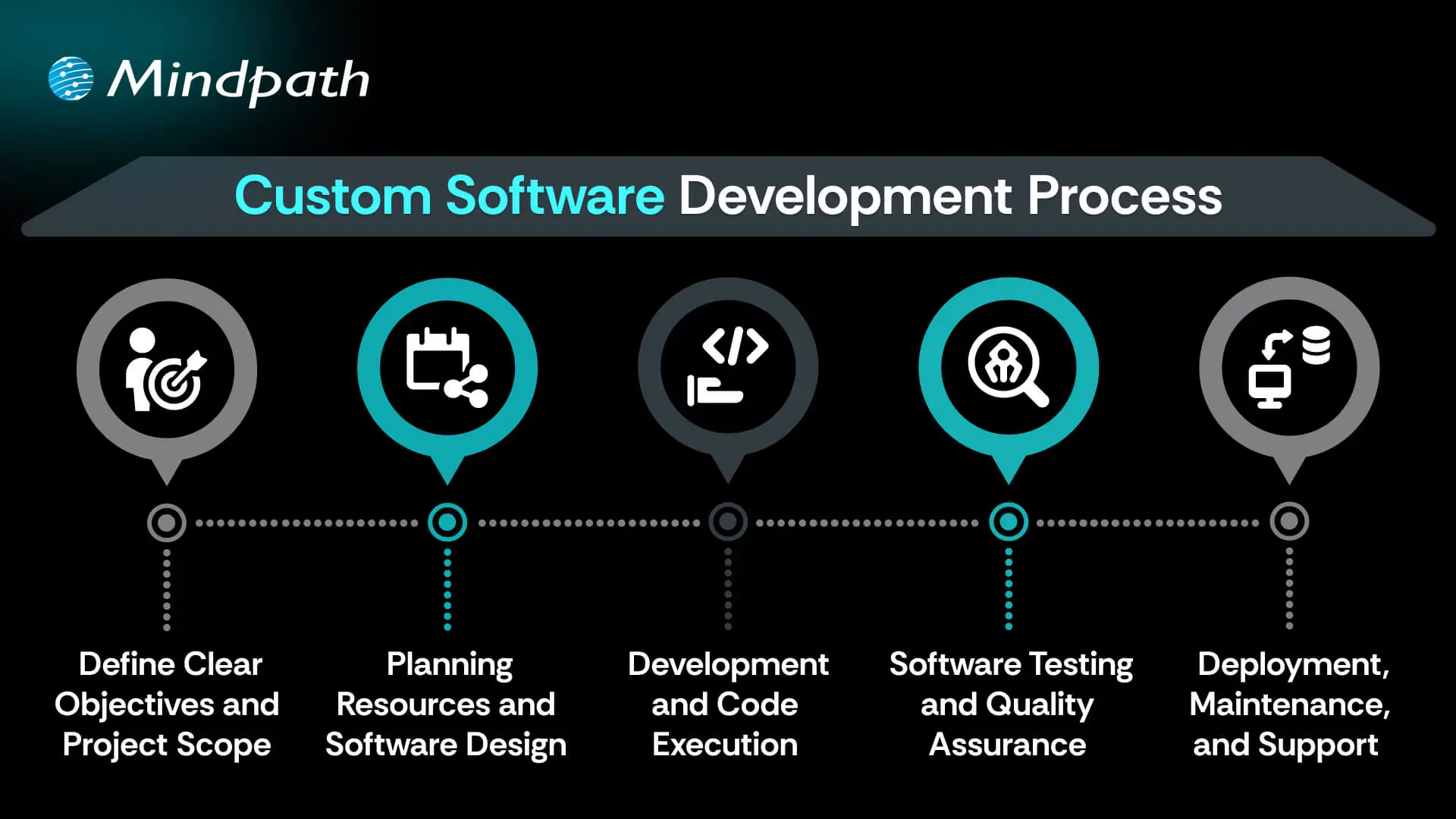
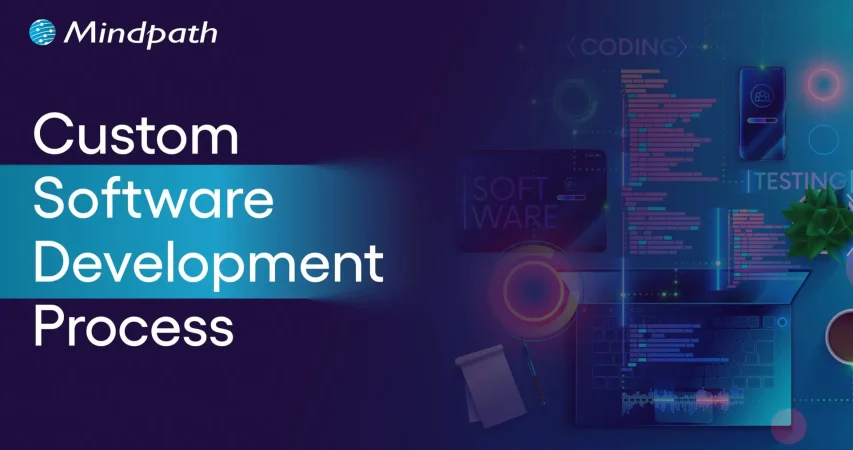
Custom Software Development Process

1. Define Clear Objectives and Project Scope

The custom software development process begins by defining your goals and understanding what the software must achieve. This includes identifying the target users, the problem it solves, and how it should perform differently from existing tools. A detailed list of features and expected outcomes is prepared. Both functional and non-functional requirements are clearly documented. This step sets the direction and purpose for everything that follows.

2. Planning Resources and Software Design

Planning involves creating a detailed timeline, setting milestones, and organizing resources for development. Budgets, risks, and deliverables are clearly outlined to avoid delays or extra costs. During software development design, wireframes and prototypes are created to visualize the interface and user flow. The architecture is also planned, including system components and how they will interact. Technologies such as programming languages, frameworks, and databases are chosen here.

3. Development and Code Execution

At this point in the custom software development process, the programmers will begin the actual coding based on the approved designs. The developers will prepare technical infrastructure with tools, servers, and version control. The front-end, back-end, and database modules are built and integrated together. Each piece of software functionality is developed based on the description created in the design documents. The functionality is translated into active, live software with working features to start testing.

Curious how software functions seamlessly from the user interface to the server? Explore the role of frontend and backend to understand how both sides work together to deliver smooth, secure, and engaging digital experiences.

4. Software Testing and Quality Assurance

After the software is developed, it will go through a series of testing strategies to check for quality and reliability. The first step, or unit testing, will cover each feature and try to eliminate some early problems. Then the following step, called integration testing, will check the work of modules and ensure they work as a system. Once that’s complete, the next phase is system testing, which ensures all performance, security, usability, and reliability aspects are achieved and validated prior to the release of the product.

5. Deployment, Maintenance, and Support

In the final step of the custom software development process, the solution moves to a live environment for end users. The deployment may include installing the software on servers, setting up databases, and giving users access. After launch, the software is continuously monitored for issues. Maintenance includes fixing bugs, adding new features, and updating it for better performance. Ongoing support keeps the software running smoothly over time.

Concerned about risks that could slow down your custom software build? Explore the major custom software development mistakes that can disrupt progress and find out how to avoid them.

Real-World Examples of Customized Software

Below are six real-world customized software examples that demonstrate how businesses are navigating unique challenges by investing in custom software to create a digital solution. These tools have been developed to improve usability, performance, and long-term sustainability.
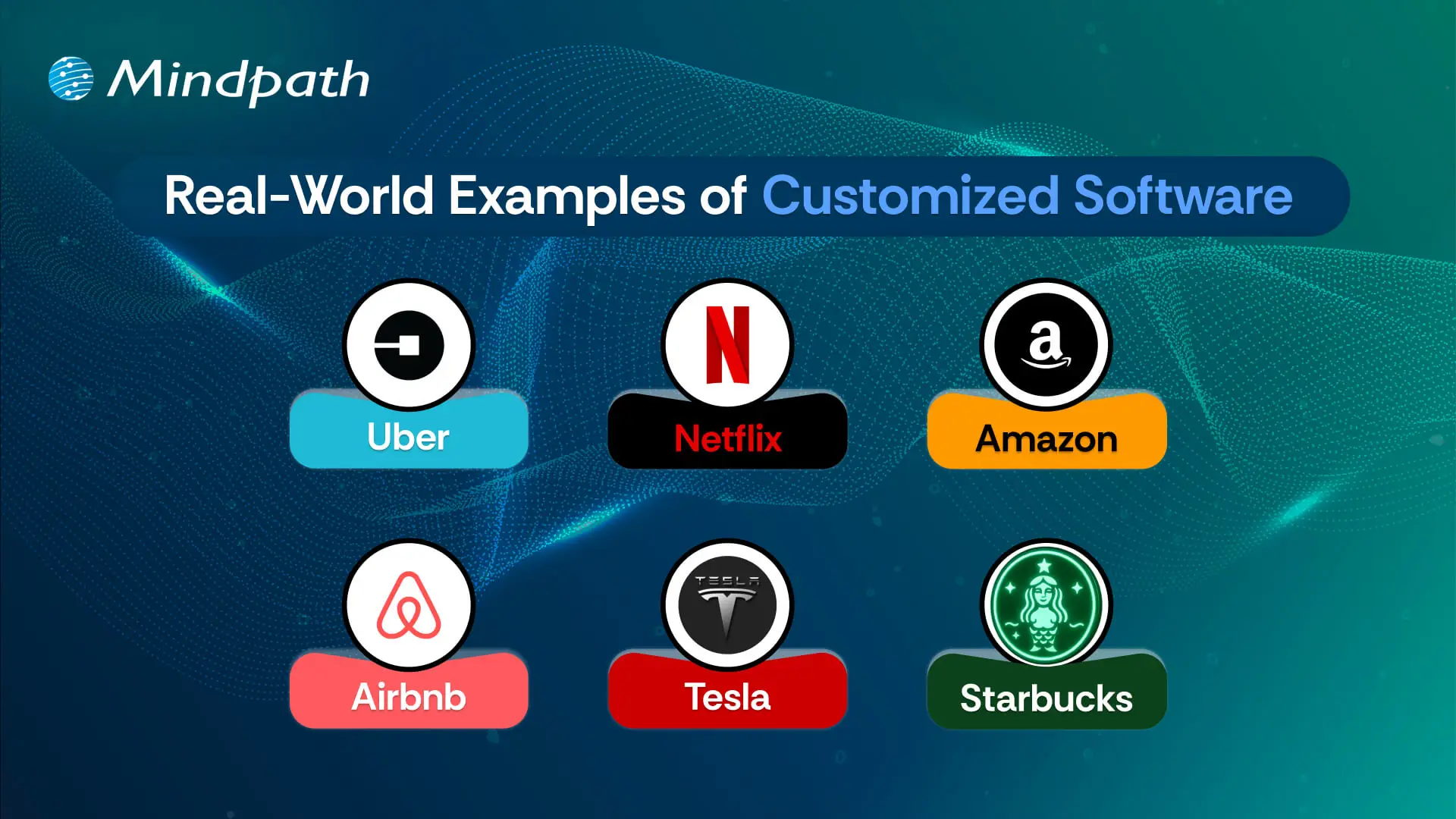
Real-World Examples of Customized Software

1. Uber

Uber constructed a custom ride-booking system complete with GPS tracking, so you know where your ride is located, secure payment options, and updates on the driver’s progression. The app shifted transportation in cities globally.

2. Netflix

Netflix utilizes AI-based recommendation engines and adaptive streaming systems to provide an overall personalized viewing experience through a fully custom platform.

3. Amazon

Amazon uses custom software to manage inventory, predict customer preferences, and allow one-click ordering for a fast and reliable purchasing experience.

4. Airbnb

Airbnb built a custom platform for travelers to pay securely, check real-time availability, and search by location for hosted accommodations around the globe.

5. Tesla

Tesla uses customized software for its smart vehicles to drive the autopilot capabilities, over-the-air updates, and real-time diagnostics to enable sophisticated performance.

6. Starbucks

Starbucks utilizes a custom application to allow customers to mobile order, encrypt reward tracking, and offer options for contactless payments, making the product experience more convenient and helping to cultivate loyalty.

Curious how different kinds of software are built to serve unique business and user needs? Discover the various types of software development to understand how each one contributes to creating powerful digital solutions.

Ready to Create Software That Aligns with Your Business?

Custom software development is the process of creating digital solutions that fulfill your specific business goals. From clarifying your vision to deploying the software and providing ongoing support, every step of the official custom software development process undergoes proper plan and execution. The final outcome of custom software typically entails better efficiency, enhanced experiences for users, and long-term growth through technology that suits your needs.

As a premier custom software development company, we at Mindpath specialize in providing full-spectrum custom software development services that suit your specific business. Our team expertly develops scalable, secure, and simple solutions that integrate well into your workflows and future goals. Partner with us to turn your ideas into powerful, high-performance software built for results.


Frequently Asked Questions

1. How long does the custom software development process typically take?

Timelines vary based on project complexity, team size, and scope. A simple custom solution may take three to six months, while enterprise-level software can take over a year. Defining clear objectives and requirements from the start significantly reduces delays and keeps the custom software development process on track.

2. How do you know if your business actually needs custom software?

If existing tools require constant workarounds, limit your workflows, or fail to scale with your growth, custom software is worth considering. Businesses with highly specific processes or unique user needs often find that off-the-shelf solutions create more problems than they solve over time.

3. What happens if requirements change midway through development?

Requirement changes mid-project are common and manageable with proper planning. Agile development methodologies allow teams to adapt without derailing the entire project. However, significant scope changes can impact timelines and budgets, so communicating updates early and maintaining clear documentation throughout the process is always the smarter approach.

4. Who should be involved from the business side during custom software development?

Key stakeholders, department leads, and end users should all be involved at different stages. Their input during requirement gathering and testing phases ensures the software solves real problems. Leaving these voices out often leads to a final product that looks complete but fails to perform in practice.

5. What is the difference between custom software development and buying a SaaS product?

SaaS products offer quick setup and lower upfront costs but come with fixed features and limitations. Custom software development builds exactly what your business needs, with full ownership and flexibility to scale. For businesses with unique workflows, custom solutions deliver stronger long-term value despite the higher initial investment.

Support Is One Click Away

Featured Posts

Related Post

DevOps Trends

Have you been paying attention to the speed at which DevOps trends are changing and how they are affecting businesses? If you’re managing a tech team or are just about to scale up your operations, you may already be thinking about the implications of these trends on your success. As more companies adapt to smarter workflows and quicker ways of delivering value, being up to date is critical. So, how can you stay on top of it without falling behind?

Finding the answer to this question involves understanding the trends that affect how we run businesses in the real world. DevOps best practices today are designed to bring automation, cloud-native tools, or security-first approaches to solve the problems we face in modern situations. Being aware of what’s meaningful and useful can help your team be more effective while accelerating time to market. In this blog, we will examine key trends and look at how they can create real results for your organization.

As businesses embrace DevOps in 2026, the need for expert guidance becomes crucial. At Mindpath, our DevOps services ensure organizations can adopt the right strategies and technologies to stay competitive.

Understanding DevOps: A Quick Dive-in

DevOps is a development approach in which software developers and IT teams collaborate on software and business processes. By working together, they share responsibilities and use tools to speed things up and facilitate the flow of work. DevOps is centered around good communication, collaboration, and automation. In essence, DevOps can deliver near-instant software, identify issues sooner, and get a better and quicker flow between building and deploying applications. As a result, many organizations leverage DevOps for business strategy and agility since it can enhance both speed and efficiency.

In this approach, one team often takes care of everything, including coding, testing, releasing, and maintaining the software. This removes delays and improves software quality. Teams use automation tools to speed up tasks and reduce errors. DevOps also brings security into the process right from the beginning, so it becomes part of every step. This working method helps businesses launch better software faster while keeping systems stable and secure.

Here are some of the benefits that DevOps can offer:

Benefits of Devops

1. Creates a Stable Work Environment

DevOps helps teams handle changes easily without stress. It brings a better balance to daily work and keeps operations running smoothly.

2. Speeds Up Deployment

DevOps allows faster software releases with fewer delays. This helps businesses deliver new features quickly and stay ahead in the market.

3. Improves Software Quality

With regular testing and feedback, DevOps helps catch bugs early. Teams can focus on creating better products with fewer errors.

4. Solve Problems Quickly

DevOps uses monitoring tools to spot issues fast. Smaller and frequent updates make fixing problems easier and more reliable.

5. Supports Flexibility and Quick Changes

DevOps builds a flexible work style where teams can respond to change easily. It helps businesses adapt to market needs faster.

6. Boosts Innovation Through Automation

By reducing manual tasks, DevOps gives teams more time for new ideas. This leads to faster improvements and better products.

7. Reduces Overall Costs

DevOps combines tasks and reduces the need for rework. This saves time, uses resources better, and cuts down project costs.

8. Improves Team Collaboration

DevOps encourages better teamwork and shared goals. Clear communication between teams leads to faster decisions and stronger results.

Aiming to enhance operational efficiency and reduce development risks? Check out our blog on DevOps Challenges and Solutions to discover proven approaches that improve performance, stability, and cross-team cooperation.

Top DevOps Trends 2026

As technology continues to evolve, companies are rethinking how they build, test, and deliver software. DevOps trends for businesses in 2026 show a clear shift toward smarter tools, stronger collaboration, and faster delivery. By following the latest DevOps transformation strategies, organizations can stay ahead and build systems that are both efficient and future-ready.

top devops trends

1. DevSecOps

DevSecOps is becoming a key part of DevOps innovation, where security is built into every stage of the development process. Instead of adding security at the end, teams now include it early to catch risks before they grow. This trend helps businesses create safer applications by using automated testing and continuous monitoring within the DevOps workflow.

2. AI and Machine Learning

AI and machine learning is one of the latest DevOps trends, helping teams work faster and smarter. These technologies support intelligent monitoring, find unusual behavior in systems, and give early warnings before issues grow. By using data to guide decisions, DevOps teams can improve system performance and reduce downtime.

3. Serverless Computing

Serverless computing is becoming a popular trend in DevOps for business success because it removes the need to manage servers. It allows teams to focus only on writing code, which speeds up development and reduces overhead. This approach also helps businesses save costs by using resources only when needed, making operations more efficient.

4. Continuous Integration and Continuous Delivery (CI/CD)

Continuous Integration and Continuous Delivery (CI/CD) is a key DevOps trend that helps teams deliver software faster and with fewer errors. It allows developers to regularly merge code changes, test them automatically, and deploy updates smoothly. This approach improves software quality and supports a steady flow of new features to users.

5. Infrastructure as Code (IaC)

Infrastructure as Code is a growing trend that helps teams manage infrastructure through written code instead of manual steps. It ensures consistency across development, testing, and production, reducing errors and saving time. As one of the leading DevOps tools and technologies, it allows automated setup and easy tracking of changes in infrastructure.

6. Microservices Architecture

Microservices architecture is a DevOps approach where an application is built using many small, separate services. Each service handles a specific function and can be updated or scaled on its own without affecting the rest of the system. This makes the software more flexible, easier to manage, and better at handling changes or failures.

7. Cloud-Native Development

Cloud-native development is a modern way of building applications that fully uses the power of cloud computing. It is one of the key DevOps trends helping businesses create software that can easily grow, move, and adapt to changing needs. By using containers and microservices, teams can build flexible and efficient systems that are ready for fast updates and smooth scaling.

8. Edge Computing

Edge computing is a growing part of modern DevOps trends that focuses on processing data close to where it is created. This reduces delays and improves the speed of applications by handling data locally instead of in a central server. It also helps save bandwidth and supports real-time decision-making, making systems faster and more efficient.

9. Hybrid and Multi-Cloud Strategies

Hybrid and multi-cloud strategies are important DevOps trends that give businesses more flexibility and control over their cloud usage. By using services from different cloud providers, teams can choose the best tools and features for each task. This approach improves performance, reduces risk, and avoids being tied to one provider.

10. Low-Code and No-Code Platforms

Low-code and no-code platforms are shaping the future of DevOps by making application development easier and faster. These tools allow non-developers to build and launch apps with simple interfaces, helping teams save time. By handling basic tasks through these platforms, developers can focus on more complex work and boost overall productivity.

11. Quantum Computing

Quantum computing is an emerging part of DevOps trends with the potential to solve complex problems much faster than traditional systems. Although still in the early stages, it may one day help teams handle advanced computing tasks more efficiently. As the technology grows, it could bring powerful new capabilities to DevOps in areas like testing, simulation, and optimization.

12. AR and VR (Augmented Reality and Virtual Reality)

Augmented Reality and Virtual Reality are becoming new DevOps trends that support better training, simulation, and team collaboration. These technologies create realistic, hands-on experiences that help teams learn and solve problems more effectively. AR and VR also improve remote teamwork by making interactions more engaging and productive.

Looking to combine fast DevOps practices with automated security checks? Check out our blog on DevOps vs DevSecOps to understand how DevSecOps adds proactive, automated safeguards to every stage of your pipeline.

Is Your Business Ready to Benefit from the Latest DevOps Trends?

DevOps trends continue to shape how businesses grow through faster delivery, better collaboration, and smarter tools. Staying updated helps teams move quickly, improve software quality, and remain competitive in a rapidly changing market. By understanding and applying these trends, companies can build stronger systems and create real value with every software release.

At Mindpath, we offer expert DevOps services that help businesses streamline processes, boost collaboration, and deliver software faster. Our team uses modern tools and proven strategies to support automation, cloud-native development, and continuous delivery. Contact us and we’ll guide you through each stage with clear planning, smooth implementation, and reliable support tailored to your business goals.

Frequently Asked Questions

1. How do DevOps trends in 2026 actually affect day-to-day development team operations?

DevOps trends in 2026 are directly changing how teams plan, build, and ship software daily. Automation reduces manual work, AI flags issues earlier, and cloud-native tools speed up deployments. Teams that adopt these shifts experience fewer bottlenecks, faster releases, and significantly better collaboration across development and operations functions.

2. Is DevOps only relevant for large enterprises or can smaller businesses benefit too?

DevOps works exceptionally well for businesses of all sizes. Smaller teams actually benefit faster because there is less organizational resistance to change. Adopting automation, CI/CD pipelines, and cloud tools helps small businesses compete with larger players by delivering software faster and maintaining higher quality with leaner resources.

3. How long does it typically take a business to see results after adopting DevOps practices?

Most businesses notice improvements in deployment frequency and team collaboration within three to six months. Deeper results like reduced downtime and better software quality take longer to measure accurately. The speed of results depends heavily on team readiness, tooling choices, and how consistently DevOps practices are applied across workflows.

4. What is the biggest challenge businesses face when shifting to a DevOps culture?

The biggest challenge is rarely technical. It is cultural. Getting development and operations teams to share responsibilities, communicate openly, and trust automated processes takes time and strong leadership. Many organizations underestimate this human side of DevOps adoption and focus too heavily on tools while neglecting team alignment and mindset shifts.

5. How does DevSecOps differ from traditional security practices in software development?

Traditional security is applied after development is complete, which creates costly delays and vulnerabilities. DevSecOps integrates security checks at every stage of the pipeline from day one. This proactive approach catches risks earlier, reduces remediation costs, and ensures that security never becomes a bottleneck slowing down release cycles.

Discover the latest DevOps trends to enhance collaboration, streamline processes, and drive business success.
GenAI tools for teachers

The year is 2026 and AI isn’t just knocking at the doors of the education industry as it has become an integral part of the classroom, research lab and faculty room. Educators have been burdened with expectations and exhaustion due to changing curriculum designs in different parts of the world. The arrival of GenAI tools in education sector has marked the introduction of many new opportunities for educators.

Generative AI is gradually becoming an indispensable companion of teachers worldwide for many reasons. Most important of all, gen AI tools are not replacing the human element in the teaching experience. On the contrary, generative AI empowers teachers and helps them provide personalized learning experiences to every student. Let us find out the top generative AI tools that can help teachers.

Want to stay ahead in the education sector by offering smarter, more efficient solutions? Mindpath offers generative AI development services to help education businesses build custom, scalable AI tools tailored to their needs.

Understanding the Significance of Generative AI for Teachers

The biggest problem for teacher in the modern education industry is the burden of tedious and repetitive administrative tasks. Imagine the stress on teachers who have to evaluate the test papers of each student and prepare lesson plans for the next day. The use of GenAI tools for teachers can help in reducing the burden of administrative tasks, especially with automated grading and generation of personalized learning materials. Generative AI tools can allow teachers to invest their efforts in interacting with students, fostering creativity and nurturing critical thinking skills.

Teachers should understand that generative AI is not just another technological trend that will fade away with time. As a matter of fact, generative AI signifies a major paradigm shift in the domain of education. You can notice the broader impact of generative AI in education sector in different solutions like personalized learning at scale, automated content generation and better student engagement. Generative AI can help learners by creating adaptive learning systems that align with the learning style, strengths and weaknesses of each learner.

The reduced administrative burden on educators helps them interact directly with students and craft innovative teaching strategies. GenAI tools also help educators provide instant feedback on student assignments thereby allowing students to learn quickly from their mistakes. Teachers can rely on generative AI to improve student engagement by creating interactive content and personalized assessments. As a result, generative AI helps educators transform learners into active participants in the learning journey.

Looking for ways to integrate cutting-edge AI into your teaching strategy? Read this blog on generative AI trends to stay ahead with the newest AI innovations.

What are the Top Generative AI Tools for Teachers?

The blend of artificial intelligence and education brings promising results for learners as well as educators. You might be wondering about the top generative AI tools preferred by teachers and their special features. The following list of generative AI tools can help you understand the significance of gen AI in the education sector.

1. ChatGPT

The biggest generative AI tool that attracts the attention of educators worldwide is ChatGPT. It is still one of the basic tools that transformed how we interacted with artificial intelligence. Educators can trust ChatGPT for its versatility and use it as an assistant for different types of tasks. ChatGPT is one of the top 10 AI tools in education for drafting lesson plans, summarizing research papers or providing answers to difficult student questions. Educators can trust ChatGPT for brainstorming, content creation and delivering responsive student support.

2. Sendsteps

Sendsteps AI is a unique platform that makes the process of creating assignments a lot easier for learners. It relies on the power of natural language processing to understand the teacher’s instructions with accuracy. The AI tool uses teacher instructions to craft content personalized to specific needs and learning objectives of students. Educators can also use Sendsteps for creating interactive quizzes with the facility of automatic grading.

3. Google Gemini

Another big name among the best AI tools for students and teachers is Google Gemini. It stands out with multimodal capabilities that make it better than text-only models. Google Gemini can not only generate text but also images and audio content, thereby enhancing its versatility for classroom applications. Teachers can rely on Gemini to create lesson materials, interactive quizzes with audio prompts and explanation of scientific concepts with diagrams.

4. Canva Magic Studio

You cannot think about AI tools in the field of education without focusing on Canva and its ‘Magic Studio’ AI features. Canva is a distinct AI tool in education that allows you to create visually stunning presentations effortlessly. Teacher can also use it to craft compelling educational videos, infographics and interactive worksheets. The ‘Magic Studio’ feature of Canva also provides personalized recommendations for content generation while creating teaching aids.

5. Quizizz

Quizizz is another generative AI platform that helps teachers in creating interactive quizzes. It can help teachers in crafting engaging quizzes, interactive lessons and polls from different source materials. The AI tool can also help in generating different types of questions, such as open-ended or multiple-choice questions. Educators can transform quizzes and assessments into fun experiences for students with Quizizz while obtaining an accurate impression of student performance.

6. Socrative

The list of top generative AI tools that can help teachers also includes Socrative, an AI-powered student response system. Socrative is the best example of using generative AI for educators to enhance their capabilities for evaluating student assignments. Teachers can use Socrative to create open-ended questions and quizzes to collect formative assessment data. The data obtained from such tests can help teachers recognize the weaknesses and students and modify their teaching approaches.

7. Nearpod

Nearpod is also a useful generative AI tool for embedded open-ended questions, quizzes and polls in presentations. Teachers can use Nearpod as one of the top education AI tools to create engaging lessons for students. The tool also provides valuable data on student performance along with creative tools for educators. The creative tools can help in creating interactive learning experiences that boost critical thinking and creativity of learners.

8. Flipboard

One of the most interesting AI tools that teachers can use in 2025 is Flipboard. It is the best AI for education delivery in a completely new and innovative format. Flipboard helps educators in combining articles, videos and other web content on a specific topic in the format of a digital magazine. Educators can share the digital magazines with students through links that can enhance the learning experience.

9. Magic School AI

Magic School AI is a comprehensive collection of AI tools for educators, focused on automation of common classroom tasks. It is one of the best generative AI tools to create subject-specific lesson plans, worksheets and rubrics. Teachers can find more than 60 tools in Magic School AI for different aspects of the teaching experience.

10. Curipod

The collection of GenAI tools for education must also include Curipod for its capabilities as a lesson planning assistant. It helps in making classroom learning more engaging with interactive activities. Curipod can create presentations with interactive elements to encourage student participation. Teachers can use Curipod as a trusted solution for real-time understanding of student performance and fostering active learning.

Could understanding AI applications in other industries help you choose the best tools for your classroom? Discover how generative AI in market research, providing insights that can spark innovation in teaching.

11. Eduaide.AI

Eduaide.AI is one of the few generative AI tools created specifically for educators. It helps in streamlining lesson planning and creation of learning resources. The AI tool can help in generating lessons plans aligned with popular standards. The intuitive interface of the platform combined with emphasis on pedagogical support makes it an invaluable tool for educators.

12. Otter.AI

Otter.AI is also another notable example of education AI tool with distinctive features. The AI-powered transcription service leverages generative AI for real-time transcription of spoken language in class lectures or parent-teacher conferences. The tool plays a crucial role in enhancing accessibility of education and efficiency of taking notes.

13. Evernote

Evernote is a comprehensive organizational tool for an educator, which utilizes generative AI for content curation. Teachers can use Evernote to save videos, articles and other web content to create educational content. The AI tool helps in effective collection and organization of research materials, creation of lesson plans and sharing personalized learning resources with students.

14. Gradescope

Gradescope also showcases another example of using generative AI tools for learning improvement through the use of AI for simpler and faster grading process. Teachers can use Gradescope for automated assessment of complex assignments like essays, code submissions or problem sets. The AI-powered features of the platform not only save the time of teachers but also ensure grading consistency and offers accurate analytics for student performance.

15. Raindrop.io

Raindrop.io is another promising addition to the list of top gen AI tools in the domain of education. It is a bookmarking tool that helps teachers in saving and organizing web content alongside creating collections of bookmarks. Teachers can share the bookmarks with learners, which may be videos, articles or any relevant web content for future reference.

Curious about the most impactful ways generative AI is being applied across different industries and classrooms? Explore detailed generative AI use cases in our comprehensive guide to see how these tools are transforming education and beyond.

Ready to Transform Education with Generative AI?

Generative AI tools are revolutionizing education by reducing administrative burden, enabling personalized learning, and boosting student engagement. Educators can focus on creativity, critical thinking, and meaningful interactions while students enjoy adaptive and interactive learning experiences in the classroom.

At Mindpath, AI development services help education businesses build custom, scalable generative AI solutions. From automating lesson plans and grading to creating personalized learning platforms, our expert team designs tailored AI tools that empower teachers and enhance student engagement.

Multimodal Generative AI

Artificial intelligence is changing faster than ever before, and multimodal generative AI is one of the most important new technologies that is making this happen. Unlike traditional AI systems, multimodal AI can work with more than one type of data at the same time. It can put together text, pictures, sound, and video into one structure. This change is making machines talk to people in a different way and speeding up the future of AI.

Being able to process and understand data in different formats is no longer a choice; it’s a must. Businesses and technologies are becoming more reliant on data. We can understand things better, automate things more intelligently, and talk to people more like people do with multimodal systems.

Want to automate complex processes and improve efficiency using smart technologies? Mindpath offers generative AI development services that enable seamless automation and innovation.

What is Multimodal Generative AI?

Multimodal generative AI is a kind of AI that can work with more than one type of data at the same time to make outputs. These systems take in text, pictures, and sound and mix them together to make results that are more detailed and aware of the situation.

Single-modal AI only looks at one kind of data. Multimodal generative AI models, on the other hand, use advanced architectures like transformers and neural networks to combine different data streams. They can do things like make pictures from words, talk about pictures, or look at videos and written content at the same time.

This skill is similar to how people naturally use sight, sound, and language to understand the world.

Wondering how real-world companies are applying generative AI to solve complex challenges? Discover generative AI use cases that showcase practical applications across industries.

Evolution of Multimodal Generative AI Models

Multimodal generative AI models are now possible thanks to improvements in machine learning, natural language processing, and computer vision. Old AI systems could only process a few inputs at a time. Now, though, modern models can easily handle many at once.

With the help of technologies like transformer-based architectures and diffusion models, AI can now quickly process a wide range of datasets. These models take different types of data and turn them into shared representations. This lets you make outputs in different ways.

This change fits with what is happening in AI right now, which is moving toward AI systems that can handle complicated, real-world situations.

Multimodal AI Examples in Action

There are already many powerful multimodal AI examples that are changing the way we work and live.

  • AI systems that can turn written instructions into pictures
  • Programs that write about pictures they see
  • Voice assistants that can understand what you say and respond with pictures that make sense in the situation
  • Platforms that let you mix video, audio, and text to make content

These examples show how multimodal AI tools are making it easier and faster to talk to people.

Planning to scale your content strategy using generative AI-powered tools? Check out generative AI tools for content creation to streamline and automate your workflows.

Multimodal AI Applications Across Industries

Multimodal AI apps are changing industries by making workflows smarter and helping people make better choices.

1. Health Care

Multimodal AI uses medical imaging, patient records, and clinical data to improve the accuracy of diagnoses and treatments.

2. Retail and E-commerce

With visual search tools, users can upload photos and get suggestions for products. This makes things better for users and boosts sales.

3. Education

Text, video, and audio are all used together on interactive learning platforms to help people understand and stay interested.

4. Customer Service

AI-powered assistants use Generative AI Applications to quickly and personally answer both text and voice questions.

Planning to leverage generative AI to transform your business operations and customer experiences? Explore generative AI for business to understand how intelligent automation can drive real growth.

Multimodal AI Use Cases Driving Innovation

More and more companies are using Multimodal AI Use Cases to get ahead of their competitors. Here are some important examples of use cases:

  • Automatically making content like text, pictures, and videos
  • Processing documents smartly
  • Finding fraud by reading and looking at pictures
  • Plans for marketing that are unique to each person
  • Smart virtual assistants

These examples show how multimodal AI can help you get things done faster and give you useful information in the real world.

Planning to transform your enterprise operations with advanced AI solutions? Explore generative AI applications for enterprises to discover how businesses are driving efficiency and innovation.

Multimodal Generative AI Advantages

There are many reasons why more and more people are using this technology. Some of the benefits of multimodal generative AI are:

1. Enhanced Contextual Understanding

AI can make better sense of information when it has access to more than one kind of data.

2. Improved User Experience

People can talk to, type to, or send pictures to AI systems, which makes them easier to use.

3. Increased Efficiency

It saves time and money to automate hard tasks that come in different formats.

4. Better Decision-Making

Multimodal systems give us more information by looking at different kinds of data.

5. Innovation Enablement

There are now new apps that let you have immersive experiences and use AI to help you be more creative.

Looking to stay updated with the fast-changing world of generative AI? Discover generative AI trends that are redefining business and technology landscapes

Multimodal AI Agents and Tools

AI has come a long way since the rise of multimodal AI agents. These agents can see, think about, and act on a wide range of data, which makes them very adaptable.

At the same time, the ecosystem of generative AI tools is also growing. These tools are being added to different platforms, which helps businesses automate tasks, get more done, and get customers more involved.

Today’s multimodal AI tools can do things like:

  • Content creation
  • Data analysis
  • Software development assistance
  • Real-time communication

Challenges and Key AI Trends

There are a lot of good things about multimodal AI, but there are also a lot of bad things:

  • High computational requirements
  • Need for large, high-quality datasets
  • Data privacy and ethical concerns
  • Risk of bias and misinformation

But new trends in AI show that these problems are being fixed quickly. Multimodal systems are getting easier to use and more efficient thanks to better hardware, model optimization, and data generation.

Looking to understand how generative AI will impact your industry in the coming years? Explore generative AI predictions for insights into what lies ahead in the AI landscape.

The Future of AI with Multimodal Intelligence

Using a lot of different kinds of data is changing the future of AI. As multimodal systems get better, they will allow for:

  • More human-like interactions
  • Fully autonomous AI systems
  • Seamless integration into everyday technologies
  • Enhanced decision-making across industries

To summerize, multimodal generative AI will be the foundation for the next generation of smart systems. It will change how we use technology and give us new chances to come up with new ideas.

FAQs:

1. What does “multimodal generative AI” mean?

It is an AI system that can read and write different kinds of data, like text, pictures, sound, and video.

2. What are some multimodal AI examples?

AI image generators, voice assistants that show you pictures, and tools that look at both text and pictures are some examples.

3. What are multimodal generative AI advantages?

Some of them are better understanding, a better user experience, more efficiency, and making better choices.

4. What are multimodal AI applications?

Multimodal AI applications refer to how AI systems use multiple types of data (such as text, images, audio, and video) to perform tasks. These are applied across various industries, including healthcare, education, retail, customer service, and content creation.

5. How does multimodal AI impact the future of AI?

It makes AI systems that are more advanced and human-like, and it encourages new ideas in many areas.