The Complete Guide to Custom Software Development in 2026

Join our Newsletter!

Featured Posts

Support Is One Click Away

Home

The Complete Guide to Custom Software Development in 2026

custom software development

The Complete Guide to Custom Software Development in 2026

Custom software development is becoming the primary driver for businesses to get ahead of the curve in 2026. Businesses no longer rely on ready-made tools as existing tools fall short of meeting unique requirements. More recently, there is a higher need for tailored solutions that incorporate an organization’s goals and can scale as the firm grows. So, how will businesses ensure their software not just helps with their operations, but ultimately provides a legitimate competitive advantage?

In today’s fast-paced digital landscape, the right software is not only technology but also a strategy in practice. With custom software, businesses foster solutions that face specific challenges and ignite innovation. This guide walks through the core aspects of custom software development, including its definition, different types, benefits, key factors, and process. With a successful approach, adequately designed custom-built systems will enable progress and lead to long-term success.

At Mindpath, our custom software development services deliver secure and scalable services that  meet your business goals and enhance your business performance.

What is Custom Software Development?

Custom software development builds software solutions designed for a business’s specific needs. Instead of using generic tools developed for all businesses, many companies are developing their own custom software applications to support their unique company goals, internal workflows, and their customers. The custom software process includes planning, designing, developing custom software, and then ongoing software updates. This proactive approach might help a business increase efficiency, allow the business to expand, and create a steady stream of revenue.

The basis of this method is personalization. Developers create each feature with intention, supporting groups like marketing or sales, and enhancing customer brand participation through apps and platforms. These tailored solutions align and integrate smoothly into existing processes, improving productivity. When businesses select the right design and functionality, they receive a competitive advantage and increase their ability to outgrow the competition in a rapidly evolving digital landscape.

Must Read: Software Development Cost

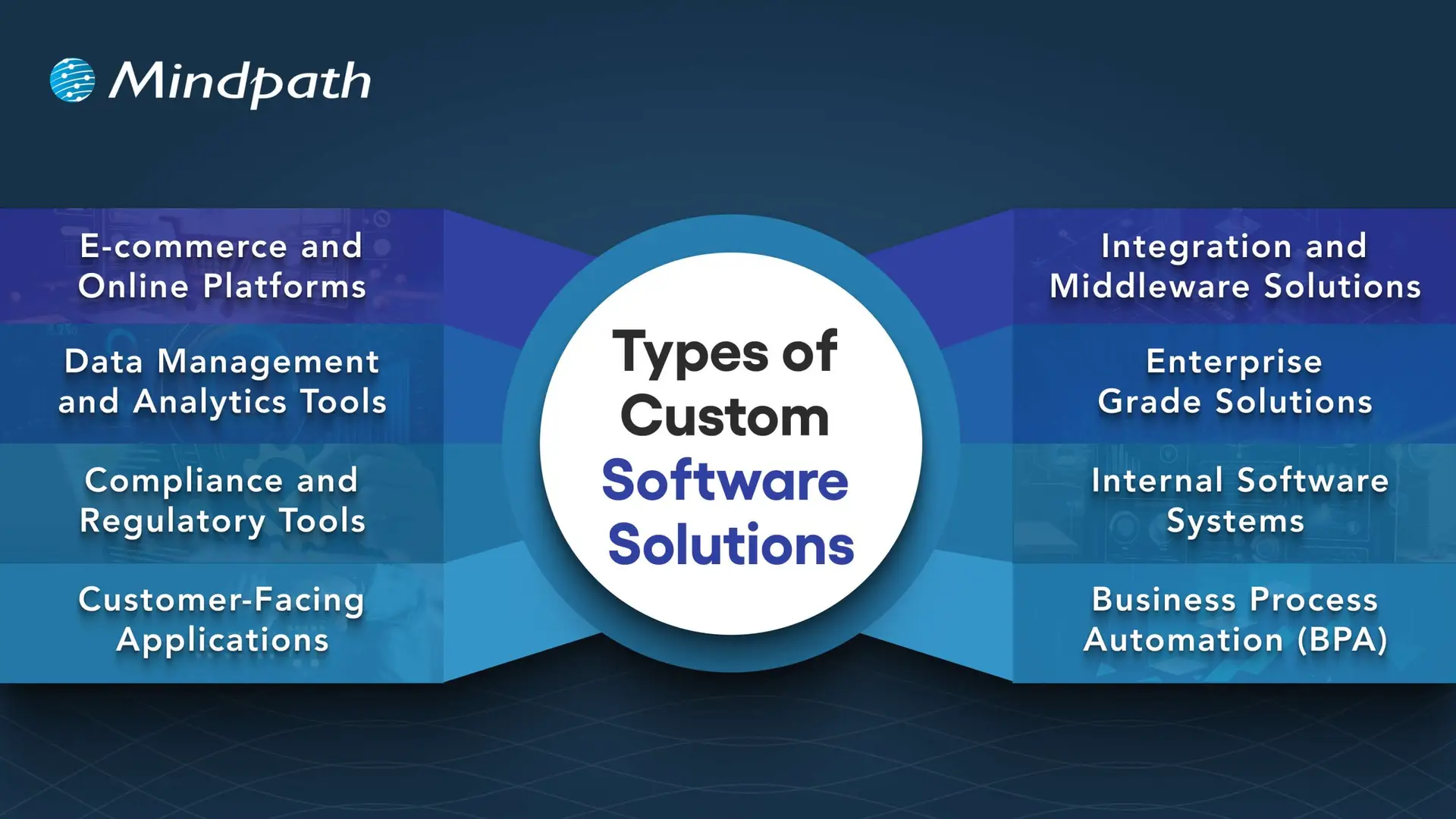
Types of Custom Software Solutions

Businesses face unique challenges, so they will need specific solutions to meet their goals. When used effectively, there are many kinds of custom software development solutions that can take advantage of that to drive efficiency and growth.
Types of Custom Software Solutions

1. E-commerce and Online Platforms

Online businesses require more than a basic website. Custom platforms take care of payment, inventory, and customers quickly and accurately.

2. Data Management and Analytics Tools

Companies generate a never-ending amount of data every day. Analytics tools provide actionable insights from that data, which decision-makers can invest in, as there is confidence in the analytics.

3. Compliance and Regulatory Tools

The industries with strict rules continue to change at a breakneck speed. Compliance software can help you track, report, and reduce risks.

4. Customer-Facing Applications

Customers expect a seamless digital experience, and mobile apps, portals, or self-service tools can provide a simple and engaging interaction.

5. Integration and Middleware Solutions

It’s not very common for systems to connect themselves. Middleware acts as a bridge between those systems and allows for the free flow of information across platforms.

6. Enterprise Grade Solutions

Large organizations need powerful systems to maintain efficiency. ERP, CRM, and BI software all gather data into one controllable system.

7. Internal Software Systems

Day-to-day operations require intelligent systems. HR management platforms, scheduling software, and inventory solutions help maintain workflow efficiency.

8. Business Process Automation (BPA)

Manual tasks challenge the organization as a whole. Custom software development will provide a BPA solution that reduces repetitive, verifiably redundant work and frees up time.

Want to know the method behind building scalable and maintainable software? Learn how the software development life cycle helps you streamline development by providing a structured approach that improves efficiency and overall project outcomes.

Benefits of Custom Software Development

Each organization operates differently, so that’s why software customizations are very important. When you choose custom solutions, companies will have the tools that meet their needs and bring value over the long term.
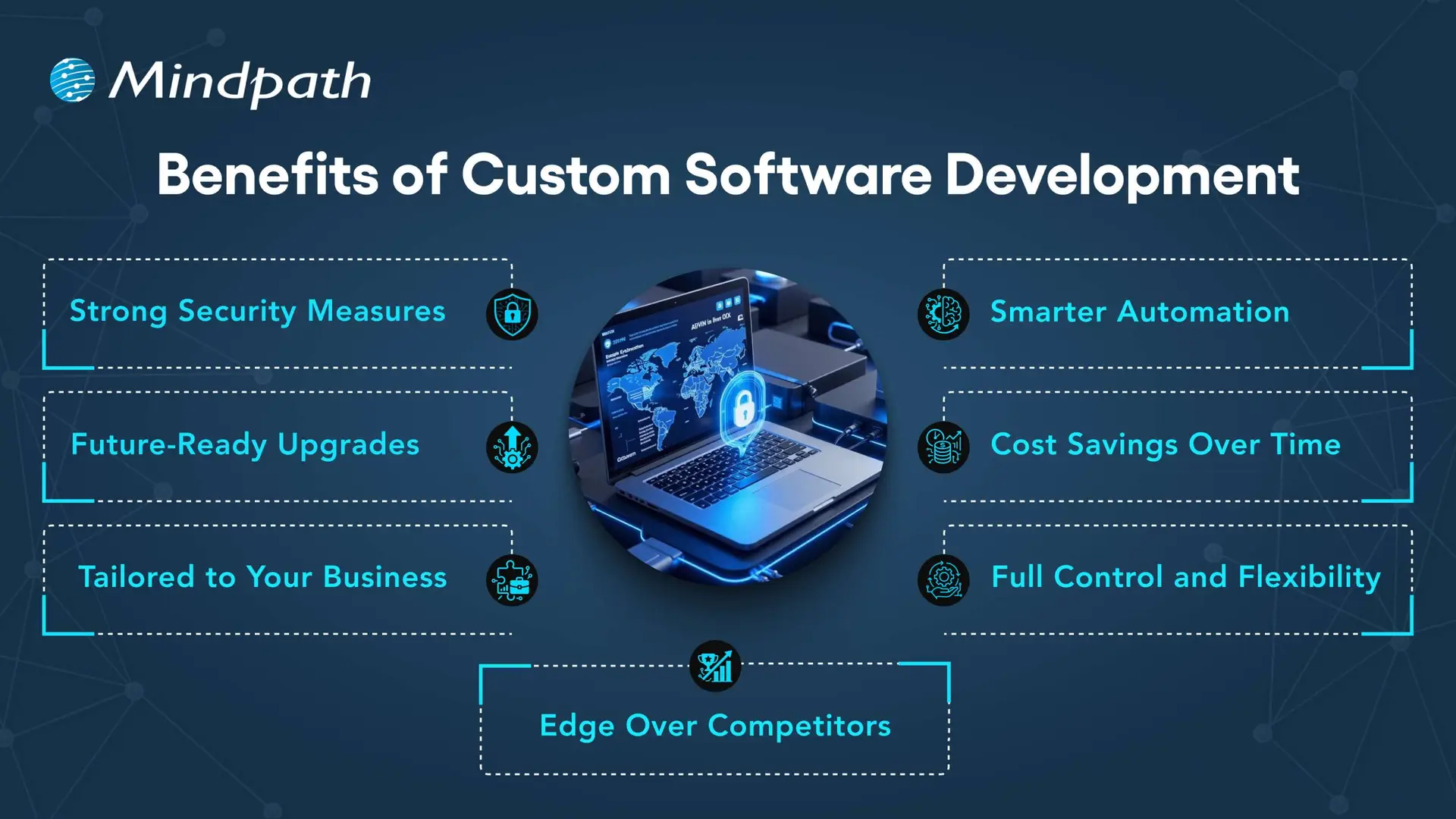
Benefits of Custom Software Development

1. Strong Security Measures

Every day, businesses deal with the threat of crime, and good protection is necessary. With custom solutions, businesses can create the security features that fit their unique needs.

2. Smarter Automation

Repetitive work that wastes time is unnecessary. Automated workflows make everything more efficient, giving teams more time to focus on innovative opportunities.

3. Future-Ready Upgrades

Technology will continue to change, and existing systems are often outdated. A custom solution is easy to upgrade, so businesses can stay up to date.

4. Cost Savings Over Time

It’s common to think of generic tools as the less costly option, but they come with hidden costs. A custom-built system can expand with the business and reduce your long-term costs.

5. Tailored to Your Business

Every company has its own workflows, and off-the-shelf, one-size-fits-all tools rarely truly fit. Custom software design considers workflows and goals to create solutions tailored to specific needs.

6. Full Control and Flexibility

Companies have the decision on how their software evolves. From additional feature requests to maintenance, a company is in control of all aspects of software.

7. Edge Over Competitors

To be different, you need unique solutions. Custom software development allows companies to create custom tools that enhance their efficiency and develop stronger customer relationships.

Curious how businesses are building world-class software teams without geographical limits? Explore how our offshore software development can deliver skilled talent and cost-effective solutions.

Step-by-Step Custom Software Development Process

Custom software development has a well-defined process to deliver the best quality product. Using the proper methodology, a custom software development process business makes certain that everything is completed to specific objectives for each project. Here is the process:

1. Requirements and Planning

The process begins with identifying and researching the client’s needs to lay the right framework. The team documents goals, scope, and technology decisions in order to have a clear foundation. During this clarity stage, teams quickly put together custom-made software with a common understanding.

2. UX/UI & System Design

Once they define the requirements, designers and architects start creating wireframes, prototypes, and system architecture for the solution. They start defining the database structure, user experience (UX), and technical workflow in order to ensure everything flows and goes according to plan. Designers create all custom software to be easy to use, scalable, and low-risk.

3. Development Execution

Developers write code based on the approved design and requirements. They develop using agile and best practices and build the functional modules incrementally. Organizations will receive reliable solutions designed to promote their long-term success.

4. Testing & Quality Assurance

Testing validates both functional and performance on devices, platforms, and use cases. Testers perform unit, integration, and regression tests to detect any issues as soon as possible. This step guarantees quality standards in custom software development solutions before delivery.

5. Deployment & Continuous Support

Once testing verifies quality, the team deploys the software on-premises or in cloud environments. The team will continually provide updates, fixes, and improvements to help maintain the effectiveness of the system. We will perform a continuous improvement process to generate value and to prolong the entire application lifecycle.

Concerned about risks that could slow down your custom software build? Explore the major custom software development mistakes that can disrupt progress and find out how to avoid them.

Key Factors to Consider When Building Custom Software

When it comes to building a custom piece of software, it’s more than just writing the code. It’s important to pay attention to the factors that drive the success and make sure your software aligns with your vision of the future in your business.

1. Build vs Buy Decision

Evaluate if building from scratch or buying ready-made solutions best supports your custom software development goals.

2. In-House Team or Outsourcing

Choose between in-house development and outsourcing based on expertise, resources, and project scope.

3. Right Development Methodology

Select the right approach, like Agile or Waterfall, to match your project’s complexity and goals.

4. Focus on User Experience

Design software with intuitive navigation, usability, and efficiency to boost adoption

5. Scalability and Future Growth

Plan for growth by ensuring the custom software development solution can scale easily as your business expands and technology evolves.

Trying to understand the common pitfalls in creating custom software? Check out our blog to learn the essential custom software development dos and don’ts that every business should follow for a smooth process.

Ready to Transform Your Business with Custom Software?

Custom software development continues to be the core driver of innovation, growth, and competitive advantage. By focusing on tailored solutions, businesses overcome unique challenges, streamline operations, and stay prepared for the future. With the right approach, companies build systems that scale seamlessly, improve efficiency, and deliver long-term results in today’s fast-moving digital world.

Partnering with a trusted custom software development company gives you access to expert guidance, advanced technologies, and proven strategies. At Mindpath, our custom software development services empower businesses to create secure, scalable, and future-ready solutions. From strategy to execution, we ensure every step adds measurable value, helping organizations achieve their vision with confidence and clarity.


Related Post

Discover the ultimate guide to hiring Node.js developers in London. Learn about the skills, benefits, and cost factors involved in finding the right talent for your project.
Explore the key comparison between DevOps vs DevSecOps to find out which approach best enhances your development pipeline.

Related Post

low code vs. no code

The rapidly growing demand for digital transformation has had many businesses thinking about effective ways to align with new trends. You must have heard about the low-code vs. no-code debate in discussions about software development in 2026. As a matter of fact, Gartner has pointed out that 70% of new applications will use low-code or no-code technologies by 2026.

Do you feel that the modern technology landscape is evolving at a speed that you find difficult to match? Your business must also be struggling to find the ideal developer talent for your new IT projects. No-code and low-code solutions can address these concerns by offering convenient alternatives to the conventional software development process. 

The right development choice makes a huge difference. Contact us, and we will guide you on whether low-code or no-code development best suits your business.

Understanding the Basics of Low-Code

You can know a lot about low-code from the name itself, which implies the use of less code. Low-code is a new approach to software development that involves automated code generation with visual building blocks. The functionality of low-code platforms revolves around automation that offers a middle ground between manual coding and no-code development. It allows developers to add code in auto-generated code, thereby retaining the human element.    

Common applications of low-code development in business process management platforms and cross-department tools have been gaining traction. Low code serves as the most useful solution for web and mobile app development and achieving integration with external plugins. Many businesses have successfully leveraged the low-code approach for the modernization of legacy apps. 

Where Does No-Code Come into the Picture?

The curiosity about no-code development is also gaining momentum in 2026 as businesses seek new avenues for innovation. You can describe the answers to “what is no-code development” as a prominent subset of the low-code development approach. The no-code development approach is completely free of human intervention and depends completely on visual tools.

You can find the most applications of no-code development in self-service apps for business users and dashboards. Businesses can rely on the no-code development approach to build standalone apps with simple UIs and automation. One of the notable examples of no-code development is evident in tools for online order management and automated customer service in e-commerce. 

Are your low-code and no-code apps delivering the best possible user experience for your audience? Explore the latest UX/UI design trends to discover how modern interfaces and interactions can make your apps more engaging and effective.

How is Low-Code Different from No-Code?

Many people generally assume that low-code and no-code approaches are essentially the same thing, with different terminology. However, the answers to ‘what is low code development’ and the definition of no-code development showcase a completely different picture. You must know the differences between low-code and no-code development to pick the ideal development approach for your next project.

1. Coding Skill Requirement

The first thing you must check while choosing between low-code and no-code development is the requirement of professionals with coding skills. In the case of low-code development, you will need professionals who have a basic understanding of coding. You must know at least one programming language fluently to use the low-code development approach. Therefore, low code is a difficult approach in cases where non-technical employees don’t know about coding or any programming language.

On the other hand, answers to ‘what is no-code development’ clearly reveal that anyone can use the no-code approach without coding skills. It helps you build applications by replacing the coding portion with blocks of code. You can just drag and drop the blocks of code to build the application you want.

2. Best Use Cases

The next point of comparison between low-code and no-code draws the limelight towards scenarios where they serve the right fit. You can rely on low-code application development platforms to develop applications with many complex features. Low-code development approach involves the use of an exhaustive component library that can be used for applications with heavy logic. In addition, the low-code approach also supports scalability and integration with other apps and external APIs. 

You can leverage no-code platforms for creating apps that deal with analytics, workflow management, project tracking, and progress reporting. It is also important to know that no-code application development platforms also have features that can help you build complex apps without writing code. No-code is a trusted development approach for front-end apps that pull data from different sources. It can serve as a useful solution to repetitive administrative tasks like reporting in business teams.  

3. Development Speed

Another notable aspect in the comparison between low-code and no-code development approaches is the speed of development. The low-code development approach is a rapid application development methodology tailored to develop applications at a faster pace. However, the low-code approach requires coding for certain parts of an application, which leads to longer development time. 

On the other hand, the no-code development approach does not require any coding. You can refer to the difference between low code and no code to understand that the no-code approach does not rely on coding skills. Business owners and entrepreneurs can build applications or create working prototypes in no time. As a matter of fact, some businesses have reported that they created apps with no-code development within a year.

Looking to deliver apps quickly but unsure if your business needs custom solutions? Discover the signs that indicate it’s time for a custom web application to accelerate growth and efficiency.

4. Target Users

The discussions around differences between the low-code and no-code development approaches will also focus on who should use them. Low-code development approach is the ideal pick for professional developers who want to avoid the burden of replicating basic code. It offers more space for developers to focus on complex aspects of development and encourages innovation. The low-code approach ensures automation of the standard parts of coding without depending on the syntax. You should know that low code benefits professional developers by offering opportunities for reskilling.      

The no-code development approach is more suitable for business users who have extensive domain knowledge. It complements their lack of ability to write code and allows them to use their domain expertise efficiently. Hybrid teams with software developers and business owners are also the most prominent target users of no-code development. Small business owners as well as HR, legal and finance teams in an organization, can also choose no-code over low-code development approach.  

5. Expansion of Architecture

The search for differences between low-code and no-code development approaches will also lead you to think about their architectural range. How will the two approaches support your applications as they grow in future? The no code vs. low code comparison suggests that the low-code development approach offers more support for scalability. In addition, it also offers space for cross-platform compatibility, thereby making it an ideal choice for modern business apps. The low-code approach also offers flexibility for using custom code and custom plugins to achieve a broad range of implementations.

On the other side of the debate, no-code approach has limited potential when it comes to flexibility. You cannot extend no-code apps and they showcase limitations in achieving integration with other platforms or legacy systems. It is important to remember that no-code development is useful only for a narrow collection of use cases. Furthermore, the no-code approach also implies limited scope for scalability.

6. Open or Closed System

The low-code development approach follows an open system as it allows users to extend the functionality of apps through code. It offers the advantages of enhanced flexibility and reusability. Users can develop custom plugins or data oracles according to their use cases and add them later in the apps. However, you will have to test the new upgrades and patches with manually introduced code.

The review of no-code benefits in software development reveals that it works best as a closed system. You have to rely on templates of feature sets to extend the functionalities of no-code apps. As a result, you will find limited use cases with no-code apps and restrictions on access to boilerplate integrations and plugins. However, the no-code approach offers support for backward compatibility as it does not involve manually written code.

Trying to build mobile applications quickly without compromising quality? Check out the top mobile app development tools to learn which frameworks and technologies help teams deliver robust, scalable apps faster.

The following table provides an overview of the differences between low-code and no-code development approaches.

Criteria Low-Code No-Code
Coding Skill Requirement Low-code development requires prior coding knowledge and fluency in one programming language. No-code development does not need coding expertise or awareness of coding languages.
Best Use Cases Low-code development is suitable for complex apps that require heavy business logic. No-code development is ideal for front-end apps, UI apps and internal apps that don’t require extensive functionalities.
Development Speed Low-code is faster than traditional development albeit with need for manual coding. No-code is faster than the low-code approach as it follows a plug-and-play approach.
Target Users Low-code is more suitable for professional developers. No-code is the ideal choice for business users, non-IT teams and hybrid development teams.
Expansion of Architecture Low-code supports scalability and cross-platform compatibility. No-code has limitations in integration with legacy systems and reduced scalability.
Open or Closed System Low-code approach works as open system that supports extension of functionalities through code. No-code approach is similar to a closed system as you can add features only through pre-defined template sets.


Final Thoughts

The decision to choose between low-code and no-code development in 2026 may be a difficult one. Each development approach is meant to help you build and deploy applications quickly without compromising functionality. However, you can pick one from low-code or no-code development according to your project requirements and technical expertise.

Mindpath is one of the leading software development agencies with specialization in low-code and no-code development methodologies. We have achieved fluency in the modern software development approaches with experience in different types of projects. Our experts have delivered high-performance solutions tailored to the needs of clients with unparalleled perfection. Reach out to us and find the ideal development solutions for your business right now.

what is autoML

Automated machine learning is a process of automating the complex machine learning process that traditionally requires in-depth technical expertise. It is a valuable practice of automating the end-to-end development of ML models. So, if you are asking what AutoML is, it uses non-experts to generate and implement artificial intelligence systems. Other than this, it can align the AI workflows for keen developers and data scientists.

Due to its heavy usage, automated machine learning market value will reach USD 22.3 billion by 2035. Similarly, AutoML tools can simplify your ML model creation capabilities.

Ready to simplify your machine learning processes with the power of AutoML? Contact us today to discover how automated solutions can accelerate your AI journey and drive better results.

What is AutoML Through a Practical Perspective?

If we define AutoML through a practical perspective, it is a framework that automates the complete lifecycle of building, training, testing, and deploying machine learning models. So, instead of manually assessing the algorithms and parameters, AutoML systems can intelligently experiment with multiple combinations. This can help you land on the most efficient solution.

How Does AutoML Process?

After learning what is AutoML, let us proceed towards its working process. So, the solution works by creating a series of machine learning pipelines to handle the given task, and afterwards it identifies the optimal choice. Moreover, model assessment and selection are automated as part of the iterative process of picking the best solution. Here, you can go through the working steps of automated machine learning.

1. Data Creation and Pre-processing

In this step, developers gather raw data and integrate it into a training dataset. With proper data preparation, your training data will remain free from any type of bias and encourage your model to be successful. Accurate data can offer you more authentic predictions and insights.

You should connect the automated machine learning platform with the training data source. Further, you should remember that the data preparation process occurs before the deployment of an AutoML solution. The AutoML solution preprocesses and cleans the data efficiently. So, thorough data processing can also sharpen your AI model performance vastly.

2. Feature Engineering

After we define the AutoML pre-processing step, let us get into feature engineering. So, data features are the major elements of a dataset that ML models use to make predictions or any integral decisions. Feature engineering is a transformative procedure through which a data scientist gathers new information from input data. Further, they prepare it for machine learning.

Automated feature engineering automates the process of finding the feature space and fills the missing values while selecting the best features to use. However, it can be very difficult for you to build a single feature manually. So, let AutoML AI handle the task for you.

3. Model Selection along with Hyperparameter Tuning and Training

Now, as you are well aware of what is AutoML, can you identify which model is required for the use case? When it comes to traditional machine learning, model selection needs expert knowledge about AI model types along with their abilities and limitations.

AutoML tools can easily enhance the traditional process. It helps in automatically creating and training several models at a time with a series of hyperparameter configurations and algorithms. There are many AutoML solutions that put together multiple models in a process called ensemble learning.

4. Testing and Validating the Solution

Data scientists are required to validate the progress of an ML algorithm during the training phase. After the training, the following model is tested with new datasets to assess its performance in real-world conditions. The performance of the model is verified with metrics that include an F1 score, a confusion matrix, etc.

5. Deployment of the Model

Model generation is just the initial phase in the timeline of the product. Thorough models need to be made available to users and should be assessed for their performance. This step ensures they are reliable and serving with accuracy. So, without any automation, development teams need to write scripts and generate systems to integrate the model into the operations.

This structured automation enables organizations to garner faster outcomes with consistent quality. So, when teams define AutoML, they can express it as a productive multiplier that eliminates the gap between raw data and actionable intelligence.

Ready to take AutoML to the next level? Check out how large language models are transforming machine learning with smarter predictions and advanced automation.

Why Automated Machine Learning is Reliable for Modern Businesses?

The increasing importance of automated machine learning is directly related to the growing demand for AI-driven data. Traditional machine learning pipelines need extensive manual intervention, which can significantly limit your speed and scalability. So, automation eliminates such barriers and enables your businesses to operate AI more efficiently.

Major reasons organizations have been adopting automated machine learning include,

1. Consistent model performance.

2. Faster delivery to market for AI solutions.

3. Non-experts can improve their accessibility.

4. Better usage of data science teams.

Planning to leverage machine learning without a large data science team? Explore AI solutions for small businesses to see how AutoML and intelligent tools help streamline processes.

How Do Multiple Industries Use AutoML?

As per the recent scenario, the AutoML market has a CAGR of 38.0%. A series of industries has been adopting AutoML to verify patterns in huge datasets.

1. Telecommunications

These companies can use AutoML to predict which customers are more likely to renew their contracts. This is how the following companies can enhance their decision-making abilities, starting from marketing to customer service.

2. Insurance

AutoML is capable of simplifying the working structure of insurance companies while encouraging their actuarial processes. So, insurers can get more time for in-depth analysis and validation. This is how they can justify their policies to regulators.

3. Data Science

AutoML is generally useful for non-experts, but it can also empower pro data scientists. So, AutoML accesses data scientists to use several algorithms to find the best models effectively.

Curious how to customize AI models for specific tasks? Explore OpenAI’s Fine-Tuning API guide to learn how fine-tuning enhances AutoML workflows and delivers more accurate, tailored results.

What Type of AutoML Tools Have Been Signifying Their Performance in the Market?

There is a series of AutoML tools that creators have been utilizing in recent scenarios. Let us learn about them.

1. Auto-pyTorch

This is an autoML solution curated to automate the ML projects generated with PyTorch.

2. AutoKeras

This is known to be an open-source tool built on the Keras library and TensorFlow.

3. Lale

This is an open-source, semi-automated Python library that helps ensure seamless integration with scikit-learn pipelines.

4. Google Cloud AutoML

It is Google’s AutoML solution available on its Cloud platform for ML.

These are some of the eminent AutoML tools you need to be knowledgeable about. Similarly, AutoML AI has also been seeking the attention of users because of its endless capabilities. This represents the combination of artificial intelligence with automation techniques to optimize machine learning workflows. So, instead of completely depending on static rules, AutoML AI systems can learn from your previous experiments and enhance your future model selections.

Looking to optimize large language models efficiently? Explore Low-Rank Adaptation (LoRA) to learn how it enables fast and resource-friendly fine-tuning for LLMs alongside AutoML workflows.

Advantages of AutoML over Traditional Machine Learning

AutoML serves plenty of advantages over traditional and manual machine learning workflows by reducing complexities and accelerating execution abilities.

1. Quick Model Development

AutoML effectively reduces the time needed to build machine learning models by automating data preparation. Further, it incorporates faster feature engineering, algorithm selection, and hyperparameter tuning.

2. Minimal Skill Barrier

Traditional machine learning needs strong knowledge in programming, statistics, and model optimization. So, AutoML minimizes such a barrier by enabling you to build an effective model without intense data science knowledge.

3. Reduces Human Error

Manual experimentation can give rise to mistakes in pre-processing, feature selection, and tuning. On the other hand, AutoML standardized the workflows by reducing inconsistencies and errors caused by manual approaches.

4. Consistent Evaluation

AutoML ensures models are properly trained, tested, and compared with the usage of consistent evaluation metrics. So, this makes your performance reliable and enables organizations to make data-driven decisions.

Curious how AutoML builds smarter AI systems? Explore AI models to learn how different architectures and algorithms power automated machine learning and enhance predictions.

Disadvantages and Other Concerns

While AutoML can offer an endless automation facility, it can’t completely replace the human expertise requirements. So, it is necessary to understand its disadvantages to be a responsible user.

1. Risk of Over-Fitting

AutoML might create highly authentic models that perform well on training data. But, somehow, they might lack good performance on new data if you do not validate them precisely. So, it is necessary to monitor them continuously.

2. Dependence of High-Range Data

AutoML systems depend heavily on the quality of input data. So, poor data can’t offer you authentic predictions that you desire, no matter how effective the automation process is.

3. Lags Behind in Transparency

This limitation can be a risk in regulated industries where decisions need to be transparent.

Final Words

Understanding what is AutoML necessary for industries that want to remain competitive in this data-driven economy. By automating the complicated aspects of machine learning, AutoML can empower your business to be faster and more scalable with AI initiatives. This is where Mindpath comes as your ultimate partner.

Here, you can get modern AutoML solutions to transform your raw data into meaningful and valuable insights. Further, you can streamline your decision-making abilities while adopting scalability. As a user, the experts here can help you adopt the best features of AutoML that can make you understand the deep learning systems more efficiently.

Discover how AutoML simplifies machine learning for businesses. Learn about its benefits, including cost savings, accuracy, and faster deployment.
Hybrid Cloud

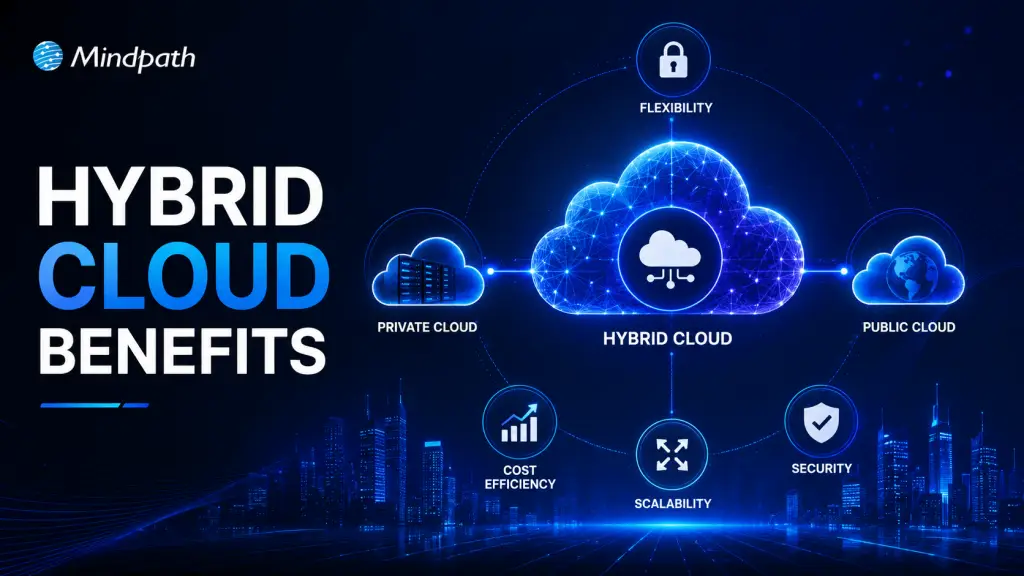
Imagine a world where businesses can enjoy the flexibility of public cloud services while keeping sensitive data safe in a private environment. Sounds ideal, doesn’t it? That’s the promise of hybrid cloud! But why is it gaining so much attention? What makes it the perfect choice for modern businesses? Let’s dive into the key benefits of this game-changing approach. 

What Is Hybrid Cloud?

A hybrid cloud is a configuration that combines private and public cloud technologies. It combines private servers in your office or data center with public cloud services from firms such as Google Cloud or Amazon Web Services. This architecture allows enterprises to store and manage their data and apps in the most appropriate location for their purposes. For example, sensitive or vital data can be kept protected in the private cloud, while less crucial operations can be done on the public cloud to save money and enhance speed. Businesses can also shift workloads across various clouds, making it an extremely adaptable and practical option. Hybrid clouds are popular because they provide businesses with the best of both worlds: security and flexibility. They are especially useful during digital transitions, when firms need to change their systems without totally shutting down their existing activities. This strategy enables businesses to work smarter, save money, and expand more effectively.  

How Does Hybrid Cloud Work?

A hybrid cloud combines two or more types of cloud environments, such as private data centres and public cloud services, into a single system. This connectivity enables enterprises to effortlessly transfer data and applications across various environments. The hybrid cloud requires robust networking to function properly. This is accomplished via techniques such as local networks (LAN), virtual private networks (VPN), and APIs, which allow smooth communication between the various elements of the cloud. Virtualization and containerization are two common current technologies used in hybrid cloud systems. These solutions simplify resource management and sharing by producing virtual replicas of hardware or software. These resources are also managed using specialized software, which enables organizations to swiftly change or assign them as needed. 

Advantages of Hybrid Cloud

1. Better Return on Investment (ROI)

A hybrid cloud enables you to integrate your existing private infrastructure with public cloud services. This allows you to simply extend your computer capacity without having to invest in expensive new hardware or run additional data centers. Instead of investing more in physical servers, you can leverage the public cloud to meet additional storage, computing power, and processing requirements. This technique guarantees you only pay for what you use, which helps to keep prices down. By embracing the public cloud’s flexibility and scalability, you improve your capacity to manage rising workloads while saving money on infrastructure. As a consequence, organizations can enhance their return on investment (ROI) by employing cloud services more efficiently and lowering operating costs. This combination of flexibility and cost savings makes hybrid cloud an excellent solution. 

2. Enhanced Speed and Performance

Hybrid cloud solutions enhance performance, particularly for applications that require quick processing and minimal latency. By combining private and public cloud resources, data can be processed closer to end users, saving travel time and resulting in faster response times. This is vital for applications that need real-time processing, such as video streaming, online gaming, and financial transactions. For applications deployed in remote regions or with high performance requirements, a hybrid cloud configuration can guarantee that data is handled quickly by allocating resources to the best location. This can be accomplished by edge computing, which brings processing closer to the user, minimizing latency and improving the user experience. By lowering latency, hybrid cloud enables organizations to provide quicker, more dependable services, hence boosting overall application performance and customer happiness. 

3. Accelerated Innovation

Hybrid cloud solutions allow enterprises to use cutting-edge technologies such as AI and machine learning without having to entirely replace or expand their present infrastructure. This makes it easy to implement modern tools and capabilities while minimizing costs and interruption. Businesses can maximize their existing systems while gaining access to the cloud’s scalability and flexibility by combining private and public cloud services. This allows teams to operate more effectively, minimizing the time required to create and deploy new apps. Organizations can bring innovations to market faster by shortening development cycles and responding to customer needs and industry developments in real time. The hybrid cloud method enables firms to explore, create, and deploy apps more quickly, providing a competitive advantage. This mix of technological access and operational flexibility accelerates innovation, allowing businesses to stay competitive in a rapidly changing digital market. 

4. Stronger Control Over Applications

A hybrid cloud model provides enterprises with more flexibility over where their applications are hosted and how computing resources are distributed. This flexibility enables businesses to select the optimum environment for each application, ensuring that sensitive data is kept safe and regulatory needs are satisfied. This is particularly significant in regulated businesses. Businesses can enhance their data privacy and control by hosting particular apps in private clouds or on-premises. Simultaneously, less sensitive apps can operate on the public cloud, improving scalability and efficiency. Businesses can leverage hybrid cloud to guarantee that their applications are efficiently managed, reducing risks while still benefiting from the flexibility and cost savings provided by public cloud services. This control enables organizations to achieve privacy requirements and regulatory compliance. 

5. Flexible and Efficient Operations

Hybrid cloud computing allows enterprises to pick the environment that best meets their needs. Hybrid solutions, whether in a private or public cloud, enable you to adapt and grow in response to individual requirements. One of the primary advantages of hybrid cloud is the ability to construct apps with containers. Containers make programs portable, allowing them to be seamlessly transferred between public and private clouds. This flexibility enables enterprises to take use of the finest aspects of any cloud environment, therefore improving performance, security, and cost-effectiveness. A hybrid cloud allows you to easily modify your operations to suit changing demands, such as scaling up during peak hours or relocating apps to a more secure environment when necessary. This versatility benefits companies to stay agile, reducing downtime and improving overall operational efficiency. 

Also Read: Multi-Cloud vs. Hybrid Cloud: Key Differences You Need to Know

Cloud Computing Services at Mindpath

At Mindpath, we provide a variety of cloud computing services to help your organization function smoothly and efficiently. Whether you need to store data, operate apps, or extend your operations, our cloud solutions offer the flexibility and security you want. We assist you in selecting the best cloud configuration for your organization, whether it’s a private cloud for sensitive data or a public cloud for ease of access and scalability. Our staff guarantees that your cloud environment is optimized for speed, cost-effectiveness, and security, enabling you to focus on developing your business rather than worrying about technology. Mindpath’s cloud computing services allow you to develop quicker, enhance productivity, and take use of the newest cloud technologies to remain ahead of the competition. 

Wrapping Note!

Hybrid cloud is transforming businesses by offering a mix of flexibility, security, and scalability. It allows companies to optimize resources, improve performance, and innovate faster, all while ensuring data privacy and compliance. At Mindpath, we provide tailored cloud computing services to help you harness the full potential of hybrid cloud, enabling your business to stay agile and competitive. Let us help you take your business to the next level with the power of hybrid cloud. 

Ready to leverage hybrid cloud for your business?

Partner with Mindpath today to explore our tailored cloud solutions and stay ahead in the digital world!

Discover the benefits of hybrid cloud for businesses, including improved performance, innovation, and flexibility.