Home

Generative AI for Business: Your Key to Success

Generative AI for Business: Your Key to Success

Join our Newsletter!

generative ai for business

Ever imagined a machine that could produce articles, logos, and new content to power your business? Sounds intriguing, isn’t it? Well, that is what generative AI can do for your business. This new-generation artificial intelligence is transforming future of businesses by generating new content, images, product designs and even strategy concepts from patterns it has acquired by analyzing the existing data. In this blog, we are going to discuss how generative AI for business can create innovation and give a competitive advantage.

So, before we learn about how generative AI can transform businesses, let’s understand what is generative AI.

Looking for ideas to reshape your business with generative AI? Unlock smarter growth, faster innovation, and personalized customer experiences with Mindpath’s AI-powered solutions.

What is Generative AI?

In simple terms, Generative AI (GenAI) is a type of machine learning that analyzes huge datasets to learn underlying patterns, then uses that understanding to generate brand-new, original outputs. While traditional AI is mainly about recognizing, classifying, or predicting data, generative AI takes it a step further; it synthesizes unique content such as text, images, audio, video, and even computer code. For instance, it can author customer emails, create social media posts, produce product descriptions, and even assist in designing user experiences.

Generative AI has the ability to provide enterprises with numerous benefits, such as enhancing innovation and creativity, enhancing productivity and reducing expenses. Generative AI also facilitates original idea creation, speed in product development, and custom-built customer experiences. In addition, it has the potential to enable workers to focus on more critical activities and reinforce security and raise the satisfaction levels of customers. 

Let’s dive in how generative AI can drive business innovation and creativity for businesses. But before that have a quick look at the Google Trends for Generative AI for Business.

generative ai for business trends

How does Generative AI Drive Innovation for Businesses?

In today’s fast-moving digital world, innovation is the key to staying ahead. Generative AI in business is assisting companies in igniting new ideas, enhancing content, and accelerating processes. Let us see how generative AI for innovation is changing the way companies think and create. 

1. Personalization Fuels Innovation 

Building a strong customer connection helps in driving business growth and personalization plays a major role in it. Companies can deliver tailored content and better user experiences with the help of smart tools that can understand customer behavior. This is precisely where generative AI for innovation can make a huge difference by helping businesses personalize at a scale which is much faster and more accurate than manual efforts.  

2. AI Creativity and Human Creativity: A New Partnership 

There is much discussion circulating about AI creativity vs. human creativity. It shouldn’t be about who is superior, but how they can both contribute to success. Humans can provide emotion, context and novel ideas to which AI can provide structure and new insights based on data. Merging the two can assist businesses to work more smartly. For example, how generative AI can augment human creativity is seen when it rapidly produces ideas or content, and humans are able to edit and make them work for the brand’s voice and objectives. This also ties into how AI is redefining job roles in tech, showing the evolving collaboration between human expertise and AI capabilities.

3. Unlocking Potential through Data-Driven Creativity 

Generative AI for business enables companies to convert information into intelligent ideas through analysis of customer behaviors, market patterns, and performance outcomes to develop valuable content, product layouts, or advertising campaigns. Humans contribute creativity, passion, and profound meaning, while AI contributes pace, logic, and the capacity to process vast volumes of data rapidly. When combined both, companies are able to develop meaningful experiences that connect with people and result in improved outcomes. aligning with the latest Gen AI trends in business intelligence.

4. Streamlining Operations 

When used properly, Generative AI in business enables companies to save time by automating routine work and processing large sets of data. This allows teams more time to come up with new ideas and more efficient ways of working. When businesses apply this type of thinking, they can grow more quickly, plan more smartly, and stay ahead of market change. That’s how generative thinking helps businesses innovate smarter because it provides them with the space, tools, and insights to grow more smartly. 

5. Securing Financial Transactions 

Generative AI is becoming a necessity for securing financial systems and mitigating risks. It enables companies to identify potential financial risks by processing vast amounts of data efficiently and accurately. The technology also helps in forecasting market trends, enhancing decision-making. Additionally, generative AI is improving fraud and suspicious activity detection in real-time. It’s transforming trading by offering insights from enormous data sets, ensuring smarter and safer transactions. 

Wondering how generative AI is influencing content creation and design strategies? Check out our blog generative AI changing creative industries  to see how AI-driven creativity is shaping the future of industries.

Use Cases of Generative AI for Business Growth 

Generative AI for business is revolutionizing the way companies develop by enhancing customer experience, increasing productivity of employees, and accelerating innovation. From conversational tools like ChatGPT, Bard, and Midjourney to live business applications, the effects are tangible. Here are some simple yet impactful generative AI use cases that fuel business growth today:
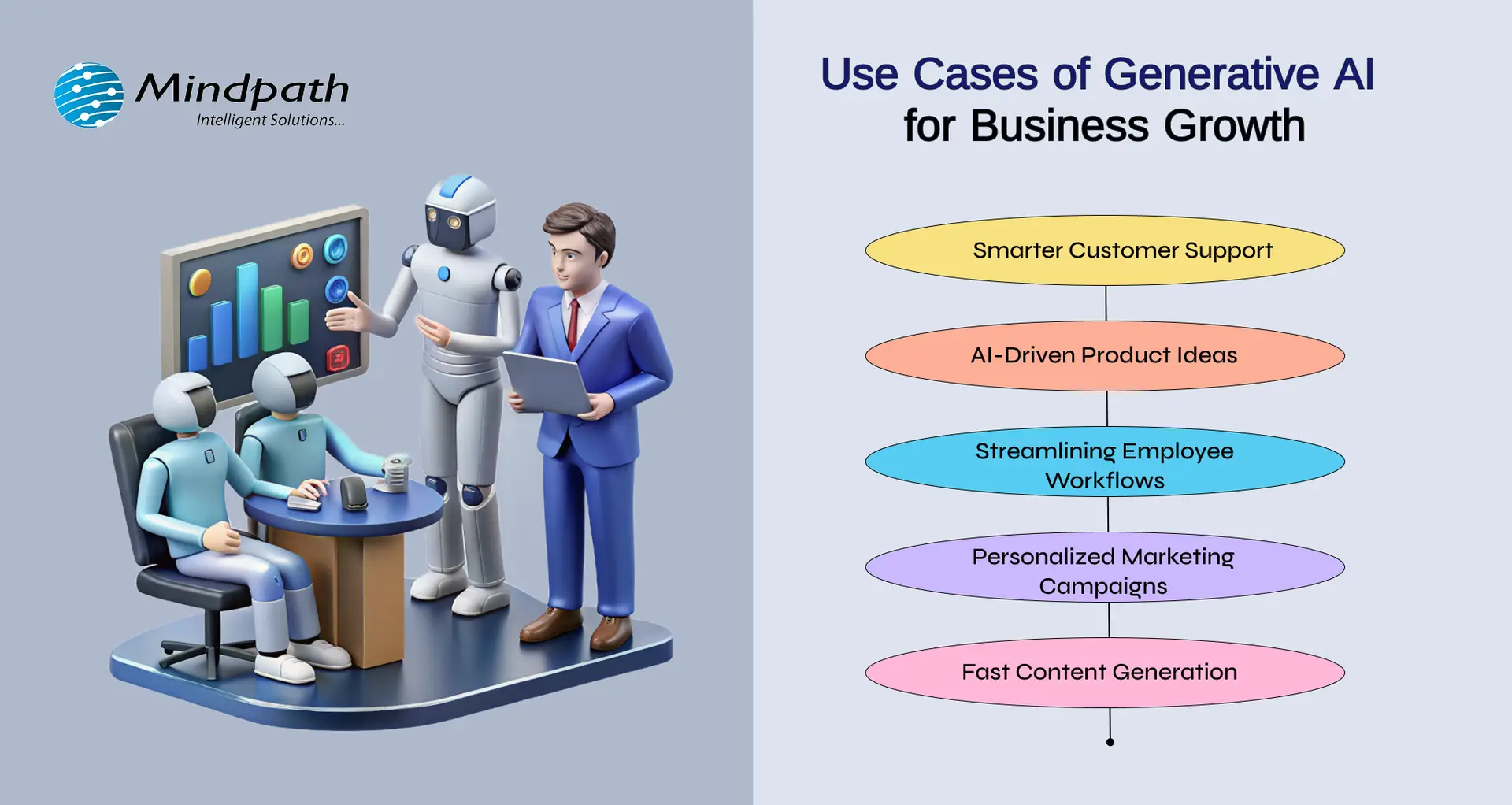
Use Cases of Generative AI for Business Growth 

1. AI-Driven Product Ideas

With tools such as Midjourney, businesses are able to create product ideas, packaging, and graphics. It illustrates how AI can be applied in innovation, by assisting teams to come up with creative ideas quicker and validate what is effective with actual audiences.

2. Smarter Customer Support

Tools like ChatGPT help companies create AI-powered chatbots that answer customer questions instantly. This improves response time and frees up human agents to focus on complex issues. It’s a simple way to offer 24/7 support and boost customer satisfaction.

3. Streamlining Employee Workflows

According to the McKinsey Generative AI Report, generative AI can automate tasks that take up 60–70% of employees’ time today. This includes writing emails, summarizing reports, and generating presentations—especially helpful for knowledge workers and high-skill roles.

4. Personalized Marketing Campaigns

Generative AI technology assists companies in crafting customized ads and suggestions based on user data. This renders marketing more precise and efficient, enabling more engagement and sales while saving time for marketers.

5. Fast Content Generation

With platforms like Bard, teams can quickly write blogs, product descriptions, and emails. This saves time and allows employees to focus on strategy. It’s one of the most practical generative AI examples used daily across industries. 

Looking to leverage generative AI for smarter, more adaptive app solutions? Explore our blog on Generative AI in App Development highlights practical applications, transformative benefits, and strategies to stay ahead in the digital landscape.

Ready to Make Your Business AI-Ready? 

Generative AI is changing the way businesses work, think, and grow. It’s not just about automation, it’s about helping teams be more creative, make faster decisions, and offer better experiences to customers. Be it creating content, improving support, or building new ideas, generative AI for business is making every day work smarter and more efficient. 

At Mindpath, we specialize in delivering cutting-edge AI consulting services tailored to meet the unique needs of modern businesses. Our expertise in generative AI enables companies to streamline operations, boost productivity, and create intelligent solutions that drive real value. Whether you’re looking to implement AI-powered automation, enhance customer engagement, or accelerate innovation, Mindpath is your trusted technology partner for consistent business growth! 

Ready to Put GenAI to Work?

Unlock smarter workflows with generative AI.

Frequently Asked Questions

Generative AI for business refers to AI systems that create new content, ideas, designs, or solutions based on existing data. Instead of only analyzing information, it generates emails, reports, marketing copy, product concepts, and more. Business users can apply it to improve creativity, automate tasks, and make smarter decisions faster.
Businesses use generative AI for content creation, customer support chatbots, product design concepts, personalized marketing campaigns, and financial risk analysis. It also helps generate reports, automate emails, and create digital assets. These applications support innovation, reduce manual work, and improve overall operational efficiency.
To implement GenAI effectively, businesses should first identify repetitive tasks and content-heavy processes. Next, integrate AI tools with existing systems like CRM or ERP platforms. Start with pilot projects, measure performance, and scale gradually. Proper data management and employee training are essential for long-term success.
The future of Generative AI for business looks highly promising. It will continue enhancing personalization, predictive decision-making, and intelligent automation. As technology advances, AI systems will become more context-aware and collaborative, working alongside humans to drive innovation, improve productivity, and create smarter digital ecosystems.
One major limitation of Generative AI for business is its dependence on data quality. If trained on biased or inaccurate data, outputs may be misleading. It also lacks true human judgment and emotional understanding, which means human oversight remains necessary to ensure accuracy, brand alignment, and ethical use.

Support Is One Click Away

Featured Posts

Related Post

challenges of AI adoption

The potential of artificial intelligence to revolutionize business processes revolves around enhancing efficiency, driving smarter decision-making, and fostering innovation. According to Forbes, generative AI can add $4.4 trillion to the global economy, which is hard to ignore for any business (Source). However, the challenges of AI adoption have held back many businesses from tapping into the full potential of AI.

With AI becoming a hot topic in team chats and boardroom meetings, it is reasonable to wonder why business owners think twice before AI adoption. The problem is that around 74% of businesses struggle to achieve anything of value from their AI initiatives (Source). Many organizations encounter different types of challenges during AI adoption, and understanding them can help in finding the ideal solutions.

Handling the challenges of AI Adoption can be complex, but technical expertise can help you overcome hurdles. Our AI development services help businesses overcome challenges and provide tailored solutions.

Unravelling the Common Challenges for AI Adoption

The utility of artificial intelligence for businesses and predictions regarding its value in the future encourage business leaders to think about AI adoption. At the same time, many businesses that have implemented AI in their processes and systems have not captured value from their AI projects.

The journey of AI adoption in business presents formidable challenges, which businesses must understand before implementing artificial intelligence. The following challenges for AI adoption serve as the biggest roadblocks in making the most of the capabilities of artificial intelligence.

1. No Strategy or Vision

The biggest barrier to successful AI implementation is the lack of strategy and vision. If your organisation doesn’t have a well-defined AI strategy, the risks of misalignment grow stronger, especially when considering the future of AI. Without a strategy, businesses might begin their AI initiatives without understanding how AI will align with business goals. The outcome of ignoring strategy manifests in the form of disjointed pilot projects and a lack of quantifiable goals.

Strategy and vision are the foremost AI implementation challenges that organizations should focus on to capture tangible value from AI. The lack of these two things will turn any AI adoption project into an expensive experiment. Furthermore, leaders without a vision and understanding of how AI will contribute to strategic goals can fail after the initial excitement fades away.

2. Lack of AI Expertise

One of the formidable challenges to the success of AI projects is the lack of AI experts. The skill gap in the AI landscape is extremely huge as demand for AI talent outweighs the supply by significant margins, with AI redefining job roles in tech. Many companies don’t have the professionals with technical expertise required for developing, deploying, and managing AI solutions. Some of the notable AI jobs, including data scientists, AI ethicists, and machine learning engineers, have been gaining a lot of attention. However, businesses have to struggle a lot to find the right professional for such jobs.

The list of artificial intelligence challenges will also shed light on the fact that existing IT teams may not have the knowledge to incorporate AI in legacy systems. On top of it, everyone in the workforce cannot understand the nuances of deploying AI models and maintaining them. The talent deficit drives companies to invest heavily in training their existing employees, thereby imposing the burden of time and training costs.

3. Upfront Costs and ROI Uncertainty

Speaking of the burden of costs, business owners must know that the initial investment for AI projects can be huge. The massive upfront costs for AI initiatives include costs of technology infrastructure, software licenses, maintenance costs, and talent acquisition. While enterprise AI adoption offers promising results in the long run, the initial investment is difficult to procure for many businesses. In addition, many businesses could not come up with a justification for the huge upfront investment in specific business use cases of AI.

The uncertainty regarding ROI expected from AI projects can create difficulties in measuring potential cost savings, competitive advantage, or expected revenue growth. As a result, the business leadership might not buy into the project, ultimately leading to difficulties in funding. Such types of AI projects generally fail to move beyond the pilot phase, and some never see the light of day.

Looking to turn AI from an experiment into a strategic advantage? Explore AI in business strategy to understand how the right approach drives measurable impact.

4. Cultural Resistance

Cultural resistance from employees of an organization is obviously one of the most prominent challenges for AI adoption. It provides a clear explanation of why AI projects fail, as disgruntled employees can be the biggest roadblock for an organization’s growth. Employees are likely to harbor fears that AI will replace them, thereby making them more resistant to AI tools and technologies.

Without understanding the purpose and benefits of AI, employees will become more critical of AI and create new challenges. The fear of losing their jobs can make employees more resistant to training, which will result in a lack of enthusiasm for AI projects. On top of it, lower user adoption due to cultural resistance can have a negative impact on the most carefully planned AI projects.

6. Blending with Legacy Systems

Another formidable challenge for AI adoption is the integration with legacy systems. The line of difference between modern AI tools and the outdated legacy systems and the need for modernizing legacy systems can be the biggest headache for business owners. Existing legacy systems might not have the flexibility, interoperability, or scalability to work with new AI platforms. It is one of the common AI integration issues that results in operational inefficiencies, technical complexities, and data silos.

Some businesses might assume that forced integration of AI with legacy systems can solve the problem. However, it would lead to consequences like unexpected costs, project delays, and large amounts of technical debt. Many businesses have failed in their AI initiatives due to the inability to map system connections and facilitate seamless data flow across different platforms.

7. Data Quality and Governance

The effectiveness of AI models depends significantly on the quality of data used to train them. Data quality and governance also take a top spot among the challenges in AI adoption as businesses struggle to find the ideal data for their AI systems across different types of AI. For example, businesses have massive collections of data, plagued by the issues of accessibility, governance, and quality. Businesses have to struggle with issues due to inaccurate, inaccessible, biased, or incomplete data, as they cannot be used in training AI models.

Almost every business that aims to adopt AI cites data accuracy and bias as major challenges. On top of it, the lack of proprietary data for customizing models can restrict the possibilities of effective AI implementation. It is also important to note that data privacy and confidentiality also emerge as prominent challenges for AI projects that deal with sensitive information.

Wondering if your organization is truly ready to adopt AI? Check out our AI readiness checklist to see how businesses can align strategy, data, and technology for successful AI adoption.

How Can Businesses Overcome the Challenges to AI Adoption?

The best way to address the challenges for AI adoption in business involves a strategic and multi-faceted approach. Businesses must aim to fight against the challenges with technology, processes, and people rather than focusing on a specific domain. The following sections offer some valuable recommendations to overcome the challenges in adopting AI for businesses.

1. Develop an AI Strategy

Before starting any AI project, businesses must have a clear and actionable AI strategy that aligns with business goals. The strategy will help you identify the use cases that deliver the most significant impact by addressing specific pain points. Business leaders must focus on projects that promise measurable value advantages in different business operations. Another suggestion to address such challenges involves explaining AI risks and limitations to business leaders. On top of it, businesses must establish an AI governance team, a clear AI roadmap, and measurable KPIs for AI initiatives.

2. Bridging the Skill Gap

Business owners should adopt an innovative approach to address the challenge of skill deficit for AI projects. As AI trends continue to evolve, the approach should begin with training the existing workforce through internal training programs, online learning platforms, and workshops. Apart from promoting AI literacy, businesses should also bring in AI specialists or collaborate with AI vendors when required. Another crucial aspect of the upskilling initiatives for AI projects focuses on AI ethics training to ensure responsible AI development.

3. Show Clear Business Value

The strategic approach to resolving AI adoption challenges must also focus on creating a clear business case for AI. Smaller pilot projects that showcase measurable business value can be the best place to begin. Most important of all, business leaders must also establish benchmarks for success before implementation and track the progress of projects. Quantified impression of benefits, including revenue growth, cost savings, and customer engagement, can provide a clear idea of project success.

4. Seamless Integration and Data Governance

Integration with legacy systems does not have to be a challenge in AI projects, as foresight can solve the problem. Businesses can integrate IT teams in AI initiatives to map out system connections and prepare for integration challenges. Leaders should also take the initiative to foster collaboration between IT and business teams to ensure alignment with business needs. Furthermore, implementing data governance helps in avoiding conflicts during integration while ensuring privacy and quality training of AI models.

Struggling to turn AI strategies into real business outcomes? Explore our AI consulting guide to learn how expert guidance helps organizations overcome adoption challenges and implement AI successfully.

Final Thoughts

The challenges in the journey to adopt AI create huge roadblocks for any type of business trying to embrace AI. However, the solution to prominent business challenges in implementing AI revolves around identifying and understanding the challenges. For instance, business owners must learn how the lack of a clear strategy can affect AI adoption. As a result, business owners will pay attention to developing a well-defined AI roadmap.

We at Mindpath will help you find the ideal solution to overcome AI adoption challenges in any industry. Our years of experience in implementing end-to-end AI solutions have empowered us to address any problem in implementing AI. Reach out to our consultants and figure out the best strategic approach to embrace AI in your organization right now.

front-end development trends

Front-end development trends in 2026 are shaping how businesses build websites, web applications, and digital products. Modern front-end development goes beyond visual design. It influences website speed, accessibility, customer experience, application scalability, and conversion performance. Businesses must therefore evaluate new technologies based on the problems they solve rather than adopting every emerging tool.

Key developments include AI-assisted coding, React Compiler, edge computing, WebAssembly, motion design, Progressive Web Apps, and performance-focused development. Understanding these trends helps business leaders and product teams make better technology decisions, improve digital experiences, and plan sustainable application development.

Key Takeaways

  • 01
    AI-assisted coding can accelerate front-end workflows, but developers must review generated code for security, accessibility, and maintainability.
  • 02
    React Compiler, edge computing, and WebAssembly address different performance challenges and should be adopted when the application needs them.
  • 03
    Motion UI and Progressive Web Apps can improve user experiences when they support usability, accessibility, and real customer needs.
  • 04
    Core Web Vitals, responsive design, and accessibility should be considered throughout development, not only before launch.
  • 05
    Businesses should prioritize front-end technologies according to performance needs, integration requirements, development costs, and long-term maintenance.
Building a new digital product? Mindpath’s full-stack development services combine front-end and backend capabilities to support scalable web applications.

8 Important Front-End Development Trends in 2026

The most relevant front-end development trends in 2026 focus on improving development efficiency, application performance, interface usability, and the way web applications serve customers. The following technologies and practices offer different benefits depending on the product, its users, and its technical requirements.

Trend Primary purpose Business benefit
AI-assisted coding Support code generation, testing, and debugging More efficient development workflows
React Compiler Automate certain React performance optimizations Less manual optimization work in suitable applications
Edge computing Run supported workloads closer to users Lower latency for suitable requests
WebAssembly Execute supported compiled code in the browser Better performance for computation-heavy features
Motion UI Provide visual feedback and guide user interactions Clearer, more intuitive interfaces
Performance optimization Reduce unnecessary downloads, rendering work, and delays Faster, more responsive experiences
Progressive Web Apps Extend web experiences with supported app-like capabilities Convenient access across supported devices
Core Web Vitals Measure loading, responsiveness, and visual stability Measurable user experience improvements

1. AI-Assisted Front-End Development

AI coding assistants are becoming part of front-end development workflows. They can suggest code, generate component drafts, explain unfamiliar functions, help create tests, and identify potential errors. This allows teams to spend less time on repetitive tasks and more time on architecture, product decisions, and quality assurance.

For businesses, the value depends on how AI fits into the existing development process. Generated code still requires review because it may introduce security vulnerabilities, accessibility problems, unnecessary dependencies, or inconsistent design patterns.

Practical business applications

  • Creating initial drafts of reusable interface components.
  • Generating test cases for common user journeys.
  • Identifying potential bugs during code review.
  • Documenting existing components and development standards.
  • Helping teams maintain consistent patterns across large applications.

Business consideration: Evaluate AI tools based on development time saved, review effort, code quality, data privacy, and compatibility with your technology stack. Faster code generation does not automatically mean faster delivery of a reliable product.

2. React Compiler and Automated Optimization

React Compiler is designed to optimize React applications by automatically handling certain memoization tasks. Traditionally, developers have used tools such as useMemo, useCallback, and React.memo in appropriate situations to avoid unnecessary recalculations or component renders.

The compiler can reduce the need for some manual optimizations when an application is compatible with it. However, it does not eliminate every performance issue. Network requests, large assets, inefficient data processing, third-party scripts, and poor component architecture can still affect the user experience.

When businesses may benefit

  • Large React applications with complex component trees.
  • Dashboards that update frequently as data changes.
  • Business applications with interactive forms and reusable interface components.
  • Products where unnecessary rendering contributes to measurable performance problems.

Business consideration: Confirm compiler compatibility, test the existing application, and measure performance before and after adoption. Automated optimization should complement, not replace, performance testing.

3. Edge Computing for Faster Web Experiences

Edge computing moves supported computation closer to the people or systems requesting it. Instead of sending every request to a central origin, applications can use geographically distributed infrastructure to process selected requests, deliver cached content, or run lightweight functions closer to users.

For a business serving customers across multiple regions, edge delivery can reduce latency for suitable workloads. It may also support authentication checks, request routing, personalization, and other functions when the chosen platform and architecture allow them.

Where edge computing can help

  • Serving static assets and cached content to geographically distributed users.
  • Running lightweight request-handling logic closer to customers.
  • Supporting global websites and applications with regional traffic.
  • Reducing repeated requests to the origin for cacheable resources.

Business consideration: Edge computing is not necessary for every website. Evaluate user locations, application architecture, data residency requirements, caching rules, operating costs, and the latency of the existing system before investing.

4. WebAssembly for Computation-Heavy Interfaces

WebAssembly, commonly called Wasm, is a portable binary instruction format that allows supported compiled code to run in compatible environments, including modern browsers. It can be useful when a web application needs computational performance that is difficult to achieve efficiently with JavaScript alone.

Businesses can use WebAssembly for specialized browser-based features such as image processing, audio and video tools, scientific calculations, complex visualizations, and certain document-processing workflows.

Potential use cases

  • Interactive engineering or financial calculations.
  • Browser-based image editing and media processing.
  • Complex data visualization and simulation tools.
  • Reusing suitable code written in languages that compile to WebAssembly.

Business consideration: WebAssembly is not a replacement for JavaScript across an entire website. Assess whether the workload is genuinely computation-heavy and account for integration complexity, download size, browser compatibility, and debugging requirements.

5. Motion UI and Meaningful Micro-Interactions

Motion UI uses animation and transitions to communicate changes in an interface. Micro-interactions provide feedback for actions such as submitting a form, saving a document, expanding a menu, or adding an item to a cart.

When used thoughtfully, these details help users understand what happened after an action and where to focus next. For businesses, this can make complex workflows easier to follow without adding unnecessary visual complexity.

Examples of useful micro-interactions

  • Showing a clear loading state when a form is submitted.
  • Confirming that a record has been saved successfully.
  • Providing visual feedback when a menu opens or closes.
  • Highlighting validation errors next to the relevant fields.
  • Using subtle transitions to explain changes in page layout.

Business consideration: Motion should support the task rather than distract from it. Avoid excessive animation, provide appropriate reduced-motion behavior, and test interactions on mobile devices and with keyboard navigation.

6. Performance-First Front-End Development

Performance optimization is an ongoing engineering practice, not a final step before launch. Slow pages, delayed interactions, and unexpected layout shifts can frustrate users and interrupt important business tasks.

Modern front-end teams use techniques such as code splitting, lazy loading, image optimization, caching, font optimization, and the removal of unused JavaScript. The right combination depends on how the application is built and where performance bottlenecks occur.

Practical performance techniques

  • Load only the JavaScript needed for the current page or feature.
  • Compress images and serve appropriately sized formats.
  • Defer non-essential scripts when appropriate.
  • Reduce unnecessary third-party scripts and dependencies.
  • Cache suitable assets and API responses.
  • Measure real user performance in addition to running laboratory tests.

For businesses, the objective is to make key journeys such as account registration, product browsing, checkout, and dashboard navigation responsive and reliable. Performance work should be prioritized according to actual user impact.

Related reading: Web Development Trends

7. Progressive Web Apps for Cross-Device Access

Progressive Web Apps (PWAs) use web technologies to provide app-like capabilities where supported by the browser and operating system. Depending on the implementation, a PWA can offer installation, offline access to selected content, caching, and certain device integrations.

For businesses, a PWA can provide a convenient way for users to access services without maintaining separate native applications for every platform. It may be suitable for customer portals, field-service tools, content platforms, retail experiences, and applications that need limited offline functionality.

Important considerations for PWA adoption

  • Identify which features users need when connectivity is limited.
  • Define how cached content and offline changes will be synchronized.
  • Evaluate installation and notification support across target devices.
  • Apply secure authentication and protect sensitive cached information.
  • Test browser and operating system differences before launch.

Business consideration: A PWA is not automatically a replacement for a native application. The decision should depend on device integration needs, distribution requirements, offline behavior, user expectations, and development resources.

Read more about Progressive Web Apps and their role in modern web development.

8. Core Web Vitals and User Experience Measurement

Core Web Vitals are Google’s metrics for evaluating important aspects of the user experience. They focus on loading performance, responsiveness, and visual stability. Monitoring these metrics helps businesses identify technical issues that may affect the usability of their websites.

Metric What it measures Good target
Largest Contentful Paint (LCP) How quickly the main visible content loads 2.5 seconds or less
Interaction to Next Paint (INP) How responsive the page is to user interactions 200 milliseconds or less
Cumulative Layout Shift (CLS) How much unexpected layout movement occurs 0.1 or less

These thresholds are evaluated at the 75th percentile of page visits, with mobile and desktop experiences assessed separately. Businesses can use tools such as Google PageSpeed Insights, Search Console, and real-user monitoring systems to identify performance issues.

Good Core Web Vitals contribute to a better user experience, but they do not guarantee higher search rankings. Search visibility also depends on relevance, content quality, technical accessibility, competition, and other factors.

How AI Is Changing Front-End Development Workflows

AI is influencing several stages of front-end development, from initial implementation to testing and maintenance. Its most useful role is to support developers with repetitive or time-consuming tasks while leaving architectural decisions, validation, and accountability with the team.

1. Code Generation and Component Drafts

AI tools can produce initial component implementations from written requirements, suggest code patterns, and help developers adapt existing interfaces. Teams can use these drafts to accelerate routine work, provided the output follows the application’s design system and coding standards.

2. Error Analysis and Test Creation

AI assistants can help explain error messages, identify possible causes of bugs, and generate test cases. Developers should still reproduce problems, run automated tests, and verify fixes rather than relying on generated explanations alone.

3. Design System Consistency

When supplied with clear design rules, component specifications, and examples, AI tools can assist with implementing reusable UI patterns. A documented design system remains important because it defines approved components, typography, spacing, colors, and interaction behavior.

4. Documentation and Code Maintenance

AI can help summarize unfamiliar code, draft documentation, and identify opportunities to simplify existing components. Teams should review generated documentation and suggestions for correctness, especially in applications with complex business logic.

Recommended approach: Introduce AI into specific workflows, establish code review standards, protect confidential information, and measure its effect on delivery time and defect rates. This creates a more reliable basis for deciding where AI adds value.

Why Front-End Performance Matters to Businesses

Front-end performance affects how easily customers can complete tasks. A slow product page can interrupt shopping, a delayed dashboard can hinder decision-making, and an unresponsive form can prevent users from submitting important information.

The impact depends on the application and its users. Rather than optimizing every element equally, businesses should identify the pages and interactions that matter most to customers and measure their performance.

Performance Priorities by Business Goal

Business goal Front-end priority What to measure
Improve e-commerce conversions Optimize product images, checkout, and interaction speed Checkout completion and page performance
Improve SaaS usability Reduce delays in dashboards, forms, and navigation Task completion and interaction responsiveness
Improve content discovery Optimize content loading, navigation, and mobile layouts Engagement and Core Web Vitals
Support international users Use suitable caching and content delivery strategies Regional latency and real-user performance

Skills and Capabilities Front-End Teams Need in 2026

As front-end tools evolve, successful teams need more than familiarity with a particular framework. They must understand how to build accessible, secure, maintainable interfaces that support business requirements.

Core Technical Skills

  • HTML, CSS, JavaScript, and TypeScript fundamentals.
  • Component-based frameworks such as React and Vue.
  • Responsive layouts and cross-browser compatibility.
  • API integration, asynchronous programming, and error handling.
  • Automated testing, debugging, and version control.
  • Performance measurement and optimization.
  • Accessibility standards and secure coding practices.

Product and Collaboration Skills

  • Understanding user journeys and business requirements.
  • Working with designers to implement consistent interfaces.
  • Collaborating with backend engineers on APIs and data flows.
  • Communicating technical trade-offs to stakeholders.
  • Reviewing AI-generated code and maintaining quality standards.

Businesses should build teams around the needs of their products rather than requiring every developer to master every emerging technology. Strong fundamentals, continuous testing, and effective collaboration often provide more lasting value than chasing individual trends.

How Businesses Should Choose the Right Front-End Technologies

Not every front-end trend is suitable for every business. A technology that solves a performance problem in a large application may introduce unnecessary complexity to a small marketing website. Before adopting a new tool, evaluate its expected benefits alongside implementation and maintenance costs.

  1. Define the business problem. Identify whether the priority is faster loading, improved usability, development efficiency, accessibility, or a new product capability.
  2. Assess the existing technology stack. Review framework compatibility, current dependencies, infrastructure, and team expertise.
  3. Estimate total cost. Include implementation, training, testing, licensing where applicable, monitoring, and ongoing maintenance.
  4. Run a focused pilot. Test the technology on a representative page or workflow before expanding its use.
  5. Measure results. Compare performance, delivery effort, defect rates, user feedback, or other relevant baseline metrics.
  6. Plan for security and accessibility. Validate data handling, dependencies, keyboard navigation, contrast, and reduced-motion behavior where relevant.

This approach helps businesses adopt front-end technologies based on measurable needs instead of temporary popularity.

Common Mistakes to Avoid in Front-End Development

  • Adopting tools without a clear need: New frameworks or infrastructure can increase complexity when they do not solve an actual problem.
  • Ignoring accessibility: Interfaces should support keyboard navigation, readable content, meaningful labels, and assistive technologies.
  • Overusing animation: Excessive motion can distract users, affect performance, and create accessibility barriers.
  • Depending entirely on AI-generated code: Human review, testing, and security checks remain essential.
  • Testing only on desktop: Mobile devices, different browsers, and varying network conditions can expose issues missed during development.
  • Measuring performance only before launch: Real-user data and ongoing monitoring help teams identify regressions after releases.
  • Ignoring long-term maintenance: Dependency health, documentation, and clear architecture matter as applications grow.

Build Better Digital Experiences with Mindpath

Front-end development trends in 2026 are most valuable when they address real business needs. AI-assisted coding can support development workflows, performance engineering can improve responsiveness, and thoughtful interface design can make digital products easier to use. The right combination depends on the product, its audience, and its long-term goals.

Mindpath helps businesses turn technical requirements into scalable digital solutions through its full-stack development services. By aligning front-end experiences with backend architecture, performance, and product objectives, businesses can build web applications designed for usability, maintainability, and growth.

Legacy application modernization

There is need to make radical decisions in order to grow in 2026. Legacy application modernization now sits at the center of every CEO agenda. You are witnessing increasing prices, delayed launches, and systems to block innovation. So, what will you change first? Technology influences the degree, pace and consumer confidence. Consequently, leaders need to think radically about fundamental systems with expediency and conviction.

Nonetheless, the process of modernization is not a fast upgrade. It involves vision, alignment and good implementation. You would need to relate business objectives with contemporary architecture and cloud preparedness. Delay decreases the benefits as competition increases. Clearly, smart CEOs are early adopters and change agents. This blog discusses real-life tactics that help organizations grow in a scalable manner. So, keep reading further!

Want to turn legacy applications into a driver of growth and innovation? Mindpath provides legacy modernization services that help organizations modernize systems and unlock new business opportunities.

Why is Understanding Legacy Application Modernization Strategies Important?

Leaders must understand the right approach before investing in legacy application modernization. An effective plan will minimize risk, cost management, and adjust the technology to business objectives. It makes more intelligent choices, prevents interference, and long-term value. Modernization attempts to accelerate growth but lack guidelines; they tend to slack growth rather than improve it.

The world of business today is a busy environment where it is the speed and flexibility that determine the success of a business. Knowing the strategy behind legacy app modernization helps teams prioritize upgrades, strengthen security, and support innovation. It develops a blueprint to scalable systems, improved customer experience and a sustainable digital growth in competitive markets.

Key Strategies for Legacy Application Modernization

Powerful growth requires a definite course of action. Legacy application modernization strategies help businesses upgrade systems with less risk and better results. A narrow strategy makes the technology work in line with long-term objectives and innovation.

1. Refactor or Rearchitect

This is a method that re-architectures an application. Teams subdivide large systems into small and flexible services. It enhances scalability and is available with AI and real-time data tools. Many legacy modernization strategies recommend this for business-critical platforms. It drives true Legacy system transformation.

2. Rehost

Rehosting relocated applications in the cloud without altering code. It lowers data center expenditure within a short time. Companies achieve improved infrastructure and scalability. Although it does not fix deep design issues, it supports early legacy application modernization goals. It puts the systems into readiness to be improved in the future.

3. Retire

Retiring eliminates non-value-adding applications. Most organizations continue to incur the expense of unused or duplicated systems. Their closure saves on licensing and maintenance. This simple step strengthens application modernization plans. It liberates funds on high impact innovation projects.

4. Replatform

Replatforming transfers applications to the cloud with minor enhancements. Managed cloud services could replace self-managed databases in teams. This enhances performance and saves on operation. It balances cost and benefit during modernization of legacy applications. It eliminates chances of complete reconstructions.

5. Repurchase

Repurchasing involves substituting custom systems with cloud based SaaS products. Companies shift to subscription services run by reliable suppliers. This eliminates internal pressure of maintenance. It guarantees the availability of frequent updates and security patches. It supports faster legacy modernization decisions.

6. Relocate

Relocation takes virtual machines into the cloud without adjustment. It is efficient when implementing data centers of a large scale. Businesses are consistent and fast during migration. This method supports infrastructure goals in legacy application modernization programs. It keeps disruption low.

7. Retain

Retaining is maintaining the application in the existing environment. This is selected when systems continue to provide high returns to companies. It enables IT teams to work on more important upgrades. Not all systems are in need of urgent transformation. Smart legacy application modernization planning includes selective retention.

Want to ensure your modernization efforts follow a clear and structured path? Explore the legacy modernization roadmap to guide every step of your transformation journey.

Steps to Build an Effective Legacy Application Modernization Roadmap

A roadmap makes complicated upgrades into systematic improvement. The correct plan will help make sure legacy app modernization initiatives remain business-focused, budget-wise, and long-term.

Steps to Build an Effective Legacy Application Modernization Roadmap 

1. Evaluate Your Current Applications

Begin by taking a thorough analysis of your current systems. Quality of check codes, performance problems, integrations and infrastructure to identify the latent risks and areas of improvement.

2. Define Clear Business Objectives

Connect the leadership and stakeholders to the importance of modernization. Establish quantifiable objectives to ensure teams know priorities, expected results and schedules prior to technical change.

3. Select the Right Modernization Approach

Select a strategy that suits the business, e.g. rehosting, refactoring or rebuilding. The right choice reduces risk and supports long term legacy application modernization success.

4. Prioritize and Test with a Pilot

Divide the plan into achievable stages. Begin with high impact modules and put a proof of concept to confirm performance, security and scalability enhancements.

5. Execute in Controlled Phases

Move changes in steps so that there is no disruption. A structured rollout ensures stable operations and measurable value throughout the legacy application modernization journey.

Want to understand how updating legacy systems can boost business performance? Discover the benefits of modernizing legacy systems to achieve efficiency and scalable growth.

Ready to Lead Growth with a Clear Modernization Strategy?

Legacy application modernization offers CEOs the freedom to scale comfortably. It lowers the risk, enhances security and optimizes performance of the system. More significantly, it makes technology consistent with long term business objectives. The first mover companies are faster, more nimble and more trusted by their customers. An obvious guide transforms complicated systems into development drivers.

Mindpath is a reputed legacy modernization company who provide legacy modernization services that assists businesses in modernizing key systems in a clear and accurate manner. Our professionals evaluate, develop, and implement policies that facilitate creativity and business prowess. We put emphasis on quantifiable outcomes and value creation. Through Mindpath Legacy modernization services, companies create safe and scalable platforms that can support future developments.