Choosing the Right Legacy Modernization Strategy for Business Growth 

Join our Newsletter!

Featured Posts

Support Is One Click Away

Home

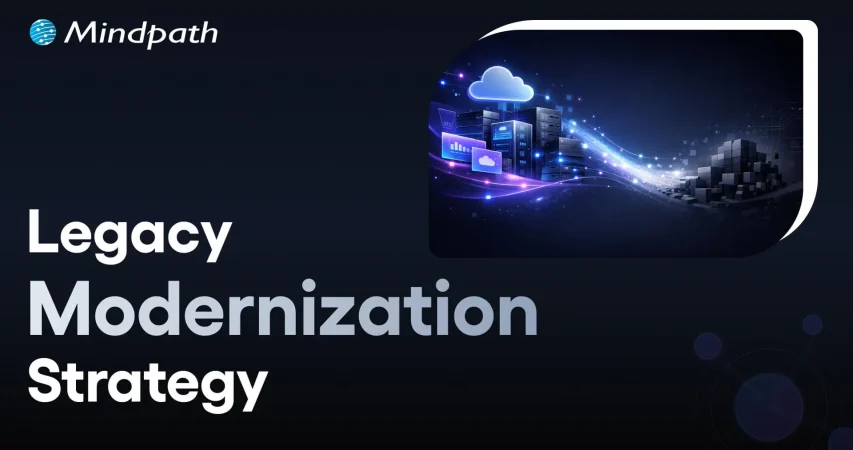
Choosing the Right Legacy Modernization Strategy for Business Growth 

Legacy modernization strategy

Choosing the Right Legacy Modernization Strategy for Business Growth 

The technology environment that you operate in determines the rate at which your firm develops and competes. A clear legacy modernization strategy gives structure to change and turns outdated systems into growth drivers. You might feel like upgrading, but you need to know and understand. So, where do you start and how are you balancing technology objectives and business performance?

Nevertheless, modernization goes beyond updating the system. It must have a dedicated strategy that enhances scalability, security, and performance. Consequently, leaders should reason in the future and be purposeful. Innovative choices now result in robust systems in the future. In this blog, we look at how to make the correct decision that would be helpful in sustainable business growth.

Ready to turn legacy systems into growth enablers? Mindpath’s legacy modernization services guide organizations in choosing and executing strategies that unlock operational efficiency and business value.

What is a Legacy Modernization Strategy?

A legacy modernization strategy is a structured plan that transforms outdated systems into agile and scalable digital platforms. It also assists companies to minimize technical debt, enhance security, and general performance. When technology is aligned to existing objectives, businesses develop a platform that facilitates innovation and sustained development.

Legacy system modernization consists of more practical strategies, including rehosting, replacing the platform or refactoring into microservices, or replacing systems with SaaS offerings. All the methods facilitate the adoption of clouds and efficiency. Organizations will be able to modernize with the right direction and remain stable and deliver improved user experiences.

Wondering how legacy upgrades can improve security and system reliability? Explore the benefits of modernizing legacy systems to strengthen your infrastructure.

Key Strategies of Legacy System Transformation

1. Refactoring

Enhance current code to eliminate technical debt to increase the efficiency without altering the experience of users using the system.

2. Replacing

Existing system to replace the old system and install a new SaaS or commercial system.

3. Rehosting

The application can be moved to newer infrastructure such as cloud with minimal or no changes in code.

4. Encapsulation (API-enabled)

Sometimes wrap legacy code with APIs to allow them to interface well with modern applications.

5. Re-architecting

Re-design the system into a new structure, e.g. microservices, to open up new possibilities.

6. Replatforming

Change to a new platform with some slight alterations in order to enhance performance without changing the core code.

7. Rebuilding or Rewriting

Build the system with a new technology but keeping the same business logic.

Looking to improve system flexibility during your modernization journey? Learn from monolith to microservices to enable faster and easier updates.

How to Choose the Right Legacy Modernization Strategy?

To make the appropriate decision, one has to be clear, plan and well aligned with business objectives. The right legacy modernization strategy depends on your system complexity, budget, risk tolerance, and long-term growth plans.

key steps to choose the right legacy modernization strategy

1. Perform a Comprehensive Assessment

Start with an elaborate system, dependency, and technical debt audit. Trace the architecture and locate the performance bottlenecks. Isolate mission critical components and features that are old. This evaluation strengthens your legacy modernization framework and guides smart investment decisions.

2. Define Clear Business Goals

Align your Legacy modernization strategy with measurable business outcomes. Clarify the need of modernization such as cost control, agility, or improved security. Establish targets of performance and scalability. Then choose an Application modernization strategy that directly supports these goals.

3. Evaluate Risk Tolerance

Determine the extent to which your organization can cope. Few risk solutions are API encapsulation or cloud rehosting. High transformation goals may require a bold legacy modernization technique like rearchitecting. Striking a balance between innovation and operational consistency is advisable before taking the final decision.

Must Read: AI-Driven Legacy System Modernization

4. Prioritize Data Integrity and Security

Protect critical and historical data during every transition phase. Create a structured migration plan with validation checkpoints. Embed security controls while modernizing legacy systems. Adopt zero trust practices to reduce exposure to cyber threats.

5. Adopt a Phased Approach

Secure valuable and historical data at all levels of transition. Develop a systematic migration strategy that has checkpoints. Embed security controls while modernizing legacy systems. Employ the concept of zero trust in order to minimize exposure to cyber threats.

6. Assess Internal Capabilities and Partner Support

Analyze the internal knowledge of innovative tools and websites. Identify skill gaps that may delay your Legacy modernization strategy. Arrange training of the plan or external assistance where necessary. Collaborate with skilled professionals offering end to end solutions.

Looking to simplify your modernization process with a proven framework? Learn from the legacy modernization roadmap to move forward with confidence.

Ready to Build a Smarter Future with the Right Strategy?

Choosing the right legacy modernization strategy drives growth, resilience, and long-term performance. Companies that think strategically lower the risk and open other digital opportunities. Clarity, planned implementation, and good governance bring sustainable value. By combining technology with business vision, leaders enhance their agility, security, and scalability and remain competitive in a fast-changing market.

Being a reliable legacy modernization service provider, Mindpath delivers practical and growth-oriented solutions. Our specialists evaluate systems, build customized road maps, and implement contemporary modernization accurately. We assist organizations to minimize technical debt and increase innovation. Mindpath provides sustainable transformation, with immense technical know-how and strategic acumen, to strengthen operations and ensure quantifiable business success.


 FAQs

1. Why does my business need a legacy modernization strategy now?

A clear legacy modernization strategy helps your business stay competitive in a fast moving digital market. It improves agility, reduces maintenance costs, and strengthens security. Without a defined plan, outdated systems slow innovation and increase operational risk over time.

2. How do I know if my current systems require modernization?

Frequent downtime, high maintenance costs, security gaps, and difficulty integrating new tools indicate aging systems. If your technology limits growth or delays product launches, you likely need a structured modernization plan to support scalability and long term performance.

3. How can Mindpath support our modernization journey?

Mindpath’s legacy modernization services focus on assessment, roadmap creation, migration, and optimization. Our experts align technology upgrades with business goals. As an experienced partner, we help organizations modernize confidently while maintaining operational continuity and measurable growth outcomes.

4. Which technical factors influence the choice of a legacy modernization strategy?

System architecture, data complexity, integration dependencies, and cloud readiness shape your legacy modernization strategy. Teams must evaluate technical debt, scalability limits, and security posture. These factors determine if rehosting, refactoring, or rearchitecting delivers the best performance improvement.

5. How do we protect data integrity during modernization?

Technical teams must design structured migration plans with validation checkpoints and backup mechanisms. Strong encryption, access controls, and testing protocols reduce risks. Mindpath’s legacy modernization services implement secure data transition practices that protect critical business information throughout transformation.

Related Post

Learn how to implement DevSecOps in the cloud to enhance security. Discover the key steps to safeguard your cloud infrastructure.
How much does hiring a ReactJS developer cost? Learn about factors affecting rates, and how to find the best talent within your budget.

Related Post

benefits of ai

Can you envision a world where everyone works better, decisions are easier to make, and your team has more time to concentrate on important work? Well, this is the power behind the benefits of AI. A growing number of companies are discovering how AI can take away the recoil of repetitive, mind-numbing tasks while recognizing patterns of behavior that weren’t on your radar. These companies are now opening new opportunities that once seemed impossible!

This intelligent technology is enabling businesses to improve efficiency, satisfy customers, and keep pace with competition in an evolving marketplace. For large and small companies alike, it’s becoming a real growth engine. In this article, we will review the top 10 AI benefits for business and how they can help you unlock real, lasting growth. So, let us dive in!

Want to take advantage of AI technology to accelerate your business? Discover how Mindpath’s AI development services can help you with customized solutions that will boost the overall performance of the business.

What is Artificial Intelligence?

Artificial Intelligence (AI) is an intelligent technology that can execute tasks that, ideally, you would expect a human to do. Through AI, a system can learn from data, use that data to solve problems, make decisions, and understand and use human language.

AI is used in a wide variety of everyday tools and services today, from voice assistants and chatbots to advanced tools that help organizations analyze trends and automate business processes. One of the most prevalent areas of focus within AI at the moment is generative AI, which refers to the ability for these tools to create new text, images, videos, and more. AI, in its most basic form, is accomplished through the use of various technologies like machine learning and deep learning, which allow these systems to gain expertise while processing greater amounts of information.

Also Read: Gen AI revolution

What are the Benefits of AI for Business?

AI and business are becoming more connected than ever, opening up fresh possibilities for companies of all sizes. Understanding the artificial intelligence business benefits can help you see why so many organizations are investing in this smart technology. Let’s explore how AI helps businesses make the most of these opportunities.

1. Enhanced Customer Experience

One of the biggest advantages of AI in business is making customers happier. AI can give quick answers through chatbots any time of day. AI in customer services also learns what customers like and gives ideas just for them. This is how AI improves customer experience and keeps people coming back.

2. Smarter Business Decisions

A key example of how AI helps businesses is by supporting better decision-making. AI in decision-making can quickly study large amounts of data and find important patterns that people might miss. Teams can use AI tools to get clear answers without spending hours on research. This makes it easier for businesses to make confident, informed choices.

3. Increased Work Efficiency

AI helps teams complete tasks faster by taking care of repetitive work. It can handle things like data entry and report creation with fewer mistakes. This gives employees more time for important and creative tasks. In the end, everyone works more efficiently and gets better results.

4. Boosts Business ROI

One way AI increases ROI is by helping companies save time and money. AI can do tasks faster and with fewer mistakes. This means businesses spend less and earn more money. Over time, AI helps companies grow their profits in smart ways.

5. Improved Team Accessibility

A clear reason why businesses should adopt AI is that it is now easy for everyone to use. Employees do not need coding skills to work with AI tools. They can simply use everyday language to get help from AI. This makes it possible for more people to help improve how work gets done.

Are you missing out on the benefits AI can bring to your business? Learn how the role of an AI consultant helps organizations drive digital transformation and make smarter, faster decisions.

6. Greater Accuracy and Quality

AI helps keep work accurate by doing tasks the same way each time. It handles things like data and numbers without small slip-ups. AI can also catch and fix mistakes before they grow into bigger problems. Over time, it learns and makes work even more reliable.

7. Expanded Business Capabilities

One of the key advantages of AI in business is that it opens up new ways of working. AI can understand complex or messy data that older tools cannot handle. This makes it possible to automate tasks like reading emails and handling customer questions. It helps businesses operate more smoothly and achieve better results.

8. Improved Workplace Environment

AI helps employees by making their daily work easier and smoother. It takes care of boring tasks like data checks or planning work. This gives people more time for important and interesting projects. When work feels better, people stay happier and more engaged.

9. Enhances Innovation and Growth

AI supports teams in developing new ideas for products and services. AI trends can analyze past and current demand patterns to identify future opportunities. This helps companies plan more effectively and stay ahead in their industry. By using AI, businesses can drive continuous innovation and sustainable growth.

10. Scalable Business Operations

Using AI for digital transformation makes it easier for companies to scale their work. Cloud-based AI tools can read, write, and interact to support many tasks. They adjust quickly when business needs or workloads grow. This helps organizations expand without always needing more staff.

Is your business ready for the AI revolution? Explore our blog on AI is transforming the future, to see how AI is reshaping industries and everyday life.

Use Cases of AI in Business

AI is now part of everyday work for many companies. It helps businesses work smarter and stay ahead in a busy market. Here are some practical ways AI is used in business today.

1. Enhanced Customer Engagement

AI helps companies understand and connect with customers in smarter ways. It shares helpful ideas, predicts what people may want, and makes communication smoother. This keeps customers happy and loyal.

2. Employee Skills Development

AI shows what skills employees need and suggests good training options. It helps people learn and grow in their roles. This keeps teams ready for new challenges.

3. Streamlined Operations

AI takes care of repetitive tasks, so employees can focus on more valuable work. It helps use time and resources wisely. This keeps daily work running smoothly.

4. Valuable Market Insights

AI studies large amounts of data to spot what customers like and what trends are changing. It gives useful information for making better business plans. This helps companies stay competitive.

5. Increased Team Productivity

AI handles small, time-consuming tasks so employees can work on bigger projects. It supports tasks like notetaking and email management. This helps teams work better together.

Want to leverage AI in your business but unsure which programming languages make it possible? Read our blog on AI Programming Languages to understand the tools behind AI solutions and how they can drive growth for your company.

6. Support for Creative Work

AI brings fresh ideas for design, writing, and planning. It makes creative tasks faster and easier to manage. This helps teams deliver high-quality work.

7. Improved Data Security

AI monitors online threats and finds problems early. It helps protect important company and customer data. This keeps the business safe every day.

8. Personalized Customer Service

AI learns what people like and offers suggestions tailored to them. It helps match customers with the right products or services. This makes customers feel special and keeps them coming back.

9. Better Strategic Decisions

AI in business strategy reviews lots of information and finds helpful patterns. It supports leaders in making smart choices for the future. This makes business planning stronger and clearer.

10. Stronger Talent Acquisition and Management

AI helps companies find the right people by reviewing resumes and spotting good fits. It also helps keep employees satisfied with their roles. This helps businesses build strong teams.

How is AI reshaping the way websites are built and optimized? Explore our detailed article on AI in Web Development to see how it’s driving smarter design, faster deployment, and better user experiences.

Looking to Unlock the True Benefits of AI?

The benefits of AI are transforming how companies operate, grow, and stay ahead in today’s fast-moving market. From happier customers to smarter choices and better teamwork, AI brings practical advantages that help businesses do more with less effort. By understanding how to use AI well, your company can boost efficiency, spark new ideas, and unlock real growth for the future.

Partner with Mindpath, providing expert AI development services to turn these benefits into reality for your business. Our team designs smart, custom AI solutions that automate work, improve decision-making, and create new ways for you to succeed. Let’s shape the future of your business together with intelligent AI tools built to deliver lasting results.

Discover how AI is transforming the world. Explore the top 10 benefits of artificial intelligence, from solving complex problems to enhancing customer experiences.
Cloud Computing Attacks

Is your cloud data truly safe? As cloud computing becomes essential for businesses, the risk of cyberattacks grows. Are you aware of the vulnerabilities that hackers often exploit? How can you stay one step ahead and secure your cloud? In this blog, we will explore practical ways to protect your data and keep cyber threats at bay. 

Cloud computing refers to the ability to access a wide range of computer resources over the internet, such as data storage, virtual and physical servers, networking capabilities, software, and sophisticated technologies such as AI analytics. Instead of investing in and managing these resources themselves, customers can leverage cloud providers’ infrastructure on a pay-per-use basis, resulting in more flexibility, scalability, and cost-efficiency. This method enables firms to access high-performance tools and store on demand, reducing the need for substantial on-site equipment. 

Preventing threats to cloud computing is important because it helps keep your data, applications, and systems safe from cyberattacks. When threats aren’t controlled, hackers could access sensitive information, disrupt services, or cause data loss, which can harm a business’s reputation and lead to financial losses. By focusing on security, you can protect your information, build customer trust, and make sure that your business operations continue smoothly without unexpected interruptions. 

Let’s explore the steps on how to prevent cloud computing attacks! 

Guide to Prevent Cloud Computing Attacks

1. Use Cloud Security Posture Management (CSPM)

Cloud Security Posture Management (CSPM) tools are essential for defending against cloud computing attacks. These technologies assist you in keeping your cloud environment secure by continually scanning for security vulnerabilities and ensuring that everything adheres to the proper protocols. They can also give advice on how to resolve any issues that are discovered. One of the most effective uses of CSPM is to ensure that your cloud environment adheres to security standards at all times. These technologies can automatically assess whether your system complies with relevant laws and regulations. You can employ tools like AWS Security Hub, Google Cloud Security Command Centre, and Azure Security Centre to monitor and update your cloud security.  

2. Encrypt Data Stored and in Transit

To protect against cloud computing attacks, encrypt your data both at rest and in transit. Encryption protects your data from unauthorized access by making it unreadable to anybody without the right key. 

To protect data at rest, employ encryption tools provided by your cloud provider to safeguard information kept in databases, storage, or backups. To protect your data, AWS offers services such as AWS Key Management Service (KMS) and Amazon S3 Server-Side Encryption. Data in transit must be encrypted using secure protocols such as TLS/SSL as it flows between your systems and the cloud. This ensures that the data can’t be intercepted or altered by attackers while it’s being transmitted. By encrypting both at rest and in transit, you can greatly reduce the risk of data breaches and ensure your information stays secure. 

3. Monitor and Act on Threats

To defend your cloud from attacks, you must continually check for unexpected behavior and respond promptly to threats. Monitoring user requests and database updates can aid in identifying possible security threats before they cause damage. Start by monitoring user requests. Monitor API calls and user behaviors for signals of danger, such as a high number of unsuccessful login attempts, unusual traffic spikes, or unauthorized access attempts. Also, keep an eye on your database for any unauthorized modifications, such as efforts to steal data or edit sensitive information. 

To provide the greatest security, employ technologies like AWS CloudTrail, Azure Security Centre, or Google Cloud Security Command Centre to monitor your cloud environment in real time. These technologies allow you to view everything that is going on and immediately spot any risks. 

4. Protect Your APIs

Securing APIs is essential for securing cloud services and data. APIs serve as messengers, allowing various software programs to communicate and share information. They play a vital role in cloud computing and are frequently targeted by attackers because they can store sensitive data such as user credentials, financial information, or secret corporate information. If an API is hacked, it can pose major security concerns to the entire system. 

API gateways are an excellent solution for protecting your APIs. An API gateway manages and secures the traffic that flows to and from your APIs. It works as a filter, processing only authorized queries. You can enhance security by activating features like rate restriction, authentication and authorization checks, enforcing HTTPS, and detecting attacks patterns through the gateway. 

5. Establish Identity and Access Management (IAM)

Managing access to your cloud resources is essential for ensuring their security. Strong Identity and Access Management (IAM) procedures guarantee that only the appropriate individuals and services have access to your cloud data, and only to the level required. This helps to prevent unauthorized access and mitigates the harm if an account is hacked. 

Following the principle of least privilege is a great practice. This implies granting users and services just the rights they require to fulfil their responsibilities. By limiting access to only what is required, you lessen the likelihood of abuse if an account is hacked. It’s also important to conduct regular audits and reviews of your access policies. This ensures that access permissions are still relevant and aligned with the current roles and needs of your users. Regular checks help maintain a secure environment and quickly identify any unnecessary or outdated access. 

Also Read: DevSecOps in the Cloud: A Complete Implementation Guide

Cloud Computing at Mindpath

At Mindpath, we offer cloud computing services to help businesses manage their data, applications, and resources more easily and securely. With our cloud solutions, you can store your information safely, access powerful tools over the internet, and scale your resources as needed—all without having to manage complex hardware yourself.  Whether you’re looking to improve security, reduce costs, or increase efficiency, our cloud computing services are designed to meet your unique needs. We use the latest technologies to ensure your data is safe, accessible, and ready to support your business growth. Let us help you take advantage of the flexibility and power of the cloud. 

Final Thought!

Preventing cloud computing attacks is essential for protecting your data, apps, and company processes. Implementing strong security practices such as Cloud Security Posture Management (CSPM), encrypting data at rest and in transit, continuously monitoring for threats, securing your APIs, and managing access through Identity and Access Management (IAM) can significantly reduce the risk of cyberattacks. Mindpath is dedicated to offering safe, versatile, and scalable cloud solutions that fit your company’s requirements. With the proper cloud security measures in place, you can focus on development and innovation while ensuring your data is protected. Let us assist you in developing a robust, secure cloud infrastructure that will support business success in today’s digital environment. 

Ready to secure your cloud environment?

Partner with Mindpath for reliable, scalable cloud solutions that protect your data and drive business growth.

Learn how to prevent cloud computing attacks with practical tips on security, API protection, and IAM to safeguard your business and data.
ReactJS for Progressive Web App development

Creating applications that are fast, dependable, and smooth on all devices is important for every company today, right? So, when you think of building something like that, ReactJS for Progressive Web App development may be a wise option for you. It allows you to create applications that give the experience of a native application without the cost or intricacy. There are many modern companies already using this approach to enhance performance and keep users invested with consistent user experiences.

ReactJS offers speed, flexibility, and user-centric features that are perfectly aligned with progressive web app goals. ReactJS has reusable components and fast rendering, making it easy for developers to build responsive and high-performance apps. PWAs built with ReactJS are responsive and load fast, work offline, and allow a smooth mobile experience that users will enjoy. In this blog, we will examine the top reasons why ReactJS is great for developing PWAs.

Looking to engage users with fast and seamless web applications? At Mindpath, we offer ReactJS development services where our experts help you create user-focused Progressive Web Apps that give users a smooth digital experience.

Understanding the Fundamentals of PWAs

Progressive Web Apps (PWAs) are modern web applications that function like mobile apps. With a PWA, you can open it in a web browser, but it behaves like a real app on your phone or computer. They are designed to function seamlessly across all devices (smartphones, tablets, or desktops), which is nicer than having separate mobile websites, apps, and desktop apps.

Progressive Web Apps are created using HTML, CSS, and JavaScript. They are fast to load; they work when users are offline and can send push notifications. They also allow access to certain phone functionality, such as the camera or location. PWAs can help businesses save time and money since they must build one app that can work everywhere.

Looking for specialists who can handle complex front-end challenges in your business? Learn why partnering with an expert React Development Company is a smart move.

Advantages of Using ReactJS for Progressive Web App development

Using ReactJS for PWA development is a great choice for creating secure and fast web applications. With the growing ReactJS trends, developers hope that they can deliver seamless and user-friendly experiences. Here is how ReactJS is perfect for your PWAs.

Advantages of Using ReactJS for Progressive Web App development

1. Faster Rendering with Virtual DOM

React uses a Virtual DOM to update only the parts of the page that change. This speeds up performance and ensures a smooth user experience. It’s ideal for building fast and responsive ReactJS PWA solutions.

2. Reusable Components

React’s component-based structure allows developers to reuse code across the app. This makes it easier to manage the app and scale it as it grows. It’s a key reason why teams choose ReactJS for progressive web app development.

3. Easy UI Management

React follows a declarative style for creating user interfaces. This makes it simple to manage and update interactive elements in the app. It helps deliver a smooth and engaging ReactJS progressive web app experience.

4. Active Developer Community

React has a strong global community that shares solutions, tools, and tutorials. This support helps developers solve problems faster and stay updated. It also contributes to the future of ReactJS in modern web development.

5. Strong Library Support

React has many libraries like React Router and Redux that simplify routing, data flow, and offline features. These tools help developers add advanced features to PWAs with less effort. They make building a PWA with React more efficient and reliable.

6. Smooth Third-Party Integration

React works well with tools needed for Progressive Web Apps, such as service workers and web app manifests. These tools help enable offline access, background syncing, and “Add to Home Screen” functionality. This makes it easier to implement full PWA capabilities when building with React.

Want to keep your large React app fast and responsive as it scales? Discover the best practices for optimizing React performance for large applications.

Steps to Set Up a React PWA

Getting started with React is a smart move when building modern web apps that work offline and feel like native apps. If you’re planning to use React for progressive web app development, here are the key steps to set it up properly.

Steps to Set Up a React PWA

1. Start with Create React App

The easiest way to begin is by using Create React App, which includes built-in support for PWAs. It sets up a basic structure with everything needed for ReactJS PWA development, including service workers and a manifest file. CRA also optimizes the build process, making your app production-ready. This setup ensures you have a strong foundation to build a scalable and responsive PWA.

2. Register the Service Worker

To activate offline support, register the service worker by calling ‘serviceWorkerRegistration.register()’. This enables background caching, which is key to building a progressive web app with React that works without an internet connection. A registered service worker allows the app to cache assets and serve them even when the network is unavailable. It also helps improve performance by reducing server requests, ensuring a better user experience in the future of web development.

3. Configure the Manifest File

Update the manifest.json file in the public folder to define your app’s name, icons, theme color, start URL, and display mode. These settings control how your app appears when installed on a device. A properly configured manifest ensures your PWA looks and feels like a native app. This also helps in enabling features like splash screens and full-screen display, supporting the growth of progressive web apps with React development.

4. Use HTTPS for Deployment

For security, PWAs must be served over HTTPS. Local development through CRA handles this, but for live deployment, ensure your server uses a valid HTTPS setup. A secure context is required for service workers and features like push notifications. Using HTTPS also improves user trust and SEO performance.

5. Test Using Chrome DevTools

Use Chrome DevTools to inspect and test your PWA setup. You can verify service worker status, cached files, and manifest settings. Lighthouse audits can also help you improve your app based on best practices for React for progressive web app development. Testing ensures your PWA meets performance, accessibility, and usability standards.

Seeking a development approach that reduces complexity while enhancing functionality? Read why React Web Development is ideal for modern projects.

Ready to Build a Powerful PWA with ReactJS?

ReactJS offers all the essential tools to build fast, reliable, and interactive web apps that feel like native experiences. Its reusable components, strong ecosystem, and smooth performance make it a top choice for modern applications. Choosing ReactJS for progressive web app development is a future-focused decision that brings real value to your business.

At Mindpath, we deliver expert ReactJS development services tailored to your goals. We build responsive, scalable, and feature-rich PWAs with smooth offline access and high performance. Our experienced team uses the latest tools and trends to create apps users love. Partner with Mindpath and bring your next ReactJS PWA to life with speed and quality.

Frequently Asked Questions

1. How do Progressive Web Apps compare to traditional mobile applications in terms of maintenance?

Progressive Web Apps are easier to maintain because they use a single codebase across devices. Updates are applied centrally and reflected instantly for all users, unlike native apps that require separate updates and approvals. This reduces long-term maintenance effort and ensures consistency.

2. What factors should be considered before choosing ReactJS for PWA development?

It is important to evaluate project complexity, performance requirements, and scalability needs. ReactJS works best when applications demand dynamic user interfaces and fast updates. Compatibility with existing tools and the availability of skilled developers also play a key role in the decision.

3. How does a PWA built with ReactJS handle poor or unstable network conditions?

PWAs use service workers to cache important assets and data, allowing the application to function even with limited or no internet connectivity. This ensures a stable experience, reduces loading time, and keeps essential features accessible during network interruptions.

4. Can ReactJS PWAs support advanced features like push notifications and device access?

Yes, ReactJS PWAs can support features such as push notifications, location tracking, and limited hardware access through browser APIs. These capabilities enhance user engagement and allow web applications to deliver experiences closer to native mobile applications.

5. How scalable are ReactJS-based PWAs for growing user demands?

ReactJS supports scalable architecture through component-based development and efficient state management. As user demand increases, applications can be expanded with minimal disruption. This makes it easier to handle higher traffic, add new features, and maintain performance over time.

Discover why ReactJS is perfect for Progressive Web App (PWA) development. Learn how Mindpath can help you build high-quality PWAs.