From Automation to Intelligence: The Role of AI in DevOps

Join our Newsletter!

Featured Posts

Support Is One Click Away

Home

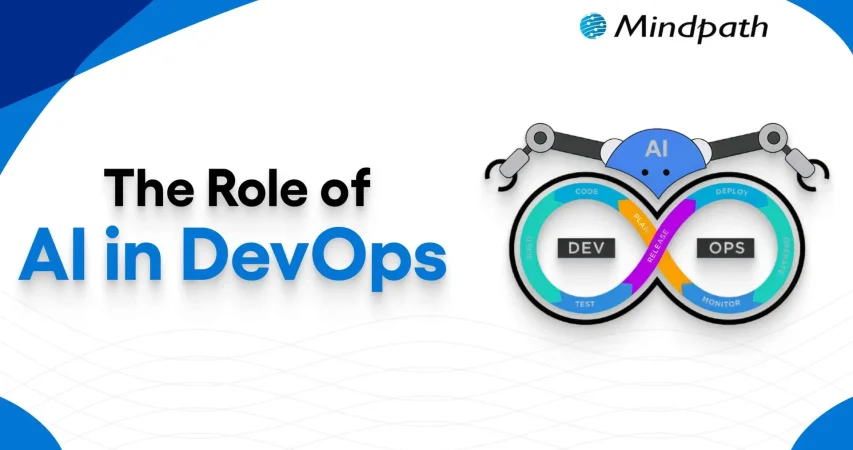
From Automation to Intelligence: The Role of AI in DevOps

AI in Devops

From Automation to Intelligence: The Role of AI in DevOps

Artificial Intelligence is undoubtedly a transformative force that exists today. Within a short span of time, AI has brought about radical changes in diverse domains. A specific realm that has undergone significant change thanks to artificial intelligence is none other than DevOps.

In recent years, the adoption of AI in DevOps has gained momentum like never before. The AI in the DevOps global market is likely to reach USD 24.9 billion by the year 2033. It shows that the popularity of DevOps AI is rising at a fast pace. Let us explore the vital role of artificial intelligence in the DevOps realm.

Implementing AI in DevOps can be tricky and challenging; it requires deep knowledge and expertise. Mindpath’s AI development services are set up in a way that simplifies this complicated process and delivers end-to-end support.

What is DevOps?

DevOps refers to a popular software development approach. This approach basically fuses development and operations teams to shrink the software development life cycle. As a result, it enables continuous delivery in addition to delivering high-quality software solutions. The main purpose of DevOps is to break down conventional silos that exist between teams and promote collaboration. The proper understanding of DevOps meaning is a must before understanding the role of AI in its context.

In the past few years, AI in DevOps has been gaining popularity at a rapid pace. At present, a large number of DevOps teams are leveraging Artificial Intelligence technology for diverse purposes, including making market projections, exploring new AI tools, and optimizing pipelines. The relevance of Artificial Intelligence for DevOps is certainly expanding with each passing day.

Must Read: Top DevOps Trends

Role of Artificial Intelligence in DevOps

Currently, Artificial Intelligence plays a strategic role in the realm of DevOps. In case you are wondering – How to get into DevOps? It is a must to know the role of AI in DevOps. Artificial Intelligence in DevOps mainly involves the use of machine learning (ML) and other AI technologies for automating as well as optimizing software development processes. One must bear in mind that DevOps for machine learning has created new possibilities to create novel software solutions.

Teams are able to capitalize on AI for DevOps to promote faster deployment, reduced errors, and increased productivity. Moreover, the use of AI tools for DevOps empowers teams to optimally manage the available resources. It has become fairly common for DevOps teams to focus on machine learning DevOps and extend the conventional scope of the approach by leveraging ML capabilities.

Curious about what kind of AI your business should prepare for? Explore the types of AI – ANI, AGI, and ASI shows the journey from automation to intelligence in DevOps.

Benefits of AI in DevOps

The strategic deployment of diverse Artificial Intelligence technologies within the DevOps landscape has the potential to give rise to a host of benefits. It is essential for DevOps professionals as well as DevOps teams to familiarize themselves with the key benefits of AI technology in DevOps.

1. High Automation

One of the chief benefits of using AI in DevOps revolves around automation. By leveraging AI technology, professionals do not have to rely on manual processes. DevOps teams can automate repetitive processes with the help of AI technology. Your DevOps team can ensure that top DevOps solutions are generated through automation.

2. Better efficiency

If you want to improve the efficiency of the DevOps process of your team, it is a must to use AI. AI can serve as the ultimate pillar that can help create intelligent DevOps solutions in an efficient manner. You will be surprised to see that your DevOps team can complete numerous projects without making errors.

3. Top-quality security

The role of AI is of high importance in DevOps since it can enhance the level of security.  Your team can automate processes relating to threat detection and threat identification. Therefore, your business will be empowered to take timely remedial actions to eliminate such threats. So, you can rest assured about DevOps security.

Wondering how businesses keep up with rapid tech changes? Discover the benefits of DevOps, which shows how it enables faster delivery, stronger collaboration, and AI-driven efficiency.

Key Steps for Using AI in DevOps

For capitalizing on AI technology to the fullest, it is crucial for DevOps teams to use AI in a methodical and structured manner. You can follow the steps below for using AI capabilities in a strategic manner in the DevOps context.

Step 1 – Choosing appropriate Artificial Intelligence Tools

The first step that your DevOps team must take is related to choosing the right AI tools. The tools that you choose must be aligned with your DevOps pipeline. It is a crucial step that can have major implications for the software application that you plan to develop.

Step 2 – Collection of Data

The next step that has to be taken by your DevOps team is related to data collection. It is necessary to bear in mind that relevant and appropriate data has to be gathered, which has to be fed into Artificial Intelligence systems. The quality of data that is gathered is a critical factor that is non-negotiable in nature. By using high-quality data, it is possible to make accurate predictions.

Step 3 – Taking Small Steps

In the next step, your DevOps team must remember to start small. So at this stage, you need to identify specific areas where you can use AI at a small level. The implementation of AI for small tasks is vital to ensure that it can play the desired role. Sometimes, DevOps teams may get too ambitious, which may adversely affect the use of AI in DevOps.

Step 4 – Monitoring and Optimization

At this stage, it is a must to focus on proper monitoring and evaluation of the performance of AI tools. By doing so, you can focus on optimizing the performance of such Artificial Intelligence tools. Based on the monitoring outcome, you can make necessary adjustments to leverage the novel tools in an optimal manner.

Step 5 – Training the team

The final step involves providing appropriate training to your DevOps team. By training them, you can ensure that the DevOps professionals possess the essential skills to leverage AI tools in an effective manner.

Struggling to keep your software delivery fast and reliable? Check out our blog on DevOps challenges and solutions to identify bottlenecks and implement smarter AI-driven strategies for smoother operations.

Best Practices to Use AI in DevOps

If you intend to leverage the capabilities of Artificial Intelligence in DevOps, it is essential to adopt the DevOps best practices. Some of the best practices that can equip your business to leverage AI optimally include:

1. Taking tiny steps

A common mistake that many DevOps teams commit is that they take big steps at an initial state. Instead, you need to start by taking small steps. You can begin by locating specific areas where you can capitalize on AI capabilities to extract maximum benefits. Moreover, you can reach out to diverse professions to seek DevOps support.

2. Involving relevant stakeholders

It is critical for businesses to engage with the right stakeholders while using artificial intelligence. This step is crucial to strengthening the overall effectiveness of AI DevOps tools. By interacting with them, you can understand their needs and expectations while developing software solutions.

3. Focus on ongoing evaluation

While using AI tools in the DevOps process, it is imperative to prioritize continuous evaluation. Your DevOps team must keep a tab on the performance of AI tools and technologies that are used in DevOps processes. Similarly, it is a must to understand DevOps platforms in an effective manner so that AI-driven processes can be optimally put in place.

Looking to boost efficiency and innovation in your company? Discover how DevOps for businesses can simplify workflows and enhance team collaboration with AI-powered tools.

Final Words

Businesses need to capitalize on Artificial Intelligence technology in their DevOps processes. The strategic use of DevOps AI tools can certainly open up new opportunities for your business. In addition to promoting automation, it can make the DevOps approach more intelligent and productive in nature.

In order to leverage AI technology optimally in DevOps, you can consider partnering with the professionals at Mindpath. Our experts use AI methodologies and DevOps best practices together to deliver optimum solutions. Your business can take advantage of our AI development services and develop top-grade software applications in a productive manner.


Related Post

Discover 10 ways ReactJS can elevate your web project. Learn about its origins, key features, and why developers choose it. Boost your web development today!

Related Post

Recruiting a Node.js developer in California inecessitates a thorough assessment of technical knowledge, soft skills, market trends, and the recruiting process. With the state’s highly competitive technology economy, finding the appropriate personnel requires going beyond coding abilities. A good Node.js engineer should be familiar with backend frameworks, databases, and cloud technologies, as well as possess excellent communication and problem-solving skills. Understanding California’s employment market and creating an efficient recruiting procedure can also help you attract the top applicants. Here are some important aspects to consider when hiring a Node.js developer in California.

1. Technical Proficiency and Experience

When hiring a Node.js developer, make sure they are proficient in JavaScript, asynchronous programming, and Node.js frameworks such as Express.js or Nest.js. Knowledge of databases (MongoDB, PostgreSQL), RESTful APIs, and cloud services (AWS, Azure) is essential for developing scalable apps. Experience with unit testing, CI/CD pipelines, and version control (Git) contributes to a smoother development process. Additionally, match their experience level with the intricacy of your project to obtain the appropriate competence. Reviewing their previous projects and contributions to open-source repositories might help them evaluate their real-world coding abilities.

2. Soft Skills and Team Collaboration

A Node.js developer should be able to communicate effectively, work well in groups, and solve problems. They must work well with front-end developers, designers, and product managers to ensure that the project runs smoothly. Adaptability is also important, as the Node.js environment changes frequently with new upgrades and best practices. Look for applicants that can troubleshoot effectively, think critically, and perform well under deadlines. A developer with great soft skills can easily fit into your team and contribute to a healthy work atmosphere.

3. Understanding California's Market Trend

The California tech business is very competitive, with a growing demand for talented Node.js developers. Salaries vary according to experience, region, and sector, so analyzing market trends and pay packages is essential. Companies in large tech hubs such as San Francisco, Los Angeles, and San Diego frequently provide competitive bonuses to attract top people. Offering remote or hybrid work opportunities might also help your job commercial stand out. Understanding these variables allows you to establish an effective hiring strategy and attract the best developers for your company.

4. Interviewing and Hiring Process

A systematic interview method helps you hire the top Node.js developers. Begin with a technical test, such as coding challenges, whiteboarding activities, or homework projects, to measure their problem-solving abilities. Next, perform behavioral interviews to assess communication skills, collaboration, and flexibility. Reviewing their portfolio and GitHub contributions provides insight into their real-world development experience. Finally, base your compensation, perks, and job expectations on market research. A well-planned recruiting strategy can help you identify the best Node.js talent for your project.

Finding the right Node.js developer can be challenging but Mindpath makes it easy! Our experienced Node.js developers specialize in building scalable, high-performance applications tailored to your business needs. Whether you need backend development, API integration, or cloud-based solutions, we have the expertise to deliver.
Ready to build your next project with top Node.js talent? Partner with Mindpath today and bring your vision to life!

Discover the ultimate guide to hiring Node.js developers in London. Learn about the skills, benefits, and cost factors involved in finding the right talent for your project.
Node.js Success Stories

Have you ever wondered what makes companies like Netflix, Walmart, and LinkedIn so efficient and scalable in their digital operations? The answer often lies in the technologies they choose—like Node.js. But what exactly is Node.js doing behind the scenes? How is it helping these companies stay ahead of the competition? In this blog, we’ll dive into the real-world use cases of successful companies leveraging Node.js. 

Node.js is an open-source, cross-platform runtime environment that enables developers to execute JavaScript outside of the browser. It is based on Google Chrome’s V8 JavaScript engine, which makes it very efficient and speedy. What distinguishes Node.js is its non-blocking, asynchronous architecture. Instead of establishing separate threads for each request, Node.js processes tasks within a single process, allowing it to manage hundreds of connections at once. It executes I/O activities such as reading files and accessing databases without interrupting other processes, resulting in smooth and scalable performance. With its capacity to handle real-time apps and high traffic, Node.js has emerged as a popular alternative for developing contemporary, high-performance web applications. 

Let’s delve into the inspiring success stories of companies leveraging Node.js! 

Use Cases of Successful Companies Leveraging NodeJS

1. LinkedIn

LinkedIn leveraged Node.js to make their software quicker, more efficient, and easier to operate. One of the most significant advantages was the drastic reduction in resource use. LinkedIn was able to reduce the number of servers necessary to run its service by an incredible 10:1 ratio using Node.js. This reduced expenditures while simultaneously improving the application’s overall speed and scalability. 

Another significant benefit was the usage of JavaScript on both the client (where users interact) and server-side (where the app’s activities take place). This improved consistency in the development process, allowing teams to collaborate fluidly across both ends of the program. Developers could manage client-server interactions more effectively, resulting in quicker updates and enhanced user experiences. 

2. Netflix

Netflix switched to Node.js to address issues with their previous technological stack. The prior monolithic application architecture made it impossible to grow as the user base expanded. Furthermore, switching between the backend and frontend was sluggish, causing delays and unsatisfactory experiences for users. The system’s simultaneous loading of components made it difficult to customize the user interface to fit individual tastes. Using Java presented its own set of issues, including lengthy build times that hampered development and deployment, making it difficult for teams to provide changes on time. 

Switching to Node.js resolved these difficulties. The transition between the backend and frontend was smoother, resulting in a better user experience. Node.js also enables Netflix to use a microservices design, which divides the program into smaller, more manageable components rather than a single huge system. This enhancement increased flexibility, making it easier to update and customize the user interface to meet specific demands. 

By using Node.js, Netflix improved app speed, accelerated development, and assured a far more user-friendly experience, fulfilling the expectations of its ever-expanding audience. 

3. NASA

NASA used Node.js to address fundamental issues in data management and accessibility. Data from spacesuits and missions were spread across several places, making retrieval and analysis challenging. Furthermore, the majority of NASA’s mission data was stored in segregated databases that were difficult to query, and its on-premises data centers were not built to support current cloud technologies. Compounding this, many of NASA’s applications already relied on JavaScript, necessitating a more compatible and efficient alternative. 

NASA was able to rebuild its systems due to Node.js and the microservices architecture it implemented. This strategy enabled traditional databases to be transferred to the cloud and accessible via APIs, resulting in a more seamless integration between older systems such as Oracle and SQL Server and newer cloud databases.  

NASA used Node.js to optimize complicated procedures, increase data portability, and enhance cloud readiness. The end result was a speedier and more efficient system, allowing NASA to focus on expanding space missions and scientific research without being hampered by antiquated infrastructure. 

4. Walmart

Walmart employed Node.js to address issues with their current Java-based eCommerce infrastructure. Their monolithic application hampered communication among remote teams and lacked modularity, impeding development processes. Furthermore, their pre-Node.js front-end used JavaScript libraries that were not SEO-friendly, reducing product exposure in search engines. Walmart’s mobile eCommerce applications also have performance concerns owing to Java configuration limits. Walmart improved its website’s efficiency and SEO by using Node.js. Combining Node.js with React.js increased the site’s speed, resulting in shorter loading times and better customer experiences. This adjustment not only lowered user response times but also increased customer engagement. 

Node.js also improved Walmart’s development workflow. Teams might provide updates more quickly, simplifying development processes and decreasing time-to-market. The enhanced checkout experience, driven by Node.js, resulted in greater conversion rates, showcasing the platform’s capacity to propel business development. Walmart employed Node.js to improve performance, speed up development, and improve the customer experience, consolidating its position as an eCommerce market leader.

5. Trello

Trello switched to Node.js to meet the need for real-time updates with low latency. Since the majority of Trello’s architecture was already built on JavaScript, using a JavaScript-friendly server made sense for code maintenance and development speed. To achieve quick updates, the platform required several real-time open connections on the server. 

Trello benefited from rapid prototyping and an event-driven server that was compatible with their previous architecture after migrating to Node.js. Node.js enabled them to keep their Single Page Application lightweight, at only 250 KB, while providing 0% latency during server interactions. This change also resulted in much shorter development and prototyping times, allowing for faster upgrades and a more efficient overall system. Incorporating Node.js helped Trello improve performance and maintainability, ensuring that their app could scale to meet user needs quickly.

Also Read: Top Reasons to Hire Node.js Developers in 2024 – Mindpath Tech

Node.js Development Services at Mindpath

At Mindpath, we specialize in creating high-performance and scalable solutions with Node.js. Our team of experienced developers is dedicated to delivering outstanding results by catering to your business needs. Be it the development of a new application or the enhancement of an existing one, our experts will help you get it right. Here’s a rundown of what our Node.js development services look like: 
  1. Node.js Web App Development: Our developers create high-performance, scalable web applications using Node.js. We are committed to providing your digital appearance with an invulnerable add-on, optimized completely with the business goals, to create applications that will create a lasting impression.
  2. Node.js CMS Development: We develop custom-made content management systems to assist in the effective management of your content. Our CMS solutions are designed to simplify content management, providing you with an intuitive interface to handle all your content effortlessly.
  3. Node.js API Development: We create strong and powerful APIs that will enable other systems to be smoothly integrated. Our APIs are designed to enhance functionality and connectivity, ensuring smooth and reliable communication between different applications.
  4. Node.js Consulting Services: We assure you expert help in maximizing your business projects with Node.js potential. We provide strategic guidance and technical insights to optimize your Node.js applications, driving innovation and efficiency.
  5. Node.js Maintenance & Support: Our maintenance and support practices are continuous for on-the-go help. Our team is always ready to address any issues and provide continuous improvements, ensuring optimal performance and reliability.
  6. Node.js Migration Services: We will support you in the node.js migration of your existing applications for scalability and performance improvements. Our migration services are designed to minimize disruption and ensure a seamless transition to a more efficient and powerful platform.

Final Thought!

Node.js has helped leading companies like LinkedIn, Netflix, NASA, and Walmart boost performance, scalability, and development speed. Its efficient, event-driven architecture enables real-time apps and smooth integrations, keeping businesses ahead of the competition. At Mindpath, we offer expert Node.js development services to help your business achieve faster, more scalable solutions. Whether you’re building, enhancing, or migrating to an app, we’re here to support your growth with high-performance Node.js solutions. 

Ready to transform your business with scalable, high-performance solutions?

Partner with Mindpath today and let our Node.js experts help you build the future!

Discover how top companies like LinkedIn, Netflix, and Walmart leverage Node.js for performance, scalability, and faster development. Learn more with Mindpath’s services.
Business Benefits of Chatbots

Suppose a customer is browsing your website during the weekend, and then asks a question related to your product, and your chatbot answers that without any delay. Won’t that benefit your business and satisfy your customers? Well, that is precisely one of the key benefits of chatbots. Yes, you heard that right. Chatbots can help businesses respond faster, guide customers smoothly, and improve the overall customer experience. Now-a-days business leaders are starting to see how chatbots can make everyday tasks easier and more efficient.

An interesting report from Tidio reveals that around 60% of B2B companies and 42% of B2C companies already use chatbot software. By 2025, this number is expected to grow by 34%. With better tools, smarter features, and clear business value, AI chatbots are turning into a must-have. If you are curious to know what are the typical benefits of AI chatbot for business, then this blog can guide you perfectly. So, what are you waiting for? Let’s dive in!

At Mindpath Tech, we specialize in custom chatbot development tailored to your unique business needs. Our GenAI-powered chatbot solutions help automate engagement, enhance customer experience, and drive efficiency across industries.

What is a Chatbot?

A chatbot is a software application that enables a user to engage in a conversation that imitates a human. In many cases, a chatbot can engage either through text or vocal conversation. By doing this, chatbots enable customers to answer questions, resolve problems, or complete tasks much quicker. Some chatbots adhere to a pre-set script. However, many modern chatbots rely heavily on artificial intelligence (AI) and natural language processing (NLP), to understand what the user is asking, and provide a thoughtful and natural response.

To put this in perspective, let’s assume you arrive at a bank’s website and begin typing your question (example: “How can I open a savings account?”). The chatbot will not only understand that you are asking about a savings account, but also guide you through the steps to take, without the help of any human agent.

The chatbot market is growing fast. According to a study by Grand View Research, the global chatbot market size was valued at USD 7.76 billion in 2024 and is projected to reach USD 27.29 billion by 2030, growing at a CAGR of 23.3% from 2025 to 2030. This rapid growth is driven by advancements in artificial intelligence and machine learning, making chatbots smarter, faster, and more valuable for businesses across industries.

What exactly is a chatbot, and why is everyone talking about them? Explore our in-depth guide: What is a Chatbot – Everything You Need to Know.

What are the Benefits of Chatbots?

If you are wondering what are the benefits of using AI chatbot, here is the answer. AI chatbots are becoming an essential part of modern business operations. Designed to assist in day-to-day tasks, they offer practical support across various business functions.

Here are some benefits of chatbots for businesses:

1. Smart Routing for Better Support

AI chatbots can handle simple questions and tasks on their own. When the issue needs a human touch, the chatbot collects key details from the customer at the beginning. It then sends the conversation to the right agent based on who is available and best suited to help. This smooth handover saves time and makes the support experience faster and more efficient.

2. Improves with Every Interaction

AI chatbots learn from each interaction to improve their responses over time. They collect data, understand patterns, and offer more accurate and personalized replies. They also recognize when to involve a human agent. By picking up on customer emotions, they provide better and more thoughtful support.

3. Enhance Sales

One of major benefits of chatbots is its ability to support sales teams by handling routine tasks. Chatbots can collect lead details, schedule demos, and guide visitors through your website. They also help move potential customers through the sales funnel by answering questions and sharing product information. This leads to higher conversions, fewer drop-offs, and better cross-sell and upsell opportunities.

4. Cost Effective Solution

Managing costs is important for any growing business. While chatbots need some setup at first, they help save money in the long run by handling common tasks and reducing the need for extra staff. They can quickly direct conversations to the right place, making support more efficient. With easy-to-use tools like no-code builders, businesses can launch chatbots faster and start seeing results sooner.

5. Generate Leads

AI chatbots can start natural conversations that feel more personal than standard forms. Instead of sending users to fill out long details, bots gather useful customer data while answering questions in real time. They use conversational AI to understand voice or text and guide the chat smoothly. This helps capture valuable information like visited pages, cart activity, location, and user preferences, making lead generation more effective.

Let us also learn about the benefits of chatbots for customers:

1. Offers Omnichannel Support

Today’s customers use many platforms to reach out; like email, social media, websites, and messaging apps. They expect smooth conversations no matter which channel they choose. AI chatbots can help by answering common questions across all platforms and keeping the conversation connected. This creates a faster, more consistent experience that meets customers where they are.

2. Provides Multilingual Support

As businesses reach global audiences, language should not be a barrier to great service. AI chatbots can offer multilingual support by asking for the customer’s language or detecting it through the conversation. They can chat naturally in multiple languages through text, voice, or messaging. This helps provide clear and friendly support to every customer, no matter where they are.

3. Delivers 24/7 Customer Service

Customers expect fast and reliable service at any time of the day. AI chatbots make this possible by offering 24/7 support without delays, even during peak hours. They handle the first interaction instantly, reducing wait times and helping customers find answers quickly. This ensures a smooth and responsive experience, no matter when the customer reaches out.

4. Create More Personalized Customer Experiences

AI chatbots can offer tailored support by using customer data from tools like CRM or marketing software. They adjust messages based on where a customer is in their journey and suggest products that match their interests. Bots can also answer questions about orders or shopping carts without asking for extra details. When used thoughtfully, this creates a smooth, human-like experience that feels personal and helpful.

5. Ensure Proactive Customer Support

AI chatbots can take the first step by reaching out to customers based on their activity on your website. They can answer common questions, guide users through tricky pages, or remind them about unfinished tasks like a full cart or pending form. This kind of timely support helps reduce drop-offs and improves customer experience. When needed, chatbots can also suggest connecting with a human agent to move things forward smoothly.

Curious about the role of conversational AI in modern business strategy? Dive into Conversational AI Chatbots for Business Growth to see how companies are using them to gain a competitive edge.

Disadvantages of AI Chatbots

While AI chatbots offer many benefits, they also come with a few limitations that businesses should be aware of. Understanding these challenges can help you use chatbots more effectively and plan for the right balance between automation and human support.

1. Struggles with Complex Questions: AI chatbots may not understand sarcasm, unclear grammar, or complicated queries, leading to wrong answers.

2. Lacks Human Emotion: Chatbots can’t show empathy or handle emotional conversations the way a human can.

3. Takes Time to Set Up: Building a chatbot with the right questions, answers, and flow can take time and effort.

4. Can Risk Data Security: If not properly protected, chatbots may expose sensitive customer information to security threats.

5. Bias Responses: If trained on biased data, chatbots can unknowingly give unfair or inappropriate responses.

6. Hallucination: Chatbots can make up answers or provide incorrect details, which can confuse or mislead users.

Ready to Experience the Real Benefits of Chatbots?

Chatbots are helping businesses respond faster, cut costs, and improve customer service. From lead generation to 24/7 support, they make things easier and quicker. While they can’t replace humans fully, they’re a smart way to enhance service and give customers a better overall experience.

At Mindpath, we offer chatbot development services built to match your needs. We create smart, easy-to-use AI bots that improve support, boost engagement, and connect smoothly across platforms. Let us help you deliver faster, better service with a solution designed just for you.