Home

Top Machine Learning Applications for Businesses

Top Machine Learning Applications for Businesses

Join our Newsletter!

Machine Learning Applications

Machine learning technologies are majorly changing the traditional functionalities of businesses. With the significant improvement in AI and ML algorithms, your computers can now assess huge datasets with ease and efficiency. As per a report by McKinsey, around 60% of global companies have already channelised ML in their operations. Many of them claimed a 15 to 25% boost in their operational principles. 

Machine learning applications have been growing drastically. Starting from finance, healthcare, and retail, every other industry uses ML to gather better insights while boosting their operational effectiveness. With so much incredible potential in ML, let us explore some of its most winning applications across multiple businesses. 

Ready to leverage machine learning to transform your business operations and drive smarter decisions? Contact us today to explore how our experts can help you implement the right ML solutions for your needs.

What are some of the Efficient Capabilities of Machine Learning for Business?

As per the current statistics, around 49% of businesses have been using ML and AI to verify their sales prospects. So, machine learning has turned out to be one of the most effective technologies that has been shaping the functionalities of modern businesses. It can help your organisation turn raw data into actionable data. Further, it can automate your complicated operations and assist you in making data-rich decisions. 

Starting from startup businesses to global enterprises, everyone is willing to apply machine learning to encourage their efficiency and reduce costs. Most importantly, it is helping them to satisfy their customers with better results. 

1. Automation

ML is capable of automating your repetitive tasks like report generation, data entry, and email responses while saving your resources and time.

2. Data-driven Decisions

ML applications can easily assess huge datasets to reveal integral patterns. This approach can help your business make precise predictions while sticking to strategic decision-making.

3. Better customer experience

MI applications can customise product recommendations and marketing messages. This can satisfy your customer requirements. 

Want to make smarter business decisions backed by accurate insights and real-time analytics? Learn how data-driven decision making can transform your strategy and explore our in-depth guide to get started.

Top Machine Learning Use Cases that are Boosting Business Performance

There are plenty of machine learning use cases that are viable for various industries. Here, we will learn about some of the most eminent machine learning applications. 

1. Healthcare

Healthcare businesses are using ML to diagnose specific diseases, predict patient details, and discover drugs. Further, by assessing lab results, medical images, and patient histories, ML systems can assist doctors in leveraging early diagnosis while customising treatments. 

One such real-life example of machine learning is DeepMind Health, which once collaborated with Moorfields Eye Hospital to give rise to an AI system that precisely predicts over 50 eye conditions. 

2. Finance

Machine learning is exceptionally good in fraud detection, portfolio optimisation, and risk modelling. Moreover, financial organisations majorly depend on predictive algorithms. This helps in verifying irregular transactions. Most importantly, it reduces the chances of human error while improving your decision-making abilities. 

3. Manufacturing

Most of the leading manufacturers use ML to predict the chances of equipment failures. Further, you can detect any defects in your products while optimising your supply chains. As a result, you can be assured of predictive maintenance while reducing unnecessary downtime. 

One such major machine learning application example in this category is General Electric, which implements ML in its Digital Twins platform. This approach highlights real-world equipment to encourage performance. 

4. Ecommerce

In the retail industry, ML is capable of offering personalisation, demand forecasting, and pricing optimisation. Further, it can assess your consumers’ preferences and their shopping habits. You can leverage tailored recommendations while improving your stock management. For example, brands like H&M use ML-enabled demand forecasting tools to verify their store data. 

5. Marketing

As a marketer, you can use ML to read your audience’s behaviour. Additionally, you can improve your ad targeting and measure the performance of your campaigns. It also assists brands in predicting what content will match with your users’ interests and when you should deliver it.

6. Logistics

Machine learning assists logistics providers in optimising their routes while forecasting their delivery times. It can also enhance their warehouse operations. 

Wondering how machine learning is transforming patient care and driving smarter healthcare solutions? Explore our detailed guide on AI in healthcare to discover how ML-powered innovations are improving outcomes and efficiency.

What are some real-world examples of Machine Learning Applications?

Let us discover some leading brands and real-world examples of machine learning applications. This can help you unwind the real potential of ML in the recent scenario. 

1. Self-Driving Car

A very specific form of ML, that is reinforcement learning, is used primarily and is employed to drive autonomous car tech. For example, the autonomous vehicle brand Waymo uses ML sensors to record the surrounding environment of the car in real-time. This can help you understand the reaction of the car in multiple driving scenarios. 

2. Traffic Predictions

When you use Google Maps to plan your trips, it generally estimates how long it will take to arrive at that specific location. So, it generates an estimated time based on the historical traffic data. Further, Uber uses ML to leverage demand forecasting, ride-handling optimisation, and route planning. 

3. Virtual Assistants

This is one of the best real-life examples of machine learning you might have experienced. You must be acquainted with devices like Amazon Alexa, iPhone’s Siri, and Google Home. So, these devices integrate speech and emotional recognition technology along with ML to assess data. They understand when you start talking and what you are saying. 

4. Language Translation

To overcome all the language challenges and to facilitate easy international trips, Google Translate uses Google Neural Machine Translation. This is based on NLP for translating words in over 1000+ languages. 

Curious about how artificial intelligence is transforming business operations and unlocking new growth opportunities? Discover our detailed guide on types of AI to explore the different approaches powering modern machine learning applications.

What are Some Challenges of Adopting Machine Learning Applications?

No doubt, machine learning in business has a lot of advantages. However, there are some companies that face challenges in implementing the technology effectively. Such risks mainly include technical expertise and data quality. 

1. Shortage of Talent

ML engineers, data scientists, and AI specialists are heavily adopted for their expertise. Therefore, many businesses find it difficult to get qualified professionals who can precisely train, design, or manage ML systems. 

2. Lack of Efficient Data

ML models generally depend on clear and well-maintained data. Moreover, inconsistent and ineffective data can minimise your model’s reliability while giving rise to poor decision-making. 

3. High Integration Cost

Setting up the infrastructure of ML, like data pipelines and cloud computing, requires heavy charges. So, this can be a burden for small or mid-sized businesses. 

Planning to scale your machine learning initiatives with more flexible and efficient infrastructure? Discover the latest cloud computing trends to explore how they support faster deployment and better performance for ML-driven solutions.

Conclusion

As of now, you are well aware of what machine learning is. It has been serving as an essential tool across multiple industries. Further, it enables businesses to process data effectively while automating the processes. It can also enhance your customer experience and push you towards better decision-making. 

Mindpath is here to assist you in leveraging the best of machine learning for business. We can develop custom ML solutions that can fulfil your company’s requirements while channelising effective results. With our machine learning consulting, you can leverage all the benefits while implementing ML in a better way. 

Ready to Apply Machine Learning?

Turn ML capabilities into practical business solutions.

Frequently Asked Questions

Using ML for businesses can help you automate tasks and optimise processes. Further, you can gain valuable insights from huge datasets without extreme programming requirements.
Small businesses can apply ML through efficient tools like AI chatbots, CRM analytics, and email personalisation systems.
The cost of ML integration completely depends on the complexity level. Many cloud-based ML solutions are affordable for businesses to start with and scale gradually.
Machine learning can help your business gather insights from data while delivering personalised customer experiences.
ML algorithms are known to be the mathematical models that can assess your data and analyse patterns. Further, it can make predictions in daily life.

Support Is One Click Away

Featured Posts

Related Post

Wordpress and php

In the technology-driven times, WordPress has been continuously recommending running the latest PHP versions. In fact, PHP 8.3 is now the standard for performance, security, and long-term support. It is a must for business owners to keep track of WordPress and PHP compatibility. This is because it can directly impact the performance and SEO ranking of their websites. Moreover, it can also impact customer trust, which is of high importance in the competitive business world.

Key Takeaways

  • 01
    PHP 8.3 is now the recommended standard for all WordPress websites.
  • 02
    Outdated PHP versions leave websites vulnerable to security threats and breaches.
  • 03
    Newer PHP versions deliver faster load times and better overall performance.
  • 04
    Testing updates in a staging environment prevents unexpected issues on live sites.
  • 05
    Regular backups before any PHP update protect websites from potential data loss.

As PHP evolves quickly, many sites still run outdated versions that no longer receive security updates. Hence, they face cyber risks. Businesses must comprehend the WordPress recommended PHP version and learn how to check the current WordPress PHP version. You should also possess knowledge of WordPress PHP compatibility so that you can future-proof your website. Let us discuss what business owners must know about WordPress and PHP compatibility.

Are you ready to make sure that your WordPress site works well with the newest versions of PHP and that all of your users have a good experience? Mindpath’s WordPress development services provide expert guidance to keep your site secure, fast, and highly reliable for your visitors.

What is WordPress?

WordPress is a free, open-source content management system (CMS) that allows users to build and manage websites without needing to write code. It powers over 40% of all websites on the internet, from personal blogs and portfolios to large corporate websites and e-commerce stores. Originally launched in 2003 as a simple blogging platform, WordPress has since evolved into a versatile solution used by businesses and professionals of all sizes around the world.

The CMS platform has become highly popular thanks to its open-source nature and large plugin ecosystem. Furthermore, the presence of customizable themes that allow organizations of diverse sizes to build professional websites makes it a highly popular platform in the current times. A key aspect of the success of WordPress is its compatibility with modern technologies, such as PHP, which powers its core.

What is PHP?

PHP, which stands for PHP: Hypertext Preprocessor (a recursive acronym), is one of the most widely used open-source, server-side scripting languages for web development. Unlike client-side languages like JavaScript, PHP code runs entirely on the web server, generating HTML that is sent to the user’s browser, making it ideal for dynamic and interactive websites. Since its launch, PHP has powered millions of websites and remains the backbone of popular platforms such as WordPress and Drupal. Its lightweight nature and seamless integration with HTML continue to make it an essential choice for web developers worldwide.

Over the years, PHP has undergone major transformations. It has developed from PHP 5.x to the current PHP 8.3. The latest version offers improvements in performance and security. It has numerous useful features, including Just-in-Time compilation and improved error handling. These advancements are pivotal for businesses that have WordPress sites.

Unsure which platform can better support your website’s design, features, and long-term growth? Explore our WordPress vs Webflow comparison to understand their key differences and choose the best fit for your business.

Chief PHP Versions Businesses Need to Know

PHP has been evolving quickly, and each version has new features, performance improvements, and security fixes. The business entities that use WordPress need to understand different PHP versions, as outdated versions expose websites to vulnerabilities and risks. But newer versions can deliver speed and stability to websites. The top PHP Versions that businesses must be aware of include:

  • PHP 8.5 – It is an active development branch for the upcoming PHP release. PHP 8.5 is scheduled for release in November 2025.
  • PHP 8.4 – PHP 8.4 is known as a feature-rich PHP version. It has several new features, such as asymmetric visibility, property hooks, and many more.
  • PHP 8.3 – It is the latest stable PHP version. It has introduced several enhancement features that improve type safety, developer experience, and performance.
  • PHP 8.2 – This PHP version brings significant benefits when it comes to site performance as well as health, especially in relation to speed and security.

There are other PHP versions like PHP 8.1 and PHP 8.0. Even though these versions were regarded as valuable tools for businesses before they became outdated, they give rise to security threats today. PHP 7.4 is another older version that has reached its end of life. It means that the specific version does not receive any official security updates currently.

PHP 8.3 is the latest release. At present, it is the recommended standard for WordPress websites. WordPress PHP 8.3 delivers significant performance boosts, advanced language features, and long-term support. It is essential for businesses to choose the right PHP version so that plugins, themes, and custom code can run smoothly.

The Need for WordPress and PHP Compatibility

WordPress and PHP compatibility serve as the ultimate foundation of a top-quality website. As WordPress is built on PHP, the version your site runs directly affects its speed and stability. Outdated PHP versions basically lack security patches, thereby making websites vulnerable to cyberattacks, data breaches, and compliance issues.

Another critical factor that businesses need to bear in mind revolves around performance. Newer PHP versions, such as PHP 8.3, are capable of delivering faster load times. The selection of the best PHP version for WordPress is vital to reduce server resource usage and improve scalability.

The business enterprises that rely on lead generation or content-heavy sites can tremendously benefit from the latest PHP versions for WordPress. Without the latest PHP version, a WordPress business site may become slow or unstable. It may frustrate visitors and affect their experience.

Another critical factor is compatibility, which businesses need to bear in mind. It can ensure the smooth operation of plugins and themes. If your website runs an unsupported WP PHP version, it may lead to errors and broken features. It may also lead to downtime and disrupt the experience of customers. Businesses need to choose the WordPress-recommended PHP version so that they can safeguard the functionality of their website and streamline the maintenance aspects.

Facing recurring security issues, but not sure what’s causing them? Read our safeguarding WordPress vulnerabilities guide to uncover common risks and learn how to prevent them effectively.

Procedure to Update PHP for WordPress Websites

It is a must for businesses to update the PHP version of their website. This is a key step that can help maintain security as well as compatibility. Below are the steps you must follow to update the PHP version for your website to get optimum WordPress PHP version support.

Step 1 – Current PHP Version Validation

Business owners need to check the PHP version of their business site. You can check this from the admin dashboard. In case you find that your website does not run the latest PHP version, you need to update it instantly.

Step 2 – Creating a Backup of your Website

In the next step, it is time to create a backup of your website. This step you need to take as a precautionary measure in case something goes wrong during the process. In case your hosting provider does not provide backups as part of its service, you can use plugins in order to create a full backup. You have to make sure that you capture details such as the database, themes, plugins, and media files.

Step 3 – Testing Changes in a Staging Environment

Now it is time to try the new version in the staging environment instead of going live. It serves as a reliable way of checking the compatibility between WordPress and the latest PHP version.

Step 4 – Updating the PHP Version

After verifying whether your business website works or not with the new PHP WordPress version, you need to log in to your hosting control panel. Then you must find the built-in PHP manager. The exact steps may vary depending on control panels, but they are mostly similar. Then you need to update the PHP version. After making the modification, you have to wait for the update to finish so that the upgrade can be done successfully. You need to choose the latest version so that you can get the necessary WordPress PHP support to manage your website.

Step 5 – Testing Website Functionality

After the update is over, you need to test the functionality of the live website. You have to do this in the front end as well as the back end in order to see if everything works in the desired way. You have to make sure that you review the common WordPress functions along with the plugin features.

Do you want your website to be accessible to every visitor? Learn how to improve WordPress web accessibility can help you reach more users and create an inclusive online experience.

Best Practices for Business Owners

There are certain best practices that business entities need to follow so that they can run their website smoothly while using the latest WordPress PHP versions. If you have a WordPress site for your business, you certainly need to follow these best practices.

1. Staying on Top of PHP Updates

You need to make sure that the WordPress core, plugins, and themes are current at all times. It is a must for businesses to keep a lookout for the latest PHP updates. This step can enhance the overall performance and functionality of your business website.

2. Practice of Backing Up

It is critical to back up all the necessary data before the actual update. A full site backup can ensure that your business website is in safe hands. In case things do not go according to plan, the backup can serve as a safety net.

3. Keeping Clean Code

You must ensure that if you use custom code, it must follow WordPress’s PHP coding standards. This practice is pivotal since it can prevent conflicts with core WordPress functions.

4. Testing in Staging

Many businesses may fail to realize the importance of a staging environment. However, it is essential for you to understand its significance. In fact, you need to use a staging environment in order to test updates.

Ready to upgrade your HTML site to something more powerful and manageable? Explore why converting HTML to WordPress can streamline updates and improve your online presence.

Why This Matters for Your Business?

In the digital landscape of 2026, businesses need to stay current with WordPress and PHP compatibility to ensure their success. PHP 8.3 is now the recommended version for business websites. Thus, business owners need to make the update so that they can gain the benefits relating to stronger security, better performance, and smoother functionality of the website. On the other hand, if businesses ignore PHP upgrades, their risks relating to cyberattacks and plugin conflicts increase, which can affect customer trust.

Mindpath’s WordPress development services can make PHP upgrading a simpler process for your business. Businesses can leverage the excellent services to improve the security and performance of their business website. Our experts will make sure that your website can run in an efficient manner.

Frequently Asked Questions

staff augmentation hiring

Staff augmentation has turned out to be a popular strategy for businesses that want to access specialised skills. As per the recent statistics, the IT staff augmentation market size is going to reach USD 857.2 billion by 2032 (Source). This approach can help you scale your workforce while remaining ahead in the competitive landscape.

If you are also thinking of staff augmentation hiring, there are several key factors that should be carefully considered. This ensures a seamless and effective integration of external experts into your organisation. In this blog, we will further explore what you should take into account when your staffing solution demands quality staff augmentation.

Looking for a faster way to strengthen your workforce without compromising on quality? At Mindpath, we offer staff augmentation services that help you scale your team with highly qualified professionals.

What Does Staff Augmentation Hiring Actually Mean?

Staff augmentation is a flexible outsourcing strategy where you temporarily add external professionals to your existing workforce to fill skill gaps or scale capacity. Further, 65% of recruiters are including AI tools in staff augmentation to support talent acquisition (Source). Unlike traditional outsourcing, augmented staff work directly under your management, integrating into your daily workflows. These experts bring specialised skills and new perspectives while understanding your team’s dynamics.

So, whether you demand a professional developer or a financial analyst, hire talent through staff augmentation if you want a solution without any permanent hiring commitment.

Staff Augmentation Best Practices that Let Your Company Perform Exceptionally

It is necessary for your business to meet the changing technology requirements of the digital world. Further, you need to keep your resources intact while keeping the project on track. The staff augmentation model accesses organisations to effectively fill in the skills gaps and maintains flexibility that is not possible in traditional hiring.

However, successful staff augmentation hiring needs careful planning and the right approaches, as given in this section.

1. Be Clear About Your Needs

Before you initiate the process of hiring through staff augmentation, it is important to have clarity about your business’s specific requirements. Understand what skills or expertise you are lacking internally? What are your goals, and why do you intend to outsource a new team?

Accurately defining your requirements can help you find the right talent. One of the most essential staff augmentation best practices is having clarity. The more precise your expectations are, the better the results will be.

2. Pick the Right Staff Augmentation Model

Not every project needs the same level of external support. There are some common types of staff augmentation models that are listed here.

  • Long-Term Augmentation

 This is effective for your ongoing projects that need to be completed within a given timeframe.

  • Short-Term Augmentation

 This approach is suitable for urgent or temporary requirements.

  • Skill-Based Augmentation

It is necessary when you require specific skills for your project.

3. Partner with a Reputable and Experienced Provider

Selecting the right IT staff augmentation services is a critical step in the whole process. So, you must research and pick a reputable company with a good track record of success. Further, the provider should have a well-established talent pool and a history of offering top-rated professionals. The team should also align with your business requirements.

4. Verify their Collaborative Features

Instead of just valuing the technical skills of the experts, you should also assess their collaborative standards. They should match your team’s communication approaches while showing compatibility with the workflow. You can also assess their language proficiency and ability to work in collaborative environments.

Poor or ineffective communication can delay your projects while increasing the misunderstanding rate. A good cultural fit ensures a seamless integration while developing your productivity aspects.

5. Be Assured of Data Security

When you hire talent through staff augmentation, the team might have access to your data. So, before you make a deal with them, sign NDAs and agreements. Ask about the security policies and restrict access as per the required roles. You shouldn’t ignore the security aspects at all. A single breach can tarnish your market reputation within minutes.

Planning to scale your workforce without overspending on full-time hires? Discover our cost-effective IT staff augmentation blog to learn practical cost-saving approaches while enhancing your workforce.

6. Go through the Pricing Structure

Average IT staff augmentation costs between USD 50,000 and USD 199,999. However, the pricing differs as per the requirements of your business. So, be assured of the providers’ monthly and hourly costs.  Also assess their administrative fees or if they have any hidden costs. Ask about their overtime policies and replacement guarantees.

7. Verify their Flexibility

Your project requirements might change anytime. A reliable staff augmentation model should allow you to scale your resources as needed. It should also allow you to replace underperforming talent quickly and add new skill sets when required.

Flexibility ensures your team can adapt to any changes without any delays.

8. valuate their Performance

Establish clear performance metrics and KPIs to verify the effectiveness of your augmented staff. Verifying the team on a daily basis can make the external team understand your project values while helping your project get completed on time.

9. Plan a Seamless Onboarding Process

Even experienced professionals seek clarity when it comes to keeping their project aligned with the business. So, your structured staff augmentation hiring process should remain clear about your needs. The external team should have precise access to tools and documentation. You should introduce them to your internal teams and define the workflows.

10. Exit Strategy

Understand what you are going to do when the specific project is completed. Make a plan for your transition and assess when you should end the services of your outsourced team.

Looking to streamline your team integration process for faster results? Check out our augmented staff onboarding guide to learn proven strategies for seamless execution.

Why Staff Augmentation Hiring is a Strategic Approach for Your Company?

The staff augmentation model can offer you a series of benefits if you implement it correctly.

  • It can help you hire faster as compared to traditional recruitment processes.
  • It offers access to global talent pools.
  • You can enjoy greater project flexibility and reduced operational charges.
  • Further, your project delivery will be completed within the given timeline.

Common Mistakes to Avoid in Staff Augmentation Hiring

While the model is very effective, organisations still make such mistakes that need to be avoided.

  • Selecting vendors based only on cost.
  • Hiring with clear project objectives.
  • Ignoring cultural fit.
  • Lack of onboarding and performance assessment.

Avoiding or preventing such mistakes can help your staff augmentation hiring be more result-oriented and convenient as per the market needs.

Looking to choose the right outsourcing model for your business needs? Check out our staff augmentation vs managed services comparison to learn the key differences and benefits.

When You Should Hire Talent through Staff Augmentation?

Consider this valuable approach if you need to quickly scale your development team or you want to bridge the skill gap. An outsourced team can easily support a new product launch while helping you with digital transformation. Most importantly, it can reduce the hiring overhead. IT augmentation services offer flexibility, speed, and long-term employment commitments that encourage your business productivity.

Bottom Line

Hiring talent through staff augmentation can be a strategic approach that can help your organisation with the right skills and expertise. Moreover, it can help you stand strongly in today’s competitive business environment. By following the staff augmentation best practices, you can easily build high-performing teams quickly.

If your company is looking forward to hiring talent through staff augmentation, benefit from working with professional providers who understand your project dynamics. They also understand your technical requirements and team integration. With Mindpath, staff augmentation services, your business can easily access knowledgeable industry experts. Further, we can assure you of achieving all your technology goals without any risks and delays.

Frequently Asked Questions

Explore key factors for hiring talent through staff augmentation, compare with other methods, and discover Mindpath’s services for scaling and modernizing your tech.
Cost to build an AI Agent

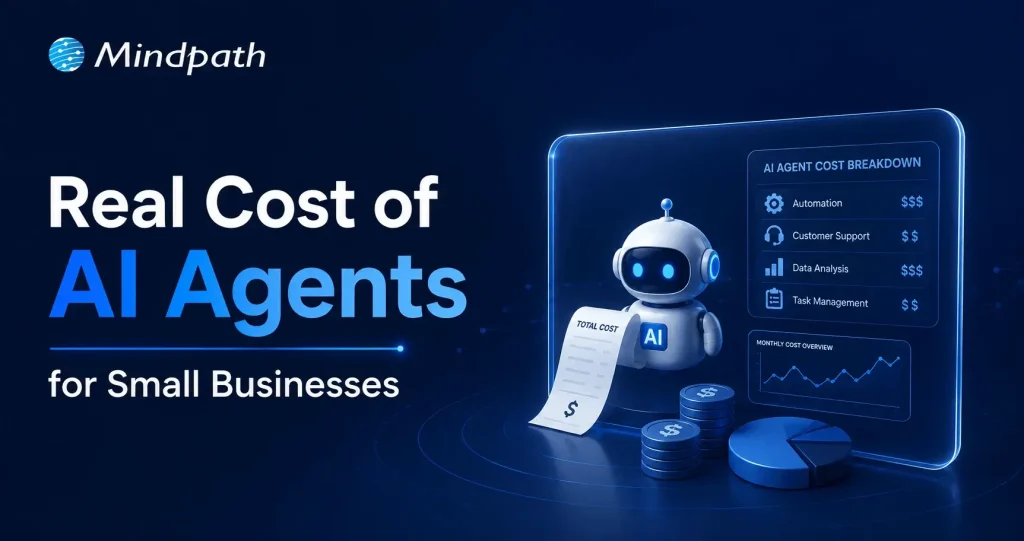
Small businesses today are watching AI agents handle customer queries, automate workflows, and close sales round the clock. Exciting? Absolutely. But many business owners jump in without truly understanding the cost to build an AI agent. That gap between excitement and reality often leads to budget overruns. So, let’s talk numbers, trade-offs, and what actually goes into building one.

Key Takeaways

  • 01
    The cost to build an AI agent ranges from $3,000 to $50,000 upfront.
  • 02
    Complexity, integration, and data readiness are the biggest cost drivers.
  • 03
    Hidden costs like token bloat and API fees catch most small businesses off guard.
  • 04
    Starting with one narrow task keeps your budget controlled and ROI measurable.
  • 05
    Consistent maintenance and prompt tuning protect your long-term agent investment.

Furthermore, the pricing rarely tells the full story. Vendors show you the entry plan; they rarely show you integration fees, maintenance costs, or what happens when your agent scales. Every layer adds up quietly. In this blog, we break down every real cost involved so you can plan smarter, spend better, and build an AI agent that actually works for your business. So, let us read further and know more!

Looking for a cost-effective way to implement AI? Our Agentic AI development services help businesses build scalable AI solutions with measurable ROI.

What Factors Influence the Cost to Build an AI Agent?

Building an AI agent is never one flat price. Implementing an AI agent cost shifts dramatically based on what you need, how complex your workflows are, and which technology stack your team chooses. Several moving parts quietly push the budget up or down. Understanding these factors upfront saves you from nasty surprises later. Let’s break down exactly what drives the cost.

1. Scope and Complexity

Rule-based chatbots follow fixed scripts and cost far less to build. True agentic AI that reasons, plans, and adapts autonomously demands significantly more development effort and budget.

2. Integrations and Tooling

Every external system your agent connects to, such as your CRM, ERP, or payment gateway, adds development time. Giving the agent capabilities like web browsing or database querying also requires rigorous security testing.

3. Data Readiness and Preparation

Unstructured or siloed data needs heavy cleanup before your agent can use it effectively. Setting up vector databases and memory architecture to support long-term recall adds another layer to your AI automation cost.

4. Technology Stack

Your choice between proprietary LLMs, open-source models, and no-code builders directly shapes both upfront and recurring costs. Custom frameworks like LangChain offer more control but require significantly more development time.

5. Security and Compliance

Regulated industries like healthcare and finance carry strict compliance requirements including HIPAA and GDPR. Penetration testing, security audits, and data privacy measures push the AI automation cost noticeably higher.

6. Maintenance and Continuous Training

Launching your agent is only the starting point. Production environments demand ongoing prompt tuning, knowledge updates, and performance monitoring throughout the agent’s entire lifecycle.

What Is the Actual Cost to Build an AI Agent for Small Businesses?

The AI customer service agent cost for small businesses ranges from $3,000 to $50,000 upfront. Monthly maintenance and token fees add $50 to $1,000 more.

1. Cost Breakdown by Agent Type

Costs vary widely depending on complexity and autonomy level. Here is what each tier typically costs small businesses today.

2. Off-the-Shelf Configured Agents: $3,000 – $10,000+

No coding is needed here. You pay for prompt setup, branding, and basic routing configuration.

3. Basic Custom Agents (MVP): $10,000 – $25,000

These agents handle customer support, lead qualification, and simple automation. They connect to your website or one external API.

4. Mid-Level and Internal Agents: $25,000 – $50,000+

These require multi-step planning and deep CRM integration. Human-in-the-loop oversight adds complexity and cost.

5. Ongoing Operational Costs

Building the agent covers only the starting investment. Monthly operational costs keep it running and improving.

6. API and Token Usage: $20 – $500+ Per Month

Usage costs depend on query volume and your chosen LLM. OpenAI, Anthropic, and Gemini all price differently.

7. Cloud Hosting: $50 – $300 Per Month

This covers serverless functions and knowledge base storage. Costs scale as your agent handles more traffic.

8. Maintenance: 15% – 30% of Build Cost Annually

Regular updates, bug fixes, and prompt refinements are essential. Strong ROI of AI agent development depends heavily on consistent maintenance investment.

Hidden Costs of AI Agents Nobody Talks About

1. Agentic Token Bloat

Reasoning loops silently stack up your LLM API charges.

2. AI Drift Maintenance

Changing business rules add 15-20% to annual build costs.

3. System Integration and API Fees

Custom API connections cost $25,000 to $75,000 additionally.

4. Debugging and Monitoring

Silent agent failures waste valuable developer time and money.

How Can Small Businesses Reduce the Cost to Build an AI Agent?

Building an AI agent does not have to drain your budget. Smart planning and the right approach can significantly cut costs without compromising on quality or performance.

1. Leverage No-Code Agent Builders

Skip expensive developer fees with visual drag-and-drop platforms. Non-technical staff can build and integrate agents independently and affordably.

2. Mix Models and Use Open-Source

Avoid paying GPT-4 prices for every routine task. Smaller open-source models like Llama 3 cut token costs significantly.

3. Start With a Single Narrow Task

Target one high-volume process like scheduling or email replies. This keeps your initial AI agent ROI for small businesses measurable and clear.

4. Run in Parallel First

Test your agent alongside existing workflows for four to six weeks. This catches errors before full deployment and protects your investment.

5. Optimize Your Prompt Engineering

Well-structured prompts use fewer tokens and reduce unnecessary back-and-forth. This directly lowers how much does an AI agent cost per month operationally.

Is the Cost to Build an AI Agent Worth It for Your Small Business?

For most small businesses, the answer is yes. The cost to build an AI agent pays back quickly through saved labor, faster response times, and scalable automation. Start small, measure results, and expand only where it genuinely moves your bottom line.

At Mindpath, we provide AI development services tailored specifically for small business budgets and goals. We help you skip the guesswork, avoid hidden costs, and build agents that actually deliver results. Let us help you make the right investment from day one. Contact us today for a free consultation, and discover how the right AI solution can help your business save time, reduce costs, and grow with confidence.