What Skills to Look for while hiring a NodeJS Developer in California?

Join our Newsletter!

Featured Posts

Support Is One Click Away

Home

What Skills to Look for while hiring a NodeJS Developer in California?

What Skills to Look for while hiring a NodeJS Developer in California?

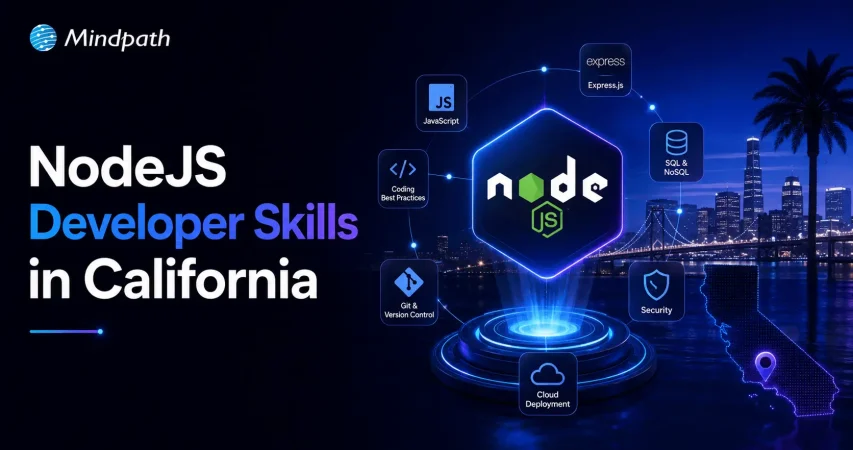
Hiring a Node.js developer in California necessitates assessing their technical skills and abilities to operate in a fast-paced development environment. An experienced Node.js developer should be well-versed in JavaScript, capable of asynchronous programming, and have firsthand knowledge with Node.js frameworks, databases, and API development. Furthermore, experience with version control and optimal coding standards allows easy communication. Here are the main abilities to look for when hiring a Node.js developer for your company.

1. Strong JavaScript Fundamentals

A Node.js developer must be well-versed in JavaScript, which serves as the foundation for Node.js applications. Proficiency with ES6+ features, closures, prototypes, event handling, and object-oriented programming is required. Since JavaScript is essential for backend development with Node.js, excellent coding abilities ensure developers can create efficient, maintainable, and scalable apps. A thorough understanding of error handling, debugging, and performance optimization also contributes to application dependability.

2. Experience with Asynchronous Programming

Since Node.js is based on a non-blocking, event-driven design, developers must be familiar with asynchronous programming. Mastery of callbacks, Promises, and async/await is required to handle concurrent requests efficiently. Asynchronous operations are properly implemented to provide smooth performance, decrease latency, and avoid difficulties such as callback hell. Understanding event loops and dealing with tools like Bluebird or RxJS can help improve speed in Node.js apps.

3. Proficiency with NodeJS Frameworks

A skilled Node.js developer should be conversant with popular frameworks such as Express.js, NestJS, and Koa in order to quickly construct online applications. These frameworks make routing, middleware management, and API creation easier, allowing developers to build strong apps faster. A thorough grasp of middleware, authentication mechanisms, and scaling approaches inside these frameworks leads to improved speed and security in Node.js applications.

4. Database Management Skills

A Node.js developer must be capable of dealing with both SQL (MySQL, PostgreSQL) and NoSQL (MongoDB, Firebase) databases. Understanding database design, performing optimized queries, and managing data effectively are critical to application performance. Knowledge of ORMs (Sequelize, TypeORM) and ODMs (Mongoose) facilitates database interfaces and increases development efficiency. Developers should also be able to use database indexing, caching, and security best practices.

5. API Development and Integration

Building and integrating RESTful APIs is an important skill for Node.js developers. They should be able to create safe, scalable, and well-organized APIs with Node.js and Express.js. Knowledge of GraphQL, WebSockets, and API authentication techniques (OAuth, JWT) is also useful. Strong API development abilities guarantee that frontend apps and third-party services integrate seamlessly, allowing for effective cross-platform data transmission.

Looking for expert Node.js developers to build high-performance applications? Mindpath connects you with top Node.js talent skilled in JavaScript, API development, databases, and scalable backend solutions. Whether you need a custom web application, API integration, or real-time features, our experienced developers ensure seamless project execution.
Boost your development team with the best Node.js experts! Contact Mindpath today to find the right developer for your project.


Related Post

Discover essential DevOps best practices to enhance efficiency, streamline processes, and boost collaboration for your business with Mindpath.

Related Post

Hire ReactJS developers in California

California has emerged as the focal point of global innovation, alongside being the top destination for all the Hollywood glitz. Business owners in California want ReactJS developers to transform groundbreaking ideas into real-world solutions. If you want to hire ReactJS developers in California, you have found the right post. Let us learn the best way to recruit top-tier ReactJS developers for your next web project.

Are you looking to build modern and scalable web apps in California’s fast-moving, competitive market? Mindpath connects you with expert ReactJS developer in California  who turn your ideas into high-performance digital products.

Understanding the Tech Scene in California

California has become the hub of technological innovation in the world, with unparalleled advantages for different types of businesses. Big tech giants, as well as newly created startups, choose California as the ideal spot for growing their business. With Silicon Valley located in California, the Golden State attracts some of the brightest minds in tech. The job market in California offers promising opportunities to recruit skilled and experienced ReactJS developers.

Business owners want to hire React developer in California to capitalize on new technologies, best practices, and trends. Every business is competing to craft the most appealing user experiences, and there could be no better place than California for the competition. Another notable reason to focus on California is the easier access to various networking opportunities. Hiring managers can find a lot of companies and professionals to take references for finding ReactJS developers.

Missing out on the potential efficiency ReactJS offers for modern web apps? Discover the essential benefits of ReactJS development services to maximize your investment.

Unraveling the Relevance of ReactJS in 2025

Many critics have been advocating the use of new frameworks for frontend development to capitalize on new features. However, it is important to understand why ReactJS is still the top pick of web developers worldwide. How has a framework launched in 2013 managed to stay relevant till now? The distinctive features of ReactJS are the only reason why employers search for ReactJS developers’ hourly rates in California on different platforms. One of the most noticeable features of ReactJS is the component-based architecture, which allows the creation of reusable UI components.

The next prominent feature of ReactJS is the virtual DOM, which helps in optimizing updates, thereby offering a seamless user experience with faster rendering. Unlike other JavaScript frameworks, ReactJS supports optimization for search engines. As a result, your web projects become more visible to your target audience with ReactJS serving visually attractive interfaces and SEO appeal. 

React developers can also make the most of an extensive collection of resources in the globally accessible ecosystem, such as libraries, development tools, and support systems. Another notable reason for the ReactJS developer cost in California is the increasing popularity of React Native. ReactJS developers can use React Native to craft native mobile apps, thereby empowering businesses to have a digital presence on web and mobile platforms. 

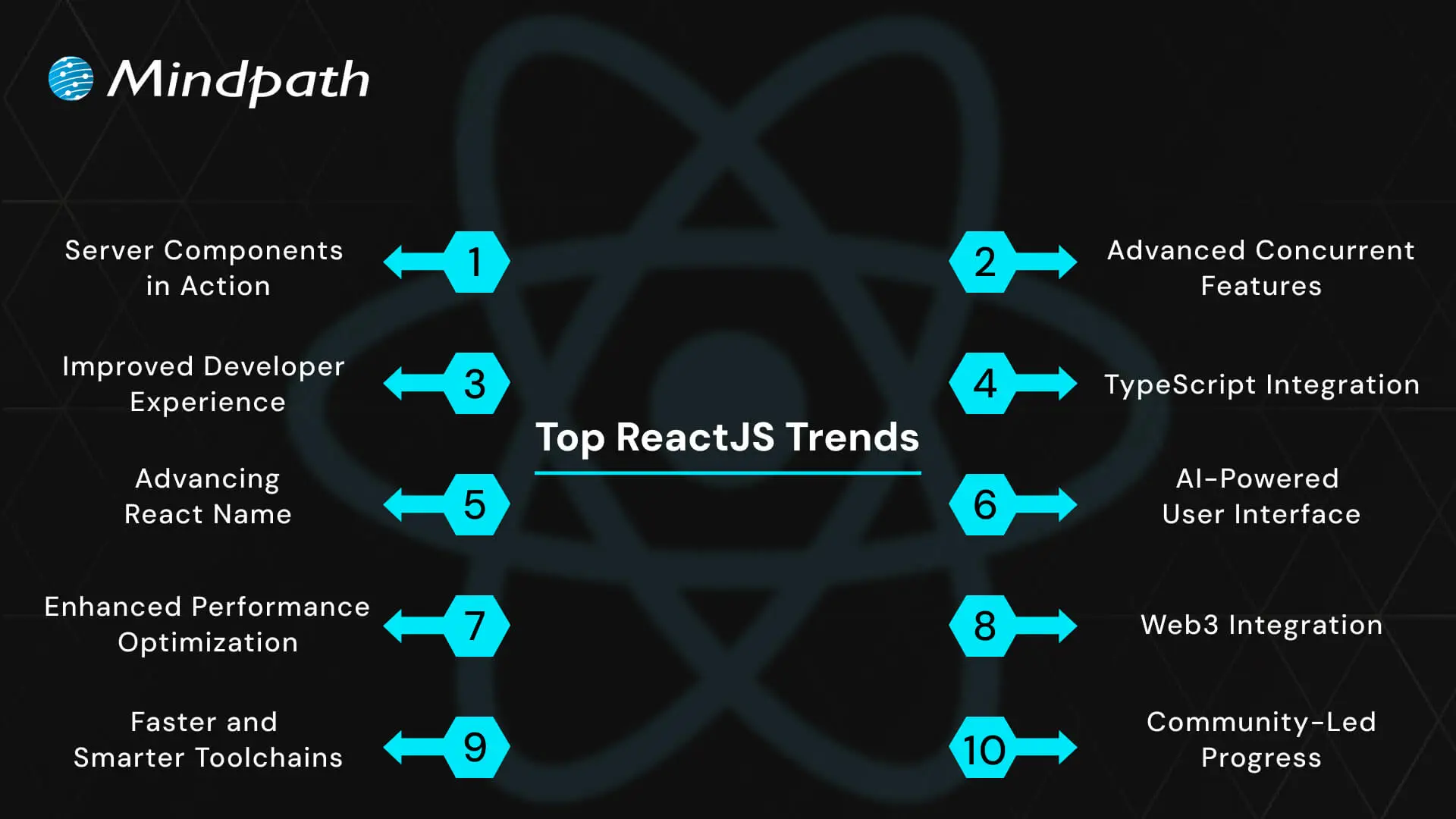
Must Read: ReactJS Trends 2025

Important Skills of ReactJS Developers

The primary theme of any guide on hiring React developers should revolve around identifying important skill requirements. Once you identify the essential ReactJS developer skills, you can measure the quality of candidates applying for React developer jobs. Awareness of the important React developer skills also helps hiring managers and employers determine the ideal compensation for developers. Every ReactJS developer must have a combination of the following technical and soft skills. 

1. Technical Skills of ReactJS Developers

The search for answers to “What skills should a ReactJS developer in California have?” will find the first stop at technical skills. React developers should have proficiency in React concepts as well as frontend web development. The core React concepts that a developer must know are props, React Hooks, and state management. ReactJS developers should be fluent in the use of popular state management libraries such as Context API and Redux. 

The list of technical skills of ReactJS developers also includes the fundamental web development technologies, such as HTML and CSS. On top of it, expertise in JavaScript ES6+ specifications is also a mandatory requirement for React developers. ReactJS developers should also know the best practices for using build tools and package managers.

The other important technical skills for ReactJS developers include knowledge of testing frameworks, routing libraries, and UI libraries. Version control with Git is also a mandatory skill of React developers that can promote easier collaboration with other teams. Business owners also look for additional skills like backend development expertise for full-stack roles and fluency in using cloud platforms. 

2. Soft Skills of ReactJS Developers

Employers need developers who are not only technically proficient but also capable of working in their organization. Every organization has a different set of beliefs, values, mission statements, and goals. Therefore, hiring ReactJS developers in California is not all about technical skills only. Hiring managers seek React developers who have soft skills like problem-solving, communication, adaptability, and attention to detail. 

Professional ReactJS developers have to work with a critical mindset and the ability to view problems from different perspectives. Communication skills can help developers capitalize on the support of experts from other teams while fostering collaboration. Adaptability ensures that React developers can cope with new changes while avoiding conflicts with emerging advancements and trends. Most important of all, developers should pay attention to detail to ensure efficient completion of projects. For instance, the ability to identify bottlenecks and errors before full deployment can help save a lot of money.

Seeking a development approach that reduces complexity while enhancing functionality? Read why React Web Development is ideal for modern projects.

Which Hiring Model Should You Choose for ReactJS Developers?

The hiring model or engagement model of a business for ReactJS developers represents the way in which the business uses developer services. The cost of hiring developers in California depends directly on the hiring model you choose for your business. Hiring managers can choose in-house developers, freelancers, contract developers or outsource projects to professional development services. Take a look at the implications of each hiring model to understand its value for your web project.

1. In-house ReactJS Developers

An in-house ReactJS developer is one who becomes an integral part of your company culture. The best thing about hiring an in-house developer is the assurance of direct control and deeper integration with your business. However, business owners have to spend a lot on hiring in-house developers, and the recruitment process takes more time. 

2. Freelancers and Remote Developers

Another choice for business owners to make the most of ReactJS is through freelancers or remote developers. Business owners can pick freelancers from top platforms, based on their skills and experience, to work on short-term projects or fill specific skill gaps. On the other hand, remote ReactJS developers in California can fulfill the responsibilities of a dedicated ReactJS developer in your organization. The best thing about freelancing and hiring remote developers is the opportunity to work with experts from all over the world.

3. Professional ReactJS Development Services

The most trusted solution to make the most of ReactJS in web development projects is a professional development service agency. Professional development agencies build teams to serve end-to-end solutions for ReactJS development and nurture their teams for years. Business owners must know that professional agencies offer the assurance of working with the best developers in the business. On top of it, California-based ReactJS development services can help in ensuring the reduction of management overhead. With the help of professional developers, your web projects can be completed efficiently without spending a lot.

Are you looking for a cost-effective way to scale your development team without compromising quality? Read the key Benefits of hiring remote developers to see how global talent can drive faster growth.

Strategic Roadmap to Hire ReactJS Developers

After learning about the essential prerequisites to hire React developers, business owners can follow a strategic roadmap for the hiring process. Some hiring managers might be worried about the special steps required for the strategic roadmap. Interestingly, you don’t have to think about any complex steps or requirements while hiring ReactJS developers. On the contrary, you can just follow the simple steps mentioned below to hire the best ReactJS developers.

1. Design the Job Description

The job description might seem like an outline of the job title, responsibilities, and skill requirements. However, many business owners don’t know that the top ReactJS talent in California or anywhere in the world will apply for jobs where the job description is appealing. Apart from thinking about the viewpoint of applicants, hiring managers must also consider the perspective of the business owner while creating the job description. 

While creating the job description, you should be specific about the project scope, complexity, and skills required for the job. The job description must clearly state which type of project you are hiring for, whether it is a single-page application or a complex SaaS platform. In addition, the job description must indicate the level of experience required for the job alongside the essential skills required. 

2. Choose the Ideal Platforms to Find Talent

The answers to “What skills should a ReactJS developer in California have?” can help you identify the type of React developer you need for your web project. However, there is no use in the answers if you don’t know where to look for the best talent. Where will you post the job listing? The foremost answer would obviously point to online job boards, such as Indeed and Glassdoor. Professional networking platforms like LinkedIn are also great places to begin your search for competent ReactJS developers.

Business owners can search for expert ReactJS developers through referrals as well as developer communities. Professional meetings of React developers, online forums, and conferences are also great places to interact with developers and identify ideal candidates. The easiest way to search for top-tier ReactJS developers is through professional development service agencies. You can find pre-vetted ReactJS developers with years of experience to work on your web project by choosing professional development services.

3. Effective Screening and Interview Process

The success of a hiring process depends a lot on the screening and interview process. Anyone who wants to know how to hire ReactJS developers must remember that the initial screening helps in filtering out a lot of undeserving candidates. The initial screening must involve a detailed review of the resume and portfolio of applicants. Some hiring managers also opt for a phone call to discuss the experience of candidates and their communication skills. The phone call might prove to be the best solution to measure the interest of candidates in the company and the job.

Once you are done with the screening process, the attention should shift towards the interview. Many business owners believe that the interview for ReactJS developers is all about asking technical questions. It is important to check the technical fluency of applicants through coding challenges and automated code reviews. Live coding sessions can offer the ideal platform to check the problem-solving skills of candidates. Interviewers should also dive deeper into technical topics while testing the understanding of React concepts, architecture, and JavaScript fundamentals.     

Want to improve your application’s speed without increasing development time or infrastructure costs? Discover how optimizing React performance benefits business owners looking for efficiency and ROI.      

4. Check the Behavioral and Culture Fit

Candidates who can complete the technical interviews effectively are the best picks for your next web project. At the same time, you must know that the hiring process is complete only after checking the behavioral and cultural fit of a candidate. Business owners don’t want expert developers who are constantly at loggerheads with other teams or stakeholders. Therefore, behavioral fit is a crucial requirement for hiring ReactJS developers in any organization.

The interview process should also include comprehensive questions to test the soft skills of the candidate. Interviewers must evaluate the work style of applicants and the approaches they follow to manage feedback and challenges. Candidates who follow the company’s values and vision can be more useful picks for any business. 

5. Understand the Hiring Costs

The most prominent aspect of the hiring process that often goes unnoticed is the hiring cost. You might think that the answers to “What is the cost of hiring a ReactJS developer in California?” would focus primarily on the salary. The average annual salary of ReactJS developers in California varies from $60,000 to $113,000. Will your hiring costs be limited to the salary cost? The hiring costs will encompass other costs such as onboarding costs, cost of work equipment, and recruitment costs.

Looking for specialists who can handle complex front-end challenges in your business? Learn why partnering with an expert React Development Company is a smart move.

Final Thoughts

The React developer hiring tips showcase that a few simple steps can help you find the ideal React developer for your next project. On the other hand, business owners might come across different challenges in the hiring process, such as a lack of clarity regarding job descriptions and hiring costs. 

Mindpath can help you hire the best ReactJS developers for your web projects with the assurance of transparent cost estimates and proven results. We have been one of the leading platforms for end-to-end IT solutions with specialization in ReactJS development services. Our web projects have helped our clients achieve their business goals on their desired terms. Partner with us today and create the most effective top-tier web applications for your business now.

Discover the ultimate guide to hiring Node.js developers in London. Learn about the skills, benefits, and cost factors involved in finding the right talent for your project.
WordPress maintenance
Is your WordPress site running as smoothly as possible? Do you know what kind of essential maintenance activities should be done on your website to keep it secure and running well? In this blog, we will explore the essential maintenance tasks that will keep your WordPress site in top shape. So, let’s dive in! 

Importance Of Website Maintenance   

Routine WordPress maintenance will help your website to be stable, secure, with better loading speed, and compatible with different browsers and devices. Regular backups guarantee that there is no loss of data in case of website crashing or malware attacks. Up-to-date plugins will ensure that slowdowns and security risks are prevented. Monitoring and analytics on user behavior help you make informed decisions and optimize your content. This provides better maintenance of your website, thus keeping it in top shape, and gives a better experience to the visitor. 

How Much Does WordPress Maintenance Cost?  

The cost of maintaining a WordPress site will be based on the size and complexity of the website. Routine maintenance in 2024 can range from as low as $5 a month to $120 per month or $40 a year to $1,200 a year. For a personal site, maintenance might be as low as $4 a month or $40 annually. Business sites usually start at about $8 per month or $80 per year. The pricing for running corporate websites is usually in the region of $12 a month or $120 yearly. The websites related to entertainment and eCommerce usually cost more, with the former starting at $16 per month and the latter at $20 a month. Routine maintenance includes updating plugins, themes, and WordPress core, managing backups, ensuring security, and keeping up performance. 

The Complete Checklist of Monthly WordPress Maintenance Tasks   

1. Optimize Your Database   

Over time, your WordPress database can become bloated with extraneous data from things like old post revisions, spammy comments, and deleted items, which slow down your site. To clean up your database, first back it up using a tool like Solid Backups to ensure all your data is safe. Then use a plugin such as WP Optimize to clear out any unnecessary data and boost database performance. Alternatively, if you know how to manipulate a database, you can clean up manually with phpMyAdmin. This method is useful when custom settings must be considered, and in all probability, it would be good to talk this over with a developer in case you are unsure. 

2. Manage Backups   

Backing up your website is something you should do regularly for safety against losses and quick recoveries in case of issues. Besides, with Solid Backups, you can configure backups automatically by using the plug-in known as UpdraftPlus. Schedule the backups frequently and let them be safely kept in the cloud, optimally. Moreover, review the process of restoration month by month to confirm that your backup procedure is working well, and in case of need, you will be in a good position to recover your site. 

3. Update WordPress Core, Plugins, And Themes   

WordPress core, theme, and plugin updating have implications for security, compatibility, and accessing new features. According to the Wordfence 2022 State of WordPress Security report, plugins in particular are a weak point, so keeping them up to date is very important. Keep checking for updates, and when found, update them one after the other. Begin with the WordPress core and then proceed to plugins and themes. Remember to always back up before doing any big update and update on a staging site so you can be sure everything works well with your current setup. 

4. Perform Security Scans   

Security scans to vulnerabilities, malware, and unauthorized access should be regularly scheduled. Run full site scans with a plugin like Shield Security, check the logs for any suspicious activity, and configure settings. You should, however, schedule these scans to run periodically, but at least revise them once a month. 

5. Analyze Site Speed   

A website’s speed has a massive impact on user experience and SEO. Among others, you can use Google PageSpeed Insights, GTmetrix, or Pingdom to check how fast your website loads. After testing, fix performance issues of your website against the results. If the speed problems continue, see if there’s a need to review and upgrade your hosting plan. 

6. Check For Broken Links   

Checking for broken links is important both for delivering a good user experience and SEO. Broken links may make visitors and search engines end up in so-called ‘dead ends,’ harming your site’s rankings and authority. Run a check using a plugin such as Broken Link Checker. Thereafter, repair or remove broken links upon finding them, possibly looking into scheduling automated checks to help identify new broken links in the future. 

7. Optimize Images   

Optimizing images will help to increase your site speed and performance radically, particularly when you have a heavy share of images on the site. Tools like Smush or ShortPixel do really well when it comes to compressing existing images. Remember the right formats—JPEG for photos and PNG for graphics where the requirement is transparency. Enable lazy loading; this defers the loading of off-screen images to further speed up page load times. 

8. Submit Your Sitemap   

Making sure that you are regularly submitting your sitemap to search engines will let them index your website in a better way and give you more exposure. Use a plugin such as Yoast SEO to create an updated sitemap, then take the time to manually submit this to search engines via their webmaster tools—like Google Search Console—to check that all your pages are correctly crawled and indexed for maximum search engine visibility. 

9. Monitor Site Performance   

Monitoring your site’s performance frequently will let you know when there is a problem. It helps in making informed decisions and will let you act swiftly. Use tools like Google Analytics and Jetpack to look through key metrics such as page views, bounce rate, and conversion rates. This setting of performance alerts about major changes or problems will let action be taken in time and thus your site runs smoothly. 

10. Test Your Forms   

Testing of forms at regular intervals is paramount to ensure that they work right and harvest data from users effectively. All forms should work well, and process input correctly. Check that email notifications are going to the right addresses, then test for user experience to make sure forms are usable, accessible, and responsive on different browsers and devices. 

11. Clear Site Cache 

It ensures that your site visitors have the most recent content. In addition, it will boost your website’s performance. Sometimes, cached data can become corrupt or outdated, causing display issues and slowing download time. Flush the server cache, then reset any plugin-built caches. Test your site for improved performance after flushing the cache. This can also be done in many ways depending on your unique setup. If you are not comfortable doing it yourself, use something like WP Super Cache and W3 Total Cache

Ready to optimize Your WordPress Experience?

Learn More About Mindpath’s Maintenance Services!

WordPress Development Services at Mindpath   

At Mindpath, we ensure your WordPress website runs at its best with comprehensive maintenance services. This includes regular updates to WordPress Core, plugins, and themes; daily backups for data security; and optimization of the performance of the site so that it loads faster. Our team conducts security scanning to save from threats, monitors and fixes broken links, and looks through analytics to bring about better user engagement. We test forms to make sure they are working well. You just focus on your business while we keep your site secure and efficient with our expert maintenance. 

Conclusion 

Maintenance, on the other hand, will ensure your WordPress site is not only smooth, safe, and high performing, but it will also be defended from many problems for the best user experience. From checking for broken links to analyzing site speed or running security scans, every step is important in keeping your website at its best. 

At Mindpath, we cut down the complexity of WordPress maintenance by offering every necessary service in one place to keep your site in top condition. Let our team take care of updates, backups, performance optimization, security checks, and more, so you can focus on growing your business while we work on keeping your website reliable and engaging. Our expert team at Mindpath makes sure your WordPress site is running at peak performance, ensuring you can get on with business and not worry about it. 

Want to achieve a Faster, Safer WordPress Site?

Find Out More About Mindpath’s Maintenance Solutions!

Ensure your WordPress site runs smoothly with essential maintenance tasks like updates, backups, security scans, and performance optimization.
Openai fine tuning api tutorial

In current times of generative AI, prompt engineering is not sufficient to address the requirements of advanced applications. There is a need among content strategists, developers and product teams to have models that can be used to analyze domain-specific language and provide a uniform output. And that is where OpenAI’s fine-tuning tutorial comes in to guide developers through the complicated process of training various models. From healthcare to legal tech, fine-tuning has enabled customization of pre-trained models, opening new opportunities in AI-powered solutions. This blog will allow you to know more via a simple OpenAI fine-tuning API tutorial, as well as some OpenAI fine-tuning examples. We will also talk about why it is crucial for developers. 

Ready to use customised AI models that align precisely with your business data, goals, and customer expectations? Mindpath’s AI development services provide end-to-end solutions from design to deployment.

OpenAI’s Fine-Tuning – What is It All About?

Let’s begin this OpenAI fine-tuning API tutorial by understanding the basics, i.e, what OpenAI fine-tuning is. 

OpenAI models such as ChatGPT are trained on huge web-scale datasets. These are designed to perform across different domains. However, when it comes to handling specialized use cases, for example, technical support, expert reasoning, or legal context analysis, these models need more targeted control. OpenAI fine-tuning API for developers has made it possible. It enables developers to train base models using task-specific datasets. This, in turn, assists models in acquiring new skills and behavior, based on the needs of the business. Regardless of whether you are building a personalized chatbot, advanced summarization systems, or scaling content generation, fine-tuning provides you with accuracy, performance, and control.

Must Read: Low-Rank Adaptation (LoRA) 

Importance of OpenAI Fine-tuning for Developers

The OpenAI fine-tuning API tutorial focuses on the crucial nature of AI model fine-tuning. Fine-tuning ChatGPT is an essential strategy for developers aiming to create custom AI solutions. By customizing models, they make those models offer more consistent and smarter outputs. The following are a few points that explain why fine-tuning is a necessity for every developer.

1. Better Relevance and Accuracy

For all domain-specific queries, fine-tuned models will perform better compared to generic models. They will offer more contextually relevant and accurate responses.

2. Reduced Cost and Latency

Fine-tuned OpenAI models are more efficient. How? Well, they can attain better results with fewer prompts, lowering token usage. Besides, it leads to a faster response time. 

3. Consistent Communication Style and Tone

Wouldn’t it be great if your AI model could speak just like your brand? You can make that a possibility with fine-tuning. You will be able to train the model with specific style, vocabulary and voice such that the outputs match the brand identity.

4. Enhanced Format Handling

If your application demands outputs in a specific reporting format or JSON structure, fine-tuning ensures the model follows those requirements. 

5. Robust Safety and Control

By training your AI models on domain-safe and curated data, you can reinforce desired behaviour. This, in turn, will significantly reduce the risk of harmful or off-brand responses. 

6. Unlocking New Opportunities

Fine-tuning OpenAI models can be used for multiple applications. Developers can train models to manage tasks, prioritizing expertise and specific interaction styles. 

Curious about the concepts that make AI models like OpenAI’s so powerful? Explore the attention mechanism explained, which shows how attention transforms the way models understand and generate data.

OpenAI Models Developers Can Fine-Tune for Custom Tasks

As described in this OpenAI fine-tuning API tutorial, the fine-tuning API allows developers to fine-tune various advanced models, increasing their capabilities. Now, let’s have a look at the OpenAI models that can be fine-tuned for specialized applications. 

1. GPT-3.5

Undoubtedly, GPT 3.5 is a top choice among developers. Some major reasons behind this popularity are cost-effectiveness and low latency. Fine-tuning this model allows developers to reduce the complexity and increase consistency. Product recommendation guides, FAQ bots and customer service automation are some of the common uses of GPT 3.5.

2. GPT-4o

This is OpenAI’s flagship multimodal model. It can process images, audio, videos, and text. This model offers users advanced customization features without losing speed and efficiency. It can be optimized by the developers for domain-specific tasks that demand enhanced textual as well as visual comprehension. Financial document analysis and advanced customer support bots are some common OpenAI fine-tuning examples centered on GPT-4o.

3. GPT- 4.1

This OpenAI model is created to handle multi-step tasks, structured problem-solving and extensive reasoning. It is a perfect option for complicated processes. Fine-tuning this model allows developers to introduce the tools capable of adhering to the domain-specific formats, which makes them a great choice in case of technical planning or automating research.

4. O-Series Models

O-series models are based on GPT-4o and are optimized for efficiency and performance. You can use these models for tasks where GPT-4o’s functionality may be excessive. These models can be fine-tuned to be cost-effective and scaled to a large extent without reducing their accuracy. They come in handy with several industry-specific applications in sectors like SaaS, legal tech, and healthcare.

Wondering how large language models work behind the scenes? Explore the Large Language Model (LLM) detailed guide to discover the foundations of AI that make fine-tuning possible.

Tips to Use Open-AI Fine-Tuning API Effectively

The OpenAI fine-tuning API tutorial can provide useful information on the optimization methods of AI models. These practices can improve mode reliability if utilized in the right manner. Here are some best practices to consider for effective fine-tuning.

1. Data Quality

It’s obvious! The AI models will not be capable of providing precise results without clear, well-constructed, and relevant datasets.

2. Right Model

As mentioned above, only a few OpenAI models can be fine-tuned. For instance, GPT-3.5 or GPT-4o.

3. Tune Hyperparameters

Experiment with batch sizes, training cycles, and learning rates. This will help you find the right configuration. 

4. Evaluate Regularly

Properly monitor progress, identify overfitting, and optimize the training approach. 

By focusing on all these factors, developers can fine-tune OpenAI models with confidence. This is the foundation for fine-tuning ChatGPT or other models for tailored applications that can offer precise results.  

Want to know how fine-tuned AI models can improve business decisions? Explore AI in decision-making to discover how intelligence-driven insights optimize strategy and operations.

When to Fine-Tune vs When to Use Prompt Engineering?

This is a common question that most developers would ask when learning OpenAI fine-tuning API concepts. After all, choosing between prompt engineering and fine-tuning is a vital decision for every developer creating AI-powered tools. Let’s break it down. 

Begin With Prompt Engineering

Well, for most use cases, prompt engineering can be an ideal option. A well-developed system prompt, combined with clear instructions and examples, can enable a generic AI model to perform efficiently. In fact, they can attain around 80 to 90 percent task accuracy. Moreover, prompt engineering is cost-effective, fast, and there is no need to maintain a custom model for it. It is also ideal for low-volume tasks and prototyping.

Scenarios Where Fine-Tuning Actually Makes Sense

Based on this OpenAI fine-tuning API tutorial, we can state that in cases where you need to be more consistent and in control, fine-tuning makes a great choice. You can consider it when:

  • You want a consistent style and tone format in communications.
  • You wish to decrease the cost of the API.
  • The existing model offers irrelevant output that can be resolved through curated examples. 
  • You want to enhance the AI model’s ability to accurately process complex instructions. 

Fine-tuning is a major investment. It requires time for accurate data preparation and training costs. However, the long-term results are really impressive. Wondering how? Well, when you learn fine-tuning API methods, you can easily unlock the ability to boost the model’s efficiency, reliability, as well as performance.

Looking to understand where AI is headed next? Discover generative AI trends to explore emerging applications and practical use cases of intelligent systems.

Custom AI: The Future We Will Witness Soon

OpenAI’s fine-tuning API clearly shows a significant leap in making modern AI models bespoke and adaptable. It offers developers who want to go beyond what general AI does the means to add specific domain experience, brand voice, and intelligence to the models. This OpenAI fine-tuning API tutorial proves that it will unlock the next generation of custom AI models.

If you want to join the trend and enhance your business’s functionality with custom AI solutions, you can always count on Mindpath. We provide AI development services that help organizations develop as well as fine-tune their AI foundation models. Our team helps you align AI models with your workflows and domain-specific data. Partner with us today and build a custom AI solution to support your business growth.