Understanding the Cost of Hiring NodeJS Developers in California

Join our Newsletter!

Featured Posts

Support Is One Click Away

Home

Understanding the Cost of Hiring NodeJS Developers in California

Understanding the Cost of Hiring NodeJS Developers in California

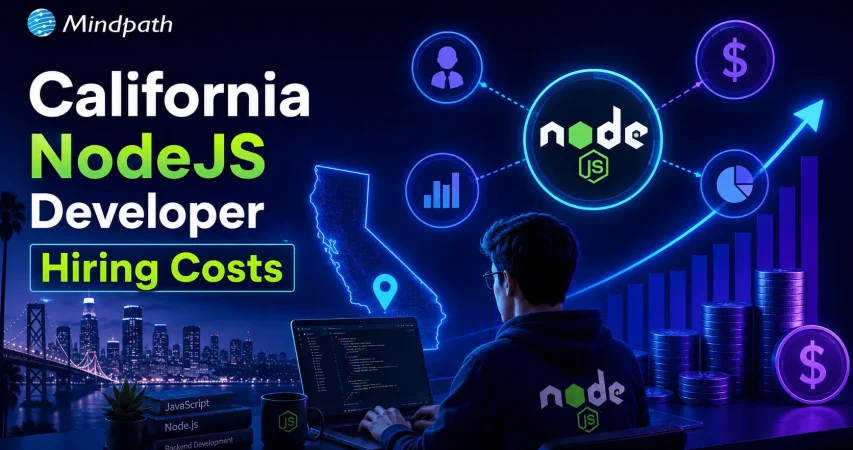
Hiring a Node.js developer in California can be expensive owing to high demand and living costs. Experience, geography, and specialized skills have a considerable influence on pricing. The following are major cost factors for hiring Node.js developers in California.

1. Experience Level

The developer’s experience is vital in deciding the pricing. Junior developers (less than 2 years of experience) often charge $60-$80 per hour, whereas mid-level developers (3-5 years of experience) charge between $80-$120 per hour. Senior Node.js developers with substantial experience in backend architecture, team leadership, and system optimization earn $120-$150+ per hour. The more experienced the developer, the higher the charge; nevertheless, the investment frequently benefits in increased productivity, better problem-solving, and scalable solutions. When recruiting, match the developer’s experience to the project’s complexity to achieve cost-effectiveness and high-quality outcomes.

2. Location in California

California’s technology clusters have a substantial impact on Node.js developer rates. San Francisco, San Jose, and Los Angeles have some of the highest development expenses due to their concentration of technology enterprises. Developers in these locations frequently charge $100 to $150 or more per hour. In contrast, places outside large urban hubs, such as Sacramento or San Diego, have slightly lower costs, ranging from $80-$120 per hour. Remote recruiting from low-cost countries can help firms save money while still obtaining access to excellent talent. When picking developers, consider the cost vs in-person cooperation tradeoff.

3. Specialized Skillset

Developers that specialize in real-time applications, cloud technology, or complex database administration typically charge premium rates. Node.js developers who are skilled in WebSockets, AWS, GCP, and microservices architectures may earn between $120-$160 per hour, since these talents are in great demand for scalable and high-performance applications. Similarly, familiarity with enterprise-level security, DevOps processes, and AI connections can drive up expenses. Hiring developers with specialized knowledge provides optimal performance, security, and long-term scalability, but at a higher cost. Determine whether your project requires specialist skills or broad backend development.

4. Hiring Models: Freelance or In-House

The decision to use freelancers, in-house developers, or outsource to an agency affects total expenses. Freelancers are frequently less expensive, with hourly rates starting at $60, although they can’t always be available for long-term assignments. Full-time in-house developers demand pay, benefits, and office expenditures, which can increase yearly costs over $150,000-$200,000 for top positions. Hiring from development organizations gives you access to a team of qualified developers, but it frequently costs more per hour, ranging from $100 to $180. The appropriate employment strategy is determined by the project’s duration, budget, and the requirement for continuous assistance.

Looking for expert Node.js developers at competitive rates? Mindpath connects you with highly skilled developers specializing in scalable applications, APIs, cloud solutions, and real-time systems. Whether you need a freelancer, in-house developer, or a dedicated team, we provide the right talent to match your project’s needs.

Don’t let high costs slow your project down! Partner with Mindpath to get the best Node.js talent in California within your budget.

Related Post

Discover how to hire a freelance software developer with our easy guide. Learn steps to define needs, evaluate talent, and set clear terms for success.
Learn how combining React and AI enhances front-end development, offering smarter, personalized user experiences and dynamic features.
Discover the advantages of IT staff augmentation over traditional hiring. Learn how it offers flexibility, cost savings, and quick access to specialized talent for your projects.

Related Post

WordPress Vulnerabilities

WordPress powers more than 43.4 percent of the websites (Source: W3Techs), making it a top choice among businesses, developers, and bloggers. However, with immense popularity comes a higher risk. WordPress’s widespread use and open-source nature have made it a prime target for malicious exploits, cyberattacks, and data breaches. So, it is crucial for site owners to understand and mitigate WordPress vulnerabilities.

A compromised website can cause various devastating consequences, including damage to your business reputation and financial loss. Some major reasons behind security breaches are weak credentials, outdated software, insecure configuration, and third-party plugins. 

This detailed guide will help you learn more about the common WordPress security vulnerabilities. Besides, you will explore some actionable strategies to protect your website. 

If you want to safeguard your WordPress site against attacks, expert intervention can make all the difference. Mindpath offers WordPress development services where we focus on building secure websites according to your business needs.

How Secure is WordPress- Is it Really Vulnerable?

WordPress is popular for its vast ecosystem, ease of use, and flexibility. However, its security architecture is not that robust, leaving room for improvement. Well, that doesn’t mean you should stop using it. You just need to follow a more sophisticated approach to handle every WordPress vulnerability precisely.

Given WordPress’s dominance on the web, it is no surprise that it attracts malicious attacks frequently. A notable example is CVE-2024-10924. It allowed attackers to log into WordPress sites with administrative rights. With this, attackers can execute code across millions of sites remotely. 

There are other WordPress security issues that can expose your site to attackers, like exposed endpoints, arbitrary file uploads, and path traversal. These are regularly documented in the WordPress vulnerability database. While this CMS remains a robust platform, these threats have forced businesses to focus more on ongoing vigilance.

Why Should Businesses Prioritize WordPress Security?

Before exploring the “how”, let’s understand the ”why”. Remember that a security breach can lead to disastrous consequences for businesses. Some impactful consequences of WordPress exploits are: 

1. Search Engine Blacklisting

If your website is compromised, search engines can flag it as malicious redirects, malware, or spammy backlinks. As a result, your site may get blacklisted, affecting your organic traffic and visibility. 

2. Dat Breaches

A vulnerable website makes it easier for hackers to access sensitive data, including users’ names, payment details, addresses, passwords, and more. This can erode customer trust and attract legal penalties. 

3. Downtime

Cyberattacks can lead to a complete shutdown or defacement of your website. Besides, it can take several days or weeks to recover your site, leaving your business inaccessible to customers. 

4. Financial Fallout

The cost of a data breach can go beyond just technical cleanup. Affected businesses face legal penalties, reputational damage, and more. For small businesses, it can be catastrophic.

5. Loss of Admit Control

Attackers can lock out users, escalate privileges, and change credentials, making it challenging to regain admin control without technical intervention. 

The only way to avoid such consequences is by securing your WordPress site with proper security measures. Besides, it is crucial to check website safety regularly. Read on to know more about WordPress Vulnerabilities and how to fix them. 

Major WordPress Security Vulnerabilities and Solutions

While WordPress itself is regularly maintained and updated, WordPress exploits generally arise from outdated components, insecure integration, etc. Understanding those security risks is the first step toward creating a resilient and secure website. Below, we have listed some common vulnerabilities along with effective mitigation tactics.

1. Outdated Components- The Biggest Threat

Most dangerous and frequent WordPress vulnerabilities arise from outdated components, such as plugins, themes, and the core. Outdated components can offer an easy entry point to hackers. WordPress core updates come with crucial security patches, and the same applies to plugins and themes. 

 Solutions:

  • Regularly check for updates to plugins, core, and themes. 
  • Enable automatic updates wherever possible.
  • Remove unsupported and unused extensions. 
  • Use a WordPress vulnerability scanner to check the website regularly. 

2. Brute Force Attacks

Attackers use trial-and-error methods to guess user login credentials, exploiting common and weak passwords. Once they gain access, hackers can take over the site and carry out various malicious actions.

Solutions:

  • Deploy robust password policies and create passwords combining special symbols and numbers. 
  • Enable 2FA or two-factor authentication to access the admin panel. 
  • Use security plugins such as Limit Login Attempts Reloaded to prevent unauthorized logins. 
  • Be careful while assigning user roles. 

3. Vulnerable Themes and Plugins

Not all plugins are the same. Poorly coded extensions can lead to serious security issues, including XSS or Cross-site Scripting, SQL injection, as well as remote code execution. 

Solutions:

  • Check update history, active installations, and reviews before installing a plugin.
  • Install plugins and themes only from WordPress.org and trusted developers, like the WordPress Cue theme. 
  • Use powerful security plugins such as Sucuri and Wordfence to effectively monitor WordPress plugins vulnerabilities
  • Stay away from pirated themes to prevent potential malware attacks.  

4. Malware Infections

Malicious software programs are designed to steal data, damage systems, and disrupt regular operations. Malware can take different forms, like trojans, ransomware, or spyware. These infections are challenging to detect. 

Solutions:

  • Keep the system updated and ensure you are using the latest version of WordPress. 
  • Limit admis access and follow secure login practices. 
  • Schedule regular malware and backups utilizing advanced tools. 

5. Cross-Site Scripting

This is a common type of injection attack where attackers inject malicious scripts into websites. Poor security configurations and outdated components let attackers inject JavaScript or client-side scripts into a website. Once injected, attackers can access credentials, session cookies, and can also redirect visitors to a malicious site. 

Solutions:

  • Validate and sanitize every user input. 
  • Prefer to encode output data to avoid script execution.
  • Carry out a detailed WPcheck and use response headers to control browser behavior.

6. SQL Injections

This WordPress vulnerability happens when attackers inject SQL code through input fields such as contact forms, login, or signup to access the database. This vulnerability can expose sensitive information, compromise credentials, and alter your site content. 

Solutions:

  • Change the WordPress database prefix in the config.php file. 
  • Install a WAF or Web Application Firewall to prevent injection attempts. 
  • Properly sanitize as well as validate user inputs. 

7. DDoS Attacks

Distributed Denial-of-Service is a type of attack where attackers overwhelm servers with fake traffic, making your website inaccessible to visitors. This can cause SEO damage, and downtime. 

Solutions:

  • Carefully monitor your website traffic patterns for unusual spikes.
  • Use rate-limiting tools and extra server bandwidth.
  • Deploy a firewall service or CDN, such as Cloudflare or Bunny.net, to reduce the risk of DDoS.

8. Poor Hosting Platforms

Shared or insecure hosting platforms can expose your site to various WordPress vulnerabilities from other websites using the same hosting environment. A compromised server can damage multiple websites, causing widespread damage. 

Solutions:

  • Choose a trusted and managed WordPress hosting provider.
  • Ensure that the hosting has strong security protocols.
  • Opt for a dedicated IP address.
  • Ensure the hosting offers regular backups, malware scanning, and firewalls

9. Phishing Attacks

Deceptive messages and emails trick users into sharing personal data or clicking on malicious links. After clicking the links, attackers get access to credentials and can inject malware into websites. 

Solutions:

  • Don’t respond to unknown senders or URLs. 
  • Regularly inspect the website’s code to identify and remove phishing pages. 
  • Take backups of your website regularly and before changing code. 

10. CSRF or Cross-Site Request Forgery

Also known as session riding, it tricks visitors into carrying out unintended activities through deceptive forms or links. A CSRF attack can lead to admin-level exploits, data exposure, and unauthorized transactions. 

Solutions:

  • Deploy session validation and secure coding practices.
  • Educate admins and users about social engineering techniques and phishing tactics. 
  • Verify user requests using CSRF tokens. 

Now that you understand the common WordPress vulnerabilities and how to fix them, it’s time to explore some powerful tools that can help you in this. 

Top WordPress Security Plugins to Consider

To effectively protect your site from a wp vulnerability, using the right security plugins is crucial. Security Plugins listed below offer proactive monitoring, protection, as well as recovery features, helping to reduce the risk. 

Plugin Key Features
Sucuri Security Remote malware and WordPress vulnerabilities scanning, website firewall, malware removal, CDN, and security activity auditing
Wordfence Security Malware scanner, country blocking, live traffic monitoring, and login security
MalCare One-click malware removal, regular malware scanning, offsite scanning, and brute force protection
SecuPress Anti-brute force, security scanner, 2FA, backup and malicious IPs blocking
Cloudflare Turnstile CAPTCHA, free SSL certificate, email routing, and DNSSEC- Domain Name System Security Extension 
SolidWP Magic Link, version management, regular backups, and continuous monitoring
Defender Pro Firewall rules, malware scanning, IP blocking, login protection, and vulnerability reports
Jetpack Security Real-time backups, brute-force protection, spam filtering, and downtime monitoring 

Selecting the right WordPress vulnerable plugins depends on your WordPress website’s requirements. However, installing any of these can boost your website’s security features. 

WordPress Post-Hack Protocol- Follow These Steps

Even with the best WordPress vulnerability scanner and necessary security strategies, no site is 100 percent safe. If your WordPress site has been hacked, a strategic and swift action is crucial. With a clear post-hack strategy, you can restore functionality and regain control. 

1. Immediately restrict public access to your site to prevent further damage. 

2. Change the database password and administrative passwords immediately. 

3. Restore your website using a backup created before the hack. 

4. Use reliable security plugins to detect infected files, entry points, and unauthorized changes. 

5. After restoring your site, patch all the components with the latest updates. 

6. Change default login URLs, implement strong firewalls, and disable the file editing function. 

7. Establish continuous security scans and monitor activity logs to identify potential threats early. 

8. If the hack has exposed user data, inform your users about the breach. 

9. In the wp-config.php file, change the security salts and keys. 

A proactive WordPress recovery plan ensures your site bounces back more secure and stronger from WordPress vulnerabilities.

Build A Secure and Resilient Website with The Right Security Measures

Securing your WordPress website against these WordPress vulnerabilities is vital in this digital world, where cyberattacks are common and increasing. Understanding major flaws, applying the right security measures, and partnering with a trusted WordPress developer can reduce the chance of cyberattacks while keeping your site running smoothly.

Mindpath’s web development team has years of experience in creating secure, accessibility-compliant, and scalable WordPress websites. Our experts keep themselves updated with the latest WordPress security problems and vulnerabilities to offer you end-to-end WordPress development services. From plugin vetting and WordPress vulnerability audits to security configuration and continued support, we will help you stay ahead of every WordPress exploit while ensuring a seamless user experience. 

Hiring a ReactJS developer in California comes with various cost factors, including experience level, employment type, and market demand. California’s thriving tech industry drives salaries higher than in other regions, making it essential to budget wisely. Whether you’re hiring a freelancer, full-time employee, or outsourcing to an agency, understanding these cost variations can help you make an informed decision. Below are key factors that influence the cost of hiring a ReactJS developer in California.

1. Experience Level

The cost of hiring a ReactJS developer in California varies greatly according to expertise. Junior developers with little hands-on experience charge less rates, but mid-level and senior developers with advanced abilities, extensive ReactJS knowledge, and experience with large-scale apps command more pay. Companies seeking top-tier talent must be willing to invest more in experienced developers capable of handling complicated jobs and contributing to strategic decision-making.

2. Location Within California

Developer wages and rates vary according to location. Tech centers such as San Francisco, San Jose, and Los Angeles have high living costs, resulting in higher compensation and competition for talented developers. Hiring ReactJS developers in less costly California locations, on the other hand, may be a more cost-effective alternative. When preparing their hiring budget, businesses must consider location-based compensation variations.

3. Project Complexity

The development cost of a project increases as it becomes more complex. If your application requires complex functions such as real-time data updates, third-party integrations, or AI-powered features, expect to spend extra for qualified developers. Simpler projects with a minimal UI and functionality can require less resources, making them more cost-effective. Understanding project complexity allows you to more properly estimate developer expenses.

4. Specific Skills and Expertise

ReactJS specialists with specialized knowledge in areas such as Redux, GraphQL, server-side rendering (Next.js), and speed optimization charge premium rates. Businesses searching for specific expertise or developers familiar with contemporary React frameworks may need to invest extra. It is essential to ensure that a developer’s expertise matches the demands of your project in order to justify paying more for specialized skills.

5. Employment Type

The nature of employment has a substantial influence on recruiting expenses. Full-time ReactJS developers demand salary, benefits, and long-term commitments, although freelancers or contract-based hiring may provide greater flexibility and cheaper initial expenses. However, hiring through agencies or outsourcing organizations might be more expensive owing to additional administration and administrative costs. Choosing the correct employment model helps to strike a balance between cost and quality.

Finding the right ReactJS developer at the right cost can be challenging but Mindpath, makes it easy. We connect you with skilled developers who fit your budget and project needs—whether you’re looking for junior talent or senior expertise. With our flexible hiring models, you get cost-effective solutions without compromising on quality. Let’s build something great together!

Get in touch with Mindpath today and hire the best ReactJS developers in California!

Discover the ultimate guide to hiring Node.js developers in London. Learn about the skills, benefits, and cost factors involved in finding the right talent for your project.
Cloud Disaster Recovery

Have you ever wondered what would happen to your business if a disaster struck and you lost access to critical data or systems? Whether it’s a hardware failure, cyberattack, or even a natural disaster, the impact can be devastating. But what if there was a way to ensure that your business could quickly recover and keep running smoothly? That’s where Cloud Disaster Recovery comes in. In this blog, we will explore how this powerful solution can safeguard your data and help your business bounce back faster than ever. Let’s dive in! 

What Is Cloud Disaster Recovery?

Cloud Disaster Recovery (Cloud DR) is a dependable method for organizations to backup and recover essential data and systems in the event of an unforeseen catastrophe. It entails keeping copies of apps, information, and resources in a secure cloud setting. When disaster strikes, such as a hardware breakdown or a cyberattack, organizations can swiftly recover their data and restart operations. Cloud DR also includes capabilities like automation, which make the recovery process faster and more efficient. It is adaptable, letting businesses scale their storage and recovery requirements as they develop, assuring ongoing protection and minimal downtime. 

Why is Cloud Disaster Recovery Important?

Cloud Disaster Recovery is vital because it enables organizations to remain safe and recover rapidly when unforeseen difficulties arise, such as system outages, cyberattacks, or natural catastrophes. Losing data or access to vital systems can result in delays, financial losses, and reputational damage. Businesses can use Cloud DR to swiftly recover their data and resume operations without taking extensive interruptions. It guarantees that essential information is always secure and ready for use. It also saves time and money by automating the recovery process and offering a flexible option to scale with the company’s demands. This makes it a wise and dependable option for being prepared.

Advantages of Cloud Disaster Recovery

1. Flexible Scaling

Traditional disaster recovery systems frequently rely on physical data centers, which can be expensive and limited in flexibility. Businesses must purchase servers, storage devices, and networking equipment while also maintaining the complete system for recovery operations. This method not only requires a significant initial expenditure, but it also fails to respond rapidly to changing needs. Cloud Disaster Recovery addresses this issue by providing flexible and scalable solutions. Businesses can employ resources on demand through services such as public cloud alternatives or Disaster Recovery as a Service (DRaaS). This means customers can adjust the capacity they require, like storage or processing power, immediately through user-friendly websites. This strategy saves money by removing the need for costly physical infrastructure and maintenance. It also enables organizations to adapt rapidly to expansion or unanticipated events, ensuring that they have the necessary resources when they need them. Businesses who migrate to cloud disaster recovery benefit from a cost-effective and adaptive solution to preserve their data and systems while focusing on their core activities. 

2. Fast Recovery

Cloud-based disaster recovery guarantees faster and easier recovery operations, allowing organizations to minimize downtime. One of the primary benefits is the usage of virtual machines (VMs), which allow you to verify workload availability without impacting everyday operations. This allows firms to routinely review their recovery plans and ensure they are prepared to respond in the event of an emergency. The cloud also provides high-speed bandwidth and enhanced disc performance that can be customized to meet certain recovery time objectives (RTOs). These customizable solutions let firms recover vital systems and data more effectively. Unlike traditional techniques, which rely on physical resources, cloud services allow faster access to the tools and backups required for recovery. Cloud disaster recovery minimizes the time required to restart regular operations after an interruption by combining simplicity of testing, customizable choices, and quicker data retrieval. This guarantees that firms remain robust, retain loyal customers, and reduce financial and operational losses. 

3. No Location Limits

Cloud Disaster Recovery (Cloud DR) has the benefit of being independent of a specific physical location. Unlike traditional disaster recovery solutions, which rely on local or remote data centers, Cloud DR enables enterprises to store backups in data centers located anywhere in the world. This avoids the possibility of losing access to important data and systems if a calamity strikes the principal site of the organization’s equipment. Businesses can utilize Cloud DR to pick backup facilities in various geographic areas, ensuring that their data is secured from local threats such as floods, fires, and power outages. This flexibility enables businesses to develop a disaster recovery strategy that meets their specific demands while avoiding any disruptions caused by physical location limits. Additionally, the cloud’s global reach enables organizations to expand and modify their recovery solutions to individual requirements, without being constrained by on-premises equipment. This gives greater protection and business continuity, regardless of where the calamity occurs. 

4. Geo-Redundant Backup

Geo-redundancy in cloud disaster recovery improves data security and availability by utilizing a cloud provider’s worldwide network of data centers. These data centers are dispersed across numerous areas, allowing firms to store disaster recovery resources in various places. This regional spread serves as a safety net against local calamities such as earthquakes, floods, and power outages that can affect a particular region. Businesses that deploy disaster recovery resources in several areas can ensure that if one data center fails, backup systems in other places will continue to function. This not only improves the dependability of disaster recovery plans, but it also minimizes the likelihood of downtime and data loss. Geo-redundancy also offers shorter recovery times by allowing firms to retrieve their data from neighboring regions if one location faces issues. This worldwide approach to data security is especially useful for enterprises that operate in numerous locations, as it provides a resilient and scalable solution for protecting essential data and maintaining uninterrupted operations in the face of regional interruptions. 

5. Usage-Based Pricing

The cloud disaster recovery pay-as-you-go model gives companies a cost-effective method to set up recovery facilities without having to pay large upfront fees. Unlike traditional managed co-location providers, which sometimes demand long-term contracts, cloud services allow businesses to pay only for the resources they utilize. This means that organizations might avoid making large initial expenditures and instead see catastrophe recovery costs as continuous, flexible expenses. With this strategy, corporations can adjust their payments depending on their real needs, adding or subtracting resources as needed. This allows organizations to grow their disaster recovery solutions without worrying about paying for wasted capacity. Pay-per-use alternatives assist firms in maintaining a cost-effective and adaptive data security strategy by converting substantial capital expenditures into affordable operational costs. 

Also Read: Cloud Computing Attacks: A Comprehensive Guide for Prevention

Cloud Computing Services at Mindpath

Mindpath provides flexible and dependable cloud computing services to match your company requirements. Our cloud solutions provide safe data storage and access from anywhere. We have you covered for disaster recovery, data storage, and scalable computing power. Our pay-as-you-go strategy allows you to pay for just the resources you use, making it both cost-effective and flexible. This allows you to scale up or down as needed, without incurring significant upfront expenditures. Our cloud services are supported by a worldwide network of data centers, which guarantees excellent availability and security. Fast recovery options allow you to swiftly get back on track if something goes wrong.  

Final Note!

Cloud Disaster Recovery is a crucial option for organizations seeking to secure data and reduce downtime in the event of unforeseen interruptions. Businesses can safeguard their operations while controlling costs by utilizing flexible scalability, rapid recovery, geo-redundancy, and usage-based pricing. The cloud provides unrivalled flexibility, speed, and global reach, making it the best option for modern disaster recovery. Mindpath offers dependable and scalable cloud computing services to help you stay safe, adaptive, and prepared for any emergency. With our pay-as-you-go strategy, you can focus on your core business while we handle catastrophe recovery, ensuring that your data and systems are always secure and accessible.  

Ready to protect your business with reliable cloud solutions?

Partner with Mindpath today and discover how our flexible, cost-effective cloud computing services can keep you secure and run smoothly.

Learn how Cloud Disaster Recovery safeguards your business with flexible, cost-effective solutions for fast recovery and data protection.