
Home

Emerging Technologies for Small Businesses: Shaping the Future of Growth

Emerging Technologies for Small Businesses: Shaping the Future of Growth

Lorem ipsum dolor sit amet, consectetur adipiscing elit. Ut elit tellus, luctus nec ullamcorper mattis, pulvinar dapibus leo.

Join our Newsletter!

emerging technologies for small businesses

Did you notice how quickly the business environment is shifting for small enterprises? Business owners are seeking better ways to operate their business, acquire customers, and outpace the competition. That is where the role of emerging technology for small businesses becomes crucial. These technologies are no longer considered unattainable, but they are important considerations in your daily routine. If you’re trying to understand how to keep up with the pace, you’re already on the right path.

This transition isn’t merely an upgrade of tools. It’s a change in how small businesses think, plan, and grow. Through artificial intelligence, automation, and cloud services, these technologies are evolving the way companies can more efficiently make the moves toward enhanced workflows, laterally engage new markets, and leverage a better use of resources. What once seemed complex or expensive is now easier to adopt and use. In this blog, we’ll look at how these emerging technologies are shaping a stronger and smarter future for small businesses.

Adopting the right technologies can be challenging for small businesses. At Mindpath, we help small and growing businesses harness emerging technologies, from AI and automation to custom web and app development, to drive sustainable growth.

Importance of Emerging Technologies for Small Businesses

Emerging technologies in business are becoming very important for small businesses that want to grow and stay competitive. These tools help small teams work faster, reduce costs, and serve customers better. These technologies make everyday tasks easier and help businesses manage more with less effort. For small businesses, this means saving time, avoiding manual errors, and focusing more on customer needs and business goals.

As the market keeps changing, small businesses must keep up with new trends and tools. Using the right technology helps improve service, increase profits, and make smarter decisions. It also helps small businesses compete with larger companies by giving them the same tools to operate smoothly and efficiently. In today’s fast-moving world, using the right technologies is a good idea and important for growing and staying successful.

Want to stay ahead in a rapidly evolving business landscape? Discover how digital transformation for businesses enables small businesses to adopt emerging technologies and unlock new growth opportunities.

Impact of Emerging Technologies on Small Businesses

The future of small businesses is being shaped by constant changes in technology. As digital tools become more advanced, the impact of emerging tech on local businesses is becoming harder to ignore. Here are some key areas where this shift is starting to make a difference.
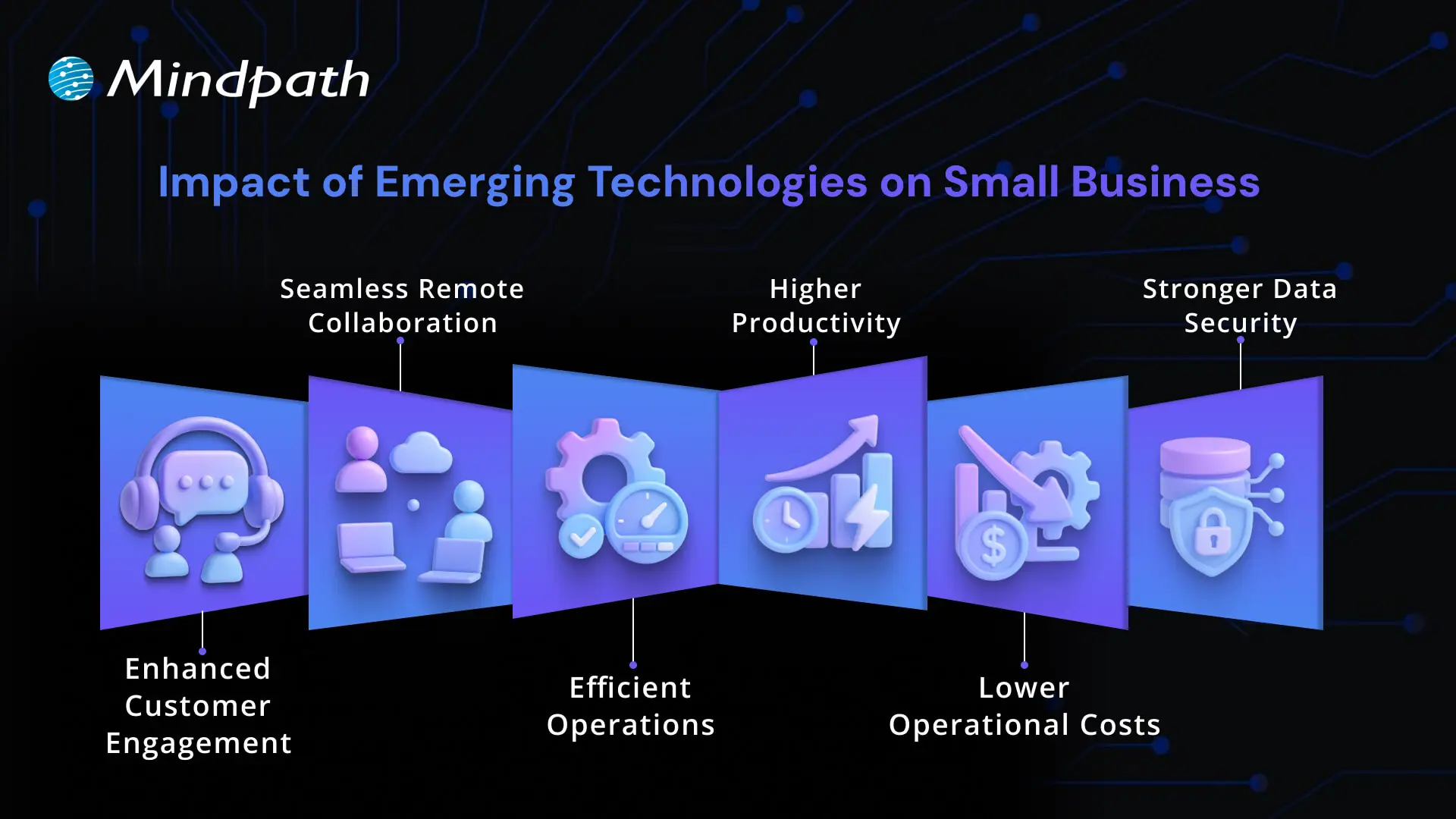
Impact of emerging technologies on small business

1. Enhanced Customer Engagement

Emerging technologies for small businesses are changing how they talk to their customers. Tools like live chat, easy websites, and chatbots help give quick answers. These tools also help businesses know what their customers like or need. This builds stronger trust and long-term relationships.

2. Seamless Remote Collaboration

Digital transformation for small businesses makes it simple for teams to work from different places. Online tools help people talk, share work, and stay connected. This solves the problem of working across locations. It keeps everyone on the same page and helps the business run better.

3. Efficient Operations

New technology helps small businesses work better every day. Tools like AI and cloud systems reduce the time spent on manual tasks. This means fewer errors and quicker results. Emerging technologies for small businesses help manage operations smoothly and save time.

4. Higher Productivity

How technology is changing small businesses can be seen in faster and more efficient work. New tools help track inventory, manage customers, and understand buying habits. This improves decision-making and cuts down on mistakes. Businesses save time and get better results.

5. Lower Operational Costs

New tech helps small businesses save money and stay efficient. Automation tools reduce extra work and help finish tasks quickly. Online platforms for sales and support are more affordable now. This helps businesses grow while using fewer resources.

6. Stronger Data Security

Small businesses worry about keeping customer data safe. With new tech tools like secure cloud storage, that’s easier to do. These tools help prevent online threats and protect payment details and private information. This keeps the business and its customers safe and confident.

Curious how AI can give your small business a competitive edge? Learn about the Future of AI and how emerging technologies are reshaping growth, efficiency, and innovation for businesses like yours.

Top Emerging Technologies for Small Businesses

Emerging technologies in business are opening new opportunities for small companies to grow, compete, and serve their customers better. Here are some of the top technologies that are helping small businesses work smarter and achieve more:
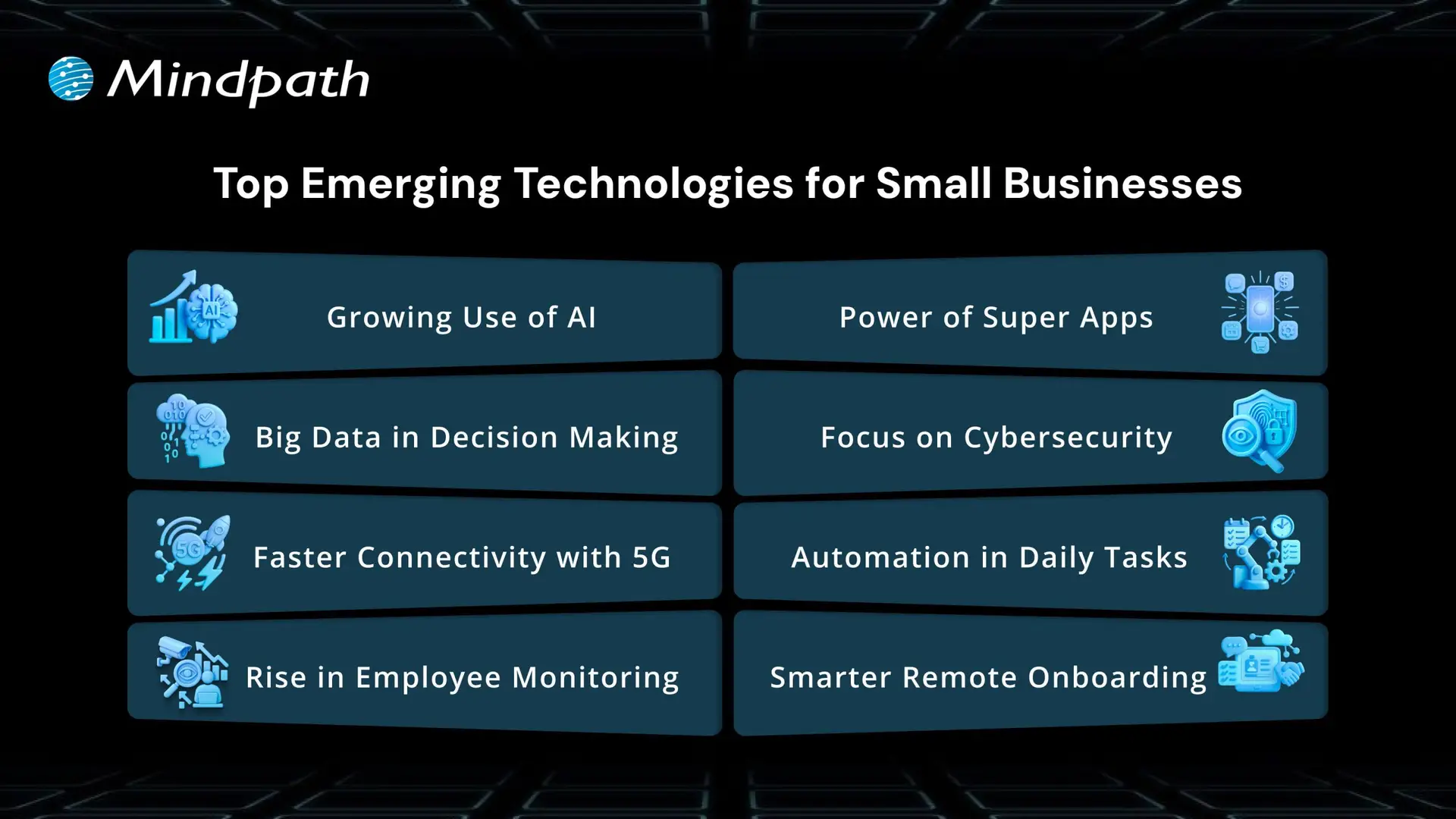
Top Emerging Technologies for Small Businesses

1. Growing Use of AI

AI for small businesses is becoming easier to use and more helpful. It’s already improving customer service, reducing errors, and saving time in industries like retail and insurance. Businesses are seeing a quick return on their AI investments through features like chatbots and fraud detection. This highlights how AI for customer services and other emerging technologies are making small business operations more affordable and practical.

2. Big Data in Decision Making

Big data is helping small businesses understand their market and make better decisions. Many companies are already seeing increased profits through the use of data tools. This shows that data is not just for large enterprises anymore. Small businesses can now use insights to improve planning and stay ahead.

3. Faster Connectivity with 5G

5G brings faster data, less delay, and better connections for devices. It helps small businesses use more smart tools and supports the growing number of IoT devices. As 5G becomes more available, small businesses can expect smoother communication and faster service. This will push emerging technologies for small businesses into more areas of daily work.

4. Rise in Employee Monitoring

As hybrid work grows, more companies are using employee monitoring software. It helps track productivity and improve communication between remote teams. With higher demand since the pandemic, businesses now rely on these tools to manage their teams better. These systems are becoming a core part of small business technology trends.

5. Power of Superapps

Superapps combine many tools into one, helping businesses manage tasks more easily. They solve problems like software not syncing and reduce wasted time. Small businesses can benefit from apps that handle messaging, scheduling, and customer data all in one place. This kind of smart unification improves efficiency and teamwork.

6. Focus on Cybersecurity

Many small businesses still believe they won’t face cyberattacks, but the risk is growing fast. New threats require better protection for data and systems. By leveraging AI in cybersecurity, businesses can detect threats faster, respond more effectively, and strengthen their overall security posture. More businesses are now focusing on backup plans and stronger security tools. Acting early helps avoid major problems later.

7. Automation in Daily Tasks

More businesses are turning to automation to reduce workload and save money. It helps with tasks like pricing, inventory, and customer service. Even with fewer workers, companies can still run smoothly and meet their goals. Automation is becoming a must-have for efficiency and smart growth.

8. Smarter Remote Onboarding

Remote onboarding is now a key step for hiring and welcoming new team members. Businesses are using technology to make new hires feel connected and supported. Software helps introduce the company culture and build the right relationships. This helps companies keep talent and improve their team experience from day one.

Looking to scale your tech capabilities without breaking the budget? Learn about the key benefits of hiring remote developers and how they can help small businesses adopt emerging technologies faster and smarter.

Power Your Business Growth with Smart Tech

The future belongs to small businesses that move with change. By adopting emerging technologies for small businesses, you work smarter, cut waste, and serve customers better. These tools help you compete, make faster decisions, and grow with confidence. What once felt out of reach is now practical, scalable, and ready for you to use as you plan the next step.

Mindpath helps you turn tech goals into real progress. Our team guides your choices, sets up the right tools, and trains your people to use them well. We focus on clear steps, measurable results, and support that grows with you. Let’s map your priorities and launch changes that deliver value fast for lasting growth and stronger customer results in practice.


Frequently Asked Questions

1. What are the most practical emerging technologies for small businesses to adopt first?

Start with tools that solve immediate problems. AI-powered customer service, cloud storage, and automation for repetitive tasks deliver quick, measurable results. Emerging technologies for small businesses work best when adopted gradually with clear goals. Trying to implement everything at once often leads to confusion, wasted budget, and low team adoption rates.

2. How much budget should a small business set aside for adopting new technologies?

There is no fixed number, but starting small is always smarter. Many cloud and AI tools offer affordable subscription models specifically designed for smaller teams. Focus on technologies that directly reduce costs or increase revenue first. As returns become visible, reinvesting those gains into further technology adoption becomes a natural and sustainable progression.

3. How do small businesses protect customer data when adopting new digital tools?

Always choose platforms with strong encryption, compliance certifications, and regular security updates. Train staff on basic cybersecurity practices from day one. Many modern tools now include built-in security features that require minimal technical knowledge to activate. Prevention is significantly cheaper than recovering from a data breach after damage has already occurred.

4. Can small businesses realistically compete with larger companies using emerging technologies?

Yes, and this is one of the most exciting shifts happening right now. Many emerging technologies level the playing field by giving small teams access to enterprise-grade tools affordably. Speed and agility are natural advantages small businesses already have. The right technology amplifies those strengths rather than creating an entirely new competitive dynamic.

5. How do small business owners know when they are ready to adopt a new technology?

Readiness comes down to three things: a clear problem to solve, a willing team, and a realistic budget. If a technology addresses a genuine operational gap and your team can support it, the timing is right. Adopting tools out of trend pressure rather than business need almost always leads to poor outcomes.

Support Is One Click Away

Featured Posts

Related Post

Cost of Hiring Reactjs Developers

Without a robust and engaging web presence, your business is going nowhere, and this might be a perfect reason to hire ReactJS developers. Once you know the cost of hiring ReactJS developers, you can measure the value they will bring to your web projects. Let us discover why you must know the costs of hiring React developers and the factors that influence hiring costs.

Understanding hiring costs upfront prevents budget surprises later in the project. Every business has different needs, and costs vary based on experience, location, and engagement model. Knowing what drives these numbers helps you make smarter hiring decisions. In this article, we break down everything that shapes the real cost of hiring ReactJS developers.

Want to adopt ReactJS in your next project? Mindpath’s ReactJS development services will provide expertise that will help you in building interactive web applications according to your business requirements.

Reasons to Focus on ReactJS

ReactJS is a component-based, open-source JavaScript library that has been the favorite pick for frontend development since 2013. It is still one of the most powerful tools for creating visually appealing UIs. Any business that thinks of hiring frontend developers should focus on ReactJS for its distinctive features. Some of the notable features of React include component-based architecture, cross-platform development with React Native, virtual DOM, and a strong community. ReactJS not only facilitates faster development but also ensures that you get web applications that offer better performance and scalability.

While hiring guides can help you pick the right talent for your teams, it is important to learn about the costs of hiring React developers. Why? Many hiring managers will believe that the cost of hiring a ReactJS developer is all about their salary. Interestingly, employers must also consider other factors, such as location and experience, along with additional costs, to determine hiring costs.

Cost of Hiring a ReactJS Developer

Professional ReactJS developers can help you craft the best user experiences in web applications. However, the expertise of ReactJS developers comes at a cost. The search for answers to “How much does it cost to hire a ReactJS developer?” might lead you directly to salary forecasts for React developers. On the other hand, the salary is not the only thing that you must consider in the cost of hiring a ReactJS developer. The following factors will help you understand how to determine the ideal compensation for React developers in your web projects.

1. Experience of the Developer

The foremost factor that influences the salary of ReactJS developers is their experience. Junior or entry-level developers have limited professional experience and can build basic components, work on simpler tasks, and support senior developers. Mid-level developers have a better understanding of React concepts and can work on complex features alongside contributing to architecture design.

Senior developers are the top-tier talent with more than five years of professional experience and can design the whole application architecture. Senior ReactJS developers can also guide junior developers, optimize performance, and scale up web applications with ease. The estimates for ReactJS developer cost in 2025 suggest that senior developers can earn more than $150,000 per year. Similarly, junior developers can earn almost $70,000 annually, while mid-level developers can ask for $100,000 to $120,000 per year.

2. Geographical Location

Hiring managers must also take the geographical location into account while calculating the costs of recruiting React developers. Location is an important factor in determining the hiring cost as it implies variations in market competitiveness, demand for talent, and cost of living. For instance, the cost of hiring a ReactJS developer in North America will be higher than the global average. Why? You can find tech hubs like Silicon Valley and New York, along with major Canadian cities that have a higher cost of living.

The average annual salary of a ReactJS developer in North America can vary from $90,000 to $120,000. The only other competitive market for ReactJS development is Western Europe, where countries like the UK, Germany, and France seek high-quality talent. One of the best choices for a cost-effective React development solution is the Asia-Pacific region, which includes India, China, and the Philippines. The annual salary for React developers in the Asia-Pacific region is considerably lower than in Western countries.

Want to scale your application seamlessly as your customer base grows? Learn how the benefits of ReactJS development services make large-scale, high-traffic apps easier to maintain and expand.

3. Scope and Complexity of the Project

Employers must also pay attention to the scope and complexity level of their web project while calculating the hiring costs for a ReactJS developer. You may want to build simple web apps, mid-sized applications, or large-scale enterprise applications with ReactJS. Each type of project will demand a specific level of expertise, which indirectly influences the cost of ReactJS developers. For instance, junior developers can create simple applications with basic UIs or static websites with minor features.

The estimates for ReactJS project development cost might be a little higher for medium-sized applications, which will require mid-level to senior developers. Such types of applications may need custom designs, dynamic features, or integrations with third-party APIs, which call for experts and more costs. Large enterprise applications that need complex architectures and intricate state management will require senior and lead developers, thereby increasing costs.

4. Hiring Model

One of the key factors that determines the cost of hiring a ReactJS developer is the hiring model. Do you want a full-time in-house developer or a freelancer? If you hire an in-house developer to work on a full-time basis, it will cost you the most. The recruitment costs for in-house developers in the USA can vary between $5000 and $20,000 for each hire. The primary reason to hire an in-house React developer is the assurance of maximum control.

Hiring managers can opt for freelance developers or hire developers on a contractual basis to reduce costs and ensure flexibility. You should hire freelancers only when you need access to specialized skills and faster onboarding. Some employers also choose cost-effective ReactJS development services through outsourcing or dedicated remote teams. Outsourcing offers access to a vast talent pool and better options for scalability with fewer administrative setbacks.

5. Other Additional Costs

The direct salary or hourly compensation for ReactJS developers is only the tip of the iceberg. Employers and hiring managers must also pay attention to the additional costs of hiring React developers. The notable additional costs include recruitment costs, training costs, infrastructure costs, and benefits for full-time developers.

Recruitment costs include the costs of job board posting, agency fee, and the time invested in screening and interviews. Infrastructure costs point to the cost of laptops, cloud services, testing tools, and software licenses for IDEs, developer tools, and communication. Training and onboarding costs, along with benefits and perks like health insurance, stock options, and bonuses, also determine the hiring costs of React developers.

Want to ensure your next digital product is built by a partner who truly understands your business goals? Discover what matters most when choosing the right React development company for your business.

Is Your Business Getting Real Value From Its ReactJS Investment?

The list of answers to “What factors affect ReactJS developer rates?” reveals that the salary is not the only cost. Hiring managers can determine the salary by considering different factors such as experience, geographical location, and hiring model. The additional costs of hiring a React developer include training and onboarding costs, recruitment costs, and infrastructure costs.

The cost of ReactJS projects at Mindpath also encompasses support and maintenance without imposing additional costs. On top of it, with reliable platforms like Mindpath, you will get transparent cost estimates for ReactJS development services. Explore the most cost-effective ReactJS development solutions for your projects with Mindpath.

Frequently Asked Questions

1. Is it cheaper to hire a ReactJS developer from another country?

Yes, geographical location significantly impacts the cost of hiring ReactJS developers. Developers in regions like India and Southeast Asia offer competitive rates without compromising quality. However, businesses must also factor in time zone differences, communication workflows, and project management overhead before committing to an offshore hiring decision.

2. How do you decide between hiring a freelance ReactJS developer or an agency?

Freelancers work well for short-term, well-defined tasks with limited scope. Agencies or dedicated teams are better suited for complex, long-term projects needing consistent collaboration. The decision ultimately depends on budget, project timeline, and how much ongoing support and accountability the business requires after initial development is complete.

3. What is a realistic budget for a mid-sized ReactJS web project?

A mid-sized ReactJS project typically requires mid-level to senior developers, third-party integrations, and custom UI work. Depending on location and hiring model, budgets can range from $15,000 to $60,000. Defining scope clearly before hiring helps avoid unexpected cost escalations during the development process.

4. Does the cost of hiring ReactJS developers change based on industry type?

Industry complexity directly influences ReactJS developer cost. A fintech or healthcare platform demands stricter security, compliance, and performance standards than a standard business website. These requirements call for more experienced developers and longer timelines, which naturally push the overall hiring and development costs higher.

5. How can businesses reduce ReactJS hiring costs without sacrificing quality?

Businesses can reduce costs by clearly defining project requirements upfront, choosing the right hiring model, and considering remote or offshore talent. Avoiding scope creep, investing in proper onboarding, and hiring developers with proven React expertise from the start significantly reduces rework costs down the line.

How much does hiring a ReactJS developer cost? Learn about factors affecting rates, and how to find the best talent within your budget.
NodeJS developer cost

In today’s competitive digital landscape, businesses are increasingly investing in scalable and high-performance applications. Technologies like Node.js have become a preferred choice for backend development due to their speed, flexibility, and ability to handle real-time data. As a result, many organizations are actively exploring Nodejs development services to build modern applications.

However, one of the most common questions businesses ask is: how much does it cost to hire a Nodejs developer? The answer is not straightforward. The NodeJS developer cost can vary significantly depending on several factors, including experience level, project complexity, hiring model, and geographic location.

Understanding these factors is essential for making informed decisions and optimizing your development budget. This guide provides a clear and practical overview of the cost of hiring nodejs developers and what businesses should consider before making a hiring decision.

Ready to control your development costs without compromising on quality and performance? Mindpath provides professional services where you can hire expert NodeJS developers tailored to your budget and project requirements.

Why Businesses Invest in NodeJS Development?

A lot of people like Node.js since its architecture is event-driven and doesn’t block. It’s perfect for real-time programs like chat rooms, streaming services, and tools for working together because it can handle a lot of requests at once.

Node.js is popular with businesses because it can handle systems that need to grow and perform well. It also speeds up building because developers may use JavaScript on both the front end and the back end.

Node.js is a wonderful solution for enterprises of all sizes who need to make nodejs because of these qualities.

How Much Does It Cost to Hire a NodeJS Developer?

Keep in mind that prices can be very different when you want to know how much it costs to hire a Nodejs developer.

Where you live and how much experience you have will affect how much you make every hour:

  • Junior developers: less expensive, but not as skilled at what they do
  • Mid-level developers: a fair balance of abilities and cost
  • Senior developers: cost more, have more experience, and have been working in the field longer.

Also, where you live in the globe is quite essential. In North America and Western Europe, developers normally charge more than they do in Asia or Eastern Europe.

The price of hiring a Nodejs developer also depends on whether you hire freelancers, developers that work for your company, or a company that handles the work for you.

Key Factors That Affect NodeJS Developer Rates

To fully understand how much it costs to recruit Nodejs engineers, we need to look at what makes their prices go higher.

1. Experience Level

More experienced developers charge more since they know how to design programs that are safe and can grow.

2. Project Complexity

You need more experienced developers to make complicated programs that include advanced features like microservices architecture or real-time processing. This costs more.

3. Hiring Model

Prices vary based on how you hire:

  • Freelancers: less expensive and more adaptable
  • Developers who work with the company: more expensive but better control
  • Outsourcing: a fair balance of cost and knowledge

4. Location

Prices for developers vary widely based on their location, and hiring people from other nations is usually less expensive.

5. Technology Stack

If the complete Nodejs project needs more technologies or integrations, it may cost more to build.

NodeJS Developer Hiring Cost Breakdown

You need to look at the major aspects of the price to find out how much it will cost to hire a NodeJS developer.

1. Development Costs

This covers the cost of writing the code, testing it, and using it.

2. Costs of Infrastructure

Costs for hosting, cloud services, and maintaining servers up to date.

3. Maintenance Costs

There are always new features, bug patches, and speed enhancements.

4. Team Collaboration Costs

The total cost will go up if you need to recruit both frontend and backend engineers.

All of these things add up to the full cost of making a Node.js app.

Hiring Models and Their Cost Impact

Choosing the right way to hire people is highly crucial if you want to keep costs low.

1. Freelancers

Freelancers are great for minor jobs or chores that don’t take long to finish. But they may not be in it for the long haul.

2. In-House Developers

You have greater control when you hire full-time developers, but it costs more because you have to pay for their salaries, benefits, and infrastructure.

3. Outsourcing to a Development Company

If you engage a company that does Nodejs development, you may work with competent teams and follow clear steps. This pick usually strikes a nice balance between price and quality.

Cost vs Value: What Businesses Should Consider?

Companies should think about both the cost and the value of a NodeJS developer when deciding how much to pay them.

At first, hiring cheaper engineers might save you money, but it could lead to problems like poor code quality, delays, and higher maintenance costs. On the other hand, experienced developers may charge more, but they will give you better performance and dependability over time.

The right Node.js development solution will help you get the most for your money.

Hidden Costs to Watch Out For

When companies try to figure out how much it will cost to hire nodejs programmers, they often neglect about expenditures that aren’t obvious.

  • The price of training new workers and getting them up to speed
  • More money for managing and talking to individuals
  • They take longer since they don’t know enough

We had to redo the work because the coding wasn’t good enough.

Finding these fees early will help you plan your money better.

Comparing NodeJS with Other Development Costs

Node.js is often less expensive than other backend technologies because it is easier to build and can handle more users.

It saves money by letting JavaScript be used all over the stack, which means fewer developers are needed. There are also a lot of libraries and tools that make development move faster, which means that items can get out faster.

This is why Node.js is a wonderful choice for making affordable, modern apps.

Future Trends in NodeJS Developer Cost

As more companies employ modern technology, the requirement for Node.js experts will grow. This demand could influence how rates go up or down, especially for people who know a lot about it.

There is a lot of talent all across the world, and people can work from home, which can help keep prices down. This makes it easy for businesses to find cheap answers.

Conclusion

You need to know how much it costs to hire a NodeJS developer in order to make wise hiring decisions. The cost depends on the person’s level of expertise, the difficulty of the job, the sort of work they do, and where they live.

Companies may keep an eye on their money and find out the best approach to hire individuals by looking at what makes the pricing of Nodejs developers go up or down. The most important thing, whether you engage freelancers, specialists in-house, or a company that offers Nodejs development services, is to focus on quality, scalability, and long-term value. Partner with mindpath, a trusted Node.js development company that provides expert solutions to overcome your development challenges.

Hiring the proper people is the most critical thing you can do to get your tasks done on time and grow your business.

FAQs

1. How much does it cost to hire a Nodejs developer?

The cost varies based on experience, location, and project complexity, ranging from lower rates for junior developers to higher rates for senior professionals.

2. What factors affect Nodejs developer rates?

Factors include experience level, project complexity, hiring model, and geographic location.

3. What is included in Nodejs project development cost?

It includes development, infrastructure, maintenance, and collaboration costs.

4. Is outsourcing Nodejs development services cost-effective?

Yes, outsourcing can provide experienced developers at a lower cost compared to in-house hiring.

5. Should I hire frontend developers along with Nodejs developers?

Yes, for full-stack development, hiring frontend developers alongside Nodejs developers ensures better project execution.

UX audit

The digital landscape has gone beyond normal trends. 8 out of 10 users are willing to pay more for a detailed user experience. Further, research shows that around USD 1 invested in UX is supposed to bring USD 100 in return (Source). So, any usability defect on your website is way more than just a design flaw. Your users are not just directly comparing you with your competitors. But they are comparing you to the seamless and effective digital experience they have ever experienced.

This is where the relevance of a UX audit comes into the picture. So, this process doesn’t just verify visual inconsistencies or defective navigation. In fact, it unveils hidden frictions that can make your users frustrated and abandon the site.

Ready to enhance your user experience and uncover opportunities for improvement? Contact us today to get expert guidance and start optimizing your website for better engagement and conversions.

What is a UX Audit?

A UX audit is generally known as a user experience audit. It is a systematic evaluation of digital interfaces like mobile applications, websites, or any software platforms. Further, this approach is used to identify usability issues that can affect your users’ ability to reach their goals. According to the research by the Nielsen Norman Group, an average website loses around 67% of its visitors before they reach a certain conversion point.

So, a website UX audit can help you understand what is working well and what is not. Everything is decided based on the research, data, and industry-standard UX regulations.

How is a UX Audit Different from a UI Audit?

A UI UX audit majorly prioritizes the visual design of the interface. So, it mainly includes color contrast, visual hierarchy, spacing, and all. On the other hand, a UX audit targets the entire journey of the users that includes certain factors as given below.

  • Interaction flows.
  • User behavior and interest.
  • Clarity of the content.
  • Conversion barriers.

Most of the audits combine both UX and UI elements to offer a detailed analysis of the performance of your digital product. This is why a UX and user interface audit is necessary for maximum results.

Looking to design experiences that captivate and retain users? Discover our guide on UI/UX design trends to explore approaches that boost usability and appeal.

Why You Should Conduct a User Experience Audit for Robust Digital Performance?

Investing in UX audit services offers strategic benefits to your digital product. Additionally, here are some effective UX audit benefits listed below.

1. Better Conversion Rate

It eliminates friction in major user flows like purchases, sign-ups, and form submissions. Further, it can directly boost your goal completions.

2. Encourages User Satisfaction

If your navigation remains intuitive along with clear content, your users will feel more connected to your products, and the engagement rate will increase.

3. Strong Brand Perception

A well-maintained and consistent user interface can build credibility while boosting your trustworthiness in the marketplace.

4. Data-Rich Redesigns

Insightful data from the website UX audit can value UX improvements while eliminating the guesswork. Further, it can prevent you from costly redesign mistakes.

5. Keeps You Ahead

Even a small usability improvement can keep you unique in this competitive edge. So, users are more likely to trust you over your competitors.

Looking to enhance your UX audit process with scalable and efficient tools? Discover the benefits of SaaS to explore how cloud-based solutions can streamline workflows and improve collaboration.

Who Can Benefit from a UX Audit?

No doubt, UX audits can be beneficial for anyone who is developing a SaaS product or complicated web apps. However, they are more reliable for a certain type of business, as given below.

  • Organizations that are aware of their product requirements but are confused about where and how to begin.
  • Businesses without any research of UX design teams and a desire to refine their UI/UX values in the digital space.
  • Companies that are willing to do Agile product development want to be assured that their UC enhancements are aligned with the users’ expectations.

What are Some Efficient Types of UX Audit Techniques?

There is no one-size-fits-all approach. So, UX audits have been divided into many significant types that developers should be aware of.

1. Usability Audit

This approach goes deeper into your users’ journey to discover if they have been facing any usability issues. So, usability testing can be incorporated to analyze essential factors like interaction design, navigation flow, and overall functionality. This ensures that your users are seamlessly navigating your product without any frustration.

2. Information Architecture Audit

This type assesses the structure of your content labelled along with the product. Further, it also verifies if users can effectively locate what they require. Further, such an audit type easily reveals your content gaps along with confusing structures that can hinder the users’ journey.

3. Accessibility Audit

An accessibility audit can assure you of your product’s usability to everyone, including people who are differently abled. Additionally, this audit proves compliance with WCAG by valuing the color schemes, keyword navigation, and screen reading metrics.

4. Design Audit

This kind of UI UX audit takes care of the design components. This includes the product’s color schemes along with your brand consistency. This ensures the design aligns with your brand identity while keeping your visual experience intact. By effectively assessing each of your design references, the visual audit ensures that the visuals support usability.

5. Content Audit

Content audit includes evaluating the relevance, quality, and tone of your product content. Moreover, it ensures that the content matches the requirements of users while sticking to your brand values. By refining the content, your business can easily strengthen users’ trust while bringing clarity and engagement.

Planning to create a website that combines stunning design with seamless functionality? Discover our guide on web design and development services to explore how professional solutions can elevate your digital presence.

How to Initiate a UX Audit Thoroughly for the Best Results?

Here, you can go through the structured process to make sure your audit UX UI is efficient and result-driven. Apart from this, when you desire to carry out a UX audit, you need to consider whether it is viable for your in-house team or if you should hire an external agency.

1. Be Assured of Your Objectives

It is important to conduct a meeting with all your stakeholders. This approach can streamline your objectives while increasing conversions. You can easily enhance your user experience while addressing suitable goals. This effective alignment can help your team plan the tasks.

2. Gather Product Insights and UX Metrics

Before initiating the assignment, it is important to assess the documents, such as the goals of the product, the user journey, and the user behavior. Additionally, this can help you understand the intent behind the project.

After this phase, you need to gather all necessary performance analytics that include your users’ time spent on certain pages, clicks, and frequency. So, these relevant data can help you assess how the users are engaging with your product.

3. Perform UX Design Audit

After verifying the defective areas in your user experience, you need to apply Usability Heuristics and design principles to assess multiple design mishaps. Such a step in the UX Audit website can be used to evaluate the interface with consistent design, error prevention, flexibility, etc.

4. Run User Testing Sessions

Invite your representative users to complete the real necessary tasks. This includes observing the points of confusion and navigation errors. User testing can offer you authentic details about how your users think and behave in a real scenario.

5. Get a UX Report

Once you are done with gathering all the crucial data, it’s time for you to effectively document your findings into a structured UX audit report. The report generally includes severity rating, issues verified, evidence, expected impact, etc.

A strong report ensures your stakeholders can understand and act as per the requirements.

Planning to work with a web design firm but unsure which questions will reveal their expertise? Check out our guide on questions to ask a website design company to learn how to evaluate potential partners.

A Completely Free UX Audit Checklist

Here is a detailed UX audit checklist you can thoroughly apply to any of your interfaces.

1. Navigation and Structure

  • Logical menu structure.
  • Streamlined menu labels.
  • Effective search functionality.
  • Breadcrumbs, if necessary.

2. Visual Design and UI Elements

  • Precise contrast level for readability.
  • Consistent color schemes and typography.
  • Clickable and attractive buttons and links.
  • Intuitive and meaningful icons.

3. Content and Messaging

  • CTAs are available above the fold.
  • Headlines are clear and to the point.
  • Body content is aligned with proper subheadings.
  • No fluff and jargon.

4. Form and Crucial Inputs

  • Labels are specific and goal-oriented.
  • Errors are displayed clearly.
  • Submit buttons should communicate actions.

5. Interaction and Feedback

  • Loading times are bearable.
  • User actions have confirmation.
  • Interactive elements.
  • No unnecessary or broken links.

6. Mobile and Responsiveness

  • Buttons are spaced effectively.
  • Layouts can be adjusted to all screen sizes.
  • Content fits without needing any horizontal scroll.
  • Navigation suits mobile devices.

7. Conversion Management

  • Secondary CTAs are effective and non-intrusive.
  • Primary call to action remains unique.
  • Trust indicators like feedback and reviews are present.
  • Funnels have minimal friction.

Wondering how much it really costs to build a professional and effective website? Discover our guide on website development cost to explore factors that impact pricing and plan your budget wisely.

Real-World UX Audit Examples

There are certain real-world UX audit examples that can deepen your understanding. Further, it can encourage you to go through the checklist for being authentic.

1. E-commerce Checkout

Many e-commerce sites abandon their purchases at the payment step. So, a UX audit checklist can help you discover unexpected shipping charges and complicated multi-step checkout. You can address this by simplifying the form while adding the progress bar.

2. SaaS Onboarding Flow

When a SaaS company discovers through session recordings and heatmaps that users drop off mid-onboarding, the audit can make you aware of a lack of a progress indicator and an inefficient CTA. You can simplify the features to improve your product’s CTA.

When Should You Conduct a UX Audit?

A UX audit can easily fix what is broken and can accelerate the experience of your users. While you can leverage a UX audit at any stage, there are some critical moments that are essential to consider.

1. Pre-launch and Redesigning

Before you go live with your product, verifying the usability issues in the early phase can minimize the risks while preventing you from costly mishaps. Further, a UX audit report can assess the current experience of your consumers while helping you track the elements that are desirable.

2. As a Critical Part of Your Ongoing Improvement

Doing UX audits twice a year might help you maintain your quality, as your users’ expectations might change with the evolving trends. Moreover, adding new functionalities and features can disturb your existing workflows. An audit can keep the user experience intact.

3. To Battle Performance Issues

Fewer session times and minimal return visits can highlight that there are some issues with your UX. So, to back up your engagement, you need to value the UX audit as very critical. If your users are not completing their key actions, an audit can help you address the real issue behind the drop-off.

4. For Strategic Insights

Comparing your user experience with your competitors can reveal gaps and opportunities. So, demonstrating a strong and effective experience can boost your business value.

How to Prioritize UX Audit Findings?

A UX audit template unveils a series of opportunities. So, value the issues as per these standards.

Priority Level of Impact Implementation Effect
Major Fixes High High
Quick Wins High Low
Minor Improvements Low Low

Challenges You Might Expect in UX Audit

Apart from a series of UX audit benefits, the process might leverage certain challenges, especially when your team depends on assumptions instead of real user data. Limited access to users and biased internal opinions can lead you towards misleading conclusions. You might face a problem in balancing business goals with your user requirements.

Looking for an UX Audit Service Provider for your Website?

A UX audit checklist can be noted as a practical tool that offers structure to your evaluation process. Further, it can help you identify areas that need improvement and help enterprise products become more user-friendly. It also aligns the user experience with your business motive and enhances the overall customer satisfaction.

If you are also ready to leverage the best of UX audit services from the professionals, Mindpath can be your reliable partner. The experts here can help you elevate your user experience and product performance to another level.

Frequently Asked Questions

1. How Long Does It Take to Complete the Whole UX Audit Process?

A UX audit can be completed within one to six weeks. However, it completely depends on your data availability and business motive.

2. How is a UX Audit Different from Usability Testing?

A UX audit is a detailed assessment using multiple methods. On the other hand, usability testing specifically observes real users completing the tasks.

3. Is It Possible to Handle A UX Audit on Our Own?

It is possible, but it includes multiple perspectives that a professional can handle. As a result, you can have better and in-depth insights.

4. Is a UX Audit Only Initiated for Websites?

You can apply UX audits to your mobile apps, desktop software, and physical and digital products.

5. How Much Does a Professional UX Audit Service Cost?

The pricing of UX audits varies based on the complexity of your projects, along with their deliverables and the expertise of the professionals.