Home

What is Conversational AI: An Ultimate Guide

What is Conversational AI: An Ultimate Guide

Discover the power of Conversational AI! Learn its benefits, features, and how Mindpath can help transform your customer interactions.

Join our Newsletter!

what is conversational ai

Companies today understand that it’s essential to have satisfied customers at every touchpoint, to keep in front, and that is where the magic of Conversational AI resides. Are you wondering what is conversational AI? It is the technology that informs smart chatbots and virtual assistants that provide 24/7 interactions for infinitely scalable engagements. Organizations leverage conversational AI to reduce waiting hours, respond to customer inquiries in real-time, and keep delivering a consistent quality of service.

This amazing technology is enhancing efficiencies, saving costs, and maximizing customer satisfaction. Conversational AI stands to revolutionize the performance of an organization, as well as the measurement of its growth, by automating processes with personalized support. If you’re interested in how it works and what benefits it has in store for you, let’s discuss all its amazing features in this blog, step by step.

Are you looking to implement smart chatbots or a virtual assistant in your business to enhance customer engagement? Mindpath’s AI Development Services will help you achieve customer satisfaction with 24/7 support.

What is Conversational AI?

Conversational AI is smart technology that helps artificial intelligence bots like chatbots and virtual assistants talk with people in a natural, human-like way. It’s all about making AI more human, so interactions feel real and engaging. By understanding what we say and how we say it, these systems make conversations easier and more helpful for everyone.

Conversational AI is built using machine learning and natural language processing, and it harnesses the knowledge of millions of conversations. Learning from these conversations allows artificial intelligence bots to improve upon responding to questions, solving problems, and predicting what a customer may need next more accurately. It’s a powerful step toward making AI more human and building better customer experiences.

Types of Conversational AI

There are different types of Conversational AI technologies a business can use to meet customers and deliver its services to them. Each one operates in its own way and could have its own niche when it comes to customer support, sales, or engagement objectives.

1. Voice Bots/Assistants

Voice bots and assistants are a type of conversational technology that interacts with people through spoken language. They listen to what a person says, figure out what they need, and respond naturally. This makes everyday tasks easier, from playing music to managing smart home devices.

2. AI Chatbots

AI chatbots are a powerful type of conversational AI designed to hold natural, human-like chats. These conversational agents use advanced language models to understand context and respond in a way that feels personal and clear. They help businesses handle complex questions and provide better support around the clock.

3. Interactive voice response (IVR)/Interactive voice assistants (IVA)

Interactive Voice Response and Interactive Voice Assistants are a type of conversational AI that helps people navigate phone systems using voice or keypad inputs. They understand what a caller needs and guide them to the right solution without long wait times. This makes customer service smoother, faster, and more convenient.

Wondering how conversational AI is advancing into systems capable of autonomous action and decision-making? Explore how Agentic AI is redefining intelligent, self-directed digital behavior.

Advantages of Conversational AI

Conversational AI has become an important part of how companies connect with people today. Here are some key advantages it can bring to your business.
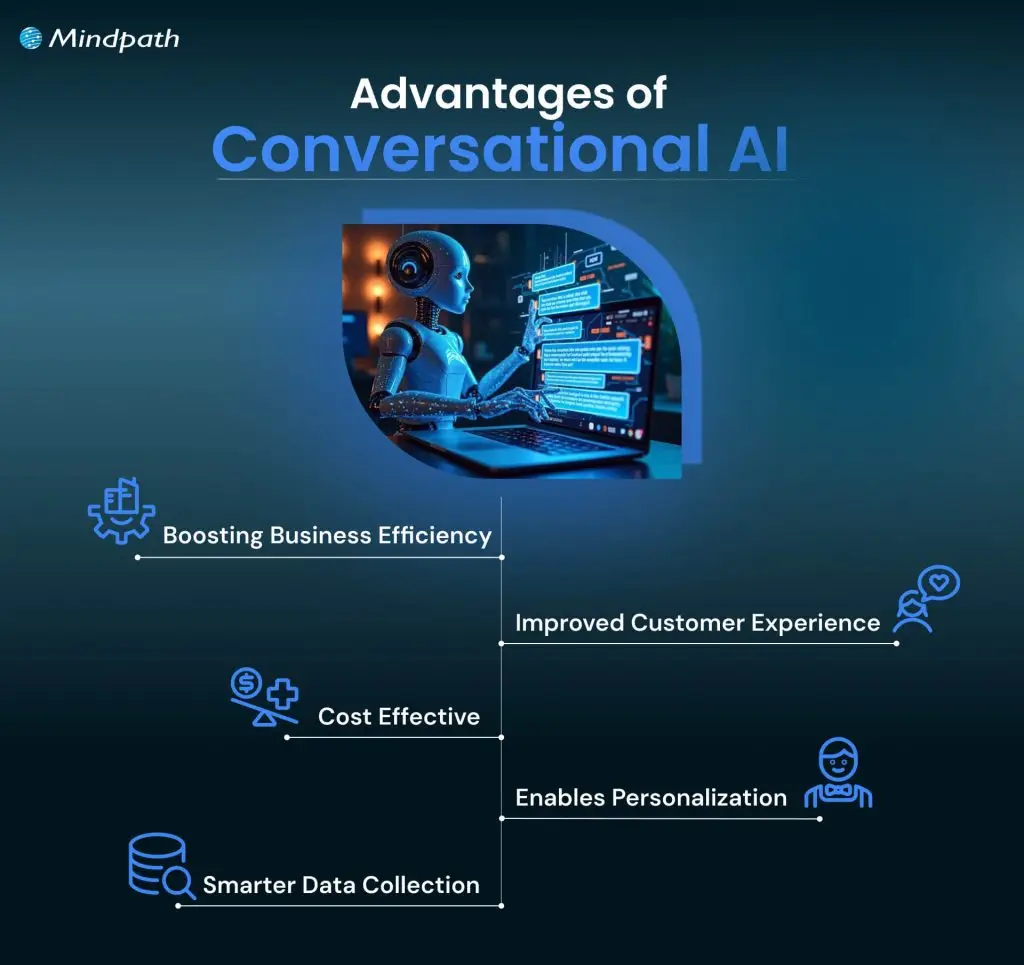
Advantages of Conversational AI

1. Boosting Business Efficiency

Conversational Artificial Intelligence can manage many routine tasks without needing a human agent every time. This means your team can spend more time on important work while the AI handles simple customer conversations. With artificial intelligence conversation tools available 24/7, your business can solve customer queries faster and work more efficiently, showcasing the many benefits of chatbot technology for operational productivity.

2. Cost-Effective

A good conversational AI platform can handle customer calls and chats automatically, with little need for extra staff. By making AI more human and accurate, it helps you manage high volumes of requests without extra cost. This saves money on daily operations and reduces mistakes, keeping your business cost-effective.

3. Improved Customer Experience

Artificial intelligence bots make it easy for customers to get quick answers and help whenever they need it. This technology offers personalized replies and a smooth, contactless service for people all over the world. It creates a better customer experience and keeps people happy with your business.

4. Enables Personalization

This technology learns from each customer’s information, like location and past interactions, to offer a more personal chat experience. It can suggest helpful answers and next steps based on what each person needs. This makes solving problems faster and reduces the need for follow-up calls.

5. Smarter Data Collection

This technology helps you collect useful information from every customer conversation. By tracking what people say and how they interact, you can spot trends and understand what customers really want. This makes it easier to improve your sales and marketing strategies over time.

Want to explore the innovations shaping the future of conversational AI? Explore our blog on the top AI trends to discover the emerging technologies redefining intelligent communication.

Use Cases of Conversational AI

Conversational AI can be used in many ways to make business operations smoother and customer interactions better. Here are some common use cases that show how an example of conversational AI works in real life.

1. Conversational IVR Systems

Modern IVR systems let customers speak naturally instead of pressing buttons to find help. For example, airlines now use conversational IVR to let travelers say things like “Change my flight” or “Check flight status” and get quick answers without waiting for a live agent.

2. Seamless Transfer to Live Agents

When a bot can’t handle a request, it passes the chat to a live agent along with all the details, so nothing gets lost. For example, a telecom company’s virtual assistant can detect when a billing issue is too complex and smoothly transfer the full conversation to a specialist who can resolve it faster.

3. Round-the-Clock Support

These chatbots answer simple customer questions at any time of day without needing a live agent. For example, an online retailer’s chatbot can help shoppers check order status or find return instructions even after business hours.

4. Tailored Product Recommendation

This technology suggests items people might like based on what they’ve bought or browsed before. For example, a streaming service’s chatbot can recommend new shows or movies based on what you’ve just finished watching.

Ready to build conversational AI that boosts sales and strengthens customer engagement? Learn how AI in e-commerce transforms online shopping experiences and drives measurable business growth.

5. Effortless Onboarding

These assistants help new employees feel confident and prepared by guiding them through company policies and tasks step by step. For example, an HR team can use an AI onboarding assistant to help new hires complete paperwork, set up work tools, and get reminders about training sessions.

6. Task Automation

These bots connect chats to your business tools, so tasks like updating customer records or creating tickets happen instantly. For example, the best conversational AI chatbot for an e-commerce store can automatically create a return request and send an update to the warehouse team.

7. Faster Lead Conversion

These chatbots ask visitors the right questions to see if they’re a good fit for your product or service. For example, a real estate company’s chatbot can collect details about a buyer’s budget and location, then connect them with the right agent.

8. Timely Updates

These AI tools send helpful reminders and updates before customers even ask, keeping everyone informed and stress-free. For example, a healthcare provider can use this to remind patients about upcoming appointments or share wellness tips.

If you want to use AI to improve your healthcare services. Learn from our blog AI in Healthcare, where we highlight real-world use cases of conversational systems supporting medical professionals and patients.

Conversational AI Best Practices

Using Conversational AI, the right way can help you get the best results for your business and your customers. Here are some best practices to keep in mind as you build and manage your AI solutions.
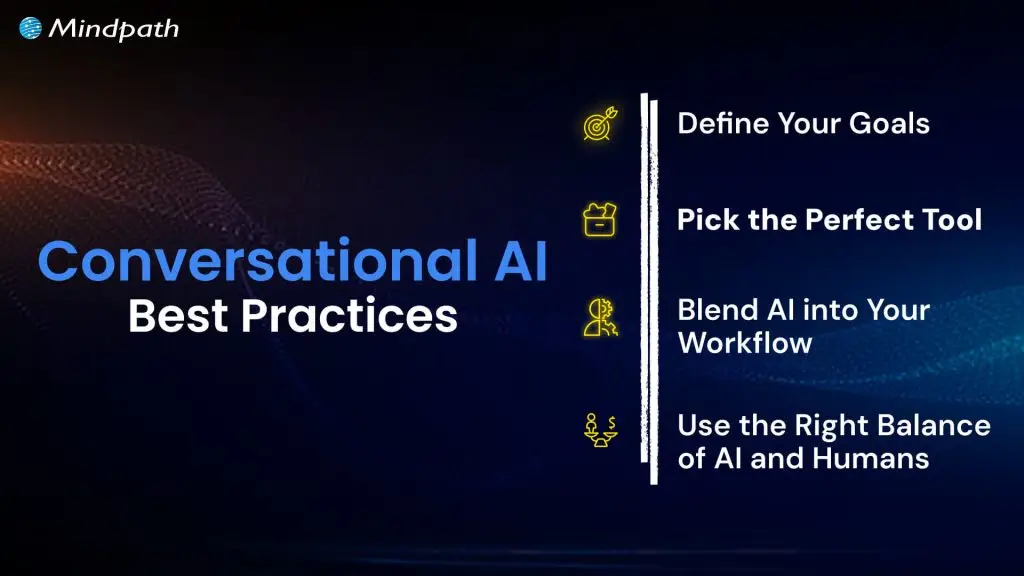
Conversational AI Best Practices

1. Define Your Goals

Always be clear about why you want to use conversational AI and what you want to achieve. Make sure it fits well with your bigger business plans, so it truly adds value.

2. Pick the Perfect Tool

Pick a conversational AI tool that fits your industry and matches your budget and goals. Make sure it can grow with your business, so you get the most value over time.

3. Blend AI into Your Workflow

Connect your conversational AI with your other business tools so it works smoothly with your daily tasks. This makes your processes faster, more accurate, and more useful for your team.

4. Use the Right Balance of AI and Humans

Let AI handle simple, repetitive tasks while your team focuses on work that needs a human touch. Always set clear points where the bot should hand over to a person for the best customer experience.

Curious how AI can optimize your workforce and improve business outcomes? Check out AI redefining job roles in Tech to see how intelligent systems are reshaping employee roles and driving operational efficiency.

Ready to Take the Next Step with Conversational AI?

Conversational AI is transforming how businesses connect with people by making everyday interactions faster and more personal. It helps companies work smarter, serve customers better, and grow with less effort. Now that you know what is conversational AI, you can start using it to create more value.

Mindpath offers professional AI development services to help you build and launch conversational AI that matches your business goals. Our experts create secure, easy-to-scale chatbots, voice assistants, and smart integrations. Let us help you deliver great customer experiences and stay ahead in the AI space.

Frequently Asked Questions

1. What industries benefit the most from conversational AI?

Industries like ecommerce, healthcare, banking, travel, education, and telecom benefit greatly from conversational AI. These businesses handle large customer interactions daily, so AI helps improve response times, customer engagement, and operational efficiency without increasing support workload.

2. Can conversational AI handle complex customer conversations?

Modern conversational AI can manage many complex conversations by understanding context and customer intent. When situations become too advanced, the system can transfer the conversation to a human agent while keeping the discussion history for a smoother experience.

3. How does conversational AI improve customer retention?

Conversational AI improves retention by providing quick support, personalized recommendations, and consistent communication. Customers are more likely to stay loyal to businesses that respond fast, solve problems easily, and offer convenient experiences across different channels.

4. Is conversational AI difficult for employees to use?

Most conversational AI platforms are designed with simple dashboards and easy management tools. Employees usually need minimal training to monitor conversations, update responses, and manage workflows, making adoption much easier for teams across departments.

5. How can businesses measure the success of conversational AI?

Businesses can track metrics like response time, customer satisfaction, lead conversion, support cost reduction, and resolution rates. Monitoring these results helps companies understand how conversational AI improves operations and customer experiences over time.


Support Is One Click Away

Featured Posts

Related Post

Poc meaning

The fast-paced business landscape has turned into a battleground where companies of different sizes compete against each other. New product ideas that can revolutionize industries have been gaining traction and many of them have transformed into sustainable businesses. Business owners are more curious about POC meaning and how they can incorporate it into their strategies. 

The POC might sound similar to a minimum viable product that helps in creating products aligned with customer needs. On the contrary, it is a type of small experiment to find out whether your product idea will actually work. How is a POC relevant for your business? You can find the answer with a comprehensive guide on POC and how to create one.   

Want to reduce time and cost in testing your new product idea? Mindpath offers POC Development Services to create a working prototype for real-world validation.

Understanding the Definition of POC

Most of the businesses, especially startups, end up with failure in new product development due to various reasons. One of the biggest among them is ignoring the test for feasibility of their product ideas. The POC or Proof of Concept is a small experiment that helps you determine whether a product idea is viable, before you begin full-scale development. It is the ideal solution to find out if your product ideas can work as intended in the real world.

The POC is the first milestone in any product development project where you have to test one component and its feasibility. Many of you might think that this sounds similar to the definition of a MVP or minimum viable product. However, the answers to “what is proof of concept?” emphasize that it is not about selling your idea to the target audience or figuring out how to make it work.  

Developing a POC is similar to a mini experiment that does not require a huge amount of time or resources. If you have a product idea, then a POC helps you test it and find out whether you should pursue the idea. Once you find out that your POC is feasible, then you can move towards prototyping and subsequently build MVP.

Want to understand how to transform your validated idea into a functional product? Learn more about MVP development to build scalable solutions after successful validation.

POC in Context of Software Development

Software development companies are probably the first in churning out the most number of POCs for diverse projects. The meaning of proof of concept for software development points at how it helps in testing a small version of a software application. A POC used for software development focuses on testing whether a specific component works in real conditions as you want. Software POCs help development teams and product owners validate their ideas and identify challenges in the early stages of development. 

You can think of an example of software POC in the case of a fintech startup that aims to create a new AI-powered chatbot. The startup can use software POC to find out the feasibility of different features in the chatbot. It can also show whether the chatbot can effectively support users by answering common questions. 

The benefits of POC in software development also showcase that it can play a major role in reducing various risks. Early validation of functionalities and core features of software helps in checking feasibility of workflows and key functions. Development teams can use the POC to find relevant programming languages, platforms and frameworks for the software. The POC also ensures early identification of potential issues, bottlenecks and bugs in the software.

Looking to build tailored solutions once your idea is validated through a POC? Explore different types of software development to choose the best approach.

Variants of Proof of Concept in Business

The most crucial highlight about POCs is that you cannot rest with just one for a specific product idea. You can reflect on the proof of concept meaning once again to learn that it aims to validate one component at a time. Therefore, you can come across different types of POCs required for your product idea. Each type of POC focuses on validating diverse aspects of a product, ranging from market demand to technology stack. 

The common variants of POC in any project are product POC, technology POC, process POC and market POC. The product POC helps in validating the core functionality of your product and is useful for verifying your product ideas. Technology POC comes into play when you have to find whether a specific technology stack is relevant for your product. 

The search for answers to “what is proof of concept in project management?” also points at process POC. It is a crucial tool for validating the internal workflow and flexibility for operational changes in any project. Finally, you have the market POC that helps you find out whether your product idea has market potential and can garner the interest of real customers.

Curious about selecting the right technologies for different types of POCs? Discover how to choose the right tech stack to ensure efficiency and scalability in your project.

Why Should You Invest in a Proof of Concept?

Business owners, especially in the case of startups, are likely to think twice before building a POC for their next product idea. You may find the answers to “what does POC mean?” and still not understand how it adds value to your business. An overview of the benefits of POCs can help you understand why it is important for success of your project.

1. Driving Strategic Decisions

Almost every business owner who thinks about building a POC needs concrete insights on the feasibility of their product ideas. The POC for any product will offer relevant insights from users, stakeholders and technical experts that can help in driving strategic decision-making. It provides an early impression of the potential value and feasibility of projects, thereby facilitating efficient resource allocation and reducing risks. 

2. Saving Your Time and Money

Businesses should also think about developing a POC to save their valuable time and money. Early validation of key assumptions and concepts can help business owners avoid investments in ideas that won’t work in the long run. POCs help you follow a proactive approach to any project that reduces the possibilities of costly changes and futile use of resources.

3. Shaping Your Product for Target Users

The most promising aspect in answers to “What is POC?” focuses on how it helps in gaining feedback from real users. You can leverage POCs to find out whether your product solves the pain points of your target users. The POC can serve as a crucial tool for identifying the needs and preferences of your customers in early stages. As a result, you can move ahead with your project in the right direction to achieve higher market acceptance and user satisfaction. 

Wondering how real-world solutions like chatbots are validated before full-scale development? Check out an AI chatbot example to understand practical implementation using POC.

Unraveling the Ideal Steps to Create a Proof of Concept

The ability to create a POC for your project ideas is an invaluable competency in the fast-paced business landscape. You can define POC for a new product and test the idea systematically rather than depending solely on assumptions. A clearly structured approach for creating your POC can provide the flexibility and efficiency required to test your new product ideas.

1. Start with a Definition of Your POC Goals

The ideal beginning to any POC development project would focus on identification of the objectives and expected outcomes. You should also identify the financial goals and organizational objectives that you want to achieve with the product idea. It is important to have a clear outline of the problems that you want to solve with your POC.

2. Establish the Scope and Success Criteria

You should define the limitations of the POC to ensure that it focuses on evaluating a specific component of your product. Every POC project must have a clear outline of the specific features and functionalities that you want to test. In addition, you have to specify the criteria for success with measurable goals and objectives. The scope of your POC should also include definition of the different use cases and scenarios for your product.

3. Prepare the Project Team

The next thing you need after establishing the scope of a POC for your product idea is a project team. Your project team can include decision-makers, developers, project stakeholders and technical experts. It is important to define the roles and responsibilities of all team members and establish clear channels for collaboration. 

4. Create the POC and Obtain Feedback

After setting up your project team, you should execute the plan for your POC by using available resources. Once you develop proof of concept, you have to collect technical insights and feedback on it from users and stakeholders. The feedback data is an essential tool to guide informed decision-making and identifying areas for improvement.

5. Evaluating Results and Moving Ahead

The most important step in developing a POC is the analysis of feedback data. It helps in evaluation of the performance of the POC with respect to the predefined success criteria. You should document the results and recommendations for future actions. 

Planning to streamline your development process after validating your idea? Learn how agile methodology helps in iterative progress and faster product delivery.

Final Thoughts

The introduction to POC showcases how it is different from a MVP or minimum viable product. Businesses can leverage POCs to find out whether the ideas they have can actually transform into sustainable products and solutions. As a matter of fact, your POC serves as the foundation on which you can build prototypes and MVPs.

Mindpath is one of the leading solution providers for POC development services across various industries. We have created proof of concept for software with commendable results and pushed the boundaries of innovation. Our experts leverage their experience to deliver strategic POC solutions with efficient use of your resources. Consult with us and discover the optimal approach to create your first POC now.

Augmented Analytics

Are you ready to take your business intelligence to the next level? Imagine if you could make faster, smarter decisions with the help of advanced analytics tools. That’s where augmented analytics comes in. But what exactly is it, and how can it revolutionize the way businesses unlock insights? Let’s explore how this cutting-edge technology is transforming the world of business intelligence.  

What Is Augmented Analytics?

Augmented analytics is a new approach to data analysis that makes use of technology such as machine learning (ML), artificial intelligence (AI), and natural language processing (NLP). These technologies collaborate to simplify and accelerate the process of gaining insights from data. The fact that augmented analytics does not require extensive technical expertise distinguishes it from other approaches. It is intended to provide relevant information to people at all levels, from business users to data analysts, without the requirement for specialized expertise. Users can ask basic enquiries and receive immediate responses using techniques such as natural language queries and natural language creation. In many circumstances, augmented analytics can deliver more complete and precise insights in minutes, reducing time and boosting decision-making. Even someone with no technical knowledge can now identify crucial trends and patterns in data, which would have previously needed the skills of a data scientist. This makes it a game changer for firms that want to be more data-driven and responsive.  

How Augmented Analytics Work?

Augmented analytics employs artificial intelligence, machine learning, and natural language processing to simplify and accelerate data analysis. It automates the process of gathering, cleaning, and linking data from diverse sources, allowing teams to prepare data without requiring complex technical expertise. Instead of manually developing models, users can ask queries in plain language, and the system will instantly analyze the data and deliver thorough insights. These insights are presented instantaneously via dashboards, with real-time answers and explanations, reducing the time and effort often necessary to create reports and visualizations. This makes data analysis more accessible and efficient for everyone in the organization 

Advantages of Augmented Analytics in Business Intelligence

1. Breaking Data Barriers

In traditional business intelligence, each team frequently develops its own data models to address specific concerns. However, these models may not contain all important data, resulting in missed opportunities. For example, a marketing team can analyze CRM data while ignoring crucial findings from sales or customer support, which could have an influence on their marketing strategy. This results in data silos, in which important information is kept inside one department and not shared across the organization. Augmented analytics accelerates this process by integrating all of your data sources into a single streamlined solution. When you ask a question, the system collects data from all linked platforms, databases, and storage places to provide a comprehensive, correct response. It also updates itself with each query, resulting in tighter links across data sets. The insights and visualizations created are easily shareable across teams, allowing employees to collaborate and access the data they want. This not only eliminates silos but also guarantees that everyone in the organization is on the same page, using the most up-to-date information for improved decision-making and faster solutions to business difficulties. 

2. Smarter Business Choices

Waiting weeks for vital insights can lead to missed chances, whilst speeding the analysis can result in forgetting important facts. Augmented analytics tackles both of these issues by analyzing billions of information in seconds and providing timely and accurate insights. It doesn’t end there; augmented analytics explain the “why” behind each insight, giving you more information to make smarter decisions. This provides business users with not just the answers they want, but also the knowledge to properly comprehend the dataReal-time insights allow teams to act on information immediately, increasing overall efficiency and responsiveness. Whether it’s recognizing new trends, analyzing customer preferences, or making fast changes to strategy, augmented analytics guarantees that business choices are made using the most accurate and up-to-date information. By simplifying the process and lowering the risk of human mistakes, it allows organizations to remain agile and make wiser, more confident decisions, resulting in better commercial outcomes.  

3. Real-Time Data

Unlike standard business intelligence tools, which can take a long time to process data and give insights, augmented analytics returns results practically instantaneously. Simply ask a query, and the AI will process billions of data points in milliseconds. It then offers clear and simple insights and visualizations, allowing you to understand exactly what is going on in your business. Since the insights are supplied in real time, teams can act on them instantly, helping firms to seize time-sensitive opportunities. This speed not only facilitates speedy decision-making but also guarantees that firms remain agile and responsive to change. Whether it’s modifying strategy, recognizing patterns, or resolving difficulties, augmented analytics guarantees that users always have up-to-date, actionable insights at their fingertips, making the process faster, smarter, and more efficient. 

4. More In-Depth Analysis

Getting precise understanding from your data used to be a complicated and time-consuming process. However, with augmented analytics, you can swiftly delve into your data by analyzing billions of data points and many elements in only seconds. This provides you with more precise and granular insights that were previously difficult to obtain. Not only does it help you understand the “why” behind the findings, but it also reveals hidden patterns and trends that can be used to guide future decisions. This higher degree of research helps you to go beyond surface-level discoveries and uncover previously unknown aspects. Augmented analytics can uncover subtle links between variables by analyzing large volumes of data in real time, delivering a more comprehensive view of your organization The capacity to do in-depth analysis assists firms in making well-informed, data-driven choices, whether it’s increasing the customer experience, optimizing processes, or refining strategy. Companies can utilize this powerful tool to more accurately identify growth possibilities, minimize risks, and forecast future trends, providing them with a competitive advantage in an ever-changing market. 

5. Accessible Data for All

Traditionally, business intelligence systems depended significantly on IT teams and data experts to do the majority of the workload. However, augmented analytics transforms this by allowing anybody in the organization, regardless of technical experience, to access precise information. Augmented analytics enables users to study data in real time and construct their own visualizations to make sense of it. This change enables data scientists and analysts to focus on more complex duties, while the rest of the team can freely investigate and use data to make choices. By making data more available to everyone, augmented analytics creates a data-driven decision-making culture throughout the organization. Employees from many areas, including those who lack technological expertise, may now utilize the power of data to improve their processes, solve problems, and spot new opportunities. This data democratization not only boosts the general use of business intelligence tools, but it also helps to break down team barriers, fostering cooperation and creativity. When everyone is on the same page, organizations can make faster, smarter choices and achieve better business results. 

How Mindpath Can Help?

Mindpath makes it easy for your organization to use augmented analytics. Our skilled staff assists you in implementing cutting-edge BI technologies, ensuring that everyone, from data scientists to non-technical team members, has quick and easy access to vital information. We expedite data analysis by integrating new technologies such as AI and machine learning into your systems, allowing you to make better, quicker decisions based on real-time insights. Our technologies break down data silos, allowing your teams to interact and operate more efficiently together. With Mindpath’s help, you’ll have everything you need to maximize the value of your data, making it accessible, comprehensible, and actionable for everyone in your organization 

Wrapping Thought!

In today’s fast-paced corporate environment, keeping ahead requires making better judgements faster. Augmented analytics is the key to uncovering real-time, in-depth insights that improve your company’s performance. This breakthrough solution allows everyone in your organization to make data-driven decisions, regardless of technical skills, by breaking down data silos, allowing smarter decision-making, and democratizing data access. With Mindpath’s experience, your company can easily implement augmented analytics, expedite data processing, and ensure that everyone—from data scientists to non-technical team members—has access to vital insights. We help you incorporate AI and machine learning into your processes to increase collaboration, decision-making, and general efficiency. 

Want to unlock the full potential of your data with Mindpath's augmented analytics solutions?

Partner with us today to transform your business insights and decision-making!

Discover how augmented analytics revolutionizes business intelligence with real-time insights, smarter decisions, and data democratization for faster growth.
software development life cycle

In today’s rapidly evolving technology landscape, the software development life cycle defines how powerful digital solutions are conceptualized, developed, and delivered. It provides structure to a multi-faceted process, which permits development teams to remain focused, minimize risk, and deliver stellar results. This life cycle clearly delineates the sequence of steps that support the journey from idea to launch, while ensuring that each phase contributes to the development of software that delivers user needs, as well as business needs.

Developing software requires following a more structured process than just writing code; it requires a clear and organized process to keep projects on-track and ensure value is being delivered. If you have an understanding of the journey, then you are more equipped to build software that does what it needs to do! To detail this journey is what this blog aims to do with some context on the phases, models, and best practices relating to the development life cycle. So, let’s dive in! 

Want to transform your business with smarter technology solutions? At Mindpath, we provide innovative software development services that build smart tools to meet your unique business needs.

What is SDLC?

The software development life cycle (SDLC) is a process that provides your team with a method for planning, building, and delivering software products. The SDLC divides the entire software development journey into distinct stages, allowing for better management of time, cost, and quality of the product being developed. Adhering to the SDLC can help reduce risks, avoid schedule delays, and deliver a system that meets the user’s requirements.

This approach can also help a team when dealing with changing requirements and multiple team members. It provides clarity in the process, aligns the development team on quarter goals, and improves communication between everyone. The process of custom software development becomes predictable, organized, and focused on providing value with the SDLC. 

Now that we are clear on the SDLC definition, let us learn about the software development life cycle stages. 

What Are The 7 Stages of the Software Development Life Cycle?

The SDLC is broken down into a series of well-defined stages, which provide guidance to a project from start to completion. Each stage has a distinct purpose and contributes towards ensuring the end product is functional, efficient, and meets user requirements. Here are the 7 stages: 

1. Planning

In the planning stage, the team comes together to define what the software should do and what problems it will solve. They also look at whether the project is realistic in terms of technology and budget. During this phase, important documents like the Project Plan and Software Requirement Specification are created to guide everyone. 

2. Requirements

In this stage, the team focuses on understanding what users need from the software. They gather information by talking to stakeholders through interviews and surveys. Then, they review the data to identify the essential features. This leads to a clear document that guides development and ensures the software meets user expectations. 

3. Design

Turning ideas into a clear plan during the design stage. The team maps out how the software will function, what it will look like, and how data will flow. All these details are recorded in a software design document that serves as a guide for developers. This stage bridges the gap between planning and building, ensuring the software works smoothly and is easy to use. 

Curious about what makes a software engineer truly effective at every stage of development? Discover qualities of a good software engineer and see the skills and traits that drive successful SDLC implementation.

4. Coding

This phase brings the software design to life through coding. Developers write the program following clear guidelines to ensure everything functions correctly. Regular code reviews help catch errors early and maintain quality. By the end, a working version of the software is ready to move on to testing and refinement. 

5. Testing

Quality checks take center stage during the testing phase to find any bugs or issues in the software. The team runs different tests, from checking small parts of the entire system, to making sure everything works well. When problems are found, they are recorded and sent back to the developers for fixing. This cycle continues until the software meets all the set requirements and runs smoothly. 

6. Deployment

Once the software is ready, it is carefully released to the users during the Deployment phase. Different methods are used to make sure the launch goes smoothly without disrupting users. Support, like user guides and training, is often provided to help users get started. 

7. Maintenance

After deployment, the maintenance stage keeps the software running smoothly and up to date. The team fixes bugs, makes improvements, and responds to user feedback to meet changing needs. Regular updates and support help users get the most from the software. Over time, the software may need major upgrades or replacement to stay useful and relevant. 

Curious how businesses are building world-class software teams without geographical limits? Explore how our offshore software development can deliver skilled talent and cost-effective solutions.

Models of Software Development Life Cycle

Different models guide how software development is planned and carried out. Each model offers a unique way to manage the process and reach project goals. Here are some popular software development life cycle models used by teams. 

1. Waterfall Model

The Waterfall Model is a step-by-step approach where each phase must finish before the next begins. It is very structured and relies on clear documentation at every stage. This model works best when requirements are well understood from the start. 

2. V-Shaped Model

The V-Shaped Model focuses heavily on testing at every stage of development. Each development step has a matching testing phase to make sure everything is working correctly. This helps find and fix problems early in the process. 

3. Iterative Model

The Iterative Model builds the software in small parts called iterations. After each part is developed and tested, feedback is used to improve the next version. This process repeats until the software meets all the requirements. 

4. Spiral Model

The Spiral Model mixes planning, prototyping, and testing in repeated cycles. Each cycle creates a new version of the software that can be improved based on feedback. This model helps manage risks but can be expensive and time-consuming. 

5. Big Bang Model

The Big Bang Model is very simple and starts development without detailed planning. It relies on trial and error, making it flexible but also unpredictable. This model is mostly used for small projects or when there is no fixed deadline. 

Looking for technology that fits your business perfectly instead of forcing you to adapt? Explore the custom software development benefits that deliver tailored solutions and real results.

Best Practices to Improve SDLC

Improving the Software Development Life Cycle (SDLC) helps teams deliver better software more efficiently. Following best practices can reduce errors, save time, and keep everyone on the same page throughout the project. 

1. Define the Scope Clearly

Without a clear scope, developers may feel lost and end up redoing tasks. Outlining deliverables, timelines, and milestones early avoids confusion and reduces wasted effort.

2. Manage Workflows Effectively

When work is not organized well, the development process slows down. Keeping an eye on key metrics like cycle time and sprint health helps teams plan tasks better and improve SDLC development.

3. Integrate Continuously

Using CI/CD allows teams to test and deploy code often, which prevents delays and reduces errors. It also makes the final product more secure and reliable.

4. Use Smart Scrum Practices

Following scrum routines like daily stand-ups and retrospectives helps teams stay connected. It also makes it easier to spot and fix problems early in the development cycle.

5. Keep Documentation Updated

Good documentation keeps everyone aligned and helps avoid repeated mistakes. It also saves time later by providing a clear record of security issues and project details.

Curious to know how small oversights in custom software development can cause major issues? Discover the most common custom software development mistakes and learn in detail how to prevent delays and deliver software that truly meets your business goals.

Why does the Software Development Life Cycle Matter Today?

The software development life cycle is key to building reliable, efficient, and user-friendly software. From planning to maintenance, every step in the SDLC adds structure and clarity to the process. By following best practices based on real software development examples, teams can deliver high-quality solutions with fewer setbacks. 

At Mindpath, we guide you through every stage of SDLC with our software development services. From gathering requirements to post-launch support, we help create software that fits your needs, goals, and timelines. Whether it’s a simple software or a full-featured application, our team ensures your vision becomes a successful reality. 

Frequently Asked Questions

1. Why is the software development life cycle important for businesses today?

The software development life cycle helps businesses build reliable and high-quality software without confusion. It brings structure to the entire process, reduces risks, and ensures that the final product meets both user expectations and business goals while staying on time and within budget.

2. Can the software development life cycle handle changing requirements during a project?

Yes, the software development life cycle is flexible enough to handle changes, especially when using modern models like Agile or iterative approaches. These methods allow teams to adjust features, improve functionality, and respond to feedback without disrupting the entire development process.

3. How does choosing the right SDLC model impact a project’s success?

Selecting the right model directly affects how smoothly a project runs. Some models work best for fixed requirements, while others support frequent changes. Choosing wisely helps teams manage time better, reduce errors, and deliver software that aligns with expectations.

4. What challenges can arise during the software development life cycle?

Common challenges include unclear requirements, poor communication, and lack of proper planning. These issues can delay timelines or affect quality. Following best practices like clear documentation and regular updates helps teams overcome these challenges effectively.

5. How can teams improve efficiency in the software development life cycle?

Teams can improve efficiency in the software development life cycle by using automation tools, maintaining clear communication, and tracking progress regularly. Adopting practices like continuous integration and proper workflow management also helps reduce errors and speeds up delivery.