Digital Transformation for Businesses: A Complete Guide

Join our Newsletter!

Featured Posts

Support Is One Click Away

Home

Digital Transformation for Businesses: A Complete Guide

digital transformation for businesses

Digital Transformation for Businesses: A Complete Guide

Do you think about your company’s future and ask yourself what digital transformation for businesses means? If so, you’re not alone! Many business owners and leaders are trying to figure out how they will continue to be relevant and competitive in a world that is constantly changing. Digital transformation is changing how you work, how you serve and support customers, and how your team grows. So why is it so important?

Digital transformation for businesses impacts every area of a business, from routine activities to strategic targets. It allows you to work smarter, make better decisions, and respond rapidly to changing customer demands. Adopting digital tools and an alternative mindset can help businesses maximise productivity and create new opportunities. Understanding the process is a prerequisite to helping your business flourish in today’s environment. In this blog, you’ll discover how.

Implementing digital transformation in your business can be challenging; you need expert guidance. Partnering with Mindpath will help you in exploring personalized strategies that will reshape your business. Contact us to start your transformation journey.

What is Digital Transformation?

Digital transformation is the use of modern technology across all areas of a business to change how it works inside and how it connects with customers. It can involve updating old systems, adding new tools, and finding better ways to get work done. Companies take this step to keep up with industry changes and market trends. It is a serious shift in how work is planned and delivered every day.

The digital transformation process requires the involvement of people at every level, from leaders to staff. It is not a single project but an ongoing effort, as technology and business needs keep evolving. Companies must stay open to new ideas and improvements to remain competitive. Digital transformation helps an organization stay prepared and flexible in a fast-changing world. It is a commitment to keep moving forward.

Curious which technologies can give small businesses a competitive edge? Explore emerging technologies for small businesses to see the innovations driving digital transformation.

Why is Digital Transformation Important?

Digital transformation is important because it helps companies keep up with changes in their industry and meet customer needs in new ways. It improves how businesses work by using smarter tools and systems, which makes daily tasks more organized and efficient. Focusing on digital transformation for small businesses can help smaller companies compete with bigger ones and stay prepared for what’s next.

One big reason companies choose digital transformation is to replace outdated manual work with better technology. This makes daily tasks easier and helps the whole company run more smoothly. According to digital transformation McKinsey research, 68% of people said they transform their operations mainly to modernize how they work. A clear plan helps every company adapt and stay ready for what comes next.

What are the 4 Types of Digital Transformation?

There are different ways a company can approach digital transformation depending on its goals and needs. Here are four main types of digital transformation every business should know about:
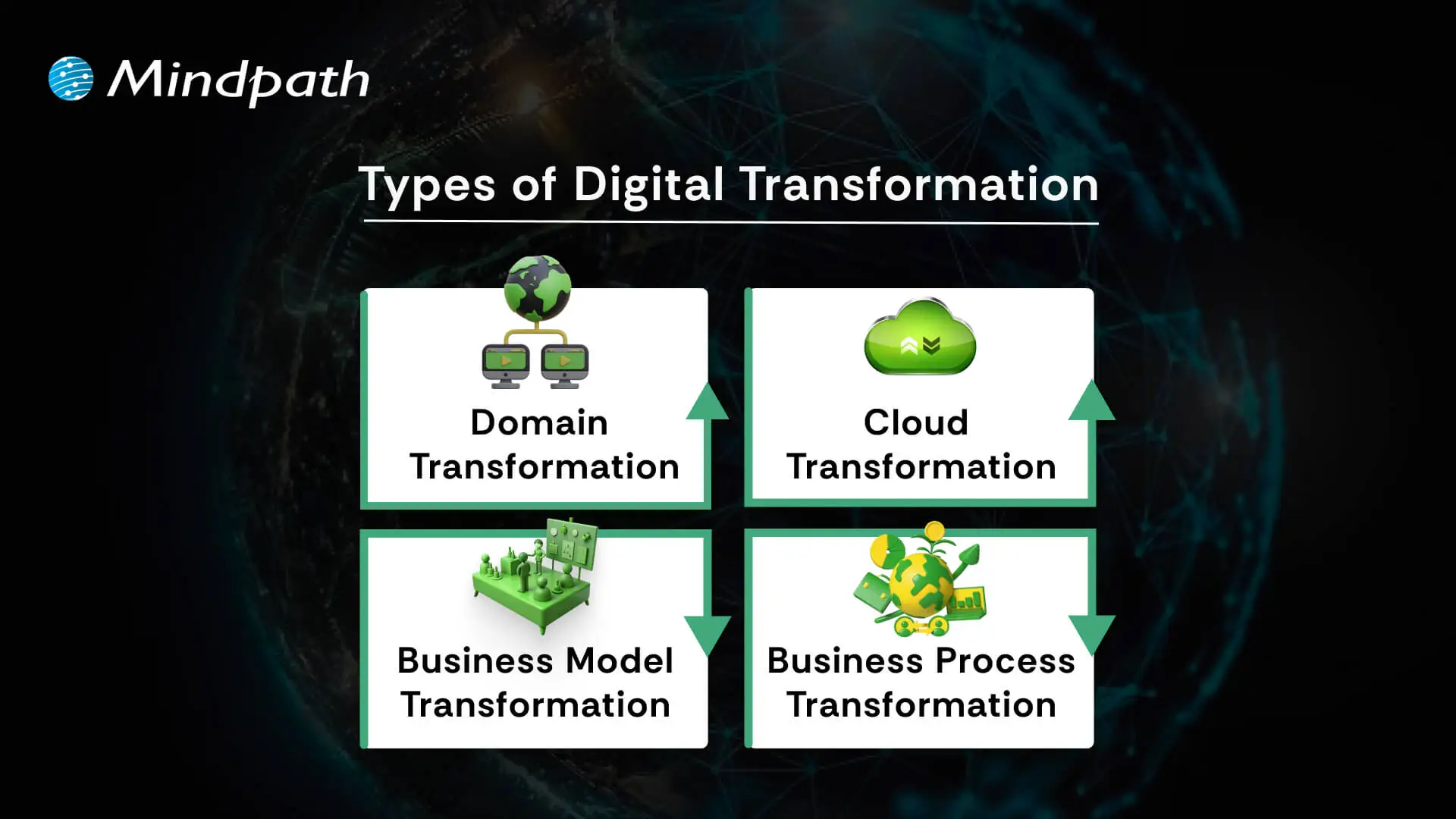
4 types of digital transformation

1. Domain Transformation

Domain transformation happens when a company enters a new market beyond its usual industry. This is often made possible by advanced digital transformation technologies.

2. Cloud Transformation

Cloud transformation moves data and systems to the cloud for better access and storage. Companies can choose public, private, or hybrid models for flexibility.

3. Business Model Transformation

Business model transformation means changing how a product or service is delivered by using modern digital tools. It’s a smart move within any digital transformation framework.

4. Business Process Transformation

Business process transformation improves how work gets done inside the company. It’s a big step in digital transformation for business success.

Benefits of Digital Transformation for Businesses

Digital transformation helps companies improve how they work and respond to changing demands. Below are some of the main benefits it can offer:

1. Cost Savings

One of the biggest advantages of digital transformation for businesses is saving money by removing outdated processes. With better systems in place, companies can spot problems sooner and use resources more wisely.

2. Better Customer Experiences

When processes run smoothly and technology is up to date, customers enjoy faster service and better support. Digital transformation for businesses also makes it easier to adapt based on customer feedback.

3. Support for Sustainability

Modern tools help companies design products and processes that use less energy and fewer materials. This cuts down waste and supports long-term environmental goals.

4. Faster Processes and Higher Productivity

When companies use smart tools and automation, everyday tasks become quicker and more accurate. This gives employees more time to focus on work that adds real value instead of getting stuck on repetitive jobs.

5. Valuable Data Insights

Digital transformation for businesses makes it easier to collect useful data and turn it into insights that help leaders make better choices. This way, different departments can understand trends and work together with clear, reliable information.

6. New Business Models

Following a clear digital transformation roadmap lets companies create fresh ways to reach customers and stay ahead in the market. New ideas and flexible services open the door to growth and higher revenue.

7. Strong Profit and Growth Potential

Companies that have a solid digital transformation strategy often see steady profit growth because they work more efficiently and serve more people. It also helps them expand into new areas over time.

8. Strong Competitive Edge

Digital transformation for businesses helps them stand out with fresh ideas and unique services. Companies that keep innovating stay ahead of the competition and handle change more easily.

9. Quick Adaptation to Change

Digital transformation for businesses gives them the tools to adjust plans when the market changes suddenly. This helps keep things running smoothly and protects the company’s future.

10. Simple Compliance and Regulations

Smart systems help track the right data to meet industry rules and quality standards. This makes it easier to share reports and pass audits without extra stress.

What are the 5 Main Areas of Digital Transformation?

Every successful digital transformation covers key parts of a business to make sure changes bring real value. Here are the five main areas of digital transformation that companies focus on:
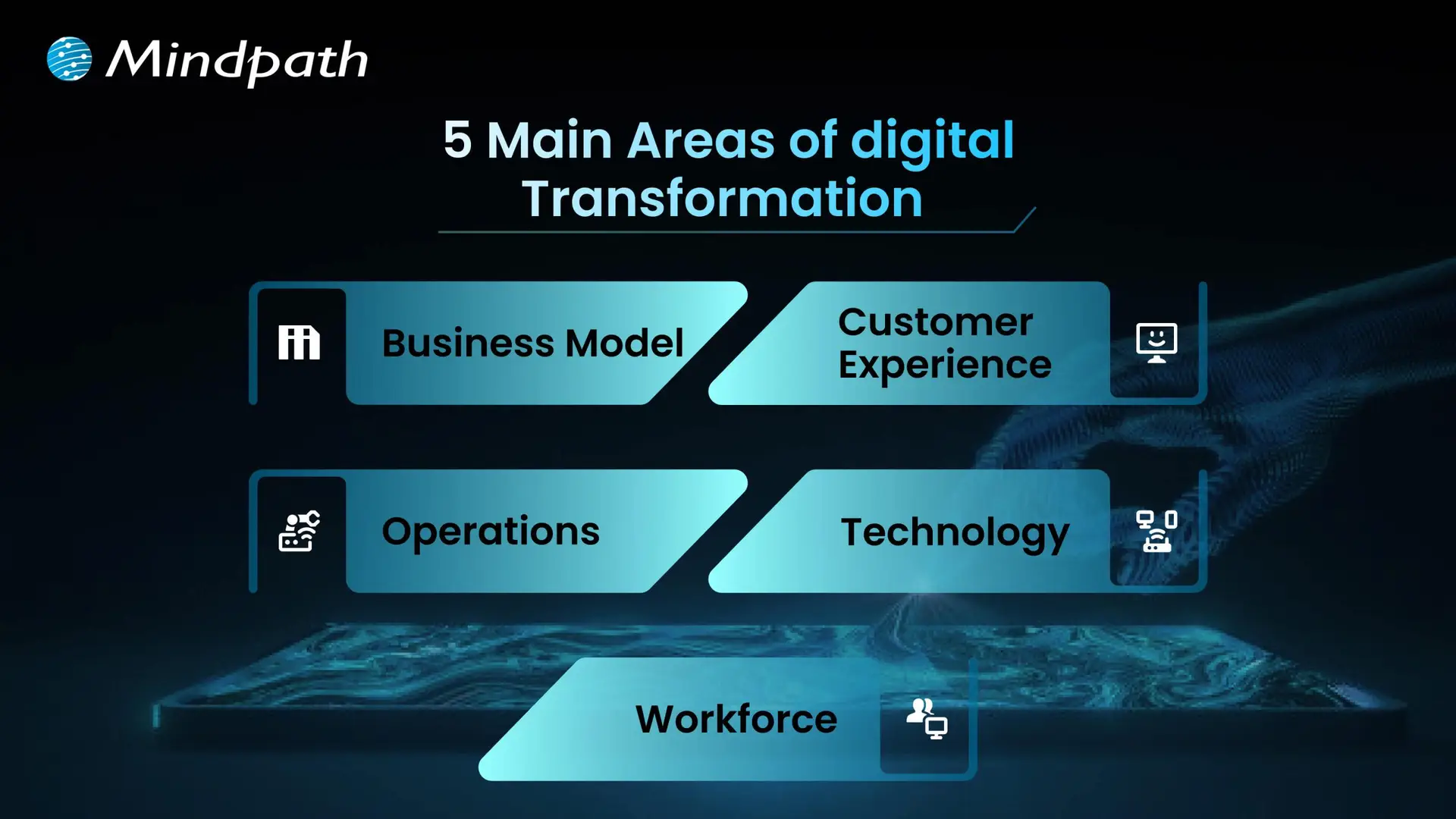
5 main areas of digital transformation

1. Business Model

Digital transformation often means rethinking how a business makes and delivers its products or services. Companies may find new ways to earn revenue using online platforms or new technologies. This helps them stay competitive and reach more people.

2. Customer Experience

Customer experience means using technology to make every interaction better for your customers. This could be through faster service, easier online tools, or more personal communication. The goal is to keep customers happy and loyal to your business.

3. Operations

Improving operations means making everyday work run more smoothly with digital tools. Automation and better systems help teams save time and avoid mistakes. This keeps the business running efficiently and ready for growth.

4. Technology

Every digital transformation depends on using the right technology, like cloud services, AI, or smart data tools. These tools help companies collect information, solve problems, and create new ideas. Staying updated with technology is key to long-term success.

5. Workforce

Employees need the skills to work well with new digital systems. Companies should train their teams and encourage learning new things regularly. This builds a flexible workforce that can handle changes and keep the business moving forward.

Real-world Examples of Digital Transformation

Knowing about real Digital transformation examples makes it easier to understand how technology can truly change a business. Here are some real-world cases that show what’s possible when companies embrace digital transformation.
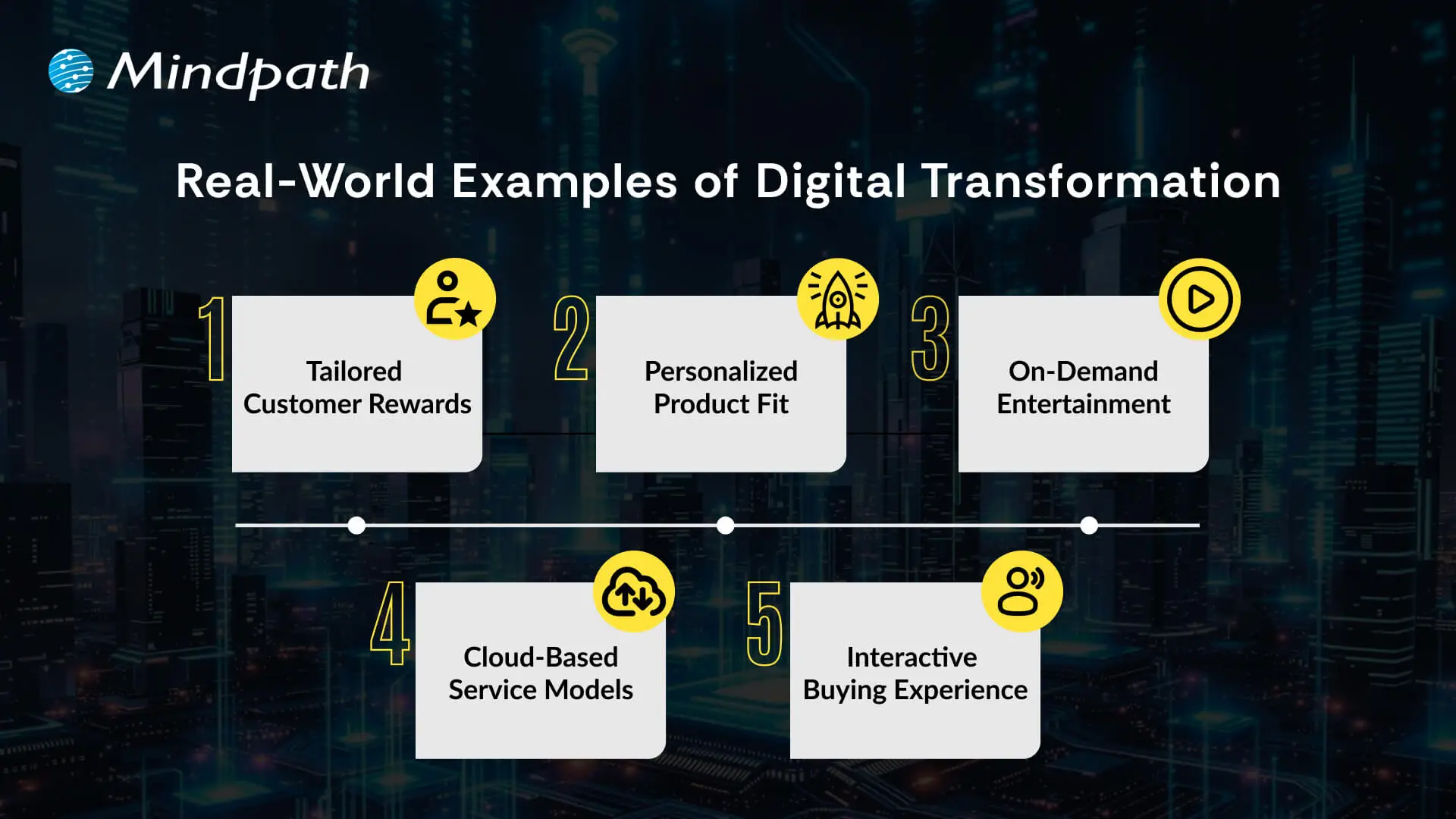
Real World exmaples of Digital Transformation

1. Tailored Customer Rewards

Starbucks uses AI in its app to create rewards and suggestions that feel personal to each customer. This digital approach keeps customers happy and loyal to the brand.

2. Personalized Product Fit

Nike’s SNKRS app and foot scan tool help customers find shoes that fit perfectly. This smart use of technology makes shopping easier and gives Nike useful data for better designs.

3. On-Demand Entertainment

Netflix changed how people enjoy movies by moving from renting DVDs to streaming online. This gave people freedom to watch what they want, when they want, without late fees.

4. Cloud-Based Service Models

Adobe transformed from selling boxed software to offering cloud subscriptions like Creative Cloud and Document Cloud. This makes their tools easier to use and keeps customers updated with the latest features.

5. Interactive Buying Experience

Audi introduced Audi City, a digital showroom where people explore cars using large screens and virtual tools. This makes the car-buying process modern, fun, and more convenient in small spaces.

Ready to Future-Proof Your Business?

Digital transformation for business helps you stay competitive, meet customer needs, and grow in a fast-changing world. Using AI and business technology together lets you work smarter, adapt quickly, and make better choices every day. Embracing this change now opens the door for fresh ideas and keeps your company strong in any market.

At Mindpath, we empower you to develop a clear approach to digital transformation by bridging people, processes, and technology. Our experts will guide you through every step of the journey and will ensure your team is employing the best tools to drive ongoing digital transformation. Let’s make your organization agile, productive, and ready for growth using intelligent digital solutions tailored specifically to you.


Frequently Asked Questions

1. How can a business know if it is ready for digital transformation?

A business is ready when it clearly understands its goals, current challenges, and areas that need improvement. Readiness also depends on leadership support, willingness to adopt change, and having a plan to train employees and integrate new technologies into daily operations.

2. What are the common mistakes businesses make during digital transformation?

Many businesses focus only on technology and ignore people and processes. Lack of clear strategy, poor communication, and resistance to change often lead to failure. Successful transformation requires alignment between teams, continuous learning, and a well-defined roadmap that guides every step.

3. How long does digital transformation typically take to show results?

Digital transformation is an ongoing process rather than a one-time project. Some improvements, like automation or process optimization, may show results quickly, while larger changes in business models or customer experience can take months or even years to deliver full value.

4. Is digital transformation only relevant for large enterprises?

Digital transformation is equally important for small and medium-sized businesses. It helps them compete with larger organizations by improving efficiency, reducing costs, and enhancing customer experiences. Even small changes, such as adopting cloud tools or automation, can create meaningful impact.

5. How can businesses measure the success of digital transformation?

Success can be measured through key metrics such as improved productivity, faster processes, customer satisfaction, and revenue growth. Businesses should track both operational and strategic outcomes to understand how well digital initiatives are contributing to overall performance and long-term goals.

Related Post

Related Post

ReactJS Can Benefit

Do you ever wonder what’s the secret sauce of creating a perfect website or web application? It is the right framework! The success of your project depends on the framework you choose in the ever-changing world of web development. ReactJS is a framework that has been more popular among developers because of its comprehensive features, adaptability, and efficiency. 

ReactJS is a part of the wide JavaScript library and is quite popular amongst the developer community for its versatility. With large numbers of frameworks available and new ones coming every single year, it could be a tricky decision to choose the right one for your web project.  

In this blog, we will take a deep dive into the origins of ReactJS, its key features, and ten compelling reasons to consider ReactJS for your web development needs 

Origin of ReactJS Framework

Facebook invented ReactJS, also referred to as React, in 2011 and made it available to the public in 2013. The framework was created to help developers overcome the difficulties they encountered when creating intricate, high-performing user interfaces.  

The component-based design that React introduces makes development easier by enabling developers to create modular and reusable components. ReactJS is one of the most widely used web development frameworks nowadays, maintained by Facebook in collaboration with a sizable developer community. 

Features of ReactJS

ReactJS is a great option for web development because of its many capabilities. Important characteristics consist of: 

  1. Component-Based Architecture: React makes it possible to create independent components that are capable of independently managing their state, which makes it easier to create intricate user interfaces.
  2. Virtual DOM: React reduces rendering overhead by simply updating the UI elements that have changed, as opposed to re-rendering the entire page, thanks to the use of a virtual DOM.
  3. JSX Syntax: This JavaScript syntax extension makes it possible for programmers to write HTML-like code inside JavaScript, improving the debugging and readability of the code.
  4. Unidirectional Data Flow: Applications are simpler to debug and maintain because to React’s one-way data binding, which guarantees a consistent data flow.
  5. Rich Ecosystem: React boasts a vast ecosystem of libraries and tools that extend its functionality and streamline the development process.

10 Benefits of Using ReactJS

1. Enhanced Performance

The virtual DOM in ReactJS ensures fast and efficient updates, enabling your web application to handle high-user interactions smoothly.

2. Reusable Components 

Because of React’s component-based architecture, developers may quickly and consistently create new areas of an application by reusing components across them. 

3. Ease of Learning 

Learning ReactJS is not too difficult, especially for people who have experience with JavaScript. It is accessible to novice and seasoned developers because of its straightforward syntax and wealth of internet resources. 

4. SEO Friendly 

React’s server-side rendering features make it possible to greatly improve your web applications’ SEO, which will raise their visibility and search engine ranks. 

5. Strong Community Support

With a large and active community, ReactJS developers can easily find solutions, share knowledge, and stay updated with the latest developments, providing valuable support for troubleshooting and skill enhancement. 

6. Rich Ecosystem 

The extensive ecosystem of tools, libraries, and extensions available for React makes it highly versatile, with solutions available for state management, routing, and testing. 

7. Mobile App Development 

React Native, derived from ReactJS, allows developers to build mobile applications using the same principles and components, facilitating seamless extension of web projects to mobile platforms. 

8. Scalability 

React’s modular structure makes it highly scalable, enabling the addition of new features and components without rewriting existing code, ensuring long-term maintainability. 

9. Developer Tools 

React offers powerful developer tools, such as React Developer Tools for Chrome and Firefox, which help developers inspect component hierarchies, debug applications, and enhance productivity. 

10. Backed by Industry Leaders 

Supported by Facebook and used by major companies like Instagram and Airbnb, ReactJS is a reliable and future-proof choice, continuously evolving with strong backing from industry leaders. 

Hire ReactJS Developers with Mindpath

Now that we have established that ReactJS can benefit your web project in numerous ways, the next question is where you can hire qualified ReactJS developers. Well, look no further as Mindpath can help you hire the best ReactJS developers!  

At Mindpath, we understand the importance of skilled developers for the success of your web project. Our team of experienced ReactJS developers is adept at leveraging the full potential of the React framework to create dynamic, responsive, and user-friendly web applications.  

Whether you’re starting a new project or enhancing an existing one, our developers can help you achieve your goals efficiently and effectively. 

We are committed to delivering high-quality solutions tailored to your unique needs. Contact us today to learn more about how our ReactJS developers can contribute to the success of your web project. 

So you can end your search for React developers today with Mindpath. To know more.

Looking for a ReactJS Developer for your next project?

Discover 10 ways ReactJS can elevate your web project. Learn about its origins, key features, and why developers choose it. Boost your web development today!
scalable software architecture

Business and technology leaders have to deal with one of the biggest challenges that come with rapid growth, which is scalability. You have to think how to expand technical teams, accelerate product development and obtain new funding as your business grows. This is where CTOs are under pressure to rely on scalable software architecture to accommodate the new demands emerging as the business grows bigger. Do you think that scalability in 2026 is all about managing a holiday season spike in demand for your products and services?

Technology leaders have to think beyond adopting specific solutions and build architectures that can survive amidst the chaos of emerging technologies. Gartner predicted that almost 90% of organizations worldwide will have adopted hybrid cloud architectures by 2027 (Source). Do you notice that buying more servers or adopting cloud architecture will only pile up costs on a business? CTOs should think of ideal solutions that help them in scaling technology without increasing the cost burden.

Ready to scale your technology without increasing operational costs or complexity? Mindpath offers managed IT services to help you optimize infrastructure, reduce expenses, and support sustainable business growth.

Unraveling the Need to Choose an Ideal Approach for Scaling Technology

Many business leaders are worried about the ‘how’ of scaling technology and miss the ‘what’ of scaling. It is important to understand that cost-efficient tech scaling is possible only when CTOs know scaling as something more than handling an increasing amount of work. You have to focus on the difference between horizontal and vertical scaling to figure out how to achieve scaling at lower costs.

Vertical scaling is similar to buying a bigger and faster grill for your burger shop when you get more customers. Even though the new grill will work for some time, you will eventually have to need another grill to meet growing demand. On the other hand, horizontal scaling is like building ten more shops with a small machine, which offers limitless capability to deal with increasing demand.

You can consider vertical scaling as something like trying to make cars drive faster on a highway. Horizontal scaling is like adding more lanes to the highway, thereby making driving safer while reducing traffic on the highway. It definitely sounds like a recipe for long-term growth in the context of software architecture.

Must Read: Multi Cloud vs. Hybrid Cloud

Defining the Mental Approach to Scaling Technology

CTOs should also think about the type of approach they want to follow for scaling technology. Most of the companies choose cloud optimization or other scalability techniques as a reactive measure. It means that organizations respond to increasing traffic or system downtime by pressurizing CTOs to bring more power. However, the reactive approach does not rely on planning and ultimately leads to a pile of unorganized resources, which increase costs.

How would a CTO think of an innovative solution to this problem? The ideal answer will come with a predictive approach to scaling technology. CTOs should assume that their software architecture will grow in future and they will focus on building architectures that can accommodate the growth naturally. It is just like building a Lego set with the help of clear instructions rather than throwing them in a pile.

The high level of planning and organization of resources in the predictive approach to scaling ensures easier management alongside reducing costs.

Planning to scale your technology infrastructure without inflating your cloud expenses? Explore our guide on cloud cost optimization to discover strategies for reducing costs while maintaining performance and scalability.

Solving the Technology Scaling Problem with Architecture

Every CTO must know that the decisions made for designing the architecture of software will have the largest impact on costs of scaling in future. Fixing the problems in a faulty architecture will be more expensive than building the right one in the first place. Which software architectures do you think will improve engineering efficiency and provide room for scaling technology at lower costs?

1. Explore the Potential of Serverless Computing

The traditional approaches to software architecture revolved primarily around renting a server and keeping it operational even when no one is using the app. Serverless computing offers a promising solution to build your software architecture in a way that delivers specific functions as services.

With serverless architecture in cloud computing, you will only have to pay when someone actually uses your app or clicks a button. If your app does not have any users, then you don’t have to pay anything, thereby saving your from costs you pay for idle time.

2. Building Smaller Components with Microservices

One of the biggest trends in software architecture that has gained traction in recent times is the use of microservices. You don’t have to build a huge and resource-intensive application with microservices. On the contrary, you build small and independent pieces for your app, which will work in unison with each other.

If one of your components is busy and experiencing more traffic, then you can focus on scaling that component alone. As a result, you will save a lot of money by avoiding the need to scale the whole application.

Looking to break down your monolithic applications for greater flexibility and scalability? Discover our guide on transitioning from monolith to microservices to explore how this approach reduces complexity and optimizes costs.

How Will Data Management Help in Scalable Software Architecture?

Databases form a huge portion of the tech stack in your software architecture. The ideal solution to achieve efficient architecture scaling with reduced costs will obviously involve choosing smarter approaches for database management. You can end up with a huge budget to achieve scalable systems design when you fail in database management. CTOs should opt for innovative approaches to manage databases to design software architecture for enhanced scalability.

1. Caching

Your app adds more to your budget every time it requests the database for information. Caching involves maintaining a ‘cheat sheet’ of the most frequently provided answers. It ensures that your app will not recalculate a complex request and ask the database for information. On the contrary, your app will look towards the cache and help you manage most of the traffic to your app.

2. Storage Tiers

Data storage takes up a lot of your budget and choosing one monolithic approach to data storage is not cost-efficient during scaling. Therefore, you should choose a mix of hot and cold storage for your data to reduce data storage fees. Hot storage is the ideal option for data required in everyday uses of your app while cold storage stores data that is required only for audits or history. You can move old data to cold storage and reduce your monthly storage fees during scaling initiatives.

Looking to build scalable and resilient applications that fully leverage the cloud? Discover our guide on cloud-native development to explore how this approach enhances performance, flexibility, and cost-efficiency.

Scaling Technology without Bankruptcy with Spot Instances

The CTO will also have to think about the financial aspects of scaling solely for performance. You can build scalable software architecture with AI resources that eat up a huge share of your scaling budget. Will it prove feasible in the long run? No. It is important to look for modern orchestration tools that consider budget as a huge constraint. For instance, configuration of Kubernetes clusters to scale up with spot instances for non-critical workloads will offer cheaper cloud capacity.

Final Thoughts

The burden of the responsibility of scaling technology has a huge impact on the decisions taken by CTOs. It is important to know that building scalable architectures from scratch is the ideal approach to scale with high costs. You can choose microservices and serverless computing to facilitate easier scalability with lower costs. Most important of all, CTOs have to choose resources that are cost-aware and provide the benefits of scaling.

Mindpath is a leading IT service provider, specializing in technology scaling solutions. We have built software architectures for diverse use cases for different organizations across industries. Our primary focus on quality alongside helping clients achieve resource efficiency makes us a reliable choice for technology scaling initiatives. Reach out to our experts and discover the ideal approach to scale technology without excessive scaling costs now.

FAQs

1. What are the key strategies to achieve secure scalability?

You can achieve secure scalability by focusing zero trust architecture, continuous code reviews and privileged access management. Zero trust architecture indicates that you don’t assume trust in any element of the software architecture. Continuous code reviews help in avoiding amplification of vulnerabilities as you scale up technology stacks. Privileged access management helps in implementing strict access controls for security.

2. What are the notable techniques to maintain performance while scaling?

The ideal approach to scaling technology involves maintaining performance as the demand grows. You can rely on microservices architecture and caching as the most reliable techniques to maintain performance while scaling. Microservices facilitate independent scaling of certain components of the application while ensuring resource optimization. Caching helps in reducing load times without burdening you with database costs.

3. Does serverless computing means that there will be no servers?

Serverless computing is a new paradigm in computing in which the management of the server remains completely invisible to the user. Traditional computing requires attention to the OS, memory and health of the server. On the other hand, serverless computing ensures that the provider takes care of all these aspects of server management. It ensures that you incur costs only for the time your code was running.

4. What are the key parameters you need to focus on in technology scaling?

The key parameters that you should focus on in technology scaling include performance, security, data protection and control. It is important to decide the type of approach you want to follow between predictive and reactive scaling. At the same time, you should also choose architectural decisions like serverless computing and microservices architecture for reducing costs.

hiring offshore developers

The software development market size is expected to reach USD 1.11 trillion by 2031. Software development is all about building applications and programs that are used on our mobile devices and computers. This is why the trend of hiring offshore developers has escalated drastically due to the global shortage of skilled IT talent. Further, offshoring experts can be cost-effective while lowering your overhead charges.

As per a detailed survey of Manpower, around 76% of employers in the recent scenario lack the right talent in the IT sector. So, businesses growing with escalating digital demands need offshore development to stay competitive without overburdening their budgets.

Let us explore the major steps involved in choosing the right offshore developers while preventing common pitfalls.

Looking to scale your team quickly without long hiring delays? At Mindpath, we offer expert staff augmentation services to fill your talent gaps efficiently.

Who are Offshore Developers?

Offshore developers generally work from distant regions to assist in certain software development tasks. So, by sticking to the expertise of offshore developers, your company can leverage the values of skilled experts to generate or balance its programs. Moreover, such professionals can include backend engineers, DevOps Experts and much more.

When you hire offshore developers, make sure to maintain collaboration through advanced communication tools and effective workflows. Further, they also value structured project management processes.

What are Some Advantages of Hiring Offshore Developers?

Hiring offshore developers can be extremely beneficial for your company while unlocking potential opportunities. Some of the convenient aspects have been given here for your reference.

1. Enjoy Access to Global Technical Expertise

Local hiring markets majorly suffer from skill shortages and high competition. So, offshore software engineers give your business access to a wider pool of experienced professionals. Further, the experts will have utmost knowledge about emerging technologies like data engineering and AI to make your software perform effectively.

This global rich can make it easy for you to hire offshore development with industry-rich skills that you might not get locally.

2. Faster Development Cycles

Your team will be distributed across different time zones. This can support faster development cycles without hampering quality. So, while your one team signs off for the day, the other one will continue to make progress.

3. Cost Optimization with Sacrificing Quality

One of the most essential advantages of offshore hire is cost-effectiveness. Your company can easily reduce the development charges while still working with skilled professionals. Additionally, lower operational charges allow your business to invest more in product innovation and customer satisfaction.

Planning to scale your project without overspending? Explore our comprehensive guide on offshore software development strategies for expert insights..

What are Some Different Ways to Hire Offshore Developers?

It is very important for you to pick the right engagement model to achieve success. So, consider the values of hiring offshore developer as they are flexible and businesses can adapt them as per the project requirements.

1. Project-Oriented Offshore Development

This type of model suits businesses with a clear and defined scope while holding clarity about their budget and timeline. You can hire offshore developers to leverage specific features or applications. This makes it convenient for short-term or fixed-requirement projects.

2. Dedicated Teams

A dedicated offshore team majorly works on your project and functions as an extension of your in-house team. Additionally, this approach can benefit your long-term projects or evolving projects. This is efficient when you want to strengthen your team by scaling it up.

3. Offshore Staff Augmentation

Such an offshore development model allows your company to strengthen existing teams by adding software engineers with specific skill sets. This approach is extremely useful during peak workloads.

Want to know the best practices for managing an offshore development team successfully? Explore our comprehensive blog on offshore software development for business for actionable tips.

How to Hire Industry-Leading Offshore Developers?

You can go through the steps below to make your offshore hiring process effective and result-oriented. Moreover, these streamlined steps have always been advantageous for many leading tech giants.

1. Assess Your Requirements

Before you pick any offshore developers, it is necessary for you to understand your requirements. Figure out what you actually want to achieve from the project and what features it should include. As different projects require different skill sets, determine the specific talent you need from your offshore developers.

Set a timeline for your project and assess how much you are willing to spend on this development success. This approach can narrow down your search while fulfilling your requirements on time.

2. Search for Desirable Candidates

Once you are assured about your project requirements, you can start searching for the right candidate. Browse online platforms and efficient job portals to find reliable candidates. Further, you can value the recommendations and referrals of your colleagues and friends to find talented developers.

You can also search in the professional networks and communities to find a suitable offshore development team that strives for better results.

3. Conduct Interviews and Verify the Candidates

Prepare a list of useful questions before you conduct any interviews. Always include those questions that can help you assess the candidate deeply. You can ask about their experience in custom software development and how they are committed to their service. Further, you can also assess their technical expertise.

You can also ask them to explain certain concepts and how they can easily solve multiple levels of project risks. Also, verify their communication skills and how transparent they are with their points of view.

4. Onboard Your Developers

Once you are done with hiring the best developers from around the globe, you can onboard and manage them as per your project requirements. Further, to be assured of successful communication and effective collaboration, use necessary tools like Skype and Slack.

Wondering how remote developers can enhance your project efficiency without breaking the budget? Discover the benefits of hiring remote developers to optimize your offshore hiring strategy.

How to Evaluate the Talent of Offshore Developers?

Hiring an offshore development team requires more than just reviewing the resumes. So, a detailed assessment can ensure you are getting your hands on the right professionals.

  • Communication Expertise

Your offshore development team will work remotely. So, it becomes essential for them to value clear communication. You need to assess if they are capable of explaining multiple technical concepts, and they must respond to your feedback quickly.

  • Technical Knowledge

It is necessary to go through the offshore developers’ previous projects. Moreover, consider experts who have experience working with similar type of technologies that your industry prioritizes on daily basis.

  • Problem-Solving Techniques

Offshore developers should also be aware of authentic analytics skills instead of just coding knowledge. They should innovate and instead of strictly working on instructions.

Are you finding it challenging to keep your offshore development team aligned and productive? Learn about top remote work tools that simplify team management.

Conclusion

Hiring offshore developers comes with its own incredible benefits. However, the complete process of picking the right development team might feel challenging to you. So, if you are willing to leverage the expertise of the best offshore team of developers, then Mindpath can be your ultimate solution.

We bring a trusted expertise in custom software engineering and staff augmentation. With a focus on quality and long-term collaboration, we help businesses turn their offshore development into a competitive benefit.

FAQs

1. Is Offshore Development Convenient for Entrepreneurial Businesses?

Startups often value the work of offshore development to reduce costs and adapt quickly as per the changing markets. Further, this approach can help you maintain product quality without harming your pockets.

2. Can Offshore Developers Work with Complicated Projects?

Professional offshore developers can easily handle complex projects when they are supported with the right planning and tools.

3. What Is One of the Biggest Challenges in Offshore Hiring?

Unclear expectations and poor communication are the most dangerous risks, and both can hamper your workflows.

4. How Do Offshore Developers Integrate with My In-House Team?

Offshore developers can easily integrate with your in-house team through shared workflows and multiple collaboration tools like Skype.

5. What Should I Include in an Offshore Development Contract?

Your offshore development contract should clearly mention the objective of the work along with the pricing model and confidentiality protocols.

Learn how to hire offshore developers with our comprehensive guide. Maximize your business growth by accessing skilled talent and streamlining your process.