Home

FinOps for Startups: How to Control Cloud Infrastructure Costs

FinOps for Startups: How to Control Cloud Infrastructure Costs

Join our Newsletter!

FinOps for Startups

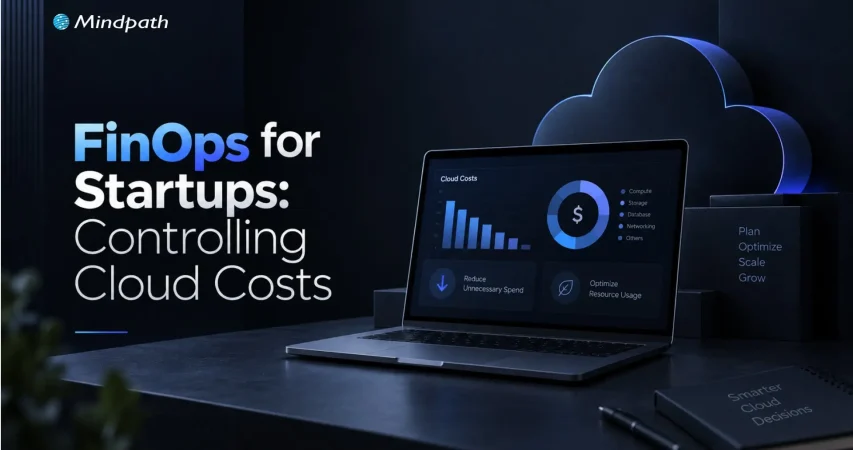
Your cloud bill rarely explodes overnight. More often, it creeps up through idle environments, oversized workloads, growing data stores, and services that quietly consume resources long after they are needed. For startups, startup cloud costs can become difficult to predict without disciplined FinOps and effective cloud budget management built into everyday engineering decisions.

Key Takeaways

  • 01
    FinOps gives startups better visibility and accountability over growing cloud infrastructure spending.
  • 02
    Regular cost reviews help identify idle resources, overprovisioning, and inefficient cloud usage.
  • 03
    Cloud optimization should support performance, reliability, and product growth alongside cost efficiency.
  • 04
    Unit cost metrics connect infrastructure spending with customers, transactions, workloads, and business growth.
  • 05
    Startups can begin FinOps with simple budgets, ownership, alerts, and regular usage reviews.

The goal is not to make every workload cheaper; it is to make every infrastructure decision more intentional. Teams need to know what they are spending, why they are spending it, and whether that spend supports product growth. In this blog, we explore how startups can build practical FinOps practices to control cloud costs without compromising performance, reliability, or speed.

Looking to build scalable infrastructure with better cost visibility? Mindpath helps startups plan and optimize AI, data, and cloud workloads for sustainable growth.

What is FinOps and Why Does It Matter for Startups?

FinOps is a way of managing cloud spending by bringing engineering, finance, and product decisions closer together. Instead of treating the cloud bill as a finance issue, teams use usage and cost data to understand how infrastructure decisions affect the business.

For a startup, this matters because cloud usage can change quickly. A new feature may require additional compute, a growing user base can increase database and storage costs, or a development environment may continue running even when nobody is using it. FinOps helps teams identify these patterns before they become persistent expenses.

The goal is not simply to spend less. Cutting resources too aggressively can affect application performance, reliability, or developer productivity. Effective FinOps focuses on getting the right value from cloud infrastructure by connecting spending with actual workload requirements.

A practical FinOps approach gives teams three things:

1. Visibility

Know where cloud spending is going.

2. Accountability

Connect costs with teams, workloads, or environments.

3. Optimization

Continuously identify opportunities to improve efficiency.

This makes cloud spending part of regular technical decision-making rather than something teams investigate only after receiving an unexpected bill.

Where Startup Cloud Costs Actually Come From?

Cloud spending rarely comes from one obvious source. It usually builds across multiple services as the application grows, new environments are added, and infrastructure becomes harder to track. A startup may have reasonable costs for each workload individually, yet still face a surprisingly large monthly bill when those workloads are combined.

1. Compute Resources

Virtual machines, containers, serverless workloads, and autoscaling resources can consume significant capacity as traffic changes.

2. Storage

Databases, object storage, backups, snapshots, and retained logs continue growing as applications generate more data.

3. Data Transfer

Moving data between services, regions, or external systems can introduce costs that are easy to overlook during architecture planning.

4. Idle Resources

Development, testing, staging, and temporary environments can remain active even when they are not being used.

5. Overprovisioning

Teams may allocate more CPU, memory, or storage than a workload consistently requires to avoid performance issues.

6. Pricing Choices

Relying entirely on flexible pricing can become expensive when usage becomes stable and predictable.

This is where FinOps becomes more than a cost-cutting exercise. By connecting cloud usage with ownership, workload requirements, and business priorities, FinOps helps teams understand which costs are necessary, which are inefficient, and where cloud optimization can make a measurable difference.

How to Build a Practical FinOps Workflow?

A useful FinOps workflow does not require a dedicated finance team or a complicated governance structure. Startups can begin with a simple process that gives engineers and product teams a clearer view of how infrastructure decisions affect startup cloud costs. The important part is making cost review a regular engineering practice.

A practical workflow can include:

1. Create Cost Visibility

Track spending across cloud services, applications, environments, and workloads to identify the areas driving the bill.

2. Assign Ownership

Use tags, projects, accounts, or cost centers to connect infrastructure spending with the team or workload responsible for it.

3. Set Budgets and Alerts

Establish spending thresholds and configure alerts for unusual usage or unexpected increases before they become significant expenses.

4. Review Usage Regularly

Compare actual consumption with expected workloads. Look for idle resources, unusual usage patterns, and capacity that consistently exceeds requirements.

5. Forecast Upcoming Spend

Factor planned releases, user growth, new workloads, and infrastructure changes into future cloud cost expectations.

6. Optimize Continuously

Right size resources, automate unnecessary capacity, review storage, and reconsider pricing options as usage patterns become clearer.

The process should evolve with the startup. Early on, a monthly review may be enough. As workloads and teams grow, more frequent monitoring and automated controls can help maintain visibility without adding unnecessary operational overhead.

7 Practical Ways Startups Can Optimize Cloud Costs

FinOps helps startups turn cloud cost control into a continuous practice. These optimization actions can be built into regular engineering and infrastructure reviews without adding unnecessary complexity.

1. Rightsize Resources

Match compute, memory, and storage capacity with actual usage.

2. Automate Idle Resources

Schedule non-production environments to shut down when they are not needed.

3. Optimize Storage

Remove unnecessary data and apply suitable retention and storage policies.

4. Review Pricing Models

Use commitments for predictable workloads and flexible pricing where usage remains uncertain.

5. Apply Autoscaling

Adjust infrastructure capacity according to actual workload demand.

6. Add FinOps Guardrails

Use budgets, alerts, tagging, and policies to keep spending visible and accountable.

7. Review Architecture Regularly

Reassess infrastructure decisions as workloads, traffic, and product requirements change.

The FinOps principle is simple: optimize resources based on usage, business value, and workload requirements, rather than reducing infrastructure costs blindly.

How FinOps Helps Startups Balance Cost with Growth

FinOps helps startups control cloud spending without putting necessary growth infrastructure at risk. The focus is on making spending decisions based on usage, business priorities, and measurable value rather than reducing costs across the board.

1. Track Cost Against Growth

Compare cloud spending with users, transactions, revenue, or workload growth.

2. Protect Critical Workloads

Avoid reducing resources that directly support performance, reliability, or customer experience.

3. Plan for Demand

Align infrastructure capacity with expected product launches, traffic increases, and seasonal workloads.

4. Measure Unit Costs

Monitor metrics such as cloud cost per customer or transaction to understand efficiency.

5. Separate Essential Spend

Distinguish production and revenue-supporting workloads from temporary or non-critical resources.

6. Review Scaling Decisions

Use actual usage data to determine when additional capacity is necessary or can be reduced.

7. Include FinOps in Planning

Consider expected infrastructure costs when teams plan new features, products, and technical initiatives.

8. Optimize Continuously

Revisit cloud spending as workloads, usage patterns, and business priorities change.

FinOps Metrics and Tools Startups Actually Need

Startups do not need a complex FinOps setup to gain control over cloud spending. The priority is to establish enough visibility to connect infrastructure usage with costs, ownership, and business activity.

FinOps Area What to Track Why It Matters
Cost visibility Spend by service and environment Identifies major cost drivers
Budget control Actual spend vs. budget Highlights unexpected increases
Forecasting Expected monthly spend Supports infrastructure planning
Resource efficiency Usage vs. allocated capacity Helps identify waste
Unit economics Cost per customer or transaction Connects cloud spend with growth
Accountability Spend by team or workload Establishes clear ownership
Alerts Unusual usage or spending Enables faster action

Common FinOps Mistakes Startups Should Avoid

FinOps for startups works best when cost management becomes part of everyday cloud operations. However, teams can easily create gaps when cloud spending grows faster than their processes.

1. No Clear Cost Ownership

Without assigning spending to teams, workloads, or environments, unexpected costs can be difficult to investigate.

2. Ignoring Idle Resources

Unused development, testing, and staging resources can continue generating recurring charges.

3. Skipping Usage Reviews

Allocated capacity can remain unchanged even when actual workload requirements fall.

4. Treating FinOps as Finance-Only

Cloud costs are strongly influenced by engineering and architecture decisions, so technical teams need visibility into spending.

5. Optimizing Without Context

Reducing resources without considering performance, reliability, or product requirements can create operational issues.

6. Committing Too Early

Long-term pricing commitments can become restrictive when a startup’s workload is still changing rapidly.

7. Reacting to Bills

Waiting for a high monthly bill before investigating costs makes optimization more difficult.

8. Overcomplicating the Process

Startups can begin with basic visibility, ownership, budgets, and regular reviews before introducing advanced FinOps processes.

How Can FinOps Make Startup Cloud Costs More Predictable?

FinOps gives startups a practical way to understand, manage, and optimize cloud spending as infrastructure grows. With clear ownership, usage visibility, budgets, and continuous optimization, teams can control waste while keeping resources aligned with product performance, reliability, and growth.

Mindpath AI development services help startups build scalable AI and cloud infrastructure with cost efficiency in mind. From architecture planning and data engineering to AI workloads and cloud optimization, Mindpath helps teams create infrastructure that supports sustainable growth without unnecessary complexity.


Take Control of Cloud Costs

Build scalable cloud infrastructure without unnecessary spending.

Frequently Asked Questions

FinOps can begin as soon as cloud spending becomes recurring. Basic cost visibility, ownership, budgets, and usage reviews create a strong foundation.
Yes. Lightweight FinOps practices give engineers cost visibility while preserving flexibility for launches, experimentation, scaling, and changing workload requirements.
Startups typically need simpler processes. The focus stays on visibility, accountability, practical optimization, and avoiding unnecessary governance while infrastructure is still evolving.
Cloud cost per customer, transaction, or workload can reveal efficiency trends and show whether infrastructure spending is growing in line with business activity.
Yes. FinOps can help track compute, storage, data processing, and model workloads, making AI infrastructure spending easier to monitor and optimize.

Support Is One Click Away

Featured Posts

Related Post

convert html to Wordpress

The transition from purely text-based web experiences to interactive websites has been possible due to WordPress. It is the most powerful content management system that has made it easier for anyone to create and manage websites. Therefore, businesses want to convert HTML to WordPress websites and capitalize on its benefits. Does that mean an end to the dominance of HTML in website development?

HTML is still here, with HTML5 offering a promising tool to build high-quality websites without a content management system. However, the rising adoption of WordPress indicates that more people are switching to the CMS platform for its diverse advantages. You have arrived at the right place if you want to switch your HTML website to WordPress. 

Want to convert your HTML site to WordPress but don’t know where to start? Hire expert WordPress developers from Mindpath who assist every step of the way to ensure a smooth HTML to WordPress conversion.

Is it Right to Convert Your Website to WordPress?

The thought of converting your HTML website into WordPress might have given you sleepless nights. You can overcome all doubts regarding the utility of WordPress for your website by learning about its benefits. With a HTML to WordPress converter service, you can transition to a dynamic web presence. WordPress offers more flexibility for modifying the content and design of your website without coding skills. You have the final say in deciding the appearance and functionalities of your website with complete control over design and features.

The biggest strength of WordPress is dynamic content management which removes the burden of writing markups for each page. On top of it, you will find an extensive library of themes and plugins that allow you to change designs and introduce new features in your website. Another prominent reason to embrace WordPress over HTML is the support for search engine optimization with different SEO plugins. As a result, you can not only create and manage websites with WordPress but also ensure that they rank well on search engines.    

Still wondering why businesses prefer converting static HTML websites into WordPress?
Explore the key benefits of converting HTML to WordPress and discover how it improves scalability, performance, and content management.

How Can You Switch to WordPress from HTML?

Once you have decided to convert your HTML website to WordPress, you have three options. The primary objective in each process revolves around changing your HTML design to WordPress theme, which will give it the look and experience of a WordPress website. You can choose any process depending on the time you have, personal preferences, coding skills and amount of money you want to invest. 

1. Manually convert HTML websites to WordPress themes.

2. Use the WordPress Child Theme to convert HTML to WordPress.

3. Import content to WordPress from HTML sites with plugins.

Before finding the best HTML website to WordPress converter tool, you must keep some prerequisites in mind. The foremost things you need to take into account are the time and budget you have for the conversion process. If you want quick results, then hiring professional developers will help albeit with a burden on your budget. 

The other important requirements for the transition from HTML to WordPress include a code editor and hosting service. You must choose a suitable code editor that can help in modifying HTML code of your website according to WordPress guidelines. Similarly, you should pick a hosting service that fits your requirements and delivers credible services. 

Converting Your HTML Website to WordPress Manually

You are a traditionalist if you want to create a WordPress site for your HTML website from scratch. The traditional approach to converting HTML to WordPress may seem intimidating to many people. However, it is not that difficult once you know each step of the process, and you can get things done without advanced technical knowledge.

Steps to Convert Your HTML Website to WordPress Manually

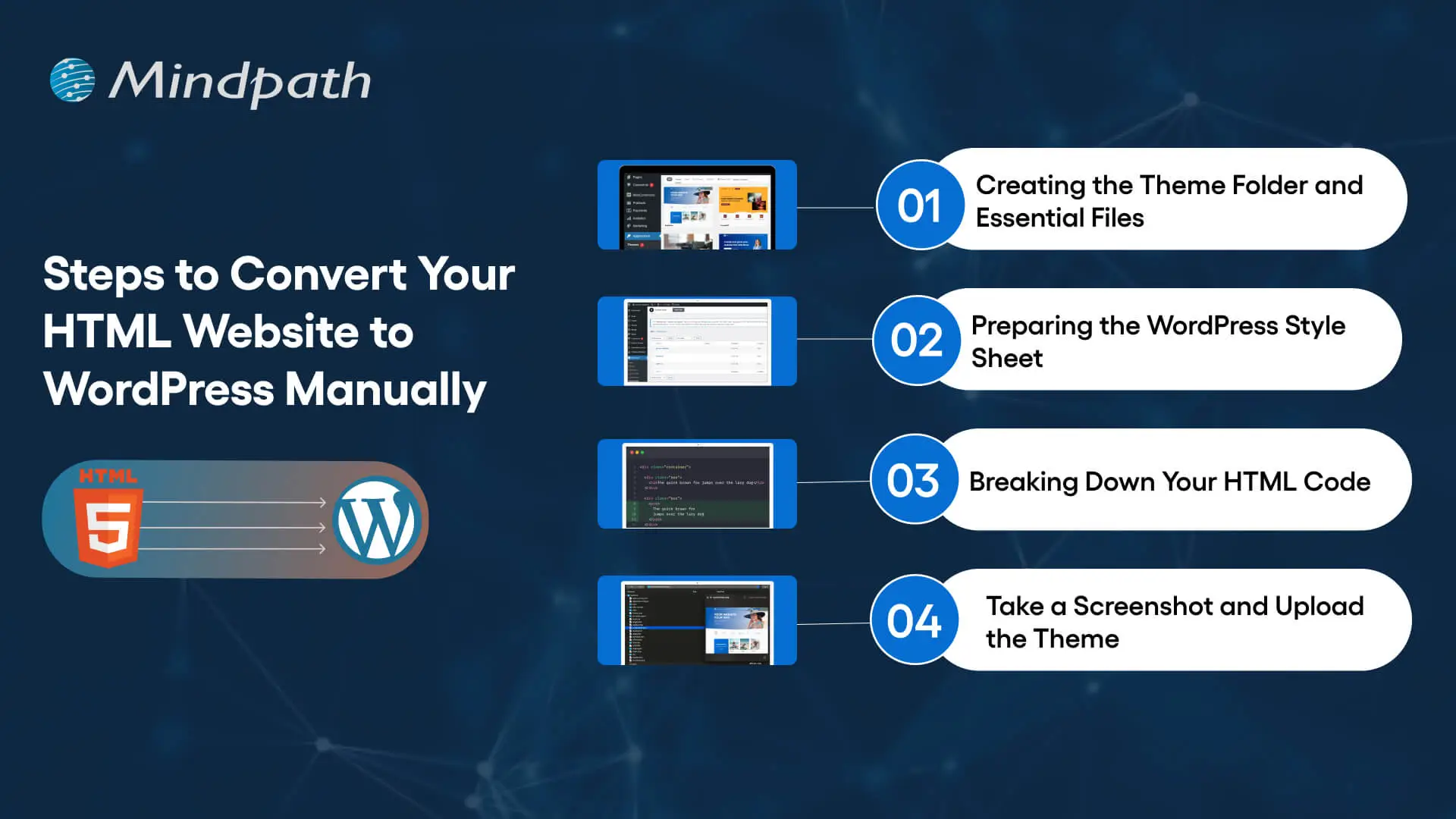
Step 1: Creating the Theme Folder and Essential Files

You can begin the conversion process by creating a new theme folder on your desktop. You can follow the same process as you would for creating another directory on your system. Once you have created the theme folder, you can give it a specific name as per your requirements. 

After creating the theme folder, you must open the code editor and create different text files. You can name them as ‘style.css’, ‘index.php’, ‘sidebar.php’, ‘footer.php’, and ‘header.php’. 

The number of files you have to create in this step will depend on the features and design you want in the WordPress theme. You don’t have to do anything else with the files in the code editor now and keep the code editor open as we will need the files in the next step.

Step 2: Preparing the WordPress Style Sheet

You can start the actual preparations for converting your HTML website to WordPress with the WordPress style sheet. Do you remember the ‘style.css’ file you left open in the code editor in the first step? Open it and paste the important details in the style sheet header enclosed within “/*” and “*/”. 

Any guide on HTML to WordPress converter online will focus on the details provided in the style sheet header. The important information included in the style sheet header includes the theme name, theme URI, author name, author URI, description and version. In addition, the style sheet header must also specify license details and tags, which are crucial requirements to add your theme to the WordPress theme directory. 

After providing the essential details in the header, you have to copy and paste the CSS of your HTML website. Make sure that you save the ‘style.css’ file in the theme folder you have created and then close it. 

Is a basic WordPress setup enough to support your growing business needs?
Read more about custom WordPress development and discover how tailored solutions can enhance functionality and user experience.

Step 3: Breaking Down Your HTML Code

One of the most important things you must know about WordPress is that it leverages PHP to extract information from its database. Therefore, you have to break down the existing HTML of your website into different pieces. It will help WordPress put them together in the right way. 

This part of the process of converting HTML to WordPress may seem challenging to beginners. However, it is extremely simple as you have to copy different parts of the HTML document and paste them into different PHP files. Do you remember the PHP files created in the code editor in the first step? They will play a crucial role in this step of the HTML to WordPress conversion process.

You have to open the main file of your HTML website, or ‘index.html’, and copy its content into different PHP files. After copying, you must save the ‘index.php’ file and close it to add the theme to your WordPress website.

Step 4: Take a Screenshot and Upload the Theme

The theme screenshot is a valuable resource that offers a preview of the backend of your WordPress website. It is also important to note that the theme screenshot will also include information from the style sheet header. You cannot convert HTML site to WordPress without knowing how your website works in the WordPress backend. 

Contrary to your assumptions, you don’t have to follow a complex process to take the theme screenshot. You can open the existing HTML site in a browser and take a screenshot with any method you want. After taking the screenshot, you can use an image editing software to crop the screenshot image to 880×660 pixels. Once you save the screenshot as a ‘screenshot.png’ file in the theme folder, you can upload the theme. 

The process to upload your WordPress theme starts with the WordPress Admin Dashboard. You should access the “Appearances” section, where you will find the “Themes” option. Now, you must click on “Add New” and then choose the “Upload Themes” option. Find the theme folder and click on “Install Now,” followed by activating the theme. 

Are you unsure if your website development project is on the right track? Discover our WordPress developer checklist to ensure every critical step is covered for a smooth and successful website launch.

How Will Your WordPress Theme Become More Responsive?

Switching your HTML website to a WordPress theme alone is not enough to get the best results. Anyone who knows how to download WordPress can follow the manual process and get their website on the CMS platform. However, you must also ensure that your website will look good and function seamlessly across all devices. The solution to such problems lies in creating a responsive design, and you can make it happen with a few crucial steps.

First of all, you should choose a responsive framework like CSS or Bootstrap. These frameworks not only save your time but also ensure an effective design that aligns with tested principles. You should also use flexible images to ensure that they don’t pop out of the boxes on mobile devices. In addition, CSS media queries can help you detect small screen sizes, and you should use a mobile menu that offers clean navigation on mobile screens. 

Want to make sure your WordPress website runs seamlessly with the latest technology? Discover how WordPress PHP compatibility can protect your site and enhance its performance.

Final Thoughts

You have decided to convert an HTML website to WordPress to capitalize on the benefits of the most popular CMS platform. With big brands choosing WordPress for their websites, it is reasonable to pick the platform for revamping your website. The manual process of converting HTML-based websites to the WordPress theme is extremely simple and easy to follow. At the same time, you must also ensure that your new WordPress website features a responsive design and works effectively on all devices.

Mindpath has been a pioneer in helping businesses transition to WordPress from outdated formats. We are the trusted specialists in WordPress development with a successful record in empowering websites for the modern business landscape. Our expert WordPress developers conduct comprehensive site analysis and develop custom themes that align with your design needs. With Mindpath at your service, you don’t have to worry about content integration or CMS integration. Consult with our experts and switch to WordPress right now.

in-house vs outsourcing AI development

Businesses increasingly adopt AI to improve operations, customer experiences, and decision-making across industries. Many leaders now hire AI development company partners to access specialized expertise, reduce implementation risks, and accelerate AI projects without lengthy recruitment or infrastructure investments.

Key Takeaways

  • 01
    Evaluate business goals before choosing in-house or outsourced AI development approaches.
  • 02
    AI development companies accelerate delivery while reducing hiring and infrastructure challenges.
  • 03
    In-house AI teams offer stronger control, ownership, and long-term organizational expertise.
  • 04
    Compare total ownership costs instead of focusing only on initial development expenses.
  • 05
    Select the approach that best supports scalability, innovation, and measurable business outcomes.

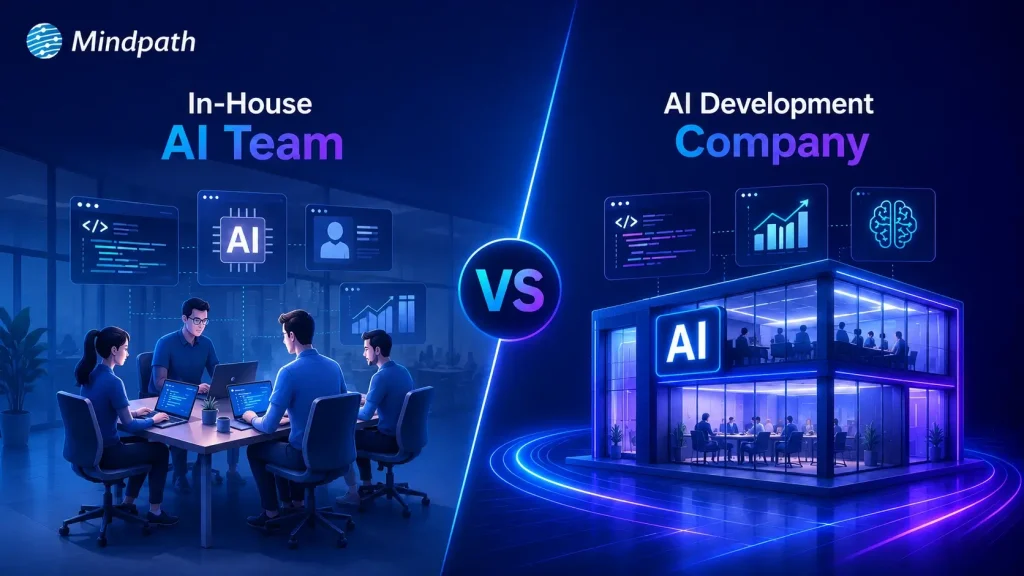
Choosing between in-house vs outsourcing AI development depends on your budget, technical expertise, project complexity, and long-term goals. Each approach offers distinct advantages for different business needs. In this blog, we compare both options, explain their key differences, and help you choose the right approach for your business. So, let’s keep reading further!

Need a reliable partner to accelerate your AI initiatives? At Mindpath, we offer AI Development Services to design, develop, and deploy scalable AI solutions.

What Does an In-House AI Team Mean?

An in-house AI team consists of full-time professionals who design, develop, and maintain AI solutions within your organization. Companies that build in-house AI team capabilities gain direct control over development, workflows, and long-term technology planning.

These teams typically include machine learning engineers, data scientists, AI developers, and product managers with specialized expertise. They collaborate closely with internal departments, understand business objectives, and continuously improve AI systems as organizational needs evolve.

Here are the core benefits of in-house AI team:

1. Strategic Alignment

Internal teams understand business goals and operational priorities. AI initiatives support long-term company growth strategies.

2. Ownership of Intellectual Property

Your organization retains complete control over AI assets. Proprietary models remain protected from external competitors.

3. High Customization and Control

Teams adjust solutions for unique business workflows. You control timelines, priorities, and implementation decisions.

4. Stronger Data Security

Sensitive information stays within company infrastructure securely. Compliance requirements become easier to manage internally.

5. Long-Term Capability Building

Internal expertise grows stronger with every AI project. Knowledge remains within the organization for future innovation.

Challenges at a Glance

1. Talent Shortages

Finding experienced AI professionals remains difficult in a highly competitive market.

2. High Operational Costs

Infrastructure, hiring, and retention significantly increase long-term AI expenses.

3. Data Readiness Issues

Poor data quality delays development and reduces AI model accuracy.

4. Legacy System Integration

Older systems complicate AI deployment and slow implementation timelines.

5. Security and Compliance

Managing privacy, governance, and regulations requires continuous internal oversight.

What Does It Mean to Hire an AI Development Company?

Businesses hire AI development company experts to design, develop, and deploy custom AI solutions for specific operational needs. These companies provide specialized technical expertise, proven development processes, and experienced professionals without requiring businesses to build large internal AI teams.

AI development companies create tailored solutions such as intelligent automation, predictive analytics, machine learning models, and computer vision applications. They align every solution with business goals, accelerate project delivery, and provide ongoing support to ensure long-term performance and scalability.

Here are the core benefits of hiring an AI development company:

1. Specialized Expertise

Access experienced AI professionals with specialized technical knowledge. Solve complex challenges using proven development expertise.

2. Cost Efficiency

Avoid expensive hiring and infrastructure investments. Reduce overall AI development costs significantly.

3. Accelerated Time to Market

Launch AI solutions faster with experienced teams. Streamlined processes shorten overall development timelines.

4. Process Automation

Automate repetitive tasks using intelligent AI solutions. Improve productivity while reducing operational effort.

5. Enhanced Customer Experience

Deliver personalized interactions across customer touchpoints. Increase engagement through AI-powered experiences.

Challenges at a Glance

1. Data Quality Challenges

Poor-quality data reduces AI accuracy and overall project performance.

2. Limited AI Expertise

Inexperienced teams may struggle with complex AI development requirements.

3. Legacy System Integration

Older systems delay seamless AI deployment and business scalability.

4. Cost Overruns

Unexpected infrastructure and maintenance expenses increase total project costs.

5. Business Alignment Issues

Unclear objectives reduce AI effectiveness and expected business value.

In-House vs Outsourcing AI Development: Key Differences

Every AI development approach offers different advantages depending on your business requirements and available resources. The comparison below highlights the key differences across cost, expertise, scalability, security, and long-term management.

1. Cost and Initial Investment

In-House AI Team: Building an internal AI team requires significant hiring and infrastructure investments. Ongoing salaries, training, and technology expenses increase long-term costs.

Hiring an AI Development Company: AI development outsourcing reduces upfront hiring and infrastructure expenses. Businesses pay for specialized expertise without maintaining a permanent AI workforce.

2. AI Expertise and Talent

In-House AI Team: Internal teams develop deep knowledge of company processes and goals. However, hiring experienced AI professionals can take considerable time.

Hiring an AI Development Company: Development companies provide immediate access to experienced AI specialists. Their teams bring expertise from delivering diverse AI projects.

3. Development Speed

In-House AI Team: Building the team and setting up infrastructure extends project timelines. Initial development often progresses slower during the hiring phase.

Hiring an AI Development Company: Experienced teams begin development quickly using established workflows. Faster execution helps businesses launch AI solutions sooner.

4. Scalability and Flexibility

In-House AI Team: Expanding internal teams requires additional recruitment and training efforts. Scaling projects often increases operational complexity and costs.

Hiring an AI Development Company: External teams scale resources according to changing project requirements. Businesses can quickly increase or reduce development capacity.

5. Data Security and Control

In-House AI Team: Organizations maintain direct control over sensitive business information. Internal governance simplifies compliance with company security policies.

Hiring an AI Development Company: Trusted partners implement secure development practices and compliance measures. Clear agreements help protect business data throughout development.

6. Long-Term Maintenance and Support

In-House AI Team: Internal teams continuously monitor, improve, and maintain AI systems. Long-term ownership supports ongoing innovation and optimization.

Hiring an AI Development Company: Development companies provide continuous maintenance and technical support services. Regular updates help keep AI solutions reliable and scalable.

In-House AI Team vs Hiring an AI Development Company: Quick Comparison

Here’s a quick comparison of an in-house AI team and hiring an AI development company. This table highlights the major differences to help you compare both approaches at a glance.

Factor In-House AI Team Hiring an AI Development Company
Initial Cost High upfront investment required. Lower initial project costs.
Time to Start Longer hiring and setup. Faster project onboarding.
AI Expertise Depends on hired talent. Access to experienced AI specialists.
Development Speed Slower initial development cycle. Faster delivery with proven processes.
Scalability Hiring required for scaling. Easily scale development resources.
Technology Access Requires separate infrastructure investments. Ready access to modern AI tools.
Flexibility Limited by internal capacity. Adapts quickly to project needs.
Maintenance Managed by internal teams. Continuous expert support available.
Business Control Complete internal project control. Shared oversight with expert execution.
Data Security Full internal data control. Strong security with compliance standards.
Best For Long-term internal AI initiatives. Faster, cost-effective AI implementation.

When Should You Build an In-House AI Team?

  • Your business has long-term AI goals.
  • AI supports core business operations.
  • You require complete project control.
  • Sensitive data must remain internal.
  • You have budget for AI hiring.
  • Continuous AI innovation is a priority.

When Should You Hire an AI Development Company?

  • You need faster AI implementation.
  • Specialized AI expertise is unavailable internally.
  • Project budgets require greater flexibility.
  • You want lower upfront investments.
  • Your team needs external AI support.
  • Rapid project scaling is essential.

How to Choose Between In-House and AI Development Outsourcing?

Every business has different AI goals, budgets, and technical capabilities. Use this checklist to identify which approach aligns better with your project requirements and long-term strategy.

Business Requirement Recommended Approach Reason
Need an AI solution within weeks Hire an AI development company Faster project delivery.
Building AI as a long-term capability Build an in-house AI team Greater long-term ownership.
Limited AI expertise internally Hire an AI development company Access specialized AI professionals.
Large budget for hiring and infrastructure Build an in-house AI team Supports permanent AI operations.
Want lower upfront investment Hire an AI development company Avoid hiring and infrastructure costs.
AI workload changes frequently Hire an AI development company Scale teams as needed.
AI is central to daily operations Build an in-house AI team Better internal collaboration.
Need niche AI skills temporarily Hire an AI development company Experts available immediately.
Strict internal governance requirements Build an in-house AI team Maintain direct operational control.
Launching your first AI initiative Hire an AI development company Reduce risks with experienced guidance.

Ready to Choose Between In-House vs Outsourcing AI Development?

Selecting the right approach for in-house vs outsourcing AI development depends on your business objectives, available resources, budget, and implementation timeline. A well-informed decision helps reduce risks, improve efficiency, and create a stronger foundation for long-term AI success.

Mindpath supports businesses with expert AI consulting services and flexible staff augmentation solutions for every stage of AI adoption. Our specialists help you plan, develop, and scale AI initiatives with confidence. Contact us to discuss your business requirements and find the right AI solution.

hiring react developer

You should know what a react developer does in real life before you start hiring. A React developer’s main job is to use JavaScript and the React library to create user interfaces that people can use. They want to know how well front-end apps work and how they do it.

Making UI components, keeping track of the application’s state, integrating APIs, and speeding things up are some of the things they do every day.

Planning to bring your web application idea to life using React? Mindpath offers ReactJS development services designed to deliver smooth performance and great user experience.

A react js developer’s real-life tasks and responsibilities include:

  • Creating reusable UI components
  • Managing data flow and state
  • Optimizing application performance
  • Collaborating with backend and DevOps teams
  • Maintaining clean and scalable codebases

It’s important to be clear about the job because hiring someone without knowing what it is can lead to problems with expectations.

Also Read: ReactJS Trends

Why Hiring the Right React Developer Matters?

ReactJS development services are in high demand right now because people need web apps that can grow and work well. If you hire the wrong developer, the project could take longer to finish, you could have more technical debt, and the user experience could get worse.

But skilled developers can:

  • Deliver clean and maintainable code
  • Optimize performance at scale
  • Build seamless user interfaces

More and more businesses are hiring Dedicated React developers who can help with long-term product growth instead of just getting things done quickly.

Wondering why businesses are increasingly choosing React for their projects? Discover the key benefits of ReactJS for web development and how it improves performance and scalability.

Core Skills Required for React Developer

The first step in a structured hiring process is to find out what skills you need to have to be a React developer. These skills are more than just being able to write code. They know how to build front-end architecture from the ground up.

1. Strong JavaScript Fundamentals

You need to know ES6+ because React is built on JavaScript. Developers should know about things like closures, async/await, and array methods.

2. React Fundamentals and Architecture

You need to know a lot about JSX, the virtual DOM, the component lifecycle, and how to handle state in order to make apps that work well.

3. State Management Expertise

To deal with complicated states in modern apps, you need to know how to use tools like Redux or the Context API.

4. HTML, CSS, and UI/UX Understanding

React is a framework for building front-end applications. This means that programmers need to know how to make user interfaces that are simple to use and work well.

5. API Integration and Backend Communication

Developers need to know how to connect backend services and use REST APIs.

6. Version Control and Development Tools

To get a job today, you need to know how to use Git, Node.js, and npm.

You should never compromise on these reactjs developer skills because they are the technical foundation.

Looking to understand the step-by-step journey to becoming a successful React developer? Explore detailed ReactJS roadmaps to guide your learning and hiring decisions effectively.

Evaluating Advanced ReactJS Developer Skills

The best developers know more than just the basics. They know advanced skills that affect how well the system works and scales.

1. Performance Optimization

A good developer knows how to make big datasets work better, use lazy loading, and cut down on the number of times they have to render.

2. Testing and Debugging

If you know how to use tools like Jest and debug, you will have fewer problems in production and be able to release things faster.

3. Component-Based Thinking

Since React’s architecture is based on reusable parts, it’s important to know how to make designs that can be used again.

4. Problem-Solving Ability

Developers should be able to quickly find and fix bugs and handle problems that come up in the real world.

These advanced skills are often what make a candidate stand out from the rest when hiring a developer.

Looking to create applications that can grow with your business needs? Discover how building scalable applications with React can help you achieve long-term success.

The Role of React Developer 

How much work a modern developer can get done depends a lot on how well they know react developer tools and ecosystem utilities.

These tools are helpful:

  • React DevTools for debugging component trees
  • Redux DevTools for state inspection
  • Build tools like Webpack and Vite
  • Testing libraries like Jest and React Testing Library

These tools can help the developer do well in real life, not just in theory.

Soft Skills You Should Not Ignore

When you hire react developers, make sure they have both hard and soft skills.

Here are some important soft skills:

  • Communication and teamwork
  • Attention to detail
  • Adaptability and collaboration 

React developers often have to work with people from other departments, so being able to get along with others can make a big difference in how well a project goes.

Want to know how artificial intelligence is shaping modern front-end frameworks? Read how ReactJS and AI are working together to create smarter and more dynamic applications.

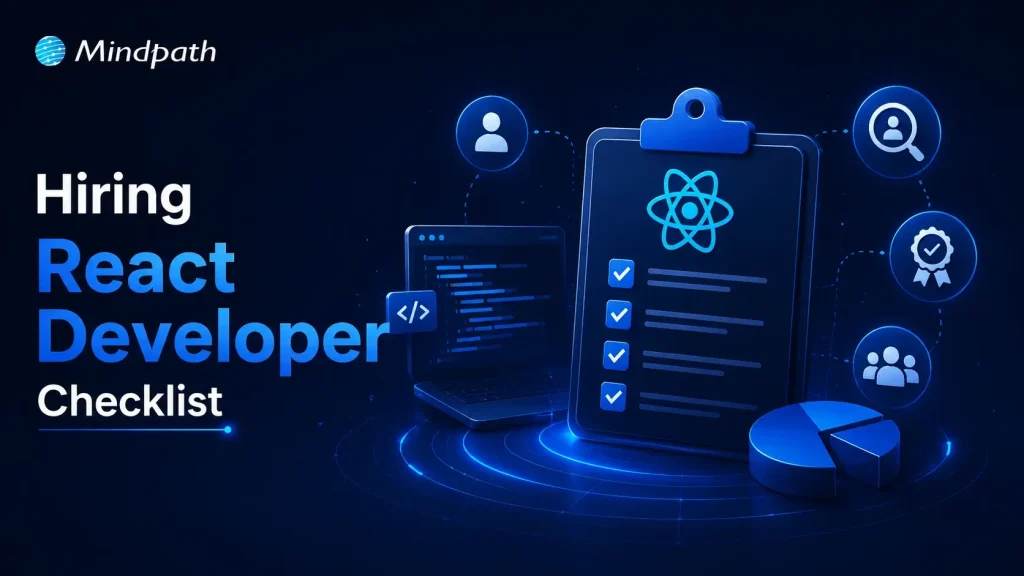
Practical Hiring Checklist for React Developers

Based on real-life hiring frameworks, this is a helpful list of things you can do to hire people faster:

1. Define Your Requirements Clearly

Find out if you need a freelancer, a developer who works for you, or a team of React developers who will work on your project full-time.

2. Evaluate Technical Skills

Learn how to use APIs, how to manage state, and the basics of JavaScript and React.

3. Review Portfolio and Past Work

Check out real projects to see how well they code, how easy it is to add new features, and how good their user interface is.

4. Conduct Technical Assessments

Give someone coding tests and put them in real-life situations to see how good they are at solving problems.

5. Assess Communication Skills

Make sure the developer and your team can work well together.

6. Check Adaptability and Learning Ability

React changes a lot, so developers need to stay up to date on new features and how to use them correctly.

This list will help you stay on top of things and organized while you hire people.

Curious about how much it really costs to hire skilled React professionals? Explore the cost of hiring ReactJS developers and what factors influence pricing.

Choosing the Right Hiring Model

When companies need to hire ReactJS developers, they usually choose one of three types of models:

  • Freelancers for short-term tasks
  • In-house developers for long-term projects
  • Outsourced or dedicated teams for scalability

There are good and bad things about each model, but companies that want to grow steadily over time usually hire Dedicated React developers.

Final Thoughts

You can’t just hire someone who knows how to use React; you also need to find people who can build apps that are fast, can grow with your business, and meet your needs. You can greatly lower the risks of hiring by using a structured checklist and focusing on the right skills for a React developer.

One of the best things your business can do in a world where user experience is the most important thing for success is hire the right React people.