Home

AIOps vs DevOps: How AI Is Transforming IT Operations

AIOps vs DevOps: How AI Is Transforming IT Operations

Join our Newsletter!

AIOps vs DevOps

Modern IT teams don’t struggle to collect operational data. They struggle to make sense of it. A single incident can trigger hundreds of alerts across monitoring tools, leaving engineers to sort through noise before they can even start fixing the problem.

Key Takeaways

  • 01
    DevOps improves software delivery through collaboration, automation, CI/CD, and continuous monitoring.
  • 02
    AIOps applies AI to analyze operational data, detect patterns, and support faster incident response.
  • 03
    AIOps and DevOps address different needs but can work together across modern IT environments.
  • 04
    Successful AIOps adoption depends on reliable data, strong observability, integration, governance, and human oversight.
  • 05
    Organizations can introduce AIOps gradually by applying AI to specific operational use cases.

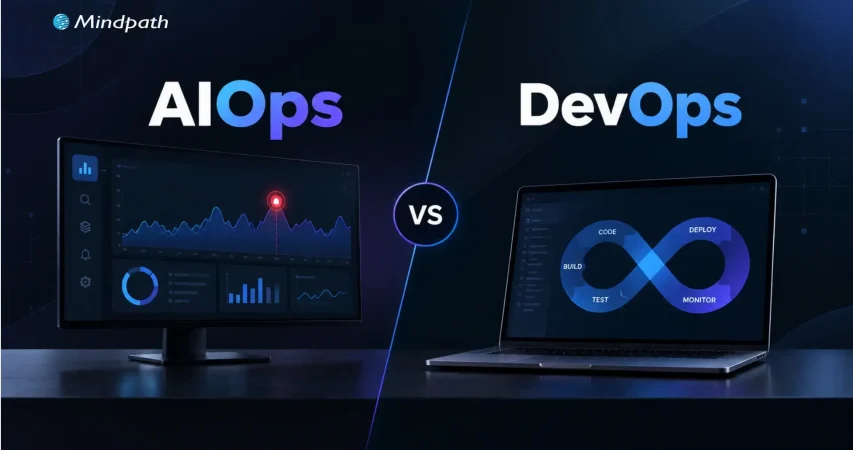
DevOps gave teams the pipelines, automation, and collaboration to release software quickly and reliably. But faster delivery also means more services, more deployments, and more data to interpret. That’s why AIOps vs DevOps has become an important question for IT teams. DevOps speeds up how software is built and shipped, while AIOps uses AI to cut through alert noise, find root causes, and respond faster. In this blog, we’ll explore how the two differ and how an AI DevOps approach can bring them together.

Ready to build more intelligent IT operations?

Mindpath helps businesses apply AI to operational workflows, data, monitoring, and automation.

What Is DevOps?

DevOps is a software development and operations approach that brings teams, processes, and technologies together across the application lifecycle. It focuses on improving collaboration, automating repetitive tasks, and creating consistent workflows for building, testing, deploying, and maintaining applications.

By integrating development and operations practices, DevOps helps teams release software more frequently while maintaining reliability and operational control. It also supports continuous feedback, infrastructure automation, and faster responses to issues across development and production environments.

Key features and benefits of DevOps: 

1. Continuous Integration and Delivery

2. Automated Testing and Deployments

3. Infrastructure and Configuration Automation

4. Faster Software Release Cycles

5. Improved Collaboration Across Teams

6. Continuous Monitoring and Feedback

What Is AIOps?

AIOps applies artificial intelligence and machine learning to IT operations, helping teams analyze the large volumes of data generated by applications, infrastructure, networks, and monitoring systems. It combines operational data with intelligent analysis to identify patterns and surface relevant insights.

AIOps can correlate events across multiple systems, detect unusual behavior, support root-cause analysis, and automate selected operational responses. This helps IT teams handle complex environments with greater visibility while reducing the manual effort involved in monitoring and incident investigation.

Key features and benefits of AIOps: 

1. Intelligent Event Correlation

2. Anomaly and Pattern Detection

3. Automated Alert Analysis

4. Faster Root-Cause Investigation

5. Predictive Operational Insights

6. Automated Incident Response

7. Reduced Alert and Operational Noise

AIOps vs DevOps: What Is the Difference?

AIOps and DevOps both aim to improve IT operations, but they address different aspects of the technology lifecycle. DevOps focuses on collaboration, automation, and software delivery, while AIOps uses AI-driven analysis to make IT operations more intelligent and responsive.

Area DevOps AIOps
What it is A culture and set of practices that unites development and operations An approach that applies AI/ML to IT operations data
Core objective Ship software faster and more reliably Detect, diagnose, and resolve operational issues faster
Main question it answers “How do we build and release this efficiently?” “What is going wrong, why, and what should we do?”
Where it operates Build → test → deploy → operate Monitor → detect → analyze → respond
Type of automation Rule-based and scripted (pipelines, IaC, deployments) Adaptive and data-driven (correlation, anomaly detection, suggested or automated remediation)
Data used Code, build logs, pipeline results, deployment history Logs, metrics, traces, events, alerts, and tickets at large scale
How decisions are made Predefined workflows and thresholds Learned patterns and statistical models
Typical use cases CI/CD, infrastructure automation, release management Alert noise reduction, anomaly detection, root-cause analysis, predictive alerts
Example tools Jenkins, GitHub Actions, GitLab CI, Terraform, Ansible, Kubernetes Dynatrace, Datadog, Splunk, PagerDuty, BigPanda
Key metrics Deployment frequency, lead time, change failure rate MTTD, MTTR, alert volume, false-positive rate
Primary users Developers, DevOps and platform engineers SREs, IT operations, NOC and incident response teams
AI dependency Not required Central to the approach
Main limitation Struggles to interpret huge, noisy operational data manually Depends on data quality and needs human validation

What Should Organizations Consider Before Adopting AIOps?

AIOps works best when organizations have the right operational foundation in place. AI-driven analysis depends on the quality of the data, systems, and workflows available to it. Before adoption, teams should assess how their existing IT environment can support intelligent analysis and automation.

1. Data Quality

AI is only as good as its input. Are logs, metrics, and events consistent and complete?

2. Observability

Observability provides context for accurate analysis. Do we have visibility across apps, infrastructure, and services?

3. Tool Integration

Integration enables cross-system analysis. Can monitoring, cloud, and ITSM tools share data?

4. Security and Governance

Security and governance help prevent unsafe automated actions. Do AI actions follow our access controls and policies?

5. Human Oversight

Human oversight keeps risk under control. Which actions are automated and which need approval?

6. Team Readiness

Team readiness drives trust and adoption. Do engineers know how to validate AI-generated insights?

AIOps adoption should therefore align with the organization’s existing DevOps practices and operational maturity. Starting with well-defined use cases, reliable data, and controlled automation can help teams introduce AI into IT operations without disrupting established processes.

How DevOps and AIOps Work Together?

The need for AIOps generally becomes clearer as IT environments grow in scale and complexity. Teams managing distributed applications, cloud infrastructure, multiple monitoring systems, and high volumes of operational data may need capabilities that extend beyond conventional DevOps automation.

For organizations building an AI DevOps strategy, AIOps can complement existing processes by adding intelligence to monitoring, incident analysis, and operational decision-making. The approach can be particularly relevant when teams face recurring incidents, excessive alert volumes, fragmented operational data, or increasing pressure to respond quickly.

1. Handle Growing Operational Data

Analyze large volumes of logs, metrics, events, and traces.

2. Reduce Alert Overload

Identify relationships between related events and focus attention on significant issues.

3. Improve Incident Response

Provide additional context during investigation and troubleshooting.

4. Manage Complex Environments

Connect operational signals across cloud, applications, infrastructure, and services.

5. Extend Automation

Support intelligent actions alongside established DevOps workflows.

Lifecycle Stage DevOps Contribution AIOps Contribution
Build and test Automated CI pipelines and testing Flags patterns in failed builds or flaky tests
Deploy Automated, repeatable releases Detects anomalies right after a release
Monitor Dashboards, alerts, and feedback loops Correlates events across systems and reduces noise
Incident response Runbooks, on-call processes, rollbacks Suggests probable root cause and triggers low-risk fixes
Improve Post-incident reviews and process updates Surfaces recurring issues and trends

The decision does not have to be framed as AIOps vs DevOps. DevOps can remain the foundation for software delivery and automation, while AIOps adds intelligence where operational complexity demands deeper analysis and faster response.

Building an Intelligent IT Operations Strategy

Building intelligent IT operations is not about replacing existing DevOps practices with AI. It involves strengthening the operational foundation first, then introducing AI where it can provide meaningful analysis, automation, and decision support.

Step Action Example Success Metric
Strengthen DevOps Standardize CI/CD, IaC, and workflows Unified pipeline templates Deployment frequency, change failure rate
Improve observability Centralize logs, metrics, traces, and events One monitoring platform or data layer Coverage of monitored services
Connect data Integrate cloud, app, and ITSM tools Alerts linked to tickets and deployments Reduction in data silos
Introduce AI selectively Start with one use case Event correlation for one service Alert volume reduction
Automate carefully Begin with low-risk, repetitive actions Auto-restart a failed service MTTR, automation success rate
Measure and refine Review outcomes regularly Monthly incident trend review MTTD, MTTR, recurring incidents

This approach allows organizations to introduce AIOps gradually while building on established DevOps processes. The result is a more connected operating model where automation handles defined workflows and AI helps teams interpret complex operational signals.

How Can Your Team Combine AIOps and DevOps?

The AIOps vs DevOps discussion shows that both approaches address different operational needs. DevOps establishes efficient delivery and automation practices, while AIOps adds AI-driven analysis to complex IT environments. Together, they can help teams improve visibility, respond to incidents faster, and build more intelligent operational workflows.

At Mindpath, our AI development services help businesses apply AI across operational workflows, data environments, and business processes. From AI strategy and data engineering to intelligent automation, we help teams build practical AI capabilities aligned with their technical requirements and operational goals.


Make IT Operations Smarter

Use AI-powered automation to improve monitoring and operational efficiency.

Frequently Asked Questions

AIOps adds intelligent analysis to existing workflows, helping teams interpret operational data and prioritize incidents without replacing established DevOps processes.
Effective AIOps depends on reliable logs, metrics, traces, and events. Limited visibility can reduce the quality of insights and automated responses.
Fragmented tools, inconsistent operational data, unclear automation boundaries, and limited processes for validating AI-generated insights can slow adoption.
Useful measures include incident resolution time, alert volume, response time, recurring incidents, and the effectiveness of automated operational actions.
Not necessarily. DevOps can provide the delivery and automation foundation, while AIOps adds intelligence to complex monitoring and operational workflows.

Support Is One Click Away

Featured Posts

Related Post

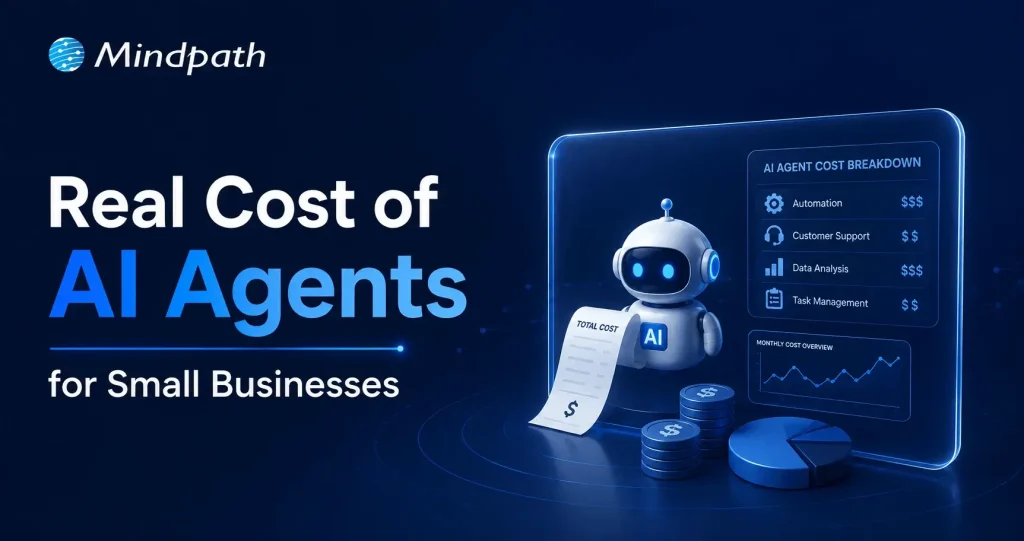
Cost to build an AI Agent

Small businesses today are watching AI agents handle customer queries, automate workflows, and close sales round the clock. Exciting? Absolutely. But many business owners jump in without truly understanding the cost to build an AI agent. That gap between excitement and reality often leads to budget overruns. So, let’s talk numbers, trade-offs, and what actually goes into building one.

Key Takeaways

  • 01
    The cost to build an AI agent ranges from $3,000 to $50,000 upfront.
  • 02
    Complexity, integration, and data readiness are the biggest cost drivers.
  • 03
    Hidden costs like token bloat and API fees catch most small businesses off guard.
  • 04
    Starting with one narrow task keeps your budget controlled and ROI measurable.
  • 05
    Consistent maintenance and prompt tuning protect your long-term agent investment.

Furthermore, the pricing rarely tells the full story. Vendors show you the entry plan; they rarely show you integration fees, maintenance costs, or what happens when your agent scales. Every layer adds up quietly. In this blog, we break down every real cost involved so you can plan smarter, spend better, and build an AI agent that actually works for your business. So, let us read further and know more!

Looking for a cost-effective way to implement AI? Our Agentic AI development services help businesses build scalable AI solutions with measurable ROI.

What Factors Influence the Cost to Build an AI Agent?

Building an AI agent is never one flat price. Implementing an AI agent cost shifts dramatically based on what you need, how complex your workflows are, and which technology stack your team chooses. Several moving parts quietly push the budget up or down. Understanding these factors upfront saves you from nasty surprises later. Let’s break down exactly what drives the cost.

1. Scope and Complexity

Rule-based chatbots follow fixed scripts and cost far less to build. True agentic AI that reasons, plans, and adapts autonomously demands significantly more development effort and budget.

2. Integrations and Tooling

Every external system your agent connects to, such as your CRM, ERP, or payment gateway, adds development time. Giving the agent capabilities like web browsing or database querying also requires rigorous security testing.

3. Data Readiness and Preparation

Unstructured or siloed data needs heavy cleanup before your agent can use it effectively. Setting up vector databases and memory architecture to support long-term recall adds another layer to your AI automation cost.

4. Technology Stack

Your choice between proprietary LLMs, open-source models, and no-code builders directly shapes both upfront and recurring costs. Custom frameworks like LangChain offer more control but require significantly more development time.

5. Security and Compliance

Regulated industries like healthcare and finance carry strict compliance requirements including HIPAA and GDPR. Penetration testing, security audits, and data privacy measures push the AI automation cost noticeably higher.

6. Maintenance and Continuous Training

Launching your agent is only the starting point. Production environments demand ongoing prompt tuning, knowledge updates, and performance monitoring throughout the agent’s entire lifecycle.

What Is the Actual Cost to Build an AI Agent for Small Businesses?

The AI customer service agent cost for small businesses ranges from $3,000 to $50,000 upfront. Monthly maintenance and token fees add $50 to $1,000 more.

1. Cost Breakdown by Agent Type

Costs vary widely depending on complexity and autonomy level. Here is what each tier typically costs small businesses today.

2. Off-the-Shelf Configured Agents: $3,000 – $10,000+

No coding is needed here. You pay for prompt setup, branding, and basic routing configuration.

3. Basic Custom Agents (MVP): $10,000 – $25,000

These agents handle customer support, lead qualification, and simple automation. They connect to your website or one external API.

4. Mid-Level and Internal Agents: $25,000 – $50,000+

These require multi-step planning and deep CRM integration. Human-in-the-loop oversight adds complexity and cost.

5. Ongoing Operational Costs

Building the agent covers only the starting investment. Monthly operational costs keep it running and improving.

6. API and Token Usage: $20 – $500+ Per Month

Usage costs depend on query volume and your chosen LLM. OpenAI, Anthropic, and Gemini all price differently.

7. Cloud Hosting: $50 – $300 Per Month

This covers serverless functions and knowledge base storage. Costs scale as your agent handles more traffic.

8. Maintenance: 15% – 30% of Build Cost Annually

Regular updates, bug fixes, and prompt refinements are essential. Strong ROI of AI agent development depends heavily on consistent maintenance investment.

Hidden Costs of AI Agents Nobody Talks About

1. Agentic Token Bloat

Reasoning loops silently stack up your LLM API charges.

2. AI Drift Maintenance

Changing business rules add 15-20% to annual build costs.

3. System Integration and API Fees

Custom API connections cost $25,000 to $75,000 additionally.

4. Debugging and Monitoring

Silent agent failures waste valuable developer time and money.

How Can Small Businesses Reduce the Cost to Build an AI Agent?

Building an AI agent does not have to drain your budget. Smart planning and the right approach can significantly cut costs without compromising on quality or performance.

1. Leverage No-Code Agent Builders

Skip expensive developer fees with visual drag-and-drop platforms. Non-technical staff can build and integrate agents independently and affordably.

2. Mix Models and Use Open-Source

Avoid paying GPT-4 prices for every routine task. Smaller open-source models like Llama 3 cut token costs significantly.

3. Start With a Single Narrow Task

Target one high-volume process like scheduling or email replies. This keeps your initial AI agent ROI for small businesses measurable and clear.

4. Run in Parallel First

Test your agent alongside existing workflows for four to six weeks. This catches errors before full deployment and protects your investment.

5. Optimize Your Prompt Engineering

Well-structured prompts use fewer tokens and reduce unnecessary back-and-forth. This directly lowers how much does an AI agent cost per month operationally.

Is the Cost to Build an AI Agent Worth It for Your Small Business?

For most small businesses, the answer is yes. The cost to build an AI agent pays back quickly through saved labor, faster response times, and scalable automation. Start small, measure results, and expand only where it genuinely moves your bottom line.

At Mindpath, we provide AI development services tailored specifically for small business budgets and goals. We help you skip the guesswork, avoid hidden costs, and build agents that actually deliver results. Let us help you make the right investment from day one. Contact us today for a free consultation, and discover how the right AI solution can help your business save time, reduce costs, and grow with confidence.

AI Tech Stack Guide

A solid and consistent AI tech stack is crucial to building powerful AI applications that actually operate. It merges the right data tools, machine learning frameworks, cloud environments, and deployment platforms to ensure your app absorbs data, learns from it, and improves over time. Smart decisions made at each layer will create a smoother development cycle, giving you a more powerful and scalable final product.

Every component of an AI tech stack combines to enable your application to be precise, quick, and able to handle real-world obstacles. Understanding how each piece is put together will enable you to sidestep potential obstacles and build smarter solutions. In this blog, you will see how to combine all of these pieces to build AI-powered applications that pass the real-world test.

Want to enhance your product with intelligent features? From recommendation engines to predictive analytics, Mindpath’s AI development services bring advanced capabilities to your applications.

What is a Tech Stack?

A tech stack is the group of tools and technologies used to build and run a software application. It includes everything from the AI programming languages and frameworks to the databases, servers, and APIs that help different parts work together. Every choice you make for your tech stack shapes how your product works, how easily it can grow, and what skills your team will need to keep it running smoothly.

A good tech stack also makes it easier to track how people use your product and see where you can improve. For any company building software, investing in the right tech stack is an important step. It gives your team what they need to create, maintain, and improve your product, so it keeps meeting customer needs as you grow.

What Does AI Tech Stack Mean?

An AI tech stack encompasses all of the required tools, frameworks, libraries, and systems for the full development, deployment, and management of an AI-powered application. It covers the whole journey of an AI application from when you find and clean data, to training your model, to getting it in action. Whether it is a chatbot, image analysis, or a predictor, the right tech stack will seamlessly work in the background to optimize the performance of your solution while it learns.

Finding the right combination of tools can keep your team organized and the project prepared to scale. Having a clear tech stack allows you to spend less time fixing a glitch and more time creating a smart feature that provides value. Preparing a clear tech stack can also provide you with a solid foundation to better manage more users, test new ideas and iterate on the AI solution, while adapting to the changing requirements of the technology.

Looking to align your AI tech stack with the most impactful advancements in the industry? Discover the top AI trends shaping the next generation of intelligent solutions.

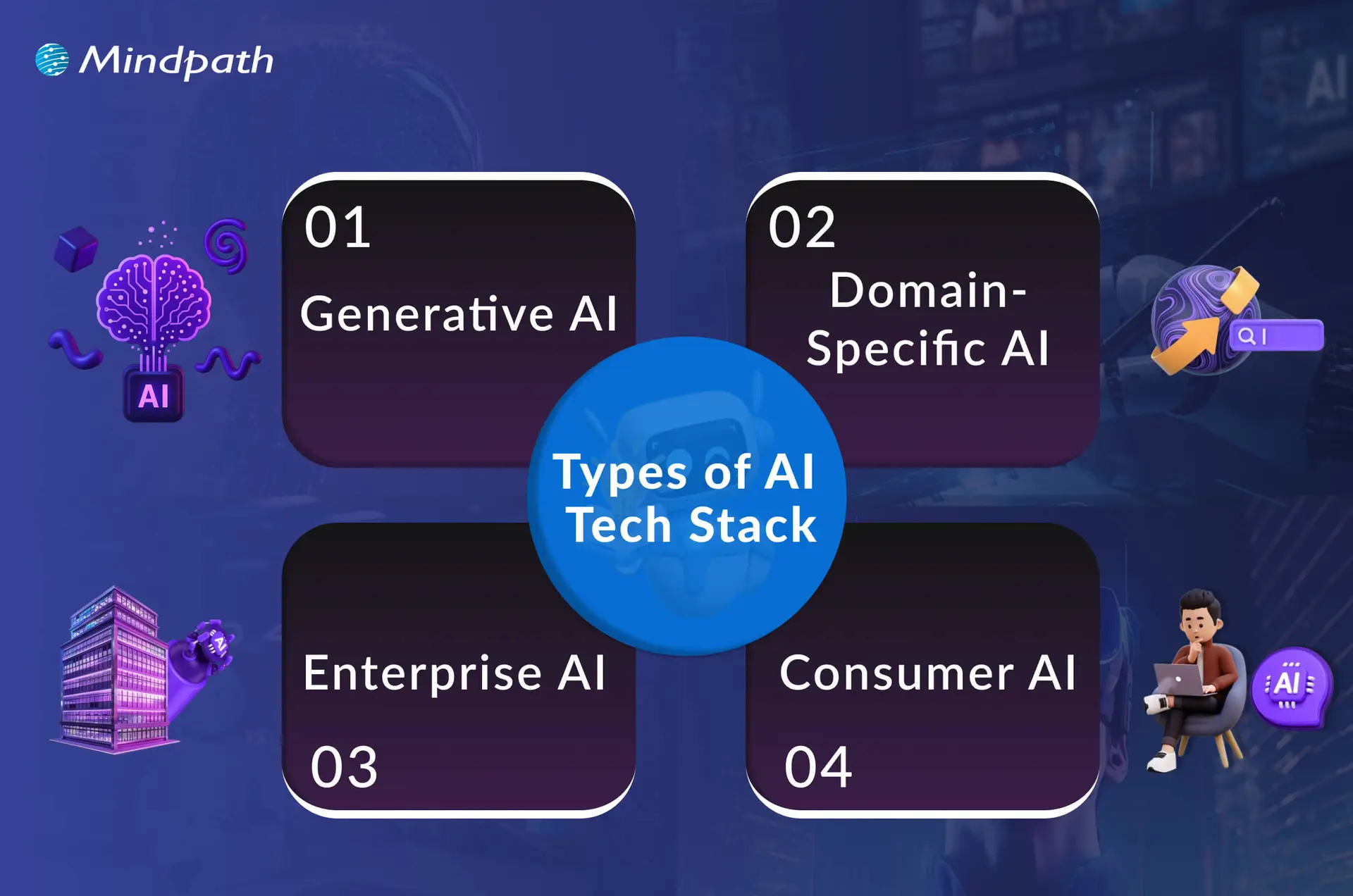
Types of AI Tech Stack

There are different types of Artificial Intelligence tech stacks, each designed to handle specific tasks and goals. Understanding these categories helps you choose the right tools for your project’s needs.

Types of AI Tech Stack

1. Generative AI

The GenAI tech stack provides the means to build intelligent systems that can produce new products like text, images, or audio. It blends together the powerful models available, the right data, and the handiest tools to streamline and improve development.

2. Domain-Specific AI

Some sectors require targeted stacks to accommodate specialized needs and regulations, such as healthcare, finance, and retail, that engage with trusted AI outcomes.

3. Enterprise AI

This works with large organizations and allows them to develop their own AI capabilities with respect to their internal processes and suitability for their growth. It integrates bespoke development, optimal operations, and seamless integration, providing an organized approach to their more complex requirements.

4. Consumer AI

It focuses on delivering users top-level, helpful, simple, and fast AI experiences they can engage with every day. Consumer AI taps into models, smart apps, and solid cloud or edge connections to produce a seamless experience for users.

Curious about where AI is headed? Head to our blog The Future of AI: How AI is Transforming the World to learn more!

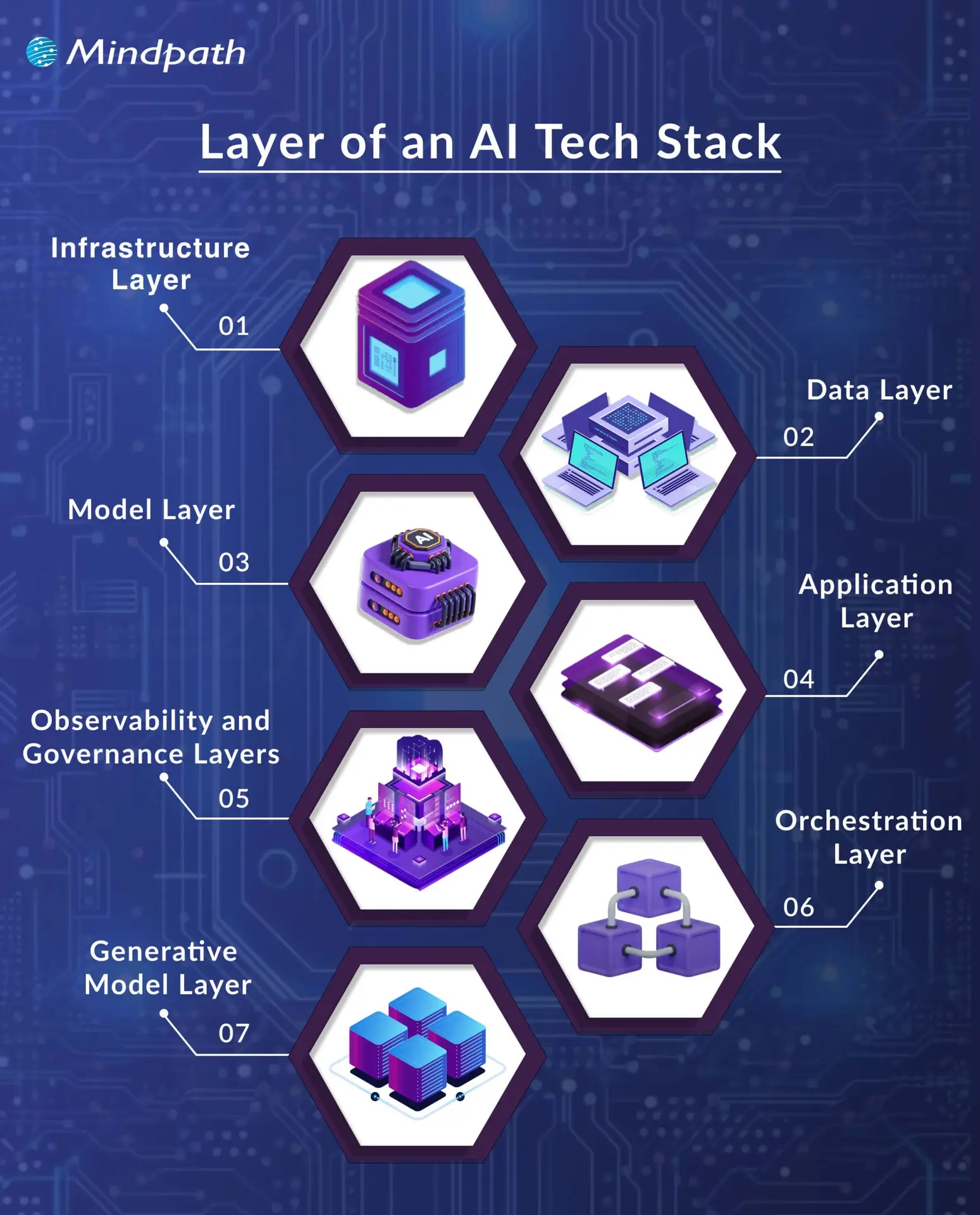
Layers of an AI Tech Stack

Building an effective AI system means understanding how each layer supports the next. These layers work together to turn raw data into smart, reliable applications.

layer of an AI tech stack

1. Infrastructure Layer

This layer forms the base of a modern AI stack, giving you the hardware and software needed to build and run AI systems. It covers everything from powerful processors to storage and operating systems that keep everything running smoothly. Without a strong foundation here, AI development would be slow and unreliable.

2. Data Layer

Good data is the heart of AI application development. This layer handles how data is collected, stored, cleaned, and prepared for use. Clean, well-organized data helps models learn accurately and perform better.

3. Model Layer

This layer is where you build and train the brains of your AI. It includes frameworks and tools that make it easier to design, test, and deploy models. A well-managed model layer speeds up AI app development and boosts results.

4. Application Layer

Here, all your hard work connects directly with users. This AI tech stack layer includes the user interface, APIs, and logic that bring your AI features to life. A clear application layer ensures people get real value from your AI.

5. Observability and Governance Layers

These layers help you keep an eye on how well your AI works and that it stays secure and fair. They cover monitoring, performance checks, and rules for data protection. Together, they build trust and long-term success.

6. Orchestration Layer

This part keeps every piece of your AI system working together smoothly. It manages workflows and automates tasks to save time. Proper orchestration means you spend less effort fixing things and more time improving them.

7. Generative Model Layer

This layer focuses on models that can create new content like text or images. It uses strong foundation models and customizes them for what your project needs. A good setup here drives innovation for creative AI solutions.

Struggling to choose the right AI model to power your AI-driven application? Explore our detailed guide on the top AI models to understand their capabilities, strengths, and real-world applications

Best Practices for Building an AI Technology Stack

Building an effective AI tech stack takes careful planning and the right approach for your goals. Following best practices helps you make smart choices and get the most out of your AI development tools and resources.

1. Define Your AI Goals Clearly

Start by knowing exactly what you want your AI tech stack to do. Clear goals help you choose the right tools and avoid wasting time on things you don’t need. It could be improving customer service, automating tasks, or predicting trends. When everyone understands the goal, the project runs smoother and stays focused.

2. Prioritize Good Data Early

Good AI starts with good data that’s clean, organized, and reliable. Make sure you have a strong system to collect and manage your data from day one. Accurate data helps your models learn better and make smarter decisions. Invest time in setting up clear data processes to get the best results.

3. Keep It Flexible and Automated

A flexible setup makes it easier to update or add new tools as your needs change. Modular systems let you swap parts without starting over, saving time and money. Use automation to handle boring, repetitive tasks, so your team can focus on important work. This approach helps you scale and stay ready for growth.

Wondering which generative AI tools are transforming modern AI application development? Learn more about the top GenAI tools for the future of AI development to strengthen your AI tech stack.

4. Ensure Security and Teamwork 

Keeping your AI secure should always be a top priority, especially when handling private data. Follow all rules and regulations to stay compliant and avoid risks. Make sure your team works well together by setting clear roles and sharing information. Strong teamwork and security build trust in your AI system.

5. Keep Improving Your Models

Your AI models should never stand still. Create a process to check how they perform and update them with fresh data. This helps your system stay smart and relevant as things change. Regular updates mean better results and a competitive edge.

6. Plan for Easy Growth

Think ahead so your system can handle more users, bigger data, and new features as you grow. A scalable setup saves you from costly rebuilds later. Make sure your tools and infrastructure can expand without any problems. This way, your AI stays strong no matter how much your business grows.

Not sure how to strategically implement AI beyond just the technical stack? Explore our detailed guide on AI in business strategy to understand how to turn AI capabilities into measurable business value.

Looking to Power Your Business with Smart AI Tech Stack?

A clear and well-structured AI tech stack makes it easier to turn complex ideas into reliable AI applications. By choosing the right tools and following smart practices, you can handle data better, keep your systems secure, and scale with confidence. A good foundation now means your solutions will adapt smoothly as your needs and goals grow.

At Mindpath, we offer trusted AI development services to help you build and maintain AI solutions that work in real business scenarios. Our team combines the best tools and strategies to design applications that learn, perform, and deliver results. Let us help you leverage AI to achieve your goals and maximize the value of your investment.

Hire ReactJS developers in California

California has emerged as the focal point of global innovation, alongside being the top destination for all the Hollywood glitz. Business owners in California want ReactJS developers to transform groundbreaking ideas into real-world solutions. If you want to hire ReactJS developers in California, you have found the right post. Let us learn the best way to recruit top-tier ReactJS developers for your next web project.

Are you looking to build modern and scalable web apps in California’s fast-moving, competitive market? Mindpath connects you with expert ReactJS developer in California  who turn your ideas into high-performance digital products.

Understanding the Tech Scene in California

California has become the hub of technological innovation in the world, with unparalleled advantages for different types of businesses. Big tech giants, as well as newly created startups, choose California as the ideal spot for growing their business. With Silicon Valley located in California, the Golden State attracts some of the brightest minds in tech. The job market in California offers promising opportunities to recruit skilled and experienced ReactJS developers.

Business owners want to hire React developer in California to capitalize on new technologies, best practices, and trends. Every business is competing to craft the most appealing user experiences, and there could be no better place than California for the competition. Another notable reason to focus on California is the easier access to various networking opportunities. Hiring managers can find a lot of companies and professionals to take references for finding ReactJS developers.

Missing out on the potential efficiency ReactJS offers for modern web apps? Discover the essential benefits of ReactJS development services to maximize your investment.

Unraveling the Relevance of ReactJS in 2025

Many critics have been advocating the use of new frameworks for frontend development to capitalize on new features. However, it is important to understand why ReactJS is still the top pick of web developers worldwide. How has a framework launched in 2013 managed to stay relevant till now? The distinctive features of ReactJS are the only reason why employers search for ReactJS developers’ hourly rates in California on different platforms. One of the most noticeable features of ReactJS is the component-based architecture, which allows the creation of reusable UI components.

The next prominent feature of ReactJS is the virtual DOM, which helps in optimizing updates, thereby offering a seamless user experience with faster rendering. Unlike other JavaScript frameworks, ReactJS supports optimization for search engines. As a result, your web projects become more visible to your target audience with ReactJS serving visually attractive interfaces and SEO appeal. 

React developers can also make the most of an extensive collection of resources in the globally accessible ecosystem, such as libraries, development tools, and support systems. Another notable reason for the ReactJS developer cost in California is the increasing popularity of React Native. ReactJS developers can use React Native to craft native mobile apps, thereby empowering businesses to have a digital presence on web and mobile platforms. 

Important Skills of ReactJS Developers

The primary theme of any guide on hiring React developers should revolve around identifying important skill requirements. Once you identify the essential ReactJS developer skills, you can measure the quality of candidates applying for React developer jobs. Awareness of the important React developer skills also helps hiring managers and employers determine the ideal compensation for developers. Every ReactJS developer must have a combination of the following technical and soft skills. 

1. Technical Skills of ReactJS Developers

The search for answers to “What skills should a ReactJS developer in California have?” will find the first stop at technical skills. React developers should have proficiency in React concepts as well as frontend web development. The core React concepts that a developer must know are props, React Hooks, and state management. ReactJS developers should be fluent in the use of popular state management libraries such as Context API and Redux. 

The list of technical skills of ReactJS developers also includes the fundamental web development technologies, such as HTML and CSS. On top of it, expertise in JavaScript ES6+ specifications is also a mandatory requirement for React developers. ReactJS developers should also know the best practices for using build tools and package managers.

The other important technical skills for ReactJS developers include knowledge of testing frameworks, routing libraries, and UI libraries. Version control with Git is also a mandatory skill of React developers that can promote easier collaboration with other teams. Business owners also look for additional skills like backend development expertise for full-stack roles and fluency in using cloud platforms. 

2. Soft Skills of ReactJS Developers

Employers need developers who are not only technically proficient but also capable of working in their organization. Every organization has a different set of beliefs, values, mission statements, and goals. Therefore, hiring ReactJS developers in California is not all about technical skills only. Hiring managers seek React developers who have soft skills like problem-solving, communication, adaptability, and attention to detail. 

Professional ReactJS developers have to work with a critical mindset and the ability to view problems from different perspectives. Communication skills can help developers capitalize on the support of experts from other teams while fostering collaboration. Adaptability ensures that React developers can cope with new changes while avoiding conflicts with emerging advancements and trends. Most important of all, developers should pay attention to detail to ensure efficient completion of projects. For instance, the ability to identify bottlenecks and errors before full deployment can help save a lot of money.

Seeking a development approach that reduces complexity while enhancing functionality? Read why React Web Development is ideal for modern projects.

Which Hiring Model Should You Choose for ReactJS Developers?

The hiring model or engagement model of a business for ReactJS developers represents the way in which the business uses developer services. The cost of hiring developers in California depends directly on the hiring model you choose for your business. Hiring managers can choose in-house developers, freelancers, contract developers or outsource projects to professional development services. Take a look at the implications of each hiring model to understand its value for your web project.

1. In-house ReactJS Developers

An in-house ReactJS developer is one who becomes an integral part of your company culture. The best thing about hiring an in-house developer is the assurance of direct control and deeper integration with your business. However, business owners have to spend a lot on hiring in-house developers, and the recruitment process takes more time. 

2. Freelancers and Remote Developers

Another choice for business owners to make the most of ReactJS is through freelancers or remote developers. Business owners can pick freelancers from top platforms, based on their skills and experience, to work on short-term projects or fill specific skill gaps. On the other hand, remote ReactJS developers in California can fulfill the responsibilities of a dedicated ReactJS developer in your organization. The best thing about freelancing and hiring remote developers is the opportunity to work with experts from all over the world.

3. Professional ReactJS Development Services

The most trusted solution to make the most of ReactJS in web development projects is a professional development service agency. Professional development agencies build teams to serve end-to-end solutions for ReactJS development and nurture their teams for years. Business owners must know that professional agencies offer the assurance of working with the best developers in the business. On top of it, California-based ReactJS development services can help in ensuring the reduction of management overhead. With the help of professional developers, your web projects can be completed efficiently without spending a lot.

Are you looking for a cost-effective way to scale your development team without compromising quality? Read the key Benefits of hiring remote developers to see how global talent can drive faster growth.

Strategic Roadmap to Hire ReactJS Developers

After learning about the essential prerequisites to hire React developers, business owners can follow a strategic roadmap for the hiring process. Some hiring managers might be worried about the special steps required for the strategic roadmap. Interestingly, you don’t have to think about any complex steps or requirements while hiring ReactJS developers. On the contrary, you can just follow the simple steps mentioned below to hire the best ReactJS developers.

1. Design the Job Description

The job description might seem like an outline of the job title, responsibilities, and skill requirements. However, many business owners don’t know that the top ReactJS talent in California or anywhere in the world will apply for jobs where the job description is appealing. Apart from thinking about the viewpoint of applicants, hiring managers must also consider the perspective of the business owner while creating the job description. 

While creating the job description, you should be specific about the project scope, complexity, and skills required for the job. The job description must clearly state which type of project you are hiring for, whether it is a single-page application or a complex SaaS platform. In addition, the job description must indicate the level of experience required for the job alongside the essential skills required. 

2. Choose the Ideal Platforms to Find Talent

The answers to “What skills should a ReactJS developer in California have?” can help you identify the type of React developer you need for your web project. However, there is no use in the answers if you don’t know where to look for the best talent. Where will you post the job listing? The foremost answer would obviously point to online job boards, such as Indeed and Glassdoor. Professional networking platforms like LinkedIn are also great places to begin your search for competent ReactJS developers.

Business owners can search for expert ReactJS developers through referrals as well as developer communities. Professional meetings of React developers, online forums, and conferences are also great places to interact with developers and identify ideal candidates. The easiest way to search for top-tier ReactJS developers is through professional development service agencies. You can find pre-vetted ReactJS developers with years of experience to work on your web project by choosing professional development services.

3. Effective Screening and Interview Process

The success of a hiring process depends a lot on the screening and interview process. Anyone who wants to know how to hire ReactJS developers must remember that the initial screening helps in filtering out a lot of undeserving candidates. The initial screening must involve a detailed review of the resume and portfolio of applicants. Some hiring managers also opt for a phone call to discuss the experience of candidates and their communication skills. The phone call might prove to be the best solution to measure the interest of candidates in the company and the job.

Once you are done with the screening process, the attention should shift towards the interview. Many business owners believe that the interview for ReactJS developers is all about asking technical questions. It is important to check the technical fluency of applicants through coding challenges and automated code reviews. Live coding sessions can offer the ideal platform to check the problem-solving skills of candidates. Interviewers should also dive deeper into technical topics while testing the understanding of React concepts, architecture, and JavaScript fundamentals.     

Want to improve your application’s speed without increasing development time or infrastructure costs? Discover how optimizing React performance benefits business owners looking for efficiency and ROI.

4. Check the Behavioral and Culture Fit

Candidates who can complete the technical interviews effectively are the best picks for your next web project. At the same time, you must know that the hiring process is complete only after checking the behavioral and cultural fit of a candidate. Business owners don’t want expert developers who are constantly at loggerheads with other teams or stakeholders. Therefore, behavioral fit is a crucial requirement for hiring ReactJS developers in any organization.

The interview process should also include comprehensive questions to test the soft skills of the candidate. Interviewers must evaluate the work style of applicants and the approaches they follow to manage feedback and challenges. Candidates who follow the company’s values and vision can be more useful picks for any business. 

5. Understand the Hiring Costs

The most prominent aspect of the hiring process that often goes unnoticed is the hiring cost. You might think that the answers to “What is the cost of hiring a ReactJS developer in California?” would focus primarily on the salary. The average annual salary of ReactJS developers in California varies from $60,000 to $113,000. Will your hiring costs be limited to the salary cost? The hiring costs will encompass other costs such as onboarding costs, cost of work equipment, and recruitment costs.

Looking for the Right ReactJS Developer in California?

The React developer hiring tips showcase that a few simple steps can help you find the ideal React developer for your next project. On the other hand, business owners might come across different challenges in the hiring process, such as a lack of clarity regarding job descriptions and hiring costs. 

Mindpath can help you hire the best ReactJS developers for your web projects with the assurance of transparent cost estimates and proven results. We have been one of the leading platforms for end-to-end IT solutions with specialization in ReactJS development services. Our web projects have helped our clients achieve their business goals on their desired terms. Partner with us today and create the most effective top-tier web applications for your business now.

Discover the ultimate guide to hiring Node.js developers in London. Learn about the skills, benefits, and cost factors involved in finding the right talent for your project.