Top 10 AI Tools for DevOps in 2026

Join our Newsletter!

Featured Posts

Support Is One Click Away

Home

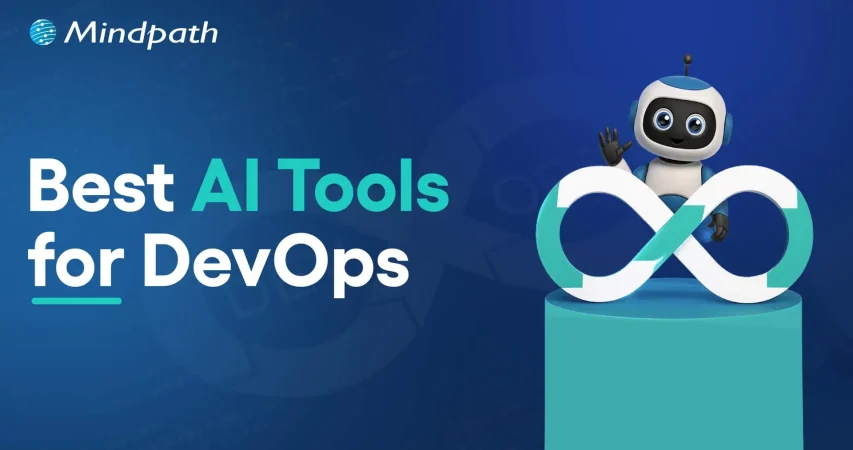
Top 10 AI Tools for DevOps in 2026

AI tools for devops

Top 10 AI Tools for DevOps in 2026

Artificial Intelligence has certainly surfaced as a transformative force in the DevOps realm. In the current times, DevOps teams and professionals have the opportunity to leverage top Artificial Intelligence tools in order to streamline the software development process while promoting resource optimisation. 61% entities have reported that the adoption of AI in DevOps has significantly boosted their delivery ability.

Both novice and experienced DevOps professionals need to familiarise themselves with the strategic role of AI for the DevOps approach. The insight is crucial to capitalise on the capabilities of AI and strengthen how the DevOps approach is adopted while developing software solutions. Let’s identify some of the major AI tools that are revolutionising DevOps at the moment.

Want to adopt AI in DevOps with full potential? Mindpath’s AI Development Services provide full assistance on how you can select and implement the right tool according to your specific requirements.

Best AI Tools for DevOps Teams

Artificial Intelligence has been gaining high prominence in the DevOps arena. Within a short span of time, diverse AI tools have emerged that have simplified the work of DevOps teams. These tools have immense potential to redefine the DevOps approach.

It is imperative to identify the AI tools for DevOps so that you can simplify diverse processes relating to automation, security, code development and many more. Some of the top AI tools for DevOps professionals include:

1. GitHub Copilot

GitHub Copilot is undoubtedly one of the most popular AI tools for DevOps experts that exists today. It can be used as an extremely useful tool that is powered by Artificial Intelligence, which simplifies coding. It is capable of making suggestions to coders. Moreover, it can also assist coders by providing valuable assistance in entire functions. As a result, by leveraging the specific tool in the DevOps landscape, it is possible for developers to write code in an efficient manner. Furthermore, by leveraging the specific tool, the possibility of making errors is substantially reduced. GitHub Copilot represents a significant step toward the future of AI in software development and DevOps workflows.

2. AWS Codeguru

The popularity of Amazon Codeguru has been skyrocketing in recent times. It serves as a perfect tool that DevOps professionals can use for the purpose of automating code analysis. A highlight of this particular artificial intelligence for DevOps is that it is capable of making intelligent recommendations relating to code reviews. Coders and software developers can also rely on the specific tool to gain insightful suggestions relating to the performance of applications. With the help of this top-grade AI tool, DevOps teams can locate issues and improve the quality of their code, and fully leverage the benefits of AI in their development workflows.

3. Datadog

Datadog is a popular AI-driven platform that simplifies the processes for development teams. It is certainly among the top DevOps for business tools that can be used for diverse purposes such as monitoring, security, and performance. This tool offers rich insights to DevOps teams in terms of the behaviour of the software application and the overall health of the infrastructure. It certainly serves as a holistic tool that can offer observability power in an end-to-end manner to DevOps teams. You can definitely capitalise on this tool to achieve goals relating to real-time observability, unified monitoring, and troubleshooting.

4. Splunk

Splunk has gained a solid reputation in the DevOps scene of the current times. It acts as a robust data analytics and monitoring platform that can be used by DevOps teams. By choosing the specific AI-based tool, you can get complete visibility across the full software development lifecycle. In case you have limited familiarity with the particular tool, you can consider partnering with top providers of DevOps services. DevOps teams can leverage Splunk for diverse purposes, including monitoring of performance, event and log monitoring.

5. Sysdig

Sysdig serves as one of the most comprehensive DevOps platforms available for software developers at present. It has been specifically designed for diverse purposes such as monitoring and security in containerised environments. A chief highlight of the tool is that it integrates operations along with top security and offers unified control and visibility to teams. Thus, throughout the software development lifecycle, DevOps professionals can have a solid insight into the process. Moreover, you can rest assured about compliance and monitoring aspects by utilising the tool.

Trying to keep up with the rapidly evolving DevOps landscape as we move into 2026? Explore the latest DevOps trends shaping modern development, automation, and AI-driven workflows.

6. Dynatrace

In the contemporary DevOps landscape, the Dynatrace tool has been playing a cardinal role. It acts as an ideal observability platform that can be leveraged by DevOps teams while developing top-notch software applications. You can take advantage of this app to simplify processes relating to monitoring, collaboration, and automation. Furthermore, Dynatrace offers a broad range of tools that can create value for you relating to resilience engineering, release validation, and automated remediation of problems. The powerful capabilities of the AI tool can empower your DevOps team while developing novel software solutions.

7. Ansible

Ansible is a popular open source automation tool that streamlines DevOps practices for professionals. This tool is primarily used for the purpose of streamlining as well as automating a broad range of IT tasks and processes. It significantly contributes to the DevOps process by focusing on areas such as configuration management, deployment of applications, and the provisioning of infrastructure. Moreover, DevOps teams can leverage the AI-based tool to perform orchestration. This is because Ansible facilitates the orchestration of complex workflows and supports the coordination of multiple tasks.

8. Harness

In the current DevOps realm, Harness has emerged as a holistic software delivery platform., By using the specific tool, your DevOps team can automate the full software development process. Therefore, starting from continuous integration and continuous delivery, you can automate ongoing tracking of errors. Harness has been recognised as one of the most useful tools for DevOps professionals. With the help of the AI tool, your DevOps team can certainly accelerate the software development process and minimize the possibilities of errors and mistakes.

9. Argo CD

In recent times, Argo CD has surfaced as a popular AI tool that can be used by DevOps professionals. It is basically a declarative continuous delivery tool. By using the tool, it is possible for DevOps teams to automate the management as well as the deployment of software apps within Kubernetes clusters. The fact that it is open source in nature enables DevOps teams to use it in a highly versatile and flexible manner. The specific tool offers a broad range of features to users, such as single sign-on integration, multi-cluster management, and many more.

10. Snyk

While adopting the DevOps approach to develop software solutions, one cannot ignore the security aspect. This is when the Snyk tool comes into the picture. Snyk is a developer-first platform that incorporates security elements into the software development process. You can utilize this specific AI tool in your DevOps process for scanning vulnerabilities in code, containers and open-source dependencies. This tool is well-suited for diverse DevOps teams since it perfectly integrates with various elements, such as developer workflow, as well as cloud platforms. You can leverage the tool since it offers actionable insights that can enhance the overall quality of your software solution.

Looking to overcome DevOps hurdles such as security risks, and scalability issues? Discover DevOps challenges and solutions that help organizations overcome these issues and improve operational efficiency.

Benefits of AI Tools in DevOps

The use of AI tools in DevOps processes can give rise to a host of benefits for DevOps teams. Some of the major benefits that you must be aware of include:

1. Better reliability

DevOps teams can leverage AI capabilities to create highly reliable software solutions. This is mainly possible by making use of the predictive analysis function of AI technology.

2. Faster Software creation process

Software development can be quite time-consuming. However, by leveraging AI tools, it is possible to automate diverse processes. It can ultimately speed up the software development process for teams.

3. Proactive resolution of issues

Issues can act as major bottlenecks while developing software applications. With the help of the right AI tools, it is possible for DevOps teams to proactively deal with issues. Therefore, the overall quality of the software solution can also improve.

4. Improved collaboration

By using AI tools or generative AI tools for DevOps, it is possible for professionals to enhance collaboration. Collaboration can certainly open up new and better opportunities that can strengthen the overall process relating to the development of software solutions.

Want to learn how DevOps can transform your business and accelerate your development processes? Discover the benefits of DevOps for a deeper understanding of its impact and value.

Final Words

In the dynamic DevOps arena, the use of artificial intelligence tools is considered to be a necessity. DevOps teams need to be aware of the top tools so that they can strategically use them while creating software solutions. The selection of the right kinds of tools can certainly streamline the software development processes for you. Some of the top tools that you must be aware of include GitHub Copilot, AWS Codeguru, Datadog, Splunk, Sysdig, etc.

We at Mindpath help businesses to make the most of the top AI tools for DevOps with our AI Development Services. Our professionals ensure that the perfect AI tools are chosen that are in line with your DevOps processes. Moreover, you can see how intelligent DevOps can strengthen the quality of your software solutions.


Related Post

Discover the top Node.js trends shaping digital technology in 2024, from AI and TypeScript to IoT and cloud computing. Explore how Node.js drives innovation!

Related Post

SaaS Development Services

Selecting the appropriate SaaS development services may seem like walking through a rapidly shifting technological environment. Businesses in the present day require solutions that are innovative, scalable, and flexible. You may end up comparing different providers, and each one of them claims to have unique expertise. The difficulty lies in finding a service that is consistent with your objectives and generates real value. It involves thinking outside the box and taking into account teamwork, problem-solving, and sustainability. So, how are you going to find a service that best suits your business vision?

The key is to find a partner that is knowledgeable about your growth strategy and technology needs. Successful SaaS development services engage both hands-on experience and progressive innovation. When you are seeking options, make sure you take into account compatibility with your team, development strategy, and scalability. You require a clear understanding of procedures, communication, and delivery schedule. This blog will help you make the right decision in your SaaS development journey. Let’s dive in together!

Want to choose the right partner to build scalable and efficient SaaS software for your business? Mindpath’s  SaaS Development Services provide expert developers and custom solutions to deliver growth-oriented applications.

Understanding Software-as-a-Service (SaaS) Development

SaaS development refers to the development, deployment, and maintenance of software applications delivered over the Internet as a service. These applications are cloud-based, unlike the conventional software. They are available to users either on a web browser or on an app interface. An effective SaaS development service makes applications to be scalable, secure and user-friendly. It concentrates on delivering constant updates and excellent user experiences across all devices.

SaaS development needs proper software engineering and cloud knowledge. Developers should also know what customers require and what is trending in the market. This understanding enables the creation of software, which is efficient, reliable, and sustainable. SaaS development focuses on cooperation, problem-solving, and constant enhancement in order to fulfill business objectives. It guarantees the product to expand with the user requirements without compromising the performance or security at any point.

The following are reasons why businesses today require SaaS development services:

1. Cost Optimization

SaaS reduces start-up infrastructure and the cost of licensing. Companies enjoy the benefit of stable prices and expenditure.

2. Scalable Architecture

SaaS software development is capable of scaling users and features in an easy way. The systems can easily adapt to growth and demand.

3. Anywhere Accessibility

The use of the cloud allows remote and distributed teams. Users can be able to work anywhere safely.

4. Rapid Deployment

The SaaS solutions take a shorter time to launch via browsers. This minimizes the setup time and fast-tracks time to value.

5. Simplified Maintenance

Service providers deal with updates, security, and performance. SaaS developers assist in lowering internal IT workloads.

6. Innovation Readiness

SaaS solutions are compatible with contemporary tools and artificial intelligence. This helps companies remain competitive and data oriented.

Key Steps to Choose the Right SaaS Development Services

The choice of SaaS development services requires a clear idea, planning, and business orientation. The most important steps to selecting SaaS application development services that facilitate long-term growth are as follows.

1. Define Your SaaS Idea and Objectives

Be clear about your SaaS concept, what problem it will address, and who your audience will be. Clear goals contribute to the alignment of attributes, functionality, and business objectives in the long run. This transparency enables the SaaS development services to create a product that is focused and efficient.

2. Research Potential Development Partners

Begin by doing research on credible SaaS development companies that have a successful track record with SaaS projects. Check their portfolios, case studies, and feedback from clients to determine credibility. This study can assist you in narrowing down partners who can provide scalable solutions.

3. Assess Technical Skills and Expertise

Evaluate the technical competence of the in-house development team in the front end, back end, and cloud computing. Ensure that they know the process of developing secure and scalable SaaS applications. Well-developed technical capabilities reduce the development risks and improve the overall performance of the product.

4. Review Project Management Practices

Understand how the company manages schedules, work and communication in the development process. Agile project management is flexible and responds more rapidly to changes. Analytical thinking will ensure consistency and quality in development.

5. Understand the Development Process

Inquire about their entire development cycle such as designing, testing, and implementation. Make sure that security and performance, as well as scalability, are considered at an early stage. A trusted Saas development platform enhances easier cooperation and implementation.

6. Check Industry Experience

Experience in the industry helps teams to know more about your business challenges. Experienced developers are able to foresee risks and recommend workable improvements. This results in improved custom SaaS development projects.

7. Prioritize Security and Compliance

Make sure that the development team has good security standards and compliance requirements. The process of development should include data protection and compliance with regulations. This ensures the safety of user information and builds up confidence in the product.

8. Evaluate Support and Make the Final Decision

Evaluate the capacity of the company to offer long-term support and maintenance. Constant improvement and interaction are key to successful products. Select SaaS development services, which reflect your growth plans and vision.

Ready to Transform Your Business with SaaS?

Selecting the appropriate SaaS development services will keep your company competitive, scalable and efficient. Successful SaaS products are the result of clear planning, technical expertise and strong project management. Using systematic steps assists in choosing partners who provide secure, reliable and innovative solutions. Having the right team ensures your software keeps up with the business requirements and enhances performance and user satisfaction.

At Mindpath, we provide professional custom SaaS development services based on your business objectives. We are a team of prolific developers and present scalable, secure, and user-friendly solutions. Our priorities are innovation, a smooth partnership, and continuous support to achieve optimal performance of your SaaS product. Mindpath is the choice that ensures a future-proofed platform that is designed to expand with your users and business vision.

low-rank adaptation (lora)

The landscape of artificial intelligence is advancing at a higher rate. And it has made it crucial to ensure efficient adoption of LLMs or Large Language Models.  Low-rank adaptation (LoRA) has emerged as an effective technique to fine-tune LLMs. Developers are now looking for scalable methods to customize AI models. Well, LoRA offers them a lightweight and cost-effective technique.

Furthermore, it has made the process of low-rank adaptation of LoRA in fine-tuning feasible, accessible, and efficient. In this detailed blog, we will explore more about the LoRA adaptation, understand what it is, and how it works. Besides, we will also discuss why it is an important method for fine-tuning LLMs in 2025. So, read on!

Struggling to figure out how advanced tuning methods like LoRA can give your business a competitive AI advantage? Mindpath’s AI development services help you harness LoRA-driven fine-tuning to build smarter, faster, and more efficient AI solutions.

Low-Rank Adaptation (LoRA) – An Overview

Before exploring more about low-rank adaptation (LoRA), let’s start with the basics, i.e., what is low-rank adaptation in LoRA? It is an efficient fine-tuning method that trains large LLMs to easily handle new tasks. The best part is, with this method, developers don’t need to change any parameters. Instead of updating all parameters. LoRA freezes the model weight and then injects a few new weights or trainable low-rank matrices. Fine-tuning with LoRA significantly lowers the number of trainable matrices without affecting the model’s base knowledge.

Importance of LoRA

Large language models such as ChatGPT are powered by massive neural networks. These networks have trillions of parameters. And during pre-training, these parameters are fine-tuned to make models work properly. While it makes AI models powerful, there is no guarantee that they will work efficiently for certain tasks. Adapting a larger language model to a specific use case, like custom support automation or legal documentation, requires full fine-tuning. For instance, if you want to fine-tune GPT-4, then you will have to work on around 1.8 trillion parameters. Besides, the process demands enormous infrastructure and GPU memory.

However, low rank adoption (LoRA) provides developers with a more efficient and smarter alternative. It allows them to inject small training parameters into specific layers. This, in turn, reduces GPU memory requirements. Furthermore, it leads to minimal disruption, lower costs, and quick training. If you think Low Rank Adoption is the only parameter-efficient method, let us inform you that QLoRA or Quantization LoRA is now gaining popularity in the industry. The reason behind this is that it combines high-precision computation with low-precision storage.

Low Rank Adaptation LoRA Example

Now, let’s have a look at a Low rank adaptation LoRA example in order to get a clear idea about the impact of LoRA. Let’s assume you want to fin-tune BERT. You may opt for a full fine-tuning. But for that, you will have to retrain nearly 108,314,886 parameters. Besides, the method is resource-intensive.

On the other hand, using LoRA, you can freeze the model’s original weights. It allows you to train only the necessary adapters related to your tasks. In fact, you can achieve the desired results just by training only 78,342 parameters. As a result, you will witness a significant reduction in training time as well as machine cost.

New to fine-tuning techniques like LoRA and unsure where to start? Explore Large Language Model (LLM) to build a strong foundation before diving deeper.

Low-Rank Adaptation (LoRA) Techniques

Now that you have a clear understanding of low rank adaptation (LoRA), let’s talk about the right way to use Low-Rank Adaptation (LoRA) Techniques. To ensure desired outcomes, developers can follow these steps.

1. Selecting a Base Model

 Begin by choosing a suitable AI model. You can opt for GPT-4 or GPT-3 as per your need.

2. Create Datasets

After the selection of a model, next, you need to collect quality datasets. Here, you must ensure that those datasets match your fine-tuning objectives.

3. Deploy LoRA Modules

While deploying LoRA adapters, choose the right attention layers. To avoid any issues, ensure a balance between performance and efficiency.

4. Rank Tuning

Select an appropriate rank. While smaller ranks can lower training costs, they can limit the model’s expressiveness. In general, the value can range between 4 and 46, based on the task.

5. Train Adapter Parameters

Here you need to be careful. First of all, freeze all the original parameters. Once done, you can start training low-rank parameters on your dataset. There is no need to train all parameters.

6. Process Validation

Use a separate validation set to monitor the performance of the model. Keep in mind that if the training data is limited and the rank is too high, this can increase the risk of overfitting.

7. PEFT Libraries Integration

To streamline the implementation process, developers can deploy libraries such as Hugging Face’s Parameter-Efficient Fine-Tuning library. It offers plug-and-play support.

Wondering how LoRA compares to traditional fine-tuning approaches? Discover OpenAI’s Fine-Tuning API to understand when efficient fine-tuning matters most.

The Hidden Cost of Full Fine-Tuning

To get a clear understanding of the importance of Low-rank adaptation (LoRA), it is critical to understand the exhaustive technique it replaces, i.e., Full Fine-Tuning.

A pre-trained large language model is essentially a huge network of weight matrices that encode the learned knowledge of the model. When developers go for a full fine-tuning, they feed the model specialized datasets. After that, the model adjusts each parameter to align with the new task.

This process involves calculating errors in the output and sending gradient updates through the entire network using an optimizer such as Adam. However, this technique comes with some critical drawbacks.

1. High Computational Cost

Fine-tuning a model with billions of parameters requires massive GPU memory. To store the AI model, optimizer stats, and necessary gradients, you will need enough VRAM, around hundreds of gigabytes.

2. Storage Inefficiency

Full fine-tuning creates a new model file. A 70B model, at 16-bit precision, can be around 140GB. Storing this size of file for every user who needs a custom AI model is unsuitable. That means maintaining separate models at large is nearly impossible.

3. Risk of Forgetting

Updating all weights to understand the new tasks can overwrite the existing capabilities of the model. For instance, it may not be able to translate language. This can significantly reduce the model’s versatility.

For years, AI model customization was exclusive to the AI labs that created them. However, things have started to change, all thanks to low-rank adaptation (LoRA). It has changed the rules of fine-tuning.

Curious about what LoRA actually optimizes inside modern AI models? Explore attention mechanism explained to understand the architecture behind efficient adaptation.

Why LoRA is an Excellent Option for Fine-Tuning LLMs?

Low rank adaptation (LoRA) is an ideal method for fine-tuning LLMs. After all, it brings efficiency, scalability and versatility to the process.

Here are some benefits of LoRA that prove why it is an excellent option.

1. Parameter Efficiency

As mentioned above, LoRA reduces the number of parameters. It makes fine-tuning possible utilizing low-resource hardware. Apart from this, it opens doors for independent developers to customize AI models.

2. Retain Pre-Trained Knowledge

By preserving base model weight, LoRA eliminates the risk of catastrophic forgetting. Using this, developers can ensure that a model’s general language understanding capability remains intact while expanding to new domains.

3. Scalable Fine-Tuning

With low rank adaptation (LoRA), fine-tuning is faster compared to other techniques. Developers can fine-tune multiple versions of models for various domains. There is no need to duplicate the entire model. As a result, version control will be easier.

4. Full Impact with Zero Latency

The weights of the adapter can be easily merged with the pre-trained models during inference. This helps maintain runtime performance without added latency.

5. Versatility

LoRA seamlessly integrates with popular transformer architectures such as BERT, T5, and GPT. That’s why it is a versatile fine-tuning solution in 2026.

Thinking about where LoRA-fine-tuned models create real business value? Discover generative AI use cases in diverse industries to see how efficient AI adaptation drives impact.

Final Thoughts

Low-rank adaptation (LoRA) is now transforming the process of fine-tuning large language models. By reducing the total number of trainable parameters while maintaining the model’s integrity, LoRA has made fine-tuning more scalable, cost-effective, and accessible. Whether you are developing a multilingual translator or a healthcare chatbot, it offers the precision and flexibility required to train AI for real-world applications.

Developing and fine-tuning AI models can get complicated. This is where Mindpath comes in. Our AI development services can help you in designing and fine-tuning models using low-rank adaptation (LoRA). While doing that, we also ensure that all the things fit perfectly into your workflows. Let us make your AI solution personalized and powerful.

AI in mobile app development

Artificial intelligence is rapidly transforming from a buzzword to a necessity for businesses in all industries. You must have noticed the impact of AI in mobile app development with examples of voice assistants like Google Assistant and Siri. Why is artificial intelligence useful for mobile app development? Mobile app developers can use AI to capitalize on a broad range of capabilities, including smart automation and better efficiency.

AI is no longer just about science fiction as businesses leverage it for different operations. The adoption of AI for developing mobile apps creates a new perspective on how companies pursue growth. Artificial intelligence not only simplifies the work of developers but also ensures seamless experiences for users. An overview of the benefits of AI in developing mobile apps can help you understand its significance. 

Using AI in mobile applications can be beneficial, but many businesses struggle to implement it. Mindpath’s mobile app development services will deliver full-proof planning and execution, ensuring innovation and efficiency in every project.

Understanding the Fundamentals of AI in Mobile App Development

Artificial intelligence changed many traditional assumptions about it once the world witnessed real-world use cases in everyday lives. AI can empower machines to think, learn, adapt and take decisions like humans by training on huge datasets. The scope for improving app development with AI revolves around the potential implications of different AI technologies. With the help of AI technologies like machine learning, computer vision and natural language processing, developers can enhance mobile apps.

You can create smarter and more intuitive mobile apps with artificial intelligence. Mobile apps with AI can use predefined instructions to analyze data and make intelligent decisions, thereby delivering exactly what users want. The best thing is that mobile apps can achieve all this without human intervention. 

The utility of different technologies in mobile apps can help you understand how AI revolutionizes mobile app development. AI mobile apps can leverage machine learning to learn from user interactions and improve their services according to user expectations. 

Developers can capitalize on the benefits of AI in mobile apps to deliver a broad range of functionalities to users. For instance, natural language processing can help chatbots in mobile apps understand user queries and deliver natural responses. AI mobile applications deliver more than just automation as you can rely on artificial intelligence to create next-gen apps that can adapt to the future. 

Also Read: Benefits of Mobile App Development

How Have Developers Used AI for Mobile Apps?

The distinct functionalities of AI technologies for mobile app development reveal crucial insights about growing popularity of AI-powered mobile apps. You can come across many new AI features in mobile applications used by millions worldwide. The functionalities of artificial intelligence in modern mobile apps can help you understand why AI-powered mobile apps are a necessity now.

1. Chatbots and Virtual Assistants

You must have seen or used chatbots on many mobile apps that make intelligent conversations with users. Chatbots and virtual assistants use AI for customer service without the involvement of humans. For instance, healthcare apps can rely on AI chatbots to provide accurate medical diagnosis on the basis of symptoms. Voice assistants like Siri and Alexa can interact with users and help them with different tasks, like searching information and setting reminders. 

2. Personalization of User Experiences

Developers have discovered that AI can play a major role in personalizing user experiences according to each user’s preferences. The use of AI tools for mobile app development ensures that artificial intelligence can analyze user behavior, past interactions and preferences to find personalized content and recommendations. As a result, your mobile app can be more engaging for users by delivering the relevant services. Netflix is one of the biggest examples of using AI for personalizing user experiences as it recommends content on the basis of your watch history.

3. Facial Recognition

Computer vision is one of the formidable AI technologies that have gained recognition in mobile app development workflows. An overview of new mobile app development trends reveals how facial recognition has become a necessity in modern apps. Developers can use computer vision in their mobile apps to recognize faces and patterns. AI-powered mobile apps can leverage facial recognition to offer better security. The best example of using AI for facial recognition in mobile apps is Instagram, which offers AR filters with computer vision.

4. Power of AI Automation

Developers cannot think about using artificial intelligence for developing mobile apps without incorporating automation. As a matter of fact, automation is the biggest strength of AI that helps in streamlining repetitive tasks. With AI taking care of manually intensive tasks, mobile apps can offer better efficiency and productive user experiences. You can notice the best example of AI automation in mobile apps in Gmail, which automatically classifies emails into different categories.

Want to streamline your operations and build smarter workflows using the latest tools? Explore our blog on mobile app development tools for a better understanding.

Why Should Developers Trust AI for Mobile App Development?

Artificial intelligence contributes to diverse aspects of mobile app development and offers numerous benefits. Businesses can rely on AI mobile app development experts to capitalize on these advantages and create cutting-edge apps. An overview of the advantages of AI in developing mobile apps can help you understand why AI-powered mobile apps are gaining traction.

1. Seamless Automation in Mobile Apps

Automation is one of the biggest advantages you can get from using artificial intelligence to create mobile apps. Your mobile app works on many background tasks, including data entry and content moderation, while delivering what the users want. Artificial intelligence can do the heavy lifting for your mobile apps by automating these tasks, thereby achieving better efficiency. At the same time, users can also get faster access to the app’s functionalities and services.

2. Creating Custom Experiences for Each User

Custom user experiences are the next big thing in mobile app development as user behavior trends favor personalization. Every mobile app user needs services and content personalized according to their behavior and preferences. The utility of AI in application development primarily revolves around creating apps that can adapt to each user and their needs. Artificial intelligence can empower your mobile app to provide personalized content and product recommendations to users.  

3. Smarter Decision Making

Mobile apps are not autonomous agents who can take decisions independently on behalf of customers. AI in decision-making can empower mobile apps with the capability to analyze patterns and detect trends or anomalies. The growing popularity of AI app ideas depends significantly on how artificial intelligence provides actionable insights. Mobile apps can use the insights to optimize strategies for customer engagement and pricing with the ability to make better decisions. 

4. Breaking the Language Barriers

Artificial intelligence also contributes significantly to expanding the global reach of mobile apps. Language is one of the biggest obstacles for the expansion of mobile apps in international markets. However, a reliable AI app development company can help you overcome these barriers as AI technology offers real-time language translation features in mobile apps. Artificial intelligence in mobile apps will emerge as a prominent trend to make mobile apps usable across all countries.

5. Enhanced Accessibility and Inclusivity

AI breaks the language barrier and also makes your mobile apps more accessible to different users. Users with disabilities can capitalize on voice recognition features to access all the functionalities in a mobile app. For instance, visually challenged users can access different features on your mobile app with speech-to-text typing and voice-controlled navigation. Artificial intelligence ensures that literally everyone can become a user of your mobile apps.

6. Improvements in Operational Efficiency

Artificial intelligence also helps in enhancing the operational efficiency of your mobile apps. You can rely on AI for boosting app performance with efficient resource allocation, performance monitoring and predictive maintenance tasks. It plays a crucial role in reducing downtime, optimizing backend processes and ensuring smooth functionality of your app. 

Most of the guides on how to develop an AI mobile app also emphasize how AI can optimize app performance. Artificial intelligence can help in optimizing battery consumption, reducing unnecessary background processes and managing memory usage. The enhanced operational efficiency translates directly into a more responsive and faster user experience.

Want to build high-performance digital products and stay updated on the latest mobile app development technologies shaping modern businesses? Check out our guide on mobile app development technologies to explore the best tools and frameworks for creating scalable, future-ready applications.

What are the Challenges of Adopting AI for Mobile App Development?

The benefits of AI for developing mobile apps create a strong case for developers to embrace artificial intelligence. However, developing efficient and powerful mobile apps with AI brings some formidable challenges. First of all, the development costs will be higher as developers will need expensive AI tools. Developers will also have to think about issues with data quality and privacy. On top of it, mobile processing power is limited and using AI can lead to problems with performance and battery life.

Final Thoughts

The uses of AI in mobile app development will introduce a new perspective on mobile app user experiences. Artificial intelligence not only contributes to automation but also enhances scalability and performance of mobile apps in different scenarios. You can notice how AI makes mobile apps more accessible to users by removing language barriers and introducing facial recognition and speech-to-text typing features.

Mindpath is your trusted destination for mobile app development services with the AI advantage. We have been creating mobile apps for clients from different industry verticals with the assurance of efficiency and enhanced productivity. You can rely on our experts to develop mobile apps that reflect your brand identity and achieve excellence on all benchmarks. Consult with our experts and find the best services for AI-powered mobile app development now.