ReactJS Web Development Guide: Real-World Project Examples

Join our Newsletter!

Featured Posts

Support Is One Click Away

Home

ReactJS Web Development Guide: Real-World Project Examples

Reactjs web development

ReactJS Web Development Guide: Real-World Project Examples

Are you looking forward to finding out what makes ReactJS web development incredibly popular among both developers and businesses today? All those smooth and dynamic websites and apps you use daily, many of them are built with ReactJS. If you’ve ever wanted to know how you can build something just as interactive and amazing, you’re in the right spot because ReactJS development unlocks so many possibilities for bringing your ideas to life.

ReactJS enables you to create UIs that will appear fast and be easy to use for users. Also, developers love that it is component-based and allows projects to progress from simple to complex as you grow them. The real-world project examples will display how individuals are leveraging ReactJS in different industries and how they solve problems using it. If you’re ready to bring your ideas to life, you’ll find plenty to learn in this blog.

Want to present your ReactJS project idea to the world, but don’t know how to bring it to life? At Mindpath, we offer ReactJS development services where our seasoned developers will provide full guidance from concept to launch, ensuring your project’s success.

What is ReactJS?

ReactJS is a popular tool that helps developers build the parts of a website that people see and use. It’s not a programming language, but a JavaScript library used for creating user interfaces. ReactJS makes it easier to build websites and apps that are fast and simple to manage. It uses Webpack to put all the code together and make sure everything runs smoothly in the browser. According to W3Techs, React is used by 7.1% of websites using a well-known JavaScript library, which is 5.8% of all websites.

ReactJS was first created by Jordan Walke, a software engineer at Facebook, in 2011. It was inspired by a tool called XHP that helped Facebook work with HTML better. ReactJS was first used for Facebook’s newsfeed, and then Instagram used it too. Today, it’s one of the most popular front-end tools.

Looking to future-proof your web applications with a technology that scales as your business grows? Discover the strategic top reasons to choose ReactJS for Progressive Web App development for business owners.

Benefits of ReactJS

When it comes to modern web development, understanding React JS benefits can help you decide if it’s the right fit for your projects. Many developers choose this library because it makes building user interfaces simpler and faster. Let’s look at some key ReactJS advantages that make it so popular.

1. Component-Based Structure

A big benefit of React development is its reusable components that make updates and maintenance simple. This keeps your project organized as it grows.

2. Faster Performance

React uses a virtual DOM that makes updates quick and smooth. This keeps websites and apps fast for a better user experience.

3. Cross-Platform Flexibility

With React Native, you can reuse your code for mobile apps too. This saves time when you want to create a React app for both web and mobile devices.

4. Easy to Learn and Use

Many developers choose web development with React because it’s simple to learn yet powerful. Its clear structure and helpful tools make building projects smooth for everyone.

5. Strong Community Support

ReactJS Web Development has a large, active community with helpful resources and tools. This makes building and fixing projects much easier for developers.

Wondering what separates a good ReactJS project from a truly successful one? Read the essential ReactJS Developer Skills for successful web projects to make smarter hiring and development decisions.

What are the Best Projects to Build with ReactJS?

React web development is trusted by businesses and developers to build many kinds of web apps that work smoothly and look great. It’s flexible enough to handle different goals, whether you want something simple or more advanced. You’ll see just how many possibilities open up when you choose ReactJS.
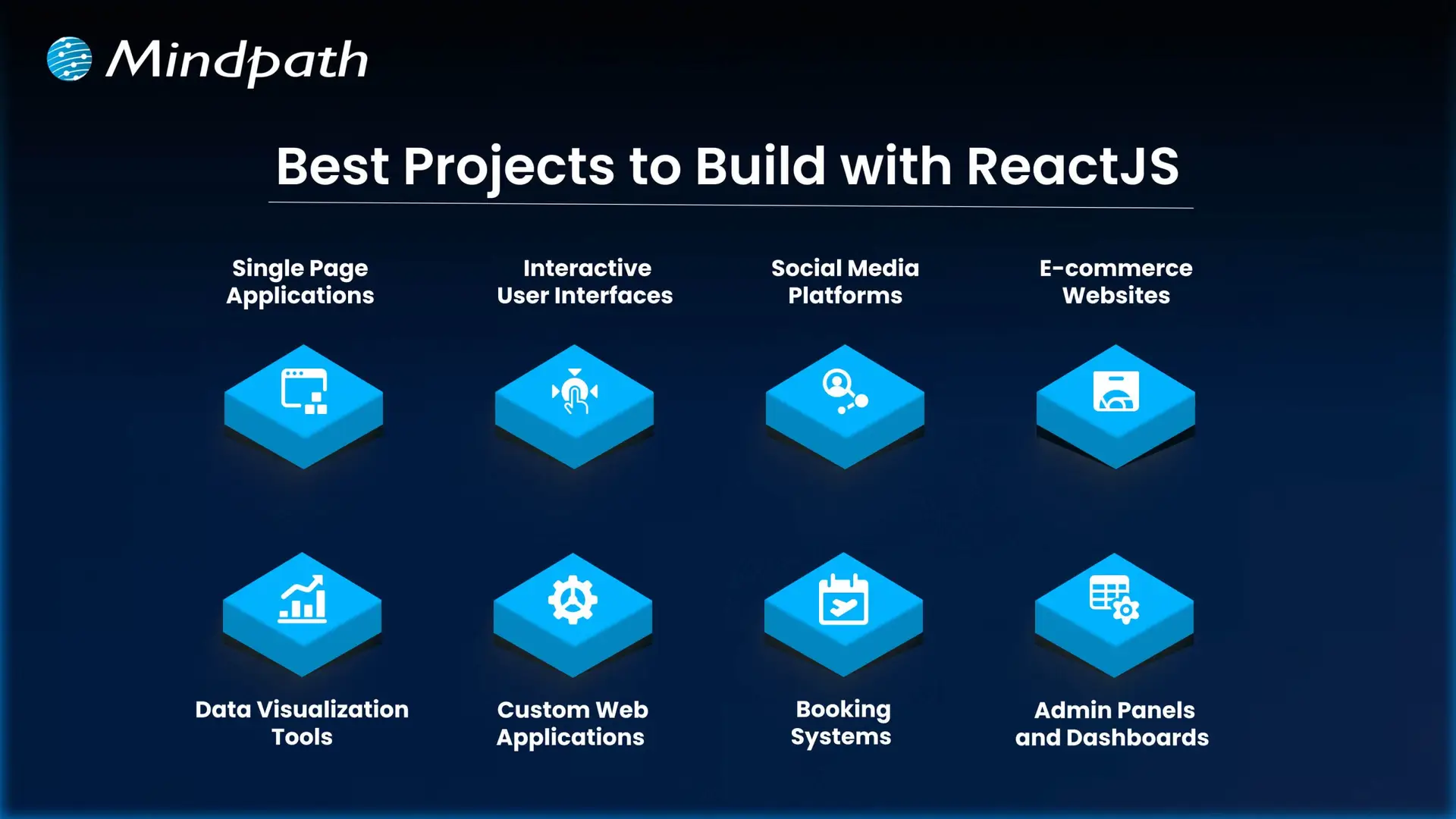
Best Projects to Build with ReactJS

1. Single Page Applications (SPAs)

SPAs load one main HTML page and update content without refreshing the whole page. This makes the user experience faster and smoother. Many developers use ReactJS Web Development to build SPAs like Trello or modern email platforms.

2. Interactive User Interfaces

Apps that need frequent user actions benefit from React’s component-based setup. It keeps interfaces dynamic and responsive to every click or input. Dashboards and social platforms are great examples of this.

3. Social Media Platforms

Social apps handle lots of data and need to stay quick and easy to use. React works well for feeds, notifications, and real-time chats. Platforms like Instagram and Facebook show how powerful it can be.

4. E-commerce Websites

Online stores have many parts, like product pages, shopping carts, and checkout steps. React helps keep all these features organized and easy to update. It’s a smart choice for anyone planning an online store.

Also Read: React vs Vue

5. Data Visualization Tools

React lets you build charts, graphs, and dashboards that help people see and understand data. These tools often need real-time updates as new data comes in. Using React makes complex data feel simple to explore.

6. Custom Web Applications

Businesses often need apps designed just for their work. ReactJS web development gives developers the tools to build custom features and workflows. This could be anything from task trackers to learning portals.

7. Booking Systems

Booking apps help people reserve flights, hotels, or services quickly. React keeps the process smooth with fast updates and clear forms. It’s trusted by many companies to handle large numbers of users at once.

8. Admin Panels and Dashboards

Businesses use admin panels to track performance and manage users or data. React’s reusable components make building these panels efficient. A well-built dashboard makes complex info clear and easy to manage.

Is your current team struggling to handle large-scale React applications? Learn why hiring a React Development Company might be the smarter choice. 

Real-World Examples of ReactJS Web Development

Many well-known companies rely on ReactJS Web Development to power their websites and apps. It helps them build fast, interactive experiences that keep users coming back. Here are some real-world examples of how ReactJS is used successfully.
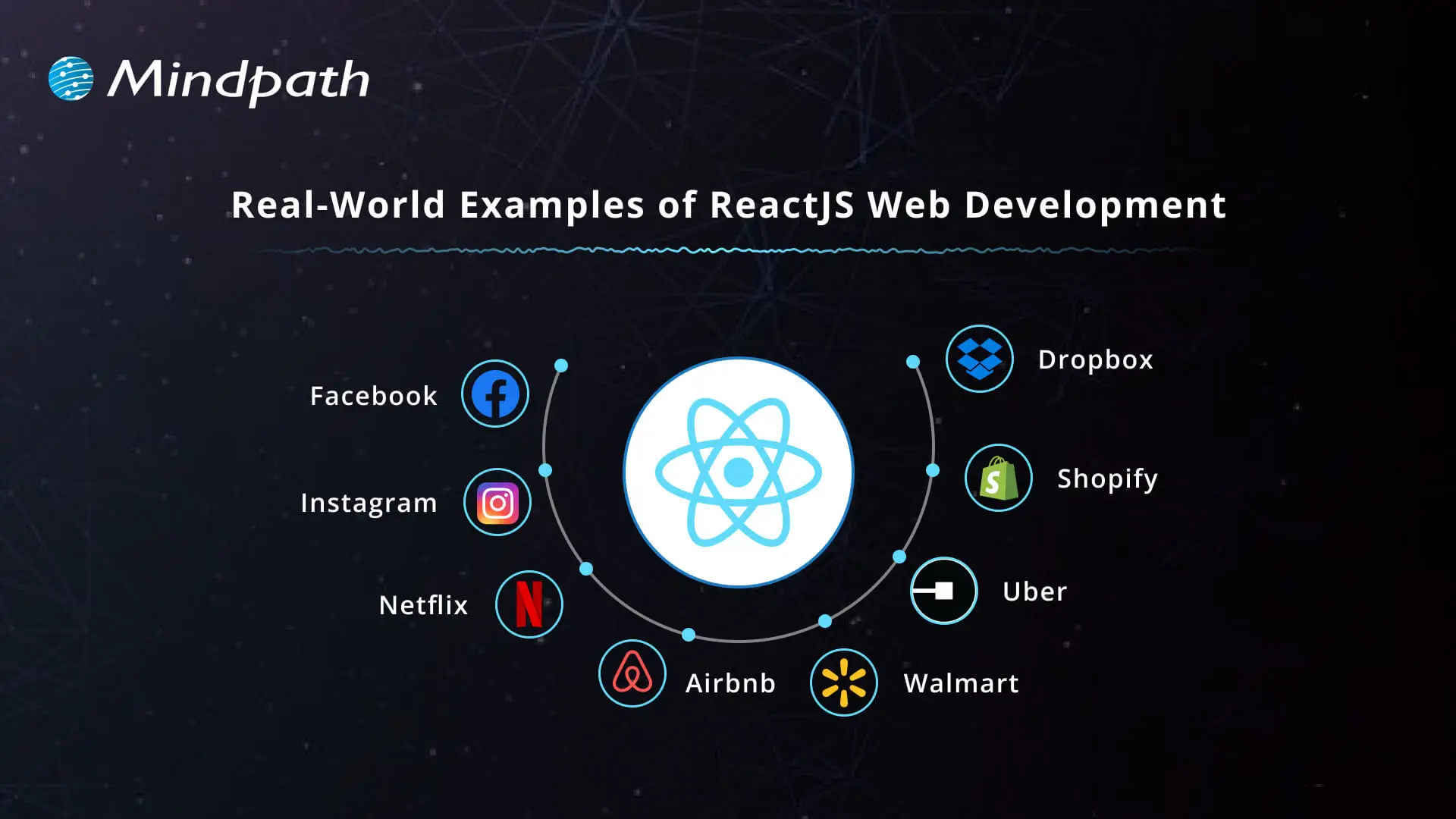
Real-World Examples of ReactJS Web Development

1. Facebook

Facebook uses React to handle its entire web interface. They also depend on React Native to keep their mobile app running smoothly.

2. Instagram

Instagram depends on React to manage its photo feeds, stories, and user interactions. React’s virtual DOM makes the app fast and helps deliver an easy browsing and sharing experience.

3. Netflix

Netflix uses React to manage its user interface, from browsing shows to streaming. React’s efficient rendering keeps the platform responsive and smooth for millions of viewers.

4. Airbnb

Airbnb relies on React to display listings, filters, and booking options. Its component-based structure makes the platform simple to update with new features.

5. Walmart

Walmart’s online store uses React to manage its huge product catalog and shopping features. React helps deliver a consistent shopping experience with fast page updates.

6. Uber

Uber’s web dashboard for drivers and riders uses React for live updates like ride tracking and driver status. React makes real-time changes visible without slowing down the app.

7. Shopify

Shopify uses React to build dynamic storefronts and checkout pages. This keeps the shopping process smooth for both store owners and customers.

8. Dropbox

Dropbox uses React to create an easy-to-use file storage and sharing experience. The interface stays clear and quick to navigate thanks to React’s reusable components.

Looking to build a high-performance frontend that scales with your business and delivers real ROI? Learn from our ReactJS for App Development guide to understand how React empowers business owners to make smarter, future-ready technology decisions.

Ready to Unlock the Power of ReactJS Web Development?

ReactJS web development has proven its value for businesses and developers who want faster, interactive, and scalable web apps. From single-page applications to custom dashboards, React makes it easier to build projects people enjoy using. Real-world examples show just how flexible and powerful this library can be. With React, your ideas can become smooth, engaging digital experiences.

At Mindpath, we have built successful React and React Native projects for clients in many industries. Our team has strong expertise in developing user-friendly web apps and mobile apps that work beautifully together. We focus on clean code, reusable components, and performance that scales with your business. Let Mindpath be your trusted partner for professional ReactJS development services that bring your ideas to life.

Frequently Asked Questions

1. Is ReactJS suitable for beginners who want to start web development?

Yes, ReactJS is considered beginner-friendly due to its simple structure and component-based approach. It allows learners to build small parts of an application step by step. With strong community support and learning resources, beginners can gradually move toward building complete, real-world projects.

2. How does ReactJS help in handling large and complex applications?

ReactJS simplifies complex applications by breaking them into smaller, reusable components. This modular structure makes it easier to manage, update, and scale applications over time. It also improves collaboration, as different teams can work on separate components without affecting the entire system.

3. Can ReactJS be used for both web and mobile app development?

Yes, ReactJS supports web development, while React Native allows developers to build mobile applications using similar concepts. This shared approach helps save time and effort, as parts of the logic can be reused across platforms, making development faster and more efficient.

4. What kind of businesses benefit the most from ReactJS development?

Businesses that require fast, interactive, and scalable user interfaces benefit greatly from ReactJS. This includes e-commerce platforms, SaaS products, social media apps, and dashboards. Its flexibility makes it suitable for both startups aiming for quick launches and enterprises managing large-scale applications.

5. How important is performance optimization in ReactJS projects?

Performance optimization is essential in ReactJS to ensure smooth user experiences. Techniques like using the virtual DOM efficiently, optimizing component rendering, and managing state properly help maintain speed. Well-optimized applications reduce load times and improve user satisfaction, especially in high-traffic environments.


Related Post

Discover the ultimate guide to hiring Node.js developers in London. Learn about the skills, benefits, and cost factors involved in finding the right talent for your project.
Explore top projects built with ReactJS, from personal websites to SaaS apps. Learn why ReactJS is ideal for scalable, high-performance web solutions.

Related Post

Web development tools

In this competitive and evolving digital landscape of 2026, it has become crucial for businesses to stay ahead of the curve to make themselves competitive. Whether you are an established business that wants to scale operations or a startup launching new products, selecting the right web development tools can make or break your digital success. 

Modern web app development tools are designed to enhance user experience, streamline workflows, and allow developers to create a perfect website as well as an application. In this blog, you will explore the best web dev tools that can significantly shape your business success in 2026. We will cover everything from front-end frameworks to AI-powered Web development tools and understand their importance in web development.

Looking to implement the latest web development tools to enhance your digital presence? Mindpath’s web development services can help you with professional support and customized solutions.  

Importance of Modern Web Development Tools

We all know that the digital experience has become a primary touchpoint between customers and businesses. In 2026, users expect an intuitive interface, lightning-fast performance, and effortless integration. And all these things can be achieved by using the right web development tools. Here are the major benefits of using these tools: 

1. Increased Productivity

By efficiently automating multiple repetitive tasks and providing users with features such as code generation, these tools can reduce development time. As a result, developers can focus on problem-solving and innovation. 

2. Better Collaboration:

Web development tools are designed to facilitate seamless teamwork among designers, developers, clients, and other stakeholders. This helps ensure a coordinated and cohesive web development approach. 

3. Enable Scalability

Most web dev tools are designed for cloud integration and modular development. They help businesses to scale their website and apps easily based on growing demands while ensuring a consistent user experience and performance. 

4. Quality and Reliability

These tools come equipped with integrated testing and debugging tools. As a result, developers can easily detect and fix errors early, leading to more reliable and stable web applications. 

5. Enhanced Security

Tools like frameworks provide businesses with built-in security measures to protect web applications against threats like CSRF, XSS, and SQL injection. For example, the user authentication system of Django and the CSRF token protection feature of Laravel. 

6. Cross-Platform and Cross-Browser Compatibility

Modern tools support cross-platform and responsive design features out of the box. This helps ensure a smooth user experience across multiple devices and browsers. 

It can be said that web development tools are not just facilitators of design and coding. In fact, these are strategic assets that have the ability to transform how businesses approach web app development.  

Now that you understand the benefits, let’s talk about the web app development tools that are the source behind these benefits and are reshaping the development process. 

Wondering how to plan your web development process step by step for maximum impact? Check out the web app development roadmap for 2026 to learn how each phase fits into building a successful web application.

Top Web Development Tools to Consider in 2026

Below is the list of top tools for web development in 2026. All the tools are divided into different categories, spanning IDE, front-end, back-end, and more for an easy understanding. Have a look. 

Best Front-End Tools for Web Development

Let’s begin the list with web application development tools that play an important role as they shape what customers see on a website. These tools help furnish and decorate your website with the right elements. 

1. React

A product from Facebook, React is an ideal choice among developers to create complex and large-scale applications. It is based on a component-based architecture and facilitates code reusability, which is vital for long-term projects and large teams. React can handle various critical tasks such as static site generation, server-side rendering, APU routes, and more, leading to better SEO and amazing performance. 

2. Vue.js

It is one of the best tools for website development and is well-known for its gentle learning curve and progressive adoption. Vue is an ideal option for businesses looking for a smooth integration of a front-end framework into their existing projects. The tool can adapt to your unique project requirements. The speed of Vue.js helps create a smooth user experience during web browsing. 

3. AngularJS

Developed by Google, it offers a perfect solution for web development as well as testing. Some attractive features of AngularJS are its support for client-side Model-View-View-Model and Model-View-Controller architectures. Besides, it also offers two-way data binding, UI with HTML, and more. 

4. Svelte

If performance is your priority, then Svelte can be a game-changer for your project. It is an efficient compiler that converts code into efficient and small JavaScript bundles. That means the browser’s workload will be low, resulting in faster load times and a seamless user experience. 

5. Tailwind CSS

It helps developers to create custom UI elements without spending time on writing multiple CSS codes. This eliminates issues like breakages caused by CSS code changes. Its classes are optimized for responsiveness, making it easier to develop mobile-friendly layouts. 

Thinking about which frameworks or expertise your project really needs? Check out the top reasons to hire ReactJS developers for your next web project to understand why React remains a powerful choice for building responsive web apps.

Best Back-End Tools for Web Development

The back end is like the engine of your website or web apps, managing server logic, user authentication, and data. With the right back-end web development tools and technologies, you can ensure the scalability of your product. 

1. Python

It is one of the easiest back-end programming languages to use, offering simple syntax and support for multiple major languages such as Java, C, and more. Besides, it can help with data analytics and visualization. What’s more? It offers robust web frameworks such as Flask and Django. 

2. Node.js

For organizations creating real-time applications, microservices, and APIs, this back-end tool remains a top choice. Its non-blocking I/O and event-driven model make Node.js efficient at managing concurrent requests, which is crucial for developing data-intensive and modern web apps. 

3. PHP

It can be used with multiple CMSs such as Joomla, WordPress, and more. PHP can be embedded with CSS, HTML, and other front-end systems. It supports integration for various DBs like MS SQL Server, Oracle, and MYSQL. PHP is free to use and scalable. 

4. Express.js

It is one of the top-rated web development platforms created with Node.js and powered by Google V8 Engine. Using this, developers can create hybrid, multi-page, and single-page web apps. Express.js is popular for offering faster I/O, managing multiple servers, routes, and handling asynchronous requests smoothly. 

Want to build a complete website without coordinating with multiple developers? Explore our post on full-stack development for web projects to discover how a full-stack approach simplifies your workflow and accelerates delivery.

Best Integrated Development Environments

For developers to handle fast development and deployment of web apps and handle large codebases, IDE web development tools and technologies play a major role. Some of the best options are: 

1. Visual Studio Code

VS Code is an open-source and widely used IDE that allows developers to run and debug code. Developed by Windows, it supports multiple languages, including Python, PHP, and C++. Besides, it has built-in support for NodeJS, TypeScript, and JavaScript. Furthermore, it comes with IntelliSense to offer intelligent code recommendations. 

2. GitHub’s Atom

It is an open-source desktop editor and supports multi-cursor editing, cross-platform development, and offers built-in Git control. Atom is created using HTML, Less, JavaScript, and other web technologies. 

3. NetBeans

This is an excellent IDE for HTML5, CSS, PHP, and Java. The platform supports all major operating systems, such as Linux, Windows, Solaris, and Mac. NetBeans has a vast plugin support and facilitates code refactoring. Developers can use the FindBug tool to write clear code. 

4. Eclipse

This free IDE for Java development supports Maven and JUnit. Besides, it comes with the necessary tools for web, testing, data, and performance. Additionally, Eclipse supports multiple plugins, languages, code refactoring, and can automate syntax validation.  

5. PyCharm

It is an excellent IDE for web development projects based on Python. However, it also supports other major programming languages like Node.js, CSS, HTML, JavaScript, and more. Besides, PyCharm provides developers with out-of-the-box support for PyTorch, Gitm, FastAPI, Flask, Hugging Face, and more. It offers a detailed code analysis, an integrated unit tester, and a graphical debugger, reducing hassle for teams. 

6. WebStorm

Developed by JetBrains, it is designed for web development. It can smoothly handle client-side and server-side Node.js development. Apart from JavaScript, it also supports Vue, HTML, React Native, CSS, Angular, and React. The platform offers features like auto-completion, Spy.js tools, smart code insights, and more. 

Integrating CI/CD into your development cycle can boost productivity. Explore CI/CD Pipelines to discover tools and techniques for seamless automation.

Best Web App Testing and Debugging Tools

Delivering high-performing and bug-free web apps is crucial. The right testing tools can help ensure speed, quality, and compatibility across browsers and devices. Some of the best testing and debugging tools are: 

1. Selenium

Selenium is a top-choice tool for automated browser testing. The tool supports various frameworks and programming languages, helping developers create test scripts for regression testing, continuous integration, and functional validation.

2. Sentry

If you are looking for a tool for real-time error tracking, Sentry would be an ideal option. It helps developers detect and fix bugs before they can affect the user experience. The tool offers real-time alerts and detailed context, reducing the effort and time required to maintain a healthy web app. 

3. BrowserStack

It is a cloud-based web and app testing platform that enables teams to carry out cross-browser tests on real devices. It can also be integrated into other tools like Jenkins, Selenium, Firebase, Travis CI, Gitlab, and more. BrowserStack ensures compatibility and consistent performance across screen sizes, browser versions, and operating systems. 

4. Katalon Studio

It is an all-in-one testing solution that automates the process. It supports testing of web, desktop, API, and mobile applications. With effortless CI/CD integration, built-in templates, and smart analytics, Katalon Studio simplifies testing while accelerating quality assurance workflows. 

5. Lighthouse

It is an open-source website auditing tool by Google that evaluates web performance, SEO, and accessibility. After analyzing the components, it offers actionable insights to optimize site performance quality and user experience. 

By integrating these tools into the workflow, you can easily detect issues early and develop trust among users, offering reliable and seamless digital experiences. 

Are your web apps providing the best possible experience for users? Discover UI/UX design trends in web application development to learn how modern design trends can enhance usability and engagement.

Website Optimization and Performance Tools

In 2026, performance optimization of web apps is no longer an optional thing; it is a major priority for creating user-friendly, responsive, and fast digital experiences. Here are some tools web developer utilizes to optimize load times, diagnose issues, and optimize overall performance. 

1. Google PageSpeed Insights

When talking about the best tools for website development, we can’t ignore this tool. It evaluates the content and structure of a website and offers effective suggestions to increase speed, Core Web Vitals, and mobile usability. It is an ideal tool for developers focused on performance and SEO. 

2. Webpack

This is a powerful module bundler that streamlines code optimization and asset management. Webpack supports modern JavaScript frameworks and increases load times by reducing redundant code.

3. GTmetrix

GTmetrix provides developers with in-depth reports on website load behaviour, highlighting issues along with optimization opportunities. With historical tracking, performance scores, and waterfall charts, it helps optimize every layer of web applications. 

Choosing the right technologies is crucial for building a high-performing web app. Explore the tech stack for your web app success to discover the best tools and frameworks for your project.

Top-Rated AI Tools For Web Development

As AI is evolving rapidly, it is changing how developers handle web development projects, making them more efficient and productive. Using these, it is possible to leverage AI to build web apps and integrate AI into the web apps.  

1. GitHub Copilot

GitHub Copilot is a popular AI-powered coding assistance that provides users with real-time suggestions, code completion, and more. Created in partnership with OpenAI, it comes with a vast codebase that assists developers in writing code faster, increasing their productivity. It also streamlines the coding process. 

2. Lovable

This AI-powered platform lets users create web apps and websites utilizing text prompts. That means one can create websites without any coding experience. It can generate a complete code base to create landing pages, tools, authentication systems, and dashboards. However, users with coding experience can edit the generated code to customize features and designs. 

3. OpenAI Codex

Developed based on Codex-1, OpenAI Codex is designed specifically to simplify various software engineering tasks. For instance, software developers can use it to generate code or review pull requests. It can apply changes to your coding environment directly through its intelligent automation feature.

4. Wix ADI

Wix Artificial Design Intelligence has revamped the web design process. It can create customized websites automatically and quickly based on the inputs by users. First, it asks some questions to understand users’ preferences, and then, with the help of AI, it creates a fully functional website within a few minutes. 

5. Applitools

This tool utilizes visual AI and automates the testing process of web applications, helping developers ensure that apps are functioning properly across different browsers and devices. Its smart mechanism compares the visual elements of an app with the baseline images and detects discrepancies. 

These advanced AI-powered web development platforms simplify design, coding, and testing, making web app development smarter, more accessible, and faster. 

Looking to build a website that drives engagement and conversions? Explore web design and development services to discover how professional design and development make an impact.

Top Web Development Trends to Watch Out For

Some top web development trends that may change the landscape in the future are: 

1. Gesture and voice-based interfaces

2. AI-assisted development and design

3. Integration of real-time personalization systems

4. Blockchain-based user authentication

5. Massive adoption of no-code/low-code platforms

6. Increasing popularity of Headless CMSs

7. More focus on Core Web Vitals and Web performance

Businesses that are ready to embrace these changes will be able to deliver an amazing digital experience, establishing a robust online presence. 

Want a web application built to match your workflow perfectly? Discover our custom web development services to learn how we create bespoke digital experiences.

Building Your Path to Digital Success in 2026

In 2026, creating a perfect website is not just about focusing on beautiful UI; it’s also about ensuring scalability, speed, seamless user experience, and selecting the right web development technologies. Whether you are creating a real-time web application or a content-rich website, choosing the right combination of developer-first technologies and front-end frameworks will be the key to success. 

When it comes to creating world-class and high-performance websites, Mindpath stands out as a trusted web development company. With years of experience in this field, we combined modern design, long-term strategies, and top web development tools to offer you the solutions that can support your business growth. We have the expertise required to transform your unique digital vision into a reality. Are you planning to revamp your website or create a new one? Mindpath can be your reliable development partner in 2026.

Web accessibility guidelines

Your website acts as the gateway to your business’s digital world. It is the first impression that visitors get. However, for millions of users around the globe, those with motor, visual, cognitive, and hearing impairments, that door can remain locked if your website is not completely accessible. This is where web accessibility guidelines become pivotal. 

For WordPress website owners, implementing the web accessibility standards not only enhances usability but also increases SEO, brand reputation, and user engagement. In this detailed blog, you will learn more about web page accessibility and explore important accessibility principles and effective strategies. Besides, we have also mentioned some useful tools that can help you ensure your site meets the necessary standards. 

Looking to make your website accessible for your visitors and users? Mindpath’s WordPress development services help you create a user-friendly website that will meet accessibility standards and deliver seamless results.

Web Accessibility and Its Importance

In simple words, it means designing and creating websites that can be easily used and navigated by every user, including users with disabilities. Web accessibility ensures equal access to functionality as well as information to all, aligning with various legal mandates and standards, such as: 

1. The Americans with Disabilities Act or ADA

2. Section 508 of the Rehabilitation Act of 1973 (USA)

3. The Rights of Persons with Disabilities or RPWD Act (India)

4. The European Accessibility Act 2019

5. Equality Act 2001 (the United Kingdom)

6. Web Content Accessibility Guidelines 2.1 and 3.0

Accessible sites don’t just benefit individuals with disabilities or temporary impairment. Such websites tend to rank higher in SERPs due to their enhanced usability and semantic structure. 

Web Accessibility Standards- POUR Principles

Apart from the specific requirements, businesses should familiarize themselves with the key principles of web accessibility guidelines. These are known by the acronym- POUR. 

1. Perceivable

The interface and content of websites should be presented in such a way that every user can perceive or interpret, regardless of their disabilities. 

2. Operable

Visitors should be able to interact and navigate with websites utilizing different input methods, including assistive devices and keyboards. 

3. Understandable

Content as well as functionality of a website should be consistent, clear, and comprehensible for users with different cognitive levels. 

4. Robust

Websites should be compatible with various modern assistive technologies. This helps ensure long-term reliability and accessibility. 

Is your WordPress site truly secure from cyber threats and vulnerabilities? Find out how safeguarding WordPress vulnerabilities can help you protect your website and maintain your customers’ trust.

Accessibility in WordPress: Why it Matters?

WordPress powers a major portion of the web, making it an important platform for accessibility. Whether you have an e-commerce platform, a blog site, or a business website, you should carry out a web accessibility test and ensure it meets all the standards. WordPress accessibility is crucial for many reasons, like: 

1. Aider Audience Reach

By creating a website with an inclusive design, you can make it accessible for individuals with disabilities. Besides, it shows your business supports disabled people and understands their needs. 

2. Legal Protection

Following the required accessibility standards, you can avoid penalties and lawsuits. 

3. Better SEO

All search engines favor accessible WordPress websites with proper alt text, semantic structure, etc. 

4. Establishing Reputation

Digital accessibility has become an ethical issue. If you are not following the web accessibility guidelines, it can affect the reputation of your business.

5. Better UX

With the help of various accessibility features, you can boost usability for every user, including those with physical limitations and mobile visitors. 

Want to ensure your WordPress site is running on the right PHP version for top performance and security? Check out our guide on WordPress PHP compatibility to keep your site efficient, stable, and future-ready.

Some Common Web Accessibility Barriers

Before diving into the solutions to meet accessibility web standards, it is important to understand some common accessibility barriers that can significantly affect user experience while limiting your website’s inclusivity. 

1. Use of incorrect and missing Alt Text of images

2. Non-descriptive link text like “read more” or “click here.”

3. Poor color contrast between the background and the text

4. Use of inaccessible forms, lacking keyboard support

5. Keyboard navigation problems

6. Lack of transcripts or captions for multimedia

7. Wrong heading structure

8. Auto-play content with missing controls

Recognizing these issues is the first step toward crafting a more accessible and inclusive WordPress website that can serve every user ethically as well as effectively. 

Are you struggling to decide which platform will best support your business goals? Compare Magento vs WordPress to discover which option offers the features and flexibility your website needs.

Strategies to Boost Your WordPress Website Accessibility

Now that we have understood the importance of web accessibility and common barriers to it, it’s time to move to the practical solutions. Increasing your WordPress site’s accessibility doesn’t require a complete transformation. It can be achieved through the right web accessibility tool, thoughtful adjustment, and an inclusive design. Here are actionable ways to make your website more accessible and compliant. 

1. Opt For an Accessibility-Ready WordPress Theme

When working on web accessibility, always begin with a solid foundation, i.e., themes. You should always choose an accessibility-ready theme. Such themes follow the web page accessibility guidelines, such as keyboard navigation, semantic HTML, and more. 

Some popular accessible WordPress themes you can try are: 

  • Monument Valley
  • Gutenix
  • Neve
  • Icelander
  • OceanWP 
  • Astra

While choosing a theme, always check for WCAG compliance and evaluate the performance with a screen reader. 

2. Proper Heading Structure and Semantic HTML

Semantic HTML allows assistive technologies to properly interpret your website content. Ensure that all the headers are used in a logical order, like H1, H2, H3, so that users can easily understand the page structure. Here are some best practices to keep in mind: 

  • Only use one heading per page, generally the title.
  • Use proper headings for main sections and subsections
  • Don’t skip heading levels 

You can use a web accessibility tool like Axe to check heading structure and make changes accordingly. 

3. Install Right Accessible Plugins

Plugins are great ways to add new functionality and features to your website. However, if not selected carefully, you may end up with various accessibility problems. Always use plugins designed to make your site more accessible. Some recommended plugins are:

  • Equalize Digital: Offers a plugin to test websites for WCAG compliance.
  • WP Accessibility: Helps identify common web accessibility problems. 
  • One Click Accessibility: Allows an easy way to add various accessibility features.
  • Accessible Poetry: Helps enhance accessibility by integrating features such as focus styles and skip links

These plugins can complement your selected accessibility-ready theme and keep your site compliant.

4. Ensure Sufficient Color Contrast

While creating an accessible WordPress website, ensure that the color contrast between background and text meet necessary WCAG guidelines. It should be at least 4.5:1 for normal text. 

High contrast enhances readability for individuals with visual impairment. There are many WordPress accessibility-ready themes that offer easy ways to customize colors to meet web accessibility guidelines.

Apart from this, you should also use a readable font size and line height. Recommended font size is at least 16 pixels. The line height and word spacing should be 1.5x and 0.16x of the font size, respectively.  

Must Read: Custom WordPress Development

5. Tab Indexing

Users with motor skill challenges generally depend on keyboard navigation, especially the Tab key, to navigate through your website. Unlike trackpad or mouse users, they rely on a predictable, logical tab order to access buttons, menus, and other interactive elements. So, ensure that you have enabled tab indexing for your site. 

Furthermore, make sure that all interactive elements follow the correct flow, i.e., left to right and top to bottom. A well-designed tab index can create a more inclusive and smoother browsing experience. 

6. Offer a Consistent and Clear Navigation

Even though you have deployed tab indexing for smooth navigation, there are other important things you should consider.

  • Breadcrumbs: Use breadcrumbs to show users their current location within your website, reducing confusion. 
  • Descriptive links: Prefer to use descriptive link text that clearly shows action or destination. Skip using phrases like “read more” or “click here”. 
  • Consistent navigation menu: Make sure that your site’s menu is consistent across all pages. 

Clear and consistent navigation is vital for user experience as well as accessibility. 

7. Optimize Media and Images

Media and images are crucial elements of a website. To ensure their accessibility, consider these web accessibility examples:

  • Captions and Transcripts: Use captions for videos and transcripts for audio content. This will help users with hearing impairments and who prefer to read instead of listening. 
  • Alt Text: For images, you should use descriptive alt text. This will help a screen reader to describe images to users. 
  • Descriptive File Name: Using descriptive file names for media files and images can help you boost SEO and web accessibility. 

With accessible images and media, it will be easier to make your site compatible with assistive technologies. 

8. Leverage Access Keys

Access keys work like keyboard shortcuts, enabling users to jump to a specific section of the website using assigned keys. For example, by pressing a key like “1”, they can go to the homepage, and by pressing “2”, they can access your contact page. 

9. Avoid Auto-Animations and Flashing Content

Blinking and flashing content can cause seizures in individuals with photosensitive epilepsy. Besides, auto-animations can also cause distraction among users. Best practices to follow here are: 

  • Don’t flash content more than three times per second
  • Allow users to pause animations
  • Utilize motion purposefully

By following the above-mentioned tips, you can ensure that your website welcomes all users while offering a user-friendly web experience. 

Ready to upgrade your HTML site to something more powerful and manageable? Explore why converting HTML to WordPress can streamline updates and improve your online presence.

Tools to Ensure Your Site’s Accessibility

Once you are done with implementing accessibility features following the web accessibility guidelines, you should carry out a comprehensive test to ensure your site is working as intended. Here are some useful tools to test your site.

1. WAVE

Web Accessibility Evaluation Tool, designed by WebAI, helps content creators and developers to make sure their websites are accessible for all. It offers visual feedback on the web content’s accessibility, making it easier to detect and resolve accessibility problems. It’s free to use. 

2. EqualWeb

This tool is designed to offer manual and automated accessibility solutions. Using this, businesses can stay compliant with ADA standards and WCAG 2.1. With AI-powered features, EqualWeb offers an easy way to identify and fix accessibility issues.  

3. Axe

This powerful web accessibility test tool can be integrated into any browser and development environments for a detailed web accessibility analysis. 

4. Level Access

This web accessibility checker provides developers with an API and a web interface, making it a highly flexible tool for testing accessibility throughout the web development lifecycle. 

5. NVDA

NonVisual Desktop Access is an open-source, free-to-use screen reader for Windows. Using this, visually impaired individuals can easily interact with your digital content. Developers can use it to evaluate web applications and websites’ accessibility. 

Wondering how to hire the right WordPress developer to help your business grow online? Explore our detailed guide on Hiring a WordPress Developer to discover expert insights that guide you toward making the best hiring decision.

Create an Inclusive Website that Welcomes Everyone

Web accessibility goes beyond just legal compliance. It focuses on fostering empathy, digital equity, and inclusion. By following web accessibility guidelines and leveraging the robust ecosystem of WordPress, you can create a website that is intuitive, usable, and can help all users. 

Making your site accessible is a journey of continuous improvement, and Mindpath can be an ideal partner in this journey. With our web accessibility services designed for this changing digital space, you can witness the desired results. Our expert guidance and tailored solutions, created based on web accessibility guidelines, will help you meet all compliance requirements and create a website that embodies innovation, openness, and user engagement. 

Enhance your WordPress site’s inclusivity with our expert tips and services. Discover how to improve accessibility and explore our comprehensive WordPress solutions.

Remote work security is now defining the way modern teams work and how they safeguard important data. Teams work between devices, networks and locations on a daily basis. Yet under what real-life circumstances are these connections secure? The risks change rapidly and little loopholes expose big risks. Businesses should therefore reconsider protection strategies. They should be on the lookout whilst being productive without slacking down day to day processes or user experience.

Decisions on security must be clear and consistent as organizations increase remote setups. Leaders need to pose the correct questions and take actions. Meanwhile, employees require straightforward and easy to use systems that facilitate day-to-day operations. Consequently, there is a need to have a balanced approach to succeed in the long term. This blog will provide explanations of important aspects of remote work cybersecurity in a clear and practical manner. So, keep reading further!

Ready to secure your remote workforce and protect your business from evolving cyber threats? Contact us to explore how our team can help you build a safer and more resilient remote work environment.

The Growing Cyber Risk in Remote Work Environments

Not only in the office, remote work also faces rising cyber threats today. Remote work security is vital because employees are using their personal networks and devices to access systems. These are some of the weak points that hackers attack. Consequently, minimal security breaches have the potential to compromise business information and interrupt routine business activities within a short time.

Simultaneously, remote workforce cybersecurity is exposed to increasing threats as the techniques of attacks advance daily. Phishing, ransom, and identity attacks are growing at a high rate. Remote setups are fast to adapt to cybercriminals. Thus, organizations need to remain vigilant and increase security to manage these changing threats.

Want to better understand how to scale teams without increasing security risks? Explore the benefits of hiring remote developers to balance flexibility with control.

Here are some of the remote workforce security risks:

1. Unsecured Network Risks

At home or cafes, employees tend to connect to unsecured networks. These connections can easily be intercepted by attackers to get sensitive data.

2. Weak Password Security Risks

A large number of users use the same password on several accounts. A single breach may reveal multiple systems within a short time.

3. Personal Device Security Risks

Individual gadgets frequently lack frequent security patches and safeguards. This provides malware and attacks with easy entry points.

4. Phishing and Social Engineering Risks

To deceive users, hackers use spoofed emails, or messaging. Such attacks seek to steal usernames or confidential information.

5. Shadow IT Security Risks

Employees sometimes use apps without company approval for convenience. This bypasses security controls and increases risk.

6. Software Update Security Risks

Remote devices might not get security patches in a timely manner. This exposes systems to well-known threats and vulnerabilities.

7. Physical Security Risks

The devices may be lost or found in high-traffic or communal areas. Critical business information may be put at risk as a result of unauthorized access.

Looking to simplify how your remote teams stay connected and secure daily? Discover powerful remote work tools that support safer collaboration.

Importance of Cybersecurity in Remote Work

Remote work security is key in safeguarding data and systems when working remotely. Here are the reasons why solid cybersecurity is still needed in the daily remote work setting.

1. Protecting Expanding Digital Entry Points

Remote work adds devices, networks and points of access to systems. Cybersecurity for remote work helps control risks in these expanded environments.

2. Securing Sensitive Business Data

Every day, employees gain access to and share crucial information that is not secured by office infrastructure. Work from home security will also protect data when storing and transferring data.

3. Reducing Phishing and Online Fraud Risks

Users who are distantly located are faced with rising phishing attacks in the form of emails and fraudulent communications. High level of security awareness will avoid unintentional sharing of sensitive login information.

4. Maintaining Strong Security Standards

Both personal and shared devices may not have consistent security updates and protection tools. The use of consistent policies guarantees similar protection standards across all systems.

5. Ensuring Business Continuity

Cyber attacks have the ability to interrupt workflow and slow down processes happening remotely. Good security control mechanisms assist in stability and prompt recovery exercises.

6. Building Trust and Meeting Compliance

Data security breaches may destroy reputation and decrease customer confidence within a short time. Adequate security would keep the rules and guard business reputation.

Planning to strengthen your security foundation as your business grows? Read about application security best practices to protect your systems effectively.

Cybersecurity Best Practices

Remote working security requires effective habits to safeguard information and systems in remote configurations. These are the best practices that can be implemented in order to enhance safety and minimize risks.

1. Safe Network Access (VPN Use)

Connect with secure VPN to all remote work activities on a daily basis. This secures information transfer among the commonly shared and open internet systems.

2. Home Network Protection

Protect home routers by using strong passwords and updating encryption parameters. Store smart devices on different networks to minimize security risks.

3. Timely Software Updates

Automatically update all systems and security applications. Frequent patches seal identified vulnerabilities and thwart cyber attacks in real-time.

4. Stronger Login Protection (MFA)

Implement several authentication measures whenever accessing the company system. Remote work security enhances safety of access via additional authentication measures.

5. Strong Password Management

Use different passwords on each account using secure password tools. Do not use the same passwords in personal and work accounts.

6. Employee Security Awareness

Train employees on how to detect phishing emails and suspicious online activities. Establish a powerful security culture to avoid unintentional data breaches.

Curious how businesses stay ahead of evolving cyber threats today? Explore how AI in cybersecurity is improving threat detection and response.

Is Your Organization Truly Ready for Strong Remote Workforce Security?

Remote work has transformed the way teams work and exchange information on a daily basis. Powerful Remote Work Security assists in safeguarding information, hardware, and networks during the increase in cybercrime. It guarantees safer communication, stronger control, and minimized risks in the distributed work setting in the long term business stability and trust.

At Mindpath, we offer remote work security solutions to secure modern distributed teams with robust, trustworthy systems. Our strategy revolves around safe access, data security and risk mitigation. We assist companies to create secure remote working environments that do not affect productivity at all.

Frequently Asked Questions

1. Why is Remote Work Security more important today than before?

Remote work security has become essential as employees now work from multiple locations and devices. This increases exposure to cyber risks. Strong protection ensures sensitive data stays safe, even when accessed outside traditional office environments and controlled networks.

2. What are the biggest challenges in maintaining Remote Work Security?

Remote work security faces challenges like unsecured Wi-Fi, personal devices, and phishing attacks. Managing security across different environments becomes complex. Consistent policies and employee awareness help reduce risks and protect business data from unauthorized access or cyber threats.

3. How can employees improve security while working remotely?

Employees can improve safety by using strong passwords, enabling multi-factor authentication, and avoiding public Wi-Fi. Regular software updates and awareness about suspicious emails also help reduce risks and support safer daily remote work practices.

4. How does poor password management increase cyber risks in remote setups?

Weak or reused passwords make it easier for attackers to access multiple accounts. One breach can lead to wider system compromise. Using unique, strong passwords for each account significantly reduces this risk in remote environments.

5. Why is training important for remote workforce cybersecurity?

Training helps employees identify phishing attempts and unsafe online behavior. Many cyber incidents happen due to human error. Regular awareness programs build better habits and reduce chances of accidental data leaks or security breaches.

Learn essential cybersecurity practices for remote work and how Mindpath can help protect your business with expert solutions.