Home

Agentic Workflow Design Patterns: A Practical Guide for AI Systems

Agentic Workflow Design Patterns: A Practical Guide for AI Systems

Join our Newsletter!

Agentic AI Workflows

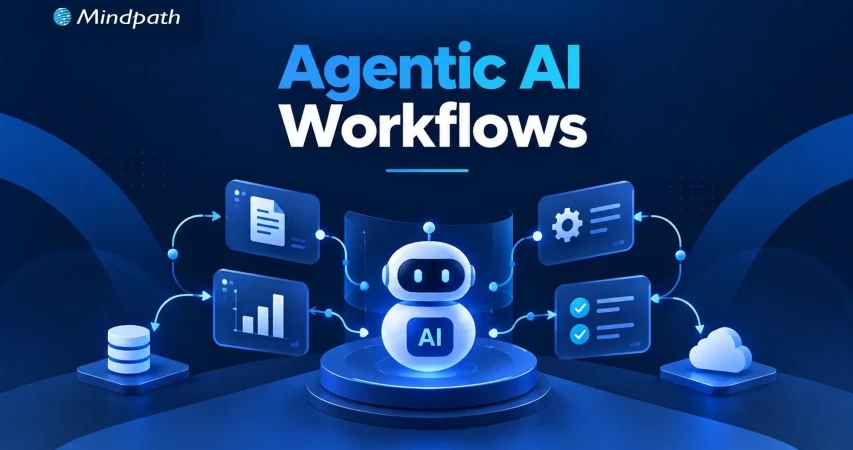
Traditional automation works well when processes follow predictable rules. However, business operations often involve changing conditions, incomplete information, and decisions that cannot be handled through fixed instructions alone. Agentic workflows help address these challenges by enabling AI agents to interpret context, select actions, and coordinate multi-step tasks within defined boundaries.

Key Takeaways

  • 01
    Agentic workflows help AI agents manage multi-step tasks and adapt to changing conditions.
  • 02
    Sequential, routing, planning, and parallel patterns address different business workflow requirements.
  • 03
    Human approval and clear permissions help control risks during sensitive business operations.
  • 04
    Reliable data, defined boundaries, and thorough testing support consistent workflow execution.
  • 05
    Monitoring performance and business outcomes helps improve workflows and guide responsible autonomy.

Building these workflows requires more than connecting AI tools. Businesses need clear objectives, reliable data, decision-making logic, and appropriate human oversight to ensure consistent execution. In this blog, we examine the design patterns, business applications, and implementation principles behind agentic workflows.

Looking to implement agentic workflows in your business?

Mindpath offers AI consulting services to help businesses identify suitable AI opportunities and design workflows aligned with their operational goals.

What Makes an Agentic Workflow Different from Traditional Automation?

Traditional automation executes predefined rules to complete repetitive tasks. AI-assisted workflows add capabilities such as interpreting documents, summarizing information, and recommending decisions. However, agentic workflows allow AI agents to choose appropriate tools, determine the next steps, and adjust their approach based on intermediate results, within established boundaries.

The key difference lies in how each approach handles decisions and changing conditions. Businesses must also determine which actions can run independently and which require human approval. Greater flexibility brings additional responsibilities for validating outputs, monitoring execution, and managing exceptions.

Capability Rule-Based Automation AI-Assisted Workflows Agentic Workflows
Decision-making Predefined rules AI-supported recommendations Context-based, bounded decisions
Adaptability Limited to configured rules Interprets variable inputs Adjusts actions based on results
Tool usage Fixed integrations AI features and connected tools Selects tools according to task needs
Human oversight Rule configuration and exception handling Often reviews AI outputs Sets autonomy limits and approval checkpoints

The right approach depends on task complexity, business risk, and the level of decision-making required.

Six Design Patterns for Building Reliable Agentic Workflows

An effective agentic AI workflow needs a structure that matches its business objective. Design patterns determine how agents process tasks, make decisions, coordinate actions, and manage exceptions. Choosing the right pattern helps businesses maintain control while improving execution.

1. Sequential Workflow Pattern

How it works: Tasks follow a defined sequence. Each stage uses the previous stage’s output.

Business example: An agent gathers customer requirements, analyzes needs, drafts proposals, and requests approval.

Design consideration: Validate outputs between stages. This prevents errors from affecting subsequent tasks.

2. Routing and Conditional Decision Pattern

How it works: An agent classifies requests and directs them to appropriate workflows or specialists.

Business example: Support requests are routed according to urgency, product, and customer impact.

Design consideration: Define clear routing criteria. Provide fallback paths for ambiguous requests.

3. Planning and Iterative Execution Pattern

How it works: An agent plans tasks, evaluates results, and adjusts subsequent actions.

Business example: An agent investigates supply delays, compares alternatives, and recommends recovery plans.

Design consideration: Limit execution steps, tool calls, and retries. Set time limits to prevent endless execution loops.

4. Parallel Execution and Aggregation Pattern

How it works: Independent tasks run simultaneously. Their results are combined into one validated output.

Business example: Agents assess vendor pricing, delivery reliability, and contract requirements concurrently.

Design consideration: Check every subtask for completion. Resolve conflicting findings before producing recommendations.

5. Supervisor and Specialized Agents Pattern

How it works: A coordinating agent delegates tasks to specialized agents and reviews their outputs.

Business example: Research, financial analysis, and compliance agents support vendor evaluations.

Design consideration: Assign distinct responsibilities to each agent. Control handoffs and validate combined results.

6. Human-in-the-Loop Approval Pattern

How it works: Work pauses when decisions require human authorization. Execution resumes after approval.

Business example: An agent recommends purchases but awaits approval before placing orders.

Design consideration: Define approval thresholds and escalation paths. Maintain audit records for consequential actions.

These patterns can operate independently or combine within larger agentic workflows, depending on task complexity and business risk. The priority is to balance autonomy with reliable execution, clear responsibilities, and appropriate oversight.

Five Business Examples of Agentic Workflows

Practical agentic workflow examples show how AI agents can coordinate business tasks, support decisions, and reduce repetitive work. Their value depends on reliable data, clear permissions, and appropriate human oversight.

1. Customer Support and Issue Resolution

AI agents classify tickets and retrieve relevant customer information. They draft responses or execute approved actions, escalating sensitive requests for review.

2. Sales Qualification and CRM Management

Agents research prospects and assess leads against predefined criteria. They update CRM records and recommend relevant follow-up actions.

3. Supply Chain and Procurement

AI agents monitor inventory, supplier updates, and pricing changes. They identify potential disruptions and recommend suitable procurement decisions.

4. Software Development and IT Operations

Agents investigate alerts, analyze logs, and run approved diagnostics. They recommend fixes while escalating risky changes for authorization.

5. Finance and Business Operations

AI agents extract invoice details and verify purchase order information. They flag discrepancies and route exceptions to authorized finance teams.

How to Design an Agentic Workflow for Your Business

Effective AI workflow automation starts with a suitable business process. A structured implementation helps businesses manage risks, maintain control, and measure results.

1. Identify a Suitable Business Process

Choose repetitive tasks involving multiple steps and decisions. Avoid processes where simpler automation already performs well.

2. Define the Agent’s Scope and Boundaries

Specify permitted actions, tools, and data access. Establish approval requirements and clear success criteria.

3. Connect Reliable Data and Business Systems

Integrate approved APIs, CRM platforms, ERP systems, and knowledge bases. Apply access controls and validate incoming data.

4. Test Before Expanding Autonomy

Evaluate accuracy, execution time, and failure recovery. Test edge cases before enabling real-world actions. A structured AI agent testing process helps identify weaknesses before workflows are deployed at scale.

5. Monitor Business Outcomes

Track completion rates, errors, costs, and processing time. Review results regularly and refine workflow logic.

Common Design Mistakes That Undermine Agentic Workflows

Poor implementation decisions can make AI workflows unreliable, expensive, and difficult to manage.

  • Excessive Autonomy: Allowing consequential actions without sufficient safeguards.
  • Unclear Responsibilities: Overlapping agents can duplicate tasks or conflict.
  • Poor Data Quality: Incomplete information can lead to incorrect decisions.
  • Missing Recovery Mechanisms: Unhandled errors can interrupt workflow execution.
  • Insufficient Monitoring: Missing logs make failures harder to investigate.
  • Unnecessary Complexity: Multiple agents can increase coordination overhead without adding value.

Reliable agentic workflows require autonomy levels and system complexity that match business needs. Clear responsibilities, validated data, recovery mechanisms, and appropriate oversight help maintain consistent execution.

How Can Your Business Put Agentic Workflows into Practice?

Successful agentic workflows depend on choosing suitable design patterns, connecting reliable data sources, and defining clear operational boundaries. Businesses should measure accuracy, efficiency, and task completion before expanding autonomy. A gradual approach helps teams identify limitations, strengthen safeguards, and establish confidence in AI-driven execution.

Mindpath helps businesses turn AI opportunities into practical implementations through AI consulting, AI agent development, data engineering, and business system integration. Our team can help design workflows aligned with your operational goals, existing infrastructure, and governance requirements.


Automate Smarter with AI

Build AI-powered workflows that streamline your business operations.

Frequently Asked Questions

Consider agentic workflows when processes require contextual decisions, changing inputs, multiple tools, and adaptive actions that fixed rules cannot handle efficiently.
Set permission limits, validate outputs, require approval for high-risk actions, and maintain execution logs to identify and resolve errors.
Yes. Agents can connect with approved APIs, CRM platforms, ERP systems, and internal databases, provided integrations support required access and security controls.
Track task completion, error rates, processing time, operating costs, and human intervention to evaluate performance against defined business objectives.
Maintaining reliability across more tasks, tools, and agents requires stronger monitoring, consistent permissions, effective exception handling, and clear accountability.

Support Is One Click Away

Featured Posts

Related Post

React JS Trends

Are you curious about what’s next for React JS in 2025? With the fast-paced world of web development, it’s essential to stay ahead of the curve. What new features, tools, or practices will shape the future of React JS? In this blog, we will explore the key trends and innovations that will define React JS in 2025. 

ReactJS is a popular tool for developers to create websites and applications. It makes it easier to design interactive and quick user interfaces by breaking down significant web pages into smaller, reusable elements known as components. Think of it as a website building block approach that simplifies and speeds up its construction. ReactJS is changing along with technology. Keeping up with the newest ReactJS trends for 2025 helps developers remain ahead of the competition. Understanding these trends will enable you to employ the finest tools, enhance your abilities, and design more efficient and contemporary websites. Whether you’re a newbie or an experienced developer, knowing what’s coming in ReactJS will help you stay competitive and prepared for the future. 

Let’s delve into the ReactJS trends 2025! 

ReactJS Trends 2025

1. Server-Side Rendering (SSR)

Server-Side Rendering (SSR) is a technique in which the server generates the first version of a webpage and provides it to the browser as HTML. This improves website performance and SEO since search engines can read the pre-rendered material. React JS supports SSR via frameworks like Next.js and Gatsby. These frameworks pre-render pages on the server before providing them to the client, resulting in speedier website load times and a better user experience. SSR decreases load times, particularly on slower connections. Users can see content rapidly due to SSR, which eliminates the need to load all of JavaScript. It also helps to improve search engine rankings because the material is freely available to crawlers. 

2. WebAssembly

WebAssembly is a low-level binary format that runs natively in web browsers, with performance comparable to native programs. It enables web applications to do complicated tasks considerably more quickly, making it perfect for high-performance activities like gaming, video editing, and data processing in the browser. WebAssembly improves React JS performance by offloading expensive calculations, making the app quicker and more responsive. It also enables React to interface with other languages such as Rust, C++, and WebGPU, allowing developers to combine the benefits of various technologies in a single program. As the web advances, WebAssembly is becoming an essential tool for developing high-performance online applications. Its ability to run code rapidly and operate with many technologies makes it a significant trend to watch in 2025 for React JS.  

3. Improved Developer Tools

Better developer tooling is crucial for increasing productivity and enhancing the quality of React JS development. React JS already has strong tools such as React DevTools, Create React App, and React Testing Library, which help developers work quicker and more efficiently. In the future, React JS is intended to provide even more tools and functionalities. One such feature is React Fast Refresh, which allows for hot reloading while maintaining component state, making development more efficient. Another interesting feature is React Profiler, a tool that allows developers to evaluate and optimize the performance of React JS apps, ensuring that they execute smoothly. Furthermore, the React Developer Roadmap will offer advice on learning and mastering React, allowing developers to plan their path with the framework. These tools modifications will ease the development process, allowing developers to create faster, more powerful apps.  

4. Concurrent Mode Features

Concurrent Mode is an upcoming React JS feature that allows many components to render simultaneously without interfering with the main thread or influencing user interaction. This increases the efficiency and responsiveness of React apps, allowing them to function more smoothly and quickly. Concurrent Mode enables React to handle complicated updates more effectively, allowing for additional features such as suspense, which helps manage loading states, transitions, for smoother UI changes, and error boundaries, which give improved error handling. The concurrent option is currently experimental and must be activated manually; however, it is intended to become the default rendering option in future versions of React JS. React apps that employ Concurrent Mode will be able to give a better user experience through quicker and more responsive interfaces.  

5. Focus on Mobile Development

With the increasing popularity of mobile devices, mobile-first development has become important. React JS already enables mobile app development with React Native, which blends React JS and native components to create cross-platform mobile applications. This enables developers to create apps that run on both iOS and Android using a single codebase. Looking ahead, React Native is projected to gain even more strength and complexity. It will continue to leverage React JS’s features, as well as advances in mobile technology, to improve connectivity with native platforms such as SwiftUI, Jetpack Compose, and Expo. These enhancements will accelerate mobile app development and give customers smoother, more native-like experiences. As mobile usage continues to climb, React Native will be essential in helping developers generate high-quality, cross-platform apps.  

ReactJS Development at Mindpath

Our skilled React.js developers at Mindpath have the necessary abilities and expertise to construct contemporary, engaging user interfaces that increase user engagement and satisfaction. Whether you want to create a web application from scratch, upgrade an existing one, or quickly get your product to market, Mindpath is here to help with cost-effective solutions, quick development timeframes, and dependable support. Here’s a review of the services we offer:  

1. ReactJS Front-End Development

We are involved in creating responsive and dynamic user interfaces to improve user experience and interaction with your website.  

 2. React Native App Development

Our team develops cross-platform mobile apps with React Native and gives them the native look and feel across iOS and Android devices.  

3. ReactJS Consulting

We expertly guide you on the usage of ReactJS in your projects so that the development strategy and architecture may be better optimized for the projects.  

4. ReactJS API Integration

We will integrate your ReactJS applications easily with external APIs and connect them seamlessly for smooth data and functionality exchange.  

5. ReactJS Enterprise App Development

We develop scalable and reliable applications that large organizations can use to take up complex requirements with high performance and efficiency.  

6. ReactJS Maintenance & Support

Continuous maintenance and support services that keep your ReactJS applications in motion, fixing any issues fast.  

7. React Web Design

We design engaging and user-friendly web interfaces that provide an impressive user experience through a focus on aesthetics and functionality using ReactJS.  

8. Custom React JS App Development

Build customized ReactJS applications that meet your business requirements, providing personalized solutions to all your needs. 

9. ReactJS Upgradation

Upgrade your existing ReactJS applications to their latest versions, offering you brand new features and improved performance.

10. ReactJS Product Development

We develop innovative products with ReactJS; high quality and performance-driven applications that fulfill your business needs.

11. ReactJS Ecommerce Development

We will build robust, interactive e-commerce platforms using ReactJS to ensure a great online shopping experience.  

12. ReactJS Migration

We help migrate your existing applications to ReactJS while ensuring smooth transitioning and improved performance.  

13. ReactJS Plugin Development

Developing custom plugins for ReactJS that extend functionality and fit in perfectly with other tools and systems.  

14. ReactJS Social Media & Interactive Apps

 Let us help you create engaging social media and interactive applications using ReactJS that improve user interaction and their experiences.  

15. ReactJS Customization Services

We will customize ReactJS components and applications according to your needs and wishes.  

Wrapping Note!

As we approach 2025, React JS is expected to introduce new advancements that will improve both development and user experience. Server-Side Rendering (SSR), WebAssembly, and Concurrent Mode are three key technologies that promise to increase app speed and response time. Mobile-first development using React Native will continue to advance, making it easier to create cross-platform mobile applications. By staying on top of these changes, developers can build speedier, more efficient apps while remaining competitive. Mindpath’s React JS development services are designed to help you fully use these breakthroughs, from front-end development to mobile app production and continuous maintenance. 

Ready to bring your ideas to life with cutting-edge React JS solutions?

Partner with Mindpath for expert development and innovative results.

Discover React JS trends for 2025, including SSR, WebAssembly, etc. to create faster, smarter, and future-ready applications.
AI Safety

Have you ever wondered how artificial intelligence (AI) could impact our lives if left unchecked? As AI continues to evolve, ensuring its safe and responsible use has become a major concern. What exactly is AI safety, and why is it so important for the future? In this blog, we’ll explore what AI safety means and why it’s needed to protect both humanity and technological progress. So, let’s dive in!

Want to use AI to simplify your business and stay ahead of the competition? At Mindpath, we offer AI development services that help businesses innovate and grow.

What is AI Safety?

AI safety is the act of ensuring that artificial intelligence systems function properly without causing damage or creating unexpected risks. It entails developing rules and policies that govern how AI is created, developed, and used. The objective is to avoid mistakes, safeguard customers, and guarantee that AI works as developers planned. AI safety entails ensuring that algorithms are dependable, data is secure, and systems adhere to ethical and legal guidelines. This helps ensure that AI benefits society while posing minimal hazards.

Why is AI Safety Important?

AI safety is particularly essential because as AI grows more powerful, it will have an impact on many aspects of our lives, including how we work, interact with computers, and make decisions. Without adequate safeguards, AI can worsen inequality by favoring specific groups or making unjust decisions based on biased data. Another important reason for AI safety is to keep AI from being used harmfully, such as distributing misleading information or compromising privacy. By prioritizing safety, we can ensure that AI contributes to the improvement of our environment rather than creating difficulties. This makes AI safety essential for creating a better, more equitable future for everyone.

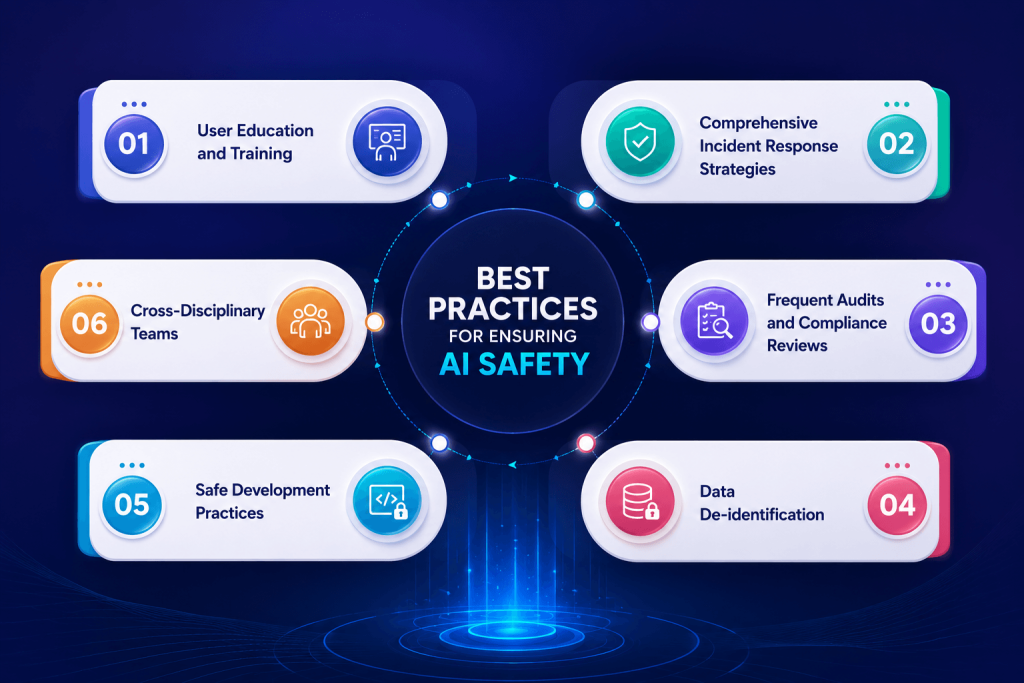
Best Practices for Ensuring AI Safety

AI Safety Best Practices

1. User Education and Training

Teaching individuals responsible AI development is essential for ensuring their safety and effectiveness. This training should include how to use the AI appropriately, identify possible hazards, and learn how to prevent them. When consumers understand how AI works, they can use it responsibly and promptly identify any concerns that require reporting. Trained users are also better able to offer useful feedback, which can aid in the AI’s effectiveness. They can offer improvements, report errors, and confirm that the AI is operating properly. This produces a cycle of continual development, gradually increasing the AI’s reliability.
Furthermore, user training fosters a sense of responsibility and awareness, lowering the risk of unintentional abuse or security breaches. Organizations that engage in user education guarantee that their AI systems are not only appropriately utilized, but also safer and more effective in the long term.

2. Comprehensive Incident Response Strategies

Developing a strong incident response plan helps organizations quickly detect, report, and resolve AI safety issues while reducing risks and maintaining system reliability. Regular training, practice exercises, and updates ensure teams are prepared for new threats and understand their responsibilities. Clear communication with stakeholders, users, and regulators during incidents also builds trust and shows the organization is handling the situation responsibly.

3. Frequent Audits and Compliance Reviews

Conducting frequent audits and compliance checks is essential for guaranteeing AI safety. These audits should evaluate Artificial Intelligence systems to ensure that they meet established safety standards, ethical norms, and regulatory requirements. By completing these assessments on a regular basis, organizations can find possible hazards and areas where they may not be compliant, allowing them to make required modifications and improvements swiftly.

These audits not only assist in detecting flaws, but they also encourage accountability and openness inside the organization. They urge teams to take AI safety seriously and make sure that everyone understands the necessity of following standards.

4. Data Confidentiality

Data confidentiality is a crucial strategy for ensuring privacy in AI operations. This method entails eliminating personally identifying information (PII) from data sets, rendering it hard to link data back to people. Techniques like k-anonymity, differential privacy, and synthetic data creation are frequently employed to safeguard individual privacy while still making the data relevant for training and analysis.

Organizations can use anonymized data to build AI models while protecting user privacy. Users will feel more confident knowing their personal information is secured, which helps to create trust. Furthermore, anonymized data can comply with numerous privacy standards, allowing organizations to avoid legal concerns while still gaining important insights.

5. Secure Development Lifecycle

A secure development lifecycle (SDL) is essential for assuring AI safety. This strategy incorporates security precautions into all stages of AI development, from planning and design to implementation, testing, and deployment. This lifecycle’s key practices include undertaking security risk assessments, adhering to secure coding standards, and thoroughly testing to find and fix vulnerabilities.

Organizations that include security throughout the development process can spot possible concerns early and mitigate risks before the AI system goes live. Furthermore, security measures must be updated on a regular basis to respond to new threats and technological advancements. This proactive strategy not only contributes to the development of safer AI systems, but it also improves general technological reliability and confidence.

6. Cross-Disciplinary Teams

Utilizing cross-disciplinary groups in AI research is essential for improving AI safety by providing a varied variety of viewpoints and experience. These teams should include professionals from a variety of domains, including ethics, psychology, law, and particular industrial areas, as well as AI experts. This variety is essential for addressing the difficult issues of AI safety because it assures that the systems built are not just technically strong, but also socially responsible and ethically sound.

Cross-disciplinary groups can detect possible concerns that people focused primarily on technical elements might have ignored. This collaborative approach fosters a more thorough grasp of the implications of AI systems, resulting in better decisions and more deliberate solutions.

AI Safety with Mindpath

Mindpath is committed to ensuring the safety and security of AI. Our approach is focused on ensuring that AI systems function effectively and do not cause harm. We take significant precautions to secure users and data, ensuring that everything is handled appropriately. We give training to users to assist them understand how to utilize AI safely. Our teams comprise specialists from several domains, including ethics and technology, to ensure that we cover all elements of AI safety.

We periodically check our systems to detect possible hazards and enhance our procedures. We also employ techniques such as data confidentiality to safeguard people’s personal information. By following a secure development methodology, we ensure that safety is included in every stage of the AI creation process.

Final Thought!

In a society dominated by artificial intelligence, understanding and prioritizing AI safety is essential for establishing a responsible technology environment. As previously discussed, successful AI safety measures include user education, robust incident response techniques, frequent audits, data confidentiality, a secure development lifecycle, and collaboration among cross-disciplinary teams.

At Mindpath, we are committed to following these guidelines, ensuring that AI systems not only function well but also adhere to the highest safety and ethical standards. We hope to increase trust and confidence in artificial intelligence technology by taking proactive actions to reduce risks and secure user data. As we traverse the difficulties of AI development, our dedication to safety will play an important part in defining a future in which AI serves as a beneficial force for society, empowering individuals and promoting equitable progress.

Discover the significance of AI safety and best practices for responsible development, including user training and data privacy measures.
Cost to build an AI Agent

Small businesses today are watching AI agents handle customer queries, automate workflows, and close sales round the clock. Exciting? Absolutely. But many business owners jump in without truly understanding the cost to build an AI agent. That gap between excitement and reality often leads to budget overruns. So, let’s talk numbers, trade-offs, and what actually goes into building one.

Key Takeaways

  • 01
    The cost to build an AI agent ranges from $3,000 to $50,000 upfront.
  • 02
    Complexity, integration, and data readiness are the biggest cost drivers.
  • 03
    Hidden costs like token bloat and API fees catch most small businesses off guard.
  • 04
    Starting with one narrow task keeps your budget controlled and ROI measurable.
  • 05
    Consistent maintenance and prompt tuning protect your long-term agent investment.

Furthermore, the pricing rarely tells the full story. Vendors show you the entry plan; they rarely show you integration fees, maintenance costs, or what happens when your agent scales. Every layer adds up quietly. In this blog, we break down every real cost involved so you can plan smarter, spend better, and build an AI agent that actually works for your business. So, let us read further and know more!

Looking for a cost-effective way to implement AI? Our Agentic AI development services help businesses build scalable AI solutions with measurable ROI.

What Factors Influence the Cost to Build an AI Agent?

Building an AI agent is never one flat price. Implementing an AI agent cost shifts dramatically based on what you need, how complex your workflows are, and which technology stack your team chooses. Several moving parts quietly push the budget up or down. Understanding these factors upfront saves you from nasty surprises later. Let’s break down exactly what drives the cost.

1. Scope and Complexity

Rule-based chatbots follow fixed scripts and cost far less to build. True agentic AI that reasons, plans, and adapts autonomously demands significantly more development effort and budget.

2. Integrations and Tooling

Every external system your agent connects to, such as your CRM, ERP, or payment gateway, adds development time. Giving the agent capabilities like web browsing or database querying also requires rigorous security testing.

3. Data Readiness and Preparation

Unstructured or siloed data needs heavy cleanup before your agent can use it effectively. Setting up vector databases and memory architecture to support long-term recall adds another layer to your AI automation cost.

4. Technology Stack

Your choice between proprietary LLMs, open-source models, and no-code builders directly shapes both upfront and recurring costs. Custom frameworks like LangChain offer more control but require significantly more development time.

5. Security and Compliance

Regulated industries like healthcare and finance carry strict compliance requirements including HIPAA and GDPR. Penetration testing, security audits, and data privacy measures push the AI automation cost noticeably higher.

6. Maintenance and Continuous Training

Launching your agent is only the starting point. Production environments demand ongoing prompt tuning, knowledge updates, and performance monitoring throughout the agent’s entire lifecycle.

What Is the Actual Cost to Build an AI Agent for Small Businesses?

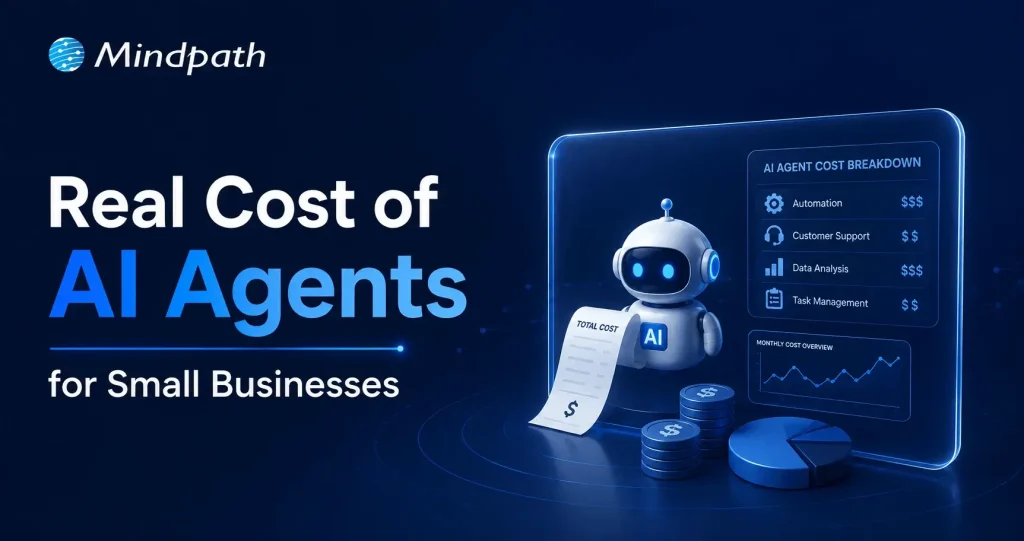
The AI customer service agent cost for small businesses ranges from $3,000 to $50,000 upfront. Monthly maintenance and token fees add $50 to $1,000 more.

1. Cost Breakdown by Agent Type

Costs vary widely depending on complexity and autonomy level. Here is what each tier typically costs small businesses today.

2. Off-the-Shelf Configured Agents: $3,000 – $10,000+

No coding is needed here. You pay for prompt setup, branding, and basic routing configuration.

3. Basic Custom Agents (MVP): $10,000 – $25,000

These agents handle customer support, lead qualification, and simple automation. They connect to your website or one external API.

4. Mid-Level and Internal Agents: $25,000 – $50,000+

These require multi-step planning and deep CRM integration. Human-in-the-loop oversight adds complexity and cost.

5. Ongoing Operational Costs

Building the agent covers only the starting investment. Monthly operational costs keep it running and improving.

6. API and Token Usage: $20 – $500+ Per Month

Usage costs depend on query volume and your chosen LLM. OpenAI, Anthropic, and Gemini all price differently.

7. Cloud Hosting: $50 – $300 Per Month

This covers serverless functions and knowledge base storage. Costs scale as your agent handles more traffic.

8. Maintenance: 15% – 30% of Build Cost Annually

Regular updates, bug fixes, and prompt refinements are essential. Strong ROI of AI agent development depends heavily on consistent maintenance investment.

Hidden Costs of AI Agents Nobody Talks About

1. Agentic Token Bloat

Reasoning loops silently stack up your LLM API charges.

2. AI Drift Maintenance

Changing business rules add 15-20% to annual build costs.

3. System Integration and API Fees

Custom API connections cost $25,000 to $75,000 additionally.

4. Debugging and Monitoring

Silent agent failures waste valuable developer time and money.

How Can Small Businesses Reduce the Cost to Build an AI Agent?

Building an AI agent does not have to drain your budget. Smart planning and the right approach can significantly cut costs without compromising on quality or performance.

1. Leverage No-Code Agent Builders

Skip expensive developer fees with visual drag-and-drop platforms. Non-technical staff can build and integrate agents independently and affordably.

2. Mix Models and Use Open-Source

Avoid paying GPT-4 prices for every routine task. Smaller open-source models like Llama 3 cut token costs significantly.

3. Start With a Single Narrow Task

Target one high-volume process like scheduling or email replies. This keeps your initial AI agent ROI for small businesses measurable and clear.

4. Run in Parallel First

Test your agent alongside existing workflows for four to six weeks. This catches errors before full deployment and protects your investment.

5. Optimize Your Prompt Engineering

Well-structured prompts use fewer tokens and reduce unnecessary back-and-forth. This directly lowers how much does an AI agent cost per month operationally.

Is the Cost to Build an AI Agent Worth It for Your Small Business?

For most small businesses, the answer is yes. The cost to build an AI agent pays back quickly through saved labor, faster response times, and scalable automation. Start small, measure results, and expand only where it genuinely moves your bottom line.

At Mindpath, we provide AI development services tailored specifically for small business budgets and goals. We help you skip the guesswork, avoid hidden costs, and build agents that actually deliver results. Let us help you make the right investment from day one. Contact us today for a free consultation, and discover how the right AI solution can help your business save time, reduce costs, and grow with confidence.