Home

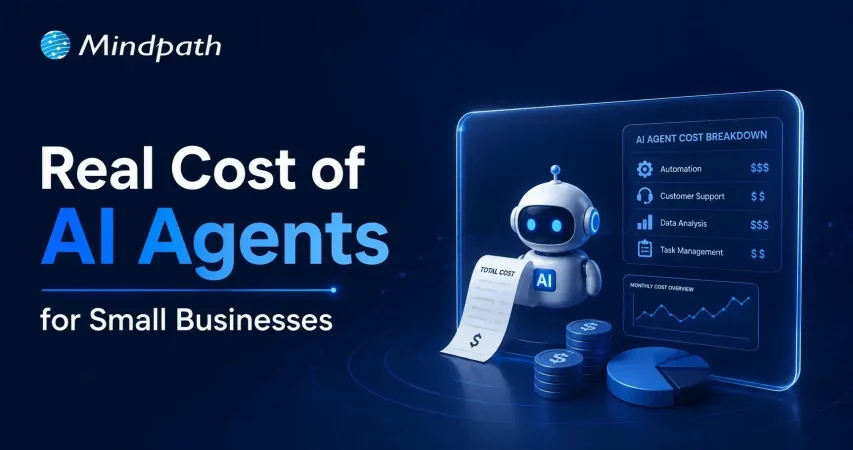
The Real Cost of AI Agents for Small Businesses: A Transparent Breakdown 

The Real Cost of AI Agents for Small Businesses: A Transparent Breakdown 

Join our Newsletter!

Cost to build an AI Agent

Small businesses today are watching AI agents handle customer queries, automate workflows, and close sales round the clock. Exciting? Absolutely. But many business owners jump in without truly understanding the cost to build an AI agent. That gap between excitement and reality often leads to budget overruns. So, let’s talk numbers, trade-offs, and what actually goes into building one.

Key Takeaways

  • 01
    The cost to build an AI agent ranges from $3,000 to $50,000 upfront.
  • 02
    Complexity, integration, and data readiness are the biggest cost drivers.
  • 03
    Hidden costs like token bloat and API fees catch most small businesses off guard.
  • 04
    Starting with one narrow task keeps your budget controlled and ROI measurable.
  • 05
    Consistent maintenance and prompt tuning protect your long-term agent investment.

Furthermore, the pricing rarely tells the full story. Vendors show you the entry plan; they rarely show you integration fees, maintenance costs, or what happens when your agent scales. Every layer adds up quietly. In this blog, we break down every real cost involved so you can plan smarter, spend better, and build an AI agent that actually works for your business. So, let us read further and know more!

Looking for a cost-effective way to implement AI? Our Agentic AI development services help businesses build scalable AI solutions with measurable ROI.

What Factors Influence the Cost to Build an AI Agent?

Building an AI agent is never one flat price. Implementing an AI agent cost shifts dramatically based on what you need, how complex your workflows are, and which technology stack your team chooses. Several moving parts quietly push the budget up or down. Understanding these factors upfront saves you from nasty surprises later. Let’s break down exactly what drives the cost.

1. Scope and Complexity

Rule-based chatbots follow fixed scripts and cost far less to build. True agentic AI that reasons, plans, and adapts autonomously demands significantly more development effort and budget.

2. Integrations and Tooling

Every external system your agent connects to, such as your CRM, ERP, or payment gateway, adds development time. Giving the agent capabilities like web browsing or database querying also requires rigorous security testing.

3. Data Readiness and Preparation

Unstructured or siloed data needs heavy cleanup before your agent can use it effectively. Setting up vector databases and memory architecture to support long-term recall adds another layer to your AI automation cost.

4. Technology Stack

Your choice between proprietary LLMs, open-source models, and no-code builders directly shapes both upfront and recurring costs. Custom frameworks like LangChain offer more control but require significantly more development time.

5. Security and Compliance

Regulated industries like healthcare and finance carry strict compliance requirements including HIPAA and GDPR. Penetration testing, security audits, and data privacy measures push the AI automation cost noticeably higher.

6. Maintenance and Continuous Training

Launching your agent is only the starting point. Production environments demand ongoing prompt tuning, knowledge updates, and performance monitoring throughout the agent’s entire lifecycle.

What Is the Actual Cost to Build an AI Agent for Small Businesses?

The AI customer service agent cost for small businesses ranges from $3,000 to $50,000 upfront. Monthly maintenance and token fees add $50 to $1,000 more.

1. Cost Breakdown by Agent Type

Costs vary widely depending on complexity and autonomy level. Here is what each tier typically costs small businesses today.

2. Off-the-Shelf Configured Agents: $3,000 – $10,000+

No coding is needed here. You pay for prompt setup, branding, and basic routing configuration.

3. Basic Custom Agents (MVP): $10,000 – $25,000

These agents handle customer support, lead qualification, and simple automation. They connect to your website or one external API.

4. Mid-Level and Internal Agents: $25,000 – $50,000+

These require multi-step planning and deep CRM integration. Human-in-the-loop oversight adds complexity and cost.

5. Ongoing Operational Costs

Building the agent covers only the starting investment. Monthly operational costs keep it running and improving.

6. API and Token Usage: $20 – $500+ Per Month

Usage costs depend on query volume and your chosen LLM. OpenAI, Anthropic, and Gemini all price differently.

7. Cloud Hosting: $50 – $300 Per Month

This covers serverless functions and knowledge base storage. Costs scale as your agent handles more traffic.

8. Maintenance: 15% – 30% of Build Cost Annually

Regular updates, bug fixes, and prompt refinements are essential. Strong ROI of AI agent development depends heavily on consistent maintenance investment.

Hidden Costs of AI Agents Nobody Talks About

1. Agentic Token Bloat

Reasoning loops silently stack up your LLM API charges.

2. AI Drift Maintenance

Changing business rules add 15-20% to annual build costs.

3. System Integration and API Fees

Custom API connections cost $25,000 to $75,000 additionally.

4. Debugging and Monitoring

Silent agent failures waste valuable developer time and money.

How Can Small Businesses Reduce the Cost to Build an AI Agent?

Building an AI agent does not have to drain your budget. Smart planning and the right approach can significantly cut costs without compromising on quality or performance.

1. Leverage No-Code Agent Builders

Skip expensive developer fees with visual drag-and-drop platforms. Non-technical staff can build and integrate agents independently and affordably.

2. Mix Models and Use Open-Source

Avoid paying GPT-4 prices for every routine task. Smaller open-source models like Llama 3 cut token costs significantly.

3. Start With a Single Narrow Task

Target one high-volume process like scheduling or email replies. This keeps your initial AI agent ROI for small businesses measurable and clear.

4. Run in Parallel First

Test your agent alongside existing workflows for four to six weeks. This catches errors before full deployment and protects your investment.

5. Optimize Your Prompt Engineering

Well-structured prompts use fewer tokens and reduce unnecessary back-and-forth. This directly lowers how much does an AI agent cost per month operationally.

Is the Cost to Build an AI Agent Worth It for Your Small Business?

For most small businesses, the answer is yes. The cost to build an AI agent pays back quickly through saved labor, faster response times, and scalable automation. Start small, measure results, and expand only where it genuinely moves your bottom line.

At Mindpath, we provide AI development services tailored specifically for small business budgets and goals. We help you skip the guesswork, avoid hidden costs, and build agents that actually deliver results. Let us help you make the right investment from day one. Contact us today for a free consultation, and discover how the right AI solution can help your business save time, reduce costs, and grow with confidence.
Frequently Asked Questions

Starting small is always the smarter move. A basic MVP agent typically costs between $10,000 and $25,000. For tighter budgets, no-code platforms bring that figure down to $3,000. Start narrow, prove value, then scale gradually.
Absolutely, and more businesses are doing it successfully. The key is matching the agent’s complexity to your actual needs. Overspending on features you do not need is the biggest mistake small businesses make early on.
A basic configured agent can go live within two to four weeks. Custom-built agents with CRM integrations and multi-step workflows typically take two to four months. Planning your data readiness beforehand cuts deployment time significantly.
Rarely upfront. Most vendors quote the build cost only. Maintenance, prompt tuning, and API updates add 15% to 30% of the build cost annually. Always ask for a full lifecycle cost estimate before signing any agreement.
Underestimating hidden costs. Token usage, API integration fees, cloud hosting, and drift maintenance all add up quietly. Many businesses budget only for the build and get caught off guard by operational expenses within the first three months.

Support Is One Click Away

Featured Posts

Related Post

DevOps for businesses

Managing the challenge of digital transformation in a rapidly evolving business landscape has become significantly difficult for every business owner. The necessity of DevOps for businesses is clearly visible in the fact that businesses must embrace adaptability and innovation to deliver value to their customers. DevOps aims to address the inefficiencies associated with traditional methodologies for software development and IT operations.

The biggest problem with the conventional approaches to software development and IT operations was that both of them were isolated from each other. DevOps offered a solution to the problem by promoting collaboration between the two teams. An overview of DevOps fundamentals and its benefits can help you learn about its actual potential.

Unlock the full potential of your software development in your business with Mindpath’s DevOps service. Contact us to get expertise on how to optimize development workflows and enhance collaboration between your teams.

Understanding the Basics of DevOps

Before discovering the utility of DevOps for business, it is important to understand its meaning and fundamental concepts. The adoption of DevOps for enterprise applications has become a necessity for every business owner due to the setbacks of the old ways. The traditional approach invited conflicts between the software development and IT operations teams, which had different priorities. While the development team focused on faster release of new features, the operations team emphasized reliability and stability.

DevOps helped in bridging the gap between the development and IT operations teams by ensuring alignment of their goals. How does DevOps achieve such an impressive feat? DevOps is more than just an amalgamation of ‘development’ and ‘operations’ as it represents a cultural philosophy that helps in streamlining and automation of software delivery. The distinctive collection of tools and set of practices followed in DevOps make it different from other approaches to software development.

You can notice the direct impact of DevOps business benefits through the example of an orchestra. What will happen if every musician in the orchestra is a specialist and works independently? On the contrary, an orchestra where collaboration is the norm will encourage musicians to share notes and work with each other to deliver their best performance. DevOps also aims to bring software developers and operations engineers on the same page in a similar manner to ensure that businesses deliver high-quality and reliable software.

Looking to optimize your CI/CD pipeline with smarter automation and streamlined processes? Visit our blog on DevOps Best Practices to discover the strategies high-performing teams use to achieve consistent, stable releases.

Foundations of DevOps

The best way to measure the significance of DevOps in the modern technological landscape involves understanding its core principles. Interestingly, every successful DevOps transformation initiative showcases the impact of the CALMS principles. CALMS stands for culture, automation, lean, measurement, and sharing, all of which represent the core principles of DevOps. The following sections will help you discover the significance of each principle in the world of DevOps.

1. Culture

Culture is undoubtedly the most crucial aspect in DevOps as it fosters a culture of collaboration, shared responsibility, communication, and empathy. The principle promotes an environment where team members don’t blame and learn from failures.

2. Automation

The second principle, i.e., automation, aims to address the issues emerging from repetitive manual tasks that are prone to errors. Automation in DevOps encompasses automated builds, testing, infrastructure provisioning, deployment, and monitoring.

3. Lean Principles

DevOps also adopts lean principles to reduce waste and enhance the value of every project. The common approaches to align with lean principles include streamlining all workflows, reducing bottlenecks, and ensuring continuous process improvement with data and feedback.

4. Measurement

Measurement is a crucial principle in every DevOps strategy for business applications as it offers comprehensible insights into performance. DevOps needs metrics and data not only to track performance but also to identify potential areas for improvement. Some of the notable metrics used in DevOps include mean time to recovery, change failure rate, lead time for changes, and deployment frequency.

5. Sharing

The final addition among DevOps principles, which showcases why it is important for businesses, is sharing. DevOps calls for real-time knowledge sharing and transparency between development and IT operations teams. Sharing in DevOps entails the use of shared tools, collective problem-solving, and open communication to foster collective intelligence.

Aiming to reduce risks while accelerating releases through automation? Explore our DevSecOps Guide to discover practical strategies that combine automated security with efficiency and collaboration.

Is DevOps Beneficial for Businesses?

Any business owner reading about DevOps right now is likely to be worried about the benefits it will bring to their business. Once you find out how DevOps helps businesses, you can discover why it is a productive approach to stay relevant in the digital landscape. DevOps can unlock new avenues for the success of businesses with the following benefits.

1. Faster Software Delivery

Speed is the key differentiator between successful and failed businesses in the era of digital transformation. DevOps accelerates the complete software delivery pipeline from conceptualization to production by leveraging continuous integration and continuous delivery practices. The CI/CD practices help in automatically building, testing, and releasing code changes more frequently. As a result, DevOps can ensure that new features, updates, and bug fixes can reach customers in a few hours or days. Businesses can rely on DevOps practices to achieve a competitive edge and adapt quickly to market changes.

2. Better Product Quality

The strategic benefits of DevOps for businesses also focus on enhancing product quality and reliability. DevOps combines continuous monitoring with automated testing and deployment to create high-quality software. Most of the business use cases of DevOps benefit from the proactive identification of issues in the early phases of development. Businesses can also rely on continuous feedback loops that empower teams to identify and address problems quickly, thereby ensuring more stable applications.

3. Efficiency and Cost Reduction

You can notice how early identification of errors in the development phase can help a business reduce costs with DevOps. At the same time, you must know that DevOps automation helps in reducing the workload on human resources. Business owners can use their valuable personnel to focus on more strategic and innovative work rather than wasting time on repetitive tasks. On top of it, streamlined processes also help in reducing waste and optimizing the allocation of resources. The outcomes of these changes will translate into huge amounts of savings in the long run.

4. Enhanced Security and Compliance

Security and compliance are the key requirements to become a trustworthy business in the eyes of customers and governments. Interestingly, the benefits of DevOps for startups and giant corporations emphasize how security has become an integral component of DevOps. The seamless integration of security practices in all stages of the development lifecycle, including coding, testing, and deployment, strengthens security. Some of the notable security practices integrated with DevOps include vulnerability scanning, compliance policies and automated security checks. The security measures not only reduce risks but also help in maintaining compliance with relevant regulations.

5. Collaboration and Agility

The most noticeable benefit of DevOps is the unification of software development and IT operations teams. Developers and operations engineers work in collaboration and share knowledge and tools, thereby reducing friction, blame games, and misunderstandings. As a result, DevOps creates a more productive and cohesive work environment. The advantages of collaboration, complemented with DevOps practices like containerization, help in enhancing the scalability of infrastructure and applications. Therefore, DevOps can allow a business to adapt quickly to changing demands, such as entry into new markets or a sudden rise in user traffic.

Aiming to optimize your DevOps strategy this year? Explore our blog on DevOps Trends to see which practices and technologies are helping organizations accelerate releases and reduce risks.

Identifying the Challenges for DevOps Adoption

The advantages of DevOps for businesses have provided a clear glimpse of its potential to drive a business towards success. On the other hand, adopting DevOps also brings some formidable challenges to the table. DevOps is not only about adopting new tools, practices, or methodologies but also a strategic shift for the whole organization. Some of the common challenges for DevOps include cultural resistance, lack of clear vision, legacy systems, and lack of skills.

Each challenge presents distinct setbacks and demands unique solutions with a carefully planned strategy. For instance, cultural resistance is the biggest obstacle that can create further problems without training and upskilling employees. Similarly, the lack of a clear vision for adopting DevOps will create difficulties in identifying the ideal metrics for success. On top of it, legacy systems will not welcome DevOps instantly, and the integration of DevOps practices in such systems will take a lot of time.

Business owners can address these challenges by fostering a culture of continuous learning and improvement. Investments in training and upskilling employees with the necessary skills and knowledge can pay off in the long run. In addition, the success of DevOps solutions for business growth depends significantly on the selection of the right tools. Most important of all, business leaders must also showcase active interest in driving cultural change and allocating relevant resources for DevOps projects.

Are You Prepared to Transform Your Development Process with DevOps?

The examples of businesses that have successfully adopted DevOps can provide a clear impression of the utility of DevOps. Many readers might have assumed that DevOps is a recent technological innovation due to its futuristic vision. As a matter of fact, the outline of DevOps business benefits is long enough for any business owner to ignore. The principles of DevOps not only improve the quality of software development but also the agility of a business.

Do you want to stay ahead of your competition in embracing DevOps? We at Mindpath help businesses streamline their software development pipelines with automation and collaboration without an extensive overhaul. Our world-class DevOps services offer a promising solution to every business owner seeking a reliable platform to capitalize on an innovative approach to software delivery. Consult with our experts and discover the best strategy to adopt DevOps advantages in your organization now.

Frequently Asked Questions

1. How long does it typically take to see results after adopting DevOps?

The timeline depends on the organization’s size, existing processes, and readiness for change. Some improvements, like faster deployments, can appear early, while cultural and process maturity may take months. Consistent effort and clear goals are key to achieving sustainable DevOps outcomes.

2. Is DevOps suitable for small businesses or only large enterprises?

DevOps is suitable for businesses of all sizes. Small businesses can benefit from faster development cycles and improved efficiency, while larger enterprises gain better scalability and coordination. The approach can be adapted based on resources, making it flexible for different business needs.

3. What skills are essential for teams transitioning to DevOps?

Teams need a mix of technical and collaborative skills, including knowledge of automation tools, cloud platforms, and continuous integration practices. Equally important are communication, problem-solving, and the ability to work across functions to support a shared development and operations approach.

4. How does DevOps support continuous improvement in software development?

DevOps encourages regular feedback, monitoring, and iterative changes throughout the development cycle. By continuously analyzing performance and user feedback, teams can make quick improvements, fix issues early, and enhance the overall quality and reliability of software over time.

5. What is the first step a business should take before implementing DevOps?

The first step is to assess current workflows, identify gaps, and define clear objectives. Understanding existing challenges and aligning teams around shared goals helps create a strong foundation. This ensures that DevOps adoption is structured, purposeful, and aligned with business priorities.

Discover DevOps for businesses – enhancing collaboration, reducing costs, and driving innovation for faster, high-quality software delivery.
Html to Wordpress

Anyone who has a HTML website might feel left out in the era of websites that load within seconds. Did you know that HTML websites were a thing when there was not content management system in the market? The transition from HTML to WordPress is no longer an option in an extremely competitive digital market. With static HTML pages, you would have to struggle to get the top ranks in search engine results.

Key Takeaways

  • 01
    WordPress loads faster and ranks better than static HTML websites today.
  • 02
    Anyone can manage a WordPress site without needing advanced coding skills.
  • 03
    Regular security updates and plugins keep WordPress websites well protected.
  • 04
    Mobile responsive themes ensure websites perform well across all devices.
  • 05
    Plugins let businesses add new features without relying on developers.

The biggest problem with HTML websites is that they come with duplicate code on every page, thereby making them slow. On the other hand, WordPress is faster, more secure and offers more flexibility to build any type of website. As a matter of fact, more than 43% of websites in the world run on WordPress. Let us find out why you should ditch HTML and switch to WordPress now.

Want to convert your static HTML site into a fully functional WordPress site with enhanced features and performance? Mindpath offers WordPress development services to help you build a custom website according to your business demands.

The Rise of WordPress in Website Building

WordPress started off as a blogging platform and the open source nature empowered it to transform into a website builder. Before WordPress, you would need a technical team to create a website and manage it. The search for a HTML to WordPress converter tool has been growing because WordPress has made it easier to build websites. You can now install the WordPress software and use the desired themes or plugins to develop websites with sophisticated functionalities and updated designs.

If you have been wondering whether switching to WordPress is a good decision, then you must take a look at websites powered by WordPress. Big names in the world of business such as Disney, Times Magazine, Sony Music and many others use WordPress. The versatile mix of power and simplicity with WordPress has been one of the biggest reasons for its widespread adoption.      

Is WordPress a Reliable CMS for Website Building?

Giving up on HTML, which has been a trusted ally of website developers for a long time, can be difficult. However, the need to convert HTML to WordPress is growing as WordPress is the top content management system in the world right now. It works as an open-source ecosystem that offers benefits for beginners as well as experienced developers.

WordPress offers a user-friendly interface in its dashboard, which you can use to create websites from scratch. The best thing about the WordPress dashboard is that you don’t need advanced technical expertise to use it. In addition, you can also find thousands of themes and plugins in WordPress that help you customize your website the way you want.

Want to build a website that truly reflects your brand’s unique identity and goals? Explore our guide to custom WordPress development to discover how tailored solutions can enhance your site’s performance and impact.

Why Should You Choose WordPress Over HTML?

With so many powerful features, it is hard to ignore the urge to switch to WordPress right away. You should search for a HTML website to WordPress converter that makes it easier to embrace the benefits of WordPress. Don’t you know how WordPress will enhance your HTML website? An overview of the advantages of transitioning to WordPress can offer some help in finding the answer to such questions.

Key Reasons to Choose WordPress Over HTML

1. Easy for Beginners

The best thing about WordPress is that beginners will find it easy to use without any technical complexities. You don’t need coding skills to create your website and manage it on WordPress. The intuitive dashboard of WordPress allows you to create customized layouts, add more pages and update menus at one place. 

WordPress offers better flexibility than traditional website development approaches with more control over design, content management and functionality. Furthermore, the themes and plugins offered by WordPress help you add new features without waiting for developers. In other words, anyone can build a website without technical skills when they know how to use WordPress.   

2. Optimize Your Website for Smartphones

Do you know that most of the traffic to your business will come from mobile users? Many of you would need a HTML to WordPress converter online when you discover that WordPress offers mobile responsiveness. Most of the WordPress themes are tailored to function seamlessly on different screen sizes and device types. 

The interesting part of mobile responsiveness with WordPress is that your website will have the same aesthetic appeal on all devices. Apart from the consistent user experience on different devices, mobile responsiveness also makes your website rank higher on Google. With a few modifications to theme files and some new WordPress plugins, your static HTML website will run seamlessly on all mobile devices.

3. Assurance of Better Security

Businesses should also trust WordPress for its commitment to safeguarding any website hosted on the platform. You will get regular security updates on WordPress, which help in combating new security threats. On top of it, WordPress also offers additional security plugins and SSL certificates to enhance your website’s security. The biggest benefit of converting HTML to WordPress is visible in the efforts made by WordPress to address emerging vulnerabilities.

You must understand that modern approaches to website security need multiple layers of protection. For instance, you will need data encryption, backup systems and malware scanning to maintain the security of your website. WordPress offers the complete package to safeguard your website from hackers and unprecedented security breaches.

4. Build Any Type of Website

In its initial days, WordPress served as a useful tool for blogging alone. The transition of WordPress to a powerful driving force behind some of the biggest websites shows how it has evolved over the course of time. You should know how to add HTML to WordPress for switching from an outdated format to a versatile toolset. You can use WordPress for any type of website, whether it is for a small business or a large corporation.

WordPress is capable of hosting e-commerce websites, communities or social media networks. Businesses can always find WordPress plugins that will make their website better. Most important of all, you don’t have to worry about adaptability when your website needs to grow alongside your business. It is definitely a huge advantage for websites in an extremely competitive business landscape.

Unsure whether your WordPress project is following the right development standards and best practices? Check out our WordPress developer checklist to make sure every essential step is covered for a smooth and successful build.

5. Adopt the Design You Want

The problem with a static HTML website is that you don’t have any control over the design once it’s published. WordPress does not let you worry about changing the design of your website according to emerging trends. When you convert a website to WordPress, you get the advantage of capitalizing on its extensive theme library. You can have a business site, blog or an ecommerce site and still ensure that their design matches with your needs and style. 

The theme library of WordPress offers free and premium themes that you can choose for your website. You can also find additional themes from third-party developers and design marketplaces that bring unique features and layouts. The live previews of each theme help you check each design without affecting website functionality or content.  

6. Rank Higher with SEO Support

WordPress stands out as the most popular option to create websites now because of its SEO support. What will you gain from a website that never shows up on the first page of search results? You can download WordPress and capitalize on its strong SEO foundation to ensure a higher rank on search engines. The advantages of WordPress for SEO revolve around its strict coding guidelines that call for clean and structured code.

The code is not the only thing that makes WordPress websites easier to rank on Google and other search engines. You will also find user-friendly URLs, meta-descriptions and titles to gain more visibility in search engines. On top of it, the SEO plugins on WordPress will provide a lot of support in optimizing your website.

7. Vibrant Community of Developers

The biggest strength of WordPress is its large and active community of developers. As an open-source platform, WordPress continues growing with the contributions of multiple users and developers. The community not only introduces updates to the source files but also makes WordPress more secure and updated along the lines of latest trends. 

Another promising reason to convert HTML to WordPress theme for your website is the accessibility to website creation tools offered by the community. It ensures that developers alone don’t have the exclusive rights to use WordPress tools. Even a blogger or business owner can be a part of the WordPress community and capitalize on its diverse offerings.

8. Add New Features without Developers

Websites have to evolve and add new features to accommodate the emerging requirements of users. WordPress allows you to add new features to your website without the intervention of developers. The collection of powerful plugins available with WordPress can help you introduced advanced features without code changes. 

Plugins are the ideal tools for adding shopping carts, contact forms and other features on WordPress websites. You can also explore custom WordPress plugins by third-party developers to enhance their websites. On top of it, you can activate or deactivate plugins as required, which offers the flexibility for customizing a website to your needs. 

Final Thoughts

The decision to convert your website from HTML to WordPress should not be a difficult one, considering the benefits of WordPress. It allows anyone to create a website without technical knowledge alongside offering the flexibility to add new features. In addition, you cannot ignore the benefits of regular security updates, a supportive community and control over website design. 

Mindpath specializes in converting HTML websites to WordPress for any type of website. We have years of experience in WordPress development that brings more credibility to our services. Our services for switching your website to WordPress also offer the assurance of an easy conversion procedure. If you want a website that is easier to update and maintain, then Mindpath is here to help you.

Frequently Asked Questions

1. How long does it usually take to convert an HTML website to WordPress?

The timeline depends on website size and complexity. Simple sites can be converted within a few days, while larger websites with custom features may take a few weeks to ensure everything transfers smoothly without losing existing content or functionality.

2. Will switching from HTML to WordPress affect existing search engine rankings?

A proper conversion process actually tends to improve rankings over time. WordPress offers stronger SEO support through clean code and optimization plugins. However, redirects and URL structures need careful handling during migration to avoid any temporary ranking drops.

3. Can an existing HTML website design be preserved after converting to WordPress?

Yes, the existing design can often be recreated or closely matched using custom WordPress themes. Developers can convert the original HTML layout into a WordPress theme, keeping the same look while adding the flexibility WordPress offers for future updates.

4. Is WordPress secure enough for businesses handling sensitive customer information?

WordPress provides solid security through regular updates, SSL support, and dedicated security plugins. Businesses handling sensitive data should still follow best practices like strong passwords, backups, and trusted plugins to maintain a secure and reliable website environment.

5. Does converting to WordPress require ongoing technical maintenance after launch?

Some maintenance is recommended, such as updating plugins, themes, and the WordPress core regularly. However, WordPress is designed to be manageable even for non-technical users, making routine upkeep far simpler compared to maintaining a static HTML website.

Chatbot examples

AI chatbots are molding the future of customer engagement in 2026 by providing accuracy and efficacy. The real-life chatbot examples demonstrate how intelligent systems analyze user interactions, offer relevant and timely recommendations, and aid in decision-making as it unfolds. Organizations that are leveraging these types of solutions notice concrete results in user satisfaction and conversions. This clearly shows that AI chatbot assistants can convert complex customer journeys into simple, actionable experiences.

These examples of chatbots have also shown us the benefits of predictive insights and targeted communication. When brands effectively leverage AI chatbots, they minimize friction in their customer journey, maximize retention, and achieve measurable growth. By looking at these real-life use cases, we can evaluate the strategies we can adopt to improve digital experiences and obtain better data-driven results. So, keep reading this blog as we are going to showcase real-life examples of AI chatbots that have aided businesses in increasing conversion.

Want to engage your audience, provide instant support, or personalize their experience? At Mindapth, our custom chatbot development services are designed to deliver solutions that match your business requirements.

Market Demand of AI Chatbots

According to Fortune Business Insights, the global AI chatbot market is growing rapidly, from USD 9.90 billion in 2026 to USD 65.94 billion by 2032, a CAGR of 31.1%. Customer demand for instant service, cost savings through automation, advances in NLP, wider industry adoption, and the rise of generative AI with human-like conversations are driving this growth.

These important figures illustrate the strong market demand: Outgrow says that sales through chatbots are up 67%, Tidio states that 62% of users prefer to chat rather than wait for a human agent, Master of Code says 26% of sales transactions begin with a bot, and 35% of leaders said that they closed sales because of digital assistants. Outgrow also states that 57% of businesses have seen better ROI, and that 45% of businesses have seen reduced response time through chatbots. Looking at these numbers, it shows that AI chatbot examples are demonstrating how businesses can become more efficient, collaborative, and create greater sales.

How AI Chatbots Increase Conversions?

Do chatbots really increase conversions? Businesses worldwide are beginning to embrace AI chatbots to transform customer experiences and make them smoother, faster, and more personalized. Here are the insights that demonstrate that chatbots are very much influencing conversions.

Benefits of AI Chatbots in Increasing Conversions

1. 24/7 Availability

AI chatbots are always-on and provide 24/7 access for customers to quickly find answers for whoever, whenever they want assistance. Being constantly available keeps customers engaged and increases the likelihood of execution of a purchase.

2. Personalized Interactions

Real-world Chatbot examples illustrate how AI reads customer engagement data to provide personalized recommendations, product suggestions, etc. This personalization creates more meaningful conversations and promotes higher conversion rates.

3. Reduced Cart Abandonment

AI chatbots minimize cart abandonment by helping consumers through checkout and by answering last-minute questions. This kind of assistance is simple, but improves selling and makes customers feel good about purchasing.

4. Automated Lead Qualification

Chatbot applications can qualify leads with the right questions and key details. The sales team will not have to waste time with any unqualified prospects.

5. Faster Sales Cycles

Utilizing conversational AI for business growth by speeding up the sales process, provides immediate support and follow-ups to customers. The quickness is what allows businesses to turn a lead into a customer quickly and effectively.

6. Increased Sales Volume

Successful chatbot examples illustrate how AI recommends products, engages customers, and inspires repeat purchases. These real-world examples show businesses can also drive revenues while lower acquisition costs.

Want to reduce operational costs while improving customer engagement? Discover how conversational AI chatbots streamline business operations and drive efficiency across teams.

10 Real-life Examples of AI Chatbots

Real-life examples of artificial intelligence chatbots highlight how companies are using artificial intelligence (AI) to innovate the way that organizations interact with potential and current customers. More and more companies are turning to chatbots for lead generation and conversions, thus effectively proving their worth as tools for enhancing sales and ultimately customer experience.

10 Real-life Examples of AI Chatbots

1. Sephora – Personalized Shopping Assistant

Sephora utilizes an AI chatbot to assist customers in selecting makeup and skincare products, to support customers based on their preferences. This chatbot example assists shoppers in finding the right products, much quicker than a human, resulting in higher conversions overall. This video definitely ranks as one of the best chatbot examples in the retail world.

2. Domino’s – Easy Food Ordering

Domino’s has incorporated a chatbot that allows the customers to order pizza directly through a messaging app. This practical application of chatbot makes ordering easy while also cutting down on wait time and increases customer satisfaction. It is one of the most effective AI chatbots that increased sales in the food industry.

3. H&M – Style Recommendations

H&M has a chatbot that suggests clothing based on user style preferences. These website-chatbot examples improve the shopping experience by making it more personal. It shows how real-life examples of AI chatbots in business can drive higher engagement.

4. Flipkart – Seamless E-commerce Recommendations

Flipkart’s chatbot provides personalized product suggestions based on browsing history and preferences. This example of chatbots enhances shopping experiences, boosts conversions, and increases customer satisfaction. It is among the best AI chatbot examples in online retail.

5. Amtrak – Julie Virtual Assistant

Amtrak’s virtual assistant Julie answers millions of passengers queries every year. These examples of chatbots on websites save time for both customers and staff. The company reported significant cost savings and better chatbot ROI examples.

6. Lyft – Ride Booking Made Easy

Lyft allows users to book rides via its chatbot on Messenger or Slack. This real-life example of AI chatbots in business shows how brands can remove friction in customer journeys. It directly improves bookings and conversions.

7. KLM Airlines – Travel Assistant

KLM Airlines uses a chatbot to provide booking confirmations, flight updates, and boarding passes. This website chatbot example streamlines travel support. It is one of the AI chatbots that increased sales through seamless customer care.

8. PVR Cinemas – Movie Booking Assistant

PVR Cinemas uses a chatbot to help customers check movie schedules, book tickets, and view offers instantly. This chatbot example simplifies the booking process, improves customer engagement, and drives higher ticket sales. It is one of the best AI chatbot examples in the entertainment and cinema industry.

9. Starbucks – Coffee Ordering Chatbot

Starbucks has a chatbot that lets customers place their orders ahead via mobile. This application of chatbot reduces wait time and encourages repeat purchases. It’s among the strongest chatbot ROI examples in food service.

10. L’Oréal – Beauty Genius for Personalized Shopping

L’Oréal launched ‘Beauty Genius’, an AI chatbot that gives personalized beauty tips and product recommendations. It uses AI and AR to analyze selfies and suggest the best skincare and makeup from over 750 products. This chatbot improves customer engagement and drives more conversions for the brand.

Looking for AI systems that can plan and act independently for your business? Discover Agentic AI to learn how intelligent agents are transforming decision-making and workflow automation.

Want to Transform Your Business with Chatbot Solutions?

AI chatbots play a vital role in boosting sales, improving efficiency, and creating better customer experiences. These chatbot examples highlight how leading brands use AI to personalize interactions, reduce friction, and drive measurable growth. By learning from real-life cases, your business can adopt similar strategies to maximize ROI and conversions.

At Mindpath, we specialize in developing bespoke chatbot solutions designed to align with your unique business needs. Our tailored approach ensures your chatbot goes beyond generic automation and instead creates real value through seamless user journeys. With expertise in crafting solutions inspired by the best chatbot examples, we help you enhance engagement, streamline processes, and accelerate business growth.