Home

Building an AI Roadmap: A Step-by-Step Guide for Business Leaders

Building an AI Roadmap: A Step-by-Step Guide for Business Leaders

Join our Newsletter!

AI Roadmap

Companies are pressured to adapt, innovate, and make faster decisions. Rapid changes in markets and increased competition mean that traditional approaches are not effective enough now.

This is the role that an AI roadmap will serve. It provides leaders with a framework to use AI in ways that allow them to be more efficient, more innovative, and provide meaningful value to the business.

However, developing one requires an appropriate balance of vision and pragmatic planning.

Rather than following fragmented opportunities, leaders need to craft a plan with steps that link AI to business objectives. The real power lies in asking the right questions, assessing their resources, and establishing priorities before starting execution.

With a map pointing in the right direction, the AI effort becomes a coordinated effort with measurable influence. Now, let us consider how businesses can develop this map with confidence and clarity.

Do you want to adopt the AI roadmap in your business? Then you need to get the right expertise that can navigate you through the process. Our AI development services will deliver full support from planning to execution to help you attain real and measurable outcomes.

What is an AI Roadmap?

An AI roadmap for business offers a systematic approach for describing how a business plans to leverage Artificial Intelligence to meet its aims. It allows teams to create specific and manageable goals, outline the best potential use cases, allocate resources, and plan timelines.

With an AI roadmap, managers can explain how the employees will move toward the longer-term strategy while providing confidence to the employee base.

A roadmap is a great tool for helping teams create the right skills and focus on the priorities they should be focusing on. It helps connect every AI project directly back to the AI in business strategy to ensure that your team’s work creates actual value and is not just a random attempt to test out AI.

Companies can use it for an organization-wide adoption, or they can focus on those specific aspects of the business. In either case, the roadmap makes AI a viable contributor to your growth and success.

Advantages of Having a Roadmap for AI

Developing an AI roadmap gives businesses clarity and helps eliminate uncertainty in the implementation stage.

Rather than jumping to general-purpose AI without a clear structure, a roadmap ensures every action you take is aligned to your real goal with measurable results. Here are the primary benefits of having an AI roadmap.
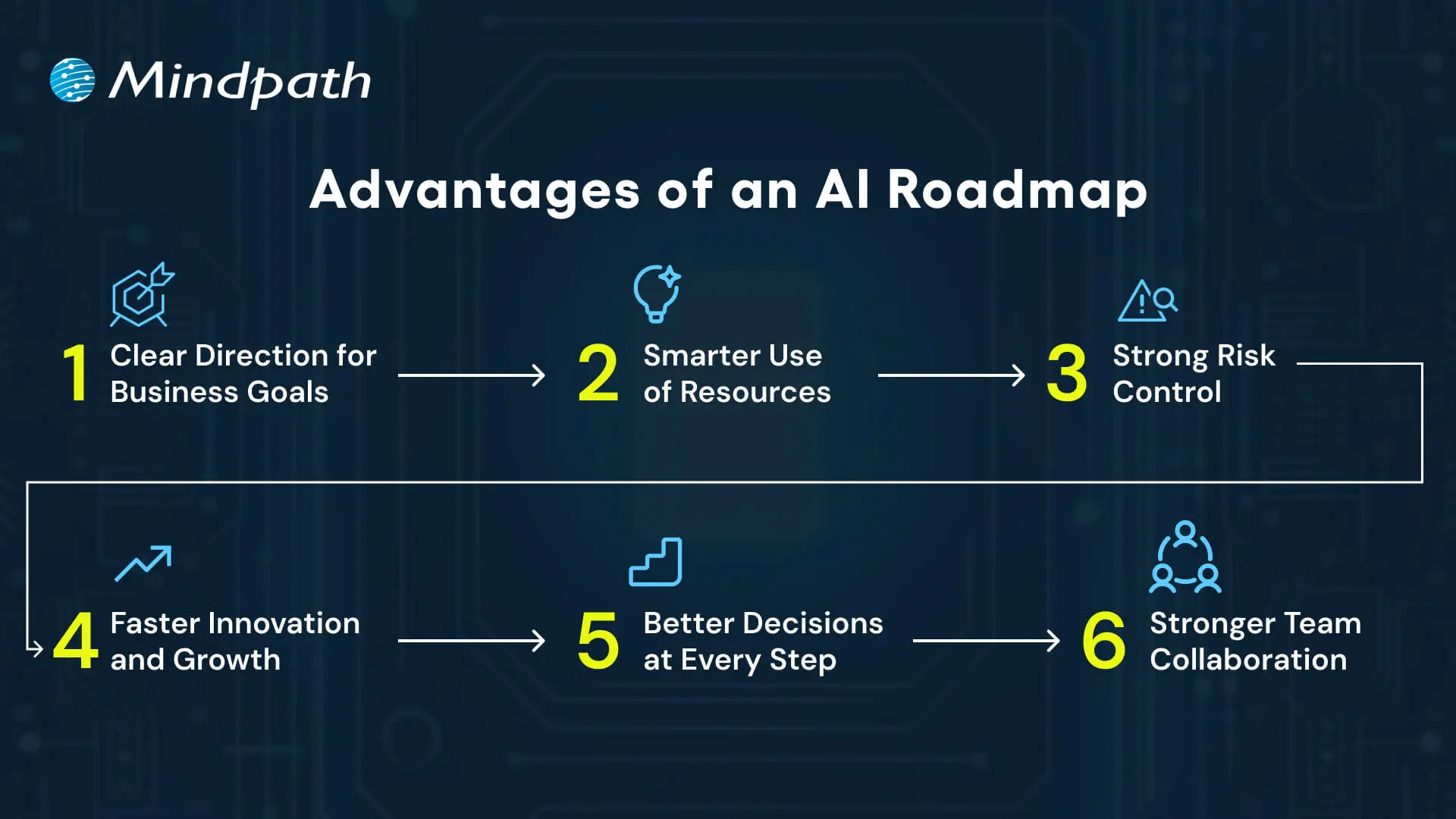
Advantages of an AI Roadmap

1. Clear Direction for Business Goals

An AI roadmap links all work to the company’s longer-term vision. This keeps both leaders and teams aligned and working towards the same purpose, minimizing any confusion or delays.

2. Smarter Use of Resources

Make each business plan deliberate and focused, so budget, skills, and tools are applied to the most impactful projects.

An AI roadmap generator can help you do this faster and with more precision.

3. Strong Risk Control

An AI roadmap allows organizations to tackle any aspects of security, compliance, or data quality up front.

Having a plan reduces risk for organizations and ensures a more streamlined implementation.

4. Faster Innovation and Growth

A roadmap allows organizations to have agility and the ability to experiment and scale solutions.

Even a beginner-friendly AI roadmap can outline the first steps that will lead to innovation and growth.

5. Better Decisions at Every Step

Leaders use the roadmap to select the appropriate use cases and monitor progress.

With this practical approach, it resembles an AI developer roadmap in which each step takes you to the next level of value.

6. Stronger Team Collaboration

An explicit roadmap promotes better communication across departments.

It builds teamwork and supports everyone in contributing to developing and using AI in the way it is most useful.

Struggling to make AI work for your business? Explore AI solutions for small businesses to discover practical, scalable solutions.

Key Steps to Build an AI Roadmap 2026

Constructing an AI roadmap in 2026 necessitates a defined plan that relates AI projects to real business objectives.

Companies must assess their focus on strategy, resources, and measurable outcomes in order to ensure the AI investments add value. Here are the key steps for building an effective roadmap.
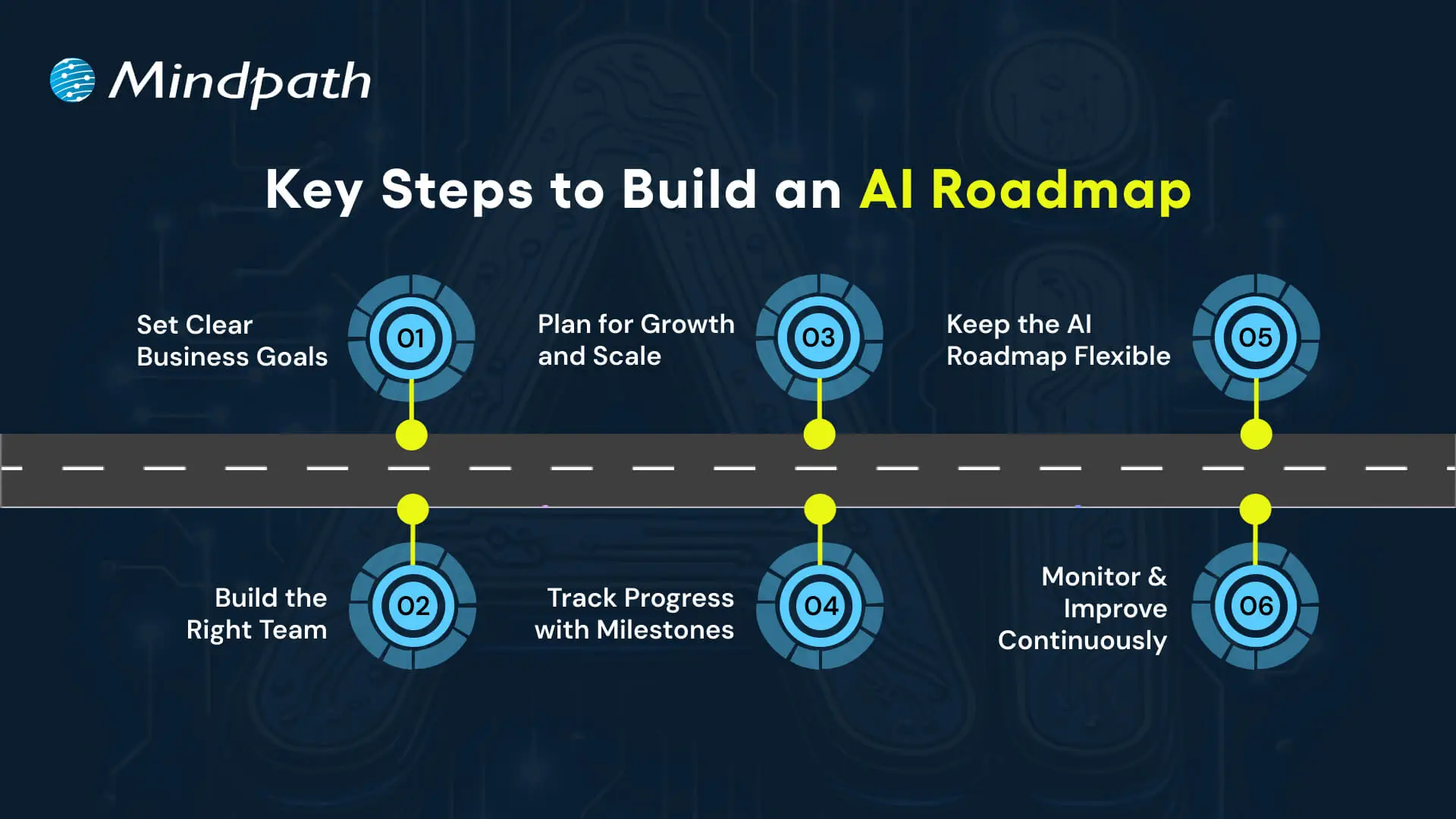
Key Steps to Build an AI Roadmap

1. Set Clear Business Goals

Every successful AI roadmap begins with a definitive goal. Set the desired outcomes that are most important.

Simply articulate it so everyone understands what it means to them. This clarity likewise connects each project to real business value.

2. Build the Right Team

A roadmap is only effective if the correct drivers are behind the wheel. Organize your engineers, strategists, and experts in the domain who can operate at the intersection of technology and business.

Taking a look at an AI engineer’s roadmap may help you frame up the skills you need to develop as a team.

3. Plan for Growth and Scale

A successful strategy looks to the future. Creating systems for larger datasets with multiple models and interconnected data with business apps.

It translates minor pilots into a comprehensive AI roadmap, facilitating ongoing growth.

Want to make faster and smarter business decisions? Discover how AI in decision-making enables leaders to transform data into actionable insights.

4. Track Progress with Milestones

Break the journey into smaller, actionable segments. Start with a pilot, grow to teams, and then link to enterprise systems.

As they reach a milestone, they will be able to see their progress and also validate that the roadmap is indeed compliant.

5. Keep the AI Roadmap Flexible

As the market landscape evolves, priorities shift.

Consistently update your AI roadmap to reflect new goals and possibilities. The adaptability within your roadmap will allow AI to remain relevant as your business develops.

6. Monitor and Improve Continuously

AI models must receive ongoing maintenance to remain valuable.

Form an AI team to monitor precision, solicit user feedback, and update models when the data or needs change.

Researching a generative AI roadmap can also help in developing new capabilities.

Wondering how your AI roadmap can go beyond automation to deliver smarter outcomes? Explore how Large Language Models (LLMs) can streamline operations and unlock new business value.

How will You Shape Your AI Roadmap for Success?

An AI roadmap provides businesses that want to adopt Artificial Intelligence with structure, direction, and confidence on their journey.

It allows business leaders to set and achieve organizational objectives, manage and allocate resources, reduce risk, and scale innovation with measurable outcomes.

With a flexible and constantly evolving AI roadmap, organizations can adapt their actions to changes in the market and continue to reap value from AI initiatives.

A solid plan will use a shared vision for long-term success.

At Mindpath, we are experts in conceptualizing and executing custom AI solutions, providing end-to-end AI consulting services, aligned with your business goals.

Throughout the entire process, from strategy & roadmap planning to development and scaling, our specialists will assist you.

Our passion for innovation and growth allows us to harness the real power of AI and transform complex problems into quantified outcomes.


Do You Have an AI Roadmap?

Turn your AI goals into a clear strategy.

Frequently Asked Questions

An AI roadmap is a structured plan that connects AI initiatives with business goals, identifies use cases, allocates resources, and defines implementation priorities.
An AI roadmap gives teams clear direction, helps prioritize valuable use cases, manages resources effectively, reduces risks, and keeps AI projects aligned with business goals.
Start by defining business goals, identifying suitable AI use cases, building the right team, planning for scalability, setting milestones, and tracking progress.
An AI roadmap should be reviewed regularly as business priorities, technology, market conditions, and AI capabilities change, ensuring the strategy remains relevant and practical.
Businesses should evaluate their goals, data quality, available skills, infrastructure, security requirements, budget, potential use cases, and resources needed for long-term AI adoption.

Support Is One Click Away

Featured Posts

Related Post

Artificial Intelligence and Augmented Reality

Artificial intelligence (AI) and augmented reality (AR) are complementary technologies that can make digital experiences more interactive and context-aware. AI helps systems interpret data, recognize patterns, and generate recommendations, while AR places digital information over a view of the physical environment. When combined, they can provide users with relevant visual guidance, interactive product experiences, and assistance during real-world tasks.

Key Takeaways

  • 01
    Artificial intelligence and augmented reality combine data-driven capabilities with digital information displayed in a real-world view.
  • 02
    AI can support object recognition, personalization, contextual assistance, and interaction within AR applications.
  • 03
    Healthcare, retail, manufacturing, education, entertainment, and navigation offer potential applications for AI-powered AR experiences.
  • 04
    Successful AI and AR solutions depend on reliable data, suitable devices, responsive interfaces, privacy safeguards, and thorough testing.
  • 05
    Businesses should select use cases with clear user needs and measurable outcomes before investing in more complex AI-powered AR experiences.

Businesses can apply artificial intelligence and augmented reality in areas such as healthcare, retail, manufacturing, education, and technical support. For example, AI can help identify an object or interpret a situation, while an AR interface presents instructions or contextual information to the user. The value of this combination depends on the quality of the underlying data, the accuracy of the AI system, and how well the experience fits the user’s needs.

Planning an intelligent digital solution for your business? Explore Mindpath’s AI development services to discuss how AI can support your business workflows and digital experiences.

Understanding Artificial Intelligence and Augmented Reality

What is Artificial Intelligence?

Artificial intelligence is a field of computing focused on systems that perform tasks such as recognizing patterns, interpreting language, making predictions, and generating content. Depending on their design and training, AI systems can process large amounts of information and produce outputs that help people complete tasks or make decisions.

AI technologies include machine learning, computer vision, natural language processing, and generative AI. These capabilities can support applications such as image recognition, voice interaction, recommendation systems, and intelligent assistance. For a broader overview, read our guide to AI models.

What is Augmented Reality?

Augmented reality is a technology that adds digital content to a view of the physical environment. Depending on the application and device, users may see virtual objects, labels, instructions, animations, or other information through a smartphone, tablet, headset, or smart glasses.

Unlike virtual reality, which typically immerses users in a computer-generated environment, AR adds digital elements to their view of the real world. Businesses can use it to present product previews, display maintenance instructions, support navigation, and create interactive learning experiences.

AR experiences may use cameras, sensors, spatial mapping, and tracking technologies to position digital content. The available capabilities depend on the device, application, and environment in which the experience is used.

How Do Artificial Intelligence and Augmented Reality Work Together?

AI and AR can work together by connecting intelligent data processing with a visual interface. AI can interpret information from images, sensors, user input, or connected systems. The AR application can then display relevant digital information within the user’s view of the physical environment.

For example, consider a technician repairing industrial equipment. A computer vision model may help identify a component from a camera image, while an AR application displays the corresponding maintenance instructions. The technician can use the information to guide the repair, subject to the accuracy of the recognition system and the suitability of the instructions.

The Main Steps in an AI-Powered AR Experience

1. Capture Environmental or User Data

The application receives information from a camera, device sensors, user commands, or connected business systems. The type and amount of data collected depend on the use case and the device’s capabilities.

2. Interpret the Information with AI

AI can help recognize objects, interpret spoken instructions, classify images, or identify patterns in the available data. The system uses these results to determine which information or action may be relevant.

3. Position and Display Digital Content

The AR application presents relevant content, such as labels, visual instructions, or three-dimensional objects. Tracking and spatial understanding help position the content appropriately within the user’s view.

4. Respond to User Interaction

Users may interact through touch, voice, gestures, or other supported controls. Depending on the application, AI can help interpret the interaction and update the information displayed.

5. Evaluate and Refine the Experience

Developers can evaluate recognition accuracy, tracking stability, response time, usability, and task completion. Feedback and testing results can guide improvements to the AI model, AR interface, and overall workflow.

For a related application area, read about AI in healthcare and how AI technologies can support clinical and administrative workflows.

Benefits of Combining Artificial Intelligence and Augmented Reality

Combining AI with AR can make digital information more relevant to the user’s surroundings and task. The benefits depend on the quality of the implementation, the environment, and whether the experience solves a real user problem.

1. Personalized User Experiences

AI can use permitted user preferences, interaction history, or contextual information to help tailor the content displayed in an AR application. For example, a shopping application could prioritize product information based on a user’s selected preferences, while a training application could adjust the sequence of guidance based on task progress.

Personalization should be transparent and respect user privacy. Businesses should collect only the information needed for the intended experience and provide appropriate controls over data use.

2. Improved Object Recognition

Computer vision models can help AR applications recognize objects, components, signs, or visual features. This can make it easier to display relevant information in context, such as product details in a retail environment or component labels during equipment maintenance.

Recognition accuracy can vary with lighting, camera quality, object appearance, and environmental conditions. Applications should be tested under realistic conditions and provide suitable alternatives when the system cannot confidently identify an object.

3. More Natural Interaction

AI-powered speech recognition and language processing can enable users to interact with some AR applications through voice commands. Gesture recognition may also support hands-free control when the device and application provide that capability.

These options can be useful when a user is working with equipment or needs to keep their hands available for another task. However, voice and gesture controls should complement accessible alternatives rather than become the only way to use an application.

4. Contextual Assistance

AI can help determine which information is relevant to a user’s current task, while AR can present that information directly within the user’s view. In a maintenance setting, this could mean displaying a component label, a safety instruction, or the next step in an approved procedure.

Contextual guidance can reduce the need to switch between screens or search through documents. Its usefulness depends on the accuracy of the underlying information and whether the instructions are appropriate for the specific situation.

5. More Efficient AR Content Development

AI tools can assist content teams with tasks such as generating draft text, organizing product information, creating concept assets, or preparing variations of digital content. These capabilities may help teams develop and maintain AR experiences more efficiently.

Generated content still requires review for accuracy, visual quality, licensing considerations, and suitability for the target device. AI-assisted creation does not remove the need for AR design, development, optimization, and testing.

6. Interactive Training and Learning

AI-powered AR can combine visual instructions with interactive exercises. For example, learners could view a simulated equipment assembly, receive contextual prompts, and access explanations when they encounter a difficult step.

Training applications may adapt guidance based on task performance, where appropriate data and reliable evaluation methods are available. Businesses should assess learning outcomes and task accuracy rather than assuming that an immersive experience automatically improves retention.

7. Scalable Personalization

AI can help organizations adapt AR content for different products, users, or operating contexts. A manufacturer, for instance, could maintain a shared library of equipment instructions while displaying the relevant version for a particular model or maintenance task.

Scaling such experiences requires consistent content, dependable data integrations, device compatibility, and a clear process for updating information. Personalization should improve usability without introducing unnecessary complexity.

See how AR is being applied in retail through our article on augmented reality in e-commerce.

Real-World Applications of Artificial Intelligence and Augmented Reality

AI and AR can support a range of business and consumer experiences. The following examples describe practical application scenarios. The exact capabilities available in a deployed solution depend on its design, data sources, hardware, and implementation.

1. Healthcare and Medical Training

Healthcare applications can combine AI-based image analysis or information processing with AR-based visualization. Depending on the system, medical professionals may use visual overlays to review anatomical information, plan procedures, or support training and simulation.

For example, a training application could display anatomical structures in a three-dimensional learning environment and provide explanations through an AI-enabled interface. Clinical use requires appropriate validation, reliable source information, privacy safeguards, and professional oversight. AI-generated guidance should not be treated as a substitute for clinical judgment.

2. Retail and Virtual Product Experiences

Retailers can use AR to let customers preview products in their surroundings or visualize selected items before purchasing. AI can support related functions such as product recognition, recommendation, and personalization when suitable data is available.

For example, a home furnishings application could allow a customer to place a virtual representation of a product in a room. AI may help recommend compatible items or organize product suggestions based on stated preferences. Product dimensions, appearance, and compatibility should be represented accurately to avoid misleading customers.

3. Manufacturing and Equipment Maintenance

Manufacturing teams can use AR to display assembly instructions, component labels, and maintenance procedures. AI can support visual inspection, anomaly detection, or the retrieval of relevant technical documentation.

For example, a technician could view step-by-step repair instructions through a supported AR device while an AI system helps identify the equipment model or locate a relevant maintenance document. The instructions should come from approved technical sources, and safety-critical work must follow established procedures.

4. Entertainment and Interactive Experiences

AI and AR can be combined in interactive games, camera effects, and digital experiences that respond to a user’s surroundings. AI may help recognize faces, objects, gestures, or scenes, while AR adds virtual elements to the camera view.

Developers can use these capabilities to create responsive effects and interactive environments. They should also consider device performance, accessibility, age-appropriate design, and consent when applications process images or other personal information.

5. Navigation and Remote Assistance

AR navigation can display directional cues over a camera view, while AI can support the interpretation of surroundings or the retrieval of relevant information. In workplace settings, similar capabilities may help technicians follow instructions or receive remote assistance.

For example, a field service worker could view the next inspection step on a supported device and access relevant technical information without repeatedly switching applications. Navigation and remote assistance systems should account for positioning errors, changing conditions, and situations where users need to focus on their physical surroundings.

6. Education and Skills Development

Educational applications can use AR to present three-dimensional models, interactive demonstrations, or visual explanations. AI can help answer questions, provide additional explanations, and organize learning content based on a learner’s needs.

For example, a science lesson could use AR to visualize a complex structure while an AI-enabled assistant explains its parts. Educators should review the generated explanations and ensure that the experience supports the learning objectives instead of distracting from them.

Artificial Intelligence and Augmented Reality Compared

AI and AR serve different primary purposes, even when they are combined in the same application. Understanding their roles helps businesses decide which capabilities are necessary for a particular solution.

Aspect Artificial Intelligence Augmented Reality Combined AI and AR
Primary role Processes information, recognizes patterns, and generates predictions or content. Adds digital content to a view of the physical environment. Connects intelligent processing with contextual visual information.
Typical inputs Text, images, audio, sensor data, or structured records. Camera feeds, device sensors, spatial data, and user input. Relevant data and environmental information, depending on the application.
Typical output Predictions, classifications, recommendations, or generated content. Visual overlays, virtual objects, labels, and interactive content. Context-aware visual guidance or interactive experiences.
Example Recognizing a component in an image. Displaying a label over a component. Recognizing a component and displaying relevant instructions in context.
Key considerations Model accuracy, data quality, privacy, and evaluation. Tracking, device compatibility, usability, and performance. Integration reliability, end-to-end testing, privacy, and user safety.

Challenges of Combining AI and AR

Although AI-powered AR offers useful possibilities, businesses need to evaluate the technical and operational challenges before deploying it. A successful implementation requires more than connecting an AI model to an AR interface.

1. Data Quality and Recognition Accuracy

AI results depend on the quality and relevance of the input data. Poor lighting, unfamiliar objects, incomplete records, or changing environments can reduce recognition accuracy. Solutions should be tested with representative conditions and provide clear fallback behavior when the system cannot produce a reliable result.

2. Device and Performance Limitations

AR applications need to maintain responsive tracking and stable visual placement while managing processing, battery, and connectivity constraints. Businesses should evaluate whether the intended devices can support the required AI workloads and whether processing should take place locally, in the cloud, or through a combination of both.

3. Privacy and Security

Applications that use cameras, microphones, location information, or user interaction data may process sensitive information. Organizations should minimize data collection, secure connected systems, define access controls, and clearly explain how information is used and retained.

4. Integration Complexity

AI models, AR frameworks, enterprise systems, and content platforms may use different data formats and interfaces. Teams need to plan how information moves between components, how errors are handled, and how content and models will be updated over time.

5. User Experience and Accessibility

Visual overlays can obscure important information or become difficult to use in bright, crowded, or physically demanding environments. Designers should test readability, interaction methods, accessibility, and the placement of content so that digital elements do not interfere with the user’s primary task.

How Businesses Can Get Started with AI-Powered AR

Businesses should begin with a defined problem rather than adopting AI and AR simply because the technologies are available. A focused use case makes it easier to evaluate feasibility, estimate costs, and determine whether the experience provides practical value.

1. Identify the User Need

Choose a task where contextual visual information could help users work more effectively. Examples include product visualization, guided maintenance, interactive training, or access to information while working with physical equipment.

2. Select the Necessary Capabilities

Determine whether the solution needs object recognition, speech processing, recommendations, spatial tracking, or other capabilities. Not every AR application needs AI, and not every AI application benefits from AR. Select only the components that support the intended outcome.

3. Evaluate Data and Devices

Confirm that the required data is available and suitable for the use case. Assess device compatibility, connectivity, processing requirements, privacy considerations, and the conditions in which the application will be used.

4. Build and Test a Focused Prototype

Develop a limited version that demonstrates the core user journey. Test recognition accuracy, visual tracking, response time, usability, and failure scenarios before expanding functionality or integrating the solution into critical business workflows.

5. Measure Business Outcomes

Define success measures based on the problem being solved. A training application might measure task completion and assessment results, while a maintenance solution could evaluate task duration, error rates, and the need for repeat assistance. Use the findings to decide whether to improve, expand, or reconsider the implementation.

Considering a broader AI initiative? Review our guide to generative AI applications for enterprises for additional examples of AI in business workflows.

Build More Contextual Digital Experiences with AI

Artificial intelligence and augmented reality can work together to connect intelligent data processing with useful information displayed in the physical environment. Applications in healthcare, retail, manufacturing, education, and technical support show how the combination can help people interact with information in more contextual ways.

Businesses considering AI-powered AR should start with a clear user need, select appropriate capabilities, and test the experience under realistic conditions. Attention to data quality, privacy, device performance, accessibility, and measurable outcomes can help teams determine whether the solution is suitable for wider adoption.

Mindpath provides AI development services to help businesses evaluate and build intelligent digital solutions. Discuss your requirements with the team to identify an approach that aligns with your product goals and technical needs.

Discover how AI and AR combine to revolutionize industries, enhance user experiences, and drive innovation. Read to explore the impact.
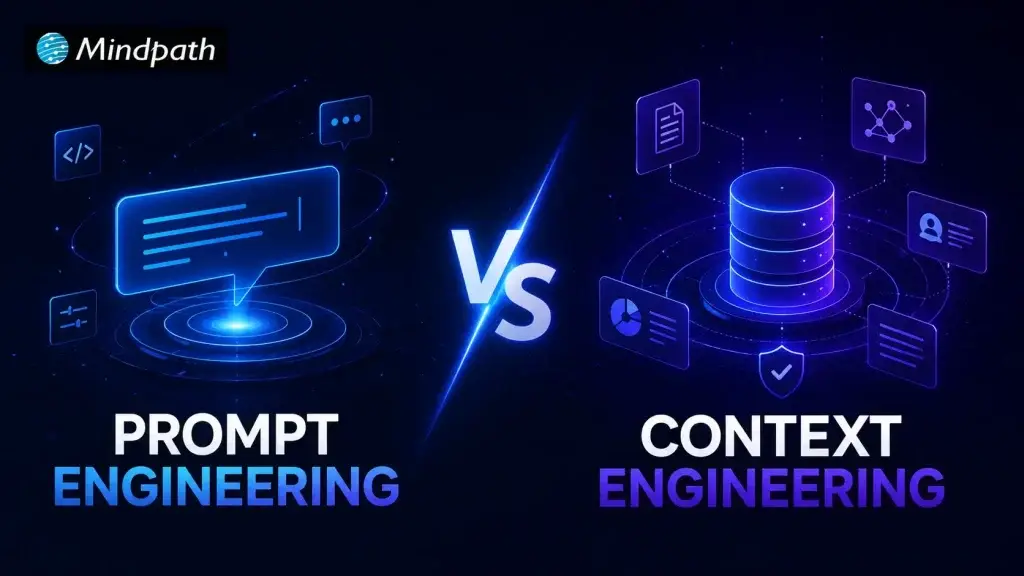
Prompt Engineering vs Context Engineering

What happens when an AI model has the right instructions but lacks the information needed to act on them? This is where Context Engineering becomes important. As AI systems take on complex tasks, developers need to think beyond prompts and focus on what information models receive.

Key Takeaways

  • 01
    Prompt engineering improves AI responses by providing clear, specific, and well-structured instructions.
  • 02
    Context engineering gives models relevant information needed to understand tasks and situations better.
  • 03
    Prompt and context engineering work together to improve accuracy across complex AI workflows.
  • 04
    MCP can connect AI applications with external tools, systems, and relevant business information.
  • 05
    The right approach depends on data needs, task complexity, security, scalability, and maintenance requirements.

Prompt engineering still plays an important role in shaping AI responses, but modern systems need deeper context to make informed decisions. This shift is especially important for AI agents working with business data, tools, and changing information. In this blog, we will explore how both approaches differ and work together. Let’s keep reading further!

Ready to build AI systems that can work with reliable business context? Mindpath offers RAG Development Services to help businesses connect AI applications with relevant data and deliver more context-aware responses.

Understanding Both Approaches

Both approaches help developers get better results from AI, but they solve different problems. One improves the instructions, while the other improves the information available to the model.

1. Prompt Engineering

Prompt engineering is about writing clear instructions that guide an AI model toward the desired response. It involves choosing the right wording, adding useful constraints, setting expectations, and giving examples when needed. A well-crafted prompt helps the model understand the task, follow the intended direction, and produce more consistent results.

Here are the benefits it offers:

  • Clear Instructions: Gives models a direct understanding of what needs completing.
  • Better Outputs: Reduces vague responses by setting specific expectations upfront.
  • Greater Control: Helps developers guide tone, format, reasoning, and response style.
  • Faster Iterations: Makes it easier to test, refine, and improve outputs.
  • Task Specific: Works well for focused tasks with clearly defined goals.
  • Easy Adoption: Requires minimal changes to existing AI development workflows.

Challenges To Watch For

  • Maintaining consistent outputs across different model versions.
  • Managing complex instructions without making prompts overly lengthy.
  • Preventing ambiguous wording from producing unexpected responses.
  • Testing prompts across varied inputs and edge cases.
  • Updating instructions when business requirements or workflows change.

2. Context Engineering

Context engineering focuses on selecting and organizing the information an AI model needs before responding. This can include documents, conversation history, business data, tools, user details, and retrieved information. The goal is to give the model relevant context at the right time, helping it respond with greater awareness.

Here are the benefits it offers:

  • Relevant Knowledge: Provides information directly connected to the current task.
  • Better Decisions: Gives AI systems stronger grounds for making informed decisions.
  • Fewer Hallucinations: Reduces unsupported responses by supplying reliable information.
  • Dynamic Responses: Allows models to work with changing information and situations.
  • Agent Support: Helps AI agents understand tasks, tools, users, and environments.
  • Scalable Workflows: Supports complex systems that depend on multiple information sources.

Challenges To Watch For

  • Selecting relevant information from multiple available data sources.
  • Keeping retrieved information accurate, current, and properly structured.
  • Managing token limits while preserving essential context.
  • Preventing sensitive information from entering unintended model interactions.
  • Maintaining retrieval systems as business data continuously evolves.

context engineering vs prompt engineering

Prompt vs Context Engineering: A Key Difference

The difference becomes clearer when we look at how AI context shapes the model’s understanding. While prompts guide the response, context gives the model the information it needs to respond appropriately.

Comparison Point Prompt Engineering Context Engineering
Primary Focus Shapes instructions given to the AI model Shapes information available to the AI model
Main Purpose Guides the model toward a specific response Helps the model understand the situation
Information Used Instructions, examples, rules, and constraints Data, documents, memory, history, tools, and APIs
Scope Usually focused on a specific task Often supports entire workflows and systems
Data Dependency Can work with limited external information Often depends on relevant external information
Information Retrieval Information is usually provided within prompts Information can be retrieved dynamically when needed
Role in AI Agents Defines tasks, goals, and expected behavior Provides knowledge, state, tools, and situational awareness
Maintenance Requires refining instructions as needs change Requires managing sources, retrieval, memory, and context quality
Best For Content generation, classification, summarization, and focused tasks Customer support, knowledge systems, RAG pipelines, and AI agents

Where Each Approach Fit in AI Workflows?

Both approaches have a place in modern AI workflows, but their roles are different. The right approach depends on what the system needs to understand, produce, or act on.

1. Where Prompt Engineering Fits?

Prompt engineering works best when the task is clearly defined and the desired output can be guided through instructions.

  • Content Creation: Guides AI to follow a specific tone, structure, format, or writing style.
  • Task Automation: Gives models clear steps for completing repetitive and predictable tasks.
  • Data Analysis: Directs AI to identify patterns, summarize findings, or explain results.
  • Customer Queries: Helps define how AI should respond to common and straightforward questions.
  • Creative Work: Controls ideas, language, tone, and presentation across different creative tasks.

2. Where Context Engineering Fits?

Context engineering becomes valuable when AI needs information from different sources to understand the situation before responding.

  • Customer Support: Combines customer history, product information, and previous interactions for relevant responses.
  • Knowledge Retrieval: Supplies models with relevant documents instead of relying on general model knowledge.
  • AI Agents: Gives agents access to business data, tools, memory, and information needed for decisions.
  • Business Workflows: Connects AI with relevant systems, records, policies, and operational information.
  • Dynamic Tasks: Provides updated information when decisions depend on changing business conditions.

Key Implementation Considerations

Choosing between prompt and context engineering depends on how your AI system handles information, tasks, and changing requirements. A practical implementation should consider the following factors before deciding how much weight to give each approach.

1. Token Limits

Prompts need to stay focused because unnecessary instructions can consume valuable tokens. Context also needs careful filtering, since sending too much information can increase costs and distract the model from relevant details.

2. Data Freshness

Prompts may need regular updates when instructions, rules, or business requirements change. Context engineering can pull fresher information from connected sources, but those sources must remain accurate and up to date.

3. Retrieval Accuracy

Prompt engineering can specify exactly what information the model should consider during a task. Context engineering depends on retrieving the right information, making search quality and retrieval accuracy important for reliable results.

4. System Integration

Prompts can define how an AI system should interact with connected applications and tools. Context engineering can bring information from those systems into the workflow, with protocols such as MCP helping AI applications connect with external tools and data.

5. Security and Access

Prompts should avoid exposing sensitive information unnecessarily and should clearly define permitted actions. Context engineering requires stronger controls around which users, systems, and agents can access specific data.

6. Maintenance

Prompt based systems often require ongoing testing and refinement as model behavior or requirements change. Context based systems also require maintaining data sources, retrieval pipelines, memory, and connected tools.

7. Latency and Cost

Well-structured prompts can reduce unnecessary processing by keeping instructions concise and focused. Context engineering may increase processing requirements when systems retrieve, filter, and pass additional information to the model.

Ready to Build AI Systems That Understand More?

Prompt engineering and context engineering solve different parts of the AI development challenge. Prompts shape how models respond, while context gives them the information needed to understand each situation. As AI workflows become more complex, combining both approaches can improve accuracy, consistency, and decision making across modern applications and AI agents.

Mindpath helps businesses build AI solutions that combine intelligent prompts with reliable context, connected data, and practical workflows. Our AI development services support RAG, AI agents, MCP integrations, and custom AI systems designed for real business needs. Partner with us if you are looking to build an AI solution that can understand your data and act with confidence. Contact Mindpath to discuss your AI requirements.

DevOps vs. Traditional IT

Are you wondering how DevOps compares to traditional IT? What makes one approach more efficient or suitable for today’s fast-paced tech world? Whether you’re a business owner, a tech enthusiast, or just curious about modern IT practices, understanding the differences between DevOps and traditional IT models can help you make the best decision for your needs. Let’s dive in and explore how these two approaches stack up!

What is DevOps?

DevOps is a fundamental idea that tries to bring together two key teams: development and operations. Previously, these teams operated independently, which sometimes resulted in miscommunication and delays. DevOps addresses this by fostering a more collaborative environment.

The term DevOps is derived from “development” and “operations.” It’s all about making it easier for these two teams to collaborate on software development, testing, and delivery. When development and operations collaborate, it is simpler to address challenges such as delayed software upgrades, poor coordination, and feature delivery delays.

Companies can employ DevOps to speed up their software development process. It involves leveraging tools, automating activities, and enhancing team communication, all of which contribute to faster, more efficient product releases for clients.

Advantages of DevOps

1. Cost Effective

DevOps saves businesses money by automating various procedures, reducing the need for additional human resources and accelerating software development. Developers can create more effective code, identify errors early, and make changes more quickly by utilizing DevOps principles like continuous integration and delivery, which reduces total expenses. Automation also lowers mistakes, delays, and increases the quality of the finished product. DevOps enables firms to generate high-quality software at a lower cost, helping them remain competitive in the market.

2. Security

Security is an essential concern for most firms, and DevOps helps by incorporating security into every stage of the development process. DevOps automates the development and deployment processes, enabling developers to work swiftly and safely. DevOps employs continuous testing and feedback to automatically detect problems and vulnerabilities as software is produced, resulting in high-quality and secure code. Automated technologies also aid in the early detection of security concerns, making them easier to resolve before they grow into larger difficulties. Companies can employ DevOps to reliably release updates and safeguard their software throughout its lifecycle.

3. Increased Flexibility

DevOps provides developers more freedom by allowing them to distribute new features or upgrades fast and effectively. The development team can quickly implement changes due to continuous delivery and testing, allowing organizations to respond to market needs and customer feedback. This agility enables businesses to remain ahead of the competition and get the first-mover advantage by being the first to provide new goods or improvements. Faster releases not only make customers happier, but they also allow organizations to innovate more frequently and adapt quickly to changing demands, making the entire development process more dynamic and flexible.

4. Fosters Communication

Implementing DevOps methods improves communication inside an organization. DevOps fosters collaboration between development and operations teams, directing everyone towards similar business objectives and supporting a united approach to goal achievement. This practice successfully removes communication obstacles, resulting in a smoother workflow and ensuring that both teams collaborate effortlessly. As a consequence, organizations can offer higher-quality goods that better fulfil the expectations of their customers. Superior communication and cooperation not only drive project success but also help to create a more productive and profitable corporate environment.

What is Traditional IT?

Traditional IT is the old technique of handling technology in enterprises. It makes use of real equipment like servers, computers, and network equipment to store data and operate programs. This system requires a significant amount of room, electricity, and money to put up and maintain. It also necessitates the usage of an in-house IT team to oversee everything, from hardware installation and configuration to problem resolution and overall operation. Because the infrastructure is built from physical components, it can be rather expensive, especially when it comes to upgrading or replacing obsolete gear. Businesses must also prepare for data storage, security, and backups, which can require additional time and resources. Furthermore, scaling up operations or introducing additional services can be cumbersome and expensive, as it often requires more hardware and manual setup.

Advantages of Traditional IT

1. Data privacy

One significant advantage of traditional IT is data privacy. Traditional IT gives you complete control over where your data is stored, generally on your own servers or hardware. This means that you can control who gets access to your data and how it is safeguarded. Because the data remains within your organization, you do not have to be concerned about third-party firms gaining access to it, which can provide you with peace of mind. Furthermore, storing data locally allows you to implement unique security measures tailored to your company’s specific requirements. To safeguard sensitive information, you can use firewalls, encryption, and other techniques. For firms that manage sensitive data, having direct control over it can be a significant advantage since it decreases the chance of breaches or unauthorized access.

2. Consistent data access

Traditional IT has a significant edge in terms of constant data access. By keeping data on premises, or on your own servers or hardware, you can ensure that it is always accessible, even if there are network or internet outages. Because the data is kept locally, you do not need an external internet connection to access it, making it more dependable during internet outages or disturbances. This is especially valuable for firms that require immediate and ongoing access to essential data, such as financial records or client information. Even if the internet goes down, conventional IT allows employees to view and work with data stored on the company’s servers. Additionally, local storage allows businesses to customize their access and backup strategies, ensuring data is always available when needed.

3. Security

Improved security is one of the most significant advantages of traditional IT. Data and apps are stored on your own servers, so you have complete control over who can access them. This makes it easy to restrict access to just authorized staff, ensuring sensitive information is safeguarded. You can use security measures such as firewalls, encryption, and access restrictions to guarantee that only authorized people have access to sensitive data. Traditional IT allows you to monitor and trace who accesses what data, providing you with greater management and control over your security. If your company handles sensitive or secret information, having this degree of control is essential for avoiding unauthorized access or data breaches.

4. Reliability

Traditional IT is highly reliable since it is not dependent on internet access. Because data is kept on your own servers, it is always available, even during internet outages or disturbances. This decreases the likelihood of service disruptions, which can harm cloud-based services. In the case of traditional IT, all apps and data are available locally, allowing your firm to continue operations without the need for an external network connection. This makes traditional IT a more dependable alternative for organizations that want regular access to their data, particularly in places where internet connectivity is unpredictable. Furthermore, because the infrastructure is managed internally, firms can set up their own backup systems and disaster recovery plans, lowering the chance of data loss or interruption.

DevOps vs. Traditional IT: A Comparison Table

Aspect Traditional IT DevOps
Development & Operations Work in silos, lack of collaboration Integrated teams, continuous communication
Delivery Methodology Waterfall, long development cycles Continuous Integration/Continuous Delivery (CI/CD)
Process Management Manual processes, prone to errors Automated processes, faster and more reliable
Incident Management Reactive, issues fixed after they occur Proactive, issues identified and resolved early
Flexibility Rigid, difficult to adapt Agile, quick to respond to changes and feedback
Testing Testing after development, delayed bug discovery Shift-left testing, bugs detected early
Feedback Loops Delayed feedback after release Continuous, real-time feedback from users and teams

DevOps Services at Mindpath

Mindpath offers full DevOps services to optimize your software development and delivery operations. By combining development and operations teams, we encourage seamless cooperation and quicker, more dependable releases. Our emphasis on automation, continuous integration, and real-time monitoring helps to eliminate manual mistakes while maintaining consistency across environments. We also prioritize proactive issue identification, which enables teams to handle possible issues before they affect your systems. With Mindpath’s DevOps services, you can expect shorter development cycles, faster updates, and higher software quality, all while increasing team efficiency and cooperation.

Final Thought!

Whether you choose DevOps or traditional IT depends on your business needs and priorities. DevOps offers agility, automation, and faster, more efficient software delivery, making it ideal for businesses aiming to stay competitive in a fast-moving tech landscape. On the other hand, traditional IT provides control over data, security, and reliability, which may suit businesses with specific data privacy concerns or those in less connected environments. At Mindpath, we help you navigate these options, offering tailored solutions to enhance your development processes and deliver high-quality, secure software.

Discover the key differences between DevOps and traditional IT. Explore which approach suits your business needs.