Home

Real-World Generative AI Applications for the Enterprises 

Real-World Generative AI Applications for the Enterprises 

Join our Newsletter!

generative ai applications for enterprises 

Generative AI is changing how modern firms operate, innovate and grow. By harnessing generative AI applications for enterprises and adopting generative AI for business, they are finding better ways to create, plan, and deliver value. It helps teams speed up the flow of work, foster creativity, and make data-driven decisions with greater accuracy. Each industry has begun to see how this technology is turning challenges into opportunities to succeed.

With growing adoption, generative AI is becoming a central component of business strategy. One ‍of the main areas where it is applied is customer experience improvement and gen AI in market research, helping organizations better understand trends, customer behavior, and insights. The simplification of the company’s processes and the building of more adaptable systems that can react to the changes in the market. As a result, it is reshaping the entire way companies handle their innovations and efficiencies. In this article, we will uncover the different applications of generative AI for everyday scenarios, and the ways in which companies employ it to bring positive changes. Therefore, let’s tread further into‍‌ it!

Ready to translate the GenAI opportunities into real operational impact for your organisation? Mindpath offers AI development services that guide you on how to turn your ideas into product-ready systems.

Understanding Generative AI: A Quick Dive In

Generative AI is changing the ways in which businesses innovate by generating real and useful outputs in a manner that incorporates data-driven insights through machines, marking the ongoing gen AI revolution. It assists organizations to increase creativity, decision-making, and accelerate the processes within departments. This technology is going viral due to its capability to transform ideas into workable solutions. This results in business growth that can be measured.

Based on a report by Grand View Research, generative AI is estimated to have a market value of 16.87 billion USD in 2026 and will grow to 109.37 billion USD by 2030, at a CAGR of 37.6%. The rising adoption of generative AI applications in enterprises is a clear signal that companies are using the technology to update their processes, create new products and maintain their competitive advantage in the digital ‍‌era.

Looking to stay ahead of enterprise innovation in generative AI? Check out Gen AI trends to learn what’s shaping real-world business adoption.

Benefits of Generative AI for Enterprises

Here are some key benefits of generative AI for enterprises:

1. Generative AI opens the door for anyone to use sophisticated creative tools. Thus enabling non-technical and non-design people to make high-quality content of a professional nature. Such a transformation has the potential to ignite creative and innovative ideas in the whole industry ‍sector.

2. It enhances the overall productivity by overcoming the monotonous activities involved in text summary, code generation, and drafting of content. Subsequently, the employees will be capable of focusing on the tasks that are of a strategic nature and of high value, thereby yielding real results.

3. With the help of generative AI applications for enterprises which automate content creation, product design, and data analysis, companies can save both time and money. Such efficiencies are instrumental in speeding up projects and reducing operational costs by a large margin.

4. In addition, research and development benefits from this as well, as it allows specialists to validate their hypotheses at a quicker pace and process a vast amount of data. Consequently, the time to first discovery, quality of materials, and rate of innovation across sectors are all‌‍ ‍‌increasing.

5. Generative ‍AI is a creative tool that can be used in conjunction with human beings to come up with fresh ideas and new design paths. It energizes innovation and enables the creative teams to extend their creative limits in any discipline.

6. GENAI technology is also a big factor behind personalization as it helps in creating content and recommending products or services that are suitable for the tastes of each user. Hence, customer experiences become more delightful, and the level of engagement gets higher.

Wondering how creative teams leverage generative AI beyond simple content generation? Discover how generative AI works in the creative industry to check out real-world enterprise use cases.

What are the Applications of Generative AI in Businesses?

Businesses‌ of various industries are implementing real-life examples of generative AI, showcasing practical generative AI use cases to raise their creativity levels, accelerate their workflows and make their decisions more efficient. Our focus will be on how companies are leveraging this technology for the transformation of their operations, the increase of their innovation, and the provision of an intelligent customer ‍‍‌experience.

1. Software Development

  • Automating Software Testing

One of the ways generative AI tools enhance software testing is by the automatic creation of test cases and running them for checking software quality. They analyze the code, locate the errors at the earliest stage, and complete the developers’ fixing process by giving them the solution promptly before the release.

  • Improving Code Quality

Artificial Intelligence (AI) code writing assistants analyze the already written code and propose better alternatives for writing. They locate defects, enhance the readability, and generally, the codebase becomes more efficient.

  • Writing and Completing Code Faster

Developers employ generative AI-powered coding examples from real-world applications to create code snippets or even finish a whole function just by giving a text prompt. As a result, they are able to cut down on their time spent on tedious tasks and increase the pace of software‌‍ ‍‌development.

2. Marketing and Sales

  • Creating Social Media Content

One of the major generative AI applications that businesses may leverage is the automatic production of social media content which may include captions, visuals, and hashtags. Thus, enterprises are able to go on with their online presence and, concurrently, communicate with their target audience in a most efficient way.

  • Personalizing Email Campaigns

Another major business use of generative AI is the development of one-to-one emails that represent the customer’s preferences and behavior. With such a method, firms become capable of providing authentic and influential messaging, which, as a result, gives rise to the intensification of the customer relationships and the growth of ‍‌‍‌engagement.

  • Writing Engaging Ad Copy

One of the major business examples that generative AI can be used for is the creation of brief ad texts and a few words describing different ad campaigns. It allows the marketing department to be agile in the execution of their creativity by rapid testing various options and identifying the best response from the targeted ‍customers.

Planning to modernize financial workflows with intelligent automation? Discover Gen AI in finance to check out real-world enterprise use cases.

3. Finance Department

  • Detecting Fraudulent Activities

One of the key generative AI applications for enterprises is the case of figuring out fraudulent financial transactions. By keeping an eye on the trends in real-time, it notifies the responsible units when evoking abnormal conduct is detected that can be used to commit a fraud.

  • Automating Regulatory Compliance

By means of generative AI, the bank can keep up with the ever-changing compliance regulations since the system itself keeps track of the regulatory changes and also drafts reports automatically. This tool has the advantage of letting the organization cut down on the manual labor and abiding by the updated ‍ ‍‌regulations.

  • Personalizing Financial Advice

Generative‍‌ AI enables financial advisors to come up with tailored investment plans that depend on the client’s objectives and the level of risk they’re comfortable with. The technology equips the professionals to make wiser suggestions and to give more understandable portfolio insights.

4. Manufacturing Department

  • Designing Products and Parts

Generative AI is a tool for engineers to find several design alternatives by using specified materials, measurements, and performance requirements, making AI in manufacturing a practical support for faster and smarter design decisions. The turnaround for new product development is greatly enhanced with the help of creative and efficient design variations being readily available for ‍‌selection.

  • Optimizing the Supply Chain

Supply chain optimization is one of the most effective generative AI applications for enterprises. Such a system scans massive data files to forecast consuming patterns, to streamline transportation, and to give advance warnings of delays in the production line.

  • Enhancing Manufacturing Efficiency

Generative AI helps Manufacturers detect the variation in the production process that results in lower resource consumption. The latter is creating more productive and efficient workflows that not only increase output levels but also reduce the‍‌ waste.

Ready to understand why enterprises are shifting beyond prompt-based AI systems? Check out Agentic AI vs Generative AI to learn how intelligent agents reshape workflows.

Ready to Unlock the Power of Generative AI for Your Business?

Generative AI changes the whole business landscape by redefining the ways companies innovate, create, and operate. The usage examples of the different industries show that it is a potent instrument. This enhances the creativity, productivity, and decision-making abilities of the employees. Companies implementing such technology are able to maintain a competitive position amid the turbulent market conditions and increase their velocity of growth. This brings more intelligent solutions with a positive ‍ ‌environmental impact to the market.

At Mindpath, we offer expert AI development services designed to help enterprises integrate and scale generative AI solutions with confidence. Our team builds intelligent systems that automate tasks, optimize workflows, and enhance customer experiences. Partner with Mindpath to transform your business with custom AI-driven innovations that accelerate growth and redefine digital success.


Frequently Asked Questions

Enterprises use generative AI for content creation, customer support, software development, document automation, data analysis, and workflow optimization to improve productivity.
Healthcare, finance, manufacturing, retail, education, and logistics leverage generative AI to automate processes, personalize services, and enhance decision-making.
Yes. Generative AI automates repetitive tasks, assists with research, generates content, and supports faster decision-making, allowing employees to focus on strategic work.
Businesses should address data privacy, governance, model accuracy, compliance, and integration with existing systems to maximize the value of generative AI.
Start with a clear business use case, use high-quality data, establish AI governance, and continuously monitor model performance for reliable business outcomes.

Support Is One Click Away

Featured Posts

Related Post

augmented staff onboarding

Businesses are in constant need of scaling their IT workforce in the current scenario. This is why many organizations have turned to staff augmentation. It is a viable approach to bring in the external IT experts to work along with your internal teams. As per recent ISACA studies, around 75% of employees are prioritizing hybrid work environments. This has made IT staff augmentation even more powerful.

However, simply hiring augmented professionals is not enough. Without a structured approach, even the most talented developers might struggle to integrate properly with your workflow. In this guide, we will go through some practical steps for staff augmentation onboarding. This can help you successfully adopt remote or hybrid teams while maintaining precise collaboration.

Need a cost-effective way to scale your team with qualified IT talent on demand? At Mindpath, we offer flexible staff augmentation services to help businesses hire top-tier developers and specialists without long-term commitments.

What is Augmented Staff Onboarding and How It Can Upgrade Your Operations?

IT staff augmentation is all about hiring experts temporarily from a third-party organization. Further, the extended team will help your business grow while accelerating the project workflow. They will work under your management while filling the skill gaps.

With proper augmented staff onboarding, you can easily tackle the risks and expenses related to traditional hiring models. A company leveraging these services will match you with all the resources you require for a limited timeframe. Here are the benefits that make staff augmentation an attractive prospect.

1. Minimal Cost

If we compare it to full-scale hiring, augmented staff is a much more budget-friendly solution. Your vendor will cover their recruitment charges and benefits. However, the pricing structure completely depends on the region or the offshore companies you are selecting.

2. Outstanding Productivity

Unlike freelancers or outsourced teams, integrating augmented teams can be managed in real time. You can collaborate with them and encourage your productivity.

3. Global Pool of Talent

With IT staff augmentation, you are breaking the limits of the local talent pool. Further, casting a wider net offers you a better chance of finding skills that exactly match your business objectives.

For your knowledge, an effective onboarding process can upgrade your business productivity by 70%. Organizations with a streamlined onboarding process can boost new hire retention by 82%.

Want to stay ahead of evolving workforce strategies and technology demands? Discover the latest staff augmentation trends that are transforming how businesses scale teams and adopt hybrid work models.

A Detailed Step-by-Step IT Staff Onboarding Process

Integrating augmented professionals into your team needs more than an orientation meeting. So, here is a structured approach to ensure seamless integration of augmented teams into your existing workforce.

1. Define the Roles and Project Expectations

Before the augmented team starts working on your project, you should clearly define your expectations. Moreover, you need to be precise about your project goals and milestones. Make the experts know their individual responsibilities and reporting structure.

Clear expectations can eliminate any type of confusion while allowing your team members to start contributing faster. In the recent scenario, average tech skills are becoming outdated. So, identify their gaps and bring in experts who can make an immediate impact.

2. Prepare the Technical Environment

One of the biggest onboarding delays happens when new employees wait to access new tools and systems. So, before your staff augmentation onboarding, make sure they have access to development environments and other collaboration tools. They should also be aware of your security credentials and permissions.

Offering access to project management tools and collaboration platforms ensures everyone can trace the task and can update the feedback in real time. The new team should be responsible enough to immediately begin exploring the system architecture and your project structure.

3. Conduct a Structured Orientation Session

Orientation can be tagged as the first official step in the remote team onboarding. So, this session should introduce augmented staff to the company’s mission and culture.

You should be vocal about your company’s goals and values. Further, you can discuss the overview of your products or services. Give an introduction to key stakeholders and be sure about the project timelines.

You can also schedule a one-on-one session with the managers or team leads to explain the expectations. This approach will ensure augmented professionals completely understand the bigger picture.

Planning to streamline your recruitment process and onboard experts faster? Check out how staff augmentation hiring enables businesses to quickly integrate skilled professionals into their teams.

4. Introduce Augmented Staff to Your Internal Team

A major challenge in staff augmentation is generating a sense of belonging. So, if your external professionals are not feeling connected enough, the overall collaboration can suffer.

You can introduce your team members through virtual team meetings. Further, you can make informal introductions with your major stakeholders. This is one of the major steps in staff augmentation onboarding as it encourages collaboration.

5. Assign a Mentor or Guide

Assigning a mentor can speed up the learning process. The mentor can help the new members understand the internal workflows. Further, they can answer queries regarding the tools or other internal systems.

A dedicated point of contact can minimize communication gaps, and the augmented staff will also understand who to approach when they find something challenging. This approach can encourage productivity while strengthening collaboration between the internal and external teams.

A professional point of contact can easily fill in the communication gaps, and the external staff will also understand who to contact when they face any issues. This step can upgrade your productivity while strengthening the collaboration efforts.

6. Regarding a Clear Communication Channel

Communication is the backbone of successful staff augmentation onboarding. So, when your team works across multiple regions or time zones, clear communication becomes essential.

To ensure clear communication, define your communication protocols and response expectations. Conduct a meeting and use an individual collaboration platform to assess the doubts of your team. Your organization should also welcome queries and concerns of the augmented staff. In this way, professionals will feel comfortable sharing their innovations or ideas.

Want to optimize your team collaboration while keeping operational costs under control? Discover how cost effective IT staff augmentation helps businesses maintain efficiency and productivity without increasing hiring expenses.

7. Provide Training and Resources

Even experienced professionals or IT specialists need time to understand a company’s internal systems. So, your stretched team should have proper access to your documentation process.

Continuous training and workshops can upgrade the knowledge while making your team understand the overall project environment.

8. Verify Performance and Progress

Your onboarding process shouldn’t be for the first weeks. You should acknowledge continuous feedback to make your external staff know your project needs. Your managers should also check the performance of your team every week. Assess their work and give them reviews for better work processing.

These sessions can help you identify early opportunities to improve collaboration and overall productivity.

9. Follow up on the Onboarding Process

Your business should assess the importance of the onboarding process. Most importantly, consider the concerns and feedback of your internal team. Companies that refine their onboarding strategies over time can scale their augmented teams more effectively while increasing productivity.

Wondering which workforce model best fits your business needs and long-term goals? Learn the key differences between staff augmentation vs managed services to make a more informed decision.

Conclusion

If your business needs quick and scalable IT talent, staff augmentation can be an ideal solution. However, your IT staff onboarding process should be streamlined enough. It can simplify the process while making your augmented teams match the existing workflows.

Companies like Mindpath can help your business upgrade its IT capabilities. Our expert team leverages efficient strategies and streamlined staff augmentation. Our approaches have already been beneficial for many industry leaders. We can be your perfect match for fulfilling the digital transformation your company demands.

Discover best practices for onboarding augmented IT staff, from identifying team needs to seamless integration, ensuring success.
Web development roadmap

Producing impactful online experiences begins with a clearly defined web development roadmap. The ultimate goal is to create an application where every click, scroll, and animation feels natural and engaging. You are not simply building webpages; you are creating experiences that resonate with people and enable ideas to be expressed, although it is an endless process that presents incredible skills to learn, tools to manipulate, and decisions that will define how your web applications will perform, appear, and feel.

Every step of this journey adds a new dimension to your skills and perspectives. From planning your layouts, designing usable interactions, creating activities, and optimizing the performance, all are built to produce something fantastic. The web development roadmap acts like a compass, guiding you towards building valuable applications for users that “stand out” in a digital moving landscape.

If you are planning to build an ultimate web app development? Mindpath’s web app development services will bring expertise and deliver digital solutions that enhance your business performance.

Understanding the Basics of Web Development

Web development is the act of developing and maintaining websites and web applications. It involves tasks like coding, design, testing, and maintaining that ensure everything is performing as it should for the user. All of these different platforms allow businesses, educational entities, governments, and other organizations to distribute information, market and sell products, provide services, and communicate with others online. Well-developed websites and web applications improve user experience, improve accessibility to information, and support business objectives, which is why they play a major role in achieving success in presently shared digital and real-world spaces.

Collectively, Business Insight Research has valued the global web development market at USD 70.6 billion in 2024, which is expected to grow to USD 141.49 billion by 2033, with a CAGR of 8.03% between 2025 and 2033. The growth is attributed to the proliferation of the internet, smartphones, and e-commerce. The globalization of business has led organizations to invest in professionals to create websites that are visually appealing, fast, and have a highly navigable experience to stay profitable.

Here are the three types of Web Development

Types of Web Development

1. Front-end Development

Front-end development refers to all the content and elements that appear on the screen in a web browser. Developers using HTML, CSS, and JavaScript create page layouts, decorative elements, and interactive front-end functionality. The purpose of each front-end web page is to be visually appealing, responsive, and usable. Understanding this part is essential in any web development roadmap.

2. Back-end Development

Back-end development refers to everything that happens server-side in order for a website to run properly. Developers will work with data, databases, and user authentication and will largely be responsible for connecting the front-end to the server through application programming interfaces (API). Essentially, back-end development means processing data, executing business logic, and making sure everything is secure.

3. Full-stack Development

Full-stack development encompasses both front-end and back-end development as a way to build fully operating web apps. Developers take on user interface design, server-side, database operation, and everything in between. In this, developers are able to drive every aspect of a project and maximize consistency in integrating the interface visited by a user and the underlying system.

Curious how a web application actually works behind the scenes? Explore the role of frontend and Backend to understand how both layers drive performance and user experience.

What are the 7 Stages of Web Development?

Web development is a precise discipline as it transforms ideas into interactive digital experiences. In web development, everything is sequenced and implemented purposefully, which culminates in a well-polished, functional product that leaves an impression. Each stage is dependent on the prior stage, which allows web developers to build a website or web application for a target audience. Grasping these stages is an essential step in building a successful web development roadmap.

Stages of Web Development

1. Setting Clear Project Goals

Identifying the purpose of your site is the first step, as well as how it will serve your audience. You need to identify your business goals, unique value proposition, audience preferences, and competitive space. A clear vision is the basis of the whole web development plan.

2. Structuring Your Website Plan

Developing a full model for your website will include solid materials such as sitemaps and wireframes. The sitemap will tell you how pages are linked, while the wireframes provide a visual representation of how you want the major elements of your site structured and what areas they will fill. Getting this correct will help ensure that your website navigation, layout, and the way users will travel around the site are thought out in a solid manner from the start.

3. Designing the Visual Experience

At this stage, we start to think about site aesthetic and brand elements, color, typeface, imagery, and iconography. The design must remain uniform across channels to build brand awareness. User user-friendly and aesthetically pleasing design can draw people in and build trust!

4. Creating Engaging Content

At this stage, you’ll develop content for landing pages, product descriptions, blogs, images, videos, etc., in more detail. Content not only needs to align with the needs and questions of your audience, but content also provides engagement opportunities. Keywords will be employed, and if we do this strategically, we can improve reach and connect with specific traffic that can bring targeted traffic to your site.

5. Developing the Website

Once everything about your design and content has been established, developers will start building the front end (client side) and back end (server side) of your website. Their job is to code your site, code in your required functionalities, and build a technical foundation on which the site can grow as needed. It is essential that you have the technical foundation in place, as having the right technical foundation allows your site to function seamlessly while hopefully supporting businesses in their growth.

6. Testing for Quality and Performance

Everything on your website needs to work correctly before the site launches. Prior to launch, the site must be tested on different devices and different browsers. This testing will include broken link checking, speed optimization, and mobile responsiveness. Testing is considered a crucial step in the process to ensure that the user experience is flawless when the user first experiences the website.

7. Ongoing Maintenance & Updates

Once a website is launched, it must be updated on a regular basis to remain useful, secure, and on trend. Updating a website can mean a lot of things and can include adding content, fixing bugs, adding features or functionality, and backing up. Frequent maintenance will keep you more competitive and help with longer-term success. Mastering these stages plays a vital role in shaping a clear and effective web development roadmap.

Is your web application prepared to handle modern security threats? Explore application security best practices for Web and Mobile Apps to learn how to protect your data, users, and business operations.

Web Development Roadmap 2026: A Step-by-Step Guide

A website development roadmap is a structured plan that outlines the stages, tasks, and goals involved in building and launching a website. This web development roadmap for beginners explains what a website roadmap is by showing how each step connects, helping you create a professional, user-friendly site that meets your goals and performs well in 2026.

Web Development Roadmap 2025

1. Mastering Core Web Technologies

The important first part of the web development roadmap is getting familiar with the core technologies that underpin the internet. HTML provides the structure, CSS provides the layout, and JavaScript provides interactivity to web pages. Developers should be familiar with some protocols like HTTP/HTTPS, FTP, and TCP/IP that define how data is transferred between the server and the browser. The basics of accessibility, usability, and web semantics are important to know to create accessible, well-structured websites. The fundamentals are the starting point for anyone on the roadmap.

2. Understanding Web Application Types

Before you start building, it’s a good idea to understand the different kinds of web applications and their use cases. Static HTML pages indicate fixed content. Dynamic pages have content that changes based on user interaction. Server-side applications deliver content through languages like PHP, Python, and Java.

Single-page applications provide fast and fluid experiences, with only slight page reloads. Progressive web apps provide offline capabilities and app-like experiences. Hybrid apps combine web and native features. Understanding these types of web applications familiarizes web developers with the appropriate way to develop for each available project.

3. Building the Right Tool Stack

A complete full-stack web development roadmap involves selecting the proper tool set to orchestrate front- and back-end work simultaneously. For the front end, tools like React, Angular, and Vue.js facilitate responsive and interactive interfaces supported by a variety of CSS pre-processors like Sass for long-term maintainability. For the back end, languages like Java, Python, and PHP power the application logic supported by frameworks like Express.js and Django.

Databases like MySQL and MongoDB facilitate data storage. APIs link the client and server, which helps decouple the presentation of data and business logic. There are many elements that the client and server need against the tool stack for productivity, scaling, and performance.

4. Preparing for Deployment

Deployment refers to the process of making your application available to users on the internet. While the use of Git version control helps keep track of application code changes, Docker guarantees the environment in which we run applications will be consistent. Orchestration tools such as Kubernetes are used to serve developer needs when we are doing large deployments.

Most CI/CD pipelines, like Jenkins and GitLab CI, work together to automate the build and release process for applications. Many providers in the cloud space, such as AWS, Azure, and Google Cloud, give us secure environments where our products can be built and serve to scale with ease. Finally, monitoring tools will allow a web developer to track the service performance and ensure their application is performing as expected post-launch.

5. Implementing Testing and Quality Checks

Testing is vital in web development because it ensures that the website is functioning across devices, browsers, and user conditions. Testing types include unit tests, which test individual items (API, elements, etc at the component level) integration testing, which tests that the pieces of the application work together correctly, and end-to-end testing, such as Cypress or Selenium, which will simulate user behaviors to verify a complete workflow. Accessibility testing is a type that checks that the website can be accessed by individuals with disabilities, and performance testing looks to see how quickly the site responds and how it responds under heavy load conditions.

Periodic testing is an essential factor of this process that leads to quality and reliability in the web. The integration testing tests the pieces of the application work together correctly; and end-to-end testing, such as Cypress or Selenium, which will simulate user behaviors to verify a complete workflow.

Not sure which technologies are right for your web app? Explore the tech stack for your web app success to make informed decisions that drive growth and reliability.

Want to Turn Your Web Development Roadmap into a Success Story?

Following a clear web development roadmap ensures you move through each stage with purpose and precision. It helps align design, functionality, and performance to create websites that truly serve their audience. By mastering core technologies, understanding application types, and implementing strong testing, you build projects that are scalable, secure, and ready for long-term success.

At Mindpath, we create websites that are fast, secure, and built to grow with your business. Our web development services cover everything from front-end design to back-end functionality, ensuring a seamless user experience. We specialize in custom web applications, e-commerce platforms, CMS solutions, API integrations, and performance optimization. With a focus on scalability, usability, and innovative design, we turn your ideas into high-performing digital solutions that engage users and deliver results.

Saas tools

SaaS tools (Software as a Service tools) have become the backbone of modern businesses. These tools are empowering teams to achieve more with less and streamlining multiple operations. In fact, around 90 percent of companies believe SaaS solutions play a major role in assisting them to adopt new technologies more efficiently (Source: Artios)

But with thousands of tools available, how do you select the best SaaS tool for your business? Well, this comprehensive guide can help you simplify your search. In this guide, we have covered the 30 best SaaS tools that businesses can use to build a robust digital arsenal. Let’s have a look.

Want to offer seamless software experiences to your customers while optimizing internal processes? Mindpath’s SaaS development services deliver customized and robust applications to support your business goals.

What are SaaS Tools?

Before exploring the tools, let’s first understand the SaaS tools meaning. These tools are designed for flexibility and speed. You can use these tools through your browsers. That means you don’t have to worry about the download and configuration process. Just sign up, and you can start enjoying the benefits of these tools.

As everything is stored securely online, your team can effortlessly collaborate from anywhere. The best thing is that SaaS tools can scale easily as your organization grows. Check out the section below to explore the advantages these tools offer.

Want to stay ahead in a rapidly evolving digital landscape? Discover SaaS trends to learn how emerging innovations are reshaping the way businesses operate and scale.

Impressive Benefits of SaaS Tools

The strategic implementation of these tools can significantly transform your organization. With these tools, you will witness the following benefits:

1. Affordable Solutions

SaaS tools for small businesses offer scalable and affordable solutions to simplify operations, supporting growth.

2. Boost Productivity

A SaaS tool can automate repetitive processes, increasing the productivity of your team.

3. Scale Efficiently

These tools can adapt quickly based on your business requirements.

4. Enhance Custom Experience

They offer personalized and quick interaction through intuitive platforms.

Planning to invest in SaaS development but unsure where to start? Check out how to choose the right SaaS development services and learn the key factors that impact quality and scalability.

SaaS Development Process- A Quick Overview

Before we start exploring the SaaS tools list, it would be better to have knowledge of what is  SaaS development and how the process unfolds. In simple words, it is a comprehensive process of designing, developing, and employing a software solution in the cloud. The development process generally follows below mentioned stages:

1. Idea Generation

This is the initial phase of the process. It involves analyzing the business issues and market needs that can be fixed through a SaaS solution. It can be said that ideation creates a foundation for a successful development process.

2. Design

UX designers and developers work together to create user-friendly, intuitive interfaces that can enhance engagement and usability. They also prioritize responsiveness and accessibility of the solution.

3. Development

Next is development, the stage where developers create the actual SaaS tool using secure and scalable APIs and frameworks. This process includes database integration, frontend functionality, and backend logic.

4. Testing

This is a crucial stage as it ensures the tool functions smoothly, reliably, and securely. Developers validate the performance of the tool under different conditions through manual as well as automated tests.

5. Deployment

After thorough testing and necessary optimization, the product is then launched on platforms such as Google Cloud, Azure, and AWS. Once done, users can access the new product from anywhere.

6. Maintenance

The process doesn’t stop after the deployment. Ongoing maintenance of the tool is critical. Developers continuously monitor the tool and roll out bug fixes, updates, and new features regularly to keep the tool aligned with user requirements.

This development lifecycle ensures SaaS tools remain secure, flexible, user-centric, and scalable, offering a seamless experience.

Looking to improve productivity across your software ecosystem? Check out SaaS challenges for business and learn how to tackle adoption and integration problems.

Best SaaS Tools for Businesses

With countless SaaS tools available today, selecting the best SaaS tool can be challenging. Well, if you are in search of top tools that can help your business, then here is a curated list of the 30 best SaaS tools or  SaaS tools examples to consider.

For your convenience, we divided all these tools into different categories, such as sales, communication, HR, and more. Have a look.

Category 1: Communication and Collaboration

We all know that effective external and internal communication is crucial for constant business growth. These SaaS tools can be used to ensure seamless interaction.

While some consider this as a chat app, Slack is a robust team collaboration tool. It supports file sharing, real-time communication, and organizes multiple conversations into various channels. Besides, it seamlessly integrates with other SaaS platforms. Whether you have a remote or hybrid team, Slack can help you ensure seamless collaboration across departments as well as projects.

This is a comprehensive platform that combines conferencing, video calls, chat, Office 365 integration, and file sharing. Furthermore, this top SaaS platform also supports document co-editing and project collaboration. If your business is already using Microsoft products, this can be an ideal choice for you.

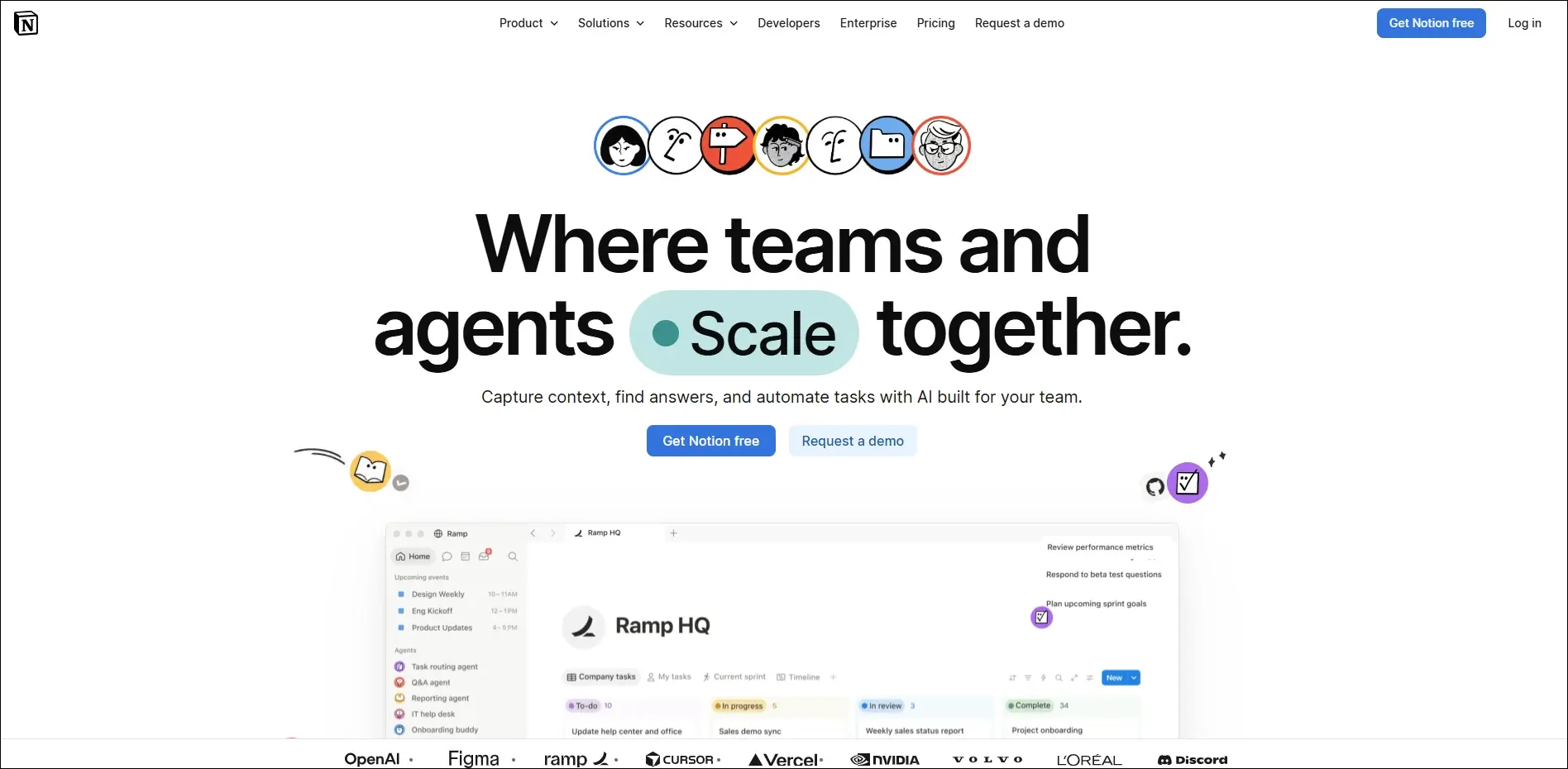
It offers an all-in-one platform for documents, databases, notes, and task management. Notion is highly customizable. It also comes with various AI features such as AI search, chatbot, writing assistant, research, and more to boost productivity. Notion is an excellent option for teams seeking knowledge sharing, streamlined workflows, and flexible collaboration.

It is a comprehensive suite that includes Docs, Slides, Sheets, Derive, and Gmail. Startups, small businesses, and large organization teams can use it to enable cloud-based productivity and collaboration.

It is a perfect option for quick video messages. You can also use it as a screen recording tool. Besides, it can help in giving quick updates and tutorials, lowering the frequency of live meetings.

Category 2: CRM or Customer Relationship Management SaaS Platforms

CRM tools are designed to help organizations to manage customer activities, track sales progress, and get detailed insight into customer needs and behavioral patterns. Some popular CRM SaaS tools you can opt for are:

This cloud-based CRM tool leverages AI to provide users with automated customer services, marketing, and sales automation solutions. Furthermore, it has many amazing features, like time awareness, flexible customization options, and powerful cloud infrastructure.

It provides businesses with a powerful free CRM option and also paid suites for marketing, sales, and customer service. If you are searching for the best SaaS tools for startups, this would be a perfect choice due to its integrated approach and user-friendly interface.

Well, Salesforce is a leader in CRM, offering powerful tools for managing sales pipelines, marketing, customer relationships, and support. This tool is ideal for growing and established businesses seeking enterprise-grade solutions.

This simple CRM SaaS tool focuses on building and improving customer relationships. With features like built-in SMS, emailing, and calling, Close ensures efficient and quick communication. Apart from these, you will find other useful features like task automation, reporting tools, sales insights, and more in this tool.

Category 3: Task and Project Tools

No matter the size, all businesses run on multiple projects, for example, running a marketing campaign or launching a new product. Managing numerous projects efficiently means keeping timelines clear, teams on track, and tasks organized.

This is where SaaS project management tools can help you ensure smooth management of projects.

It is a versatile project management tool designed to boost team collaboration and productivity. It provides users with built-in communication tools, a customizable dashboard, and Gnatt charts, simplifying resource planning and task tracking.

When talking about popular project management tools, we can’t ignore Trello. It utilizes visual boards and cards to efficiently organize multiple tasks, track progress, and assign responsibilities. It is an excellent option for creative projects, small businesses, and agile teams.

This SaaS project management tool comes with multiple useful tools like risk management, time sheets, Gantt charts, project dashboards, and time sheets. It can help businesses with resource allocation, project tracking, task management as well as financial management.

Asana assists teams in planning, organizing, and executing multiple projects with ease. It provides them with automation, reporting, dependencies, and timeline features to increase accountability and boost productivity.

This flexible work management tool streamlines team collaboration, project planning as well as team collaboration. With powerful integrations, ready-made templates, and interactive visual boards, it can support workflows for diverse industries.

Category 4: SaaS Sales Tools

Robust marketing and sales SaaS tools help organizations solidify their online presence and stay ahead of competitors. Whether you are managing leads or running multiple email campaigns, these tools can help you achieve desired results.

This CRM primarily focuses on sales pipelines. Using this platform, you can easily schedule follow-ups, track deals, automate tasks, and centralize sales data. It supports more than 500 integrations and comes with powerful built-in AI features.

ActiveCampaign facilitates marketing automation with accurate customer segmentation. It helps organizations create personalized customer journeys and optimize their campaigns through advanced analytics. ActiveCampaign is ideal for driving conversions and scaling engagement.

This platform combines all the functionalities of a CRM with built-in email, phone, and lead scoring. Using this, teams can streamline outreach, accurately track interactions, and close sales deals faster.

When it comes to choosing popular email marketing tools for your business, you can confidently go to Mailchimp. The platform offers features like audience segmentation, automation, analytics, and more. You can craft targeted campaigns, track performance, and automate emails, enhancing your customer relationships.

This all-in-one reporting automation tool can pull the latest data from multiple apps such as Google Analytics, Facebook Ads, and HubSpot. You can then access the data through spreadsheets or dashboards. Coupler.io is a perfect tool for marketing, sales performance analysis, campaign tracking, and detailed reporting.

Category 5: IT and Security Management

In this cloud-driven world, managing IT infrastructure and protecting digital assets is something that you can’t consider as optional. Whether you are an enterprise or a startup, these SaaS tools can help you safeguard data and streamline access control.

It is designed to provide users with a highly encrypted password storage system. Besides, it supports two-factor authentication and secure file sharing. With this, IT security teams enjoy centralized control and better visibility in access management. 1Password eliminates the “Access-Trust Gap”.

This password manager stores business and employee credentials, protects access, and enables encrypted file sharing across all devices. Businesses prioritizing user authentication, cybersecurity, and compliance can give it a try.

It is created for teams that need maximum visibility and quick fixes without any hassle. The tool offers compliance assistance, continuous vulnerability monitoring, manual pentest, and CI/CD integrations.

Cloudflare functions as a robust shield for the modern internet, creating a layer of security between the web and your application. It offers DDoS protection, advanced encryption, and a web application firewall.

Vicarius focuses on the vulnerability remediation process, making it quick and efficient. It can analyze assets, rank threats based on their exploitability, and protect applications while patching. Besides, you can integrate this with collaboration and ticketing platforms to automate task ownership and statuses.

Category 6: Design, Productivity, and Analytics Tools

Whether you are streamlining workflows, creating striking visuals, or tracking performance, this category covers some useful SaaS tools that can help your team work faster and smarter.

Using this, your team can get a complete picture of how visitors use your website. Besides, it helps to understand the source of traffic, what pages they visit, and the actions they take.

It is a drag-and-drop design platform that allows you to create everything from presentations, social media posts, to videos and logo creation. It is easy to use, fast, and offers AI-powered design functionalities.

Grammarly is popular for helping users write professionally and clearly. It can rewrite your sentences, resolve grammar issues, and keep the tone consistent. Furthermore, it helps you track time spent on a document.

Category 7: HR SaaS Tools

Undoubtedly, employees are the most important resource for every organization. If you can manage them effectively, ensuring long-term success will not be that challenging. And if you are looking for some powerful HR SaaS tools, here are some options to consider.

It is a simple-to-use, yet powerful HR platform for small to medium-sized organizations. It offers the necessary tools for hiring, onboarding, performance management, data management, and time tracking.

This modern HR tool is designed for fast-growing and dynamic companies. Using this, you can efficiently streamline core HR processes. It comes with a built-in recruitment module and robust reporting features.

This comprehensive HR suite offers payroll, talent management, benefits administration, compliance tools, and more. It also has robust integration and analytics capabilities.

The Future of SaaS Platforms

As SaaS development and adoption grow, we can expect to see:

1. Greater focus on responsive design for smooth remote access.

2. More ML and AI features in automation and analytics.

3. Enhanced compliance and security, especially for industries dealing with sensitive data.

4. Seamless integration with all SaaS tools.

Closing Thoughts

SaaS tools have become crucial for modern businesses as they can simplify multiple processes. With a top SaaS platform, it will be easier for you to boost collaboration, streamline operations, propel sales, and automate repetitive tasks. These SaaS tools are trusted and popular among industries.

If you want to create or harness the maximum potential of a cloud-based tool, then partner with Mindpath. We offer custom SaaS development services for small businesses and enterprises. Furthermore, our team ensures seamless integration of SaaS tools with your existing systems and other third-party tools. Let us help you unlock the true power of SaaS and transform your business’s efficiency and workflow.