Home

DevOps vs. Traditional IT: Which Approach Is Right for Your Business?

DevOps vs. Traditional IT: Which Approach Is Right for Your Business?

Join our Newsletter!

DevOps vs. Traditional IT

Are you wondering how DevOps compares to traditional IT? What makes one approach more efficient or suitable for today’s fast-paced tech world? Whether you’re a business owner, a tech enthusiast, or just curious about modern IT practices, understanding the differences between DevOps and traditional IT models can help you make the best decision for your needs. Let’s dive in and explore how these two approaches stack up!

What is DevOps?

DevOps is a fundamental idea that tries to bring together two key teams: development and operations. Previously, these teams operated independently, which sometimes resulted in miscommunication and delays. DevOps addresses this by fostering a more collaborative environment.

The term DevOps is derived from “development” and “operations.” It’s all about making it easier for these two teams to collaborate on software development, testing, and delivery. When development and operations collaborate, it is simpler to address challenges such as delayed software upgrades, poor coordination, and feature delivery delays.

Companies can employ DevOps to speed up their software development process. It involves leveraging tools, automating activities, and enhancing team communication, all of which contribute to faster, more efficient product releases for clients.

Advantages of DevOps

1. Cost Effective

DevOps saves businesses money by automating various procedures, reducing the need for additional human resources and accelerating software development. Developers can create more effective code, identify errors early, and make changes more quickly by utilizing DevOps principles like continuous integration and delivery, which reduces total expenses. Automation also lowers mistakes, delays, and increases the quality of the finished product. DevOps enables firms to generate high-quality software at a lower cost, helping them remain competitive in the market.

2. Security

Security is an essential concern for most firms, and DevOps helps by incorporating security into every stage of the development process. DevOps automates the development and deployment processes, enabling developers to work swiftly and safely. DevOps employs continuous testing and feedback to automatically detect problems and vulnerabilities as software is produced, resulting in high-quality and secure code. Automated technologies also aid in the early detection of security concerns, making them easier to resolve before they grow into larger difficulties. Companies can employ DevOps to reliably release updates and safeguard their software throughout its lifecycle.

3. Increased Flexibility

DevOps provides developers more freedom by allowing them to distribute new features or upgrades fast and effectively. The development team can quickly implement changes due to continuous delivery and testing, allowing organizations to respond to market needs and customer feedback. This agility enables businesses to remain ahead of the competition and get the first-mover advantage by being the first to provide new goods or improvements. Faster releases not only make customers happier, but they also allow organizations to innovate more frequently and adapt quickly to changing demands, making the entire development process more dynamic and flexible.

4. Fosters Communication

Implementing DevOps methods improves communication inside an organization. DevOps fosters collaboration between development and operations teams, directing everyone towards similar business objectives and supporting a united approach to goal achievement. This practice successfully removes communication obstacles, resulting in a smoother workflow and ensuring that both teams collaborate effortlessly. As a consequence, organizations can offer higher-quality goods that better fulfil the expectations of their customers. Superior communication and cooperation not only drive project success but also help to create a more productive and profitable corporate environment.

What is Traditional IT?

Traditional IT is the old technique of handling technology in enterprises. It makes use of real equipment like servers, computers, and network equipment to store data and operate programs. This system requires a significant amount of room, electricity, and money to put up and maintain. It also necessitates the usage of an in-house IT team to oversee everything, from hardware installation and configuration to problem resolution and overall operation. Because the infrastructure is built from physical components, it can be rather expensive, especially when it comes to upgrading or replacing obsolete gear. Businesses must also prepare for data storage, security, and backups, which can require additional time and resources. Furthermore, scaling up operations or introducing additional services can be cumbersome and expensive, as it often requires more hardware and manual setup.

Advantages of Traditional IT

1. Data privacy

One significant advantage of traditional IT is data privacy. Traditional IT gives you complete control over where your data is stored, generally on your own servers or hardware. This means that you can control who gets access to your data and how it is safeguarded. Because the data remains within your organization, you do not have to be concerned about third-party firms gaining access to it, which can provide you with peace of mind. Furthermore, storing data locally allows you to implement unique security measures tailored to your company’s specific requirements. To safeguard sensitive information, you can use firewalls, encryption, and other techniques. For firms that manage sensitive data, having direct control over it can be a significant advantage since it decreases the chance of breaches or unauthorized access.

2. Consistent data access

Traditional IT has a significant edge in terms of constant data access. By keeping data on premises, or on your own servers or hardware, you can ensure that it is always accessible, even if there are network or internet outages. Because the data is kept locally, you do not need an external internet connection to access it, making it more dependable during internet outages or disturbances. This is especially valuable for firms that require immediate and ongoing access to essential data, such as financial records or client information. Even if the internet goes down, conventional IT allows employees to view and work with data stored on the company’s servers. Additionally, local storage allows businesses to customize their access and backup strategies, ensuring data is always available when needed.

3. Security

Improved security is one of the most significant advantages of traditional IT. Data and apps are stored on your own servers, so you have complete control over who can access them. This makes it easy to restrict access to just authorized staff, ensuring sensitive information is safeguarded. You can use security measures such as firewalls, encryption, and access restrictions to guarantee that only authorized people have access to sensitive data. Traditional IT allows you to monitor and trace who accesses what data, providing you with greater management and control over your security. If your company handles sensitive or secret information, having this degree of control is essential for avoiding unauthorized access or data breaches.

4. Reliability

Traditional IT is highly reliable since it is not dependent on internet access. Because data is kept on your own servers, it is always available, even during internet outages or disturbances. This decreases the likelihood of service disruptions, which can harm cloud-based services. In the case of traditional IT, all apps and data are available locally, allowing your firm to continue operations without the need for an external network connection. This makes traditional IT a more dependable alternative for organizations that want regular access to their data, particularly in places where internet connectivity is unpredictable. Furthermore, because the infrastructure is managed internally, firms can set up their own backup systems and disaster recovery plans, lowering the chance of data loss or interruption.

DevOps vs. Traditional IT: A Comparison Table

Aspect Traditional IT DevOps
Development & Operations Work in silos, lack of collaboration Integrated teams, continuous communication
Delivery Methodology Waterfall, long development cycles Continuous Integration/Continuous Delivery (CI/CD)
Process Management Manual processes, prone to errors Automated processes, faster and more reliable
Incident Management Reactive, issues fixed after they occur Proactive, issues identified and resolved early
Flexibility Rigid, difficult to adapt Agile, quick to respond to changes and feedback
Testing Testing after development, delayed bug discovery Shift-left testing, bugs detected early
Feedback Loops Delayed feedback after release Continuous, real-time feedback from users and teams

DevOps Services at Mindpath

Mindpath offers full DevOps services to optimize your software development and delivery operations. By combining development and operations teams, we encourage seamless cooperation and quicker, more dependable releases. Our emphasis on automation, continuous integration, and real-time monitoring helps to eliminate manual mistakes while maintaining consistency across environments. We also prioritize proactive issue identification, which enables teams to handle possible issues before they affect your systems. With Mindpath’s DevOps services, you can expect shorter development cycles, faster updates, and higher software quality, all while increasing team efficiency and cooperation.

Final Thought!

Whether you choose DevOps or traditional IT depends on your business needs and priorities. DevOps offers agility, automation, and faster, more efficient software delivery, making it ideal for businesses aiming to stay competitive in a fast-moving tech landscape. On the other hand, traditional IT provides control over data, security, and reliability, which may suit businesses with specific data privacy concerns or those in less connected environments. At Mindpath, we help you navigate these options, offering tailored solutions to enhance your development processes and deliver high-quality, secure software.
Ready to Modernize Your IT Operations?

Build faster, more reliable software with DevOps practices tailored to your business.

Frequently Asked Questions

Support Is One Click Away

Featured Posts

Related Post

Business task automation

Business process automation is changing how companies manage routine work without adding unnecessary complexity. Many daily activities still consume valuable time, even though AI can now complete them faster and with greater accuracy. Businesses adopting intelligent automation are creating more space for innovation, better customer experiences, and sustainable growth.

Key Takeaways

  • 01
    Business process automation eliminates repetitive work while improving efficiency across everyday operations.
  • 02
    AI enables smarter automation by handling decisions, language, and unstructured business data.
  • 03
    Prioritizing high-impact workflows delivers faster results and a stronger return on investment.
  • 04
    Successful automation requires secure integration, employee training, and continuous performance monitoring.
  • 05
    Custom AI solutions create scalable automation tailored to evolving business goals and processes.

Choosing the right tasks to automate often delivers greater value than simply adopting new technology. Understanding where AI fits within existing workflows helps organizations improve efficiency without disrupting essential operations. In this blog, you’ll discover ten everyday business tasks that can be automated with AI. So, let’s keep reading!

Want to automate more than just everyday business tasks? Explore Mindpath’s AI Development Services to build custom AI solutions that streamline operations, improve productivity, and support long-term business growth.

What is Business Process Automation?

Business process automation refers to the use of technology to streamline repetitive workflows and reduce manual effort across business operations. It automates routine tasks using predefined rules, helping organizations improve efficiency, maintain consistency, reduce errors, and complete everyday processes faster while allowing teams to focus on more valuable work.

Today, AI is making business process automation more intelligent by handling tasks that require analysis, language understanding, and decision-making. Instead of following fixed rules alone, AI learns from data and adapts to changing situations. This shift is driving smarter business task automation across departments and industries.

Key Benefits At a Glance

  • 01
    Reduces Manual Errors: Standardized workflows improve accuracy and minimize mistakes in everyday business operations.
  • 02
    Improves Operational Efficiency: Automated processes complete routine tasks faster with minimal human intervention.
  • 03
    Optimizes Employee Productivity: Teams spend less time on repetitive work and more on strategic priorities.
  • 04
    Lowers Business Costs: Automation reduces operational expenses by minimizing manual effort and repetitive workloads.

Why Businesses are Prioritizing AI Automation?

Businesses are accelerating AI adoption as automation becomes a competitive advantage rather than a future investment. According to Gartner, 80% of CEOs expect AI to significantly reshape their operational capabilities, reflecting a shift toward smarter and more autonomous business operations. As organizations look to automate repetitive tasks, AI is helping them improve efficiency, agility, and long-term business value.

1. Improved Productivity

AI completes repetitive work quickly and operates without interruptions. This allows employees to focus on strategic and creative responsibilities.

2. Better Customer Experience

AI-powered assistants respond instantly and provide support throughout the day. Faster responses help improve customer satisfaction and engagement.

3. Smarter Decision Making

AI analyzes large volumes of business data within minutes. These insights help leaders make faster and more informed decisions.

4. Reduced Operational Costs

Automating routine workflows lowers administrative effort and operating expenses. It also minimizes costly manual errors across business processes.

5. Higher Accuracy

AI follows consistent rules when processing information and completing tasks. This improves data quality and reduces the chances of human mistakes.

6. Easier Business Growth

AI for business operations helps organizations handle increasing workloads efficiently. Businesses can scale processes without expanding teams at the same pace.

10 Everyday Business Tasks You Can Automate with AI Today

Business process automation helps organizations eliminate repetitive work and improve everyday efficiency with AI. Here are ten common business tasks that businesses can automate today to save time, reduce errors, and support sustainable growth.

1. Customer Support

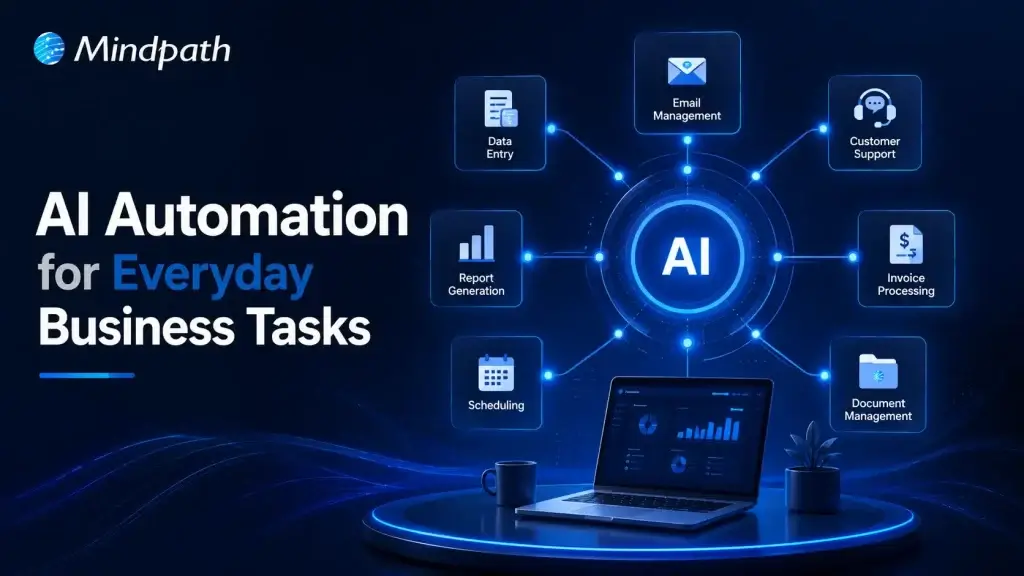
AI chatbots answer common customer questions instantly and provide support around the clock. This reduces response times and allows support teams to handle more complex issues.

2. Email Management

AI organizes inboxes, prioritizes important messages, and drafts professional replies. Teams spend less time managing emails and more time on meaningful work.

3. Meeting Summaries

AI records conversations, creates concise meeting notes, and highlights action items. Everyone stays aligned without manually documenting every discussion.

4. Lead Management

AI captures new leads, qualifies prospects, and updates CRM records automatically. This helps sales teams respond faster and improve conversion opportunities.

5. Invoice and Expense Processing

AI generates invoices, categorizes expenses, and tracks payment reminders efficiently. Business task automation reduces manual effort while improving financial accuracy.

6. Social Media Content

AI creates captions, suggests content ideas, and repurposes existing materials. Marketing teams can maintain consistent posting with less manual work.

7. Document Review

AI summarizes lengthy documents and identifies important information within seconds. It speeds up reviews while helping teams make informed decisions.

8. Data Reporting

AI analyzes business data and generates dashboards with meaningful insights. Leaders can monitor performance without spending hours preparing reports.

9. Inventory Management

AI tracks inventory levels and predicts future demand using historical trends. Businesses can avoid stock shortages and improve supply planning.

10. Internal Knowledge Support

AI assistants help employees quickly find policies, documents, and training resources. These are among the most valuable business tasks that can be automated to improve workplace productivity.

How to Decide Which Business Tasks to Automate First?

Knowing how to automate business tasks starts with identifying processes that consume the most time and resources. Focusing on the right workflows first helps businesses achieve faster results and long-term operational improvements.

  • Identify Repetitive Tasks: Automate activities performed every day across business workflows. Business task automation saves valuable time and improves overall productivity.
  • Choose Rule-Based Processes: Select workflows with simple and consistent decision-making. These processes are easier to automate with reliable accuracy.
  • Reduce Manual Errors: Prioritize tasks where human mistakes happen frequently. Automation improves consistency and minimizes costly operational errors.
  • Start with Quick Wins: Focus on processes delivering immediate measurable business improvements. Early success builds confidence for broader automation initiatives.
  • Improve Employee Experience: Automate routine administrative work that slows daily productivity. Employees can concentrate on higher value and strategic responsibilities.

Best Practices for Successful Business Process Automation

Successful automation begins with clear goals and well-defined business processes. Choosing the right AI automation tools helps organizations improve efficiency while achieving consistent and scalable results.

  • Start with One Process: Automate a single workflow before expanding across the organization.
  • Integrate Existing Systems: Connect AI with everyday business applications for smoother workflows.
  • Review AI Outputs: Verify AI-generated results before using them in critical business tasks.
  • Protect Sensitive Information: Choose secure AI platforms that safeguard business and customer data.
  • Train Employees Effectively: Equip teams with practical AI skills for successful adoption.

Ready to Transform Your Business with AI Automation?

Business process automation is no longer limited to large enterprises. Organizations of every size can automate routine workflows, improve operational efficiency, and reduce manual effort with the right AI strategy. Starting with high impact tasks allows businesses to achieve measurable results while building a strong foundation for long term growth and innovation.

At Mindpath, we develop custom AI solutions that align with your business goals and existing workflows. From intelligent automation and AI agents to enterprise AI applications, our experts help organizations streamline operations, improve productivity, and accelerate digital transformation with scalable AI development services.

Frequently Asked Questions

Top App Ideas

Are you in search of top app ideas that can take your business to the next level? Confused about which app can be beneficial for your business? If so, you are not alone in this! Nowadays, most of the business owners are turning to smart, easy-to-use apps that can boost customer engagement, simplify daily tasks, and even gain better profits. When you are looking for an app idea that can help you develop your business in 2026, choosing the right app idea can make a huge difference.

Key Takeaways

  • 01
    The right app idea can help businesses improve customer engagement, streamline operations, and create new growth opportunities.
  • 02
    AI, machine learning, cloud services, and other technologies are enabling new types of business applications.
  • 03
    The most practical app opportunities address specific customer needs and real-world business problems.
  • 04
    Scalability, user experience, automation, and technology choices are important when turning an app concept into a viable product.
  • 05
    From AI-powered tools and payment apps to logistics and healthcare solutions, businesses can explore app ideas across diverse industries.

In today’s technology-enabled world, new technologies like AI, machine learning, and cloud services make it easier than ever to construct transformational apps. These apps can keep you ahead in a fast-moving market and provide the best possible service to your customers. In this blog, we have compiled a list of the best app ideas to transform your business in 2026. Each idea is based on current trends, real needs, and new opportunities for the future. In practical terms, these app ideas can help businesses identify digital products that address customer needs while supporting efficiency, engagement, and growth.

30 Top App Ideas to Watch in 2026

Here are the 30 best apps to make in 2026, carefully selected to reflect future business trends and user needs. They all focus on real-world problems, user experience and how to help companies to accelerate their growth in a digital-first world.

1. E-learning App

An e-learning application allows people to learn anything, anytime, directly from their phones. An e-learning app can provide video lessons, quizzes, and tracking progress over a few different topics, such as languages, coding, or business.

2. Expense Management App

An expense management app helps users track spending, set budgets, and stay on top of their finances with ease. It replaces messy receipts and manual tracking with simple, automated tools. This is one of the best app ideas for startups looking to offer real value and solve everyday money problems.

3. AI Prompts Generator

An advanced AI prompt generator helps users come up with smart, goal-based prompts for writing, content creation, and planning. It adjusts to user needs, whether it’s for business, education, or personal growth, and keeps getting better with use. It’s one of those mobile app ideas that can change the world by making creativity and productivity easier for everyone.

4. AI Image Enhancer

An AI image enhancer lets users quickly improve photo quality without needing advanced editing skills. It can sharpen details, fix colors, and upscale low-res images with just a few taps. Perfect for anyone who wants clearer, better-looking photos in less time.

5. AI Chatbots for HRMS

An AI chatbot for HRMS makes it easy for employees to handle tasks like leave requests and timesheet updates right from their chat workspace. It connects smoothly with tools like Microsoft Teams and works with different HR systems.

6. Eco-Friendly Commute Planner

An eco-friendly commute planner helps users find routes that are both timesaving and better for the environment. It suggests options like biking, carpooling, or public transport based on real-time traffic and emissions data. Among practical business app ideas, this one encourages greener habits while supporting corporate sustainability goals.

7. Language Learning App

A language learning app makes it fun and simple to pick up a new language, starting with basics like the alphabet and moving up to real conversations. It can include voice features to help with pronunciation and keep learners engaged. This is one of the best trending mobile app ideas for beginners who want to build language skills step by step.

8. Food Delivery App

A food delivery app connects users with local restaurants and food vendors for quick, tasty meals at home. It can include features like user reviews, exclusive deals, and social sharing to create a lively food-loving community. It’s a simple way to enjoy great food while supporting neighborhood businesses.

9. Vehicle Insurance App

A vehicle insurance app helps users compare plans, get instant quotes, and manage their policies all in one place. It makes tracking renewals and paying premiums quick and stress-free. With easy claim filing and real-time updates, it keeps the whole insurance process simple and smooth.

10. UPI Payment App

A UPI payment app lets users send and receive money instantly using just their phone, without needing cash or cards. It links multiple bank accounts and supports payments through numbers, virtual addresses, or QR codes for easy transactions. This convenience makes it one of the million-dollar app ideas transforming how people handle money every day.

Choosing the right tools and frameworks is essential to bringing your app ideas to life effectively. Learn about the top mobile app development technologies that power innovative apps and help you stay ahead of the competition.

11. Drone Service App

A drone service app connects users with professional drone operators for tasks like aerial photography, surveying, and fast deliveries. It makes using drone technology easy and accessible for various needs. This app opens up new possibilities by bringing the power of drones right to your fingertips.

12. Restaurant Reservation App

A restaurant reservation app lets users quickly book tables at their favorite spots without waiting. It shows availability, menus, and special deals, making dining planning easy and personalized. For restaurants, it helps manage bookings smoothly, so everyone enjoys a better experience.

13. Customer Support Chatbot App

A customer support chatbot app helps businesses respond instantly to common questions, cutting down wait times and improving user satisfaction. With features like natural language processing and 24/7 availability, it provides reliable help anytime and can hand off complex issues to human agents.

14. Workflow Management App

A workflow management app streamlines team collaboration by automating tasks and organizing projects. It offers features tailored to fit specific team needs, making remote work easier. With shared access and PC-friendly tools, it’s a top choice for improving business operations.

15. Container Tracking App

A container tracking app makes it easier to keep tabs on your shipments in real time. You can see exactly where your cargo is and when it’s expected to arrive. It’s a simple way to stay organized and keep your logistics running smoothly.

Curious how the latest tech can make tracking shipments even easier? Explore the mobile app development trends and discover the innovations transforming logistics and business apps.

16. Voice Translation App

A voice translation app can be a game-changer for anyone traveling to a country where they don’t speak the language. Just speak into your phone, and it instantly translates your words into the local language and the other way around too. It’s like having a personal translator in your pocket, making conversations abroad way less stressful.

17. Video Editing App

With so many people posting videos on social media, a solid video editing app is a must. It helps users turn casual clips into clean, professional-looking content that actually grabs attention. Whether it’s for personal stories or product promos, this app makes polished videos super easy to create.

18. Interior Design App

An interior design web app lets users visualize home changes with 3D tools and AR. They can place virtual furniture in real spaces for a personalized touch. It’s one of those new app ideas perfect for home makeover lovers.

19. Fitness App

A fitness app like this makes staying healthy a lot easier by letting users track key habits and health stats in one place. With support from real experts and custom plans, it’s great for anyone looking to prevent lifestyle issues. Plus, built-in chat helps users connect with coaches and others on the same journey.

20. AI Logo Maker

An AI logo maker allows users to generate unique and professional logos by inputting keywords, colours, and information about their industry. The AI logo maker will suggest designs quickly and to be easily customized. It is a good option for anyone looking for a sleek logo without paying a designer to create it.

Want your AI logo maker to perform flawlessly and scale with ease? Learn how the right tech stack for web app success can power your app from concept to launch.

21. Railway Tracking App

A train tracker app would give commuters real-time alerts of where the trains are on track and when they are due to arrive at their station, alleviating stress related to planning commuting journeys. It removes the guesswork of if a train is late or having any other disruptions so they can avoid waiting at the station or running around for alternative methods of transportation.

22. Virtual Art Curator

A Virtual Art Curator application uses AI technology to develop individualized virtual art exhibitions tailored to your preferences and chosen styles. It will recognize the types of art and artists you enjoy and actively auto focus on a gallery designed specifically for your tastes and interests.

23. Car Sharing App

When users share their vehicles and intended destination in real-time, finding rides is easy for the passenger that will be heading the same way. Passengers can connect with their driver going in the same direction and share the ride. It is a simple way to save some money and cut down on congestion by taking a trip together.

24. Disaster Management App

A disaster management app can alert people to disasters that are happening nearby, informing them of the type of disaster and its severity to keep them safe. It can help people understand what to do during an emergency, and it can help locate people that are stranded. The app will help rescue teams by providing real-time information on damage and people requiring assistance.

25. Doctor’s Consulting App

A doctor’s consulting app lets you easily ask questions and get answers directly from doctors. You can also stay updated with the latest medical news and research. Plus, it makes booking appointments quick and simple, all in one place.

26. Logistics App

A goods-transporter app connects people who require swift deliveries with any nearby available vehicles. It helps to coordinate shipments with trucks that might return to the shipper empty after deliveries. It helps save time and makes it easier for everyone to transport goods.

27. Virtual Clothes Shopping App

A virtual clothes shopping application will show users what they look and fit like, without the need to try them on physically. This saves a considerable amount of time spent changing and waiting in dressing room lines. Virtual shopping with an app is faster and more entertaining from the comfort of your home.

28. Restaurant POS App

Using a restaurant POS app makes reserving the ideal table so easy and quick. You simply choose your favorite table and time and reserve it directly within the app. It’s a simple way to figure out a nice evening out without the hassle.

29. Grocery Delivery App

A grocery delivery app offers users the ability to shop at their local stores and have fresh groceries delivered to their doorstep, with fast delivery times. Grocery shopping is made easy with customized shopping lists, real time inventory updates to the app, and a streamlined payment process. Users can also monitor their delivery in real time, ensuring a simple experience every time.

30. Event Management App

An event management app alleviates the stress of planning! They take care of guest lists, ticket sales, and real-time updates, all in one app. Event management apps can sync seamlessly with payment systems and social media, enabling event promotion and engagement with attendees to be easier.

Ready to turn your app ideas into reality? Explore the Web App Development Roadmap to see step-by-step how to plan, design, and launch apps that deliver real business value.

Ready to Turn a Top App Idea into Your Business Success in 2026?

These top app ideas for 2026 offer practical ways to improve customer experience and streamline business tasks. Whether it’s AI tools, delivery apps, or event planners, each idea focuses on real needs that can help your business grow and stay competitive in a fast-changing market.

At Mindpath, we specialize in web and application development services that bring your top app ideas to life. Our expert team creates custom, scalable solutions designed to meet your business needs and future challenges. With Mindpath, you get reliable support and cutting-edge technology to grow your business confidently.

Frequently Asked Questions

1. How can a business decide which app is worth developing in 2026?

Businesses should evaluate market demand, customer pain points, and revenue potential. Conducting competitor analysis, surveys, and pilot testing helps identify which app concepts can deliver real value. Prioritizing apps that improve efficiency, engagement, or profitability ensures resources are used wisely.

2. What factors make an app scalable as user demand grows?

Scalable apps rely on flexible architecture, cloud infrastructure, and modular design. They should handle increased traffic, add new features without major rework, and integrate easily with other systems. Scalability ensures the app continues performing well as the business expands.

3. How can apps enhance both customer experience and operational efficiency?

Apps that automate tasks, simplify workflows, or provide real-time insights benefit both users and internal teams. For example, delivery, logistics, or expense tracking apps reduce manual effort while offering faster, smoother experiences for customers, improving satisfaction and operational efficiency simultaneously.

4. What role does technology like AI or AR play in modern business apps?

AI and AR add intelligence and interactivity, enhancing personalization and problem-solving. AI can provide recommendations, automate routine tasks, and analyze data for insights. AR improves visualization and engagement, helping users interact with products or services in innovative ways.

5. How should businesses future-proof their apps in 2026?

Future-proofing requires choosing adaptable frameworks, regular updates, and integration capabilities with emerging technologies. Monitoring user feedback, staying aligned with trends, and designing for modularity ensures apps remain relevant, flexible, and capable of supporting long-term business growth.

Chatbots to Agentic AI

Businesses today move fast. Customer expectations move even faster. The old model of deploying a simple chatbot to handle FAQs and call it “AI adoption” no longer cuts it in 2026. The real shift happening right now is the leap from chatbots to agentic AI, and it is reshaping how small and mid-sized businesses operate, compete, and grow. This is no longer a futuristic concept. It is an active, measurable business decision.

Key Takeaways

  • 01
    Agentic AI executes complete workflows autonomously, while chatbots only answer questions.
  • 02
    SMBs adopting agentic AI gain a measurable competitive edge over slower-moving peers.
  • 03
    Agents integrate directly with your existing tools, eliminating manual hand-offs entirely.
  • 04
    No-code platforms make agentic AI deployment accessible for non-technical SMB founders today.
  • 05
    Starting with one repetitive task is the smartest and fastest path to implementation.

So, think about this for a moment. Your competitors are not just automating conversations anymore. They are automating decisions, workflows, and outcomes. Agentic AI does not wait for instructions at every step. It reasons, plans, and acts autonomously across your entire business stack. SMBs that recognize this shift early will set the pace. Those that wait will spend the next few years catching up. In this blog, we break down exactly what this transition means, why it matters deeply for your business, and how you can start making it work today.

Looking to move beyond basic chatbots? Our Agentic AI development services help businesses build intelligent AI agents that deliver real business value.

How Does Agentic AI Differ from a Chatbot?

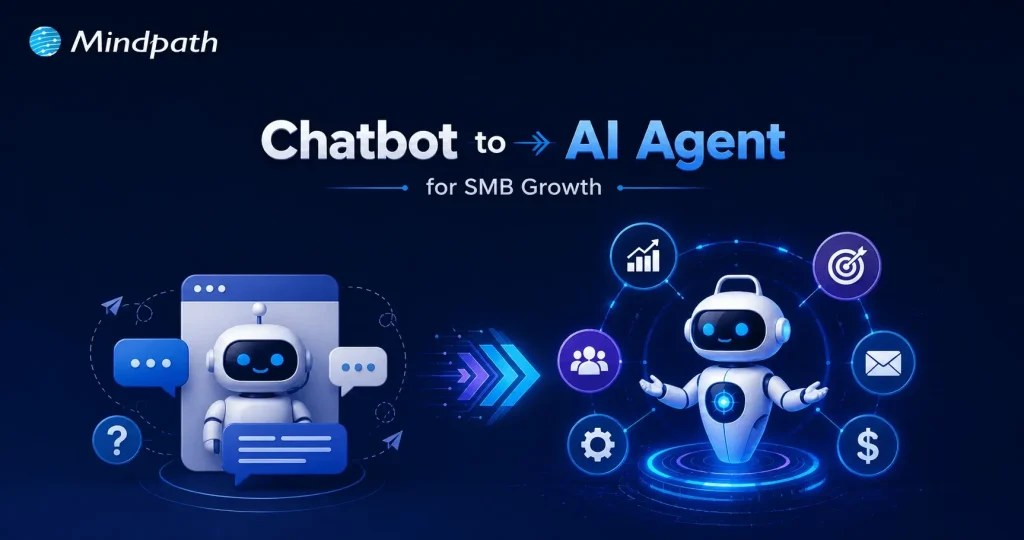
A chatbot is a rule-based conversational tool. It responds to queries, retrieves information, and operates within predefined boundaries. Agentic AI is an autonomous intelligence system. It receives a high-level goal, reasons through complexity, and executes multi-step tasks across tools, APIs, and workflows independently.

Consequently, the evolution from chatbots to agentic AI represents a fundamental shift in capability. A chatbot delivers an answer. An agent delivers an outcome. It plans, decides, coordinates across systems, and completes entire business processes without requiring human intervention at each step.

Let’s have a glance at the key difference through this table:

Category  Agentic AI  Chatbot 
Primary Purpose Works toward a goal and completes tasks from start to finish. Answers questions and responds to user messages.
Autonomy Can make decisions, plan actions, and work with minimal human input. Requires continuous user prompts and instructions.
Task Execution Handles complex, multi-step workflows and can adapt when situations change. Typically manages simple conversations or predefined tasks.
Tool & System Access Uses APIs, databases, business software, browsers, and other tools to perform actions. Mostly provides information; limited ability to take real actions.
Memory & Context Maintains task history, user preferences, and long-term context across interactions. Usually remembers only the current conversation session.
Outcome Delivers completed results (e.g., creates reports, books meetings, processes requests). Delivers responses, suggestions, or information only.

Why are SMBs Choosing Agentic AI Over Traditional Chatbots in 2026?

SMBs are not adopting agentic AI out of curiosity. They are doing it because the gap between a chatbot to AI agent is now a gap between falling behind and staying competitive. The business case is clear, measurable, and growing stronger every quarter. Here are the reasons why SMBs are making the switch right now.

1. Always-On Execution

Agentic AI operates continuously across time zones without failing. It handles complex, multi-threaded tasks around the clock, functioning truly as a 24/7 digital employee for your business.

2. End-to-End Automation

Unlike AI chatbots for customer service that stop at answering queries, agents take direct action. One agent can check inventory, process a return, and update your CRM automatically without a single human hand-off.

3. Autonomous Problem Solving

Agents use a built-in reasoning layer to break high-level goals into actionable steps. They analyze context in real time and respond decisively without waiting for human instruction at every turn.

4. Deep System Integration

Agents connect directly via API to your existing tech stack, including Slack, Google Drive, and inventory systems. They pull data, update records, and execute changes securely across your entire business infrastructure.

5. Real Cost Savings

Running an agentic workflow costs a fraction of a full-time employee’s salary. SMBs consistently recover significant operating capital monthly while eliminating the inefficiencies tied to manual staff time.

6. Dynamic Adaptability

Traditional chatbot flows break the moment a variable changes. The shift from chatbots to agentic AI means your system now adapts in real time, handles ambiguity, and course-corrects when processes go wrong.

7. No-Code Deployment

Advanced no-code platforms allow non-technical SMB founders to build and launch role-specialized agents quickly. You do not need a large in-house IT team to start seeing immediate, measurable value.

8. Scalability Without Hiring

Agentic workflows allow SMBs to handle sudden spikes in traffic or rapid business expansion confidently. You scale operations without the immediate pressure to hire, onboard, and train new employees.

Must-Know Insights on SMBs Using AI

  • Over 75% of SMBs actively use or experiment with AI today.
  • 97% of SMBs using voice AI agents report direct revenue increases.
  • Gartner predicts 25% of all IT work will run on AI agents by 2030.
  • 91% of SMBs adopting AI report measurable revenue gains consistently.
  • Growing SMBs lead AI adoption at 83%, far ahead of stagnant peers.

How to Transition Your SMB from a Chatbot to Agentic AI in 2026?

Making the switch sounds complex, but it does not have to be. Most SMBs already have the tools and workflows needed to start deploying conversational AI agents today. Here is exactly how you move from intention to implementation.

1. Start Small

Identify one high-value, repetitive task your team handles manually every day. Build your first agent around that single workflow before expanding further.

2. Map the Workflow

Write down every trigger, system, and decision rule a human follows to complete the task. This plain-language process becomes the core instruction set for your agent.

3. Connect Your Stack

A customer service agentic AI chatbot without tool access is simply a smarter chatbot. Equip your agent with API connections to the software your team already uses daily.

4. Set Human Guardrails

Identify every point in the workflow where an agent mistake would carry significant cost. Program the agent to pause and request human approval at each of those critical steps.

5. Pick Your Platform

The transition from chatbots to agentic AI no longer requires a large technical team. Explore no-code and low-code visual builder platforms to design and deploy workflows without writing a single line of code.

Is Your Business Ready to Move Beyond the Chatbot?

The shift from chatbots to agentic AI is not a distant trend. It is happening right now, and SMBs that act early will hold a serious competitive edge. The technology is accessible, the results are proven, and the window to move first is still open.

At Mindpath, we provide AI development services that help SMBs make this transition confidently. We build, integrate, and deploy agentic solutions tailored to your exact business needs. Let us help you move from conversation to action, starting today.