Software Development Cost: A Detailed Guide for 2025

Join our Newsletter!

Featured Posts

Support Is One Click Away

Home

Software Development Cost: A Detailed Guide for 2025

Software Development Cost

Software Development Cost: A Detailed Guide for 2025

When thinking about software development cost in 2025, it is not strictly about budgeting; it is about making informed decisions that end up delivering a successful project. New tools, frameworks, and approaches to development appear every year; therefore, how businesses spend money on development is also changing. How do you maximize your investment while being innovative and keeping your project on track? The solution is to know what drives the cost, and how those drivers may steer the final outcome.

The software world is fast-moving, and when you do not pay attention to these details, you can be setting yourself up for struggles later on when you want to scale. Companies today are not just looking at the bottom-line costs, but at a different perspective centered around value, flexibility, and speed of delivery. This makes it essential to look at the real cost drivers in depth. Understanding all the factors can better inform their decisions, maintain their agility, reduce certain risks, and build software projects that are set up for considerable success in 2025 and the following years. Keep reading to learn more about the cost of software development in detail.

If you need to boost efficiency, growth, and customer satisfaction, that will transform your business. Mindpath’s software development services will help you achieve these goals. Contact us now to unlock the long-term impact.

Why Understanding Software Development Costs Matters?

Comprehending software development costs is significant because it establishes the complete journey of a project. Given the right cost information, it enables teams to plan budgets that are realistic, deploy skilled resources, and be confident with their risk management. This implies avoiding unnecessary costs and deadlines. This also means delivering a project on time, within scope, and within the levels of quality expected by clients.

Moreover, knowing the cost factors will help organizations remain competitive and make better decisions. It can enhance transparency with clients, add trust with clarity and financial planning, and facilitate long-term sustainability by considering upkeep and future capacity. These insights support stronger profitability, but more importantly, they allow organizations to achieve longevity and value for all software development endeavors.

Key Factors Influencing Software Development Cost

The cost of development in 2025 will be a combination of many important factors, which are not limited to coding. Each of the elements potentially influences the budget, timeline, and success of the software.
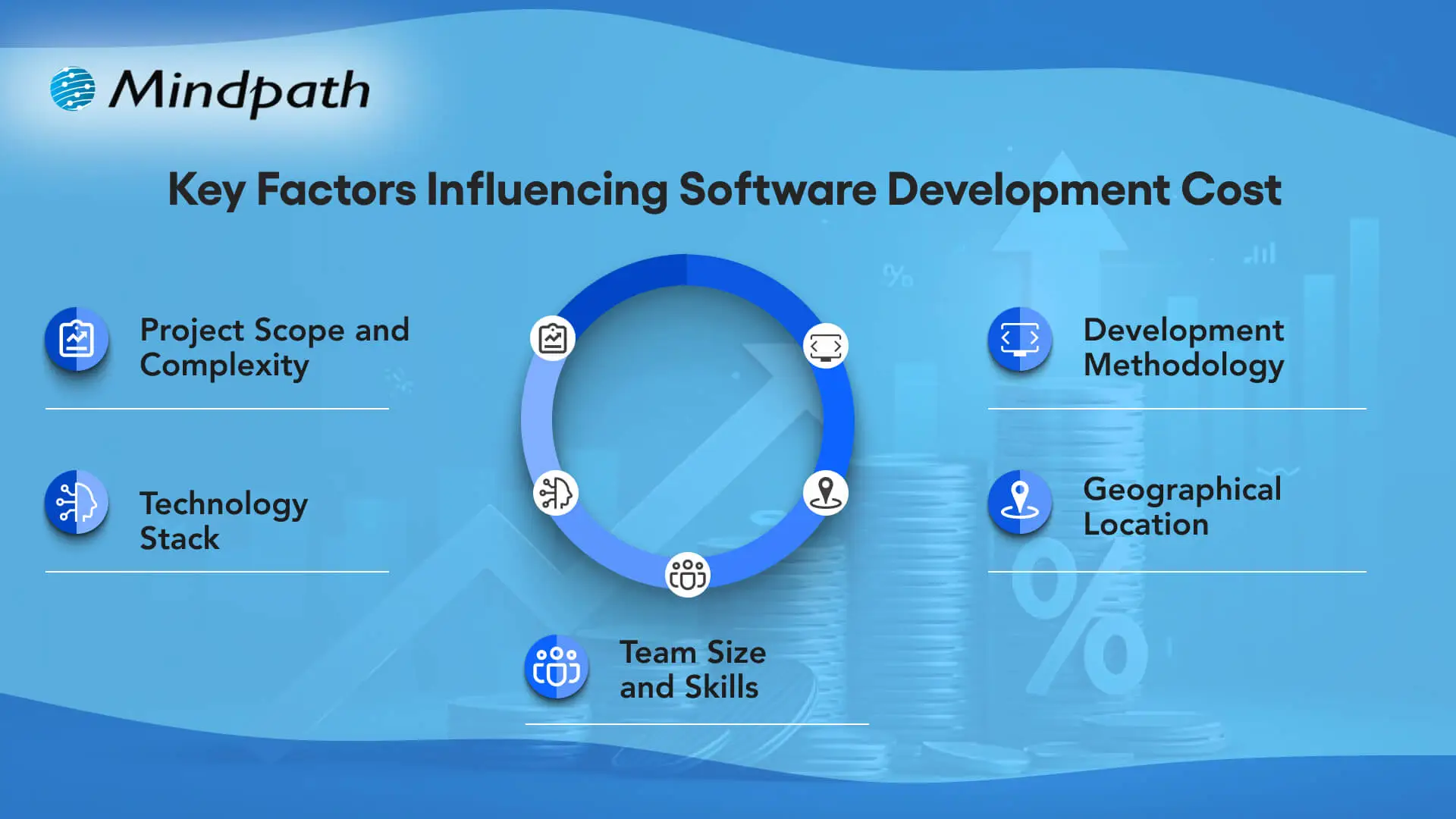
Key Factors Influencing Software Development Cost

1. Project Scope and Complexity

A project’s scope indicates the required features, integrations, and functionality. In complex applications that have advanced features, automation, or leveraged AI, you will need to find skilled experts, which increases the costs of development. Simple apps and apps with basic or limited functions require fewer resources and typically have a faster build time and are less expensive.

2. Technology Stack

The choice of technology stack and cloud platform will have a direct impact on the budget. Some are more advanced, and some integration services will necessitate higher expertise by the team; thus, software development cost estimation is even more important. Arriving at an appropriate compromise will maintain performance within a budget constraint.

3. Team Size and Skills

The size and the expertise level of a team will dictate how well a project moves through its lifecycle. More people or more specialized roles will increase costs, but the outcome is generally better. The right mix of skills to bring down custom software development cost and to meet business outcomes is possible.

4. Development Methodology

A project’s management approach is critical in terms of both its time and cost outcomes. Agile approaches provide flexibility and collaboration, while Waterfall is more rigid and less flexible. Choosing the right method will make your team more efficient and control overall software development costs and capitalization.

5. Geographical Location

When hiring talent from different regions, it changes the total price you pay, which comes down to the cost of living and hourly rates in that area. Outsourcing or offshoring gives you access to skilled professionals at a lower cost. You still maintain quality while keeping your software development cost clear and manageable.

Software Development Cost Breakdown

When you break down the software development cost, it shows where your money goes in a project. Having an understanding of development costs will allow businesses to leverage that information to plan better, to manage costs, and to optimize value for the end product.
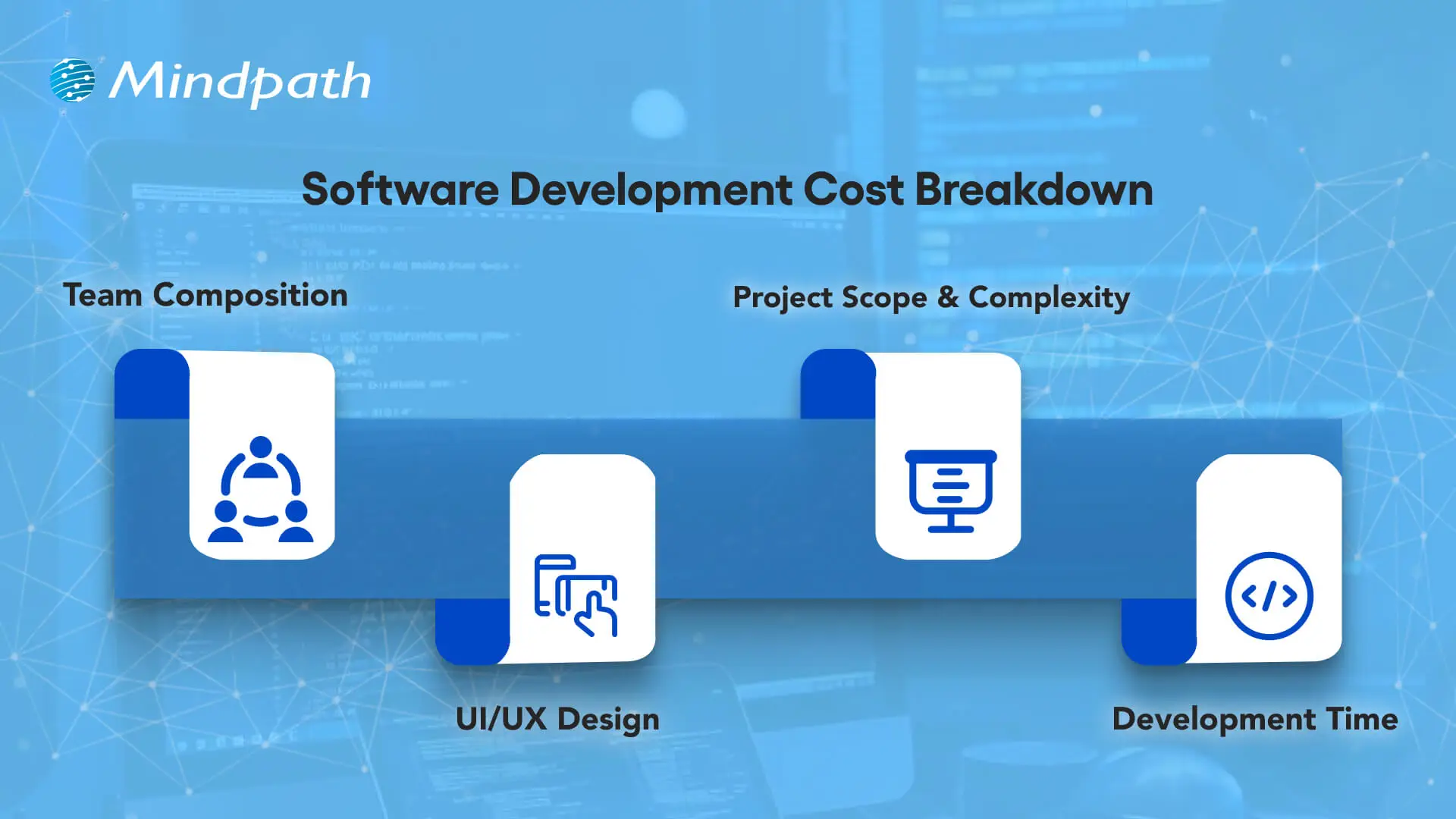
Software Development Cost Breakdown

1. Team Composition

The type of team you choose has an immediate impact on the overall software development cost. Freelancers charge approximately $30 – $80/hour, in-house developers in the UK cost about $65,000 – $120,000/year, while agencies charge about $90 – 150/hour, or approximate project fees of $50,000 – $260,000+. A software development cost calculator is helpful to analyze these various options against your overall business requirements.

2. UI/UX Design

User experience and budget have significant implications for design. In the UK, organisations will typically allocate between 15% and 25% on design within the total cost, with costs of a simple/basic layout around $4,000 – $9,000, to a complex layout with advanced animations and branding costing $10,000 – $33,000+. High-quality design conserves software development costs and increases user adoption.

3. Project Scope & Complexity

The complexity of your app is one of the biggest determinants of software development cost. A simple MVP may cost around $20,000 – $40,000; basic mediums such as CRMs or booking systems will cost $40,000 – $100,000; anything that is enterprise SaaS or an AI platform would start at $100,000 – $325,000+. There is a direct correlation: the more features, the more time and money it takes to develop.

4. Development Time

The number of hours it takes to build an app can also affect the budget. A simple app in the UK requiring approximately 500 hours of work may cost $50,000. A medium app that needs 800 – 1,000 hours might cost $65,000 to $100,000. A large or complex project of 1500+ hours may run over $130,000. All of these estimates are inclusive of coding, testing, and debugging.

Key Strategies to Manage Software Development Cost

Managing software development costs requires smart planning and clear decisions. By focusing on efficiency and resources, businesses can reduce expenses without losing quality.
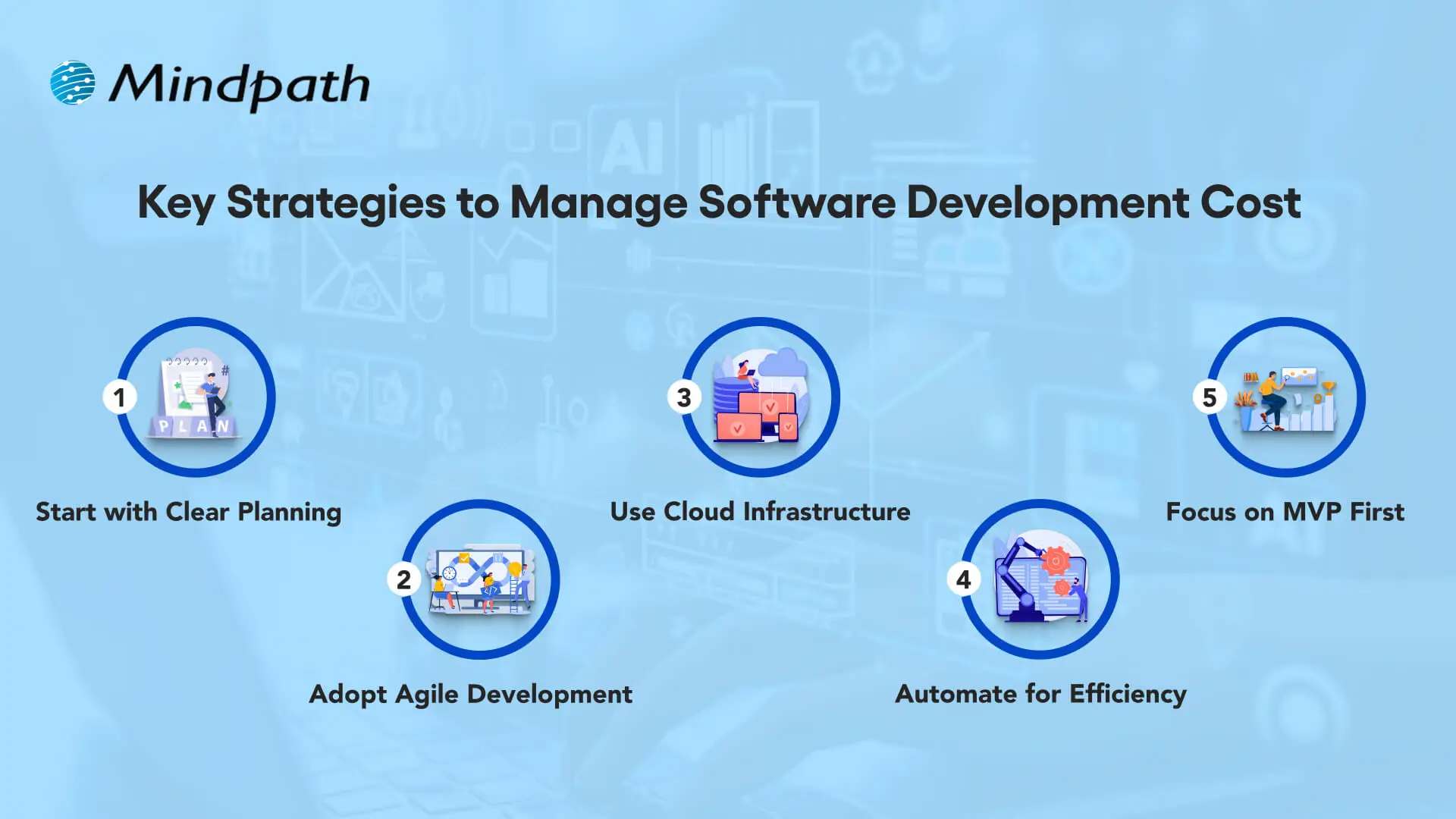
Key Strategies to Manage Software Development Cost

1. Start with Clear Planning

A strong plan with well-defined requirements keeps the project on track. It helps avoid confusion, delays, and extra costs later in development.

2. Adopt Agile Development

Agile methods allow teams to work in small, flexible cycles. This makes it easier to fix issues early and adjust to changes without wasting resources.

3. Use Cloud Infrastructure

Cloud services remove the need for heavy hardware investments. They provide scalable resources on a pay-as-you-go model, which keeps expenses under control.

4. Automate for Efficiency

Automation in testing, integration, and deployment saves time and reduces manual effort. It improves quality and keeps the workflow faster and smoother.

5. Focus on MVP First

Building a Minimum Viable Product gets the core idea to users quickly. It helps validate the concept before committing to a larger software development cost.

Ready to Take Control of Your Software Development Cost?

In 2025, managing software development cost is about making smart choices that balance innovation, speed, and value. By understanding the real cost drivers and applying strategies like Agile, cloud adoption, and focusing on MVPs, companies can deliver projects that scale efficiently, reduce risks, and ensure long-term success in a competitive digital market.

At Mindpath, we provide end-to-end software development services that optimize cost and quality. Our skilled teams combine planning, design, and modern frameworks to create scalable solutions. With transparent pricing models and deep technical expertise, we help businesses control software development costs while delivering impactful applications built to perform and grow with your vision.


Related Post

Explore how is AI transforming future, impacting data privacy, job markets, and business automation. Learn about Mindpath’s AI Services.
Discover the transformative power of conversational AI chatbots. From cost savings to increased sales, learn how chatbots can drive growth.
Discover the advantages of IT staff augmentation over traditional hiring. Learn how it offers flexibility, cost savings, and quick access to specialized talent for your projects.

Related Post

Data-Driven Decision Making

In current business practices, smart choices enable success. Data-driven decision making protects organizations from using assumptions only and enables them to act with clarity and confidence. When organizations pay close attention to what the data articulates, they will create strategies that are more accurate and outcome oriented. In many ways, the evolution of technology has made informed decisions necessary to stay ahead in a competitive field.

Due to increasing access to digital tools and analytics, data has become the most priceless asset a business can possess. With data, businesses can anticipate trends, monitor risk, and develop opportunities for expansion based on sound data. This is the difference between guessing what will work and knowing what will work. In this blog, we will discuss how data-driven decision-making enables businesses to make better decisions and ensure lasting success.

Ready to strengthen your data-driven decision-making strategy? Our AI development services help you build intelligent systems that convert complex data into a clear business direction.

What is Data-Driven Decision-Making?

Data-driven decision-making refers to the practice of using data and measurable results to inform business decisions. It means collecting data from key performance indicators, analyzing it, and then making it into usable insights to influence strategically better planning. This methodology allows companies to make decisions on quantitative data rather than instinct and intuition. By relying on accurate data, businesses will improve performance, identify new opportunities, and with greater accuracy achieve their goals.

What are Data-Driven Decisions?

Data-driven decisions are decisions based on factual information, data and analysis, rather than gut feelings. These data-based decisions will help companies to understand trends, measure performance, and select the best next steps. With factual data, companies can make better decisions that improve outcomes and can reduce uncertainty.

Importance of Data-Driven Decision-Making

DDDM is more than simply using numbers. It is a solid foundation for more intelligent business planning that allows organizations to act with clear and confident decision-making.

1. Making decisions based on data improves accuracy by grounding decisions in real facts which also leads to more reliable decision making and reduced risk.

2. It enhances efficiency and profits by detecting waste, optimizing available resources, and enhancing overall performance.

3. When relating to planning and forecasting, data provides insights into potential patterns that enable more intelligent approaches.

4. Data supports enhanced customer knowledge, which helps businesses determine which personalized services provide the best levels of satisfaction.

5. Businesses can use data insights to engage in continual innovation and improvement of business strategy.

6. Data provides a competitive advantage by allowing businesses to undertake strategies faster and stay ahead of competitors.

7. Data-driven decision-making supports transparency and accountability when businesses set targets and make decisions based on measured facts.

Benefits of Data-Driven Decision Making

Organizations that embed data in decision-making empower themselves to move with certainty and confidence. Data turns information into a meaningful and actionable outcome that enhances strategy and improves decision-making.

1. Smarter Decisions That Save Time and Resources

Using data-driven decision-making, businesses can move quicker and make smarter decisions. It creates efficiencies in processes, decreases waste, and allocates resources where most needed or impactful. For instance, analyzing sales data and patterns allow businesses to manage inventories more effectively and decrease costs that aren’t necessary, and have efficiency improvements.

2. Stronger Market Alignment and Competitive Growth

Businesses benefit from data analytics in relation to market trends and shifts in customer needs. By tracking changes early, businesses can make adjustments to their strategy or develop a new offering that meets consumer needs. In turn, they can build a favorable market position that keeps them ahead of the competition.

3. Clear Accountability Across Teams

Using data to inform decisions makes it much easier to track results and see what worked. This increased clarity allows for accountability and transparency in every aspect of the work. The team will learn from both successes and failures and will create more enhanced results from the learnings.

4. Continuous Improvement Through Data Insights

Analyzing what has been successful before gives organizations an understanding of success factors. Additionally, conducting regular data analyses will identify inefficiencies and allow organizations to make better decisions in the future. This cyclical process keeps businesses flexible, creative, and committed to continuous growth.

5. Confident and Faster Decision Making

Data-driven decision making provides assurance by removing ambiguity, making things more factual. Leadership can act faster with confidence, knowing that their decision is based on workable data. This fast, assured decision making allows companies to take advantage of looking after positively into opportunities and challenges.

Key Steps for Making Data-Driven Decisions

Using data properly begins with a clear and structured process. Thoughtfully adhering to the necessary steps allows a business to convert raw data into valuable intelligence, which can inform better decisions.

1. Define Your Vision Clearly

Start by understanding your company’s main goals and direction before diving into the data. If you have a direction, that gives you an idea of how you can utilize the insights coming from the analysis as part of your overall business strategy. Data driven decision making is effective when each data point will drive measurable and long-lasting goals.

2. Identify Reliable Data Sources

After you’ve established your vision, it’s time to determine which tools and platforms are best suited to collect your data. Use sources that best match your business objectives: internal reports, customer analytics, market trends, etc. Having trustworthy data ensures that your data-driven decisions remain accurate and relevant.

3. Organize and Visualize Your Data

Consolidating key information into a clear and predetermined structure provides insight. Dashboards or reporting tools make visualization and a higher level of understanding simpler. Organized data allows for more timely and confident business decision making, and teams can start to see connections.

4. Analyze to Discover Insights

Carefully analyze the information you’ve compiled for trends, opportunities, and challenges. Use your performance data along with genuine customer feedback to develop an even clearer picture. When you are analyzing data together with others, you can be confident that decisions represent a more comprehensive and accurate picture of your business.

5. Act on Your Conclusions

Following analysis, you should outline specific conclusions that summarize what the data is telling you, and what actions to take next. You will want to focus on linking conclusions to realizable goals and measurable results. Making conclusions and creating action steps develops from raw data to actionable steps and infers an ongoing step you will take in their continuous growth and improvement.

Tools and Technologies for Data-Driven Decision Making

Using the right tools and technology can speed up, simplify, and substantiate data-driven decision making. Beneficial technology allows organizations to collect, analyze, and visualize data to give investigators the tools to convert complicated information into digestible information in the form of insights for decision making.

1. Business Intelligence Platforms

Business‌‍ intelligence tools such as Tableau, Power BI, and Qlik Sense are utilized by businesses to display their data visually and to develop interactive dashboards. They break down complicated data sets into simple insights that can be quickly acted upon by the business. These platforms are instrumental in opening up and involving more people in the process of making decisions based on ‍‌data.

2. Programming Languages for Data Analysis

Massive datasets and high-level analytics are unimaginable without the use of languages like Python and R. In general, Python is the tool of choice when it comes to statistical modeling and automation, whereas R is more effective when the focus is on data visualization and statistical computing. Together they are a force to reckon with for all those professionals that solve problems and make decisions on the basis of ‍‌data.

3. Data Management and Manipulation Tools

SQL and Microsoft Excel are still the main tools used for organizing and analyzing data. SQL is used for managing and querying relational databases in an efficient manner, whereas Excel is utilized for carrying out quick analysis and generating reports. Combined, they are the means to keep data accurate and make it accessible for decisions to be taken at any level of the business.

4. Data Collection and Integration Tools

Google Analytics, Apache Airflow, and SQL databases are examples of platforms that retrieve and integrate data from various sources. They are instrumental in measuring the performance of a website, keeping an eye on the progression of tasks, and maintaining the data exchange between systems in a trouble-free manner. Such instruments provide a convenient way to obtain trustworthy data that can be used as a basis for making decisions.

5. Advanced Analytics and Machine Learning Tools

Information technologies such as SAS and Apache Spark are employed to handle massive data collections and to produce resulting projections. These tools enable businesses to foresee changes in the market and to tailor their tactics accordingly for maximum advantage. The use of machine learning in analytics further enhances the basis of data-driven decisio‌n making.

6. Generative AI for Data Insights

Generative AI is changing the way companies understand and utilize their data. They get it done at much faster speeds with the help of AI, where it can also unveil the hidden patterns, and use predictive modeling to get the best results. This innovative technology is like an extra layer of depth and brains in the whole data-driven decision‌‍ ‍‌process.

Data-Driven Decision-Making Examples

Decision-making based on data is changing how companies manage strategies, operations, and growth, as it aids organizations to leverage real insights to make more intelligent and effective business decisions.

1. Personalized Recommendations

Interactive ‍ ‌data is a valuable source of information for online retailers like Amazon and for streaming services like Netflix. Based on this data, these companies suggest products or content that the customers might be interested in. As a result, customers become more engaged, produce more sales and have a better experience of the‍‌ service.

2. Supply Chain Optimization

Companies like Amazon evaluate stock levels, consumer need, and delivery time to achieve optimal efficiency in logistics while minimizing delay and cost, and ultimately completing orders faster and more efficiently.

3. Targeted Marketing Strategies

Companies look into customer data to predict buying habits and carry out an intelligent and personalized marketing campaign. The use of empirical methods has been demonstrated to be effective in raising brand awareness and increasing the conversion rate through the use of ‍‍‌data.

4. Product Development Insights

Companies such as Apple analyze data to identify user needs and market trends. This insight fosters innovation, allowing companies to create products that truly align with consumer needs.

5. Employee Retention and Development

The HR teams analyze survey data, along with performance data, to examine root causes of turnover and ways to increase employee satisfaction. Insights are also used to develop targeted training programs that can close gaps in knowledge or training to further their own career advancement.

6. Fraud Detection and Risk Assessment

Banks and other financial services organizations deploy data analytics to identify unusual behavior and reduce fraud. They also analyze customer data for risk assessment and improved product development.

7. Predictive Maintenance and Patient Care

Manufacturers use sensor data to catch and resolve a potential failure in the machinery early to mitigate down-time and related costs of maintenance. In the health care sector, using data from a patient’s medical chart will improve the quality of care by creating a more proactive treatment plan.

Common Challenge While Implementing Data-Driven Decision Making

Without the right strategy and systems to properly execute data-driven decision-making, it can be complicated. Many organizations face challenges, often slowing their ability to adopt data-driven decision-making and, as a result, impacting the accuracy or impact of their decisions.

1. Poor data quality can lead to wrong insights and poor outcomes, making it vital to maintain accurate, consistent, and complete data.

2. Protecting sensitive information is essential, and organizations must ensure strong security measures and compliance with data privacy regulations.

3. Resistance to change can slow progress, so clear communication and proper training help employees adapt to data-driven decision-making.

4. Managing large datasets requires modern tools like cloud platforms and data lakes to ensure efficiency and accessibility.

5. Limited data skills can hold back growth, making it important to train teams and build confidence in using data effectively.

Ready to Turn Data into Smarter Business Decisions?

Data-driven decision making helps businesses act with precision, clarity, and confidence. It turns raw information into actionable insights that lead to better strategies, improved performance, and stronger growth. By trusting data over assumptions, organizations can make choices that truly create impact and drive long-term success.

At Mindpath, we provide advanced AI development services that help businesses harness the full potential of data. From predictive analytics to intelligent automation, our AI solutions empower smarter, faster, and more informed decisions. Partner with Mindpath to transform your business insights into measurable outcomes and achieve sustainable success in a data-driven world.

Discover how data-driven decision-making enhances business strategies, improves outcomes, and fosters accountability for long-term success.
AI in business strategy

Think about the potential of AI in business strategy, accelerating your organization with enhanced insights and improved decisions. Imagine having intelligent tools to assess complex data, identify unseen patterns, and let your team have more freedom to genuinely innovate and grow. By adopting the right mindset, companies today are giving themselves a true competitive advantage with AI and changing every aspect of their operations daily.

This intelligent technology is helping companies find new opportunities, create more relevant customer experiences, and briskly adapt to changes in market needs. Embedding artificial intelligence benefits organizations to yield positive results. When used prudently, AI becomes a trusted partner in increasing efficiencies and establishing long-term, viable success.

In this article, you will learn about how AI can transform your strategy and scale your business. Let’s dive in!

Want to enhance your business strategy with artificial intelligence? Mindpath AI development services have a combination of providing strategic insights with hands-on expertise to provide intelligent growth across your organization.

What is an AI Business Strategy?

A business strategy is like an explicit blueprint that directs a company toward its goals. It answers important questions about where a business wants to go, how it plans to get there, and what makes it different from the rest of the marketplace. A clear strategy helps everyone understand the overall objective of the business and keeps colleagues headed in the right direction while working together.

Bringing AI into the plan strengthens the marketing strategy. An artificial intelligence strategy or AI strategy for business growth means using artificial intelligence to better facilitate your business objectives. This could mean improving customer service, making more effective decisions with your data, or even many other entirely distinct initiatives. The aim is to leverage smart tools to execute better, smarter, faster, while staying ahead of your competition.

Also Read: AI in E-Commerce

Benefits of an AI Business Strategy

Having an AI business strategy can open up new opportunities and make your company more competitive. Here are some key benefits that show why investing in AI is worth it:

benefits of an ai business strategy

1. Maximized Efficiency and Productivity

AI can take care of repetitive work, so teams can spend more time on creative ideas and solving problems. It makes daily tasks easier and quicker, which improves workflow in every department. By spotting delays and gaps in processes, AI helps companies get things done faster. This boost in productivity helps businesses stay competitive. Companies can do more with less time and effort when using AI in business.

2. Smarter Data-Driven Decision Making

Using AI in business helps leaders make better decisions based on real data. AI tools can study huge amounts of information and find trends or risks that people might miss. This means managers can act faster and with more confidence. Predictive tools even help businesses see what customers might want next. Smart decision-making is key to staying ahead in a changing market.

You can learn more about how AI can transform decision-making in our guide, Power of AI in Decision-Making.

3. New Opportunities and Innovation

AI encourages companies to try new ideas and find fresh ways to earn money. It supports innovation by helping teams develop new products or enter new markets. With AI, companies can test different ways to work and reach more people. This can create new income streams and keep a business strong in tough markets. Staying open to new ways of working keeps the company growing.

4. Superior Customer Experience

AI for customer service makes it easier to understand what customers like and want. Businesses can offer more personal services, like tailored suggestions or special offers. Chatbots and AI tools give customers quick answers, anytime they need help. This keeps people happy and more likely to come back. Good customer service is always important, and digital transformation with AI makes it even better.

5. Clearer Strategic Direction

AI business strategies help companies plan for the future with clear data. Teams can set better goals because they know what is working and what needs to be changed. AI tools keep an eye on the market and help businesses adjust plans when needed. This makes it easier to stay on track even if things shift. A strong strategy backed by AI keeps everyone moving in the same direction.

Want to know if your business is ready to implement AI in the right way? Explore our blog – AI Readiness Checklist.

How to Build an AI Business Strategy?

Building an AI business strategy takes careful planning and clear goals. Here are some practical steps to help you get started the right way:

How to Build an AI Business Strategy

1. Define Clear Business Goals

Start by deciding what you want to achieve with AI, like increasing sales, lowering costs, or improving customer service. Clear goals strategized by the expert AI consultant help you focus your efforts where they matter most. Knowing what you want makes it easier to pick the right AI tools later. A strong direction keeps your entire team aligned and motivated.

2. Spot the Best AI Opportunities

Look at your daily operations and see where AI can add the most value. This might be in customer support, marketing, supply chain, or product development. Finding the right areas will help you get quick wins and build confidence. Prioritizing these areas makes your investment more effective.

3. Get Your Data Ready

Good data is the foundation for AI success. Collect useful data from different parts of your business and make sure it’s accurate and well-organized. Clean and reliable data will help your AI tools work properly. Better data means better insights and fewer errors down the road.

4. Select Suitable AI Technologies

Explore the AI tools that match your goals and the type of data you have. This could include machine learning, chatbots, or automation software. Choose technologies that are practical and align with your strategy. Pick tools that your team can actually use and manage well.

5. Build or Adopt AI Models

Develop AI models that fit your business needs, either with your own experts or trusted partners. Some companies build custom models, while others use ready-made solutions. Test your models to make sure they perform well in real-world situations. Good models help you solve problems faster and smarter.

Ready to adopt the recent AI trends into your business? Read our detailed blog on Top AI trends, which provides a deeper understanding of how to implement AI into your business for future growth.

6. Connect AI to Your Systems

Make sure your new AI tools work smoothly with your current software and workflows. This may need teamwork between IT, data, and business teams. Good integration helps people use AI with less hassle. Seamless systems keep operations running without major disruptions.

7. Track and Improve Performance

Keep an eye on how your AI strategy is working post-implementation. Use regular checks to fix any issues and update the system with fresh data. A little maintenance keeps your strategy useful and accurate over time. Monitoring helps you spot new opportunities for improvement too.

8. Follow Ethics and Regulations

Think about the rules and responsibilities that come with using AI. Protect customer privacy and make sure your AI solution doesn’t create unfair bias. Stay up to date with local and international laws. Acting responsibly builds trust with customers and partners.

9. Support and Train Your Team

Help your team learn how AI fits into their work. Offer training so they feel comfortable using new tools and workflows. Encourage them to ask questions and share feedback. Well-trained employees make AI adoption smoother and more effective.

10. Measure Results and ROI

Decide which numbers will show if AI is really helping your business. This might be cost savings, higher sales, or better customer feedback. Keep tracking these results over time to see progress. Proving ROI makes it easier to get support for future AI projects.

11. Keep Evolving Your Strategy

Treat your AI business strategy as a work in progress. Keep testing, learning, and improving how you use AI as your goals change. Regular updates keep you competitive in a fast-changing market. A flexible approach helps you make the most of every opportunity.

Planning to leverage the power of artificial intelligence, understanding the technologies that drive it has become a crucial advantage. To dive deeper into the tools and technologies behind AI innovation, explore our detailed guide on the AI programming languages.

Ready to Transform Your Business with AI?

Adopting AI in business strategy helps your company make smarter choices, improve operations, and deliver better customer experiences. By understanding your goals and using AI wisely, you can drive innovation and stay ahead of the competition. Start with clear steps, keep learning, and stay flexible. This approach ensures that AI becomes a real advantage for your business growth.

At Mindpath, our AI development services are designed to help you unlock real results with confidence. We create solutions that match your unique needs, from custom AI models to smooth system integration. Our team works closely with you to ensure your strategy delivers value today and in the future. Let’s build an AI-powered roadmap for your success.

Node.js eCommerce
Imagine a world where your eCommerce platform runs at extraordinary speed, performs thousands of transactions effortlessly, and delivers real-time updates to your customers. Sounds like a dream, right? In 2024, this dream can become a reality with Node.js. But is it truly the best choice for your eCommerce business? In this blog we are going to explore how Node.js can be the perfect choice for your e-commerce platforms.  In today’s world, having an eCommerce platform is essential for any business that wants to sell products online. These platforms aid in managing everything from customer orders to sales data, making the running of businesses easy. However, picking the right technology for your eCommerce platform can be challenging with so many options available. The choice of technology for any eCommerce platform is important because it has a direct implication on how well your online store will perform. The right kind of technology will ensure that your website works smoothly and results in quick loading time along with good customer experience. It will also help in inventory management, secure payment processing, and tracking your sales effectively.   Of all technologies, Node.js can turn into the best choice for an eCommerce platform. Its flexibility and modern approach make it the most fitting for such dynamic webstores to grow your business. Choosing Node.js creates a firm foundation for your eCommerce success.  So, let us dive deep to explore how Node.js can be the top choice for building your eCommerce platform in 2024! 

Benefits of Using Node.js for eCommerce  

1. Speed and Performance  

Node.js is fast due to the V8 engine it runs on. This engine turns JavaScript right into machine code, making it work way quicker than other languages that need to be interpreted. Node.js handles multiple requests simultaneously without any performance issues because it is an event-driven and non-blocking I/O model. This means that, even while your eCommerce site is very busy with a lot of traffic, Node.js manages to keep response times fast. 

2. Scalability  

Node.js can process many requests quickly because it has a non-blocking I/O model and a single-threaded event loop. Its modular architecture makes it simple to scale up by adding more servers or increasing server capacity. Because of its adaptability, you can increase the capacity of a Node.js server or add more servers to handle increased traffic, allowing your eCommerce platform to expand without interruption. 

3. Large Community  

Node.js has an incredible and active developer community that provides assistance, resources, and tools. A wide range of packages and modules are available in this active community to assist you in creating dependable and effective eCommerce solutions. It’s simpler to solve issues and stay up to date with the most recent advancements with such broad assistance and an expanding collection of materials. This implies that Node.js can help you create and manage your eCommerce platform more successfully. 

4. Modular Approach  

Ecommerce systems handle a large amount of data, which can make code management tough but Node.js’ modular approach simplifies this. This strategy allows developers to divide down code into smaller, more manageable chunks or modules. Node.js facilitates the efficient development, maintenance, and testing of your eCommerce application by organizing code into functional blocks. 

5. Integration with Other Technologies 

Node.js integrates effectively with a variety of technologies, making it a versatile option for developing eCommerce apps. It seamlessly interfaces with front-end frameworks, databases, and other programming languages. This compatibility enables you to link your eCommerce platform to important services such as payment systems and third-party integrations. You may use Node.js’ capabilities to build strong, efficient, and scalable eCommerce solutions that fit your company’s and customers’ demands. 

Curious about the power of Node.js for your next project?

At Mindpath, we deliver cutting-edge solutions that propel your business forward with precision and speed.

Best Practices for Building an Ecommerce Platform with Node.js  

1. Choose a Reliable Node.js Ecommerce Engine  

Choosing the best Node.js eCommerce engine is the first step towards creating a successful online business. An eCommerce engine is a toolset designed to offer the core functionality of an online store. It simplifies product and order administration, payment processing, client follow-up, and other features that a developer can use to create and edit an eCommerce website. A decent eCommerce engine will save time for developers because it already has the fundamental functions, allowing for the development of new features and customization based on the website’s specific demands. 

2. Consider a Modular Approach  

When developing eCommerce apps using Node.js, taking a modular approach is advantageous. Node.js offers modules, which are tiny, self-contained bits of code that handle certain tasks. This approach makes troubleshooting easier because problems with one module do not affect the entire application.  A modular approach also speeds up development by allowing numerous developers to work on various portions at the same time, as well as simplify maintenance by ensuring that modifications to one module do not affect others. To do this, identify essential features, split them down into smaller modules, create explicit interfaces between them, and utilize tools like npm to manage dependencies. Frameworks like Nest.js and Express.js may help you construct a more powerful and adaptable eCommerce platform by extending the modular design. 

3. Integrations  

When creating an eCommerce site using Node.js, contemporary integration technologies are essential for successful operation. APIs (Application Programming Interfaces) enable your platform to interact with other services like payment gateways, shipping suppliers, and CRM systems. For example, APIs can connect to payment processors such as Stripe to conduct transactions easily. Webhooks provide an additional integration technique by providing automatic updates across systems. A webhook, for example, can alert the delivery provider when an order is received, ensuring that it is fulfilled promptly. Stripe is a popular example of a webhook for payment events, whereas Twilio is used for SMS notifications. Using APIs and webhooks contributes to a more connected and efficient eCommerce platform, which improves the entire consumer experience. 

4. Frontend Development  

The frontend of an eCommerce application, including style, layout, and functionality, is critical for user engagement. Modern front-end technologies improve consumer satisfaction and engagement. Jamstack, an acronym for JavaScript, APIs, and Markup, is a prominent method. It focusses on pre-built HTML, serverless functions, and client-side JavaScript to provide speed, security, and reliability. Jamstack sites employ static site generators to improve load speeds and security, which is critical in eCommerce. It also allows for easy connection with services like payment gateways and shipping providers via APIs and webhooks. 

5. Implement Security Measures 

Strong security measures must be established on an eCommerce platform to safeguard private data, including payment and client information. Proper security protects your platform from dangers like hacking, phishing, and other cyberattacks, ensuring that your customers’ data is protected. To do this, first secure your server. Make sure it’s properly set up, all security updates are up to date, and firewalls and intrusion detection systems are in place to prevent unauthorized access. HTTPS encrypts data transactions between the server and users, protecting sensitive information such as login passwords and payment details. Implement user login and permission restrictions to guarantee that only authorized users have access to certain portions of the platform. This involves creating secure passwords and implementing role-based access limits. Validating input, utilizing prepared statements, and encoding output can help prevent common security risks like cross-site scripting (XSS) and SQL injection. To repair any security vulnerabilities, update all software and plugins on a regular basis to the current version. Perform frequent security audits and tests, including testing and code reviews, to detect and resolve any flaws. By adhering to these guidelines, you can be assured that your eCommerce platform is secure, develop confidence with your clients, and safeguard their sensitive information. 

Node.js Development Services at Mindpath 

  1. Node.js Web App Development: We create powerful, scalable web applications using Node.js. Our focus is on delivering a seamless digital experience that aligns with your business goals and makes a lasting impact.


  2. Node.js CMS Development: We design custom content management systems that make handling your content easy. Our CMS solutions provide a user-friendly interface for managing all your content effortlessly.


  3. Node.js API Development: We build robust APIs that enable smooth integration with other systems. Our APIs enhance functionality and ensure reliable communication between different applications.


  4. Node.js Consulting Services: We offer expert advice to help you maximize the potential of Node.js for your projects. Our consulting services include strategic guidance and technical insights to boost your application’s performance and innovation.


  5. Node.js Maintenance & Support: We provide ongoing maintenance and support to keep your applications running smoothly. Our team is always ready to resolve any issues and make continuous improvements.


  6. Node.js Migration Services: We assist in migrating your existing applications to Node.js, improving scalability and performance. Our migration services ensure a smooth transition with minimal disruption. 

Conclusion 

Node.js, in 2024, is the foremost technology in the development of high-performance eCommerce. It is an excellent base that delivers development with very great speed, high scalability, and integrability with other technologies in the development of dynamic and efficient online stores. Node.js can guarantee businesses that their eCommerce sites don’t have any difficulty handling high traffic, real-time updates, and superior user experience. Therefore, adopting Node.js will position an eCommerce platform for success within the competitive digital landscape today.  

At Mindpath, we happen to be the experts in unleashing the true potential of Node.js when it comes to the development of supreme eCommerce solutions. This ranges from full-cycle web app development and custom CMS solutions to robust API development, professional consulting, ongoing maintenance, and smooth migration support. We ensure that the Node.js applications developed for our clients are not just high-performance and scalable but also oriented to business needs.

Wondering how Node.js can transform your digital strategy?

At Mindpath, our expertise in Node.js ensures scalable and innovative applications tailored to your needs.

Discover the top Node.js trends shaping digital technology in 2024, from AI and TypeScript to IoT and cloud computing. Explore how Node.js drives innovation!