NodeJS: The Top Choice for Building eCommerce Platforms in 2024

Join our Newsletter!

Featured Posts

Support Is One Click Away

Home

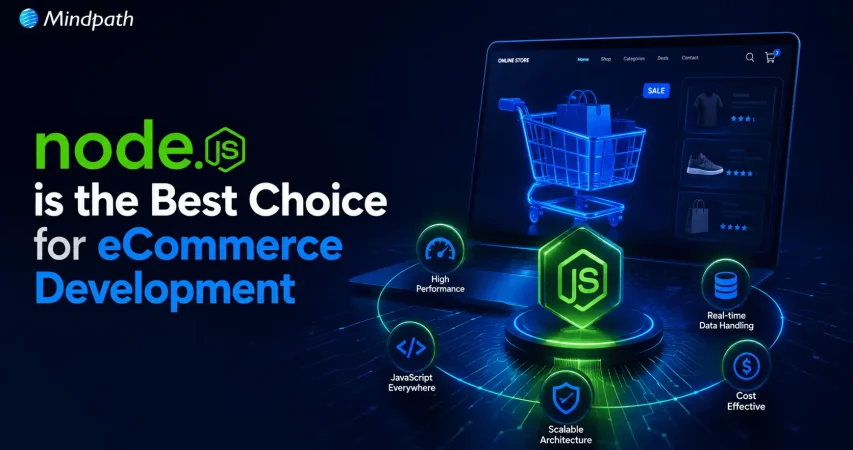
NodeJS: The Top Choice for Building eCommerce Platforms in 2024

Node.js eCommerce

NodeJS: The Top Choice for Building eCommerce Platforms in 2024

Imagine a world where your eCommerce platform runs at extraordinary speed, performs thousands of transactions effortlessly, and delivers real-time updates to your customers. Sounds like a dream, right? In 2024, this dream can become a reality with Node.js. But is it truly the best choice for your eCommerce business? In this blog we are going to explore how Node.js can be the perfect choice for your e-commerce platforms.  In today’s world, having an eCommerce platform is essential for any business that wants to sell products online. These platforms aid in managing everything from customer orders to sales data, making the running of businesses easy. However, picking the right technology for your eCommerce platform can be challenging with so many options available. The choice of technology for any eCommerce platform is important because it has a direct implication on how well your online store will perform. The right kind of technology will ensure that your website works smoothly and results in quick loading time along with good customer experience. It will also help in inventory management, secure payment processing, and tracking your sales effectively.   Of all technologies, Node.js can turn into the best choice for an eCommerce platform. Its flexibility and modern approach make it the most fitting for such dynamic webstores to grow your business. Choosing Node.js creates a firm foundation for your eCommerce success.  So, let us dive deep to explore how Node.js can be the top choice for building your eCommerce platform in 2024! 

Benefits of Using Node.js for eCommerce  

1. Speed and Performance  

Node.js is fast due to the V8 engine it runs on. This engine turns JavaScript right into machine code, making it work way quicker than other languages that need to be interpreted. Node.js handles multiple requests simultaneously without any performance issues because it is an event-driven and non-blocking I/O model. This means that, even while your eCommerce site is very busy with a lot of traffic, Node.js manages to keep response times fast. 

2. Scalability  

Node.js can process many requests quickly because it has a non-blocking I/O model and a single-threaded event loop. Its modular architecture makes it simple to scale up by adding more servers or increasing server capacity. Because of its adaptability, you can increase the capacity of a Node.js server or add more servers to handle increased traffic, allowing your eCommerce platform to expand without interruption. 

3. Large Community  

Node.js has an incredible and active developer community that provides assistance, resources, and tools. A wide range of packages and modules are available in this active community to assist you in creating dependable and effective eCommerce solutions. It’s simpler to solve issues and stay up to date with the most recent advancements with such broad assistance and an expanding collection of materials. This implies that Node.js can help you create and manage your eCommerce platform more successfully. 

4. Modular Approach  

Ecommerce systems handle a large amount of data, which can make code management tough but Node.js’ modular approach simplifies this. This strategy allows developers to divide down code into smaller, more manageable chunks or modules. Node.js facilitates the efficient development, maintenance, and testing of your eCommerce application by organizing code into functional blocks. 

5. Integration with Other Technologies 

Node.js integrates effectively with a variety of technologies, making it a versatile option for developing eCommerce apps. It seamlessly interfaces with front-end frameworks, databases, and other programming languages. This compatibility enables you to link your eCommerce platform to important services such as payment systems and third-party integrations. You may use Node.js’ capabilities to build strong, efficient, and scalable eCommerce solutions that fit your company’s and customers’ demands. 

Curious about the power of Node.js for your next project?

At Mindpath, we deliver cutting-edge solutions that propel your business forward with precision and speed.

Best Practices for Building an Ecommerce Platform with Node.js  

1. Choose a Reliable Node.js Ecommerce Engine  

Choosing the best Node.js eCommerce engine is the first step towards creating a successful online business. An eCommerce engine is a toolset designed to offer the core functionality of an online store. It simplifies product and order administration, payment processing, client follow-up, and other features that a developer can use to create and edit an eCommerce website. A decent eCommerce engine will save time for developers because it already has the fundamental functions, allowing for the development of new features and customization based on the website’s specific demands. 

2. Consider a Modular Approach  

When developing eCommerce apps using Node.js, taking a modular approach is advantageous. Node.js offers modules, which are tiny, self-contained bits of code that handle certain tasks. This approach makes troubleshooting easier because problems with one module do not affect the entire application.  A modular approach also speeds up development by allowing numerous developers to work on various portions at the same time, as well as simplify maintenance by ensuring that modifications to one module do not affect others. To do this, identify essential features, split them down into smaller modules, create explicit interfaces between them, and utilize tools like npm to manage dependencies. Frameworks like Nest.js and Express.js may help you construct a more powerful and adaptable eCommerce platform by extending the modular design. 

3. Integrations  

When creating an eCommerce site using Node.js, contemporary integration technologies are essential for successful operation. APIs (Application Programming Interfaces) enable your platform to interact with other services like payment gateways, shipping suppliers, and CRM systems. For example, APIs can connect to payment processors such as Stripe to conduct transactions easily. Webhooks provide an additional integration technique by providing automatic updates across systems. A webhook, for example, can alert the delivery provider when an order is received, ensuring that it is fulfilled promptly. Stripe is a popular example of a webhook for payment events, whereas Twilio is used for SMS notifications. Using APIs and webhooks contributes to a more connected and efficient eCommerce platform, which improves the entire consumer experience. 

4. Frontend Development  

The frontend of an eCommerce application, including style, layout, and functionality, is critical for user engagement. Modern front-end technologies improve consumer satisfaction and engagement. Jamstack, an acronym for JavaScript, APIs, and Markup, is a prominent method. It focusses on pre-built HTML, serverless functions, and client-side JavaScript to provide speed, security, and reliability. Jamstack sites employ static site generators to improve load speeds and security, which is critical in eCommerce. It also allows for easy connection with services like payment gateways and shipping providers via APIs and webhooks. 

5. Implement Security Measures 

Strong security measures must be established on an eCommerce platform to safeguard private data, including payment and client information. Proper security protects your platform from dangers like hacking, phishing, and other cyberattacks, ensuring that your customers’ data is protected. To do this, first secure your server. Make sure it’s properly set up, all security updates are up to date, and firewalls and intrusion detection systems are in place to prevent unauthorized access. HTTPS encrypts data transactions between the server and users, protecting sensitive information such as login passwords and payment details. Implement user login and permission restrictions to guarantee that only authorized users have access to certain portions of the platform. This involves creating secure passwords and implementing role-based access limits. Validating input, utilizing prepared statements, and encoding output can help prevent common security risks like cross-site scripting (XSS) and SQL injection. To repair any security vulnerabilities, update all software and plugins on a regular basis to the current version. Perform frequent security audits and tests, including testing and code reviews, to detect and resolve any flaws. By adhering to these guidelines, you can be assured that your eCommerce platform is secure, develop confidence with your clients, and safeguard their sensitive information. 

Node.js Development Services at Mindpath 

  1. Node.js Web App Development: We create powerful, scalable web applications using Node.js. Our focus is on delivering a seamless digital experience that aligns with your business goals and makes a lasting impact.


  2. Node.js CMS Development: We design custom content management systems that make handling your content easy. Our CMS solutions provide a user-friendly interface for managing all your content effortlessly.


  3. Node.js API Development: We build robust APIs that enable smooth integration with other systems. Our APIs enhance functionality and ensure reliable communication between different applications.


  4. Node.js Consulting Services: We offer expert advice to help you maximize the potential of Node.js for your projects. Our consulting services include strategic guidance and technical insights to boost your application’s performance and innovation.


  5. Node.js Maintenance & Support: We provide ongoing maintenance and support to keep your applications running smoothly. Our team is always ready to resolve any issues and make continuous improvements.


  6. Node.js Migration Services: We assist in migrating your existing applications to Node.js, improving scalability and performance. Our migration services ensure a smooth transition with minimal disruption. 

Conclusion 

Node.js, in 2024, is the foremost technology in the development of high-performance eCommerce. It is an excellent base that delivers development with very great speed, high scalability, and integrability with other technologies in the development of dynamic and efficient online stores. Node.js can guarantee businesses that their eCommerce sites don’t have any difficulty handling high traffic, real-time updates, and superior user experience. Therefore, adopting Node.js will position an eCommerce platform for success within the competitive digital landscape today.  

At Mindpath, we happen to be the experts in unleashing the true potential of Node.js when it comes to the development of supreme eCommerce solutions. This ranges from full-cycle web app development and custom CMS solutions to robust API development, professional consulting, ongoing maintenance, and smooth migration support. We ensure that the Node.js applications developed for our clients are not just high-performance and scalable but also oriented to business needs.

Wondering how Node.js can transform your digital strategy?

At Mindpath, our expertise in Node.js ensures scalable and innovative applications tailored to your needs.

Related Post

Discover the ultimate guide to hiring Node.js developers in London. Learn about the skills, benefits, and cost factors involved in finding the right talent for your project.
Learn essential cybersecurity practices for remote work and how Mindpath can help protect your business with expert solutions.

Related Post

legacy system modernization

The term legacy system modernization may seem complicated, but it is what every expanding business has to deal with. You invest in those tools that have propelled success in the past, but now they are dragging down and narrowing the scope of visibility. Teams face the challenge of manual procedures, lack of connectivity in data and increased maintenance expenses. Then what occurs when the leadership chooses to take an action and reconsider the core system?

In this case study, we examine how a strategic technology change resulted in better speed, accuracy and teamwork. Firstly, we evaluated the gaps and aligned them to business objectives. Then, we developed an effective roadmap with quantifiable outcomes. As you continue to read, you will understand how the right approach managed to turn things around and bring 40 percent efficiency gains in this blog.

Looking to turn your old systems into a real advantage? Mindpath’s legacy modernization services make it possible to upgrade and optimize your applications without losing what already works.

Understanding the Existing Legacy Environment and Core Bottlenecks

The legacy system modernization is laid on a clear understanding of the current environment. Before planning change, teams need to examine architecture, integrations, and data structure. They inspect the quality of the code, system behavior, and dependency. This action minimizes risk, safeguards business continuity, as well as informed technical decisions.

Legacy software upgrade projects start with technological mapping and discovery. Leaders evaluate work processes, ownership, and departmental impact. They also review the quality of documentation and criticality of the systems.

These are the fundamental bottlenecks of legacy environments that normally reappear in the course of this evaluation:

  • High maintenance expenses that absorb the bulk of IT budgets and require infrequent and specialized skills.
  • Lack of scalability, which inhibits performance with increased business workloads.
  • Data silos which isolate the information and introduce redundancy or inconsistency.
  • Poor security as a result of old patches and incompatible systems.
  • Integration obstacles that do not allow to connect easily with modern APIs and cloud services.
  • Key person dependency that leads to operational risk when a limited group of people has the knowledge.

Want to understand how legacy modernization can directly improve your operational efficiency? Explore the benefits of modernizing legacy systems to see how it drives real business impact.

Mindpath’s Project Brief for Legacy System Modernization

This Legacy Modernization case study centers on an education platform based in Johannesburg, South Africa. The client has been supporting pre nursery institutions and he had to modernize the current system to enhance efficiency and scale. Their previous solution was based on manual tracking and separate tools that hindered visibility and slowed administrative procedures.

The project brief was based on the creation of a SaaS platform with the help of React JS and Node JS. The aim was to digitalize the system of attendance management and monitoring of daily activities and providing the teachers and principals with a centralized dashboard. The platform had to produce weekly and monthly reports and enable long-term growth.

Key Challenges in the Existing System

As the platform continued to grow, the areas of operation became more exposed. The current system was unable to accommodate the emerging administrative requirements and reporting demands. These problems generated evident pressure towards institutional modernization.

  • The physical method of attendance tracking was time consuming and it had more human error. These inefficiencies clearly signaled the need for legacy system modernization.
  • The data of student activity were still distributed across various records. This slowed down and irregular weekly and monthly reporting.
  • Real time monitoring was lacking a centralized dashboard. Principals in schools could not have immediate access to classroom performance.
  • The current architecture was not capable of scaling as the number of students increased. There was a greater danger of system performance issues following increasing usage.
  • Obsolete work processes were a bottleneck to automation and flexibility. This slowed progress toward effective IT system modernization.

Wondering how AI can make your legacy modernization strategy more effective? Discover AI-driven legacy system modernization to achieve higher efficiency and innovation.

How Mindpath’s Legacy System Modernization Transformed Operations?

Mindpath used a methodical strategy of scalability and operational visibility in the long term. The goal was to convert existing limitations into measurable legacy modernization benefits while strengthening the platform foundation.

1. Automated Attendance Management

Mindpath has eliminated the manual attendance procedures using a digital system designed with accuracy and speed. The teachers were able to record the attendance real-time in the platform. This minimized the mistakes and enhanced the efficiency of day-to-day classrooms.

2. Centralized Activity Dashboard

An integrated dashboard offered real time access to the activities of the students. Principals and teachers got a weekly and monthly report in a single form. This enhanced openness and quicker decision making.

3. Scalable SaaS Architecture

The team rebuilt the system using a strong Application modernization strategy aligned with future growth goals. The new architecture was able to support more users without degradation in performance. This guaranteed a stable operation when the institutions were growing.

4. Data Consolidation and Reporting Accuracy

Mindpath also eradicated the issue of fragmented records of data by centralising information in a system. Reporting became systematic and simple to produce. This delivered clear legacy modernization benefits through improved data reliability.

5. Improved Administrative Control

Organized work processes optimized the exchange of information between teachers and management. The platform minimized reliance on the manual coordination. As a result, legacy system modernization directly enhanced operational control and productivity.

Wondering how businesses turn legacy challenges into measurable success? Explore the legacy modernization strategy to build a roadmap for efficiency and growth.

Measurable Outcomes and Business Impact

Mindpath’s structured legacy system modernization approach delivered clear and measurable improvements. The system was changed to automated intelligence rather than manual reliance, generating instant operational profits.

1. 40% Increase in Operational Efficiency

Computerized attendance and work processes minimized administrative workload. The teachers were able to save time each day, which was spent on engaging with the students and enhancing classroom standards.

2. Faster Report Generation

The centralized dashboard made weekly and monthly reports immediately available. School principals were able to gain real time information without time-delays in manual compiling.

3. Improved Data Accuracy

Online tracing eradicated discrepancies that occurred during manual records. Stabilized information enhanced the credibility and fortified the decision making of the institutions.

4. Scalable SaaS Growth Foundation

The new architecture provided the ability to add more users, without any performance problems. The platform is now able to take care of growth with confidence and safe and secure operations.

Planning to improve your systems with a structured approach like this case study? Discover the legacy modernization roadmap to streamline your modernization journey.

Ready to Strengthen Your Operations with Legacy System Modernization?

The case study shows the potential use of a targeted approach to change aging systems into effective digital platforms. Planning and scalable architecture result in quantifiable improvement. Legacy system modernization strengthens performance, improves visibility, and supports growth. Modernizing organizations creates a deeper operational base and helps them remain competitive in the changing markets.

Mindpath is a structured legacy modernization service provider that is based on business priorities and system complexity. The team analyses current environments, establishes effective road maps and introduces scalable solutions with the current technologies. Each interaction aims at quantifiable action, business effectiveness, and sustainability, as measured by the practical implementation and established competencies.

FAQs

1. How does legacy system modernization support long-term digital growth? 

Legacy system modernization builds a technology foundation that supports continuous innovation. It prepares businesses for automation, analytics, and cloud adoption. Instead of reacting to system failures, organizations gain control over performance and scalability. This proactive approach strengthens resilience and enables confident expansion into new services.

2. What risks should leadership consider before starting modernization?

Leaders should evaluate data migration risks, system downtime impact, and stakeholder readiness. Poor planning can disrupt daily operations. Clear communication, phased execution, and expert technical oversight reduce uncertainty. Strategic governance ensures modernization aligns with financial goals and long-term operational priorities.

3. How did Mindpath ensure alignment between business goals and technology decisions?

Mindpath began with structured discovery sessions and operational analysis. The team mapped business objectives against technical capabilities before defining the modernization roadmap. This alignment ensured each upgrade supported measurable outcomes. Clear milestones and validation checkpoints-maintained transparency throughout execution.

4. What technical advantages do React JS and Node JS provide in modernization projects?

React JS enables responsive user interfaces with efficient component reuse. Node JS supports scalable backend performance with lightweight architecture. Together, they create fast, modular SaaS platforms. This combination improves speed, flexibility, and integration readiness for modern digital ecosystems.

5. How can SaaS platforms maintain stability during phased modernization?

Phased execution reduces disruption by upgrading modules in controlled stages. Teams isolate critical services, test integrations carefully, and monitor performance continuously. This method protects user experience while improvements roll out. Strong DevOps practices and version control ensure system reliability throughout transformation.

Web accessibility guidelines

Your website acts as the gateway to your business’s digital world. It is the first impression that visitors get. However, for millions of users around the globe, those with motor, visual, cognitive, and hearing impairments, that door can remain locked if your website is not completely accessible. This is where web accessibility guidelines become pivotal. 

For WordPress website owners, implementing the web accessibility standards not only enhances usability but also increases SEO, brand reputation, and user engagement. In this detailed blog, you will learn more about web page accessibility and explore important accessibility principles and effective strategies. Besides, we have also mentioned some useful tools that can help you ensure your site meets the necessary standards. 

Looking to make your website accessible for your visitors and users? Mindpath’s WordPress development services help you create a user-friendly website that will meet accessibility standards and deliver seamless results.

Web Accessibility and Its Importance

In simple words, it means designing and creating websites that can be easily used and navigated by every user, including users with disabilities. Web accessibility ensures equal access to functionality as well as information to all, aligning with various legal mandates and standards, such as: 

1. The Americans with Disabilities Act or ADA

2. Section 508 of the Rehabilitation Act of 1973 (USA)

3. The Rights of Persons with Disabilities or RPWD Act (India)

4. The European Accessibility Act 2019

5. Equality Act 2001 (the United Kingdom)

6. Web Content Accessibility Guidelines 2.1 and 3.0

Accessible sites don’t just benefit individuals with disabilities or temporary impairment. Such websites tend to rank higher in SERPs due to their enhanced usability and semantic structure. 

Web Accessibility Standards- POUR Principles

Apart from the specific requirements, businesses should familiarize themselves with the key principles of web accessibility guidelines. These are known by the acronym- POUR. 

1. Perceivable

The interface and content of websites should be presented in such a way that every user can perceive or interpret, regardless of their disabilities. 

2. Operable

Visitors should be able to interact and navigate with websites utilizing different input methods, including assistive devices and keyboards. 

3. Understandable

Content as well as functionality of a website should be consistent, clear, and comprehensible for users with different cognitive levels. 

4. Robust

Websites should be compatible with various modern assistive technologies. This helps ensure long-term reliability and accessibility. 

Is your WordPress site truly secure from cyber threats and vulnerabilities? Find out how safeguarding WordPress vulnerabilities can help you protect your website and maintain your customers’ trust.

Accessibility in WordPress: Why it Matters?

WordPress powers a major portion of the web, making it an important platform for accessibility. Whether you have an e-commerce platform, a blog site, or a business website, you should carry out a web accessibility test and ensure it meets all the standards. WordPress accessibility is crucial for many reasons, like: 

1. Aider Audience Reach

By creating a website with an inclusive design, you can make it accessible for individuals with disabilities. Besides, it shows your business supports disabled people and understands their needs. 

2. Legal Protection

Following the required accessibility standards, you can avoid penalties and lawsuits. 

3. Better SEO

All search engines favor accessible WordPress websites with proper alt text, semantic structure, etc. 

4. Establishing Reputation

Digital accessibility has become an ethical issue. If you are not following the web accessibility guidelines, it can affect the reputation of your business.

5. Better UX

With the help of various accessibility features, you can boost usability for every user, including those with physical limitations and mobile visitors. 

Want to ensure your WordPress site is running on the right PHP version for top performance and security? Check out our guide on WordPress PHP compatibility to keep your site efficient, stable, and future-ready.

Some Common Web Accessibility Barriers

Before diving into the solutions to meet accessibility web standards, it is important to understand some common accessibility barriers that can significantly affect user experience while limiting your website’s inclusivity. 

1. Use of incorrect and missing Alt Text of images

2. Non-descriptive link text like “read more” or “click here.”

3. Poor color contrast between the background and the text

4. Use of inaccessible forms, lacking keyboard support

5. Keyboard navigation problems

6. Lack of transcripts or captions for multimedia

7. Wrong heading structure

8. Auto-play content with missing controls

Recognizing these issues is the first step toward crafting a more accessible and inclusive WordPress website that can serve every user ethically as well as effectively. 

Are you struggling to decide which platform will best support your business goals? Compare Magento vs WordPress to discover which option offers the features and flexibility your website needs.

Strategies to Boost Your WordPress Website Accessibility

Now that we have understood the importance of web accessibility and common barriers to it, it’s time to move to the practical solutions. Increasing your WordPress site’s accessibility doesn’t require a complete transformation. It can be achieved through the right web accessibility tool, thoughtful adjustment, and an inclusive design. Here are actionable ways to make your website more accessible and compliant. 

1. Opt For an Accessibility-Ready WordPress Theme

When working on web accessibility, always begin with a solid foundation, i.e., themes. You should always choose an accessibility-ready theme. Such themes follow the web page accessibility guidelines, such as keyboard navigation, semantic HTML, and more. 

Some popular accessible WordPress themes you can try are: 

  • Monument Valley
  • Gutenix
  • Neve
  • Icelander
  • OceanWP 
  • Astra

While choosing a theme, always check for WCAG compliance and evaluate the performance with a screen reader. 

2. Proper Heading Structure and Semantic HTML

Semantic HTML allows assistive technologies to properly interpret your website content. Ensure that all the headers are used in a logical order, like H1, H2, H3, so that users can easily understand the page structure. Here are some best practices to keep in mind: 

  • Only use one heading per page, generally the title.
  • Use proper headings for main sections and subsections
  • Don’t skip heading levels 

You can use a web accessibility tool like Axe to check heading structure and make changes accordingly. 

3. Install Right Accessible Plugins

Plugins are great ways to add new functionality and features to your website. However, if not selected carefully, you may end up with various accessibility problems. Always use plugins designed to make your site more accessible. Some recommended plugins are:

  • Equalize Digital: Offers a plugin to test websites for WCAG compliance.
  • WP Accessibility: Helps identify common web accessibility problems. 
  • One Click Accessibility: Allows an easy way to add various accessibility features.
  • Accessible Poetry: Helps enhance accessibility by integrating features such as focus styles and skip links

These plugins can complement your selected accessibility-ready theme and keep your site compliant.

4. Ensure Sufficient Color Contrast

While creating an accessible WordPress website, ensure that the color contrast between background and text meet necessary WCAG guidelines. It should be at least 4.5:1 for normal text. 

High contrast enhances readability for individuals with visual impairment. There are many WordPress accessibility-ready themes that offer easy ways to customize colors to meet web accessibility guidelines.

Apart from this, you should also use a readable font size and line height. Recommended font size is at least 16 pixels. The line height and word spacing should be 1.5x and 0.16x of the font size, respectively.  

Must Read: Custom WordPress Development

5. Tab Indexing

Users with motor skill challenges generally depend on keyboard navigation, especially the Tab key, to navigate through your website. Unlike trackpad or mouse users, they rely on a predictable, logical tab order to access buttons, menus, and other interactive elements. So, ensure that you have enabled tab indexing for your site. 

Furthermore, make sure that all interactive elements follow the correct flow, i.e., left to right and top to bottom. A well-designed tab index can create a more inclusive and smoother browsing experience. 

6. Offer a Consistent and Clear Navigation

Even though you have deployed tab indexing for smooth navigation, there are other important things you should consider.

  • Breadcrumbs: Use breadcrumbs to show users their current location within your website, reducing confusion. 
  • Descriptive links: Prefer to use descriptive link text that clearly shows action or destination. Skip using phrases like “read more” or “click here”. 
  • Consistent navigation menu: Make sure that your site’s menu is consistent across all pages. 

Clear and consistent navigation is vital for user experience as well as accessibility. 

7. Optimize Media and Images

Media and images are crucial elements of a website. To ensure their accessibility, consider these web accessibility examples:

  • Captions and Transcripts: Use captions for videos and transcripts for audio content. This will help users with hearing impairments and who prefer to read instead of listening. 
  • Alt Text: For images, you should use descriptive alt text. This will help a screen reader to describe images to users. 
  • Descriptive File Name: Using descriptive file names for media files and images can help you boost SEO and web accessibility. 

With accessible images and media, it will be easier to make your site compatible with assistive technologies. 

8. Leverage Access Keys

Access keys work like keyboard shortcuts, enabling users to jump to a specific section of the website using assigned keys. For example, by pressing a key like “1”, they can go to the homepage, and by pressing “2”, they can access your contact page. 

9. Avoid Auto-Animations and Flashing Content

Blinking and flashing content can cause seizures in individuals with photosensitive epilepsy. Besides, auto-animations can also cause distraction among users. Best practices to follow here are: 

  • Don’t flash content more than three times per second
  • Allow users to pause animations
  • Utilize motion purposefully

By following the above-mentioned tips, you can ensure that your website welcomes all users while offering a user-friendly web experience. 

Ready to upgrade your HTML site to something more powerful and manageable? Explore why converting HTML to WordPress can streamline updates and improve your online presence.

Tools to Ensure Your Site’s Accessibility

Once you are done with implementing accessibility features following the web accessibility guidelines, you should carry out a comprehensive test to ensure your site is working as intended. Here are some useful tools to test your site.

1. WAVE

Web Accessibility Evaluation Tool, designed by WebAI, helps content creators and developers to make sure their websites are accessible for all. It offers visual feedback on the web content’s accessibility, making it easier to detect and resolve accessibility problems. It’s free to use. 

2. EqualWeb

This tool is designed to offer manual and automated accessibility solutions. Using this, businesses can stay compliant with ADA standards and WCAG 2.1. With AI-powered features, EqualWeb offers an easy way to identify and fix accessibility issues.  

3. Axe

This powerful web accessibility test tool can be integrated into any browser and development environments for a detailed web accessibility analysis. 

4. Level Access

This web accessibility checker provides developers with an API and a web interface, making it a highly flexible tool for testing accessibility throughout the web development lifecycle. 

5. NVDA

NonVisual Desktop Access is an open-source, free-to-use screen reader for Windows. Using this, visually impaired individuals can easily interact with your digital content. Developers can use it to evaluate web applications and websites’ accessibility. 

Wondering how to hire the right WordPress developer to help your business grow online? Explore our detailed guide on Hiring a WordPress Developer to discover expert insights that guide you toward making the best hiring decision.

Create an Inclusive Website that Welcomes Everyone

Web accessibility goes beyond just legal compliance. It focuses on fostering empathy, digital equity, and inclusion. By following web accessibility guidelines and leveraging the robust ecosystem of WordPress, you can create a website that is intuitive, usable, and can help all users. 

Making your site accessible is a journey of continuous improvement, and Mindpath can be an ideal partner in this journey. With our web accessibility services designed for this changing digital space, you can witness the desired results. Our expert guidance and tailored solutions, created based on web accessibility guidelines, will help you meet all compliance requirements and create a website that embodies innovation, openness, and user engagement. 

Enhance your WordPress site’s inclusivity with our expert tips and services. Discover how to improve accessibility and explore our comprehensive WordPress solutions.
Hiring aNode.js developer in New York take more than simply technical skills. The ideal applicant should have a solid understanding of JavaScript foundations, backend frameworks, database administration, and API development. They should also be able to construct scalable, high-performance applications using asynchronous programming, debugging, and version control. Furthermore, soft skills like communication and cooperation are essential for effective collaboration. Here are the important technical qualities to look for when hiring a qualified Node.js developer in New York.

1. JavaScript Fundamentals

A solid knowledge of JavaScript fundamentals is required for any Node.js developer. Developers who understand functions, objects, closures, and asynchronous programming may build code that is both efficient and scalable. Since Node.js is based on JavaScript, understanding ES6+ features such as arrow functions, promises, and async/await is essential. A developer with strong JavaScript skills can produce cleaner, more maintainable code and adapt fast to new tools and frameworks in the Node.js ecosystem.

2. Node.js frameworks

Experience with popular Node.js frameworks such as Express.js is required for backend development. Express.js makes server-side programming easier with capabilities like routing, middleware integration, and request processing. Developers that are familiar with NestJS or Koa.js may create scalable and maintainable apps. A thorough grasp of how frameworks simplify backend procedures allows faster development, improved security, and better API management, making them essential for any Node.js developer in New York.

3. Database Management

A professional Node.js developer should be familiar with both SQL and NoSQL databases. Knowledge of PostgreSQL, MySQL, and MongoDB is essential for effective data management. The ability to develop optimized queries, manage transactions, and organize databases efficiently ensures that applications run smoothly. An experienced developer should also be conversant with ORM technologies such as Sequelize or Mongoose, which assist manage database interactions and accelerate development.

4. Testing and Debugging

Ensuring code reliability requires strong testing and debugging skills. A good Node.js developer should have experience with unit testing frameworks like Jest, Mocha, or Chai to identify and fix errors before deployment. Debugging skills, including the ability to analyze logs, use Node.js debugging tools, and resolve performance bottlenecks, help maintain a stable and efficient application. Effective testing reduces bugs, enhances security, and ensures a seamless user experience.

At Mindpath, we connect you with top-tier developers who specialize in JavaScript, Node.js frameworks, database management, API development, and more. Whether you need a developer for a startup, enterprise, or e-commerce project, we have the right talent to bring your vision to life.

Ready to build your dream team? Contact Mindpath today and let’s create something exceptional! Get in touch now!

Discover the ultimate guide to hiring Node.js developers in London. Learn about the skills, benefits, and cost factors involved in finding the right talent for your project.