Home

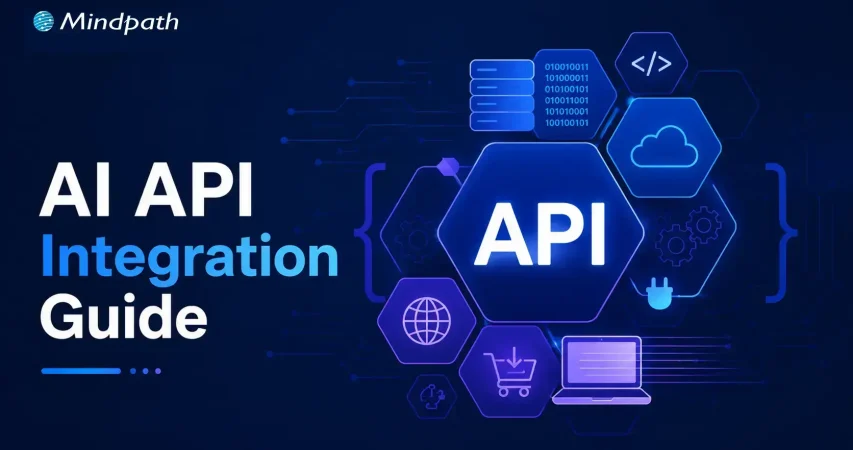
AI API Integration Guide: How Businesses Can Connect AI with Existing Systems

AI API Integration Guide: How Businesses Can Connect AI with Existing Systems

Join our Newsletter!

AI API Integration

Businesses are under pressure to do more with the systems they already have. Replacing a CRM, ERP, or support platform just to add AI is rarely practical. AI API integration offers another path: connect AI directly to existing workflows to automate tasks, accelerate decisions, and create more value from technology investments already in place.

Key Takeaways

  • 01
    AI APIs connect intelligent capabilities with existing business applications and workflows.
  • 02
    Businesses can add AI without replacing established technology systems.
  • 03
    Choosing the right AI capability depends on specific business goals and data.
  • 04
    Secure architecture helps manage data, performance, costs, and scalability.
  • 05
    Phased implementation makes AI integration easier to test, measure, and expand.

But adding an AI API is not as simple as connecting two systems. Businesses must consider data, security, compatibility, performance, and scalability before AI can work reliably in day-to-day operations. In this blog, we will explore how businesses can integrate AI APIs with existing systems effectively. Let’s begin!

Ready to connect AI with your existing business systems? Mindpath offers AI Integration Services to help businesses connect AI capabilities with existing applications and workflows.

Understanding AI APIs and System Integration

Businesses often have valuable data, established workflows, and critical applications they cannot afford to replace. AI APIs provide a practical way to add intelligence to this existing infrastructure. They act as a bridge between business applications and AI services, allowing systems such as CRMs, ERPs, and support platforms to send data to AI models and use the results within existing workflows.

Most AI services use endpoints through a REST API for AI models, with requests and responses commonly exchanged in JSON. This lets development teams integrate capabilities such as summarization, classification, content generation, and information extraction without building models from scratch. The business can focus its resources on connecting AI to the right processes while keeping its existing technology foundation intact.

Choosing the Right AI Capabilities for Your Business

AI integration creates value when the capability solves a specific business problem, rather than when AI is added simply because it is available. Before choosing an API, businesses should identify the task, the people using it, the data involved, and the outcome they want to improve.

Some practical capabilities include:

1. Text generation

Create product descriptions, emails, reports, or internal content faster.

2. Summarization

Turn lengthy documents, meetings, or customer conversations into concise insights.

3. Classification

Categorize support tickets, customer feedback, documents, or incoming requests automatically.

4. Image recognition

Extract information from images, forms, invoices, or visual content.

5. Recommendations

Personalize products, content, or actions based on customer and business data.

6. Forecasting

Analyze historical information to support demand, sales, or operational planning.

The right AI API for business should fit the existing workflow, data environment, and technical requirements. Starting with one clearly defined use case also makes it easier to measure results before expanding the integration.

How Does AI API Integration Fits into Existing Systems?

Choosing the right AI capability is only the first step. The next question is how that capability will fit into the systems and workflows already running across the business. AI API integration works best when businesses map where AI can add value without creating unnecessary changes to existing applications or processes.

A practical integration should consider:

1. Existing systems

Identify the CRM, ERP, support tools, databases, and applications AI needs to connect with.

2. Data flow

Define what information AI receives, how it is processed, and where the output goes.

3. Integration layer

Use middleware, adapters, or API gateways when direct connections are difficult, especially with legacy systems.

4. Security

Protect API credentials and control which systems and users can access AI services.

5. Performance

Account for response times, API limits, traffic volumes, and expected workloads.

6. Scalability

Design the integration so new AI capabilities and business systems can be added without major rework.

This approach helps businesses introduce AI without disrupting established operations while creating a reliable foundation for future use cases.

How to Integrate AI APIs Into Business Systems?

Once the right AI capability and integration architecture are identified, businesses can move toward implementation. A structured approach helps development teams connect AI without disrupting existing workflows. This becomes particularly important when businesses need to connect AI to legacy systems, where older applications may lack modern API support.

Here are eight practical steps for integrating an AI API:

1. Define the Business Use Case

Start with one specific workflow and identify the task AI will improve. Define the expected outcome, users, data requirements, and measurable success criteria before development begins.

2. Select the Right AI API

Compare available APIs based on capability, output quality, pricing, latency, documentation, security requirements, and usage limits. The selected API should fit both the business objective and technical environment.

3. Map Existing Systems

Identify the applications, databases, workflows, and integration points involved in the process. For legacy applications, determine if middleware, adapters, or an API gateway is needed to establish communication.

4. Configure API Authentication

Set up secure authentication using API keys, tokens, or other supported methods. Credentials should be stored securely and access should follow the principle of least privilege.

5. Build and Validate Data Flows

Define how data will move between the business system and the AI API. Validate request payloads, data formats, permissions, and sensitive information before sending data to the model.

6. Add Error and Rate-Limit Handling

AI APIs can experience timeouts, service errors, or usage limits. Build retries, timeout controls, rate-limit handling, logging, and fallback workflows so temporary failures do not disrupt business operations.

7. Test With Realistic Workloads

Test the integration using representative data and expected traffic levels. Evaluate response accuracy, latency, security, system stability, and how AI outputs affect the downstream workflow.

8. Roll Out and Monitor Gradually

Begin with a controlled deployment instead of connecting AI across every workflow at once. Monitor API usage, costs, performance, output quality, and user adoption before expanding to additional systems and use cases.

Securing and Managing AI API Integrations

Connecting an AI API to a business system also means giving AI access to business data. That makes security and governance a core part of the integration, not an afterthought. Businesses need controls that protect sensitive information while keeping AI services reliable, cost-efficient, and aligned with internal policies.

Key areas to manage include:

1. Secure authentication

Protect API keys, tokens, and service credentials through secure storage and controlled access.

2. Data privacy

Limit the information sent to AI services and apply appropriate controls to sensitive or personally identifiable information.

3. Access controls

Define which applications, teams, and users can access specific AI capabilities and data.

4. Audit logging

Track API requests, system activity, errors, and AI outputs to support monitoring and accountability.

5. Output controls

Validate AI-generated results before they trigger important business actions or enter downstream systems.

6. Performance monitoring

Track response times, failure rates, API usage, and output quality to identify issues early.

7. Cost management

Monitor request volumes, token usage, and model selection to prevent unexpected API expenses.

8. Fallback mechanisms

Maintain alternative workflows when an AI service becomes unavailable or produces an unusable response.

Measuring the Value of Artificial Intelligence API Integration

AI integration should deliver measurable business value, not simply add another technology layer. After deployment, teams should track how the integration affects workflows, users, costs, and outcomes.

Useful metrics include:

1. Time saved

Measure reductions in manual work and processing time.

2. Accuracy

Track the quality and consistency of AI outputs.

3. Adoption

Monitor how frequently employees or customers use the integrated capability.

4. Cost efficiency

Compare API and implementation costs with operational savings.

5. Business impact

Measure improvements in customer satisfaction, productivity, or process efficiency.

Once results are clear, businesses can expand the integration to additional workflows and systems while using the initial learnings to guide future AI initiatives.

AI API Integration Challenges and How to Avoid Them

Artificial intelligence API integration can deliver strong business value, but common technical and operational challenges can slow adoption. Planning for these issues early helps teams build integrations that remain reliable as usage grows.

1. Poor data quality

Clean and validate data before sending it to AI APIs.

2. Legacy compatibility

Use middleware or adapters to connect older systems.

3. Security gaps

Apply strong authentication, access controls, and data protection.

4. API dependency

Design flexible integrations to reduce vendor lock-in.

5. High latency

Choose suitable models and optimize request and response flows.

6. Unexpected costs

Monitor API usage, token consumption, and request volumes.

7. Unreliable outputs

Add validation and human review for critical workflows.

8. Scaling issues

Test higher workloads before expanding across business systems.

Comparing AI API Options for Business Integration

Businesses can choose different approaches based on their requirements for control, cost, scalability, and maintenance.

AI API Provider Core Strength Ideal Business Use Case Key Technical Highlight
OpenAI API Advanced language and reasoning models AI agents, automation, content workflows Strong tools, structured outputs, long context
Anthropic Claude API Long-context reasoning and analysis Document analysis, coding, research workflows Large context windows, strong reasoning capabilities
Google Gemini API Multimodal AI and data processing Video, audio, document-heavy applications Large context, multimodal model capabilities
Groq Fast, low-latency inference Real-time chat and voice applications High-speed inference across supported models
SiliconFlow Flexible multi-model AI infrastructure Multi-model applications and AI platforms Unified access to multiple AI models
AWS Bedrock Managed enterprise AI infrastructure Regulated workloads and AWS environments Multiple models with AWS governance controls
Azure OpenAI Enterprise AI within Azure Microsoft-based business applications Azure security, compliance, and integration capabilities

Ready to Connect AI With Your Existing Systems?

AI API integration gives businesses a practical way to add intelligence without replacing established systems. With the right use case, architecture, security controls, and implementation approach, organizations can build reliable AI-powered workflows that improve efficiency, decision-making, and business performance.

Mindpath AI development services help businesses connect AI capabilities with existing applications and workflows. From integration planning and API development to AI implementation, we help businesses build scalable integrations aligned with their technical and business requirements.
Ready to Connect AI With Your Systems?

Integrate AI into your existing business workflows.

Frequently Asked Questions

It allows businesses to add AI capabilities through APIs, middleware, or adapters without immediately replacing critical legacy applications.
Key considerations include model performance, pricing, security, latency, integration requirements, data handling, scalability, and compatibility with existing systems.
Yes, with proper authentication, access controls, data protection, privacy measures, audit logging, and clear policies for handling sensitive information.
Useful measures include time saved, output accuracy, user adoption, operating costs, workflow efficiency, and improvements in customer or employee experiences.
Expansion makes sense after the initial workflow demonstrates reliable performance, measurable value, manageable costs, and stable integration with existing systems.

Support Is One Click Away

Featured Posts

Related Post

Hire NodeJS Developers in California

Looking to hire skilled NodeJS developers in California for your next project? Whether you’re building a real-time application, optimizing backend performance, or scaling your system, finding the right talent is crucial. But how do you navigate the hiring process, evaluate candidates, and ensure you’re making the best investment?

This guide covers everything you need to know—step-by-step hiring strategies, key skills to look for, important factors to consider, and a breakdown of hiring costs in California. By the end, you’ll have a clear roadmap to hiring top NodeJS developers in California who can bring your vision to life. Let’s dive in!

Why Hire NodeJS Developers in California?

California is home to some of the best tech talent in the world. If you need skilled NodeJS developers, this is one of the best places to find them. Here’s why hiring NodeJS developers in California is a great choice:

1. Top Talent Availability 

California has a strong tech industry, with many experienced NodeJS developers who have worked on high-level projects.

2. Latest Technology & Trends 

Developers here stay updated with the latest tools, frameworks, and best practices, ensuring high-quality development.

3. Strong Tech Community 

With many tech events, meetups, and networking opportunities, California developers continuously improve their skills.

4. Fast & Scalable Development 

NodeJS is known for its speed and efficiency, and hiring experts in California ensures smooth and scalable backend solutions.

5. Access to Innovation 

Being in a tech hub, California developers bring innovative ideas and problem-solving skills to your project.

Hiring NodeJS developers in California means working with experts who can build high-performance, future-ready applications for your business.

How to Hire NodeJS Developers in California: A Simple Guide

Finding the right NodeJS developer in California can help your business build fast and scalable applications. With the state’s thriving tech scene, you can access top talent, but hiring the right developer requires a structured approach. Follow these six simple steps to ensure you hire the best NodeJS developer for your project.

1. Know What You Need

Start by clearly defining your project requirements. Identify the skills your NodeJS developer should have, such as expertise in JavaScript, Node.js frameworks (like Express.js), databases (MongoDB, PostgreSQL), and cloud platforms (AWS, Azure). Decide if you need a junior, mid-level, or senior developer and whether you want a full-time employee, a freelancer, or a contract-based hire. Having a clear job role makes hiring easier and ensures you attract the right candidates.

2. Write a Clear Job Description

A well-written job description helps you find the right talent faster. Include the developer’s responsibilities, required skills, experience level, and any preferred tools or frameworks. Post your job on platforms like LinkedIn, Indeed, and tech-specific job boards like Toptal or Stack Overflow Jobs. If you prefer local candidates, attend California-based tech meetups or networking events to connect with skilled NodeJS developers.

3. Screen Resumes and Portfolios

Once you receive applications, carefully review resumes and portfolios to shortlist the most suitable candidates. Look for experience in NodeJS development, past projects, and problem-solving skills. Conduct an initial phone or video interview to assess their communication skills, technical knowledge, and ability to work with your team. A well-planned screening process saves time and ensures you focus on top candidates.

4. Test Technical Skills

Before making a decision, evaluate the developer’s coding skills through technical tests or live coding challenges. Use platforms like HackerRank or LeetCode to test their problem-solving abilities. Consider giving them a small project, such as building an API or optimizing a database query, to see their practical approach. Check their understanding of asynchronous programming, RESTful APIs, and error handling, as these are key skills for NodeJS development.

5. Conduct the Final Interview

The final interview should focus on both technical and soft skills. Discuss real-world challenges like handling high-traffic applications, debugging complex issues, and working with cloud platforms. Assess their teamwork, adaptability, and ability to handle feedback. A developer with strong communication and collaboration skills will fit well into your team and contribute effectively.

6. Make the Offer and Onboard Smoothly

Once you’ve chosen the right developer, finalize salary negotiations, contract terms, and project expectations. Ensure a smooth onboarding process by providing access to necessary tools, setting clear communication channels, and outlining project goals. A well-organized onboarding process helps the developer integrate quickly and start contributing to your project.

Key Considerations for Hiring ReactJS Developers in California

Finding the right ReactJS developer in California requires more than just checking coding skills. With the state’s booming tech industry, competition for top talent is high. A skilled ReactJS developer should have strong technical expertise, problem-solving abilities, and the ability to work in a team. Additionally, understanding California’s hiring trends can help you attract the best candidates. Here are five key factors to consider while hiring ReactJS developers in California.

1. Look for Strong JavaScript and React Skills

A ReactJS developer should have a deep understanding of JavaScript, React fundamentals, and modern frontend development techniques. Knowledge of React hooks, Redux, and component-based architecture is essential for building efficient applications. Experience with UI frameworks like Material-UI, Tailwind CSS, and Next.js can be an added advantage.

2. Evaluate Problem-Solving Abilities

Beyond technical skills, a great ReactJS developer should be able to tackle complex UI challenges and optimize application performance. Look for candidates who can debug issues, improve website speed, and create scalable solutions. Real-world experience in handling large-scale applications can be a good indicator of their capabilities.

3. Assess Communication and Teamwork Skills

A ReactJS developer needs to work closely with designers, backend developers, and product managers. Clear communication and teamwork are essential for ensuring a smooth development process. Candidates who can explain technical concepts, participate in discussions, and provide constructive feedback will contribute to a stronger development team.

4. Understand California’s Competitive Hiring Market

California’s demand for ReactJS developers is high, making it essential to offer competitive salaries and benefits. Tech hubs like San Francisco and Los Angeles attract top-tier talent with perks such as remote work options, flexible hours, and learning opportunities. Being aware of industry standards can help you create attractive job offers.

5. Structure a Well-Planned Hiring Process

To hire the best ReactJS developer, create a streamlined hiring process that includes technical tests, coding challenges, and live coding interviews. Reviewing a candidate’s GitHub contributions and past projects can provide insights into their expertise. A structured approach helps ensure you find a developer who aligns with your company’s goals.

By focusing on these key factors, you can successfully hire ReactJS developers in California who bring both technical excellence and teamwork to your projects.

Essential Skills to Look for When Hiring a NodeJS Developer in California

Hiring a skilled NodeJS developer in California requires evaluating their technical expertise and ability to work efficiently in a fast-paced development environment. A strong candidate should have a deep knowledge of JavaScript, experience with backend frameworks, and the ability to optimize performance. Additionally, familiarity with databases, API development, and security best practices ensures smooth project execution. Here are the top skills to look for when hiring a NodeJS developer in California.

1. Expertise in JavaScript and Modern ES6+ Features

A NodeJS developer must have a solid foundation in JavaScript, including ES6+ syntax, closures, promises, and event-driven programming. Mastery of these concepts ensures that they can write clean, efficient, and scalable code. Strong debugging skills and knowledge of performance optimization techniques further enhance application stability.

2. Strong Understanding of Backend Frameworks

Frameworks like Express.js, NestJS, and Koa help developers build scalable and maintainable applications. A skilled NodeJS developer should know how to implement middleware, manage authentication, and create optimized APIs using these frameworks. Familiarity with microservices architecture and serverless computing can also be beneficial.

3. Proficiency in Database Management

Effective data handling is crucial for any application. A NodeJS developer should be comfortable working with both SQL databases (PostgreSQL, MySQL) and NoSQL databases (MongoDB, Firebase). Knowledge of query optimization, indexing, and ORM tools like Sequelize or Mongoose improves database performance and efficiency.

4. Ability to Develop and Secure APIs

NodeJS developers should be proficient in building RESTful APIs and working with GraphQL for efficient data communication. They should also understand authentication mechanisms like JWT and OAuth to enhance security. Experience with WebSockets for real-time applications is an added advantage.

Familiarity with DevOps and Deployment Strategies

A great NodeJS developer should have experience with cloud platforms like AWS, Azure, or Google Cloud. Understanding CI/CD pipelines, Docker, and Kubernetes ensures smooth deployment and maintenance of applications. Knowledge of monitoring tools and performance tuning techniques helps maintain application reliability. Breaking Down the Cost of Hiring NodeJS Developers in California
Hiring a NodeJS developer in California comes with significant costs due to the state’s booming tech industry and high cost of living. Salaries and hourly rates depend on experience, location, technical expertise, and the hiring model. Businesses must carefully analyze these factors to ensure cost-effective hiring while securing skilled developers. Here are five key cost considerations when hiring a NodeJS developer in California.

1. Developer Experience and Salary Expectations

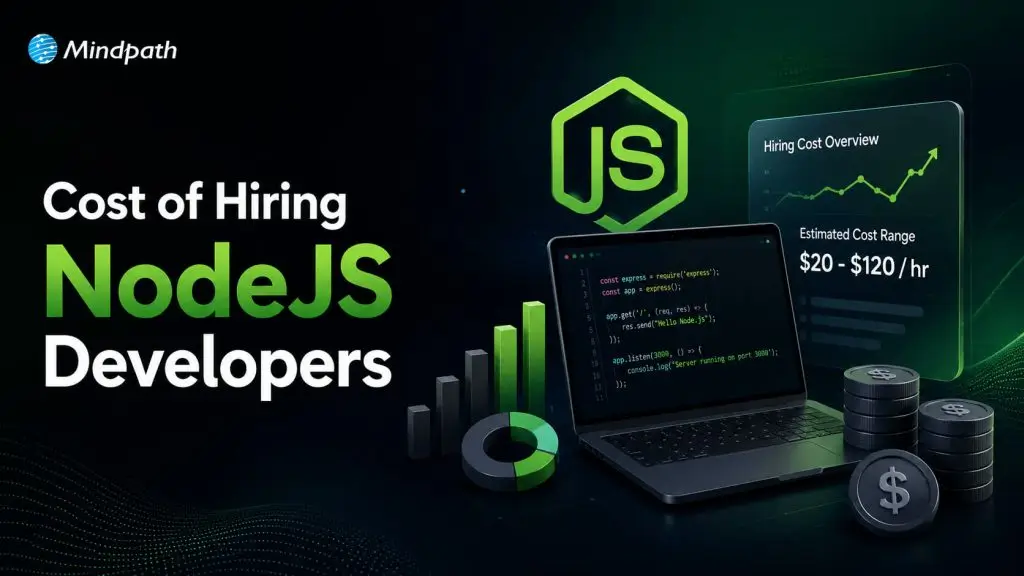
A developer’s experience level significantly impacts their salary. Junior NodeJS developers (0-2 years) typically charge $60-$80 per hour, while mid-level developers (3-5 years) demand $80-$120 per hour. Senior professionals with expertise in backend architecture and system scalability can charge $120-$150+ per hour. Investing in an experienced developer often leads to better project efficiency and long-term savings.

2. Location-Based Salary Variations

The cost of hiring NodeJS developers in California varies based on location. Developers in tech hubs like San Francisco, San Jose, and Los Angeles often command $100-$150 per hour due to high demand and living expenses. In contrast, hiring in cities like Sacramento or Fresno can reduce costs to $80-$120 per hour. Businesses should evaluate whether hiring remotely from lower-cost regions is a viable alternative.

3. Specialized Skills and Premium Pricing

Developers with expertise in microservices, cloud computing (AWS, GCP), and real-time applications using WebSockets or GraphQL tend to charge premium rates of $120-$160 per hour. Similarly, expertise in DevOps, AI integration, and cybersecurity can increase costs. While hiring a specialized developer is more expensive, it ensures better scalability, performance, and security for complex projects.

4. Comparing Freelance, In-House, and Agency Hiring

The hiring model affects overall costs. Freelancers charge around $60-$120 per hour and are suitable for short-term projects. In-house developers require a full-time salary, benefits, and workspace, costing $150,000-$200,000 annually for senior roles. Hiring a development agency provides access to a team of experts but comes at a higher hourly rate of $100-$180. Businesses must choose based on project scope and long-term needs.

5. Additional Costs: Tools, Training, and Benefits

Beyond salaries, hiring NodeJS developers involves costs for software tools, cloud services, training, and employee benefits. In-house developers may require ongoing training and healthcare benefits, adding to expenses. Freelancers and agencies may include these costs in their pricing, affecting overall budgets. Factoring in these additional costs ensures better financial planning for hiring decisions. Hiring the right NodeJS developer in California is essential for building high-performance, scalable applications. With access to top-tier talent, cutting-edge technology, and a thriving tech ecosystem, California offers the ideal environment for finding skilled developers. By following a structured hiring approach—defining project needs, screening candidates, assessing technical skills, and considering cost factors—you can secure the best NodeJS professionals for your business. Whether you choose freelancers, in-house developers, or agencies, the right hire will ensure smooth development and long-term success.

Looking for expert NodeJS developers in California? Mindpath offers top-tier development services, ensuring scalable, high-performance applications tailored to your business needs. Our experienced developers bring innovation, efficiency, and expertise to every project.

Let’s build something great together! Contact us today.

Discover the ultimate guide to hiring Node.js developers in London. Learn about the skills, benefits, and cost factors involved in finding the right talent for your project.
Web design trends

In 2026, web design trends are redefining what modern websites look and feel like. Designers are moving beyond conventional layouts, blending user-centric principles with bold aesthetics — from kinetic typography and immersive 3D elements to AI-driven personalization and accessibility-first standards. The goal is to craft websites that are not just beautiful, but also interactive, human-centric, and memorable.

As technology advances and expectations of users evolve, staying ahead of new trends in web design is crucial for businesses to stand out. Whether you are optimizing your local business site or creating a new one, these top web design trends in 2026 will surely trigger ideas and enhance your digital experience. Keep reading to explore some leading web design trends that are set to define modern websites with Mindpath. 

If you are looking to implement these latest modern web design trends in your business, you require expertise. Mindpath offers web development service that helps you stay ahead of your competitors and deliver a website tailored to your business needs by turning your ideas into reality.

Focus On Smart Design For A Smarter Web

In 2026, web design is no longer a choice between personality and performance: it is a combination of both. Modern web design balances high-speed performance with immersive, human-centric storytelling. Designers are leveraging design systems and frameworks that deliver super-fast load times without sacrificing brand storytelling, visual impact, or interactive depth.

This shift has created a new era where creative expression and technical precision go hand in hand. Websites are getting smarter, emotionally resonant and leaner, resulting in a digital experience where design creates a lasting impression and functionality drives engagement. 

Wondering who can bring these design trends to life? Discover our website design company blog to see how the right team can turn trends into impactful websites.

Let’s talk about the trends that businesses need to focus on to achieve designs that deliver. 

21 Web Design Trends to Consider in 2026

Trends in web design are driven by advanced technologies and a desire to develop sites that are highly functional, interactive, memorable, and have elements to showcase a brand’s identity authentically. From sustainable designs to hyper-personalized interfaces, here are 21 web design trends to consider. 

1. Expressive Fonts and Maximalist Typography

Typography is a major visual element in every website. Businesses can expect to see layered, bold, and oversized text that will be the centerpiece of a web page. Besides, web designers are now creating playful, custom typefaces along with high-contrast pairings for a powerful statement. 

2. Micro Animations/ Interactions

Small details can make a huge impact. Micro interactions can help reinforce actions and guide users. For example, button ripples, hover effects, form feedback, or loading indicators. These are subtle yet powerful and can enhance the overall user experience.  

3. Experimental Navigation

Are you still using dropdown and hamburger menu designs? Well, it’s time to take a break. 2026’s trending web designs focus on scroll-as-navigation, gesture-based, and radial navigation styles, increasing engagement. 

4. Brutalist Designs with Some Modern Twists

A reaction template-driven, overly polished designs, brutalism is back, but with a modern twist. This modern style features unpolished, raw elements, bold typography, subtle animations, and pops of color. This design can be an ideal way to add a unique attitude and authenticity to websites. 

5. Illustration-led Web Design

This is gaining popularity among web designers in 2026 for conceptual clarity, quick load times, as well as brand originality. Utilizing illustrations offers a visually engaging alternative to heavy images, making them an excellent choice for service-based websites. 

6. Immersive Scrolling

Most websites are now becoming cinematic due to the integration of scroll-triggered animations. As users move down pages, elements zoom or fade in, crafting a narrative-like or dynamic user journey. With this, you can make a simple scrolling into an immersive experience. 

7. Dark Mode and Custom Palettes

Dark mode has become a standard design, but designers are tweaking it to add more effects. You can now see custom dark mode and palettes that utilize rich grays along with muted tones, offering a more branded and sophisticated experience while reducing strain on the eyes. 

8. Monochromatic Design

It is a simple yet powerful visual approach that utilizes a single base color and its different tones, tints, and shades throughout websites. Such designs emphasize cohesion, elegance, and simplicity. The distraction factors will be less as it creates a unified aesthetic. 

9. Hyper-Personalized Interfaces

Inclusion of machine learning and AI in web design has enabled a new level of customization. Websites will adapt their layout and content to every user, providing them with dynamic content and tailored recommendations based on their browsing history.   

10. Sustainable Web Design Trends

In 2026, the focus will be more on developing environmentally-friendly websites. While designing and developing websites, developers would prioritize eco-friendly hosting providers, accessibility, and streamlined code. These things help lower carbon emissions related to the internet. 

Curious how AI is transforming modern web experiences? Explore our AI in Web Development blog to learn how smart features enhance usability and performance.

11. Sci-Fi Gaming and Futuristic UI Aesthetics

Website interfaces inspired by sci-fi films and games are getting popular.  How about HUD-style overlays, neon glows, glitchy transitions, etc.? These designs can create high-tech and bold digital experiences. 

12. Bento Grid Layouts

Influenced by the elegance of the Japanese bento box, this design utilizes a modular grid of boxes. These layouts offer an efficient and clean way to organize information in a structured way. These website layout ideas are an ideal option for complex content websites and portfolios. 

13. Neumorphism Web Design Trends

It combines flat and skeuomorphism design using minimal contrast and soft shadows for a monochromatic and clean look. It suits web apps but requires proper handling of UX to avoid usability problems. 

14. Power of White Space in Web Design

Emphasizing negative space in a web design can enhance focus and clarity by balancing content with open, clean areas. Strategic use of typography and spacing boosts readability, creates an intuitive experience, and guides user attention. You can consider Apple.com as an example. 

15. Custom Mouse and Cursors Interactions

Custom cursors can play a major role in branding. Designers use them to instill interactive flair and personality, with responsive shapes, sparkly trails, brand logos, and more. It may look simple, but it works well in making a website look unique. 

16. 3D Elements

Another popular modern web design that can make your site look stunning is the use of 3D elements. From interactive product demonstrations to full-screen 3D backgrounds, these elements add realism and depth, making your site more immersive and captivating. 

17. Smart and Dynamic Videos

Videos on websites are becoming ambient design elements. They are generally looped seamlessly, silent, and optimized for faster performance. By using videos on homepages, you can make the website engaging without reducing the site’s speed. 

18. Gamified Designs

When talking about 2026’s web design trends, we can’t ignore these designs. These designs add game-like elements to websites, like challenges, rewards, or points, enticing visitors to spend more time on websites. 

19. Combining Photos with Graphical Elements

Web designers are getting creative by combining photography with beautiful graphical overlays. For instance, elements like arrows, doodles, or collage elements can add a unique layer of creativity. 

20. Detailed Footers in Web Design Trends

Enhanced footers are now redefining web design and development trends. A footer has evolved from a basic contact section into a content-rich, dynamic section, playing a crucial role in brand storytelling. Check out the website of 360gardalife for inspiration. 

21. Collage-Like Scrapbook Layouts

These layouts create an asymmetrical, layered, and handcrafted feel. These designs mimic a scrapbook with text and images scattered in a compelling way. With it, you can add an artistic, human touch while avoiding those rigid grid systems. 

Planning a new web application for your business? Discover our Web App Development Roadmap blog to understand each stage and avoid common pitfalls.

Top Modern Website Design Examples

Are you searching for the best web design inspiration? Well, here are some modern website design examples you should check out. 

1. Stripe

Utilizes minimal UI, geometric shapes, and interactive visuals to craft a conversion-focused and sleek website.

2. Apple

The design combines 3D product previews, cinematic storytelling, seamless transitions, etc., for better user engagement. 

3. Spotify

Combines animated CTAs, dark mode, and bold colors to provide users with an immersive and personalized music discovery platform.

4. Mantis Pro

A perfect combination of high-contrast visuals, bold fonts and amazing layouts while emphasizing speed and performance. 

5. Datel

Includes layers, visuals, scroll animations, and modern typography that clearly highlight the brand’s product innovation and tech-forward approach. 

6. Velux

The design has interactive sliders, soft gradients, and natural imagery that help the brand support its vision, i.e., promoting sustainability.

These cool website designs clearly showcase how their functionality and design can be combined to craft memorable user experiences. 

Looking to make your website more engaging and user-friendly? Read about UI/UX Design Trends to learn what design elements boost interaction and retention.

Website Design Trend: More Innovations in the Future

Whether you are creating a new website or planning to revamp the existing one, here are some future-forward website design trends that you should consider. 

1. Voice User Interface

Voice search and commands integration streamline navigation and offer users hands-free browsing, enhancing accessibility.

2. AI-Powered Design

Various AI tools personalize content, optimize UX, and automate layouts, making a website faster, and smarter.  

3. IoT

Websites connected with smart devices can offer real-time data, personalized automation and remote-control features. 

4. Accessibility-First Design

Focus on inclusive designs to ensure easy access for every user, including people with disabilities, through keyboard navigation, alt text, and readable fonts. 

5. Minimalistic Design

The best web design utilizes strategic whitespace, focused content, and a clean layout to enhance readability, mobile performance while reducing load time

6. Integration of Blockchain

This will ensure enhanced security and transparency for identity verification and transactions on modern websites. 

7. 3D Visuals

3D elements add visual depth, interactivity, and realism, especially for immersive storytelling and product showcases. 

Apart from these web design trends, collaboration between developers and designers is vital. This will help you ensure that your new website is not just visually great, but also secure, high-performing and stable. 

Looking for the right team to bring your web ideas to life? Read our Website Development Company blog to see what to look for before hiring.

Create Web Designs that Move your Business Forward

The future of web design is an exciting combination of purpose, interactivity, sustainability, and authenticity. By incorporating these 21 web design trends 2026, businesses can craft a website that will not just look incredible, but also create an effective and engaging experience. 

For businesses looking to translate trending website designs into a visually appealing and high-performing website, partnering with an expert is crucial. This is where they can count on Mindpath. We offer web development services that integrate advanced technologies, a customer-centric approach, bespoke web design solutions, and follows the latest web development trends to create websites that every business needs. Let us craft digital experiences for businesses that engage, inspire, as well as convert. 

Frequently Asked Questions

Hiring NodeJS Developers
When hiring a NodeJS developer it’s essential to ensure they possess key technical skills that are fundamental to the role. Here are the core skills to look for:

1. Proficiency in JavaScript

A strong grasp of JavaScript fundamentals is crucial. This includes understanding core concepts like syntax, functions, and event handling, along with modern JavaScript features such as ES6+ (e.g., arrow functions, promises) that improve code readability and efficiency.

2. Asynchronous Programming Knowledge

NodeJS excels in handling multiple tasks concurrently, so developers need to be skilled in asynchronous programming. They should be comfortable using techniques like callbacks, promises, and async/await to perform non-blocking tasks, improving app performance.

3. Understanding of RESTful APIs

NodeJS excels in handling multiple tasks concurrently, so developers need to be skilled in asynchronous programming. They should be comfortable using techniques like callbacks, promises, and async/await to perform non-blocking tasks, improving app performance.

4. Database Handling Expertise

NodeJS developers must be familiar with various database technologies such as MongoDB, PostgreSQL, and MySQL. They should be capable of designing efficient data structures and querying the database effectively to meet the project’s data requirements.

5. Experience with Node.js Frameworks

Experience with NodeJS frameworks, like Express.js, NestJS, or Koa, is valuable. These frameworks streamline development by offering built-in solutions for routing, middleware, and handling HTTP requests, making it easier to build scalable applications.

6. Knowledge of NPM (Node Package Manager)

NPM is essential for managing third-party packages in NodeJS projects. A proficient developer should be familiar with using NPM to install and manage dependencies, ensuring the project remains organized and up-to-date with necessary tools.

7. Effective Error Handling

Proper error handling is essential for maintaining app stability. Developers should know how to catch and manage errors effectively, using techniques like try/catch blocks and logging, ensuring that the application remains reliable and easy to troubleshoot.
At Mindpath we offer a team of expert Node.js developers ready to take on your most challenging projects. With years of experience in building fast, scalable, and efficient applications, our developers specialize in leveraging Node.js to deliver top-tier web solutions. Whether it’s creating real-time applications, managing APIs, or integrating with various databases, we ensure your project is completed on time and within budget. Looking for skilled Node.js developers who can bring your ideas to life? Mindpath offers top-tier Node.js development services, ensuring high-performance, scalable, and reliable applications. Ready out now  to discuss your project needs and see how we can help you succeed!
How much does hiring a ReactJS developer cost? Learn about factors affecting rates, and how to find the best talent within your budget.