Home

Is Your Business Ready for AI? 5 Signs You’re Not! 

Is Your Business Ready for AI? 5 Signs You’re Not! 

Join our Newsletter!

ai and business

Have you ever considered how AI and business actually fit together? You may have heard a lot about AI being faster and smarter, but is your business actually prepared for it? Many people are excited about new technology, but they often overlook whether they have a solid foundation. Take a second to think about it- is your business possibly ignoring some signs that say you are not prepared for AI yet?

AI can help any business develop, but starting without preparation can create issues. There are companies that jump into AI without having the right tools or people, or even ideas. This could waste valuable time and resources and lead to frustration. Integrating AI in business strategy from the start ensures you’re prepared and can identify potential challenges early. In this blog post, you’ll learn five easy indicators that show your business may not be ready for AI yet.

Want to future-proof your business with AI? We at Mindpath offers exceptional AI development services that help your business get AI-ready and unlock next level of growth! 

What Being ‘AI Ready’ Really Looks Like?

Being ready for AI means your business has the right people, tools, and plan to make it work well. When you think about AI and business together, it’s more than just buying new software. You need good data that’s easy to use, a team that knows how to work with AI, and clear goals that AI can help you reach. A business ready for AI knows how to bring people and smart technology together.

Look at Amazon. They show how AI in e-commerce can work side by side with business to help customers and save money at the same time. This happens because they plan ahead and know exactly how AI will help. If you want your business to be ready to use AI, start by checking your data, training your team, and making a simple plan that fits your real needs. When you get this right, AI in business can really help you grow.

What is an AI Readiness Checklist?

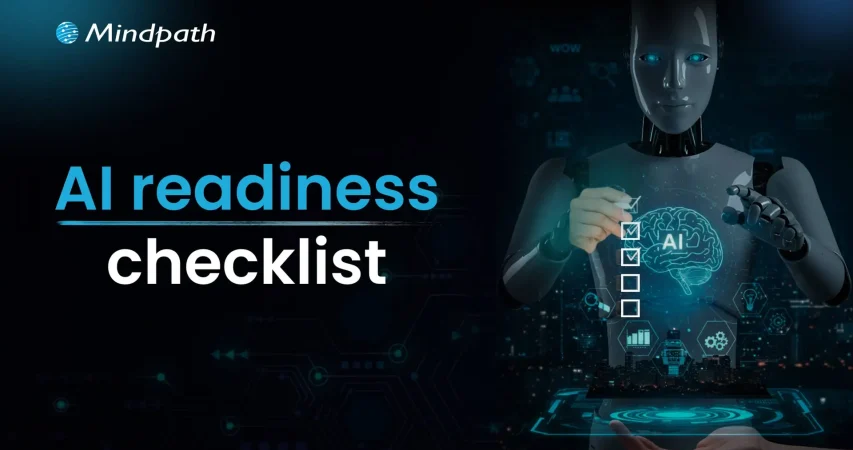
An AI Readiness Checklist is a simple tool that helps you see if your business is really ready to use AI in the right way. It covers important things like your data, your technical tools, and how well your team understands AI. When you think about AI helping your business grow, this checklist shows you what’s strong and what needs more work.

A good AI checklist looks at your technical setup, the quality of your data, your team’s skills, and whether your company is open to new ways of working. This way, you can fix any gaps before you bring AI into your business. By using an AI checklist, you can make sure you’re set up for success and get real value from AI in business.

How is AI reshaping the way websites are built and optimized? Explore our detailed article on AI in Web Development to see how it’s driving smarter design, faster deployment, and better user experiences.

AI Readiness Checklist for Businesses

Before you bring AI into your daily operations, it’s important to know where you stand. A good AI readiness checklist will help you see if your business is truly prepared for this step. Here are the key areas to focus on as you plan your AI and business journey.

AI Readiness checklist for businesses

1. Robust Data Foundations

Good data is the backbone of any artificial intelligence business idea. Check that your data is clean, organized, and ready for AI tools to use well. Strong data governance keeps your insights trusted and prepares your business for AI integration.

2. Leadership and Team Alignment

A strong AI and business plan starts with people who believe in it. Make sure leaders fully support your strategy and teams understand the goals. A clear roadmap and open communication help everyone move toward strategic AI adoption together.

3. Technology and Process Readiness

Your tools and workflows must support AI smoothly. Research the best AI solutions for your existing systems and test them with pilot projects. Use simple frameworks to track results and find the best areas for automation.

4. Governance, Ethics, and Security

Responsible AI needs strong rules and security in place. Create clear ethical guidelines and monitor how AI works in your company. A good AI checklist helps protect your artificial intelligence business ideas and builds trust for the long term.

5. Financial Planning and ROI

Every digital transformation roadmap needs clear budget planning. Create realistic budgets, show expected returns, and track savings as you go. This makes it easier to get leadership buy-in and keeps AI and business costs under control.

Looking to streamline your business operations and enhance customer experiences? Discover how conversational AI chatbots can help your business transform its workflows and boost efficiency in our blog.

5 Signs Your Business is Not Ready for AI

Many companies jump into AI without checking if they’re really prepared. Missing a few basics can lead to wasted time and money. Here are five signs that show your business is not ready for AI yet.

5 Signs Your Business is Not Ready for AI

1. Stuck in Paper-Heavy Processes

Paper forms, files, and manual approvals slow down daily work and limit growth. AI needs clean, digital data that is easy to find and process. If you’re still tied to paper, you’ll struggle to get real results from AI. Going digital is the first step to connect AI and business ideas that really work.

2. Running on Outdated Technology

Old systems can hold you back from adding smart AI tools. If your technology can’t talk to modern platforms, your AI plans won’t go far. Keeping rigid, legacy software in place only adds roadblocks. Updating your systems is essential for future-proofing your business with AI.

3. Poor Data Quality and Structure

Messy or incomplete data will confuse even the best AI tools. AI needs clear, well-organized data to find patterns and deliver insights. If your data is spread everywhere and filled with errors, you’re not ready yet. A strong data foundation helps your AI and business strategy succeed.

4. No Clear Data Strategy in Place

Without a clear plan, your data might be scattered, outdated, or not useful at all. AI can’t do much if it doesn’t have good data to work with every day. A strong data strategy shows what to collect, how to store it, and who can use it. This is key for turning business ideas AI into real results and leveraging AI in decision-making.

5. Lack of Real-Time Data Insights

AI works best when it has fresh, up-to-date information at its fingertips. If you only rely on old monthly reports, you will miss the full power of AI. Real-time data helps AI spot changes and take action fast. It’s a big step for future-proofing businesses with AI in any industry.

Want to future-proof your AI strategy? Don’t miss our insights on the Top AI Trends in 2025 every business should be ready for.

Ready to Make AI and Business Work Together?

Preparing your business for AI means more than just buying new tools. It’s about building strong data foundations, modern systems, and a clear strategy that connects people and technology. Knowing the signs that you’re not ready yet can save time, money, and stress. With the right plan, AI can help your business grow stronger together and bring real results.

Mindpath’s expert AI development services help you create practical, future-ready solutions. Our team works closely with you to plan, build, and integrate AI into your daily operations. We focus on clean data, secure systems, and smart strategies that fit your business needs. Let us help you connect AI and business in ways that truly work.

Frequently Asked Questions

1. How do you realistically assess AI readiness before committing significant budget to implementation?

Begin with an honest internal audit covering data quality, technology infrastructure, team capabilities, and leadership alignment. Businesses that skip this assessment almost always encounter expensive surprises mid-implementation. An AI readiness checklist provides a structured starting point that identifies genuine gaps before they become costly, time-consuming problems during actual deployment.

2. Can a small business with limited resources realistically prepare for AI adoption?

Absolutely. AI readiness is not about budget size but about foundational preparedness. Cleaning data, digitizing paper processes, and establishing clear goals cost relatively little compared to the waste caused by premature AI implementation. Small businesses that build strong foundations first consistently achieve better outcomes than larger organizations that rush in underprepared.

3. How long does it typically take a business to become genuinely AI ready?

It varies considerably depending on current data infrastructure, team expertise, and technology maturity. Businesses with organized data and modern systems can prepare within months. Those still relying on paper processes or legacy technology may need a year or longer. Rushing readiness to meet competitive pressure almost always produces disappointing results and wasted investment.

4. Why does poor data quality cause AI projects to fail even with the right technology in place?

Because AI models learn entirely from the data provided. Disorganized, incomplete, or error-filled data produces unreliable outputs regardless of how sophisticated the AI tool is. Technology cannot compensate for a weak data foundation. Establishing proper data governance and cleaning existing datasets before implementation is the single most impactful preparation step any business can take.

5. What role does leadership alignment play in successful AI and business integration?

A critical one. AI initiatives without genuine leadership support consistently stall due to budget conflicts, unclear priorities, and team resistance. When leadership understands the strategy, communicates goals clearly, and actively champions adoption, teams follow with significantly less friction. Cultural readiness driven from the top determines whether AI integration delivers sustainable value or simply creates organizational disruption.


Support Is One Click Away

Featured Posts

Related Post

Modernizing legacy systems

In the prevailing digital economy, business entities cannot rely on outdated or obsolete systems. In fact, such systems can act as major handicaps in their path and impede their ability to achieve their business goals and objectives. This is why it is crucial for contemporary businesses to prioritize legacy system modernization.

In the prevailing business world, the practice relating to modernizing legacy systems has been gaining high momentum. About 72% business executives state that their legacy systems hold them back, leading to lower business productivity. Let us explore how legacy system modernization can create value for modern businesses. 

Are you looking to update your outdated systems but unsure how to start? Contact us, and we will help you modernize with the right strategy according to your business needs.

What are Legacy Systems?

Before looking at the benefits of modernizing legacy systems to revolutionize their operations, it is essential to get familiar with legacy systems. So it is crucial to know the answer to the question: What are legacy systems? In the computing realm, legacy systems refer to old technologies, methods, or computer systems. So they are basically outdated systems that are still in use regardless of their obsolete nature. 

In the fast-paced digital world, the use of such systems gives rise to a host of challenges and bottlenecks for business entities, such as the hindrance of innovation, a rise in costs, and restricted growth of the business. In order to address these challenges, it is a must for businesses to focus on the modernization of legacy systems.

Need to Modernize Legacy Systems

Modernizing legacy systems matters for business organizations since it serves as a catalyst and minimizes inefficiencies. The prioritization of legacy modernization is critical for modern organizations. It can serve as the ultimate pathway that can facilitate the scaling and integration of new digital technologies. 

In the competitive business landscape, embracing modernization of legacy systems is of high strategic importance. This practice can lead to cost savings for firms. Moreover, it can also improve the operational efficiency of entities and give them an edge over their competitors and rivals. Thus, by modernizing obsolete and old systems, business entities have the opportunity to grow and flourish in the dynamic and competitive business landscape. 

Curious how small businesses can leverage the latest tech to grow smarter and faster? Explore emerging technologies for small businesses to discover tools and solutions that can transform your operations and boost efficiency.

Top Benefits of Modernizing Legacy Systems

Organizations need to familiarize themselves with the top benefits that can arise on their path by modernizing their legacy systems. This strategic move has the potential to equip businesses across diverse industries to sustainably carry out their operations and excel in their respective domains. If you are wondering, what are the benefits of modernization? The answer is presented below. Some of the key benefits of modernization include: 

1. Better Productivity

All businesses intend to operate in a productive and efficient manner. The use of legacy systems may act as a major hurdle in their path, as it may restrict their productivity and efficiency. This is where modernization comes into the picture. Through modernization of legacy systems, businesses have the opportunity to improve their efficiency and effectiveness and streamline their operations. Furthermore, this decision can also enable businesses to optimally use their valuable time and gain a competitive edge in the market.

2. Reduced Cost in the Long-Term

Modernization of legacy systems can help firms reduce their costs in the long run. Regular updating of legacy systems may require a lot of money, and thus, the financial stability of businesses may be adversely affected. A smarter decision that your business can make involves transitioning to new systems through modernization. It can act as a pathway that can help your business save costs. You must remember that modern systems, especially the ones that run on the cloud, are much cheaper for businesses to run. 

3. Minimization of IT Complexity

One of the main challenges that arises from using legacy systems revolves around complex IT aspects. As technology or systems become obsolete, it becomes a daunting task to patch loopholes and errors. Every single update may require extra time and additional effort. If businesses replace legacy systems through modernization, they can definitely eliminate such complexity. Moreover, IT teams will be empowered to manage their operations by leveraging new and efficient systems, methods, or technologies.  

4. Improved User Experience

Legacy systems not only create challenges for business teams, but they also have a negative impact on the experience of users. Thus, in order to improve the overall experience of users, businesses must focus on modernizing legacy systems. It can certainly have a positive impact on user experience and improve their loyalty towards a business. On the other hand, poor quality of experience can drive users away from businesses. 

Looking to elevate your user interactions with smarter solutions? Discover the latest trends in conversational AI chatbots and see how businesses are using them to deliver seamless and engaging customer experiences.

5. Better Quality of Security

In the digital world, security is undoubtedly one of the main priorities of a majority of businesses. The use of legacy systems can increase the vulnerability of businesses in the volatile cyberspace. Malicious actors such as online hackers or cybercriminals may be able to breach the cybersecurity layer in legacy systems due to their obsolete nature. 

Thus, it is essential for businesses to focus on modernizing their legacy systems. By doing so, there is an opportunity for businesses to strengthen their cybersecurity resilience as well as their cybersecurity posture. The use of modern and updated systems has the potential to minimize the cybersecurity risks that arise in the path of businesses.  

6. Better Integration with Modern Tools and Technology

The modernization of legacy systems enables businesses to adopt new digital technologies in a seamless manner. Legacy systems may give rise to several challenges and obstructions. However, that is not the case when it comes to modern systems. Therefore, there is a possibility to integrate a diverse range of tools such as customer relationship management software, enterprise resource planning systems, payment systems, and many more by modernising the legacy system of your business.  

7. Better Flexibility

The modernization of legacy systems promotes flexibility as well as scalability for businesses. As your business expands in the future, you can easily expand modern systems without any trouble. On the other hand, the businesses that rely on legacy systems may face numerous obstacles in their path when their business grows. Due to the obsolete or outdated nature of their systems, they may not be able to handle a larger dataset or a larger number of users. As a result, their efficiency may be affected, and they may not be able to flexibly carry out their business operations.

8. Improved Workflow

Businesses operating in diverse industries and sectors can improve their workflows by modernizing their legacy systems. This practice can allow them to leverage the latest digital technologies and smooth their processes and operations. Moreover, they can be in a position to reduce their costs associated with downtime. Thus, you can surely see the positive change in the processes, practices, and operations of your business. 

Want to stay ahead with workflows that leverage modern tools and integrations? Discover the game‑changing SaaS trends helping businesses build flexible, efficient systems that align with workflow modernization.

Final Words

It is a fundamental necessity for contemporary business entities to prioritize the modernization of their legacy systems. This decision can certainly empower your business to thrive in the competitive business arena. Some of the top benefits that may arise in the path of your business include better productivity, lower cost, minimization of IT complexity, improved user experience, and a higher level of security. The other benefits that may also arise for your business include improved integration with modern tools and technology, better flexibility, and improved workflow. 

We at Mindpath intend to replace your legacy systems with updated ones through modernization. The experts will ensure that your business can derive optimum value from this transition, and it can reach new heights. 

Unlock the benefits of modernizing legacy systems, from increased productivity to growth, with Mindpath’s expert solutions.
Hire nodejs developers

As a result of the rapid evolution of the digital landscape, businesses nowadays want faster, efficient, and more scalable options. This is why many companies choose to hire NodeJS developers who are able to develop high-performing applications without limitations of real-time responsiveness. As businesses compete for efficiency and seamless digital offerings, the demand for NodeJS expertise is increasing. But when hiring a NodeJS Developer, it isn’t just about technical knowledge; it’s about a deeper understanding of your business aims and objectives.

So, how do you make the right choice when the market is filled with so many options? This is the point where many decision-makers stop and consider. With numerous talented developers available, knowing what differentiates the right developer can be a challenge. Filling a role quickly is easy, but finding a developer who contributes positively to your long-term growth is different. Before proceeding to the next step, you should slow down and investigate the key factors to consider in making the right decision.

Looking for a Node.js developer who ensures your app performs at scale without compromising speed and security. Hire Node JS developers from Mindpath who strive to provide you the best, world-class solutions.

Who is a NodeJS Developer?

A NodeJS developer is a technical professional who uses Node.js to create fast, scalable applications server-side. They’re responsible for everything from building prototypes to writing clean code that supports applications that power our world. Their responsibilities also include connecting back-end services with front-end systems to provide users with maximum efficiency and reliability.

Node.js developers are crucial for contemporary software projects because Node.js enables developers to utilize one programming language, JavaScript, for both the client side and server side. They develop great solutions thanks to the ability to do it quickly. They also have strong problem-solving skills and know how to utilize this technology to further enhance an application and prepare it for scale.

What are the Responsibilities of a NodeJS Developer?

Companies wanting to grow often look to hire dedicated Node.js developers as part of their technology teams. Node.js developers do more than code; they are an integral part of delivering solutions that will amplify your digital products.

1. Writing Clear Code

When you hire Node.js developers, their job is to write clean and readable code. This will make it easier for other developers to maintain and grow the application.

2. Providing High-Security Features

Security is also a core part of a Node.js developer’s job. Developers need to identify their risks and add features that protect data and users.

3. Detecting Bugs and Issues

Bugs can give rise to slowed-down applications and degradation of performance. NodeJS developers are then also able to quickly identify and fix bugs to maintain stability on the systems.

4. Handling API Integrations

Most modern applications require API integration to add some functionality. Proficient NodeJS developers know how to use API integrations such as HTTP, buffers, and simple file handling.

6. Working with Cloud Technology

When you hire Node.js developers, it is common for these developers to work on the backend and, therefore, will work with cloud deployment. They will configure a cloud platform (such as AWS or Azure) to run the application to ensure it runs properly.

7. Ensuring Database Performance

A Node.js developer will oversee your databases so that the responses are quick. They ensure the back-end interacts with your front-end requests appropriately.

Unlock the new opportunities by Full-Stack Development with Node.js, the key to building a reliable application. Explore now and elevate your business to the next level.

Key Factors to Consider While Hiring Node.js Developers

Choosing the right talent can dictate whether or not your digital projects achieve ultimate success. If you are going to hire a Node.js developer, here are the important things to keep in mind before you do.

1. Core Knowledge of JavaScript and Node.js

When hiring Node.js developers, the first thing is to check their understanding of the basics of JavaScript and Node.js foundations. They should understand asynchronous programming, Node event loop, and code management through NPM, as well as managing dependencies, which is a large part of the Node.js developer roadmap related to developing scalable applications.

2. Experience with Backend Frameworks

A top-notch developer should really have practical experience with frameworks like Express.js, Koa.js, or Nest.js. The key benefit of these frameworks is that they make projects faster, and framework-less projects have no organization. If you’re hiring Node.js developers, you can easily test their framework knowledge with some simple tasks or some Node.js developer interview questions.

3. Database Handling Skills

All applications require databases, so any competent developer must know their databases MySQL, PostgreSQL, and they must know some NoSQL databases such as MongoDB. They need to understand caching as well as real-time data processing by having basic knowledge of tools like Redis. If you hire a Node.js developer with good database skills, your application will respond faster and stay robust.

4. API Development and Integration

APIs connect applications to additional services, and Node.js is often a popular choice to build those APIs as well. Developers must be familiar with RESTful APIs, GraphQL, and secure protocols like OAuth. Before you hire Node.js developers, be sure to ask them how they create APIs and manage API integration.

5. Knowledge of Git and Version Control

Git is an everyday tool for every developer, and they should be able to manage branches, pull requests, and conflicts without hindering the development. The knowledge of Git is a prerequisite for hiring Node.js developers for teamwork purposes.

6. Strong Security Practices

Security is always a primary concern. Developers need to understand encryption, input validation, and token-based authentication. When employing Node.js developers, look at how they implement these practices to protect applications and sensitive information.

7. Testing and Debugging Skills

Reliable applications need effective debugging and testing. Developers can leverage tools (such as Mocha, Jest, or Cypress) to find bugs early in application development. Knowledge of testing is a vital skill if you are planning to hire Node.js developers to help with long-term applications.

8. Essential Soft Skills

Technical skills are not enough to qualify for Node.js Developer jobs. Communication, collaboration, and problem-solving all make progress much easier on a project. These skills are equally important each time employers hire Node.js developers, as many projects will have challenging aspects.

As user experiences is evolving day by day, businesses need to adopt technologies that ensure speed, scalability, and reliability. Discover how Hiring Expert NodeJS Developers can help you deliver high-performance digital solutions.

Steps to Hire a Node.js Developer

While the search for the perfect talent can seem daunting, breaking the process down into clear steps makes it much easier. Below are the key steps to take when hiring a Node.js developer for your project.

Steps to Hire a Node.js Developer

1. Define Your Needs

Start by defining your project scope, features, and tech stack. When you hire NodeJS developers, identifying clear requirements can save time and attract the right candidates.

2. Choose the Hiring Model

Determine whether you need in-house, remote, or offshore developers. Many companies hire NodeJS developers offshore for more flexibility and lower costs.

3. Write a Clear Job Description

A well-written job description allows candidates to know what they are applying for. Include as much as possible in the description, who you want, including the skills, the experience you expect, and if you are looking for a full-stack Node.js developer.

4. Use Multiple Hiring Platforms

Search for talent on LinkedIn, GitHub, and job boards that identify talented developers. These platforms enable developers to connect because of their special skill set.

5. Test Technical Skills

Evaluate coding expertise with tasks, interviews, or online coding challenges. This evaluates whether the developer can work with Node.js concepts properly.

6. Assess Soft Skills

Good communication and teamwork are as essential as coding, because they also allow the project to flow without delay.

7. Check References and Work Samples

It’s important to understand what the developer has done in the past, so it is good to check references and speak to previous clients or employers. This develops an understanding of the developer’s reliability and quality of effects.

8. Make an Offer with Clear Terms

Discuss salary, benefits, and expectations openly. Transparency builds trust and helps retain the developer.

9. Plan a Smooth Onboarding

Provide tools, resources, and guidance to new hires. A structured onboarding makes developers productive faster.

10. Encourage Continuous Learning

Support your team in learning new Node.js updates and practices. This keeps skills sharp and projects future-ready.

Want to enhance your website presence in today’s fast-paced digital world? Explore our detailed blog on how you can Increase Web Performance with Node.js Development Services.

Looking to Hire Expert Node.js Developers for Your Next Project?

Hiring the right Node.js talent can define the success of your digital projects. Skilled developers bring more than technical expertise; they align with business goals and deliver scalable, secure, and high-performing applications. By following clear steps and evaluating both technical and soft skills, you ensure your projects are built for long-term growth and innovation.

Mindpath stands out as a trusted Node.js development company offering top-tier Node.js development services. With a team of skilled developers, we help businesses build scalable applications tailored to their unique needs. By choosing Mindpath, you gain a partner focused on delivering secure, efficient, and future-ready solutions that accelerate your digital success.

Consider experience with Node.js, JavaScript, databases, APIs, and problem-solving skills when hiring NodeJS developers.
types of software development

Picture a scenario in which you are running a growing business, and things are moving at a fast pace. At this point, your customers will expect more; teams will need better tools, and competition will just be a click away. You must keep in mind that the real game changer isn’t just having software but rather, its choosing the right kind of software. For this, understanding the types of software development can make a huge difference.  

Behind every great digital solution, there lies a specific type of development which is tailored to a specific need. Understanding the key categories of software development enables businesses to make smarter, confident investments while choosing the right technology teams to partner with for the future. So, if you are interested in knowing about the software development types, then this blog will guide you perfectly. We will explore the major kinds of software development, which every business should know to make smarter investments and drive meaningful growth. 

To begin with, let us first have a basic understanding of software development. 

PaAre manual operations draining time and resources from your business growth? At Mindpath, we offer end-to-end software development services to automate processes and enhance efficiency.

What is Software Development?

Software development refers to the act of creating, designing, testing, and maintaining applications or systems that run on devices or computers. It combines the imaginative and creative process with the technical process of building software that can help your business work smarter and serve your clients better. Developers take your ideas and combine programming languages, libraries and frameworks to develop working software that solves real problems. 

There are many benefits of custom software development for businesses. It can increase productivity via automation and lower costs by streamlining processes. It also increases customer satisfaction through user-friendly overall features and allows companies to stay ahead of competitors by providing innovative solutions. Software can also be customized to provide better management of growth within the business and can enhance data cybersecurity protocols and processes while supporting better collaboration across teams.  

What are the 5 Principles of Software Development?

Strong software development relies on key principles that guide the process and ensure reliable, high-quality results. These principles help teams build software that is efficient, adaptable, and easy to maintain over time. 

1. Working in Iterations

Working in short cycles allows teams to test, adjust, and improve regularly. This keeps the software flexible and ready for change. 

2. Reuse Components

Building with ready-to-use parts speeds up development and keeps the software consistent. It also makes updates and maintenance much easier. 

3. Set Quality Standards

Setting clear quality standards from the start helps catch problems early. It ensures the final product meets expectations and works reliably. 

4. Plan Architecture First

A strong foundation starts with early architectural planning. It helps avoid confusion, improves decisions, and sets the direction for smooth development. 

5. Control Changes Effectively

A clear system for handling changes keeps the project stable. It helps teams adapt without causing confusion or risk to the software. 

Curious why software development prices can vary so much? Explore the factors behind software development costs before your next project and avoid common budgeting mistakes.

What are the Different Types of Software Development?

Software development comes in many forms, each designed to meet specific business or user needs. Understanding these different types helps businesses choose the right solutions for their goals and growth. 

1. Frontend Development

Frontend development is a software development type that focuses on the part of an application users see and interact with. It involves creating user interfaces that are smooth, responsive, and visually clear. Frontend developers work with tools and technologies like React, CSS, JavaScript, and Flutter. Their goal is to ensure a great user experience on both web and mobile platforms. 

2. Backend Development

Backend development focuses on the parts of an application that users don’t see. It includes building servers, databases, and the internal logic that powers the software. Backend developers use technologies like Java, Python, and Django to make sure everything runs smoothly. They connect the front end with data and functions to keep the application working behind the scenes. 

3. API Development

API development is about creating connections that let different software systems talk to each other. Developers build APIs to help applications share data and work together more easily. This is useful for adding features like payment systems, login tools, or maps from other services. API development makes software more flexible and able to work with a wide range of platforms. 

4. Cloud Computing Development

Cloud computing development is the software development process of building applications that run on platforms like AWS, Microsoft Azure, or Google Cloud. It helps businesses store data, manage services, and scale their systems more easily. Cloud developers set up secure and flexible environments tailored to company needs. This process supports smooth operations and better performance without relying on local servers. 

5. Database Development

Database development focuses on building systems to store, manage, and organize data. Developers work with different types like SQL for structured data and NoSQL for more flexible, unstructured data. Some databases are made to handle huge amounts of information, often used for big data and real-time analytics. The goal is to keep data accurate, secure, and easy to access when needed. 

6. DevOps

DevOps engineering combines development and operations to build and deliver software more efficiently. It focuses on teamwork, automation, and continuous improvement throughout the project. DevOps engineers use skills like coding, testing, and scripting with languages such as Python, Java, and PHP. One big advantage is that quality checks continue even after the software is launched. 

7. Full-Stack Development

Full-stack development covers both front-end and back-end work to create complete, user-friendly software. A full-stack developer understands how to build smooth interfaces and also manage server-side systems that power the application. They often use a wide range of software development tools to deliver reliable and efficient results. Teams can also achieve this by having front-end and back-end developers work closely together. 

8. Mobile Development

Mobile development focuses on creating apps for smartphones and tablets. Developers may specialize in building for Android using Kotlin or Java, or for Apple devices using Swift or Objective C. Some also work on hybrid apps that run on multiple platforms, which need special skills. Mobile developers handle coding, design, and maintenance to make sure apps work well on different screen sizes and devices. 

Wondering what makes a software engineer truly effective in driving business success? Discover and understand the top qualities of a good software engineer that set top developers apart.

Which Type of Software Development Fits Best for Your Business Needs?

Understanding the various types of software development helps businesses choose the right solutions to grow and succeed. Each type plays a unique role in creating software that meets specific goals, improves efficiency, and enhances user experience. Knowing these types allows smarter decisions and better investments in technology. 

At Mindpath, we provide expert software development services tailored to your business goals. Our skilled team works with you to build reliable, efficient, and user-friendly software solutions. Partner with us to get the right development support and technology expertise for your next project. 

Frequently Asked Questions

1. How can a business decide which type of software development it actually needs?

The right choice depends on business goals, user needs, and the type of problem being solved. For example, customer-facing platforms may require strong frontend development, while data-heavy systems need robust backend and database support. A clear understanding of priorities helps in making the right decision.

2. Is it necessary to invest in multiple types of software development for one project?

In most real-world projects, multiple types of development work together. For example, a mobile app may need frontend, backend, API, and database development. Combining these ensures the software functions smoothly, delivers a good user experience, and supports long-term scalability and performance.

3. How does choosing the wrong type of development impact a business?

Selecting the wrong approach can lead to performance issues, higher costs, and delays in delivery. It may also limit scalability or create integration challenges later. Making an informed choice early helps avoid rework and ensures the software aligns with long-term business goals.

4. Can a business switch to a different type of software development later?

Yes, but it often requires time, effort, and additional cost. Migrating systems or restructuring architecture can be complex depending on the existing setup. Planning the right development approach from the beginning reduces the need for major changes later and ensures smoother growth.

5. How important is scalability when choosing a type of software development?

Scalability is critical, especially for growing businesses. The chosen development approach should support increasing users, data, and features without affecting performance. Considering scalability early ensures the software remains reliable and efficient as business demands evolve over time.

Discover how AI is transforming the world. Explore the top 10 benefits of artificial intelligence, from solving complex problems to enhancing customer experiences.