Home

Backend vs Frontend Developer – A Detailed Comparison

Backend vs Frontend Developer – A Detailed Comparison

Join our Newsletter!

backend vs frontend

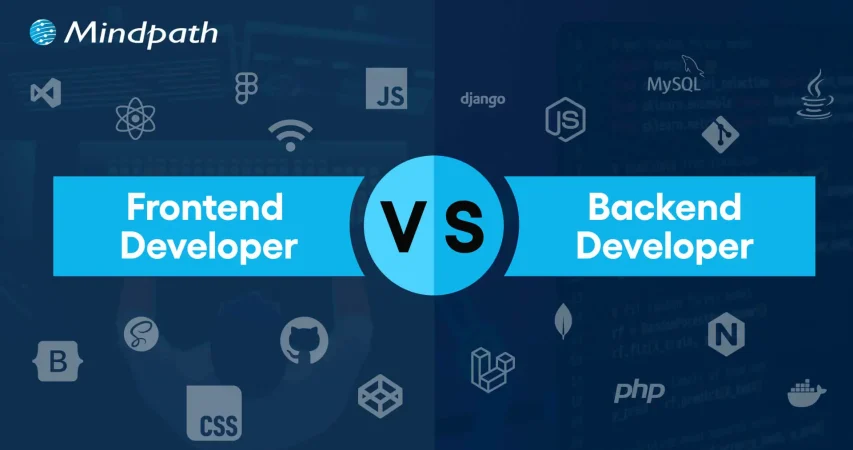
The most common terms you will find in any web development cheat sheet are frontend development and backend development. These are the two critical components that make up a web application and work together to deliver the desired functionality. Therefore, understanding the backend vs frontend comparison is essential for every beginner who wants to learn web development before diving into practical work.

With more than a million live websites running worldwide, learning about frontend and backend development can give you a valuable advantage. Frontend developers work on the visual aspects of a website, including its layout, design, styling, and buttons. On the other hand, backend developers manage the systems that power a website behind the scenes, including its database, logic, and security. In this post, we will explore the key differences between frontend development and backend development.

Want to hire developers who can handle both front and backend development? At Mindpath, we provide full-stack development services to help you access versatile solutions and accelerate your project success.

Understanding Frontend Development

Before exploring the differences between frontend and backend development, it is important to understand their basic definitions. Frontend development, often called client-side development, involves creating the visual and interactive elements of a website or application that users see and interact with directly. It bridges design concepts and digital technology to deliver a seamless, responsive, and engaging user experience.

Frontend developers turn design ideas into functional elements on web pages. They use programming languages and technologies such as HTML, CSS, and JavaScript to create visually appealing user interfaces. Additionally, they use frameworks like React and Angular to build responsive interfaces and improve application performance.

At first glance, it may seem that frontend developers focus only on the appearance of web applications. However, the backend vs frontend comparison also highlights their responsibility for website architecture, CSS styling, build tools, and file organization. These tasks help ensure that an application remains maintainable, accessible, and efficient.

Understanding Backend Development

When discussing what is frontend and backend development, backend development refers to the server-side components of an application. It focuses on the behind-the-scenes mechanisms that power websites and apps, including databases, server logic, and APIs (application programming interfaces). These components process data and deliver responses to users.

Backend development also connects the server-side systems with the frontend to support the smooth flow of information. For example, when a user submits a form or signs in to an application, the backend processes the request and returns the appropriate response.

Backend developers work on scripting, website architecture, database management, server management, and API integration. To perform these tasks efficiently, they use technologies and frameworks such as Django and Ruby on Rails. These tools help streamline development while supporting reliable application architecture that aligns with project goals.

Identifying the Differences in a Backend vs Frontend Comparison

Frontend development and backend development are both essential parts of web development. However, each serves a different purpose in creating functional web applications. While the frontend focuses on the user experience, the backend handles the underlying systems that make the application work.

Understanding what is backend and frontend development can help you decide how to approach your next web project. The following differences explain how these components work together and why both are important.

1. Goal of the Development Process

The definitions of frontend development and backend development provide a clear understanding of their goals. Although many people assume that frontend development focuses solely on creating the user interface, its responsibilities extend beyond visual design. Frontend developers aim to deliver a positive user experience while improving performance, accessibility, and responsiveness across different platforms and devices.

In contrast, backend developers create and maintain the server-side architecture of web applications. An important difference in a frontend vs backend developer comparison is the range of responsibilities involved in backend development. These professionals build reliable systems that process requests accurately and efficiently. They must also address user requirements, strengthen security, and manage operational costs.

2. Technologies Used in the Process

Another important difference between frontend development and backend development is the technology stack. Frontend developers commonly use HTML, CSS, and JavaScript to build user interfaces. Additionally, frameworks such as React, Vue, and Angular help them create applications that are interactive, intuitive, and responsive.

Backend development uses a different set of technologies to handle server-side operations. Popular programming languages include Java, Ruby, and Python, while frameworks such as Ruby on Rails and Django help developers build applications efficiently. Backend development also involves database management systems, API technologies, and storage solutions.

Want to upgrade your digital operations and improve development efficiency? Explore our blog on full-stack development benefits to learn how a unified skill set can cut costs, speed delivery, and elevate your product quality.

3. Security

Security is another important factor that distinguishes frontend development from backend development. Frontend security focuses on client-side scripts, input forms, and user authentication. Common measures include input validation, secure authentication workflows, and protection against malicious scripts. Users also play a role by protecting their passwords and devices.

Backend security, on the other hand, focuses on protecting data during transmission and storage. Backend developers manage authentication, session control, access permissions, databases, and APIs. Therefore, they must implement secure coding practices, strong authorization controls, and data encryption to protect sensitive information.

4. Concurrency

Concurrency is another area where frontend and backend development differ. The difference between a backend and a frontend developer becomes clearer when considering how applications handle multiple users and requests. Frontend developers generally focus on the behavior of an application within an individual user’s browser or device, although asynchronous operations and interface updates still require careful management.

Backend systems, however, often need to process many requests simultaneously. For example, an application may receive thousands of requests within seconds. To handle this workload efficiently, backend developers use techniques such as asynchronous programming, multithreading, and event-driven programming.

Looking to elevate your tech strategy this year? Explore our blog on full-stack development trends to discover what is driving innovation and how these trends can give your business a competitive edge.

Here is a brief summary of the backend vs frontend comparison.

Criteria Frontend Development Backend Development
Goals of the Process Frontend development focuses on creating a positive user experience and optimizing web apps for accessibility, visual appeal, and responsiveness. Backend development aims to build and maintain reliable application architecture that supports efficiency, accuracy, and performance.
Technologies Used Frontend developers use JavaScript, HTML, and CSS, along with frameworks such as Angular and React. Backend developers use languages such as Ruby, Python, and Java to write server-side code, along with frameworks such as Django and Ruby on Rails.
Security Frontend security emphasizes input validation, secure authentication workflows, and protection against client-side threats. Backend security focuses on secure coding, strong authentication and authorization, and data encryption.
Concurrency Frontend developers primarily manage interactions and asynchronous operations within the user’s browser or device. Backend developers use techniques such as multithreading and asynchronous programming to handle concurrent requests.

Ready to strengthen your tech capabilities with minimal complexity? Explore our blog on hiring full-stack developers to see why full-stack professionals can support faster development, innovation, and cost-effective growth.

Build Better Web Applications with Full-Stack Development

The comparison between frontend development and backend development shows that both components must work together to create effective web applications. Understanding the backend frontend relationship helps businesses and developers turn ideas into functional digital products. Although frontend and backend development differ in their technologies, security responsibilities, and approach to concurrency, both contribute to a reliable application.

At Mindpath, we specialize in frontend and backend development and bring years of industry experience to our projects. Our full-stack development services cover both sides of web application development. Our experts work with different frontend and backend languages and frameworks to create solutions that align with your business goals. Contact our team to explore the right approach for your next web development project.


Unsure Which Developer You Need?

We help you scope the right roles for your project.

Frequently Asked Questions

Front-end developers build the user interface users interact with, while back-end developers develop server-side logic, databases, and APIs that power application functionality.
No. Front-end delivers the user experience, while back-end processes data and business logic. Both are essential for creating secure, interactive, and fully functional web applications.
Front-end developers commonly use HTML, CSS, JavaScript, and frameworks like React. Back-end developers work with languages such as Python, Java, PHP, Node.js, and databases.
They collaborate through APIs, allowing the front end to exchange data with the back end and deliver seamless, real-time user experiences across web applications.
It depends on project complexity. Large projects often require specialized developers, while smaller projects may benefit from full-stack developers with expertise in both front-end and back-end development.

Support Is One Click Away

Featured Posts

Related Post

Validate an AI product idea

Every successful AI solution begins with a strong idea, but not every idea is worth building. The ability to validate AI product ideas before investing in development helps businesses reduce risk, avoid unnecessary costs, and focus on solving real market problems.

Key Takeaways

  • 01Confirm real customer demand before committing budget to AI development.
  • 02Talk to potential users early to validate the problem, not just the idea.
  • 03Test with a simple MVP before building a full-scale solution.
  • 04Prioritize user actions over opinions when reading validation signals.
  • 05Check data availability and AI costs before finalizing your investment decision.

As AI adoption continues to grow, organizations are under pressure to launch innovative products quickly. However, speed without validation often leads to solutions that fail to meet customer expectations or generate business value. A structured validation process ensures that an AI product addresses genuine user needs, fits market demand, and delivers measurable outcomes before significant resources are committed.

The challenge is that AI products require more than technical feasibility. They must combine reliable data, practical use cases, customer demand, and a sustainable business model. Understanding how to validate a product idea helps businesses make informed decisions with confidence. So, in this blog, you will learn the essential steps, proven validation methods, and practical strategies for evaluating AI product ideas before development begins. So, let us read more to learn!

Ready to turn your validated AI product idea into a scalable, market-ready solution? Mindpath offers expert AI development services to help startups and enterprises design, build, and deploy custom AI applications with confidence.

Why is It Essential to Validate AI Product Ideas Before Development?

AI innovation creates exciting opportunities, but successful products begin with strong product idea validation, not assumptions. Every concept should prove its value before development starts.

A structured product idea validation process helps businesses understand market demand, technical feasibility, and commercial viability before investing significant time and resources.

1. Verify Real Market Demand

An innovative AI solution has little value if it does not solve a meaningful customer problem. Validation helps businesses confirm that their target audience is actively looking for a solution and is willing to adopt or pay for it. This reduces the chances of launching products with limited market acceptance.

2. Reduce Financial Risk

Building AI products often involves significant investment in infrastructure, model training, integrations, and skilled talent. Validating the idea early helps identify weak concepts before major expenses occur, allowing organizations to allocate budgets more effectively.

3. Test Technical Feasibility

Not every business problem can be solved with existing AI technologies. Validation determines whether available models, data quality, and technical capabilities can deliver the expected results. It also highlights limitations that may require alternative approaches before development begins.

4. Control Development and Operational Costs

AI products can generate substantial ongoing expenses through API usage, cloud infrastructure, model inference, and data processing. Early validation provides realistic cost estimates, helping businesses evaluate whether the expected return justifies long-term operational spending.

5. Save Engineering Time

Development teams can spend months building sophisticated AI features that users ultimately ignore. Validation identifies the highest value use cases first, allowing teams to focus only on capabilities that solve real customer challenges and deliver measurable business outcomes.

6. Build Confidence Among Investors and Stakeholders

Validated ideas supported by customer research, pilot testing, or early adoption demonstrate lower business risk. This evidence strengthens stakeholder confidence, improves funding opportunities, and provides a stronger foundation for product development decisions.

ai product validation

Key Steps to Validate AI Product Ideas Effectively

A systematic validation process helps transform promising concepts into practical business opportunities. Following the right steps reduces uncertainty and supports smarter product decisions before development begins.

1. Define the Core Problem

Start by identifying the exact business or customer problem instead of focusing on the AI solution. Validate that the challenge is recurring by reviewing user discussions, reviews, forums, and industry conversations.

2. Speak With Potential Users

Interview your target audience to understand how they currently solve the problem. Focus on listening to their experiences instead of promoting your product idea.

3. Evaluate the Market

Research existing competitors, their pricing, and feature offerings to identify market gaps. Also assess whether enough potential customers face the problem to justify building a solution.

4. Check Technical Feasibility

Determine whether quality data is available and whether current AI technologies can deliver accurate results. Early feasibility testing prevents investing in ideas that are technically difficult to execute.

5. Test With a Simple MVP

Build a lightweight prototype, landing page, or product mockup instead of a complete application. Measure user interest through sign-ups, demo requests, or other early engagement signals.

6. Measure Results and Improve

Track user behavior, feedback, and adoption metrics to understand what works. A strong product validation process uses these insights to refine the idea before full-scale development begins.

Best Practices to Validate an AI Product Idea Before Investing

A few habits consistently separate teams that build the right thing from teams that build something impressive but unwanted.

1. Start with the Cost of Being Wrong

Know what six months of wasted development actually costs you. That number changes how seriously you take validation.

2. Check if the Data Actually Exists

If the data you need is messy, missing, or hard to access, that’s a real build risk, not a minor detail to sort out later.

3. Price Out the AI Itself

Model calls, inference, and cloud usage can quietly eat margins that looked fine on paper. Run the numbers early.

4. Test the Outcome, Not the Technology

People don’t care that it’s AI. They care if it saves them time, money, or hassle. Keep the test focused there.

5. Decide Your Bar for Success Upfront

Agree on what result would actually justify moving forward, whether that’s sign-ups, paid pilots, or repeat usage, before you start testing.

6. Watch Behavior More Than Opinions

What people say and what they actually do are often different. Give more weight to real actions like sign-ups than to praise.

7. Look Across Multiple Users

One excited user is a nice conversation. Several unrelated users with the same problem are closer to a market.

8. Keep a Record of Everything You Learn

Interview notes, test results, and feedback come in handy the moment someone questions the decision to move forward, including your future self.

Common Pitfalls to Avoid When Trying to Validate AI Product Ideas

Avoiding common validation mistakes helps businesses make better product decisions. These pitfalls can lead to wasted investment, delayed launches, and poor market adoption.

1. Prioritizing Technology Over Problems

Build solutions for customer needs, not impressive AI capabilities.

2. Ignoring Simpler Alternatives

Choose AI only when it provides clear business value.

3. Relying on Biased Feedback

Gather honest insights from potential customers, not close contacts.

4. Misreading Interest Signals

Focus on buying intent instead of likes or page visits.

5. Overlooking Error Impact

Measure how AI mistakes affect users and business outcomes.

6. Assuming Data Is Ready

Validate data quality before starting AI product development.

Are You Ready to Validate Your AI Product Idea and Move Forward?

Building an AI product without proper validation increases risk, cost, and uncertainty. Understanding how to validate an idea for a startup helps businesses confirm market demand, assess technical feasibility, and make informed investment decisions before beginning full-scale development.

If you are planning to build an AI solution, Mindpath can help transform your concept into a market-ready product. Our AI consulting services help businesses with validation, strategy, MVP development, and scalable AI solutions that deliver measurable business value.

web scraping with node js

Web scraping with Node.js allows developers to collect and use website data quickly and efficiently. It is useful to make smarter decisions, automate tasks, and enhance digital projects. The process is easy and feasible as Node.js is speedy and is compatible with JavaScript. Mastering this skill will create new prospects of dealing with real-time information and putting it into practical use in the contemporary web development projects.

This blog describes the concept of web scraping and how web scraping works in a step-by-step manner. You will get to know what web scraping is, why you should use Node.js, and how to begin using it in your projects. All ideas are simple to comprehend and straightforward. At the end, you will have a clear background on how to effectively gather, store and utilize web data for real-life applications.

Planning to gather web data efficiently for your business? Mindpath offers expert Node.js development services to create fast, scalable scraping solutions.

What is Node.js Web Scraping?

Web scraping with Node.js lets developers collect website data automatically and use it for real projects. Node web scraping refers to the creation of scripts that will retrieve web documents. These scripts read their contents and retrieve information such as prices, contacts, or news. It is easy to process static sites with such tools as Axios or Cheerio. The interactive websites can be managed with the aid of Puppeteer. The speed and efficiency of Node.js ensure a more scalable and faster scraping.

The Node web scraping operates by making requests, retrieving HTML, and extracting data on the page. JavaScript is used to handle both the static and dynamic sites. Using Node.js, developers have the ability to automate the process of logging in to a website. They can click buttons and gather information on numerous websites simultaneously. This strategy makes the process effective, valid, and prepared to apply it in the real world.

Curious why developers choose Node.js for large-scale web scraping? Explore the advantages of Node.js to see how its performance and event-driven model simplify data extraction.

Key Benefits of Web Scraping with Node.js

High-speed and efficient web scraping with Node.js provides developers with a quick and efficient tool to deal with web data. It assists teams to process vast information without any additional effort. These are the best advantages that make Node.js a robust option in the collection and use of data in real projects.

1. Fast and Efficient Processing

A Node.js scraper does not have to wait to make a number of web requests. Node.js web scraping will allow you to gather massive data within a short time.

2. Handles Modern Websites

It is common to use dynamic JavaScript loading content on websites today. Such tools as Puppeteer or Playwright allow developers to see a complete page and obtain data correctly.

3. Single Language Development

JavaScript can be utilized by developers to perform front-end and backend scraping. This makes coding easier and allows the workflow to be similar.

4. Wide Range of Tools

Node.js scraper may utilize such libraries as Axios to make requests, Cheerio to process them, and Puppeteer to automate. These are the tools that can make web scraping using Node.js flexible to any project.

5. Scalable for Growth

The ability to work with large number of data streams simultaneously makes Node.js relevant to the large-scale web scraping project. It is capable of expanding along with your data requirements.

6. Easy Integration

Scraped information is often included in the form of JSON, which is automatically processed by the Node.js. This information may be inputted directly into web applications, databases, or analytics pipelines.

7. Automates Repetitive Tasks

Web scraping with Node.js provides an ability to log in, click on buttons, and scroll the pages automatically. A scraper made with Node.js saves time and makes the data collection regular.

8. Real-Time Data Monitoring

Using a Node.js scraper, it is possible to make continuous updates on the sites. This assists in the collection of new information within a short time to analyze or report.

Looking to ensure your Node.js scraping applications run fast and efficiently? Check out web performance with Node.js to learn how optimization techniques improve speed, scalability, and reliability.

Steps to Build a Node.js Web Scraper

Web scraping with Node.js lets developers collect data efficiently and apply it to real projects. A scraper to build needs the right planning and procedures. The key actions to develop a Node.js web scraper and begin the data extraction process successfully include the following.

Steps to Build a Node JS Scraper

1. Set Up Your Project

Make a new project folder and get it started using npm. This prepares your Node.js environment for web scraping with Node.js. The project will manage all dependencies through a package.json file.

2. Install Necessary Libraries

Install such tools as Axios to make the HTTP requests and Cheerio as the HTML parsing tool. The libraries simplify the creation of a Node.js scraper. They give you the core tools for web scraping with Node.js.

3. Choose Target Websites

Choose the sites that you would like to scrape. Ensure that you are obeying their rules and law. Target selection helps to make sure your web scraping of Node.js is safe and effective.

4. Fetch and Parse Pages

Get the HTML of the page using Axios or any other HTTP library. Load it into Cheerio or other similar to navigate and choose elements. The next thing that needs to be done is to prepare your data that your Node.js scraper will extract.

5. Extract and Organize Data

Even define the information you require, such as prices, titles, or links. It should be collected using CSS selectors. Export the data that has been extracted in a simple, easy-to-use format: JSON, CSV, or database.

6. Execute and Improve

Install and run your Node.js scraper and verify the output. Include error management and rate limiting to prevent problems. Refining your process ensures web scraping with Node.js runs smoothly and efficiently.

Looking to simplify web scraping with Node.js? Explore essential Node.js libraries to make data extraction faster and more reliable.

Ready to Unlock the Power of Web Scraping with Node.js?

Web scraping with Node.js allows developers to collect and use data efficiently, making it easier to support smarter decisions, automation, and digital innovation. By understanding the right tools, techniques, and workflows, businesses that hire Node.js developer can work seamlessly with both static and dynamic websites, manage large datasets, integrate data into applications, and gain real-time insights to enhance project prosperity

Mindpath is a trusted Node.js development company offering expert web and Node.js development services to build fast, scalable, and secure applications. Their team creates custom solutions for web scraping, data integration, and automation. With experience in modern technologies, they deliver efficient and reliable results. Choosing Mindpath ensures your Node.js projects run smoothly, save time, and meet your business goals with high-quality support.

Langchain for AI Agent Developement

Every business leader today is asking the same question in some form: how do we bring AI agents into our workflows without breaking what already works? This is exactly where LangChain AI agent development enters the conversation. As companies move past simple chatbots and into agents that can plan, reason, and take action, choosing the right framework becomes a decision that shapes the entire product roadmap.

Key Takeaways

  • 01 LangChain simplifies complex agent workflows. It reduces the need to build custom logic for memory, tools, and multi-step reasoning from scratch.
  • 02 It fits best when tasks involve multiple steps. Simple single-response bots rarely need it, but workflows involving tools, memory, and data retrieval benefit significantly.
  • 03 Multi agent architecture supports scalability. Splitting tasks across specialized agents improves accuracy and makes systems easier to manage as they grow.
  • 04 Use cases span far beyond customer support. Businesses are applying it to document processing, internal knowledge assistants, and workflow automation across departments.
  • 05 The right framework depends on your actual needs. LangChain works well for teams that want faster development without sacrificing flexibility or control.

Not every project needs the same tools, and not every AI initiative should default to the most popular option on the market. Some businesses need speed; others need control, and many need both at once. In this blog, we are going to explore when LangChain genuinely makes sense for your business and when it might not be the right fit.

Looking to build scalable AI agents with LangChain? At Mindpath, we provide AI agent development services that integrate seamlessly with your existing business systems.

How AI Agents are Shaping Business in 2026?

AI agents have moved far beyond scripted responses. In 2026, they are expected to understand context, call external tools, retrieve live data, and make decisions with minimal human input. A customer support agent today might check order history, apply a refund policy, and email a confirmation, all without a human touching the process. A research agent might pull data from five different sources, compare them, and summarize findings in a format a manager can actually use.

This shift has pushed businesses to look for frameworks that can orchestrate these complex, multi-step behaviors reliably. That is where LangChain has built its reputation. It gives development teams a structured way to connect large language models with memory, tools, APIs, and decision logic, rather than gluing everything together from scratch. Understanding how LangChain works helps explain why so many teams reach for it first when a project moves beyond a single prompt and response.

What is the LangChain Framework and How Does It Work?

The langchain framework is essentially a toolkit that helps developers chain together prompts, models, memory, and external data sources into a working pipeline. Instead of writing custom logic for every single interaction an AI agent needs to have, LangChain provides pre-built components that handle the repetitive parts, so teams can focus on the actual business logic.

At its core, it works by breaking a task into smaller steps. A user query comes in, the agent decides which tool or data source is needed, it retrieves the relevant information, and then it generates a response based on everything it has gathered. This modular approach is a big part of why LangChain AI agent development has become a preferred choice for teams building anything more advanced than a basic chatbot.

1. Chains Connect Logic in Sequence

A chain links one action to the next, so the output of a search step can feed directly into a summarization step without manual handoffs.

2. Memory Keeps Context Alive

The framework can retain earlier parts of a conversation, which means the agent does not lose track of what a user already said.

3. Tool Integration Extends Capability

LangChain lets an agent call APIs, databases, or search engines, turning it from a text generator into something that can actually perform tasks.

4. Prompt Templates Standardize Behavior

Teams can define reusable prompt structures, which keeps agent responses consistent across different use cases.

Key LangChain Use Cases Businesses Are Adopting

Once a team understands the basics, the next question is usually where it actually fits into daily operations. There are several langchain use cases that have become common across industries, and most of them share one thing in common: they involve multiple steps that would be difficult to manage with a single prompt alone.

1. Customer Support Automation

Agents can pull order details, check policies, and respond with accurate, personalized answers instead of generic scripted replies.

2. Internal Knowledge Assistants

Employees can ask questions and get answers pulled directly from internal documents, wikis, or databases, cutting down time spent searching.

3. Document Processing and Summarization

Long contracts, reports, or research papers can be broken down, analyzed, and summarized in a fraction of the time it would take a person.

4. Data Retrieval and Analysis Agents

Businesses use LangChain to connect language models with structured data sources, allowing agents to answer questions that require real-time information.

5. Workflow Automation Across Tools

Agents can trigger actions in other software, such as updating a CRM record or sending a notification, based on a single instruction.

Langchain for ai agent development

When to Use LangChain for AI Agent Development?

Deciding when to use LangChain really comes down to the complexity of what you are trying to build. A simple FAQ bot does not need this level of infrastructure. But once a project involves multiple tools, ongoing context, or decision-making across several steps, LangChain starts to make a lot more sense.

1. Your Project Needs Multiple Tools

If your agent has to search, calculate, and then write a response, LangChain manages that coordination cleanly.

2. You Need Memory Across Interactions

Businesses building assistants that remember previous conversations benefit from LangChain’s built-in memory handling.

3. You Are Integrating With Several Data Sources

When an agent needs to pull from a database, an API, and a document store in one flow, LangChain simplifies that connection.

4. You Expect the System to Scale

As agent complexity grows, LangChain’s modular structure makes it easier to add new capabilities without rewriting everything.

5. Your Team Wants Faster Development Cycles

Because so many components already exist, teams often build and test working prototypes much faster than building everything from the ground up.

Understanding LangChain Multi-Agent Architecture

As businesses take on more ambitious projects, a single agent handling everything often becomes a bottleneck. This is where langchain multi agent architecture becomes relevant. Instead of one agent trying to do research, analysis, and writing all at once, the work gets split across specialized agents that each handle a specific part of the task and then hand off their results to the next one.

1. Specialized Roles Improve Accuracy

A research agent focused only on gathering data tends to perform better than one agent trying to do everything at once.

2. Parallel Processing Saves Time

Multiple agents can work on different parts of a task simultaneously instead of waiting in a single sequence.

3. Easier Debugging and Monitoring

When something goes wrong, it is far easier to trace the issue back to one specific agent rather than digging through a single massive workflow.

4. Better Scalability for Complex Systems

As business needs grow, new agents can be added to the architecture without disrupting the ones already working well.

This kind of setup is becoming increasingly common for businesses that are serious about long-term LangChain AI agent development, especially when the use case involves research, reporting, or any workflow with distinct stages.

Is LangChain the Right Choice for Your Business?

Choosing a framework is never just about following what is popular. It comes down to what your business actually needs to accomplish, how complex your workflows are, and how much your team wants to build versus manage. LangChain has earned its place as one of the strongest options for teams building agents that need to reason, remember, and act across multiple steps. For businesses working on genuine LangChain AI agent development rather than a simple one-off script, it offers a level of structure and flexibility that is hard to match with a lighter tool.

At Mindpath, we work closely with businesses to design and build AI agents that fit their actual operations, not a generic template. Whether you need a single well-trained assistant or a full multi-agent system handling different parts of your workflow, our team brings the technical depth to build it right. We provide AI agent solutions that are tailored to your data, your tools, and your goals, so the technology actually solves the problem you started with.