WordPress vs Webflow- Which One in Better in 2025?

Join our Newsletter!

Featured Posts

Support Is One Click Away

Home

WordPress vs Webflow- Which One in Better in 2025?

Wordpress vs workflow

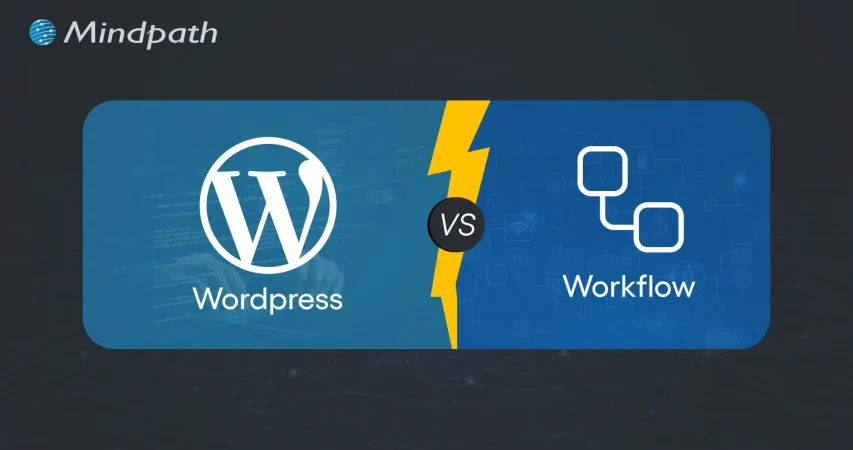
WordPress vs Webflow- Which One in Better in 2025?

In the year 2025, the debate of WordPress vs Webflow is hotter than ever. This is because business entities and content creators are looking for the best platform to build secure as well as SEO-friendly websites. It is true that WordPress has been dominating the CMS market thanks to its vast plugin ecosystem coupled with high flexibility. But it is essential to bear in mind that Webflow has been gaining momentum with designers as well as startups, thanks to its no-code visual editor along with built-in hosting. 

In case you are wondering, is Webflow better than WordPress? You need to look at the main difference between these tools. You need to know which one is better so that you can choose the tool that perfectly aligns with your needs. The guide breaks down everything you need to know while choosing Webflow or WordPress.

Choosing the right platform makes all the difference when it comes to performance and growth for your online presence. Explore Mindpath’s WordPress development services for expert guidance on what your business needs.

A Deep Dive into WordPress

WordPress is undoubtedly the most popular content management system in the world. It powers a large number of websites that exist in the online realm. WordPress has gained massive popularity thanks to its ease of use coupled with flexibility. It serves as an ideal tool for beginners, professionals, and businesses in the digitalized setting.  

At the core of WordPress is open-source software. It means that WordPress is free to use. Moreover, it is supported by a global community of developers. One of the biggest strengths of WordPress is its SEO-friendly structure. The novel platform generates clean and crawlable code that adds value to search engines’ index content efficiently. Users can even leverage useful plugins such as Yoast SEO and Rank Math for optimizing titles and meta descriptions that can improve the visibility in search results.

An Insight into Webflow

Webflow serves as a robust no-code website builder. It is capable of bridging the gap between design and development. Unlike conventional drag-and-drop platforms, Webflow provides a visual interface that allows users to write clean and production-ready code. This feature of Webflow certainly makes it a favorite among designers who want to have creative freedom without relying on developers.

A standout feature of Webflow that you need to be aware of is related to its design flexibility. Users have the option to create fully custom layouts as well as animations without having to write a single line of code. Webflow basically combines the best of graphic design tools along with the functionality of a content management system. It serves as a valuable tool for businesses and startups that wish to leverage its ability to deliver professional and responsive websites effectively and efficiently.

Comparison Between WordPress and Webflow

Now that you have an insight into Webflow WordPress, it is time to look at the difference between these novel tools. Developers as well as businesses need to understand the difference between WordPress and Webflow so that they can make a wise selection. The core differences have been presented by focusing on specific areas such as ease of use, design, customisation, and many other features. 

1. Ease of Use

Webflow offers a visual no-code editor. It is highly appealing to designers as well as marketers. In fact, it is great for rapid prototyping along with pixel-perfect layouts. On the other hand, WordPress requires setup with a theme or page builder. So beginners may take some time to learn how to use the tool. However, developers with proper knowledge and experience can get full control over the tool. Thus, while discussing Webflow vs WordPress, a major difference between them revolves around the ease of use.  

2. Design and Customization

Webflow serves as an ideal tool for making custom designs without requiring any coding. The responsive control built in can ensure that users can derive optimum value from the tool even if they have limited coding-related skills. On the other hand, WordPress has a large ecosystem of themes as well as plugins. These elements make it highly customizable in nature. But this maturity also makes it plugin-dependent at times.

3. SEO Features

Webflow provides built-in SEO tools such as meta tags and schema options. It even delivers strong performance when it comes to integrated hosting. However, WordPress relies on plugins such as Yoast SEO for advanced SEO control. Thus, this feature makes WordPress extremely powerful, which is capable of precise optimization. You need to bear in mind that, starting from Webflow to WordPress, the role of top SEO features is a must for users.

4. Security

While talking about WordPress vs Webflow, it is a must to take into account the security aspects. Webflow is certainly more secure by default in comparison to WordPress. This is mainly because it offers built-in security features such as DDoS and SSL protection. The top-notch security feature of Webflow acts as its major strength. When it comes to WordPress, the security mainly depends on users. You need to manage separate security plugins and carry out frequent maintenance in order to prevent vulnerabilities. In order to boost the level of security, you need to make sure that you, as a user, maintain cybersecurity resilience while developing your website. 

5. Performance

Webflow is capable of offering better out-of-the-box performance. This is mainly because of integrated hosting coupled with a global Content Delivery Network and clean code. On the other hand, when it comes to WordPress, its performance mainly depends on the chosen hosting and plugins. The selected theme can also impact the performance that is delivered by the tool. If you use Webflow, your website can load faster by default. But if you choose WordPress, you can rest assured about the site performance if you choose appropriate hosting. 

6. Pricing

If you are wondering – is Webflow similar to WordPress in terms of pricing, the answer is no. The pricing of WordPress is variable in nature. You may have to incur separate costs for different things, such as hosting and a domain. Similarly, the price also depends on the chosen plugins and themes. So it may seem cheaper initially, but its price may increase with additional functionality. When it comes to Webflow, the pricing is based on the all-inclusive subscription model. It can become expensive for you if you opt for higher-tier plans.  

WordPress vs Webflow – Comparison Table

The difference between WordPress and Webflow has been presented in the table below. You need to understand how Webflow and WordPress are different from each other so that you can choose the ideal tool wisely. The insight can surely guide you to decide which platform you intend to use to fulfil your specific needs. 

Features Webflow WordPress
Ease of Use  No Coding Knowledge needed  Coding knowledge is not strictly needed but can help for advanced customization
Design and Customization Highly flexible in nature  Availability of extensive themes for customization
SEO Features Built-in SEO tools Availability of SEO friendly structure 
Security  High security  Low security 
Performance High optimization for speed Performance depends on hosting 
Pricing Subscription-based pricing model Variable pricing model

Final Winner Between WordPress and Webflow

You must choose Webflow if you prioritize visual design control along with built-in hosting. Webflow is the better choice if you need to manage your website in a simple way. It is well-suited for small business entities as well as startups that want to launch their site quickly with a clean and modern design.

WordPress is an ideal choice for you if you are looking for scalability and advanced SEO capabilities, along with flexibility through plugins. In such cases, WordPress can certainly act as a stronger platform that can meet your needs perfectly. The platform is best-suited for enterprises and e-commerce stores that wish to have full control over SEO as well as integrations. 

Therefore, both Webflow and WordPress serve as useful tools. You need to choose between WordPress and Webflow by considering your needs. In case you are wondering – Does Webflow work with WordPress? The good news is, yes! Webflow can definitely work along with WordPress if you utilize the official Webflow Pages plugin. It will certainly allow you to build pages in Webflow while serving them on your WordPress site.

Final Words

The emergence of WordPress and Webflow has been transformational in the prevailing business world. Both these platforms have their unique strengths and advantages. The ultimate choice between WordPress and Webflow in the year 2025 mainly depends on the goals of your website and your budget. You also need to take into consideration the long-term growth plan before making the choice between WordPress and Webflow.

If you wish to derive optimum value from WordPress, you need to partner with a reliable partner. Mindpath’s top-grade WordPress development services can certainly help you develop a world-class website. It can offer the ultimate go-to solution in terms of scalability as well as limitless customization. You can also take advantage of the advanced SEO-friendly structure in order to boost the online visibility of your website. It can certainly give an edge to businesses in the competitive business world.


Related Post

Discover React JS trends for 2025, including SSR, WebAssembly, etc. to create faster, smarter, and future-ready applications.

Related Post

Node js libraries for AI

 As we know, with Node.js libraries, adding AI to your projects is becoming easier. These Node.js libraries for AI can offer you the ability to develop apps that can think, respond, and learn over time. If you enjoy working in JavaScript and you are curious about the new AI features like chatbots, smart predictive features (like those in Google Assistant), and apps that recognize voice input, then now is your chance. You don’t need to begin from scratch. If you use the right libraries, you can build smarter apps at less cost and more value.

These Node.js AI libraries come with beginner-friendly options that are powerful enough for advanced applications. You can add new features such as understanding language, detecting images, or performing machine learning without deep knowledge of AI. They are built to seamlessly integrate into your existing Node.js stack, enabling you to save time and effort in your development workflows. In this blog post, we’ll discuss some of the best libraries to quickly get started with AI in Node.js applications.

Are you looking to elevate your business’s web development with the use of Node.js? At Mindpath, we offer Node.js development services that aim to grow your business by providing reliable and AI-powered web solutions tailored to your unique needs.

Importance of Integrating AI into Node.js Applications

Node.js is increasingly becoming a leading option for creating smart, dynamic applications because it is lightweight and driven by events. Thus, can Node.js be used for AI? Yes, it can! Developers are already using Node.js as an API or tool for AI with tools like TensorFlow.js and Natural. In the 2024 Developer Survey by Stack Overflow, JavaScript continued to be the most popular programming language, which means that Node.js is a great starting ground for AI initiatives.

Integrating Node.js with AI applications allows developers to make applications that change and adapt in real-time. The asynchronous nature of Node.js allows developers to execute several operations simultaneously, making it a good platform for artificial intelligence features like chatbots and live prediction tools. More and more AI libraries support Node.js, as development can happen more quickly. As demand for AI using more efficient and adaptable models rises, Node.js is a new practical, scalable programming option for any developer who wants to create smart digital experiences.

Let us have a quick look at the benefits of integrating AI in Node.js applications:

Benefits of Integrating AI in Node.js Applications

1. Real-time Performance

AI integration with Node.js handles real-time tasks like chatbots and fraud detection efficiently with its non-blocking, event-driven architecture. It supports thousands of concurrent requests, delivering quick and responsive AI features.

2. Unified JavaScript Stack

With Node.js AI integration, developers can use JavaScript for both frontend and backend, including AI features. This reduces context switching and makes the development process faster and more efficient.

3. Fast AI Inference

Node.js runs on the V8 engine, which ensures high-speed execution for AI models. This is perfect for real-time predictions like dynamic pricing or personalized recommendations.

4. Smooth API Integration

Node.js makes it easy to connect with external AI services and pre-trained models through APIs. It works well with AI built in other languages like Python, enabling flexibility in integration.

6. Growing AI Library Support

The Node.js ecosystem offers a wide range of AI libraries via npm, such as TensorFlow.js and ONNX.js. These tools allow developers to implement machine learning directly in JavaScript.

7. Enhanced User Experience

AI features like intelligent chat, personalization, and predictions improve how users interact with your app. Node.js helps deliver these features in a fast and seamless way.

8. Automation and Insights

AI in Node.js apps can automate repetitive tasks and analyze data in real-time. This leads to smarter applications that save time and improve performance.

Looking to streamline your web development in 2025? Check out our blog on Top 25 NodeJS Libraries in 2025 to find the best tools that will help you build powerful and efficient applications.

What are the Top Node.js Libraries for AI Integration?

Building intelligent apps is now simpler with the rise of Node.js artificial intelligence libraries that support machine learning, NLP, and smart automation. These powerful AI Node.js libraries help developers create responsive and data-driven features without complex setups. Here are some of the best Node.js libraries for AI integration:

Top Node.js Libraries for AI Integration

1. TensorFlow.js

TensorFlow.js is one of the top Node.js libraries for machine learning, allowing developers to build, train, and run models entirely in JavaScript. It works both in the browser and with Node.js, making it versatile for a wide range of projects. The library is a good example of how Node.js libraries for AI can power real-world communication tools.

2. Brain.js

Brain.js is a simple neural network library that’s ideal for beginners working on small AI projects. It uses JavaScript to make machine learning accessible without complex configuration. Found in the list of useful npm libraries, it helps developers get started quickly with AI-powered features.

3. Synaptic

Synaptic offers a flexible system for creating different types of neural networks, including feedforward and recurrent ones. It supports supervised and unsupervised learning, giving developers options based on their use case. As one of the advanced Node.js libraries for AI, it works well for experimental and custom AI models.

4. Natural

Natural is a powerful Node.js natural language processing library that provides tools like stemming, classification, tokenization, and sentiment analysis. It’s great for applications that need to work with text data in real-time. This is one of the most complete Node.js libraries for AI when it comes to language-based features.

5. ML5.js

ML5.js is built on TensorFlow.js but focuses on simplicity and creative use, making it perfect for artists, designers, and beginners. It lets you easily create interactive AI experiences on the web. As part of the growing set of npm AI tools, it balances power with ease of use.

6. Neuro.js

Neuro.js focuses on building intelligent features for chatbots and virtual assistants using JavaScript. It’s tailored for tasks in NLP and conversational AI. The library is a good example of Node.js support for AI development in real-world communication tools.

7. Compromise

Compromise is a fast and lightweight library for real-time text processing. It’s designed for performance and currently supports only English, making it efficient for many use cases. As part of the JavaScript libraries used in NLP, it’s a useful choice for developers needing quick language insights.

8. KerasJS

KerasJS is a browser-based library that allows you to run deep learning models built with Keras using JavaScript. It supports several pre-trained models like Inception v3 and ResNet, useful for tasks such as image recognition and sentiment analysis. As one of the top Node.js libraries for machine learning, it offers flexibility for deploying models in web environments, with Node.js support in CPU mode.

9. OpenAI Node SDK

The OpenAI Node SDK helps developers connect easily with models like GPT and Codex for generating text, images, and code. It simplifies integration with OpenAI services using Node.js. Available among advanced npm libraries, it enables powerful generative AI in modern apps.

10. Face-api.js

Built on TensorFlow.js, face-api.js provides tools for face recognition, detection, and expression tracking. It runs on both browsers and Node.js, making it suitable for cross-platform apps. As part of modern Node.js libraries for AI, it brings computer vision capabilities to JavaScript projects.

Choosing the right libraries is just the start; you can also enhance Web Performance with Node.js Development Services, which are built to support advanced AI workflows.

Looking to Enhance Your App with Node.js and AI?

The growth of powerful Node.js libraries for AI integration is making it easier to build applications that think, learn, and adapt. AI libraries will help a developer create smarter, faster, and more sensible digital experiences, from real-time predictions, natural language processing, to so much more. With JavaScript at the core, the path to intelligent development is now more accessible.

At Mindpath, we provide professional Node.js development services for current and future applications that are powered by AI. We build intelligent backend systems, provide seamless API integrations, and build scalable features with Node.js, and when combined with AI, we are empowered to deliver increasingly smarter solutions. If you are looking to build an application soon, then we are ready to provide fast, reliable, and intelligent solutions focused on performance and innovation.

Discover top Node.js libraries for AI integrations and learn to enhance your applications with machine learning, NLP, and more.
Node.js Developers in Canada

Are you looking for a skilled Node.js developer in Canada to bring your project to life? Do you need a reliable expert who can build fast, scalable, and high-performing applications? Finding the right developer can be challenging, but with the right approach, you can hire a top Node.js professional who fits your needs perfectly.  

Hiring a skilled Node.js developer in Canada is essential for businesses looking to build fast, scalable, and efficient applications. With its non-blocking architecture and real-time capabilities, Node.js is a powerful choice for web and software development. Whether you’re developing a dynamic website, an API-driven platform, or a complex enterprise solution, finding the right developer ensures seamless performance and long-term success. Understanding the key factors in hiring a Node.js expert will help you make an informed decision and achieve the best results for your project. 

Let’s explore how you can make the best choice! 

Steps to Hire Node.js Developers in Canada

1. Define Your Project Requirements

To hire the right Node.js developer, you must first define your project’s technical and business needs. Outline the core functionalities, expected performance, and scalability requirements of your application. Identify the frameworks and tools you want to use, such as Express.js, Nest.js, or MongoDB, and specify whether the role requires front-end expertise alongside back-end development. Additionally, determine the level of experience required—junior developers handle basic tasks, mid-level developers work on feature-rich applications, while senior developers manage architecture and complex integrations. Having a well-documented project scope ensures that candidates understand your expectations from the start. A detailed job description outlining skills, responsibilities, and project goals will help attract the right talent. Without clarity, the hiring process can become inefficient, leading to mismatches in skills and expectations. A structured approach helps filter candidates early and ensures that only those with relevant expertise apply.

2. Source Qualified Candidates

Finding skilled Node.js developers in Canada requires using multiple recruitment channels. Start by posting job listings on platforms like LinkedIn, Indeed, and Glassdoor, which are popular among Canadian job seekers. Consider using tech-specific job boards such as Stack Overflow Jobs or GitHub Jobs to target professionals with strong development experience. Additionally, networking within Canada’s growing tech community can help you connect with skilled developers—attend industry conferences, local meetups, and online forums to discover potential candidates. If you prefer a more streamlined approach, working with tech recruitment agencies can save time by providing pre-screened candidates. Another option is hiring freelancers through platforms like Toptal or Upwork but ensure that remote hiring aligns with your business needs and legal considerations. A strong sourcing strategy increases the likelihood of finding a developer who meets both your technical and cultural requirements, ensuring a smoother hiring process. 

3. Conduct Technical Screening

After gathering applications, the next step is to assess candidates based on their technical skills and experience. Start with a resume review, focusing on past projects, relevant experience, and familiarity with the required Node.js frameworks. Candidates should demonstrate hands-on experience in building scalable applications, working with APIs, and optimizing back-end performance. To ensure technical proficiency, conduct coding assessments through platforms like HackerRank or Codility. These tests evaluate problem-solving abilities, efficiency in writing clean code, and understanding of Node.js fundamentals. Additionally, assess candidates’ experience with database management, security best practices, and cloud-based deployments. An effective screening process filters out underqualified applicants early, allowing only the most capable developers to move forward. By implementing structured assessments, you can streamline hiring and ensure that your chosen developer has the technical expertise necessary to contribute effectively to your project. 

4. Assess Technical and Problem-Solving Skills

Once candidates pass the initial screening, conduct in-depth technical interviews to evaluate their problem-solving abilities. Ask questions about key Node.js concepts such as asynchronous programming, event-driven architecture, API development, and database management. Provide real-world scenarios related to your project and assess how they would approach challenges. A practical coding exercise or take-home assignment can help evaluate their thought process and coding efficiency. In addition to technical expertise, consider their ability to design scalable solutions and optimize application performance. Discuss their experience with DevOps practices, cloud computing, and microservices architecture if relevant to your project. Soft skills are equally important—effective communication, adaptability, and teamwork play a significant role in long-term success. The goal is to hire a developer who not only writes efficient code but also collaborates well with your team and adapts to evolving project needs. 

5. Make the Right Hiring Decision

After evaluating technical skills, problem-solving abilities, and soft skills, the final step is making an informed hiring decision. Compare candidates based on performance in technical interviews, problem-solving assessments, and cultural fit. Strong communication and teamwork are crucial, as developers often collaborate with designers, project managers, and other team members. Additionally, check references to validate past work experience and reliability. When making an offer, consider industry-standard salaries in Canada and ensure compliance with local labor laws. Offering a competitive package, including professional development opportunities and flexible work arrangements, can help attract top talent. If hiring full-time isn’t feasible, explore freelance or contract-based options. A well-structured hiring process ensures you bring in a skilled Node.js developer who aligns with your technical needs and business goals, setting your project up for long-term success. 

Looking to hire top Node.js developers in Canada? At Mindpath, we provide skilled developers who specialize in building high-performance, scalable applications tailored to your business needs. Whether you need full-time developers or project-based support, our experts ensure seamless development with industry-leading technologies. 

Let’s bring your vision to life! Contact Mindpath today to hire the best Node.js talent for your next project. 

Read our next blog: Factors to Consider While Hiring NodeJS Developers in Canada 


Hire skilled Node.js developers in Canada with our step-by-step guide. Learn how to source, screen, and hire top talent for your project.
Unlocking Cyber Security

Ever wondered how secure your business really is in today’s digital age? What if we tell you that there are better ways to protect your digital assets from emerging threats? As cyber-attacks become more sophisticated, it’s essential to stay ahead of the curve. In this blog, we’ll explore effective strategies to enhance your business’s cyber security. 

Cybersecurity refers to protecting your computer systems and data against cyber-attacks. These risks include hackers attempting to steal or destroy your data, malware that locks your files until you pay a fee, and attacks that interrupt your business. With so many gadgets and more skilled hackers, it is essential to employ numerous levels of security. This includes employing tools to detect and resolve issues, as well as ensuring that your people and procedures are prepared to respond. Cybersecurity is all about integrating smart technology and behaviors to keep your digital world safe. Cybersecurity is essential because it protects us from online threats that might lead to catastrophic consequences, such as identity theft or data loss. Our everyday lives rely on secure systems like power plants, hospitals, and banking. If these systems are not secured, they can harm everyone. 

So, let’s dive in to explore the ways in which we can increase cyber security! 

Ways to Increase Cyber Security

1. Regular Updates

To keep your computers safe, update them on a regular basis. This includes desktop computers, laptops, and mobile devices. Keep your operating systems and web browsers up to date to guard against emerging threats. Check for updates to any software on your computer, including security programs. Cloud-based software often updates automatically, so you don’t have to worry about it. If the employees use mobile devices for work, make sure they maintain their software up to date, particularly security programs. This helps keep all your gadgets safe. 

2. Training Employees

Make sure your staff are aware of your company’s security plan. Begin by developing a cybersecurity policy that specifies best practices and processes for keeping information secure. This policy ought to specify what procedures to take if there is a security breach. Encourage staff to adopt strong, unique passwords for all accounts and devices. They should use different passwords for their PC, mobile devices, and corporate accounts. Whenever possible, enable two-factor authentication. This provides an additional security layer by needing a second device or code to complete the sign-in procedure. This helps to safeguard your accounts even when passwords are stolen. Additionally, provide regular training for your employees on cybersecurity. This helps them stay informed about the latest threats and best practices. 

3. Limiting Access

Make sure that only authorized individuals have access to company computers and accounts. Even trustworthy people should not access information or equipment that they are not authorized to use. For example, do not allow a customer to use a work laptop to search something up. Different workers may require varying degrees of access depending on their positions. Ensure that staff do not reveal their account details. For example, an accountant should never share their accounting software password with a salesman. When feasible, build unique logins for each employee. This enables you to restrict and limit what each individual may access depending on their function, therefore improving overall security.

4. Securing Wi-Fi

If your business’s Wi-Fi is not sufficiently safeguarded, it might pose a security concern. Make sure your Wi-Fi is password-protected so that only employees have access to it. Ideally, keep the WiFi password secret from employees. If you need to provide Wi-Fi connectivity to customers, create a separate network exclusively for them. This guest network should be separate from the network of your company to avoid unauthorized access to important files and data. Keeping these networks distinct helps secure your company’s information from potential security attacks. 

5. Create Backups

To avoid data loss, back up your computer’s information on a regular basis. If files are stolen or go missing, maintaining a backup allows you to restore them. Make sure that all vital data is backed up. For example, if you have vendor information on your desktop, keep a copy on the cloud. Both copies should be encrypted and password-protected to prevent unauthorized access. This way, if something goes wrong, you’ll still have access to vital data. 

6. Create Mobile Action Plan

Mobile devices may be a security issue, especially if they hold sensitive information or provide access to your business network. To reduce these dangers, ask users to password lock their devices and encrypt their data. Encourage them to use security programs to protect their information, particularly while accessing public networks. In addition, create explicit protocols for reporting missing or stolen devices. This allows you to respond swiftly to security breaches and guarantees that your data and network are protected. 

7. Passwords and Authentications

Ensure that staff use unique passwords for each account and update them every three months. To improve security, use multi-factor authentication (MFA), which needs more than just a password to access accounts and typically includes a second form of verification, such as a code texted to a mobile device. Additionally, check with providers who handle sensitive data, such as banking services, to determine if they provide MFA for your accounts. This extra step helps to secure your information from unauthorized access. 

Increase Your Cyber Security at Mindpath

At Mindpath, we make it easier to safeguard your company from cyber-attacks. We assist you in increasing your security by using strong passwords, keeping software up to date, and implementing additional levels of protection such as multi-factor authentication. Our staff guarantees that your data is safe and secure, providing you peace of mind while enabling you to concentrate on your company. Let us assist you in keeping your digital world safe! 

Wrapping Up!

Cybersecurity is more essential than ever in today’s digital environment. You can significantly boost your company’s cyber security by applying the measures we’ve covered, which include frequent updates, complete staff training, restricted access, secure Wi-Fi, dependable backups, a mobile action plan, and strong password restrictions. Our web development services are devoted to assisting you in navigating these challenges with ease. Our team is committed to providing you with the resources and assistance you require to safeguard your digital assets and keep your peace of mind. 

Ready to fortify your business against cyber threats?

Connect with Mindpath for top-notch security solutions tailored to your needs.