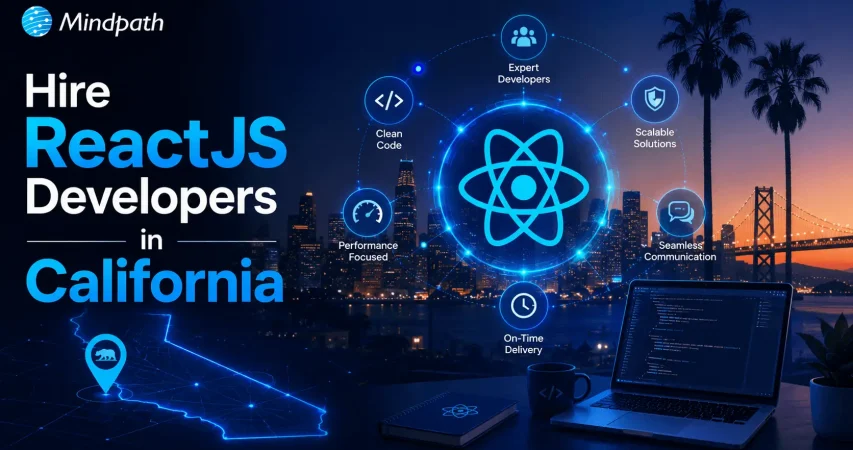
Hire ReactJS Developers in California: Build Scalable & Modern Web Apps

Join our Newsletter!

Featured Posts

Support Is One Click Away

Home

Hire ReactJS Developers in California: Build Scalable & Modern Web Apps

Hire ReactJS Developers in California

Hire ReactJS Developers in California: Build Scalable & Modern Web Apps

Are you looking for top ReactJS developers in California to build a high-performance web application? Do you need experts who can create scalable, fast, and user-friendly solutions? Finding the right developers can be challenging, but with the right approach, you can hire the best talent to bring your vision to life. California is home to some of the greatest ReactJS developers, making it an excellent location to discover top talent for your web development requirements. Whether you’re creating a dynamic web application, a complicated business solution, or improving an existing platform, hiring talented ReactJS developers can help you create quick, scalable, and user-friendly solutions. With the increasing need for high-performance web applications, organizations want developers that can use ReactJS to provide seamless user experiences. California’s booming technology ecosystem gives access to seasoned individuals who understand current development trends, best practices, and industry standards. Hiring the proper ReactJS developers ensures that your project is constructed for efficiency, adaptability, and long-term success. Let’s explore how you can find and hire skilled ReactJS developers in California for your project!

Steps to Hire ReactJS Developers in California

1. Define Your Project Needs

To hire a ReactJS developer in California, begin by describing the sort of application you want. Whether it’s an e-commerce platform, a SaaS solution, or a business tool, having a clear vision helps you choose the best developer. List the project’s needed features and functions, such as user authentication, payment processing, and real-time updates. A well-defined feature list helps the developer grasp the scope of work. Creating a budget and project timeframe is also essential. Determine your investment budget and set timeframes for development milestones. A well-structured budget and timetable serve to expedite the recruiting process and guarantee that everything runs smoothly. By carefully outlining your project requirements, you can discover a ReactJS developer with the required competence to produce a high-quality, scalable, and efficient application.

2. Write a Clear Job Description

A well-written job description will help you recruit the best ReactJS developers in California. Clearly define the project details, such as the sort of application being built and the intended results. Define important duties to help applicants understand their involvement in the project. Specify the fundamental abilities necessary, such as knowledge of ReactJS components, state management, and hooks. If the project requires complicated functionality, it includes extra abilities such as Redux, TypeScript, or API integration. Indicate your desired experience level: junior developers for easier duties, mid-level for greater responsibilities, or senior developers for advanced problem-solving and leadership. Providing this transparency helps you obtain applications from the most qualified people. A well-structured job description simplifies the hiring process, making it simpler to identify a developer who suits your project requirements and technical expectations.

3. Source Qualified Candidates

Finding the best ReactJS developer in California begins with looking in the proper locations. Use employment boards like LinkedIn, Indeed, and AngelList to connect with competent developers who are actively searching for work. These systems enable you to screen individuals based on their experience, talents, and location. Networking is also a good approach to uncover great talent. Engaging with industry leaders, attending tech meetings, and joining online developer groups can lead you to competent ReactJS developers through recommendations and referrals. Working with specialized tech recruiting companies is a more targeted strategy. These agencies have access to pre-screened candidates, which saves time and effort during the hiring process. Using numerous sourcing techniques, you can locate highly competent ReactJS engineers who meet your project’s demands and technical specifications.

4. Screen Resumes and Portfolios

Once you’ve compiled a list of possible ReactJS developers in California, evaluate their resumes and portfolios. Look for applicants that have hands-on expertise with ReactJS and are familiar with major frameworks like Redux, Next.js, and TypeScript. Examine their previous projects to determine their technological competence. A successful portfolio should include well-structured, useful, and responsive apps. Pay special attention to projects that exhibit proficiency in creating reusable components, maintaining state effectively, and integrating APIs. Assess their knowledge of JavaScript foundations, as ReactJS depends significantly on JavaScript principles such as ES6 capabilities, asynchronous programming, and DOM manipulation. Candidates with strong JavaScript skills are more likely to manage complex development tasks effectively. With rigorous portfolio and resume screening, you may create a shortlist of the most skilled developers who have the right experience and technical expertise for your project.

5. Conduct Technical Assessments and Interviews

After selecting applicants, the following stage is to assess their technical talents and problem-solving ability. Conduct code challenges to assess their ReactJS competency, with an emphasis on component development, state management, and performance optimization. Evaluate their abilities to build clean, efficient, and scalable code. In the interview, ask technical questions on essential ReactJS concepts including the virtual DOM, JSX, lifecycle methods, and hooks. Understanding the principles is critical for creating high-quality apps. Beyond technical competence, assess communication, cooperation, and teamwork abilities. Developers frequently collaborate with designers, backend engineers, and project managers, thus assessing their teamwork skills is essential. Strong problem-solving abilities, effective communication, and adaptability are essential characteristics of a great ReactJS developer. By mixing coding challenges with in-depth conversations, you can confidently select a developer who meets your technical and project requirements.

6. Make an Informed Hiring Decision

After conducting technical tests and interviews, thoroughly analyze each candidate’s overall suitability for the position. Consider their technical proficiency, problem-solving talents, and ReactJS experience. Examine their previous work, coding style, and approach to issues to guarantee they can manage your project’s complexity. Beyond technical knowledge, evaluate cultural fit and collaborative abilities. A developer that shares your company’s beliefs and work environment will be more productive and cooperate with your team. Once you’ve found the ideal applicant, negotiate a salary plan based on their expertise and industry norms. Discuss project expectations, work arrangements, and contract terms to ensure that all parties understand. Complete the recruiting process by establishing onboarding protocols and giving access to relevant tools and resources. A well-designed hiring decision ensures you bring a skilled ReactJS developer on board who can contribute to the success of your project.

Looking for skilled ReactJS developers to build your next project? Mindpath provides top-tier ReactJS talent tailored to your business needs. Our expert developers deliver high-performance, scalable, and user-friendly applications.

Let’s bring your vision to life with the right expertise. contact Mindpath today! to hire the best ReactJS developers in California!
Related Post

Hiring ReactJS developers? Explore essential factors like experience, skills, and project requirements to ensure a successful collaboration.

Related Post

Cloud Disaster Recovery

Have you ever wondered what would happen to your business if a disaster struck and you lost access to critical data or systems? Whether it’s a hardware failure, cyberattack, or even a natural disaster, the impact can be devastating. But what if there was a way to ensure that your business could quickly recover and keep running smoothly? That’s where Cloud Disaster Recovery comes in. In this blog, we will explore how this powerful solution can safeguard your data and help your business bounce back faster than ever. Let’s dive in! 

What Is Cloud Disaster Recovery?

Cloud Disaster Recovery (Cloud DR) is a dependable method for organizations to backup and recover essential data and systems in the event of an unforeseen catastrophe. It entails keeping copies of apps, information, and resources in a secure cloud setting. When disaster strikes, such as a hardware breakdown or a cyberattack, organizations can swiftly recover their data and restart operations. Cloud DR also includes capabilities like automation, which make the recovery process faster and more efficient. It is adaptable, letting businesses scale their storage and recovery requirements as they develop, assuring ongoing protection and minimal downtime. 

Why is Cloud Disaster Recovery Important?

Cloud Disaster Recovery is vital because it enables organizations to remain safe and recover rapidly when unforeseen difficulties arise, such as system outages, cyberattacks, or natural catastrophes. Losing data or access to vital systems can result in delays, financial losses, and reputational damage. Businesses can use Cloud DR to swiftly recover their data and resume operations without taking extensive interruptions. It guarantees that essential information is always secure and ready for use. It also saves time and money by automating the recovery process and offering a flexible option to scale with the company’s demands. This makes it a wise and dependable option for being prepared.

Advantages of Cloud Disaster Recovery

1. Flexible Scaling

Traditional disaster recovery systems frequently rely on physical data centers, which can be expensive and limited in flexibility. Businesses must purchase servers, storage devices, and networking equipment while also maintaining the complete system for recovery operations. This method not only requires a significant initial expenditure, but it also fails to respond rapidly to changing needs. Cloud Disaster Recovery addresses this issue by providing flexible and scalable solutions. Businesses can employ resources on demand through services such as public cloud alternatives or Disaster Recovery as a Service (DRaaS). This means customers can adjust the capacity they require, like storage or processing power, immediately through user-friendly websites. This strategy saves money by removing the need for costly physical infrastructure and maintenance. It also enables organizations to adapt rapidly to expansion or unanticipated events, ensuring that they have the necessary resources when they need them. Businesses who migrate to cloud disaster recovery benefit from a cost-effective and adaptive solution to preserve their data and systems while focusing on their core activities. 

2. Fast Recovery

Cloud-based disaster recovery guarantees faster and easier recovery operations, allowing organizations to minimize downtime. One of the primary benefits is the usage of virtual machines (VMs), which allow you to verify workload availability without impacting everyday operations. This allows firms to routinely review their recovery plans and ensure they are prepared to respond in the event of an emergency. The cloud also provides high-speed bandwidth and enhanced disc performance that can be customized to meet certain recovery time objectives (RTOs). These customizable solutions let firms recover vital systems and data more effectively. Unlike traditional techniques, which rely on physical resources, cloud services allow faster access to the tools and backups required for recovery. Cloud disaster recovery minimizes the time required to restart regular operations after an interruption by combining simplicity of testing, customizable choices, and quicker data retrieval. This guarantees that firms remain robust, retain loyal customers, and reduce financial and operational losses. 

3. No Location Limits

Cloud Disaster Recovery (Cloud DR) has the benefit of being independent of a specific physical location. Unlike traditional disaster recovery solutions, which rely on local or remote data centers, Cloud DR enables enterprises to store backups in data centers located anywhere in the world. This avoids the possibility of losing access to important data and systems if a calamity strikes the principal site of the organization’s equipment. Businesses can utilize Cloud DR to pick backup facilities in various geographic areas, ensuring that their data is secured from local threats such as floods, fires, and power outages. This flexibility enables businesses to develop a disaster recovery strategy that meets their specific demands while avoiding any disruptions caused by physical location limits. Additionally, the cloud’s global reach enables organizations to expand and modify their recovery solutions to individual requirements, without being constrained by on-premises equipment. This gives greater protection and business continuity, regardless of where the calamity occurs. 

4. Geo-Redundant Backup

Geo-redundancy in cloud disaster recovery improves data security and availability by utilizing a cloud provider’s worldwide network of data centers. These data centers are dispersed across numerous areas, allowing firms to store disaster recovery resources in various places. This regional spread serves as a safety net against local calamities such as earthquakes, floods, and power outages that can affect a particular region. Businesses that deploy disaster recovery resources in several areas can ensure that if one data center fails, backup systems in other places will continue to function. This not only improves the dependability of disaster recovery plans, but it also minimizes the likelihood of downtime and data loss. Geo-redundancy also offers shorter recovery times by allowing firms to retrieve their data from neighboring regions if one location faces issues. This worldwide approach to data security is especially useful for enterprises that operate in numerous locations, as it provides a resilient and scalable solution for protecting essential data and maintaining uninterrupted operations in the face of regional interruptions. 

5. Usage-Based Pricing

The cloud disaster recovery pay-as-you-go model gives companies a cost-effective method to set up recovery facilities without having to pay large upfront fees. Unlike traditional managed co-location providers, which sometimes demand long-term contracts, cloud services allow businesses to pay only for the resources they utilize. This means that organizations might avoid making large initial expenditures and instead see catastrophe recovery costs as continuous, flexible expenses. With this strategy, corporations can adjust their payments depending on their real needs, adding or subtracting resources as needed. This allows organizations to grow their disaster recovery solutions without worrying about paying for wasted capacity. Pay-per-use alternatives assist firms in maintaining a cost-effective and adaptive data security strategy by converting substantial capital expenditures into affordable operational costs. 

Also Read: Cloud Computing Attacks: A Comprehensive Guide for Prevention

Cloud Computing Services at Mindpath

Mindpath provides flexible and dependable cloud computing services to match your company requirements. Our cloud solutions provide safe data storage and access from anywhere. We have you covered for disaster recovery, data storage, and scalable computing power. Our pay-as-you-go strategy allows you to pay for just the resources you use, making it both cost-effective and flexible. This allows you to scale up or down as needed, without incurring significant upfront expenditures. Our cloud services are supported by a worldwide network of data centers, which guarantees excellent availability and security. Fast recovery options allow you to swiftly get back on track if something goes wrong.  

Final Note!

Cloud Disaster Recovery is a crucial option for organizations seeking to secure data and reduce downtime in the event of unforeseen interruptions. Businesses can safeguard their operations while controlling costs by utilizing flexible scalability, rapid recovery, geo-redundancy, and usage-based pricing. The cloud provides unrivalled flexibility, speed, and global reach, making it the best option for modern disaster recovery. Mindpath offers dependable and scalable cloud computing services to help you stay safe, adaptive, and prepared for any emergency. With our pay-as-you-go strategy, you can focus on your core business while we handle catastrophe recovery, ensuring that your data and systems are always secure and accessible.  

Ready to protect your business with reliable cloud solutions?

Partner with Mindpath today and discover how our flexible, cost-effective cloud computing services can keep you secure and run smoothly.

Learn how Cloud Disaster Recovery safeguards your business with flexible, cost-effective solutions for fast recovery and data protection.
custom software development

In the digital-first world, businesses are leaning more towards custom software development to meet their own goals and support customer expectations. Whether automating a process, improving user experience, or improving team productivity, the right software makes all the difference. While custom software gives flexibility and power, the way they are built is not always a straightforward process. Small errors during the development can lead to large setbacks, and it is important to understand the best way to go about the process.

A successful custom software project starts with good direction and good decision-making, up front. Every step, from planning to production, is a critical one in the process. In this article, we will look into some fundamental dos and don’ts of custom software development to help you avoid mistakes and navigate confidently for the purpose of building software that works for you. 

Before we dive in, let’s have an idea of what is custom software development. 

Want software that actually solves your challenges instead of adding more? At Mindpath, we offer custom software development services that build tailored tools to improve efficiency and drive real results.

What is Custom Software Development?

Custom software development means creating software that is specially designed for a specific business or group. Unlike off-the-shelf software that’s made for everyone, custom software is built from the ground up to meet unique needs, solve particular problems, and support specific goals. It includes the planning, construction, testing, launch, and maintenance of the software to ensure it maintains its performance over time.

If you are asking, what is an example of customized software? A great example can be a custom search engine. It enables developers to modify how search results appear based on what the user is searching for. It is not just searching broadly; it is displaying whatever they are looking for using smart algorithms, so it helps them find and quickly display the most relevant information. 

Must Read: Custom Software Development Guide 2025

Benefits of Custom Software

1. Personalization

Custom apps are made just for your business, so they fit your needs perfectly. This helps your project stand out and gives you a strong edge over others.  

2. Long-Term Cost Savings

Custom software may cost more at the start, but it saves money over time. You can build it part by part to fit your budget and save yourself later with unforeseen costs.  

3. Enhanced Security & Reliability

The security features of custom solutions follow the best security procedures to protect your data. Usually, all custom solutions are thoroughly tested, so your software will be more functional and safer to use.  

4. Built-In Flexibility & Growth

Your business can grow or change over time, and your custom software can too. You can add features or updates whenever the business needs it.  

5. Smooth System Integration

The custom tools can connect seamlessly with the systems you use today so you can do your job faster and your team make better decisions. 

Curious how custom solutions can support your growing business? Explore the key benefits of custom software development and see how it helps companies scale with confidence.

Dos of Custom Software Development

To achieve the best results from software development tailored specifically for your business needs, you want to make sure you follow the right steps from the beginning. These best practices will help to ensure your project stays on track and is a success. 

1. Be Clear on Goals

Before building custom software, you should be clear about your business objectives. Consider what issue you are trying to solve or what task you want to simplify. Speak to the people who are doing that work now and evaluate how existing tools are being used. It is equally useful to define existing software solutions and to evaluate what features you like or dislike. 

2. Define Requirements

It’s really important to provide clear software requirements, and it can be challenging to do this without appropriate support. If you don’t have the time or the team to devote to this type of analysis, then consider engaging the services of a professional, such as a solution architect or business analyst. They will help you articulate your requirements in a manner that the development team can understand and build.  

3. Choose the Right Software Development Company

Choosing the right custom software development company is a big step toward your project’s success. Look for a team that understands your industry, has done similar work before, and offers the skills your project needs. A good company will communicate clearly, follow a strong process, and take data security seriously. 

4. Utilize Existing Tools and Platforms

Using existing software tools and platforms can save time and money when building custom solutions. By combining off-the-shelf software with custom features, businesses get reliable systems without starting from scratch. This approach helps growing businesses cut costs while still getting great value from custom software development. 

5. Estimating Your Project’s Return on Investment (ROI)

When planning your project, it’s important to estimate the return on investment or ROI for different options. You might compare building custom software, integrate existing tools, or buying off-the-shelf solutions. ROI measures the benefits your business gains from using new software, like higher revenue or better productivity.  

Want to know the method behind building scalable and maintainable software? Learn how the software development life cycle helps you streamline development by providing a structured approach that improves efficiency and overall project outcomes.

Don’ts of Custom Software Development

Avoiding common mistakes is just as important as following the right steps when developing custom software. Here are some key things you should avoid during the custom software development process. 

1. Neglect Data Management

Never overlook data security when building custom software. A small mistake can lead to a data breach, which can hurt your business, cost money, and damage customer trust. Always use secure development practices and make sure your software partner handles your data carefully. 

2. Complex UX Design

Making the design too complex can confuse users and slow down development. A simple and clear user experience helps people use the software easily and keeps the project on track. Always focus on what your users really need and design with simplicity in mind. 

3. Overlook Integration Needs

It’s important to plan how your new software will connect with your existing tools. Ignoring integration can lead to extra work, errors, or missing features later. Make sure all needed integrations are listed early and tested properly before launching. 

4. Ignore Scope Change Impacts

Changing your software project’s scope during development can lead to more time, higher costs, and confusion. Even small changes may require big updates in design, development, and planning. It’s best to plan everything clearly from the start and avoid adding new features unless absolutely needed. 

5. Delay User Testing

Don’t wait until the end of your project to test the software. It’s important to test features and gather feedback while the software is still being built. This helps fix issues early and makes sure everything works well for your users. 

Concerned about risks that could slow down your custom software build? Explore the major custom software development mistakes that can disrupt progress and find out how to avoid them.

Ready to Build Custom Software that Truly Works for Your Business?

A successful software project depends on clear goals, careful planning, and avoiding common pitfalls like data mismanagement and scope changes. By following best practices and testing early, businesses can create powerful solutions that boost productivity and growth while meeting unique needs. 

At Mindpath, we provide custom software development services designed to meet your unique business needs. Our solutions are built to enhance efficiency and growth. We also offer business intelligence services that deliver valuable insights. These insights help you make informed decisions and drive long-term success. Partner with us to build software that truly supports your goals. 

Learn the essential dos and don’ts of custom software development to ensure project success and create tailored solutions.
Wordpress vs workflow

In the year 2025, the debate of WordPress vs Webflow is hotter than ever. This is because business entities and content creators are looking for the best platform to build secure as well as SEO-friendly websites. It is true that WordPress has been dominating the CMS market thanks to its vast plugin ecosystem coupled with high flexibility. But it is essential to bear in mind that Webflow has been gaining momentum with designers as well as startups, thanks to its no-code visual editor along with built-in hosting. 

In case you are wondering, is Webflow better than WordPress? You need to look at the main difference between these tools. You need to know which one is better so that you can choose the tool that perfectly aligns with your needs. The guide breaks down everything you need to know while choosing Webflow or WordPress.

Choosing the right platform makes all the difference when it comes to performance and growth for your online presence. Explore Mindpath’s WordPress development services for expert guidance on what your business needs.

A Deep Dive into WordPress

WordPress is undoubtedly the most popular content management system in the world. It powers a large number of websites that exist in the online realm. WordPress has gained massive popularity thanks to its ease of use coupled with flexibility. It serves as an ideal tool for beginners, professionals, and businesses in the digitalized setting.  

At the core of WordPress is open-source software. It means that WordPress is free to use. Moreover, it is supported by a global community of developers. One of the biggest strengths of WordPress is its SEO-friendly structure. The novel platform generates clean and crawlable code that adds value to search engines’ index content efficiently. Users can even leverage useful plugins such as Yoast SEO and Rank Math for optimizing titles and meta descriptions that can improve the visibility in search results.

An Insight into Webflow

Webflow serves as a robust no-code website builder. It is capable of bridging the gap between design and development. Unlike conventional drag-and-drop platforms, Webflow provides a visual interface that allows users to write clean and production-ready code. This feature of Webflow certainly makes it a favorite among designers who want to have creative freedom without relying on developers.

A standout feature of Webflow that you need to be aware of is related to its design flexibility. Users have the option to create fully custom layouts as well as animations without having to write a single line of code. Webflow basically combines the best of graphic design tools along with the functionality of a content management system. For businesses that need more tailored solutions, custom WordPress development offers similar flexibility with the added power of plugins, themes, and scalability, allowing organizations to build websites that precisely meet their unique requirements. It serves as a valuable tool for businesses and startups that wish to leverage its ability to deliver professional and responsive websites effectively and efficiently.

Must Read: WordPress Developer Checklist

Comparison Between WordPress and Webflow

Now that you have an insight into Webflow WordPress, it is time to look at the difference between these novel tools. Developers as well as businesses need to understand the difference between WordPress and Webflow so that they can make a wise selection. The core differences have been presented by focusing on specific areas such as ease of use, design, customisation, and many other features. 

1. Ease of Use

Webflow offers a visual no-code editor. It is highly appealing to designers as well as marketers. In fact, it is great for rapid prototyping along with pixel-perfect layouts. On the other hand, WordPress requires setup with a theme or page builder. So beginners may take some time to learn how to use the tool. However, developers with proper knowledge and experience can get full control over the tool. Thus, while discussing Webflow vs WordPress, a major difference between them revolves around the ease of use.  

2. Design and Customization

Webflow serves as an ideal tool for making custom designs without requiring any coding. The responsive control built in can ensure that users can derive optimum value from the tool even if they have limited coding-related skills. On the other hand, WordPress has a large ecosystem of themes as well as plugins. These elements make it highly customizable in nature. But this maturity also makes it plugin-dependent at times.

3. SEO Features

Webflow provides built-in SEO tools such as meta tags and schema options. It even delivers strong performance when it comes to integrated hosting. However, WordPress relies on plugins such as Yoast SEO for advanced SEO control. Thus, this feature makes WordPress extremely powerful, which is capable of precise optimization. You need to bear in mind that, starting from Webflow to WordPress, the role of top SEO features is a must for users.

Stuck deciding whether WordPress or Drupal is a better match for your business? Our WordPress vs Drupal guide breaks down key differences to help you pick the perfect solution.

4. Security

While talking about WordPress vs Webflow, it is a must to take into account the security aspects. Webflow is certainly more secure by default in comparison to WordPress. This is mainly because it offers built-in security features such as DDoS and SSL protection. The top-notch security feature of Webflow acts as its major strength. When it comes to WordPress, the security mainly depends on users. You need to manage separate security plugins and carry out frequent maintenance in order to prevent vulnerabilities. In order to boost the level of security, you need to make sure that you, as a user, maintain cybersecurity resilience while developing your website. 

5. Performance

Webflow is capable of offering better out-of-the-box performance. This is mainly because of integrated hosting coupled with a global Content Delivery Network and clean code. On the other hand, when it comes to WordPress, its performance mainly depends on the chosen hosting and plugins. The selected theme can also impact the performance that is delivered by the tool. If you use Webflow, your website can load faster by default. But if you choose WordPress, you can rest assured about the site performance if you choose appropriate hosting. 

6. Pricing

If you are wondering – is Webflow similar to WordPress in terms of pricing, the answer is no. The pricing of WordPress is variable in nature. You may have to incur separate costs for different things, such as hosting and a domain. Similarly, the price also depends on the chosen plugins and themes. So it may seem cheaper initially, but its price may increase with additional functionality. When it comes to Webflow, the pricing is based on the all-inclusive subscription model. It can become expensive for you if you opt for higher-tier plans.  

Want to make sure your WordPress site is accessible to everyone? Check out our post on improve WordPress web accessibility to learn practical steps for making your site more inclusive and user-friendly.

WordPress vs Webflow – Comparison Table

The difference between WordPress and Webflow has been presented in the table below. You need to understand how Webflow and WordPress are different from each other so that you can choose the ideal tool wisely. The insight can surely guide you to decide which platform you intend to use to fulfil your specific needs. 

Features Webflow WordPress
Ease of Use  No Coding Knowledge needed  Coding knowledge is not strictly needed but can help for advanced customization
Design and Customization Highly flexible in nature  Availability of extensive themes for customization
SEO Features Built-in SEO tools Availability of SEO friendly structure 
Security  High security  Low security 
Performance High optimization for speed Performance depends on hosting 
Pricing Subscription-based pricing model Variable pricing model

Final Winner Between WordPress and Webflow

You must choose Webflow if you prioritize visual design control along with built-in hosting. Webflow is the better choice if you need to manage your website in a simple way. It is well-suited for small business entities as well as startups that want to launch their site quickly with a clean and modern design.

WordPress is an ideal choice for you if you are looking for scalability and advanced SEO capabilities, along with flexibility through plugins. In such cases, WordPress can certainly act as a stronger platform that can meet your needs perfectly. The platform is best-suited for enterprises and e-commerce stores that wish to have full control over SEO as well as integrations. 

Therefore, both Webflow and WordPress serve as useful tools. You need to choose between WordPress and Webflow by considering your needs. In case you are wondering – Does Webflow work with WordPress? The good news is, yes! Webflow can definitely work along with WordPress if you utilize the official Webflow Pages plugin. It will certainly allow you to build pages in Webflow while serving them on your WordPress site.

Worried about security risks and vulnerabilities on your WordPress site? Read our guide on safeguarding WordPress vulnerabilities to learn how to protect your site and keep it secure against threats.

Final Words

The emergence of WordPress and Webflow has been transformational in the prevailing business world. Both these platforms have their unique strengths and advantages. The ultimate choice between WordPress and Webflow in the year 2025 mainly depends on the goals of your website and your budget. You also need to take into consideration the long-term growth plan before making the choice between WordPress and Webflow.

If you wish to derive optimum value from WordPress, you need to partner with a reliable partner. Mindpath’s top-grade WordPress development services can certainly help you develop a world-class website. It can offer the ultimate go-to solution in terms of scalability as well as limitless customization. You can also take advantage of the advanced SEO-friendly structure in order to boost the online visibility of your website. It can certainly give an edge to businesses in the competitive business world.