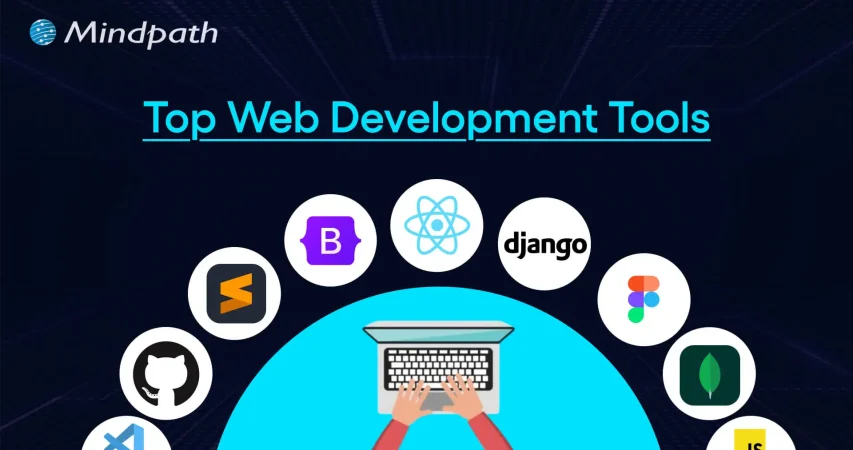
Top Web Development Tools for Business Success in 2026

Join our Newsletter!

Featured Posts

Support Is One Click Away

Home

Top Web Development Tools for Business Success in 2026

Web development tools

Top Web Development Tools for Business Success in 2026

In this competitive and evolving digital landscape of 2026, it has become crucial for businesses to stay ahead of the curve to make themselves competitive. Whether you are an established business that wants to scale operations or a startup launching new products, selecting the right web development tools can make or break your digital success. 

Modern web app development tools are designed to enhance user experience, streamline workflows, and allow developers to create a perfect website as well as an application. In this blog, you will explore the best web dev tools that can significantly shape your business success in 2026. We will cover everything from front-end frameworks to AI-powered Web development tools and understand their importance in web development.

Looking to implement the latest web development tools to enhance your digital presence? Mindpath’s web development services can help you with professional support and customized solutions.  

Importance of Modern Web Development Tools

We all know that the digital experience has become a primary touchpoint between customers and businesses. In 2026, users expect an intuitive interface, lightning-fast performance, and effortless integration. And all these things can be achieved by using the right web development tools. Here are the major benefits of using these tools: 

1. Increased Productivity

By efficiently automating multiple repetitive tasks and providing users with features such as code generation, these tools can reduce development time. As a result, developers can focus on problem-solving and innovation. 

2. Better Collaboration:

Web development tools are designed to facilitate seamless teamwork among designers, developers, clients, and other stakeholders. This helps ensure a coordinated and cohesive web development approach. 

3. Enable Scalability

Most web dev tools are designed for cloud integration and modular development. They help businesses to scale their website and apps easily based on growing demands while ensuring a consistent user experience and performance. 

4. Quality and Reliability

These tools come equipped with integrated testing and debugging tools. As a result, developers can easily detect and fix errors early, leading to more reliable and stable web applications. 

5. Enhanced Security

Tools like frameworks provide businesses with built-in security measures to protect web applications against threats like CSRF, XSS, and SQL injection. For example, the user authentication system of Django and the CSRF token protection feature of Laravel. 

6. Cross-Platform and Cross-Browser Compatibility

Modern tools support cross-platform and responsive design features out of the box. This helps ensure a smooth user experience across multiple devices and browsers. 

It can be said that web development tools are not just facilitators of design and coding. In fact, these are strategic assets that have the ability to transform how businesses approach web app development.  

Now that you understand the benefits, let’s talk about the web app development tools that are the source behind these benefits and are reshaping the development process. 

Wondering how to plan your web development process step by step for maximum impact? Check out the web app development roadmap for 2026 to learn how each phase fits into building a successful web application.

Top Web Development Tools to Consider in 2026

Below is the list of top tools for web development in 2026. All the tools are divided into different categories, spanning IDE, front-end, back-end, and more for an easy understanding. Have a look. 

Best Front-End Tools for Web Development

Let’s begin the list with web application development tools that play an important role as they shape what customers see on a website. These tools help furnish and decorate your website with the right elements. 

1. React

A product from Facebook, React is an ideal choice among developers to create complex and large-scale applications. It is based on a component-based architecture and facilitates code reusability, which is vital for long-term projects and large teams. React can handle various critical tasks such as static site generation, server-side rendering, APU routes, and more, leading to better SEO and amazing performance. 

2. Vue.js

It is one of the best tools for website development and is well-known for its gentle learning curve and progressive adoption. Vue is an ideal option for businesses looking for a smooth integration of a front-end framework into their existing projects. The tool can adapt to your unique project requirements. The speed of Vue.js helps create a smooth user experience during web browsing. 

3. AngularJS

Developed by Google, it offers a perfect solution for web development as well as testing. Some attractive features of AngularJS are its support for client-side Model-View-View-Model and Model-View-Controller architectures. Besides, it also offers two-way data binding, UI with HTML, and more. 

4. Svelte

If performance is your priority, then Svelte can be a game-changer for your project. It is an efficient compiler that converts code into efficient and small JavaScript bundles. That means the browser’s workload will be low, resulting in faster load times and a seamless user experience. 

5. Tailwind CSS

It helps developers to create custom UI elements without spending time on writing multiple CSS codes. This eliminates issues like breakages caused by CSS code changes. Its classes are optimized for responsiveness, making it easier to develop mobile-friendly layouts. 

Thinking about which frameworks or expertise your project really needs? Check out the top reasons to hire ReactJS developers for your next web project to understand why React remains a powerful choice for building responsive web apps.

Best Back-End Tools for Web Development

The back end is like the engine of your website or web apps, managing server logic, user authentication, and data. With the right back-end web development tools and technologies, you can ensure the scalability of your product. 

1. Python

It is one of the easiest back-end programming languages to use, offering simple syntax and support for multiple major languages such as Java, C, and more. Besides, it can help with data analytics and visualization. What’s more? It offers robust web frameworks such as Flask and Django. 

2. Node.js

For organizations creating real-time applications, microservices, and APIs, this back-end tool remains a top choice. Its non-blocking I/O and event-driven model make Node.js efficient at managing concurrent requests, which is crucial for developing data-intensive and modern web apps. 

3. PHP

It can be used with multiple CMSs such as Joomla, WordPress, and more. PHP can be embedded with CSS, HTML, and other front-end systems. It supports integration for various DBs like MS SQL Server, Oracle, and MYSQL. PHP is free to use and scalable. 

4. Express.js

It is one of the top-rated web development platforms created with Node.js and powered by Google V8 Engine. Using this, developers can create hybrid, multi-page, and single-page web apps. Express.js is popular for offering faster I/O, managing multiple servers, routes, and handling asynchronous requests smoothly. 

Want to build a complete website without coordinating with multiple developers? Explore our post on full-stack development for web projects to discover how a full-stack approach simplifies your workflow and accelerates delivery.

Best Integrated Development Environments

For developers to handle fast development and deployment of web apps and handle large codebases, IDE web development tools and technologies play a major role. Some of the best options are: 

1. Visual Studio Code

VS Code is an open-source and widely used IDE that allows developers to run and debug code. Developed by Windows, it supports multiple languages, including Python, PHP, and C++. Besides, it has built-in support for NodeJS, TypeScript, and JavaScript. Furthermore, it comes with IntelliSense to offer intelligent code recommendations. 

2. GitHub’s Atom

It is an open-source desktop editor and supports multi-cursor editing, cross-platform development, and offers built-in Git control. Atom is created using HTML, Less, JavaScript, and other web technologies. 

3. NetBeans

This is an excellent IDE for HTML5, CSS, PHP, and Java. The platform supports all major operating systems, such as Linux, Windows, Solaris, and Mac. NetBeans has a vast plugin support and facilitates code refactoring. Developers can use the FindBug tool to write clear code. 

4. Eclipse

This free IDE for Java development supports Maven and JUnit. Besides, it comes with the necessary tools for web, testing, data, and performance. Additionally, Eclipse supports multiple plugins, languages, code refactoring, and can automate syntax validation.  

5. PyCharm

It is an excellent IDE for web development projects based on Python. However, it also supports other major programming languages like Node.js, CSS, HTML, JavaScript, and more. Besides, PyCharm provides developers with out-of-the-box support for PyTorch, Gitm, FastAPI, Flask, Hugging Face, and more. It offers a detailed code analysis, an integrated unit tester, and a graphical debugger, reducing hassle for teams. 

6. WebStorm

Developed by JetBrains, it is designed for web development. It can smoothly handle client-side and server-side Node.js development. Apart from JavaScript, it also supports Vue, HTML, React Native, CSS, Angular, and React. The platform offers features like auto-completion, Spy.js tools, smart code insights, and more. 

Integrating CI/CD into your development cycle can boost productivity. Explore CI/CD Pipelines to discover tools and techniques for seamless automation.

Best Web App Testing and Debugging Tools

Delivering high-performing and bug-free web apps is crucial. The right testing tools can help ensure speed, quality, and compatibility across browsers and devices. Some of the best testing and debugging tools are: 

1. Selenium

Selenium is a top-choice tool for automated browser testing. The tool supports various frameworks and programming languages, helping developers create test scripts for regression testing, continuous integration, and functional validation.

2. Sentry

If you are looking for a tool for real-time error tracking, Sentry would be an ideal option. It helps developers detect and fix bugs before they can affect the user experience. The tool offers real-time alerts and detailed context, reducing the effort and time required to maintain a healthy web app. 

3. BrowserStack

It is a cloud-based web and app testing platform that enables teams to carry out cross-browser tests on real devices. It can also be integrated into other tools like Jenkins, Selenium, Firebase, Travis CI, Gitlab, and more. BrowserStack ensures compatibility and consistent performance across screen sizes, browser versions, and operating systems. 

4. Katalon Studio

It is an all-in-one testing solution that automates the process. It supports testing of web, desktop, API, and mobile applications. With effortless CI/CD integration, built-in templates, and smart analytics, Katalon Studio simplifies testing while accelerating quality assurance workflows. 

5. Lighthouse

It is an open-source website auditing tool by Google that evaluates web performance, SEO, and accessibility. After analyzing the components, it offers actionable insights to optimize site performance quality and user experience. 

By integrating these tools into the workflow, you can easily detect issues early and develop trust among users, offering reliable and seamless digital experiences. 

Are your web apps providing the best possible experience for users? Discover UI/UX design trends in web application development to learn how modern design trends can enhance usability and engagement.

Website Optimization and Performance Tools

In 2026, performance optimization of web apps is no longer an optional thing; it is a major priority for creating user-friendly, responsive, and fast digital experiences. Here are some tools web developer utilizes to optimize load times, diagnose issues, and optimize overall performance. 

1. Google PageSpeed Insights

When talking about the best tools for website development, we can’t ignore this tool. It evaluates the content and structure of a website and offers effective suggestions to increase speed, Core Web Vitals, and mobile usability. It is an ideal tool for developers focused on performance and SEO. 

2. Webpack

This is a powerful module bundler that streamlines code optimization and asset management. Webpack supports modern JavaScript frameworks and increases load times by reducing redundant code.

3. GTmetrix

GTmetrix provides developers with in-depth reports on website load behaviour, highlighting issues along with optimization opportunities. With historical tracking, performance scores, and waterfall charts, it helps optimize every layer of web applications. 

Choosing the right technologies is crucial for building a high-performing web app. Explore the tech stack for your web app success to discover the best tools and frameworks for your project.

Top-Rated AI Tools For Web Development

As AI is evolving rapidly, it is changing how developers handle web development projects, making them more efficient and productive. Using these, it is possible to leverage AI to build web apps and integrate AI into the web apps.  

1. GitHub Copilot

GitHub Copilot is a popular AI-powered coding assistance that provides users with real-time suggestions, code completion, and more. Created in partnership with OpenAI, it comes with a vast codebase that assists developers in writing code faster, increasing their productivity. It also streamlines the coding process. 

2. Lovable

This AI-powered platform lets users create web apps and websites utilizing text prompts. That means one can create websites without any coding experience. It can generate a complete code base to create landing pages, tools, authentication systems, and dashboards. However, users with coding experience can edit the generated code to customize features and designs. 

3. OpenAI Codex

Developed based on Codex-1, OpenAI Codex is designed specifically to simplify various software engineering tasks. For instance, software developers can use it to generate code or review pull requests. It can apply changes to your coding environment directly through its intelligent automation feature.

4. Wix ADI

Wix Artificial Design Intelligence has revamped the web design process. It can create customized websites automatically and quickly based on the inputs by users. First, it asks some questions to understand users’ preferences, and then, with the help of AI, it creates a fully functional website within a few minutes. 

5. Applitools

This tool utilizes visual AI and automates the testing process of web applications, helping developers ensure that apps are functioning properly across different browsers and devices. Its smart mechanism compares the visual elements of an app with the baseline images and detects discrepancies. 

These advanced AI-powered web development platforms simplify design, coding, and testing, making web app development smarter, more accessible, and faster. 

Looking to build a website that drives engagement and conversions? Explore web design and development services to discover how professional design and development make an impact.

Top Web Development Trends to Watch Out For

Some top web development trends that may change the landscape in the future are: 

1. Gesture and voice-based interfaces

2. AI-assisted development and design

3. Integration of real-time personalization systems

4. Blockchain-based user authentication

5. Massive adoption of no-code/low-code platforms

6. Increasing popularity of Headless CMSs

7. More focus on Core Web Vitals and Web performance

Businesses that are ready to embrace these changes will be able to deliver an amazing digital experience, establishing a robust online presence. 

Want a web application built to match your workflow perfectly? Discover our custom web development services to learn how we create bespoke digital experiences.

Building Your Path to Digital Success in 2026

In 2026, creating a perfect website is not just about focusing on beautiful UI; it’s also about ensuring scalability, speed, seamless user experience, and selecting the right web development technologies. Whether you are creating a real-time web application or a content-rich website, choosing the right combination of developer-first technologies and front-end frameworks will be the key to success. 

When it comes to creating world-class and high-performance websites, Mindpath stands out as a trusted web development company. With years of experience in this field, we combined modern design, long-term strategies, and top web development tools to offer you the solutions that can support your business growth. We have the expertise required to transform your unique digital vision into a reality. Are you planning to revamp your website or create a new one? Mindpath can be your reliable development partner in 2026.


Related Post

Related Post

top AI trends

AI trends are growing at an accelerated rate, creating new opportunities and challenges for leaders in today’s workforce. From intelligent automation to advanced data analysis, AI is delivering smarter and leaner business processes, and playing a critical role in AI in decision-making. Fascinating, isn’t it? AI now permeates companies of all sizes for improving decision-making and performance. These transitions are already contributing to how businesses will operate and compete across every industry in 2026!

It is vital to keep up with the trends in AI because they are directly relevant to how businesses grow, change, and ultimately fulfill growing expectations. The faster leaders recognize trends, the smarter they can invest and prepare their teams, in order to gain an advantage over their competitors. If you do not pay attention to these trends, you may run the risk of missing advancements in tools, significant improvements in workflows, and smart strategies.

Want to know what are the top AI trends for 2026? This blog will provide you with all the AI trends business leaders will want to be aware of and should pay particular attention to in 2026.

Wondering how to get started with AI development the right way? Our AI Development Services can help you build impactful solutions from concept to deployment.

What is Artificial Intelligence (AI)?

Artificial Intelligence (AI) is a type of technology that helps computers in thinking, learning, and making choices like people. It allows machines to use language, read information, and analyze data to give helpful responses. In business, AI is primarily being utilized to make workflow quicker and smarter.

For example, AI allows an organization to better appreciate the needs of its customers, and provide its products or services to them, when they need them, in a timelier manner. AI functions for businesses efficiently by helping cut down the time taken for a task that people typically take a lot longer to do. AI can minimize errors, take care of repeated and tedious work, and it can operate indefinitely without breaks.

It means that an organization can receive a product quicker, save time to increase productivity, and use their time to pursue other important goals. AI can also help organizations improve the quality of their products and services by being able to produce and share insights derived from their data, helping ensure smarter, and more informed decisions.

Let us know about some AI statistics that highlight how organizations are adopting and managing AI technologies in 2026:

  • According to Statista, the AI market is expected to reach US$244.22 billion in 2026 and grow to US$1.01 trillion by 2031, with a CAGR of 26.60%.
  • As per McKinsey AI report, more than three-quarters of organizations now use AI in at least one business function.
  • An artificial intelligence survey from Forbes reveals that 25% of enterprises will deploy AI agents in 2026 to handle complex, multi-step tasks.
  • Analytics Insight states that 80% of retail executives plan to accelerate AI adoption through automation by the end of 2026.

Is your business missing out on the advantages AI can offer? Explore the benefits of AI from increasing efficiency and cutting costs to making smarter, data-driven decisions that drive growth.

Top AI Trends for 2026

Trends in artificial intelligence are shaping how businesses operate, innovate, and grow in 2026. As more companies start using AI to improve workflows and decision-making, these key developments are driving real impact across industries.

1. AI Reasoning Gets Smarter

Among the latest developments in AI, one major shift is its growing ability to reason and make sense of complex situations. In 2026, large language models can think more like humans, helping businesses go beyond basic insights. They now support smarter planning and stronger decision-making. This means companies are using AI not just to understand data, but to act on it more confidently.

2. Generative AI Reshaping Content Strategy

The best artificial intelligence trend in 2026 is the rise of generative AI in content creation. It allows businesses to create text, visuals, and videos instantly from basic prompts. This helps teams produce more personalized content at scale without extra effort. It’s making content strategies faster, smarter, and more effective across industries.

Also Read: Top GenAI Trends 

3. AI Agents Redefining Business Efficiency

One exciting use of AI in business is the rise of intelligent AI agents that act like real team members. These smart tools handle tasks like finding new leads, managing admin work, and analyzing data in real time. By doing this, they help teams work faster and focus on bigger goals. Companies are now seeing lower costs and fewer errors due to these advanced AI systems.

4. Multi-Agent Systems Streamlining Workflows

A new shift in AI is the use of multiple agents working as a team to handle complex business tasks. Each AI agent focuses on a specific job, like customer service or finance, and they all work together smoothly. This makes it easier to automate detailed processes that once needed people to manage them. The result is faster work, better accuracy, and stronger connections between business systems.

5. Industry-Driven AI in Action

Different industries are now using AI in ways that fit their unique needs. Sectors like finance, healthcare, insurance, and manufacturing are leading the way because they already follow strong rules around data and systems. These fields need custom AI tools for tasks like managing claims, tracking supply chains, or handling appointments. Tailored AI solutions are helping these industries work faster, meet rules, and serve people better.

How is AI reshaping the way websites are built and optimized? Explore our detailed article on AI in Web Development to see how it’s driving smarter design, faster deployment, and better user experiences.

6. GPUs Powering the Future of AI

A key new technology in AI is the growing use of GPUs to run advanced models. These powerful chips help process large amounts of data quickly, which is essential for AI tasks. As AI adoption grows, the demand for GPUs is rising across both cloud and on-premise systems. They now play a central role in building fast, efficient, and scalable AI infrastructure.

7. A Shift Towards Small Language Models (SLMs)

One trend catching the eye of artificial intelligence companies to invest in is the move from large to small language models. These smaller models, called SLMs, can do many of the same tasks as LLMs but use fewer resources. They are faster, cheaper to run, and easier to manage, making them a smart choice for everyday use. With techniques like pruning and knowledge sharing, SLMs are becoming more efficient without losing quality.

8. Businesses Turn to Open-Source AI

Open-source AI is becoming a strong choice for businesses that want more freedom and flexibility. Unlike closed systems, open-source models let companies build and manage AI tools on their own, keeping data private and costs lower. They can also fine-tune models using their own data to get better results. This shift is helping more businesses create powerful AI solutions without relying on big tech providers.

9. RAG Brings More Accuracy

One growing method to reduce wrong answers from AI is called Retrieval-Augmented Generation, or RAG. It helps AI pull information from reliable and current sources, making responses more accurate. While it improves relevance, it doesn’t always provide personalized answers without added context. Still, RAG is becoming a valuable tool for businesses looking to make AI more useful and trustworthy.

10. Swarm Learning Driving AI Progress

Swarm learning is a new way for AI systems to grow by sharing what they learn with each other. Instead of learning alone, connected AIs exchange knowledge in real time. This helps them improve faster and solve problems more efficiently. It’s a smart way to build stronger AI by working as a team.

Looking for smarter ways to handle customer queries and optimize workflows? Explore our blog to see how conversational AI chatbots can transform your business.

Is Your Business Aligned with the Top AI Trends?

AI trends are reshaping how businesses grow, compete, and deliver value across every industry. From reasoning models to open-source tools and AI agents, these trends are helping companies simplify operations, improve decision-making, and stay ahead. By understanding what’s emerging in 2026, leaders can better prepare for new opportunities and future success.

At Mindpath, we offer AI development services that align with the latest AI trends and business goals. We create intelligent tools, automation systems, and custom AI models that improve decision-making and increase efficiency. Our solutions are built to fit your operations, boost productivity, and support long-term growth. With Mindpath, businesses gain reliable and future-focused AI support.

generative ai applications for enterprises 

Generative AI is changing how modern firms operate, innovate and grow. By harnessing generative AI applications for enterprises and adopting generative AI for business, they are finding better ways to create, plan, and deliver value. It helps teams speed up the flow of work, foster creativity, and make data-driven decisions with greater accuracy. Each industry has begun to see how this technology is turning challenges into opportunities to succeed.

With growing adoption, generative AI is becoming a central component of business strategy. One ‍of the main areas where it is applied is the customer experience improvement and gen AI in market research, helping organizations better understand trends, customer behavior, and insights. The simplification of the company’s processes and the building of more adaptable systems that can react to the changes in the market. As a result, it is reshaping the entire way companies handle their innovations and efficiencies. In this article, we will uncover the different applications of generative AI for everyday scenarios, and the ways in which companies employ it to bring positive changes. Therefore, let’s tread further into‍‌ it!

Ready to translate the GenAI opportunities into real operational impact for your organisation? Mindpath offers AI development services that guide you on how to turn your ideas into product-ready systems.

Understanding Generative AI: A Quick Dive In

Generative AI is changing the ways in which businesses innovate by generating real and useful outputs in a manner that incorporates data-driven insights through machines, marking the ongoing gen AI revolution. It assists organizations to increase creativity, decision-making, and accelerate the processes within departments. This technology is going viral due to its capability to transform ideas into workable solutions. This results in business growth that can be measured.

Based on a report by Grand View Research, generative AI is estimated to have a market value of 16.87 billion USD in 2024 and will grow to 109.37 billion USD by 2030, at a CAGR of 37.6%. The rising adoption of generative AI applications in enterprises is a clear signal that companies are using the technology to update their processes, create new products and maintain their competitive advantage in the digital ‍‌era.

Looking to stay ahead of enterprise innovation in generative AI? Check out Gen AI trends to learn what’s shaping real-world business adoption.

Benefits of Generative AI for Enterprises

Here are some key benefits of generative AI for enterprises:

1. Generative AI opens the door for anyone to use sophisticated creative tools. Thus enabling non-technical and non-design people to make high-quality content of a professional nature. Such a transformation has the potential to ignite creative and innovative ideas in the whole industry ‍sector.

2. It enhances the overall productivity by overcoming the monotonous activities involved in text summary, code generation, and drafting of content. Subsequently, the employees will be capable of focusing on the tasks that are of a strategic nature and of high value, thereby yielding real results.

3. With the help of generative AI applications for enterprises which automate content creation, product design, and data analysis, companies can save both time and money. Such efficiencies are instrumental in speeding up projects and reducing operational costs by a large margin.

Must Read: Generative AI Tools for Content & Code Creation

4. In addition, research and development benefits from this as well, as it allows specialists to validate their hypotheses at a quicker pace and process a vast amount of data. Consequently, the time to first discovery, quality of materials, and rate of innovation across sectors are all‌‍ ‍‌increasing.

5. Generative ‍AI is a creative tool that can be used in conjunction with human beings to come up with fresh ideas and new design paths. It energizes innovation and enables the creative teams to extend their creative limits in any discipline.

6. GENAI technology is also a big factor behind personalization as it helps in creating content and recommending products or services that are suitable for the tastes of each user. Hence, customer experiences become more delightful, and the level of engagement gets higher.

Wondering how creative teams leverage generative AI beyond simple content generation? Discover how generative AI works in the creative industry to check out real-world enterprise use cases.

What are the Applications of Generative AI in Businesses?

Businesses‌ of various industries are implementing real-life examples of generative AI, showcasing practical generative AI use cases to raise their creativity levels, accelerate their workflows and make their decisions more efficient. Our focus will be on how companies are leveraging this technology for the transformation of their operations, the increase of their innovation, and the provision of an intelligent customer ‍‍‌experience.

1. Software Development

  • Automating Software Testing

One of the ways generative AI tools enhance software testing is by the automatic creation of test cases and running them for checking software quality. They analyze the code, locate the errors at the earliest stage, and complete the developers’ fixing process by giving them the solution promptly before the release.

  • Improving Code Quality

Artificial Intelligence (AI) code writing assistants analyze the already written code and propose better alternatives for writing. They locate defects, enhance the readability, and generally, the codebase becomes more efficient.

  • Writing and Completing Code Faster

Developers employ generative AI-powered coding examples from real-world applications to create code snippets or even finish a whole function just by giving a text prompt. As a result, they are able to cut down on their time spent on tedious tasks and increase the pace of software‌‍ ‍‌development.

2. Marketing and Sales

  • Creating Social Media Content

One of the major generative AI applications that businesses may leverage is the automatic production of social media content which may include captions, visuals, and hashtags. Thus, enterprises are able to go on with their online presence and, concurrently, communicate with their target audience in a most efficient way.

  • Personalizing Email Campaigns

Another major business use of generative AI is the development of one-to-one emails that represent the customer’s preferences and behavior. With such a method, firms become capable of providing authentic and influential messaging, which, as a result, gives rise to the intensification of the customer relationships and the growth of ‍‌‍‌engagement.

  • Writing Engaging Ad Copy

One of the major business examples that generative AI can be used for is the creation of brief ad texts and a few words describing different ad campaigns. It allows the marketing department to be agile in the execution of their creativity by rapid testing various options and identifying the best response from the targeted ‍customers.

Planning to modernize financial workflows with intelligent automation? Discover Gen AI in finance to check out real-world enterprise use cases.

3. Finance Department

  • Detecting Fraudulent Activities

One of the key generative AI applications for enterprises is the case of figuring out fraudulent financial transactions. By keeping an eye on the trends in real-time, it notifies the responsible units when evoking abnormal conduct is detected that can be used to commit a fraud.

  • Automating Regulatory Compliance

By means of generative AI, the bank can keep up with the ever-changing compliance regulations since the system itself keeps track of the regulatory changes and also drafts reports automatically. This tool has the advantage of letting the organization cut down on the manual labor and abiding by the updated ‍ ‍‌regulations.

  • Personalizing Financial Advice

Generative‍‌ AI enables financial advisors to come up with tailored investment plans that depend on the client’s objectives and the level of risk they’re comfortable with. The technology equips the professionals to make wiser suggestions and to give more understandable portfolio insights.

4. Manufacturing Department

  • Designing Products and Parts

Generative AI is a tool for engineers to find several design alternatives by using specified materials, measurements, and performance requirements, making AI in manufacturing a practical support for faster and smarter design decisions. The turnaround for new product development is greatly enhanced with the help of creative and efficient design variations being readily available for ‍‌selection.

  • Optimizing the Supply Chain

Supply chain optimization is one of the most effective generative AI applications for enterprises. Such a system scans massive data files to forecast consuming patterns, to streamline transportation, and to give advance warnings of delays in the production line.

  • Enhancing Manufacturing Efficiency

Generative AI helps Manufacturers detect the variation in the production process that results in lower resource consumption. The latter is creating more productive and efficient workflows that not only increase output levels but also reduce the‍‌ waste.

Ready to understand why enterprises are shifting beyond prompt-based AI systems? Check out Agentic AI vs Generative AI to learn how intelligent agents reshape workflows.

Ready to Unlock the Power of Generative AI for Your Business?

Generative AI changes the whole business landscape by redefining the ways companies innovate, create, and operate. The usage examples of the different industries show that it is a potent instrument. This enhances the creativity, productivity, and decision-making abilities of the employees. Companies implementing such technology are able to maintain a competitive position amid the turbulent market conditions and increase their velocity of growth. This brings more intelligent solutions with a positive ‍ ‌environmental impact to the market.

At Mindpath, we offer expert AI development services designed to help enterprises integrate and scale generative AI solutions with confidence. Our team builds intelligent systems that automate tasks, optimize workflows, and enhance customer experiences. Partner with Mindpath to transform your business with custom AI-driven innovations that accelerate growth and redefine digital success.

Hire ReactJS developers in Canada

The pace of digital transformation makes every business think about the best ways to create intuitive, user-friendly, and visually appealing web applications. Thus, many businesses have been looking for the best ways to hire ReactJS developers in Canada and capitalize on the economies of scale. As one of the most business-friendly countries, Canada offers many reasons to choose it for any business venture.

ReactJS is the most powerful framework for frontend development, trusted by big companies such as Netflix. You can capitalize on the skills of ReactJS developers to create web apps that not only resonate with your values but also help you achieve business goals. Let us discover the notable aspects that you should keep in mind to find competent React developers for your next web project.

Want to take your web projects to new heights? Mindpath’s ReactJS developers in Canada deliver tailored solutions by creating responsive and engaging applications that will align with your business needs.

Tapping Into the Tech Scene in Canada

Many readers would have assumed that Canada is not the ideal destination for hosting technology-based businesses. On the contrary, hiring ReactJS developers in Canada might be easier than in other locations due to its tech-savvy workforce and innovative spirit. Canada has emerged as one of the prime destinations for top-tier tech talent for many reasons. Along with a highly educated workforce, the country also hosts a thriving startup ecosystem.

Canada has some of the most popular educational institutions in the world, such as the University of British Columbia and the University of Toronto. The institutions produce graduates with impeccable fluency in technical skills, and many institutions offer specialized programs for software engineering. As a result, the workforce in Canada boasts a significant number of developers who are fluent in ReactJS.

Another prominent reason to consider Canada as a prime tech hub is the growing ecosystem of tech companies. For instance, Toronto harbors the Silicon Valley of the North, while Vancouver is home to multiple startups. Businesses can look for options to hire React developers in Canada, as the country attracts top talent and also hosts events where React developers showcase their skills. Most important of all, the cost of hiring React developers in Canada is more competitive than the hiring costs in the USA or other major destinations.

Want to improve your application’s speed without increasing development time or infrastructure costs? Discover how optimizing React performance benefits business owners looking for efficiency and ROI.

Weighing the Relevance of ReactJS in 2025

New technologies and frameworks for web development can make old frameworks obsolete. However, ReactJS is still a powerhouse for web development even after more than a decade of its arrival. It was created by Meta, which still takes responsibility for its maintenance even after making it open-source. Apart from the fact that it was created by a tech giant, ReactJS is a powerful frontend development framework due to its distinctive features.

Business owners and hiring managers want to explore the React developer job market in Canada to capitalize on the utility of ReactJS. The component-based architecture of the framework helps in creating reusable UI components that ensure better speed and scalability in development. The other notable features of ReactJS include the virtual DOM and its declarative syntax, which make it easier for developers to develop high-performance web apps.

Virtual DOM is a revolutionary feature of ReactJS as it ensures code stability and better performance with the assurance of a limited number of direct modifications in the actual DOM of browsers. On top of it, the thriving ReactJS community also offers a collection of tools and learning resources that help developers address project complexities with ease.

Also Read: ReactJS Development Services Benefits

Skills Required in Top ReactJS Developers

Almost anyone in the tech landscape can become a ReactJS developer, as it is comparatively easier to learn than other frameworks. However, basic knowledge of ReactJS concepts does not make a developer the ideal pick for your web projects. The answers to “What skills should a ReactJS developer in New York have?” will help you understand that React developers’ skills must have a mix of technical and soft skills. In addition, companies searching for React developers in Canada will need developers who understand the local tech landscape.

1. Technical Skill Requirements from React Developers

Since ReactJS is a JavaScript framework, hiring managers should choose developers who have an in-depth understanding of JavaScript. It is important to ensure that ReactJS developers have a strong command of the latest ES6+ specifications of JavaScript. Fluency in functional and asynchronous programming is an essential skill that helps ReactJS developers in creating syntactically effective solutions. The important technical skills of ReactJS developers also include mastery of ReactJS concepts such as props, state management, hooks, and components. Professional ReactJS developers are also fluent in advanced features such as the React Router, Redux, and Context API.

The list of ReactJS developer skills to look for also focuses on knowledge of frontend development tools. For instance, developers must know how to work with build tools like npm and yarn. On top of it, proficiency in HTML and CSS makes a ReactJS developer capable of optimizing web apps for easier navigation. The other important skills required for ReactJS developers include the ability to understand API integration and testing. Recruiters should check whether candidates for React developer jobs know how to work with testing frameworks like the React Testing Library.

2. Soft Skill Requirements from ReactJS Developers

As a business owner, you must understand the importance of having ReactJS developers who know how to work in an organization. You cannot have technical experts who don’t know how to communicate or solve problems with innovative approaches. Most of the React developer hiring tips emphasize the necessity of having soft skills that help a developer navigate the business aspect of their job. The essential soft skills required from ReactJS developers include critical thinking, adaptability, communication, and attention to detail.

Developers without critical thinking abilities are likely to be stuck with emerging problems. Critical thinking skills can help ReactJS developers think of innovative solutions to problems from unconventional perspectives. React developers must also be adaptable to changes in the technological landscape and stay updated with new features of ReactJS. Furthermore, a React developer with attention to detail can ensure that a business gets the most efficient web apps without multiple reworks.

Want your app to be future-ready and easy to maintain? Learn how ReactJS for app development helps businesses create flexible, efficient, and scalable applications.

Ideal Hiring Model for ReactJS Developers

The hiring model defines the approach a business adopts to use the services of ReactJS developers. You can find different hiring models, such as in-house developers, freelancers, remote developers, or professional agencies. If you want to know ReactJS developer hourly rates, then you might need developers for short-term projects or to address specific skill requirements. Depending on the requirements, businesses can choose one of the following hiring models to tap into the expertise of ReactJS developers.

1. In-House Developer Teams

Many organizations have in-house developer teams to work on web development projects. However, organizations without a hefty budget for hiring developers, such as startups, will find it difficult to recruit in-house developers. In-house ReactJS developers can offer many advantages, such as direct control over how they work. On top of it, businesses can ensure that in-house developers align with the company culture in their work. In-house React developers are more likely to follow the company’s vision and values.

2. Remote ReactJS Developers

The next big option for any hiring manager to bring ReactJS developers on board is remote work. Recruiters can choose remote ReactJS developers in Canada from various platforms that offer access to pre-vetted talent. Remote developers can help a business avoid the trouble of hiring a full-time employee. The biggest advantage of choosing remote developers for ReactJS projects is the assurance of capitalizing on a global talent pool.

3. Professional ReactJS Development Services

Among the many options to add the most competent ReactJS developers to your organization, professional development services will stand tall. Why? Business owners don’t have to worry about how to hire ReactJS developers while working with professional development services. Professional ReactJS development agencies have teams of experienced developers who have worked on multiple web development projects. As a result, businesses can get the output of an in-house developer team from professional React development services without any concerns about managing resources.

Looking to scale your tech team without the overhead of traditional hiring? Read the key benefits of hiring remote developers to access global talent, reduce costs, and boost productivity.

Strategic Process for Hiring ReactJS Developers in Canada

The awareness of essential skills and hiring models to welcome ReactJS developers into your organization can provide a strong foundation to create the hiring process. You don’t have to think about ReactJS developer cost in Canada from the beginning. On the contrary, the following steps will help you with a strategic approach to pick the right talent for ReactJS web development projects.

1. Prepare a Job Description for Top-Tier Talent

The hiring process always starts with the creation of a job description that outlines key responsibilities, job title, and skills required for the job. Some hiring managers also choose to add the estimated salary in the job description. However, it is important to understand that the job description is the best resource to attract the top ReactJS talent in Canada to any company. Applicants for ReactJS developer jobs use the job description to understand what to expect from the job.

The job description helps in understanding the complexity of projects that developers have to work on and the level of experience required for the projects. As a result, the job description ensures that only qualified candidates apply for the ReactJS developer jobs.

2. Explore the Ideal Platforms to Find Talent

Hiring managers can use the job description to find the best talent only when published on the right platforms. The ideal platforms that can support your efforts to hire ReactJS developers in Canada include professional networking platforms and job boards. LinkedIn is one of the best examples of professional networking platforms to find skilled ReactJS developers. You can publish job listings on LinkedIn and also review the qualifications of candidates from their profiles directly.

The other notable places to find expert ReactJS developers include job boards like Glassdoor and Indeed. Businesses should also consider exploring online forums and visiting community meetings for ReactJS developers to pick the best talent for their web projects.

Also React: ReactJS Web development

3. Screening and Interview Process

The most crucial part of the hiring process deals with the screening of candidates and the interview process. The screening process must focus on the assessment of the job applications and resumes of applicants. Hiring managers can also call candidates to interact with them over the phone or via video calls. It will help in determining whether they will be an ideal fit for the job. The first call helps in finding a lot about the communication skills and technical fluency of candidates in React development.

Once you have completed the screening, the hiring process will shift towards interviews. The interviews for hiring ReactJS developers must include a comprehensive assessment of coding capabilities and understanding of React concepts. Live coding sessions, simulated coding challenges, and questions on core React concepts can help in testing the candidate’s practical skills.

4. Know the Hiring Costs

Another crucial aspect of hiring React developers is the hiring cost. Many people assume that hiring costs only focus on the salary of ReactJS developers. The answers to “What is the cost of hiring a ReactJS developer in Canada?” will also include the recruitment and onboarding costs. Recruitment costs include the costs of publishing job descriptions and the expenses for the screening and interview process. The onboarding costs include costs for training and the resources and equipment provided to qualified candidates after the interview.

The average annual salary of a ReactJS developer in Toronto is around CAD $68,000 for entry-level roles (Source). You can also find some platforms that predict that the average salary of React developers is almost $140,000 per year (Source). While the salary forms a major chunk of the hiring costs, it can vary according to location, experience, and responsibilities.

Do you want your web project to succeed with the right React development partner? Explore how choosing the right ReactJS development company can maximize ROI, speed, and long-term scalability.

Final Thoughts

The insights into the process of hiring professional React developers in Canada can help you recruit the best talent. With a tech-savvy workforce and thriving ecosystem of innovation, Canada is a promising destination for business growth. As businesses grow, they need proficient ReactJS developers to create engaging and intuitive web apps for their digital presence.

Mindpath offers Canada-based ReactJS development services to businesses of all sizes across various industries. Our reputation as an end-to-end IT solutions provider revolves around catering to the client’s vision and requirements. On every project, all our team members use their experience as well as insights to design elegant solutions. Connect with us and discover the ideal roadmap to create your next web project right now.

Discover the key factors influencing software development costs and how to optimize your budget. Learn how Mindpath can help.