How an AI Consultant Helps Businesses in Driving Digital Transformation? 

Join our Newsletter!

Featured Posts

Support Is One Click Away

Home

How an AI Consultant Helps Businesses in Driving Digital Transformation? 

AI consultant

How an AI Consultant Helps Businesses in Driving Digital Transformation? 

How can organizations navigate the dizzying speed of change in technology while being sure that they are creating action at every juncture? This is where the AI consultant comes in. The AI consultant is a facilitator who provides leaders with the ability to make decisions that create real change, instead of jumping from trend to trend with no direction other than the next trend. The role of AI consultant is all about actions that create a clear path forward. Isn’t it better to trust expertise that brings certainty to uncertainty?

Digital transformation then clearly becomes a much less daunting task. With appropriate direction, businesses can streamline processes, strengthen data-driven decisions, and increase customer experience.  Leaders can then invest in strategies that produce measurable results. No more guessing. Once each leader knows the target, transformation becomes an adventure where challenges can be tackled with purpose and growth can become scalable. In this blog, we will get into how an AI consultant can support companies pursuing digital transformation.

The expertise brought in by the AI consulting brings technical insights as well as strategic thinking. Mindpath’s AI Consulting Services help unlock new effectiveness and innovations in your business.

Why Do Businesses Need an AI Consultant?

An artificial intelligence consultant provides businesses with insight into how artificial intelligence can not only solve the problems they currently face but also improve operational effectiveness. They assess the company and what it needs and determine options for AI tools based on those needs, ensuring alignment through every stage of growth, operational efficiency, and an enhanced decision-making process going forward.

The consultant can also help address the gap between innovating AI technology and implementing that technology into the enterprise. They have both technical depth and strategic insight and offer organizations a roadmap to assist leaders in planning and applying solutions to achieve succinct outcomes. The prime focus is on measuring outcomes that create value, improve competitiveness, and position organizations for a digital transformation journey in the months and years ahead.

Must Read: Benefits of AI consulting

Responsibilities of an AI Consultant

By partnering with an AI consulting firm, businesses are able to work with experts who know how to make technology work for them. Their work includes strategy and planning as well as execution, ensuring AI solutions fit the overall business goals and create value that can be measured.

1. Finding the Right AI Opportunities

An AI consultant analyzes the existing processes of an organization to identify how artificial intelligence can offer measurable business value. They identify the use cases for an organization, including, but not limited to, automation, predictive insights, or improved customer experience, that can help to drive better results. This essentially creates the foundation for organizations to develop better opportunities from standard quotidian tasks that allow for AI business transformation.

2. Selecting the Right Tools and Platforms

An AI consulting service helps organizations determine the correct platforms and technology for their size, budget, and goals. For large enterprises, the consultant might recommend complex on-premises systems. For startups, a cloud solution might be the better choice. The right choice means that overall, AI adoption will go more smoothly, and you’re more likely to get better results from every project.

3. Training and Testing AI Models

The AI consultant regulates the building, training, and evaluation process before deployment. The AI consultant creates test cases for both accuracy and performance so that the solution sufficiently meets the business requirements. This process is crucial to the establishment of AI that can produce reliable and predictable results and information. This is also a part of AI consulting for business growth.

4. Preparing and Analyzing Data

All AI solutions require quality data, and this is why the AI consultant is so important. They clean, structure, and prepare datasets to make sure machine learning models can run reliably and accurately. Investing your data quality efforts in these specific steps provides the best foundation for solution scenarios like churn prediction or demand forecasting.

5. Monitoring and Improving AI Systems

Once deployed, AI systems require ongoing attention and refinement to remain effective. The AI consultant updates and operates the AI models, ensures the system scales, and deals with ethical implications. This continuing process facilitates flexible technology to adapt to the changing needs of the client’s business and ensures ongoing return on investment resulting from AI business transformation.

AI consulting is helping businesses in strategy making to become industry leaders. If you also want to know how, check out our blog: AI in business startegy

How Does an AI Consultant Drive Digital Transformation?

Understanding how AI consultants propel transformation is important for businesses that want to make better decisions and remain competitive. They can help organizations use AI in a more effective way and make sure that everything they do will lead to real change and long-lasting success.
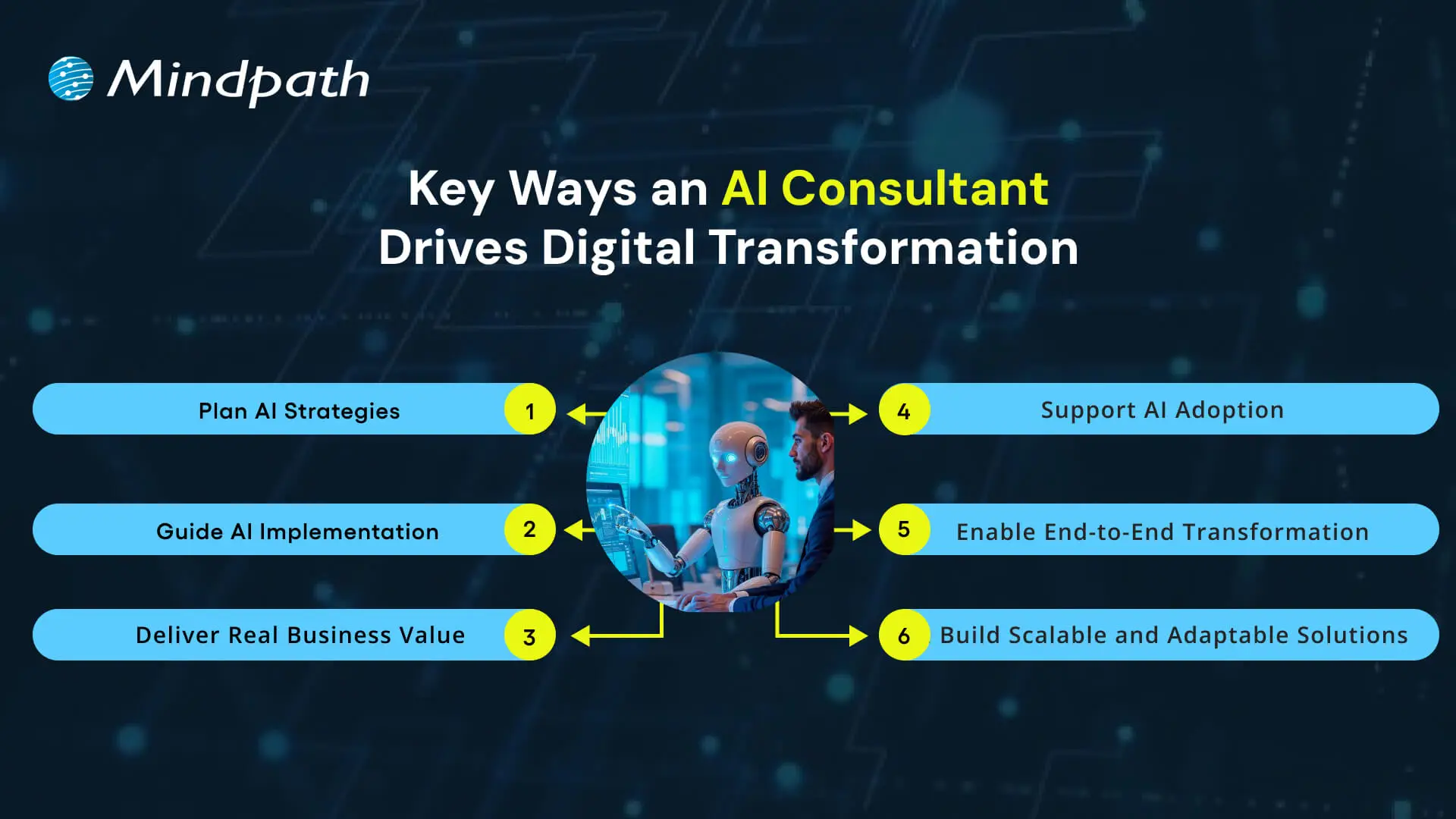
Key Ways an AI Consultant Drives Digital Transformation

1. Plan AI Strategies

An AI consultant assists organizations in synchronizing AI initiatives with fundamental business priorities while emphasizing outcomes over simply tools. They structure strategies that will connect data, technology, and business objectives into practical plans of action that ensure that digital transformation with AI delivers measurable outcomes throughout the organization.

2. Guide AI Implementation

Experts ensure teams apply AI technologies correctly in the right context, considering infrastructure, data, and practical implementation throughout the process. The increased exposure ensures reduced failed experiments, while returning greater proportions of success to AI projects.

3. Deliver Real Business Value

They emphasize outcomes that impact performance, not to simply automate. They work with experts to help companies develop smarter products, optimize workflows, and enhance the customer experience. All AI solutions are focused on achieving measurable outcomes and long-term benefits.

4. Support AI Adoption

Utilizing AI is much more than a technical shift; it’s an organizational change. They provide teams with tools to help them change their workflows, train them, and support their integration of AI tools into their regular workflows; all of which encourage a short adoption window, continued use of AI across the organization.

5. Enable End-to-End Transformation

Experts advocate total digital transformation through the alignment of people, processes, and technology, connecting leadership with technical and non-technical teams to maximize the impact of AI on transforming the future. The holistic nature of these AI consultant roles makes them central to any successful long-term transformation program.

6. Build Scalable and Adaptable Solutions

They will help provide assurance that these AI systems can be flexible and scalable to adapt to future needs when business requirements change. They monitor the AI systems are performing correctly and making iterative improvements as the businesses grow continuously. The continuous support allows organizations to realize the best potential of their AI systems over extended periods.

AI consulting is transforming the way modern businesses grow and compete in the market. Discover more on why organizations need AI consulting services to unlock growth and drive innovation in a rapidly changing market.

Want to Unlock the Full Potential of AI for Your Business?

Digital transformation is only effective when organizations thoughtfully and strategically leverage AI to transform processes, decisions, and experiences. An AI consultant partners with organizations to identify overall goals, align technology to deliver on those goals, build actionable plans, and deliver measurable results. With AI applied in a measured and thoughtful manner across all functions and operations, organizations can gain long-term growth, efficiency, and competitive advantage while using technology as a true driver and enabler of success.

We at Mindpath provide expert AI consulting services that guide businesses through planning, implementation, and scaling of AI solutions. Our team ensures every initiative aligns with strategic priorities, enabling measurable results and continuous improvement. By combining technical expertise with business insight, we empower organizations to leverage AI effectively and gain lasting value from their digital transformation efforts.


Related Post

Discover the ultimate guide to hiring Node.js developers in London. Learn about the skills, benefits, and cost factors involved in finding the right talent for your project.
Discover how low-code/no-code tools are transforming digital development and enabling faster app creation for businesses.

Related Post

ai in mobile apps

Every day, AI in mobile apps revolutionizes user interaction with technology. Just think of a single application that understands your behavior, foresees your requirements, and adjusts its capabilities for a smooth and unique experience. Enterprises are equipped with smart features such as conversational agents, personalized algorithms, and speech assistants to attract user interaction in a better way. This transformation is making regular applications become intelligent friends that facilitate actions and offer answers that are convenient and timely.

Beyond convenience, AI in application development brings innovation and returns efficiency. In a nutshell, developers can analyze real-time data, discover patterns, and tailor personalized experiences for users, keeping them more engaged for longer periods. Companies can gain insight into users through actionable data, and users enjoy quicker, seamless, and more meaningful interactions. This new progress opens the doors to new opportunities in retailing, healthcare, education, and entertainment. This article shall delve into the positive impacts, utilization, and practical scenarios of AI in mobile apps. So, keep reading further!

Ready to bring AI into your mobile app development, but confused about where to start? Mindpath provides full guidance on mobile app development services to help you gain user attraction and create powerful digital experiences.

Evolution of AI in Mobile App Development

AI in mobile app evolution has changed the design of the same user simple tools into smart, user-engagement-focused experiences. The earliest examples of AI in mobile applications were predictive text and basic speech recognition, while mid-level AI brought in personalized recommendations, more intelligent search functions, and AI-enabled chatbots. All these technological innovations enabled the most efficient user-behavior apps to comprehend and reply to users without wasting time.

Currently, artificial intelligence in mobile applications powers advanced features such as real-time analytics, augmented reality, and the ability for apps to operate autonomously. Besides, AI dramatically simplifies the development process by automatic testing, code generation, and cross-platform integration. These innovations reflect the consistent trend of AI eventually transforming mobile into more intelligent, rapid, and personalized user experiences, hence driving app usage to be a natural daily occurrence.

Benefits of Artificial Intelligence in Mobile Apps

AI-enabled mobile app development is a game-changer as it opens opportunities for intuitive, personalized and efficient apps. Developers can thus use smart features to build apps that not only attract users but also make their routine tasks effortless.

1. Tailored Experiences for Users

Mobile applications powered by Artificial Intelligence will eventually have the capability to study user behavior and preferences so as to offer customized content and recommendations. This means that the applications will be more engaging, and the users will have a custom-made experience which gives them the impression that the entire thing is just for them.

2. Stronger Security Measures

AI is one of the factors that revolutionize the environment of mobile applications to uncover unconventional user behaviour patterns with the aid of artificial intelligence technology, to prevent unauthorized access, and ensure the safety of the data. If you associate with a firm that is proficient in AI app development, then you will definitely have security protocols being implemented in a proper way.

3. Instant Customer Support

AI-driven virtual assistants solve problems right away, thus increasing user delight. Consequently, the need for human support is made smaller although the speed and correctness of the answers are maintained.

4. Smarter Search and Navigation

The power of AI allows applications to interpret voice inputs, pictures and even the users’ thoughts in order to deliver more accurate search results. Thus, users are able to locate their desired items in less time, which means the experience is more fluid and user-friendly.

5. Predicting Trends and Behavior

The AI in mobile apps is capable of studying user actions which were done in the past to predict their future inclinations and the general trend of the market. Thus, enterprises will be able to have a clearer vision of the suitable decisions to take, which will further promote the involvement of clients.

6. Streamlined Tasks and Efficiency

Artificial intelligence can automate the execution of monotonous operations that include scheduling, setting of reminders, data handling, and so on, thereby saving valuable time and eliminating errors. A company can utilize AI app ideas to create apps that are both quality-excellence and user-friendly.

Use Cases of AI in Mobile App Development

Artificial Intelligence is transforming how mobile applications function and enabling them to become smarter, faster, and more adaptable. The use of artificial intelligence in mobile application development is progressing and promotes opportunities for interesting new applications across industries.

1. Personalized Content and Recommendations

AI in mobile apps can use advanced data analytics of users’ intent and behaviors to formulate personalized content and product recommendations and offerings. By suggesting items or services they might like, apps proactively enhance user engagement and satisfaction, and they also help businesses utilize data to make informed decisions.

2. Intelligent Virtual Assistants

Applications incorporate artificial intelligence technology for mobile app development, and voice assistants now exist that can take user directions. These voice assistants can help navigate tasks quickly, without even using your hands, allowing access to information obtained faster and can speed up your daily tasks.

3. Automated Task Management

AI takes over basic responsibilities, such as scheduling and reminders, or the organization of emails from mobile applications. This increases efficiency and minimizes the time a user will spend on monotonous tasks.

4. Enhanced Security and Fraud Detection

AI in mobile apps identifies unusual patterns of user behaviour and prevents fraud from happening right away. Businesses can leverage advanced monitoring and threat detection functionality to safeguard sensitive information and ensure user safety.

5. Industry-Specific Smart Solutions

Artificial intelligence powers the development of applications in the healthcare, finance, and e-commerce arenas which can provide personalized services, forecasts, and automation. Working with an AI application development company can help ensure applications comply with industry standards, while also improving the user experience.

Real-World AI in Mobile Application Examples

AI in mobile apps is transforming everyday interactions by making them smarter, faster, and more intuitive. Real-world examples show how AI improves user experiences, streamlines tasks, and delivers personalized solutions across different industries.

Real-World AI in Mobile Application Examples

1. Voice Control with Siri, Google Assistant, and Alexa

These virtual assistants use artificial intelligence in mobile applications to understand voice commands and perform tasks like setting reminders or controlling smart home devices.

2. Personalized Streaming on Netflix and Spotify

Streaming apps use AI in mobile apps to analyze user behavior and recommend movies, shows, or music that match individual preferences.

3. Smart Social Feeds on Facebook and Instagram

Social media platforms use AI mobile app development to personalize news feeds and suggest relevant content, friends, and groups for each user.

4. Tailored Shopping on Amazon

Amazon uses AI in mobile apps to recommend products based on browsing history and past purchases, creating a personalized shopping experience.

5. Visual Search with Google Lens

Google Lens uses AI technology for mobile app development to recognize images and provide instant results through photo-based searches.

Ready to Build Smarter Mobile Apps with AI?

The use of AI in mobile apps introduces new opportunities for businesses and users. This advancement creates great user experiences, strengthens security, and provides more effective daily interaction. As industries pursue innovation, apps will work smarter, adapt more quickly, and become infinitely personal, helping brands engage with users, in meaningful and authentic ways.

Working with Mindpath gives organizations access to superior AI mobile application development services built for measurement. We build intelligent, fast, and user-friendly applications to support your organizational priorities. We provide a blend of strategy, innovation, and technology to design digital solutions that drive growth and maintain user engagement.

software development in the transportation and logistics industries
Have you ever wondered how something you ordered online magically arrives at your doorstep only a few days after clicking “buy”? Or how companies manage to deliver millions of packages all around the world so fast? The answer lies in the digitization in the transportation and logistics industries. In this blog, we are going to explore the notable real-world use cases of digital transformation of logistic and transportation industry. So, let us dive in! 

What Is Digital Transformation In Logistics And Transportation Industry?   

In today’s fast-moving world, old ways of doing things in logistics and transportation simply make it very difficult to keep up with increasing demands for speed and great service. Many logistics companies these days seek to solve the problem by digital transformation: basically, updating archaic systems with modern technologies that automate tasks and provide a better experience for customers. Though the logistics industry is far ahead of most digital technology applications compared to many other sectors, several gaps remain.   Digital transformation is important in package delivery as it plans routes better by using GPS and optimization software to deliver goods quickly; improves customer experience through the ability of real-time tracking; and makes operations more efficient by automating recurring tasks like sorting packages or inventory.   However, difficulties persist in the form of high costs of new technology and employee training, and problems of data security. Despite these challenges, the opportunities for growth and improvement remain immense. A digital transformation in logistics businesses would keep them well ahead of their competition and meet the ever-raising expectations of the consumer of the present day. Digital transformation is no longer an option for logistics and transportation companies; it is a necessity. Companies that refuse to innovate are left behind; those ready for change will thrive in the digital age. 

Statistic Report For Digital Transformation In Logistics And Transportation Industry.   

The digital transformation in transport and logistics is growing rapidly. In 2018, the global market of the Digital Transformation in Transportation and Logistics industry was US$54.92 billion and is pegged to reach US$145.28 billion by 2025, at a CAGR of 13.0%. The market is expected to reach USD 22.17 billion by 2028 from an estimated value of USD 7.15 billion in 2018, growing at a CAGR of 11.5% during the forecast period. The growth rate underscores robust digital technology adoption that solves problems like underutilized assets, supply chain inefficiencies, and poor demand-supply matching. Digital transformation improves connectivity and visibility across traditionally isolated systems that helps stakeholders collaborate with each other more effectively along the supply chain.   The major names associated with making this change a reality include IBM, Oracle, Samsung, SAP, and Tech Mahindra. Each of these vendors is developing robust new platforms that will be useful in driving this change. While the market expands across regions such as North America, Europe, Asia Pacific, South America, and the Middle East and Africa, operational and customer experience efficiency lies in automation and real-time data analytics. This demand for technologies underpins the requirement of innovation in the creation of effective and resilient logistics networks that answer today’s demand for speed and excellence. 

Benefits Of Digital Transformation In Logistics And Transportation Industry    

1. Cost Reduction  

Digital transformation saves a lot of money for logistics companies. Automation decreases labor costs, as repetitive tasks are taken care of, hence requiring fewer people to do those jobs. Data helps in the optimization of delivery routes, hence cutting fuel costs and the carbon emission rate. Digital tools make it possible to do more with less, whether it be warehousing, managing inventory, or handling transportation and last-mile delivery. That means companies will work more efficiently and reduce their operational costs. 

2. Improve In Efficiency 

Digital transformation solves these very issues in many ineffective supply chains that lack real-time transparency. Automated warehousing and inventory management reduce manual labor and, in turn, human error. With the digital tools available, firms can track their shipments and inventory in real time, knowing where everything is at any moment. Greater visibility allows one to respond to change in the fastest way possible without any delays. Digital technology also projects demand so that a company can have the right product at the right time, therefore reducing overstock and/or running out of stock items.  

3. Improves Customer Experience 

Processing orders at speed and with transparency—these are the current demands of customers in the marketplace. Companies that outperform these expectations will create satisfied customers with the help of digital tools. Web and mobile apps empower customers to track their orders in real-time and raise issues. AI-driven chatbots extend instant support, answering questions within a snap of fingers, round the clock. Predictive analytics enables personalized product recommendations, letting customers feel important. Digital solutions ensure that customers are kept happy and loyal by making services faster, more transparent, and more personalized. 

4. New Business Model  

The digital transformation opens new, exciting ways of providing services beyond simple transportation. For example, delivery takes on a different dimension with speed through drone deliveries and self-driving trucks. Digital freight marketplaces connect shippers to extra space carriers, easing the way to find and work available resources. Such solutions open opportunities for value growth and increasing revenues. The accomplishment and differentiation of leading logistics players in a changing market can be driven by such technologies. 

Use Cases of Digital Transformation in Logistics and Transportation Industry 

 1. Predictive Analytics and Big Data 

Predictive analytics and big data greatly help in doing tasks related to forecasting demand and inventory management. Advanced algorithms embedded in predictive analytics examine large amounts of data for discovering patterns and trends. In doing so, this greatly assists businesses in predicting what may be needed later and adjusting the level of inventory accordingly. Something like Snowflake enables organizations to share past and current data in a bid to improve planning and make information more accessible to all. 

2. Telematics and Internet of Things (IoT)   

Telematics and IoT bridge the gap in asset monitoring and shipment tracking. IoT-enabled devices close the blind spots by sensing and transmitting the data in real-time. For instance, GPS and RFID tags assist in locations and conditions, like the tracking of shipment location, which allows route optimization and, therefore, better utilization of the assets. 

3. Cloud-based Computing 

It allows flexibility, remote access, and security by transcending the constraints of traditional on-premises data centers and legacy IT systems. Cloud computing is one of the technologies that will help companies involved in shipping and logistics scale easily, allow access to any data from any part of the world, and increase overall efficiency. With the ability to rapidly adapt through cloud-based solutions, companies can easily streamline their operations, securing their data much better and increasing manifoldly in performance as well as competitiveness. 

4.  Artificial Intelligence (AI)   

Artificially intelligent technologies can come up with advanced algorithms that analyze heaps of data and deliver valuable insights from them. These technologies are focused on the optimization of logistics operations by calculating multitudes of variables and learning from new data continuously available. AI improves route planning, reduces inefficiency, and raises overall operational performance. This will give rise to more efficient and effective logistic operations if companies apply AI in making smarter decisions, streamlining processes, and better meeting customer needs. 

5. Mobility as a Service (MaaS)   

Traditional modes of transportation usually do not rise to the convenience and sustainability expected of them today. Mobility as a Service looks to bridge this gap and provide one amazing app in which users can discover and book a ride from a range of choices, including public transit, ride-hailing, car-sharing, bikes, or scooters. MaaS makes getting around easier while reducing the environmental effect by integrating the services of all different means of transport. Research has demonstrated that people could be flexible with their travel; this would mean that they no longer require their own vehicle with the integration of these services.  

Looking to revolutionize your logistics?

Mindpath offers cutting-edge solutions to boost efficiency and cut costs.

Transportation and Logistic Development Services at Mindpath 

We, at Mindpath, provide a range of services that can empower logistics companies, transportation providers, and supply chain managers to take on the challenge of using technology for much smoother and more efficient operations. 

1. Custom Chatbot Development: 

Our chatbots help customers who are running transportation and logistics businesses provide better customer support: answer inquiries, manage bookings, track shipments, and be available 24/7 to keep customers happy at a reduced cost. 

2. Website Development: 

Strong presence in online media is quite important. Our group creates user-friendly, visually appealing, and search engine-friendly websites for logistics businesses. This would provide dual benefit to the business by making it visible and growing. 

3. Mobile App Development: 

We develop mobile applications for the management of Logistics and Transportation on the go. Our apps are quite solid at both iOS and Android devices with a smooth experience and useful features. 

4. Inventory Management System: 

We can design a tailored system to assist you in effective inventory management. Real-time data, automation, and actionable insights of stock position are some of the salient features of our systems. 

5. Fleet Tracking Software: 

Our fleet tracking software lets you track your vehicles in real time. It helps in performance tracking, route optimization, and timely deliveries, which in turn increase efficiency and reduce costs. 

6. Software Maintenance & Support: 

We keep updating your logistic and transportation software to run smoothly. This means technical support, updating features, or just ensuring that everything works well. 

Conclusion  

Digital transformation is disruptions in logistics and transport due to efficiency, cost reduction, and improved customer experience. With the speed of technological change accelerating, it’s highly important to be one step ahead about innovation, whether AI, cloud computing, or predictive analytics. At Mindpath, we believe in empowering businesses to lead this change. That’s why we deliver custom technology solutions to help your business thrive in a transforming world—from custom chatbots to advanced fleet tracking. 

Ready to embrace the future of logistics?

Let Mindpath guide you every step of the way.

Explore how digitization transforms logistics with real-world use cases, benefits, and cutting-edge technologies that boost efficiency, reduce costs, and enhance customer experience.
Big Data

Have you noticed how businesses are making more precise and data-driven decisions lately? That’s because big data is playing a huge role in shaping their strategies. But how does big data actually influence decision-making? And why is it so important in today’s digital age? In this blog, we’ll explore how big data is transforming the way decisions are made. So, let’s dive in! 

What is Big Data?

Big data is the term used to describe the vast volumes of data that are constantly being produced from a variety of sources, including social media, online transactions, sensors, and more. Big data is unique not just because of its size but also because of its rapid production and diverse variety of data types, which include text, figures, images, and videos. These vast, rapidly rising data sets, often known as the “Three V’s” (volume, velocity, and variety), are too complex for standard data tools to handle. Businesses can use big data to find patterns, trends, and insightful information that can help them make more informed decisions and plans of action. 

How Does Big Data Work?

Big data is made up of several kinds of information that are often categorized as semi-structured, unstructured, or structured. Structured data is simple to organize and typically comprises numbers in spreadsheets or databases. Unstructured data, on the other hand, is more difficult to organize as it is more complicated and includes information from sensors, text messages, and social media posts. Semi-structured data is in the middle; it has a certain amount of structure, but it still needs to be more structured than structured data. 

Numerous methods exist for gathering this data, including surveys, online transactions, in-store check-ins, and data from applications and personal gadgets. After being gathered, the data is electronically kept in large systems called data lakes or warehouses.

Role of Big Data in Modern Business Decision Making

1. Discover New Opportunities

Regardless of how much information you currently possess, there is always more to learn. Big data and analytics are essential tools in today’s fast-paced corporate climate for helping organizations evaluate their existing performance and create development strategies. 

Big data and business analytics allow organizations to improve their marketing efforts and identify possible growth prospects. With this method, companies can discover areas where their strategies are lacking and potentially profitable undiscovered markets. Additionally, by using data-driven insights, organizations can maximize their resources, make well-informed decisions, and eventually obtain a competitive advantage in their respective sectors. Adopting big data’s potential encourages creativity and adaptation in a market that is always changing, in addition to helping in the discovery of new customers. 

2. Gather Customer Feedback

Big data tools and analytics are important for collecting and evaluating client input, helping you to make informed decisions. For instance, you manage an online clothes business, and your products consistently earn positive reviews. But a lot of customers complain about the shipment timeframes and say they might not buy from you again because of the delays. 

Using big data to analyze this feedback allows you to uncover common themes and highlight particular issues influencing customer satisfaction. This research can show that the issue is more prevalent in areas or at particular times of the year, such as during the holiday shopping season. Armed with this information, you can take steps to optimize your shipping procedures, improve customer relations by informing them of arrival schedules, and ultimately improve their entire experience. You can boost repeated business and foster client loyalty by aggressively resolving these issues.

3. Spot Trends

The capacity to find patterns that improve decision-making is a key benefit of big data and business analytics. Businesses can find patterns and reoccurring problems in their operations or consumer behavior by analyzing massive data sets. This knowledge enables businesses to ensure that decisions are data-driven by providing strong evidence to support their solutions. 

It is advantageous for organizations to identify issues and provide data to support solutions since it allows them to monitor the success of their efforts over time. Organizations can determine if their tactics are having little to no effect, managing problems successfully, or enhancing overall performance by keeping an eye on these trends. In the end, identifying and acting upon these patterns enables companies to make wise decisions that result in improved performance and more prosperous operations. 

4. Evaluate Product Suitability

The key to assuring the success of an organization or product is to understand current market trends, analyze competitors, and know where a product is in its entire lifespan. By employing big data analytics, companies can analyze enormous volumes of data and forecast customer behavior, market swings, and price patterns. 

Organizations can make well-informed judgements about their services and more effectively adjust to shifting competitive circumstances by utilizing this information. To achieve the ideal product-market fit, which enables companies to successfully customize their goods and strategies to match client wants, predictive analysis is essential. Big data and business analytics, in the long run, are essential for improving decision-making and assisting businesses in remaining relevant and competitive in ever-changing markets. 

5. Measure for Better Management

In marketing, using business analytics and real-time data is essential for making informed decisions on the effectiveness of ongoing programs. Marketers can quickly optimize their plans when they have instant access to information on which efforts are successfully raising brand awareness, producing quality leads, and closing deals. 

Businesses can more effectively manage their marketing dollars by concentrating on the channels and strategies that yield the best results by examining these data. This strategy maximizes revenue effect while improving total return on investment (ROI). Marketing teams wouldn’t be able to see how their efforts affect the bottom line of the company if big data and business analytics hadn’t given them the insights they needed to work alone.  

Leveraging Big Data at Mindpath

At Mindpath, we use Big data to enhance our offerings and help us make wiser choices. We can gain a better understanding of our clients’ needs and preferences by gathering and evaluating a lot of data. This enables us to properly modify our solutions to meet their needs.  Big data helps us identify patterns and trends in the industry, which keeps us one step ahead of the competition. It also enables us to evaluate the success of our plans and alter them as necessary. Mindpath can offer top-notch services, improve client satisfaction, and produce superior outcomes for our clients due to the utilization of big data. 

Wrapping Up!

In today’s digital world, big data is transforming the way organizations make choices. Organizations can discover new possibilities, get insightful customer input, see trends, evaluate the applicability of their products, and measure performance more accurately by using large volumes of data. In a competitive environment, this data-driven strategy fosters creativity and adaptation in addition to improving decision-making. 

At Mindpath, we are aware of the enormous potential that big data has for enhancing our services and guiding our strategy. We can optimize our products, gain a deeper understanding of our clients’ demands, and ultimately raise customer satisfaction through data analysis. As we continue to harness the potential of big data, we are dedicated to exceeding client expectations and setting the standard for the industry. 

Is your business ready to harness the power of big data?

At Mindpath, we specialize in leveraging data-driven insights to elevate your decision-making and drive success.

Discover how big data transforms business decision-making, uncovering opportunities, enhancing customer feedback, and driving strategic growth.