Home

How SMBs Can Build AI Solutions Without an In-House AI Team?

How SMBs Can Build AI Solutions Without an In-House AI Team?

Join our Newsletter!

AI for small and medium businesses

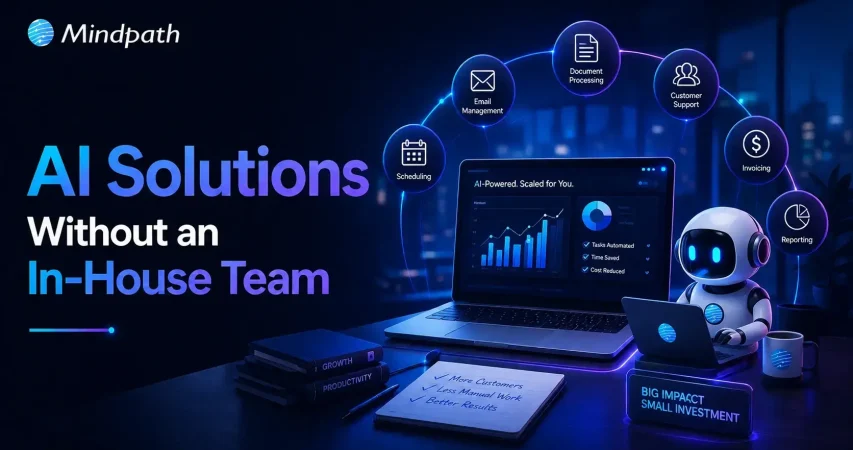
Businesses of every size now recognize artificial intelligence as a practical tool for improving operations and customer experiences. However, many smaller organizations assume successful adoption requires hiring expensive AI specialists and building dedicated internal teams before starting their transformation journey. 

Key Takeaways

  • 01
    SMBs can successfully adopt AI without hiring dedicated in-house AI specialists.
  • 02
    Focusing on one high-impact business challenge delivers faster, measurable AI results.
  • 03
    Experienced AI development partners simplify implementation, deployment, maintenance, and long-term optimization.
  • 04
    Cloud-based AI platforms reduce infrastructure costs while enabling secure and scalable deployments.
  • 05
    Regular monitoring, updates, and optimization ensure AI solutions remain accurate, reliable, and valuable over time.

The reality looks very different today because experienced technology partners, cloud platforms, and ready-to-use AI services simplify implementation. AI for small and medium businesses has become accessible through outsourcing, allowing organizations to deploy practical solutions without maintaining large in-house AI departments.

Need AI expertise without building an in-house team? Mindpath Tech offers AI development services to help SMBs build and deploy scalable AI solutions without the extra hiring costs.

Why are SMBs Investing in AI Today?

Small and medium businesses face increasing pressure to improve productivity while controlling costs and maintaining competitive customer experiences. AI offers practical opportunities to automate repetitive work, analyze business data, and support faster decision-making across different business functions.

Recent advances in cloud computing, large language models, and managed AI platforms have significantly reduced implementation complexity. Instead of building everything internally, businesses can work with specialized development partners that provide technical expertise throughout the project lifecycle.

  • 80% to 89% of SMBs use AI daily. (Forbes)
  • 50% to 68% of marketing teams automate content creation with AI. (Booth Associates LLC)
  • AI software spending continues to grow as SMBs prioritize scalable generative AI solutions. (Gartner)

Why are In-House AI Teams No Longer Essential?

Many organizations believe AI success depends on hiring data scientists, machine learning engineers, and AI architects. While these professionals remain valuable, modern AI development offers alternative approaches that reduce staffing requirements.

1. Cloud AI Platforms Simplify Development

Leading cloud providers offer managed AI services requiring minimal infrastructure management. Businesses can focus on solving operational problems instead of maintaining complex technical environments.

2. Pre-Trained AI Models Reduce Development Time

Modern foundation models already understand language, documents, and business workflows. Developers can customize existing models instead of building entirely new systems.

3. Experienced AI Partners Provide Specialized Expertise

External AI specialists bring proven implementation experience across multiple industries and business environments. This reduces learning curves while improving project quality.

4. Scalable Engagement Lowers Operational Costs

Companies only pay for the expertise they need during planning, development, deployment, and optimization. This eliminates the cost of maintaining a permanent in-house AI team.

5. Faster Deployment Improves Business Value

Established AI development processes shorten implementation timelines while reducing technical risks. Businesses begin seeing measurable improvements much sooner.

6. Ongoing Support Remains Available

Reliable AI development partners continue monitoring, updating, and optimizing AI systems after deployment. This allows internal teams to focus on core business activities instead of managing complex AI maintenance.

What Challenges Do SMBs Face Without AI?

Many businesses delay AI adoption because they believe limited resources prevent successful implementation. Understanding these challenges helps organizations choose practical solutions instead of postponing innovation.

1. Limited Technical Expertise

Most businesses lack experienced AI professionals within their existing technology teams. Recruiting specialized talent often requires significant investment and lengthy hiring processes.

2. Budget Constraints

Building internal AI capabilities involves recruitment, infrastructure, training, and software licensing expenses. Smaller organizations usually prefer predictable project-based investments.

3. Unclear Implementation Strategy

Many businesses understand AI’s potential but struggle to identify suitable business problems. Poor planning often results in delayed projects and limited business outcomes.

4. Data Preparation Challenges

Business information frequently exists across multiple systems with inconsistent formats and quality. Preparing reliable data requires structured planning before implementation begins.

5. Integration with Existing Systems

AI solutions must connect smoothly with existing business applications and operational workflows. Poor integration reduces adoption and overall business value.

6. Long-Term Maintenance Concerns

AI systems require monitoring, updates, and performance improvements after deployment. Many organizations worry about supporting these responsibilities internally.

How Can SMBs Build AI Solutions Without an Internal AI Team?

Building AI successfully starts with solving real business challenges instead of pursuing technology trends. A structured implementation approach helps businesses reduce risks while achieving measurable operational improvements.

1. Identify a High-Value Business Problem

Begin with one operational challenge that creates measurable business impact.

  • Focus on Repetitive Tasks
    Automation delivers faster improvements with lower implementation complexity.
  • Measure Business Impact
    Select problems affecting costs, productivity, customer service, or revenue.
  • Avoid Overly Complex Projects
    Smaller projects reduce implementation risks and accelerate business learning.
  • Gather Stakeholder Input
    Teams understand existing workflow challenges and improvement opportunities.
  • Define Success Metrics
    Establish measurable business outcomes before development begins.

2. Partner with an Experienced AI Development Company

External expertise reduces technical complexity while accelerating implementation.

  • Access Experienced Specialists
    Proven experts avoid common implementation mistakes.
  • Receive Strategic Guidance
    Experienced partners recommend practical AI approaches.
  • Reduce Recruitment Costs
    Businesses avoid expensive permanent hiring requirements.
  • Improve Project Quality
    Established development practices deliver reliable business solutions.
  • Gain Ongoing Technical Support
    Expert assistance continues after successful deployment.

3. Start with Cloud-Based AI Services

Cloud platforms simplify deployment while reducing infrastructure investments.

  • Lower Initial Costs
    Businesses avoid purchasing expensive computing infrastructure.
  • Scale When Required
    Resources increase alongside business growth.
  • Improve Reliability
    Cloud providers maintain secure and highly available environments.
  • Deploy Faster
    Existing AI services significantly shorten implementation timelines.
  • Simplify Maintenance
    Infrastructure management remains largely handled by the cloud provider.

4. Build an MVP Before Expanding

Start small before investing in broader organizational automation.

  • Validate Business Value
    Early feedback confirms practical business benefits.
  • Reduce Implementation Risks
    Smaller deployments identify improvement opportunities quickly.
  • Collect Employee Feedback
    Users provide valuable recommendations for future enhancements.
  • Improve Adoption
    Teams become comfortable using AI gradually.
  • Expand Strategically
    Successful pilots guide future AI investments confidently.

5. Continuously Optimize AI Performance

AI implementation remains an ongoing business improvement process.

  • Monitor Performance Regularly
    Review business outcomes using measurable performance indicators.
  • Update Business Data
    Fresh information improves AI accuracy consistently.
  • Refine Workflows
    Operational improvements increase long-term business value.
  • Strengthen Governance
    Maintain responsible AI usage through clear internal policies.
  • Plan Future Expansion
    Successful projects create opportunities across additional departments.

What AI Solutions Deliver the Greatest Value for SMBs?

Not every AI project requires significant investment or complex technical implementation. The best AI solutions for small businesses focus on improving everyday operations while delivering measurable returns within reasonable implementation timelines.

1. Customer Support Chatbots

Automate customer interactions, answer common questions, and provide faster support around the clock.

2. AI Document Processing

Extract, organize, and process invoices, contracts, forms, and business documents with greater accuracy and efficiency.

3. Predictive Analytics

Analyze historical business data to forecast trends, optimize inventory, and support better decision-making.

4. Intelligent Sales and Marketing Automation

Automate lead qualification, personalized campaigns, customer segmentation, and follow-up activities to improve conversions.

5. AI-Powered Knowledge Management

Centralize business information and provide employees with instant access to accurate answers through AI-powered search.

6. Workflow Automation

Streamline repetitive processes across finance, HR, operations, and customer service to improve productivity and reduce manual work.

These AI solutions demonstrate how AI for small and medium businesses delivers measurable business value without requiring extensive in-house technical expertise. Organizations can successfully implement AI by partnering with experienced technology providers that manage planning, development, deployment, and ongoing optimization.

Businesses that choose outsourced AI development gain faster access to specialized expertise while reducing recruitment costs, implementation risks, and project complexity. This approach enables SMBs to adopt AI confidently, even with limited internal resources.

Ready to Build AI Without an Internal AI Team?

Artificial intelligence is no longer limited to large enterprises with dedicated research teams and extensive technology budgets. Today, AI for small and medium businesses enables organizations to automate operations, improve productivity, and deliver better customer experiences by partnering with experienced AI development companies.

Looking to build AI solutions without expanding your internal team? Mindpath offers AI consulting services that help SMBs design, develop, deploy, and optimize customized AI solutions tailored to their business goals. Our experienced AI specialists deliver secure, scalable, and cost-effective AI applications that accelerate innovation while reducing implementation complexity and long-term operational risks.

No In-House AI Team? No Problem.

Work with a dedicated AI team that plugs into your setup.

Frequently Asked Questions

Yes. SMBs can partner with experienced AI development companies that handle planning, development, deployment, and maintenance while the business focuses on achieving its operational goals.
Start with a repetitive, high-impact process such as customer support, document processing, or workflow automation where results are measurable and implementation remains manageable.
For most SMBs, outsourcing reduces recruitment, infrastructure, and training costs while providing access to experienced AI professionals and faster project delivery.
The timeline depends on project complexity, data availability, and integrations. Many focused AI solutions can be planned, developed, and deployed within a few months.
Monitor business performance regularly, update data sources, gather employee feedback, and work with your AI partner to optimize the solution as business needs evolve.

Support Is One Click Away

Featured Posts

Related Post

custom software development benefit

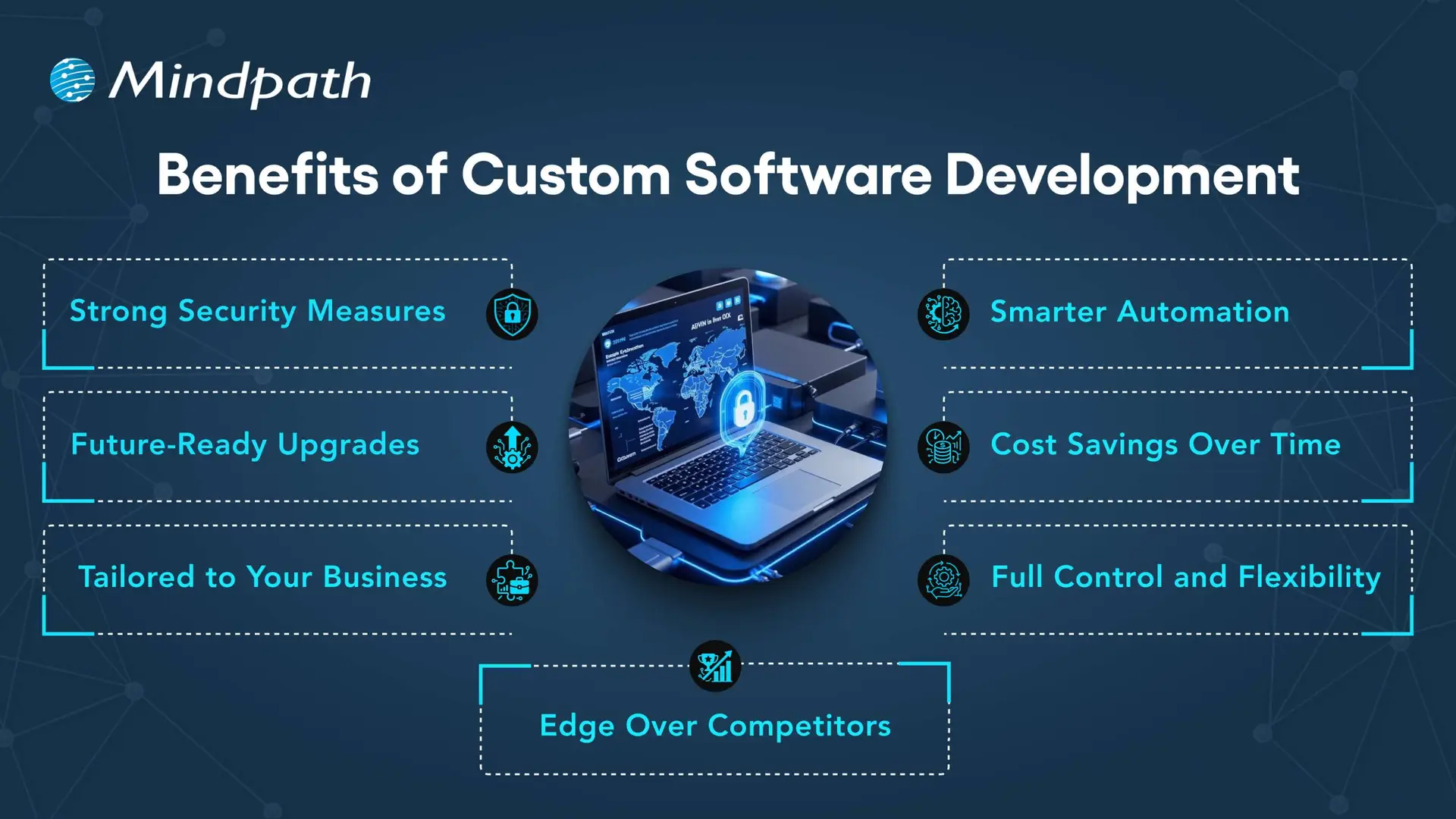
Imagine this: your company is moving so fast, but your off-the-shelf software can’t keep pace. There are bottlenecks in your processes, your teams are slowing down, and your customers can feel the gulf. Here’s where the custom software development benefits can make a difference. You get tools that will be designed and built for your business goals. No extra features that you don’t need, and no limits that constrain you. It’s like you’re developing a system that scales with your growth, not against it. It’s smart, flexible, and designed for your journey.

As more organizations acknowledge the value of custom technology, businesses are increasingly demanding custom solutions to meet their specific requirements and functionality. Custom software solutions enable consistency and quality for your operational tasks, enhance the experience for your customers, and increase productivity for your team. Unlike off-the-shelf software, which offers limited flexibility and options for your business, custom solutions not only evolve with your organization but can reduce loss of time and expense in the long run. The benefits are real and tangible. In this blog, we will examine the top ten benefits of custom software development for growing businesses.

At Mindpath, our custom software development services are designed to help growing businesses build scalable, secure, and high-performing software solutions.

What is Custom Software Development?

Custom software development is the process of designing, building, deploying, and maintaining software solutions specifically tailored to a business’s unique requirements. Unlike off-the-shelf software sold to a wide audience, custom solutions are built from scratch to adapt to your exact workflows, rather than forcing your business to adapt to the software. A custom-built solution helps overcome specific challenges, streamline important processes, and exceed business goals. The overall process includes planning, designing, developing, testing, deploying, and maintaining to ensure long-term continued use.

Interestingly, Grand View Research reports substantial growth in the custom software development market. According to the reports, its market value was USD 43.16 billion in 2024, and it is projected to grow to USD 146.18 billion by 2030 at a CAGR of 22.6%, from 2025. This growth in market size represents an increase in demand for digital solutions that are flexible and designed for the unique needs of organizations. The enterprise software segment represented over 60% of the market, while cloud deployment comprised 57%, all showing a movement toward systems that can be scaled and accessed remotely. Large enterprises made up more than 60% of the total revenue in the market.

Top 10 Benefits of Custom Software Development

Picking the right software that meets the needs of your business is becoming increasingly important. If you are considering custom software development benefits for businesses, here are some of the greatest advantages that make it a brilliant and future-proof solution.

Top 10 Benefits of Custom Software Development

1. Scales with Your Business

One of the important custom software development benefits is that it grows as your business expands. Whether you open new locations or add services, customized software can easily adapt to your changing needs. It removes the limitations of ready-made tools that often require costly upgrades. With flexible and scalable features, your software stays aligned with your business goals.

2. Custom-Built for Your Business

Custom software is designed to match your specific workflows, goals, and daily operations. It helps avoid the inefficiencies that come with generic tools that don’t align with how you work. From logistics to finance, every feature is built to support what your business truly needs. This leads to better performance, less waste, and smoother processes across teams.

3. Seamless System Integration

Custom software works smoothly with your current tools and platforms. It helps different systems share data without the need for manual updates. This reduces errors and saves time across departments. The result is a more connected and efficient business operation.

4. Cost-Effective in the Long Run

A major custom software development benefit is reduced long-term costs. Unlike off-the-shelf tools, there are no ongoing license fees or expensive upgrades. You pay for what your business needs, and it stays efficient as you grow. Over time, this leads to better value and lower total cost of ownership.

5. Gives a Competitive Edge

Using custom software for a small business helps you create unique features that set you apart from others. It allows you to offer better user experiences and services tailored to your audience. This can increase customer loyalty and build a stronger brand. Staying ahead with the right technology gives your business a clear competitive advantage.

Wondering what it really takes to develop software that perfectly aligns with your business’s unique needs and goals? Explore the detailed custom software development process to see how thoughtful steps provide smooth execution and successful outcomes.

6. Boosts Team Productivity

Custom software streamlines your workflows by removing repetitive tasks and simplifying daily operations. It helps each team work faster and with fewer errors. When tools are designed for specific roles, employees can focus more on results than on fixing problems. This leads to better performance and a more efficient workplace.

7. Reliable and Responsive Support

With custom software, you get direct support from the team that understands your system inside out. This ensures quick responses and accurate fixes when issues arise. This custom software development benefits results in reduced downtime and improved reliability. Your business stays on track with expert help tailored to your specific setup.

8. Complete Ownership Rights

With custom software, your business has full control over features, updates, and improvements. You don’t have to rely on outside vendors or wait for scheduled upgrades. You can make changes anytime to match your growing needs. This gives you the freedom to make fast decisions and stay in control.

9. Adapts to Market Changes

Custom software allows your business to respond quickly when market demands shift. You can add new features or make changes without delay. This helps you stay competitive and meet customer expectations in real time. Being able to adapt fast keeps your business strong and relevant.

10. Enhances Customer Experience

Custom software allows you to create features that match your customers’ needs, making their experience smoother and more personal. This leads to higher satisfaction and stronger customer loyalty. It lets you design every interaction to reflect your brand and serve your audience better. It turns regular experiences into memorable ones that keep customers coming back.

Trying to understand the common pitfalls in creating custom software? Check out our blog to learn the essential custom software development dos and don’ts that every business should follow for a smooth process.

Looking to Build Software That Fits Your Business?

Custom software brings real value by helping your business grow, cut costs, and work more efficiently. It supports your goals with flexible tools that fit how you operate. Every custom software development benefit contributes to improving your team’s workflow and customer experience. Choosing the right solution now means fewer challenges and better results in the future.

At Mindpath, we offer expert custom software development services tailored to your business. As a trusted custom software development company, we build tools that match your goals and grow with you. From design to long-term support, our team works closely with you to deliver strong, flexible, and reliable solutions that keep your operations smooth and ready for the future.

Frequently Asked Questions

Benefits of saas

Are you still relying on on-premise software to manage your business operations? In today’s evolving world, traditional software models are considered costly, outdated, and also challenging to maintain. The shift towards SaaS (Software as a Service) is redefining how organizations function. Besides, the benefits of SaaS are truly impressive compared to traditional models. 

As cost-efficiency, rapid deployment, and remote work become top priorities for businesses, SaaS has emerged as a crucial element of modern IT strategy. In this blog, we will discover more about it and understand what are the benefits of SaaS. Furthermore, you will understand how these tools support business operations. So, let’s dive deep into it. 

Planning to move your business to a cloud-based software model for better flexibility and cost efficiency? Mindpath’s SaaS Development Services deliver tailored solutions that improve performance, scalability, and user experience.

What is SaaS? – A Simple Explanation

Software as a Service, or SaaS, is a cloud computing model where software applications are hosted by a third-party provider and delivered over the internet, typically through a web browser. Instead of purchasing and installing software locally, users subscribe to the service and log in from any device. Service providers offer these tools on a pay-as-you-go or subscription basis, giving businesses on-demand access without having to manage infrastructure.

Some common examples of SaaS platforms are Zoom, Salesforce, Google Workspace, Mailchimp, and Shopify. Speaking about some common benefits of SaaS, these are continuous innovation, seamless collaboration, and faster deployment. 

Some key characteristics of SaaS are: 

1. Accessible from anywhere and anytime 

2. Subscription-based pricing models

3. Automatic and hassle-free updates 

4. Flexibility and scalability 

Looking to match your business needs with a skilled SaaS development provider? Check out how to choose the right SaaS development services to ensure perfect alignment.

Key Benefits of Software as a Service

Now that we have an understanding of SaaS, it’s time to explore the values SaaS platforms bring to the table. From small startups to large organizations, SaaS tools offer powerful solutions to enhance productivity and streamline multiple operations. 

Here are some impressive software as a service benefits that make these tools a crucial element of every business’s success. 

1. Cost-Efficiency

We would say this is one of the most compelling Benefits of SaaS. Opting for traditional software means you will have to invest in IT personnel, hardware, and licenses. However, SaaS tools eliminate these expenses by providing you  with: 

  • Lower initial investment

There is no need to buy expensive software licenses and hardware. 

  • Transparent billing

With different subscription models, you can plan your budget easily. 

  • Low Maintenance Costs

The service providers will handle regular patches, updates, and service maintenance. 

These things make SaaS attractive for small businesses and startups with a restricted budget.

2. Scalability- It Grows with Your Business

As your organization grows, so do your software requirements. All trusted SaaS service providers have powerful and massive IT infrastructure. This makes it highly scalable and flexible. When your business grows, you can just change your subscription plan, and you are ready to go. 

Using SaaS platforms, organizations can: 

1. Upgrade and downgrade their plats based on requirements. 

2. Add or remove users with a few simple clicks 

3. Access modern features without making any changes to the tool. 

Organizations just need to pay for the services they use, making it an adaptable solution. 

Looking to understand how different development approaches impact SaaS performance? Check out the types of software development to gain insights for building high-quality SaaS solutions.

3. Mobility and Accessibility

In this world, where global teams and remote work are the latest trends, accessibility is vital. It can be achieved through SaaS solutions. These tools are easily accessible through any device with an internet connection.  

SaaS allows employees to effortlessly collaborate from any location. Besides, the software can be accessed from smartphones, laptops, tablets, and desktops. What’s more? Multiple teams can smoothly work on the same projects simultaneously. 

This high level of accessibility enhances overall productivity while supporting an agile workforce. 

4. Reliable Data Storage and Automated Backups

As SaaS is powered by cloud technology, your data will be regularly stored and backed up. Businesses can customize their storage options based on their needs. Furthermore, they can increase or decrease the features. 

On the other hand, with SaaS tools, you don’t need to worry about running out of space. No matter what your storage requirements are, you can easily find an ideal plan that will work for your business. 

5. Hassle-Free Maintenance and Automatic Updates

Users of traditional software are well aware of the disruptive and time-intensive manual update process. One of the significant advantages of software as a service is that updates are handled by the service provider. 

Furthermore, there are other benefits to consider, such as: 

  • Continuous Improvement

Service providers regularly roll out new, advanced features along with security patches. 

  • No Manual Setup

Updates are delivered and installed by the SaaS service provider. Users don’t need to perform any action. 

  • High Uptime

All updates are deployed during off-peak hours to avoid disruption. 

It ensures that your organization has access to the latest security enhancements and features. 

6. Compatibility- Effortless Integration

Most SaaS tools utilize Application Programming Interface or API for data transfer. It makes these tools highly compatible, and they can be integrated with almost all technologies. 

Modern SaaS platforms easily connect with ERP, accounting, marketing tools, and CRM. As a result, it will be easier for you to manage and streamline repetitive tasks. The interconnected ecosystem boosts data visibility and supports informed decision-making.

7. Enhanced Security

Undoubtedly, security is a major concern for every business. And trusted SaaS providers always prioritize cybersecurity. With the best SaaS tool, you will enjoy the following security benefits: 

  • Regular Backup

Most SaaS tools support automated data backup, ensuring quick data recovery in the event of system failure. 

  • Data Encryption

SaaS providers use advanced security features to keep sensitive information protected. 

  • Compliance

These tools adhere to the major industry standards such as HIPAA, GDPR, and more. 

With the help of a SaaS provider’s expertise, your organization can attain the maximum level of security. 

Planning to create a SaaS application that perfectly fits your business needs? Discover the custom software development process to ensure your SaaS is designed for success.

8. Faster and Hassle-Free Deployment

One of the key advantages of SaaS is how quickly you can get started with it. These tools can be deployed within a few hours or days. There is no need to wait for months. You just need to sign up with the tool and start taking advantage of the features.

On the other hand, SaaS tools’ intuitive interfaces and easy-to-understand tutorials can help your team get started quickly. If deployed properly, you will be able to witness the changes within a few days. This rapid deployment supports your business’s quick digital transformation. 

9. Business Intelligence and Data Analytics

Many SaaS tools provide users with built-in analytics features. These features allow businesses to track multiple key performance indicators, evaluate operational efficiency, and monitor user behaviour. 

Moreover, these tools simplify reporting by offering actionable insights and visual dashboards. As you will have access to the latest, accurate data, making informed decisions will be easier. Whether you are refining your strategy or scaling it,  SaaS tools empower faster and smarter business moves. 

Curious about the common pitfalls businesses face with SaaS solutions? Check out the challenges of SaaS to safeguard your adoption strategy.

When to Opt for SaaS Instead of Traditional Software?

Although SaaS is not the right option for every scenario, some do. Let’s explore the key situations where SaaS may shine, with a focus on the software as a service advantages.

1. You are a Startup and Scaling Fast

SaaS allows you to launch a product faster, pay monthly, and it will scale seamlessly as you grow. It helps your team to stay lean. You don’t have to worry about lock-in or hardware investments. Just enjoy the agility. 

2. You Need Quick Deployment with Lower Upfront Costs

Ask yourself the following questions: 

  • Do you have a limited budget?
  • Do you need software that can work instantly for your business? 
  • Are you worried about costly  IT infrastructure?

If yes, SaaS is the right option for you. With this, you will get instant access along with a predictable monthly fee. The best thing is that most SaaS tools come with free trials and offer basic features for free. 

3. Your Team Needs Remote Access and Flexibility

If you are managing remote or hybrid teams, a SaaS platform can ensure smooth collaboration and access. In fact, these platforms are designed for accessibility and can keep your crucial data synchronized across devices safely. 

SaaS Readiness Checklist: Know If Your Business is Prepared

Transitioning to a cloud infrastructure doesn’t mean your organization can implement SaaS models. In fact, it has been seen that some organizations found SaaS tools unsuitable as their workflows and systems were not aligned with the cloud-based facility. 

However, if you have a robust software product, a trusted recurring payment system, and a huge customer base, then you are well-positioned to experience the Benefits of SaaS.  

When implemented properly with the help of an expert, a SaaS tool can benefit both service providers and users. It provides customers with user-friendly and seamless experiences. On the other hand, it enables your business to enhance its products and services. For a successful deployment, ensure that: 

1. Your software or product is market-ready.

2. A robust recurring payment system is in place.

3. Your existing infrastructure is compatible with the new cloud solution.

4. You have a scalable and responsive support team. 

5. Your compliance and data security protocols are robust. 

6. Your team can continuously measure as well as optimize product performance. 

If your organization aligns with these statements, then you can successfully embrace SaaS platforms and enjoy all the Benefits of SaaS. When you have a solid foundation, SaaS models can drive long-term success, customer satisfaction, and sustainable growth. 

Future Trends in SaaS

SaaS is evolving, driven by smarter cost control, industry-specific solutions, and AI. Talking about the future trends, we may expect to see a shift toward scalable, secure, and intelligent software ecosystems. 

Some major future Saas trends to consider are: 

1. AI-powered SaaS tools offering more Benefits of SaaS, including automated financial forecasting and AI-powered customer support. 

2. More sophisticated SaaS tools offering deeper compliance support, workflow alignment, and customization. 

3. No-code or low-code enablement to empower non-technical users.

4. Compliance-driven and privacy-first SaaS solutions. 

5. Increasing adoption of API-first and module SaaS tools that can help create custom stacks. 

Ready to Unlock the Full Potential of SaaS for Your Business?

SaaS is transforming the way organizations operate, offering scalability, enhanced collaboration, cost-efficiency, and robust security. By adopting SaaS solutions, businesses can streamline operations, improve productivity, and stay agile in today’s fast-evolving digital landscape.

At Mindpath, we deliver custom SaaS solutions tailored to your business needs. Our expertise ensures seamless integration, optimized workflows, and future-ready systems. Partner with us to harness the power of SaaS, maximize efficiency, and achieve measurable results while minimizing investment.

NodeJS developer cost

In today’s competitive digital landscape, businesses are increasingly investing in scalable and high-performance applications. Technologies like Node.js have become a preferred choice for backend development due to their speed, flexibility, and ability to handle real-time data. As a result, many organizations are actively exploring Nodejs development services to build modern applications.

However, one of the most common questions businesses ask is: how much does it cost to hire a Nodejs developer? The answer is not straightforward. The NodeJS developer cost can vary significantly depending on several factors, including experience level, project complexity, hiring model, and geographic location.

Understanding these factors is essential for making informed decisions and optimizing your development budget. This guide provides a clear and practical overview of the cost of hiring nodejs developers and what businesses should consider before making a hiring decision.

Ready to control your development costs without compromising on quality and performance? Mindpath provides professional services where you can hire expert NodeJS developers tailored to your budget and project requirements.

Why Businesses Invest in NodeJS Development?

A lot of people like Node.js since its architecture is event-driven and doesn’t block. It’s perfect for real-time programs like chat rooms, streaming services, and tools for working together because it can handle a lot of requests at once.

Node.js is popular with businesses because it can handle systems that need to grow and perform well. It also speeds up building because developers may use JavaScript on both the front end and the back end.

Node.js is a wonderful solution for enterprises of all sizes who need to make nodejs because of these qualities.

How Much Does It Cost to Hire a NodeJS Developer?

Keep in mind that prices can be very different when you want to know how much it costs to hire a Nodejs developer.

Where you live and how much experience you have will affect how much you make every hour:

  • Junior developers: less expensive, but not as skilled at what they do
  • Mid-level developers: a fair balance of abilities and cost
  • Senior developers: cost more, have more experience, and have been working in the field longer.

Also, where you live in the globe is quite essential. In North America and Western Europe, developers normally charge more than they do in Asia or Eastern Europe.

The price of hiring a Nodejs developer also depends on whether you hire freelancers, developers that work for your company, or a company that handles the work for you.

Key Factors That Affect NodeJS Developer Rates

To fully understand how much it costs to recruit Nodejs engineers, we need to look at what makes their prices go higher.

1. Experience Level

More experienced developers charge more since they know how to design programs that are safe and can grow.

2. Project Complexity

You need more experienced developers to make complicated programs that include advanced features like microservices architecture or real-time processing. This costs more.

3. Hiring Model

Prices vary based on how you hire:

  • Freelancers: less expensive and more adaptable
  • Developers who work with the company: more expensive but better control
  • Outsourcing: a fair balance of cost and knowledge

4. Location

Prices for developers vary widely based on their location, and hiring people from other nations is usually less expensive.

5. Technology Stack

If the complete Nodejs project needs more technologies or integrations, it may cost more to build.

NodeJS Developer Hiring Cost Breakdown

You need to look at the major aspects of the price to find out how much it will cost to hire a NodeJS developer.

1. Development Costs

This covers the cost of writing the code, testing it, and using it.

2. Costs of Infrastructure

Costs for hosting, cloud services, and maintaining servers up to date.

3. Maintenance Costs

There are always new features, bug patches, and speed enhancements.

4. Team Collaboration Costs

The total cost will go up if you need to recruit both frontend and backend engineers.

All of these things add up to the full cost of making a Node.js app.

Hiring Models and Their Cost Impact

Choosing the right way to hire people is highly crucial if you want to keep costs low.

1. Freelancers

Freelancers are great for minor jobs or chores that don’t take long to finish. But they may not be in it for the long haul.

2. In-House Developers

You have greater control when you hire full-time developers, but it costs more because you have to pay for their salaries, benefits, and infrastructure.

3. Outsourcing to a Development Company

If you engage a company that does Nodejs development, you may work with competent teams and follow clear steps. This pick usually strikes a nice balance between price and quality.

Cost vs Value: What Businesses Should Consider?

Companies should think about both the cost and the value of a NodeJS developer when deciding how much to pay them.

At first, hiring cheaper engineers might save you money, but it could lead to problems like poor code quality, delays, and higher maintenance costs. On the other hand, experienced developers may charge more, but they will give you better performance and dependability over time.

The right Node.js development solution will help you get the most for your money.

Hidden Costs to Watch Out For

When companies try to figure out how much it will cost to hire nodejs programmers, they often neglect about expenditures that aren’t obvious.

  • The price of training new workers and getting them up to speed
  • More money for managing and talking to individuals
  • They take longer since they don’t know enough

We had to redo the work because the coding wasn’t good enough.

Finding these fees early will help you plan your money better.

Comparing NodeJS with Other Development Costs

Node.js is often less expensive than other backend technologies because it is easier to build and can handle more users.

It saves money by letting JavaScript be used all over the stack, which means fewer developers are needed. There are also a lot of libraries and tools that make development move faster, which means that items can get out faster.

This is why Node.js is a wonderful choice for making affordable, modern apps.

Future Trends in NodeJS Developer Cost

As more companies employ modern technology, the requirement for Node.js experts will grow. This demand could influence how rates go up or down, especially for people who know a lot about it.

There is a lot of talent all across the world, and people can work from home, which can help keep prices down. This makes it easy for businesses to find cheap answers.

Conclusion

You need to know how much it costs to hire a NodeJS developer in order to make wise hiring decisions. The cost depends on the person’s level of expertise, the difficulty of the job, the sort of work they do, and where they live.

Companies may keep an eye on their money and find out the best approach to hire individuals by looking at what makes the pricing of Nodejs developers go up or down. The most important thing, whether you engage freelancers, specialists in-house, or a company that offers Nodejs development services, is to focus on quality, scalability, and long-term value. Partner with mindpath, a trusted Node.js development company that provides expert solutions to overcome your development challenges.

Hiring the proper people is the most critical thing you can do to get your tasks done on time and grow your business.