An Introduction to RAG (Retrieval Augmented Generation)

Join our Newsletter!

Featured Posts

Support Is One Click Away

Home

An Introduction to RAG (Retrieval Augmented Generation)

What is RAG in AI

An Introduction to RAG (Retrieval Augmented Generation)

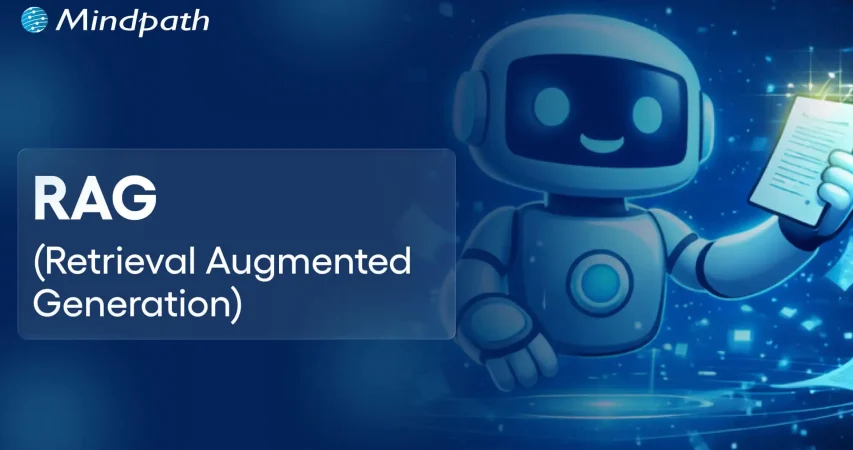
The emergence of Retrieval Augmented Generation, or RAG, has certainly expanded the boundaries of Artificial Intelligence. If you’re wondering what is RAG in AI, the RAG refers to an advanced AI technique that can significantly improve generative models. This is possible since RAG enables them to access as well as integrate external and up-to-date information.

Within a short span of time, the concept of RAG has gained massive popularity. Its popularity was magnified after 2020 when the approach was formalized by Meta AI. The current interest in RAG comes from its capability to address the major challenges associated with large language models. It is time to explore the RAG concept in detail.

Looking to unlock the full potential of your data with cutting-edge AI technology? Mindpath’s AI development services provide RAG (Retrieval Augmented Generation) solutions to help businesses create smarter, more efficient applications.

What is RAG?

Before diving into the realm of Retrieval Augmented Generation, you should be able to define RAG. RAG refers to the process of optimization of the output of a large language model so that it can reference an authoritative knowledge base beyond its training data sources while giving a response.

You need to understand RAG in AI meaning, since it has the potential to expand the already powerful capabilities of LLMs. Thus, RAG makes sure that large language models can be applicable to specific domains or to the internal knowledge base of an organization. An RAG example involves the use of relevant and updated information by physicians to make accurate healthcare decisions.

Must Read: Future of Large Language Models

Features of RAG

Now that you can define RAG properly, you need to familiarize yourself with its key features. Some of the main features of Retrieval Augmented Generation are:

1. Retrieval Augmented Generation involves retrieval, augmentation, and generation of responses.

2. RAG has the potential to significantly curtail GenAI hallucinations and outdated knowledge to improve the factual accuracy of the responses.

3. Instead of solely relying on pre-existing training data, RAG enables AI models to retrieve relevant and authoritative information from external knowledge bases or databases to generate accurate and contextually rich responses.

4. The RAG process can enhance the quality of answers on the basis of the retrieved information.

Want to understand how models like RAG focus on the most relevant parts of data for accurate responses? Check out our guide on attention mechanism explained to explore how this core concept powers modern AI systems.

Importance of RAG

After knowing what is RAG in AI, it is essential to look at its significance. RAG is extremely important because it is capable of resolving the limitations of conventional large language models. In order to know RAG in AI meaning and its importance, you need to be aware of the challenges associated with traditional LLMs. The key challenges are:

1. Generating false information when there is no accurate response.

2. Generating generic or out-of-date information when users expect a specific or the latest response.

3. Creating responses from non-authoritative sources.

4. Creating inaccurate responses because of terminology confusion.

Now that you know what is RAG in AI, you can say that this process can solve some of the challenges associated with LLMs. This is because RAG redirects large language models to retrieve relevant information from authoritative and pre-determined knowledge sources. Individual users or organizations can have a greater degree of control over the generated response or output. An RAG example involves a customer chat support bot that can retrieve relevant documents to answer customer queries about a product or service.

Looking to truly understand how AI can transform everyday business operations and improve smarter decision-making? Check out the key benefits of AI to see how it drives real innovation and long-term efficiency.

Mechanism of RAG

Let’s move ahead and understand how RAG works. Knowing the underlying process relating to the RAG process is cardinal to understanding the concept thoroughly.

In the case of RAG, an information retrieval component comes into the picture, which uses user input to pull information from a new data source. Both the user query or input and the relevant information are provided to the LLM. The LLM then uses the new knowledge along with the training data for the purpose of creating better responses.

1. Steps Involved in the RAG Process

After knowing what is RAG in AI, you can understand the key steps that are involved in the RAG process. Understanding these aspects is crucial to knowing the value of RAG for enterprises as well as individual users.

2. Creating External Data

The data that is outside the original training dataset of the LLM is the external data. It may come from different data sources, such as databases or document repositories. Moreover, the external data may exist in diverse formats, such as long-form text or files. An AI technique known as embedding language models is responsible for converting data into numerical representations and storing them in a vector database.

3. Retrieval of Relevant Information

This step involves a relevancy search. It basically involves the conversion of the user’s query into a vector representation. It is then matched with the vector databases. The documents relevant to the input of the user will be returned. Mathematical vector calculations and representations help in computing as well as establishing the relevance.

Must Read: Vector Databases & Their Role in AI Applications

4. Augmenting the LLM Prompt

At this stage, the RAG model is responsible for augmenting the user input by adding relevant retrieved data in the context. This particular step involves the use of prompt engineering techniques for communicating effectively with the LLM. The augmented prompt plays a key role since it allows LLMs to produce an accurate response to the queries made by users.

5. Updating External Data

At this point, you may wonder – What if the data becomes old or stale? In order to maintain current information for retrieval purposes, the document has to be asynchronously updated, and the embedding representation of the document has to be updated. The user can do this through automated real-time processes. It can also be done through periodic batch processing. It is a common challenge in the context of data analytics that can be solved by adopting different data-science approaches.

Wondering how modern data practices actually make AI outputs smarter and more reliable in everyday use? Explore the latest data analytics trends shaping faster and more informed decision-making.

Use Cases of RAG

In the prevailing times, the relevance of RAG for enterprises has magnified exponentially. You need to be aware of some of the real-life RAG use cases, such as:

1. Customer Support Chatbots

One of the practical use cases of RAG involves chatbots or virtual assistants. RAG can play a key role in powering chatbots so that they can provide accurate and relevant information to customers.

2. Employee Training

While talking about RAG use cases, organizations must bear in mind that they can leverage RAG in order to create systems for training assessments. The role of RAG is also crucial to offer training and education resources during the onboarding process.

3. Document Assistance

RAG’s use is immense when it comes to drafting reports and generating content summaries. Its utility is also high in the context of populating documents with up-to-date and relevant information from diverse sources.

4. Software Development

RAG can act as a useful tool for developers who develop software applications. This process can help them generate codes. It can even provide them with suitable function suggestions. They can also rely on Retrieval Augmented Generation to fix bugs by retrieving information from diverse sources like libraries.

Want to build intelligent applications that integrate RAG for enhanced performance and scalability? Explore our insights on custom software development to create AI-powered solutions tailored to your business needs.

Final Words

The emergence of Retrieval Augmented Generation has been nothing less than revolutionary in the realm of Artificial Intelligence. RAG extends the utility of LLMs with external, specific knowledge. The RAG process depends on external knowledge sources for producing accurate and context-specific responses.

One must realize the importance of Rag. The insight can help you leverage the novel concept in an optimal manner and overcome the challenges associated with LLMs. With Mindpath’s expertise in providing AI development services, your company can derive optimum value from RAG and stay ahead of its competitors at every level.


Related Post

Discover how IT staff augmentation boosts project scalability with quick access to talent, cost-effective scaling, and expert support.

Related Post

AI Governance Platforms

Have you ever wondered who’s keeping an eye on the rapid advancements in AI? As artificial intelligence grows more powerful, so does the need for systems that can ensure its responsible and ethical use. This is where AI governance platforms enter. But how exactly do these platforms work, and why are they becoming essential for businesses and societies alike? Let’s explore how AI governance platforms are shaping the future of trustworthy AI. 

What is AI Governance?

AI Governance ensures that artificial intelligence (AI) is utilized safely, responsibly, and equitably. It contains rules, processes, and tools that bring together professionals from many fields like data science, engineering, law, and business. The objective is to assist these teams in collaborating to guarantee that AI systems are developed and maintained in ways that are beneficial to humans and do not cause damage. 

AI Governance also assists firms in ensuring that their AI systems adhere to crucial guidelines and fulfill commercial and ethical standards. This implies that the system is verified and led at every point, from developing the AI model to using it in real-world scenarios, to ensure that it is appropriate, fair, and helpful to all parties involved. 

Why are AI Governance Platforms Important?

AI Governance platforms are essential tools for helping businesses employ artificial intelligence (AI) in a safe, fair, and ethical manner. By establishing rules and checks, these platforms avoid errors and defend against possible AI dangers, ensuring that AI systems are utilized responsibly. They assist businesses in adhering to crucial legal standards, preventing potential complications that can arise if AI is utilized improperly. 

These platforms help foster confidence among clients and the public by making AI more transparent, demonstrating how it works, and addressing any concerns about fairness or prejudice. They bring together specialists from many fields such as data science, engineering, and law to collaborate on ensuring AI matches ethical, business, and legal objectives. 

Features of AI Governance Platforms

1. Risk Assessment

Risk assessments are an important aspect of AI governance platforms, ensuring that AI systems function fairly, safely, and responsibly. These assessments are aimed at identifying possible issues early on, such as biases in how the AI makes judgments, threats to users’ privacy, or any negative effects on society. For example, an AI tool can accidentally favor one group over another, or it may gather and use sensitive data without consumers completely comprehending how it is utilized. 

By doing these risk assessments, AI governance systems assist businesses in avoiding situations that could lead to harm or unfair results. They examine the AI’s procedures and data to determine whether any hidden biases or unexpected consequences could arise. This proactive approach not only helps prevent misuse of AI but also builds trust by making sure the AI systems align with ethical standards. 

2. Accountability

Accountability in AI governance platforms establishes explicit accountability for governing and supervising AI systems. These platforms assist in identifying the essential tasks and teams responsible for ensuring that AI is created and deployed responsibly. They facilitate cooperation among many stakeholders, including engineers, data scientists, compliance specialists, and legal teams, who work together to create, test, and enhance AI systems. 

By establishing accountability, AI governance platforms guarantee that everyone participating in the development process understands their responsibility in maintaining ethical AI practices. This helps to avoid possible misuse, ensuring that ethical standards are followed, and fosters openness. The platform also analyzes and monitors AI systems over their entire career to ensure that they continue to operate fairly and ethically.  

3. Compliance Management

Compliance management in AI governance platforms includes tools for monitoring and ensuring that AI systems adhere to legal and ethical norms. These platforms monitor current legislation, such as GDPR (General Data Protection Regulation) and CCPA (California Consumer Privacy Act), and automatically update when laws change. The platform assists organizations in avoiding legal risks and penalties by ensuring that AI systems are in compliance with these standards. 

In addition to regulatory compliance, these technologies guarantee that AI systems are utilized responsibly, with data management and decision-making procedures that are transparent and fair. The platform continually analyzes AI systems to detect possible infractions, assisting enterprises in remaining compliant with both existing and upcoming legislation.  

4. Lifecycle Management

Lifecycle Management in AI governance platforms entails monitoring the development of AI models at each stage and implementing the appropriate checks and controls. These platforms guarantee that ethical issues are incorporated at every stage, from basic design to deployment and maintenance. Platforms use these restrictions to enable teams to build AI models that are fair, transparent, and ethical at scale. 

Furthermore, these tools guarantee that AI models follow engineering best practices, making them trustworthy, safe, and efficient. The objective is to maintain high standards throughout the model’s lifespan, ensuring that it not only performs well but also operates responsibly over time. This ongoing oversight helps prevent issues like bias or unethical decision-making, allowing businesses to scale their AI systems while staying aligned with ethical guidelines and industry standards. 

5. Responsible AI Methods

Responsible AI Methods in governance tools aim to ensure that AI systems are transparent, ethical, and reliable. These solutions incorporate responsible AI principles directly into the development and deployment processes, ensuring that AI models perform properly and without prejudice. By enabling transparency, these platforms enable enterprises to explicitly demonstrate how AI choices are made, fostering confidence among users and stakeholders. 

Transparency also promotes accountability by allowing organizations to track and audit AI choices. This guarantees that the AI system follows ethical norms and meets regulatory criteria. Furthermore, with a comprehensive understanding of how AI works, decision-makers may make educated decisions, ensuring that AI systems are employed responsibly and in the best interests of society.

Also Read: AI in Hyperpersonalization: A New Era of Tailored Customer Solutions  

AI Development Services at Mindpath

Mindpath provides high-quality AI Development Services to assist organizations in developing clever, efficient, and dependable artificial intelligence systems. Our team collaborates with you to develop AI solutions that match your unique requirements, whether you want to automate operations, improve decision-making, or enhance customer experiences.  Our services range from creating and constructing AI models to testing and deploying them. We employ cutting-edge AI technology and best practices to ensure that your AI system operates efficiently and responsibly. This involves ensuring that it is fair, transparent, and adheres to ethical standards. 

Final Thought!

AI governance platforms play a crucial role in ensuring that AI systems are developed and used responsibly, ethically, and transparently. By providing essential tools like risk assessments, compliance management, and lifecycle oversight, these platforms help businesses navigate AI complexities while maintaining trust and legal compliance. At Mindpath, we offer AI development services that focus on building efficient and ethical AI solutions tailored to your needs. Let us help you create reliable AI systems that align with both your business goals and ethical standards. 

Looking for a trusted partner in AI development?

Partner with Mindpath to create ethical, transparent, and innovative AI solutions tailored to your business needs.

Discover how AI governance platforms ensure responsible, and transparent AI development and learn how Mindpath’s AI services can help.
Mobile app development technologies

Mobile app development technologies are important in the fast-paced environment of technology because they define how companies engage with users and keep them engaged. Each swipe, tap, and click is based on technology that is getting faster, smarter, and more interactive. If you’ve ever noticed, some apps feel effortlessly smooth, and others do not. The difference is usually related to the frameworks and platforms chosen for the business objectives and user expectations, and understanding these technologies provides a big advantage over others.

Delving into the newest trends in mobile application development often presents a plethora of choices that can seem confusing. However, choosing the appropriate technology can improve app performance, security, and the overall user experience. Developers routinely test technologies, frameworks, languages, and software solutions to create apps that can more easily rise above the fray. In this blog, we will explore the latest trends and the specific technologies that power the successful mobile app today.

Want to use top mobile app development technologies into a functional app? Mindpath offers mobile app development services, which will turn your imagination into a fully working, high-quality app.

What are Mobile App Development Technologies?

Mobile app development technologies refer to the programming languages, frameworks, and tools used to develop applications for mobile devices. These technologies provide developers with the means to develop compatible applications that would run across devices on platforms such as Android and iOS.

The landscape of mobile development technologies consists of native development tools, cross-platform frameworks, and backend services. The combination of these tools enables the development of applications that provide rich user experiences, work with cloud services, and utilize the native features provided by the device. Choosing the appropriate technology allows developers to build all of these easily, efficiently, and in a scalable way.

Also Read: AI in Mobile Apps

Top Mobile App Development Technologies in 2025

In order to remain competitive as an app developer, it is important to stay informed about the best technology for mobile app development in 2025. The choice of development tools can positively affect the performance, usability, and scalability of modern applications.

1. Flutter 3.22

Flutter 3.22 is a highly favored mobile app development platform to help developers develop applications for mobile devices, the web, desktop, and embedded devices. It provides high-performance and smooth animations that allow applications to run quickly and feel responsive. Developers also appreciate its professionally designed UI components, making it easy for developers to create stunning and consistent user interfaces.

2. Kotlin Multiplatform Mobile (KMM)

Kotlin Multiplatform Mobile (KMM) is a mobile app development framework that allows developers to share code for Android and iOS apps. It utilizes the modern, efficient programming language Kotlin to simplify the process of creating a mobile app for two platforms at once. This translates into a significant time saving, might help to reduce errors, and assure consistent behavior across your Android and iOS devices.

3. C++

C++ is among the most robust mobile app development technologies currently available for building high-performance applications. It enables developers to take direct control of system resources, which is often favored for complex applications or graphics-intensive applications. Also, by using C++, you can rest assured your apps are running as efficiently as possible, even as they traverse between different platforms.

4. Swift

Swift, a mobile application technology developed by Apple, is for building native iOS applications. It is fast, safe, and reliable, while also allowing seamless integration into AI and machine learning. With Swift, developers can build iPhone and iPad apps that are fast, safe, and modern.

5. AR/VR Integration Tools

AR/VR integration tools are tools for mobile app development that help developers add augmented reality and virtual reality features to an app. Integrating augmented and virtual reality features into apps is a valuable way to engage users while making an experience much more entertaining or immersive. These integrations are extremely popular in gaming and even found in some education and retail apps to enhance user experiences.

Ready to build smart mobile apps, but still wondering how AI can transform your development approach? Discover our blog on the benefits of AI in mobile app development to understand how AI can reshape modern app development.

6. AI-Assisted Development Tools

AI-Assisted Development Tools refer to tools such as GitHub Copilot and Amazon CodeWhisperer that support the automation of coding tasks. They streamline developers’ efforts in application development through code suggestions, error detection, and execution of tests. The upshot is that developers can create apps faster and also more efficiently.

7. React Native

React Native is another top mobile app development technology that enables developers to create apps for both iOS and Android using JavaScript. It provides a native look and feels with one complete codebase, reducing development time and duplication of effort. Companies are drawn to React Native because of its quick development period and strong support from the community.

8. Ionic

Ionic is a hybrid app framework and is a popular option among mobile app development technologies, allowing developers to write cross-platform apps using HTML, CSS, and JavaScript. It allows developers to write one codebase to operate on multiple devices. Ionic is very much favored by developers to create efficient and visually striking apps.

9. NativeScript

NativeScript is a flexible framework that matches the up-to-date trends in mobile application development with the ability to create fully native apps using JavaScript, TypeScript, Angular, or Vue.js. With NativeScript, you have full access to the native APIs offered by the OS, meaning that your application will work and perform like a truly native solution. NativeScript enables developers to build highly efficient and rich-featured mobile applications.

10. Xamarin (.NET MAUI)

Xamarin (.NET MAUI) is a framework aligned with mobile app development trends through the creation of native apps for Android, iOS, Windows, and macOS. While using C# and the .NET ecosystem, developers can share code and have a consistent experience across all platforms. Overall, this reduces development time, and provides high-quality apps.

Want to understand where custom mobile applications are creating real competitive advantages across the market? Discover our blog on the Custom Mobile Application Development Services to uncover high-impact opportunities and emerging trends.

Ready to Build the Next Successful Mobile App?

Mobile app development technologies continue to evolve, offering smarter tools and faster frameworks to help developers create better apps. Choosing the appropriate technology guarantees improved performance, security, and scalability. With the growth of innovation, staying up to date with current tools is critical for a company to provide seamless and engaging mobile experiences.

At Mindpath, we provide expert mobile app development services intended to turn your ideas into strong digital solutions.  Our experienced developers create secure, high-performing, and easy-to-use applications by applying modern tools and proven approaches. Partner with us to build an app that empowers your brand and creates long-lasting value for your users.

ReactJS Trends

Curious about what the future holds for ReactJS? Wondering how this powerful framework will evolve in the coming years? As we look ahead to 2025, there are exciting trends that every developer should know. What innovations will reshape web development, and how can you stay ahead of the curve? In this blog, we will dive into the ReactJS trends 2025 which will shape the future of development! 

ReactJS is a free tool developed by Facebook that makes it easier to create user interfaces for websites and apps. It makes it easier for developers to construct interactive and dynamic features by dividing them down into smaller, more manageable components. These components can be reused and changed individually, which makes the development process more efficient and organized. React.js is intended to simplify the creation and maintenance of user interfaces, hence boosting performance and user experience. 

Knowing the ReactJS trends for 2025 is vital since it keeps developers up to date on the newest improvements. Following these trends allows developers to create better, quicker, and more user-friendly websites. It also enables businesses to leverage cutting-edge technology to keep their websites and applications up-to-date and competitive. Staying informed about these trends allows you to enhance your abilities, solve challenges more quickly, and build projects that are ready for the future.  

So, want to know about the ReactJS trends for 2025? Let’s dive in! 

ReactJS Trends 2025

1. AI and Machine Learning in React

By 2025, AI and machine learning will play a far larger role in React development. Developers will begin to use AI technologies to help them create code quicker, rectify errors, and enhance website performance more quickly. This will make React development much faster and easier. 

React will also integrate with machine learning technologies, enabling developers to create smarter apps. These apps will be able to recognize photos, comprehend voice or text, and forecast user behavior. This will make websites and applications more dynamic, intelligent, and capable of providing superior user experience. 

2. Growing React Libraries

One of React’s greatest advantages is its ecosystem, which will continue to improve by 2025. We can anticipate additional frameworks and tools to make React even more powerful for tasks like data management, page navigation, information retrieval, and server-side website optimization. 

Popular technologies such as Next.js and Gatsby will continue to evolve, providing developers with new options to build fast websites that include static pages, server-side rendering, and smart routing. New libraries will also be released to assist developers in addressing new issues while working with React. This will make the React ecosystem even more diverse and useful, allowing developers to create even better websites and applications. 

3. Boosting React Performance

As apps expand in size and complexity, React developers will need to prioritize improving their performance. By 2025, we anticipate seeing new methods for making React apps quicker and more efficient. This will involve lowering code file size, enhancing lazy loading, and optimizing website rendering. 

One technique to improve speed is to use better code splitting, which involves just loading the necessary sections of the code and keeping programs lightweight. Another option is progressive hydration, which makes server-rendered components more interactive by loading them in phases. Furthermore, better caching strategies will assist in eliminating superfluous data loading, allowing websites to load faster and offering a more seamless user experience. 

4. React Native for More Mobile Apps

React Native, the mobile version of React.js, has gained popularity since its introduction. The language and components used for web development can be used to create mobile applications for both iOS and Android. With the increased need for mobile apps, we predict even more developers to choose React Native for their projects by 2025. 

One of the key advantages of React Native is that it allows developers to reuse code across both platforms, which speeds up and simplifies app development. It also features a growing number of native modules and third-party connections that provide more functionality. By 2025, we can anticipate advancements in the design of React Native, which will optimize speed and bring the experience even closer to that of native apps. 

5. Better Tools for Developers

By 2025, we can anticipate significant advancements in the tools that developers utilize for React. React DevTools, ESLint, and Prettier have already made it easier to develop applications. We can anticipate integrated development environments (IDEs) like VS Code to improve further, including greater support for React’s unique features like hooks and smart code suggestions. This will enable developers to create apps more quickly and precisely. 

In addition, we should expect increasingly powerful tools that employ AI to analyze code and discover flaws. These new tools will allow developers to produce more dependable code with less effort, speeding up and smoothing out the development process.  

6. React Server Components Rising

One of the most interesting recent developments in the React ecosystem is the release of React Server Components. These components enable developers to execute portions of their apps on the server while maintaining the familiar React API for client-side components. This implies that apps can render more effectively, lowering the amount of JavaScript transmitted to the client while improving overall speed. 

By 2025, we predict React Server Components will be required for developing high-performance, server-driven apps. They will assist developers in creating apps that load quicker and perform better, particularly in scenarios with sluggish internet connections or restricted bandwidth. This will improve the overall user experience. 

ReactJS Development Services at Mindpath

Mindpath specializes in high-quality ReactJS programming services suited to your specific requirements. Our professional developers keep up with the current trends, guaranteeing that we offer high-quality apps that function remarkably well.  We optimize speed using tactics such as code splitting and lazy loading to provide users with quick and smooth experiences. Our experience in integrating AI and machine learning improves functionality and interactivity. Furthermore, our React Native services allow us to develop cross-platform mobile apps for Android and iOS, maximizing reach and efficiency. Mindpath is committed to helping you realise your vision with unique ReactJS solutions, providing complete assistance from idea to implementation and beyond. 

End Thought!

As we look toward 2025, the trends shaping ReactJS development promise to revolutionize how we build applications. From the integration of AI and machine learning to the rise of React Server Components, these advancements will enhance performance, user experience, and developer efficiency. At Mindpath, we are dedicated to leveraging these trends to create innovative, high-quality applications that meet your unique needs. By staying ahead of the curve, we empower our clients to thrive in an ever-evolving digital landscape.  

Ready to elevate your project with cutting-edge ReactJS solutions?

Partner with Mindpath today to discuss how we can bring your vision to life!

Explore the top ReactJS trends for 2025, including AI integration, performance optimization, and React Native growth.