Augmented IT Staff Onboarding: A Step-by-Step Integration Guide 

Join our Newsletter!

Featured Posts

Support Is One Click Away

Home

Augmented IT Staff Onboarding: A Step-by-Step Integration Guide 

augmented staff onboarding

Augmented IT Staff Onboarding: A Step-by-Step Integration Guide 

Businesses are in constant need of scaling their IT workforce in the current scenario. This is why many organizations have turned to staff augmentation. It is a viable approach to bring in the external IT experts to work along with your internal teams. As per recent ISACA studies, around 75% of employees are prioritizing hybrid work environments. This has made IT staff augmentation even more powerful.

However, simply hiring augmented professionals is not enough. Without a structured approach, even the most talented developers might struggle to integrate properly with your workflow. In this guide, we will go through some practical steps for staff augmentation onboarding. This can help you successfully adopt remote or hybrid teams while maintaining precise collaboration.

Need a cost-effective way to scale your team with qualified IT talent on demand? At Mindpath, we offer flexible staff augmentation services to help businesses hire top-tier developers and specialists without long-term commitments.

What is Augmented Staff Onboarding and How It Can Upgrade Your Operations?

IT staff augmentation is all about hiring experts temporarily from a third-party organization. Further, the extended team will help your business grow while accelerating the project workflow. They will work under your management while filling the skill gaps.

With proper augmented staff onboarding, you can easily tackle the risks and expenses related to traditional hiring models. A company leveraging these services will match you with all the resources you require for a limited timeframe. Here are the benefits that make staff augmentation an attractive prospect.

1. Minimal Cost

If we compare it to full-scale hiring, augmented staff is a much more budget-friendly solution. Your vendor will cover their recruitment charges and benefits. However, the pricing structure completely depends on the region or the offshore companies you are selecting.

2. Outstanding Productivity

Unlike freelancers or outsourced teams, integrating augmented teams can be managed in real time. You can collaborate with them and encourage your productivity.

3. Global Pool of Talent

With IT staff augmentation, you are breaking the limits of the local talent pool. Further, casting a wider net offers you a better chance of finding skills that exactly match your business objectives.

For your knowledge, an effective onboarding process can upgrade your business productivity by 70%. Organizations with a streamlined onboarding process can boost new hire retention by 82%.

Want to stay ahead of evolving workforce strategies and technology demands? Discover the latest staff augmentation trends that are transforming how businesses scale teams and adopt hybrid work models.

A Detailed Step-by-Step IT Staff Onboarding Process

Integrating augmented professionals into your team needs more than an orientation meeting. So, here is a structured approach to ensure seamless integration of augmented teams into your existing workforce.

1. Define the Roles and Project Expectations

Before the augmented team starts working on your project, you should clearly define your expectations. Moreover, you need to be precise about your project goals and milestones. Make the experts know their individual responsibilities and reporting structure.

Clear expectations can eliminate any type of confusion while allowing your team members to start contributing faster. In the recent scenario, average tech skills are becoming outdated. So, identify their gaps and bring in experts who can make an immediate impact.

2. Prepare the Technical Environment

One of the biggest onboarding delays happens when new employees wait to access new tools and systems. So, before your staff augmentation onboarding, make sure they have access to development environments and other collaboration tools. They should also be aware of your security credentials and permissions.

Offering access to project management tools and collaboration platforms ensures everyone can trace the task and can update the feedback in real time. The new team should be responsible enough to immediately begin exploring the system architecture and your project structure.

3. Conduct a Structured Orientation Session

Orientation can be tagged as the first official step in the remote team onboarding. So, this session should introduce augmented staff to the company’s mission and culture.

You should be vocal about your company’s goals and values. Further, you can discuss the overview of your products or services. Give an introduction to key stakeholders and be sure about the project timelines.

You can also schedule a one-on-one session with the managers or team leads to explain the expectations. This approach will ensure augmented professionals completely understand the bigger picture.

Planning to streamline your recruitment process and onboard experts faster? Check out how staff augmentation hiring enables businesses to quickly integrate skilled professionals into their teams.

4. Introduce Augmented Staff to Your Internal Team

A major challenge in staff augmentation is generating a sense of belonging. So, if your external professionals are not feeling connected enough, the overall collaboration can suffer.

You can introduce your team members through virtual team meetings. Further, you can make informal introductions with your major stakeholders. This is one of the major steps in staff augmentation onboarding as it encourages collaboration.

5. Assign a Mentor or Guide

Assigning a mentor can speed up the learning process. The mentor can help the new members understand the internal workflows. Further, they can answer queries regarding the tools or other internal systems.

A dedicated point of contact can minimize communication gaps, and the augmented staff will also understand who to approach when they find something challenging. This approach can encourage productivity while strengthening collaboration between the internal and external teams.

A professional point of contact can easily fill in the communication gaps, and the external staff will also understand who to contact when they face any issues. This step can upgrade your productivity while strengthening the collaboration efforts.

6. Regarding a Clear Communication Channel

Communication is the backbone of successful staff augmentation onboarding. So, when your team works across multiple regions or time zones, clear communication becomes essential.

To ensure clear communication, define your communication protocols and response expectations. Conduct a meeting and use an individual collaboration platform to assess the doubts of your team. Your organization should also welcome queries and concerns of the augmented staff. In this way, professionals will feel comfortable sharing their innovations or ideas.

Want to optimize your team collaboration while keeping operational costs under control? Discover how cost effective IT staff augmentation helps businesses maintain efficiency and productivity without increasing hiring expenses.

7. Provide Training and Resources

Even experienced professionals or IT specialists need time to understand a company’s internal systems. So, your stretched team should have proper access to your documentation process.

Continuous training and workshops can upgrade the knowledge while making your team understand the overall project environment.

8. Verify Performance and Progress

Your onboarding process shouldn’t be for the first weeks. You should acknowledge continuous feedback to make your external staff know your project needs. Your managers should also check the performance of your team every week. Assess their work and give them reviews for better work processing.

These sessions can help you identify early opportunities to improve collaboration and overall productivity.

9. Follow up on the Onboarding Process

Your business should assess the importance of the onboarding process. Most importantly, consider the concerns and feedback of your internal team. Companies that refine their onboarding strategies over time can scale their augmented teams more effectively while increasing productivity.

Wondering which workforce model best fits your business needs and long-term goals? Learn the key differences between staff augmentation vs managed services to make a more informed decision.

Conclusion

If your business needs quick and scalable IT talent, staff augmentation can be an ideal solution. However, your IT staff onboarding process should be streamlined enough. It can simplify the process while making your augmented teams match the existing workflows.

Companies like Mindpath can help your business upgrade its IT capabilities. Our expert team leverages efficient strategies and streamlined staff augmentation. Our approaches have already been beneficial for many industry leaders. We can be your perfect match for fulfilling the digital transformation your company demands.
Related Post

Discover how Multimodal Generative AI enhance creativity, accessibility, and user experiences across industries.
Consider JavaScript expertise, Node.js framework knowledge, problem-solving abilities when hiring Node.js developers in London.

Related Post

generative ai for business

Ever imagined a machine that could produce articles, logos, and new content to power your business? Sounds intriguing, isn’t it? Well, that is what generative AI can do for your business. This new-generation artificial intelligence is transforming future of businesses by generating new content, images, product designs and even strategy concepts from patterns it has acquired by analyzing the existing data. In this blog, we are going to discuss how generative AI for business can create innovation and give a competitive advantage.

So, before we learn about how generative AI can transform businesses, let’s understand what is generative AI.

Looking for ideas to reshape your business with generative AI? Unlock smarter growth, faster innovation, and personalized customer experiences with Mindpath’s AI-powered solutions

What is Generative AI?  

In simple terms, generative AI is an artificial intelligence that takes huge datasets and algorithms to learn the pattern and then generates new outputs based on its understanding. While AI is all about recognizing data, classifying it, or predicting, generative AI takes it a step further—it produces new content. For instance, it can author customer emails, create social media posts, produce product descriptions, and even assist in designing user experiences. 

Generative AI has the ability to provide enterprises with numerous benefits like enhancing innovation and creativity, enhancing productivity and reducing expenses. Generative AI also facilitates original idea creation, speed in product development, and custom-built customer experiences. In addition, it has the potential to enable workers to focus on more critical activities and reinforce security and raise the satisfaction levels of customers. 

Also Read: Generative AI Revolution

Let’s dive in how generative AI can drive business innovation and creativity for businesses. But before that have a quick look at the Google Trends for Generative AI for Business.

generative ai for business trends

How does Generative AI Drive Innovation for Businesses? 

In today’s fast-moving digital world, innovation is the key to staying ahead. Generative AI in business is assisting companies in igniting new ideas, enhancing content, and accelerating processes. Let us see how generative AI for innovation is changing the way companies think and create. 

1. Personalization Fuels Innovation 

Building a strong customer connection helps in driving business growth and personalization plays a major role in it. Companies can deliver tailored content and better user experiences with the help of smart tools that can understand customer behavior. This is precisely where generative AI for innovation can make a huge difference by helping businesses personalize at a scale which is much faster and more accurate than manual efforts.  

2. AI Creativity and Human Creativity: A New Partnership 

There is much discussion circulating about AI creativity vs. human creativity. It shouldn’t be about who is superior, but how they can both contribute to success. Humans can provide emotion, context and novel ideas to which AI can provide structure and new insights based on data. Merging the two can assist businesses to work more smartly. For example, how generative AI can augment human creativity is seen when it rapidly produces ideas or content, and humans are able to edit and make them work for the brand’s voice and objectives. This also ties into how AI is redefining job roles in tech, showing the evolving collaboration between human expertise and AI capabilities.

3. Unlocking Potential through Data-Driven Creativity 

Generative AI for business enables companies to convert information into intelligent ideas through analysis of customer behaviors, market patterns, and performance outcomes to develop valuable content, product layouts, or advertising campaigns. Humans contribute creativity, passion, and profound meaning, while AI contributes pace, logic, and the capacity to process vast volumes of data rapidly. When combined both, companies are able to develop meaningful experiences that connect with people and result in improved outcomes. aligning with the latest Gen AI trends in business intelligence.

4. Streamlining Operations 

When used properly, Generative AI in business enables companies to save time by automating routine work and processing large sets of data. This allows teams more time to come up with new ideas and more efficient ways of working. When businesses apply this type of thinking, they can grow more quickly, plan more smartly, and stay ahead of market change. That’s how generative thinking helps businesses innovate smarter because it provides them with the space, tools, and insights to grow more smartly. 

5. Securing Financial Transactions 

Generative AI is becoming a necessity for securing financial systems and mitigating risks. It enables companies to identify potential financial risks by processing vast amounts of data efficiently and accurately. The technology also helps in forecasting market trends, enhancing decision-making. Additionally, generative AI is improving fraud and suspicious activity detection in real-time. It’s transforming trading by offering insights from enormous data sets, ensuring smarter and safer transactions. 

Wondering how generative AI is influencing content creation and design strategies? Check out our blog generative AI changing creative industries  to see how AI-driven creativity is shaping the future of industries.

Use Cases of Generative AI for Business Growth 

Generative AI for business is revolutionizing the way companies develop by enhancing customer experience, increasing productivity of employees, and accelerating innovation. From conversational tools like ChatGPT, Bard, and Midjourney to live business applications, the effects are tangible. Here are some simple yet impactful generative AI use cases that fuel business growth today:

Use Cases of Generative AI for Business Growth 

1. AI-Driven Product Ideas

With tools such as Midjourney, businesses are able to create product ideas, packaging, and graphics. It illustrates how AI can be applied in innovation, by assisting teams to come up with creative ideas quicker and validate what is effective with actual audiences.

2. Smarter Customer Support

Tools like ChatGPT help companies create AI-powered chatbots that answer customer questions instantly. This improves response time and frees up human agents to focus on complex issues. It’s a simple way to offer 24/7 support and boost customer satisfaction.

3. Streamlining Employee Workflows

According to the McKinsey Generative AI Report, generative AI can automate tasks that take up 60–70% of employees’ time today. This includes writing emails, summarizing reports, and generating presentations—especially helpful for knowledge workers and high-skill roles.

4. Personalized Marketing Campaigns

Generative AI technology assists companies in crafting customized ads and suggestions based on user data. This renders marketing more precise and efficient, enabling more engagement and sales while saving time for marketers.

5. Fast Content Generation

With platforms like Bard, teams can quickly write blogs, product descriptions, and emails. This saves time and allows employees to focus on strategy. It’s one of the most practical generative AI examples used daily across industries. 

Looking to leverage generative AI for smarter, more adaptive app solutions? Explore our blog on Generative AI in App Development highlights practical applications, transformative benefits, and strategies to stay ahead in the digital landscape.

Ready to Make Your Business AI-Ready? 

Generative AI is changing the way businesses work, think, and grow. It’s not just about automation, it’s about helping teams be more creative, make faster decisions, and offer better experiences to customers. Be it creating content, improving support, or building new ideas, generative AI for business is making every day work smarter and more efficient. 

At Mindpath, we specialize in delivering cutting-edge AI development services tailored to meet the unique needs of modern businesses. Our expertise in generative AI enables companies to streamline operations, boost productivity, and create intelligent solutions that drive real value. Whether you’re looking to implement AI-powered automation, enhance customer engagement, or accelerate innovation, Mindpath is your trusted technology partner for consistent business growth! 

Frequently Asked Questions

1. What is generative AI for business users?

Generative AI for business refers to AI systems that create new content, ideas, designs, or solutions based on existing data. Instead of only analyzing information, it generates emails, reports, marketing copy, product concepts, and more. Business users can apply it to improve creativity, automate tasks, and make smarter decisions faster.

2. What are some applications of generative AI in business?

Businesses use generative AI for content creation, customer support chatbots, product design concepts, personalized marketing campaigns, and financial risk analysis. It also helps generate reports, automate emails, and create digital assets. These applications support innovation, reduce manual work, and improve overall operational efficiency.

3. How can we implement GenAI to improve efficiency?

To implement GenAI effectively, businesses should first identify repetitive tasks and content-heavy processes. Next, integrate AI tools with existing systems like CRM or ERP platforms. Start with pilot projects, measure performance, and scale gradually. Proper data management and employee training are essential for long-term success.

4. What is the future of GenAI in business?

The future of Generative AI for business looks highly promising. It will continue enhancing personalization, predictive decision-making, and intelligent automation. As technology advances, AI systems will become more context-aware and collaborative, working alongside humans to drive innovation, improve productivity, and create smarter digital ecosystems.

5. What is one limitation of generative AI in business?

One major limitation of Generative AI for business is its dependence on data quality. If trained on biased or inaccurate data, outputs may be misleading. It also lacks true human judgment and emotional understanding, which means human oversight remains necessary to ensure accuracy, brand alignment, and ethical use.

Wordpress vs workflow

In the year 2025, the debate of WordPress vs Webflow is hotter than ever. This is because business entities and content creators are looking for the best platform to build secure as well as SEO-friendly websites. It is true that WordPress has been dominating the CMS market thanks to its vast plugin ecosystem coupled with high flexibility. But it is essential to bear in mind that Webflow has been gaining momentum with designers as well as startups, thanks to its no-code visual editor along with built-in hosting. 

In case you are wondering, is Webflow better than WordPress? You need to look at the main difference between these tools. You need to know which one is better so that you can choose the tool that perfectly aligns with your needs. The guide breaks down everything you need to know while choosing Webflow or WordPress.

Choosing the right platform makes all the difference when it comes to performance and growth for your online presence. Explore Mindpath’s WordPress development services for expert guidance on what your business needs.

A Deep Dive into WordPress

WordPress is undoubtedly the most popular content management system in the world. It powers a large number of websites that exist in the online realm. WordPress has gained massive popularity thanks to its ease of use coupled with flexibility. It serves as an ideal tool for beginners, professionals, and businesses in the digitalized setting.  

At the core of WordPress is open-source software. It means that WordPress is free to use. Moreover, it is supported by a global community of developers. One of the biggest strengths of WordPress is its SEO-friendly structure. The novel platform generates clean and crawlable code that adds value to search engines’ index content efficiently. Users can even leverage useful plugins such as Yoast SEO and Rank Math for optimizing titles and meta descriptions that can improve the visibility in search results.

An Insight into Webflow

Webflow serves as a robust no-code website builder. It is capable of bridging the gap between design and development. Unlike conventional drag-and-drop platforms, Webflow provides a visual interface that allows users to write clean and production-ready code. This feature of Webflow certainly makes it a favorite among designers who want to have creative freedom without relying on developers.

A standout feature of Webflow that you need to be aware of is related to its design flexibility. Users have the option to create fully custom layouts as well as animations without having to write a single line of code. Webflow basically combines the best of graphic design tools along with the functionality of a content management system. For businesses that need more tailored solutions, custom WordPress development offers similar flexibility with the added power of plugins, themes, and scalability, allowing organizations to build websites that precisely meet their unique requirements. It serves as a valuable tool for businesses and startups that wish to leverage its ability to deliver professional and responsive websites effectively and efficiently.

Must Read: WordPress Developer Checklist

Comparison Between WordPress and Webflow

Now that you have an insight into Webflow WordPress, it is time to look at the difference between these novel tools. Developers as well as businesses need to understand the difference between WordPress and Webflow so that they can make a wise selection. The core differences have been presented by focusing on specific areas such as ease of use, design, customisation, and many other features. 

1. Ease of Use

Webflow offers a visual no-code editor. It is highly appealing to designers as well as marketers. In fact, it is great for rapid prototyping along with pixel-perfect layouts. On the other hand, WordPress requires setup with a theme or page builder. So beginners may take some time to learn how to use the tool. However, developers with proper knowledge and experience can get full control over the tool. Thus, while discussing Webflow vs WordPress, a major difference between them revolves around the ease of use.  

2. Design and Customization

Webflow serves as an ideal tool for making custom designs without requiring any coding. The responsive control built in can ensure that users can derive optimum value from the tool even if they have limited coding-related skills. On the other hand, WordPress has a large ecosystem of themes as well as plugins. These elements make it highly customizable in nature. But this maturity also makes it plugin-dependent at times.

3. SEO Features

Webflow provides built-in SEO tools such as meta tags and schema options. It even delivers strong performance when it comes to integrated hosting. However, WordPress relies on plugins such as Yoast SEO for advanced SEO control. Thus, this feature makes WordPress extremely powerful, which is capable of precise optimization. You need to bear in mind that, starting from Webflow to WordPress, the role of top SEO features is a must for users.

Stuck deciding whether WordPress or Drupal is a better match for your business? Our WordPress vs Drupal guide breaks down key differences to help you pick the perfect solution.

4. Security

While talking about WordPress vs Webflow, it is a must to take into account the security aspects. Webflow is certainly more secure by default in comparison to WordPress. This is mainly because it offers built-in security features such as DDoS and SSL protection. The top-notch security feature of Webflow acts as its major strength. When it comes to WordPress, the security mainly depends on users. You need to manage separate security plugins and carry out frequent maintenance in order to prevent vulnerabilities. In order to boost the level of security, you need to make sure that you, as a user, maintain cybersecurity resilience while developing your website. 

5. Performance

Webflow is capable of offering better out-of-the-box performance. This is mainly because of integrated hosting coupled with a global Content Delivery Network and clean code. On the other hand, when it comes to WordPress, its performance mainly depends on the chosen hosting and plugins. The selected theme can also impact the performance that is delivered by the tool. If you use Webflow, your website can load faster by default. But if you choose WordPress, you can rest assured about the site performance if you choose appropriate hosting. 

6. Pricing

If you are wondering – is Webflow similar to WordPress in terms of pricing, the answer is no. The pricing of WordPress is variable in nature. You may have to incur separate costs for different things, such as hosting and a domain. Similarly, the price also depends on the chosen plugins and themes. So it may seem cheaper initially, but its price may increase with additional functionality. When it comes to Webflow, the pricing is based on the all-inclusive subscription model. It can become expensive for you if you opt for higher-tier plans.  

Want to make sure your WordPress site is accessible to everyone? Check out our post on improve WordPress web accessibility to learn practical steps for making your site more inclusive and user-friendly.

WordPress vs Webflow – Comparison Table

The difference between WordPress and Webflow has been presented in the table below. You need to understand how Webflow and WordPress are different from each other so that you can choose the ideal tool wisely. The insight can surely guide you to decide which platform you intend to use to fulfil your specific needs. 

Features Webflow WordPress
Ease of Use  No Coding Knowledge needed  Coding knowledge is not strictly needed but can help for advanced customization
Design and Customization Highly flexible in nature  Availability of extensive themes for customization
SEO Features Built-in SEO tools Availability of SEO friendly structure 
Security  High security  Low security 
Performance High optimization for speed Performance depends on hosting 
Pricing Subscription-based pricing model Variable pricing model

Final Winner Between WordPress and Webflow

You must choose Webflow if you prioritize visual design control along with built-in hosting. Webflow is the better choice if you need to manage your website in a simple way. It is well-suited for small business entities as well as startups that want to launch their site quickly with a clean and modern design.

WordPress is an ideal choice for you if you are looking for scalability and advanced SEO capabilities, along with flexibility through plugins. In such cases, WordPress can certainly act as a stronger platform that can meet your needs perfectly. The platform is best-suited for enterprises and e-commerce stores that wish to have full control over SEO as well as integrations. 

Therefore, both Webflow and WordPress serve as useful tools. You need to choose between WordPress and Webflow by considering your needs. In case you are wondering – Does Webflow work with WordPress? The good news is, yes! Webflow can definitely work along with WordPress if you utilize the official Webflow Pages plugin. It will certainly allow you to build pages in Webflow while serving them on your WordPress site.

Worried about security risks and vulnerabilities on your WordPress site? Read our guide on safeguarding WordPress vulnerabilities to learn how to protect your site and keep it secure against threats.

Final Words

The emergence of WordPress and Webflow has been transformational in the prevailing business world. Both these platforms have their unique strengths and advantages. The ultimate choice between WordPress and Webflow in the year 2025 mainly depends on the goals of your website and your budget. You also need to take into consideration the long-term growth plan before making the choice between WordPress and Webflow.

If you wish to derive optimum value from WordPress, you need to partner with a reliable partner. Mindpath’s top-grade WordPress development services can certainly help you develop a world-class website. It can offer the ultimate go-to solution in terms of scalability as well as limitless customization. You can also take advantage of the advanced SEO-friendly structure in order to boost the online visibility of your website. It can certainly give an edge to businesses in the competitive business world.

conversational AI chatbots

Ever thought about how firms can respond to thousands of customer requests every day? Or how can they give customers 24/7 support without interruption? The answer is conversational AI chatbots. These smart virtual assistants change how organizations handle customer inquiries, as well as starting a new trend to assist with sales, without downtime or human effort. The way vendor chatbots can integrate with pre-existing systems is quickly making Chatbots an efficient driver for the future of business. 

These AI chatbots are fast becoming a staple in today’s business toolset. Many organizations are beginning to use them, supplementing their customer interaction and task management processes. Chatbots can fit conveniently into many different areas of an organization. As usage continues to expand, understanding their value is important. This blog will detail how these AI chatbots are increasing the effectiveness of business operations in simple ways. 

Looking to enhance customer engagement with a personalized AI solution? Our custom chatbot development services specialize in building conversational AI chatbots tailored to your business needs and goals.

What is a Conversational AI Chatbot?

A conversational AI chatbot is an intelligent computer program that interacts with individuals using natural language. It understands an accurate interpretation of what its users are saying/writing, processes that input, and responds accordingly in the way a real human would.

Conversational bots are found in websites, applications, and messaging interfaces to assist users who have questions, information, support, or simple tasks and processes. They can exist on a 24/7 basis with no waiting and provide instant and consistent information without the need for the user experience to include human staff.

Conversational chatbots use advanced technologies like natural language processing (NLP), machine learning (ML), and large language models (LLM) to understand and improve conversations. They don’t just follow pre-written scripts but can learn and adapt based on new information.

From helping customers with online shopping to guiding employees through internal systems, these chatbots are becoming a useful part of modern business communication. 

Curious to know how AI can enhance your e-commerce strategy and give your business a competitive edge? Read our detailed blog on how AI in e-commerce is transforming the future.

Types of Conversational AI Chatbots

Conversational chatbots come in different types, each designed to handle specific kinds of interactions. Understanding these types helps in choosing the right chatbot for your business needs.

1. NLP Chatbots

Natural Language Processing (NLP) chatbots can understand user intent and context, making them capable of handling complex or varied language inputs. Unlike rule-based bots, they interpret full sentences to deliver more relevant and precise answers.

2. Menu-Based Chatbots

Menu-based chatbots use decision tree-type logic and offer users a set of predefined buttons or options to choose from, guiding them through a structured conversation. These bots are ideal for handling simple FAQs like tracking orders or checking pricing but can be limited in handling complex queries.

3. Machine Learning Bots

Machine learning chatbots learn from past user interactions and improve over time, allowing for highly personalized and context-aware conversations. They can remember user preferences and reuse information in future chats, enhancing the customer experience.

4. Hybrid Chatbots

Hybrid chatbots combine rule-based systems with AI capabilities to deliver both structured and intelligent responses. They can escalate complex issues to human agents, allowing seamless integration between automation and live support.

5. Rule-Based Chatbots

Rule-based chatbots operate using if-then logic and keyword recognition, providing answers based on specific triggers set by the developer. They work best when queries are predictable and can be mapped to predefined responses using keywords or phrases.

All these chatbot types can be integrated into a powerful conversational AI platform to provide comprehensive and intelligent customer support solutions.

According to a study by Tidio, the conversation rate of chatbots in some industries has been observed to reach up to 70%.

Also Read: Benefits of AI

Benefits of Conversational AI Chatbots For Business Growth

Conversational AI chatbots are becoming a powerful tool for businesses looking to improve how they work and grow faster. Here are some of the key benefits they offer for driving business growth:

1. Get Useful Customer Feedback Easily

Chatbots can ask for feedback right after a chat session by sending a quick question or rating option. To encourage responses, they can offer discounts or small rewards. Businesses can then check feedback and chat logs to discover common issues and improve services. It’s a smart way to collect insights without bothering the customer.

2. Understand Customer Needs

AI chatbots can figure out what the customer wants and how they feel by reading their words and tone. They understand if a message is urgent or if a customer is upset. When needed, they pass this helpful info to an agent. This gives the agent better context to respond more personally and calmly. 

3. Support Your Sales Team with Smart Help

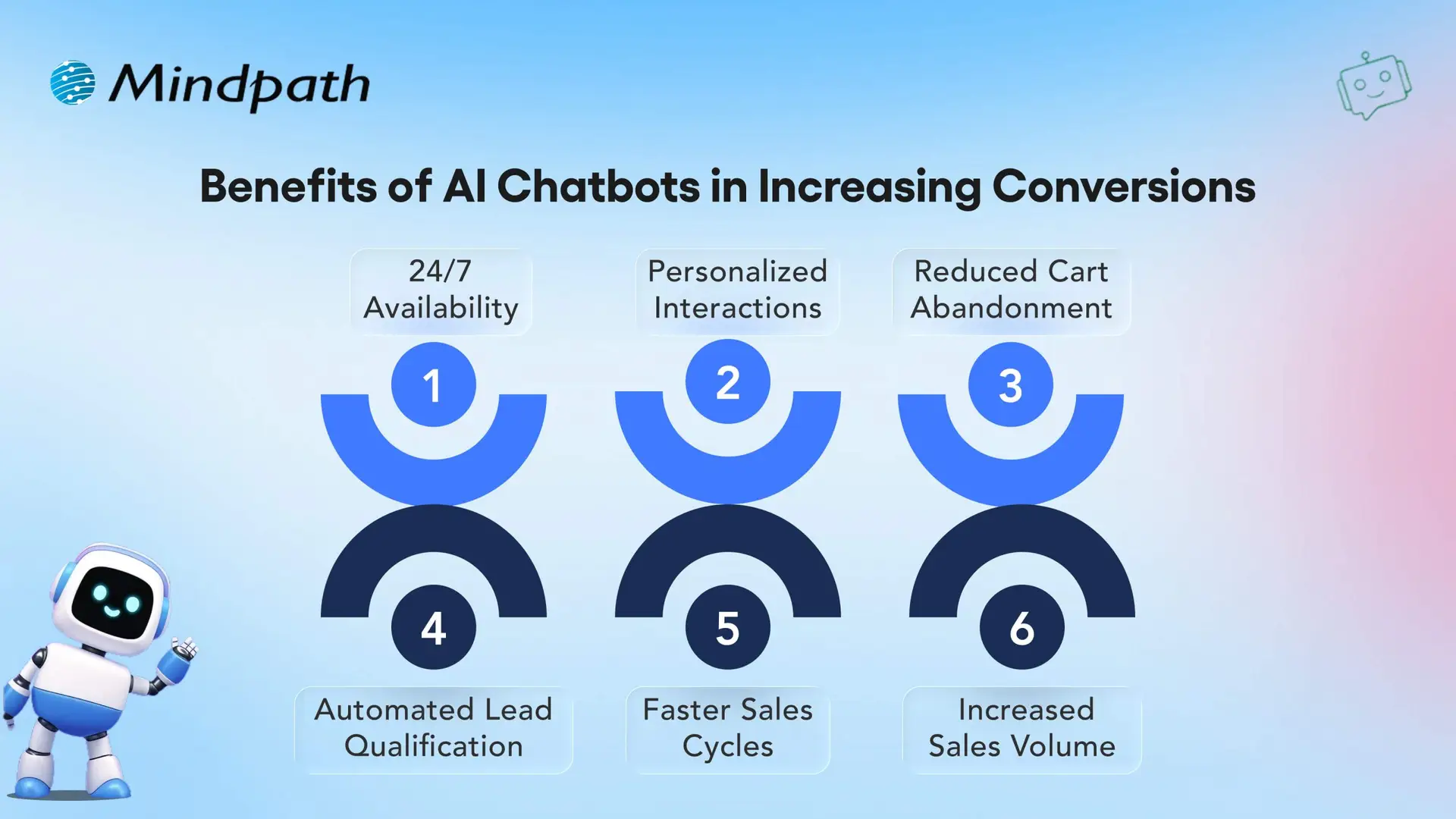
AI chatbots help with sales by chatting with website visitors, gathering lead details, and booking demos. They answer common product questions and encourage customers to stay longer and learn more. This reduces cart abandonment, increases conversion rates, and supports upselling, all with minimal effort. 

4. Handle Repetitive Questions Automatically

One of the best AI chatbot features is the ability to answer common questions instantly. They manage simple tasks like order tracking, returns, and payment issues without needing a support agent. This saves time for both the customer and your team. It also reduces the number of tickets and keeps agents free from more serious problems.

If you’re exploring smarter ways to deliver customer support. Read our blog on AI for Customer Service, where we highlight how chatbots and virtual assistants can improve customer satisfaction and drive measurable business growth.

5. Increase Lead Generation

Instead of filling out forms, customers can chat naturally with AI bots to share their needs. Chatbots collect useful data like preferred products, location, and language. This data is shared with the marketing team, helping them create personalized campaigns and understand customer behavior better.

6. Keep Customers Engaged with Timely Updates

Chatbots can send helpful messages like order updates, appointment reminders, or payment alerts. They also follow up with feedback requests and help continue conversations across different platforms. With custom branding and fun elements like emojis or images, they make every interaction feel friendly and engaging. 

7. Lower Business Costs

Every business wants to reduce costs while improving service quality. Chatbots help by managing simple tasks, answering frequent questions, and routing chats to the right place. This reduces the need to hire additional agents. Some chatbot platforms are easy to set up without coding, saving time and helping businesses see value faster.

8. Scaling Customer Support Efficiently

Chatbots act like additional support agents by handling many customer questions at once. They manage simple requests efficiently, which helps your team focus on more complex issues. This makes it easier to serve a growing number of customers without increasing staff size, saving time, and reducing pressure on your support team. 

Wondering how to turn AI concepts into actionable business solutions? Check out our AI Consulting Services guide for insights on planning, deploying, and scaling AI effectively.

Want to Transform Your Business with Conversational AI Chatbots?

Conversational AI chatbots are changing how businesses talk to customers, manage support, and grow. From smart replies to handling repetitive tasks, these chatbots are now a valuable part of any modern business setup. They simplify operations, improve customer experience, and help teams work more efficiently without adding extra load. 

We at Mindpath are custom chatbot development company, we help businesses build custom conversational chatbots that fit their goals. Whether it’s for customer support, lead generation, or sales, our expert solutions make chatbot integration easy and impactful. Let us help you scale faster and connect better with your customers using the best AI chatbot tools.  

Frequently Asked Questions

1. How do conversational AI chatbots improve customer response time?

Conversational AI chatbots respond instantly to customer queries without any waiting time. They can handle multiple conversations at once, ensuring users get quick answers. This helps reduce delays, improves satisfaction, and keeps customers engaged without depending on human availability.

2. Are conversational AI chatbots difficult to integrate with existing systems?

Conversational AI chatbots are designed to work smoothly with existing business tools like CRM systems, websites, and mobile apps. With proper setup and planning, integration is usually simple, allowing businesses to automate workflows and improve operations without major technical disruptions.

3. Can chatbots handle complex customer queries effectively?

Modern chatbots powered by AI can understand context and intent, making them capable of handling more than just basic questions. For complex issues, they can gather details and pass the conversation to a human agent, ensuring customers still receive accurate and helpful support.

4. Can AI chatbots support both customer service and sales activities at the same time?

Yes, AI chatbots can handle both support and sales tasks together. They can answer questions, guide users through products or services, collect lead information, and even suggest relevant options, helping businesses improve engagement while supporting conversions in a seamless and efficient way.

5. How do chatbots help businesses maintain consistent customer communication?

Chatbots provide consistent responses by following defined logic and learning from interactions. They ensure that every customer receives accurate information regardless of time or volume. This consistency builds trust, improves brand experience, and helps businesses maintain clear and reliable communication.

Discover the transformative power of conversational AI chatbots. From cost savings to increased sales, learn how chatbots can drive growth.