Home

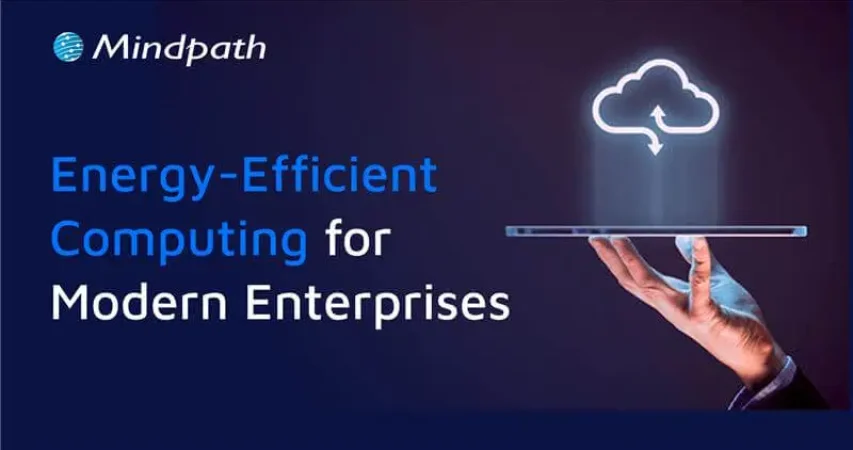
Energy-Efficient Computing: Building Sustainable IT Solutions for Enterprises

Energy-Efficient Computing: Building Sustainable IT Solutions for Enterprises

Join our Newsletter!

energy efficient computing

Every application, server, database, and cloud workload uses computing resources. As businesses continue to move more of their operations online, the amount of processing power and infrastructure they rely on also grows. That makes energy use an important part of modern IT planning.

Energy-efficient computing is about getting the work done without using more computing power than necessary. That can mean optimizing an application, reducing unnecessary database processing, choosing the right cloud resources, improving server utilization, or replacing inefficient infrastructure. The goal is not simply to use less power. It is to make technology work more efficiently without compromising the performance a business depends on.

For enterprises, this matters for both operational and sustainability reasons. Better resource utilization can help control technology costs, while more efficient systems can support broader environmental goals. As cloud computing, AI, and data-intensive applications become part of everyday business operations, energy efficiency is becoming a more practical consideration in technology decisions.

Looking to make your technology environment more efficient? Talk to Mindpath about software, cloud, and technology solutions built around performance, scalability, and smarter resource usage.

What is Energy-Efficient Computing?

Energy-efficient computing means designing and running computing systems in a way that uses fewer energy and infrastructure resources while still delivering the required results. It applies to more than the physical devices in an IT environment. Software, databases, cloud infrastructure, servers, storage, networks, and workloads can all affect how efficiently a system operates.

Consider a cloud application that runs several servers around the clock even though most of them are only lightly used. The infrastructure is doing its job, but some of that capacity may not be necessary. The same applies to an application that repeatedly processes information that could have been cached or a database that performs expensive queries unnecessarily.

Energy-efficient computing looks at these situations and asks a simple question: can the same work be completed with fewer resources?

What Makes Computing Energy Efficient?

There is no single technology that makes a computing environment energy efficient. It usually comes from a combination of better software, appropriate infrastructure, efficient hardware, sensible workload management, and regular monitoring.

For one organization, the biggest opportunity may be cloud resource optimization. For another, it could be application modernization or database optimization. The right approach depends on how the technology environment is built and how it is being used.

How Does Energy-Efficient Computing Work?

Improving computing efficiency usually starts with understanding where resources are being consumed. A business needs to know which applications, servers, databases, and workloads are using significant processing, storage, or network capacity before it can decide what needs to change.

For example, a company may discover that some cloud resources are running continuously despite having very little activity. Another company may find that an application is making repeated API requests or processing the same information multiple times. A database may also be spending unnecessary resources on queries that could be improved through better indexing or data handling.

Once these areas are identified, teams can optimize the application, adjust infrastructure, consolidate suitable workloads, or introduce automation. The results should then be monitored to make sure the changes actually improve efficiency without affecting performance or reliability.

A Practical Approach

  1. Understand the current environment: Review applications, infrastructure, cloud resources, databases, storage, and workloads.
  2. Find areas of waste: Look for idle resources, unnecessary processing, inefficient queries, repeated operations, and over-provisioned infrastructure.
  3. Optimize the technology: Improve application code, databases, APIs, cloud resources, and infrastructure where appropriate.
  4. Match capacity to demand: Use scaling, scheduling, consolidation, or automation when workloads do not require constant capacity.
  5. Measure the outcome: Monitor resource usage, performance, infrastructure costs, and other relevant metrics after making changes.

Principles of Energy-Efficient Computing

Energy efficiency can be improved at several levels of an IT environment. The following areas are particularly relevant for businesses that want to reduce unnecessary computing resources without sacrificing the performance of their systems.

1. Algorithm and Code Optimization

The way software is written can affect how much computing power an application requires. Inefficient algorithms, repeated calculations, unnecessary background processes, and excessive data processing can all increase resource usage.

Developers can improve efficiency by selecting appropriate algorithms, reducing redundant operations, optimizing data processing, improving API usage, and using caching where it makes sense. These changes can also improve application performance, which means energy efficiency does not necessarily have to come at the expense of speed.

2. Efficient Hardware

Hardware remains an important part of the equation. Processors, memory, storage, networking equipment, and other components all have different performance and resource requirements.

Businesses should choose hardware based on actual workload requirements rather than simply selecting the most powerful option available. Hardware that is significantly over-sized for its workload may provide capacity that is rarely used.

3. Power and Workload Management

Not every workload needs to run at maximum capacity all the time. Systems can often be configured to respond to actual demand instead.

Autoscaling, workload scheduling, resource consolidation, and automated management can help match infrastructure capacity with usage. This is particularly useful for applications where demand changes significantly throughout the day or week.

4. Cloud Resource Optimization

Moving to the cloud does not automatically make an IT environment energy efficient. Poorly managed cloud resources can still result in unnecessary computing capacity and operating costs.

Businesses can review instance sizes, storage, databases, containers, and other cloud resources to determine whether they are being used effectively. Removing unused resources and adjusting capacity according to actual demand can make a meaningful difference to overall resource utilization.

5. Sustainable Software Development

Software architecture influences how much infrastructure an application needs. An application that performs unnecessary processing or handles data inefficiently may require more resources as usage grows.

Efficient data handling, appropriate caching, well-designed APIs, sensible architecture, and careful resource management can help applications remain efficient as they scale.

Want to explore technology strategies that can improve business efficiency? Check out emerging technologies for small businesses to see how modern technology can support more efficient IT operations.

Energy-Efficient Computing vs. Green Computing

Energy-efficient computing and green computing are closely related, but they are not exactly the same thing. Energy efficiency focuses mainly on reducing the resources required to perform computing tasks. Green computing takes a broader view of the environmental impact associated with technology.

Energy-Efficient Computing Green Computing
Focuses on using computing resources more efficiently. Looks at the broader environmental impact of technology.
Includes software, hardware, infrastructure, and workload optimization. Can include energy use, hardware lifecycle, materials, recycling, and electronic waste.
Focuses on completing required work with fewer resources. Focuses on reducing the overall environmental impact of technology.
Often considers resource utilization and computing efficiency. Can include broader sustainability and lifecycle considerations.

Benefits of Energy-Efficient Computing

For businesses, energy efficiency is not only about environmental responsibility. It can also affect infrastructure costs, application performance, resource utilization, and the way technology is managed as the organization grows.

1. Lower Energy Consumption

When applications and infrastructure perform unnecessary work, they consume resources that may not contribute any real business value. Optimizing those workloads can reduce unnecessary processing and make better use of available computing capacity.

2. Lower IT Operating Costs

More efficient use of infrastructure can help reduce some of the ongoing costs associated with computing resources. In cloud environments, for example, removing unused resources and choosing capacity according to actual demand can help avoid unnecessary spending.

3. Better Infrastructure Utilization

Energy-efficient computing encourages businesses to understand how their infrastructure is actually being used. This can reveal systems that are underutilized, over-provisioned, or performing unnecessary work.

4. Reduced Environmental Impact

Using fewer computing resources can reduce the energy requirements associated with digital operations. When combined with responsible hardware and infrastructure practices, efficiency can become part of a wider technology sustainability strategy.

5. Easier Scaling

Efficient systems are often easier to scale because they make better use of available resources. Applications designed with sensible architecture and resource management can adapt to changing demand without automatically requiring a large increase in infrastructure.

6. Better Resource Planning

Tracking resource usage gives technology teams better information when planning infrastructure investments. Instead of relying entirely on assumptions, teams can use actual usage patterns to make decisions about capacity and modernization.

Real-World Examples of Energy-Efficient Computing

Energy-efficient computing can be applied in many different ways. The right approach depends on the technology environment, workload, and business requirements.

1. Cloud Workload Optimization

Imagine a business running several cloud servers continuously even though application demand changes throughout the day. Some of those resources may spend a significant amount of time underutilized.

Reviewing resource usage, adjusting instance sizes, using appropriate scaling, and removing resources that are no longer required can help bring infrastructure closer to actual demand.

2. Software Optimization

An application may perform the same calculation repeatedly, make unnecessary API requests, or process more information than it actually needs. Developers can review these workflows and reduce unnecessary operations.

Caching, better algorithms, more efficient data processing, and improved API design are some of the approaches that can help.

3. Database Optimization

Databases can become resource intensive when queries are poorly designed or when applications repeatedly request information that could be handled more efficiently.

Query optimization, appropriate indexing, caching, data lifecycle management, and database architecture can all contribute to more efficient data processing.

4. AI Workload Optimization

AI workloads can require substantial computing resources, depending on the model, task, and volume of requests. Businesses can look at whether every task requires the same type of model or amount of computing capacity.

Using an appropriate model for the task, reducing unnecessary model calls, improving inference workflows, and managing workloads carefully can help avoid using more computing resources than the application requires.

5. Infrastructure Consolidation

Some organizations operate separate infrastructure for workloads that could potentially share resources. Where the architecture and business requirements allow it, consolidation can improve utilization and reduce unnecessary infrastructure capacity.

How Enterprises Can Implement Energy-Efficient Computing

For an enterprise, improving energy efficiency is usually an ongoing process. It is not necessary to replace the entire technology environment at once. A more practical approach is to identify the areas where inefficient resource usage is having the greatest impact and address them gradually.

1. Start With an Infrastructure Audit

Begin by understanding what is currently running. This includes servers, cloud resources, databases, applications, storage, networking, and other infrastructure.

The goal is to create a clear picture of what resources are available, how they are being used, and where potential inefficiencies exist.

2. Identify High-Consumption Workloads

Not every application deserves the same level of attention. Look for workloads that consume significant processing, memory, storage, or network resources.

Idle infrastructure, over-provisioned resources, repeated data processing, and inefficient applications can all be candidates for optimization.

3. Optimize Applications and Databases

Review application code, database queries, APIs, data processing, and background tasks. Small changes in these areas can sometimes remove a significant amount of unnecessary work, particularly in applications with high traffic or large datasets.

4. Review Cloud Resources

Cloud environments should be reviewed regularly rather than treated as set-and-forget infrastructure. Check whether resources are appropriately sized and whether unused storage, instances, databases, or other services can be removed or adjusted.

5. Consider Legacy Modernization

Older systems can sometimes require more resources to perform tasks that newer architectures can handle more efficiently. Modernization does not always mean rebuilding everything from scratch. Depending on the application, businesses can evaluate approaches such as refactoring, replatforming, restructuring, or selective replacement.

6. Match Resources to Demand

Applications with variable demand may not need the same infrastructure capacity at all times. Scaling and workload scheduling can help align resources with actual usage when the architecture supports it.

7. Monitor the Results

Optimization should be measured after implementation. Teams should compare resource utilization, application performance, infrastructure costs, and other relevant metrics to understand whether a change actually delivered the expected result.

Want to improve IT infrastructure efficiency while preparing for changing technology requirements? Explore cloud computing trends to learn more about how modern cloud approaches can support efficient enterprise computing.

How to Measure Computing Efficiency?

It is difficult to improve efficiency if there is no way to measure it. The right metrics will depend on the organization’s infrastructure and workloads, but several measurements can provide useful insight into how efficiently computing resources are being used.

Metric What It Tells You
Energy Consumption Shows how much energy is being used by computing infrastructure or a specific workload.
CPU Utilization Provides insight into how much available processing capacity is actually being used.
Server Utilization Helps identify infrastructure that may be underused or over-provisioned.
Cloud Resource Utilization Shows whether cloud capacity is aligned with actual application demand.
Energy per Workload Helps compare the resources required to complete a particular computing task.
Infrastructure Cost Shows the operational cost associated with the computing resources being used.

Energy-Efficient Computing and Modern Technology

The conversation around computing efficiency is becoming more relevant as businesses adopt cloud platforms, AI applications, distributed systems, and data-intensive software. These technologies can provide significant business value, but they also make resource planning more important.

1. AI and Computing Efficiency

AI applications can involve repeated model inference, large datasets, and specialized computing resources. Businesses should consider the actual requirements of each AI use case rather than automatically choosing the most resource-intensive option.

Model selection, inference optimization, efficient data processing, and workload management can all be considered when building AI-powered systems.

2. Cloud Computing and Resource Efficiency

Cloud platforms give businesses flexibility, but that flexibility needs to be managed carefully. Resources that are provisioned but rarely used can still contribute to unnecessary operating costs and resource consumption.

Regular reviews of cloud infrastructure, resource sizing, storage, databases, and scaling policies can help businesses keep their environments aligned with actual requirements.

3. Software Architecture and Efficiency

Architecture decisions can have a long-term effect on how much infrastructure an application requires. Efficient APIs, appropriate caching, sensible data flows, and well-designed services can reduce unnecessary processing as an application grows.

4. Legacy Technology and Modernization

Legacy applications are another area worth reviewing. Some older systems are difficult to scale or maintain efficiently because of outdated architecture and tightly connected components.

When modernization is appropriate, businesses can evaluate different approaches based on application complexity, business requirements, performance, security, scalability, and long-term maintenance needs.

Challenges of Energy-Efficient Computing

Improving computing efficiency sounds straightforward, but enterprise environments are rarely simple. Technology teams have to balance efficiency with performance, availability, security, scalability, and business requirements.

1. Legacy Infrastructure

Older systems may depend on technologies that are difficult to modify or integrate with newer infrastructure. In these cases, optimization may require careful planning rather than a quick technical change.

2. Limited Visibility

It is difficult to optimize infrastructure when teams do not have enough information about how resources are being consumed. Monitoring and observability therefore play an important role in identifying inefficient workloads.

3. Performance Trade-Offs

An efficiency improvement is only useful if the application continues to meet its business requirements. Reducing resources should not result in slower applications, poor user experiences, reduced availability, or security problems.

4. Complex Technology Environments

Enterprise environments often combine cloud services, on-premises infrastructure, SaaS applications, APIs, databases, and distributed applications. Improving efficiency requires looking at how these components work together rather than optimizing each one in isolation.

How Mindpath Helps Businesses Build Sustainable IT Solutions

Making technology more efficient is not always about replacing existing infrastructure. In many cases, the biggest improvements come from understanding how a system is being used and then making targeted changes to its software, architecture, infrastructure, or workload management.

At Mindpath, we help businesses build and modernize technology solutions with a focus on performance, scalability, and efficient resource usage. This can include software development, application modernization, cloud-focused improvements, architecture planning, and other technology initiatives based on the organization’s specific requirements.

Whether you are improving an existing application or planning a new digital product, an efficiency-focused approach can help create systems that are easier to manage, scale, and optimize over time.

Want Leaner, Lower-Energy Systems?

We design infrastructure that uses less compute for the same work.

Frequently Asked Questions

Cloud computing can support efficient resource management, but simply moving an application to the cloud does not guarantee efficiency. Businesses still need to review resource sizing, scaling, storage, workloads, and unused infrastructure.
Energy-efficient computing focuses primarily on reducing the resources required for computing tasks. Green computing is a broader concept that can include energy consumption, hardware lifecycle, materials, electronic waste, recycling, and other environmental considerations.
Energy-efficient computing is designed to maintain or even improve performance while reducing energy usage. Optimized algorithms, smart hardware, and better power management ensure systems run efficiently without slowing down, making it possible to achieve both sustainability and high performance together.
AI workloads can be made more efficient by choosing models that match the task, reducing unnecessary model calls, optimizing inference, improving data processing, and allocating computing resources according to actual requirements.
Businesses can use metrics such as energy consumption, CPU utilization, server utilization, cloud resource utilization, energy required per workload, infrastructure costs, and application performance to evaluate efficiency.

Support Is One Click Away

Featured Posts

Related Post

AI Agent for Cost Reduction

Rising operational expenses are pushing companies of every size to rethink how they run their day-to-day processes. More organizations are now turning to AI agents for cost reduction, using intelligent automation to cut down manual effort, reduce errors, and get more done with the resources they already have.

Key Takeaways

  • 01
    AI agents go beyond basic automation. They make context aware decisions and adapt over time, which gives them an edge over traditional rule-based systems. 
  • 02
    Savings come from more than one place. Reduced labor hours, fewer errors, round the clock availability, and smarter use of people all add up to lower operational costs. 
  • 03
    Process automation creates department wide impact. From customer support to supply chain, AI agents streamline entire workflows instead of just isolated tasks. 
  • 04
    Cost optimization is not a one-time fix. AI agents keep learning from operations and tend to surface new efficiency gains as time goes on. 
  • 05
    Choosing the right implementation approach makes a real difference. Businesses that plan carefully and start with their biggest cost centers tend to see faster, more lasting results. 

From customer support to supply chain management, these digital workers are quietly reshaping how businesses spend and save. In this blog, we are going to explore how AI agents are helping companies reduce costs, improve efficiency, and stay competitive in 2026.

Are rising operational costs slowing your business growth? At Mindpath, we provide AI agent development services that help organizations automate business processes, reduce operational expenses, and improve long-term efficiency with customized AI development solutions.

Why Businesses are Adopting AI Agents for Cost Reduction in 2026?

AI agents are software programs built to perform tasks on their own, make decisions, and interact with systems or people without constant supervision. Unlike traditional automation tools that follow rigid, preset rules, AI agents can understand context, learn from data, and adjust their actions as conditions change.

In 2026, businesses are no longer treating AI agents as experimental tools. They are being deployed across finance, HR, IT support, sales, and operations to handle repetitive, time consuming work. This shift is a major driver of AI for operational efficiency, freeing up teams to focus on strategic work while agents manage the routine execution. As adoption grows, companies are realizing that the savings go well beyond simple task automation. They extend into smarter decision-making, faster turnaround times, and leaner day-to-day operations.

What makes this moment different from earlier waves of automation is how accessible it has become. Cloud infrastructure, affordable computing power, and more capable AI models have made it possible for mid-sized and even small businesses to deploy agents that were once out of reach for anyone but large enterprises. As a result, most leadership teams have stopped asking whether they should use AI agents and started asking which processes to automate first.

How AI Agents Improve Business Efficiency and Reduce Costs?

Efficiency sits at the heart of nearly every cost saving strategy, and this is exactly where AI agents make the biggest difference. Using AI agents for business efficiency allows companies to remove bottlenecks and cut down the time spent on manual, repetitive work.

Here is how they help:

1. Faster Task Completion

AI agents can process requests, generate reports, and complete workflows in minutes instead of hours, which directly cuts down on labor hours spent on routine work.

2. Fewer Human Errors

Automated agents follow the same logic every time, so the risk of costly mistakes drops and there is less rework to pay for down the line.

3. Round the Clock Availability

Unlike human teams, AI agents can keep working through the night without overtime pay, so productivity does not have to pause when the office closes.

4. Better Use of People

When agents handle the routine work, employees get more time for the tasks that actually need human judgment, and that raises overall output without hiring more staff.

5. Room to Grow

AI agents can take on a heavier workload without a matching jump in cost, which makes it easier for a business to scale without its budget scaling right along with it.

These improvements add up over time. A single automated workflow might only save a few hours a week on its own, but once agents are working across several departments, the combined effect on productivity and cost becomes significant enough to shape overall business strategy.

ai agent for cost reduction

AI Agents for Process Automation Across Business Functions

Process automation is one of the clearest places where businesses see a return on their AI investment. Deploying AI agents for process automation lets companies streamline entire workflows instead of just automating one task here and there.

Some of the most useful applications include:

1. Customer Support

AI agents can answer common questions, route tickets, and follow up with customers instantly, which means fewer support staff are needed to keep response times fast.

2. Finance and Invoicing

Agents can process invoices, catch discrepancies, and manage approvals on their own, cutting down manual accounting hours and reducing payment delays.

3. HR and Onboarding

From answering employee questions to handling paperwork, agents make HR workflows simpler and take a real chunk out of the administrative load.

4. IT Support and Monitoring

AI agents can spot issues, send alerts, and resolve common problems before a person ever has to step in, which keeps downtime and support costs down.

5. Supply Chain Coordination

Agents can track inventory, forecast demand, and trigger reorders automatically, helping businesses avoid both wasted stock and costly shortages.

What these examples have in common is that AI agents rarely replace just one step in a process. They tend to connect several steps into one coordinated flow, and that is what allows businesses to save money at the level of the whole process rather than one task at a time.

AI Cost Optimization: Smarter Ways to Reduce Business Costs with AI Agents

Beyond automation, AI cost optimization is about using data and intelligence to make smarter financial decisions across the business. AI agents for cost reduction really prove their worth here, moving from simply executing tasks to actively helping manage costs.

A few ways AI agents support cost optimization:

1. Predictive Spend Analysis

Agents can study historical data to forecast expenses and flag anything unusual early, helping teams catch budget problems before they grow.

2. Vendor and Contract Management

AI agents can review contracts, compare vendor pricing, and point out better deals, which puts businesses in a stronger position when negotiating.

3. Energy and Infrastructure Monitoring

In IT heavy environments, agents can fine-tune server usage and cloud resource allocation, which cuts unnecessary infrastructure spending directly.

4. Less Manual Reporting

Agents can build real-time financial dashboards without anyone entering data by hand, which saves reporting time and speeds up decisions.

5. Ongoing Improvement

AI agents learn from the operations they run and often surface new efficiency gains over time, so the savings tend to compound rather than stay flat.

Understanding how to reduce business costs with AI agents really comes down to identifying which repetitive, data heavy, or decision-driven processes can be handed over to intelligent systems and doing that in a structured way rather than all at once. Businesses that start with a clear audit of their biggest cost centers tend to see faster, more lasting results than those that automate without much of a plan.

Ready to Cut Costs with AI Agents?

The evidence is hard to ignore. Businesses that adopt intelligent automation are seeing real reductions in operational spending, faster workflows, and fewer costly mistakes. AI agents for cost reduction are not a futuristic idea anymore. They are a practical strategy that companies across industries are already using to stay lean and competitive in 2026.

At Mindpath, we help businesses design and implement AI agent solutions built around their specific operational challenges. Whether that means automating customer support, streamlining finance workflows, or optimizing IT infrastructure, our team works closely with you to find the right opportunities and build agents that deliver real, measurable savings. If you are ready to see what AI agents can do for your business, Mindpath is here to help you get started.

DevOps vs Traditional IT

The technology landscape has been drastically developing at a great pace. Businesses are under pressure to innovate faster and deploy more reliable customer experiences. At this great transformation, the conversation around DevOps vs. Traditional IT has become critical. So, the right approach can influence your speed, innovation, costs, and even customer satisfaction.

Further, there are some companies that still benefit from the structure and control of traditional models. On the other hand, others need the agility and automation that DevOps delivers. In this blog, you are going to understand the difference. This can also help you make the right choice that matches your business goals.

Planning to modernize your IT operations for faster and more efficient delivery? Mindpath offers DevOps services that help streamline workflows, enhance collaboration, and accelerate your development lifecycle.

What is Traditional IT?

The global IT services market size has already reached USD 1,652.27 billion this year. Further, it is going to expand to reach USD 3,299.78 billion by 2033. So, traditional IT values a structured process and initiates work step-by-step. Here, different teams manage multiple parts of the software development lifecycle. For example, developers write the code, and testers will verify if the system has any issues.

This structure majorly values the Waterfall model, where every phase must be completed before shifting to the next one. One of the best parts of traditional IT infrastructure is that it ensures thorough documentation and testing. But it somehow makes the process slower and more rigid. Any last-minute change can include major delays and disturbances.

  • You can have clear department roles and responsibilities.
  • It is a better option for legacy applications.
  • You can have strong control over infrastructure and other processes.
  • It is easily compliant in highly regulated environments.

What is DevOps?

The DevOps market size is expected to reach USD 108.26 billion by 2035. As per the recent statistics, around 72% developers are using the Agile method, whereas 46% of organisations are combining methodologies. So, DevOps is a modern and collaborative approach that combines development and operations into an individual workflow.

Instead of working in isolated teams, DevOps creates a culture of shared responsibility. Further, your whole team can leverage the relevance of automation and continuous improvements.

  • Unlike a traditional system, DevOps values agile principles.
  • It initiates modern IT operations that automate tasks like testing, integration, and deployment.
  • Additionally, this approach can help you reduce errors while improving the overall efficiency.

The Major Difference Between DevOps vs. Traditional IT

Both approaches aim to support your business technology. However, they hold some prominent differences as given below.

1. Deployment Speed

Traditional IT mainly uses scheduled releases, sometimes weekly or monthly. On the other hand, DevOps supports continuous releases through automation. This means you can go live with your features, fixes, and updates faster.

2. Team Structure

Your whole team might remain separated in traditional IT. Developers need to write the code, and they deploy it while handling the issues in the later stage. This can create communication gaps and delays. However, in DevOps, teams can work together from the beginning. This is one of the biggest DevOps benefits for business. Your developers and testers will have ownership.

3. Infrastructure Management

Traditional environments majorly depend on physical servers or manually managed systems. But DevOps relies on cloud environments, containers, and automation to handle infrastructure effectively.

4. Risk Handling

Traditional IT might avoid changes because it can introduce instability in the whole system. However, DevOps is capable of handling risks differently. Instead of making fewer big changes, it allows you to include smaller and more frequent updates.

Top DevOps Benefits for Business and IT Operations

Here are some top DevOps benefits for business that can incredibly encourage your performance in the long run.

1. Faster Time to Market

One of the biggest advantages of DevOps is speed. With automation, you can reduce the chances of delays in testing, deployment, and monitoring. This means your business can launch new products or features much faster.

2. Effective Collaboration

Instead of your teams blaming each other when issues arise, DevOps allows you to have better communication. They can work together and share goals and vision.

3. Higher Reliability

DevOps is not just about moving fast. It accesses continuous monitoring, automated testing, and smaller releases. This makes your systems stable over time.

4. Reduced Operational Charges

Manual processing can be expensive for you. Repetitive deployments, testing, and infrastructure management can consume your time and resources. So, DevOps can reduce these defects through precise automation.

5. Improved Security

With the right DevOps implementation, security assessment and monitoring tools can be directly added to your delivery pipeline. So, fewer blind spots mean faster issue assessment.

Why are Traditional IT Advantages Still Making Sense?

With the ultimate rise of DevOps, traditional models are still relevant in the market. Here are the situations where traditional advantages can be more prominent than speed.

  • You handle a strict environment with severe policy regulations.
  • Your application updates are infrequent and not very urgent.
  • Your internal team is structured around conventional infrastructure management.

A Brief Comparison Between Traditional IT vs. DevOps

Here are some key aspects that define the values of DevOps vs. traditional IT in a structured way.

Factors Traditional IT DevOps
Core Strength Stability and Control. Speed and collaboration.
Team Structure Excludes teams from development and operations. Make a team to work together.
Infrastructure Values manual proceedings. Use automation.
Business Impact Helps in maintaining stable IT environments. Supports modern IT operations.
Best For Regulated Industries Fast-Growing Businesses

The Best Approach for Many Businesses

You need to understand that organizations don’t just jump directly from traditional IT infrastructure to full DevOps. In fact, they change with time. They start by automating the testing phase while influencing the operation pipelines. Further, they might move selected workloads to the cloud while modernizing one application at a time. This hybrid approach can work best because it reduces disruptions while still bringing in the benefits of modern IT operations.

Conclusion

When it comes to DevOps vs. Traditional IT, both approaches come with their own uniqueness. But, in today’s highly developing technological world, DevOps is becoming a serious choice among competitive businesses. However, the best approaches depend on your business goals and growth plans.

If you are ready to make the shift to DevOps and future-proof your business, Mindpath can be your ideal partner. With our cloud and DevOps services, we help bridge the gap through automation, scalable infrastructure, and DevOps-led transformation solutions.

DevOps Cost Efficiency

Are you looking for a way to lower your business costs while boosting efficiency? What if you could achieve both by simply improving how your teams collaborate and work together? DevOps offers a powerful approach to streamline operations, automate processes, and eliminate waste—all of which can lead to significant savings. Curious about how DevOps can impact your bottom line? In this blog, we will explore the ways this methodology can transform your business and help you save money in the process.
DevOps is a method that brings together the development (Dev) and IT operations (Ops) teams to collaborate closely and effectively. It entails automating and improving the software development, testing, and deployment processes via the use of methods and tools. The purpose of DevOps is to make the entire process quicker, easier, and more dependable by increasing collaboration and communication among developers and IT workers. DevOps began in 2007 when individuals realized that the conventional style of working, in which developers and IT teams worked independently, was holding down progress. DevOps enables enterprises to produce software faster and with fewer issues by merging the work of both teams. It’s all about working together, automating tasks, and optimizing processes.
So, let’s dive in to explore how DevOps can help save business costs!

How DevOps Can Help Saving Business Costs

1. Using Cloud Infrastructure

Cloud infrastructure is an effective means to reduce IT expenditures while increasing flexibility and efficiency. Cloud services enable enterprises to scale their resources up or down in real time. Additional resources can be allocated during peak demand periods, while they can be lowered during quieter periods. This guarantees that you only pay for what you use, reducing needless costs and optimizing your budget. Cloud platforms also make processes more efficient by providing automation tools. Tasks like resource management, monitoring, and upgrades can be automated, minimizing the need for human intervention and saving both time and money. Furthermore, the cloud eliminates the need for expensive on-premises infrastructure, resulting in lower maintenance and hardware costs. Businesses that integrate cloud infrastructure into DevOps techniques can save money while also improving efficiency, flexibility, and overall performance. This establishes a solid platform for providing dependable and scalable solutions.

2. Automating with Infrastructure-as-Code (IaC)

Infrastructure-as-Code (IaC) is a method of managing your IT infrastructure that involves writing it as code, similar to providing precise instructions. Instead of manually configuring servers, databases, or networks, you describe the configurations and dependencies in code, and tools like Terraform or AWS CloudFormation do the rest. This strategy saves time, assures consistency, and allows you to easily replicate or upgrade your infrastructure. With IaC, you can make changes fast, scale resources, and maintain a dependable environment without having to do repeated manual tasks. It also lowers the need for additional documentation, as the code itself is the most accurate and up-to-date reference. To ensure success with IaC, it’s essential to securely configure resources, automate tests to validate the code, and continuously monitor the infrastructure. By adopting IaC as part of your DevOps practices, businesses can simplify infrastructure management, minimize errors, and cut costs through better efficiency and automation.

3. Optimizing with Containers

Container orchestration makes it easier to manage a large number of containers running on many computers or servers. Containers are self-contained containers that include everything an application needs to function, such as code, libraries, and dependencies. Managing a few containers manually may be possible, but as the number of containers increases, the process gets more complicated. Container orchestration automates this process, ensuring that containers are deployed, scaled, and managed efficiently. It also enables containers to communicate and collaborate easily, eliminating human effort and minimizing mistakes. Kubernetes is a popular container orchestration tool that provides enterprises with a dependable approach to manage large-scale applications. Businesses that use container orchestration may achieve easier operations, improved resource utilization, and cost reductions while preserving application performance.

4. Streamlining with CI/CD Pipelines

Implementing a Continuous Integration and Continuous Delivery (CI/CD) pipeline is an important DevOps approach that allows firms to save money by automating software development and delivery operations. During the Continuous Integration (CI) phase, developers routinely communicate and integrate code updates into a common repository. Automated systems then test and compile the code to guarantee that everything works properly. This avoids costly complications by identifying problems early in the development phase. CI also saves time on manual integration activities, freeing up resources for other important work. Continuous Delivery (CD) follows CI by automating the deployment of tested code to production or other environments. With solutions like Kubernetes or Docker, the process becomes more frictionless, minimizing delays and the need for manual labor. Automated testing guarantees that only stable and dependable updates are delivered, reducing downtime and mistakes that might result in increased costs.

DevOps Development Services at Mindpath

At Mindpath, we provide DevOps services that streamline software development and reduce costs. Our team uses cloud infrastructure, automation, and container management to help your business scale efficiently. We automate IT processes with Infrastructure-as-Code (IaC) and manage container orchestration using Kubernetes. Our Continuous Integration and Continuous Delivery (CI/CD) pipelines ensure faster, error-free software delivery. With our DevOps expertise, businesses can improve efficiency, cut costs, and achieve high-quality results with minimal manual effort.

Final Thought!

Incorporating DevOps into your business processes is a strong method to save costs and increase efficiency. Businesses can reduce operating costs by using cloud infrastructure, automating with Infrastructure-as-Code, optimizing with containers, and simplifying processes with CI/CD pipelines. DevOps not only reduces human work and mistakes, but it also speeds up software delivery and improves team cooperation. Mindpath’s DevOps services are meant to help organizations realise these benefits, allowing them to prosper in a fast-paced, competitive market. By implementing DevOps, you can improve productivity, cut expenses, and provide higher-quality outcomes with less work.

Ready to optimize your business operations with DevOps?

Partner with Mindpath today to streamline your processes, reduce costs, and achieve high-quality results effortlessly!


Contact Us!

Discover how DevOps can save your business costs by improving efficiency, and enhancing collaboration across teams for high-quality delivery.